
computer Crossword Puzzles
Kasey - Computers Dictionary 2022-11-22

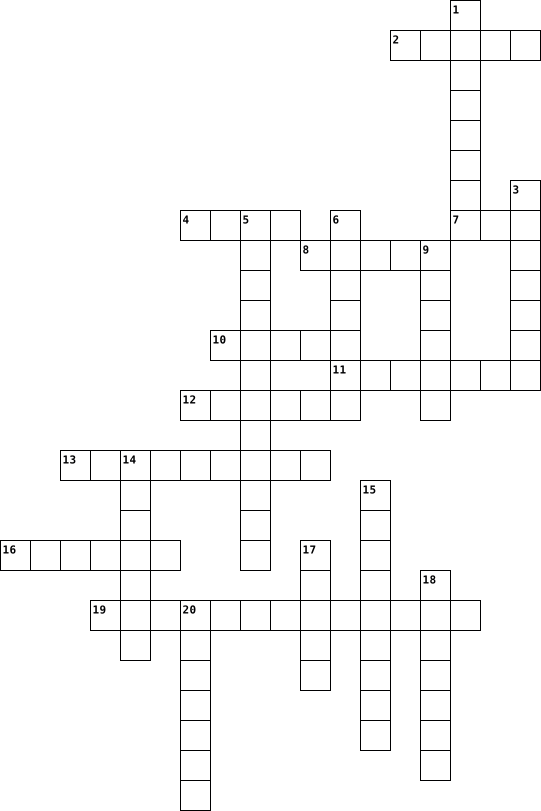
Across
- a unit used to measure storage, and is a group of binary digits or bits
- they store info and keep you logged into a website, you may be asked to except them
- the physical components of a computer used for functions
- it takes instructions and makes complex calculations quickly
- a fake online persona
- the adress of a webpage which can by typed into a browser's adress bar
- an organized column of information or data, stored electronically in a computer
- a tool used for locating websites on the world wide web
- an output device that displays visual information with the help of an additional device or computer system
- a global communications network used to connect computer networks
- the rules of good online behavior
- an internal or external device that connects directly to a computer, but does not contribute to functions such as computing
- a device that connects two or more networks or subnetworks
Down
- a small data storage device
- a security method that requires at least two forms of identifying to access certain resources
- an electronic device for storing and processing data which follows commands and instructions
- a panel composed of lettered and numbered keys, which is often part of a computer's hardware
- where the data in a computer is stored. it read and writes data
- a memory chip used to store data and machine codes
- sending emails claiming to be a reputable company to get personal information, often for scamming purposes
- an external device used to store and transfer data, and can be used between different devices
- a digital record of a time, or time of a certain occurrence
- the quoting of the original creator of a work
- a wireless technology used to connect devices to the internet
- a software and database. its servers can be accessed through the internet
- a type of computer made by google, runs on chrome OS
- the programming used to run a computer
27 Clues: a fake online persona • a small data storage device • the rules of good online behavior • the programming used to run a computer • the quoting of the original creator of a work • a memory chip used to store data and machine codes • a type of computer made by google, runs on chrome OS • a tool used for locating websites on the world wide web • ...
Introduction to Computer Science Vocabulary Crossword Puzzle 2023-01-08

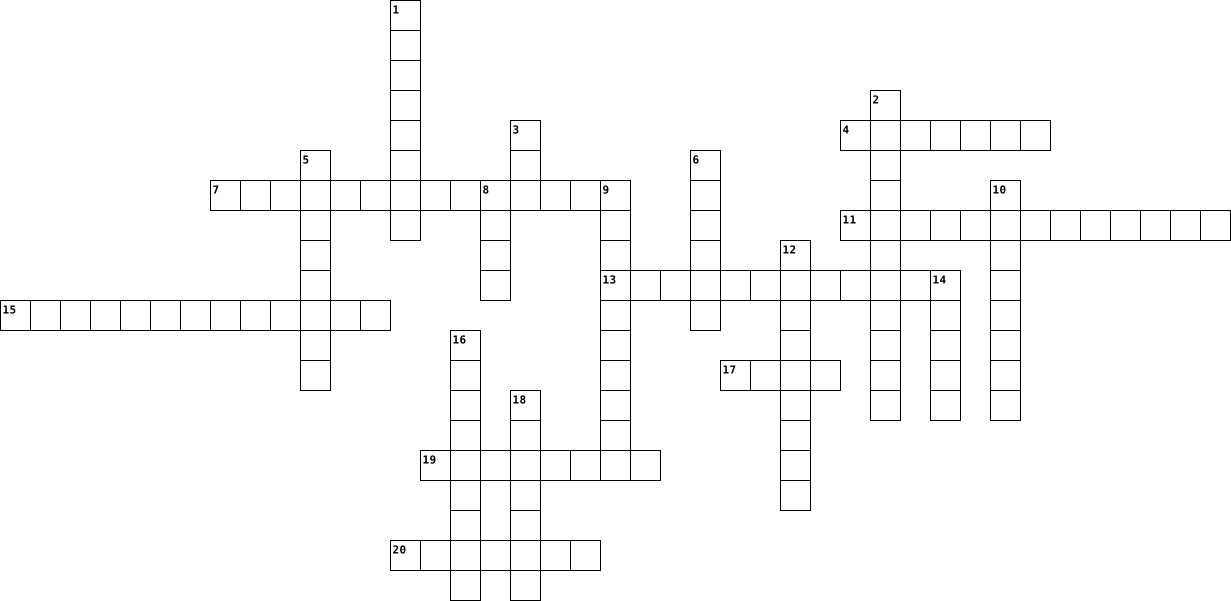
Across
- A printed circuit board containing the principal components of a computer.
- Allow the computer to receive data and instructions from an external source, such as a person entering commands at a keyboard.
- Encompasses the physical components of the computer.
- A small electronic device containing flash memory that is used for storing data or transferring it to or from a computer.
- An Internet-enabled computer that executes software for providing access to certain Web documents.
- A collection of files that are organized together and labeled with a common name.
- Main memory that is usually built into the CPU chip and uses high-speed circuitry. It is extremely fast but very expensive.
- Hardware that started in 1969 and is an international network of computers.
- The software that supports a computer's basic functions, such as scheduling tasks, executing applications, and controlling peripherals.
- The unit of measure for computer memory that is a collection of 8 bits.
Down
- Allow the computer to display or broadcast its results.
- A link from a hypertext file or document to another location or file.
- Refers to the programs that execute on the hardware-a collection of instructions for the computer.
- The "brain" of a computer that is made of electronic circuits, controls the internal workings of the machine, and is located on the motherboard.
- It uses intuitive, visual elements to simplify the process of viewing files and executing programs.
- Manages the CPU's operation, controlling how data and instructions are loaded from memory and accessed by the CPU.
- A document that stores information, such as text an image, sounds or a program.
- Main memory with separate memory chips that are still fast but not as expensive
- Requiring a a constant flow of electricity to maintain its stored values.
- A collection of software that spans the Internet-enables the interlinking of documents and resources.
20 Clues: Encompasses the physical components of the computer. • Allow the computer to display or broadcast its results. • A link from a hypertext file or document to another location or file. • The unit of measure for computer memory that is a collection of 8 bits. • Requiring a a constant flow of electricity to maintain its stored values. • ...
BRIGHT AS A BUTTON 2018-06-03

Across
- Device which digitises photos or other illustrations
- Powerful supercomputers which carry out highly complex calculations
- A copy of information held on computer, stored separately from the computer
- Microchip found inside pocket calculators, car engines
- To connect a computer to a computer system so that you can start working
- It enables communication between computers over telephone lines by converting digital data into telephone signals and vice versa
- All the pieces of equipment which you can see and touch
- It includes the letters of the alphabet, function keys and keys to control the movement of the cursor on the screen
- To arrange a computer so that it works with other equipment
- Flat screen panel with a display based on liquid crystal technology
- It converts sound waves into electronic signals which can be read by the computer
- It enables the user to activate the computer by using a finger to touch symbols or words on the screen
- Device which transforms digital signals into sound waves which can be heard by the user
Down
- To make a device or program better and able to do more things
- A Standardised system for connecting electronic devices using a socket
- It functions as the computer’s memory
- using this device you can direct the movement of the cursor on the screen, select icons and click on a button
- Precise series of instructions
- All the programs which tell the hardware what to do
- It is the computer’s central circuit board
- It indicates how fast the computer can work
- A piece of software which allows a peripheral device to work with a computer
- Device which produces output on paper
- Light and easy to carry
- unit of frequency equal to one cycle per second
- Microprocessor which functions as the computer’s brain
26 Clues: Light and easy to carry • Precise series of instructions • It functions as the computer’s memory • Device which produces output on paper • It is the computer’s central circuit board • It indicates how fast the computer can work • unit of frequency equal to one cycle per second • All the programs which tell the hardware what to do • ...
UntitledAidan 2023-09-15

Across
- An output device that displays information in pictorial or textual form
- A search engine is a web-based tool that enables users to locate information on the World Wide Web.
- A set of instructions, data or programs used to operate computers and execute specific tasks
- A peripheral device that enables a user to input text into a computer or any other electronic machinery
- A device that allows videos and images to be online.
- A network security system that monitors and controls incoming and outgoing network traffic
- A global computer network providing a variety of information and communication facilities
- A device that forwards data packets to the appropriate parts of a computer network
- A deceptive activity in which a person creates a fictional persona of a fake identity
- When someone uses the internet in a safe and legal way
- A program that, after being initially loaded into the computer by a boot program, and manages all of the other application programs in a computer
- To give credit for the original source of information, an idea, or way of articulating an idea
- A sequence of characters or encoded information identifying when a certain event occurred
Down
- A structured set of data held in a computer
- Small blocks of data created by a web server
- Any product that will store, retrieve, manipulate, transmit or receive information electronically in a digital form
- A common computing acronym that stands for random-access memory
- A security system that requires two separate, distinct forms of identification in order to access something
- An auxiliary hardware device used to transfer information into and out of a computer
- A computer network that links devices within a building or group of adjacent buildings
- A social engineering attack used to steal somebody's personal information
- A computer suitable for use at an ordinary desk
22 Clues: A structured set of data held in a computer • Small blocks of data created by a web server • A computer suitable for use at an ordinary desk • A device that allows videos and images to be online. • When someone uses the internet in a safe and legal way • A common computing acronym that stands for random-access memory • ...
Technology and Film words 2025-05-05

Across
- A type of movie or play where the story is told through songs and dancing.
- A small computer you can carry and use on your lap.
- A camera built into a computer or attached to it, used for online video chats.
- A type of movie or show where characters and scenes are created by drawing, computer graphics, or other techniques instead of live actors.
- A type of movie that has lots of exciting scenes, often with fighting, chases, or dangerous situations.
- A type of movie or show that is meant to make you laugh, often full of funny situations or characters.
- Something that is liked or enjoyed by many people, often used to describe well-known movies or stars.
- Something that causes a lot of interest or makes you feel thrilled, often used to describe action-packed films.
- To connect a device to power so it can work or store energy.
- You move this with your hand to click on things on the computer screen.
Down
- Something that doesn't meet your expectations or makes you feel let down.
- A secret word or code you use to log in to a computer or website.
- You use it to type words, numbers, or symbols into a computer.
- Something that involves magic or is full of wonder, often seen in fantasy films with wizards or mythical creatures.
- A system for sending and receiving messages over the internet, often used for communication.
- To make a paper copy of something from a computer or phone.
- A genre of movies or books that features magical elements, mythical creatures, and imaginary worlds.
- You look at this to see pictures, videos, or games on a computer or phone.
- The action of starting or activating an electronic device, like a computer or phone.
- A genre of movies or books that explore futuristic technology, space, and imaginary worlds.
20 Clues: A small computer you can carry and use on your lap. • To make a paper copy of something from a computer or phone. • To connect a device to power so it can work or store energy. • You use it to type words, numbers, or symbols into a computer. • A secret word or code you use to log in to a computer or website. • ...
Technology Crossword 2015-10-25

Across
- Device that lets you control the pointer on screen
- This software is used to create websites
- The part of the computer that you look at
- software used to make computer animation
- Portable computer
- Device with keys that lets you enter text
- The most popular image editing software
- Popular computer operating system
- A collection of computers connected together
Down
- Tech company that's a bit fruity
- More of this will make your computer work faster
- Device that produces hard copies of documents
- A series of drawn images that play one after the other
- The world's most popular social media technology
- Device used to input images into the computer
- Usually located at the bottom of a website
16 Clues: Portable computer • Tech company that's a bit fruity • Popular computer operating system • The most popular image editing software • This software is used to create websites • software used to make computer animation • The part of the computer that you look at • Device with keys that lets you enter text • Usually located at the bottom of a website • ...
computer crossword puzzel 2022-03-01

Across
- is a handheld sofware input device that control a cursor in GUI.
- a device that displays signals on a computer
- used for active cooling.
- disk is used to store data in it.
- is a device that allows a computer to read and write data to a disk.
- is an output device that stored data in on a computer.
- data signal.
Down
- a local area network.
- is used to input text.
- is one of the most essential part of a computer system.
- converts the digital data signals into
- is a central processing unit.
- is used to store information.
- monitaring.
- card is a part of a computer that connects
- is any fan inside or attached to a computer
16 Clues: monitaring. • data signal. • a local area network. • is used to input text. • used for active cooling. • is a central processing unit. • is used to store information. • disk is used to store data in it. • converts the digital data signals into • card is a part of a computer that connects • is any fan inside or attached to a computer • a device that displays signals on a computer • ...
Computer Crosswords 2019-09-06

Across
- the programs that help the computer run
- sequence of steps taken to solve a problem
- a program used for typing documents
- devices that connect to a computer in order for us to get input and output
- Last name of the creator of facebook
- an electronic visual display for computers
Down
- Unprocessed facts
- Is the study of computers,computing, programing, and computation with computer systems
- a printed version on paper
- First computer build in 1945
- physical components that make up a computer system
- An electronic device
- To update a document
- device used to permanently restore and receive information
- A presentation you can use for school or businesses
- An error in an application program or a problem with hardware
16 Clues: Unprocessed facts • An electronic device • To update a document • a printed version on paper • First computer build in 1945 • a program used for typing documents • Last name of the creator of facebook • the programs that help the computer run • sequence of steps taken to solve a problem • an electronic visual display for computers • ...
Computer Vocabulary 2013-11-05

Across
- Any symbol that requires one byte of storage.
- The sequence of operations to be performed by a computer in processing data
- Disc A soft magnetic disk used for storage. (It is called floppy because it flops if you wave)
- Hardware that looks like a typewriter and used to give information to the computer (input device)
- A graphic outline of the steps that are necessary to do a specific job
- A unit of storage capable of holding a single character
- Any program used on a computer which may be stored on cd and thumb drive.
- Contain an entire processing unit, and memory chips contain blank memory.
Down
- Information that is put into a computer in any order
- A system in which the digits 0 and 1 are used
- The working parts of a computer including a monitor, keyboard, and printer
- Computer output that is typed or printed out on paper
- Pictures and color that can be programmed to appear on a screen
- Numbers and information that are given to a computer
- A storage cell in the computer’s memory
- printed results given back by a computer
16 Clues: A storage cell in the computer’s memory • printed results given back by a computer • A system in which the digits 0 and 1 are used • Any symbol that requires one byte of storage. • Information that is put into a computer in any order • Numbers and information that are given to a computer • Computer output that is typed or printed out on paper • ...
Computer Vocabulary 2024-10-02

Across
- unwanted emails, usually advertisements: s_____
- connect your computer to the internet: l___ o__
- personal information you add to your page on a social networking site: a p_______
- write something on a website or forum for other people to read: p____a c________
- use a machine to put a document, etc. into a computer: s_____
- a computer program which stops a computer from working normally: a v________
- add a new comment to your page on a social networking site: u______ your s_______
- a document, picture, etc. sent with an email: an a___________
- remove something from a computer’s memory: d_______
Down
- a secret word that allows you to use a computer: a p_______
- download a computer program from the internet or from a disk: i_______ s_________
- a connection between two pages on the internet: a l______
- produce a copy of a document on paper: p_________ o___
- a small piece of equipment that you use for storing information or photos: a m_______ s_____
- part of a computer that stores information: a h___ d___
- when a computer or a website suddenly stops working: c_________
16 Clues: unwanted emails, usually advertisements: s_____ • connect your computer to the internet: l___ o__ • remove something from a computer’s memory: d_______ • part of a computer that stores information: a h___ d___ • a connection between two pages on the internet: a l______ • a secret word that allows you to use a computer: a p_______ • ...
Bussiness Crossword puzzle 2024-02-22

Across
- most popular OS system
- a small electric device that can process information
- an object that can accept some input and produce some output
- the piece that connects it all together
- any physical object that contributes to a computer system
- counter top of the computer
Down
- the smallest possible unit that a computer can process and store
- the part of the computer that records or generates audio
- any piece of hardware that isn't mounted inside a PC's case is called a peripheral
- any non-physical piece of a computer that contributes to the computer system
- the part that contains the microprocessor
- the primary component of the computer
- storage of the computer
13 Clues: most popular OS system • storage of the computer • counter top of the computer • the primary component of the computer • the piece that connects it all together • the part that contains the microprocessor • a small electric device that can process information • the part of the computer that records or generates audio • ...
All About Computers 2025-08-08

Across
- Portable computer
- Type of computer network
- Temporary memory cleared when the power is off
- Brain of the computer
- Programs and operating system collectively
- Device that displays images
- Storage measured in terabytes
Down
- Physical parts of a computer
- Main circuit board of a computer
- Pointing device
- Common computer virus spreader: ___ mail
- Universal web address format
- Short for ‘application’
13 Clues: Pointing device • Portable computer • Brain of the computer • Short for ‘application’ • Type of computer network • Device that displays images • Physical parts of a computer • Universal web address format • Storage measured in terabytes • Main circuit board of a computer • Common computer virus spreader: ___ mail • Programs and operating system collectively • ...
Spanish Vocabulario de Capitulo 2B 2022-12-13

Across
- there is, there are
- its a...
- poster
- above
- you
- window
- computer
- waste paper bin
- my
- of
- underneath
- desk
- door
- computer screen
- behind
- where
- some
Down
- flag
- computer mouse
- in or on
- on top of
- keyboard
- table
- pencil sharpener
- next to
- backpack
- in front of
- chair
- the
- what is this?
- clock
31 Clues: my • of • you • the • flag • desk • door • some • above • table • chair • clock • where • poster • window • behind • next to • its a... • in or on • keyboard • computer • backpack • on top of • underneath • in front of • what is this? • computer mouse • waste paper bin • computer screen • pencil sharpener • there is, there are
crossword 2024-10-21

Across
- ICT-related field of study
- Cloud computing platform
- ICT-related job role
- Internet protocol
- ICT professional
- Computer virus type
- ICT acronym for "Information and Communication Technology" ()
- Computer input device
- Website design principle
- Digital image format
Down
- Network security threat
- Cybersecurity measure
- Database management system
- Programming language
- Mobile operating system
- Network topology
- Data transmission speed
- Computer hardware component
- Software development method
- Data storage unit
20 Clues: ICT professional • Network topology • Internet protocol • Data storage unit • Computer virus type • ICT-related job role • Programming language • Digital image format • Cybersecurity measure • Computer input device • Network security threat • Mobile operating system • Data transmission speed • Cloud computing platform • Website design principle • ICT-related field of study • ...
Anatomy of a Computer 2020-11-13

Across
- funnels power through cables
- stores all data of computer
- attaches hardware in a computer
- keeps all computer components and data
- a high speed interface
- type of interface found on computers
- slower than usb and firewire ports
Down
- activates when you turn on computer
- carries computer instructions
- makes computer sound better
- main processor in the computer
- can put new data into computer from another device
12 Clues: a high speed interface • stores all data of computer • makes computer sound better • funnels power through cables • carries computer instructions • main processor in the computer • attaches hardware in a computer • slower than usb and firewire ports • activates when you turn on computer • type of interface found on computers • keeps all computer components and data • ...
Computer Architecture: A Minimalist Perspective 2013-12-20

Across
- an architecture where memory is accessed only by load and store operations
- a small, fast memory that is a buffer for slower memory.
- result from execution of instruction.
- part of an instruction for the operation.
- one instruction set computing.
- first operand of instruction.
- prediction a way of solving hazards.
- determine instruction operations.
- a register for storing intermediate results.
- highspeed memory element in a processor for operands, results, instructions, or addresses.
- an operation in BoehmJacopini Theorem.
- multiple physical components of a computer.
- program a computer that stores datum and instructions in memory.
- a series of instructions that are simulataneously fetch, decode, execute, write.
- register for offset of an address into memory.
- a microinstruction sequence.
- a subsystem that transfers data between computer elements.
- list of instructions executed on a processor for a purpose.
- parameter of instruction, datum, address, pointer.
- a hardwarelevel operation for an instruction.
- single instruction set computer but not CISC.
Down
- Neumann a computer architecture with stored program using memory, processor, inputoutput.
- branch branch operation but upon logical condition.
- register register of status from execution of instruction.
- a computer architecture with physically separate memory for datum and instructions.
- retrieve an instruction.
- register for sequential count from initial value.
- instruction for a nothing operation.
- multiple processor computer.
- an organization of hardware or software system.
- a lastin firstout computer architecture.
- counter register for address of current instruction.
- zero instruction set computer.
- minimal instruction set computing.
- instruction parallelism on a single processor.
- process datum with an instruction.
- execution unit with registers, instruction decoder, arithmeticlogic unit, control unit.
- set set of instructions used by a machine.
- second operand of instruction.
- branch backwards to repeat sequence of instructions
- a branch in BoehmJacopini Theorem.
- a datum value for location in memory of operand
- a store of datum and instructions.
43 Clues: retrieve an instruction. • multiple processor computer. • a microinstruction sequence. • first operand of instruction. • one instruction set computing. • zero instruction set computer. • second operand of instruction. • determine instruction operations. • minimal instruction set computing. • process datum with an instruction. • a branch in BoehmJacopini Theorem. • ...
Network Word Search 2014-03-22

Across
- fully or partially connected network in which each of the nodes is connected to each other.
- point where lines intersect or terminate
- geographically dispersed collection of LAN'S
- prevents unauthorized access to or from a private network
- easiest way to add more computers into network
- family of computer networking technologies for LANs
- connects to internet using microwaves
- Bus message-based protocol designed for automotive applications/used in aerospace, maritime, industrial automation & medical equipment
- arrangement of the various elements of a computer network
- computer network used for data transmission among devices
- access without a direct connection
- computer hardware or software, accesses a service made available by a server
- network topology based on a hierarchy of nodes
- one of the most common computer network topologies
- common connection point for devices in a network
Down
- LAN/each node connected to single cable
- interconnects computers withing a limited or smaller geographic area
- Larger than LAN withing same city
- combination of topologies/resulting network does not exhibit one of the standard topologies
- distance of access of Wi-Fi networks
- router/provides greater range for signal & strength of overall signal
- interconnects various pieces of network, provides path for exchange of info
- system (software and hardware)/responds to requests to provide network services
- simplest topology/permanent link between two endpoints
- network topology travels in one direction/each device is a repeater
- measurement of bit-rate of available or consumed data
- expansion board (card) installed so computer can be connected to a network
- decentralized and distributed network architecture/individual nodes act as both suppliers & consumers of resources
- any location where Wi-Fi access is publicly available
- forwards data packets between computer networks
- connect devices together on a computer network
- twisted pair cable for carrying signals
- modular connector for computer network (Ethernet) cables
33 Clues: Larger than LAN withing same city • access without a direct connection • distance of access of Wi-Fi networks • connects to internet using microwaves • LAN/each node connected to single cable • twisted pair cable for carrying signals • point where lines intersect or terminate • geographically dispersed collection of LAN'S • easiest way to add more computers into network • ...
lessin 24 vocab 2016-04-19

Across
- a junction where information arrives from connected computers or peripheral devices
- a type of fiber-optoc telephone line that can transmit up to 1.544 megabits per second
- computer architecture in which all of the computers on a network are equal
- the world's collection of interconneted commercial and governmentowned voice-oriented system
- a network configuration that allows selected outside organizations to access internal information systems
- a computer that uses the services of another program
- a network designed for the exclusive use or computer users whin an organization
- high-end programs designed to provide network control and include special functions
- a device that uses coaxial cable to senf and receive data
- an ISP that provides connection speeds more than 30 times faster than dial-up connections
- link form one computer to another through which data can be trasnsmitted
- a device on the network
- a combanation of hardware and software that creates a buffer between an internal network
Down
- a techniwue or divice that examines fingerprint,voice pattern, or iris
- the largest network used as communication tool
- computer configuration in which one or more computers on the net work
- an internet connection technology that provides for the transfer of information
- a series of connected personal computers
- a computer that handles reqiests for data,e-mail,file transfers
- a device that directs traffic on a network by dividing data into smaller packets
- communications hardware device that facilitates the transmission of data
- a variation of a LAN that uses no physical wires
- a server that acts as an untermediary between a user and the internet
- a recent wireless technology that can deliver maximum speeds of up to 7 Mbps
- expert computer user who invades someone else's computer either for personal gain or simply for the satisfaction
- computer network that covers a large geographical area
26 Clues: a device on the network • a series of connected personal computers • the largest network used as communication tool • a variation of a LAN that uses no physical wires • a computer that uses the services of another program • computer network that covers a large geographical area • a device that uses coaxial cable to senf and receive data • ...
Parts of the computer - Khadija 2017-06-30

Across
- A transducer that converts sound into an electrical signal.
- It takes pictures and can usually record video too(7,6).
- This is a character-recognition technology used mainly by the banking industry(8,3,9,11).
- You control it with your hand where you want it to go
- The physical parts of a computer system.
- An electronic device that can read and output printed barcodes to a computer(7,6).
- The main circuit board of your computer that everything else plugs into.
Down
- permanent storage that is used to start up your computer.
- Is the mechanical or electronic conversion of images of typed, handwritten or printed text into machine-encoded text, (7,9,11).
- You hold it in your hand and as you move it ,it will move which ever direction you move it in.
- the process of capturing human-marked data from document forms such as surveys and tests(7,4,6).
- Used by programs to preform necessary tasks whilst the computer is on.
- A device that can be used to digitise images. They're similar to a photocopier but they make a digital copy instead of a physical copy.
- the part of the computer that executes commands.
- You control it with your finger or palm and you move it were you want to click a tab or a app (7,4,5).
- You hold it in your hand and when you want it to do something you click on the button or analogue stick.
- It is an input and output device normally layered on the top of an electronic visual display of an information processing system(5,6).
- A concept keyboard is a flat board which contains a grid of switches. Each switch can be programmed to do whatever you want.(7,3,5).
- A computer that controls access to a network.
- A webcam is a video camera that feeds or streams its image in real time to or through a computer to a computer network(3,3).
20 Clues: The physical parts of a computer system. • A computer that controls access to a network. • the part of the computer that executes commands. • You control it with your hand where you want it to go • It takes pictures and can usually record video too(7,6). • permanent storage that is used to start up your computer. • ...
CLB--Lesson 4 Operating System Customization 2017-09-14

Across
- Characteristic of an object such as a file.
- Animated design or image that appears after the computer has been idle for a specified amount of time.
- Power state that saves your work to your hard disk, reduces the power for an amount of time, then turns off your computer.
- Power state that saves your data on the hard disk before putting your computer to sleep.
- Series of letters, numbers, spaces, and symbols that you provide to access your files, apps, and other resources.
- Type of user account that lets you access only resources on your computer.
- Features that make a computer easier to see, hear, and use.
- Online computing services for storing, managing, and processing data.
- Set of coordinated colors.
- Condition that allows a user account to access a file, folder, or other object.
- A type of user account created when Windows is installed to provide full access to a computer.
- Type of user account that lets you access Microsoft cloud computing services as well as local ones.
- Free, online storage space for storing and sharing files on a Microsoft server.
- To use settings appropriate for a particular geographical or cultural location.
Down
- Set of conditions that determines how much power the computer is using.
- An onscreen message from Windows or an application.
- A type of user account designed for everyday computing.
- Setting that affects how Windows works and what rights and permissions user accounts have.
- Username and a password.
- Task a user account is allowed to perform.
- Collection of hardware and system settings that manages how your computer uses and conserves power.
- The time the computer uses, which is displayed in the notification area of the taskbar.
- Desktop background and a coordinated set of colors, sounds, and other elements.
23 Clues: Username and a password. • Set of coordinated colors. • Task a user account is allowed to perform. • Characteristic of an object such as a file. • An onscreen message from Windows or an application. • A type of user account designed for everyday computing. • Features that make a computer easier to see, hear, and use. • ...
Jason Duong- Crossword- 1st Period 2016-10-24

Across
- Barriers or shields between a network and outside connections, like the Internet. Lets trusted data pass.
- It means the source code is free to the public.
- Arial
- Times New Roman
- Like laptops and computers and is defined by the size, cost, etc. They are cheap and small and can run old systems.
- The second most powerful computer. An ultra high-working computer made for high volume and intense/ fast processing.
- They are used by large businesses and scientific purposes.
- Computers that are made to stay in one place. They are not like laptops because desktop computers have to be plugged into a power outlet.
- Computer that gives other computers data. May give data to systems that are local area network or wide area network.
Down
- The most powerful computer that works highly and has super fast processing speed that also has many apps like calculation, modeling simulations, and 3D graphics.
- A computer with a touchscreen panel that can be brought anywhere.
- A font that doesn’t have any curls at the end of letters and symbols.
- May be built to show the Supercomputers off to others. Also, the apps that the Supercomputer has are used, too.
- They do not have hard drives and have to be connected to a network connection( or internet connection.)
- Used to visit different websites.
- Collection of Internet communities where people can see each other online. Examples are Facebook, Twitter, and Pinterest.
- Area of a computer’s memory that stores recently used information for an amount of time.. The info is stored in the local hard drive so a person can access it faster.
- Tiny dots that make up the images on computer screens.
- A font that has small curls at the ends of letters and symbols.
- The way we view files on a computer.
- Used to look for specific websites and information on a browser.
21 Clues: Arial • Times New Roman • Used to visit different websites. • The way we view files on a computer. • It means the source code is free to the public. • Tiny dots that make up the images on computer screens. • They are used by large businesses and scientific purposes. • A font that has small curls at the ends of letters and symbols. • ...
ACTIVITY 5 2018-09-06

Across
- data going into the computer
- An agreement about how to represent and transmit data over a network
- is an electronic device about a one inch square
- abbr of personal digital assistant
- A pointing device like a mouse only with the ball on the top of the device instead of the bottom
- collection of 1024 bytes
- the process of creating messages and answers
- a technology used for transferring email
- consists of two or more computers connected so that they can exchange data and programs
- used to store information about the computer system
- physical components of a computer system
- the principal component of a computer
- a process of preparing a floppy diskette for use
- a small palm-sized input device that you move across a flat surface to control the movement of the pointer on the screen
- The most important systems program
- is a collection of data on the disk that has a name
- computer designed to fit on top of a desk
- refers to memory in your computer
Down
- SQL is related with?
- speedometer is an example of_____computer
- a lightweight personal computer
- manipulates the data coming through the processor
- used to record sound
- are programs that people use to get their work done
- when was the first paging system used
- web pages are written using
- a presentation program
- programs that keep the hardware and software running together smoothly
- moving of messages from the originator to recipient
- a device that converts digital signals to analog signals is
- the expert system was developed by which university
- is used to communicate from one city to another
- is used for computer communication between users
- is a group of wires on the main circuit board of the computer
- Designed for line drawing
35 Clues: SQL is related with? • used to record sound • a presentation program • collection of 1024 bytes • Designed for line drawing • web pages are written using • data going into the computer • a lightweight personal computer • refers to memory in your computer • abbr of personal digital assistant • The most important systems program • when was the first paging system used • ...
Technology Crossword (by aria) 2023-06-07

Across
- an American multinational technology company headquartered in Cupertino, California
- a proprietary audio/video interface for transmitting uncompressed video data and compressed or uncompressed digital audio data from an HDMI-compliant source device
- a collection of discrete values that convey information, describing the quantity, quality, fact, statistics, other basic units of meaning
- a form of computer memory that can be read and changed in any order
- are small blocks of data created by a web server while a user is browsing a website and placed on the user's computer or other device by the user's web browser
- a commonly used method of lossy compression for digital images
- a type of computer program that, when executed, replicates itself by modifying other computer programs and inserting its own code into those programs
- the most important processor in a given computer
- a coding format for digital audio developed largely by the Fraunhofer Society in Germany
- In computing, it's a mapping from some domain (for example, a range of integers) to bits
- represents text, computer processor instructions, or any other data using a two-symbol system
- a file format developed by Adobe in 1992 to present documents
- a method of transmitting and receiving messages using electronic devices
Down
- it's a hardware or software component that stores data so that future requests for that data can be served faster
- any software intentionally designed to cause disruption to a computer
- a method of representing data in a visual, machine-readable form
- the protection of computer systems and networks from attack by malicious actors that may result in unauthorized information disclosure, theft of, or damage to hardware
- a digital multimedia container format most commonly used to store video and audio
- a bitmap image format that was developed by a team at the online services CompuServe led by American computer scientist Steve Wilhite provider
- a mobile operating system based on a modified version of the Linux kernel and other open-source software
20 Clues: the most important processor in a given computer • a file format developed by Adobe in 1992 to present documents • a commonly used method of lossy compression for digital images • a method of representing data in a visual, machine-readable form • a form of computer memory that can be read and changed in any order • ...
Vocab 2023-10-10

Across
- A computing device small enough to hold in your hand.
- Data that has already been processed into useful information.
- Electronic components that store instructions waiting to be executed and the data needed by those instructions.
- Terms used to refer to data.
- Term used to refer collectively to hard disks and SSDs.
- A touch-sensitive display device.
- A input device that contains keys you press to enter data and information into a computer or mobile device.
- A personal computer designed to be in a stationary location, where all of its components fit on or under a desk or table. Also called a desktop computer.
- A small symbol on the screen whose location and shape change as a user moves a pointing device.
- A pointing device that fits under the palm of your hand comfortably.
Down
- The number of horizontal and vertical pixels in a display device.
- A mobile device that allows users to take pictures and store the photographed images digitally.
- Thin, lightweight mobile computer with a screen in its lid and a keyboard in its base, designed to fit on your lap. See also notebook computer.
- An output device that visually conveys texts, graphics, and video information.
- An electronic device, operating under the control of instructions stored in its own memory, that can accept data (input), process the data according to specified rules, produce information (output), and store the information for future use.
- A collection of related webpages and associated items stored on a web server.
- A mobile computing device designed for single-player or multiplayer video games.
- A worldwide collection of computer networks that connects millions of businesses, government agencies, educational institutions, and individuals.
- A computer dedicated to providing one or more services to other computers or devices on a network. Sometimes called a host computer.
- Port that can connect up to 127 different peripheral devices together with a single connector. Short for universal serial bus port.
20 Clues: Terms used to refer to data. • A touch-sensitive display device. • A computing device small enough to hold in your hand. • Term used to refer collectively to hard disks and SSDs. • Data that has already been processed into useful information. • The number of horizontal and vertical pixels in a display device. • ...
Unit 1 and unit 2 for computer science 2023-08-25

Across
- A programming language found in editors—such as Microsoft MakeCode and Scratch—that uses different colored and shaped blocks that connect in a specific order to allow beginners to learn concepts without having to worry about syntax.
- A set of instructions that a computer can follow.
- a set of (often repeated) steps used to solve a problem
- A coding editor in Code Connection that lets you code with two programming languages: Block or JavaScript.
- Random access memory
- learning more about your target audience
- long-term memory even when the computer is turned off.
- detailed outline or rough draft of a program. natural language and code.
- test your prototype solution
- A text-based programming language that uses letters, numbers, and symbols. It's one of the most popular programming languages in the world
- shows what your program will look like running on a micro:bit
- A framework for identifying problems, designing solutions, testing and refining
- part of a program that runs when a specific event happens
Down
- construct rough drafts or sketches of your ideas
- how the computer remembers things
- something that happens outside a program that the program can respond to (like a screen tap or mouse click)
- where you will build your programs
- this is a chip inside the computer and it's how the computer transforms information
- how a computer displays or communicates information
- brainstorm several possible creative solutions
- a self contained set of instructions for performing a specific task within a computer program.
- Empathize, define, ideate, prototype, test
- how a computer takes in information from the world (keyboard, mouse, touchscreen)
- understand and identify your audience's problems or needs
- A handheld microcomputer with many inputs and outputs.
- short-term memory that disappears when the computer is turned off.
26 Clues: Random access memory • test your prototype solution • how the computer remembers things • where you will build your programs • learning more about your target audience • Empathize, define, ideate, prototype, test • brainstorm several possible creative solutions • construct rough drafts or sketches of your ideas • A set of instructions that a computer can follow. • ...
Unit 15 vocabulary puzzle 2024-10-29

Across
- an emulation of an existing computer system. A computer OS running within another computer’s OS.
- the use of an app/device to imitate the behaviour of another program/device; for example, running an OS on a computer which is not normally compatible.
- circuit two half adders combined to allow the sum of several binary bits.
- electronic circuits with two stable conditions using sequential circuits.
- computer that uses multiple instructions multiple data sources
- the output from a process which influences the next input value to the process.
- computer that uses multiple instructions single data source
- circuit in which the output depends on input values produced from previous output values.
- virtual machine software that creates and runs virtual machines.
- computer that uses single instruction single data source
- a Boolean expression containing AND and OR terms.
- circuit in which the output depends entirely on the input values.
- an operating system that controls the physical hardware.
Down
- interconnection between two logic gates which make up a flip-flop.
- ordering of binary numbers such that successive numbers differ by one bit value only, for example, 00 01 11 10.
- an operating system running on a virtual machine.
- the complete set of all the instructions in machine code that can be recognized and executed by a central processing unit.
- stands for complex instruction set computer
- circuit that carries out binary addition on two bits giving sum and carry.
- is to allow several instructions to be processed simultaneously without having to wait for previous instructions to finish.
- is a signal that is sent to the processor to request immediate attention
- stands for reduced instruction set computer
- computer that uses single instruction multiple data sources
- a a method used to simplify logic statements and logic circuits – uses Gray codes.
24 Clues: stands for complex instruction set computer • stands for reduced instruction set computer • an operating system running on a virtual machine. • a Boolean expression containing AND and OR terms. • computer that uses single instruction single data source • an operating system that controls the physical hardware. • ...
English crossword 2021-03-03

Across
- -A sequence of instructions that a computer can interpret and execute
- -Sets of wires, covered by plastic, that carry electricity or electronic signals
- -Two people try to throw each other to the ground, using their arms, legs, hands and feet.
- - Two or four people hit a shuttlecock over a high net.
- -A machine connected to a computer that creates a hard copy on paper
- -Visual information in the form of diagrams, graphs, pictures, and symbols
- -Two teams of eleven people try to win by kicking a ball into the other team's goal.
- - A general term for computers and other electronic equipment
- - A special area on a laptop or other computer that you can use to move the cursor
Down
- -CTRL stands for
- - Programs that determine how a computer will communicate with a device
- -Players roll a large black or brown ball as close as possible to a smaller white ball.
- -Processed, stored, or transmitted data.
- - An input device, modeled on the typewriter
- - The display of the computer
- -Two people fight in a ring and try to throw each other to the ground.
- -The software that manages computer hardware and provides common services
- -The software that manages computer hardware and provides common services
- - Short form of Wireless Fidelity
- -A portable computer that you can carry around
20 Clues: -CTRL stands for • - The display of the computer • - Short form of Wireless Fidelity • -Processed, stored, or transmitted data. • - An input device, modeled on the typewriter • -A portable computer that you can carry around • - Two or four people hit a shuttlecock over a high net. • - A general term for computers and other electronic equipment • ...
Computers 2023-07-05

Across
- A harmful program that can damage files and disrupt the operation of a computer.
- A digital message sent electronically to communicate with others.
- A device that produces a hard copy of digital documents.
- Programs and applications that run on a computer.
- A portable computer that can be used anywhere.
- An input device that allows you to move the cursor and click on the screen.
- A screen that displays information and images from the computer.
- The physical components of a computer, such as the processor and memory.
Down
- A global network that connects computers and allows communication and access to information.
- A digital document or collection of data stored on a computer.
- A flat and portable device that allows you to interact with the screen using touch.
- A secret code or phrase used to protect access to a computer or account.
- A machine that can perform various tasks and store information.
- An input device used to type letters, numbers, and symbols on a computer.
- A collection of web pages that can be accessed on the internet.
15 Clues: A portable computer that can be used anywhere. • Programs and applications that run on a computer. • A device that produces a hard copy of digital documents. • A digital document or collection of data stored on a computer. • A machine that can perform various tasks and store information. • A collection of web pages that can be accessed on the internet. • ...
Computer Types and Uses 2020-01-28

Across
- Large expensive computer capable of simultaneous processing data for hundreds or thousands of users.
- A computer that fits on a desk and runs on power from an electrical wall outlet. It has separate components that are each plugged into the computer.
- Acronym of the system that was first widely installed operating system for personal computers. It is command-driven.
- The use of a computer to represent the dynamic responses of one system by the behavior of another system modeled after it. It was born around the same time as the computer game.
- Its common computer applications, such as e-mail, database, multimedia, calendar/scheduler, are integrated into watches, cellphones, visors, and clothing.
- One way of organizing the files on your computer hard disk.
- The unit prefix that was common during 1970s and 1980s, and has a value of one millionth.
Down
- A type of computer that wield incredible computing power for Earth's most intense industrial and scientific calculation. It usually costs hundreds of thousands or even millions of dollars.
- A computer that is usually more expensive than a comparable desktop. Its components are in one compact unit.
- A computer that also called as Personal Digital Assistant during 1990s.
- A new extension format of word document that was introduced by Microsoft in 2007.
- Type of software which enables the application software to interact with the computer hardware.
- Powerful desktop computer designed for specialized tasks that require a lot of processing speed.
- A computer that has the purpose of supplying its users with data; usually through the use of Local Area Network.
- It has two parts: the filename and extension separated by a period.
15 Clues: One way of organizing the files on your computer hard disk. • It has two parts: the filename and extension separated by a period. • A computer that also called as Personal Digital Assistant during 1990s. • A new extension format of word document that was introduced by Microsoft in 2007. • ...
Tech Terms 2025-04-17

Across
- Systems system software that manages computer hardware and software resources, and provides common services for computer programs.
- Restarting a computer.
- The process of protecting information or data by using mathematical models to scramble it in such a way that only the parties who have the key to unscramble it can access it.
- Language Binary
- The smallest unit of digital information.
- A setting.
- A set of programs that helps a communications service provider monitor, control, analyze and manage a telephone or computer network.
- Divide The gap between those who have access to technology, the internet and digital literacy training and those who do not.
- The traditional technology for connecting devices in a wired local area network.
- Something you cant touch
- A network security device designed to monitor, filter, and control incoming and outgoing network traffic based on predetermined security rules.
- The process of starting up a computer system.
- The primary component of a computer that acts as its “control center”
- The internet is a wave of electric energy for communication.
- A device that connects two or more packet-switched networks or subnetworks.
- Any intrusive software developed by cybercriminals.
- Random-access memory. Sometimes it's called PC memory or just memory.
- Portable Document Format.
- Engines A software system, or website, that helps users find information online by scanning and indexing the web.
Down
- Read-Only Memory. A type of computer memory that stores permanent data and instructions for the device to start up.
- A unit of data capacity that is equal to 1,000,000 bytes in decimal notation (base 10) or 1,048,576 bytes in binary notation.
- Drive A little storage unit for computers.
- A Domain Name System (DNS) turns domain names into IP addresses, which allow browsers to get to websites and other internet resources.
- A device that converts signals produced by one type of device (such as a computer) to a form compatible with another (such as a telephone) and that is used especially to transmit and receive information between computers via landlines.
- A program to locate and display information.
- Wide Web A search website for everyone in the world to know.
- Reality A computer-generated environment accessed through a head-mounted display.
- Property Something proprietary that has value but doesn't exist as a physical object.
- Small files of information that a web server generates and sends to a web browser.
- Device Keyboard
- The main printed circuit board (PCB) in a computer.
- Information that can be used to distinguish or trace an individual's identity.
- A computer program or device that provides a service to another computer program and its user, also known as the client.
- Shortcut Combinations of keys on a computer keyboard that do specific actions
- A website designed to make it easy for users to create entries in chronological order.
- Device Speakers
- To store on the computer.
- A unit of data that is eight binary digits long.
- Internet Protocol.
- Something you can touch
- The basic scripting language used by web browsers.
41 Clues: A setting. • Language Binary • Device Keyboard • Device Speakers • Internet Protocol. • Restarting a computer. • Something you can touch • Something you cant touch • To store on the computer. • Portable Document Format. • The smallest unit of digital information. • Drive A little storage unit for computers. • A program to locate and display information. • ...
Computer Literacy Key Terms 2019-08-23

Across
- A self-replicating software program that typically arrives through e-mail attachments and which multiplies on the hard drive, quickly exhausting the computer’s memory. A trojan is a variation that allows unauthorized users access to the computer, from which they can send infected e-mails or spam
- To send information from your computer to the cloud or internet
- A tracking feature of Internet browsers that shows all the recent websites visited.
- A term for the actual computer equipment and related machines or computer parts.
- A hostile, strongly worded message that may contain obscene language.
- Methods individuals use to track, lure, or harass another person online
- A program that lets you find, see, and hear material on web pages. Popular browsers include safari, Microsoft inIernet Explorer, Firefox, and Google chrome
- A giant collection of computer networks that connects people and information all over the world
- A piece of information about your visit to a website that some websites record automatically on your computer. By using a cookie, a website operator can determine a lot of information about you and your computer. cookies are not always bad. For example, a cookie remembers that you prefer aisle seats in the front of the plane
- Refers to the techniques sexual predators use to get to know and seduce their victims in preparation for sexual abuse
Down
- A list of friends a user interacts with online through various media such as instant messaging (IM) and chat
- Any unsolicited e-mail, or junk mail. Most spam is either a money scam or sexual in nature. Internet service Providers, e-mail software, and other software can help block some, but not all, spam.
- stands for malicious software or code, which includes any harmful code—trojans, worms, spyware, adware, etc.—that is designed to damage the computer or collect information
- A type of online fraud, where someone tries to trick the victim into revealing sensitive details, such as a username, password, or credit card details by masquerading as a trustworthy entity in electronic communication
- A wide variety of software installed on people’s computers, which collects information about you without your knowledge or consent and sends it back to whoever wrote the spyware program. The programs typically will track computer use and create numerous pop-up ads. in some instances, the spyware can damage the computer and facilitate identity theft
- To copy a file from one computer system to another via the Internet (usually your computer or mobile device).
- A form of malicious code that displays unsolicited advertising on your computer
- Rules or manners for interacting courteously with others online (such as not typing a message in all capital letters, which is equivalent to shouting).
- A security system is usually made up of hardware and software used to block hackers, viruses, and other malicious threats to your computer
- Any Internet-related illegal activity
- A saved link to a website that has been added to a list of saved links or favorite sites (i.e., “Favorites”) that you can click on directly, rather than having to retype the address when revisiting the site
21 Clues: Any Internet-related illegal activity • To send information from your computer to the cloud or internet • A hostile, strongly worded message that may contain obscene language. • Methods individuals use to track, lure, or harass another person online • A form of malicious code that displays unsolicited advertising on your computer • ...
Intoduction to ICT 2015-11-28

Across
- Electronic Devise
- The one who invented the famous microsoft.
- Type of scanner that is use in a bank
- Generation where computer used transistor instead of vacuum tube.
- He is the the first who invented the mechanical calculator called Pacaline Arithmetic Machine.
- Gneration where used vacuum tube.
- He is the one who invented worlwide web.
- They invented Abacus.
Down
- Type of scanner that is use in airport
- One of the two who builts ABC
- people involve trough the use of computer.
- Equipment or devices used to computer
- Allows user to communicate electronically through the use of internet
- it means software
- Type of Mouse
- Programs that cannot be seen or touch
- one of the two who released the Apple I and Apple II.
- it means computer
- earliest calculating device
19 Clues: Type of Mouse • Electronic Devise • it means software • it means computer • They invented Abacus. • earliest calculating device • One of the two who builts ABC • Gneration where used vacuum tube. • Equipment or devices used to computer • Type of scanner that is use in a bank • Programs that cannot be seen or touch • Type of scanner that is use in airport • ...
Technology 2025-03-06

Across
- – A moving picture you can watch.
- – A mobile phone that can do many things.
- – You use this to visit websites.
- – A small device that helps you click on a computer.
Down
- – A round disc that plays movies.
- – You type on this.
- – A machine used for work, games, and internet.
- – You press this to make something work.
- – A small computer you can carry.
- – A small program on your phone or computer.
- – You look at this on a computer or phone.
- – A message you send on a computer.
- on – What you do to start a computer or TV.
- message – A short message sent on a phone.
14 Clues: – You type on this. • – A round disc that plays movies. • – A moving picture you can watch. • – A small computer you can carry. • – You use this to visit websites. • – A message you send on a computer. • – You press this to make something work. • – A mobile phone that can do many things. • – You look at this on a computer or phone. • ...
Computer Camp Crossword 2025-07-17

Across
- Where you see everything on the computer
- What you see when the computer is off
- When your computer starts up
- A picture that moves on the screen
- The opposite of "off"
- What you use to hear sounds from the computer
- What you use to click things on the screen
Down
- A small computer you can carry
- The part you type on
- The last name of your teacher
- What you use to search on the internet; rhythms withwith "noodle"
- A way to talk to others on the internet
- A special code to keep your computer safe
- A tiny camera on your computer to see your friends
14 Clues: The part you type on • The opposite of "off" • When your computer starts up • The last name of your teacher • A small computer you can carry • A picture that moves on the screen • What you see when the computer is off • A way to talk to others on the internet • Where you see everything on the computer • A special code to keep your computer safe • ...
Andrea´s Crossword 2021-06-23
Across
- S__ry ( social stdies)
- d_a_ ( art)
- R_n ( physical education)
- P__ms ( lenguaje and literature)
- B_b_e (religion)
- L__t__s (lenguaje and literature)
- P__n_s ( natural science)
- crafts r__y__i_g c__f_s (cultural and artistic education)
- c__f_s (cultural and artistic education)
- in English words p__n__c__t__n i_ e__l__h w__d_
Down
- C__p_t_r (computer)
- A__m__s (natural sicence)
- A__l___t___s (computer)
- G__p__s ( religion)
- S__r_s (physical education)
- C__t__e ( social studies)
- F__t__s ( math)
- p_i_t (art)
- h__b__s (english)
- N__b__s (math)
20 Clues: d_a_ ( art) • p_i_t (art) • N__b__s (math) • F__t__s ( math) • B_b_e (religion) • h__b__s (english) • C__p_t_r (computer) • G__p__s ( religion) • A__l___t___s (computer) • A__m__s (natural sicence) • P__n_s ( natural science) • C__t__e ( social studies) • S__ry ( social stdies) • R_n ( physical education) • S__r_s (physical education) • L__t__s (lenguaje and literature) • ...
Cybersecurity 2023-09-07
Across
- a computer infection
- protects organizations on internet attacks
- locks databases
- gives a scammer access to your personal computer
- security for computers
- information
- faking
- to save something
Down
- deceive people into giving up their personal info
- ransomeware
- authentication method (2)
- to ensure protection
- worker
- when something isnt safe
- protecting information
- desktop
- authentication method
- scammers that impersonate a business
- when a virus spreads
- damages
20 Clues: worker • faking • desktop • damages • ransomeware • information • locks databases • to save something • a computer infection • to ensure protection • when a virus spreads • authentication method • protecting information • security for computers • when something isnt safe • authentication method (2) • scammers that impersonate a business • protects organizations on internet attacks • ...
nin26 2024-07-03

Across
- Data transfer rate
- Unwanted email
- Clickable link
- Access code
- Saved URL
- Login name
- Data security
- Very large data unit
- Restart computer
- Processor speed
- Programming rules
- Data unit
Down
- Windows feature
- Network security
- Computer chip material
- Online scam
- Computational process
- Computer protection
- Onscreen pointer
- Trash bin icon
- Massive data unit
- Software addon
- Background image
- Main screen
- Large data unit
25 Clues: Saved URL • Data unit • Login name • Online scam • Access code • Main screen • Data security • Unwanted email • Clickable link • Trash bin icon • Software addon • Windows feature • Processor speed • Large data unit • Network security • Onscreen pointer • Restart computer • Background image • Massive data unit • Programming rules • Data transfer rate • Computer protection • Very large data unit • ...
lesson 29 2024-04-12

Across
- relative
- used to operate computers
- many
- online shopping
- Google docs
- intrigued
- computer stuff
- a place to play games
- difficult to understand
Down
- cut off
- a device for computers
- a way of living
- for keeping notes
- a type of rodent
- old printer
- a point where two systems meet
- like auto-correct
- the arrow on the computer screen
- internet connector
- copy
- a type of computer
21 Clues: many • copy • cut off • relative • intrigued • old printer • Google docs • computer stuff • a way of living • online shopping • a type of rodent • for keeping notes • like auto-correct • internet connector • a type of computer • a place to play games • a device for computers • difficult to understand • used to operate computers • a point where two systems meet • the arrow on the computer screen
Networking Concepts 2025-06-16

Across
- electronic devices to exchange data over wireless network
- device; forwards data packets between networks.
- that enables a computer to communicate over a network; also called an ethernet adapter or network interface card.
- top level of a network.
- a computer dedicated to running one or more services; host computer.
- that usually spans a campus or city.
- access point or area.
- of computer networks.
Down
- subsystem; combines digital bits to form common function or variable.
- device attached to computer network; can be a computer or a switch.
- used computer data structure with a set of linked nodes.
- computer network topology shape.
- that interconnects computers in a limited area.
- structure; effectively used to buffer data streams; also called a circular buffer.
- that covers a broad area.
15 Clues: access point or area. • of computer networks. • top level of a network. • that covers a broad area. • computer network topology shape. • that usually spans a campus or city. • device; forwards data packets between networks. • that interconnects computers in a limited area. • used computer data structure with a set of linked nodes. • ...
Let's Chat! 2023-04-18

Across
- The putting and keeping of things in a special place for use in the future. (7)
- A way of marking an internet website so that you can find it easily. (8)
- An online personal diary with thoughts and opinions as well as links to other websites. (4)
- Instructions that tell a computer what to do. (8)
- A permanent high-speed internet connection. (9)
- When your computer suddenly stops working. (5)
- A word, phrase, or image that you can click on to move to a new document or a new section within the current document. (9)
- Facts or figures, or information that's stored in or used by a computer. (4)
- A folder on a computer or phone where emails are received. (5)
Down
- A product or a way of doing something which has never been made or never existed before. (9)
- A program which protects your computer from damage by other users. (8)
- A surface, as on a smartphone, television, or computer monitor, on which one can read and view electronically displayed information and images. (6)
- To move a file from your computer onto the internet. (6)
- To replace something with a newer version. (7)
- Junk e-mails sent to many people at once, usually involving advertising or offering services. (4)
- To move a file from the internet to your computer. (8)
- The act of joining or being joined to something else. (10)
- A piece of software that is on your computer without your permission and runs against your wishes. (5)
18 Clues: To replace something with a newer version. (7) • When your computer suddenly stops working. (5) • A permanent high-speed internet connection. (9) • Instructions that tell a computer what to do. (8) • To move a file from the internet to your computer. (8) • To move a file from your computer onto the internet. (6) • ...
Chapter 2 2013-09-26

Across
- a hardware architecture and a software framework where the combination allows software to run
- the act of creating a virtual version of something
- a logically visible subdivision of an IP network
- a computer program that manages input/output requests from software and translates them into data processing instructions for the central processing unit
- software that provides an interface for users of an operating system to access the services of a kernel
- a means of interacting with a computer program where the user issues commands to the program in the form of successive lines of text
- the process of replacing a product with a newer version of the same product
- a collection of software that manages computer hardware resources and provides common services for computer programs
- software that implements an operating system of some kind that is oriented to computer networking
- used to control how information is stored and retrieved
Down
- a type of user interface that allows users to interact with electronic devices through graphical icons and visual indicators
- a piece of software designed to fix problems
- can redirect standard streams to user-specified locations
- all computer software needs certain hardware components or other software resources to be present on a computer
- the node on the computer network that the network software uses when an IP address does not match any other routes in the routing table
- a proprietary file system developed by Microsoft Corporation for its Windows NT line of operating systems
- a numerical label assigned to each device
- the act of installing multiple operating systems on a computer
18 Clues: a numerical label assigned to each device • a piece of software designed to fix problems • a logically visible subdivision of an IP network • the act of creating a virtual version of something • used to control how information is stored and retrieved • can redirect standard streams to user-specified locations • ...
Computing Support Vocabulary 3 2022-04-09

Across
- file transfer from local device to the internet
- located at bottom of desktop; to launch programs
- the physical computer system
- text that allows you to connect to a location
- the mouse button that opens a shortcut menu
- private messages sent over a computer network
- software that controls computer hardware
- the 'factory setting' of a software
- a device that broadcasts a signal wirelessly
- temporary memory
- file transfer from the internet to local device
Down
- position the mouse pointer over an icon
- process of consolidating pieces of files
- horizontal& vertical bar; controls visible page
- the portal through which you interact with an app
- a digital file where documents are organized
- connect a peripheral device to a computer
- a piece of computer information
- horizontal and vertical control over visible page
19 Clues: temporary memory • the physical computer system • a piece of computer information • the 'factory setting' of a software • position the mouse pointer over an icon • process of consolidating pieces of files • software that controls computer hardware • connect a peripheral device to a computer • the mouse button that opens a shortcut menu • ...
Microcomputer 2026-03-25

Across
- Something that plugs into your computer to help you use it
- The main circuit board that connects all parts of the computer.
- Output device shows the _______
- Taking care of the physical parts of the computer
- Allows information to come OUT of the computer
Down
- The “brain” of the computer that processes instructions.
- A small computer used by one person
- Allows you to put information IN a computer
- Taking care of the programs in your computer
- Where data and files are saved for long-term use
- Temporary memory that stores data while the computer is running.
- The CPU can get hot so there is a fan (________) to cool it.
- The peripheral connects to the ___
13 Clues: Output device shows the _______ • The peripheral connects to the ___ • A small computer used by one person • Allows you to put information IN a computer • Taking care of the programs in your computer • Allows information to come OUT of the computer • Where data and files are saved for long-term use • Taking care of the physical parts of the computer • ...
Living in the IT Era 2019-11-17

Across
- A global computer network providing a variety of information and communication facilities, consisting of interconnected networks using standardized communication protocols.
- A panel of keys that operate a computer or typewriter.
- The state or extent of being connected or interconnected.
- A printed circuit board containing the principal components of a computer or other device, with connectors into which other circuit boards can be slotted.
- A particularly powerful mainframe computer.
- A small rodent that typically has a pointed snout, relatively large ears and eyes, and a long tail.
- Almost or nearly as described, but not completely or according to strict definition.
- An electronic device for storing and processing data, typically in binary form, according to instructions given to it in a variable program.
- Controlled by or connected to another computer or to a network.
Down
- A computer of medium power, more than a microcomputer but less than a mainframe.
- Refers to ad-supported programs, games, or utilities that are distributed as adware
- The use of electronic communication to bully a person, typically by sending messages of an intimidating or threatening nature.
- Transferring data from a remote computer to one's own computer.
- A computer that is portable and suitable for use while traveling.
- A video camera that inputs to a computer connected to the Internet, so that its images can be viewed by Internet users.
15 Clues: A particularly powerful mainframe computer. • A panel of keys that operate a computer or typewriter. • The state or extent of being connected or interconnected. • Transferring data from a remote computer to one's own computer. • Controlled by or connected to another computer or to a network. • A computer that is portable and suitable for use while traveling. • ...
Computer Science 2022-05-04

Across
- Computer free time
- the input keys to a computer
- the way to make programs work through a language for computer.
- I am a computer that is small but not a phone
- I store all the computer items
- the search engine for an Ipad or macbook
Down
- the free standing item used to move the cursor around to click on things
- How you see what your doing or like a tv screen for a computer.
- how you hear sounds from a computer
- COmputer recording program
- Search the internet with me
- the central processing Unit
- a skill using the keyboard
13 Clues: Computer free time • COmputer recording program • a skill using the keyboard • Search the internet with me • the central processing Unit • the input keys to a computer • I store all the computer items • how you hear sounds from a computer • the search engine for an Ipad or macbook • I am a computer that is small but not a phone • ...
Directions: Identify the word/words that match the hint below the puzzle. 2023-10-19

Across
- The brain of a computer contains all the circuitry needed to process input, store data, and output results.
- It is your computer or laptop's short-term memory.
- hardware It is a hardware device found inside the system unit of the computer.
- fan A computer case used for active cooling.
- drive It is a hardware component that stores all of your digital content.
- hardware It is the physical part of the computer system. (anything you can see and touch).
- device It is the hardware device that sends data to a computer, allowing you to interact with and control it.
Down
- It is the hardware component of a computer that supplies all other components with power.
- card It is a computer expansion card that generates a feed of graphics output to a display device such as a monitor.
- card It is a computer component responsible for generating and recording audio.
- device It is a piece of computer equipment on which information can be stored.
- hardwareA hardware device that is located outside the computer.
- It is a type of storage medium that permanently stores data on personal computers (PCs) and other electronic devices.
- It is the main printed circuit board (PCB) in a computer. It is a computer's central communications backbone connectivity point, through which all components and external peripherals connect
- device It is a programmable device that stores, retrieves, and processes data.
15 Clues: fan A computer case used for active cooling. • It is your computer or laptop's short-term memory. • hardwareA hardware device that is located outside the computer. • drive It is a hardware component that stores all of your digital content. • device It is a piece of computer equipment on which information can be stored. • ...
CAAMP 2013-12-20

Across
- minimal instruction set computing.
- a series of instructions that are simulataneously fetch, decode, execute, write.
- multiple physical components of a computer.
- Neumann a computer architecture with stored program using memory, processor, inputoutput.
- register for offset of an address into memory.
- second operand of instruction.
- a hardwarelevel operation for an instruction.
- a branch in BoehmJacopini Theorem.
- an operation in BoehmJacopini Theorem.
- a lastin firstout computer architecture.
- highspeed memory element in a processor for operands, results, instructions, or addresses.
- execution unit with registers, instruction decoder, arithmeticlogic unit, control unit.
- counter register for address of current instruction.
- an architecture where memory is accessed only by load and store operations
- an organization of hardware or software system.
- single instruction set computer but not CISC.
- prediction a way of solving hazards.
- a register for storing intermediate results.
- retrieve an instruction.
- register for sequential count from initial value.
- determine instruction operations.
- multiple processor computer.
- zero instruction set computer.
Down
- first operand of instruction.
- a store of datum and instructions.
- list of instructions executed on a processor for a purpose.
- part of an instruction for the operation.
- branch backwards to repeat sequence of instructions
- a microinstruction sequence.
- one instruction set computing.
- a small, fast memory that is a buffer for slower memory.
- program a computer that stores datum and instructions in memory.
- parameter of instruction, datum, address, pointer.
- instruction parallelism on a single processor.
- process datum with an instruction.
- register register of status from execution of instruction.
- set set of instructions used by a machine.
- a subsystem that transfers data between computer elements.
- result from execution of instruction.
- branch branch operation but upon logical condition.
- a computer architecture with physically separate memory for datum and instructions.
- a datum value for location in memory of operand
- instruction for a nothing operation.
43 Clues: retrieve an instruction. • a microinstruction sequence. • multiple processor computer. • first operand of instruction. • second operand of instruction. • one instruction set computing. • zero instruction set computer. • determine instruction operations. • minimal instruction set computing. • a store of datum and instructions. • a branch in BoehmJacopini Theorem. • ...
crossword puzzle 2017-06-21

Across
- a piece of code that is capable of copying itself and typically has a detrimental effect, such as corrupting the system or destroying data.
- mobile devise spreadsheet
- a wall or partition designed to inhibit or prevent the spread of fire
- a packet of data sent by an Internet server to a browser.
- A folder or box for holding loose papers that are typically arranged in a particular order for easy reference.
- flash drive An external flash drive, small enough to carry on a key ring, that can be used with any computer that has a USB port.
- system The Software that supports a computer's basic functions.
- a combined device for modulation and demodulation.
- copy (data) from one computer system to another, typically over the Internet.
- a computer or computer program that manages access to a centralized resource or service in a network.
- A folding cover or holder, typically made of stiff paper or cardboard, for storing loose papers.
- relevant or inappropriate messages sent on the Internet to a large number of recipients.
Down
- most or nearly as described, but not completely or according to strict definition.
- browser A Hardware browser is a tool for displaying related resources under the server or network Hardware devices.
- Electronic device for storing and processing data
- A Panel of keys that Operate a Computer or Typewriter.
- a group or system of interconnected people or things.
- A person or thing regarded as a representative symbol of something.
- a global computer network providing a variety of information and communication facilities
- wide web.
- Instrument or device used for observing, checking for records.
- A small hand held device that is dragged across a flat surface to move the cursor on a computer screen.
- The working surface of a desk
- drive A high-capacity, self-contained Storage Device containing a read-write Mechanism.
- is a act or instance of booting a computer system again.
25 Clues: wide web. • mobile devise spreadsheet • The working surface of a desk • Electronic device for storing and processing data • a combined device for modulation and demodulation. • a group or system of interconnected people or things. • A Panel of keys that Operate a Computer or Typewriter. • is a act or instance of booting a computer system again. • ...
A Day in the Life of a Middle School Computer Student 2019-04-20

Across
- Input device used for commands and navigation
- "Brain of the computer"
- Refers to day-to-day temperature and precipitation activity
- Physical parts of a computer
- Playing video and sound in real time
- Software that has been written to detect, isolate, and destroy viruses
- A room, typically in a school, in which a class of students is taught
- A web address
- Consists of information
- First line of defense
- Electronic mail
- The receiving of an academic degree or diploma
- Information or data retrieved or received from a computer
Down
- A computer that is portable and suitable for use while traveling
- Retrieving something from the internet and storing it on a disk drive
- A program that contains instructions for a computer
- A program that allows users to view web pages and online information
- Using material another person has created and claims it as your own
- Any word, phrase, or picture that, when clicked, take the user to another location
- A process that leads from an original formulation of a computing problem to executable computer programs
- An extended period of leisure and recreation, especially one spent away from home or in traveling
- Input device with an arrangement of letters, etc.
- Small circuit board that controls processing within a computer
- A game played by two teams of eleven players with a round ball that may not be touched with the hands or arms during play except by the goalkeepers
- Applications are also known as _____.
- An unauthorized user able to access and misuse information
- A malware program that, when executed, replicates by inserting copies of itself into other computer programs, data files, or the boot sector of the hard drive
- Output device that displays text and graphics on a screen
- Refers to the method used to enter or transmit your message to a computer
29 Clues: A web address • Electronic mail • First line of defense • "Brain of the computer" • Consists of information • Physical parts of a computer • Playing video and sound in real time • Applications are also known as _____. • Input device used for commands and navigation • The receiving of an academic degree or diploma • Input device with an arrangement of letters, etc. • ...
Welcome to Informatics 2020-10-30

Across
- What is the coding language synonym of coffee?
- What do you call it when computer science majors make fun of each other? Cyber.......
- Which protocol is used to receive email?
- What is the hypothetical point in time at which technological growth becomes uncontrollable and irreversible? Technological ...........
- Which type of memory stores data only for the time your computer is turned on, but loses the data at a power break?
- Error in a software program?
- What is the question-answering computer system capable of answering questions posed in natural language?
- What is the object-oriented way to become wealthy?
- Who created the C programming language?
- What is the algorithm that finds the position of a target value within a sorted array?
- A Computer program that plays the board game go?
- Why do java programmers tend to wear glasses? Because they can't…
- Where does Tarzan buy his computers from?
- int x; for (x=2; x<=7; x++) { } printf(''%d'', x);
Down
- Who developed the Java programming language?
- Which woman is considered by many to be the world's first computer programmer?
- With respect to computer science principles, what is the term used for a reasonably detailed sequence of steps designed to solve a problem or perform a task?
- Google can search through everything on the internet? True or False
- What does the ‘s’ in USB stand for?
- A folder in a windows computer cannot be made with which name?
- A Computer generated simulation in which a person can interact through a headset?
- How many programmers does it take to change a light bulb? (...., It's a hardware problem.)
- What is the name for a manipulated video produced by sophisticated AI that yields fabricated images/sounds that appear to be real?
- The term ‘Computer’ is derived from……….?
24 Clues: Error in a software program? • What does the ‘s’ in USB stand for? • Who created the C programming language? • Which protocol is used to receive email? • The term ‘Computer’ is derived from……….? • Where does Tarzan buy his computers from? • Who developed the Java programming language? • What is the coding language synonym of coffee? • ...
unit 1&2 Vocabulary 2023-08-24

Across
- this is a chip inside the computer and it's how the computer transforms information
- A text-based programming language that uses letters, numbers, and symbols. It's one of the most popular programming languages in the world
- random access memory
- where you will build your programs
- how a computer takes in information from the world (keyboard, mouse, touchscreen)
- A coding editor in Code Connection that lets you code with two programming languages: Block or JavaScript.
- detailed outline or rough draft of a program. natural language and code.
- test your prototype solutions
- A framework for identifying problems, designing solutions, testing and refining
- empathize, define, ideate, prototype, test
- long-term memory even when the computer is turned off.
- construct rough drafts or sketches of your ideas
- A handheld microcomputer with many inputs and outputs.
Down
- program A set of instructions that a computer can follow.
- part of a program that runs when a specific event happens
- a set of (often repeated) steps used to solve a problem
- A programming language found in editors—such as Microsoft MakeCode and Scratch—that uses different colored and shaped blocks that connect in a specific order to allow beginners to learn concepts without having to worry about syntax.
- A rough draft, sketch or working model of your idea.
- how the computer remembers things
- short-term memory that disappears when the computer is turned off.
- brainstorm several possible creative solutions
- learning more about your target audience
- a self contained set of instructions for performing a specific task within a computer program.
- something that happens outside a program that the program can respond to (like a screen tap or mouse click)
- how a computer displays or communicates information
- understand and identify your audience's problems or needs
- shows what your program will look like running on a micro:bit
27 Clues: random access memory • test your prototype solutions • how the computer remembers things • where you will build your programs • learning more about your target audience • empathize, define, ideate, prototype, test • brainstorm several possible creative solutions • construct rough drafts or sketches of your ideas • how a computer displays or communicates information • ...
unit 1&2 Vocabulary 2023-08-24

Across
- this is a chip inside the computer and it's how the computer transforms information
- A text-based programming language that uses letters, numbers, and symbols. It's one of the most popular programming languages in the world
- random access memory
- where you will build your programs
- how a computer takes in information from the world (keyboard, mouse, touchscreen)
- A coding editor in Code Connection that lets you code with two programming languages: Block or JavaScript.
- detailed outline or rough draft of a program. natural language and code.
- test your prototype solutions
- A framework for identifying problems, designing solutions, testing and refining
- empathize, define, ideate, prototype, test
- long-term memory even when the computer is turned off.
- construct rough drafts or sketches of your ideas
- A handheld microcomputer with many inputs and outputs.
Down
- program A set of instructions that a computer can follow.
- part of a program that runs when a specific event happens
- a set of (often repeated) steps used to solve a problem
- A programming language found in editors—such as Microsoft MakeCode and Scratch—that uses different colored and shaped blocks that connect in a specific order to allow beginners to learn concepts without having to worry about syntax.
- A rough draft, sketch or working model of your idea.
- how the computer remembers things
- short-term memory that disappears when the computer is turned off.
- brainstorm several possible creative solutions
- learning more about your target audience
- a self contained set of instructions for performing a specific task within a computer program.
- something that happens outside a program that the program can respond to (like a screen tap or mouse click)
- how a computer displays or communicates information
- understand and identify your audience's problems or needs
- shows what your program will look like running on a micro:bit
27 Clues: random access memory • test your prototype solutions • how the computer remembers things • where you will build your programs • learning more about your target audience • empathize, define, ideate, prototype, test • brainstorm several possible creative solutions • construct rough drafts or sketches of your ideas • how a computer displays or communicates information • ...
Unit 1 Vocabulary 2023-08-24

Across
- Detailed outline or rough draft of a program. natural language and code.
- A text-based programming language that uses letters, numbers, and symbols. It's one of the most popular programming languages in the world
- Long-term memory even when the computer is turned off.
- Brainstorm several possible creative solutions
- A coding editor in Code Connection that lets you code with two programming languages: Block or JavaScript.
- empathize, define, ideate, prototype, test
- Where you will build your programs
- A framework for identifying problems, designing solutions, testing and refining
- Part of a program that runs when a specific event happens
- Something that happens outside a program that the program can respond to (like a screen tap or mouse click)
- This is a chip inside the computer and it's how the computer transforms information
- Shows what your program will look like running on a micro:bit
- Learning more about your target audience
- how a computer displays or communicates information
- Test your prototype solutions
Down
- A set of instructions that a computer can follow.
- A programming language found in editors—such as Microsoft MakeCode and Scratch—that uses different colored and shaped blocks that connect in a specific order to allow beginners to learn concepts without having to worry about syntax.
- Short-term memory that disappears when the computer is turned off.
- A handheld microcomputer with many inputs and outputs.
- A set of (often repeated) steps used to solve a problem
- A self-contained set of instructions for performing a specific task within a computer program.
- Construct rough drafts or sketches of your ideas
- How the computer remembers things
- How a computer takes in information from the world (keyboard, mouse, touchscreen)
- Understand and identify your audience's problems or needs
- random access memory
26 Clues: random access memory • Test your prototype solutions • How the computer remembers things • Where you will build your programs • Learning more about your target audience • empathize, define, ideate, prototype, test • Brainstorm several possible creative solutions • Construct rough drafts or sketches of your ideas • A set of instructions that a computer can follow. • ...
Technology 2025-01-19

Across
- Small devices you put in your ears to listen to music or sound.
- A machine that makes copies of documents or pictures on paper.
- A small device used to store and move files between computers.
- A program on your phone or computer used for a specific purpose.
- A device that connects your computer or phone to the internet without wires.
- A machine that makes three-dimensional objects from plastic or other materials.
- A screen you can control by touching it with your fingers.
- A machine used for working, learning, or playing games.
- A device with keys used to type on a computer.
- A small device used to move the cursor on a screen.
- The physical parts of a computer, like the keyboard and mouse.
- A machine that can do tasks for humans.
- A car that can drive itself without a person controlling it.
- A way to send messages to someone using the internet.
Down
- A device used to play video games on a TV or screen.
- A wireless way to connect to the internet.
- A secret word or code to keep your accounts safe.
- A watch that can show messages and track health.
- A network that connects computers and lets you find information.
- A screen where you can see what you are doing on a computer.
- A flying machine that can take pictures or videos from the air.
- A small device used to read digital books.
- A device used to put power into a phone, laptop, or other device.
- A car that uses electricity instead of fuel to move.
- A mobile phone that can do many things like a computer.
- A place on the internet where you can find information or services.
- A small computer you can carry and use anywhere.
- Programs and apps used to do different tasks on a computer.
28 Clues: A machine that can do tasks for humans. • A wireless way to connect to the internet. • A small device used to read digital books. • A device with keys used to type on a computer. • A watch that can show messages and track health. • A small computer you can carry and use anywhere. • A secret word or code to keep your accounts safe. • ...
sezer crossword 2017-10-06

Across
- Een pixel is een enkele punt op het ...... van de computer of in een digitaal beeld. Veel punten bij elkaar geven een beeld.
- Dit staat voor ".......". Dit is een serieel verbindingssysteem voor het aansluiten van allerlei randapparatuur op je pc.
- schijf Dit is het ....... van uw computer waarom alle gegevens worden weggeschreven zodat u ze later weer kunt gebruiken.
- Dit komt van "Local Area Network".
- Dit is de afkorting van .... . Dit staat voor "Joint Photographic Experts Group".
- Een schijf (diskette, harde schijf, cd) kan veel gegevens bevatten.
- Dit is een programma dat uw computer ...... tegen de gevaren van buitenaf.
- Een hoax is een vals .... . Dit is dus een virus dat geen virus is.
- Dit staat voor "..... ..... ..... ". Een cd-rom, kortweg cd, ziet er net zo uit als een muziek-cd, maar bevat computergegevens,
- is het ..... van een bestand naar een andere computer via het internet. Bij uploaden ...... je een bestand van jouw computer naar een andere.
- W..... F...., de term voor draadloze netwerken.
Down
- Als u een extra toestel aan uw computer aansluit.
- Een database is een plaats waar gegevens in worden ..... op een zeer gestructureerde wijze.
- Dit is het ...... van bestanden (figuren, programma's, webpagina's,...)
- Een toestet dat wordt aangesloten op de computer en om vervolgens foto's of beelden doorsturen naar de computer.
- Dit staat voor ..... ...... ...... . Dit is een formaat voor afbeeldingen dat ervoor zorgt dat het bestand relatief klein is
- de afkorting staat voor ...... Het WWW is een syteem van webservers, die specifieke gevormde documenten ondersteunt.
- Een ZIP bestand is een bestand dat ...... is. Dit kan door allerlei speciale technieken om zo de opslagruimte te verkleinen.
- Een cookie is een klein ...... dat op je computer wordt geplaatst.
- Dit komt van M.... P.... E.... Group 1 layer 3. Dit is een op het internet erg populair formaat voor muziek en geluidsbestanden.
20 Clues: Dit komt van "Local Area Network". • W..... F...., de term voor draadloze netwerken. • Als u een extra toestel aan uw computer aansluit. • Een cookie is een klein ...... dat op je computer wordt geplaatst. • Een schijf (diskette, harde schijf, cd) kan veel gegevens bevatten. • Een hoax is een vals .... . Dit is dus een virus dat geen virus is. • ...
PLTW Vocabulary 2021-04-23

Across
- A set of instructions that a computer executes to achieve a particular objective.
- A flaw in a computer program that causes the program to produce an incorrect result or behavior.
- A semiconductor diode that emits light when conducting current.
- A small computer on a single integrated circuit containing a processor, memory, and programmable inputs and outputs.
- A method to analyze and record information about a program's execution.
- A command that performs different actions depending on whether a condition is true or false.
- A chip that processes information and data from input and delivers information or data as an output.
- To identify bugs or errors in computer hardware or programs and fix them.
- Information or signals produced or delivered by a computer system.
- Something unexpected that happens while a program is running.
- Information or signals put into a computer system.
Down
- A program that translates instructions or code into a language that can be read and understood by a computer.
- The science of creating artifacts and solving problems using the help of a computer. Some of the areas of focus include software engineering, programming, data analysis, algorithms, graphics, and animation.
- Building interactive physical systems using software and hardware that can sense and respond to the analog world.
- To break a problem down into smaller pieces.
- A diagram that represents an algorithm, work flow, or process, and uses geometric symbols connected by arrows to show the direction of the flow of action.
- An interruption or break in a signal or transmission from one device to another.
- A standard, short-range wireless connection for electronic devices.
- An ordered set of instructions that are used to carry out a task.
- Scientists who apply their knowledge of computation to creating solutions using a computer system.
- To carry out or put into effect.
21 Clues: To carry out or put into effect. • To break a problem down into smaller pieces. • Information or signals put into a computer system. • Something unexpected that happens while a program is running. • A semiconductor diode that emits light when conducting current. • An ordered set of instructions that are used to carry out a task. • ...
Vocab Unit One And Two 2023-08-24

Across
- A set of instructions that a computer can follow.
- detailed outline or rough draft of a program. natural language and code.
- something that happens outside a program that the program can respond to (like a screen tap or mouse click)
- short-term memory that disappears when the computer is turned off.
- how the computer remembers things
- A framework for identifying problems, designing solutions, testing and refining
- where you will build your programs
- learning more about your target audience
- this is a chip inside the computer and it's how the computer transforms information
- a self contained set of instructions for performing a specific task within a computer program.
- long-term memory even when the computer is turned off.
- random access memory
- understand and identify your audience's problems or needs
Down
- A programming language found in editors—such as Microsoft MakeCode and Scratch—that uses different colored and shaped blocks that connect in a specific order to allow beginners to learn concepts without having to worry about syntax.
- part of a program that runs when a specific event happens
- empathize, define, ideate, prototype, test
- shows what your program will look like running on a micro:bit
- A text-based programming language that uses letters, numbers, and symbols. It's one of the most popular programming languages in the world
- how a computer displays or communicates information
- test your prototype solutions
- A coding editor in Code Connection that lets you code with two programming languages: Block or JavaScript.
- A rough draft, sketch or working model of your idea.
- how a computer takes in information from the world (keyboard, mouse, touchscreen)
- construct rough drafts or sketches of your ideas
- brainstorm several possible creative solutions
- a set of (often repeated) steps used to solve a problem
- A handheld microcomputer with many inputs and outputs.
27 Clues: random access memory • test your prototype solutions • how the computer remembers things • where you will build your programs • learning more about your target audience • empathize, define, ideate, prototype, test • brainstorm several possible creative solutions • construct rough drafts or sketches of your ideas • A set of instructions that a computer can follow. • ...
Web Ethics & Safety 2024-02-21

Across
- use Uppercase, numbers, special characters !Fo0+/8@1L
- a worldwide system of computer networks.
- think before you
- two or more computers that are linked in order to share resources, such as printers, exchange files, or allow electronic communications.
- computer device which forwards data packets from one network to another; the dock.
- ownership of any creative work or invention
- monitors incoming and outgoing network traffic and decides whether to allow or block specific traffic
- an exclusive right granted for an invention
- security component which encrypts data and keeps it private within a public
- granted legal right which gives the creator of an original work exclusive rights to reproduce, publish, sell or distribute his or her production
- exception to copyright infringement: allows for educators to use part of someone's work
Down
- use of other people’s words, thoughts or ideas without crediting the source.
- crime which occurs when someone’s personal and financial information is stolen
- a method of prevention to avoid computer viruses.
- don't be a bystander, be a
- computer program which replicates and spreads itself from one computer to another
- method through which hackers can gain access to a computer; usually through email scams
- adult Internet user who uses social networking sites, chat rooms or other cyberspace to approach and eventually hurt other people, usually for sexual or abusive purposes.
- network controller which connects network devices and allows effective communication between these devices; the traffic light.
- device 95% of cyberbullies use to cyberbully others
- unauthorized reproduction or distribution of copyrighted materials
- creation, distribution or forwarding of a message which includes sexually explicit materials through a computer, cell phone or other electronic device
- use of computers, cell phones or other electronic devices to deliberately and repeatedly harm another person through the Internet
- originally refers to someone who is an expert at computer programming, but also means someone who illegally gains access to others’ computer for their own profits
24 Clues: think before you • don't be a bystander, be a • a worldwide system of computer networks. • ownership of any creative work or invention • an exclusive right granted for an invention • a method of prevention to avoid computer viruses. • device 95% of cyberbullies use to cyberbully others • use Uppercase, numbers, special characters !Fo0+/8@1L • ...
COMPUTER crossword puzzle 2019-02-10

Across
- is a self-service banking terminal that connects to a host computer through a network.
- is a large, expensive, powerful computer that can handle hundreds or thousands of connected users simultaneously.
- also called the central processor unit (CPU)
- is an electronic programmable device.
- is the main circuit board of tye computer.
- is a thin, lighter-weight mobile computer that has a touch screen.
- computer is the fastest and the most powerful computer.
- joins a cable to a port.
- allowas the various devices both inside and attaached to the system unit to communicates with one another.
- produces text and graphics on a physical medium.
- device computing device small enough to hold in your hand.
Down
- is a light-sensing input device that reads printed text and graphics and then translate the result into a form the comouter can process.
- is a display that is packaged as a separate peripheral device.
- chips usually reside on a memory module and are inserted into memory slots
- refers to memory chips storing permanent data and instructions.
- is an input device that contains keys users press to enter data.
- is the number of horizontal and vertical pixels in a display.
- visually conveys text, graphics and video information.
- is a data that has been processed into a useful form.
- also called earphones.
- is the point at which a peripheral device attaches to or communicates with a computer or mobile device so that the peripheral device can send data or receive information from mobile device and computer.
- control access to the hardware, softwarr and other resources on a network.
- are used to produce high-quality drawings.
- consists of electronic components that store instructions waiting to be executed by the processor and the results of processing the data.
- is any data and instructions entered into the memory of a conputer.
25 Clues: also called earphones. • joins a cable to a port. • is an electronic programmable device. • are used to produce high-quality drawings. • is the main circuit board of tye computer. • also called the central processor unit (CPU) • produces text and graphics on a physical medium. • is a data that has been processed into a useful form. • ...
COMPUTER crossword puzzle 2019-02-10

Across
- is the point at which a peripheral device attaches to or communicates with a computer or mobile device so that the peripheral device can send data or receive information from mobile device and computer.
- is a display that is packaged as a separate peripheral device.
- are used to produce high-quality drawings.
- visually conveys text, graphics and video information.
- is a large, expensive, powerful computer that can handle hundreds or thousands of connected users simultaneously.
- is a data that has been processed into a useful form.
- consists of electronic components that store instructions waiting to be executed by the processor and the results of processing the data.
- joins a cable to a port.
- is the number of horizontal and vertical pixels in a display.
- is an input device that contains keys users press to enter data.
- allowas the various devices both inside and attaached to the system unit to communicates with one another.
- control access to the hardware, softwarr and other resources on a network.
- is a self-service banking terminal that connects to a host computer through a network.
Down
- produces text and graphics on a physical medium.
- chips usually reside on a memory module and are inserted into memory slots
- is a light-sensing input device that reads printed text and graphics and then translate the result into a form the comouter can process.
- computer is the fastest and the most powerful computer.
- is the main circuit board of tye computer.
- is an electronic programmable device.
- also called earphones.
- is any data and instructions entered into the memory of a conputer.
- also called the central processor unit (CPU)
- device computing device small enough to hold in your hand.
- is a thin, lighter-weight mobile computer that has a touch screen.
- refers to memory chips storing permanent data and instructions.
25 Clues: also called earphones. • joins a cable to a port. • is an electronic programmable device. • is the main circuit board of tye computer. • are used to produce high-quality drawings. • also called the central processor unit (CPU) • produces text and graphics on a physical medium. • is a data that has been processed into a useful form. • ...
Unit 5 2020-02-15

Across
- a view on a computer screen that contains icons (small symbols or pictures) representing files, programs, and other features of the computer
- application: a computer program that is designed for a particular purpose
- someone who is intelligent but not fashionable or popular
- to get rid of something completely or destroy something bad
- not now existing
- information, especially facts or numbers, collected to be examined and considered and used to help decision-making, or information in an electronic form that can be stored and used by a computer
- a short film that consists of news reports, usually one that was made in the past for showing in a cinema
- to make someone with an illness healthy again
Down
- a name or other word that you sometimes need to type in along with a password before you are allowed to use a computer or a website
- the putting and keeping of things in a special place for use in the future
- to copy or move programs or information to a larger computer system or to the internet
- to copy or move programs or information into a computer's memory, especially from the internet or a larger computer
- a coloured substance that women put on their lips to make them more attractive
- to win against someone in a fight, war, or competition
- a mobile phone that can be used as a small computer and that connects to the internet
- someone whose job is to manage a website
- a camera that records moving pictures and sound and allows these to be broadcast on the internet as they happen
- a television station
- a computer program that makes it possible for you to read information on the internet
- a country or area controlled politically by a more powerful country that is often far away
20 Clues: not now existing • a television station • someone whose job is to manage a website • to make someone with an illness healthy again • to win against someone in a fight, war, or competition • someone who is intelligent but not fashionable or popular • to get rid of something completely or destroy something bad • ...
Tech terms 2023-06-02

Across
- the physical piece of equipment such as the keyboard
- domain name system
- unit of data that is 8 binary digits long
- world wide web
- computer code to protect data from being stolen
- hyper text mockup language
- the web address of a webpage
- the gap between demographics and regions that have access to modern information and communications technology (ICT), and those that don't or have restricted access.
- a computer programming language consisting of binary or hexadecimals
- a system for connecting a number of computer systems to form a local area network
- random-access memory.
- Ctrl + P
- a wall of security designed to protect a computer from viruses
- backbone that ties the computer's components together at one spot and allows them to talk to each other
- Chrome and Safari are examples of what
- to start
- headphones and printer
- Ctrl + C
- the software that supports a computer's basic functions
Down
- 1,000,000 bytes
- ownership given to person(s) over creative property
- Google and Bing
- data copied and transferred into a separate storage space
- computer-generated environment with scenes and objects that appear to be real, making the user feel they are immersed in their surroundings.
- an electromechanical storage of digital information
- a combined device for modulation and demodulation
- Personal Identifiable Information
- Ctrl + V
- program or device that provides a service to another computer program and its user, also known as the client
- keyboard and mouse are examples of
- read only memory
- instructions for the computer
- portable document file
- uniform resource locator
- Open Source Software
- a single binary digit and the smallest increment of data on a computer. It can hold the value either 1 or 0
- to restart
- Input, Processing, Storage and Output are what of a computer
- computer program or device that provides a service to another computer program and its user, also known as the client
- Central Processing Unit
40 Clues: Ctrl + V • Ctrl + P • to start • Ctrl + C • to restart • world wide web • 1,000,000 bytes • Google and Bing • read only memory • domain name system • Open Source Software • random-access memory. • portable document file • headphones and printer • Central Processing Unit • uniform resource locator • hyper text mockup language • the web address of a webpage • instructions for the computer • ...
Tech Terms 2023-04-27

Across
- Central processing unit
- a unit of data that is eight binary digits long
- the system that your computer uses to operate all of its user base functions
- Search engine
- internet box
- a website designed to make it easy for users to create entries in chronological order
- random access memory
- a computer-generated environment
- Open-source software
- portable document format
- turns domain names into IP addresses
- the gulf between those who have ready access to computers and the internet and those who do not
- computer code or program that is protected by law against copying
- Input device
- Output device
- malicious software
- An internet cord
- programs and operating systems that need to be installed
- a binary digit the smallest increment of data on a computer
- Copy (data) from one computer system to another, typically over the internet.
- provides a service to another computer program and its user
- hyper text markup language
Down
- CTRL C
- back up information on computer
- 1000 kilobytes
- server based pieces of data ion websites
- the process of protecting information using mathematical models
- Search engine
- ties the computer's components together at one spot and allows them to talk to each other.
- Back up information on computer
- Personally Identifiable Information
- A reference to a web resource that specifies its location on a computer network and a mechanism for retrieving it.
- CTRL V
- Machine language
- a selective wall that lets certain ip addresses go through and blocks out viruses
- A global system of interconnected computer networks that uses the Internet protocol suite to communicate between networks and devices.
- Address Internet protocol address
- An information system enabling documents and other web resources to be accessed over the Internet.
- Turn on
- Control P
- keyboard, monitor, and speakers
- makes wifi
- Read-only memory
43 Clues: CTRL V • CTRL C • Turn on • Control P • makes wifi • internet box • Input device • Search engine • Search engine • Output device • 1000 kilobytes • Machine language • An internet cord • Read-only memory • malicious software • random access memory • Open-source software • Central processing unit • portable document format • hyper text markup language • back up information on computer • ...
Module 5 Vocabulary Crossword Puzzle 2025-01-31

Across
- A group of compromised computers or mobile devices connected to a network such as the Internet that are used to attack other networks, usually for nefarious purposes.
- Make a copy of a file, program, or media.
- Hardware and/or software that protects a network’s resources from intrusion by users on another network, such as the Internet.
- The unauthorized and illegal duplication of copyrighted software.
- An object that can be tapped or clicked — such as a button, image, or link — on a website, pop-up ad, pop-under ad, or in an email message or text message contains a malicious program.
- An attack whose goal ranges from disabling a government’s computer network to crippling a country.
- The process of decoding encrypted data.
- A private combination of characters associated with the user name that allows access to certain computer, mobile device, or network resources.
- A technique intruders use to make their network or Internet transmission appear legitimate to a victim computer or network.
- A compromised computer or device whose owner is unaware the computer or device is being controlled remotely by an outsider.
- Creates software registration numbers and sometimes activation codes.
- The discovery, collection, and analysis of evidence found on computers and networks. See also cyberforensics
Down
- The process of converting data that is readable by humans into encoded characters to prevent unauthorized access.
- A small text file that a web server stores on your computer.
- Destructive event or prank
- Someone who accesses a computer or network illegally.
- Someone who accesses a computer or network illegally with the intent of destroying data, stealing information, or other malicious action.
- Someone who demands payment to stop an attack on an organization’s technology infrastructure.
- A program placed on a computer or mobile device without the user’s knowledge that secretly collects information about the user and then communicates the information it collects to some outside source while the user is online.
- The encrypted (scrambled) data
20 Clues: Destructive event or prank • The encrypted (scrambled) data • The process of decoding encrypted data. • Make a copy of a file, program, or media. • Someone who accesses a computer or network illegally. • A small text file that a web server stores on your computer. • The unauthorized and illegal duplication of copyrighted software. • ...
Ch. 12 Computers and Technology in Health Care - KEY TERMS 2025-02-18

Across
- for patients who can’t exercise,medication that simulates the effect of exercise
- Educational computer programming designed for individualized use
- such as a tablet,phone,or personal digital assistant(PDA)
- a surgical procedure in which they use images to guide and direct the surgery
- An online teaching and learning environment that uses computers and the internet to present information and activities
- Directs ultra-high frequency sound waves to the chest wall into the heart
- sound waves that bounce back as an echo when they hit different tissues and organs
- information entered into certain areas
- The use of video,audio,and computer systems to provide medical or health care services
- Computerized X-ray which allows for physicians to see clearer
- high energy particles to decrease size of tumors and treat cancer
- used to promote an individual’s safety and well being to prevent injuries
- Programs that contain intrusions to alter the operation not teh computer programs
- Computers can be linked together
- Can sit on a desktop
- Protects a computer form electrical surges and power outages
- An interpretation system that produces visual pictures on a computer monitor
- Uses special software to perform high speed math calculations
Down
- Communication between different health care providers
- three-dimensional imaging models helps make prosthetics
- Uses nuclear magnetic resonance instead of X-ray radiation
- A basic understanding of how a computer works and applications used in a field or profession
- Communication between different health care providers
- Radioactive substance that is injected into patient and detected by PET scanner
- control the launch of a rocket to outer space
- for patients who can’t exercise,medication that simulates the effect of exercise
- computer assisted surgery,mechanical device that is controlled
- Protective programs that limit the ability of other computers to access a computer
- organized collection of information
- The process of sending messages from one computer to another
- light beams that can be focused precisely
- Links millions of computers throughout the world
- collection of related information
33 Clues: Can sit on a desktop • Computers can be linked together • collection of related information • organized collection of information • information entered into certain areas • light beams that can be focused precisely • control the launch of a rocket to outer space • Links millions of computers throughout the world • Communication between different health care providers • ...
PHC Ch 18 2026-03-12

Across
- A means of creating and sending messages from one computer to another, using the internet system of networks. Commonly called e-mail.
- Technology that uses hair-thin cables to transmit data.
- Sophisticated technology that enables machines and/or computers to make decisions traditionally believed to require human intelligence.
- Groups of individuals who use the internet to communicate and share information with each other.
- A collection of related computerized data.
- Systems of computers that are linked so they can communicate and share data.
- A group of related computer records or documents.
- Software that permits the user to apply the computer’s ability to perform high-speed calculations of numerical data.
- The organization of biological data into databases.
Down
- Focused light rays that can cut and remove tissue.
- A vast global system of computer networks linked with other networks that allows instant communication and the sharing of information.
- Having the knowledge and skills to efficiently perform the computer tasks required in one’s work, as well as a basic understanding of how computers work and what types of healthcare applications are currently available.
- The practice of medicine, such as diagnosing and recommending treatment, via electronic communication.
- The organization of computerized information in a structured way that makes it easy to sort and access.
- Storage of digital data on multiple servers and sometimes at multiple locations.
- Basic data categories in a database.
- Entering information about patients into the computer when at the patient’s home or healthcare facility bedside.
- Copying the work of someone else and presenting it as one’s own work.
- Permission granting the installation of software on more than one computer.
- Computer software program capable of searching through and retrieving millions of documents on the internet by using specific key worlds as identifiers.
- An internal computer workspace that stores data only while the computer is on.
21 Clues: Basic data categories in a database. • A collection of related computerized data. • A group of related computer records or documents. • Focused light rays that can cut and remove tissue. • The organization of biological data into databases. • Technology that uses hair-thin cables to transmit data. • ...
Word List 2020-04-28

Across
- a type of malware that encrypts data on victim’s computer and demands ransom for the encryption key
- evil which is commited by hackers every day
- is a cyber-attack in which the perpetrator seeks to make a machine or network resource unavailable to its intended users by temporarily or indefinitely disrupting services of a host connected to the Internet.
- person who can intrude the system
- the process of encoding information
- characteristics or information
- a possible danger that might exploit a vulnerability to breach security and therefore cause possible harm
- two-dimensional barcode
- the utility that lets the hacker to trace the data of user's device
- to destroy the secret of the data
- the domain that lets the hacker trace the personal geolocation.
Down
- a piece of software, a chunk of data, or a sequence of commands that takes advantage of a bug or vulnerability to cause unintended or unanticipated behavior to occur on computer software
- a type of computer program that, when executed, replicates itself by modifying other computer programs and inserting its own code
- computer-software vulnerability that is unknown to, or unaddressed by, those who should be interested in mitigating the vulnerability
- situation in which a person or program successfully identifies as another by falsifying data, to gain an illegitimate advantage
- to kidnap the data
- any type of offensive maneuver that targets computer information systems, infrastructures, computer networks, or personal computer devices
- a type of cyberattack that targets casual users. The main goal of this cybercrime is to get login information of a user
- the most popular remote access trojan
- the global system of interconnected computer networks
- case of programms for interacting with wireless networks
- to get the data in a dishonest way
- critical system error on Windows
23 Clues: to kidnap the data • two-dimensional barcode • characteristics or information • critical system error on Windows • person who can intrude the system • to destroy the secret of the data • to get the data in a dishonest way • the process of encoding information • the most popular remote access trojan • evil which is commited by hackers every day • ...
INFORMATICA UMBERTO PRIMO 2020-10-18

Across
- DERIVA DALLA SCIENZA DEI CALCOLATORI (COMPUTER SCIENCE) MA ANCHE DALLA SCIENZA DELL'INFORMAZIONE
- ALTRO MODO DI CHIAMARE LA MOTHERBOARD
- SI TRATTA DI UNA MEMORIA/DISPOSITIVO IN CUI SONO MEMORIZZATI I PROGRAMMI IN ESECUZIONE E I DATI
- PUO' ESSERE DEFINITO IL "CERVELLO" DEL COMPUTER
- UTILIZZO DELL'INFORMARTICA NELLE COMUNICAZIONI A DISTANZA
- INSIEME DI LINEE DI COLLEGAMENTO CHE PERMETTONO LO SCAMBIO DI INFORMAZIONI TRA TUTTI I DISPOSITIVI
- LA DIFFERENZA PRINCIPALE DA UNA MEMORIA TIPO ROM
- PERIFERICA DI OUTPUT CHE PUO' ESSERE A GETTO D'INCHIOSTRO O LASER
- HIGH DEFINITION MULTIMEDIA INTERFACE, SERVE PER TRASFERIRE CONTEMPORANEAMENTE AUDIO E VIDEO
- NOME DI UN SISTEMA OPERATIVO
- SONO UNA PARTICOLARE TIPOLOGIA DI PERSONAL COMPUTER TRASPORTABILI MOLTO UTILI PER PRESENTAZIONI
- VIENE INTEGRATA SULLA SCHEDA MADRE E SERVE PER LA GRAFICA
- L'INSIEME DI TUTTI I COMPONENTI COSTITUTIVI DEL COMPUTER
- ALLOGIAMENTI CHE PERMETTONO DI COLLEGARE IL MICROPROCESSORE ALLA MAINBOARD
- SI TRATTA DI UNA MEMORIA NON VOLATILE IN CUI TROVIAMO IL BIOS
Down
- E' UN TIPO DI SISTEMA DI ELABORAZIONE PROGETTATO PER OTTENERE CAPACITA' DI ELABORAZIONE ESTREMAMENTE ELEVATE
- IL SUO COMPITO E' QUELLO DI FAR DIALOGARE LA PARTE HARDWARE E LA PARTE SOFTWARE
- UN SISTEMA MATEMATICO PER COMUNICARE CON IL COMPUTER
- TERMINE CHE IDENTIFICA DISPOSITIVI DI MEMORIZZAZIONE
- SONO UNA PARTICOLARE FORMA DI COMPUTER REALIZZATI PER SPECIFICHE APPLICAZIONI
- SI TRATTA DI UNA MACCHINA PROGRAMMABILE IN GRADO DI PRODURRE DATI IN OUTPUT ATRAVERSO L'ELABORAZIONE DEI DATI FORNITI IN INPUT
- LA CPU SI PUO' CHIAMARE ANCHE IN QUESTO MODO
- CONTIENE TUTTI I COMPONENTI DEL COMPUTER
- RIUNISCE TUTTI I PROGRAMMI E IL SISTEMA OPERATIVO
- DISPOSITIVO DALLE DIMENSIONI COMODE UTILE PER MEMORIZZARE I DATI
- ARITHMETIC LOGIC UNIT, UNITA' PREPOSTA ALL'ELABORAZIONE DEI DATI
- SERVE PER TRASFORMARE IN FORMATO DIGITALE LE FOTO O I DOCUMENTI
- CONTIENE L'UNITA' MINIMA DI INFORMAZIONE DI UN COMPUTER
- SONO DEI CONNETTORI CHE SERVONO PER COLLEGARE COMPONENTI COME RAM O SCHEDE GRAFICHE
29 Clues: NOME DI UN SISTEMA OPERATIVO • ALTRO MODO DI CHIAMARE LA MOTHERBOARD • CONTIENE TUTTI I COMPONENTI DEL COMPUTER • LA CPU SI PUO' CHIAMARE ANCHE IN QUESTO MODO • PUO' ESSERE DEFINITO IL "CERVELLO" DEL COMPUTER • LA DIFFERENZA PRINCIPALE DA UNA MEMORIA TIPO ROM • RIUNISCE TUTTI I PROGRAMMI E IL SISTEMA OPERATIVO • UN SISTEMA MATEMATICO PER COMUNICARE CON IL COMPUTER • ...
Vocabulary cross word puzzle 2017-06-21

Across
- a combined device for modulation and demodulation
- the abbreviation for central processing unit.
- irrelevant or inappropriate messages sent on the Internet to a large number of recipients.
- a packet of data sent by an Internet server to a browser
- (of a machine, system, or software) fail suddenly.
- copy (data) from one computer system to another
- an electronic device for storing and processing data
- Wide Web an information system on the Internet that allows documents to be connected to other documents by hypertext links
- a panel of keys that operate a computer or typewriter.
- almost or nearly as described, but not completely or according to strict definition.
- a global computer network providing a variety of information and communication facilities, consisting of interconnected networks using standardized communication protocols.
- a symbol or graphic representation on a screen of a program
- Browser A hardware browser is a tool for displaying related resources under the server or network hardware devices, and allows users to interact with the hardware.
Down
- a folder or box for holding loose papers that are typically arranged in a particular order for easy reference.
- a small handheld device that is dragged across a flat surface to move the cursor on a computer screen
- a television receiver used in a studio to select or verify the picture being broadcast from a particular camera.
- (with reference to a computer system) boot or be booted again.
- System the software that supports a computer's basic functions
- A firewall is a system designed to prevent unauthorized access to or from a private network
- flash drive an external flash drive that can be used with any computer that has a USB port.
- a computer or computer program that manages access to a centralized resource or service in a network.
21 Clues: the abbreviation for central processing unit. • copy (data) from one computer system to another • a combined device for modulation and demodulation • (of a machine, system, or software) fail suddenly. • an electronic device for storing and processing data • a panel of keys that operate a computer or typewriter. • ...
ACTIVITY 5 2018-09-06

Across
- is used for computer communication between users
- is used to communicate from one city to another
- the principal component of a computer
- abbr of personal digital assistant
- The most important systems program
- refers to memory in your computer
- a technology used for transferring email
- consists of two or more computers connected so that they can exchange data and programs
- SQL is related with?
- used to record sound
- Designed for line drawing
- collection of 1024 bytes
- used to store information about the computer system
- manipulates the data coming through the processor
- programs that keep the hardware and software running together smoothly
- a presentation program
- the process of creating messages and answers
- a lightweight personal computer
- a small palm-sized input device that you move across a flat surface to control the movement of the pointer on the screen
Down
- speedometer is an example of_____computer
- the expert system was developed by which university
- moving of messages from the originator to recipient
- a process of preparing a floppy diskette for use
- physical components of a computer system
- computer designed to fit on top of a desk
- a device that converts digital signals to analog signals is
- are programs that people use to get their work done
- is a collection of data on the disk that has a name
- web pages are written using
- is an electronic device about a one inch square
- when was the first paging system used
- is a group of wires on the main circuit board of the computer
- A pointing device like a mouse only with the ball on the top of the device instead of the bottom
- An agreement about how to represent and transmit data over a network
- data going into the computer
35 Clues: SQL is related with? • used to record sound • a presentation program • collection of 1024 bytes • Designed for line drawing • web pages are written using • data going into the computer • a lightweight personal computer • refers to memory in your computer • abbr of personal digital assistant • The most important systems program • the principal component of a computer • ...
COMPUTER crossword puzzle 2019-02-10

Across
- computer is the fastest, most powerful computer.
- visually conveys text, graphics and video information.
- device computing device small enough to hold in your hand.
- is an input device that contains keys users press to enter data.
- is a data that has been processed into a useful form.
- is the main circuit board of tye computer.
- produces text and graphics on a physical medium.
- is any data and instructions entered into the memory of a conputer.
- joins a cable to a port.
- is a self-service banking terminal that connects to a host computer through a network.
- consists of electronic components that store instructions waiting to be executed by the processor and the results of processing the data.
- allowas the various devices both inside and attaached to the system unit to communicates with one another.
- is an electronic programmable device.
- control access to the hardware, softwarr and other resources on a network.
- chips usually reside on a memory module and are inserted into memory slots
Down
- is a light-sensing input device that reads printed text and graphics and then translate the result into a form the comouter can process.
- is a display that is packaged as a separate peripheral device.
- also called the central processor unit (CPU)
- is the number of horizontal and vertical pixels in a display.
- is the point at which a peripheral device attaches to or communicates with a computer or mobile device so that the peripheral device can send data or receive information from mobile device and computer.
- is a large, expensive, powerful computer that can handle hundreds or thousands of connected users simultaneously.
- are used to produce high-quality drawings.
- also called earphones.
- is a thin, lighter-weight mobile computer that has a touch screen.
- refers to memory chips storing permanent data and instructions.
25 Clues: also called earphones. • joins a cable to a port. • is an electronic programmable device. • is the main circuit board of tye computer. • are used to produce high-quality drawings. • also called the central processor unit (CPU) • computer is the fastest, most powerful computer. • produces text and graphics on a physical medium. • ...
Computer Architecture: A Minimalist Perspective Crossword 2013-12-20

Across
- Neumann a computer architecture with stored program using memory, processor, inputoutput.
- one instruction set computing.
- a hardwarelevel operation for an instruction.
- branch branch operation but upon logical condition.
- execution unit with registers, instruction decoder, arithmeticlogic unit, control unit.
- counter register for address of current instruction.
- second operand of instruction.
- a series of instructions that are simulataneously fetch, decode, execute, write.
- multiple physical components of a computer.
- program a computer that stores datum and instructions in memory.
- an organization of hardware or software system.
- single instruction set computer but not CISC.
- result from execution of instruction.
- process datum with an instruction.
- a register for storing intermediate results.
- zero instruction set computer.
- highspeed memory element in a processor for operands, results, instructions, or addresses.
- prediction a way of solving hazards.
- instruction for a nothing operation.
- a computer architecture with physically separate memory for datum and instructions.
- list of instructions executed on a processor for a purpose.
- a datum value for location in memory of operand
Down
- part of an instruction for the operation.
- minimal instruction set computing.
- a microinstruction sequence.
- multiple processor computer.
- branch backwards to repeat sequence of instructions
- parameter of instruction, datum, address, pointer.
- register for offset of an address into memory.
- a branch in BoehmJacopini Theorem.
- instruction parallelism on a single processor.
- a lastin firstout computer architecture.
- determine instruction operations.
- register for sequential count from initial value.
- set set of instructions used by a machine.
- a subsystem that transfers data between computer elements.
- a small, fast memory that is a buffer for slower memory.
- an architecture where memory is accessed only by load and store operations
- first operand of instruction.
- an operation in BoehmJacopini Theorem.
- retrieve an instruction.
- a store of datum and instructions.
- register register of status from execution of instruction.
43 Clues: retrieve an instruction. • a microinstruction sequence. • multiple processor computer. • first operand of instruction. • one instruction set computing. • second operand of instruction. • zero instruction set computer. • determine instruction operations. • minimal instruction set computing. • a branch in BoehmJacopini Theorem. • process datum with an instruction. • ...
Computer terms (Shriaan Alshriaan) 2015-06-02

Across
- Helped develop USB, AGP, PCI Express.
- Was awarded the Nobel Prize in physics on 2000.
- Created Tic-Tac-Toe.
- The base of creating a webpage.
- Helped develop BASIC programming language.
- A system of numerical notation that has 2 numbers.
- An intergrated circuit that incorporates with the functions of a CPU.
- concepts of algorithm with the Turing machine.
- A program that transforms codes into computer language.
- A program that enables a computer to transfer data.
- An early computer hobbyist group.
- A portable object that hold info.
- Beginner's All-purpose Symbolic Instruction Code.
- A device that serves in a network.
- The smallest picture element.
- Created the Atari.
- An interface with graphical icons to help a user.
- A board that contains a printed electric circuit.
- A computer unit made of 8 bits.
- coauthor of Mosaic.
Down
- led to making a one-gigahertz computer processor chip.
- A computer from the brand "Apple".
- first programmable computer.
- The Basis of the Internet.
- inventor of the World Wide Web.
- known as "The Father of Video Games".
- The core member of the team that created ENIAC.
- A set of electronic circuits on a small plate.
- The only person to win the Nobel Prize twice.
- A reference to a resource on the internet.
- Invented the first successful personal computer.
- A system of connected links to exchange data.
- Storage stored in in logical pools.
- A barcode.
- first to foresee modern-style interactive computing.
- Another member who helped create the ENIAC.
- Helped invent the ENIAC.
- Where the brains of a computer are.
- Helped develop the BASIC programming language.
- A portable storage device.
- A device to control flow of electricity in electronic equipment.
- One of the inventors of the microprocessor.
- Created the printed circuit board.
43 Clues: A barcode. • Created the Atari. • coauthor of Mosaic. • Created Tic-Tac-Toe. • Helped invent the ENIAC. • The Basis of the Internet. • A portable storage device. • first programmable computer. • The smallest picture element. • The base of creating a webpage. • inventor of the World Wide Web. • A computer unit made of 8 bits. • An early computer hobbyist group. • ...
Web Ethics & Safety Vocabulary 2022-10-30

Across
- Theft crime which occurs when someone’s personal and financial information is
- Virus computer program which replicates and spreads itself from one computer to another
- originally refers to someone who is an expert at computer programming and who is able to solve computer problems, but also means someone who illegally gains access to others’ computer for their own profits
- Engineering Vector method through which hackers can gain access to a computer
- use of computers, cell phones or other electronic devices to deliberately and repeatedly harm another person through the Internet
- Property ownership of any creative work or invention
- computer device which forwards data packets from one network to another
- use of other people’s words, thoughts or ideas without crediting the source
- Detection System device which monitors network activities for malicious attacks and produces reports to a management station
Down
- software designed to protect computers from viruses
- creation, distribution or forwarding of a message which includes sexually explicit materials through a computer, cell phone or other electronic device
- Switch network controller which connects network devices and allows effective communication between these devices
- Private Network security component which encrypts data and keeps it private within a public Network
- unauthorized reproduction or distribution of copyrighted materials, information or production
- Predator adult Internet user who uses social networking sites, chat rooms or other cyberspace to approach and eventually hurt other people, usually for sexual or other abusive purposes
- Use exception to copyright infringement
- collection of computers controlled by users other than their owners to perform automated tasks over the Internet
- Scam fraud which involves stealing personal information for financial gain through e-mail
- granted legal right which gives the creator of an original work exclusive rights to reproduce, publish, sell or distribute his or her production
- in order to impersonate him or her for financial gain
20 Clues: Use exception to copyright infringement • software designed to protect computers from viruses • Property ownership of any creative work or invention • in order to impersonate him or her for financial gain • computer device which forwards data packets from one network to another • use of other people’s words, thoughts or ideas without crediting the source • ...
Web Safety Tools 2023-08-22

Across
- someone who sends ,posts , or shares negative things about another person
- use and or distribution of copyrighted computer software in violation of the copyright laws or applicable license restrictions
- the programs and other operating info used by a computer
- Hats good hackers
- a global computer network providing a variety of information and communication facilities, consisting of interconnected networks using standardized communication protocols
- a secret word or randomized characters used t get into something
- computer programing system
- the machines, wiring, and other physical components of a computer or other electronic system
- a piece of code that is capable of copying itself and corrupting the system or destroying data
- the exclusive legal right, given to an originator or an assignee to print, publish, perform, film, or record literary, artistic, or musical material, and to authorize others to do the same
- a part of a computer system or network which is designed to block unauthorized access while permitting outward communication
- is unsolicited and unwanted junk email sent out in bulk to an indiscriminate recipient list and is sent for commercial purposes
Down
- microcomputer and software
- a device that forwards data packets to the appropriate parts of a computer network
- internet users who exploit children and teens for sexual and violent purposes
- a wireless networking technology that uses radio waves to provide wireless high-speed Internet access
- interconnected computing devices that can exchange data and share resources with each other
- designed to detect and destroy computer
- information that has been translated into a form that is efficient for movement or processing
- computer expert that can get personal info
- Theft the fraudulent acquisition and use of a person's private identifying information, usually for financial gain
- an action or practice of sending sexually explicit photographs and/or messages
- the practice of taking someone else's work or ideas and passing them off as one's own
- Hats bad hackers
- random-access memory
25 Clues: Hats bad hackers • Hats good hackers • random-access memory • microcomputer and software • computer programing system • designed to detect and destroy computer • computer expert that can get personal info • the programs and other operating info used by a computer • a secret word or randomized characters used t get into something • ...
Unit 1 and unit 2 for computer science 2023-08-25

Across
- A programming language found in editors—such as Microsoft MakeCode and Scratch—that uses different colored and shaped blocks that connect in a specific order to allow beginners to learn concepts without having to worry about syntax.
- A set of instructions that a computer can follow.
- a set of (often repeated) steps used to solve a problem
- A coding editor in Code Connection that lets you code with two programming languages: Block or JavaScript.
- Random access memory
- learning more about your target audience
- long-term memory even when the computer is turned off.
- detailed outline or rough draft of a program. natural language and code.
- test your prototype solution
- A text-based programming language that uses letters, numbers, and symbols. It's one of the most popular programming languages in the world
- shows what your program will look like running on a micro:bit
- A framework for identifying problems, designing solutions, testing and refining
- part of a program that runs when a specific event happens
Down
- construct rough drafts or sketches of your ideas
- how the computer remembers things
- something that happens outside a program that the program can respond to (like a screen tap or mouse click)
- where you will build your programs
- this is a chip inside the computer and it's how the computer transforms information
- how a computer displays or communicates information
- brainstorm several possible creative solutions
- a self contained set of instructions for performing a specific task within a computer program.
- Empathize, define, ideate, prototype, test
- how a computer takes in information from the world (keyboard, mouse, touchscreen)
- understand and identify your audience's problems or needs
- A handheld microcomputer with many inputs and outputs.
- short-term memory that disappears when the computer is turned off.
26 Clues: Random access memory • test your prototype solution • how the computer remembers things • where you will build your programs • learning more about your target audience • Empathize, define, ideate, prototype, test • brainstorm several possible creative solutions • construct rough drafts or sketches of your ideas • A set of instructions that a computer can follow. • ...
Unit 1: Computer Parts and Network Review 2023-09-24

Across
- connects all cables to create a single network
- type of USB that is 6 times more durable than USB-A
- more and more devices are connected to the internet. What is this called?
- card that generates the video signal sent to a computer display
- keyboard, monitor, and computer case
- type of USB that provides a "downstream" connection for host controllers and hubs
- automatically erased when the power is turned off
- local area network
- the "brain" of the computer that performs most computing tasks
- the internet sends data in small pieces called what?
- aluminum or glass disk devices that a computer uses to store information; reads and writes data magnetically
- programs and data that make computer hardware function
- used to store information through interconnected flash memory chips (e.g., a flash drive)
- a central computer
- a secure, point-to-point connection between two network end points (called “nodes”)
- Wide area network
Down
- computer that schedules tasks, manages storage, and handles communication with peripherals
- digital connector cable used for video and sound output
- type of USB that is used to connect peripherals, usually printers
- houses the microprocessor and provides the means of connecting all the components that make up the computer
- a receptacle for attaching input and output devices
- monitor that uses liquid crystals and light-emitting diodes for backlights, usually resulting in a better image
- analog connector cable used for video output
- stored instructions which are permanent: they never changes once entered
- pages, documents, images on internet
- monitor that uses liquid crystals and fluorescent backlights to create an image
- technology used to connect computers with peripheral devices such as printers and monitors
- a general-purpose computer to be operated directly by an end-user
- uniform resource locator
- a card that turns digital sound information created by software into real sounds
30 Clues: Wide area network • local area network • a central computer • uniform resource locator • keyboard, monitor, and computer case • pages, documents, images on internet • analog connector cable used for video output • connects all cables to create a single network • automatically erased when the power is turned off • type of USB that is 6 times more durable than USB-A • ...
Cracked 2020-12-17

Across
- the programs and other operating information used by a computer.
- provide (a computer or other machine) with coded instructions for the automatic performance of a task.
- enters data into the computer by typing
- structured set of data held in a computer, especially one that is accessible in various ways.
- read-only memory.
- part of a computer system or network which is designed to block unauthorized access while permitting outward communication.
- facts and statistics collected together for reference or analysis.
- input device controls the computer
Down
- a printed circuit board containing the principal components of a computer or other device, with connectors for other circuit boards to be slotted into.
- the part of a computer in which operations are controlled and executed.
- random access memory
- output device for viewing
- a program or piece of software designed to fulfil a particular purpose.
- the process of converting information or data into a code, especially to prevent unauthorized access
- software that is specifically designed to disrupt, damage, or gain unauthorized access to a computer system.
15 Clues: read-only memory. • random access memory • output device for viewing • input device controls the computer • enters data into the computer by typing • the programs and other operating information used by a computer. • facts and statistics collected together for reference or analysis. • the part of a computer in which operations are controlled and executed. • ...
Viruses- Aili Bussolari 2018-11-16

Across
- when an attacker uses fraud to get people to give them info
- large, frequently run program the virus is attached to
- A computer program or part of a program that lies dormant until it is triggered by a specific logical event
- a program that finds and removes viruses from a computer
- A software program designed to infiltrate or damage a computer system without the user's informed consent
- malware disguised as real software
- security system consisting of a combination of hardware and software that limits the exposure of a computer or computer network to attack
Down
- Distributed denial of service attack
- software that copies itself and spreads to uninfected computers
- act of a computer virus attaching itself to another computer program
- code capable of destroying or corrupting data or a system
- A type of Malware that locates and saves data from users without them knowing about it
- operating programs used by a computer
- A software program that delivers advertising content that is unwanted by the user
- electronic messages transferred from one computer to another
15 Clues: malware disguised as real software • Distributed denial of service attack • operating programs used by a computer • large, frequently run program the virus is attached to • a program that finds and removes viruses from a computer • code capable of destroying or corrupting data or a system • when an attacker uses fraud to get people to give them info • ...
Computer Parts Puzzle 2021-09-28

Across
- What you use to click on things
- Where your files are stored and quick access to them
- Stores All Computer Parts
- This allows devices to connect to the computer
- All components connect/plug into it
- Where your files are stored but slow access to them
- This is programs and other operating information used by a computer
- Something you use to print an image sent from your computer
Down
- Process data from the motherboard and displays appropriate information on the monitor
- "It is the brain of your computer"
- What you use to scan something to replicate a digital image
- What you use to type
- What you use to visualize data
- This is used to connect printers, scanners, headphones, cellphones, external storage devices to the computer
- Powers Your Computer
15 Clues: What you use to type • Powers Your Computer • Stores All Computer Parts • What you use to visualize data • What you use to click on things • "It is the brain of your computer" • All components connect/plug into it • This allows devices to connect to the computer • Where your files are stored but slow access to them • Where your files are stored and quick access to them • ...
Computer Parts 2025-01-15

Across
- All parts connect to it
- Name of test for the power supply
- You use this part to select or click on things
- Another name for memory is
- The hard drive is considered the what of the computer
- This part keeps the computer cool
Down
- This computer stays on a desk or table
- All of your files, pictures, music and settings are stored here
- The motherboard is considered the what of the computer
- Updating this can fix problems with the CPU Fan
- You use this part to type
- This computer sits on your lap and can be taken with you
- Adding more of this part speeds up your computer
- Powers on the computer
- If the power supply is good, the test will show this color
15 Clues: Powers on the computer • All parts connect to it • You use this part to type • Another name for memory is • Name of test for the power supply • This part keeps the computer cool • This computer stays on a desk or table • You use this part to select or click on things • Updating this can fix problems with the CPU Fan • Adding more of this part speeds up your computer • ...
Computers 2023-07-05

Across
- A device that produces a hard copy of digital documents.
- A collection of web pages that can be accessed on the internet.
- Programs and applications that run on a computer.
- A flat and portable device that allows you to interact with the screen using touch.
- An input device that allows you to move the cursor and click on the screen.
- The physical components of a computer, such as the processor and memory.
- A portable computer that can be used anywhere.
- A harmful program that can damage files and disrupt the operation of a computer.
Down
- An input device used to type letters, numbers, and symbols on a computer.
- A digital document or collection of data stored on a computer.
- A machine that can perform various tasks and store information.
- A secret code or phrase used to protect access to a computer or account.
- A screen that displays information and images from the computer.
- A global network that connects computers and allows communication and access to information.
- A digital message sent electronically to communicate with others.
15 Clues: A portable computer that can be used anywhere. • Programs and applications that run on a computer. • A device that produces a hard copy of digital documents. • A digital document or collection of data stored on a computer. • A machine that can perform various tasks and store information. • A collection of web pages that can be accessed on the internet. • ...
Digital Crossword 2025-08-18

Across
- a computer that you can carry withyou
- Sending messages, images, or videos in a way that is cruel or mean.
- the part o the computer you can physically touch
- A program on your computer that can be used to write documents or create spreadsheets.ICON picture on your computer screen that you click on to open a program or file.
- A website you use to find information on the internet.
Down
- A folder for documents, often used with a word processing program.
- a small piece of text stored on your computer by a website to track your activity
- the unique address for a website
- an unwanted email. usually an advertisement
- The most common type of computer for a desk.
- What you need to type in to get access to a secure account.
- A picture on your computer screen that you click on to open a program or file.
- A type of software designed to harm your computer.
- A fake online identity used to trick or deceive others.
- The main screen on a computer
15 Clues: The main screen on a computer • the unique address for a website • a computer that you can carry withyou • an unwanted email. usually an advertisement • The most common type of computer for a desk. • the part o the computer you can physically touch • A type of software designed to harm your computer. • A website you use to find information on the internet. • ...
engineering careers 2024-01-17

Across
- delivery of goods
- Surface Albedo Modification
- plasma cleaning
- Surgical robots
- Programming languages
- air conditioning
- reactor cores
- electric motors
- X-ray machine
- Smart Bicycles
- piston pumps
- laser cutter
Down
- laser welding
- Steam engine
- Sky Crane
- Artificial intelligence
- Frameworks
- The Piston
- flexible foundations
- computer aided design
- quality practices
- animal habitats
- computer
- Drones
- 3D Printing
- Pedal-Powered Blimps
26 Clues: Drones • computer • Sky Crane • Frameworks • The Piston • 3D Printing • Steam engine • piston pumps • laser cutter • laser welding • reactor cores • X-ray machine • Smart Bicycles • plasma cleaning • Surgical robots • animal habitats • electric motors • air conditioning • delivery of goods • quality practices • flexible foundations • Pedal-Powered Blimps • computer aided design • Programming languages • ...
Project in Computer 2017-02-23

Across
- can take a variety of forms, from commands you enter from the keyboard to data from another computer or device.
- is the leader in development, deployment, and management of Linux and open source solutions.
- is a system of linked networks that are worldwide in extent and facilitate data communication services such as remote login, file transfer, electronic mail, and World Wide Web and newsgroup.
- are small software programs that help the operating system us or “drive” the device.
- is a telecommunications network or computer network that extends over a large geographical distance
- converts digital data to analog sound waves you can hear.
- is a group of computers and associated devices that share a common communications line or wireless link to a server.
- converts mains AC to low-voltage regulated DC power for the internal components of a computer.
- is the technology used for displays in notebook and other smaller computers.
- is a section of the hard drive that is separated from other segments.
- any information that has been processed by and sent out from a computer or similar device is considered _______.
- is a technological system that uses information about a person (or other biological organism) to identify that person.
- is the program a personal computer's microprocessor uses to get the computer system started after you turn it on.
- a computer operating system with a graphical user interface.
- displays are thinner than cathode ray tube ( CRT ) displays and brighter than liquid crystal displays ( LCD ).
- are computers used primarily by large organizations for critical applications, bulk data processing, such as census, industry and consumer statistics, enterprise resource planning, and transaction processing.
- They receive audio input from the computer's sound card and produce audio output in the form of sound waves.
- is a shared media, so the are rules for sending packets of data to avoid conflicts and protect data integrity.
- is any physical device capable of storing information temporarily or permanently.
Down
- is a set of electronic components in an integrated circuit that manages the data flow between the processor, memory and peripherals.
- is a networking device that forwards data packets between computer networks.
- raise (something) to a higher standard, in particular improve (equipment or machinery) by adding or replacing components.
- is an accessibility feature of some graphical user interfaces to assist users who have physical disabilities or help users reduce repetitive strain injury.
- a part of a computer system or network that is designed to block unauthorized access while permitting outward communication.
- is the most important component in the computer system.
- is a device or program that enables a computer to transmit data over, for example, telephone or cable lines.
- are tend to be surprising but relatively harmless.
- when this option is selected it will replace your current version of Windows 7 and erase everything on your computer.
- is the audio signal given out by a computer to announce the result of a short diagnostic testing sequence the computer performs when first powering up (called the Power-On-Self-Test or POST ).
- these are little screws that are used to hold the computer cards in place.
- is the brains of the computer where most calculations take place.
- an ethernet cable in which the transmit line connects to the receive line at the other end and vice versa
- is a collection of software that manages computer hardware resources and provides common services for computer programs.
- spies you as you surf or do business on the Internet.
- is an external bus standard that supports data transfer rates of 12 Mbps.
- an electronic device for storing and processing data, typically in binary form, according to instructions given to it in a variable program.
- is a threaded separator of defined length used to raise one assembly above another.
- is a commercial Unix-like real-time operating system, aimed primarily at the embedded systems market.
- a high-capacity, self-contained storage device containing a read-write mechanism plus one or more hard disks, inside a sealed unit.
- Os can be classified as _____ if it responds to inputs instantly
40 Clues: are tend to be surprising but relatively harmless. • spies you as you surf or do business on the Internet. • is the most important component in the computer system. • converts digital data to analog sound waves you can hear. • a computer operating system with a graphical user interface. • Os can be classified as _____ if it responds to inputs instantly • ...
Grace Reinke - Virus 2019-11-05

Across
- Malware made to get money from someone
- An electronic way of messaging people
- A system that keeps your software secure
- Program on a computer, Opposite of hardware
- Malware that hacks into your computer to spy on you
- The ______ horse
- Distributed Denial of Service
Down
- Someone who forcefully enters your files or computer
- A way of accessing the internet
- Opposite of software (Ex. hard drive)
- Software used to protect you computer
- A fake email, sent to try and get personal information
- Software specifically made to harm a computer system
- Infects computers, Our current topic
- A slimy animal, sends copies of itself to other computers
15 Clues: The ______ horse • Distributed Denial of Service • A way of accessing the internet • Infects computers, Our current topic • Opposite of software (Ex. hard drive) • Software used to protect you computer • An electronic way of messaging people • Malware made to get money from someone • A system that keeps your software secure • Program on a computer, Opposite of hardware • ...
Living in the IT Era 2024-10-06

Across
- used to select items on the screen and to give instructions to your computer to perform tasks.
- A battery- or AC-powered personal computer (PC) smaller than a briefcase.
- It connects to the internet through satellites orbiting the Earth.
- A vast network that connects computers all over the world.
- A combined device for modulation and demodulation
- A series of keys you can press to complete a computer command.
- A telecommunication medium for transmitting moving images and sound.
- All the physical parts of a computer.
- A device that converts electrical signals into sound waves.
Down
- A form of interactive multimedia used for entertainment played on a personal computer.
- An electronic machine that processes raw data to give information as output.
- An electronic device with a screen used for display
- A pointing and controlling device that is used to control the object on the screen
- Works by connecting to cellular networks using radio waves.
- The sum of all values divided by the total number of values.
- The programs and other operating information used by a computer.
- Also known as Electronic Mail
- A device that connects two or more packet-switched networks or subnetworks.
18 Clues: Also known as Electronic Mail • All the physical parts of a computer. • A combined device for modulation and demodulation • An electronic device with a screen used for display • A vast network that connects computers all over the world. • Works by connecting to cellular networks using radio waves. • A device that converts electrical signals into sound waves. • ...
Computer Literacy Cross Word Puzzle 2024-12-10

Across
- Repeating a set of actions
- The result or information produced by a computer after executing commands
- A step-by-step method to solve a problem
- Process of repeating steps given to the computer through code
- is the process of giving instructions to a computer so it can do specific tasks. Just like we speak different languages to communicate with people, computers have their own languages too
- like a container that stores data, such as a number or text
- A reusable block of code that performs a specific task
- Data or information provided to a computer to process
- the process of finding and fixing errors in the code
- When there is an error in the code that causes it not to run correctly
Down
- Statement helps the computer make decisions based on certain conditions.
- The language or set of rules used to write programs
- A set of instructions given to a computer to perform a specific task
- The correct order of steps in a program
- instruction that the computer follows
- programming language like Python or JavaScript is used to communicate with the computer
- command that tells the robot to move 90 degrees to the left or right
- Statement A conditional statement that runs one block of code if the condition is true, or another if not
18 Clues: Repeating a set of actions • instruction that the computer follows • The correct order of steps in a program • A step-by-step method to solve a problem • The language or set of rules used to write programs • the process of finding and fixing errors in the code • Data or information provided to a computer to process • ...
Computer Basics 2022-10-05

Across
- case, contains the main component of the computer.
- the pointing device.
- devices, input devices and output devices.
- the programs and other operating information used by a computer.
- device, hardware device used to send data to a computer.
- displays images and text on the screen.
- working area of a computer screen and contains icons, files and apps.
- device, any device used to send data from a computer.
Down
- hardware, the physical parts of a computer that you can touch.
- devices, keyboards mouse digital cameras and microphones.
- a computer that is portable.
- drive, where all your documents are saved.
- a main way to communicate with a computer.
- devices, monitor printer speakers and headphones.
- processing unit, the "brain" of the computer.
- an electronic device for storing and processing data.
16 Clues: the pointing device. • a computer that is portable. • displays images and text on the screen. • devices, input devices and output devices. • drive, where all your documents are saved. • a main way to communicate with a computer. • processing unit, the "brain" of the computer. • devices, monitor printer speakers and headphones. • ...
crossword homework 2020-10-29

Across
- program
- where the data is stored
- portable computer
- group of 8 bits
- worldwide computer network
- machine that can execute programs
- base 2 system
- electronic device that can transmit and receive data
- place where research is done
Down
- non portable computer
- representation of an electrical circuit
- electronic component that gather information from the environment
- electronic component that increase the power of a signal
- shape of the graph of a signal
- short range wireless communication standard
- potential difference in an electrical circuit
- machine that can do things automatically
- maximum rate of a data transfer
- group of interconnected devices
- minimum needed performance for executing in good conditions a program
20 Clues: program • base 2 system • group of 8 bits • portable computer • non portable computer • where the data is stored • worldwide computer network • place where research is done • shape of the graph of a signal • maximum rate of a data transfer • group of interconnected devices • machine that can execute programs • representation of an electrical circuit • ...
NY Times AI 2023-02-13

Across
- When a machine learns over time & improves itself
- Professor's nightmare
- computer that responds automatically in text
- Are you a machine or a human?
- Able to think
- New company
- computer
- Make a decision based on a trend or pattern
- Elon Musk/Tesla's dream coming true
- AI
Down
- Movies quickly made & pertain to only a few People
- Was used before computer chips
- How humans speak
- A subset of machine learning
- A fact accepted by society
- Designed like the human brain
- To doubt if something is possible or accurate
- Look into the past
- software that can hold independent conversation
- Machine can learn from both text & images
- Goes well with
21 Clues: AI • computer • New company • Able to think • Goes well with • How humans speak • Look into the past • Professor's nightmare • A fact accepted by society • A subset of machine learning • Are you a machine or a human? • Designed like the human brain • Was used before computer chips • Elon Musk/Tesla's dream coming true • Machine can learn from both text & images • ...
Term 2 Week 6 2015-05-24

Across
- branch of large tree
- I loaded a new writing ______ onto my computer.
- European country
- very funny
- Santa's transport
- programs for the computer come in this
- the screen of the computer
- a small disk
- round circle containing computer information
- nothing to do
- junk emails
- the joining of other computers
Down
- a type of gridiron player
- front of boat
- upper arm bone
- sore throat
- made from timber
- animal for riding
- 1,048,576 bytes
- how you connect to computers around the world
- the key board, monitor and CPU
- a box to connect to the web
- the board of keys for typing
- to kill something
24 Clues: very funny • sore throat • junk emails • a small disk • front of boat • nothing to do • upper arm bone • 1,048,576 bytes • made from timber • European country • animal for riding • Santa's transport • to kill something • branch of large tree • a type of gridiron player • the screen of the computer • a box to connect to the web • the board of keys for typing • the key board, monitor and CPU • ...
Teagan Froelich 2016-02-16

Across
- Optical memory device
- Use the numbers 0-1
- Converts power from an outlet to the type used in the computer
- System unit
- Examples: mouse,USB, and keyboard
- Colored AUX plugin
- Used for video and sound
- Video Graph Array
- Used to receive internet
Down
- Short term memory
- Connects your computer ports
- Examples: monitor,speakers,and projector
- Turns on the tower and monitor
- A input device,has numbers and letters on
- Were you plug in the power cord
- Long term memory
- A post used to connect input devices
- Contains physical parts inside and outside of a computer
- Prevents the processor from overheating
- It is the brains of the computer
20 Clues: System unit • Long term memory • Short term memory • Video Graph Array • Colored AUX plugin • Use the numbers 0-1 • Optical memory device • Used for video and sound • Used to receive internet • Connects your computer ports • Turns on the tower and monitor • Were you plug in the power cord • It is the brains of the computer • Examples: mouse,USB, and keyboard • ...
Unit 1 2022-08-19

Across
- - data sent to a computer for processing by a program; it can come in a variety of forms, such as tactile, audio, visual, or text inputs.
- - how a program functions during execution; often described by how a user interacts with it.
- - part of the computer that processes data and allows the computer to "think." Sometimes referred to as a "computer chip".
- - higher-level software usually specialized to do a particular task (i.e. Minecraft, Microsoft Word, banking website).
- - a group of programming statements that is part of a program.
- - a collection of computer commands that perform a specific task when run by a computer; often referred to as software.
- - the ability to break a larger problem down into smaller parts.
- - parts of a computer that can output information to the outside world (i.e. display screen, printer, speakers).
- - a part of code that 'handles' or listens for a specific type of event; when that event occurs, the code inside the event handler is run.
- - an occurrence; things that happen, usually associated with an action (i.e. mouse click, button pressed).
Down
- - low-level software that interacts directly with the computer hardware, often called Operating System (OS) software (i.e. Windows, MacOS, Linux).
- - when you develop a step-by-step plan, or the rules to follow, to solve a problem.
- - when you identify what defines the patterns you see, focus on the important information, and derive general rules and concepts that can be applied in other areas (carving out the relevant from the irrelevant).
- - any data sent from a program to a device; can come in a variety of forms, such as tactile, audio, visual, or text.
- - when you observe similarities and patterns within problems.
- - any part of a computer that can take information from the outside world and input it into the computer (i.e. keyboard, mouse, camera).
- - set of instructions or commands that tell the computer what to do.
- - a programmable device that stores, retrieves, and processes data; an electronic machine or device that performs processes, calculations and operations based on instructions provided by a software program
- - something that includes a program as an integral part of its function; it can be physical (e.g., self driving car), nonphysical computing software (e.g., picture editing software), or a nonphysical computing concept (e.g., e-commerce).
- - any object in a game that has properties (i.e. position, velocity) and behaviors (i.e. it can move, it has effects).
- - short-term memory that computers use to cache temporary data that they can access quickly; data that gets constantly deleted or over-written.
- - how a computer stores data.
- - long-term memory that computers use to store data files or other more permanent pieces of information that a user would expect to be able to access consistently.
23 Clues: - how a computer stores data. • - when you observe similarities and patterns within problems. • - a group of programming statements that is part of a program. • - the ability to break a larger problem down into smaller parts. • - set of instructions or commands that tell the computer what to do. • ...
Computer Programming One 2019-03-05

Across
- arranging in an ordered sequence
- another condition
- basic unit of information in computer storage and processing
- operation that adds an element to the collection
- identify and remove errors from
- value passed through program
- defines a variable with a fractional value
- abstract data type that serves as a collection of elements, with two principal operations(push and pop)
- operation of joining character strings end-to-end
- physical, tangible parts or components of a computer
- operation that which removes the most recently added element that was not yet removed
- a type of procedure or routine which returns a value
- memory that retains its contents even when the computer is turned off
- set of rules that defines the combinations of symbols
- something to keep track of how many of a certain value is created
- punctuation used to separate relevant information or a comment from the rest of the text
- computer software that is made available with no charge
- operation that finds the remainder after division of one number by another
- a process or set of rules to be followed in calculations or other problem-solving operations
- high-level programming language developed by Sun Microsystems which runs on multiple platforms
- To add a fixed amount
- an unknown number
- a high-level general-purpose programming language that is used in class
- computer program or device that provides a service to another computer program and its user
Down
- a sequence of instructions that is continually repeated
- smallest unit of data in a computer
- linear data structure, or more abstractly a sequential collection
- data type that represents some range of mathematical number
- users try a product, and if they like it, they voluntarily pay a set registration fee
- an informal high-level description of the operating principle of a computer program or other algorithm
- a data type that has one of two possible values
- an instruction that tells a computer to begin executing a different part of a program rather than executing statements one-by-one
- a method of solving a problem where the solution depends on solutions to smaller instances of the same problem
- computer program that directly executes
- a value that can change, depending on conditions or on information passed to the program
- the answer to an addition problem
- if either are true
- a sequence of program instructions that performs a specific task
- a type of computer memory that can be accessed randomly
- character that represents an action
- when both are true
- a data structure consisting of a collection of elements
- computer program that transforms computer code written in one programming language into another programming language
- a range were you know when it ends
44 Clues: another condition • an unknown number • if either are true • when both are true • To add a fixed amount • value passed through program • identify and remove errors from • arranging in an ordered sequence • the answer to an addition problem • a range were you know when it ends • smallest unit of data in a computer • character that represents an action • ...
COMPUTER RELATED TERMS 2019-06-30

Across
- a small handheld device that is dragged across a flat surface to move the cursor on a computer screen, typically having buttons that are pressed to control functions.
- a pair of earphones joined by a band placed over the head, for listening to audio signals such as music or speech
- a lever that can be moved in several directions to control the movement of an image on a computer or similar display screen
- a flexible removable magnetic disk, typically encased in hard plastic, used for storing data
- determine (the amount or number of something) mathematically.
- a collection of items of the same type stored in a hidden or inaccessible place
- an instrument for converting sound waves into electrical energy variations which may then be amplified, transmitted, or recorded.
- a rigid nonremovable magnetic disk with a large data storage capacity
- an integrated circuit that contains all the functions of a central processing unit of a computer.
- a panel of keys that operate a computer or typewriter
- a printed circuit board containing the principal components of a computer or other device, with connectors into which other circuit boards can be slotted.
- global computer network providing a variety of information and communication facilities, consisting of interconnected networks using standardized communication protocols
- a machine for printing text or pictures onto paper, especially one linked to a computer.
Down
- an electronic device for storing and processing data, typically in binary form, according to instructions given to it in a variable program.
- A device that converts analog audio signals into the equivalent air vibrations in order to make audible sound.
- inconstant.
- stands for "light emitting diode."
- used as a read-only optical memory device for a computer system
- facts and statistics collected together for reference or analysis.
- make a calculation, especially using a computer.
- a device for recording visual images in the form of photographs, film, or video signals.
- a compact disc used as a read-only optical memory device for a computer system
- a high-capacity, self-contained storage device containing a read-write mechanism plus one or more hard disks, inside a sealed unit.
- what is put in, taken in, or operated on by any process or system.
- a unit of information equal to one million million (1012) or, strictly, 240 bytes
- smallest unit of data in a computer.
- device that displays information in pictorial form
- expressed in a system of numerical notation that has 2 rather than 10 as a base.
- an optical disc format designed to display high definition video and store large amounts of data.
- UNIT the part of a computer that houses the primary devices that perform operations and produce results for complex calculations
30 Clues: inconstant. • stands for "light emitting diode." • smallest unit of data in a computer. • make a calculation, especially using a computer. • device that displays information in pictorial form • a panel of keys that operate a computer or typewriter • determine (the amount or number of something) mathematically. • ...
Vocab thingy for class 342569 2020-10-23

Across
- a small plastic disc on which music or other digital information is stored, and from which the information can be read using reflected laser light.
- a machine allowing the creation of a physical object from a three-dimensional digital model, typically by laying down many thin layers of a material in succession.
- a machine for printing text or pictures onto paper, especially one linked to a computer.
- a peripheral (piece of computer hardware equipment) used to provide data and control signals to an information processing system such as a computer or other information appliance
- any external device that provides input and output for the computer.
- an electron tube containing a near-vacuum that allows the free passage of electric current.
- a computer program that operates or controls a particular type of device that is attached to a computer.
- a video camera that inputs to a computer connected to the Internet, so that its images can be viewed by Internet users.
- an instrument or device used for observing, checking, or keeping a continuous record of a process or quantity.
- a movable indicator on a computer screen identifying the point that will be affected by input from the user, for example showing where typed text will be inserted.
- a panel of keys that operate a computer or typewriter.
- a semiconductor device with three connections, capable of amplification in addition to rectification.
Down
- a computer input device in the form of a small panel containing different touch-sensitive areas.
- an electronic circuit formed on a small piece of semiconducting material, performing the same function as a larger circuit made from discrete components.
- an industry standard that establishes specifications for cables and connectors and protocols for connection, communication and power supply (interfacing) between computers, peripherals and other computers.
- a printer in which the characters are formed by minute jets of ink.
- an apparatus that converts electrical impulses into sound, typically as part of a public address system or stereo equipment.
- (of signals or data) expressed as series of the digits 0 and 1, typically represented by values of a physical quantity such as voltage or magnetic polarization.
- a printer linked to a computer producing good-quality printed material by using a laser to form a pattern of electrostatically charged dots on a light-sensitive drum, which attract toner (or dry ink powder). The toner is transferred to a piece of paper and fixed by a heating process.
- a proprietary audio/video interface for transmitting uncompressed video data and compressed or uncompressed digital audio data from an HDMI-compliant source device
- a small handheld device that is dragged across a flat surface to move the cursor on a computer screen, typically having buttons that are pressed to control functions.
- An output device is any device used to send data from a computer to another device or user
22 Clues: a panel of keys that operate a computer or typewriter. • a printer in which the characters are formed by minute jets of ink. • any external device that provides input and output for the computer. • a machine for printing text or pictures onto paper, especially one linked to a computer. • ...
Vocab Crossword 24 2016-04-20

Across
- A network configuration that allows selected outside organizations to access internal information systems.
- A technique or device that examines a fingerprint, voice pattern, or the iris or retina of the eye.
- Computer Configuration in which one or more computers on the network acts as a server.
- Link from one computer to another through which data can be transmitted.
- A computer that handles requests for data, e-mail, file transfers, and other network services from other computers (clients).
- The world’s collection of interconnected commercial and government-owned voice –orientated systems.
- An Internet connection technology that provides for the transfer of information to a computer at a high-speed bandwidth over ordinary copper telephone lines.
- A variation of a LAN that uses no physical wires.
- A combination of hardware and software that creates a buffer between an internal network and the Internet to prevent unauthorized access.
- Computer network that cover a large geographical area.
- High-end programs designed to provide network control and include special functions for connecting computers and other decices into a network.
Down
- A device that uses coaxial cable to send and receive data.
- A device that directs traffic on a network by dividing data into smaller packets that travel by different routes and then are reassembled at their destination.
- A type of fiber-optic telephone line that can transmit up to 1.544 megabits per second or can be used to transmit 24 digitized voice channels.
- An ISP that provides connection speeds more than 30 times faster than dial-up connections—from 384 Lbps to 2.0 Mbps.
- A junction where information arrives from connected computers or peripheral devices and is then forwarded in one or more directions to other computers and devices.
- Communications hardware device on a computer that facilitates the transmission of data.
- A network designed for the exclusive use of computer users within an organization that cannot be accessed by users outside the organization.
- The largest network used as a communication tool.
- Expert computer user who invades someone else’s computer either for personal gain or for the satisfaction of being able to do it.
- A series of connected personal computers, workstations, and other devices, such as printers or scanners, within a confined space, such as an office building.
- Computer architecture in which all of the computers on a network are equal and there is no computer designated as the server.Proxy Server- A server that acts as an intermediary between a user and the Internet.
- A device on the network.
- A computer that uses the services of another program.
- A recent wireless technology that can deliver maximum speeds of up to 7 Mbps to your cell phone, home computer, or car.
25 Clues: A device on the network. • The largest network used as a communication tool. • A variation of a LAN that uses no physical wires. • A computer that uses the services of another program. • Computer network that cover a large geographical area. • A device that uses coaxial cable to send and receive data. • ...
Chapter 1 2016-04-07

Across
- information in a computer
- help to organize and locate files.
- performing calculations, saving, sorting a list
- physical parts of the computer. The part you see.
- a computer that provides services to computers
- It is the place information is saved and kept.
- information put into the computer
- a larger and even faster computer than a mainframe
Down
- a saved page/s of information
- large, fast, expensive computer
- instructions to perform a task, or process data
- provides rules to avoid injuries
- displayed on the screen, printed or transmitted results
- data that is stored
- is the place where information is held before processing
15 Clues: data that is stored • information in a computer • a saved page/s of information • large, fast, expensive computer • provides rules to avoid injuries • information put into the computer • help to organize and locate files. • a computer that provides services to computers • It is the place information is saved and kept. • instructions to perform a task, or process data • ...
COMPUTER PARTS 2022-10-21

Across
- PART OF COMPUTER THAT IS LIKE YOUR SHORT-TERM MEMORY
- DISPLAYS INFORMATION FOR THE USER E.G SCREEN
- HOW THE USER TELLS THE COMPUTER WHAT TO DO E.G KEYBOARD
- LIKE THE HEART OF THE COMPUTER
- 8 BITS
- to accelerate the creation of images in a frame
- LIKE LONG TERM MEMORY IN A COMPUTER
- KEEPS HOLD OF DATA FOREVER
Down
- Exchange information and form networks
- IN A computing system this means using to exchange information
- ONLY STAYS WHEN SYSTEM IS ON
- 1 BINARY DIGIT
- STAYS FORVER
- PART OF COMPUTER THAT ACTS LIKE A SKELETON
- PART OF COMPUTER THAT FINCTIONS LIKE THE BRAIN
15 Clues: 8 BITS • STAYS FORVER • 1 BINARY DIGIT • KEEPS HOLD OF DATA FOREVER • ONLY STAYS WHEN SYSTEM IS ON • LIKE THE HEART OF THE COMPUTER • LIKE LONG TERM MEMORY IN A COMPUTER • Exchange information and form networks • PART OF COMPUTER THAT ACTS LIKE A SKELETON • DISPLAYS INFORMATION FOR THE USER E.G SCREEN • PART OF COMPUTER THAT FINCTIONS LIKE THE BRAIN • ...