
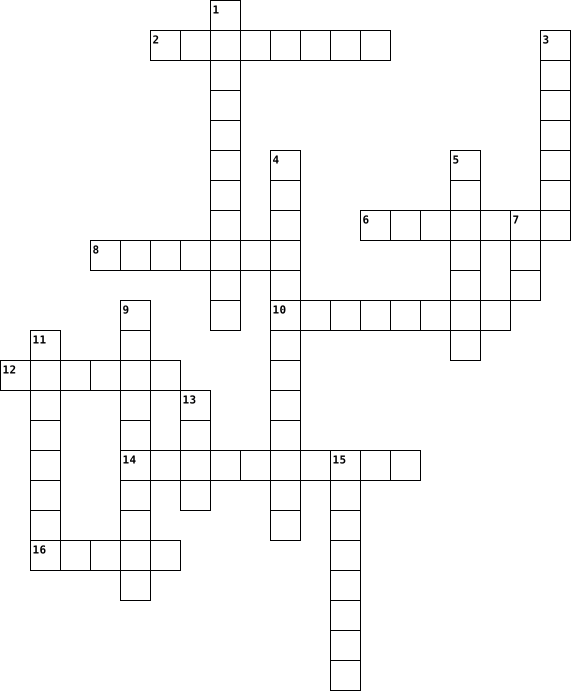
computer Crossword Puzzles
Computer Science 2023-07-12

Across
- the smallest unit of measurement
- processes all instructions and data in a computer
- fake code used by all programmers
- the worlds first computer programmer
- malware that monitors a users activity on a device
- repeating sections of code
- a programming language used to make websites
Down
- multiple devices connected together
- how easy secondary storage is able to move
- protects users against unwanted traffic
- an alternative form of CPU architecture to Von Neumann
- creator of Meta
- a type of malware that self-replicates
- B, KB, MB, GB, TB, .......
- branching according to whether a condition is true
- step by step instructions to perform a task
- the type of secondary storage that is least durable
- a type of compression that deletes data permanently
- The surname of the 'father of modern computing'
19 Clues: creator of Meta • B, KB, MB, GB, TB, ....... • repeating sections of code • the smallest unit of measurement • fake code used by all programmers • multiple devices connected together • the worlds first computer programmer • a type of malware that self-replicates • protects users against unwanted traffic • how easy secondary storage is able to move • ...
Computer Crossword 2023-09-06

Across
- select something is to
- 2 of the same thing
- to start a computer or program
- a type of software that offers the user a visual display of a simulated multicolumn worksheet and the means of using it especially for financial plans and budgets.
- an added thing
- shorter way to get somewhere
- To copy the document, record or image being worked on to a storage medium.
- an online paper
- a container in a computer system for storing information
Down
- either of two keys on a PC keyboard that is held down while pressing another key, as to issue a command.
- slide show
- online storage for documents
- take something across computer
- an operating system designed by Microsoft.
- a horizontal menu displayed at the top of a computer screen or window
- a computer that is not portable, often consisting of a CPU, monitor, keyboard, and mouse
- a picture or symbol that appears on a screen and is used to represent a file
- a row of buttons on a display screen that are clicked on to start software applications or switch between open applications or active windows.
- go down or up
19 Clues: slide show • go down or up • an added thing • an online paper • 2 of the same thing • select something is to • online storage for documents • shorter way to get somewhere • take something across computer • to start a computer or program • an operating system designed by Microsoft. • a container in a computer system for storing information • ...
Computer science 2024-12-12

Across
- Робототехника Робототехника
- Инновация Инновация
- skills Мәселені шешу дағдылары Навыки решения проблем
- Kazakh Russian
- Бірлесіп жұмыс істеу Сотрудничество
- trends Технологиялық үрдістер Технологические тренды
- Бағдарламалық қамтамасыз ету Программное обеспечение
- design Механикалық дизайн Механический дизайн
- of Things (IoT) Заттар интернеті Интернет вещей
Down
- language Бағдарламалау тілі Язык программирования
- learning Қолданбалы оқыту Практическое обучение
- Датчик Датчик
- science Компьютерлік ғылым Информатика
- Робот Робот
- in education Білім берудегі инновация Инновации в образовании
- Бағдарламалау Программирование
- Алгоритм Алгоритм
- Аппараттық құралдар Аппаратное обеспечение
- intelligence Жасанды интеллект Искусственный интеллект
- thinking Сын тұрғысынан ойлау Критическое мышление
- structure Деректер құрылымы Структура данных
21 Clues: Робот Робот • Датчик Датчик • Kazakh Russian • Алгоритм Алгоритм • Инновация Инновация • Робототехника Робототехника • Бағдарламалау Программирование • Бірлесіп жұмыс істеу Сотрудничество • science Компьютерлік ғылым Информатика • Аппараттық құралдар Аппаратное обеспечение • structure Деректер құрылымы Структура данных • design Механикалық дизайн Механический дизайн • ...
Computer fundamentals 2025-05-23

Across
- Machines that mimic human intelligence to perform tasks.
- This company is known for electric cars and autonomous driving innovations.
- Virtual space where people interact using digital avatars.
- Security field that protects networks from hackers.
- A search engine developed by Microsoft.
- A cloud storage service provided by Google.
- Type of file format commonly used for storing high-quality images.
- Wearable device used for fitness tracking and health monitoring.
- This programming language is widely used for AI development and is known for its simplicity.
- A virtual assistant developed by Apple.
- Fifth-generation mobile network technology faster than 4G.
Down
- This type of digital currency operates on blockchain technology.
- A software application designed to mimic human conversation and assist users online.
- The process of transmitting data wirelessly over a network.
- A social media platform known for short 280-character posts.
- Short videos popular on Instagram and YouTube.
- A mobile operating system widely used in smartphones, developed by Google.
- Technology that immerses users in simulated environments through headsets.
- The study of designing systems that allow computers to learn without being explicitly programmed.
19 Clues: A search engine developed by Microsoft. • A virtual assistant developed by Apple. • A cloud storage service provided by Google. • Short videos popular on Instagram and YouTube. • Security field that protects networks from hackers. • Machines that mimic human intelligence to perform tasks. • Virtual space where people interact using digital avatars. • ...
Computer Languages 2025-05-18

Across
- – Type of number system where digit value depends on place
- – Number system with base 16
- – Symbol for nothing; crucial to place value
- – Inventor of 0
- – Number system with base 8
- – Base of the hexadecimal system
- - Inventor of Binary Number System
Down
- – Changing numbers from one base to another
- – Determines the weight of a digit in a number
- – A single symbol in a number system
- – Number system using only 0 and 1
- – Symbol or group of symbols representing a number
- – The rightmost place value in any system
- – Base of the binary system
- – Base of the octal system
- – Another name for "base" in number systems
- – Base-10 number system
- – Number of unique digits in a system
- – Country where the concept of zero originated
19 Clues: – Inventor of 0 • – Base-10 number system • – Base of the octal system • – Base of the binary system • – Number system with base 8 • – Number system with base 16 • – Base of the hexadecimal system • – Number system using only 0 and 1 • - Inventor of Binary Number System • – A single symbol in a number system • – Number of unique digits in a system • ...
Computer Graphics 2025-10-12

Across
- man
- k
- di
- as
- r
- d
- de
- i
- p
- ie
Down
- ju
- pr
- my
- in
- int
- e
- de
- ex
- h
- re
20 Clues: k • e • h • r • d • i • p • ju • pr • my • di • in • de • as • ex • re • de • ie • man • int
COMPUTER NETWORKS 2026-01-30

Across
- A place where notices or electronic messages are posted
- Analyze a string of symbols or text into logical parts
- Consistently good in quality or performance; dependable
- A marked effect or influence
- A model in which components located on networked computers communicate by passing messages
- An extremely large quantity of something
- Represented by a spatially mapped array of bits
- A stock or supply of money, materials, or staff
- Give permission or make it possible
- The relative size or extent of something
Down
- Break or cause to break into parts or layers
- The beginning or first half of a period
- To ask a question against a database to find specific information
- A structure with a roof and walls, such as a house
- To have the highest skill or perform better than anyone else in a specific area
- Very quickly or at a great speed
- Have a portion of something with others
- From a distance; without physical contact
- To make something less in amount, degree, or value
19 Clues: A marked effect or influence • Very quickly or at a great speed • Give permission or make it possible • The beginning or first half of a period • Have a portion of something with others • An extremely large quantity of something • The relative size or extent of something • From a distance; without physical contact • Break or cause to break into parts or layers • ...
Computer Applications 2026-09-02

Across
- The pointer or indicator that shows where you can click, type, or make a selection.
- The blank spaces around the edges of a printed worksheet.
- Pictures or graphics that can be inserted into a worksheet or document.
- A quick keyboard combination used to perform a command without using menus.
- Moving visual effects that can be added to objects or text, usually in presentation software.
- A measuring tool used to help position and align objects or text, especially when preparing a document for printing.
- A single spreadsheet page within an Excel workbook where you enter and organize data.
- Information that appears at the bottom of each printed page, such as page numbers or dates.
Down
- Information that appears at the top of each printed page, such as a title or worksheet name.
- Clickable links that take you to a website, file, location in a workbook, or another resource.
- The individual boxes in a worksheet where data is entered.
- An Excel file that contains one or more worksheets.
- The box to the left of the formula bar that displays the address of the selected cell and can be used to navigate to a cell.
- The area on the screen where a program or document is displayed.
- Visual representations of data, such as bar graphs, line graphs, and pie charts.
- A formatted group of data arranged in rows and columns that can be sorted, filtered, and organized.
- Sections at the bottom of a workbook that allow you to switch between different worksheets.
- A bar used to move up, down, left, or right through a worksheet or document.
- The area at the top of Excel that contains tabs, buttons, and commands used to work with a spreadsheet.
19 Clues: An Excel file that contains one or more worksheets. • The blank spaces around the edges of a printed worksheet. • The individual boxes in a worksheet where data is entered. • The area on the screen where a program or document is displayed. • Pictures or graphics that can be inserted into a worksheet or document. • ...
Computer 2019-02-21

Across
- brisati
- skinuti
- printer
- sajvati
- računalo
Down
- mejlati
- printati
- surfati
- gasiti
- datoteka
- upload
11 Clues: gasiti • upload • mejlati • surfati • brisati • skinuti • printer • sajvati • printati • datoteka • računalo
Computer 2021-12-15

Across
- base-2 number system, commonly used by computers to perform task
- a processor which is implemented on a microchip
- an international encoding standard for use with different languages and scripts
- A hand-operated electronic device that controls the cursor on the screen
- example of secondary memory
- an object used to project rays of light
Down
- works on the concept of decentralised and shared database where each computer has a copy of the database
- ______ converts source code into machine code
- _____ devices used to insert data into the computer
- defined as a step-by-step procedure designed to perform an operation which will lead to the desired result, if followed correctly
- A panel of keys that operate a computer or typewriter
11 Clues: example of secondary memory • an object used to project rays of light • ______ converts source code into machine code • a processor which is implemented on a microchip • _____ devices used to insert data into the computer • A panel of keys that operate a computer or typewriter • base-2 number system, commonly used by computers to perform task • ...
Computer 2014-07-15

Across
- sequence of instructions, written to perform a specified task with a computer.
- A name that you pick to use when you’re on the Internet. It identifies you without telling strangers your real name.
- What you use to move the arrow around the computer screen.
- A secret word that only you should know. You use it to check your e-mail and log into Web sites.
- A world wide system of millions of computers that are connected together in a network.
Down
- A small computer that is easy to move and carry. It has the computer, monitor, mouse, and keyboard all together.
- A hidden computer program that sneaks into your computer through e-mail or the Internet.
- The computer screen where you see words, pictures and videos
- Junk mail sent to your e-mail box that is usually advertising something.
- The arrow or little flashing line on your computer screen that points to things.
- The part of the computer with letter and number buttons that you use for typing.
11 Clues: What you use to move the arrow around the computer screen. • The computer screen where you see words, pictures and videos • Junk mail sent to your e-mail box that is usually advertising something. • sequence of instructions, written to perform a specified task with a computer. • The arrow or little flashing line on your computer screen that points to things. • ...
Computer 2014-10-20

Across
- womit kann man am Bild klicken?
- was ist ein Vierbeiner ?
- wo spielt man spilt man spiele online
- was machi ich hir grade?
- wo siht man was man schreibt ?
Down
- worauf schreibt man?
- für was braucht man Google ?
- was ist 15 minus 5?
- mit was wird der Prozesor gekült
- wie heiß ist es in der wüste?
- mit was versorgt man den Computer mit Strom?
11 Clues: was ist 15 minus 5? • worauf schreibt man? • was ist ein Vierbeiner ? • was machi ich hir grade? • für was braucht man Google ? • wie heiß ist es in der wüste? • wo siht man was man schreibt ? • womit kann man am Bild klicken? • mit was wird der Prozesor gekült • wo spielt man spilt man spiele online • mit was versorgt man den Computer mit Strom?
Computer 2014-09-29

Across
- - refers to end users who use computers to make themselves more productive
- - develops and maintains web sites and web resources
- files - include sample text for many different types of presentations.
- - is a piece of server software that allows users to freely create and edit web page content using any web browser.
- Unit - serves as container that houses most of the electronic components of the computer system.
- - creates, tests and troubleshoots computer programs
Down
- - include predefined settings that can be used to create many common types of presentation.
- device - examples are modem
- - raw texts, numbers, images and sounds
- - include text, clip art, photos, sounds, any multimedia message.
- Analyst - plans, designs, and maintains information systems
- - is often a mixture of what is happening in a person's life and what is happening on the Web.
12 Clues: device - examples are modem • - raw texts, numbers, images and sounds • - develops and maintains web sites and web resources • - creates, tests and troubleshoots computer programs • Analyst - plans, designs, and maintains information systems • - include text, clip art, photos, sounds, any multimedia message. • ...
COMPUTER 2020-05-01

Across
- ΑΠΟ ΕΚΕΙ ΒΓΑΙΝΕΙ Ο ΗΧΟΣ
- ΑΠΟ ΤΟΝ Η/Υ ΒΓΑΙΝΟΥΝ ΟΙ ΕΡΓΑΣΙΕΣ ΣΕ ΧΑΡΤΙ
- ΜΕ ΑΥΤΟ ΜΠΟΡΟΥΜΕ ΝΑ ΕΧΟΥΜΕ ΙΝΤΕΡΝΕΤ
- ΜΕ ΑΥΤΟ ΓΡΑΦΕΙΣ ΣΤΟΝ Η/Υ
- ΕΚΕΙ ΠΟΥ ΒΛΕΠΟΥΜΕ ΚΑΙ ΔΟΥΛΕΥΟΥΜΕ ΤΙΣ ΕΡΓΑΣΙΕΣ ΜΑΣ
- ΜΕ ΑΥΤΟ ΜΠΟΡΟΥΜΕ ΝΑ ΤΡΑΒΗΞΟΥΜΕ ΒΙΝΤΕΟ
Down
- ΠΑΛΙΟ ΑΝΤΙΚΕΙΜΕΝΟ ΑΠΟΘΗΚΕΥΣΗΣ
- ΜΕ ΑΥΤΟ ΕΛΕΓΧΕΙΣ ΤΟ ΒΕΛΑΚΙ
- ΕΙΝΑΙ ΤΟ ΜΥΑΛΟ ΤΟΥ Η/Υ
- ΣΤΡΟΓΓΥΛΟ ΑΝΤΙΚΕΙΜΕΝΟ ΠΟΥ ΑΠΟΘΗΚΕΥΟΥΜΕ ΑΡΧΕΙΑ
- ΑΝΤΙΓΡΑΦΕΙ ΤΙΣ ΕΡΓΑΣΙΕΣ ΜΑΣ ΑΠΟ ΤΟ ΧΑΡΤΙ ΣΤΟΝ Η/Υ
11 Clues: ΕΙΝΑΙ ΤΟ ΜΥΑΛΟ ΤΟΥ Η/Υ • ΑΠΟ ΕΚΕΙ ΒΓΑΙΝΕΙ Ο ΗΧΟΣ • ΜΕ ΑΥΤΟ ΓΡΑΦΕΙΣ ΣΤΟΝ Η/Υ • ΜΕ ΑΥΤΟ ΕΛΕΓΧΕΙΣ ΤΟ ΒΕΛΑΚΙ • ΠΑΛΙΟ ΑΝΤΙΚΕΙΜΕΝΟ ΑΠΟΘΗΚΕΥΣΗΣ • ΜΕ ΑΥΤΟ ΜΠΟΡΟΥΜΕ ΝΑ ΕΧΟΥΜΕ ΙΝΤΕΡΝΕΤ • ΜΕ ΑΥΤΟ ΜΠΟΡΟΥΜΕ ΝΑ ΤΡΑΒΗΞΟΥΜΕ ΒΙΝΤΕΟ • ΑΠΟ ΤΟΝ Η/Υ ΒΓΑΙΝΟΥΝ ΟΙ ΕΡΓΑΣΙΕΣ ΣΕ ΧΑΡΤΙ • ΣΤΡΟΓΓΥΛΟ ΑΝΤΙΚΕΙΜΕΝΟ ΠΟΥ ΑΠΟΘΗΚΕΥΟΥΜΕ ΑΡΧΕΙΑ • ΕΚΕΙ ΠΟΥ ΒΛΕΠΟΥΜΕ ΚΑΙ ΔΟΥΛΕΥΟΥΜΕ ΤΙΣ ΕΡΓΑΣΙΕΣ ΜΑΣ • ...
Computer 2021-05-06

Across
- Likes to chase mice
- Large marsupial
- Output Device that is used to print the output on the paper
- Man's best friend
- Has a trunk
Down
- Feature of Windows 10 that enables you to search anything by giving voice commands
- Input Device that is used to record voice or music into the computer system
- Small pictures on Desktop that represent files, folders and programs
- Feature of Windows 10 that minimizes all the open windows except the one that you want to focus on
- Feature (or button) of Windows 10 that takes you directly to the desktop
- Flying mammal
11 Clues: Has a trunk • Flying mammal • Large marsupial • Man's best friend • Likes to chase mice • Output Device that is used to print the output on the paper • Small pictures on Desktop that represent files, folders and programs • Feature (or button) of Windows 10 that takes you directly to the desktop • Input Device that is used to record voice or music into the computer system • ...
COMPUTER 2022-05-25

Across
- serve per cancellare le lettere davanti al cursore
- archivio
- permette di stampare
- tasto per andare a capo
- serve per scrivere
Down
- serve per muovere il cursore e cliccare sullo schermo
- permette di ascoltare suoni e musiche
- simbolo presente sul tasto cap locks
- contenitore con all'interno file
- barra per lo spazio
- programma di videoscrittura
11 Clues: archivio • serve per scrivere • barra per lo spazio • permette di stampare • tasto per andare a capo • programma di videoscrittura • contenitore con all'interno file • simbolo presente sul tasto cap locks • permette di ascoltare suoni e musiche • serve per cancellare le lettere davanti al cursore • serve per muovere il cursore e cliccare sullo schermo
Chapter 1 Crossword 2017-11-29

Across
- or coder, writes computer code to create software
- memory location in the CPU
- or code, the instructions that tell the hardware what to do
- tries to produce results similar to reality
- wires the specifications for software
- the software in a computer
- a program that mimics human actions
- based on two digits
- set of rules used to predict reality
Down
- study of the technology and ideas related to computers
- the physical parts of a computer
- responsible for protecting computer networks
- multiple CPUs working on different tasks at the same time
- something created in an older version that will still work in a newer version
- based on ten digits, from 0 to 9
- design the hardware used in computer systems
- group of 8 bits
- basic building block in an electronic computer
18 Clues: group of 8 bits • based on two digits • memory location in the CPU • the software in a computer • the physical parts of a computer • based on ten digits, from 0 to 9 • a program that mimics human actions • set of rules used to predict reality • wires the specifications for software • tries to produce results similar to reality • responsible for protecting computer networks • ...
Hardware Fun 2016-04-05

Across
- device which can be slotted into a computer to allow the use of audio components for multimedia applications.
- disk drive used to read from and write to a hard disk.
- the brains of the computer where most calculations take place.
- device that captures images from photographic prints, posters, magazine pages, and similar sources for computer editing and display.
- type of display adapter or video card installed within most computing devices to display graphical data with high clarity, color, definition and overall appearance.
- hand-operated electronic device that controls the coordinates of a cursor on your computer screen as you move it around on a pad
Down
- piece of computer hardware item used to communicate the results of data processing carried out by an information processing system.
- type of storage device that can be removed from a computer while the system is running. Examples of removable media include CDs, DVDs and Blu-Ray disks, as well as diskettes and USB drives.
- type of computer memory that can be accessed randomly.
- device or program that enables a computer to transmit data over telephone or cable lines.
- converts mains AC to low-voltage regulated DC power for the internal components of a compute.
- enclosure for the main interior components of a computer.
- external input device used to type data into some sort of computer system whether it be a mobile device, a personal computer, or another electronic machine.
- circuit board containing the principal components of a computer with connectors for other circuit boards to be slotted into.
- video camera connected to a computer, allowing its images to be seen by Internet users.
- electronic visual display for computers
16 Clues: electronic visual display for computers • type of computer memory that can be accessed randomly. • disk drive used to read from and write to a hard disk. • enclosure for the main interior components of a computer. • the brains of the computer where most calculations take place. • ...
Title 2018-01-10

Across
- (6) any type of electronic device
- (6) any type of electronic gadget
- (7) use this to make documents on paper
- (4,10) used for playing computer games
- (6) a small computer
- (8) your music comes out of these
- (5) use this to tell you the time
- (10) TV
- (6) small flat computer without a keyboard
Down
- (10) modern, mobile telephone
- (7,6) a gadget for taking photographs
- (5) use this to connect to the internet
- (6) use this to take pictures with your computer
- (6,5) a small device for keeping your files
- (7) (3,4) wear these in your ears to listen to music
- (10) wear these over your ears to listen to music
- (8) use this for writing on a computer
- (5) use this to control a computer; also a small animal
18 Clues: (10) TV • (6) a small computer • (10) modern, mobile telephone • (6) any type of electronic device • (6) any type of electronic gadget • (8) your music comes out of these • (5) use this to tell you the time • (7,6) a gadget for taking photographs • (8) use this for writing on a computer • (4,10) used for playing computer games • (5) use this to connect to the internet • ...
ICF 2014-09-28

Across
- a hardware that transfers intangible data into a tangible data
- an program that is open or running
- Stops the window from running
- a hardware with a set of keys with alphabet and number buttons for computers
- a hardware that displays digital data for people to see
- a computer needs human intervention to work
- provides input and produces output
- The ___ case capitalizes the first letter of the title
- an hardware that lets you hear the auditory data of the computer
- cannot be touched
- a part of a window where tasks are located
- a part of a window that displays the name of the window
- it is used to switch users
- the expert computer users
- provides a launching point for programs and other tasks
- a hardware that takes or records images or videos to transfer to the computer
- this is where deleted items are located yet can be recycled
- a button which sets the window to its original scale before maximized
- a type of dialog box which you can choose a combination of choices
- show notification at the lower right of the screen
- part(s) of a computer that you can actually touch
- Enlarges a window to full screen
- beginners in using a computer
- computer are electronics and need ___ to run
- the personnel involved with computer operation
- a part of a window where you put your work
- the main screen of the computer which shows some of its programs
- windows xp considers special ___ in titles
- turns the computer off and all running programs
- a dialog box that has up and down buttons
- a location where you can see all hard drives
- a mouse skill that is used to pinpoint an object onscreen
- computers cannot ___ from its object
- a picture that represents a program
- a dialog box that has a panel that drops which shows choices
Down
- also called a software
- can be touched
- can keep files
- computers cannot operate without being a certain ___
- refers to the specifying the manner
- computers can execute a task 100% accuracy
- a part of a window that is similar to a slider
- a dialogue box that uses a scroll-like
- experienced computer users
- computers are subject to occasional ___
- a mouse skill which allows us to open a program
- a dialog box with choices in different sections
- a computer can remind without exhaustion
- is a modifier key which, when pressed with another key, performs a special operation
- A Computer is an ____ device
- a dialog box that has a list and you can only choose one
- to arrange windows in an overlapping order
- the word processor for windows
- programs in Microsoft
- the component of the computer that performs the basic operations
- the part pf the computer
- a powerful operating system
- a mouse skill which shows the options that you can do with the file
- a hardware that is used to point, click, etc.
- sets a window aside to the task bar
- a dialog box which you can check as many choices as you want
- an ability of a computer to do something really fast
- a dialogue box that consider texts as a command
- a computer has logical ___
- Explores files in windows
- Computers can detect ___ yet cannot correct them
- a mouse skill that allows to transfer objects into a particular place
67 Clues: can be touched • can keep files • cannot be touched • programs in Microsoft • also called a software • the part pf the computer • the expert computer users • Explores files in windows • experienced computer users • it is used to switch users • a computer has logical ___ • a powerful operating system • A Computer is an ____ device • Stops the window from running • ...
Angus cyber safety 2016-06-08

Across
- you can search stuff up
- way you read fast
- you type in to log onto a computer
- and dad
- that no one can see
- who goes into your account and steals stuff
- who stalks you online
- way to contact people
Down
- device people use to text
- who bully's you online
- details
- front of your computer
- that no one can see
- protects your computer
- who you don't know that emails you heaps of times
- a cold for your computer
- who teaches you
- use a keyboard to type words onto it
- of unsafe
- people use to send stuff to anyone who has it
20 Clues: details • and dad • of unsafe • who teaches you • way you read fast • that no one can see • that no one can see • who stalks you online • way to contact people • who bully's you online • front of your computer • protects your computer • you can search stuff up • a cold for your computer • device people use to text • you type in to log onto a computer • use a keyboard to type words onto it • ...
Jesse McNallys CS History Puzzle 2023-08-29

Across
- Collaborator on the ENIAC project
- Inventor of the integrated circuit
- Creator of one of the first compilers
- Pioneer of computer concepts and designs
- Inventor of a mechanical calculator
- Mathematician who contributed to calculus and binary
- Co-designer of early computing systems
- von Neumann Major figure in computer architecture and design
- Developer of Boolean algebra
Down
- Inventor of punched card tabulation
- Architect of the Harvard Mark I computer
- Microsoft co-founder and tech entrepreneur
- Innovator behind punched card-controlled machinery
- Inventor of logarithms
- Mathematician associated with the Analytical Engine
- Creator of the FORTRAN programming language
- Computer scientist and systems dynamics pioneer
- Codebreaker and early computer scientist
- Co-founder of Intel, known for a technology prediction
19 Clues: Inventor of logarithms • Developer of Boolean algebra • Collaborator on the ENIAC project • Inventor of the integrated circuit • Inventor of punched card tabulation • Inventor of a mechanical calculator • Creator of one of the first compilers • Co-designer of early computing systems • Architect of the Harvard Mark I computer • Pioneer of computer concepts and designs • ...
U2, CH 6 - Hacker’s Heaven: Computer Threats 2026-01-23

Across
- hackers that commit financial crimes
- unsolicited message sent to a large group of people
- a type of computer virus that uses computer networks to spread
- files or programs that attach themselves to a computer for the purposes of hacking information or interrupting computer use
- potentially dangerous breaches of security that can cause harm to a computer
Down
- a computer connected to the Internet that has been compromised by a hacker to perform malicious attacks
- advertising software intended to make money for the creator of the advertisement
- a malicious program that replicates by inserting copies of itself into other computer programs
- a tricky tactic that hackers or cybercriminals use to secretly redirect users to a different website from the one they think they are visiting
- people who “hack,” or break into, computer systems through unauthorized means
- malicious software that hackers or cybercriminals use to gain unauthorized access to computers, steal private information, or disrupt computer operations
- malware that collects information without the knowledge of the computer user
- a network through which unsuspecting computer users are unknowingly helping criminals spread malware and sending spam
- messages used by cybercriminals, which can pop up, seemingly out of nowhere, while a user is surfing the Web
- a program that automatically performs tasks on the internet without its owner’s knowledge
- occurs when thieves send out emails that “fish” for users’ private information
16 Clues: hackers that commit financial crimes • unsolicited message sent to a large group of people • a type of computer virus that uses computer networks to spread • malware that collects information without the knowledge of the computer user • potentially dangerous breaches of security that can cause harm to a computer • ...
TECHNOLOGY VOCAVULARY 2021-07-30

Across
- amount of information that can be stored on a disk drive
- online Journal where people post about their experiences.
- a fault or defect in a computer program,system,or machine
- any small compartment
- program that gives a computer instructions
- board system:a computer that is running software that allows users to leave messages and access information of general interest
- worldwide network of computer networks
Down
- symbolic arrangement of data in a computer program
- program used to view HTML documents
- up for a particular purpose
- committed using a computer and the internet
- copy of a file or directory on a separe storage device.
- memory that is set aside as a specialized buffer storage
- computer that is hooked up to a computer network
- exclusive right to sell a work
15 Clues: any small compartment • up for a particular purpose • exclusive right to sell a work • program used to view HTML documents • worldwide network of computer networks • program that gives a computer instructions • committed using a computer and the internet • computer that is hooked up to a computer network • symbolic arrangement of data in a computer program • ...
CRACK THE PARTS 2025-06-02

Across
- A program that lets you draw on your computer.
- ________ are on the keyboard helps you to enter the information.
- Brain of the computer.
- Any program on the computer is called____.
- The tool used to type words onto the computer.
- The machine that lets you put documents and such on paper.
- The device helps to listen to the music without disturbing others.
- Which device is known as pointing device?
Down
- What is the another word for computer screen?
- A program that destroys your computer system.
- What you use to click things on the screen?
- A mass storage device that is portable.
- A machine that lets you to scan the documents to the computer.
- Any physical part of a computer is called _____.
- The most popular internet search engine.
15 Clues: Brain of the computer. • A mass storage device that is portable. • The most popular internet search engine. • Which device is known as pointing device? • Any program on the computer is called____. • What you use to click things on the screen? • What is the another word for computer screen? • A program that destroys your computer system. • ...
2B 2026-02-26

Across
- screen
- next to
- table
- door
- window
- bookbag
- flag
- clock
Down
- pencil sharpener
- computer mouse
- chair
- poster
- computer keyboard
- computer
- desk
- wastepaper basket
16 Clues: door • desk • flag • chair • table • clock • screen • poster • window • next to • bookbag • computer • computer mouse • pencil sharpener • computer keyboard • wastepaper basket
1B 2026-02-18

Across
- screen
- next to
- table
- door
- window
- bookbag
- flag
- clock
Down
- pencil sharpener
- computer mouse
- chair
- poster
- computer keyboard
- computer
- desk
- wastepaper basket
16 Clues: door • desk • flag • chair • table • clock • screen • poster • window • next to • bookbag • computer • computer mouse • pencil sharpener • computer keyboard • wastepaper basket
Computers 2018-04-12

Across
- a big electronic
- medium that is capable of storing and reading information that is not easily removed
- distributed denial of service
- (of software) designed to detect and destroy computer viruses
- software that is intended to damage or disable computers and computer systems
- a part of a computer system or network that is designed to block unauthorized access while permitting outward communication
Down
- all the parts you can physically touch on a computer
- the programs and other operating information used by a computer
- a computer that is used by one person at a time in a business, a school, or at home
- harmful to your computer
- A destructive program that masquerades as a benign application
- fake
- A computer worm is a standalone malware computer program that replicates itself in order to spread to other computers
- you receive messages here
14 Clues: fake • a big electronic • harmful to your computer • you receive messages here • distributed denial of service • all the parts you can physically touch on a computer • (of software) designed to detect and destroy computer viruses • A destructive program that masquerades as a benign application • the programs and other operating information used by a computer • ...
Technical concepts 2020-09-06

Across
- A unit of transmission in data communications.
- A system of replacing the words in a message with other words or symbols.
- Program for navigating the internet.
- A number system in which only the digits 0 and 1 exist.
- The ‘aaa’ in : eee = aaa.bbb(ccc,ddd).
- Python,Scratch, c+t, and java, for example.
- base, A collection of information organized so that a computer application can quickly access selected information.
- A program or computer that connects to and requests information from a server.
- law, The number of transistors on a chip will double every 2 years while the cost goes down by half.
- A device used for connecting two local area networks.
- Part of the web address is the unique identifier for the website in the internet.
- Unwanted stuff installed on your machine.
- Highlighted word or icon at a particular location on the screen.
Down
- A computer that is responsible for responding to requests made by a client program or computer.
- A small piece of information you may be asked to accept when connecting to certain servers via a web browser.
- The process of transferring one or more files from a remote computer to your local computer. The opposite action is upload.
- A semiconductor device used to amplify or switch electronic signals and electrical power.
- Transferring data from your computer to another computer system.
- A set of interconnected networks that form a global TCP/IP network.
- The first component of a web address.
20 Clues: Program for navigating the internet. • The first component of a web address. • The ‘aaa’ in : eee = aaa.bbb(ccc,ddd). • Unwanted stuff installed on your machine. • Python,Scratch, c+t, and java, for example. • A unit of transmission in data communications. • A device used for connecting two local area networks. • A number system in which only the digits 0 and 1 exist. • ...
Computer Terms Crossword 2022-02-09

Across
- drawing
- a place where, or a device through which, energy or information enters a system.
- a device or program enabling a user to communicate with a computer.
- Read-Only Memory
- a panel of keys that operate a computer or typewriter.
- Outside devices for a computer
- Allows user to interact with a computer.
- a grid placed between the control grid and the anode of a valve to reduce the capacitance between these electrodes
- a group of binary digits or bits operated on as a unit.
- Used to print graphical output on paper
- a collection of data, programs, etc. stored in a computer's memory or on a storage device under a single identifying name
- Random access memory
- a small handheld device which is moved across a mat or flat surface to move the cursor on a computer screen.
Down
- a statement of the exact meaning of a word especially in a dictionary
- a machine for printing text or pictures, especially one linked to a computer.
- short for loudspeaker.
- the part of a computer in which data or program instructions can be stored for retrieval.
- operate on (data) by means of a program.
- a device that scans documents and converts them into digital data.
- an apparatus for recording sound pictures or data
- a place where power or information leaves a system.
- The smallest unit of data in a computer
- a directory containing related files or documents.
23 Clues: drawing • Read-Only Memory • Random access memory • short for loudspeaker. • Outside devices for a computer • The smallest unit of data in a computer • Used to print graphical output on paper • operate on (data) by means of a program. • Allows user to interact with a computer. • an apparatus for recording sound pictures or data • ...
3.02 Vocabulary 2014-05-19

Across
- Unit that controls all of the work of a computer; frequently called the “brains” of the computer
- Computer term for processed information, or the final product obtained from the computer
- Special software that allows an individual to view information on the Internet
- Worksheet created by using a computer’s ability to perform high-speed mathematical calculations; used for budgets, accounts, and financial records
- Device that converts outgoing messages from a computer into a form that can be sent over telephone lines
- technologist Assist with cardiac catheterization procedures and angioplasty
- Operates an instrument called an electroencephalograph, which records the electrical activity of the brain
- (Clinical) Laboratory Technician (MLT) Study tissues, fluids, and cells of the human body to help determine the presence and/ or cause of disease
Down
- Computer term for information that is entered into a computer
- A system of linked computers that share information communication
- The use of video, audio, and computer systems to provide medical and/ or health care services
- A group of related records in a computerized system
- Machine or physical components of a computer system
- Programs or instructions that allow computer hardware to function intelligently
- A collection of related data in a computer
15 Clues: A collection of related data in a computer • A group of related records in a computerized system • Machine or physical components of a computer system • Computer term for information that is entered into a computer • A system of linked computers that share information communication • technologist Assist with cardiac catheterization procedures and angioplasty • ...
Computer Viruses - Lindsey Wickson 2018-11-15

Across
- -a type of virus named after a Greek myth
- -computer worm which copies itself to another computer in a network and then deletes itself completely from the previous computer in which it was contained
- -something that can't be physically harmed by a virus
- -a virus that floods a network
- -the programs and other operating information used by a computer
- -a virus that replicates itself
- -act of a computer virus attaching itself to another computer program
- -A type of Malware that locates and saves data from users without them knowing about it
- -type of virus that spreads through mail programs
Down
- -software that is intended to damage or disable computers and computer systems
- -a virus in which if anyone attempts to view an infected sector, the virus will replace it with the clean, original version of the sector
- -first email virus
- -unwanted computer software installed on your computer
- -(computing) a security system consisting of a combination of hardware and software that limits the exposure of a computer or computer network to attack from crackers
- -A software program that delivers advertising content in a manner that is unexpected and unwanted by the user
15 Clues: -first email virus • -a virus that floods a network • -a virus that replicates itself • -a type of virus named after a Greek myth • -type of virus that spreads through mail programs • -something that can't be physically harmed by a virus • -unwanted computer software installed on your computer • -the programs and other operating information used by a computer • ...
Computer Parts 2021-01-07

Across
- a family operating system developed my Microsoft.
- users can record sounds, and then input them into the computer.
- drags objects on the screen.
- enter/type information into the computer.
- interprets and executes the program.
- this program tells the computer what to do.
- reads data on a CD.
Down
- produces a hard copy of information.
- pressure sensitive screen.
- a location where the phone line is connected to the computer.
- these devices generate sound.
- where you view information that you are working on.
- computers temporary memory chip.
- central processing unit in the computer.
- this device allows pictures to be uploaded into a computer.
- connects the hardware with the programs you want to run.
- a compact disk that stores information.
17 Clues: reads data on a CD. • pressure sensitive screen. • drags objects on the screen. • these devices generate sound. • computers temporary memory chip. • produces a hard copy of information. • interprets and executes the program. • a compact disk that stores information. • central processing unit in the computer. • enter/type information into the computer. • ...
Computers 2018-04-12

Across
- a big electronic
- medium that is capable of storing and reading information that is not easily removed
- distributed denial of service
- (of software) designed to detect and destroy computer viruses
- software that is intended to damage or disable computers and computer systems
- a part of a computer system or network that is designed to block unauthorized access while permitting outward communication
Down
- all the parts you can physically touch on a computer
- the programs and other operating information used by a computer
- a computer that is used by one person at a time in a business, a school, or at home
- harmful to your computer
- A destructive program that masquerades as a benign application
- fake
- A computer worm is a standalone malware computer program that replicates itself in order to spread to other computers
- you receive messages here
14 Clues: fake • a big electronic • harmful to your computer • you receive messages here • distributed denial of service • all the parts you can physically touch on a computer • (of software) designed to detect and destroy computer viruses • A destructive program that masquerades as a benign application • the programs and other operating information used by a computer • ...
Computers 2018-04-12

Across
- a big electronic
- medium that is capable of storing and reading information that is not easily removed
- distributed denial of service
- (of software) designed to detect and destroy computer viruses
- software that is intended to damage or disable computers and computer systems
- a part of a computer system or network that is designed to block unauthorized access while permitting outward communication
Down
- all the parts you can physically touch on a computer
- the programs and other operating information used by a computer
- a computer that is used by one person at a time in a business, a school, or at home
- harmful to your computer
- A destructive program that masquerades as a benign application
- fake
- A computer worm is a standalone malware computer program that replicates itself in order to spread to other computers
- you receive messages here
14 Clues: fake • a big electronic • harmful to your computer • you receive messages here • distributed denial of service • all the parts you can physically touch on a computer • (of software) designed to detect and destroy computer viruses • A destructive program that masquerades as a benign application • the programs and other operating information used by a computer • ...
Parts of the Computer 2016-10-17

Across
- This cools down the computer.
- This is where projects and application are stored.
- These parts connect the buses and various parts on the Motherboard.
- This part allows us to see videos and pictures on our monitor screen.
- This part provides electrical power to the computer.
- This part allows us to hear the music and sounds coming from the computer.
- This allows you to select various tasks on the screen.
- This allows you to type in commands or information into the computer
Down
- This is sometimes known as the "tower" which holds the motherboard, the CPU, and other important parts.
- This is the screen that shows us what the computer is doing.
- This part holds the chipset, CPU, and buses.
- This is the microprocessor of the computer, otherwise known as the brain of the computer
- This stands for basic input/output system.
- This is where you can put a CD or Floppydisk in the computer to be read.
- These are tiny electrical pathways on the motherboard.
- This connects your computer to the Internet.
16 Clues: This cools down the computer. • This stands for basic input/output system. • This part holds the chipset, CPU, and buses. • This connects your computer to the Internet. • This is where projects and application are stored. • This part provides electrical power to the computer. • These are tiny electrical pathways on the motherboard. • ...
Technology 2023-06-12
Across
- Physical parts of a computer or electronic device that you can touch and see
- Reality (VR) Computer-generated simulation of a three-dimensional environment for an immersive experience
- Collection of web pages that can be accessed on the internet
- Programs and applications that run on a computer or electronic device
- Writing instructions or commands for a computer program
- Intelligence (AI) Creating intelligent machines that can think and learn like humans
- Mechanical device that can perform tasks automatically or be controlled by humans
Down
- Creating and developing computer programs by giving instructions to the computer
- Relating to using technology to process and display information in numbers
- Measures taken to protect computer systems and data from unauthorized access
- A group of computers or devices connected together to share information
- Short for "application," a program or tool designed for a specific purpose
- Introducing new ideas, methods, or technologies to create something better
- Electronic machine used to store, process, and retrieve information
- Information that is stored and processed by a computer
- Worldwide network of computers that allows communication and access to information
16 Clues: Information that is stored and processed by a computer • Writing instructions or commands for a computer program • Collection of web pages that can be accessed on the internet • Electronic machine used to store, process, and retrieve information • Programs and applications that run on a computer or electronic device • ...
chapter 7 2026-03-03

Across
- using a computer to commit a crime
- intentionally and falsely altering digital content
- provides hackers with entry point into a computer without the need to enter a password
- a malicious attack on a network
Down
- using tech to harass others
- designed to spread from computer to computer around a network without the need to be attached to any doc or program
- someone who gains unauthorised access to a computer with the intention of corrupting data
- a computer program designed to damage or make a computer system unreliable
- software designed to record a users kaystrokes
- sending bulk junk emails such as adverts for products
- a hiding malware and when downloaded increase risk of organisation data being corrupted or stolen
- sending emails that appear to be from a reliable source
- software that is downloaded onto a computer unintentionally via internet or email attachments
- using the internet with intentions to damage the reputation of a person or organisation
- theft of customer records to obtain personal details used to commit identity fraud
- horse gains entry to computer in disguise and deletes data files or changes desktop layout
16 Clues: using tech to harass others • a malicious attack on a network • using a computer to commit a crime • software designed to record a users kaystrokes • intentionally and falsely altering digital content • sending bulk junk emails such as adverts for products • sending emails that appear to be from a reliable source • ...
computer crossword vocab 2017-06-22

Across
- a symbol or graphic representation on a screen of a program, option, or window, especially one of several for selection.
- Is the abbreviation for central processing unit.
- a folding cover or holder, typically made of stiff paper or cardboard, for storing loose papers
- a computer or device on a network that manages network resources. There are many different types of servers
- flash drive an external flash drive, small enough to carry on a key ring, that can be used with any computer that has a USB port.
- a global computer network providing a variety of information and communication facilities, consisting of interconnected networks using standardized communication protocols.
- an instrument or device used for observing, checking, or keeping a continuous record of a process or quantity.
- to receive data from a remote system, typically a server such as a web server, an FTP server, an email server, or other similar systems.
- junk mail, or unsolicited commercial email, is the practice of sending unwanted email messages, frequently with commercial content, in large quantities to an indiscriminate set of recipients.
- place (a document) in a cabinet, box, or folder in a particular order for preservation and easy reference.
- a panel of keys that operate a computer or typewriter
- an electronic device for storing and processing data
- a small handheld device that is dragged across a flat surface to move the cursor on a computer screen, typically having buttons that are pressed to control functions.
- drive a high-capacity, self-contained storage device containing a read-write mechanism plus one or more hard disks, inside a sealed unit. Also called hard disk drive.
- is a device or program that enables a computer to transmit data over, for example, telephone or cable lines
Down
- A computer virus is a type of malicious software program ("malware") that, when executed, replicates itself by modifying other computer programs and inserting its own code. Infected computer programs can include as well, data files, or the "boot" sector of the hard drive.
- Wide Web an information system on the Internet that allows documents to be connected to other documents by hypertext links, enabling the user to search for information by moving from one document to another.
- To restart a computer. In DOS, you can reboot by pressing the Alt, Control and Delete keys simultaneously. ... You can also perform a cold boot by turning the computer off and then on again
- A desktop computer is a personal computer that fits on or under a desk. They usually consist of a monitor, keyboard, mouse and either a horizontal or vertical (tower) form factor
- The term virtual is popular among computer scientists and is used in a wide variety of situations. In general, it distinguishes something that is merely conceptual from something that has physical reality.
- the physical aspect of computers, telecommunications, and other devices. The term arose as a way to distinguish the "box" and the electronic circuitry and components of a computer from the program you put in it to make it do things.
- a program with a graphical user interface for displaying HTML files, used to navigate the World Wide Web
- A firewall is a system designed to prevent unauthorized access to or from a private network
- System the software that supports a computer's basic functions, such as scheduling tasks, executing applications, and controlling peripherals.
- occurs when a computer program, such as a software application or an operating system, stops functioning properly and exits. ... If the program is a critical part of the operating system, the entire system may crash or hang, often resulting in a kernel panic or fatal system error.
- cookie. A small text file (up to 4KB) created by a website that is stored in the user's computer either temporarily for that session only or permanently on the hard disk
26 Clues: Is the abbreviation for central processing unit. • an electronic device for storing and processing data • a panel of keys that operate a computer or typewriter • A firewall is a system designed to prevent unauthorized access to or from a private network • a folding cover or holder, typically made of stiff paper or cardboard, for storing loose papers • ...
Ch. 06 Medical Terminology 2025-02-18

Across
- resonance imaging: a computerized, body-scanning method that uses nuclear magnetic resonance instead of x-ray radiation
- tomography: a noninvasive, computerized x-ray that permits physicians to see clear, cross-sectional views of both bone and body tissues and to find abnormalities such as tumors of bleeding
- each collection of related information
- power supply: has a surge protector and a battery backup to protect a computer from electrical surges or power outages
- surgery: also called computer-assisted surgery, is another major technological advance
- stress test: used for patients who cannot exercise; a medication that simulates the effect of exercise is given to increase the blood flow and heart rate; physician can determine how heart responds to stress
- light beams that can be focused precisely
- instruction: educational computer programming designed for individualized use
- an area where information enters
- portals: secure online websites that are established by a physician, health care facility, or other health care provider
- something that links millions of computers through the world
- computer: a computer that can control the launch of a rocket to outer space
- involves the use of video, audio, and computer systems to provide medical or health care services
- a computerized interpretation system that produces visual pictures on a computer monitor and a printout of the electrical activity of a patient’s heart; gives important information concerning the spread of electrical impulses to the heart chambers and assists in diagnosing heart disease
- protective programs that limit the ability of other computers to access a computer
- emission tomography: a slightly radioactive substance that is injected into the patient and detected by the PET scanner
- surgery: a surgical procedure in which a surgeon uses preoperative and intraoperative images to guide or direct the surgery
- computer: a computer of your own; which can sit on a desktop
Down
- when a group of related records is combined
- a handheld tablet, smartphone, or personal digital assistant
- literacy: a basic understanding of how a computer works and the applications used in your field or profession
- an applied science used to promote an individual’s safety and well-being
- uses technology to direct ultrahigh-frequency sound waves through the chest wall and into the heart
- an organized collection of information
- information exchange: it allows all health care agencies to readily transfer patient electronic health records between agencies in a national network
- stress test: a small amount of a radioactive substance such as thallium is given intravenously
- stress test: an ECG run while the patient is exercising; usually involves walking a treadmill or riding an exercise bike until a target heart rate is reached; allows the physician to evaluate the function of the patient’s heart during activity
- design: originally used by engineers and designers, has also found a place in therapeutic treatment
- computers can be linked together with network
- stress test: used for patients who cannot exercise; a medication that simulates the effect of exercise is given to increase the blood flow and heart rate; physician can determine how heart responds to stress
- uses special software to perform high-speed math calculations
- therapy: uses high-energy particles to decrease the size of tumors and treat cancer
- mail: the process of sending messages from one computer to another
- allow for rapid dispensing of medications
- learning: an online teaching and learning environment that uses computers and the internet to allow teacher to present information and activities and, at times, even engage and interact with students
- a noninvasive scanning method that uses high-frequency sound waves that bounce back as an echo when they hit different tissues and organs inside the body
- health record: a computerized version of a patient’s medical information that may include statistical data, diagnoses, medical history, treatments, medications taken, tests performed, and any other information that could be included in a patient’s paper record
- programs that contain instructions to alter the operation of the computer programs, erase or scramble data on the computer, or allow access to information on the computer
38 Clues: an area where information enters • an organized collection of information • each collection of related information • light beams that can be focused precisely • allow for rapid dispensing of medications • when a group of related records is combined • computers can be linked together with network • a handheld tablet, smartphone, or personal digital assistant • ...
Computer Terms 2023-01-12

Across
- the computer keys
- Cenrtal Processing Unit
- another name for the world wide web
- main storage computer for memory on a computer
- Used to take a video with your computer
- Capture images and convert them to digital
- puts an image onto a screen or wall
- Controls the movement of a video game console
- small, portable storage
- Random Access Memory
Down
- another name for the screen of a computer
- Sound output
- Puts digital images on paper
- Used to broadcast your voice
- All electrical components of a computer plug into this
- Allows you to move a navigate on your device
16 Clues: Sound output • the computer keys • Random Access Memory • Cenrtal Processing Unit • small, portable storage • Puts digital images on paper • Used to broadcast your voice • another name for the world wide web • puts an image onto a screen or wall • Used to take a video with your computer • another name for the screen of a computer • Capture images and convert them to digital • ...
History of the Computer 2026-09-18

Across
- What early Apple computer was designed by Steve Wozniak and sold beginning in 1976?
- What company introduced the Intel 4004 one of the first commercially available microprocessors?
- What personal computer introduced by IBM in 1981 became highly influential in the PC market?
- Who is often considered the first computer programmer because of her work with Charles Babbage's Analytical Engine?
- Who developed a punched-card system used to process data for the 1890 United States Census?
- What generation of computers primarily used transistors?
- What is the smallest unit of digital data represented by a zero or one?
- What type of large powerful computer became widely used by governments and businesses?
- What mechanical computing machine designed by Charles Babbage included ideas similar to a modern computer?
- What unit of computer data usually consists of eight bits?
- What abbreviation describes a system that lets users interact with computers using windows icons menus and a pointer?
- What system of linked webpages and resources was invented by Tim Berners-Lee?
- What is a step-by-step procedure for solving a problem or completing a task?
- What German encryption machine did Allied codebreakers work to decipher during World War II?
- What generation of computers began with the widespread use of microprocessors?
- What invention placed the major processing functions of a computer onto a single chip?
- Who invented the World Wide Web while working at CERN?
- What generation of computers primarily used integrated circuits?
- What major computer company grew from businesses associated with punched-card data processing?
- What paper card with holes was used to enter and store data in early computing systems?
- What set of instructions tells a computer what tasks to perform?
- Who designed the Difference Engine and Analytical Engine in the 1800s?
- What number system using only zero and one is fundamental to digital computers?
- What theoretical computing device did Alan Turing describe in 1936?
Down
- What generation of computers primarily used vacuum tubes?
- What early computer network became an important predecessor to the modern Internet?
- What British location became famous for codebreaking work during World War II?
- Who is credited with inventing the computer mouse and demonstrating important interactive computing technologies?
- Who designed the Apple I and helped develop the Apple II?
- What technology placed multiple electronic components onto a single small chip?
- What successful early personal computer helped make computers more common in homes schools and businesses?
- What smaller and more reliable electronic component replaced vacuum tubes in computers?
- What computer company was founded by Steve Jobs Steve Wozniak and Ronald Wayne in 1976?
- What British mathematician helped develop the foundations of computer science and artificial intelligence?
- What worldwide network connects computers and smaller networks around the globe?
- What ancient calculating device used beads moved along rods to perform arithmetic?
- What mechanical calculating machine did Charles Babbage design to automatically calculate mathematical tables?
- What British electronic computer was built during World War II to help break encrypted German messages?
- What electronic component was used in first-generation computers before transistors?
- Who co-founded Apple and became one of the best-known figures in personal computing?
- What software company was founded by Bill Gates and Paul Allen in 1975?
- What term describes the physical parts of a computer?
- What term describes the programs and instructions that run on computer hardware?
- What famous early general-purpose electronic computer was completed in the 1940s?
44 Clues: What term describes the physical parts of a computer? • Who invented the World Wide Web while working at CERN? • What generation of computers primarily used transistors? • What generation of computers primarily used vacuum tubes? • Who designed the Apple I and helped develop the Apple II? • What unit of computer data usually consists of eight bits? • ...
crossword computer vocabulary 2017-06-21

Across
- a program with a graphical user interface for displaying HTML files, used to navigate the World Wide Web
- an instrument or device used for observing, checking, or keeping a continuous record of a process or quantity.
- an electronic device for storing and processing data
- a panel of keys that operate a computer or typewriter
- a small handheld device that is dragged across a flat surface to move the cursor on a computer screen, typically having buttons that are pressed to control functions.
- a global computer network providing a variety of information and communication facilities, consisting of interconnected networks using standardized communication protocols.
- place (a document) in a cabinet, box, or folder in a particular order for preservation and easy reference.
- A firewall is a system designed to prevent unauthorized access to or from a private network
- a computer or device on a network that manages network resources. There are many different types of servers
- ) occurs when a computer program, such as a software application or an operating system, stops functioning properly and exits. ... If the program is a critical part of the operating system, the entire system may crash or hang, often resulting in a kernel panic or fatal system error.
Down
- flash drive an external flash drive, small enough to carry on a key ring, that can be used with any computer that has a USB port.
- a symbol or graphic representation on a screen of a program, option, or window, especially one of several for selection.
- A desktop computer is a personal computer that fits on or under a desk. They usually consist of a monitor, keyboard, mouse and either a horizontal or vertical (tower) form factor
- Wide Web an information system on the Internet that allows documents to be connected to other documents by hypertext links, enabling the user to search for information by moving from one document to another.
- System the software that supports a computer's basic functions, such as scheduling tasks, executing applications, and controlling peripherals.
- cookie. A small text file (up to 4KB) created by a website that is stored in the user's computer either temporarily for that session only or permanently on the hard disk
- Is the abbreviation for central processing unit.
- to receive data from a remote system, typically a server such as a web server, an FTP server, an email server, or other similar systems.
- The term virtual is popular among computer scientists and is used in a wide variety of situations. In general, it distinguishes something that is merely conceptual from something that has physical reality.
- is a device or program that enables a computer to transmit data over, for example, telephone or cable lines
- junk mail, or unsolicited commercial email, is the practice of sending unwanted email messages, frequently with commercial content, in large quantities to an indiscriminate set of recipients.
- a folding cover or holder, typically made of stiff paper or cardboard, for storing loose papers
- To restart a computer. In DOS, you can reboot by pressing the Alt, Control and Delete keys simultaneously. ... You can also perform a cold boot by turning the computer off and then on again
- A computer virus is a type of malicious software program ("malware") that, when executed, replicates itself by modifying other computer programs and inserting its own code. Infected computer programs can include as well, data files, or the "boot" sector of the hard drive.
- the physical aspect of computers, telecommunications, and other devices. The term arose as a way to distinguish the "box" and the electronic circuitry and components of a computer from the program you put in it to make it do things.
25 Clues: Is the abbreviation for central processing unit. • an electronic device for storing and processing data • a panel of keys that operate a computer or typewriter • A firewall is a system designed to prevent unauthorized access to or from a private network • a folding cover or holder, typically made of stiff paper or cardboard, for storing loose papers • ...
Charley Blair 2018-04-11

Across
- infects just your computer
- infects your computer and others
- when someone tries to fool you to get your information
- you can change this in a document to change the way letters look
- mobile device that almost everyone has
- a computer record where you store things in your drive
Down
- the process when a hacker is in your computer and you don't know
- normally used in everyday life to research
- you receive these from many people with information enclosed
- programs and other operating information used by a computer
- you use it to browse or view the internet
- a tablet computer made by apple
- stands for distributed denial of service
- self-contained program you download on your phone or computer
- provides network so you can go on the internet
15 Clues: infects just your computer • a tablet computer made by apple • infects your computer and others • mobile device that almost everyone has • stands for distributed denial of service • you use it to browse or view the internet • normally used in everyday life to research • provides network so you can go on the internet • when someone tries to fool you to get your information • ...
Tech Terms 1-3 2023-11-27

Across
- a computer's input device
- sends info from internet to personal devices
- hypertext markup language
- network security that monitors network traffic
- technology that connects devices in a wired network
- a computer or system that provides resources, data, services, or programs to other computers
- frequently updated web page for personal commentary or business
- 0,1
- text files with small pieces of data
Down
- process of protecting info or data
- 8 characters of 0s and 1s
- taking information and putting it into the computer
- main printed circuit board in a computer
- portable document format
- bad software
- start or restart
- unit of info equal to 2^20 bytes
- one way to back up information on a computer
- brain of the computer
19 Clues: 0,1 • bad software • start or restart • brain of the computer • portable document format • 8 characters of 0s and 1s • a computer's input device • hypertext markup language • unit of info equal to 2^20 bytes • process of protecting info or data • text files with small pieces of data • main printed circuit board in a computer • sends info from internet to personal devices • ...
Components of a Computer and Different Applications 2013-11-07

Across
- Automated control of the monitoring and ordering of stock
- Allows the preparation of a show using slides, with the addition of text, images and sound
- All records are processed by a computer, without human interaction. Hours worked, Wage and overtime are all used in calculations.
- Applications Program + Associated documentation
- The use of a computer in the manufacturing process
- The use of a computer to automatically control a process
- The physical parts of a computer system
- A system used to keep track of stock in a business/industry
- A program to carry out a task which could be done without a computer (e.g. Word Processing)
- An application that produces a graphical output
Down
- A set of instructions to tell the computer what to do
- Software which can solve a number of problems
- A system housing expert human knowledge of a particular topic. Made up of 4 parts
- The methodology of solving a problem solution following a specific set of steps
- Stores data, Uses cells and can carry out calculations
- Increasing the customers awareness of a product using advertising
- Carries out 3 actions to control the sale of an item
- The use of a computer to create a design
- Uses advanced layout techniques to produce leaflets, posters e.t.c.
- an application specifically written to solve a specific problem
- A set of instructions that allow the user to communicate with the computer
- Applications which allow communication using text
- A collection of instructions
23 Clues: A collection of instructions • The physical parts of a computer system • The use of a computer to create a design • Software which can solve a number of problems • Applications Program + Associated documentation • An application that produces a graphical output • Applications which allow communication using text • The use of a computer in the manufacturing process • ...
Lesson 24 vocab 2016-04-19

Across
- A computer that uses the service of another program
- A junction where info comes from connected devices and is forwarded to other devices
- examine fingerprint, voice pattern, or iris or retina of eye
- The world's collection of interconnected commercial and gov. owned voice oriented systems
- Network designed for exclusive users only
- A device on the network
- A network configuration that allows selected outside organizations to access internal info systems
- Computer network that covers a large geographical area
- A device that uses coaxial cable to send and receive data
- A computer that handles requests for data, email, file transfers, and other network services from other computers
Down
- Communications hardware device that facilitates the transformation of data
- Internet connection technology that transfers info fast over ordinary copper phone wires
- Link from one computer to another through which data can be transmitted
- A type of fiber optic telephone line with fast transmition
- A server that acts as a intermediary between a user and the server
- Device that directs traffic on a network by dividing data into smaller, travel, and reassemble at new destination
- Combo of hardware and software that create a buffer to prevent unauthorized access
- The largest network used as a communication tool
- All computer are equal and there is no designated server
- Computer configuration where one or more computers acts as a network
- A series of connected personal computers, workstations, and other devices.
- Expert computer user who invades another computer for personal gain.
22 Clues: A device on the network • Network designed for exclusive users only • The largest network used as a communication tool • A computer that uses the service of another program • Computer network that covers a large geographical area • All computer are equal and there is no designated server • A device that uses coaxial cable to send and receive data • ...
Cyber safety Evie Williams 2016-06-08

Across
- crime any internet
- something that stops people getting on your computer
- this word is the opposite of dangerous,
- A ringer on your computer when someone is trying to get on
- any software to prevent crimes online
- a type of bullying
- something that will stop viruses getting on your computer
- a code so people don't get on to your device
- mail that is not wanted
- a hostile strongly worded message that may contain obscene language
- the name a user selects to be identified on a computer or a network
- don't believe what someone says
- do not say rude words online,
Down
- a piece of information about your visit to a website that some websites record automatically on your computer,
- information about someone
- a computer cold
- something that should not be shared
- a person who takes over someone's device
- room a location online that allows multiple users to communicate electronically with each other in real time,
- a form of malicous displays unsolicited advertising on your computer
- a type of stalking
- at tracking feature of Internet browsers that shows all the recent websites visited
- Internet games that intensionly cause problems or cyber bullying other games
- tag the nickname the user has chosen to be identified by when playing internet games,
- to copy a file from one computer system
- a way to make money by deceiving people
26 Clues: a computer cold • crime any internet • a type of stalking • a type of bullying • mail that is not wanted • information about someone • do not say rude words online, • don't believe what someone says • something that should not be shared • any software to prevent crimes online • this word is the opposite of dangerous, • to copy a file from one computer system • ...
Exploring Computer Vocabulary, Part B 2020-04-22

Across
- a listing of the computer files stored in memory
- a facial expression represented by a sequence of characters
- computer hardware that holds and spins a magnetic or optical disk and reads and writes information on it
- transfer a file or program to a smaller computer
- the mechanical components making up a computer system
- a navigational system involving satellites and computers that can determine the latitude and longitude of a receiver on Earth
- the activity of converting data or information into code
- transfer data into a database or document
- a specific size and style of type within a type family
- a data storage device that is not the main memory of a computer
Down
- a programmer who breaks into computer systems
- a string of characters beginning with a period and followed by one or more letters; the optional second part of a PC computer filename
- a symbol in a graphical user interface
- transfer out of a database or document
- the organization of data according to preset specifications
- a set of related records kept together
- a link from a hypertext file to another location or file
- put into a format that can be read or processed by computers
- a security system preventing access to a computer or network
- the opening page of a web site
- the area of the screen on which icons and windows appear
- software that is provided without charge
22 Clues: the opening page of a web site • a symbol in a graphical user interface • transfer out of a database or document • a set of related records kept together • software that is provided without charge • transfer data into a database or document • a programmer who breaks into computer systems • a listing of the computer files stored in memory • ...
my 2021-05-24

Across
- Is the location of a website.
- Encoded computer instructions.
- Is when your email goes to a single person.
- primary circuit board of a personal computer.
- The part of a computer that is fixed and cannot be altered without replacement or physical modification.
- A formatted unit of data carried by a packet mode computer network.
- An input device that is moved over a pad or other flat surface to produce a corresponding movement of a pointer on a graphical display.
- A device similar to a television set used as to give a graphical display of the output from a computer.
- To deactivate a function of an electronical or mechanical device.
- IN, Is the process by which an individual gains access to a computer system.
- DISK, An electro-mechanical data storage device that stores and retrieves digital data using magnetic storage and one or more rigid rapidly rotating platters coated with magnetic material.
- capability to connect to a Wi-Fi network.
- Allows a new recipient to see the email sent if they weren't originally included in the email chain.
- COMPOSE, To write a new email message.
- Undesired or illegal email message.
- A piece of software that is used to detect delete and or neutralize computer viruses.
- Computer software designed to help the user to perform specific tasks.
- MEMORY, Is a form of computer memory that can be read and changed in any order.
- PAGE, Is the main web page of a website.
- Is a saved copy of an email that you compose partially.
- Is perhaps the most important few words in the entire email.
- Configuration is a set of data that determines the value of some variables of a program or an operating system.
- An electronic folder in which emails received by an individual are held.
- SERVER, Is a type of server that connects printers to client computers over a network.
- Are auxiliary devices used to put information into and get information out of the computer.
- SLOTS,A printed circuit boards that can be inserted into an electrical connector.
- Is typically used within the context of business operations as opposed to personal or entertainment technologies.
- Refers to sender email.
- A programmable electronic device that performs mathematical calculations and logical operations.
- ADAPTER, Is a computer hardware component that connects a computer to a computer network.
- Is a saved shortcut that directs your browser to a specific webpage.
- A small, portable personal computer (PC) with a screen and alphanumeric keyboard.
- A device that produces sound.
- Central processing unit.
- Command line interpreter or command language interpreter.
- To activate a function of an electronical or mechanical device.
- A list of planned events.
- Small file that a web server sends to the hard drive of the Internet user who visits it with information about their preferences and browsing patterns.
- Contains all the mail that has gone out.
- CASE,Is the enclosure that contains most of the components of a personal computer.
- A device that used to print text or images onto paper.
- Is a logical subdivision of an IP network.
- A program which can covertly transmit itself between computers via networks (especially the Internet) or removable storage such as disks and USB drives.
Down
- A program, used to access the World Wide Web.
- Is the global system of interconnected computer networks that uses the Internet protocol suite (TCP/IP) to communicate between networks and devices.
- A virtual container within a digital file system.
- The act of restarting a computer bringing the system to normal condition or an initial state.
- ADAPTER, Is a piece of hardware that acts as the interface for a computer to a network.
- It means to receive data from a remote system.
- Refers to units of information.
- TO ALL, It sends your response to everyone the mail was sent.
- SYSTEM, Is system software that manages computer hardware or software resources.
- A set of keys used to operate a computer.
- Is a computerized address book.
- Is a computer file sent along with an email message.
- OUT, Means to end access to a computer system or a website.
- ENGINE, Is a software system that is designed to carry out web searches.
- A pair of headphones or earphones.
- A flat surface which is sensitive to touch.
- Available on a computer system.
- A technological barrier designed to prevent unauthorized or unwanted communications between computer networks or hosts.
- Is networking hardware that connects devices on a computer network by using packet switching to receive and forward data to the destination device.
- Is an organized collection of data.
- It refers to transmitting data from one computer system to another through means of a network.
- CENTER, A facility used to house computer systems and associated components.
- Is where outgoing e-mail messages are temporarily stored.
- An item of hardware.
- Hardware or software that accesses a remote service on another computer.
- Is a networking device that forwards data packets between computer networks.
- Is a reference to a web resource that specifies its location on a computer network and a mechanism for retrieving it.
- POINT, A networking hardware device that allows other Wi-Fi devices to connect to a wired network.
- A resource for storing information.
- Element of an electronic document that allows automatic access to another document or to another part of it.
- PAGE, Is a hypertext document provided by a website and displayed to a user in a web browser.
- to the infrastructure necessary to establish virtual links and the possibility of exchanging information in various ways.
- The rate of data flow in digital networks typically measured in bits per second.
- ADDRESS, A number assigned to each computer's or other device's network interface(s) which are active on a network.
- Is to remove power from a computer's main components in a controlled way.
- SUPPLY, That part of a piece of electronic apparatus that provides appropriate voltages for the rest of the electronics from the connected AC source.
- A computer program or a device that provides functionality for other programs or devices.
- A company that provides access to the Internet to both personal and business customers.
- Is a copy of computer data taken and stored elsewhere so that it may be used to restore the original after a data loss event.
- A listening device placed or worn in the ear.
- Unavailable on a computer system.
- Refers to who the email is addressed to.
- INTERFACE, The visual part of a software application that a user sees and interacts with.
- Is a form of user interface that allows users to interact with electronic devices through graphical icons and audio indicator such as primary notation.
- Is a method of exchanging messages between people using electronic devices.
- The Internet, regarded as an abstract amorphous omnipresent space for processing and storage.
- USER, Is a person who ultimately uses or is intended to ultimately use a product
90 Clues: An item of hardware. • Refers to sender email. • Central processing unit. • A list of planned events. • Is the location of a website. • A device that produces sound. • Encoded computer instructions. • Refers to units of information. • Is a computerized address book. • Available on a computer system. • Unavailable on a computer system. • A pair of headphones or earphones. • ...
Notable people in CS 2023-08-31

Across
- Developed an electromechanical machine
- built an electronic digital computer
- implemented the first email
- Invention of logarithms
- logical theory acts as the basis of computer
- IBM automatic sequence controlled calculator
- Invented ENIAC
- invented coincident-current magnetic memory
- female; first computer programmer
Down
- Female; helped co-create COBOL
- Invented the early form of the slide rule.
- Inventor of Morse code
- first programmable computer
- co-founded Microsoft Corp.
- founded Intel
- took part in the first integrated circuit
- helped design Eniac
- Invented and implemented Fortran
- Built Pacaline
19 Clues: founded Intel • Built Pacaline • Invented ENIAC • helped design Eniac • Inventor of Morse code • Invention of logarithms • co-founded Microsoft Corp. • first programmable computer • implemented the first email • Female; helped co-create COBOL • Invented and implemented Fortran • female; first computer programmer • built an electronic digital computer • ...
Technology 2025-03-19

Across
- what do you do when yo use the mouse
- on open TV
- were you reguard documnts
- when you explore i computer
- where you watch things in a computer or in a TV
- copy (data) from one computer system to another, typically over the internet
- a thing that makes sounds louldly by the computer
- off close TV
- easy to understand
Down
- a machine for printing text or pictures, especially one linked to a computer.
- program instructions
- a kind oftext that you enter in and there is some kind of imformation
- a panel of keys that operate a computer or typewriter.
- a small machine or device which does something useful.
- card a card that you safe information, documents etc
- safe things in a file
- to us the computer you use...
17 Clues: on open TV • off close TV • easy to understand • program instructions • safe things in a file • were you reguard documnts • when you explore i computer • to us the computer you use... • what do you do when yo use the mouse • where you watch things in a computer or in a TV • a thing that makes sounds louldly by the computer • ...
The Computer 2024-08-27

Across
- Parts of the computer than can be seen or touched
- Term used for data given out of the computer
- Key used for typing special characters
- Key used to insert spaces in between words
- Input device used for typing
- Term used for entering data into the computer
- Key used to move cursor to next line
- The part of a computer that works like a human brain
- Looks like a TV and displays all work done on the computer
Down
- Devices that show what the computer has done
- Key used to erase letters from the right
- Input device used for clicking or pointing
- Devices used to enter data into the computer
- Output device used for hearing sounds from the computer
- Key used to type capital letters
15 Clues: Input device used for typing • Key used to type capital letters • Key used to move cursor to next line • Key used for typing special characters • Key used to erase letters from the right • Input device used for clicking or pointing • Key used to insert spaces in between words • Devices that show what the computer has done • Devices used to enter data into the computer • ...
Jess' hardware crossword puzzle 2019-01-10

Across
- memory that temporarily stores data and instructions
- memory that stores data and is a permanent part of the computer
- Gigahertz. Thousand MegaHertz processor.
- the main circuit board of a computer
- personal computers, normally use windows
- high-speed memory used to store frequently used data
- a type of port on the computer
- a device that can read text or illustrations printed on paper and translate the information into a form the computer can use
- enables you to enter data into a computer
Down
- a phone that has many different features.
- display screen
- a silicon chip that contains a CPU
- the physical components of the computer such as the monitor and system unit
- The brain of the computer
- internal storage areas in the computer
15 Clues: display screen • The brain of the computer • a type of port on the computer • a silicon chip that contains a CPU • the main circuit board of a computer • internal storage areas in the computer • Gigahertz. Thousand MegaHertz processor. • personal computers, normally use windows • a phone that has many different features. • enables you to enter data into a computer • ...
Computer Science Terminology 2024-08-14

Across
- The processing unit responsible for making graphics appear
- A computer that fits in your pocket
- The input device that allows you to click on screen
- The unit that keeps memory on standby to load instantly when accessed
- A computer system that mimics human intelligence
- A computers main circuit board that all other parts connect to
- The unit that stores memory permanently
- The brain of the computer
Down
- Devices like screens, headphones and printers
- The screen component of a desktop computer
- The input device that allows you to write words in the computer
- A computer that uses a touch screen
- A computer that can be carried with you
- A computer that sits at a desk
- Devices like a keyboard, mouse or joystick The definition of A.I
15 Clues: The brain of the computer • A computer that sits at a desk • A computer that fits in your pocket • A computer that uses a touch screen • A computer that can be carried with you • The unit that stores memory permanently • The screen component of a desktop computer • Devices like screens, headphones and printers • A computer system that mimics human intelligence • ...
Computer Terminology 2017-09-18

Across
- is basically the computer's language
- serial bus (USB)is used to connect devices to your computer
- the brain of the computer
- is where the data on the computer is prerecorded.
- has all the recorded media on the computer
- are physical devices connected to a computer
- is a smaller version than a byte
- It holds together the most crucial parts of the computer
Down
- is anything that is originally made on the internet or a computer
- a cluster of colors that come together to create an image
- used for producing music through a speaker or headphone
- is the final step of the basic operational process.
- is a small processor
- memory on a computer that can be accessed randomly
- is any media that is stored on a hard drive
15 Clues: is a small processor • the brain of the computer • is a smaller version than a byte • is basically the computer's language • has all the recorded media on the computer • is any media that is stored on a hard drive • are physical devices connected to a computer • is where the data on the computer is prerecorded. • memory on a computer that can be accessed randomly • ...
IT 11 Crossword 2013-08-12

Across
- / The greatest enemy of a computer.
- / Main input peripheral used by most of the computers around the world.
- / A data processor.
- / Someone who does computer programming and develops computer programs.
- / Displays messages on the command line.
- / Considered to be the "Father of the computer".
- / Command for removing or deleting a directory.
Down
- / A handheld pointing device for computers, involving small objects fitted with one to three buttons.
- / Command for changing the directory.
- / A program or a set of instructions describing the tasks to be performed by the computer.
- / The fourth generation of computers.
- / The physical components of a computer.
- / A TV-like or a screen peripheral device capable of displaying computer output.
- / Command for clearing the screen.
- / The first actual calculating mechanism known to man.
15 Clues: / A data processor. • / Command for clearing the screen. • / The greatest enemy of a computer. • / Command for changing the directory. • / The fourth generation of computers. • / The physical components of a computer. • / Displays messages on the command line. • / Command for removing or deleting a directory. • / Considered to be the "Father of the computer". • ...
FITCVocab.MD 2013-05-15

Across
- Wireless Internet Connection
- a device you put in the computer
- the port where you stick in your flash drive
- having no wires
- a clock that has numbers 1-12 and a big hand and little hand
- long term memory
- a server in the sky
- where you put in your discs
- 1,000 kilobytes
- where you put your game console
- CPU
- cell phone
- turning on your computer
- a paper you can write on
- arrangement of a document
- How you act online
- Face of a computer program
- wiring in a computer
- the main circuit board
- 1,024 megabytes
- delivers the internet to the computer
- angry birds
- 1,024 gigabytes
- The screen
Down
- 1,000 bytes
- keynote word excel
- Dog Pile
- What does LCD mean
- a picture that resembles a company
- a document to get a job
- a clock that shows the time with numbers only
- RAM
- the device you use to move the cursor
- a phrase for your company
- structure of a computer file
- Windows Mac OS X
- Things you put into your computer, like keyboard
- Disc Drive
- a program that is an advanced PowerPoint
- Internet
- So others cannot take your work
- WWW Decision tool
- things that come out of your computer, like sound
- another name for Monitor
- 8 bits
46 Clues: RAM • CPU • Google • 8 bits • Dog Pile • Internet • cell phone • Disc Drive • The screen • 1,000 bytes • angry birds • having no wires • 1,000 kilobytes • 1,024 megabytes • 1,024 gigabytes • long term memory • Windows Mac OS X • WWW Decision tool • keynote word excel • What does LCD mean • How you act online • a server in the sky • wiring in a computer • the main circuit board • a document to get a job • ...
Basic Terms 2015-01-30

Across
- Read Only Memory, not temporary
- Device A device that outputs computer data such as printer
- Wrap When the computer returns for you at the end of a line
- A large computer used in business and other organizations
- Scrambling data so it is harder to hack
- Also called a PC or microcomputer
- A storage area or designated storage for folders and files
- Access Toolbar A customizable toolbar that provides a set of frequently used commands.
- A person who creates viruses or accesses restricted data
- A portable computer for students and business people
- Server The main computer that is the center of a network
- Measure size of memory and storage
- A destructive computer program
Down
- Measure computer speed
- Random Access Memory, temporary storage
- The largest, most powerful, most expensive computers M:\
- A storage area for a group of files
- Also known as a handheld or a PDA (personal data assistant)
- A program that looks for and eliminates viruses
- Device A device used to input data in a computer such as mouse
- A group of computers connected to share resources
- Device A device that stores data such as a disk or CD
- System The program that “talks” to the user and runs applications
- A band of tabs and commands used to complete tasks
- Button A button that contains commands that relate to whole document. Commands
- as open, close, print, or save
26 Clues: Measure computer speed • as open, close, print, or save • A destructive computer program • Read Only Memory, not temporary • Also called a PC or microcomputer • Measure size of memory and storage • A storage area for a group of files • Random Access Memory, temporary storage • Scrambling data so it is harder to hack • A program that looks for and eliminates viruses • ...
Computer Pioneers and Computer Terms Crossword 2015-06-03

Across
- Created first electronic digital computer
- founded Atari, inc
- one of the inventors of the microprosessor
- inventor of printed circuit board
- devoped color pc monitor and gigahertz chip
- Created the first personal computers.
- built the first program-controlled computing machines
- invented the world wide web
- Helped define several widely used technologies
- he created the idea of universal network
- provided a formalisation of Algorithm and Computation
- a program that translates source code into object code
- created the first graphical computer game OXO
- an optical disk that stores large data
- A silicon chip that contains a CPU.
- takes advantage of the computers graphic capabilities
- one of the inventors of BASIC
- computer on network that manages network resources.
Down
- created first home video game console
- Created first american electronic computer.
- has two unique digits from number system
- invented first general purpose electronic digital computer.
- cofounder of mosaic, first widely used web-browser
- a electronic device made of semiconductor material
- where most calculations take place
- a small portable device that stores information
- a thin plate where electronic components are
- A device that amplifies a signal
- co-inventor of computer language basic.
- Invented the Transistor
- program that enables computer to transmit data
- invented the first commercially successful personal computer.
- Invented First commercial ICs and commercialized them.
- reads and writes data on a hard disk
34 Clues: founded Atari, inc • Invented the Transistor • invented the world wide web • one of the inventors of BASIC • A device that amplifies a signal • inventor of printed circuit board • where most calculations take place • A silicon chip that contains a CPU. • reads and writes data on a hard disk • created first home video game console • Created the first personal computers. • ...
Computer Hardware & Software Review 2021-01-25

Across
- type of software (program) that allows you to perform specific tasks.
- hard drive that uses integrated circuits to store data. Access to data is very fast but has a limited memory space and is more expensive
- hard drive that uses a magnetic spinning disk to store memory. Access to data is not the fastest but it has a large memory capacity and is inexpensive
- how many cycles or instructions per second that a CPU can execute
- individual processor in a CPU
- Short term memory of the computer. Allows for quicker access to most accessed files
- a unit of storage measuring roughly one billion bytes
- the software (program) that runs your computer's basic functions and translates our clicks and typing into computer understood binary code
Down
- software (programs) to help the computer run faster, better, or more efficiently.
- a unit of storage measuring roughly one million bytes
- virtual breaking up of a core into separate processing units.
- The "Brains of the Computer". Responsible for carrying out commands for computer
- data stored on CPU for quick access.
- the programs and other operating information used by a computer.
- Billion of cycles or instructions per second
- A circuit board that contains all of the computer system's main components.
- device that reads and writes on CD's and DVD's
- The physical components of a computer.
- a unit of storage measuring roughly one trillion bytes or 1000 gigabytes
- One million cycles or instructions per second.
20 Clues: individual processor in a CPU • data stored on CPU for quick access. • The physical components of a computer. • Billion of cycles or instructions per second • device that reads and writes on CD's and DVD's • One million cycles or instructions per second. • a unit of storage measuring roughly one million bytes • a unit of storage measuring roughly one billion bytes • ...
Gallorini - termini informatici 2022-01-13

Across
- Insieme di dati di ingresso forniti dall’utente al computer
- Sistema operativo per computer di grande potenza
- Dispositivo input che muove un cursore sullo schermo
- Indica un utente con password
- Informazione elettronica che rappresenta immagini variabili nel tempo.
- Informazione che identifica in modo univoco altre informazioni o una persona
- Compare alla fine del nome di un file e ne indica la tipologia
- Software più diffuso al mondo ed è multitasking
- Sigla utilizzata per indicare i possibili problemi legati all’anno 2000
- Struttura che contiene file o altre cartelle
- Serie di tasti che permette di scrivere parole, simboli e numeri
- Metodo di descrizione di contenuti per il web
Down
- Dati che il computer trasmette al di fuori
- Insieme di funzioni scritte su rom
- Dispositivo utilizzato per memorizzare dati
- Parte logica del computer
- Nome che identifica un utente
- Software utilizzato per la creazione di presentazioni multimediali
- Memoria permanente di sola lettura che mantiene il suo contenuto anche allo spegnimento del computer
- Riquadro sullo schermo del computer in cui è possibile svolgere determinate operazioni
- Parte fisica di un computer.
- Processo di estrazione di dati da un database secondo certi criteri
- Formato grafico elaborato da un comitato di esperti di fotografia
- Interfaccia grafica che utilizza finestre e icone e menù
- Termine che identifica un file o una cartella compressi
- Insieme di programmi essenziali per far funzionare il computer (S.O.)
26 Clues: Parte logica del computer • Parte fisica di un computer. • Nome che identifica un utente • Indica un utente con password • Insieme di funzioni scritte su rom • Dati che il computer trasmette al di fuori • Dispositivo utilizzato per memorizzare dati • Struttura che contiene file o altre cartelle • Metodo di descrizione di contenuti per il web • ...
WORKPLACE TECHNOLOGY 2025-09-15

Across
- device which transfers information and images from physical documents to computer files
- software which provides instructions for basic operation of computer hardware
- network of remote servers which operate through the internet
- and systems developed by applying scientific knowledge for practical purposes
- which makes exact duplicates of documents
- software which provides platforms and instructions for specific tasks
- system of computer networks
Down
- software which has restrictions on its use and source code is kept secret
- interconnected telephone system which allows for specialized features and may involve internet connection
- software which operate and can be accessed through the World Wide Web
- which guide how computer hardware operates, what tasks are performed and how those tasks are performed
- for sending and receiving printed documents over telephone lines
- elements of a computer and all separate physical elements which support computer functionality
- networks typically used by organizations for the sharing of company news, policies, documents and other information
- machine for storing, processing and retrieving data; includes desktops, laptops, tablets and smartphones
- among computers to facilitate communication and sharing of resources
- networking technology using radio waves to transport internet signals
- device which produces physical versions of computer documents and images using paper and ink
- software which can be used without paying a license fee and can be modified to add capabilities not realized by its originators
- information system on the internet which connects billions of documents known as web pages
20 Clues: system of computer networks • which makes exact duplicates of documents • network of remote servers which operate through the internet • for sending and receiving printed documents over telephone lines • among computers to facilitate communication and sharing of resources • software which operate and can be accessed through the World Wide Web • ...
Cruciverba – Storia e presente dell’informatica 2025-10-01

Across
- Antichissimo strumento di calcolo con palline su aste di legno
- perforate Supporto usato per memorizzare dati nei primi computer del ‘900
- Messaggio elettronico inviato tramite Internet
- Attività di scrivere codici e istruzioni per i computer
- network Piattaforme online di comunicazione e condivisione tra persone
- operativo Software che gestisce le risorse del computer (es. Windows, Linux)
- Componente elettronico che sostituì le valvole, rendendo i computer più piccoli
- Insieme di 8 bit, unità di base della memoria
- Comando manuale usato per pilotare personaggi o veicoli nei giochi
- Servizio di Internet che permette di navigare tra siti collegati da link
Down
- Servizio che consente di salvare e condividere dati online
- artificiale Tecnologia che permette alle macchine di “apprendere” dai dati
- Telefono cellulare evoluto, con funzioni di computer portatile
- Sequenza di istruzioni che risolve un problema
- Rete mondiale di computer connessi tra loro
- Disciplina che progetta e costruisce macchine automatiche intelligenti
- Macchina di calcolo inventata da Blaise Pascal nel XVII secolo
- virtuale Tecnologia che permette di immergersi in mondi digitali 3D attraverso visori
- Competizioni professionali di videogiochi seguite da milioni di spettatori
- Tecnica per proteggere i dati trasformandoli in codice segreto
- Circuito integrato che contiene la CPU di un computer
- Videogioco di costruzione e sopravvivenza molto popolare tra giovani
- Primo grande computer elettronico, sviluppato nel 1946
- Dispositivo elettronico progettato per giocare ai videogiochi (es. PlayStation, Xbox)
- Unità minima di informazione digitale (0 o 1)
25 Clues: Rete mondiale di computer connessi tra loro • Insieme di 8 bit, unità di base della memoria • Unità minima di informazione digitale (0 o 1) • Sequenza di istruzioni che risolve un problema • Messaggio elettronico inviato tramite Internet • Circuito integrato che contiene la CPU di un computer • Primo grande computer elettronico, sviluppato nel 1946 • ...
Technology 2024-01-10
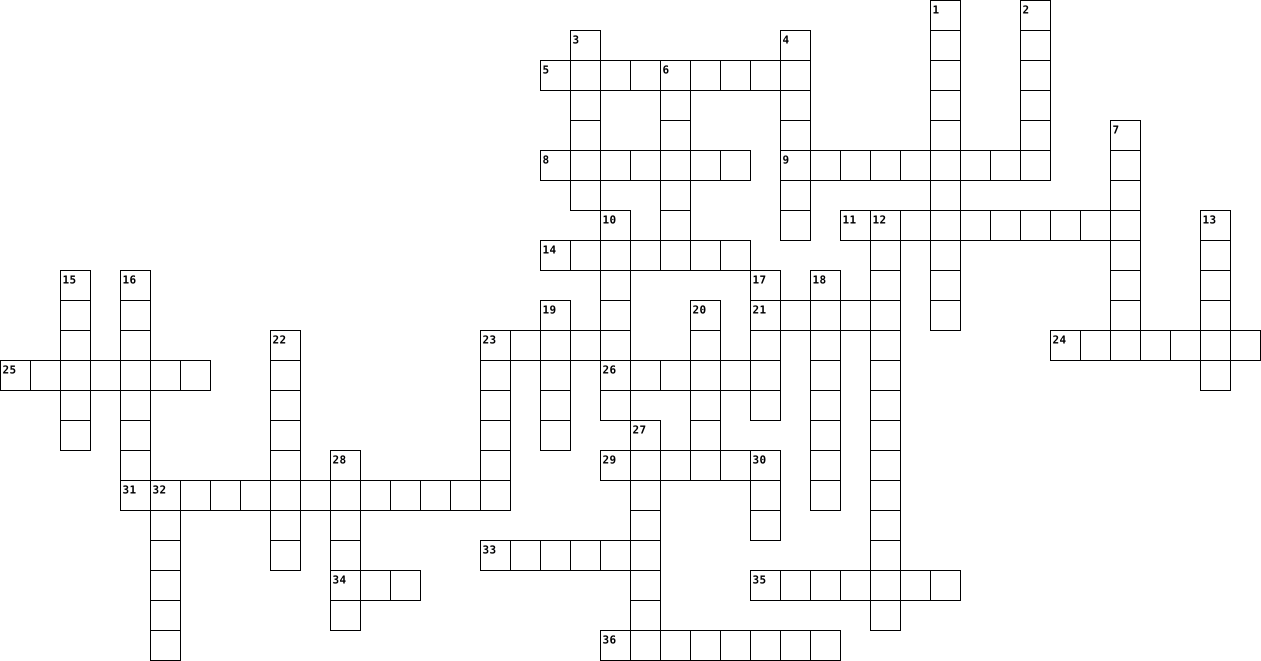
Across
- person who receives something
- a device which copies pictures and documents so that they can be stored on a computer
- person that a letter, etc. is addressed to
- mobile phone that also has some of the functions of a computer, for example the facility to use apps and the internet
- designed to do a particular job
- a system for connecting to the internet or sending data over computer networks using radio waves instead of wires
- move your finger quickly across the screen of an electronic device such as a mobile phone or small computer in order to move text, pictures, etc. or give commands
- made to appear to exist by the use of computer software, for example on the internet
- device that is placed inside a car engine, clock, radio, etc. and that produces the electricity that makes it work
- act of putting electricity into a battery; the electricity in a battery
- small computer that is easy to carry, with a large touch screen and usually without a physical keyboard
- connected with technology
- series of electrical waves that carry sounds, pictures or messages, for example to a radio, television or mobile phone
- piece of software that you can download to a device such as a smartphone or tablet, for example to look up information or to play a game,
- number of computers and other devices that are connected together so that equipment and information can be shared
- the set of letters that you can touch to write on a smartphone or tablet
Down
- screen on a computer, phone, etc. that allows you to give instructions to the device by touching areas on it
- available on or done using the internet or other computer network
- object or a piece of equipment that has been designed to do a particular job
- process of keeping information, etc. on a computer; the way it is kept
- a machine for printing text on paper, especially one connected to a computer
- person who receives something
- join something to the main supply of electricity, gas, water, etc. or to another piece of equipment
- act of giving wrong information about something; the wrong information that is given
- send data to another computer
- small computer that can work with a battery and be easily carried
- international computer network connecting other networks and computers that allows people to share information around the world
- message sent using the Twitter™ social media service
- small device on which you can store and read texts taken from the internet; an application on a device that enables you to do this
- place the thumb and a finger of one hand on the screen of an electronic device such as a mobile phone or small computer and move them together or apart, to make the image on the screen appear smaller or larger
- UP move higher through text or graphics on a computer
- get data from another computer, usually using the internet
- DOWN move lower through text or graphics on a computer
- phone connection that uses wires carried on poles or under the ground, in contrast to a mobile phone
- MEDIA software programs used for social networking
- hit something quickly and lightly
- official system used for sending and delivering letters, packages, etc.
37 Clues: connected with technology • person who receives something • person who receives something • send data to another computer • designed to do a particular job • hit something quickly and lightly • person that a letter, etc. is addressed to • MEDIA software programs used for social networking • message sent using the Twitter™ social media service • ...
ict 131 2025-12-02

Across
- _________-based glass cleaner - chemical that must NOT be used on LCD screens
- ________Storage - the computer’s working storage space that uses RAM chips.
- A tool used to retrieve parts from tight spaces.
- The set of instructions that guides computer hardware to function.
- Central _______ Unit (CPU)- the “brain” of the computer
- _______ Reader - An input device that reads bar patterns on labels.
- The connector used specifically for Ethernet networking.
- A tool used to strip and cut wires.
- _____Software helps users perform tasks like word processing or graphic editing.
- A tool used to test the integrity of circuits and electrical quality.
- ______ Drive - a storage device that uses lasers to read/write data on discs.
- _____Bus A data pathway between computer hardware components inside or outside the computer.
- Or HDD - the permanent magnetic storage device inside a computer used to store data and the OS.
- A screen-based device that accepts input through touch.
- The essential cable that connects the computer to the main power source.
- Software that removes unwanted spyware programs.
- Disk _________ or Defrag - a Windows tool that optimizes the arrangement of files on a hard drive.
- _______ Checker (SFC) - a command-line tool that replaces corrupted system files.
- Computer Hardware _______The act of supporting and maintaining computer hardware, including diagnosing, repairing and upgrading.
Down
- _______Air - a tool used to blow away dust from computer components without contact.
- An audio input device used for speech recognition or recording.
- People involved in computer operations such as administrators and users
- A universal high-speed port used for modern peripherals such as flash drives and printers.
- _______ Pliers - a tool used to grip and hold small parts.
- ______Unit (PSU)- the device that converts AC to DC power for computer components.
- The main part of the microcomputer that contains the motherboard, CPU, memory, and other components.
- A pointing device that uses a ball or optical sensor to move a cursor.
- _______Wrist Strap – a tool worn to prevent electro-static discharge when repairing computers.
- A process/tool used to prepare a hard drive for storing information.
- The port commonly used for monitors and has 15 pins.
- A device used to bundle cables neatly in and around a computer.
- ________ Reference Tools - online sources such as FAQs and manuals used for troubleshooting.
- The display device of a computer that shows visual output.
- A circuit card that allows the computer to use peripherals it normally cannot.
- A technician’s handwritten or digital log containing troubleshooting steps and outcomes.
- Read ____ Memory - memory that is non-volatile and retains data even without power.
- Random ______Memory - memory that is volatile and loses data when power is turned off.
- The main circuit board of a computer that holds all circuits and components.
- The tool that deletes temporary and unnecessary files to free up disk space.
- The port used for wired network connections using RJ45 connectors.
- Or ScanDisk - A Windows tool used to scan and repair hard drive errors.
- A software that protects a computer from viruses.
- ______Screwdriver - a hand tool used to tighten or loosen slotted screws.
- ________Mat – a mat used as a grounded surface to avoid electrostatic buildup.
- ____Software supports the execution of application programs and manages hardware.
45 Clues: A tool used to strip and cut wires. • A tool used to retrieve parts from tight spaces. • Software that removes unwanted spyware programs. • A software that protects a computer from viruses. • The port commonly used for monitors and has 15 pins. • Central _______ Unit (CPU)- the “brain” of the computer • A screen-based device that accepts input through touch. • ...
Computer Parts 2022-01-13

Across
- You need me to connect through, I am responsible for the things you print, without me, your printing something across the globe
- I am the one who runs through the commands, without me your commands won’t work and your computer will be nonfunctional
- You need me to work, without me your computer won’t function and your computer won’t run through
- You need me to remember things, without me your things won’t save. My memories will be wiped when you close your computer.
- I’m responsible for what you look at on the screen, without me, you're not gonna see
- Without me, your computer will melt from the inside out. Your computer will not function once that thing melts. I work with my co-worker; the heat sink
- I’m old but still used, and I’m responsible for all your documents that you save on me
- You need me to write, without my cue, your computer or laptop will be useless without me
- Without me, your computer won’t function properly and the wires will be messy. Without me your computer parts will be everywhere
Down
- Without me, your computer will get more heat than it should. I drain all the heat from your computer. I work with my co-worker; the fan
- If you put these things into the computer, the computer will function more properly
- I am responsible for what you see on the computer also. Not as big as the other, but is responsible for the color on screen.
- without my assistance in the laptop, your device won’t be so portable. I am a mouse that was pre built in.
- I am the one that you need to move your cursor. Without me, your cursor won’t work and you won’t be able to move your cursor.
- Without me, your computer won’t make a peep, you need me to hear, I am responsible for what you play or hear on the computer
15 Clues: If you put these things into the computer, the computer will function more properly • I’m responsible for what you look at on the screen, without me, you're not gonna see • I’m old but still used, and I’m responsible for all your documents that you save on me • You need me to write, without my cue, your computer or laptop will be useless without me • ...
Computer Basics 2022-10-05

Across
- device, hardware device used to send data to a computer.
- devices, keyboards mouse digital cameras and microphones.
- working area of a computer screen and contains icons, files and apps.
- a main way to communicate with a computer.
- hardware, the physical parts of a computer that you can touch.
- drive, where all your documents are saved.
- case, contains the main component of the computer.
- an electronic device for storing and processing data.
- the pointing device.
Down
- device, any device used to send data from a computer.
- devices, input devices and output devices.
- a computer that is portable.
- processing unit, the "brain" of the computer.
- the programs and other operating information used by a computer.
- devices, monitor printer speakers and headphones.
- displays images and text on the screen.
16 Clues: the pointing device. • a computer that is portable. • displays images and text on the screen. • devices, input devices and output devices. • a main way to communicate with a computer. • drive, where all your documents are saved. • processing unit, the "brain" of the computer. • devices, monitor printer speakers and headphones. • ...
Computer Terms Crossword 2022-02-09

Across
- a grid placed between the control grid and the anode of a valve to reduce the capacitance between these electrodes
- a collection of data, programs, etc. stored in a computer's memory or on a storage device under a single identifying name
- Outside devices for a computer
- an apparatus for recording sound pictures or data
- Allows user to interact with a computer.
- The smallest unit of data in a computer
- drawing
- a machine for printing text or pictures, especially one linked to a computer.
- a device that scans documents and converts them into digital data.
- a device or program enabling a user to communicate with a computer.
- a group of binary digits or bits operated on as a unit.
Down
- a place where power or information leaves a system.
- Used to print graphical output on paper
- the part of a computer in which data or program instructions can be stored for retrieval.
- a small handheld device which is moved across a mat or flat surface to move the cursor on a computer screen.
- a panel of keys that operate a computer or typewriter.
- Read-Only Memory
- a directory containing related files or documents.
- short for loudspeaker.
- a statement of the exact meaning of a word especially in a dictionary
- Random access memory
- operate on (data) by means of a program.
- a place where, or a device through which, energy or information enters a system.
23 Clues: drawing • Read-Only Memory • Random access memory • short for loudspeaker. • Outside devices for a computer • Used to print graphical output on paper • The smallest unit of data in a computer • Allows user to interact with a computer. • operate on (data) by means of a program. • an apparatus for recording sound pictures or data • ...
Computer Terms Crossword 2022-02-09

Across
- a device that scans documents and converts them into digital data.
- a panel of keys that operate a computer or typewriter.
- a place where power or information leaves a system.
- a device or program enabling a user to communicate with a computer.
- a group of binary digits or bits operated on as a unit.
- Outside devices for a computer
- operate on (data) by means of a program.
- a directory containing related files or documents.
- a grid placed between the control grid and the anode of a valve to reduce the capacitance between these electrodes
- a collection of data, programs, etc. stored in a computer's memory or on a storage device under a single identifying name
- the part of a computer in which data or program instructions can be stored for retrieval.
- a place where, or a device through which, energy or information enters a system.
Down
- a small handheld device which is moved across a mat or flat surface to move the cursor on a computer screen.
- Random access memory
- an apparatus for recording sound pictures or data
- The smallest unit of data in a computer
- a statement of the exact meaning of a word especially in a dictionary
- Allows user to interact with a computer.
- Used to print graphical output on paper
- Read-Only Memory
- short for loudspeaker.
- a machine for printing text or pictures, especially one linked to a computer.
- drawing
23 Clues: drawing • Read-Only Memory • Random access memory • short for loudspeaker. • Outside devices for a computer • The smallest unit of data in a computer • Used to print graphical output on paper • Allows user to interact with a computer. • operate on (data) by means of a program. • an apparatus for recording sound pictures or data • ...
Computer Terms Crossword 2022-02-09

Across
- Allows user to interact with a computer.
- the part of a computer in which data or program instructions can be stored for retrieval.
- a collection of data, programs, etc. stored in a computer's memory or on a storage device under a single identifying name
- a grid placed between the control grid and the anode of a valve to reduce the capacitance between these electrodes
- short for loudspeaker.
- a group of binary digits or bits operated on as a unit.
- an apparatus for recording sound pictures or data
- a device that scans documents and converts them into digital data.
- a statement of the exact meaning of a word especially in a dictionary
- a place where power or information leaves a system.
- Used to print graphical output on paper
Down
- operate on (data) by means of a program.
- a device or program enabling a user to communicate with a computer.
- Outside devices for a computer
- a small handheld device which is moved across a mat or flat surface to move the cursor on a computer screen.
- a panel of keys that operate a computer or typewriter.
- a directory containing related files or documents.
- Read-Only Memory
- drawing
- Random access memory
- a place where, or a device through which, energy or information enters a system.
- a machine for printing text or pictures, especially one linked to a computer.
- The smallest unit of data in a computer
23 Clues: drawing • Read-Only Memory • Random access memory • short for loudspeaker. • Outside devices for a computer • The smallest unit of data in a computer • Used to print graphical output on paper • operate on (data) by means of a program. • Allows user to interact with a computer. • an apparatus for recording sound pictures or data • ...
Technology Crossword 2026-05-28

Across
- a portable computer
- the act of pressing keys to put words into a computer
- hardware used that allows the computer to make sound
- invisible signal that connects devices to the internet
- a handheld device that's used to control the cursor to select on a screen
- Google Workspace app that is used to make slideshows
- signing into a system
- getting pictures, games, files, or videos onto your device from the internet
- the two keys your index finger rests on
- Google Workspace app to complete class assignments and get class information
- a name that is chosen to identify a login
- cord used to plug device in to get power
Down
- command to put cut or copied item into something
- command for computer to copy a file onto the clipboard
- a user, computer or device that is connected to the internet
- a website or app where people make profiles and share information
- row on a keyboard where fingers should rest
- the secret code to get into an account
- Google Workspace app that is used to type documents
- information that has been saved into a computer
- programs inside a computer that tell it what to do
- a spot on a laptop where you can use your fingers to control a cursor
- device used to communicate, watch videos, type, and more
- messages sent electronically that may contain text, files, or images that provides information and to communicate
24 Clues: a portable computer • signing into a system • the secret code to get into an account • the two keys your index finger rests on • cord used to plug device in to get power • a name that is chosen to identify a login • row on a keyboard where fingers should rest • information that has been saved into a computer • command to put cut or copied item into something • ...
Basic Puzzle 2024-10-15

Across
- Stores start-up information, and other code that cannot be written into
- A small, high-speed component of a computer system's memory. Soon or likely soon to be used
- Used to coordinate all of the computer's components. Controls the rate of instructions being executed
- Circuit board, allows all components to send electrical currents to each other
- Controls the flow of data between the CPU and other parts of the computer
- Short-term memory that stores all running programs
- A malware that infects your computer and requires a ransom for regained access to data
- Unit of data a billion bytes long
- Unit of data 8-bits long
- A component used in electronic devices to prevent overheating
- The smallest unit of data that a computer can process and store
Down
- A small amount of high-speed memory that stores data currently being processed by the CPU
- An international character encoding standard that provides a unique number for every character
- Controls the flow of data between the CPU and RAM and GPU
- Installed in an infected computer and logs everything you type on the computer
- The control center or 'brain' of the computer
- The delay in network communication, how long it takes for an action to receive a response
- A unit of frequency, measures the clock speed of a computer
- A combinational digital circuit that performs arithmetic and bitwise operations
- A switch; controls electrical signals
20 Clues: Unit of data 8-bits long • Unit of data a billion bytes long • A switch; controls electrical signals • The control center or 'brain' of the computer • Short-term memory that stores all running programs • Controls the flow of data between the CPU and RAM and GPU • A unit of frequency, measures the clock speed of a computer • ...
Revision on Computer Components and Software 2025-09-30

Across
- Storage that keeps data even when the power is off (3 words)
- Component that provides electricity to the computer (2 words)
- Temporary memory that is cleared when the computer turns off (3 words)
- Tiny storage areas inside the CPU used for quick calculations
- A set of wires that carry data inside the computer
- A type of storage that uses chips instead of spinning disks (3 words)
- Main software that manages hardware and other programs (2 words)
- A computer built into another device, like a washing machine (2 words)
- Devices like hard drives or SSDs used to save files long-term (2 words)
Down
- Programs that let users do tasks, like write documents (2 words)
- Storage that loses data when the power is turned off (2 words)
- Memory that is directly accessed by the CPU (2 words)
- The main circuit board that connects all computer parts
- The CPU part that does maths and logic operations (3 words)
- How much data can move across a connection at once
- The CPU part that sends signals to manage the computer (2 words)
- How fast the CPU can carry out instructions (2 words)
- Fast storage in the CPU for instructions and data (2 words)
- Software that helps maintain and fix the computer (2 words)
- Memory that holds instructions needed to start the computer (3 words)
- Independent processors inside the CPU that can work on tasks
21 Clues: How much data can move across a connection at once • A set of wires that carry data inside the computer • Memory that is directly accessed by the CPU (2 words) • How fast the CPU can carry out instructions (2 words) • The main circuit board that connects all computer parts • The CPU part that does maths and logic operations (3 words) • ...
Rylee 2023-09-15

Across
- social engineering attack
- deceptive fictional persona
- hardware that uses keys for input
- internal or external devices used for function
- manages application programs
- video camera used for online use
- digital skills and knowledge
- structured data held in a computer
- web based tool to locate information
Down
- output device that displays information
- way of storing files online
- used to store data
- small blocks of data
- certain amount of storage
- short term memory
- wireless networking system
- hardware that connects to a computer
- global computer network
- computer control center
19 Clues: short term memory • used to store data • small blocks of data • global computer network • computer control center • social engineering attack • certain amount of storage • wireless networking system • way of storing files online • deceptive fictional persona • manages application programs • digital skills and knowledge • video camera used for online use • ...
Parts of a Computer 2024-04-16

Across
- The device u clicking
- The be computer
- device that vices through cables
- device that computer
- device that etwork
- device that con the computer
- device that displays visual output
- device th into analog signals for transmission over telephone lines
- device that anicate wirelessly with other devices
- circulate air in theevent overheating
- allows you to
Down
- you can ictures on the computer
- temporarer that helps files run faster
- of
- device usedmmands
- protects tst.
- device that stores data permanently
- device used fages
- device that conv sound
- you go herecomputer
20 Clues: of • protects tst. • allows you to • The be computer • device usedmmands • device used fages • device that etwork • you go herecomputer • device that computer • The device u clicking • device that conv sound • device that con the computer • you can ictures on the computer • device that vices through cables • device that displays visual output • device that stores data permanently • ...
Computer Terms 2023-01-12

Across
- All electrical components of a computer plug into this
- Controls the movement of a video game console
- another name for the screen of a computer
- the computer keys
- Used to broadcast your voice
- Used to capture images and convert them to digital form
- drive main storage computer for memory on a computer
Down
- Puts digital images on paper
- Random Access Memory
- Cenrtal Processing Unit
- Sound output
- another name for the world wide web
- camera Used to take a video with your computer
- Allows you to move a navigate on your device
- puts an image onto a screen or wall
- drive small, portable storage
16 Clues: Sound output • the computer keys • Random Access Memory • Cenrtal Processing Unit • Puts digital images on paper • Used to broadcast your voice • drive small, portable storage • another name for the world wide web • puts an image onto a screen or wall • another name for the screen of a computer • Allows you to move a navigate on your device • ...
Winnie's crossword 2022-09-29

Across
- Main short term memory
- Performs calculations
- circuit board, a connection board for the most important components
- Most used laptop/computer operating system
- Apple's Laptop/computer operating system
- Software that performs a specific task based on user commands
- Permanent memory
- Locating and retrieving content on the internet
Down
- Allow your computer to process more graphics
- Cheaper laptop/computer operating system
- Software that supports a computer's functions
- Provides power to multiple components, with different connectors, matching various requirements
- Apples operating System
- Screen of your computer
- an input device that is used to tell the computer what to do
- most used operating system
16 Clues: Permanent memory • Performs calculations • Main short term memory • Apples operating System • Screen of your computer • most used operating system • Cheaper laptop/computer operating system • Apple's Laptop/computer operating system • Most used laptop/computer operating system • Allow your computer to process more graphics • Software that supports a computer's functions • ...
Joumana's Tech Crossword 2021-10-06

Across
- Powers all the websites
- Data sent to a computer
- Group of two or more devices linked together
- Physical parts of computer system
- Input device to control pointer
- Instruction given to the computer
- Input device to display something
- Brain of the computer
Down
- A software program for end-user
- Intermediate b/w user and hardware
- Storage area
- Company founded by Bill Gates
- input device to type something
- Portable computer
- Something we play for enjoyment
- Processed information
16 Clues: Storage area • Portable computer • Processed information • Brain of the computer • Powers all the websites • Data sent to a computer • Company founded by Bill Gates • input device to type something • A software program for end-user • Input device to control pointer • Something we play for enjoyment • Physical parts of computer system • Instruction given to the computer • ...
Processor 2025-10-22

Across
- Formalcommunication device
- Global computer network
- Network not connected by wires
- Connection strength of a wireless network
- Rules for a computer network
- cable Cable connecting a computer network
Down
- Bits of data sent somewhere
- Transferring data from computers to computers
- Connected computers
- Address for a computer to use in order to send data
- Network connected by wires
- Computer program that provides a service
- Central device in a network
- Physical devices in a network
- Transmission control protocol
- Networking device connecting computers
16 Clues: Connected computers • Global computer network • Formalcommunication device • Network connected by wires • Bits of data sent somewhere • Central device in a network • Rules for a computer network • Physical devices in a network • Transmission control protocol • Network not connected by wires • Networking device connecting computers • Computer program that provides a service • ...
tech 2022-01-20

Across
- something without wires
- used to connect to a computer to generate sound
- Central Processing Unit
- it controls the cursor; you use your fingers
- this keeps the computer cool so the metal dont melt
- a space where you can type
- computer hardware component that connects a computer to a computer network
- Wireless Fidelity
- Random Access Memory
Down
- a substance or device that absorbs or dissipates especially unwanted heat
- Power Supply Unit
- compact disc
- an output device that displays information
- allows an electronic interface to be adapted
- digital optical disc data storage format
- Devices data that a computer sends
16 Clues: compact disc • Power Supply Unit • Wireless Fidelity • Random Access Memory • something without wires • Central Processing Unit • a space where you can type • Devices data that a computer sends • digital optical disc data storage format • an output device that displays information • it controls the cursor; you use your fingers • allows an electronic interface to be adapted • ...
Technology Vocabulary Words 2023-05-08

Across
- a global computer network
- Central processing unit
- an electronic device for storing and processing data
- a series of coded software instructions
- stores data on a disk
- a programing language
- Artificial intelligence
- example- crome
- you send this on a computer
Down
- interconnected computing devices that can exchange data
- an organized collection of information on a computer system
- a device used for multiple purposes
- the state of being protected against the criminal or unauthorized use of electronic data
- physical components of a computer
- facts and statistics collected together for reference or analysis
- a set of instructions used to operate computer tasks
16 Clues: example- crome • stores data on a disk • a programing language • Central processing unit • Artificial intelligence • a global computer network • you send this on a computer • physical components of a computer • a device used for multiple purposes • a series of coded software instructions • an electronic device for storing and processing data • ...
DDL 2026-09-11

Across
- The movable indicator (often an arrow) on the screen controlled by a mouse or trackpad.
- Used for clicking
- a program used for typing(letters, memo, reports and e.t.c).
- a person using a computer
- processed data
- computer that perform only one task
- stand for Bold in word document
- Used to type
Down
- Electronic device that accept input, process it and give output
- found on a keyboard
- Holes found in the computer
- is a container used for storing files.
- Represented by U in word document
- smallest computer
- Used to store document permanently on a computer
- Raw facts and figures
16 Clues: Used to type • processed data • Used for clicking • smallest computer • found on a keyboard • Raw facts and figures • a person using a computer • Holes found in the computer • stand for Bold in word document • Represented by U in word document • computer that perform only one task • is a container used for storing files. • Used to store document permanently on a computer • ...
vocab words 2021-09-03

Across
- to push down the right mouse button
- communicates with computer by striking keys
- the brain of the computer
- holds my programs or documentd
- devices that put data in the computer
- to click the left mouse button twice quickly
- a computer in which all computers are connected to
Down
- the colored part of monitor
- pictures on the desktop
- another name for drivec
- devices that show data coming out
- the buttons on the key board
- to hold the left mouse button down and drag
- communicates with computer by clicks
- tv part of computer
- gives copy of what is on screen
16 Clues: tv part of computer • pictures on the desktop • another name for drivec • the brain of the computer • the colored part of monitor • the buttons on the key board • holds my programs or documentd • gives copy of what is on screen • devices that show data coming out • to push down the right mouse button • communicates with computer by clicks • devices that put data in the computer • ...
ict 131 2025-12-02

Across
- _________-based glass cleaner - chemical that must NOT be used on LCD screens
- ________Storage - the computer’s working storage space that uses RAM chips.
- A tool used to retrieve parts from tight spaces.
- The set of instructions that guides computer hardware to function.
- Central _______ Unit (CPU)- the “brain” of the computer
- _______ Reader - An input device that reads bar patterns on labels.
- The connector used specifically for Ethernet networking.
- A tool used to strip and cut wires.
- _____Software helps users perform tasks like word processing or graphic editing.
- A tool used to test the integrity of circuits and electrical quality.
- ______ Drive - a storage device that uses lasers to read/write data on discs.
- _____Bus A data pathway between computer hardware components inside or outside the computer.
- Or HDD - the permanent magnetic storage device inside a computer used to store data and the OS.
- A screen-based device that accepts input through touch.
- The essential cable that connects the computer to the main power source.
- Software that removes unwanted spyware programs.
- Disk _________ or Defrag - a Windows tool that optimizes the arrangement of files on a hard drive.
- _______ Checker (SFC) - a command-line tool that replaces corrupted system files.
- Computer Hardware _______The act of supporting and maintaining computer hardware, including diagnosing, repairing and upgrading.
Down
- _______Air - a tool used to blow away dust from computer components without contact.
- An audio input device used for speech recognition or recording.
- People involved in computer operations such as administrators and users
- A universal high-speed port used for modern peripherals such as flash drives and printers.
- _______ Pliers - a tool used to grip and hold small parts.
- ______Unit (PSU)- the device that converts AC to DC power for computer components.
- The main part of the microcomputer that contains the motherboard, CPU, memory, and other components.
- A pointing device that uses a ball or optical sensor to move a cursor.
- _______Wrist Strap – a tool worn to prevent electro-static discharge when repairing computers.
- A process/tool used to prepare a hard drive for storing information.
- The port commonly used for monitors and has 15 pins.
- A device used to bundle cables neatly in and around a computer.
- ________ Reference Tools - online sources such as FAQs and manuals used for troubleshooting.
- The display device of a computer that shows visual output.
- A circuit card that allows the computer to use peripherals it normally cannot.
- A technician’s handwritten or digital log containing troubleshooting steps and outcomes.
- Read ____ Memory - memory that is non-volatile and retains data even without power.
- Random ______Memory - memory that is volatile and loses data when power is turned off.
- The main circuit board of a computer that holds all circuits and components.
- The tool that deletes temporary and unnecessary files to free up disk space.
- The port used for wired network connections using RJ45 connectors.
- Or ScanDisk - A Windows tool used to scan and repair hard drive errors.
- A software that protects a computer from viruses.
- ______Screwdriver - a hand tool used to tighten or loosen slotted screws.
- ________Mat – a mat used as a grounded surface to avoid electrostatic buildup.
- ____Software supports the execution of application programs and manages hardware.
45 Clues: A tool used to strip and cut wires. • A tool used to retrieve parts from tight spaces. • Software that removes unwanted spyware programs. • A software that protects a computer from viruses. • The port commonly used for monitors and has 15 pins. • Central _______ Unit (CPU)- the “brain” of the computer • A screen-based device that accepts input through touch. • ...
Computer vocabulary 2012-10-04

Across
- an arrangement of conducting elements
- a reciprocating part of certain machine tools,
- device-Electronic equipment connected to a computer
- of pertaining to a peripheral.
- the programs used to direct the operation of computer
- computer memory
- The best component in the computer system.
Down
- bits processed by a computer
- a computer that provides services.
- your own computer that has enough working space.
- A board with other boards to provide or contain the basic circuitry of a computer.
- Equipment that is used for any kind of activity.
- system- collection of software that directs a computer's operations
- address that identifies a particular file
14 Clues: computer memory • bits processed by a computer • of pertaining to a peripheral. • a computer that provides services. • an arrangement of conducting elements • address that identifies a particular file • The best component in the computer system. • a reciprocating part of certain machine tools, • your own computer that has enough working space. • ...
Computer Crossword 2022-02-18

Across
- portable computer
- transmits power or data
- a small device that is fragged across a flat surface to move the cursor on a computer
- for listening to music and speech
- a panel of keys that operate a computer
- used to record sound
Down
- brain of the computer
- connects to a computer to create sound
- a piece of material that a computer mouse is moved on
- a device used to store small amounts of data
- a disk that stores large amounts of data
- the display of a computer
- a camera on a computer
- a machine for printing text or pictures onto paper
14 Clues: portable computer • used to record sound • brain of the computer • a camera on a computer • transmits power or data • the display of a computer • for listening to music and speech • connects to a computer to create sound • a panel of keys that operate a computer • a disk that stores large amounts of data • a device used to store small amounts of data • ...
ICT 2019-10-16

Across
- computer hardware includes the physical, tangible parts or components of a computer, such as the cabinet, central processing unit, monitor, keyboard, computer data storage, graphics card, sound card, speakers and motherboard.
- the effective centre of an activity, region, or network.
- a group of several graphical operating system families, all of which are developed, marketed and sold by Microsoft.
- a form of user interface that allows users to interact with electronic devices through graphical icons and visual indicators such as secondary notation, instead of text-based user interfaces, typed command labels or text navigation.
- a series of coded software instructions to control the operation of a computer or other machine.
- a television receiver used in a studio to select or verify the picture being broadcast from a particular camera.
- a computer designed for use by one person at a time.
- a desktop computer terminal, typically networked and more powerful than a personal computer.
- a large high-speed computer, especially one supporting numerous workstations or peripherals.
- a combined device for modulation and demodulation, for example, between the digital data of a computer and the analogue signal of a telephone line.
- a secret or disguised way of writing; a code.
- the low-level software that supports a computer's basic functions, such as scheduling tasks and controlling peripherals.
- a panel of keys that operate a computer or typewriter.
- an integrated circuit that contains all the functions of a central processing unit of a computer.
- the programs and other operating information used by a computer.
- is a simulated experience that can be similar to or completely different from the real world. Applications of virtual reality can include entertainment (i.e. gaming) and educational purposes (i.e. medical or military training).
- a facility allowing computers, smartphones, or other devices to connect to the Internet or communicate with one another wirelessly within a particular area.
- an instrument for converting sound waves into electrical energy variations which may then be amplified, transmitted, or recorded.
- is the study of how people interact with computers and to what extent computers are or are not developed for successful interaction with human beings.
- the process of translating words or text from one language into another.
- a computer network within a small geographical area such as a home, school, computer laboratory, office building or group of buildings.
- a set of items each of which specifies one of the records of a file and contains information about its address.
- a text that has been decoded.
- a small computer that contains a microprocessor as its central processor.
- the action of linking one thing with another.
- a machine resembling a human being and able to replicate certain human movements and functions automatically.
- a collection of data, programs, etc. stored in a computer's memory or on a storage device under a single identifying name.
- ability to be afforded; inexpensiveness.
- a minute area of illumination on a display screen, one of many from which an image is composed.
- a structured set of data held in a computer, especially one that is accessible in various ways.
- a system of electrical conductors and components forming an electrical circuit.
- the practice of examining large pre-existing databases in order to generate new information.
- a network, in computing, is a group of two or more devices that can communicate. In practice, a network is comprised of a number of different computer systems connected by physical and/or wireless connections.
- a point in a network or diagram at which lines or pathways intersect or branch.
Down
- another term for central processing unit.
- a computer program with a graphical user interface for displaying HTML files, used to navigate the World Wide Web.
- a small handheld device which is moved across a mat or flat surface to move the cursor on a computer screen.
- a set of computer instructions in firmware which control input and output operations.
- a record of the address of a file, website, or other data made to enable quick access.
- is a computer with a high level of performance compared to a general-purpose computer.
- communication or direct involvement with something.
- a single instruction that expands automatically into a set of instructions to perform a particular task.
- facts and statistics collected together for reference or analysis.
- means of sending or receiving information, such as telephone lines or computers.
- a program that controls the operation of a device such as a printer or scanner.
- a printed circuit board containing the principal components of a computer or other device, with connectors for other circuit boards to be slotted into.
- a computer or computer program which manages access to a centralized resource or service in a network.
- disk operating system, an operating system originally developed for IBM personal computers.
- communication over a distance by cable, telegraph, telephone, or broadcasting.
- a spreadsheet program included in the Microsoft Office suite of applications. Spreadsheets present tables of values arranged in rows and columns that can be manipulated mathematically using both basic and complex arithmetic operations and functions.
- a program or piece of software designed to fulfil a particular purpose.
- a secret word or phrase that must be used to gain admission to a place.
- software that is specifically designed to disrupt, damage, or gain unauthorized access to a computer system.
- the part of a computer in which data or program instructions can be stored for retrieval.
- an automated series of instructions carried out in a specific order.
- a directory containing related files or documents.
- small plastic discs on which sound, especially music, can be recorded.
- the quality of being able to be reached or entered.
- a person or thing that provides something.
- a device or program enabling a user to communicate with a computer.
- the theory and development of computer systems able to perform tasks normally requiring human intelligence, such as visual perception, speech recognition, decision-making, and translation between languages.
- a machine for printing text or pictures, especially one linked to a computer
- a device or program that compresses data to enable faster transmission and decompresses received data.
- a group of records processed as a single unit, usually without input from a user.
- the binary system of notation.
- a computer system is a basic, complete and functional computer, including all the hardware and software required to make it functional for a user.
- the messages or signals transmitted through a communications system.
- software that enables a user to obtain covert information about another's computer activities by transmitting data covertly from their hard drive.
- a title or brief explanation accompanying an illustration, cartoon, or poster.
- a piece of code which is capable of copying itself and typically has a detrimental effect, such as corrupting the system or destroying data.
- a desktop computer or workstation that is capable of obtaining information and applications from a server.
71 Clues: a text that has been decoded. • the binary system of notation. • ability to be afforded; inexpensiveness. • another term for central processing unit. • a person or thing that provides something. • a secret or disguised way of writing; a code. • the action of linking one thing with another. • a directory containing related files or documents. • ...
Computer Components Basics-Irvine 2023-11-01

Across
- This is the most common keyboard arrangement
- Temporary type of storage that changes and is erased when the computer is turned off, computer short-term memory
- Computer input device that uses a set of keys to put data into the computer
- Electrical device that supplies electric power to run the computer
- Portable storage device that plugs into a USB port
- Thin plate or board that contains electronic components
- Hand-operated electronic device that controls the cursor on your computer screen as you move it around
Down
- The central/main circuit board that provides electrical connections to other internal computer parts
- The physical components of a computer
- The brain of the computer; containing all the circuitry needed to process input, store data and output results
- Electronic holding place for the instructions and data a computer needs to reach quickly
- Peripheral device that reads and/or writes information on a disk
- Computer-generated information displayed on a screen, printed on paper, or stored on media or in the cloud
- Device used to display computer information visually on a screen
14 Clues: The physical components of a computer • This is the most common keyboard arrangement • Portable storage device that plugs into a USB port • Thin plate or board that contains electronic components • Peripheral device that reads and/or writes information on a disk • Device used to display computer information visually on a screen • ...
Hardware and Software - Crossword Puzzle 2025-07-11

Across
- System, An operating system (OS) is the foundational software that manages a computer's hardware and software resources. It acts as an intermediary between the user and the computer hardware, enabling users to interact with the system and run applications.
- Random Access Memory, is a computer's short-term memory. It temporarily stores data that the CPU needs to quickly access for active tasks, like running applications and processing information. RAM is volatile, meaning data is lost when the computer is turned off.
- An Arithmetic Logic Unit (ALU) is a fundamental component of a computer's Central Processing Unit (CPU) that performs arithmetic and logical operations. It's the part of the CPU that does the actual calculations and comparisons.
- devices, any hardware device that is located outside the computer.
- a motherboard is the main circuit board in a computer, acting as the central communication backbone for all other components. It connects and facilitates communication between the CPU, memory, storage, and other peripherals. Essentially, it's the foundation upon which all other parts of the computer system are built and interact.
- Information and Communication Technology, encompasses all technologies used for handling information and facilitating communication. This includes both hardware and software, such as computers, networks, and the applications that run on them. ICT is a broad term, as the technologies and concepts within it are constantly evolving.
- Network, A computer network is a system of interconnected computing devices that can communicate and share resources with each other. This connection allows devices to exchange data, access information, and utilize shared resources like printers or files. Networks can vary in size and complexity, from small home networks to vast global networks like the internet.
- System, a computer system is a combination of hardware, software, and data working together to perform tasks. It encompasses the physical components (hardware), the instructions and programs (software), and the information being processed (data).
- device, a piece of hardware device that receives information from a computer.
- a person who uses or operates a computer.
- Memory also known as primary memory or RAM (Random Access Memory), is a critical component in computer systems. It serves as the workspace for a computer's processor, storing data and instructions that are actively being used and executed.
- Software, it is designed to run a computer’s hardware and application software, and make the computer system available for use. It serves as the interface between hardware, application software, and the user.
- Device a device that functions as both an input and an output device is called a bi-directional device or input/output (I/O) device. These devices can both receive information from the user or another system (input) and also send information to the user or another system (output). Examples of I/O devices: Touch Screens, Headsets (with microphones and speakers), USB drives, Modems, Hard drives, Sound Cards, Printers/Scanners and VR headsets and Gloves.
Down
- any physical device or equipment used in or with a computer system (anything you can see and touch)
- stands for Read-Only Memory. It is a type of computer memory that stores data permanently and cannot be easily modified or written to after it has been manufactured. ROM is primarily used to store firmware and other essential data that needs to be readily available when a device is powered on.
- Software, a computer program that provides users with tools to accomplish a specific task.
- Software Utility software also known as a utility program or simply a utility, is a type of system software designed to help manage, maintain, and optimize a computer system. These programs perform specific tasks to enhance the performance, security, and functionality of a computer, often assisting with tasks like virus detection, data backup, and file management.
- Storage, also known as auxiliary or external storage, refers to non-volatile memory devices used for long-term data storage that are not actively used by the computer's processor. These devices hold data even when the computer is powered off. Examples include hard disk drives (HDDs), solid-state drives (SSDs), USB flash drives, and cloud storage.
- Driver, a software program that is designed to control a particular hardware device that is attached to a computer.
- an integrated circuit that contains all the functions of a central processing unit of a computer.
- a Central Processing Unit, is the "brain" of a computer, responsible for executing instructions and performing calculations. It processes data, controls other components, and manages the overall operation of the computer system.
- The Control Unit (CU) is a fundamental component of a computer's Central Processing Unit (CPU). It acts as the brain of the CPU, directing and coordinating the operations of all other components. The CU fetches instructions, decodes them, and then generates control signals to execute those instructions by directing data flow and managing resources.
- device, a piece of hardware device which is used to enter information to a computer for processing.
- a set of instructions or programs that tells a computer what to do or how to perform a specific task (computer software runs on hardware).
- stands for Universal Serial Bus, is a standard interface for connecting various electronic devices to a computer or other devices for data transfer and power delivery. It's a widely used protocol that allows devices like keyboards, mice, printers, storage devices, and more to communicate with a host device.
- short for information technology. the development and use of IT are certain to bring about changes in education.
26 Clues: a person who uses or operates a computer. • devices, any hardware device that is located outside the computer. • device, a piece of hardware device that receives information from a computer. • Software, a computer program that provides users with tools to accomplish a specific task. • ...
computer technology words 2022-01-05

Across
- wireless signal used to connect devices to internet
- a mobile computer device with a screen
- information input or stored on a computer
- a set of computers sharing one internet address
- handheld hardware input device
- opening used to plug a charger into a computer
- computer output display device (image or words)
- network hardware to connects networks to internet
- device to charge a battery or computer
Down
- world wide network where information is shared
- personal computer easily moved
- device(phone) not needing to be outlet plugged
- a large computer that sits on a desk
- a panel of typing keys to operate a computer
14 Clues: personal computer easily moved • handheld hardware input device • a large computer that sits on a desk • a mobile computer device with a screen • device to charge a battery or computer • information input or stored on a computer • a panel of typing keys to operate a computer • world wide network where information is shared • device(phone) not needing to be outlet plugged • ...
Bryson F. Common Terms 2026-03-12

Across
- To transfer, move, or copy data from a website to a computer or other device.
- Cloud storage which allows you to create and store files
- A short-range wireless connection to link devices together.
- A wireless network that computers, smartphones, or other devices connect to get internet.
- A rectangle box on the side of your computer that gets plugged into.
- The place where all your apps sit. This is where you go when you power up the computer.
- Computer file format provides on electronic image of text or graphics. Cannot be edited by anyone.
- Computer file format. Supports both animated and static images.
- A piece of the computer hardware that displays images, text, video, etc.
Down
- An online cloud storage service by Microsoft
- The physical parts of the computer
- To transfer, move, or copy data from a computer to a remote device or internet.
- Computer file format for the compression and storage of digital images.
- Text files with small pieces of data. Username and password, which stores within a web browser.
- Send data to a file or program.
- Type of image file that has fixed number of pixels and doesn't lose any quality when they are compressed.
- Bring data into file or program.
17 Clues: Send data to a file or program. • Bring data into file or program. • The physical parts of the computer • An online cloud storage service by Microsoft • Cloud storage which allows you to create and store files • A short-range wireless connection to link devices together. • Computer file format. Supports both animated and static images. • ...
Computer Fundamental 2025-06-19

Across
- A reusable block of code
- Programs that run on a computer
- An error in a program
- A whole number
- Organized collection of data
- Physical components of a computer
Down
- Global network of networks
- Central Processing Unit, the brain of the computer
- Text
- How a user interacts with a computer
- Instructions written in a programming language
- A storage location for data
- Base-2 number system
- Where data is stored
- A collection of elements
- Information Processed by a computer
16 Clues: Text • A whole number • Base-2 number system • Where data is stored • An error in a program • A reusable block of code • A collection of elements • Global network of networks • A storage location for data • Organized collection of data • Programs that run on a computer • Physical components of a computer • Information Processed by a computer • How a user interacts with a computer • ...
Digital Literacy 2024-02-13
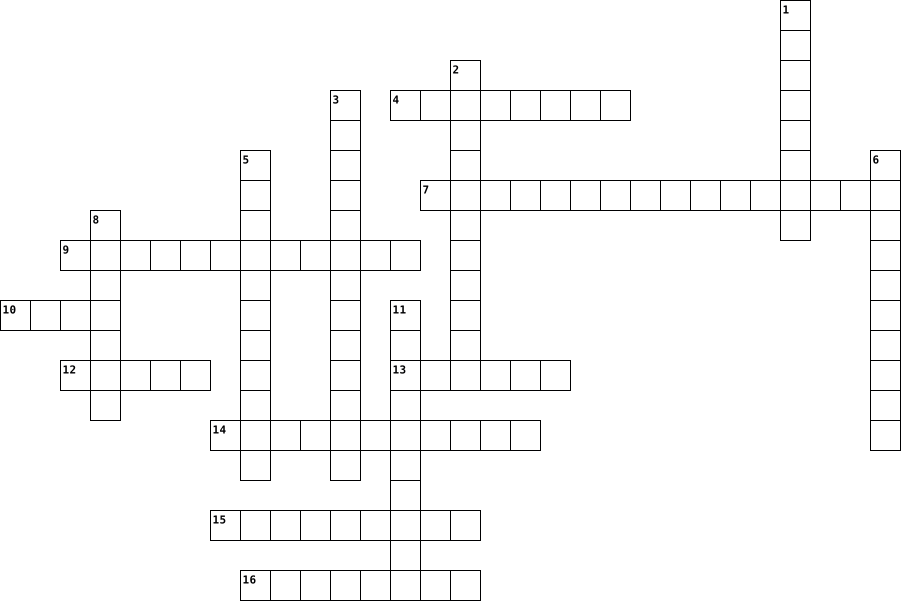
Across
- Hear sound and music
- Reads CDs/DVDs
- Holds all inner components of a computer
- Mouse, keyboard, memory stick
- Pointing device
- Rectangular and slides out
- Connects to power cord
- large with three indents
- Copies a physical image/document
Down
- Allows users to communicate with the computer
- Extra devices that can be plugged into the computer
- Transfer digital pictures/videos to computer
- Turns computer on/off
- Records videos/pictures
- Displays images and text
- Record sound or communicate over the internet
16 Clues: Reads CDs/DVDs • Pointing device • Hear sound and music • Turns computer on/off • Connects to power cord • Records videos/pictures • Displays images and text • large with three indents • Rectangular and slides out • Mouse, keyboard, memory stick • Copies a physical image/document • Holds all inner components of a computer • Transfer digital pictures/videos to computer • ...
kaldo de pollo 2023-03-22
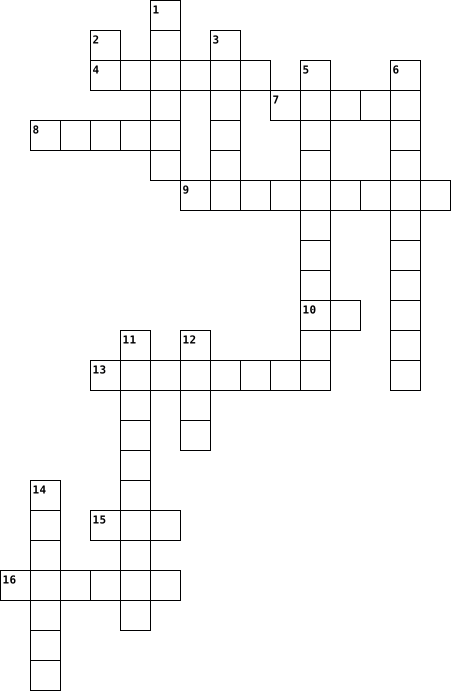
Across
- help the computer give form
- device to move you in the computer
- my favorite game in nintendo master sword
- device to proyect things
- artificial intelegence
- to write something in the computer
- human best friend
- the best animation studio
Down
- helps the image to get better
- gives the computer the progranation
- my best friend
- has all the programation incide
- the citizens
- help you to hear better
- the best gaming console
- transfers the image of the computer
16 Clues: the citizens • my best friend • human best friend • artificial intelegence • help you to hear better • the best gaming console • device to proyect things • the best animation studio • help the computer give form • helps the image to get better • has all the programation incide • device to move you in the computer • to write something in the computer • gives the computer the progranation • ...
System technologies 2022-10-06

Across
- - is a computer with a high level of performance as compared to a general-purpose computer
- – The smallest size computer invented solely for personal use is a microcomputer
- – A portable computer with lighter weight and smaller keyboards. It is smaller than the notebook computer but the rest of the features remain the same.
- - is a portable computing device that combines mobile telephone and computing functions into one unit
- - is a personal computer designed for regular use at a single location on or near a desk due to its size and power requirements
- - Computers are small enough to fit in your hand or placed in your pocket.
- – A small computer that fits in your palm but comes without a disk drive
Down
- - technology is any technology that is designed to be used while worn.
- - is a computer that has powerful processors, large hard drives and plenty of memory power
- is a special computer designed for technical or scientific applications
- - commonly shortened to tablet, is a mobile device, typically with a mobile operating system and touchscreen display processing circuitry, and a rechargeable battery in a single, thin and flat package.
- – commonly used for fax, phone calls, and network features. They come with a stylus and keyboard including writing recognition.
- - a digital computer designed for use by only one person at a time.
- - was a commonly used term that identified a product class of small and inexpensive laptops that were sold from 2007 to around 2013
- - A laptop, laptop computer, or notebook computer is a small, portable personal computer with a screen and alphanumeric keyboard.
- - Informally called a mainframe or big iron, is a computer used primarily by large organizations for critical applications like bulk data processing for tasks such as censuses, industry and consumer statistics, enterprise resource planning, and large-scale transaction processing
16 Clues: - a digital computer designed for use by only one person at a time. • - technology is any technology that is designed to be used while worn. • is a special computer designed for technical or scientific applications • – A small computer that fits in your palm but comes without a disk drive • ...
Tech Terms 2024-11-06

Across
- type of computer storage containing non-volatile, permanent data that, normally, can only be read, not written to
- start device
- can’t touch
- HyperText Markup Language
- Internet Protocal Address
- the gulf between those who have ready access to computers and the internet, and those who do not.
- a set of programs that helps a communications service provider monitor, control, analyze and manage a telephone or computer network.
- A global computer network providing a variety of information and communication facilities, consisting of interconnected networks using standardized communication protocols.
- computer or laptop's short-term memory. It's where the data is stored that your computer processor needs to run your applications and open your files.
- FireFox and Google Chrome
- Mouse and keyboard
- can touch
- the process of converting information or data into a code, especially to prevent unauthorized access.
- the computer-generated simulation of a three-dimensional image or environment that can be interacted with in a seemingly real or physical way by a person using special electronic equipment, such as a helmet with a screen inside or gloves fitted with sensors.
- a regularly updated website or web page, typically one run by an individual or small group, that is written in an informal or conversational style.
- Portable Document File
- a unit of information equal to 220 bytes or one million bytes
- a computer or computer program which manages access to a centralized resource or service in a network.
- Eight bits
- Central processing unit that is the main brain of the computer
- restart device
- Ctrl+P
- software that is specifically designed to disrupt, damage, or gain unauthorized access to a computer system
Down
- Taking info from somewhere else and putting it on your computer
- Monitor and printer
- a printed circuit board containing the principal components of a computer or other device, with connectors into which other circuit boards can be slotted.
- Using the cloud or using a usb drive
- An information system on the internet which allows documents to be connected to other documents by hypertext links, enabling the user to search for information by moving from one document to another.
- small files of information that a web server generates and sends to a web browser.
- a low-level language that directly corresponds to the computer's hardware
- a system for connecting a number of computer systems to form a local area network, with protocols to control the passing of information and to avoid simultaneous transmission by two or more systems.
- four things a computer does
- A binary value represented by 1s and 0s
- google yahoo
- An internal or external computer component that stores data
- the most important software that runs on a computer
- Ctrl+C
- Where you type a web address and stands for Uniform Resource Locator
- a work or invention that is the result of creativity, such as a manuscript or a design, to which one has rights and for which one may apply for a patent, copyright, trademark, etc.
- Ctrl+V
- a network security device that monitors traffic to or from your network
- turns domain names into IP addresses, which browsers use to load internet pages.
- any information connected to a specific individual that can be used to uncover that individual's identity, such as their social security number, full name, email address or phone number.
43 Clues: Ctrl+C • Ctrl+V • Ctrl+P • can touch • Eight bits • can’t touch • start device • google yahoo • restart device • Mouse and keyboard • Monitor and printer • Portable Document File • HyperText Markup Language • Internet Protocal Address • FireFox and Google Chrome • four things a computer does • Using the cloud or using a usb drive • A binary value represented by 1s and 0s • ...
Computer Parts 2022-01-13

Across
- You need me to connect through, I am responsible for the things you print, without me, your printing something across the globe
- I am the one who runs through the commands, without me your commands won’t work and your computer will be nonfunctional
- You need me to work, without me your computer won’t function and your computer won’t run through
- You need me to remember things, without me your things won’t save. My memories will be wiped when you close your computer.
- I’m responsible for what you look at on the screen, without me, you're not gonna see
- Without me, your computer will melt from the inside out. Your computer will not function once that thing melts. I work with my co-worker; the heat sink
- I’m old but still used, and I’m responsible for all your documents that you save on me
- You need me to write, without my cue, your computer or laptop will be useless without me
- Without me, your computer won’t function properly and the wires will be messy. Without me your computer parts will be everywhere
Down
- Without me, your computer will get more heat than it should. I drain all the heat from your computer. I work with my co-worker; the fan
- If you put these things into the computer, the computer will function more properly
- I am responsible for what you see on the computer also. Not as big as the other, but is responsible for the color on screen.
- without my assistance in the laptop, your device won’t be so portable. I am a mouse that was pre built in.
- I am the one that you need to move your cursor. Without me, your cursor won’t work and you won’t be able to move your cursor.
- Without me, your computer won’t make a peep, you need me to hear, I am responsible for what you play or hear on the computer
15 Clues: If you put these things into the computer, the computer will function more properly • I’m responsible for what you look at on the screen, without me, you're not gonna see • I’m old but still used, and I’m responsible for all your documents that you save on me • You need me to write, without my cue, your computer or laptop will be useless without me • ...
Sam computer vocabulary 2014-02-10

Across
- A collection of information, usually including a username and the current date and time, stored on the local computer of a person using the World Wide Web, used chiefly by websites to identify users who have previously registered or visited the site.
- A memory device in which information can be accessed in any order.
- uniform resource locator; a standardized address of a location on the internet, esp on the World Wide Web
- A sequence of adjacent bits, usually eight, operated on as a unit by a computer
- computing the representation of each one of a set of numbers, letters, etc, as a unique sequence of bits, as in ASCII
- Is the brain of the computer
- the software that supports a computer's basic functions, such as scheduling tasks, executing applications, and controlling peripherals.
- A computer that processes requests for HTML and other documents that are components of web pages.
- internet service provider, a business providing its customers with connection to the internet and other related services
- a personal computer small enough to fit conveniently in an individual workspace
- An interconnected system of networks that connects computers around the world via the TCP/IP protocol.
- the programs and other operating information used by a computer.
- Is physical components that make up a computer system.
- Universal Serial Bus is an industry standard developed in the mid-1990s that defines the cables, connectors and communications protocols used in a bus for connection, communication, and power supply between computers and electronic devices.
- The set of routines stored in read-only memory that enable a computer to start the operating system and to communicate with the various devices in the system, such as disk drives, keyboard, monitor, printer, and communications ports.
Down
- a model of computer use in which services stored on the internet are provided to users on a temporary basis
- a printed circuit board containing the principal components of a computer or other device, with connectors into which other circuit boards can be slotted.
- a high-capacity, self-contained storage device containing a read-write mechanism plus one or more hard disks, inside a sealed unit. Also called hard disk drive.
- The numerical sequence that serves as an identifier for an Internet server.
- This term is used to describe a preset value for some option in a computer program.
- A program that accesses and displays files and other data available on the Internet and other networks.
- connect as or operate with a network.
- intellectual property, esp computer source code, that is made freely available to the general public by its creators
- A fast storage buffer in the central processing unit of a computer. Also called cache memory.
- Memory hardware that allows fast access to permanently stored data but prevents addition to or modification of the data.
- of, relating to, or situated on the edge or periphery of something.
- A computer or program that can download files for manipulation, run applications, or request application-based services from a file server.
- computing domain name system
- In computing, booting is the initial set of operations that a computer system performs after electrical power to the CPU is switched on or when the computer is reset. ...
29 Clues: Is the brain of the computer • computing domain name system • connect as or operate with a network. • Is physical components that make up a computer system. • the programs and other operating information used by a computer. • A memory device in which information can be accessed in any order. • of, relating to, or situated on the edge or periphery of something. • ...
ict 131 2025-12-02

Across
- Or ScanDisk - A Windows tool used to scan and repair hard drive errors.
- The tool that deletes temporary and unnecessary files to free up disk space.
- An audio input device used for speech recognition or recording.
- ______ Drive - a storage device that uses lasers to read/write data on discs.
- _______ Checker (SFC) - a command-line tool that replaces corrupted system files.
- A tool used to retrieve parts from tight spaces.
- The display device of a computer that shows visual output.
- ______Screwdriver - a hand tool used to tighten or loosen slotted screws.
- Random ______Memory - memory that is volatile and loses data when power is turned off.
- The connector used specifically for Ethernet networking.
- ________Mat – a mat used as a grounded surface to avoid electrostatic buildup.
- _______ Pliers - a tool used to grip and hold small parts.
- The set of instructions that guides computer hardware to function.
- A software that protects a computer from viruses.
- A circuit card that allows the computer to use peripherals it normally cannot.
- A technician’s handwritten or digital log containing troubleshooting steps and outcomes.
- A pointing device that uses a ball or optical sensor to move a cursor.
- A process/tool used to prepare a hard drive for storing information.
- _____Software helps users perform tasks like word processing or graphic editing.
- ____Software supports the execution of application programs and manages hardware.
- People involved in computer operations such as administrators and users
- _____Bus A data pathway between computer hardware components inside or outside the computer.
- ________ Reference Tools - online sources such as FAQs and manuals used for troubleshooting.
- A tool used to strip and cut wires.
Down
- Or HDD - the permanent magnetic storage device inside a computer used to store data and the OS.
- ________Storage - the computer’s working storage space that uses RAM chips.
- The port commonly used for monitors and has 15 pins.
- Read ____ Memory - memory that is non-volatile and retains data even without power.
- A device used to bundle cables neatly in and around a computer.
- Software that removes unwanted spyware programs.
- A screen-based device that accepts input through touch.
- The main part of the microcomputer that contains the motherboard, CPU, memory, and other components.
- The main circuit board of a computer that holds all circuits and components.
- _______ Reader - An input device that reads bar patterns on labels.
- A universal high-speed port used for modern peripherals such as flash drives and printers.
- _______Wrist Strap – a tool worn to prevent electro-static discharge when repairing computers.
- ______Unit (PSU)- the device that converts AC to DC power for computer components.
- _______Air - a tool used to blow away dust from computer components without contact.
- The port used for wired network connections using RJ45 connectors.
- _________-based glass cleaner - chemical that must NOT be used on LCD screens
- The essential cable that connects the computer to the main power source.
- Central _______ Unit (CPU)- the “brain” of the computer
- Disk _________ or Defrag - a Windows tool that optimizes the arrangement of files on a hard drive.
- A tool used to test the integrity of circuits and electrical quality.
- Computer Hardware _______The act of supporting and maintaining computer hardware, including diagnosing, repairing and upgrading.
45 Clues: A tool used to strip and cut wires. • A tool used to retrieve parts from tight spaces. • Software that removes unwanted spyware programs. • A software that protects a computer from viruses. • The port commonly used for monitors and has 15 pins. • A screen-based device that accepts input through touch. • Central _______ Unit (CPU)- the “brain” of the computer • ...