
computer Crossword Puzzles
ict 131 2025-12-02

Across
- _________-based glass cleaner - chemical that must NOT be used on LCD screens
- ________Storage - the computer’s working storage space that uses RAM chips.
- A tool used to retrieve parts from tight spaces.
- The set of instructions that guides computer hardware to function.
- Central _______ Unit (CPU)- the “brain” of the computer
- _______ Reader - An input device that reads bar patterns on labels.
- The connector used specifically for Ethernet networking.
- A tool used to strip and cut wires.
- _____Software helps users perform tasks like word processing or graphic editing.
- A tool used to test the integrity of circuits and electrical quality.
- ______ Drive - a storage device that uses lasers to read/write data on discs.
- _____Bus A data pathway between computer hardware components inside or outside the computer.
- Or HDD - the permanent magnetic storage device inside a computer used to store data and the OS.
- A screen-based device that accepts input through touch.
- The essential cable that connects the computer to the main power source.
- Software that removes unwanted spyware programs.
- Disk _________ or Defrag - a Windows tool that optimizes the arrangement of files on a hard drive.
- _______ Checker (SFC) - a command-line tool that replaces corrupted system files.
- Computer Hardware _______The act of supporting and maintaining computer hardware, including diagnosing, repairing and upgrading.
Down
- _______Air - a tool used to blow away dust from computer components without contact.
- An audio input device used for speech recognition or recording.
- People involved in computer operations such as administrators and users
- A universal high-speed port used for modern peripherals such as flash drives and printers.
- _______ Pliers - a tool used to grip and hold small parts.
- ______Unit (PSU)- the device that converts AC to DC power for computer components.
- The main part of the microcomputer that contains the motherboard, CPU, memory, and other components.
- A pointing device that uses a ball or optical sensor to move a cursor.
- _______Wrist Strap – a tool worn to prevent electro-static discharge when repairing computers.
- A process/tool used to prepare a hard drive for storing information.
- The port commonly used for monitors and has 15 pins.
- A device used to bundle cables neatly in and around a computer.
- ________ Reference Tools - online sources such as FAQs and manuals used for troubleshooting.
- The display device of a computer that shows visual output.
- A circuit card that allows the computer to use peripherals it normally cannot.
- A technician’s handwritten or digital log containing troubleshooting steps and outcomes.
- Read ____ Memory - memory that is non-volatile and retains data even without power.
- Random ______Memory - memory that is volatile and loses data when power is turned off.
- The main circuit board of a computer that holds all circuits and components.
- The tool that deletes temporary and unnecessary files to free up disk space.
- The port used for wired network connections using RJ45 connectors.
- Or ScanDisk - A Windows tool used to scan and repair hard drive errors.
- A software that protects a computer from viruses.
- ______Screwdriver - a hand tool used to tighten or loosen slotted screws.
- ________Mat – a mat used as a grounded surface to avoid electrostatic buildup.
- ____Software supports the execution of application programs and manages hardware.
45 Clues: A tool used to strip and cut wires. • A tool used to retrieve parts from tight spaces. • Software that removes unwanted spyware programs. • A software that protects a computer from viruses. • The port commonly used for monitors and has 15 pins. • Central _______ Unit (CPU)- the “brain” of the computer • A screen-based device that accepts input through touch. • ...
ict 131 2025-12-03

Across
- _________-based glass cleaner - chemical that must NOT be used on LCD screens
- ________Storage - the computer’s working storage space that uses RAM chips.
- A tool used to retrieve parts from tight spaces.
- The set of instructions that guides computer hardware to function.
- Central _______ Unit (CPU)- the “brain” of the computer
- _______ Reader - An input device that reads bar patterns on labels.
- The connector used specifically for Ethernet networking.
- A tool used to strip and cut wires.
- _____Software helps users perform tasks like word processing or graphic editing.
- A tool used to test the integrity of circuits and electrical quality.
- ______ Drive - a storage device that uses lasers to read/write data on discs.
- _____Bus A data pathway between computer hardware components inside or outside the computer.
- Or HDD - the permanent magnetic storage device inside a computer used to store data and the OS.
- A screen-based device that accepts input through touch.
- The essential cable that connects the computer to the main power source.
- Software that removes unwanted spyware programs.
- Disk _________ or Defrag - a Windows tool that optimizes the arrangement of files on a hard drive.
- _______ Checker (SFC) - a command-line tool that replaces corrupted system files.
- Computer Hardware _______The act of supporting and maintaining computer hardware, including diagnosing, repairing and upgrading.
Down
- _______Air - a tool used to blow away dust from computer components without contact.
- An audio input device used for speech recognition or recording.
- People involved in computer operations such as administrators and users
- A universal high-speed port used for modern peripherals such as flash drives and printers.
- _______ Pliers - a tool used to grip and hold small parts.
- ______Unit (PSU)- the device that converts AC to DC power for computer components.
- The main part of the microcomputer that contains the motherboard, CPU, memory, and other components.
- A pointing device that uses a ball or optical sensor to move a cursor.
- _______Wrist Strap – a tool worn to prevent electro-static discharge when repairing computers.
- A process/tool used to prepare a hard drive for storing information.
- The port commonly used for monitors and has 15 pins.
- A device used to bundle cables neatly in and around a computer.
- ________ Reference Tools - online sources such as FAQs and manuals used for troubleshooting.
- The display device of a computer that shows visual output.
- A circuit card that allows the computer to use peripherals it normally cannot.
- A technician’s handwritten or digital log containing troubleshooting steps and outcomes.
- Read ____ Memory - memory that is non-volatile and retains data even without power.
- Random ______Memory - memory that is volatile and loses data when power is turned off.
- The main circuit board of a computer that holds all circuits and components.
- The tool that deletes temporary and unnecessary files to free up disk space.
- The port used for wired network connections using RJ45 connectors.
- Or ScanDisk - A Windows tool used to scan and repair hard drive errors.
- A software that protects a computer from viruses.
- ______Screwdriver - a hand tool used to tighten or loosen slotted screws.
- ________Mat – a mat used as a grounded surface to avoid electrostatic buildup.
- ____Software supports the execution of application programs and manages hardware.
45 Clues: A tool used to strip and cut wires. • A tool used to retrieve parts from tight spaces. • Software that removes unwanted spyware programs. • A software that protects a computer from viruses. • The port commonly used for monitors and has 15 pins. • Central _______ Unit (CPU)- the “brain” of the computer • A screen-based device that accepts input through touch. • ...
Hardware 2019-01-10

Across
- A device that controls the movement of the
- Internal storage areas in the computer.
- High-speed memory
- A silicon chip that contains a CPU.
- on paper
- Another term for display screen
- A computer device, such as a CD-ROM drive or printer,
- you enter data into a computer
Down
- brain of a computer
- A device that can read text or illustrations
- network features
- as the monitor and system unit.
- Universal Service Bus
- The physical components of the computer
- The main circuit board of a microcomputer.
- Random Access Memory
- Read Only Memory
17 Clues: on paper • network features • Read Only Memory • High-speed memory • brain of a computer • Random Access Memory • Universal Service Bus • you enter data into a computer • as the monitor and system unit. • Another term for display screen • A silicon chip that contains a CPU. • Internal storage areas in the computer. • The physical components of the computer • ...
Technology Vocab 2021-05-30

Across
- the organization of data according to preset specifications
- adjust the spaces between words
- an organized body of related information
- a program used to view HTML documents
- an application that provides the user with tools needed to write and edit and format text and to send it to a printer
- a portable computer
- the address of a web page on the world wide web
- a memory device consisting of a flat disk covered with a magnetic coating on which information is stored
- a copy of a file or directory on a separate storage device
- having an output that is proportional to the input
- a language designed for programming computers
- any small compartment
- a specific size and style of type within a type family
- a navigational system involving satellites and computers that can determine the latitude and longitude of a receiver on Earth by computing the time difference for signals from different satellites to reach the receiver
- a system of world-wide electronic communication in which a computer user can compose a message at one terminal that can be regenerated at the recipient's terminal when the recipient logs in
- written programs operating on a computer system
- a programmer who breaks into computer systems
- wipe out digitally or magnetically recorded information
- a digital audio file made available on the internet
- the branch of engineering that deals with the use of computers and telecommunications to retrieve and store and transmit information
- computer network consisting of a collection of internet sites that offer text and graphics and sound and animation resources through the hypertext transfer protocol
- a device that takes signals and displays them
- a system of interconnected electronic components or circuits
- a program that gives a computer instructions
Down
- the standard typewriter keyboard
- computer hardware that holds and spins a magnetic or optical disk and reads and writes information on it
- a fault or defect in a computer program, system, or machine
- the symbolic arrangement of data in a computer program
- a user interface based on graphics instead of text
- the mechanical components making up a computer system
- transfer data to a server, remote computer, or website
- a hand-operated electronic device that controls a cursor
- transfer a file or program to a smaller computer
- an online journal where people post about their experiences
- a worldwide network of computer networks
- the area of the screen in graphical user interfaces against which icons and windows appear
- a facial expression represented by a sequence of characters
- indicator consisting of a movable spot of light (an icon) on a visual display; moving it allows the user to point to commands or screen positions
- a computer program that retrieves documents or files or data from a database or from a computer network (especially from the internet)
- a local area network that uses high frequency radio signals to transmit and receive data over distances of a few hundred feet; uses ethernet protocol
- a set of related records kept together
- out exit a computer
- put into a format that can be read or processed by computers
- an electronic storage device
- in enter a computer
45 Clues: a portable computer • out exit a computer • in enter a computer • any small compartment • an electronic storage device • adjust the spaces between words • the standard typewriter keyboard • a program used to view HTML documents • a set of related records kept together • an organized body of related information • a worldwide network of computer networks • ...
ict 131 2025-12-02

Across
- Or ScanDisk - A Windows tool used to scan and repair hard drive errors.
- The tool that deletes temporary and unnecessary files to free up disk space.
- An audio input device used for speech recognition or recording.
- ______ Drive - a storage device that uses lasers to read/write data on discs.
- _______ Checker (SFC) - a command-line tool that replaces corrupted system files.
- A tool used to retrieve parts from tight spaces.
- The display device of a computer that shows visual output.
- ______Screwdriver - a hand tool used to tighten or loosen slotted screws.
- Random ______Memory - memory that is volatile and loses data when power is turned off.
- The connector used specifically for Ethernet networking.
- ________Mat – a mat used as a grounded surface to avoid electrostatic buildup.
- _______ Pliers - a tool used to grip and hold small parts.
- The set of instructions that guides computer hardware to function.
- A software that protects a computer from viruses.
- A circuit card that allows the computer to use peripherals it normally cannot.
- A technician’s handwritten or digital log containing troubleshooting steps and outcomes.
- A pointing device that uses a ball or optical sensor to move a cursor.
- A process/tool used to prepare a hard drive for storing information.
- _____Software helps users perform tasks like word processing or graphic editing.
- ____Software supports the execution of application programs and manages hardware.
- People involved in computer operations such as administrators and users
- _____Bus A data pathway between computer hardware components inside or outside the computer.
- ________ Reference Tools - online sources such as FAQs and manuals used for troubleshooting.
- A tool used to strip and cut wires.
Down
- Or HDD - the permanent magnetic storage device inside a computer used to store data and the OS.
- ________Storage - the computer’s working storage space that uses RAM chips.
- The port commonly used for monitors and has 15 pins.
- Read ____ Memory - memory that is non-volatile and retains data even without power.
- A device used to bundle cables neatly in and around a computer.
- Software that removes unwanted spyware programs.
- A screen-based device that accepts input through touch.
- The main part of the microcomputer that contains the motherboard, CPU, memory, and other components.
- The main circuit board of a computer that holds all circuits and components.
- _______ Reader - An input device that reads bar patterns on labels.
- A universal high-speed port used for modern peripherals such as flash drives and printers.
- _______Wrist Strap – a tool worn to prevent electro-static discharge when repairing computers.
- ______Unit (PSU)- the device that converts AC to DC power for computer components.
- _______Air - a tool used to blow away dust from computer components without contact.
- The port used for wired network connections using RJ45 connectors.
- _________-based glass cleaner - chemical that must NOT be used on LCD screens
- The essential cable that connects the computer to the main power source.
- Central _______ Unit (CPU)- the “brain” of the computer
- Disk _________ or Defrag - a Windows tool that optimizes the arrangement of files on a hard drive.
- A tool used to test the integrity of circuits and electrical quality.
- Computer Hardware _______The act of supporting and maintaining computer hardware, including diagnosing, repairing and upgrading.
45 Clues: A tool used to strip and cut wires. • A tool used to retrieve parts from tight spaces. • Software that removes unwanted spyware programs. • A software that protects a computer from viruses. • The port commonly used for monitors and has 15 pins. • A screen-based device that accepts input through touch. • Central _______ Unit (CPU)- the “brain” of the computer • ...
ict 131 2025-12-02

Across
- Or ScanDisk - A Windows tool used to scan and repair hard drive errors.
- The tool that deletes temporary and unnecessary files to free up disk space.
- An audio input device used for speech recognition or recording.
- ______ Drive - a storage device that uses lasers to read/write data on discs.
- _______ Checker (SFC) - a command-line tool that replaces corrupted system files.
- A tool used to retrieve parts from tight spaces.
- The display device of a computer that shows visual output.
- ______Screwdriver - a hand tool used to tighten or loosen slotted screws.
- Random ______Memory - memory that is volatile and loses data when power is turned off.
- The connector used specifically for Ethernet networking.
- ________Mat – a mat used as a grounded surface to avoid electrostatic buildup.
- _______ Pliers - a tool used to grip and hold small parts.
- The set of instructions that guides computer hardware to function.
- A software that protects a computer from viruses.
- A circuit card that allows the computer to use peripherals it normally cannot.
- A technician’s handwritten or digital log containing troubleshooting steps and outcomes.
- A pointing device that uses a ball or optical sensor to move a cursor.
- A process/tool used to prepare a hard drive for storing information.
- _____Software helps users perform tasks like word processing or graphic editing.
- ____Software supports the execution of application programs and manages hardware.
- People involved in computer operations such as administrators and users
- _____Bus A data pathway between computer hardware components inside or outside the computer.
- ________ Reference Tools - online sources such as FAQs and manuals used for troubleshooting.
- A tool used to strip and cut wires.
Down
- Or HDD - the permanent magnetic storage device inside a computer used to store data and the OS.
- ________Storage - the computer’s working storage space that uses RAM chips.
- The port commonly used for monitors and has 15 pins.
- Read ____ Memory - memory that is non-volatile and retains data even without power.
- A device used to bundle cables neatly in and around a computer.
- Software that removes unwanted spyware programs.
- A screen-based device that accepts input through touch.
- The main part of the microcomputer that contains the motherboard, CPU, memory, and other components.
- The main circuit board of a computer that holds all circuits and components.
- _______ Reader - An input device that reads bar patterns on labels.
- A universal high-speed port used for modern peripherals such as flash drives and printers.
- _______Wrist Strap – a tool worn to prevent electro-static discharge when repairing computers.
- ______Unit (PSU)- the device that converts AC to DC power for computer components.
- _______Air - a tool used to blow away dust from computer components without contact.
- The port used for wired network connections using RJ45 connectors.
- _________-based glass cleaner - chemical that must NOT be used on LCD screens
- The essential cable that connects the computer to the main power source.
- Central _______ Unit (CPU)- the “brain” of the computer
- Disk _________ or Defrag - a Windows tool that optimizes the arrangement of files on a hard drive.
- A tool used to test the integrity of circuits and electrical quality.
- Computer Hardware _______The act of supporting and maintaining computer hardware, including diagnosing, repairing and upgrading.
45 Clues: A tool used to strip and cut wires. • A tool used to retrieve parts from tight spaces. • Software that removes unwanted spyware programs. • A software that protects a computer from viruses. • The port commonly used for monitors and has 15 pins. • A screen-based device that accepts input through touch. • Central _______ Unit (CPU)- the “brain” of the computer • ...
ict 131 2025-12-02

Across
- _________-based glass cleaner - chemical that must NOT be used on LCD screens
- ________Storage - the computer’s working storage space that uses RAM chips.
- A tool used to retrieve parts from tight spaces.
- The set of instructions that guides computer hardware to function.
- Central _______ Unit (CPU)- the “brain” of the computer
- _______ Reader - An input device that reads bar patterns on labels.
- The connector used specifically for Ethernet networking.
- A tool used to strip and cut wires.
- _____Software helps users perform tasks like word processing or graphic editing.
- A tool used to test the integrity of circuits and electrical quality.
- ______ Drive - a storage device that uses lasers to read/write data on discs.
- _____Bus A data pathway between computer hardware components inside or outside the computer.
- Or HDD - the permanent magnetic storage device inside a computer used to store data and the OS.
- A screen-based device that accepts input through touch.
- The essential cable that connects the computer to the main power source.
- Software that removes unwanted spyware programs.
- Disk _________ or Defrag - a Windows tool that optimizes the arrangement of files on a hard drive.
- _______ Checker (SFC) - a command-line tool that replaces corrupted system files.
- Computer Hardware _______The act of supporting and maintaining computer hardware, including diagnosing, repairing and upgrading.
Down
- _______Air - a tool used to blow away dust from computer components without contact.
- An audio input device used for speech recognition or recording.
- People involved in computer operations such as administrators and users
- A universal high-speed port used for modern peripherals such as flash drives and printers.
- _______ Pliers - a tool used to grip and hold small parts.
- ______Unit (PSU)- the device that converts AC to DC power for computer components.
- The main part of the microcomputer that contains the motherboard, CPU, memory, and other components.
- A pointing device that uses a ball or optical sensor to move a cursor.
- _______Wrist Strap – a tool worn to prevent electro-static discharge when repairing computers.
- A process/tool used to prepare a hard drive for storing information.
- The port commonly used for monitors and has 15 pins.
- A device used to bundle cables neatly in and around a computer.
- ________ Reference Tools - online sources such as FAQs and manuals used for troubleshooting.
- The display device of a computer that shows visual output.
- A circuit card that allows the computer to use peripherals it normally cannot.
- A technician’s handwritten or digital log containing troubleshooting steps and outcomes.
- Read ____ Memory - memory that is non-volatile and retains data even without power.
- Random ______Memory - memory that is volatile and loses data when power is turned off.
- The main circuit board of a computer that holds all circuits and components.
- The tool that deletes temporary and unnecessary files to free up disk space.
- The port used for wired network connections using RJ45 connectors.
- Or ScanDisk - A Windows tool used to scan and repair hard drive errors.
- A software that protects a computer from viruses.
- ______Screwdriver - a hand tool used to tighten or loosen slotted screws.
- ________Mat – a mat used as a grounded surface to avoid electrostatic buildup.
- ____Software supports the execution of application programs and manages hardware.
45 Clues: A tool used to strip and cut wires. • A tool used to retrieve parts from tight spaces. • Software that removes unwanted spyware programs. • A software that protects a computer from viruses. • The port commonly used for monitors and has 15 pins. • Central _______ Unit (CPU)- the “brain” of the computer • A screen-based device that accepts input through touch. • ...
Affixes 2026-06-10

Across
- A set of rules that devices follow to communicate over a network.
- To shut down and start a computer again.
- To send data from your device to the internet or another computer.
- To stop and start a program, device, or computer again.
- Temporary memory that stores frequently used data for faster access.
- Unable to work together correctly.
- A clickable link that takes you to another webpage, file, or location.
- A digital item used to identify, authenticate, or authorize a user.
- The process of running a program or command.
- A unit of digital information, usually made of 8 bits.
- A sequence of instructions that can run independently within a program.
- A group of connected computers and devices that share information.
- A link between devices, networks, or systems.
- To remove software from a computer.
- Software that detects and removes computer viruses and malware.
- (GB) A unit of storage equal to about 1 billion bytes.
- The protection of computer systems, networks, and data from attacks.
- Meaning
- To process data after the main processing stage.
- To find and fix errors in software or programs.
- The main chip in a computer that performs calculations and instructions.
- To send data from one device to another.
- The global network that connects computers around the world.
- Information that is stored, processed, or transmitted by a computer.
- To copy data from the internet or another computer to your device.
- The process of converting data into a secret code to protect it.
- To break or end a connection between devices or networks.
Down
- Internet-based storage and services that can be accessed from anywhere.
- A security system that controls and filters network traffic.
- A feature that predicts and completes words or commands while you type.
- A folder located inside another folder.
- Programs and applications that run on a computer.
- A temporary storage area for data while it is being transferred or processed.
- A person who writes and tests computer programs.
- Data entered into a computer, such as typing or clicking.
- To change the settings of a system or device.
- The core part of an operating system that manages hardware and software resources.
- The physical parts of a computer, such as the keyboard, monitor, and processor.
- Information produced by a computer, such as text on a screen or a printed document.
- To work less effectively than expected.
- An electronic device that processes and stores information.
- (TB) A unit of storage equal to about 1,000 gigabytes.
- To prepare data before the main processing stage.
- A set of steps or instructions used to solve a problem or complete a task.
- Communication over a distance using electronic technology.
- A table or grid of numbers, symbols, or data arranged in rows and columns.
- The rules and reasoning used to make decisions in computing and programming.
- A small program that automates tasks.
- A system that uses only two digits: 0 and 1. Computers use binary to process information.
- Running several programs or tasks at the same time.
- A computer that provides services, data, or resources to other computers.
51 Clues: Meaning • Unable to work together correctly. • To remove software from a computer. • A small program that automates tasks. • A folder located inside another folder. • To work less effectively than expected. • To shut down and start a computer again. • To send data from one device to another. • The process of running a program or command. • ...
Ch. 12 Computers and Technology in Health 2025-02-18

Across
- Computer – A large computer capable of processing data for many users.
- – A software program that uses columns and rows of data which can be manipulated mathematically.
- Pharmacies – The use of video, audio, and computers to provide pharmacy care to areas without access to a full-service pharmacy.
- – The worldwide connection of computer networks.
- Resonance Imaging (MRI) – A scanning system that uses nuclear magnetic resonance instead of X-ray radiation.
- – Categories of information stored in a database.
- Communities – Online groups that share common interests, ideas, and feelings.
- Access Memory (RAM) – A form of computer memory that can be accessed randomly; temporary memory.
- – The manipulation of individual atoms and molecules to create devices that are thousands of times smaller than current technologies allow.
- –The part of the computer that interprets and carries out the basic instructions that operate a computer.
- Laboratory Technologists (MTs) – Workers who operate computers to perform diagnostic tests.
- – The right of individuals to keep their personal information from being disclosed.
- – A collection of information organized in a structured way.
- A scanning and detection system that uses a minicomputer and display screen to visualize an internal portion of the human body; formerly known as computerized axial tomography (CAT).
- Wide Web (WWW) – The system of accessing, formatting, and transmitting information on the internet through a browser.
- Emission Tomography (PET) – A scanning procedure in which a slightly radioactive substance is injected into the patient and detected by the scanner.
- – A group of computers that are linked together.
- – The ability to communicate over distances without the use of wires or cables.
- – A collection of related fields in a database.
- – An ECG run while the patient is exercising.
Down
- Educational computer programming designed for individualized use.
- – The process of using a specialized scanning machine to produce images of body parts.
- – A small computer that contains a microprocessor as its central processor; personal or desktop computer.
- A system of classification used by Medicare and other insurers to group illnesses and determine payment for health services.
- – The machine components, including keyboard, central processing unit, disk drive, and monitor.
- – A computerized system that records electrical activity of the heart over a period of time.
- Pages – Documents on the World Wide Web that are written in HTML (HyperText Markup Language).
- – The process of creating and sending messages from one computer to another using the internet.
- – A computer image created by ultrasonography.
- – The use of high-frequency sound waves that bounce back as an echo when they hit different tissues and organs inside the body.
- Site – A collection of related web pages.
- – A group of related records in a database.
- Disk – A storage device that uses laser technology to store information.
- – The remote diagnosis and treatment of patients by means of telecommunications technology.
- – The instructions, or computer programs, that direct the hardware.
- Browser – Software that allows users to locate and display information on the internet.
- Video (Computer-Assisted Video) – The integration of computer and video technology.
- – The means by which privacy and confidentiality are maintained.
38 Clues: Site – A collection of related web pages. • – A group of related records in a database. • – An ECG run while the patient is exercising. • – A computer image created by ultrasonography. • – A collection of related fields in a database. • – The worldwide connection of computer networks. • – A group of computers that are linked together. • ...
Ch. 12 Computers and Technology in Health Care Key Terms 2025-02-18

Across
- a medication that simulates the effect of exercise given to increase the blood flow and heart rate.
- Uses special software to perform high-speed math calculations.
- protects a computer from electrical surges and power outages.
- Body-scanning method that uses nuclear magnetic resonance instead of X-ray radiation; alters the magnetic position of hydrogen atoms within the body.
- uses technology to direct ultrahigh-frequency sound waves through the chest wall and into the heart.
- Information entered into areas.
- an ECG run while the patient is exercising.
- the process of sending messages from one computer to another.
- Systems that allow computers to link together.
- instruction(CAI) Educational computer programming designed for individualized use.
- involves the use of video, audio, and computer systems to provide medical or health care services.
- the ultimate networked system.
- computer-assisted surgery.
- protective programs that limit the ability of other computers to access a computer.
- Allows physicians to detect cancer, check for metastasis, or see if treatment is working by decreasing tumor size.
- applied science used to promote an individual’s safety and well-being by adapting to the environment and using techniques to prevent injuries.
- a surgical procedure in which a surgeon uses preoperative and intraoperative images to guide or direct the surgery.
Down
- an organized collection of information.
- Allows all health care agencies to transfer patient EHRs between agencies in a national network readily.
- A computer which can sit on a desktop.
- Uses high-energy particles to decrease the size of tumors and treat cancer.
- Prescriptions are sent electronically to a computerized dispensing unit.
- used for patients who cannot exercise.
- noninvasive scanning method that uses high-frequency sound waves that bounce back as an echo when they hit different tissues and organs inside the body.
- online teaching and learning environment that uses computers and the Internet to allow teachers to present information and activities and engage with students.
- a computerized interpretation system that produces visual pictures on a computer monitor and a printout of the electrical activity of a patient’s heart.
- a computerized version of a patient’s medical information.
- Each collection of related information within a database.
- a basic understanding of how a computer works and the applications used in your field/profession.
- programs that contain instructions to alter the operation of the computer programs, erase data, and allow access to info on the computer.
- Light beams that can be focused precisely.
- X-ray that permits physicians to see clear, cross-sectional views of bone and body tissues and find abnormalities such as tumors or bleeding.
- A large computer that can control the launch of a rocket to outer space.
- a small amount of radioactive substance such as thallium given intravenously to see which parts of the heart are healthy.
- Creates prosthetics.
- secure online websites established by a physician.
- When a group of related records is combined.
- A small computer, such as a handheld tablet, smartphone, etc.
38 Clues: Creates prosthetics. • computer-assisted surgery. • the ultimate networked system. • Information entered into areas. • A computer which can sit on a desktop. • used for patients who cannot exercise. • an organized collection of information. • Light beams that can be focused precisely. • an ECG run while the patient is exercising. • ...
CHRIS MAKOWIECKI TECHNOLIGY 2015-01-08

Across
- CONECTS TO COMPUTER
- WHACH SOMTHING
- CAN LISEN TO MUSIC
- SOUPERHERO
- TELL TIME
- PORTEBL COMPUTER
- TYPE WITH IT
Down
- COPYES ON TO PAPER
- GAME SYSTOM
- LOOK UP SOMTHING ON A COMPUTER
- CONECTS TO A MONITER
- HAS A MONITOR
- TEXT FRIENDS
- WERE TO FIND OPTIONS ON A COMPUTER
14 Clues: TELL TIME • SOUPERHERO • GAME SYSTOM • TEXT FRIENDS • TYPE WITH IT • HAS A MONITOR • WHACH SOMTHING • PORTEBL COMPUTER • COPYES ON TO PAPER • CAN LISEN TO MUSIC • CONECTS TO COMPUTER • CONECTS TO A MONITER • LOOK UP SOMTHING ON A COMPUTER • WERE TO FIND OPTIONS ON A COMPUTER
Input/Output Hardware 2012-09-20

Across
- An electronic device that transmits data
- Similar to a printer but uses writing tools to make a design
- A kind of ink-jet printer
- Systems that project sounds from the computer
- A hand operated electronic device that controls the computer
- This printer works by spraying fine drops of ink on a sheet of paper
- Similar to a mouse, but it's built in on a laptop
- A hand-held computer pen, also known as a selector pen
Down
- A camera that records and stores digital images
- A device that displays imformation, another word is screen
- A printer linked to a computer producing printing material with a laser
- An electronic equiptment connected to a computer and transfers data out of the computer in specific form
- A device that allows the user to move the mouse pointing
- A device that is used to provide data and control signals to a processing system
- A device that allows the user interact with the screen by touching it
- A dvice that scans documents such as photos and text
- A cursor computer device to control video games
- Same purpose as a mouse but it's designed with a movable ball on the top that can move in any direction
- Anything that can be printed on paper
- Keys that operate computers
20 Clues: A kind of ink-jet printer • Keys that operate computers • Anything that can be printed on paper • An electronic device that transmits data • Systems that project sounds from the computer • A camera that records and stores digital images • A cursor computer device to control video games • Similar to a mouse, but it's built in on a laptop • ...
Computer Crossword Puzzle Vocabulary 2017-06-21

Across
- central processing unit.
- Drive high-capacity, self-contained storage device.
- organize computer files
- on-screen cursor to different items on the screen
- copy from one computer system to another
- prevent unauthorized access to or from a private network
- corrupting the system or destroying data
- booting a computer system again
- a panel of keys that operate a computer or typewriter
- puzzle
- observing, checking, or keeping a continuous record of a process or quantity.
- global computer network providing a variety of information and communication
Down
- operating system, stops functioning properly and exits
- wide variety of situations
- the working surface of a desk
- papers that are typically arranged in a particular order for easy reference
- computer case, monitor, keyboard, and mouse
- program with a graphical user interface for displaying HTML files
- documents to be connected to other documents by hypertext links
- combined device for modulation and demodulation
- flash drive: an external flash drive, small enough to carry on a key ring
- irrelevant or inappropriate messages sent on the Internet to a large number
- an electronic device for storing and processing data
- System the software that supports a computer's basic functions
- centralized resource or service in a network
- A small text file
- image that represents an application
27 Clues: puzzle • A small text file • organize computer files • central processing unit. • wide variety of situations • the working surface of a desk • booting a computer system again • image that represents an application • copy from one computer system to another • corrupting the system or destroying data • computer case, monitor, keyboard, and mouse • ...
INPUT DEVICES 2023-10-03

Across
- Input device for music production and instrument control.
- is an input device capable of reading barcodes.
- you can input voice commands or dictate text
- Scans radio frequency identification tags for data input.
- is a pen shaped input device used to write or draw on the screen of a graphic tablet or device.
- you can paste text with this combination.
- you can take and store pictures and then download them to a computer
- used to send live video images via the internet.
- is an input device that allows users to interact with a computer using their fingers.
Down
- receives signals from satellites to determine location input.
- you can play computer games with it
- hand held device that lets you move the cursor
- you can enter sketches or drawings into a computer.
- you can copy images from paper to a computer with it
- may resemble an upside down mouse.
- a panel of keys that operate a computer or typewriter.
- found on laptops, it works by pressing the sensitive pad with a finger.
- you can copy text with this combination.
- They read or write data from a certain type of disk into a computer.
- you can draw pictures or select menu optionsdirectly on the screen.
20 Clues: may resemble an upside down mouse. • you can play computer games with it • you can copy text with this combination. • you can paste text with this combination. • you can input voice commands or dictate text • hand held device that lets you move the cursor • is an input device capable of reading barcodes. • used to send live video images via the internet. • ...
Sofia_Crossword 2026-02-10

Across
- A small personal computer designed for one user
- Card Hardware that connects a computer to a network
- Storage system that uses only flash media
- A Windows file system that manages and secures files
- A way to interact with a computer using text commands
- Harmful software that spreads and damages computers
- Main piece that processes instructions
- A standard for connecting devices to a computer
- A connector that sends digital video to a display
- Software that starts the computer when it turns on
- CPU part that directs all operations.
Down
- An older analog video display standard
- Console A Windows tool used to manage system settings
- CPU part that does math and logic operations
- A fast storage device that uses flash memory
- A part that handles graphics and images
- Display A flat-screen display technology
- Temporary memory used while programs are running
- A cable that carries digital video and audio
- Storage device that uses spinning disks
- A connection used for storage devices
- Wired technology used to connect devices to a network
- A way to combine multiple drives for speed or safety
- A compact computer used for basic tasks
- Permanent memory that stores startup instructions
- Connects storage devices to a computer
26 Clues: A connection used for storage devices • CPU part that directs all operations. • An older analog video display standard • Main piece that processes instructions • Connects storage devices to a computer • A part that handles graphics and images • Storage device that uses spinning disks • A compact computer used for basic tasks • Storage system that uses only flash media • ...
Technology 2024-06-04

Across
- a type of printer that uses heat
- case a device that protects all internal parts of the computer
- type of wave that doesn't need a medium to travel
- things of a computer that you can physically touch
- a device that detects or mesures a physical property and indicates or responds to it
- the speed when the printer prints a particular amount of pages in black ink
- a collection of computers, servers or other devices connected together to enable data sharing
- it regulates the energy when it's transmitted to a device
- device that protects a circuit against brownouts, spikes, noise
Down
- allows devices to communicate with each other without cables or wires
- things of a computer that you can't physically touch
- it's an escencial part of the computer to work
- it refers to a number of ocurrences of a periodic event per time
- the resolution of iages in a printer
- type of wave that needs a medium to travel
- provides energy to the computer
- it stores temporal data for the computer to work
- it is a power resource and there are different types of this object
- system an exmaple is Android and Microsoft
- the sudden flow of electricity between two electrically charged objects caused by contact
20 Clues: provides energy to the computer • a type of printer that uses heat • the resolution of iages in a printer • type of wave that needs a medium to travel • system an exmaple is Android and Microsoft • it's an escencial part of the computer to work • it stores temporal data for the computer to work • type of wave that doesn't need a medium to travel • ...
Tech+ 2024-11-19

Across
- The act of securing data so it cannot be read by unauthorized users.
- A program designed to detect, block, and remove malware.
- System The system used for information processing on a computer.
- A device used to connect multiple devices in a network.
- A tool that helps restore a computer system to its previous state.
- The software environment used by a computer system.
- Software used to protect the computer from unauthorized access.
- An attack that takes advantage of vulnerabilities in a network.
Down
- A specialized computer designed to serve a network.
- The term used for a device's "heart" or "brain."
- Type of memory that holds data even after the power is turned off.
- A visual interface in an operating system.
- A collection of data stored digitally.
- A device that outputs hard copy of a document.
- The connection method for wireless internet.
- The process of encoding data to make it unreadable to unauthorized users.
- A type of attack where malicious software takes control of multiple computers.
- The protocol used for secure communication over the internet.
- A basic storage unit on a computer used for saving files.
- A measure to ensure data is not lost in case of an issue.
- Drive The main directory in which all files and programs are stored on a computer.
21 Clues: A collection of data stored digitally. • A visual interface in an operating system. • The connection method for wireless internet. • A device that outputs hard copy of a document. • The term used for a device's "heart" or "brain." • A specialized computer designed to serve a network. • The software environment used by a computer system. • ...
unit 1 2024-07-17

Across
- Persistent data retention, such as on hard drives or SSDs.
- Remote data storage accessed via the internet.
- Copy of data kept in case the original is lost or damaged.
- Output device that displays information from the computer.
- Portable storage device that connects via USB port.
- Drive Storage device that stores data magnetically on spinning disks.
- Compact Disc Read-Only Memory; optical storage medium.
- Output device that produces hard copies of documents.
- Device that enables a computer to transmit data over telephone or cable lines.
- Unit of data stored on a computer.
Down
- Input device used to convert physical documents into digital format.
- Input device used for controlling video games or other applications.
- Information presented to the user, such as on a monitor or through speakers.
- Input device for typing text and commands into a computer.
- Container used for organizing files on a computer.
- Devices like keyboards and mice provide data to the computer.
- Solid State Drive; storage device that uses flash memory for faster data access.
- Display that allows users to interact with a computer by touching areas of the screen.
- Wireless technology for exchanging data over short distances.
- Pointing device used to navigate and interact with graphical user interfaces.
- Pointing device used to navigate and interact with graphical user interfaces.
21 Clues: Unit of data stored on a computer. • Remote data storage accessed via the internet. • Container used for organizing files on a computer. • Portable storage device that connects via USB port. • Output device that produces hard copies of documents. • Compact Disc Read-Only Memory; optical storage medium. • Input device for typing text and commands into a computer. • ...
technology work 2023-03-23

Across
- used to edit photos or videos
- programmable digital electronic machine
- used for computer work
- people have it in their heads
- is an email service
- earth have alot of that
- independent learners and collaborative workers
- specializes in products and services related to the Internet, software
- computer programs that make it possible to execute specific tasks within a computer
- It is used to select things on the computer
Down
- responsible citizens
- software that has the objective of altering the normal operation of any type of computing device
- something visible to the naked eye on the face
- devoted catholics
- looks from head to toe
- effective communicators
- a programmable machine capable of performing various functions or complex tasks
- used to use a website
- it is an animal like horses
- solvers problems and criticals thinkers
20 Clues: devoted catholics • is an email service • responsible citizens • used to use a website • looks from head to toe • used for computer work • earth have alot of that • effective communicators • it is an animal like horses • used to edit photos or videos • people have it in their heads • programmable digital electronic machine • solvers problems and criticals thinkers • ...
WoRdS 2014-11-11

Across
- a self-contained program or piece of software.
- a printed address of a website.
- facts and statistics.
- a piece of written, printed, or electronic matter that provides information.
- liquid crystal display.
- movable indicator on a computer screen.
- a machine for printing text or pictures onto paper.
- personal needs being met for the setting on your device.
- a panel of keys.
- network of fine threads.
- a computer that is portable.
- a folder or box for holding.
Down
- The display device.
- a high-capacity, self-contained storage device.
- a chart or series of pages showing the days, weeks,& months.
- an electronic device for storing and processing data.
- a computer or computer program that manages access.
- Universal Serial Bus.
- the working surface of a desk.
- messages distributed by electronic means.
20 Clues: a panel of keys. • The display device. • facts and statistics. • Universal Serial Bus. • liquid crystal display. • network of fine threads. • a computer that is portable. • a folder or box for holding. • the working surface of a desk. • a printed address of a website. • movable indicator on a computer screen. • messages distributed by electronic means. • ...
Programming-Coding Crosswords 2025-01-11

Across
- - Protects networks from unauthorized access.
- System - Manages hardware and software resources.
- - Fixing errors in code.
- - Point of interaction between systems.
- - Saves data permanently or temporarily.
- - The computer's main processing unit.
- - Harmful software designed to damage systems.
- - Organized collection of data.
- - Connects devices to share data.
- - Data entered into a computer.
- - Physical components of a computer.
- - Software for accessing the internet.
Down
- - Secures data by converting it to code.
- - Instructions written for computers.
- - Pathway for electrical signals.
- - Temporary data storage for quick access.
- - Data produced by a computer.
- - Programs that run on a computer.
- - Temporary memory for active tasks.
- - Online storage and computing services.
- - Executes instructions in a computer.
- - Provides resources to other computers.
- - A set of steps to solve a problem.
- - Rules for data exchange in networks.
24 Clues: - Fixing errors in code. • - Data produced by a computer. • - Organized collection of data. • - Data entered into a computer. • - Pathway for electrical signals. • - Connects devices to share data. • - Programs that run on a computer. • - Temporary memory for active tasks. • - A set of steps to solve a problem. • - Physical components of a computer. • ...
Programming-Coding Crosswords 2025-01-11

Across
- - Protects networks from unauthorized access.
- System - Manages hardware and software resources.
- - Fixing errors in code.
- - Point of interaction between systems.
- - Saves data permanently or temporarily.
- - The computer's main processing unit.
- - Harmful software designed to damage systems.
- - Organized collection of data.
- - Connects devices to share data.
- - Data entered into a computer.
- - Physical components of a computer.
- - Software for accessing the internet.
Down
- - Secures data by converting it to code.
- - Instructions written for computers.
- - Pathway for electrical signals.
- - Temporary data storage for quick access.
- - Data produced by a computer.
- - Programs that run on a computer.
- - Temporary memory for active tasks.
- - Online storage and computing services.
- - Executes instructions in a computer.
- - Provides resources to other computers.
- - A set of steps to solve a problem.
- - Rules for data exchange in networks.
24 Clues: - Fixing errors in code. • - Data produced by a computer. • - Organized collection of data. • - Data entered into a computer. • - Pathway for electrical signals. • - Connects devices to share data. • - Programs that run on a computer. • - Temporary memory for active tasks. • - A set of steps to solve a problem. • - Physical components of a computer. • ...
CIM 2024-11-04

Across
- Instructions written for computers
- The part of a computer that displays images
- Malicious software that can harm computers
- Entering credentials to access a system
- To look for information online
- Programs and applications run on computers
- A device used to control the pointer on a screen
- Software used to access the internet
- Device for storing and retrieving data
- Facts and statistics for reference or analysis
- Unit of digital information
Down
- Physical components of a computer
- A location on the Internet with an address
- Sending data from a local system to the internet
- Collections of data stored on a computer
- Global network connecting millions of computers
- A machine for processing data
- Online storage accessible via internet
- A computer or program that manages resources in a network
- Electronic messages sent over the internet
20 Clues: Unit of digital information • A machine for processing data • To look for information online • Physical components of a computer • Instructions written for computers • Software used to access the internet • Online storage accessible via internet • Device for storing and retrieving data • Entering credentials to access a system • Collections of data stored on a computer • ...
Living in a digital age 2022-11-20

Across
- Physical units attached to the computer.
- The information which is presented to the computer.
- Hand-held controller for video games.
- Powerful computer with a lot of memory that many people can use at the same time.
- Device that enables a user to input text into a computer or any other electronic machinery.
- Sockets into which an external device may be connected.
Down
- Video camera which is designed to record or stream to a computer or computer network.
- Function of this device is to execute program instructions and coordinate the activities of all the other units.
- Device that accepts text and graphic output from a computer and transfers the information to paper.
- Set of instructions, called program, which tells the computer what to do.
- Results produced by a computer.
- Any electronic or mechanical part you can see or touch.
- Output device that displays information in pictorial or textual form.
- computer that is small enough to be carried around easily and is designed for use outside.
- Hand-held pointing device that detects two-dimensional motion relative to a surface.
15 Clues: Results produced by a computer. • Hand-held controller for video games. • Physical units attached to the computer. • The information which is presented to the computer. • Any electronic or mechanical part you can see or touch. • Sockets into which an external device may be connected. • Output device that displays information in pictorial or textual form. • ...
Computer Viruses - Jane Toohil 2018-11-16

Across
- software that is intended to damage or disable computers
- a type of virus that floods a network
- a virus in which if anyone attempts to view an infected sector, the virus will replace it with a clean copy of the sector, so it goes undetected
- the act of a computer virus attaching itself to another computer program
- Unwanted computer software installed on your computer
- A technique intruders use to make their network or internet transmission appear legitimate
- a security system consisting of a combination of hardware and software that limits the exposure of a computer or computer network to attack from crackers
- a type of virus named after a greek myth
- a type of virus that replicates itself
Down
- a software you can download to repel a virus
- programs and operating information used by a computer
- first email virus
- a type of software that locates and saves data from users without them knowing
- a computer worm that copies itself to another computer then deletes itself from the previous computer
- a type of virus that spreads through mail programs
15 Clues: first email virus • a type of virus that floods a network • a type of virus that replicates itself • a type of virus named after a greek myth • a software you can download to repel a virus • a type of virus that spreads through mail programs • programs and operating information used by a computer • Unwanted computer software installed on your computer • ...
Activities of Information Technology Workers 2024-04-26

Across
- Responsible primarily for supporting end-user software applications
- Modifying computer systems to improve production and workflow
- Works in communicating a concept of information via a computer using audio, video, text, graphics animation, etc.
- Help desk technicians and service workers
- responsible for monitoring and controlling computer systems in a company or organization
- Electronic Information networks that carry ,audio, video and computer data.
Down
- Connecting two or more computers for communication purposes
- Maintains and operates a computer system or network for a company or other organization
- Responsible for monitoring and controlling computer systems in a company or organization
- Physical paComputerhe computer
- Writing code for computer software
- Maintains and updates a website
- Monitoring and controlling computer systems
- Involves the understanding and design of computers and computational processes
14 Clues: Physical paComputerhe computer • Maintains and updates a website • Writing code for computer software • Help desk technicians and service workers • Monitoring and controlling computer systems • Connecting two or more computers for communication purposes • Modifying computer systems to improve production and workflow • ...
COMPUTER COMPONENTS 2026-03-18

Across
- the brain of the computer
- an application software used for editing photos
- produces hard copies
- used for storing information
- used for typing
- Physical component of a computer
- Used for pointing and clicking
Down
- An example of a system software
- an electronic device that stores, processes data and gives out output
- An application software used for presentation purposes
- Used for displaying data
- Send data into the computer
- reproduces audio signals
- A set of instructions that tell the computer what to do
- Receive processed data from the computer to display it
15 Clues: used for typing • produces hard copies • Used for displaying data • reproduces audio signals • the brain of the computer • Send data into the computer • used for storing information • Used for pointing and clicking • An example of a system software • Physical component of a computer • an application software used for editing photos • ...
DEALING WITH TECHNOLOGY 2024-04-10

Across
- a hand-operated electronic device that controls the coordinates of a cursor on your computer screen as you move it around on a pad
- an electronic device that generates a digital representation of an image for data input to a computer
- changed from good to bad
- drawings, pictures, or other illustrations inserted in a document to either explain data or enhance the appearance of text on a page
- onto a web- to start the connection of a computer to a network or site system
- to send a written message
- A device that allows computers to communicate over telephone lines
- to spend time visiting a lot of websites
- to be larger in number than another group
- on to turn on
- answer phone, answering machine
- into to get into someone's computer system without permission in order to get information or do something illegal
- (v.) to lower in quality or value; to wear away
- to make less extreme or severe
- down stop working
- to make larger
- an audio broadcast that has been converted to an MP3 file or other audio file format for playback in a digital music player or computer
- display consisting of a device that takes signals from a computer and displays them on a CRT screen
- in To access resources on a network or computer.
- in actively choose
- A program that accesses and displays files and other data available on the Internet and other networks.
- to make stronger
- to improve
Down
- to move something into a low position
- a computer or computer program that manages access to a centralized resource or service in a network.
- out of to keep someone out of a place by locking the door
- to go or be beyond the limit or expectations
- to deteriorate
- out to destroy
- to make larger, increase
- to move up a step or level; to improve in qualityweaken to (cause to) become less strong, powerful, determined, or effective
- in to introduce
- down reduce the speed of.
- to increase greatly in number or amount; to become much more numerous
- To increase; to strengthen or deepen
- down to quit all applications and turn off the computer
- A camera that broadcast images through the Internet through a computer or web cell phone.
- up to increase speed
- to delay; to stop or prevent from happening
- a computer file that is sent together with an email message
- drive computer hardware that holds and spins a magnetic or optical disk and reads and writes information on it
- up appear suddenly
- up files to make a copy of files in case of a computer problem
- down appear underneath
- The main storage area for new incoming email messages.
- out remove unwanted email messages
- to make easier
- out create a paper copy from a computer
- increase
- off to turn off
50 Clues: increase • to improve • on to turn on • to deteriorate • out to destroy • to make larger • to make easier • in to introduce • off to turn off • to make stronger • down stop working • up appear suddenly • in actively choose • up to increase speed • down appear underneath • to make larger, increase • changed from good to bad • down reduce the speed of. • to send a written message • ...
Dariah's Crossword 2013-03-04

Across
- can be read by a computer with an optical drive
- a database which is recorded
- brain of your computer
- is a piece of silicon with an electonic circuit embedded in it
- location within a spreadsheet
- part of the standard TCP/IP set of protocols
- physical parts of a computer and related devices
- wide web
- people use to access the World Wide Web
- used to measure data
- data structure that stores organized information
- copy of one or more files
- a visual representation of something on your computer
Down
- device that reads and/or writes data to a disk
- discover that the disk is, in fact, rather flexible
- This is the language that Web pages are written in.
- machine
- engage in such conversation with one other person
- a two-digit (Base-2) numerical system
- This is the process in which data is sent to your computer
- used for connecting to the Internet
- are often used to measure storage capacity
- can indicate two things: 1) where your mouse pointer is, or 2) where the next character typed will be entered in a line of text.
- what stores all your data.
- smallest unit of computer data
25 Clues: machine • wide web • used to measure data • brain of your computer • copy of one or more files • what stores all your data. • a database which is recorded • location within a spreadsheet • smallest unit of computer data • used for connecting to the Internet • a two-digit (Base-2) numerical system • people use to access the World Wide Web • are often used to measure storage capacity • ...
BUBBA_PENTO_Crossword_Computer_Definition 2016-03-24

Across
- when we want to convert a document create on paper on a computer
- when we want someone to see our documents
- it's our identification on a website
- when we want to comunate with someone by computer
- It's when we want to select all the words on a document
- it’s something where we can see the informations and the documents of the computer
- It's a software where we can write something
- when we want to convert a document create with computer on a paper
- when we want to share a document on internet
- we can write words on the computer thanks to keys
Down
- it’s our secret word to log on a website with a login
- where we tap words to search something we want to know, to see
- it's the contrary of the capitals
- it’s the address of a website
- it’s something we put on our head and we have to connect it to listen something
- it’s a little computer that we can transport
- it’s the same thing that the headphone but it's smaller than it
- when we want to keep a document that we create
- It's where we receive our e-mail
- It's the most recently version of a software or a computer
20 Clues: it’s the address of a website • It's where we receive our e-mail • it's the contrary of the capitals • it's our identification on a website • when we want someone to see our documents • it’s a little computer that we can transport • It's a software where we can write something • when we want to share a document on internet • when we want to keep a document that we create • ...
ICT Words 2017-06-25

Across
- What you download on your iPad/Phone
- An area in your documents that you save multiple things inside
- A widely used program. Starts with J
- A computer backgrounds name
- allows users to define their own customized markup languages. Starts with X
- A combination of 0's and 1's to do with computers
- You use this to click on a computer screen
- A site you can watch videos on
- The things you can touch on a computer
- when you take a picture of your screen
- something you use to connect or operate on a computer. Starts with N
- Random Access Memory
- A key on your keyboard
Down
- an area where you have a choice of what to do. Starts with O
- on an area where you sign into your computer
- how loud something is
- You use this to type
- a unit of information. Starts with Zetta
- a small stick you can save documents on
- a series of numbers of letters to keep something safe on a computer
- A key on your keyboard
- Something you use to search things on the internet
- a software on your computer
- Devices,tv ect
- What people use everyday to search things up
- a machine readable code. Starts with Q
26 Clues: Devices,tv ect • You use this to type • Random Access Memory • how loud something is • A key on your keyboard • A key on your keyboard • A computer backgrounds name • a software on your computer • A site you can watch videos on • What you download on your iPad/Phone • A widely used program. Starts with J • The things you can touch on a computer • ...
AE MODULE 7 - CYBER SECURITY 2024-01-29

Across
- Crime that involves a computer and/or a network
- Someone who uses a computer to gain access to systems or networks
- Malicious attempts by hackers to damage, steal, or destroy a computer
- Software that allows an attacker to obtain information on another computer
- Links two or more devices
- Descriptive data that contains information about other data
- In 1988, Robert __________ unleashed a malicious computer program
- Positions ideal for individuals with more than five years of experience
- Web browser feature
- Do not share ____________ across multiple sites
- Internet connection that encrypts traffic from a device to a private network
- software designed to disrupt, damage, or gain unauthorized access to a computer
Down
- Online harassment that uses electronic communication
- Attacker sends fraudulent emails to deceive someone into revealing information
- , Describes the digital environment in which computer networks communicate
- A type of malicious software
- Someone who uses the internet to cause harm to a victim
- ___________ engineering is when an attacker manipulates someone into revealing information
- Software that automatically displays or downloads advertising material
- Store information across pages within the site
- A trail of data intentionally left behind by a user
- Personally identifiable information
- A standalone self-replicating software application that invades and destroys computers
23 Clues: Web browser feature • Links two or more devices • A type of malicious software • Personally identifiable information • Store information across pages within the site • Crime that involves a computer and/or a network • Do not share ____________ across multiple sites • A trail of data intentionally left behind by a user • Online harassment that uses electronic communication • ...
Tech+ 2024-11-19

Across
- The act of securing data so it cannot be read by unauthorized users.
- A program designed to detect, block, and remove malware.
- System The system used for information processing on a computer.
- A device used to connect multiple devices in a network.
- A tool that helps restore a computer system to its previous state.
- The software environment used by a computer system.
- Software used to protect the computer from unauthorized access.
- An attack that takes advantage of vulnerabilities in a network.
Down
- A specialized computer designed to serve a network.
- The term used for a device's "heart" or "brain."
- Type of memory that holds data even after the power is turned off.
- A visual interface in an operating system.
- A collection of data stored digitally.
- A device that outputs hard copy of a document.
- The connection method for wireless internet.
- The process of encoding data to make it unreadable to unauthorized users.
- A type of attack where malicious software takes control of multiple computers.
- The protocol used for secure communication over the internet.
- A basic storage unit on a computer used for saving files.
- A measure to ensure data is not lost in case of an issue.
- Drive The main directory in which all files and programs are stored on a computer.
21 Clues: A collection of data stored digitally. • A visual interface in an operating system. • The connection method for wireless internet. • A device that outputs hard copy of a document. • The term used for a device's "heart" or "brain." • A specialized computer designed to serve a network. • The software environment used by a computer system. • ...
Tucker Lane Comp App Terms 2026-09-03

Across
- A way to save data online
- The wireless short-range connection between devices
- A picture that represents an app
- File format that can be printed
- A port that connects monitors/devices
- To save or copy data from a website to a computer/file
- Wireless tech that uses radio waves to connect
- All things you can access on the internet stored
- The @ or .com,.org etc. at the end of an email
- The home screen with all apps
- Software that runs alone with no web browser
- Address of a page
- A network that links billions of computers
- Image type that supports transparency
- Physical elements of a computer
Down
- Google apps all with in one
- All Microsoft websites in one
- An online cloud storage of apps
- To move data from a computer to a app or website
- The computer screen that displays information
- A small piece of data that is stored with in a web browser
- A web that you can search on
- A unique set of numbers assigned to each device
- Computer file format to be stored or sent by email
- An animated computer file format
- The programming of the computer
- An area that is clickable to take you to another browser
27 Clues: Address of a page • A way to save data online • Google apps all with in one • A web that you can search on • All Microsoft websites in one • The home screen with all apps • An online cloud storage of apps • File format that can be printed • The programming of the computer • Physical elements of a computer • A picture that represents an app • An animated computer file format • ...
tech week 2020-11-18

Across
- device used to send data to the computer
- the instructions used by the system to run all of the programs
- the theory and development of computer systems able to perform tasks that normally require human intelligence
- an output device used to hold data that can be removed from the computer
- apps
Down
- device used to receive data from the computer
- an input device that translates barcodes into data
- a place deliberately left empty in the computer so that users can add their own equipment to improve the computer
- the electronic circuit processer that runs the applications
- a system used by a corporation to make processes more efficient
- an output device used to display data
- a computer program that software developers use to create, debug, maintain, or otherwise support other programs and applications.
- the main circuit board that transfers power and communication between parts of the computer
- the physical pieces of computer equipment
- an output device that displays images onto a flat surface that is not connected to the computer
15 Clues: apps • an output device used to display data • device used to send data to the computer • the physical pieces of computer equipment • device used to receive data from the computer • an input device that translates barcodes into data • the electronic circuit processer that runs the applications • the instructions used by the system to run all of the programs • ...
Computer Hardware 2021-09-10

Across
- data that is entered into the computer with input devices
- To manipulate or calculate data
- The results of processed data
- uses magnetic waves to read and store information permanently
- Also known as a video card.The piece of computer hardware which produces the images you see on your monitor.
- The physical, touchable parts of the computer
- The place where data is held when it is not needed for processing
Down
- A programmable machine capable of receiving Input, Processing, Storage and Output
- a program designed to run other programs on a computer. Responsible for managing both software and hardware resources.
- A type of hard drive with no moving parts, it saves and reads with electrical waves
- Non-touchable programs in a computer
- The brain of the computer,
- where all the other devices in your computer such as the processor, memory, hard disk, and CD/DVD drives are connected
- Any hardware device connected to the computer that expands the computer’s input, output and storage capabilities
- Short term memory. Holds the data while it is being processed. Dumps the data when the computer shuts down
15 Clues: The brain of the computer, • The results of processed data • To manipulate or calculate data • Non-touchable programs in a computer • The physical, touchable parts of the computer • data that is entered into the computer with input devices • uses magnetic waves to read and store information permanently • The place where data is held when it is not needed for processing • ...
Technology 2023-06-07
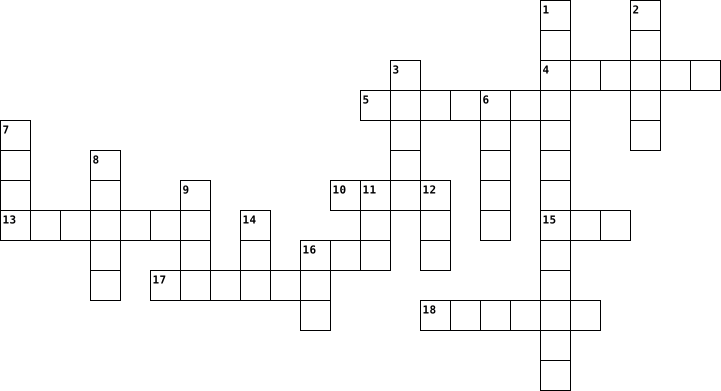
Across
- represents text, computer processor instructions, or any other data using a two-symbol system
- is any software intentionally designed to cause disruption to a computer, server, client, or computer network
- is a commonly used method of lossy compression for digital images
- is a mobile operating system
- is the most important processor in a given computer.
- is a digital multimedia container format most commonly used to store video and audio
- is a mapping from some domain
- are small blocks of data created by a web server
Down
- is the protection of computer systems and networks
- is a method of transmitting and receiving messages using electronic devices
- is a hardware or software component
- is an American multinational technology company
- is a collection of discrete values that convey information
- is a type of computer program that, when executed, replicates itself by modifying other computer programs and inserting its own code into those programs.
- is a proprietary audio/video interface for transmitting uncompressed video data and compressed or uncompressed digital audio data
- is a file format developed by Adobe
- is a bitmap image format that was developed by a team at the online services provider CompuServe
- is a form of computer memory that can be read and changed in any order
- is a coding format for digital audio developed largely by the Fraunhofer Society in Germany
19 Clues: is a mobile operating system • is a mapping from some domain • is a hardware or software component • is a file format developed by Adobe • is an American multinational technology company • are small blocks of data created by a web server • is the protection of computer systems and networks • is the most important processor in a given computer. • ...
Vocab chapter 1 2020-01-22

Across
- audio
- handheld computer
- phone, tablet, laptop
- goliath, fast, powerful, expnsive
- smartphones, tv, laptop, alexa
- where you do your work
- CYCLE
- letters, numbers, special characters
- MEMORY electronic chips for temporary storage
- data processing
- handheld computer
- usb, sd card, cloud storage
- SYSTEM unit with everything that is
- to enter data
Down
- moving pictures and images
- output that is a tangible form
- raw unorganized facts and figures
- one user at a time
- fitbit, apple watch
- COMPUTER
- permanent storage of data
- device that converts info to communication ability
- direct operation of the computer system to alert different tasks
- DEVICE
- data that can be calculated, stored, or processed
- images,photos, charts, drawings
- basically a phone
- digital copy
- physical, components that make up the computer
- creates information
- sends data to other devices
31 Clues: audio • CYCLE • DEVICE • COMPUTER • digital copy • to enter data • data processing • handheld computer • basically a phone • handheld computer • one user at a time • fitbit, apple watch • creates information • phone, tablet, laptop • where you do your work • permanent storage of data • moving pictures and images • sends data to other devices • usb, sd card, cloud storage • output that is a tangible form • ...
IT 2025-09-11

Across
- a type of virus
- storage on the internet you can accsess from everywhere
- a security barrier that save your PC
- a type of storage in your PC
- a small computer in your pocket
- a error in a software
- a faster storage in the computer
- a software update that fixes bugs
- calculate almost everything in the computer
- you see on it what you doing on your computer
- give electiricy for the computer
Down
- a temporary astorage for faster data access
- a robot that act like humans
- you get WiFi from it
- you can write on your comuter with it
- the delay of data transfer
- a protocol for secure remote access
- a sercet word or a code for security
- a copy of a data for safety
- the short version of the graphics card
20 Clues: a type of virus • you get WiFi from it • a error in a software • the delay of data transfer • a copy of a data for safety • a robot that act like humans • a type of storage in your PC • a small computer in your pocket • a faster storage in the computer • give electiricy for the computer • a software update that fixes bugs • a protocol for secure remote access • ...
computer puzzle 2023-05-03

Across
- random acess memory
- equiment linked to a computer
- device that converts data to a form
- the progress and routines of a computer
- small removable magnet disc
- data entered into a computer
- what you see is what you get
Down
- software that contains coded instructions
- electronic mail
- a device that has a big screen
- data delivered by a computer
- an area in memory for temporary storage
- the electronic devices of a computer
- binary digit , the basic binary unit for storing
- the surface area of the visual display unit
15 Clues: electronic mail • random acess memory • small removable magnet disc • data delivered by a computer • data entered into a computer • what you see is what you get • equiment linked to a computer • a device that has a big screen • device that converts data to a form • the electronic devices of a computer • an area in memory for temporary storage • ...
Computer Test Words 2025-10-22

Across
- A small machine that prints words and pictures on paper.
- A person who writes computer code.
- What a computer shows pictures and words on.
- A computer that folds open and can go with you anywhere.
- A kind of computer that sits on a desk.
- A set of instructions that tells the computer what to do.
- A flat computer that you can touch on the screen instead of using a mouse.
Down
- What we get when we use data to learn something new.
- The part of a computer with letters and numbers that you press to type.
- An electronic machine that can think and work with data.
- A tiny computer you can hold in your hands; many people use it to make calls.
- Another word for facts or numbers that computers use.
- Something you use to make the computer do different jobs, like games or drawing.
- A small device that moves the pointer on the computer screen.
14 Clues: A person who writes computer code. • A kind of computer that sits on a desk. • What a computer shows pictures and words on. • What we get when we use data to learn something new. • Another word for facts or numbers that computers use. • A small machine that prints words and pictures on paper. • An electronic machine that can think and work with data. • ...
Graphical user interfaces, Operating systems 2024-01-10

Across
- A preselected option adopted by a computer program when no alternative is specified by the user or programmer.
- To move something from one area to another on a computer screen using the mouse.
- A small, sometimes circular object that you press to operate a device or a machine, or an area on a computer screen.
- A line on a computer screen that moves to show the point where work is being done.
- To distribute for a particular purpose.
- A small picture or symbol on a computer screen that you point to and click on with a mouse to give the computer an instruction.
- On a computer screen, a row of icons (= small pictures that you choose in order to make the computer do something).
- A question in which you ask for something.
Down
- A list of choices that can be made to appear on a computer screen.
- The quality or characteristic of something that makes it possible to approach, enter, or use it.
- A measure of how many units of information a system can process in a given amount of time.
- Information stored on a computer as one unit with one name.
- Not trained in or not having a detailed knowledge of a particular subject.
- An asynchronous signal indicating the need for attention or a synchronous event in software indicating the need for a change in execution.
- To move text or other information on a computer screen in order to see a different part of it.
- A place on a computer where files or programs can be stored.
16 Clues: To distribute for a particular purpose. • A question in which you ask for something. • Information stored on a computer as one unit with one name. • A place on a computer where files or programs can be stored. • A list of choices that can be made to appear on a computer screen. • Not trained in or not having a detailed knowledge of a particular subject. • ...
Module 3 (Version 2) 2021-10-05

Across
- The point at which a peripheral device attaches to or communicates with a computer or mobile device.
- Point of Sale.
- An ___________ computer is a special-purpose computer that functions as a component in a larger product.
- Self service banking terminal.
- The electronic component of a computer that interprets and carries out the basic instructions that operate a computer.
- Electrical disturbance that occurs when the electrical supply or voltage drops below the normal volts.
- Technology-related health condition that affects eyesight.
- the main circuit board of the personal computer. Also called a system board.
- An applied science devoted to incorporating comfort, efficiency and safety into the design of items in the workplace.
- A______ client is a terminal that looks like a desktop but has limited capabilty and components.
Down
- Electrical disturbance that occurs when the incoming electrical supply or voltage increases above the normal volts.
- Fastest most powerful and most expensive computer.
- Programs that act without a user's knowledge and deliberately alter the operations of computers and mobile devices.
- Device that joins a cable to a port.
- The number of horizontal and vertical pixels in a display device.
- A computer dedicated to providing one or more services to other computers or devices on a network.
- The _______ computer is about the size of a flash drive.
17 Clues: Point of Sale. • Self service banking terminal. • Device that joins a cable to a port. • Fastest most powerful and most expensive computer. • The _______ computer is about the size of a flash drive. • Technology-related health condition that affects eyesight. • The number of horizontal and vertical pixels in a display device. • ...
Cypress H. Common Terms 2026-03-12

Across
- Instructions for a computer that tell it how to perform correctly
- Where the icons are when you start your computer
- Used to connect computers with peripheral devices such as smartphones, printers, scanners, and keyboards.
- Programs that aren’t accessible on web or internet but downloaded in your computer
- A wireless way to connect other mobile devices to your phone.
- A piece of computer hardware that is used to display images, text, video, and graphics information on a computer.
- To move data from a computer to a remote device or internet
- An area on a web page that when clicked will take you to another web page
- The parts to build a computer
Down
- A place for accessing websites and the internet
- Cloud storage linked with google.
- A way for data to be saved, so that it can be accessible anywhere with the internet.
- What comes after the @ in your email
- To move data from the web to the computer for your own private use.
- A wireless technology that lets your computer work.
- file format of an electronic image that can't be edited by anyoneelse
- An online cloud storage service from Microsoft that includes commonly used software such as Word, PowerPoint, and Excel.
17 Clues: The parts to build a computer • Cloud storage linked with google. • What comes after the @ in your email • A place for accessing websites and the internet • Where the icons are when you start your computer • A wireless technology that lets your computer work. • To move data from a computer to a remote device or internet • ...
ICT 2012-10-18

Across
- A FAMOUS COMPANY ON THE COMPUTER
- BULLYING OVER THE INTORNET
- INTERNET MEMORY
- TO SEPERATE WORDS FROM EACH OTHER
- TO LISTEN TO SOMETHING IN QUIET
- TO LOG IN TO A COMPUTER
- TO WRITE THINGS
- TO CLICK ON THINGS ON THE COMPUTER
Down
- SOMETHING AFTER THE USERNAME
- SOMETHIN GTHAT PRINTS THINGS
- SOMTHING THAT MAKES COPIES
- USED TO CONNECT ALL THE PARTS ON THE COMPUTER
- A DESIGN BEHIND SOMETHING
- A FAMOUSE SEARCHING WEBSITE
- TO TALK TO YOUR FRIENDS OVER ON THE COMPUTER
- YOU CAN LISTEN TO SOMETHING
- A SITE FOR SHARING MUSIC AND VIDIO'S
17 Clues: INTERNET MEMORY • TO WRITE THINGS • TO LOG IN TO A COMPUTER • A DESIGN BEHIND SOMETHING • SOMTHING THAT MAKES COPIES • BULLYING OVER THE INTORNET • A FAMOUSE SEARCHING WEBSITE • YOU CAN LISTEN TO SOMETHING • SOMETHING AFTER THE USERNAME • SOMETHIN GTHAT PRINTS THINGS • TO LISTEN TO SOMETHING IN QUIET • A FAMOUS COMPANY ON THE COMPUTER • TO SEPERATE WORDS FROM EACH OTHER • ...
IT Security 1 2017-05-19

Across
- This involves the illegal copying of information from the magnetic strip of a credit card.
- is a program that causes the computer to dial premium (high rate) telephone numbers without the user’s knowledge or consent.
- A type of online identity theft. It uses email and fake websites that are designed to steal your personal data or information such as bank card numbers and passwords.
- is a program that allows the user to monitor what another user types into a device. It involves recording consecutive key strokes on a keyboard.
- consists of two or more computer systems and other peripherals (printers, scanners etc.) linked together.
- is the process of moving an infected file, such as a virus, into an area where it cannot cause harm.
- is a security mechanism that uses information about the physical characteristics of a person to verify the person’s identity and then provides access to a computer network.
- is another type of malware that is activated each time a computer system boots (loads) up.
- involves gaining access to a computer or network with authorization from a company or organisation.
- is the processed output of data making it meaningful to the person who receives it.
- This involves gaining personal information through deception.
- involves gaining access to a computer or network without authorization.
- is a type of malware that self-replicates and distributes copies of itself in a computer network.
Down
- is the conversion of data into a form that cannot be easily understood by unauthorized people.
- also known as zombie is a group of computers connected together for malicious purposes.
- is a software application that automatically displays advertising banners while the program is running.
- This involves watching someone use his/her computer from “over his/her shoulder” to get sensitive information such as username and password.
- occurs when someone steals the identity of another person and uses this to gain access to resources and other benefits in that person’s name.
- is a secret way to access a computer without passing security mechanisms.
- is a program that secretly installs itself on computers and collects information about users without their knowledge.
- refers to any crime that involves a computer and a network.
- is the process of manipulating people to perform some action that will lead unauthorised users to break into a computer or network.
- involves modifying a computer program to remove or disable features such as copy protection, serial numbers, hardware keys, date checks etc.
- is raw unorganized facts that need to be processed.
- is malicious software designed to install itself on a computer without the owner’s knowledge.
- The practice of recovering sensitive information from discarded material.
- is a system designed to prevent unauthorized access to or from a private network (LAN).
- is sequences of instructions that make a computer program perform a specific task.
- it attaches itself to a program or file and spreads from one computer to another, leaving infections as it travels.
29 Clues: is raw unorganized facts that need to be processed. • refers to any crime that involves a computer and a network. • This involves gaining personal information through deception. • involves gaining access to a computer or network without authorization. • is a secret way to access a computer without passing security mechanisms. • ...
First Generation Computer 2020-10-01

Across
- Machinery and equipment developed from the application of scientific knowledge.
- Country which CSIRAC was made.
- Describes electronic technology that generates, stores, and processes data in two terms state: positive and non-positive.
- Australia's first digital computer.
- Designed ENIAC along with J. Presper Eckert.
- synonym of unhandy. One of main features of first generation computers.
- Space available for storing something.
- Pressure from an electrical circuit's power source that pushes charged electrons.
- First electronic stored-program computer, also known as the Manchester Baby.
- a device operating with aid of many small components, especially microchips and transistors.
- Place where information leaves a system.
- physical device capable of storing information temporarily.
- Set of coded software instructions to operate a machine.
- Best know for being credited with inventing the first electronic digital computer.
- a prime number that is one less than a power of two.
- path of transmitting electric current.
- Electrode from wich a conventional current leaves a polarized electrical device.
- data type that has two possible valves.
- British computer scientist who designed EDSAC
- The said size of the first generation computer.
- The electronic circuitry within a computer that executes instructions thay make ip a computer program.
- Two-terminal electronical component that conducts current primarily in one direction.
- Designed ans built Colossus.
- Early electronic computer designed for Northrop Aircraft Company.
- an electrical component that can disconnect or connect the conducting path in an electrical circuit.
- software developers.
- One of the six (6) original programmers of ENIAC.
- The basic component of first generation computer.
- computer scientist who contributed built the Manchester Baby.
- Designed ENIAC along with John Mauchly.
Down
- English electrical engineer and phycisit who invented the firt vacuum tube.
- Something used for making a mathematical calculations.
- electronic device which produces radio eaves with an antenna.
- set of computer developed by British code breakers in the years 1943-1945.
- Order which the generation of vacuum tube computer falls into.
- Electrode through which conventional current enters into a polarized electrical device.
- kind of emission that occurs because of the thermal energy given to the charge carrier overcomes the work function.
- Sub-atomic particle whose electric charge is negative one (-1).
- A machine that can be instructed to carry out sequences of arithmetic or logical operations.
- One of the six (6) original programmers of the ENIAC.
- Tape, system for storing digital information.
- Major city in the Northwest where SSEM was made.
- One of the six(6) original programmers of the ENIAC.
- Somethint that's been releaaed into a world.
- North America's term for valve.
- A photocell in the form of an electrode tube with a photoemissive cathode.
- A numeric system that inly uses two digits - 0 and 1.
- First programmable, electronic, general-purpose digital computer.
- First full-size stored-program computer.
- internal organ which ENIAC was associated or heralded.
50 Clues: software developers. • Designed ans built Colossus. • Country which CSIRAC was made. • North America's term for valve. • Australia's first digital computer. • Space available for storing something. • path of transmitting electric current. • data type that has two possible valves. • Designed ENIAC along with John Mauchly. • Place where information leaves a system. • ...
IT Security 1 2017-05-19

Across
- This involves the illegal copying of information from the magnetic strip of a credit card.
- is a program that causes the computer to dial premium (high rate) telephone numbers without the user’s knowledge or consent.
- A type of online identity theft. It uses email and fake websites that are designed to steal your personal data or information such as bank card numbers and passwords.
- is a program that allows the user to monitor what another user types into a device. It involves recording consecutive key strokes on a keyboard.
- consists of two or more computer systems and other peripherals (printers, scanners etc.) linked together.
- is the process of moving an infected file, such as a virus, into an area where it cannot cause harm.
- is a security mechanism that uses information about the physical characteristics of a person to verify the person’s identity and then provides access to a computer network.
- is another type of malware that is activated each time a computer system boots (loads) up.
- involves gaining access to a computer or network with authorization from a company or organisation.
- is the processed output of data making it meaningful to the person who receives it.
- This involves gaining personal information through deception.
- involves gaining access to a computer or network without authorization.
- is a type of malware that self-replicates and distributes copies of itself in a computer network.
Down
- is the conversion of data into a form that cannot be easily understood by unauthorized people.
- also known as zombie is a group of computers connected together for malicious purposes.
- is a software application that automatically displays advertising banners while the program is running.
- This involves watching someone use his/her computer from “over his/her shoulder” to get sensitive information such as username and password.
- occurs when someone steals the identity of another person and uses this to gain access to resources and other benefits in that person’s name.
- is a secret way to access a computer without passing security mechanisms.
- is a program that secretly installs itself on computers and collects information about users without their knowledge.
- refers to any crime that involves a computer and a network.
- is the process of manipulating people to perform some action that will lead unauthorised users to break into a computer or network.
- involves modifying a computer program to remove or disable features such as copy protection, serial numbers, hardware keys, date checks etc.
- is raw unorganized facts that need to be processed.
- is malicious software designed to install itself on a computer without the owner’s knowledge.
- The practice of recovering sensitive information from discarded material.
- is a system designed to prevent unauthorized access to or from a private network (LAN).
- is sequences of instructions that make a computer program perform a specific task.
- it attaches itself to a program or file and spreads from one computer to another, leaving infections as it travels.
29 Clues: is raw unorganized facts that need to be processed. • refers to any crime that involves a computer and a network. • This involves gaining personal information through deception. • involves gaining access to a computer or network without authorization. • is a secret way to access a computer without passing security mechanisms. • ...
IT Security 1 2017-05-19

Across
- is a type of malware that self-replicates and distributes copies of itself in a computer network.
- refers to any crime that involves a computer and a network.
- occurs when someone steals the identity of another person and uses this to gain access to resources and other benefits in that person’s name.
- is a program that secretly installs itself on computers and collects information about users without their knowledge.
- involves gaining access to a computer or network with authorization from a company or organisation.
- This involves the illegal copying of information from the magnetic strip of a credit card.
- is sequences of instructions that make a computer program perform a specific task.
- is the process of manipulating people to perform some action that will lead unauthorised users to break into a computer or network.
- is another type of malware that is activated each time a computer system boots (loads) up.
- also known as zombie is a group of computers connected together for malicious purposes.
- it attaches itself to a program or file and spreads from one computer to another, leaving infections as it travels.
- is a software application that automatically displays advertising banners while the program is running.
- is malicious software designed to install itself on a computer without the owner’s knowledge.
- is a system designed to prevent unauthorized access to or from a private network (LAN).
- This involves watching someone use his/her computer from “over his/her shoulder” to get sensitive information such as username and password.
- is the process of moving an infected file, such as a virus, into an area where it cannot cause harm.
- This involves gaining personal information through deception.
- is the conversion of data into a form that cannot be easily understood by unauthorized people.
Down
- consists of two or more computer systems and other peripherals (printers, scanners etc.) linked together.
- involves gaining access to a computer or network without authorization.
- is a program that allows the user to monitor what another user types into a device. It involves recording consecutive key strokes on a keyboard.
- A type of online identity theft. It uses email and fake websites that are designed to steal your personal data or information such as bank card numbers and passwords.
- is raw unorganized facts that need to be processed.
- involves modifying a computer program to remove or disable features such as copy protection, serial numbers, hardware keys, date checks etc.
- is a security mechanism that uses information about the physical characteristics of a person to verify the person’s identity and then provides access to a computer network.
- The practice of recovering sensitive information from discarded material.
- is a program that causes the computer to dial premium (high rate) telephone numbers without the user’s knowledge or consent.
- is a secret way to access a computer without passing security mechanisms.
- is the processed output of data making it meaningful to the person who receives it.
29 Clues: is raw unorganized facts that need to be processed. • refers to any crime that involves a computer and a network. • This involves gaining personal information through deception. • involves gaining access to a computer or network without authorization. • The practice of recovering sensitive information from discarded material. • ...
Better than all theirs----> 2012-12-19

Across
- dots per inch
- a device connected to computer but not part of it
- a Symbol that represents information
- a line of tablet computers designed by Apple
- randomly searching the internet of things that might be of interest
- a program that cannot be touched
- a device that desplays signals on the computer screen
- the way a program is set up or an arrangement of data
- a piece of computer equiptment on which information can be stored
- Anywhere where wifi is available
- Is a input device that scans documents and images which can be inported into a computer
- the address of a world wide web page
Down
- interface on a computer to which you can connect to a device
- one million cycles per second
- personal handheld assistant
- cursor control
- a blank compact disk that can be erased and recorded
- A software that can block viruses from getting on your computer
- a program used to view HTML documents
- a small picture that represents a file/program
- Collection of computers and other hardware interconnected by communication
- Information processed and stored by a computer
- Used to locate and launch programs through the start bar
- central processing unit
24 Clues: dots per inch • cursor control • central processing unit • personal handheld assistant • one million cycles per second • a program that cannot be touched • Anywhere where wifi is available • a Symbol that represents information • the address of a world wide web page • a program used to view HTML documents • a line of tablet computers designed by Apple • ...
Computer Crossword Puzzle Vocabulary 2017-06-21

Across
- on-screen cursor to different items on the screen
- booting a computer system again
- centralized resource or service in a network
- central processing unit.
- an electronic device for storing and processing data
- Drive high-capacity, self-contained storage device.
- documents to be connected to other documents by hypertext links
- copy from one computer system to another
- corrupting the system or destroying data
- operating system, stops functioning properly and exits
- organize computer files
- observing, checking, or keeping a continuous record of a process or quantity.
- image that represents an application
- computer case, monitor, keyboard, and mouse
- program with a graphical user interface for displaying HTML files
Down
- papers that are typically arranged in a particular order for easy reference
- A small text file
- the working surface of a desk
- combined device for modulation and demodulation
- wide variety of situations
- irrelevant or inappropriate messages sent on the Internet to a large number
- prevent unauthorized access to or from a private network
- a panel of keys that operate a computer or typewriter
- puzzle
- System the software that supports a computer's basic functions
- flash drive: an external flash drive, small enough to carry on a key ring
- global computer network providing a variety of information and communication
27 Clues: puzzle • A small text file • organize computer files • central processing unit. • wide variety of situations • the working surface of a desk • booting a computer system again • image that represents an application • copy from one computer system to another • corrupting the system or destroying data • computer case, monitor, keyboard, and mouse • ...
Emily's crossword 2023-03-22

Across
- Physical parts of a computer
- Programs and other operating information used for a computer
- Hand-held pointing device that is used to operate computers
- Quality of being friendly and generous
- Global computer network that provides a variety of data and communication facilities
- The action of copying data from one computer system to another, typically over the internet
- Quality that includes liability and obligation
- (PRIDE) It means to be committed to religion and beliefs
- The application of scientific knowledge for practical purposes
- (PRIDE) It means to be able to exchange ideas, thoughts, opinions, knowledge and data
- The action of transferring data from one computer to another, typically to one that is larger.
Down
- Quality that englobes being fair and sincere
- (PRIDE) It means to abide by all law and order of the country
- (PRIDE) It means to be able to reflect your own weaknesses and strengths and learning from them
- (PRIDE) It means to achieve goals and overcoming obstacles
- American multinational technology company focused on online advertising and a search engine
- Electronic device that manipulates information and data
- Panel of keys that are used to operate a computer or typewriter
- Quality that revolves around faithfulness and fidelity
- Quality that has a relation with being considerate and understanding
20 Clues: Physical parts of a computer • Quality of being friendly and generous • Quality that englobes being fair and sincere • Quality that includes liability and obligation • Quality that revolves around faithfulness and fidelity • Electronic device that manipulates information and data • (PRIDE) It means to be committed to religion and beliefs • ...
IGCSE ICT Chapters 1 & 2 Crossword 2021-11-29

Across
- A device where you can input pins.
- A circuit board that allows communication between different components.
- An input device mainly used for gaming purposes.
- A program that allows your computer to accomplish certain tasks.
- A non-volatile memory.
- A modern technology that allows accomplishing operations and constructions easier.
- The physical parts of the computer.
- A type of input device where it is built-in to your computer
- A flat panel display that uses an array of light-emitting diodes as pixels for a video display.
Down
- A device that measures and detects physical property and records it.
- A volatile memory.
- A type of output device that displays your actions.
- It deletes your information when you turn off or close your computer.
- A device that converts the signals from the computer and turns them into some sort of motion.
- A collection of instructions that tell the computer how to work.
- A command-line interface.
- A type of input device but there is a ball on the top or the side of the device.
- An internal component where it stores your information and data.
- A non-built-in camera.
- A hardware that helps your computer to interact with your applications installed.
20 Clues: A volatile memory. • A non-volatile memory. • A non-built-in camera. • A command-line interface. • A device where you can input pins. • The physical parts of the computer. • An input device mainly used for gaming purposes. • A type of output device that displays your actions. • A type of input device where it is built-in to your computer • ...
AE MODULE 7 - CYBER SECURITY 2024-01-29

Across
- Crime that involves a computer and/or a network
- Someone who uses a computer to gain access to systems or networks
- Malicious attempts by hackers to damage, steal, or destroy a computer
- Software that allows an attacker to obtain information on another computer
- Links two or more devices
- Descriptive data that contains information about other data
- In 1988, Robert __________ unleashed a malicious computer program
- Positions ideal for individuals with more than five years of experience
- Web browser feature
- Do not share ____________ across multiple sites
- Internet connection that encrypts traffic from a device to a private network
- software designed to disrupt, damage, or gain unauthorized access to a computer
Down
- Online harassment that uses electronic communication
- Attacker sends fraudulent emails to deceive someone into revealing information
- , Describes the digital environment in which computer networks communicate
- A type of malicious software
- Someone who uses the internet to cause harm to a victim
- ___________ engineering is when an attacker manipulates someone into revealing information
- Software that automatically displays or downloads advertising material
- Store information across pages within the site
- A trail of data intentionally left behind by a user
- Personally identifiable information
- A standalone self-replicating software application that invades and destroys computers
23 Clues: Web browser feature • Links two or more devices • A type of malicious software • Personally identifiable information • Store information across pages within the site • Crime that involves a computer and/or a network • Do not share ____________ across multiple sites • A trail of data intentionally left behind by a user • Online harassment that uses electronic communication • ...
2000 core 3 unit 1 2025-07-31

Across
- A portable computer that can work with a battery
- An object used for connecting a piece of equipment to and electricity supply
- A way of doing something by using special knowledge or skills
- A telephone that people can carry and use outside
- An object that provides a supply of electricity for something such as toy.
- The electrical system of communication that you use to talk to someone else in a different place
- A device that you press to turn something on and off
- The set of keys for operating a computer or typewriter
Down
- To be connected to a computer, a computer network, or the internet
- An electronic machine that is used to store and sort information
- A machine that is used for printing documents or photographs
- The gradual growth of something so that it becomes more advanced or stronger
- To change it by including the most recent information
- To make better
- A collection of computer documents connected to the internet, where a company or a person puts information
- A collection of computer data that forms a single unit
- A piece of equipment with moving parts that uses power to do work
- An electronic machine that produces sound
- Happening or existing now
- To press a button on a mouse or other device
20 Clues: To make better • Happening or existing now • An electronic machine that produces sound • To press a button on a mouse or other device • A portable computer that can work with a battery • A telephone that people can carry and use outside • A device that you press to turn something on and off • To change it by including the most recent information • ...
Technology - Blyton 2025-10-29

Across
- the ending part of a website's address
- a device that connects computers to the internet
- the place where you store and organize files
- a file that contains rows and columns of data
- the device you type on
- a program used to create slideshows
- the main circuit board inside the computer
- the programs and apps on a computer
- a small storage device that plugs into a USB port
- a secret word that protects your online accounts
- when someone is mean or hurtful online
Down
- the physical parts of a computer
- the "brain" of the computer that processes information
- the screen that displays what you are working on
- the visual part of a program where you click and type
- a picture or video that spreads quickly online
- using the internet safely and respectfully
- technology that can learn and make decisions like humans
- the main screen on your computer when you log in
- last name of your favorite teacher
- a person who writes computer code
- a global network that connects computers
- a machine that makes a paper copy of your work
- the act of copying someone else's work without credit
- the tool you use to move the cursor and click
- text and pictures shown on your computer screen
26 Clues: the device you type on • the physical parts of a computer • a person who writes computer code • last name of your favorite teacher • a program used to create slideshows • the programs and apps on a computer • the ending part of a website's address • when someone is mean or hurtful online • a global network that connects computers • using the internet safely and respectfully • ...
Keywords in ICT 2015-10-24
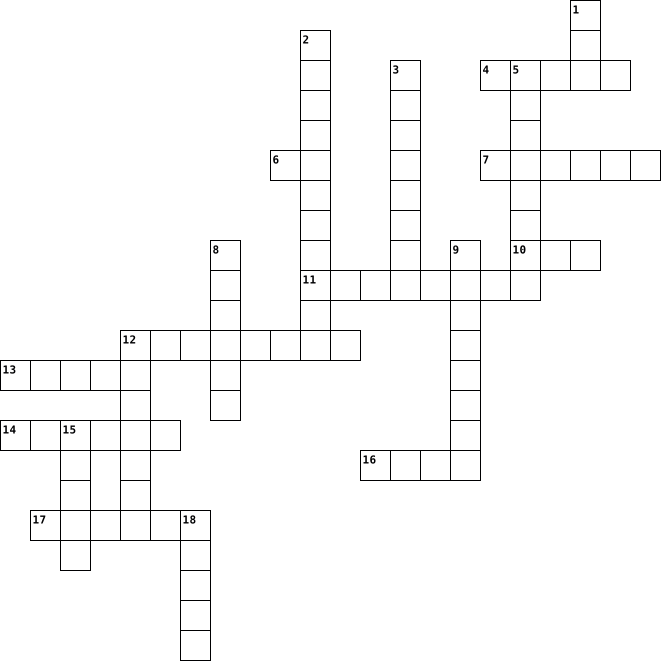
Across
- It is a unit of frequency in sound
- Electronic circuit where one or more inputs are 1 is a _____ gate
- Base ten computer code
- Electronic circuit where both inputs are 1 is a _____ gate
- Storage devices inside of the computer (eg. hard disk)
- It is a method of converting an analogue sound signal into a digital file containing binary numbers.
- A device that feeds data into a computer is a _______ device
- Base two computer code
- It is made up of 8 bits
- A picture element that makes up an image
Down
- Electronic circuit that produces the opposite of its input as its output is a _______ gate
- It is the process of decreasing the dynamic range between the loudest and quietest parts of an audio signal.
- Physical machinery that make up the computer system
- Storage devices connected to the computer (eg. floppy disk)
- A device that sends data from a computer is a ________ device
- One of the basic types audio recording can come into
- A device where data can be stored is a _______ device
- It is made up of 4 bits
- Vibrations that can be produced using binary
19 Clues: Base ten computer code • Base two computer code • It is made up of 4 bits • It is made up of 8 bits • It is a unit of frequency in sound • A picture element that makes up an image • Vibrations that can be produced using binary • Physical machinery that make up the computer system • One of the basic types audio recording can come into • ...
Emerging Technology vocabulary 2023-10-12

Across
- mobile device that allows users to take pictures and store the photographed images digitally.
- a mobile phone that performs many of the functions of a computer
- content on a storage medium that you can use in case the original is lost, damaged
- Thin, lighter weight mobile computer that has a touch screen, usually smaller than a laptop but larger than a phone.
- A mobile computing device designed for video games
- the electronic data stored on a computer or other device and generates a hard copy
- a global computer network providing a variety of information and communication facilities, consisting of interconnected networks
- A electronic device, operating under the control of instructions stored in its own memory
Down
- A hardware component that conveys information with people
- A personal computer designed to be in a stationary location
- contain text, graphics, audio, and video.
- A worldwide collection of electronic documents
- Term used to refer collectively to hard disks and SSDs.
- Thin, lightweight mobile computer with a screen in its lid and a keyboard in its base
- Software that enables users with an Internet connection to access and view webpages on devices
- a set of related web pages located under a single domain name
- the faculty by which the mind stores and remembers information
- A personal computer designed to be in a stationary location
- the programs and other operating information used by a computer
- collection of computers and mobile devices connected together
20 Clues: contain text, graphics, audio, and video. • A worldwide collection of electronic documents • A mobile computing device designed for video games • Term used to refer collectively to hard disks and SSDs. • A hardware component that conveys information with people • A personal computer designed to be in a stationary location • ...
Wolfgang Garrett- Crossword -1st Period 2016-10-24

Across
- A phone that has many functions of a computer.
- to divide your hard drive.
- A desktop or terminal that is networked and made more powerful than a normal computer.
- Flaws in coding that allows hackers to exploit it for information.
- uses a local area network to connect you directly to the internet modem.
- Posing as a company official to get people's credentials.
- A common connection point for devices in a network.
- Software on your computer that is made to not help or cause problems.
- It is the small photo that is used as a preview for the original item.
- the use of your phone lines to provide internet to a computer.
Down
- allows you to connect devices wirelessly.
- Things like Microsoft word and MS paint that are not usually necessary to a computer.
- The most mobile way of having internet.
- A type of program that is made to run your computer's files. EX: Macintosh, Windows.
- Type of memory that anything goes away on RAM if you shut it down.
- Irrelevant or inappropriate messages sent to a large group of people.
- A self-replicating piece of code.
- sends packets to your subnet.
- A small, less powerful computer that is easily portable.
- A system for connecting a computer to a LAN.
20 Clues: to divide your hard drive. • sends packets to your subnet. • A self-replicating piece of code. • The most mobile way of having internet. • allows you to connect devices wirelessly. • A system for connecting a computer to a LAN. • A phone that has many functions of a computer. • A common connection point for devices in a network. • ...
bubba_pento_crossword_computer_definition 2016-03-24

Across
- when we want to share a document on internet
- when we want someone to see our documents
- it’s our secret word to log on a website with a login
- it's the contrary of the capitals
- It's a software where we can write something
- it’s something we put on our head and we have to connect it to listen something
- it’s the address of a website
- it’s a little computer that we can transport
- when we want to convert a document create on paper on a computer
- it's our identification on a website
- it’s the same thing that the headphone but it's smaller than it
- when we want to convert a document create with computer on a paper
Down
- we can write words on the computer thanks to keys
- It's the most recently version of a software or a computer
- when we want to comunate with someone by computer
- where we tap words to search something we want to know, to see
- It's when we want to select all the words on a document
- It's where we receive our e-mail
- when we want to keep a document that we create
- it’s something where we can see the informations and the documents of the computer
20 Clues: it’s the address of a website • It's where we receive our e-mail • it's the contrary of the capitals • it's our identification on a website • when we want someone to see our documents • when we want to share a document on internet • It's a software where we can write something • it’s a little computer that we can transport • when we want to keep a document that we create • ...
Chapter 1 Vocab 2020-01-23

Across
- - a computer with input and output devices and peripherals
- - converts computer information into a way to be transferred through a communications device
- - calls and texts on a network
- - has 4 functions
- - phones tablets
- - a powerful computer that accommodates several server
- - modifications to the system that you can download
- - many network computers
- - phones and tablets AI
- - paper or plastic
- - consists of raw unorganized facts and figures
- - 1) physically entering data into a computer
- - sound
- - intangible
- - watches
- - has many users
- - all the physical components
- - holds data information for long term storage
Down
- - 2) a computer’s electrical circuit processes the input
- - moving pictures and images
- - (Goliath) fast and powerful and expensive
- - a keyboard of mouse (can be connected)
- - programs that the computer runs on
- - images
- - onesie (one user)
- - a single user computer that is high working
- - RAM (random access memory) electronic chips for short memory
- - what the system already runs on
- - using a computer to convert data
- - lets people share data
- - letters, numbers, and special figures
- - data that is processed into something else
- - 3) the information that is processed
- - 4) a holding place for outputs
- - a big smartphone
35 Clues: - sound • - images • - watches • - intangible • - phones tablets • - has many users • - has 4 functions • - paper or plastic • - a big smartphone • - onesie (one user) • - phones and tablets AI • - lets people share data • - many network computers • - moving pictures and images • - all the physical components • - calls and texts on a network • - 4) a holding place for outputs • ...
Milestones in Technology 2025-09-22

Across
- 1800s device that sent Morse code messages over wires
- Wireless networking that connects devices without cables
- Small affordable computer designed for one person
- 1960s U.S. military network that became the foundation of the internet
- Gear-driven machine that performed math before electricity
- Acronym for windows, icons, and menus that replaced typed commands
- Device combining a phone, camera, and computer, first popularized in 2007
- Storage that keeps files on the internet instead of on your computer
- Ancient counting tool with beads on rods
- Tiny switch invented in 1947 that replaced vacuum tubes
- Shiny optical disc, short for Compact Disc, used for music and data
- Spinning magnetic disk that stores computer files
- Integrated circuit that put many transistors on one chip
Down
- Machine that performs trillions of calculations per second
- CPU-on-a-chip first created in 1971, the "brain" of a computer
- Abbreviation for Artificial Intelligence, machines that "learn" and make decisions
- Stiff paper with holes used to store early computer data
- Glass part that powered early computers but overheated often
- System of sites and links known as the World Wide Web
- Giant computer used by banks and governments for big data
- Electromechanical switch that allowed early computers to "think"
- Portable bendy disk used for storage in the 1980s and 1990s
22 Clues: Ancient counting tool with beads on rods • Small affordable computer designed for one person • Spinning magnetic disk that stores computer files • 1800s device that sent Morse code messages over wires • System of sites and links known as the World Wide Web • Tiny switch invented in 1947 that replaced vacuum tubes • ...
Quantum computers 2026-09-03

Across
- The value obtained after a calculation or measurement
- Instructions written for a computer to follow
- The different possible conditions a quantum system can have
- Another word for the probability that something will happen
- A connection between qubits where their measurement results can be strongly linked
- Lowering the temperature of quantum hardware to help qubits work correctly
- A single particle of light
- The smallest discrete amount of a physical quantity
- The chance of getting a particular result when a qubit is measured
- The basic unit of information in a normal computer, usually 0 or 1
- Information given to a computer or program
- Unwanted effects that can cause errors in a quantum computer
Down
- The part of a computer that performs calculations
- Describes normal computers that use bits instead of qubits (also a kind of music)
- A quantum system existing in multiple possible states at once
- A step-by-step method for solving a problem
- The result produced by a computer or calculation
- Data that can be stored, processed, or communicated
- A result that cannot be predicted with certainty beforehand
- A number system that uses only 0 and 1
- The basic unit of information in a quantum computer
21 Clues: A single particle of light • A number system that uses only 0 and 1 • Information given to a computer or program • A step-by-step method for solving a problem • Instructions written for a computer to follow • The result produced by a computer or calculation • The part of a computer that performs calculations • Data that can be stored, processed, or communicated • ...
IT Crossword Puzzle 2020-11-09

Across
- for internet protocol
- electronic device for storing and processing data according to instructions given to it in a variable program
- which is capable of copying itself and has a detrimental effect, such as corrupting the system or destroying data
- person who uses computers to gain unauthorized access to data
- most popular operating system for personal computers
- computer that is portable and suitable for use while traveling
- computer input device in the form of a small panel containing different touch-sensitive areas
- open-source operating system modeled on UNIX
Down
- imagery
- series of coded software instructions to control the operation of a computer or other machine
- nelectronic communications network that connects computer networks and organizational computer facilities around the world
- very powerful computer
- high-level general-purpose programming language, also a type of snake
- structured set of data held in a computer
- printed circuit board containing the components of a computer, with connectors for other circuit boards to be slotted into
15 Clues: imagery • for internet protocol • very powerful computer • structured set of data held in a computer • open-source operating system modeled on UNIX • most popular operating system for personal computers • person who uses computers to gain unauthorized access to data • computer that is portable and suitable for use while traveling • ...
Jazmin's Hardware crossword 2019-01-10

Across
- Internal storage areas in the computer.
- A device that feeds data into a computer, such as a keyboard or mouse.
- The main circuit board of a microcomputer.
- A computer device, such as a CD-ROM drive or printer, that is not part of the essential computer.
- The Central Processing Unit is the BRAIN of the computer.
- A type of printer that utilizes a laser beam to produce an image on a drum.
- Display screens, loudspeakers, and printers.
- The physical components of the computer such as the monitor and system unit.
Down
- A phone that combines computing,telephone/fax, and networking features
- A magnetic disk on which you can store computer data.
- A device that can read text or illustrations printed on paper and translate the information into a form the computer can use.
- A silicon chip that contains a CPU.
- A device that controls the movement of the cursor or pointer on a display screen.
- The set of typewriter-like keys that enables you to enter data into a computer.
- Universal Service Bus; a type of port on the computer to attach peripherals.
15 Clues: A silicon chip that contains a CPU. • Internal storage areas in the computer. • The main circuit board of a microcomputer. • Display screens, loudspeakers, and printers. • A magnetic disk on which you can store computer data. • The Central Processing Unit is the BRAIN of the computer. • A phone that combines computing,telephone/fax, and networking features • ...
Computers 2023-06-26

Across
- Playing video games on a computer or console for entertainment purposes.
- A group or system of interconnected computers or devices.
- A system for sending and receiving electronic messages over a computer network.
- A collection of data or information that is stored on a computer.
- A portable computer that is small and lightweight, designed for use on the go.
- The process of creating computer programs by writing and organizing code.
- Programs and applications that run on a computer and perform specific tasks.
- A collection of related web pages that are accessed through the internet.
Down
- A device that produces a physical copy of documents or images stored on a computer.
- A screen or display that shows the output of a computer.
- A device with buttons or keys used to input information into a computer.
- Relating to or using technology that involves storing or processing data electronically.
- A hand-held device that controls the movement of the cursor on a computer screen.
- A global network of computers that allows users to access and share information online.
- A portable computing device with a touch screen and various applications.
15 Clues: A screen or display that shows the output of a computer. • A group or system of interconnected computers or devices. • A collection of data or information that is stored on a computer. • Playing video games on a computer or console for entertainment purposes. • A device with buttons or keys used to input information into a computer. • ...
Technology 2017-06-13
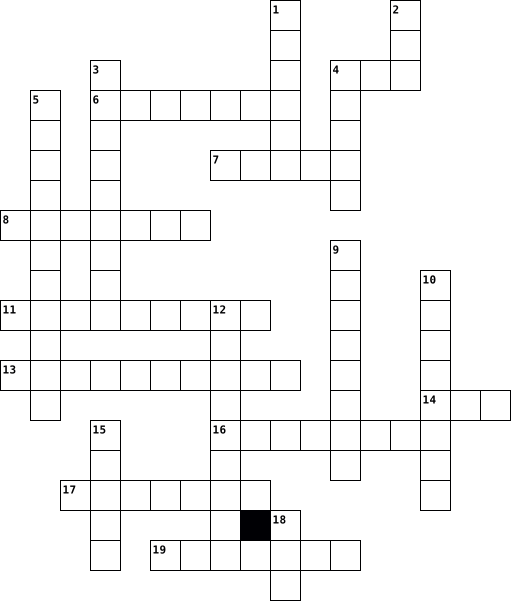
Across
- Metropolitan Area Network
- A thing that connects us all that is not the internet
- The thing that can destroy your computer from the inside
- The place where people post videos
- The background of the screen
- Title of the crossword
- Uniform Resource Locators
- It connects us all
- The screen what we look at
- To start your computer again
Down
- The person that gets into your computer and takes all your info illegally
- Local Area Network
- Remove something from the computer
- What we use to move the courser on a screen or what a cat chases
- The games we play on computers
- What we type with
- The thing we use in class
- What people post to others that look like faces or other things
- What kids use everyday
- Wide area network
20 Clues: What we type with • Wide area network • Local Area Network • It connects us all • Title of the crossword • What kids use everyday • Metropolitan Area Network • The thing we use in class • Uniform Resource Locators • The screen what we look at • The background of the screen • To start your computer again • The games we play on computers • Remove something from the computer • ...
Brett Johnson, period 2 2024-02-07

Across
- An output device that displays pictures
- A dedicated software program
- a cloud-based storage service
- A Global computer network
- A global network of servers
- Internal or external components
- Joint Photographic Experts Group
- Portable Network Graphic
- most widely used computer software packages.
- Uniform Resource Locator
- Digital data stored in servers at off-site locations
- A piece of website data stored in your web browser
Down
- A desktop computer display
- Allow USB devices to be connected to each other
- portable document format
- Graphics Interchange Format
- extracting data
- A digital reference to data
- A wireless networking technology
- A set of computer instruction programs
- Transmitting data
- Allows devices to communicate with each other
- Data installed on your computer
- An Ip address
- the Microsoft cloud service
25 Clues: An Ip address • extracting data • Transmitting data • portable document format • Portable Network Graphic • Uniform Resource Locator • A Global computer network • A desktop computer display • Graphics Interchange Format • A global network of servers • A digital reference to data • the Microsoft cloud service • A dedicated software program • a cloud-based storage service • ...
Twenty letter crossword 2021-09-12

Across
- Number identified in a network
- Malicious software
- It is represented by a set of keys
- A virtual private network
- Main computer data output device
- IP datagram transmission standard for serial lines
- Logical steps written in a programming language
- Data to be processed by a Informatic team
- Text developed in a programming language
- Central unit of process
Down
- Transform the code so that it is readable on a machine
- Slot expansion
- Brain of a Computer
- Main memory of a device, where data is temporarily stored
- Digital camera of a computer
- Code error in a computer program
- Online hosting service
- Set of equipment connected to each other
- Barrier between a secure internal network and an untrusted network
- Pointing device on computer
- Store data over the internet
21 Clues: Slot expansion • Malicious software • Brain of a Computer • Online hosting service • Central unit of process • A virtual private network • Pointing device on computer • Digital camera of a computer • Store data over the internet • Number identified in a network • Code error in a computer program • Main computer data output device • It is represented by a set of keys • ...
computers and kodu 2024-01-10

Across
- here you would find google and all your apps on a computer
- your computer's short-term memory
- a basic game making software
- a texting app that most pepole use
- the code inside your computer
- a physical way of protecting your computer
- a populer battle royale game
- a formal messaging app
- invisible graphic squares
Down
- a console made by microsoft
- a type of worded password
- the right order of code
- images made up of pixels
- a set of instructions for a computer
- someone breaking in toyour computer
- using yourself to unlock a eletric device
- bullying on the internet
- fake prospering adverts sent to yourself
- stands for the Central Processing Unit
- a popular platforming game with lots of smaller games in it made by the pepole using it
20 Clues: a formal messaging app • the right order of code • images made up of pixels • bullying on the internet • a type of worded password • invisible graphic squares • a console made by microsoft • a basic game making software • a populer battle royale game • the code inside your computer • your computer's short-term memory • a texting app that most pepole use • ...
IC3 Spark Practice 2017-03-28

Across
- Feature that checks for spelling and grammar mistakes
- Search operator that excludes words from your search
- Exact search operator
- In a Word document this is a wavy red line
- Software application best to help you organize and keep track of Oak View basketball stats (numbers, names, addresses)
- Example of when a numbered list is needed
- Computer devices like a printer, speakers, monitor
- Software application best used to write a report about what you did over your vacation
- Software application best to create an electronic presentation of separate pages or slides
- Software that enables you to view and navigate web pages
- Example of Real Time Communication
- The computer turns off
Down
- Happens on electronic devices any time of the day
- Example of a Message Board
- Example of Social Media
- Example of an Operating System
- In a Word document this is a wavy green line
- Example of Electronic Mail
- Drawings, movies, sounds and photographs in Microsoft Office
- A device you can use to easily transfer files from your home computer to a school computer
- The computer turns off then turns back on again
- Central Processing Unit that controls everything in your computer
- Asterisk* search operator
- Computer devices like keyboard, mouse, touchscreens
24 Clues: Exact search operator • The computer turns off • Example of Social Media • Asterisk* search operator • Example of a Message Board • Example of Electronic Mail • Example of an Operating System • Example of Real Time Communication • Example of when a numbered list is needed • In a Word document this is a wavy red line • In a Word document this is a wavy green line • ...
Bouillon_Duffey_Crossword_Computer_Definition 2016-03-24

Across
- When you have a file on your computer and you want have it in paper
- It’s a person who use a computer
- A lot of things you have in your computer
- When you want to begin to use a software
- It’s a program useful, for example Word
- The most famous is named google
- When you want to delete a file, you put it on
- When you want to begin to use your computer
- When you want to erase something you write
Down
- When you download or open new software, it is open
- When you want to share a file on Internet
- When you have a problem in a program
- You use it when you want to have a lot of information in different column and raw
- It’s a person who have to manage his website
- You see what you are doing on your computer
- It’s home of a website
- For example if you want to copy or to cut every file
- When you have to create a new account and protect it
- It’s a computer you can transport everywhere
- You have to use it on a computer or if you have a laptop you have to use a pad
20 Clues: It’s home of a website • The most famous is named google • It’s a person who use a computer • When you have a problem in a program • It’s a program useful, for example Word • When you want to begin to use a software • When you want to share a file on Internet • A lot of things you have in your computer • When you want to erase something you write • ...
AE MODULE 7 - CYBER SECURITY 2024-01-29

Across
- Positions ideal for individuals with more than five years of experience
- A trail of data intentionally left behind by a user
- Store information across pages within the site
- Crime that involves a computer and/or a network
- Describes the digital environment in which computer networks communicate
- Software that automatically displays or downloads advertising material
- A type of malicious software
- Links two or more devices
- Someone who uses the internet to cause harm to a victim
- Online harassment that uses electronic communication
- Web browser feature
Down
- Someone who uses a computer to gain access to systems or networks
- Internet connection that encrypts traffic from a device to a private network
- A standalone self-replicating software application that invades and destroys computers
- Do not share ____________ across multiple sites
- Software that allows an attacker to obtain information on another computer
- Personally identifiable information
- Malicious attempts by hackers to damage, steal, or destroy a computer
- ___________ engineering is when an attacker manipulates someone into revealing information
- Attacker sends fraudulent emails to deceive someone into revealing information
- Software designed to disrupt, damage, or gain unauthorized access to a computer
- Descriptive data that contains information about other data
- In 1988, Robert __________ unleashed a malicious computer program
23 Clues: Web browser feature • Links two or more devices • A type of malicious software • Personally identifiable information • Store information across pages within the site • Do not share ____________ across multiple sites • Crime that involves a computer and/or a network • A trail of data intentionally left behind by a user • Online harassment that uses electronic communication • ...
Crossword Trail 2024-03-15

Across
- A logical operator that returns true if both operands are true otherwise false
- A loop that repeats a block of a code until a certain condition is met
- A block of code that can be reused in different parts of a program
- A set of rules that governs the exchange of data between devices on a network
- A variable that can store decimal point number
- A device that allows communications between a computer and other devices
- A sequence of characters used to represent instructions or data
- The basic unit of data storage in a computer
- A group of characters
- RITCHIE Who developed C programming language
- A variable that can store single character
- Basic building block of a computer program consisting of a series of step by step instructions
Down
- A special type of control statement that can be called within another statement
- An electronic device which processes and stores data
- A program that translates code from one language to another
- The smallest individual unit of a C program
- The process of finding and fixing errors in a code
- BABBAGE Who is the father of computer.
- A computer program designed to stimulate conversation with human over the internet
- Temporary memory that allows a computer to access data quickly it is volatile
20 Clues: A group of characters • BABBAGE Who is the father of computer. • A variable that can store single character • The smallest individual unit of a C program • The basic unit of data storage in a computer • RITCHIE Who developed C programming language • A variable that can store decimal point number • The process of finding and fixing errors in a code • ...
Easton's crossword 2024-09-13

Across
- component holds the microprocessor
- a physical part of the computer
- wireless network technology that allows all mobile devices to connect to the internet.
- wireless network technology that allows all mobile devices to connect to the internet
- an application for accessing websites
- a software (internal) that provides a “brain” for your computer
- a cyberattack that uses text, calls and emails to get personal information
- the Internet—more specifically, it's all of the things you can access remotely over the Internet
- a collection of information stored in a computers system
- holding area for information the computer might use later
- a global computer network providing a variety of information and communication facilities
Down
- Technology you can connect to a network near you
- a device that connects an electronic to the internet
- a reference to a resource that specifies its location on a computer network and a mechanism for retrieving it
- a peace of downloaded data
- an electronic device for storing or processing data, according to coded instructions
- a software (internal) that provides a “brain” for your computer
- use it more frequently than they should
- someone into a relationship by using a fictional persona
- an industry standard for short-distance digital data communications
- a component that holds all of your information
- a screen that connects to a computer
22 Clues: a peace of downloaded data • a physical part of the computer • component holds the microprocessor • a screen that connects to a computer • an application for accessing websites • use it more frequently than they should • a component that holds all of your information • Technology you can connect to a network near you • a device that connects an electronic to the internet • ...
Computers Cross Word 2025-10-29

Across
- A place on the internet with information, pictures, or videos.
- The set of keys you use to type on a computer.
- To keep your work stored on the computer.
- To enter your username and password to access a computer or website.
- A program that helps you do specific tasks.
- A place where deleted files are kept before being erased.
- A device used to move the cursor and click on things.
- A word or picture you can click to go to another page.
- A network that connects computers all over the world.
- A tool for finding information online (like Google).
- A machine that can store and process information.
- The screen that shows what you are doing on the computer.
Down
- A document, picture, or piece of information saved on a computer.
- A machine that makes paper copies of what’s on the screen.
- The name you use to sign in to a computer or website.
- Electronic mail used to send messages online.
- A secret word or code that protects your account.
- A program used to explore the internet (like Chrome or Safari).
- A place to keep and organize files.
- A small picture on the screen that represents a program or file.
- The arrow or blinking line that shows where you type or click.
21 Clues: A place to keep and organize files. • To keep your work stored on the computer. • A program that helps you do specific tasks. • Electronic mail used to send messages online. • The set of keys you use to type on a computer. • A secret word or code that protects your account. • A machine that can store and process information. • ...
Technology Words 2024-10-09

Across
- Computer Camera
- Used to type
- You call people on it
- Set of rules to be followed in calculations or other problem-solving operations, especially by a computer.
- Communicate with others vocally
- Coded software
- Analyze and solve problems
- Prevents viruses
- Provides entertainment
- Something that you can transfer digital info to
- Stores information
- Another word for apps
Down
- Gain unauthorized access
- Random Access Memory
- Decode a code
- Also an animal
- Requires a router
- Protects from cyber attacks
- The use of computer technology
- Remote connection
- Communication technology tool
- Central Processing Unit
- Look through the web
- Creates apps/websites
- Find locations
- Amount of data your internet connection can handle
- Accessed from a browser
- Protects your computer from virus
- Convert data into a code
- Social feed
30 Clues: Social feed • Used to type • Decode a code • Also an animal • Coded software • Find locations • Computer Camera • Prevents viruses • Requires a router • Remote connection • Stores information • Random Access Memory • Look through the web • You call people on it • Creates apps/websites • Another word for apps • Provides entertainment • Central Processing Unit • Accessed from a browser • ...
Notable People Crossword 2023-08-31

Across
- combined the ideas of Bouchon and Falcon
- developed the integrated circuit
- made the world's first computer program
- the idea of the modern computer came from his work
- inventor of Fortran
- used the punch card system to reduce the time it took to record the census
- inventor of logarithms
- created the first programmable computer
- father of modern computer science
- a designer of the first all-electronic computer
- predicted that computers would be placed in homes and cars
Down
- helped improve the design of the ENIAC's successor
- creator of the first mechanical calculator
- created the most successful microcomputer
- founder of Microsoft
- designed the eniac with Eckert
- invented binary arithmetic
- found what was causing the Mark I to malfunction
- created the machine that had the first bug
- created boolean logic
20 Clues: inventor of Fortran • founder of Microsoft • created boolean logic • inventor of logarithms • invented binary arithmetic • designed the eniac with Eckert • developed the integrated circuit • father of modern computer science • made the world's first computer program • created the first programmable computer • combined the ideas of Bouchon and Falcon • ...
Computer Hardware and System Startup 2025-07-30

Across
- A personal computer (7)
- ICT tools attached to a computer (10)
- Main Output device
- Uninterrupted power supply (3)
- ICT tool used when presenting to a large audience(9)
- To highlight text (6)
- A portable storage device (5)
- Hardware includes input, output and processing ...(7)
- Connectors in ICT can be ...(8)
- Making a similar or identical version of a text or image(7)
- Main processing device of a computer (3)
Down
- Processor speed is measured in ...(5)
- A hard disk is an example of a ... device (7)
- A device that turns a soft copy into a hard copy (7)
- A portable computer
- A pointing device (5)
- The longest key on a keyboard (8)
- Audio output devices (8)
- Starting a computer (7)
- To press a mouse(5)
20 Clues: Main Output device • A portable computer • To press a mouse(5) • A pointing device (5) • To highlight text (6) • A personal computer (7) • Starting a computer (7) • Audio output devices (8) • A portable storage device (5) • Uninterrupted power supply (3) • Connectors in ICT can be ...(8) • The longest key on a keyboard (8) • Processor speed is measured in ...(5) • ...
virus charlie 2018-11-15

Across
- fake emails
- hacking technique
- an electronic device for storing and processing data
- hacker with bad intentions
- sending or receiving info sent from another computer
- blocks access to computer till money is paid
- software that damages or disables the computer
- unwanted code
Down
- the intentional paralyzing of a computer network by flooding it with data sent simultaneously from many individual computers.
- tester of security systems
- program used by a computer
- the desire to inflict retribution.
- person who uses computers to gain unauthorized access to data.
- program instruction
- self spreading virus
15 Clues: fake emails • unwanted code • hacking technique • program instruction • self spreading virus • tester of security systems • hacker with bad intentions • program used by a computer • the desire to inflict retribution. • blocks access to computer till money is paid • software that damages or disables the computer • an electronic device for storing and processing data • ...
Introduction to ICT 2023 2023-06-30

Across
- Human ware simply means
- This is processed data
- Changing data into information
- Information Communications Technology
- A document file on a computer
- The information viewed on a computer screen
- A place where learners go for computer practical
- One of the social media platforms
- Supermarkets use this device to bill their customers
Down
- Physical part of a computer
- A major input device
- Science of designing tools while considering user capabilities
- Data entered into a computer
- Data entered into computer
- A printed document on paper
15 Clues: A major input device • This is processed data • Human ware simply means • Data entered into computer • Physical part of a computer • A printed document on paper • Data entered into a computer • A document file on a computer • Changing data into information • One of the social media platforms • Information Communications Technology • The information viewed on a computer screen • ...
vocab 2026-02-17

Across
- the
- table
- chair
- what is this
- flag
- my
- there is,there are
- window
- of
- underneath
- on top of
- pencil sharpener
- poster
- in,oh
- bookbag or backpack
Down
- (computer) mouse
- its a
- some
- next to or beside
- clock
- desk
- donde
- door
- here
- in front of
- there
- computer
- (computer) keyboard
28 Clues: my • of • the • some • desk • flag • door • here • its a • table • chair • clock • donde • there • in,oh • window • poster • computer • on top of • underneath • in front of • what is this • (computer) mouse • pencil sharpener • next to or beside • there is,there are • (computer) keyboard • bookbag or backpack
Hardware-Kayleigh 2019-01-10

Across
- Display screen
- Central processing unit is the brain of the computer.
- Main circuit board of a micro computer
- Personal computers that normally uses windows
- A device that feeds data into the computer
- Physical components of the computer like a monitor
- A computer made b Apple
- Portable storage device that attaches to a USB port
- A device that controls the movement of the pointer on screen
Down
- Internal storage in the computer
- Silicon chip that contains a CPU
- Display screens,loudspeakers and printers
- Typewriter like keys that allow you to enter data into the computer.
- It combines computing and networking features.
- Magnetic disk where you can store computing data
15 Clues: Display screen • A computer made b Apple • Internal storage in the computer • Silicon chip that contains a CPU • Main circuit board of a micro computer • Display screens,loudspeakers and printers • A device that feeds data into the computer • Personal computers that normally uses windows • It combines computing and networking features. • ...
Computing Devices 2023-11-16

Across
- Used on a game console to play games.
- Everyday device used to calculate numbers.
- Used to point and click on a computer
- Used for typing and giving instructions on the computer.
- Electronic device used to listen to music and news.
- Portable computer you can move with.
- Common chat app on smart phones.
Down
- Projects for a larger audience like a class.
- Common display device on a computer.
- Used for keeping and moving work from a computer.
- Device used print work from computer onto paper.
- Most commonly used personal computer.
- Common hand held device used for communication these days.
- Digital video disk in short.
- Device used to take photographs.
15 Clues: Digital video disk in short. • Device used to take photographs. • Common chat app on smart phones. • Common display device on a computer. • Portable computer you can move with. • Used on a game console to play games. • Most commonly used personal computer. • Used to point and click on a computer • Everyday device used to calculate numbers. • ...
Azizbek A. 2025-02-14

Across
- To bring a file into your file
- Sending a file from your computer.
- Sending files to other computers
- Connects computers with devices
- Way to save data securely
- Computer hardware used to display graphics
Down
- An item that is in the computer that helps you use it properly
- Connection with devices with each other
- The screen that pops up when the computer is opened
- Data that tells the computer to complete what task to do.
- Receiving a file in your computer
- Going to websites and the internet
- Link of a webpage
- The place where you could store your data files
- A worldwide connection that connects all computer
15 Clues: Link of a webpage • Way to save data securely • To bring a file into your file • Connects computers with devices • Sending files to other computers • Receiving a file in your computer • Sending a file from your computer. • Going to websites and the internet • Connection with devices with each other • Computer hardware used to display graphics • ...
Computer Hardware 2024-04-15

Across
- A small type of primary storage that is held near the CPU.
- The type of storage that holds information while the computer is on.
- The unit of the computer system that performs necessary calculations and comparisons to produce a result.
- The part of the processing unit that performs the actual calculations and comparative analyses.
- The unit of the computer system to is responsible for producing a result for the user.
- A mouse or a keyboard is an example of this.
- The process where the output unit receives data from the processing unit and converts it into a suitable form for the user.
- The type of storage that holds data until it is purposely deleted or overwritten regardless if the computer has power.
- The unit of the computer system that is responsible for taking information from the user to give to the computer.
Down
- The type of memory I want more of if I want my computer to operate faster.
- This is a type of secondary storage that is held within the computer.
- The number of subunits in the processing unit.
- Another name for the processing unit
- A printer or monitor is an example of this.
- The part of the processing unit that manages the facilities of data storage.
- The process where the input unit accepts data from the user and converts it into a suitable form for the computer.
- The part of the processing unit that directs and controls the flow of information throughout the computer system.
17 Clues: Another name for the processing unit • A printer or monitor is an example of this. • A mouse or a keyboard is an example of this. • The number of subunits in the processing unit. • A small type of primary storage that is held near the CPU. • The type of storage that holds information while the computer is on. • ...
Essentials of Programming Exam Review 2021-05-31

Across
- according to precise instructions
- set of instructions written by a human to tell a computer what to do
- device that allows the computer to display the result of a computation
- a single tiny dot of color in a digit image that is stored as a number sequence
- computer language that Tracy follows commands in
- allows the computer to connect and communicate with other computers
Down
- number system that the computer reads
- central processing unit
- allows the computer to store information to be retrieved later
- a type of memory that is cleared when the power is turned off
- device that connects all of the physical components of a computer together
- device that allows the user to give data or information to the computer
- a computing machine that can perform
- branch of computer science that deals with simulation of intelligrnt behavior in computers
14 Clues: central processing unit • according to precise instructions • a computing machine that can perform • number system that the computer reads • computer language that Tracy follows commands in • a type of memory that is cleared when the power is turned off • allows the computer to store information to be retrieved later • ...
Computer Science Test 2023-02-06

Across
- Any program, that can be used on our computer system. Invisible parts of a computer
- Data produced by a computer
- Type of a computer input device, you can type letters through it into the computer
- Type of a computer input device, which helps navigate your cursor around the computer screen
- Magnetic device used to store information
- The brain of the computer
- Physical parts that make up a computer system
- Type of a computer Output device, it has many pixels, the certain number of the pixels depending on it's resolution
- The voice input device
Down
- The voice output device
- It is used to protect companies intranets from outside attacks
- It can store 1.44MB of data. It is very old drive.
- It is used by a large organizations that need to process enormous amounts of data
- Input and output devices connected to the CPU
14 Clues: The voice input device • The voice output device • The brain of the computer • Data produced by a computer • Magnetic device used to store information • Input and output devices connected to the CPU • Physical parts that make up a computer system • It can store 1.44MB of data. It is very old drive. • It is used to protect companies intranets from outside attacks • ...
Fundamentals of Computer 2022-10-06

Across
- A small picture that represents a folder, program or other things is known as ______________
- An electronic tool that allows information to be input, processed, and output is called _______________
- A piece of code inserted into another program to cause damage is ______
- The entities whose values can be changed called_____
- Second generation of computers used _________________
- The computer part that is connected to all other aspects of a computer and allows them to communicate and work together
- Speed of processor chip is measured in _____________
Down
- The brain of computer
- A device used for video games, flight simulators, training simulators and for controlling industrial robots
- Computer's short-term memory that is lost when the computer is turned off
- 1 Petabyte = 1024 ___________
- The smallest unit of data in a computer.
- The physical parts of a computer are termed as ______________
- _____________ is a worldwide network of computers
- _____________ is the name of series of supercomputer developed in India
- _________ virus is the first computer virus in India
16 Clues: The brain of computer • 1 Petabyte = 1024 ___________ • The smallest unit of data in a computer. • _____________ is a worldwide network of computers • The entities whose values can be changed called_____ • _________ virus is the first computer virus in India • Speed of processor chip is measured in _____________ • Second generation of computers used _________________ • ...
Computer Hardware and Ports 2021-09-27

Across
- a Computer port that transmits video and audio data in high quality. It can act as an input or an output.
- Hardware that helps the CPU handle video data; processes video information inside the computer.
- The large piece of metal and plastic that provides connections to all of the other pieces of hardware.
- a computer port that allows audio data to be sent to a headset or headphones. It typically uses a green colored port.
- Peripheral that acts as an input device for letters and numbers. You use this to type.
- A white-colored computer port that is used to provide video output.
- A computer port that is great at transmitting data. It can be found in version 1.1, 2.0 and 3.0. It is both an input and an output.
Down
- Peripheral that is used to move the cursor on the screen.
- A blue-colored computer port that is used to provide video output.
- Peripheral that displays information from the computer as a visual output.
- Hardware that allows users to store information indefinitely; the "Long-term" memory of the computer.
- Hardware that provides electricity to the other parts of the computer.
- Hardware that acts as the "brain" of the computer; handles all processing of data.
- Hardware that helps computers run programs; the "Short-term" memory of the computer.
- an input device that records your face and sends that data into the computer.
15 Clues: Peripheral that is used to move the cursor on the screen. • A blue-colored computer port that is used to provide video output. • A white-colored computer port that is used to provide video output. • Hardware that provides electricity to the other parts of the computer. • Peripheral that displays information from the computer as a visual output. • ...
Keywords in ICT 2015-10-24
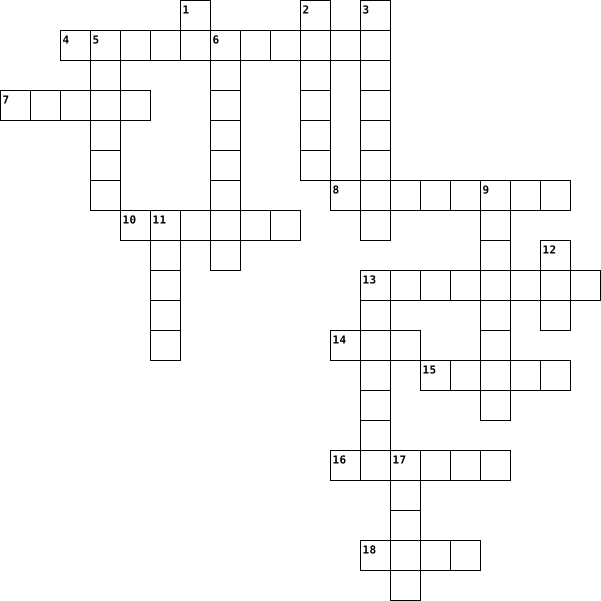
Across
- It is the process of decreasing the dynamic range between the loudest and quietest parts of an audio signal.
- It is a unit of frequency in sound
- Physical machinery that make up the computer system
- Base two computer code
- It is a method of converting an analogue sound signal into a digital file containing binary numbers.
- Electronic circuit that produces the opposite of its input as its output is a _______ gate
- Vibrations that can be produced using binary
- Base ten computer code
- It is made up of 8 bits
Down
- Electronic circuit where one or more inputs are 1 is a _____ gate
- A picture element that makes up an image
- Storage devices inside of the computer (eg. hard disk)
- A device that sends data from a computer is a ________ device
- Storage devices connected to the computer (eg. floppy disk)
- One of the basic types audio recording can come into
- A device that feeds data into a computer is a _______ device
- Electronic circuit where both inputs are 1 is a _____ gate
- A device where data can be stored is a _______ device
- It is made up of 4 bits
19 Clues: Base two computer code • Base ten computer code • It is made up of 4 bits • It is made up of 8 bits • It is a unit of frequency in sound • A picture element that makes up an image • Vibrations that can be produced using binary • Physical machinery that make up the computer system • One of the basic types audio recording can come into • ...
Keywords in ICT 2015-10-24
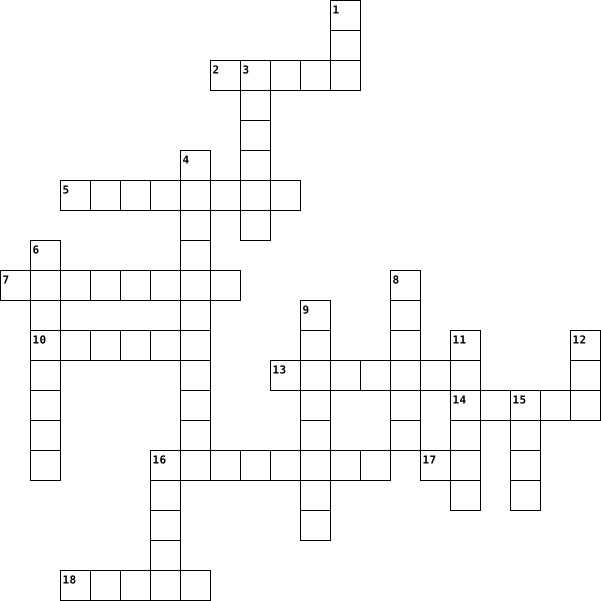
Across
- Vibrations that can be produced using binary
- One of the basic types audio recording can come into
- Physical machinery that make up the computer system
- A picture element that makes up an image
- A device where data can be stored is a _______ device
- It is made up of 4 bits
- Storage devices inside of the computer (eg. hard disk)
- Electronic circuit where one or more inputs are 1 is a _____ gate
- It is a unit of frequency in sound
Down
- Electronic circuit where both inputs are 1 is a _____ gate
- A device that sends data from a computer is a ________ device
- It is the process of decreasing the dynamic range between the loudest and quietest parts of an audio signal.
- It is a method of converting an analogue sound signal into a digital file containing binary numbers.
- Base two computer code
- Storage devices connected to the computer (eg. floppy disk)
- Base ten computer code
- Electronic circuit that produces the opposite of its input as its output is a _______ gate
- It is made up of 8 bits
- A device that feeds data into a computer is a _______ device
19 Clues: Base two computer code • Base ten computer code • It is made up of 4 bits • It is made up of 8 bits • It is a unit of frequency in sound • A picture element that makes up an image • Vibrations that can be produced using binary • Physical machinery that make up the computer system • One of the basic types audio recording can come into • ...
Digital Technology Review 2024-12-08

Across
- A measurement for one event (or cycle) per second.
- programs and other operating information used by a computer.
- An image file that does not support transparency.
- language of a computer.
- Better than a password!
- The name of a small network
- The name of a larger network
- International encoding standard for use with different languages and scripts.
- Audio with two channels of sound.
- 4 binary digits
- Colours used by pixels.
Down
- physical parts of a computer.
- The practice of sending fraudulent information.
- 8 binary digits
- Brain of the computer.
- Another term for loudness in audio.
- software used to harm your computer system.
- convert into a coded form.
18 Clues: 8 binary digits • 4 binary digits • Brain of the computer. • language of a computer. • Better than a password! • Colours used by pixels. • convert into a coded form. • The name of a small network • The name of a larger network • physical parts of a computer. • Audio with two channels of sound. • Another term for loudness in audio. • software used to harm your computer system. • ...
CS 2022 Vocabulary 2022-02-28

Across
- a group of systematically arranged keys by which a machine or device is operated
- a set of options presented to the user of a computer application to help the user find information or execute a program function
- a printed copy of information from a computer
- a storage device composed of a thin and flexible magnetic material in a square or nearly square plastic enclosure
- a data storage device that uses flash memory
- an electronic visual computer display that includes a screen that shows what the user is doing
- a device that scans an image (such as a photograph) or document (such as a page of text) especially for use or storage on a computer
- an instrument whereby sound waves are caused to generate or modulate an electric current usually for the purpose of transmitting or recording sound (such as speech or music)
- function that removes the currently selected text and places it on the clipboard
- information converted into binary digital form
- sliding text, images or video across a monitor or display, vertically or horizontally
- a computer disk, similar to a floppy disk but capable of storing greater amounts of data
- a piece of equipment worn over the head or in the ear to hear music or sounds
- a visible and moving pointer that the user controls with a mouse, touch pad, or similar input device
Down
- technology that stores the operating system, applications, and data files such a documents, pictures and music that your computer uses
- a piece of computer equipment that sends images, videos, etc. to the big screen
- comprises the entire set of programs, procedures, and routines associated with the operation of a computer system
- a small mobile manual device that controls movement of the cursor and selection of functions on a computer display
- device used for taking what is on the computer monitor and putting it on paper
- an external or internal part of a piece of technology that plays music or sounds
- a thin plastic disk coated with magnetic material on which data for a computer can be stored
- a device that mediates the transmission routes of data packets over an electronic communications network (such as the Internet)
- the component of a computer system that controls the interpretation and execution of instructions. The brain of the computer
- a small optical disk usually containing recorded music or computer data
- a temporary storage area for data that the user wants to copy from one place to another. In a word processor application, for example, the user might want to cut text from one part of a document and paste it in another part of the document or somewhere else
- writing data to a storage medium, such as a floppy disk, CD-R, USB flash drive, or hard drive
26 Clues: a data storage device that uses flash memory • a printed copy of information from a computer • information converted into binary digital form • a small optical disk usually containing recorded music or computer data • a piece of equipment worn over the head or in the ear to hear music or sounds • ...
Grade 7 Fun 2020-04-22

Across
- A web address of a file on the internet
- A mistake in the program instructions for a computer to perform a task
- A list of steps we give to a computer in program code to get something done
- A set of instructions that a computer follows to complete a task
- A well known operating system
- Small image on computer screen that represents a file, folder or program
- The initial screen on a computer showing icons for the folders, programs and files
- A programming language used to create Instagram
- A computer language which uses only 1 and 0 in its language
Down
- A visual programming language that’s ideal for learning programming at school
- The person who writes program coding for computers
- These are used to indicate different elements of a webpage to a browser
- Your computer teacher’s surname
- Many computers around the world that are connected
- A collective noun for computer programs
- Hypertext Markup Language
16 Clues: Hypertext Markup Language • A well known operating system • Your computer teacher’s surname • A web address of a file on the internet • A collective noun for computer programs • A programming language used to create Instagram • Many computers around the world that are connected • The person who writes program coding for computers • ...
Computers Maleia Ali 2020-10-01

Across
- starting up a computer from a halted or powered down condition.
- Storage device that stores digitally encoded data on rapidly rotating rigid disks with magnetic surfaces. The device is either permanently installed within the computer case or can be portable
- stores data and information and is usually volatile; its contents are lost when electrical power is turned off. It plays a major role in a computer's performance.
- Brain of the computer that performs instructions defined by software (CPU)
- Printed circuit board on which the CPU, RAM chips and other electronic circuit elements of a digital computer are frequently located.
- device that projects images, gives sound, and basically gives out the info from the computer so the user can obtain it (ex: monitor, printer, projector, speakers)
- Permanent instructions that cannot be changed. It makes the BIOS function. Checks your OS
- device used to insert data into a computer or other device (ex: keyboard, mouse, microphone, scanner, voice recognition)
- a panel of keys that operate a computer or typewriter
- Software used to control the computer and its peripheral equipment. (OS)
- A computer or series of computers not connected by cables of any kind.
- old for use with computers, although usually capable of other audio uses, e.g. for an MP3 player.
- long term data storage, no power needed
- instrument or device used for observing, checking, or keeping a continuous record of a process or quantity.
Down
- wireless internet card
- a geographic network that covers a relatively small geographic area such as a building or a small campus - no more than a mile distance between computers
- Word, Excel, Photoshop, WordPerfect
- software responsible for the general operation of a computer system, including the operation of hardware, running application software, and file management
- Groupings of 1's and 0's that makes information that a computer can understand.
- An example of software
- network drive, hard drive, flash drive, google drive.
- the physical parts of a computer
- Something anyone can operate
- The components used to link computers and other devices so they may share files and utilize other electronic resources
- a hand-held pointing device that detects two-dimensional motion relative to a surface. This motion is typically translated into the motion of a pointer on a display, which allows a smooth control of the graphical user interface of a computer.
- hard connection
- Set of instructions that tells the hardware what to do. It is what guides the hardware and tells it how to accomplish each task.
- A device that provides electricity to a computer.
- largest type of network in terms of geographic area;
- Printed circuit board on which the CPU, RAM chips and other electronic circuit elements of a digital computer are frequently located.
30 Clues: hard connection • wireless internet card • An example of software • Something anyone can operate • the physical parts of a computer • Word, Excel, Photoshop, WordPerfect • long term data storage, no power needed • A device that provides electricity to a computer. • largest type of network in terms of geographic area; • network drive, hard drive, flash drive, google drive. • ...
FITDVocab.AGE 2013-05-15

Across
- A single unit of information
- Equal to 1,048,576 bytes
- Rules and behaviors to keep you and your computer safe
- Services over a network by a collection of servers
- A hardware input controller
- A device, connected to a computer
- CPU
- The organization according to present specifications
- VDU
- PDF, A file format developed by Adobe Systems to allow for display and printing of formatted documents across platforms and systems
- Encoding computer instructions
- An affirmation a person takes before undertaking the duties of an office
- LED
- Something fed into a process of affecting the outputs
- A set of structured activities
- A dedicated computer set up for one or more purposes and links electronics together
- A file extension used for Microsoft Word 97-2003 documents-identifying the type of a program used to create it
- A tool that sends user request to other search engines
- A place where you can edit with color, font, and size
- An internet service that allows individuals to make their own website
- A brief written account of personal, educational, and professional qualifications and experience, as that prepared by an applicant for a job
Down
- Data equal to either 7/8 bits
- An object on a computer that stores data
- A printed circuit that's the foundation of the computer
- The way a computer reads text
- Something you download on a computer to perform functions
- The ability to work with another program or hardware device
- A program for the retrieval of data
- Equal to 1,073,741,824 bytes
- Slots that allows additional boards to be connected to the motherboard
- A port connection that allows a computer to connect to a network using a weird connection
- LCD
- The graphic of the size, shape, and arrangement of parts of a product
- The way you behave online
- A device that's easily portable
- RAM, short term memory
- Protection of your information and networks
- A cloud based presentation software that opens up a new world between whiteboards and slides
- A software program that enables the computer hardware to communicate
- A device that encodes digital computer signals into analogue (aka a tool that sends and receives data)
- Any storage media that holds content in digital format
- Data sent out of the computer
- A formal beginning or introduction into office
- The computer's main storage media device
- A standardized performated layout
- A means for users to control or operate the computer
- A combining form meaning computer used in the formation of compound words and by extension meaning very modern
- Equal to 1,024 bytes
- A quotation from or reference to a book
- a hands free communicating device
50 Clues: LCD • CPU • VDU • LED • Equal to 1,024 bytes • RAM, short term memory • Equal to 1,048,576 bytes • The way you behave online • A hardware input controller • A single unit of information • Equal to 1,073,741,824 bytes • Data equal to either 7/8 bits • The way a computer reads text • Data sent out of the computer • Encoding computer instructions • A set of structured activities • ...
Technology Terms Chapter 1 2019-09-19

Across
- Software that controls the basic operations of the computer
- Devices that work with a computer, such as a printer, digital tablet, scanner, or headset
- Small circuit board that controls all work done by a computer; most important part of a computer
- the instructions computers need to work properly
- Small computer designed for an individual user
- it lets you save data for later use
- it lets you put data into a computer
- it is the sharing of information with others
Down
- Another name for a microprocessor
- the parts of a computer you can touch
- it lets you change or manipulate data using software
- Machine that follows a set of instructions to change and store data
- it lets you get data from a computer
- Words, pictures, and numbers
14 Clues: Words, pictures, and numbers • Another name for a microprocessor • it lets you save data for later use • it lets you get data from a computer • it lets you put data into a computer • the parts of a computer you can touch • it is the sharing of information with others • Small computer designed for an individual user • the instructions computers need to work properly • ...
WOSF Lesson 5 Crossword 2019-01-15

Across
- connect remote computer, locate, upload to OneDrive
- the video adapter or card on a computer
- remote data storage with backups
- connected directly to your computer via a cable
- executable file that manages the printing process
- small program than enables hardware to interact with OS
- list of all devices currently installed on the computer
- holding area until the printer is finished printing
Down
- OneDrive for Business
- file hosting service; Microsoft cloud storage
- the sound card on a computer
- printer that has a network adapter and is connected to network
- keyboard, mouse, touchpad, digital pen, joystick
- a deleted file will be available in the One Drive Recycle bin
- folder used to manage printers in Windows 10
- printing service allowing you to print via a website
- file or set of files that have been sent to a printer
- automatically detected by OS when plugged into a computer
18 Clues: OneDrive for Business • the sound card on a computer • remote data storage with backups • the video adapter or card on a computer • folder used to manage printers in Windows 10 • file hosting service; Microsoft cloud storage • connected directly to your computer via a cable • keyboard, mouse, touchpad, digital pen, joystick • ...
ENKHJIN'S IGCSE ICT PUZZLE 2021-12-09

Across
- of storage device used in computers. This non-volatile storage media stores persistent data on solid-state flash memory
- RAM has a...memory.
- refers to computer memory chips containing permanent or semi-permanent data.
- interact with the physical
- a specialized electronic circuit designed to rapidly manipulate and alter memory to accelerate the creation of images in a frame buffer intended for output to a display device
- computer Another name for a microcontroller.
- What computer would have a intact
- A software which allows the computer to
- Which operating system is a mainframe
Down
- and trackpad.
- Which kind of memory immediately loses
- A name of components which helps the
- likely to use?
- An operating systems controls the.
- What computer is the most powerful motherboard the main printed circuit board (PCB) in a
- data when the PC is switched off?
- central processing unit
- as a useful device was actually
18 Clues: and trackpad. • likely to use? • RAM has a...memory. • central processing unit • interact with the physical • as a useful device was actually • data when the PC is switched off? • What computer would have a intact • An operating systems controls the. • A name of components which helps the • Which operating system is a mainframe • Which kind of memory immediately loses • ...