
computer Crossword Puzzles
Computer Parts Crossword 2022-03-02

Across
- an extra circuit board you could install
- you can use this to input audio
- the brain of your system
- typing
- the body of the computer
- how your computer gets power
Down
- you can use this to output audio
- where everything goes into
- what you use to see everything your computer provides
- fans
- what processes all the visuals
- clicking
- this allows the computer to get video input & output
- what you plug everything into
- what stores data to help your computer run
- where you store all your files
16 Clues: fans • typing • clicking • the brain of your system • the body of the computer • where everything goes into • how your computer gets power • what you plug everything into • what processes all the visuals • where you store all your files • you can use this to input audio • you can use this to output audio • an extra circuit board you could install • ...
Computers & Mobile Phones 2013-04-01

Across
- - An identification used by a person allowing access to a computer system, computer network, or online account - AEEMNRSU
- - The process of transferring software/information from a server to a computer - ADDLNNOW
- - Messages you can exchange back and forth with a friend through a special program (like QQ) - AAEGGIIMNNNSSSTT
- - Electronic messages sent from one computer to another - AEILM
- - Junk mail sent to your e-mail box that is usually advertising something (don't open it!) - AMPS
- - An area that has an available wireless signal for Internet access (usually public) - HOOPSTT
- - A Web site where you can post a personal journal (short for Web-log) - BGLO
- - A mobile phone that includes a small computer and gives access to Internet and email - AEHMNOPRST
- - A folding, portable computer - ALOPPT
- - Name for a mobile phone in the USA - CEEHLLNOP
- - A set of keys that allows you to type and enter information on the computer - ABDEKORY
- - A mobile computer consisting of a screen only, and controlled by touching the screen - ABELTT
- - It's a metaphor to denote file systems on the computer’s home screen - DEKOPST
- - A sub-division of a computer's hard disk into which you put files - DEFLOR
- – The small plastic card that enables your phone to connect to the service provider - ACDIMRS
Down
- - A small, unauthorized program that can damage a PC - IRSUV
- - A specific computer record; it could contain data such as text or PPT, or a program - EFIL
- – The area where your mobile phone can be used - ACEEGORV
- - International network of computers - EEINNRTT
- - A way of communicating wirelessly over short distances between electronic devices - BEHLOOTTU
- - A system for communicating without wires over a computer network - FIIW
- – A message of up to 160 characters sent from a mobile phone (also called SMS) - AEEEGMSSTTX
- - A display screen on which the user selects options (as from a menu) by touching the screen - CCEEHNORSTU
- - A connection between documents or areas on the internet - IKLN
- - An application, typically a small, specialized program downloaded onto mobile devices - PAP
- - Opposite of download - ADLOPU
- - A (small) defect or fault in a program - BGU
- - A program like Firefox or Internet Explorer that you use to view the Internet - BEORRSW
- – Signal strength on mobile phones - CEEINOPRT
- - A string of characters that allows access to a computer, interface, or system - ADOPRSSW
30 Clues: - Opposite of download - ADLOPU • - A folding, portable computer - ALOPPT • - A (small) defect or fault in a program - BGU • – Signal strength on mobile phones - CEEINOPRT • - International network of computers - EEINNRTT • - Name for a mobile phone in the USA - CEEHLLNOP • – The area where your mobile phone can be used - ACEEGORV • ...
Computers 2013-03-07

Across
- Copy A type of output that is printed on paper or other permanent media
- A very flat and thin screen that is made up of two layers of a polarizing material with a liquid crystal solution in between, dividing into tiny cells
- This software takes a scanned image and converts the characters in the image into computer characters
- Drives A drive that is connected to a computer and on which a CD-ROM can be ''played''
- Radio Frequency Identification that uses special tags that contain chips which are programmed with information
- The manipulation of data by a microprocessor or embedded processor according to instructions given to it by a program or embedded in the chip it self
- A famous slogan in computing sums up the importance of accurate data
- Access Memory A type of memory in the computer storage(RAM)
- Storage A type of storage that holds what is not currently being processed. This is the stuff that is ''filed away'' but is ready to be pulled out when needed
- Turning the power off does not erase the data
- Drives A storage medium which has a greater capacity and band width than a CD. DVD's can be used for multimedia and data storage
- One of the first early computing machines
- The way which screens are measured
- Only Memory A type of memory in the computer storage(ROM)
- The act of entering data into a computer.
- Any device in which information is stored
- A pointing device that moves a cursor around the screen faster than using keystrokes
Down
- The physical parts of teh computer system that you can touch and feel
- A pointing device that's natural to do-reach out and touch something
- The sets of instructions that direct the computer
- Determines how clear and detailed the image is
- Software A type of software(AS)
- The programs and data that make computer hardware function
- Systems A type of software(OS)
- Turning off the power erases all the data
- The computer-generated information that is displayed to the user in some discernable form such as a scren display, printed page, or sound
- Drives A device that allows your computer to read floppy disks
- The raw facts given to the computer
- Memory Keeps track of what is currently being processed
29 Clues: Systems A type of software(OS) • Software A type of software(AS) • The way which screens are measured • The raw facts given to the computer • Turning off the power erases all the data • One of the first early computing machines • The act of entering data into a computer. • Any device in which information is stored • Turning the power off does not erase the data • ...
Crossword Puzzle Vocabulary 2017-06-21

Across
- an integrated collection of security measures designed to prevent unauthorized electronic access to a networked computer system
- relating to the present or recent times as opposed to the remote past
- a panel of keys that operate a computer or typewriter
- a computer that is not portable
- the abbreviation for central processing unit
- an act or instance of booting a computer system again
- an information system on the Internet that allows documents to be connected to other documents by hypertext links, enabling the user to search for information by moving from one document to another
- external flash drive
- a packet of data sent by an Internet server to a browser, which is returned by the browser each time it subsequently accesses the same server, used to identify the user or track their access to the server
- a computer or computer program that manages access to a centralized resource or service in a network
- an information system on the Internet that allows documents to be connected to other documents by hypertext links, enabling the user to search for information by moving from one document to another
- irrelevant or inappropriate messages sent on the Internet to a large number of recipients
- an instrument or device used for observing, checking, or keeping a continuous record of a process or quantity
- an electronic device for storing and processing data
- temporarily simulated or extended by computer software
Down
- a small handheld device that is dragged across a flat surface to move the cursor on a computer screen, typically having buttons that are pressed to control functions
- a folder or box for holding loose papers that are typically arranged in a particular order for easy reference
- a folder or box for holding loose papers that are typically arranged in a particular order for easy referenceHard drive-a high-capacity, self-contained storage device containing a read-write mechanism plus one or more hard disks, inside a sealed unit
- an information system on the Internet that allows documents to be connected to other documents by hypertext links, enabling the user to search for information by moving from one document to another
- software that supports a computer's basic functions
- a global computer network providing a variety of information and communication facilities, consisting of interconnected networks using standardized communication protocols
- symbol or graphic representation on a screen of a program, option, or window, especially one of several for selection
- a program with a graphical user interface for displaying HTML files, used to navigate the World Wide Web
- Computers. the mechanical, magnetic, electronic, and electrical devices comprising a computer system, as the CPU, disk drives, keyboard, or screen
- (of a machine, system, or software) fail suddenly
25 Clues: external flash drive • a computer that is not portable • the abbreviation for central processing unit • (of a machine, system, or software) fail suddenly • software that supports a computer's basic functions • an electronic device for storing and processing data • a panel of keys that operate a computer or typewriter • ...
ICT 2023-06-26

Across
- A destructive software program designed to spread through computer networks
- Output device used to print documents and images
- input device used to input sound
- Handheld input device used to input drawings and sketches into a computer
- Input device used to enter text and commands into a computer
- Output device that converts digital signals from a computer into analog signals for output
- Input device that scans documents and converts them into digital format
Down
- Pointing device commonly used to move the cursor on the screen
- Output device that displays information on a computer screen
- This is a place where computer is used to process data
- The representation of data in a printed format
- Used to capture images and record videos.
- Output device that allows users to listen to audio from a computer
- A security system that protects hardware and software or both
- These devices are used to store and retrieve data from a computer
15 Clues: input device used to input sound • Used to capture images and record videos. • The representation of data in a printed format • Output device used to print documents and images • This is a place where computer is used to process data • Output device that displays information on a computer screen • Input device used to enter text and commands into a computer • ...
18.1 vocab Tiffany Mize period 3 2016-04-28

Across
- wide web system of accessing, changing, and downloading a large set of hypertext-link documents and other files located on computers connected through the internet.
- Computer Small portable computer designed to be used while it is worn on the body.
- Program that can insert copies
- Transmission of information over communication lines.
- Person who illegally gains access to and sometimes tampers with information in a computer system
- Extension of the internet
- technology Using computing to distribute information
- browser used for displaying and viewing pages on the web.
- Is a global computer network.
Down
- reality Artificial three-dimensional visual world created by a computer.
- Arrangement that allows employees to work at home.
- Engine Computer program that can produce a list of documents related to a given topic.
- design Software for designing.
- Network used by organization.
- Bits of information about a computer user that are stored on that computers hard drive.
15 Clues: Extension of the internet • Network used by organization. • Is a global computer network. • Program that can insert copies • design Software for designing. • Arrangement that allows employees to work at home. • Transmission of information over communication lines. • technology Using computing to distribute information • ...
Computer Vocabulary - Mayra Lopez 2017-06-02

Across
- - Messages sent electronically over a computer network.
- to do. Also known as a program or application.
- - A hand operated pointer device that, along with a keyboard, serves as a
- device for a computer.
- - Lines of computer code written by programmers that tell the computer
- row - The keys to which the four fingers of each hand should return as a base
- - A programmable electronic device for storing and processing data.
- input device for a computer.
Down
- and drop - Using a cursor and mouse to select and then move an object on
- - A collection of webpages.
- touch typing.
- - A board made of keys which, along with a mouse, serves as a primary
- - Executable software that runs on a computer. Also known as an
- computer screen to a new location.
- bar - The horizontal strip that contains lists of available menus for a certain
15 Clues: touch typing. • device for a computer. • - A collection of webpages. • input device for a computer. • computer screen to a new location. • to do. Also known as a program or application. • - Messages sent electronically over a computer network. • - Executable software that runs on a computer. Also known as an • ...
Mod 1.5 ICT in perspective 2024-12-05

Across
- Information processed or stored by a computer.
- A stationary computer often used at home or in offices.
- Devices like keyboards and mice that send information to a computer.
- The system used at checkouts to scan barcodes and process payments.
- Moral principles guiding responsible digital behavior.
- A touchscreen device often used for reading and drawing.
- Programs and applications used to perform tasks on a computer.
- A series of lines scanned by a POS system to identify products.
Down
- The physical components of a computer system.
- A pocket-sized computer that makes calls and runs apps.
- Devices like screens and printers that display or deliver results.
- A display that responds to finger or stylus input.
- Technology used for communication and information processing.
- A computer that shares resources and services in a network.
- A portable computer designed for on-the-go use.
15 Clues: The physical components of a computer system. • Information processed or stored by a computer. • A portable computer designed for on-the-go use. • A display that responds to finger or stylus input. • Moral principles guiding responsible digital behavior. • A pocket-sized computer that makes calls and runs apps. • ...
GMetrix Word Search 2025-04-28

Across
- Wireless technology that connects devices to the internet.
- The physical parts of a computer you can touch.
- Device A device used to send information to a computer (ex: keyboard).
- A machine that follows instructions to complete tasks.
- Computing Storing and accessing data over the internet instead of a hard drive.
- Programs and other operating information used by a computer.
- Device Equipment used to store data (ex: USB drive).
- A global system of connected computer networks.
Down
- System The software that manages a computer’s hardware and software (ex: Windows).
- A system that blocks unauthorized access to a network.
- Device A device that receives information from a computer (ex: printer).
- A group of computers connected to share information.
- Software used to access and view websites (ex: Chrome).
- The "brain" of the computer that carries out instructions.
- A harmful program designed to damage a computer.
15 Clues: The physical parts of a computer you can touch. • A global system of connected computer networks. • A harmful program designed to damage a computer. • A group of computers connected to share information. • Device Equipment used to store data (ex: USB drive). • A system that blocks unauthorized access to a network. • ...
Luke Webb - Crossword - 4 2016-10-24

Across
- Cellular phone that does things like a computer does mostly having a touchscreen interface, able to connect to internet
- Digital citizenship can be defined as the norms of appropriate, responsible behavior with regard to technology use. 1. Digital Access: full electronic participation in society. Technology users need to be aware that not everyone has the same opportunities when it comes to technology
- repeatedly sending something
- the picture someone would see when you post a video
- software that automatically displays or downloads advertising material when a user is online
- A part of your computer that stores items
- Your personal computer, a router, server computers and a provider
- A router is a networking device that forwards data packets between computer networks. Routers perform the traffic directing functions on the Internet. A data packet is typically forwarded from one router to another through the networks that constitute the internetwork until it reaches its destination node
- foldable computer
- A application software would be something on your computer that you download
- A system that connects multiple devices to a wifi network
- a desktop computer terminal mostly networked and more powerful than a personal computer.
Down
- using a network of remote servers hosted on the Internet to store manage and process data, rather than a local server or a personal computer
- Malware' is a term used to refer to a variety of forms of hostile software, including computer viruses, worms, trojan horses, ransomware, spyware, adware, scareware, and other malicious programs. It can take the form of executable code, scripts, active content, and other software
- the study or use of systems (especially computers and telecommunications) for storing, retrieving, and sending information
- A wireless router than can connect you to the wifi
- A system software would be something that is a system that runs your computer
- A hub is a common connection point for devices in a network. Hubs are commonly used to connect segments of a LAN. A hub contains multiple ports. When a packet arrives at one port, it is copied to the other ports so that all segments of the LAN can see all packets.
- Making files and folders to be shared with your peers
- a piece of code that is capable of copying itself and typically has a detrimental effect, such as corrupting the system or destroying data
20 Clues: foldable computer • repeatedly sending something • A part of your computer that stores items • A wireless router than can connect you to the wifi • the picture someone would see when you post a video • Making files and folders to be shared with your peers • A system that connects multiple devices to a wifi network • ...
Computer Basics Vocabulary Words Part 2 2019-04-11

Across
- Area of the computer that temporarily holds data waiting to be processed, stored, or output
- Works in the public domain are those whose rights have expired, been forfeited, or are inapplicable
- One trillion bytes
- Master controller for all activities that take place within a computer; primary purpose is to help the computer system monitor itself in order to function efficiently
- Underlying software on which other applications can run. Examples are Macs and Pc's
- Long-term repositories for data. Disks and tape drives are examples
- Two or more computers and other devices that are connected, for the purpose of sharing data and programs
- The density of the grid used to display or print text and graphics; the greater the horizontal and vertical density, the higher the resolution.
- A picture element (dot) on a computer screen or printout. Groups of pixels compose the images
- The unauthorized use or reproduction of another's work
- Device for sending information from the computer, such as a monitor or printer
- Manipulation of data in many ways
- Means of recording data as light and dark spots on CD or DVD with the use of a low-power laser light
- Case that holds the power supply, storage devices, and the circuit boards (including the motherboard.)
- Making sure that the instructions and data from one area of memory don’t interfere with memory allocated for other programs
Down
- Beams that read and write bits of information on the disk surface of CD's
- Set of detailed, step-by-step instructions that tell a computer how to solve a problem or carry out a task
- A computer that was the fastest in the world at the time it was constructed
- Device that sends and receives data to and from computers over telephone lines.
- Software that can be copied and shared freely, but must be paid for if you want to use it permanently
- A disk that will not allow a user to make changes to files
- Used to expand the computer's input, output, and storage capabilities
- A computer program that tells the computer how to perform particular tasks.
- A personal computer, designed to meet the computer needs of an individual
- One million bytes
- A device that connects at least two networks
- Optional software additions that enhance and/or add functionality to a web browser
27 Clues: One million bytes • One trillion bytes • Manipulation of data in many ways • A device that connects at least two networks • The unauthorized use or reproduction of another's work • A disk that will not allow a user to make changes to files • Long-term repositories for data. Disks and tape drives are examples • ...
Computer Basics Vocabulary Words Part 2 2019-04-11

Across
- Device that sends and receives data to and from computers over telephone lines.
- A computer program that tells the computer how to perform particular tasks.
- A picture element (dot) on a computer screen or printout. Groups of pixels compose the images
- Works in the public domain are those whose rights have expired, been forfeited, or are inapplicable
- Underlying software on which other applications can run. Examples are Macs and Pc's
- Two or more computers and other devices that are connected, for the purpose of sharing data and programs
- Optional software additions that enhance and/or add functionality to a web browser
- The density of the grid used to display or print text and graphics; the greater the horizontal and vertical density, the higher the resolution.
- A disk that will not allow a user to make changes to files
- Beams that read and write bits of information on the disk surface of CD's
- A personal computer, designed to meet the computer needs of an individual
- A device that connects at least two networks
- Used to expand the computer's input, output, and storage capabilities
- One trillion bytes
- The unauthorized use or reproduction of another's work
- Manipulation of data in many ways
- Case that holds the power supply, storage devices, and the circuit boards (including the motherboard.)
Down
- Software that can be copied and shared freely, but must be paid for if you want to use it permanently
- Making sure that the instructions and data from one area of memory don’t interfere with memory allocated for other programs
- A computer that was the fastest in the world at the time it was constructed
- Area of the computer that temporarily holds data waiting to be processed, stored, or output
- Set of detailed, step-by-step instructions that tell a computer how to solve a problem or carry out a task
- Means of recording data as light and dark spots on CD or DVD with the use of a low-power laser light
- Long-term repositories for data. Disks and tape drives are examples
- Master controller for all activities that take place within a computer; primary purpose is to help the computer system monitor itself in order to function efficiently
- Device for sending information from the computer, such as a monitor or printer
- One million bytes
27 Clues: One million bytes • One trillion bytes • Manipulation of data in many ways • A device that connects at least two networks • The unauthorized use or reproduction of another's work • A disk that will not allow a user to make changes to files • Long-term repositories for data. Disks and tape drives are examples • ...
Computer Basics Vocabulary Words Part 2 2019-04-11

Across
- Making sure that the instructions and data from one area of memory don’t interfere with memory allocated for other programs
- One trillion bytes
- The density of the grid used to display or print text and graphics; the greater the horizontal and vertical density, the higher the resolution.
- Underlying software on which other applications can run. Examples are Macs and Pc's
- Master controller for all activities that take place within a computer; primary purpose is to help the computer system monitor itself in order to function efficiently
- Means of recording data as light and dark spots on CD or DVD with the use of a low-power laser light
- Device that sends and receives data to and from computers over telephone lines.
- Manipulation of data in many ways
- A picture element (dot) on a computer screen or printout. Groups of pixels compose the images
- The unauthorized use or reproduction of another's work
- Device for sending information from the computer, such as a monitor or printer
- Software that can be copied and shared freely, but must be paid for if you want to use it permanently
- Two or more computers and other devices that are connected, for the purpose of sharing data and programs
Down
- Set of detailed, step-by-step instructions that tell a computer how to solve a problem or carry out a task
- A computer that was the fastest in the world at the time it was constructed
- Used to expand the computer's input, output, and storage capabilities
- A device that connects at least two networks
- A disk that will not allow a user to make changes to files
- A computer program that tells the computer how to perform particular tasks.
- Long-term repositories for data. Disks and tape drives are examples
- Area of the computer that temporarily holds data waiting to be processed, stored, or output
- A personal computer, designed to meet the computer needs of an individual
- Works in the public domain are those whose rights have expired, been forfeited, or are inapplicable
- One million bytes
- Optional software additions that enhance and/or add functionality to a web browser
- Case that holds the power supply, storage devices, and the circuit boards (including the motherboard.)
- Beams that read and write bits of information on the disk surface of CD's
27 Clues: One million bytes • One trillion bytes • Manipulation of data in many ways • A device that connects at least two networks • The unauthorized use or reproduction of another's work • A disk that will not allow a user to make changes to files • Long-term repositories for data. Disks and tape drives are examples • ...
Electronic Devices 2020-05-19

Across
- the complete path of an electric current, including the generating apparatus, intervening resistors, or capacitors.
- Computers. a palm-sized, button-operated pointing device that can be used to move, select, activate, and change items on a computer screen.
- the programs used to direct the operation of a computer, as well as documentation giving instructions on how to use them
- a set of symbols that can be interpreted by a computer or piece of software:
- random-access memory; computer memory available to the user for creating, loading, or running programs and for the temporary storage and manipulation of data, in which time of access to each item is independent of the storage sequence. As a storage medium, RAM is volatile, so its contents are lost when the power fails or is turned off.
- Computers. to transfer (information) from internal storage to an external medium.
- Computers. of, relating to, or written in binary code; programmed or encoded using only the digits 0 and 1:
- See integrated circuit.
- . the mechanical, magnetic, electronic, and electrical devices comprising a computer system, as the CPU, disk drives, keyboard, or screen.
- a rigid, slotted board upon which other boards that contain the basic circuitry of a computer or of a computer component can be mounted.
Down
- a controller, the key component of a computing device that contains the circuitry necessary to interpret and execute electrical signals fed into the device.
- a programmable electronic device designed to accept data, perform prescribed mathematical and logical operations at high speed, and display the results of these operations.
- the collection of software that directs a computer's operations, controlling and scheduling the execution of other programs, and managing storage, input/output, and communication resources.
- capacity or space for storing Computers. memory
- Also called binary digit. a single, basic unit of information, used in connection with computers and information theory.
- central processing unit: the key component of a computer system, which contains the circuitry necessary to interpret and execute program instructions.
- the screen component of a computer, especially a free-standing screen.
- a set of keys usually arranged in tiers, for operating a typewriter, typesetting machine, computer terminal, or the like.
- something that is put in.
- a body of facts; information:
20 Clues: See integrated circuit. • something that is put in. • a body of facts; information: • capacity or space for storing Computers. memory • the screen component of a computer, especially a free-standing screen. • a set of symbols that can be interpreted by a computer or piece of software: • ...
Kay'lee C. Period 6 2024-02-06

Across
- another word for the internet.
- allows technology to communicate together wirelessly within a certain area.
- software programs that run standalone or locally on computer devices.
- physical elements of a computer.
- piece of computer hardware used to display images.
- to send data to a file or program.
- a worldwide network that links computers.
- to transfer data from a website to a computer.
- connects your phone to your computer.
Down
- to transfer data from a computer to a remote device.
- wireless internet connection.
- a way to securely save data online.
- to bring data into a file or program.
- a collection of data/instructions that tell a computer how to preform.
- primary place to display and organize icons on a screen.
15 Clues: wireless internet connection. • another word for the internet. • physical elements of a computer. • to send data to a file or program. • a way to securely save data online. • to bring data into a file or program. • connects your phone to your computer. • a worldwide network that links computers. • to transfer data from a website to a computer. • ...
FINLAYS HARDWARE CROSSWORD 2019-01-10

Across
- THE BRAIN OF THE COMPUTER WHERE MOST CALCULATIONS HAPPEN
- STORES COMPUTER DATA
- A DISPLAY SCREEN
- A MINI COMPUTER INSIDE A SMALL PHONE
- LETS YOU STORE MEMORY IN THE COMPUTER
- DEVICE DISPLAYS LOUD SPEAKERS
- THE MAIN CIRCUIT BOARD OF A COMPUTER
Down
- READS TEXT ON PAPER
- A CHIP THAT CONTAINS A CPU
- DATA GIVES DATA TO THE COMPUTER LIKE A MOUSE OR A KEYBOARD
- A TYPE OF PORT THAT LINKS TO THE COMPUTER
- LETS YOU FEED DATA TO THE COMPUTER
- CONTROLS THE CURSOR ON THE SCREEN
13 Clues: A DISPLAY SCREEN • READS TEXT ON PAPER • STORES COMPUTER DATA • A CHIP THAT CONTAINS A CPU • DEVICE DISPLAYS LOUD SPEAKERS • CONTROLS THE CURSOR ON THE SCREEN • LETS YOU FEED DATA TO THE COMPUTER • A MINI COMPUTER INSIDE A SMALL PHONE • THE MAIN CIRCUIT BOARD OF A COMPUTER • LETS YOU STORE MEMORY IN THE COMPUTER • A TYPE OF PORT THAT LINKS TO THE COMPUTER • ...
JAVA CH 1-2 2013-09-26
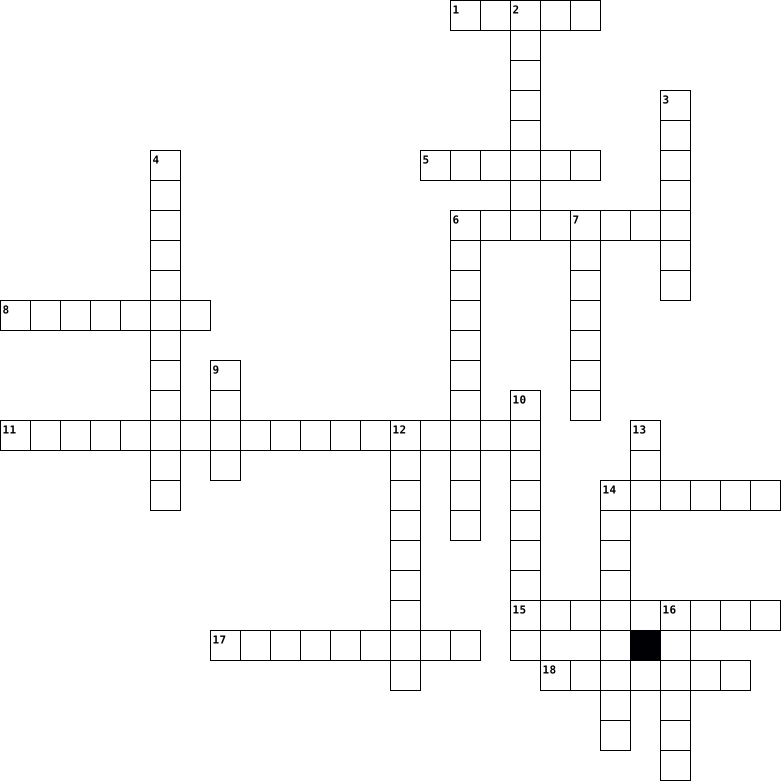
Across
- the description of an object.
- a computer that is sent information from a server computer.
- Compiled Java source code.
- bus carries control signals.
- the java bytecode interpreter.
- a set of characters.
- Added after a file name to distinguished file types.
- a set of steps that outline how to solve a problem.
- to run a program.
Down
- Data passed to a method for processing.
- text that provides information to the reader of program code.
- an object oriented language feature.
- Computer-readable files.
- a person who accesses a computer system without authorization.
- a group of 8 bits
- line see leased line.
- the speed at which a computer can execute instructions measured in megahertz or gigahertz.
- A simple 0 or 1 in binary code.
- an instruction in a program.
- code the code typed by a programmer.
20 Clues: a group of 8 bits • to run a program. • a set of characters. • line see leased line. • Computer-readable files. • Compiled Java source code. • bus carries control signals. • an instruction in a program. • the description of an object. • the java bytecode interpreter. • A simple 0 or 1 in binary code. • an object oriented language feature. • code the code typed by a programmer. • ...
JAVA CH 1-2 2013-09-26
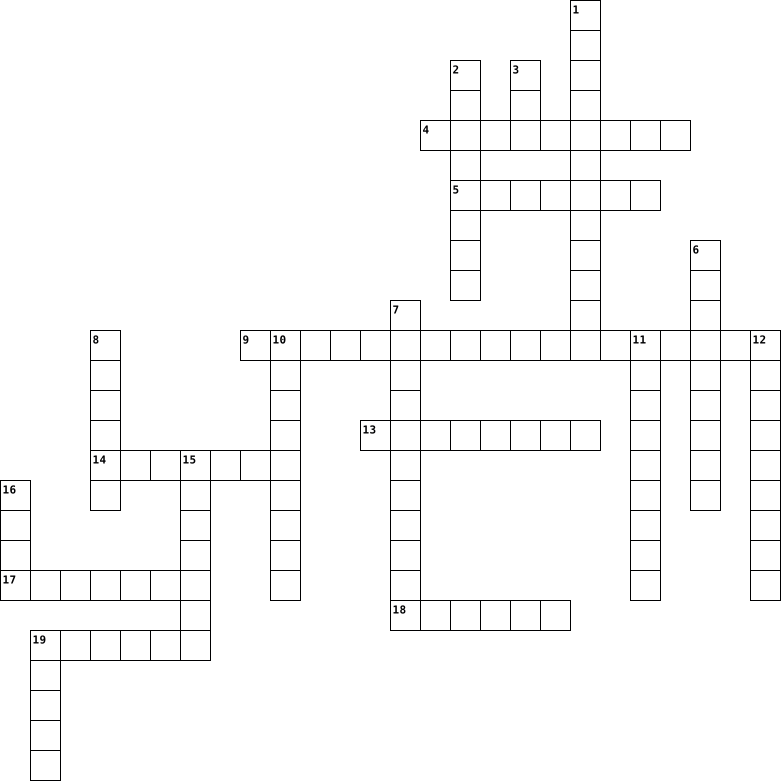
Across
- an instruction in a program.
- bus carries control signals.
- the java bytecode interpreter.
- Data passed to a method for processing.
- a person who accesses a computer system without authorization.
- to run a program.
- a set of characters.
- a computer that is sent information from a server computer.
Down
- an object oriented language feature.
- Compiled Java source code.
- A simple 0 or 1 in binary code.
- line see leased line.
- Computer-readable files.
- code the code typed by a programmer.
- a set of steps that outline how to solve a problem.
- the speed at which a computer can execute instructions measured in megahertz or gigahertz.
- Added after a file name to distinguished file types.
- text that provides information to the reader of program code.
- a group of 8 bits
- the description of an object.
20 Clues: a group of 8 bits • to run a program. • a set of characters. • line see leased line. • Computer-readable files. • Compiled Java source code. • an instruction in a program. • bus carries control signals. • the description of an object. • the java bytecode interpreter. • A simple 0 or 1 in binary code. • an object oriented language feature. • code the code typed by a programmer. • ...
Toets 2 2014-01-28

Across
- Hiermee neemt een dictafoon de gedicteerde tekst op
- Het werkgeheugen van de computer
- De dictafoon wordt hiermee bedient tijdens het uittypen.
- Zie foto 1
- Hiermee kan je meer dan enkel telefoongesprekken voeren
- Energie uit hernieuwbare bron
- Op een ... kan je met een pen gegevens invoeren
- Clock speed wordt uitgedrukt in ...
- De eenheid waarmee een computer rekent
- Zie foto 4
Down
- 0 en 1 zijn voor een computer ... getallen
- Hiermee kan je analoog materiaal digitaliseren
- Zie foto 5
- Zie foto 2
- Deze soort computer kan je handig gebruiken als agenda
- Speciaal ontworpen voor onderweg
- De ... van een dictafoon kan ook als luidspreker dienen
- In de ... wordt de huidige toestand van de computer opgeslagen op de vaste schijf
- Het tempo waartegen de processor basisoperaties kan uitvoeren
- Voorbeeld van manuele of mechanische energie
- Zie foto 3
- Aaneenschakeling van computers
22 Clues: Zie foto 5 • Zie foto 2 • Zie foto 1 • Zie foto 3 • Zie foto 4 • Energie uit hernieuwbare bron • Aaneenschakeling van computers • Speciaal ontworpen voor onderweg • Het werkgeheugen van de computer • Clock speed wordt uitgedrukt in ... • De eenheid waarmee een computer rekent • 0 en 1 zijn voor een computer ... getallen • Voorbeeld van manuele of mechanische energie • ...
Reilly Vocab 2014-11-10

Across
- adress to your computer on the Internet
- website
- stands for "Internet service provider"
- program used to operate your computer
- of pieces used to make a letter,number, or a special character
- that apply to communicating with the world
- to files or data on your computer
- used on a computer system
- transfer data from one computer to another.
- way to connect with other computers wold wide
- -a system connected with your printer or your hardware
Down
- box-it displays info. on your main screen.
- put in for a use.
- piece of code used to improve a programs function
- network
- connected to more than one computers or networks
- way of transmission on numerous frequencies
- number of pixels displayed
- code used to display documents on the world wide web
- transfer software or data
20 Clues: website • network • put in for a use. • used on a computer system • transfer software or data • number of pixels displayed • to files or data on your computer • program used to operate your computer • stands for "Internet service provider" • adress to your computer on the Internet • box-it displays info. on your main screen. • that apply to communicating with the world • ...
Darcy Fenwick Cyber safety 2016-05-31

Across
- to send information from your own computer to another
- an electronic mail message sent from one computer
- a description of you in photos or words
- tag the nickname a user has chosen to be identified
- control specific features or software to manage
- a location online that allows multiple users
- security any technique of soft ware
- methods individual to track,lure or harass
- engine an Internet server that helps you search
- time when something is happening at that moment
Down
- Something that slows your computer down
- hostile ,strongly worded message
- an add that shows up randomly
- a program, or a set of instructions that on a computer
- a method of sending short messages
- a word or number that allows access
- the name for bookmarks
- any internet-realated illegal activity
- to copy a file from one computer system
- Pages the site that is the starting point
20 Clues: the name for bookmarks • an add that shows up randomly • hostile ,strongly worded message • a method of sending short messages • a word or number that allows access • security any technique of soft ware • any internet-realated illegal activity • Something that slows your computer down • to copy a file from one computer system • a description of you in photos or words • ...
Technology 2017-06-13
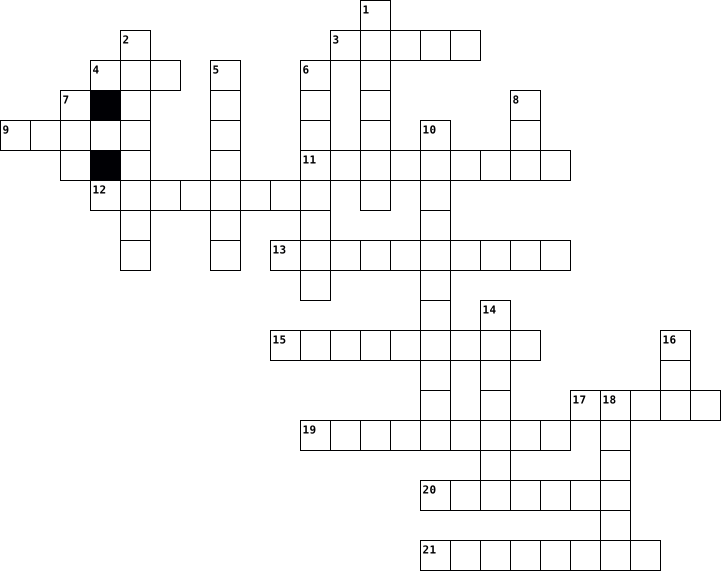
Across
- What we use to move the courser on a screen or what a cat chases
- Wide area network
- The thing that can destroy your computer from the inside
- What people post to others that look like faces or other things
- The thing we use in class
- Title of the crossword
- The background of the screen
- What kids use everyday
- Remove something from the computer
- A thing that connects us all that is not the internet
- What we type with
Down
- The screen what we look at
- The thing that keeps your emails safe
- The place where people post videos
- It connects us all
- Uniform Resource Locators
- Local Area Network
- The games we play on computers
- To start your computer again
- Metropolitan Area Network
- The person that gets into your computer and takes all your info illegally
21 Clues: Wide area network • What we type with • It connects us all • Local Area Network • Title of the crossword • What kids use everyday • Uniform Resource Locators • The thing we use in class • Metropolitan Area Network • The screen what we look at • To start your computer again • The background of the screen • The games we play on computers • The place where people post videos • ...
assignment 2022-10-18

Across
- the worlds biggest pc chip manufactures according to google
- hardware glueish material
- software -app but long-
- physcial parts of a computer
- how many motherboards does a regular computer have
- when was the difference engine by babbage
- the first chromebooks hade been released-shipped in this year
- computers keep their data in this compartment
Down
- the rotating disk keeping the inside of a computer cool
- common output device
- digital parts of a computer
- whats the use of a stick drive
- connect to the web and use network based things when connected to this
- who is a popular electronic producer
- executes instructions comprising a computer program
- what is a wire for computers called
- is a mouse an input or output device
- whats the most popular use of communication amongst technology
- browsers that you can share with others on
- HDD long form
- processors execute this
21 Clues: HDD long form • common output device • software -app but long- • processors execute this • hardware glueish material • digital parts of a computer • physcial parts of a computer • whats the use of a stick drive • what is a wire for computers called • who is a popular electronic producer • is a mouse an input or output device • when was the difference engine by babbage • ...
Q4 Exam G7 2024-05-13

Across
- Secret access code
- margin: Revenue minus costs
- Typeface selections
- Computer programs
- Group influencing legislation
- Offering made in negotiation
- Resulting in death
- Computer storage medium
- In spite of
- Engage with others
- Showing no interest
- Business's sales volume
- Total earnings
- Sudden increase
- Internet connection device
- Crush underfoot
- Computer memory type
- Portable computer
- Traffic jam, for example
- Recognize the difference
- Forceful crash between objects
Down
- Not enough
- Business owner
- Computer interface
- Maximum amount something can contain
- Basic principle
- Market control
- Stock of goods
- Transfer data from the internet
- Noticeable difference
- Company combination
- Strangely unsettling
- Mistake
- Bank account deficit
- System of interconnected computers
- Unfair use of resources
- Urban expansion
- Rising price levels
- Sale to consumers
- Bulk sale
40 Clues: Mistake • Bulk sale • Not enough • In spite of • Business owner • Market control • Stock of goods • Total earnings • Basic principle • Sudden increase • Crush underfoot • Urban expansion • Computer programs • Portable computer • Sale to consumers • Secret access code • Computer interface • Resulting in death • Engage with others • Typeface selections • Company combination • Showing no interest • ...
RU ITEC411 - Unwrapping the Gift 2026-03-11

Across
- Handheld device used for communications and computing
- The state of being unobserved or unmonitored
- Principles for determining right and wrong
- Programs that are used by a computer
- An electronic device used for storing and processing data
- The act of observing or tracking others
- A computer that mimics human behavior online
- Web pages under a single domain name
- An online journal or log
- false information intended to deceive
- A computer network system that blocks unauthorized access
Down
- The act of scrambling information to an unreadable format
- The environment where communications occur within computer networks
- Remote healthcare service
- Global network of computers and servers
- Extremely large sets of information
- Platforms for connecting with other users
- Camera used to send video over a network
- A way to shut down a device or system
- Someone who surveils or monitors a person without their concent or desire
20 Clues: An online journal or log • Remote healthcare service • Extremely large sets of information • Programs that are used by a computer • Web pages under a single domain name • A way to shut down a device or system • false information intended to deceive • Global network of computers and servers • The act of observing or tracking others • Camera used to send video over a network • ...
Tech Crossword Adisynn 2025-01-15

Across
- ____________ erasable programmable read only memory
- a more expensive, but faster printer
- They named each computer model after the year they were released.
- Output device that shows you what your doing on the computer.
- Opposing the electrical current
- It allows the computer to continue running if the power ever were to go out.
- Memory that doesn't die when the computer is shut down.
- The guy who created Ohms laws first name.
- The A in AR stands for...
- HDD stands for...
Down
- PASS stands for...
- HDMI stands for...
- Goes around your wrist to protect components from ESD.
- This dies with the computer once turned off.
- Transfers data at a fiery speed.
- An expensive, but faster and more reliable drive.
- An input device that eats cheese
- What Resistance is measured in.
- output device that makes noise and goes over your ears.
- If broken, your time and date will be off.
20 Clues: HDD stands for... • PASS stands for... • HDMI stands for... • The A in AR stands for... • What Resistance is measured in. • Opposing the electrical current • Transfers data at a fiery speed. • An input device that eats cheese • a more expensive, but faster printer • The guy who created Ohms laws first name. • If broken, your time and date will be off. • ...
MHS Easter Crossword 2025-04-15

Across
- Updates often fix these flaws in software.
- A physical part of the computer, like the CPU or RAM.
- Used to physically connect to a wired network.
- The wireless connection your laptop uses.
- An image or file you upload to prove you're not a bot.
- A website’s name, like google.com.
- Type of software you can install and run for free.
- Used to access websites — Chrome and Firefox are examples.
- The ‘brain’ of the computer.
- Number of ones and zeros in a byte.
Down
- A portable storage device, also called a thumb drive.
- You enter this to prove you’re you; don’t share it.
- Main circuit board inside the computer.
- Software designed to harm your computer.
- These programs protect against viruses.
- Popular spreadsheet program by Microsoft.
- This input device moves a pointer on screen.
- Microsoft's cloud platform.
- The computer’s permanent memory.
- Temporary memory your computer uses for fast access.
20 Clues: Microsoft's cloud platform. • The ‘brain’ of the computer. • The computer’s permanent memory. • A website’s name, like google.com. • Number of ones and zeros in a byte. • Main circuit board inside the computer. • These programs protect against viruses. • Software designed to harm your computer. • Popular spreadsheet program by Microsoft. • ...
Vocabulario técnico multimedia 2026-06-12

Across
- Programs used on a computer.
- A device used to move the cursor.
- Sound used in multimedia productions.
- A portable computer used for multimedia projects.
- A machine used to print documents and images.
- A camera connected to a computer for video calls.
- A support used to hold a camera.
- A device used to record sound.
- A device used to take photos and record videos.
- A person who edits videos and digital content.
Down
- A place where multimedia projects are produced.
- A device used to listen to audio.
- Digital moving images used in multimedia.
- A device used to type on a computer.
- A portable touch-screen device.
- A device used to display images on a screen.
- A visual representation such as a photo or graphic.
- A person who creates visual content.
- A device that produces sound.
- A screen connected to a computer.
20 Clues: Programs used on a computer. • A device that produces sound. • A device used to record sound. • A portable touch-screen device. • A support used to hold a camera. • A device used to listen to audio. • A device used to move the cursor. • A screen connected to a computer. • A device used to type on a computer. • A person who creates visual content. • ...
class 9 2021-06-02

Across
- any set of instructions that tells the hardware what to do and how to do it
- Usually consists of eight bits.
- Used for copying a picture or document into a computer.
- What id a shorter term for Wireless Internet Connection
- is a type of software that allows you to perform specific tasks
- your system's short-term memory
- Any computer-generated information displayed on screen, printed on paper or in machine readable form, such as disk and tape.
- A screen that displays an image that is being generated by a computer.
- any part of your computer that has a physical structure, such as the keyboard or mouse.
- Sending an email, posting photos on a social media site and using your webcam.
- a device for computer games
- measured in megahertz (MHz), or millions of instructions per second; and gigahertz (GHz), or billions of instructions per second.
Down
- WHAT WORD DESCRIBES RESTARTING YOUR DEVICE
- An electronic device that can intensify speeches, music, etc., and made audible throughout a room, hall, or the like.
- the tool you use to access the Internet
- an electronic device that manipulates information, or data. It has the ability to store, retrieve, and process data
- A device that feeds data into a computer, such as a keyboard or mouse.
- another important tool for communicating with computers. Commonly known as a pointing device.
- or the Central Processing Unit is the component of a computer system that processes and exchanges data with the peripherals.
- where your software, documents, and other files are stored
20 Clues: a device for computer games • Usually consists of eight bits. • your system's short-term memory • the tool you use to access the Internet • WHAT WORD DESCRIBES RESTARTING YOUR DEVICE • Used for copying a picture or document into a computer. • What id a shorter term for Wireless Internet Connection • where your software, documents, and other files are stored • ...
ADSI Julian Martinez 2022-05-11

Across
- Reload or display the contents of a Web page or window
- Describe the tasks and bisiness functions that users, managers, and IT staff members perform to achieve a specific results
- Connecting an Internet document to another that is highlighted in a special way, also called Hyperlink
- refers to the action of creating programs or applications through the development of a source code
- Folder or buffer that temporarily stores files on your computer
- Appearance that the programs present after their execution through which we exercise communication with these
- is the text that a person enters in a browser to enter a specific website
- are symbolic representations of a certain qualitative or quantitative attribute or variable
- Security devices to unauthorized entries
- A person who uses a computer or computer system
Down
- is the area related to computer science that focuses on the protection of the computational infrastructure and everything related to it
- Mix data to protect it as a security measure making it unreadable
- is the stage where a programmer can read and modify a computer program.
- Science that studies the design of automatic machines or robots in order to provide them with human intelligence
- Set of concrete and detailed instructions by which a certain action is achieved
- is the physical layer of the information system
- is any computer program
- Program capable of storing a large amount of data, related and structured, which can be consulted quickly
- Computer scientists who use their great knowledge to cross any computer barrier
- is an error in the code of a program
20 Clues: is any computer program • is an error in the code of a program • Security devices to unauthorized entries • is the physical layer of the information system • A person who uses a computer or computer system • Reload or display the contents of a Web page or window • Folder or buffer that temporarily stores files on your computer • ...
Software and User interfaces 2014-09-24
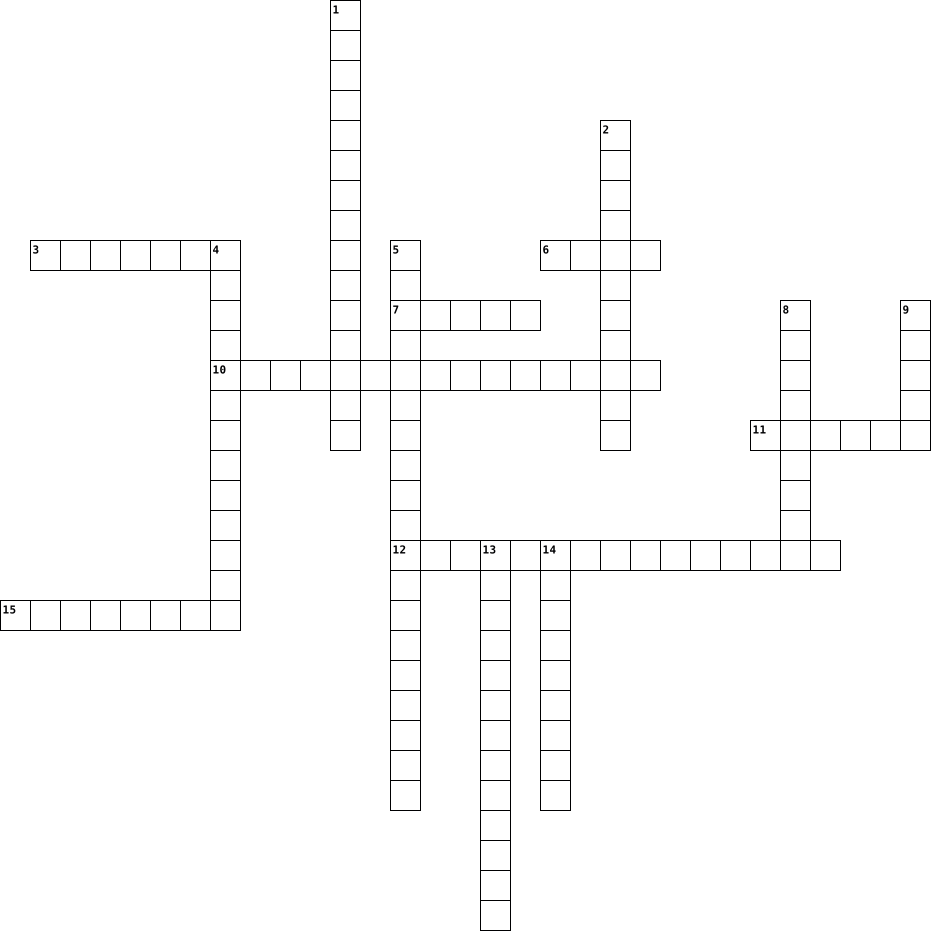
Across
- User types instructions to control computer
- Fill in boxes
- Forms are made to look _____ based
- Controls allocation and use of hardware
- Forms contain ______ to help guide the user
- Communication with computer through own language
- These can be added to the end of a command
Down
- Helps to monitor and maintain computer system
- Commands display these variables
- Require response
- Allows computer to perform tasks for user
- Menus are structured in this way
- Series of items that can be selected
- Ways that the user communicates with the computer
- Software that protects computer against malware
15 Clues: Fill in boxes • Require response • Commands display these variables • Menus are structured in this way • Forms are made to look _____ based • Series of items that can be selected • Controls allocation and use of hardware • Allows computer to perform tasks for user • These can be added to the end of a command • User types instructions to control computer • ...
Viruses and Computers - Anthony Vickers III 2018-11-16

Across
- When you get the opposite of what someone was gonna give you
- Takes up space in your email
- Can send a letter electronically
- A bunch of websites and lets you look up anything
- Access denied
- your game is ready to play
- Someone who messes up a computer server
Down
- Games,music and entertainment
- Tools to fix a computer
- People are able to spy on your activity
- Operating info in a computer
- Computer is very sick
- A big game platform
- Installing games on your computer
- A big thing that can access the internet
15 Clues: Access denied • A big game platform • Computer is very sick • Tools to fix a computer • your game is ready to play • Operating info in a computer • Takes up space in your email • Games,music and entertainment • Can send a letter electronically • Installing games on your computer • People are able to spy on your activity • Someone who messes up a computer server • ...
Techonology Vocaburaly 2021-04-16

Across
- the smallest discrete component of an image on a screen
- a unit of information equal to 1000 kilobytes or 10^6 bytes
- representing the real world by a computer program
- a device used to connect computers by a telephone line
- cause to load and start the initial
- the combination of a computer and an operating system
- a restricted computer network
Down
- unwanted e-mail
- exit a computer
- any small compartment
- the exclusive right to sell a work
- the standard typewriter keyboard
- an electronic storage device
- written programs operating on a computer system
- enter a computer
15 Clues: unwanted e-mail • exit a computer • enter a computer • any small compartment • an electronic storage device • a restricted computer network • the standard typewriter keyboard • the exclusive right to sell a work • cause to load and start the initial • written programs operating on a computer system • representing the real world by a computer program • ...
Computer Components 2023-11-01

Across
- Holds all the physical components of the computer
- hint: 800Watts
- a type of read-only memory consisting of a pre-pressed optical compact disc that contains data
- An audio output device
- output device to click and interact with the computer
- Brain of the computer
- what you sit infront of the see what youre doing
- the more of this you have the faster your computer
- Keeps the computer cool
Down
- Input device so you can hear
- A type of storage
- How you type
- this equals 1000 gigabytes
- Fan Keeps the computer components cool
- Read **** Memory
15 Clues: How you type • hint: 800Watts • Read **** Memory • A type of storage • Brain of the computer • An audio output device • Keeps the computer cool • this equals 1000 gigabytes • Input device so you can hear • Fan Keeps the computer components cool • what you sit infront of the see what youre doing • Holds all the physical components of the computer • ...
Computers. 2012-03-21

Across
- A video camera that feeds its images in real time to a computer network.
- A pointing device consisting of a ball held by a socket containing sensors to detect a rotation of the ball.
- A portable, usually battery-powered microcomputer.
- A computer input device for controlling the pointer on a display screen by sliding the finger along a touch-sensitive surface.
- Senses the user pressing directly on the display.
- A device for projecting a beam of light.
- A global system of interconnected computer networks.
- The components of the computer in which such information is stored.
Down
- A combination of two or more cells electrically connected to work together to produce electric energy.
- A pair of small loudspeakers which are designed to be held in place close to a user's ears.
- A set of keys used to input information to a computer.
- Also called processor.
- A segment of self-replicating code planted illegally in a computer program, often to damage a system.
- A thin, flexible plastic disk coated with magnetic material, on which data can be stored for later use.
- An acoustic sensor that provides input by converting sound into electrical signals.
- An output device that produces a paper copy of alphanumeric or graphic data.
- A lever used to control movement of a cursor or other graphic element for video games.
- A component, as a CRT, with a screen for viewing data at a computer terminal.
- An electromechanical device which produces sound.
- A palm-sized, button-operated pointing device.
20 Clues: Also called processor. • A device for projecting a beam of light. • A palm-sized, button-operated pointing device. • Senses the user pressing directly on the display. • An electromechanical device which produces sound. • A portable, usually battery-powered microcomputer. • A global system of interconnected computer networks. • ...
CLASS 10 2021-06-01

Across
- any set of instructions that tells the hardware what to do and how to do it
- Usually consists of eight bits.
- Used for copying a picture or document into a computer.
- What id a shorter term for Wireless Internet Connection
- is a type of software that allows you to perform specific tasks
- your system's short-term memory
- Any computer-generated information displayed on screen, printed on paper or in machine readable form, such as disk and tape.
- A screen that displays an image that is being generated by a computer.
- any part of your computer that has a physical structure, such as the keyboard or mouse.
- Sending an email, posting photos on a social media site and using your webcam.
- a device for computer games
- measured in megahertz (MHz), or millions of instructions per second; and gigahertz (GHz), or billions of instructions per second.
Down
- WHAT WORD DESCRIBES RESTARTING YOUR DEVICE
- An electronic device that can intensify speeches, music, etc., and made audible throughout a room, hall, or the like.
- the tool you use to access the Internet
- an electronic device that manipulates information, or data. It has the ability to store, retrieve, and process data
- A device that feeds data into a computer, such as a keyboard or mouse.
- another important tool for communicating with computers. Commonly known as a pointing device.
- or the Central Processing Unit is the component of a computer system that processes and exchanges data with the peripherals.
- where your software, documents, and other files are stored
20 Clues: a device for computer games • Usually consists of eight bits. • your system's short-term memory • the tool you use to access the Internet • WHAT WORD DESCRIBES RESTARTING YOUR DEVICE • Used for copying a picture or document into a computer. • What id a shorter term for Wireless Internet Connection • where your software, documents, and other files are stored • ...
Information Processing Cycle 2022-01-19

Across
- Random Access Memory
- Programming structure that repeats a set of instructions as long as a specific condition is true.
- Information that is processed from a computing system and recieved by the user.
- Solid State Drive works similar to a flash drive but stores large amounts of data like a HDD hard drive.
- The physical components that make up a computing system, computer, or computing device.
- An internal or external device that connects directly to a computer but does not contribute to the primary function of a computer.
- Interpreting input and producing output.
- Software that controls the communication between the hardware and application software of a computer.
- Hardware equipment used to transfer data out from a computer system.
- Read Only Memory is used to boot up the computer.
- Hardware equipment used to transfer data into a computing system for processing.
Down
- Flat flash drive used in mobile devices.
- Software developed to help the user perform specific tasks.
- Set of instructions to complete a task.
- Storage on remote systems where it is maintained, managed, and backed up.
- Set of instructions that runs a computing system, computer, or other computing device.
- Temporarily stored data for immediate use in a computing system.
- small protable storage device that uses and electrical rewritable storage to store or transfer data.
- Determines if a given statement is true or false.
- Central Processing Unit is the master chip that controlls all other aspects of the computer.
- Place where data is held and retrieved at a later time.(Long term storage)
- Internal storage device that stores data.
22 Clues: Random Access Memory • Set of instructions to complete a task. • Flat flash drive used in mobile devices. • Interpreting input and producing output. • Internal storage device that stores data. • Determines if a given statement is true or false. • Read Only Memory is used to boot up the computer. • Software developed to help the user perform specific tasks. • ...
Chapter 4 - Key Words 2023-11-29

Across
- ______ system, a program that manages the computer, allows the user to communicate with the computer, and allows software to be run.
- The method by which a user communicates with a computer.
- A signal sent to the processor to tell it that its attention is required.
- A viewing area that is created in which a software application or file can be opened.
- ______ code is binary code, an example of a low-level language.
- the first commands loaded when a computer starts, it checks hardware and loads the firmware.
- A programming language which allows direct manipulation of hardware.
- Converts one coding language to another.
- A translator which checks and then executes each line before moving on to the next.
Down
- An example of application software to store and manipulate data.
- ______ level languages are programming languages which use English-like commands.
- ______ level languages are programming languages which is closer to machine code.
- ______ software, a type of software that allows the user to perform a useful task.
- A series of instructions written in a programming language that performs a function.
- A hardware device, used to input, store or output data from a computer, that is not directly part of the computer itself.
- Instructions that are stored in the ROM and are loaded when the computer starts.
- A type of application software that performs calculations on data.
- ______ software, a type of software that manages the hardware and software in a computer.
- Translates assembly to machine code.
- A program that controls a device, for example, a printer or a keyboard.
20 Clues: Translates assembly to machine code. • Converts one coding language to another. • The method by which a user communicates with a computer. • An example of application software to store and manipulate data. • ______ code is binary code, an example of a low-level language. • A type of application software that performs calculations on data. • ...
j a va :D 2024-01-26

Across
- What the computer prints out
- accessed only in that certain class
- Information that can be passed to methods
- special symbols that perform something (ex:x>y)
- whole numbers, and their negatives
- Code given to the computer
- Multiple different statements that happen in different cases
- a template from which objects are created
- a special function that creates an instance in a class
- An array of chars
- organizing arrays in a certain way
- Manipulation and control within the computer system
- A device that accepts information and we can code with
- Empty
- A series of code that operates a computer
- base 2
- programs used/operated by a computer
- An object created from a class
- decimal number
Down
- Taking the remainder of two numbers
- information
- accessed only in that java project
- Stop the code
- accessed from anywhere
- stores data
- Instructions given to a computer in their own language
- An integer with a decimal
- an instance of a class
- indicates that a particular member is not an instance, but rather part of a type
- a linked series of data
- code that is only run when called
- A list of data
- a group of 8 bits
- statements that can happen if specific data is given (if, else if, else)
- Redoing process that happens over and over again
- a single character
- allowing
- An extension of another class
- true or false
- Inherit from a super class
- Data saved into the computer
41 Clues: Empty • base 2 • allowing • information • stores data • Stop the code • true or false • A list of data • decimal number • a group of 8 bits • An array of chars • a single character • accessed from anywhere • an instance of a class • a linked series of data • An integer with a decimal • Code given to the computer • Inherit from a super class • What the computer prints out • Data saved into the computer • ...
TTS - Jaringan Komputer 2025-01-14

Across
- daftar halaman yang telah di kunjungi atau ditampilkan pada web browser
- Network Interface Card
- kegiatan menghubungkan kabel jaringan dengan konektor RJ45
- Sekelompok computer yang saling berhubungan antara satu dengan lainnya menggunakan protokol komunikasi
- media komunikasi jaringan computer yang menggunakan sistem gelombang elektronik
- perangkat lunak yang digunakan untuk melihat konten/sumber informasi yang ada pada www (word wide web)
- proses pembuktian pengguna berdasarkan data dengan memasukkan ID pengguna dan kata sandi
- jaringan computer yang luas antar gedung, antar kota
- mode komunikasi antara pengirim dan penerima yang bersifat dua arah tetapi tidak secara bersamaan (bergantian)
- lapisan informasi jaringan yang dikembangkan oleh ISO pada tahun 1984
- metode untuk mencuri informasi identitas pribadi dengan mengirimkan alamat palsu yang mirip dengan aslinya
Down
- topologi yang menghubungkan beberapa computer kedalam satu pusat komputer
- jaringan computer yang mencakup lingkup wilayah kecil
- lapisan TCP/IP paling atas
- program yang tidak terdeteksi berfungsi untuk merusak sistem dan mendapatkan informasi dari sistem target secara diam-diam
- faktor keamanan jaringan dimana informasi tidak boleh diubah tanpa seizing pemilik informasi
- upaya perlindungan terhadap keamanan data dan informasi dari berbagai serangan siber
- lapisan osi layer paling bawah
- topologi yang memiliki bentuk seperti pohon dimana hasil penggabungan topologi star dan bus
- Yang harus dimiliki computer untuk dapat saling berhubungan didalam jaringan.
- perangkat jaringan computer yang digunakan untuk menyebarkan sinyal internet
- suatu pola yang digunakan untuk menghubungkan antar computer
- perangkat yang diletakkan antara internet dengan jaringan internal sehingga menjaga agar orang/situs yang tidak berwenang tidak dapat mengakses
23 Clues: Network Interface Card • lapisan TCP/IP paling atas • lapisan osi layer paling bawah • jaringan computer yang luas antar gedung, antar kota • jaringan computer yang mencakup lingkup wilayah kecil • kegiatan menghubungkan kabel jaringan dengan konektor RJ45 • suatu pola yang digunakan untuk menghubungkan antar computer • ...
Computers. 2012-03-21

Across
- A segment of self-replicating code planted illegally in a computer program, often to damage a system.
- A computer input device for controlling the pointer on a display screen by sliding the finger along a touch-sensitive surface.
- A video camera that feeds its images in real time to a computer network.
- A device for projecting a beam of light.
- An output device that produces a paper copy of alphanumeric or graphic data.
- Senses the user pressing directly on the display.
- A combination of two or more cells electrically connected to work together to produce electric energy.
- A global system of interconnected computer networks.
- A portable, usually battery-powered microcomputer.
Down
- A set of keys used to input information to a computer.
- A palm-sized, button-operated pointing device.
- The components of the computer in which such information is stored.
- An electromechanical device which produces sound.
- A pair of small loudspeakers which are designed to be held in place close to a user's ears.
- A thin, flexible plastic disk coated with magnetic material, on which data can be stored for later use.
- An acoustic sensor that provides input by converting sound into electrical signals.
- A lever used to control movement of a cursor or other graphic element for video games.
- Also called processor.
- A pointing device consisting of a ball held by a socket containing sensors to detect a rotation of the ball.
- A component, as a CRT, with a screen for viewing data at a computer terminal.
20 Clues: Also called processor. • A device for projecting a beam of light. • A palm-sized, button-operated pointing device. • An electromechanical device which produces sound. • Senses the user pressing directly on the display. • A portable, usually battery-powered microcomputer. • A global system of interconnected computer networks. • ...
instructions 2025-04-03

Across
- – To write words on a computer or phone using a keyboard.
- – A collection of web pages with information on the internet.
- – To turn something on, like a light or a computer, by pressing a button.
- – A list of options you can choose from on a website or app.
- – To move two fingers together or apart on a touchscreen to make things bigger or smaller.
- – A single part of a website that you can see on the internet.
- – To press the “Enter” key to confirm something or move to the next step.
- – To press a button or key and keep holding it.
- – A box on a computer screen that shows a program or website.
- – A menu that opens when you click on it, showing more choices.
Down
- – A big network that connects computers and lets people find information and talk to each other.
- – The part of a computer, phone, or TV where you see pictures and words.
- – A program on a computer or phone that helps you do something, like play games or write.
- – To make something bigger on a screen so you can see it better.
- – To enter your username and password to use a computer, website, or app.
- – A secret word or code that you use to enter an account or website.
- – To look for information on the internet or in a book.
- – Important words that help you find information in a book or online.
- – To turn off a computer completely.
- – A small picture on a computer or phone that represents an app or file.
20 Clues: – To turn off a computer completely. • – To press a button or key and keep holding it. • – To look for information on the internet or in a book. • – To write words on a computer or phone using a keyboard. • – A list of options you can choose from on a website or app. • – A collection of web pages with information on the internet. • ...
Techonology Vocaburaly 2021-04-16

Across
- the combination of a computer and an operating system
- representing the real world by a computer program
- the exclusive right to sell a work
- a unit of information equal to 1000 kilobytes or 10^6 bytes
- enter a computer
- a device used to connect computers by a telephone line
- the standard typewriter keyboard
Down
- cause to load and start the initial
- the smallest discrete component of an image on a screen
- a restricted computer network
- exit a computer
- any small compartment
- an electronic storage device
- written programs operating on a computer system
- unwanted e-mail
15 Clues: exit a computer • unwanted e-mail • enter a computer • any small compartment • an electronic storage device • a restricted computer network • the standard typewriter keyboard • the exclusive right to sell a work • cause to load and start the initial • written programs operating on a computer system • representing the real world by a computer program • ...
Techonology Vocaburaly 2021-04-16

Across
- any small compartment
- written programs operating on a computer system
- representing the real world by a computer program
- the combination of a computer and an operating system
- exit a computer
- cause to load and start the initial
Down
- the smallest discrete component of an image on a screen
- the standard typewriter keyboard
- a device used to connect computers by a telephone line
- a unit of information equal to 1000 kilobytes or 10^6 bytes
- the exclusive right to sell a work
- unwanted e-mail
- enter a computer
- a restricted computer network
- an electronic storage device
15 Clues: unwanted e-mail • exit a computer • enter a computer • any small compartment • an electronic storage device • a restricted computer network • the standard typewriter keyboard • the exclusive right to sell a work • cause to load and start the initial • written programs operating on a computer system • representing the real world by a computer program • ...
Techonology Vocaburaly 2021-04-16

Across
- representing the real world by a computer program
- the exclusive right to sell a work
- exit a computer
- a device used to connect computers by a telephone line
- cause to load and start the initial
- the standard typewriter keyboard
Down
- any small compartment
- an electronic storage device
- the smallest discrete component of an image on a screen
- the combination of a computer and an operating system
- enter a computer
- a unit of information equal to 1000 kilobytes or 10^6 bytes
- a restricted computer network
- written programs operating on a computer system
- unwanted e-mail
15 Clues: exit a computer • unwanted e-mail • enter a computer • any small compartment • an electronic storage device • a restricted computer network • the standard typewriter keyboard • the exclusive right to sell a work • cause to load and start the initial • written programs operating on a computer system • representing the real world by a computer program • ...
Computer Crossword 2021-09-22

Across
- Plays audio from computer
- Vessel to hold components
- Screen that displays visuals from the computer
- Component that manages processes
- Component that contains mass data
- Component to cool down computer
- Allows letter and number input from the user
- Component that handles graphics
Down
- Animal-named object that allows input and control from the computer's user
- Component which provides power to the computer
- Allows computer to play sound
- Allows interaction between components
- Copies computer's screen onto paper
- Component that allows quick data access
- Saves information from a computer onto a separate drive
15 Clues: Plays audio from computer • Vessel to hold components • Allows computer to play sound • Component to cool down computer • Component that handles graphics • Component that manages processes • Component that contains mass data • Copies computer's screen onto paper • Allows interaction between components • Component that allows quick data access • ...
WORDS 2022-01-20

Across
- it controls the cursor; you use your fingers
- an output device that displays information
- Wireless Fidelity
- a substance or device that absorbs or dissipates especially unwanted heat
- digital optical disc data storage format
- compact disc
- something without wires
- Power Supply Unit
Down
- computer hardware component that connects a computer to a computer network
- Random Access Memory
- a space where you can type
- Devices data that a computer sends
- this keeps the computer cool so the metal dont melt
- used to connect to a computer to generate sound
- Central Processing Unit
15 Clues: compact disc • Wireless Fidelity • Power Supply Unit • Random Access Memory • Central Processing Unit • something without wires • a space where you can type • Devices data that a computer sends • digital optical disc data storage format • an output device that displays information • it controls the cursor; you use your fingers • used to connect to a computer to generate sound • ...
Tech apps 2013-05-23

Across
- the line you rest your fingers on
- a cartoon
- best techapps teacher ever
- a computer learning class
- a piece of hardware that links your computer to other computers
- a soft ware thing we use to make documents
Down
- we couldn't have class with out it
- all the right _______.
- the computer screen
- a flexible disk that stores computer data
- how correct you type a word
- something used to make a digital short movie
- the styles of type available on a computer
- something you use to type with
- something you never share
15 Clues: a cartoon • the computer screen • all the right _______. • a computer learning class • something you never share • best techapps teacher ever • how correct you type a word • something you use to type with • the line you rest your fingers on • we couldn't have class with out it • a flexible disk that stores computer data • the styles of type available on a computer • ...
Technology 2025-09-19

Across
- Linguaggio che serve per programmare
- Si usano per ascoltare senza disturbare
- Piccolo programma che si usa su tablet o telefono
- Dove si vedono le immagini e le scritte
- Rete mondiale che collega i computer
- Macchina elettronica che elabora dati
- Strumento per muovere il cursore sullo schermo
- Macchina che può fare azioni da sola
- Piccolo computer con schermo tattile
Down
- Gioco elettronico sul computer o console
- Serve per scrivere al computer
- Parola segreta per accedere a un account
- Si usa per chiamare e mandare messaggi
- Messaggio elettronico inviato via internet
- Insieme di computer collegati
15 Clues: Insieme di computer collegati • Serve per scrivere al computer • Linguaggio che serve per programmare • Rete mondiale che collega i computer • Macchina che può fare azioni da sola • Piccolo computer con schermo tattile • Macchina elettronica che elabora dati • Si usa per chiamare e mandare messaggi • Si usano per ascoltare senza disturbare • ...
WORDS 2022-01-20

Across
- compact disc
- Devices data that a computer sends
- Wireless Fidelity
- a space where you can type
- computer hardware component that connects a computer to a computer network
- this keeps the computer cool so the metal dont melt
- used to connect to a computer to generate sound
Down
- digital optical disc data storage format
- Central Processing Unit
- Power Supply Unit
- an output device that displays information
- it controls the cursor; you use your fingers
- something without wires
- a substance or device that absorbs or dissipates especially unwanted heat
- Random Access Memory
15 Clues: compact disc • Power Supply Unit • Wireless Fidelity • Random Access Memory • Central Processing Unit • something without wires • a space where you can type • Devices data that a computer sends • digital optical disc data storage format • an output device that displays information • it controls the cursor; you use your fingers • used to connect to a computer to generate sound • ...
Techonology Vocaburaly 2021-04-16

Across
- the combination of a computer and an operating system.
- representing the real world by a computer program.
- the exclusive right to sell a work.
- a unit of information equal to 1000 kilobytes or 10^6 bytes
- enter a computer.
- a device used to connect computers by a telephone line.
- the standard typewriter keyboard.
Down
- cause to load and start the initial
- the smallest discrete component of an image on a screen.
- a restricted computer network.
- exit a computer.
- any small compartment.
- an electronic storage device.
- written programs operating on a computer system.
- unwanted e-mail.
15 Clues: exit a computer. • unwanted e-mail. • enter a computer. • any small compartment. • an electronic storage device. • a restricted computer network. • the standard typewriter keyboard. • cause to load and start the initial • the exclusive right to sell a work. • written programs operating on a computer system. • representing the real world by a computer program. • ...
Techonology Vocaburaly 2021-04-16

Across
- the combination of a computer and an operating system
- representing the real world by a computer program
- the exclusive right to sell a work
- a unit of information equal to 1000 kilobytes or 10^6 bytes
- enter a computer
- a device used to connect computers by a telephone line
- the standard typewriter keyboard
Down
- cause to load and start the initial
- the smallest discrete component of an image on a screen
- a restricted computer network
- exit a computer
- any small compartment
- an electronic storage device
- written programs operating on a computer system
- unwanted e-mail
15 Clues: exit a computer • unwanted e-mail • enter a computer • any small compartment • an electronic storage device • a restricted computer network • the standard typewriter keyboard • the exclusive right to sell a work • cause to load and start the initial • written programs operating on a computer system • representing the real world by a computer program • ...
Hardware Puzzle 2019-01-14

Across
- The set of typewriter-like keys that enables
- drive a device that is inserted into a computer that holds data
- a mobile device that can download apps
- data
- helps you see things better on the monitor
- devices something that is pressed in order to have an output
- to enter data into a computer
Down
- drive a device that holds data inside of the pc
- the circuit of the computer
- Read only memory
- random access memory
- device this is what is displayed on a monitor
- brain of the computer
- a display screen
- personal computer
15 Clues: data • Read only memory • a display screen • personal computer • random access memory • brain of the computer • the circuit of the computer • to enter data into a computer • a mobile device that can download apps • helps you see things better on the monitor • The set of typewriter-like keys that enables • device this is what is displayed on a monitor • ...
networking concepts and cyber ethics 2025-06-07

Across
- it is a network that is used to connect all the computer in network with each other
- bullying someone through the internet
- it is used to physically attach to a computer to a network so htat it can participate in network communication
- t is a computer network that is mainly created for indivisual
- refers to criminal activity thsat involve the use of computer
- is an impresion or information about a person that exist on the internet because of his online activity
- sending saem message over and over again
- this device does not brodcast the message on the entier network
- this network spread over a city
Down
- a device that connect 2 diffrent types of network
- it is a combination of two term "net" and "etiquette"
- refers to illegal intrusin into a computer system or network
- in this network two or more network located at distance place is connected
- refers to the act of using the language of another person
- in this network two or more computer and prepihal device are connected within a small area
- it is a set of progerams that disturb the computer
- a computer in a network
17 Clues: a computer in a network • this network spread over a city • bullying someone through the internet • sending saem message over and over again • a device that connect 2 diffrent types of network • it is a set of progerams that disturb the computer • it is a combination of two term "net" and "etiquette" • refers to the act of using the language of another person • ...
networking concepts and cyber ethics 2025-06-07

Across
- it is a network that is used to connect all the computer in network with each other
- bullying someone through the internet
- it is used to physically attach to a computer to a network so htat it can participate in network communication
- t is a computer network that is mainly created for indivisual
- refers to criminal activity thsat involve the use of computer
- is an impresion or information about a person that exist on the internet because of his online activity
- sending saem message over and over again
- this device does not brodcast the message on the entier network
- this network spread over a city
Down
- a device that connect 2 diffrent types of network
- it is a combination of two term "net" and "etiquette"
- refers to illegal intrusin into a computer system or network
- in this network two or more network located at distance place is connected
- refers to the act of using the language of another person
- in this network two or more computer and prepihal device are connected within a small area
- it is a set of progerams that disturb the computer
- a computer in a network
17 Clues: a computer in a network • this network spread over a city • bullying someone through the internet • sending saem message over and over again • a device that connect 2 diffrent types of network • it is a set of progerams that disturb the computer • it is a combination of two term "net" and "etiquette" • refers to the act of using the language of another person • ...
Term 1 Revision 2020-05-11

Across
- Component of the computer that's the screen (video)
- To be balanced, you should use contrasting _______ in your presentation foreground and background
- The presentation software that's used through Google Drive
- Even though it's fun, don't put too many ______ in your presentation
- Devices that let the user see or hear computer information (example: monitor or printer)
- short-term memory of the computer
- You may have enjoyed the cartoon like quality in presentations before, but don't have too much of your stuff moving around your presentations. Moving objects in presentations is called _____________
- A really boring presentation is just one wall of ____
- Like HDD but faster and more expensive
- stands for read-only memory, the BIOS are stored here
Down
- All the components of the computer connect here
- The presentation software that's made by Microsoft
- Where files are stored on the computer for long-term (has a - in the middle)
- In your radio ad, you shouldn't speak too fast. You should speak ______
- The brain of the computer
- The microscopic electronic switch that lets your computer do maths and make decisions
- Devices that take data from the user and put them into the computer for processing (example: mouse or keyboard)
17 Clues: The brain of the computer • short-term memory of the computer • Like HDD but faster and more expensive • All the components of the computer connect here • The presentation software that's made by Microsoft • Component of the computer that's the screen (video) • A really boring presentation is just one wall of ____ • stands for read-only memory, the BIOS are stored here • ...
Parts of a computer 2019-09-13

Across
- An output device that shows pictures from the computer through a screen
- Something that allows outside devices to physically connect with a computer
- A trackpad is a sensor that reads hand gestures as signals that are understood by the computer
- A collection of data stored digitally, usually in a hard drive
- An Input device that has keys which when pressed, are interpreted by the computer as an instruction
- is a type of non-volatile memory that is permanent and cannot be changed
- An output device that puts out video to a monitor
Down
- The CPU is the brain of the computer, which completes almost all of the operations to be relayed to output devices
- The part of a computer which holds all of the parts in place
- The instructions in a computer that tells it what to do
- An output device that creates noise from the computer
- The component of the computer that stores information permanently
- An input device that controls a point that can interact with the computer
- is a type of volatile memory that is non-permanent and helps the computer run programs
14 Clues: An output device that puts out video to a monitor • An output device that creates noise from the computer • The instructions in a computer that tells it what to do • The part of a computer which holds all of the parts in place • A collection of data stored digitally, usually in a hard drive • The component of the computer that stores information permanently • ...
Computer Crossward 2013-11-28

Across
- / a popular search engine.
- /most popular computer software (hint:you can look through them).
- /an encyclopedia website that is free.
- /a portable computer.
- /a popular video sharing website/app.
- /an external controller (hint: Cats chase them).
- /what you use to see what the computer is doing.
- /what is the simplest type of computer coding?
Down
- Computer /What does PC stand for?
- / what is the latest version of windows?
- /maker of some computer apps and the Xbox.
- /what you use to type.
- /a gaming application made by Valve.
- /what type computer is made by Apple?
14 Clues: /what you use to type. • /a portable computer. • Computer /What does PC stand for? • / a popular search engine. • /an encyclopedia website that is free. • /maker of some computer apps and the Xbox. • /a popular video sharing website/app. • /a gaming application made by Valve. • /what type computer is made by Apple? • ...
The Anatomy of a Computer 2021-11-05

Across
- Peripheral Component Interconnect
- the Brain of the computer (Central Processing Unit)
- Basic Input/Output System
- The programs inside of a computer.
- Accelerated Graphics Port
- The plastic shell of a computer.
- A large amount of data is stored here, but it's not as quick to access.
- An input device that most computer have.
Down
- The thing that decides what the pixels should look like.
- A printed Circuit board that has most of your computer components inside.
- Something that allows you to draw power from the computer.
- The physical components of a computer.
- The power supply unit.
- Stores temporary information
14 Clues: The power supply unit. • Basic Input/Output System • Accelerated Graphics Port • Stores temporary information • The plastic shell of a computer. • Peripheral Component Interconnect • The programs inside of a computer. • The physical components of a computer. • An input device that most computer have. • the Brain of the computer (Central Processing Unit) • ...
Computer Terms Puzzle 2014-09-07
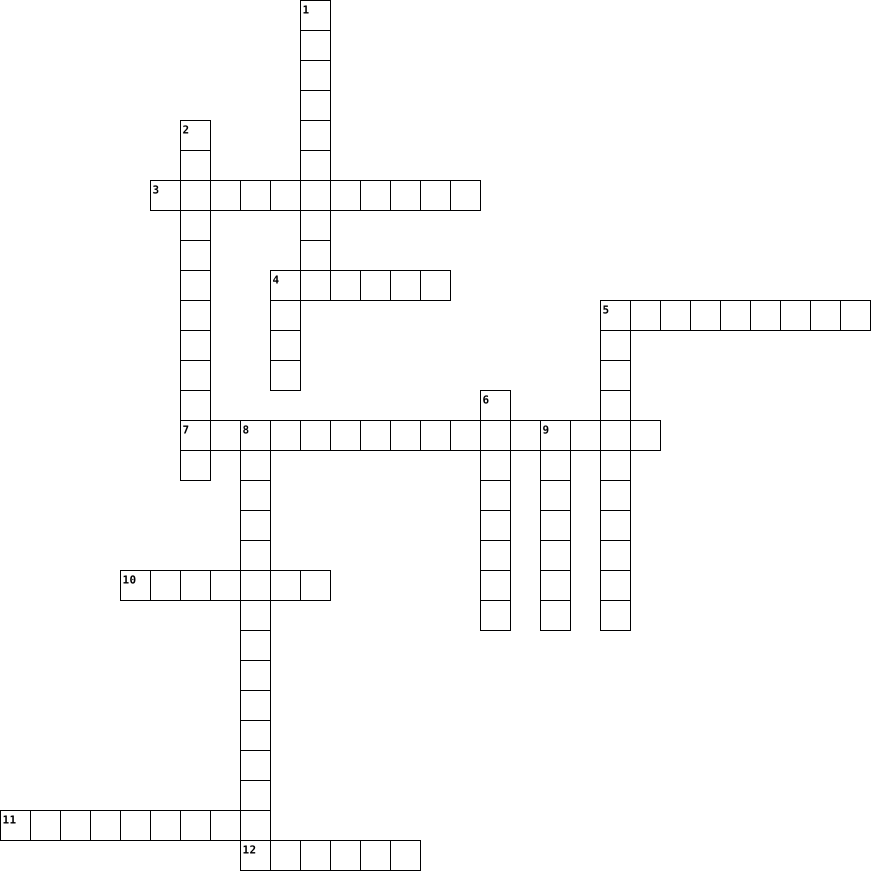
Across
- is located inside the computer & contains circuits wires & fuses
- used to video chat with someone over the internet
- wireless technology that uses radio frequencies to connect electronic devices
- used to present a presentation to the class
- another name for computer screen
- hardware that is the storage area for all your files folders and software
- used to install and store software programs
Down
- allows you to work on a computer project on different computers
- this computer part deals with the speed of the computer
- allows a computer to connect to the internet without a cable
- check this to make sure your computer will work for an extended period of time without being charged
- used to connect many different types of hardware
- controls the functions of the computer
- used to include a printed photo into a computer assignment
14 Clues: another name for computer screen • controls the functions of the computer • used to present a presentation to the class • used to install and store software programs • used to connect many different types of hardware • used to video chat with someone over the internet • this computer part deals with the speed of the computer • ...
Tecnology 2015-08-24

Across
- A programmable electronic device for storing and processing data.
- to do. Also known as a program or application.
- An international computer network used for many kinds of electronic
- the physical parts of a computer and all related devices.
- A hand operated pointer device that, along with a keyboard, serves as a
- bar The horizontal strip that contains lists of available menus for a certain
Down
- Executable software that runs on a computer. Also known as an
- A board made of keys which, along with a mouse, serves as a primary
- device for a computer.
- Lines of computer code written by programmers that tell the computer
- input device for a computer.
- row The keys to which the four fingers of each hand should return as a base
- touch typing.
- Messages sent electronically over a computer network.
14 Clues: touch typing. • device for a computer. • input device for a computer. • to do. Also known as a program or application. • Messages sent electronically over a computer network. • the physical parts of a computer and all related devices. • Executable software that runs on a computer. Also known as an • A programmable electronic device for storing and processing data. • ...
Inside and Outside a Computer 2022-10-21

Across
- Turns on the computer
- Is where the computer stores the current info. (write in CAPITALS)
- Is where everything is stored on your computer (like... everything : documents, photos, programs etc.)
- Like your brain! Its where instructions are processed.
- allows the user to interact with the PC e.g. keyboard.
- What happens after an INPUT.
Down
- Holds all the parts of the computer (also knowns as the 'PC Tower')
- Provides instructions to the computer.
- Holds important data when the computer is turned off. Also known as secondary memory.
- This allows the computer to run things that require Wi-Fi/Internet Connection.
- this allows things to appear on the screen
- the language of the computer (HINT - 1010101)
- Pumps electricity around the computer (like your heart pumps blood)
- Works with the GPU to put stuff to display things.
14 Clues: Turns on the computer • What happens after an INPUT. • Provides instructions to the computer. • this allows things to appear on the screen • the language of the computer (HINT - 1010101) • Works with the GPU to put stuff to display things. • Like your brain! Its where instructions are processed. • allows the user to interact with the PC e.g. keyboard. • ...
Computers 2023-07-11

Across
- A program used for accessing and viewing websites on the internet.
- Software designed to harm or exploit any electronic device, network, or service.
- An electronic machine that can store and process data.
- A screen used for displaying images from a computer.
- A collection of web pages that are linked together and share a common domain name.
- A small device used for storing and transferring data between computers.
- A global network of computers that allows people to communicate and share information.
- A program that protects a computer from unauthorized access over the internet.
- drive The part of a computer that stores data permanently.
Down
- A device that can scan documents or images and convert them into digital files.
- A set of keys on a computer that are used for typing.
- The use of electronic communication to bully a person, typically by sending messages of an intimidating or threatening nature.
- A device that is used to move the cursor on a computer screen.
- A program that can damage or destroy files on a computer.
- A machine that prints text or images onto paper.
- A way of sending messages electronically over the internet.
- Programs and other operating information used by a computer.
17 Clues: A machine that prints text or images onto paper. • A screen used for displaying images from a computer. • A set of keys on a computer that are used for typing. • An electronic machine that can store and process data. • A program that can damage or destroy files on a computer. • drive The part of a computer that stores data permanently. • ...
FAST and EASY 2026-03-27

Across
- Physical parts of a computer
- Screen that displays output
- Stores data temporarily or permanently
- Brain of the computer
- Programs that run on a computer
- Input device used for typing
- Secret key to access accounts
Down
- Global network connecting computers
- Set of instructions given to a computer
- Collection of web pages
- Data given to a computer
- Security system that blocks unwanted access
- Instructions written by a programmer
- Result produced by a computer
14 Clues: Brain of the computer • Collection of web pages • Data given to a computer • Screen that displays output • Physical parts of a computer • Input device used for typing • Result produced by a computer • Secret key to access accounts • Programs that run on a computer • Global network connecting computers • Instructions written by a programmer • Stores data temporarily or permanently • ...
La sala de clase 2014-01-07

Across
- flag
- table
- poster
- pencil sharpener
- computer keyboard
- computer screen
- desk
- door
- clock
Down
- window
- chair
- wastepaper basket
- bookbag
- computer
- diskette
15 Clues: flag • desk • door • chair • table • clock • window • poster • bookbag • computer • diskette • computer screen • pencil sharpener • wastepaper basket • computer keyboard
2nd Form Puzzle 2021-12-05

Across
- the language used in first generation computers
- A characteristic of first generation computers
- This type of computer is used in the home
- can be used by 100 users at a time
- Every new generation computer is _____ that the previous generation.
- This button is used to place text in the middle of the page
Down
- No longer in use today
- MICR is used to read the information on this document
- The name of a 1st generation computer
- uses a cable to connect to a type of computer
- Fastest computer in the world
- Used to capture video or still images over the internet.
- What element are computer chips made from
- Optical _______ Recognition is used to scan photos for text.
- 2nd generation computer part
15 Clues: No longer in use today • 2nd generation computer part • Fastest computer in the world • can be used by 100 users at a time • The name of a 1st generation computer • What element are computer chips made from • This type of computer is used in the home • uses a cable to connect to a type of computer • A characteristic of first generation computers • ...
parts of a computer 2014-11-24

Across
- It is something that makes lots of it.
- This is the code that data is stored as.
- This is something that your friends can see you through.
- This is the brain for the computer.
- You can see the display on this.
- This gets plugged in and dishes out the power.
- You store things on it.
- This makes your computer work faster and harder.
Down
- It makes the computer cool.
- You can hear stuff out of this thing.
- You put all the computer parts on it.
- It keeps the computer going.
- You speak into this thing.
- You can get it out of a computer.
- You use this so you can press things on your computer.
15 Clues: You store things on it. • You speak into this thing. • It makes the computer cool. • It keeps the computer going. • You can see the display on this. • You can get it out of a computer. • This is the brain for the computer. • You can hear stuff out of this thing. • You put all the computer parts on it. • It is something that makes lots of it. • ...
Comp Apps Common Terms (Vincent Greve) 2024-11-07

Across
- Allows you to access things saved to the internet
- To transfer, move, or copy data from a website to a computer
- To bring data into a file or program
- Applications on a computer
- The screen element of a computer
- A network that connects electronics worldwide
Down
- software programs that run stand alone or locally on computer devices
- A way to save data on the internet
- Physical parts of a computer
- Where Computer Apps are displayed at
- Short-Range wireless connection of devices
- To send data to a file or program
- A plug to connect devices with a cord
- A connection that connects devices using radio waves
- To transfer, move, or copy data from a computer to a website
15 Clues: Applications on a computer • Physical parts of a computer • The screen element of a computer • To send data to a file or program • A way to save data on the internet • Where Computer Apps are displayed at • To bring data into a file or program • A plug to connect devices with a cord • Short-Range wireless connection of devices • A network that connects electronics worldwide • ...
System Vocabulary 2025-09-03

Across
- A machine that makes paper copies of digital documents.
- An organized collection of information.
- A powerful computer that provides data to other computers.
- A screen that shows images and text from a computer.
- Online storage service for files and data.
- A place to organize and store files.
- Programs and applications that run on a computer.
- A small device used to point and click on the screen.
Down
- The physical parts of a computer.
- A secret word or number to access a computer or account.
- A group of connected computers.
- A device with keys used to type.
- An electronic device used for processing information.
- A digital document stored in a computer.
- Instructions written to create software.
15 Clues: A group of connected computers. • A device with keys used to type. • The physical parts of a computer. • A place to organize and store files. • An organized collection of information. • A digital document stored in a computer. • Instructions written to create software. • Online storage service for files and data. • Programs and applications that run on a computer. • ...
Technische kant van de computer 2015-01-21

Across
- Deze printer gebruikt inkt om af te printen
- Kabel om het scherm aan te sluiten
- Het geluid volledig stil zetten
- De basis van de computer waar alle onderdelen op zijn aangesloten
- Hiermee kan je documenten, foto's en tekeningen afdrukken
- Dit soort kabel kan je computer verbinden met het internet
- Brein van de computer, het voert alle berekeningen uit
- Permanent geheugen van de computer dat alleen gelezen kan worden
- Werkgeheugen van de computer
Down
- GB
- Dit gebruikt een laserprinter om af te drukken
- Zorgt ervoor dat de computer niet oververhit raakt
- Hiermee kan je gegevens en tekst ingeven op je computer
- Dit soort geheugen bevindt zich op het moederbord
- Dit soort geheugen kan je met kabels aansluiten aan het moederbord
15 Clues: GB • Werkgeheugen van de computer • Het geluid volledig stil zetten • Kabel om het scherm aan te sluiten • Deze printer gebruikt inkt om af te printen • Dit gebruikt een laserprinter om af te drukken • Dit soort geheugen bevindt zich op het moederbord • Zorgt ervoor dat de computer niet oververhit raakt • Brein van de computer, het voert alle berekeningen uit • ...
Computer Anatomy 2023-03-23

Across
- An device capable of processing data and producing information.
- Gives visual display of what the computer is doing.
- Allows users to input audio into computer.
- Brain of the computer.
- All components connect to it.
- A hardware that stores data.
- Short-term memory of the computer.
Down
- Similar to a typewriter.
- Responsible for turning the 240 volt AC mains power to low voltage DC power.
- A hardware device that sends information to the computer.
- Stores videos and pictures into electronic format.
- An output device that generates data into a hardcopy.
- The result displayed by the computer.
- A pointer device.
- Allows a user to take an image and/or text and convert it into a digital file.
15 Clues: A pointer device. • Brain of the computer. • Similar to a typewriter. • A hardware that stores data. • All components connect to it. • Short-term memory of the computer. • The result displayed by the computer. • Allows users to input audio into computer. • Stores videos and pictures into electronic format. • Gives visual display of what the computer is doing. • ...
Project 2025-05-30

Across
- A bad person who tries to steal computer info.
- A snake, but also an easy computer code.
- A coffee, but also a popular computer code.
- Code that makes websites look pretty with colors and fonts.
- A set of instructions that a computer follows.
- What you should be when online.
- The secret language computers understand.
- A tiny mistake in computer code.
- A bad computer sickness that makes it slow.
- Code that builds the blocks of a website.
Down
- A machine that can follow computer instructions.
- Your secret word to unlock accounts.
- Code that makes things move and click on a website.
- Like fishing, but for your private info online.
- A page on the internet you visit.
15 Clues: What you should be when online. • A tiny mistake in computer code. • A page on the internet you visit. • Your secret word to unlock accounts. • A snake, but also an easy computer code. • The secret language computers understand. • Code that builds the blocks of a website. • A coffee, but also a popular computer code. • A bad computer sickness that makes it slow. • ...
Crossword 2012-12-13

Across
- Allows the system to operate
- manipulates, operates, and analyzes the output generated by the computer
- Directing data to a fake website
- A device that must be present on each computer for networking to take place
- client applications that access WWW servers
- Scrambling data so that it is not understood
- the imparting or exchanging of information or news
- Helps in transfer of information
- a collection of data
- Scammers use______ to get your information
Down
- The first network
- A program for typing and formatting text
- Unsolicited Mail
- Moving the texts away from the margin
- Like a ____
- Allows the computer to Start
- Requires very little power; maintains information even when the computer is off
- the first progmrammer
- The collective aspect of the set of characteristics by which a thing is definitively reconizable or known
- father of Digital computer
20 Clues: Like a ____ • Unsolicited Mail • The first network • a collection of data • the first progmrammer • father of Digital computer • Allows the system to operate • Allows the computer to Start • Directing data to a fake website • Helps in transfer of information • Moving the texts away from the margin • A program for typing and formatting text • Scammers use______ to get your information • ...
Eliza - Digital Technology Glossary Crossword 2021-05-25

Across
- Hardware used to move curser on a computer
- A popular software created by Bill Gates
- More modern and efficient storage device is called an
- drives disk drive reads from, writes to hard disk
- The traditional storage device is called an
- - Most commonly used software
- Serial and Parallel are examples of what?
- device that responds to physical property detects
- Microsoft and Apple are examples of
- programs and operating information computer uses
- A common device used by adults and students to work
- Special computers that there are very few of around the world
Down
- Copying data between computer systems
- Small devices that store & transfer digital data
- Small common personal devices
- Physical components computer system consists of
- - software that helps users configure, analyse, optimise and maintain a computer
- Hardware that connects to device for listening
- The abbreviation of Random Access Memory
- Large storage and processing machine
20 Clues: Small common personal devices • - Most commonly used software • Microsoft and Apple are examples of • Large storage and processing machine • Copying data between computer systems • A popular software created by Bill Gates • The abbreviation of Random Access Memory • Serial and Parallel are examples of what? • Hardware used to move curser on a computer • ...
The Computer System 2023-06-12
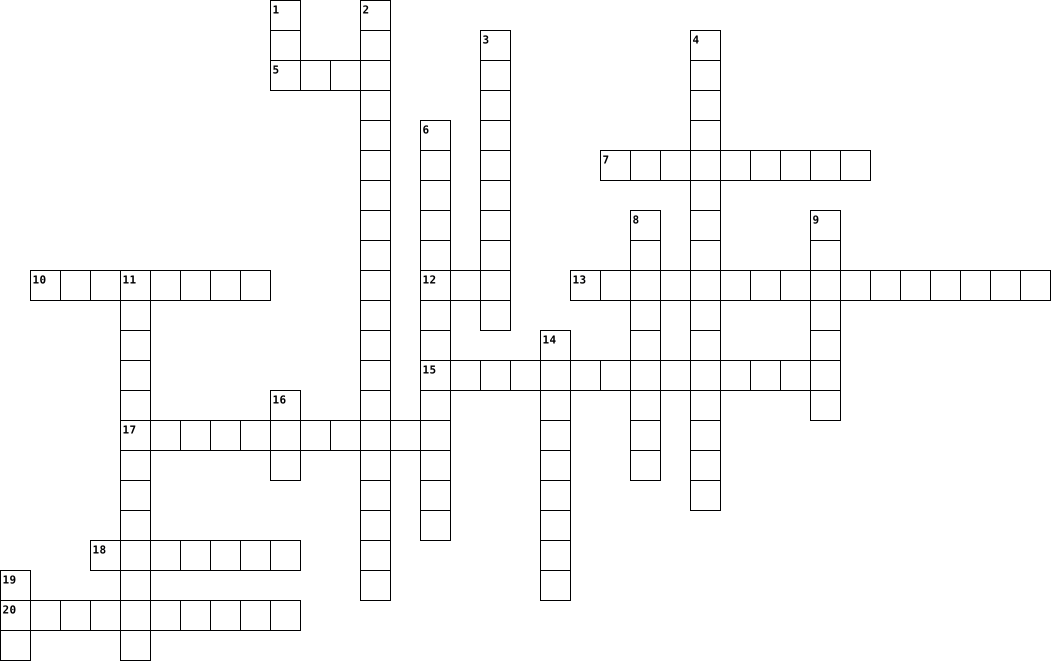
Across
- scans information printed on cheques
- this type of computer is normally found in banks
- allows for all characters types to be capitalized
- a computer related disorder that affects the eyes and neck
- invented by Charles Babbage
- computer's chief memory
- controls the flow of instructions within the cpu
- this is used to activate the numerical keypad on the keyboard
- this is where data is turned into information
Down
- volatile memory
- a type of RSI
- has a storage capacity of 1.44 mb
- stores information for future use
- these are the most popular type of computers
- tells the user how many pages are in the current document in microsoft word
- this device is able to convert hardcopy images and documents into electronic form
- this computer is able to test nuclear weapons
- the first mechanical computer
- non-volatile memory
- brain of the computer
20 Clues: a type of RSI • volatile memory • non-volatile memory • brain of the computer • computer's chief memory • invented by Charles Babbage • the first mechanical computer • has a storage capacity of 1.44 mb • stores information for future use • scans information printed on cheques • these are the most popular type of computers • this computer is able to test nuclear weapons • ...
Theory Study Guide 2026-03-16

Across
- High speed but short term memory
- Smallest switch usually for true false or on and off
- an type of virus that grants Unauthorised computer access
- Sending a Fraudulent Email to make the victim to reveal personal info
- A translation of a coded message
- Acts like a long term memory
- 1000 Gigabytes
- Primary or Secondary storage
- 1B bytes
- A microchip that handles high performance tasks
- Brain of a computer
Down
- Main circuit board in a computer
- the key building blocks of integrated circuits and microchips
- A unique number to every number or letter
- A microchip that handles low performance tasks
- High speed memory contained within the cpu
- A fraudulent act that keeps track of every keystroke the victim has pressed
- Gigahertz(measure the speed of the cpu of a computer)
- Tells the computer operating system on how to operate properly
- run a program
20 Clues: 1B bytes • run a program • 1000 Gigabytes • Brain of a computer • Acts like a long term memory • Primary or Secondary storage • High speed but short term memory • Main circuit board in a computer • A translation of a coded message • A unique number to every number or letter • High speed memory contained within the cpu • A microchip that handles low performance tasks • ...
Com Sci Unit Review 2026-03-16

Across
- One binary digit
- Figures out an instruction
- The "Brain" of the computer
- A trick to get your information by making you click something
- Stores all of the data of your computer
- Controls the flow of power, represented by a 1 or 0
- A chip that connects the CPU to high speed components(RAM, Graphics card)
- Reads what you type to steal your information
- Performs an instruction
- Stores data you currently need
- Makes all calculations using binary numbers
Down
- Reads the data on DVDs, CDs, etc...
- Helps with communication between other components of a computer
- Stores all components of the computer
- Prevents the CPU from overheating
- A set of binary digits
- A way of counting using ones and zeros
- Holding your computer hostage
- Increases the quality of what is shown on the screen
- Retrieves an instruction
20 Clues: One binary digit • A set of binary digits • Performs an instruction • Retrieves an instruction • Figures out an instruction • The "Brain" of the computer • Holding your computer hostage • Stores data you currently need • Prevents the CPU from overheating • Reads the data on DVDs, CDs, etc... • Stores all components of the computer • A way of counting using ones and zeros • ...
FINLAYS HARDWARE CROSSWORD 2019-01-10

Across
- DATA GIVES DATA TO THE COMPUTER LIKE A MOUSE OR A KEYBOARD
- THE MAIN CIRCUIT BOARD OF A COMPUTER
- THE BRAIN OF THE COMPUTER WHERE MOST CALCULATIONS HAPPEN
- A MINI COMPUTER INSIDE A SMALL PHONE
- A TYPE OF PORT THAT LINKS TO THE COMPUTER
- CONTROLS THE CURSOR ON THE SCREEN
- STORES COMPUTER DATA
Down
- A DISPLAY SCREEN
- A CHIP THAT CONTAINS A CPU
- LETS YOU FEED DATA TO THE COMPUTER
- DEVICE DISPLAYS LOUD SPEAKERS
- READS TEXT ON PAPER
- LETS YOU STORE MEMORY IN THE COMPUTER
13 Clues: A DISPLAY SCREEN • READS TEXT ON PAPER • STORES COMPUTER DATA • A CHIP THAT CONTAINS A CPU • DEVICE DISPLAYS LOUD SPEAKERS • CONTROLS THE CURSOR ON THE SCREEN • LETS YOU FEED DATA TO THE COMPUTER • THE MAIN CIRCUIT BOARD OF A COMPUTER • A MINI COMPUTER INSIDE A SMALL PHONE • LETS YOU STORE MEMORY IN THE COMPUTER • A TYPE OF PORT THAT LINKS TO THE COMPUTER • ...
CYBER FEST CROSSWORD 2025-01-23

Across
- Cybercrime that uses fake emails to trick people into people sharing personal information
- Digital currency
- Any type of harmful software designed to damage or disrupt a computer system
- a machine programmed by a computer capable of carrying out actions automatically
- a collection of instructions, data, or computer programs that enable a computer to perform specific tasks
- AI
- Common Gateway Interface
- an intentional act of compromising computer systems
Down
- VR
- Virtual computer world
- Characters used to verify identity
- Act of gaining access to a computer, database or system
- A global computer network
13 Clues: VR • AI • Digital currency • Virtual computer world • Common Gateway Interface • A global computer network • Characters used to verify identity • an intentional act of compromising computer systems • Act of gaining access to a computer, database or system • Any type of harmful software designed to damage or disrupt a computer system • ...
Technolgy Terms 2013-03-11

Across
- In a database record, a category that holds one type of information
- Device or program that enables a computer to transmit data over telephone lines
- Electronic Mail -- The transmission of messages over communications networks
- Also called processor. An electronic device designed to accept data, perform prescribed mathematical and logical operations at high speed, and display the results of these operations
- A picture or symbol that appears on a monitor and is used to represent a command, as a file drawer to represent filing.
- Very strong rope made of strands of metal wire, as used to support cable cars or suspension bridges.
- The programs used to direct the operation of a computer, as well as documentation giving instructions on how to use them
- to set (variables, counters, switches, etc.) to their starting values at the beginning of a program or subprogram
- The basic unit of the composition of an image on a television screen, computer monitor, or similar display
- A device that can read text or illustrations printed on paper and translate the information into a format that the computer can use
- A software tool used to organize data in a row and column format and to perform multiple calculations
- This is a type of computer memory that allows data to be stored and retrieved as required. It is called random access because any part of the memory can be located without having to go through everything that comes before it.
- A digit in the binary number system. It can have two values, 0 or 1. In computer RAM and ROM memory, a bit is a small electrical switch which is either on (value 1) or off (value 0).
- Communicating with people over an electronic device
- The process of transferring software/information from the Internet to your computer
- A unit of computer memory or data storage capacity equal to 1,048,576 (220) bytes. One million bytes.
- A unit of computer memory or data storage capacity equal to 1,024 megabytes (230 bytes). One billion bytes.
- A computerized store (collection) of related information
- A destructive computer program that invades by means of a normal program and damages the computer system
- Compact disc read-only memory; a compact disc used with a computer system as a read-only optical disk
- Movable, sometimes blinking, symbol that indicates the position on a CRT or other type of display where the next character entered from the keyboard will appear, or where user action is needed
- A collection of related, often adjacent items of data, treated as a unit.\
- Hypertext Markup Language -- The language in which World Wide Web documents are written
Down
- Universal Resource Locator- The global address of documents and other resources on the World Wide Web
- A global network connecting millions of computers
- Short for microchip, the incredibly complex yet tiny modules that store computer memory or provide logic circuitry for microprocessors
- The screen that displays the images, files, documents, etc. that the user is using
- A hypertext-based collection of computers on the Internet that allows you to travel from one linked document to another, even if those documents reside on many different servers.
- Flexible plastic disk coated with magnetic material and covered by a protective jacket, used primarily by computers to store data magnetically
- A computer, central processing unit program that translates another program into a form acceptable by the computer being used
- Any device added to the computer
- Central Processing Unit, brain of your computer. It processes everything from basic instructions to complex functions
- A unit of computer memory or data storage capacity equal to 1,024 (210) bytes
- A hardware device that accesses the data stored on a disk, a CD, or a Zip disk
- A unit of measurement used to measure data. One byte contains eight binary bits, or a series of eight zeros and ones
- An inflexible magnetic disk with greater storage capacity than a CD; can be internal to the computer or external
- System of computers interconnected by telephone wires or other means in order to share information
- The mechanical, magnetic, electronic, and electrical devices comprising a computer system, as the CPU, disk drives, keyboard, or screen.
- Unit of a computer that preserves data for retrieval capacity for storing information
- Describes a numbering scheme in which there are only two possible values for each digit: 0 and 1. The term also refers to any digital encoding/decoding system in which there are exactly two possible states.
- A software program that allows the user to find and read encoded documents in a form suitable for display, especially such a program for use on the World Wide Web.
- Is the activity of copying files or databases so that they will be preserved in case of equipment failure or other catastrophe
- A single unit for electrolysis or conversion of chemical into electric energy, usually consisting of a container with electrodes and an electrolyte; a battery
43 Clues: Any device added to the computer • A global network connecting millions of computers • Communicating with people over an electronic device • A computerized store (collection) of related information • In a database record, a category that holds one type of information • A collection of related, often adjacent items of data, treated as a unit.\ • ...
Caden Powell-Crossword-2nd Period 2016-10-24

Across
- junk emails.
- people that try to steal your information.
- central connection for computer in a specific area.
- internet service, includes social media, etc.
- area where you can get work done, usually computers in area.
- programs that run on your computer.
- small negative programs.
- standard and advanced features, allows you to take picture,etc.
- malicious software.
- most common type of internet access.
Down
- how you treat others over the internet.
- the computer and how to communicate electronically.
- programs that make up an operating system for a computer.
- solid state drive.
- computers connected without going through another computer server.
- used network multiple computers together.
- hard disc storage drive.
- uses data from a LAN only allowing certain things to connect to it.
- refers to desktop/laptop computers.
- small size preview.
- wireless access to network.
- medium for transferring data over phone lines.
22 Clues: junk emails. • solid state drive. • small size preview. • malicious software. • hard disc storage drive. • small negative programs. • wireless access to network. • refers to desktop/laptop computers. • programs that run on your computer. • most common type of internet access. • how you treat others over the internet. • used network multiple computers together. • ...
Caden Powell-Crossword-2nd Period 2016-10-24

Across
- junk emails.
- how you treat others over the internet.
- programs that run on your computer.
- uses data from a LAN only allowing certain things to connect to it.
- small negative programs.
- solid state drive.
- wireless access to network.
- people that try to steal your information.
- internet service, includes social media, etc.
- hard disc storage drive.
- small size preview.
- malicious software.
Down
- the computer and how to communicate electronically.
- most common type of internet access.
- refers to desktop/laptop computers.
- computers connected without going through another computer server.
- used network multiple computers together.
- programs that make up an operating system for a computer.
- area where you can get work done, usually computers in area.
- medium for transferring data over phone lines.
- central connection for computer in a specific area.
- standard and advanced features, allows you to take picture,etc.
22 Clues: junk emails. • solid state drive. • small size preview. • malicious software. • small negative programs. • hard disc storage drive. • wireless access to network. • refers to desktop/laptop computers. • programs that run on your computer. • most common type of internet access. • how you treat others over the internet. • used network multiple computers together. • ...
Intro to Computers 2017-09-03

Across
- drive magnetic storage media where user files are stored
- an input device used to capture video images in real time
- port uses radio waves as it signals
- unit computer speed is measured
- access memory long-term memory
- system controls the computer
- the most commonly used programming language
- the measurement for quality of image
- a security device that controls access from the internet to a local area network
- popular programming language used on the internet
- chips store data and instructions for the computer
Down
- memory temporary memory
- the basic unit of storage within a computer
- also referred to as the system board
- port uses infrared light waves
- converts characters, images, and text into digital data
- connection between a computer and a network
- processing unit the computer's brain
- memory that cannot be changed
- the screen that displays the software and data contained within a system
20 Clues: memory temporary memory • system controls the computer • memory that cannot be changed • port uses infrared light waves • unit computer speed is measured • access memory long-term memory • also referred to as the system board • port uses radio waves as it signals • the measurement for quality of image • processing unit the computer's brain • ...
IT Crossword HW 2023-10-15

Across
- means 16
- an electronic device
- a sequence of 1s and 0s
- a single character
- where data is permanently kept on your computer
- 1 trillion bytes
- the value of each digit in a number
- two is the base of the binary numeral system
- numeric codes for the computer
- a running program in a computer
- 1 billion bytes
Down
- also known as decimal
- base-10 number system
- 1 million bytes
- a basic algorithm
- means information
- in which data is stored, processed and transmitted
- information that is encoded for storage in a computing file
- the most basic unit of information in computing
- an error when a program receives a number, value or variable
- 1 thousand bytes
- American Standard Code for Information Interchange
- changing something to another
- a display unit of information like an alphabetic letter
- a basic unit of information in computer storage
25 Clues: means 16 • 1 million bytes • 1 billion bytes • 1 thousand bytes • 1 trillion bytes • a basic algorithm • means information • a single character • an electronic device • also known as decimal • base-10 number system • a sequence of 1s and 0s • changing something to another • numeric codes for the computer • a running program in a computer • the value of each digit in a number • ...
A to Z ICT crossword 2017-06-25

Across
- a type of scripting language
- protects a network or system
- used to type on a computer
- a circuit board in the computer
- devices developed from scientific
- a group of things starting with N
- a computer suitable for use at a desk
- investigate systematically
- video sharing website
- a facility allowing devices to connect to the internet
- quick response
- a key on a keyboard starting with E
Down
- extensible hypertext markup language
- download and play
- a unit of information starting with Z
- the opposite of software
- shortened word is app
- a system of words,letters or figures
- the programs used by a computer
- used to get to places on the internet
- the opposite of output
- controlled or connected to a computer
- universal serial bus
- a thing with electrical energy
- a unit of memory size
- a piece of code that corrupts or destroys data
26 Clues: quick response • download and play • universal serial bus • shortened word is app • video sharing website • a unit of memory size • the opposite of output • the opposite of software • used to type on a computer • investigate systematically • a type of scripting language • protects a network or system • a thing with electrical energy • a circuit board in the computer • ...
Hyseni_Franco_Crossword_Computer_Definition 2015-12-17

Across
- It’s the thing who controls the cursor
- it’s where you write text.
- It’s where
- It’s for print your document paper in your computer.
- It’s a screen that you can control with your hands.
- It’s a web page where you have the main information on a website.
- When you erase something it’s where the file or whatever things goes.
- It’s for loudspeak the sound
- It’s the arrow, that you use for move on your screen
- It’s a byte is a unit of data.
Down
- The wonderful world of unicorns with cat pudding hat.
- KEY You stock data in this
- _
- It’s a computer who you can use it anywhere
- We use it for see what the computer do
- You use it for do things faster on your computer
- It is where you store computer data
- It’s where your mouse is for move easier
- It’s for calculate things.
- It’s a restart
20 Clues: _ • It’s where • It’s a restart • KEY You stock data in this • it’s where you write text. • It’s for calculate things. • It’s for loudspeak the sound • It’s a byte is a unit of data. • It is where you store computer data • It’s the thing who controls the cursor • We use it for see what the computer do • It’s where your mouse is for move easier • ...
Machine Learning and Artificial intelligence 2024-03-08

Across
- providing a computer with a set of instructions in order for the computer to do the task automatically
- an organized collection of data
- the response of inputting information into a computer
- this data is data that describes data
- a set of rules that a computer must follow
- arrange data or matter in a specific order
- a physical system that can perform actions
- the application of scientific knowledge
- the process of making choices
- a visual representation of data
Down
- the process of removing unwanted data or matter.
- a repeated arrangement
- the process of considering and reasoning about something
- when you agree with an opinion that provides an unfair advantage for that opinion.
- removing matter from another matter
- the examination of data
- gain knowledge on a topic
- direct or influence a persons actions
- A lot of statistics brought together for analysis
- information fed into a computer
20 Clues: a repeated arrangement • the examination of data • gain knowledge on a topic • the process of making choices • an organized collection of data • information fed into a computer • a visual representation of data • removing matter from another matter • this data is data that describes data • direct or influence a persons actions • the application of scientific knowledge • ...
IT 2023-04-26

Across
- Software that manages computer hardware and software resources.
- A device that lets you input text.
- Malicious software.
- A device that lets you record videos.
- A personal computer.
- Creating computer code.
- A type of program that you can use and edit for free.
- Global computer network.
- A device that stores electrical power.
- A program that translates high level code to machine code.
- A device that plays sounds.
- Simulated human intelligence.
- Unit of digital information that consists of eight bits.
Down
- What does SSD stand for?
- An organized collection of data stored and accessed electronically.
- A device that lets you record sound.
- A place that you can go to when you have a problem with your computer.
- A network security system that monitors and controls network traffic.
- A fatal software error.
- Out of order or unusable.
20 Clues: Malicious software. • A personal computer. • Creating computer code. • A fatal software error. • What does SSD stand for? • Global computer network. • Out of order or unusable. • A device that plays sounds. • Simulated human intelligence. • A device that lets you input text. • A device that lets you record sound. • A device that lets you record videos. • ...
Intro to CS CHP. 1 Crossword 2023-01-10

Across
- the brains of a computer
- HyperText Markup Language
- physical components of a computer
- manages the CPU's operation
- separate chips communicating to the CPU low speed but less expensive
- a collection of programs that control the CPU, memory, and IO devices
- rules that define how pages are formatted
- the heart of the computer
- referred to as a personal computer
Down
- built into the CPU for high speed data access
- programs that run on the computer
- secondary memory
- a collection of 8 bits
- the software of the internet that interlinks resources
- the cache and RAM combined aka the primary memory
- physical wires connecting the entire world digitally
- separate work spaces that can be active at the same time
- the representation of a connection to another page or resource
- a collection of files that are organized together
- electronic components wired together to control the flow of electronic signals
20 Clues: secondary memory • a collection of 8 bits • the brains of a computer • HyperText Markup Language • the heart of the computer • manages the CPU's operation • programs that run on the computer • physical components of a computer • referred to as a personal computer • rules that define how pages are formatted • built into the CPU for high speed data access • ...
I.C.T. Crossword Revision 2025-05-16

Across
- Brain of a computer, processes data
- Display that responds to touch
- Harmful software
- Physical parts of a computer
- Writing instructions for systems
- Identification using physical traits
- Temporary memory for running programs
- Extended network for external access
- Data entered into a computer
- Malware disguised as something useful
- Main circuit board of a computer
Down
- Permanent memory storing essential instructions
- Testing a system before full launch
- Software that records keystrokes
- Command Line Interface for typing commands
- system/AI-based system that mimics human expertise
- Online communication manners
- Private network within an organization
- Online storage and computing services
- Program that spreads and disrupts systems
- Legal protection for creators' works
- Printer that uses tiny dots to print
- Groups of people receiving information
- Programs that run on computers
- Data produced by a computer
25 Clues: Harmful software • Data produced by a computer • Online communication manners • Physical parts of a computer • Data entered into a computer • Display that responds to touch • Programs that run on computers • Software that records keystrokes • Writing instructions for systems • Main circuit board of a computer • Brain of a computer, processes data • ...
Students basic computer systems KS3 by karme 2026-05-18

Across
- data or media a computer or device produces
- the physical or digital retention of objects
- electronic machine
- A group of parts working together as a whole.
- any auxiliary hardware added to a computer
- the fundamental unit of digital information
- how something works
- a digital or virtual form of currency
- the physical, touchable parts of a system
Down
- A set of instructions that a computer follows.
- it has a wiggly tail
- An input device used to type text and commands.
- Pathways that allow electricity to flow through components.
- quantity The amount of data, measured in bits and bytes.
- used to describe a mechanism
- a wire
- is a base-2 number system
- a labelled list where you use custom labels
- this are full number
- gates Electronic switches that make binary decisions
- enter(data or a program into a computer
21 Clues: a wire • electronic machine • how something works • it has a wiggly tail • this are full number • is a base-2 number system • used to describe a mechanism • a digital or virtual form of currency • enter(data or a program into a computer • the physical, touchable parts of a system • any auxiliary hardware added to a computer • data or media a computer or device produces • ...
Computer Terms # 1 2014-03-21

Across
- - to move the mouse while its button is being depressed.
- - first thing you see in your computer.
- - The pointer, usually arrow or cross shaped, which is controlled by the mouse.
- - an acronym for Compact Disc Read-Only Memory.
- - to transfer data from one computer to another. (If you are on the receiving end, you are downloading. If you are on the sending end, you are uploading ).
- Drive - Stores Data (information) a way to move more data from one computer to another it is a portable drive.
- - to start up a computer.
- - the Central Processing Unit. The processing chip that is the "brains" of a computer.
- - the smallest piece of information used by the computer. Derived from "binary digit". In computer language, either a one (1) or a zero (0).
- - When Computers are connected with wires, cables, or satellites that provide wireless connection to share information & data. The Internet is a global word that is uppercase all the time a proper noun.
- - the generic word for an application, document, control panel or other computer data.
Down
- drive - the machinery that writes the data from a disk and/or writes data to a disk.
- - a file you create, as opposed to the application which created it.
- - Electronic device for storing and processing data.
- - Is another word for Information. Data (Information) can be text and/or numbers, examples of data: names, dates, places, addresses, phone numbers.
- - is a collection of data or information.
- - an electronic subdirectory which contains files.
- - a typeface that contains the characters of an alphabet or some other letterforms.
- box - an on-screen message box that appears when the Mac requires additional information before completing a command.
19 Clues: - to start up a computer. • - first thing you see in your computer. • - is a collection of data or information. • - an acronym for Compact Disc Read-Only Memory. • - an electronic subdirectory which contains files. • - Electronic device for storing and processing data. • - to move the mouse while its button is being depressed. • ...
Lily Peterson VIRUS 2019-11-05

Across
- distributed denial of service
- software that is specifically designed to disrupt, damage, or gain unauthorized access to a computer system
- a set of changes to a computer program or its supporting data designed to update, fix, or improve it.
- The transmission (spreading) of signals from one place to another
- an infective agent that typically consists of a nucleic acid molecule in a protein coat, is too small to be seen by light microscopy, and is able to multiply only within the living cells of a host.
- a group of eight bits, which is called a byte
- the fraudulent practice of sending emails purporting to be from reputable companies in order to induce individuals to reveal personal information, such as passwords and credit card number
- the programs and other operating information used by a computer
- when someone clicks website to website
- a standalone malware computer program that replicates itself in order to spread to other computers
Down
- software that enables a user to obtain covert information about another's computer activities by transmitting data covertly from their hard drive
- software or a computer system is generally an undocumented portal that allows an administrator to enter the system to troubleshoot or do upkeep
- an interruption in an authorized user's access to a computer network, typically one caused with malicious intent.
- any set of processing elements that move data from one system to another, possibly transforming the data along the way.
- messages distributed by electronic means from one computer user to one or more recipients via a network.
- any malware which misleads users of its true intent
- a group of binary digits or bits (usually eight) operated on as a unit
- Structured Query Language
- defect imperfect
19 Clues: defect imperfect • Structured Query Language • distributed denial of service • when someone clicks website to website • a group of eight bits, which is called a byte • any malware which misleads users of its true intent • the programs and other operating information used by a computer • The transmission (spreading) of signals from one place to another • ...
technology 2023-06-07
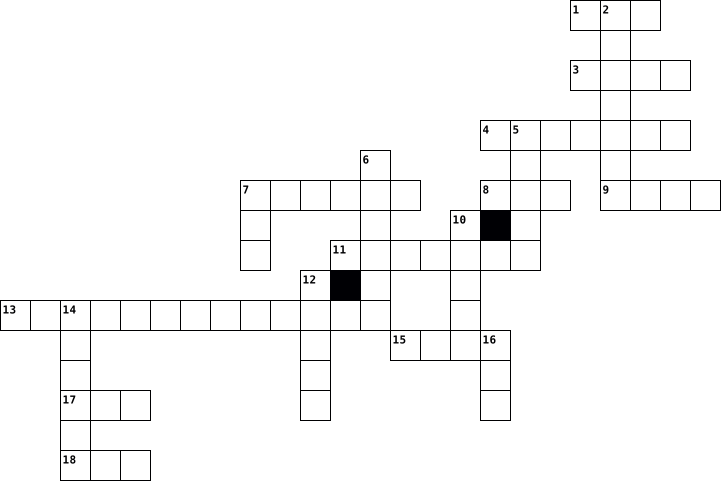
Across
- is a form of computer memory that can be read and changed in any order
- s a proprietary audio/video interface for transmitting uncompressed video data and compressed or uncompressed digital audio data from an HDMI-compliant source device
- is a method of representing data in a visual, machine-readable form. Initially
- are small blocks of data created by a web server while a user is browsing a website and placed on the user's computer
- is a coding format for digital audio developed largely by the Fraunhofer Society in Germany under the lead of Karlheinz Brandenburg
- s a collection of discrete values that convey information, describing the quantity, quality, fact, statistics, other basic units of meaning
- is any software intentionally designed to cause disruption to a computer, server, client, or computer network
- is the protection of computer systems and networks from attack by malicious actors that may result in unauthorized information disclosure, theft of,
- is a commonly used method of lossy compression for digital images
- is a digital multimedia container format most commonly used to store video and audio
- is a file format developed by Adobe in 1992 to present documents
Down
- is a mobile operating system
- is an American multinational technology company
- A binary code represents text, computer processor instructions
- is the most important processor in a given computer
- is a hardware or software component that stores data so that future requests for that data can be served faster
- is a type of computer program that, when executed
- is a mapping from some domain for example, a range of integers
- is a bitmap image format that was developed by a team at the online services provider CompuServe led by American computer scientist Steve Wilhite and released on June 15, 1987.
19 Clues: is a mobile operating system • is an American multinational technology company • is a type of computer program that, when executed • is the most important processor in a given computer • A binary code represents text, computer processor instructions • is a mapping from some domain for example, a range of integers • ...
Crossword for Retro 2023-04-26

Across
- A list of steps to finish a task. A set of instructions that can be performed with or without a computer. For example, the collection of steps to make a peanut butter and jelly sandwich is an ...
- Computers that exist only to provide things to others.
- A collection of instructions (algorithms) that performs a specific task when executed by a computer.
- A number or string (or other things to be named later) that can be stored in a variable or computed in an expression.
- A small device that is connected to a computer that you move with your hand to help you click on items on the computer screen.
- A methodical process of finding a reducing the number of defects in a computer program.
- An action that causes something to happen.
- A computer language that only consists of 1's and 0's.
- An error in a software program.
- Information.
Down
- Break a problem down into smaller pieces.
- A group of files or documents that are stored together by a title on your computer.
- A name that refers to a value. Stores a piece of data, and gives it a specific name.
- A data type that has two possible values: 'true' and 'false'.
- A wireless method of sending information using radio waves.
- A programming language construction that allows the programmer to instruct the computer to perform an instruction or set of instructions over and over again.
- A relatively easy-to-remember address for calling a web page (like www.code.org).
- Information in a program that is meant for other programmers (or anyone reading the source code) and has no effect on the execution of the program.
- The set of keys that are used to type words on a computer or typewriter.
19 Clues: Information. • An error in a software program. • Break a problem down into smaller pieces. • An action that causes something to happen. • Computers that exist only to provide things to others. • A computer language that only consists of 1's and 0's. • A wireless method of sending information using radio waves. • ...
Computer Terms # 1 2014-03-21

Across
- - the Central Processing Unit. The processing chip that is the "brains" of a computer.
- - an electronic subdirectory which contains files.
- - Is another word for Information. Data (Information) can be text and/or numbers, examples of data: names, dates, places, addresses, phone numbers.
- - a file you create, as opposed to the application which created it.
- - Electronic device for storing and processing data.
- - the smallest piece of information used by the computer. Derived from "binary digit". In computer language, either a one (1) or a zero (0).
- - a typeface that contains the characters of an alphabet or some other letterforms.
- box - an on-screen message box that appears when the Mac requires additional information before completing a command.
- - is a collection of data or information.
- - an acronym for Compact Disc Read-Only Memory.
Down
- - the generic word for an application, document, control panel or other computer data.
- - The pointer, usually arrow or cross shaped, which is controlled by the mouse.
- - When Computers are connected with wires, cables, or satellites that provide wireless connection to share information & data. The Internet is a global word that is uppercase all the time a proper noun.
- - to move the mouse while its button is being depressed.
- Drive - Stores Data (information) a way to move more data from one computer to another it is a portable drive.
- - to transfer data from one computer to another. (If you are on the receiving end, you are downloading. If you are on the sending end, you are uploading ).
- - to start up a computer.
- - first thing you see in your computer.
- drive - the machinery that writes the data from a disk and/or writes data to a disk.
19 Clues: - to start up a computer. • - first thing you see in your computer. • - is a collection of data or information. • - an acronym for Compact Disc Read-Only Memory. • - an electronic subdirectory which contains files. • - Electronic device for storing and processing data. • - to move the mouse while its button is being depressed. • ...
Parts of a Computer 2025-11-07

Across
- A part that connects the computer to the internet or a network.
- A small program that starts the computer and checks if everything is working before the main system loads.
- A cable connection used for fast and stable internet or network access.
- The main memory (likeRandom Access memory) that holds data while the computer is running.
- Thin glass cables that carry internet data as light, making the internet very fast.
- A newer version of BIOS (basic input output system) that helps start the computer faster and supports bigger hard drives.
Down
- Very fast memory that helps the CPU (central processing unit) work faster by storing commonly used data.
- A storage device that saves all your files using spinning disks; slope than SSDs.
- The outer box that holds all the computer parts together and protects them.
- A fast storage device with no moving parts; it loads data and programs quickly.
- storage that the computer uses to quickly access information while it’s working.
- Long term storage for files, like hard drive or SSD (Solid State drive).
- Bus) A common port used to connect devices like flash drives, keyboards, and phones to a computer.
- The brain of the computer that does all the thinking and calculations.
- A wireless connection used to connect devices like headphones or keyboards.
- Storage you can easily take out or carry, like a USB (universal serial bus) flash drive or memory ca
- A part that creates the images, videos, and animations you see on the screen.
- Unit The brain of the graphics card that handles visual work and helps with gaming or video editing.
- The main circuit board that connects all the computer parts so they can work together.
19 Clues: A part that connects the computer to the internet or a network. • The brain of the computer that does all the thinking and calculations. • A cable connection used for fast and stable internet or network access. • Long term storage for files, like hard drive or SSD (Solid State drive). • ...
Sam's Crossword of Great Awesomeness (Computer Stuff) 2015-11-15

Across
- goes on top of parts that get hot like CPU
- has two processors
- high speed memory
- instructions being split up for different processors to handle
- store binary (zeroes & ones)
- most crucial part of the computer, holds North & South Bridge, CPU
- thin layers of copper or aluminum foil
- computer refers to data as ones and zeroes
Down
- has four processors
- Northbridge and Southbridge together
- forms interface between CPU, main memory, and other sockets
- Brain of the Computer
- how fast instructions are executed
- Where calculations occur
- defines how a computer sees numbers
- controls input/output functions
- manages components of the computer
17 Clues: high speed memory • has two processors • has four processors • Brain of the Computer • Where calculations occur • store binary (zeroes & ones) • controls input/output functions • how fast instructions are executed • manages components of the computer • defines how a computer sees numbers • Northbridge and Southbridge together • thin layers of copper or aluminum foil • ...
Computer Vocabulary - Mayra Lopez 2017-06-02

Across
- - Executable software that runs on a computer. Also known as an
- touch typing.
- - Messages sent electronically over a computer network.
- - A programmable electronic device for storing and processing data.
- input device for a computer.
- computer screen to a new location.
Down
- - Lines of computer code written by programmers that tell the computer
- and drop - Using a cursor and mouse to select and then move an object on
- - A hand operated pointer device that, along with a keyboard, serves as a
- - A board made of keys which, along with a mouse, serves as a primary
- to do. Also known as a program or application.
- bar - The horizontal strip that contains lists of available menus for a certain
- - A collection of webpages.
- device for a computer
- row - The keys to which the four fingers of each hand should return as a base
15 Clues: touch typing. • device for a computer • - A collection of webpages. • input device for a computer. • computer screen to a new location. • to do. Also known as a program or application. • - Messages sent electronically over a computer network. • - Executable software that runs on a computer. Also known as an • ...
Computer Networks 2023-05-18

Across
- A cyber attack that makes a computer and its resources unavailable.
- Only authorized persons can modify the data and information on the computer.
- A malicious piece of computer programs that pretends to be legitimate.
- A device that connects your computer to the internet
- A cyber attack where someone pretends to be someone else to steal information.
- A device used to connect multiple computer network devices.
- A device that connects different computer networks together
- Persons can access the computer whenever they want and from any location.
Down
- A malicious piece of computer software.
- The transmission of data between computers
- Only authorized persons have access to sensitive data and information.
- A Company that provides internet.
- A type of virus that spreads through email.
- A device that boost a wireless signal.
- A malicious piece of software that steals information with your knowledge.
15 Clues: A Company that provides internet. • A device that boost a wireless signal. • A malicious piece of computer software. • The transmission of data between computers • A type of virus that spreads through email. • A device that connects your computer to the internet • A device used to connect multiple computer network devices. • ...