
hardware and software Crossword Puzzles
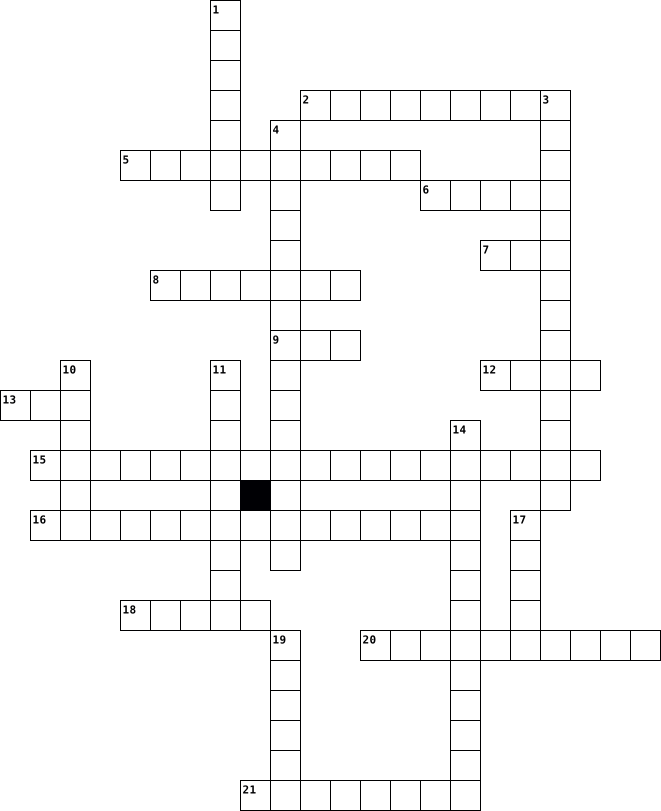
Core 1 2025-05-13

Across
- Allows smartphones to make payments via proximity.
- The startup process that checks system hardware
- Device that digitizes printed documents.
- Software that runs virtual machines.
- Special IP address used for testing your own machine.
- Combines multiple disks for redundancy or speed.
- Short-range wireless communication protocol.
- Converts names like google.com into IP addresses.
- Device used to extend a computer display to a wall or screen.
- Software permanently programmed into hardware devices.
- Form factor common in compact desktops.
- High-speed I/O port, common on Macs.
Down
- Encrypts your internet traffic and masks your IP.
- Smartwatch feature that tracks heart rate and steps
- Cloud model for services like Google Docs.
- High-speed storage interface that uses PCIe.
- Smallest replaceable component in a smartphone.
- Files stored online instead of locally.
- Port for connecting printers, mice, and keyboards.
- Type of cloud service that provides virtual machines.
- Common cause of overheating in laptops.
- Carries both video and audio signals digitally.
- Converts AC power to DC inside a PC.
- Common interface for connecting hard drives and optical drives.
- Device to test power supply voltage.
- Device that joins multiple networks together.
- Type of storage with no moving parts.
27 Clues: Software that runs virtual machines. • Converts AC power to DC inside a PC. • Device to test power supply voltage. • High-speed I/O port, common on Macs. • Type of storage with no moving parts. • Files stored online instead of locally. • Common cause of overheating in laptops. • Form factor common in compact desktops. • Device that digitizes printed documents. • ...
Computer Science Vocabulary 2026-02-26

Across
- A way to give information to a computer.
- Non-physical component of a computer system, often interpreting hardware inputs or instructing hardware how to function.
- A list of step-by-step instructions. All programs are based on this.
- A non-decimal number for the computer to interpret.
- Computer ___________: a group of computers that are communicating.
- The field of computer science involved with protecting data and access to data.
- A list of characters for the computer to interpret. Must be in quotes.
- A simple programming language represented in zeroes and ones.
Down
- Any tangible, physical component of a computer system.
- A function that displays characters for the user to see.
- The programming language we code with.
- A way to get information out of a computer.
- A collection of pre-written code that programmers can reuse.
- In computer science, a (often) large piece of hardware designed to store, manage, and deliver data.
- An instruction for the computer in a program.
- The basic way to start a "conditional statement".
- An equation you can use to do "quick math" or calculations in a spreadsheet. Often starts with "=".
- An error in a program that prevents the program from running as expected.
18 Clues: The programming language we code with. • A way to give information to a computer. • A way to get information out of a computer. • An instruction for the computer in a program. • The basic way to start a "conditional statement". • A non-decimal number for the computer to interpret. • Any tangible, physical component of a computer system. • ...
Conceptos de Informática 2023-06-12

Across
- Conjunto de pasos ordenados que resuelve un problema o realiza una tarea específica.
- Prácticas y medidas para proteger sistemas, redes y datos de amenazas digitales.
- Proceso de crear instrucciones precisas para que una computadora las ejecute.
- Conjunto de programas y aplicaciones que se ejecutan en una computadora.
- Red global de computadoras que permite la comunicación y el intercambio de datos a nivel mundial.
- Conexión de computadoras y otros dispositivos para compartir información y recursos.
- Creación de entornos virtuales de hardware, software o sistemas operativos.
Down
- Unidad de hardware que ejecuta instrucciones y realiza cálculos en una computadora.
- Aplicación para acceder y visualizar páginas web en Internet.
- Dispositivos externos conectados a una computadora, como teclado, mouse y impresora.
- Memoria de acceso aleatorio que almacena temporalmente datos y programas en uso.
- Los componentes físicos de una computadora, como la CPU, la memoria, el disco duro y los periféricos.
- Medios utilizados para guardar datos, como discos duros, unidades flash y servicios en la nube.
- operativo: Software que administra los recursos de una computadora y proporciona una interfaz para interactuar con ella.
14 Clues: Aplicación para acceder y visualizar páginas web en Internet. • Conjunto de programas y aplicaciones que se ejecutan en una computadora. • Creación de entornos virtuales de hardware, software o sistemas operativos. • Proceso de crear instrucciones precisas para que una computadora las ejecute. • ...
s 2023-01-16

Across
- the physical elements of a computer
- pays to access services
- what kind of class do schools have?
- free software
- an old technology
- the most widely used operating system for personal computers from Microsoft
- refers to protecting the completeness and accuracy of data.
Down
- saves data and offers it to clients
- refers to moving data between different locations.
- server that attributes names to network addresses
- thing that filters incoming data
- what is the smallest unit of memory storage in a computer?
- png,pfd, jpg are ...
- to quit all applications and turn off the computer.
- paid software
- what does patches fix?
16 Clues: free software • paid software • an old technology • png,pfd, jpg are ... • what does patches fix? • pays to access services • thing that filters incoming data • saves data and offers it to clients • the physical elements of a computer • what kind of class do schools have? • server that attributes names to network addresses • refers to moving data between different locations. • ...
CROSSWORD - CIMPUTER TECHNOLOGIES 2025-05-01

Across
- This is computer input
- This term is when data is going out from computer
- This is composed of hardware and software
- Physical machinery that makes a computer system
Down
- This is an example of of output
- This term has to do with entering the data to
- Central Processing Unit
- Commands that instruct the computer to perform
8 Clues: This is computer input • Central Processing Unit • This is an example of of output • This is composed of hardware and software • This term has to do with entering the data to • Commands that instruct the computer to perform • Physical machinery that makes a computer system • This term is when data is going out from computer
อักษรไขว้ศัพท์คอมพิวเตอร์ 2023-12-25

Across
- หน่วยประมวลผลกลาง
- การส่งออกของข้อมูลจะปรากฏบนจอภาพ
- อุปกรณ์ที่ทำหน้าที่ในการจ่ายกระแสไฟฟ้า
- อุปกรณ์ที่ใช้ในการเก็บข้อมูลหรือโปรแกรมต่างๆ ของคอมพิวเตอร์
- แผ่นวงจรไฟฟ้าแผ่นใหญ่ที่รวมเอาชิ้นส่วนอิเล็กทรอนิกส์ที่สำคัญๆมาไว้ด้วยกัน
- โครงหรือกล่องสำหรับประกอบอุปกรณ์ต่างๆของคอมพิวเตอร์ไว้ภายใน
Down
- อุปกรณ์ที่ส่งออกข้อมูลในรูปของการพิมพ์หมึกลงบนกระดาษ
- ช่วยในการบ่งชี้ตำแหน่งว่าขณะนี้กำลังอยู่ ณ จุดใดบนจอภาพ
- ชุดคำสั่งซึ่งทำหน้าที่ควบคุมสั่งให้ฮาร์ดแวร์ทำงาน
- อุปกรณ์ในการรับข้อมูลที่สำคัญที่สุด
- อุปกรณ์ที่สามารถจับต้องได้
- หน่วยความจำหลัก
12 Clues: หน่วยความจำหลัก • หน่วยประมวลผลกลาง • อุปกรณ์ที่สามารถจับต้องได้ • การส่งออกของข้อมูลจะปรากฏบนจอภาพ • อุปกรณ์ในการรับข้อมูลที่สำคัญที่สุด • อุปกรณ์ที่ทำหน้าที่ในการจ่ายกระแสไฟฟ้า • ชุดคำสั่งซึ่งทำหน้าที่ควบคุมสั่งให้ฮาร์ดแวร์ทำงาน • อุปกรณ์ที่ส่งออกข้อมูลในรูปของการพิมพ์หมึกลงบนกระดาษ • ช่วยในการบ่งชี้ตำแหน่งว่าขณะนี้กำลังอยู่ ณ จุดใดบนจอภาพ • ...
Computers Crossword Words and Clues 2025-01-12

Across
- Firmware that initializes hardware at startup.
- A component for rendering graphics.
- A universal interface for connecting devices.
- A small, fast memory for frequently used data.
- A global network of computers.
- The process of securing data by converting it into code.
- A type of volatile memory for temporary data storage.
- A malicious program that disrupts computer operation.
- A faster alternative to hard drives for storage.
- The smallest unit of a digital image.
- A device forwarding data between networks.
- The main circuit board of a computer.
- A group of connected computers for sharing resources.
Down
- The clarity or sharpness of a digital image or display.
- A security system to protect networks from unauthorized access.
- Software managing hardware and software resources.
- A display device for viewing output.
- An input device with keys for typing.
- The smallest unit of data in a computer.
- A storage device for digital data.
- A unit of digital data, 8 bits.
- The brain of the computer.
- A type of non-volatile memory storing firmware.
- Remote servers storing data and applications.
- A pointing device for computer navigation.
25 Clues: The brain of the computer. • A global network of computers. • A unit of digital data, 8 bits. • A storage device for digital data. • A component for rendering graphics. • A display device for viewing output. • An input device with keys for typing. • The smallest unit of a digital image. • The main circuit board of a computer. • The smallest unit of data in a computer. • ...
Crossword 2024-05-08

Across
- any place
- big building for planes
- nothing on head
- fright
- theme park
- not giving attention
- any place
- lots of attention
- computer program
- equipment and tools
- fix
- needed to breath in the body
Down
- as a result
- sat in and can be pushed
- flown by a pilot
- nothing on feet
- give great attention
- belongs to them
- great sorrow
- steps up
- cuts hair
- not found here
- able to wear
- put on body
- magical creature with wings
25 Clues: fix • fright • steps up • any place • cuts hair • any place • theme park • as a result • put on body • great sorrow • able to wear • not found here • nothing on feet • belongs to them • nothing on head • flown by a pilot • computer program • lots of attention • equipment and tools • give great attention • not giving attention • big building for planes • sat in and can be pushed • magical creature with wings • ...
Crossword Alberto 2026-05-07

Across
- An organized collection of structured data
- Programs and operating information used by a computer
- A step-by-step set of instructions to solve a problem
- A system that provides data or services to other computers
- A group of two or more interconnected computers
- The smallest unit of a digital image
- Servers accessed over the internet for storage
Down
- Software application used to access the internet
- Malicious software designed to cause harm
- The physical components of a computer system
- Primary input device with letters and numbers
- Network security system to block unauthorized access
12 Clues: The smallest unit of a digital image • Malicious software designed to cause harm • An organized collection of structured data • The physical components of a computer system • Primary input device with letters and numbers • Servers accessed over the internet for storage • A group of two or more interconnected computers • Software application used to access the internet • ...
Aquí tienes el crucigrama organizado con 6 palabras en horizontal y 6 en vertical, incluyendo la pista y la respuesta para cada una: Pistas Horizontales PROCESADOR: Es el cerebro de la computadora que ejecuta las instrucciones de los programas. MONITOR: D 2026-04-27

Across
- Sistema operativo creado por Microsoft, el más utilizado en computadoras personales.
- tienes el crucigrama organizado con 6 palabras en horizontal y 6 en vertical, incluyendo la pista y la respuesta para cada una:
- Horizontales
- La placa principal donde se conectan físicamente todos los componentes del hardware.
- Conjunto de aplicaciones de software para oficina, como Word, Excel y PowerPoint.
- Es el cerebro de la computadora que ejecuta las instrucciones de los programas.
Down
- Dispositivos que permiten la salida de audio y música desde el equipo.
- Software que permite al sistema operativo comunicarse correctamente con el hardware.
- OPERATIVO: El software principal que gestiona los recursos de la computadora y otros programas.
- SSD: Tipo de almacenamiento moderno que guarda archivos de forma permanente y muy veloz.
- Lenguaje que se utiliza específicamente para crear la estructura de las páginas web.
- RAM: Almacenamiento temporal y rápido que el equipo usa mientras los programas están abiertos.
- Componente de hardware que ayuda a enfriar las piezas internas para evitar que se quemen.
- Dispositivo de salida que muestra de forma visual la información al usuario.
- Verticales
15 Clues: Verticales • Horizontales • Dispositivos que permiten la salida de audio y música desde el equipo. • Dispositivo de salida que muestra de forma visual la información al usuario. • Es el cerebro de la computadora que ejecuta las instrucciones de los programas. • Conjunto de aplicaciones de software para oficina, como Word, Excel y PowerPoint. • ...
TTS Informatika XD 2023-11-23

Across
- Apa singkatan dari Central Processing Unit?
- Jaringan komputer berkabel maupun nirkabel yang menghubungkan komputer dengan perangkat lainnya dalam area terbatas seperti tempat tinggal, sekolah, laboratorium, kampus universitas, atau gedung kantor adalah
- Apa nama lain dari internet?
- Identitas sebuah komputer dalam jaringan komputer adalah
- Sebutkan 1 perangkat keras yang digunakan untuk mengakses internet
- Jenis Komputer yang ukurannya paling kecil adalah
- Jenis jaringan yang berdasarkan jangkauan yang areanya relative kecil seperti perkantoran ,gedung disebut apa?
- Jangkauan WAN yang paling luas adalah sekitar?
- Jaringan yang hanya mencakup wilayah lokal disebut?
Down
- Unit pemrosesan utama pada komputer disebut
- Sebutkan perangkat yang bekerja layaknya seperti Komputer!
- Salah satu perangkat lunak (software) komputer adalah
- Sebutkan satu jenis jaringan internet
- Jaringan yang mencakup area luas disebut?
- Sebutkan satu contoh dari ISP
- Kebalikan dari input adalah
- Salah satu jaringan yang lebih baik daripada GPRS adalah
- Apa kepanjangan dari Internet?
- Sebutkan salah satu perangkat keras (hardware) komputer?
- Sebutan lain dari IP Address adalah
- Seseorang yang mengendalikan fungsi hardware dan fungsi software.
- tahun berapakah mulai munculnya Internet Service Provider (ISP) komersial pertama di Indonesia?
22 Clues: Kebalikan dari input adalah • Apa nama lain dari internet? • Sebutkan satu contoh dari ISP • Apa kepanjangan dari Internet? • Sebutan lain dari IP Address adalah • Sebutkan satu jenis jaringan internet • Jaringan yang mencakup area luas disebut? • Unit pemrosesan utama pada komputer disebut • Apa singkatan dari Central Processing Unit? • ...
CS10 Terms Review 2026-03-06

Across
- A metal component that prevents the computer from overheating.
- The part of the CPU that acts like a traffic cop, directing the flow of data and instructions.
- Short-term working memory.
- Software designed to perform a specific task for you
- The computer's main storage device that storeinfo permanently.
- A microscopic switch inside the cpu that controls the flow of electricity.
- Software that manages a computer's hardware and allows other programs to run
- Programs to harm your device
Down
- Basic unit of digital data that consists of eight bits
- Tiny, ultra-fast storage locations directly inside the CPU used to hold data being processed right at that moment.
- Malware disguised as a legitimate/safe program to trick you into downloading + opening it.
- _____-decode-execute-cycle
- the brain of a personal computer
- Cyber scam fake emails/links are sent to trick you into revealing your passwords/info.
- ____ logic unit
- Hardware that generates and renders the images, videos, and games displayed on your screen.
- A measure of digital storage capacity that is equal to roughly one billion bytes of data.
- Malware that secretly records every key you press to steal passwords and sensitive data.
18 Clues: ____ logic unit • _____-decode-execute-cycle • Short-term working memory. • Programs to harm your device • the brain of a personal computer • Software designed to perform a specific task for you • Basic unit of digital data that consists of eight bits • A metal component that prevents the computer from overheating. • ...
sistem komputer 2024-10-10

Across
- bagian terpenting dalam komputer
- perangkat lunak disebut juga
- program yang menjalani fungsi khusus disebut software apa
- perangkat keras disebut juga
- manusia yg menggunakan komputer disebut
Down
- sistem yang berfungsi mengatur hardware dan software lainnya
- perangkat input yang memasukkan data berupa gambar
- perangkat komputer yang menampilkan suara
8 Clues: perangkat lunak disebut juga • perangkat keras disebut juga • bagian terpenting dalam komputer • manusia yg menggunakan komputer disebut • perangkat komputer yang menampilkan suara • perangkat input yang memasukkan data berupa gambar • program yang menjalani fungsi khusus disebut software apa • sistem yang berfungsi mengatur hardware dan software lainnya
sistem komputer 2024-10-10

Across
- bagian terpenting dalam komputer
- perangkat lunak disebut juga
- program yang menjalani fungsi khusus disebut software apa
- perangkat keras disebut juga
- manusia yg menggunakan komputer disebut
Down
- sistem yang berfungsi mengatur hardware dan software lainnya
- perangkat input yang memasukkan data berupa gambar
- perangkat komputer yang menampilkan suara
8 Clues: perangkat lunak disebut juga • perangkat keras disebut juga • bagian terpenting dalam komputer • manusia yg menggunakan komputer disebut • perangkat komputer yang menampilkan suara • perangkat input yang memasukkan data berupa gambar • program yang menjalani fungsi khusus disebut software apa • sistem yang berfungsi mengatur hardware dan software lainnya
Vocabulario Técnico 2025-03-13

Across
- Base de datos
- Cuenta
- condicional
- iniciar sesión
- bucle
- archivo
- Parte lógica de la computadora
- navegador
- sitio web
Down
- encriptación
- algoritmo
- conector
- cerrar sesión
- servidor
- Parte física de la computadora
15 Clues: bucle • Cuenta • archivo • conector • servidor • algoritmo • navegador • sitio web • condicional • encriptación • Base de datos • cerrar sesión • iniciar sesión • Parte lógica de la computadora • Parte física de la computadora
3.1 Vocab Choice Board Activity 2026-02-16

Across
- Peripheral, Anything that connects to a computer externally
- physical parts
- Address, numerical label assigned to every device connected to a computer network or the internet
- Serial Bus, used to connect peripheral devices like mice, keyboards, and printers to computers
- of Things, a network of devices and other physical things that allows them to collect and share data
- circuit board that communicates between components
Down
- does things, very low data storage, the brain of the computer, everything in the computer goes through this
- system, the main software that manages a computer's hardware and software
- data/ files storage, small storage space, and fast access
- network of computers connected by cables, satellites, and wireless technology
- computers that provide services to other devices
- high-speed data storage device for computers that uses flash memory
- Drive, where all of your data is stored, large storage space, and slow access
13 Clues: physical parts • computers that provide services to other devices • circuit board that communicates between components • data/ files storage, small storage space, and fast access • Peripheral, Anything that connects to a computer externally • high-speed data storage device for computers that uses flash memory • ...
Crucigrama 2024-10-19

Across
- Se utiliza en diversas aplicaciones.
- Permite ver la información que contiene una página wed.
- Hace posible la ejecución de dentro de un computador.
- Diseña y produce equipos electrónicos y software.
- Cifra mensajes para que no puedan ser leídos si son interceptados.
- Es un navegador con tecnología de IA.
Down
- Motor de búsqueda que sirve para facilitar acceso a información.
- Sistema operativo de código abierto.
- Permite a los usuarios realizar diversas tareas.
- Proporciona instrucciones a los componentes de hardware.
- Se usa para navegar por internet en dispositivos apple.
- Hace funcionar dispositivos móviles.
- Es un procesador de información.
- Sirve para obtener resultados de búsqueda personalizados.
- Navegador wed y suite de internet.
15 Clues: Es un procesador de información. • Navegador wed y suite de internet. • Sistema operativo de código abierto. • Hace funcionar dispositivos móviles. • Se utiliza en diversas aplicaciones. • Es un navegador con tecnología de IA. • Permite a los usuarios realizar diversas tareas. • Diseña y produce equipos electrónicos y software. • ...
Python 2023-06-10

Across
- - A reusable set of libraries or tools for developing software applications.
- - The rules that define the structure and composition of a programming language.
- - The point of interaction between a user and a computer system.
- - The standard markup language for creating web pages.
- Learning - A field of study that gives computers the ability to learn without being explicitly programmed.
- Design - Designing web pages that adapt to different screen sizes and devices.
- Source - Software that is freely available and can be modified and distributed.
- - A step-by-step procedure for solving a problem.
- - The practice of connecting computers and devices together.
- - A high-level programming language.
Down
- - A structured set of data stored in a computer system.
- Reality - An artificial environment created using computer technology.
- - A named storage location that holds a value.
- - The process of identifying and fixing errors in a program.
- - The process of converting data into a form that cannot be easily understood.
- - To identify and fix errors or bugs in a program.
- - A programming technique where a function calls itself.
- Intelligence - The simulation of human intelligence in machines.
- System - Software that manages computer hardware and software resources.
- - A preliminary model of a product or system.
20 Clues: - A high-level programming language. • - A preliminary model of a product or system. • - A named storage location that holds a value. • - A step-by-step procedure for solving a problem. • - To identify and fix errors or bugs in a program. • - The standard markup language for creating web pages. • - A structured set of data stored in a computer system. • ...
Words:) 2018-04-04

Across
- post/weblog
- access to the internet
- only companies have one
- speed storage
- scam steal valuable information
- a small text file
- addressable unit
Down
- flash drive
- instructions for a computer
- global
- not enough time
- to store data
- port number
- blocks traffic into and out of a private network
- processor
15 Clues: global • processor • flash drive • post/weblog • port number • to store data • speed storage • not enough time • addressable unit • a small text file • access to the internet • only companies have one • instructions for a computer • scam steal valuable information • blocks traffic into and out of a private network
TTS MINATO 2026-01-07

Across
- Contoh kategori perangkat keras output
- Perangkat keras bagian masukan dinamakan
- Apa bagian utama bagian pemrosesan
- Bagian perangkat keras bagian penyimpanan
- Microsoft Access, dBase, MySQL, SQL Server, dan sebagainya menggunakan program aplikasi..
- Apa yang disebut peralatan fisik dari sebuah komputer yang dapat disentuh dan dipindahkan
- Perangkat keras bagian pemrosesan Disebut
Down
- Perangkat keras bagian keluaran dinamakan
- Apa yang digunakan remote tv agar dapat Menyalakan tv
- Yang mengendalikan dan mengembangkan software dan hardware disebut
- Perangkat lunak pemrograman ditujukan untuk
- Apa perangkat yang digunakan memberikan perintah pada perangkat
- Microsoft PowerPoint, LibreOffice Impress, Powtoon memiliki fungsi untuk
- Lotus123, Microsoft Excel, QuattroPro, OpenOffice Calc, dan sebagainya menggunakan program aplikasi..
- Contoh kategori perangkat keras input
- sebuah memori kecil dengan kecepatan yang sangat tinggi yang digunakan untuk menyimpan data sementara yang sedang diproses
- Perangkat lunak aplikasi dirancang untuk digunakan oleh
- Apa yang digunakan smartwatch agar dapat mendeteksi gerakan tangan kita
- Contoh perangkat lunak pemrograman adalah
19 Clues: Apa bagian utama bagian pemrosesan • Contoh kategori perangkat keras input • Contoh kategori perangkat keras output • Perangkat keras bagian masukan dinamakan • Perangkat keras bagian keluaran dinamakan • Bagian perangkat keras bagian penyimpanan • Perangkat keras bagian pemrosesan Disebut • Contoh perangkat lunak pemrograman adalah • ...
Computer 2023-08-10

Across
- Output device that displays information on a screen.
- Internal storage used to temporarily hold data and programs.
- (Central Processing Unit) "Brain" of the computer that carries out instructions from software.
- Programs and applications that run on a computer.
- Physical components of a computer system.
- Engine Online tool that helps you find information on the internet.
- Software used to access and view websites on the internet.
Down
- Global network of interconnected computers and servers.
- Input device with keys used to type characters into a computer.
- Process of transferring files from the internet to your computer.
- Pointing device used to interact with a computer's graphical user interface.
- Software used to organize and analyze data in rows and columns.
- Process of transferring files from your computer to the internet.
13 Clues: Physical components of a computer system. • Programs and applications that run on a computer. • Output device that displays information on a screen. • Global network of interconnected computers and servers. • Software used to access and view websites on the internet. • Internal storage used to temporarily hold data and programs. • ...
Computer Vocabulary 2014-08-22

Across
- space three times the space
- information in a form suitable for transition
- mechanical magnetic electronic
- software control the computer hardware
- closed term prior to your signature
- notation refers to a special notation
- computer a personal computer intended for a single location use
- heading at the top of a sheet
- the name given to the transparent side
- words word printed at the top of the page
- notation at the end of a letter
- letter all elements on the left margin
- space to times the space
Down
- computer portable computer
- set of one or more fonts
- location of a story
- device that can be programmed to carry info
- software set of one ore more programs
- row key use the sense of sight to find the key
- study of people in their work space
- reference work that list words
- components of a computer
- appear in black with the inside left white
- enters text on paper
- address address of an addressee
- made of paper to send letters
- tunnel syndrome paresthesia pain numbness
- printer prints paper
- base of font used in a paragraph
29 Clues: location of a story • enters text on paper • printer prints paper • set of one or more fonts • components of a computer • space to times the space • computer portable computer • space three times the space • heading at the top of a sheet • made of paper to send letters • mechanical magnetic electronic • reference work that list words • address address of an addressee • ...
Keyword revision 2017-09-27

Across
- Coordinates all activities within the CPU
- Physical component of the PC
- e.g. Windows,IOS
- Computer program that is designed to run a computer's hardware and application programs
- Controls the timing of the Processor
Down
- All of the devices and secondary storage
- Made up of hardware and software
- Temporarily hold data
8 Clues: e.g. Windows,IOS • Temporarily hold data • Physical component of the PC • Made up of hardware and software • Controls the timing of the Processor • All of the devices and secondary storage • Coordinates all activities within the CPU • Computer program that is designed to run a computer's hardware and application programs
Digital Media Technology 2022-09-14

Across
- content which can be created, viewed, distributed, modified and stored within electronic devices
- programs used within computers which provide operating information
- designates where and how a file will be stored
- physical equipment used in digital media
- design a user can see when interacting with a device
- process of making corrections or improvements to digital media
- process of transferring content from the site of creation to a site for publishing or viewing
- location where files are safe and protected
Down
- connection between two or more devices allowing for sharing and collaborating
- program which manages the hardware and software on a computer
- process of preparing to create a project
- process of bringing content from the device used to create or capture it onto an electronic device to be edited or stored
12 Clues: process of preparing to create a project • physical equipment used in digital media • location where files are safe and protected • designates where and how a file will be stored • design a user can see when interacting with a device • program which manages the hardware and software on a computer • process of making corrections or improvements to digital media • ...
Embedded QUIZ1 2014-05-30

Across
- An ……… is an instance of class.
- Which describes lightweight extension mechanism to the UML.
- UML depicts information systems as a collection of ...
- Main building block of any object oriented solution.
- …… is expresses a part-of relationship and is a stronger form of an association relationship.
- Describes the behavior of objects that act different according to the state they are at the moment.
- … is the building block of UML.
- Shows the dependencies between different packages in a system.
- Gives a graphic overview of the actors involved in a system, different functions needed by those actors.
- Represent workflows in an graphical way.
Down
- The fact that the same operation may apply to two or more classes is called……
- Shows the hardware of your system and the software in those hardware.
- ….. is a stronger form of aggregation.
- A …. is a sequence of events which happen when a user interacts with the system.
- List of ….. included by a UML diagram.
- Shows how object interact with each other and the order those interactions occur.
- Displays the structural relationship of components of a software system.
- Sometimes referred as Instance diagrams and very similar to class diagrams.
- ….. applies to a class rather than an object.
- Represent the behavior of objects in a given time frame.
20 Clues: An ……… is an instance of class. • … is the building block of UML. • ….. is a stronger form of aggregation. • List of ….. included by a UML diagram. • Represent workflows in an graphical way. • ….. applies to a class rather than an object. • Main building block of any object oriented solution. • UML depicts information systems as a collection of ... • ...
Unit 1: All About the Computer 2016-02-29
Across
- A measure of computer data storage capacity that is roughly equivalent to 1 billion bytes
- A collection of data, such as, text, graphics, or other types of media such as audio or video clips stored in a place that saves its and organizes it
- Information a user enters into a computer
- Read-only memory; Permanent information stored on a computer
- An external hardware device responsible for taking computer data and generating a hard copy of that data
- Random-access memory; Temporary information a computer uses only when working on a particular file
- The building block for all information that flows through a computer.
- Central Processing Unit; The brains of the computer where most calculations take place
- This can be divided into two general classes: systems software and applications software; also called end-user program, it includes such things as database programs, word processors, Web browsers and spreadsheets
- A software designed to help analyze, configure, optimize or maintain a computer
- A hand-held device that is moved about on a flat surface to direct the cursor on a computer for activating computer functions
- The enclosure for all other main interior components of a computer
- A hardware device consisting of a number of mechanical buttons which the user presses to input characters to a computer
Down
- An electrical device used to make sound or music louder
- A type of computer program that is designed to run a computer’s hardware and application programs
- A display screen used to provide visual output form a computer, cable box, video camera, VCR or other video generating device
- Information a computer delivers back to a user
- A unit of computer memory or data storage capacity equal to 1,048,576 (220) bytes
- A popular type of network cable used for high-speed connections between two devices such as computers and routers on IP networks
- Short for modulator-demodulator, a device program that enables a computer to transmit data over
- A document/file container that provides limited disk space for campus faculty, staff, and students
21 Clues: Information a user enters into a computer • Information a computer delivers back to a user • An electrical device used to make sound or music louder • Read-only memory; Permanent information stored on a computer • The enclosure for all other main interior components of a computer • The building block for all information that flows through a computer. • ...
Unit 1: All About the Computer 2016-02-29

Across
- A measure of computer data storage capacity that is roughly equivalent to 1 billion bytes
- A collection of data, such as, text, graphics, or other types of media such as audio or video clips stored in a place that saves its and organizes it
- Information a user enters into a computer
- Read-only memory; Permanent information stored on a computer
- An external hardware device responsible for taking computer data and generating a hard copy of that data
- Random-access memory; Temporary information a computer uses only when working on a particular file
- The building block for all information that flows through a computer.
- Central Processing Unit; The brains of the computer where most calculations take place
- This can be divided into two general classes: systems software and applications software; also called end-user program, it includes such things as database programs, word processors, Web browsers and spreadsheets
- A software designed to help analyze, configure, optimize or maintain a computer
- A hand-held device that is moved about on a flat surface to direct the cursor on a computer for activating computer functions
- The enclosure for all other main interior components of a computer
- A hardware device consisting of a number of mechanical buttons which the user presses to input characters to a computer
Down
- An electrical device used to make sound or music louder
- A type of computer program that is designed to run a computer’s hardware and application programs
- A display screen used to provide visual output form a computer, cable box, video camera, VCR or other video generating device
- Information a computer delivers back to a user
- A unit of computer memory or data storage capacity equal to 1,048,576 (220) bytes
- A popular type of network cable used for high-speed connections between two devices such as computers and routers on IP networks
- Short for modulator-demodulator, a device program that enables a computer to transmit data over
- A document/file container that provides limited disk space for campus faculty, staff, and students
21 Clues: Information a user enters into a computer • Information a computer delivers back to a user • An electrical device used to make sound or music louder • Read-only memory; Permanent information stored on a computer • The enclosure for all other main interior components of a computer • The building block for all information that flows through a computer. • ...
Unit 6 Crossword 2022-06-16

Across
- series of characters that go after the name of a file, for example .pdf or .jpg
- the most common port used for all types of peripherals
- a computer's storage device that stores the operating system
- port used to transmit audio and video
- the smallest units of information processed by computers
- a name for a presentation shown to an audience
- machine that processes lots of data very fast
- the set of code/programs a computer needs in order to operate
- software used for writing, Microsoft Word for example
- example of an output peripheral
- minecraft is an example of this type of application
Down
- example of an input peripheral
- the number of pixels in a display monitor/screen
- the two most common are Windows and Mac.
- the physical parts of a computer
- software used to access the world wide web
- the automatic and rational use of information with computers
- the third word included in the acronym RAM
- component that processes information and executes commands
19 Clues: example of an input peripheral • example of an output peripheral • the physical parts of a computer • port used to transmit audio and video • the two most common are Windows and Mac. • software used to access the world wide web • the third word included in the acronym RAM • machine that processes lots of data very fast • a name for a presentation shown to an audience • ...
Unit 1: All About the Computer 2016-02-29

Across
- An electrical device used to make sound or music louder
- The enclosure for all other main interior components of a computer
- A unit of computer memory or data storage capacity equal to 1,048,576 (220) bytes
- A software designed to help analyze, configure, optimize or maintain a computer
- Central Processing Unit; The brains of the computer where most calculations take place
- This can be divided into two general classes: systems software and applications software; also called end-user program, it includes such things as database programs, word processors, Web browsers and spreadsheets
- Read-only memory; Permanent information stored on a computer
- A measure of computer data storage capacity that is roughly equivalent to 1 billion bytes
- A document/file container that provides limited disk space for campus faculty, staff, and students
- An external hardware device responsible for taking computer data and generating a hard copy of that data
Down
- A display screen used to provide visual output form a computer, cable box, video camera, VCR or other video generating device
- Short for modulator-demodulator, a device program that enables a computer to transmit data over
- A hand-held device that is moved about on a flat surface to direct the cursor on a computer for activating computer functions
- The building block for all information that flows through a computer.
- A popular type of network cable used for high-speed connections between two devices such as computers and routers on IP networks
- A type of computer program that is designed to run a computer’s hardware and application programs
- information a computer delivers back to a user
- A collection of data, such as, text, graphics, or other types of media such as audio or video clips stored in a place that saves its and organizes it
- A hardware device consisting of a number of mechanical buttons which the user presses to input characters to a computer
- Information a user enters into a computer
- Random-access memory; Temporary information a computer uses only when working on a particular file
21 Clues: Information a user enters into a computer • information a computer delivers back to a user • An electrical device used to make sound or music louder • Read-only memory; Permanent information stored on a computer • The enclosure for all other main interior components of a computer • The building block for all information that flows through a computer. • ...
TECHNOLOGY FOR TEACHING AND LEARNING CROSSWORD PUZZLE 2022-10-25

Across
- independent use for building knowledge.
- the phase where it should be systematic and specific.
- most appropriate to display the trend in monthly temperature changes.
- the intangible part of the computer.
- the phase where the goal is set.
- the phase where the designer assembles and organizes the objective, content, assessment, and others.
- these are hardware devices that allow the computer to communicate with it's users and other devices.
- link learning activities to the real world.
- used to decide what technique that suitable for the training, it can be instructor-centered or learner-centered.
- produces sound that is made by the computer.
- a type of learning that comes from insight and imagery.
- it is the highly abstract of experience.
- a software program that allows the hardware to execute instructions from the software.
- an instructional design model that has withstood the test of time and use.
- a type of learning in which a learner use self directed learning modules.
- uses technology tools to deliver curriculum content to the system.
- teacher provides context for lesson;students choose tools.
- the phase where the program that has been developed should be executed to the students.
- people who were born in the time, when digital technologies were commonplace are called______
Down
- teachers deep knowledge of teaching and learning tactics,methods,and processes.
- the goal is to move from passive use of technology to active use of technology.
- used to test if the goals that has been set were achieved.
- the application software used to create a brochure.
- it is the intangible part of the computer.
- a principle that have a clear objective.
- collaborate with others.
- are courses delivered online and accessible to all for free.
- also known as the end-user program.
- relates to visual experiences.
- freeing students from the traditional schoolwork box.
- the goal-setting phase.
- teachers area of expertise about the subject matter.
- an output device that displays texts and graphics.
- a framework that was proposed by Mathew J. Koehler and Punya Mishra.
- face-to-face communication is made possible with this app.
- connect the new information to the prior knowledge.
- believes that integration of technology in learning process helps learners construct knowledge through hands on activities.
- DEVICES allows users to enter data into the computer.
- a device used to control the cursor.
- enables the computer to accept input in a variety of characters.
40 Clues: the goal-setting phase. • collaborate with others. • relates to visual experiences. • the phase where the goal is set. • also known as the end-user program. • the intangible part of the computer. • a device used to control the cursor. • independent use for building knowledge. • a principle that have a clear objective. • it is the highly abstract of experience. • ...
PR1NC1PLES 0F C0MPUT1NG 2015-03-24

Across
- communication link between hardware and software
- software for numeric data analysis
- supports the execution of application software
Down
- a group of programs to solve a particular problem
- used for the automation of design and drafting purpose
- substitute for hardware stored in ROM
6 Clues: software for numeric data analysis • substitute for hardware stored in ROM • supports the execution of application software • communication link between hardware and software • a group of programs to solve a particular problem • used for the automation of design and drafting purpose
Review 2014-05-22

Across
- Software an outline of user standards that reminds teachers, students, and parents that they are guests on the Internet.
- To place whatever is stored on the Clipboard into a document, you…...it into the document.
- clicking its program name on a menu or in a list.
- enables users to speak to other users over the Internet using their desktop computer, mobile computer, or mobile device.
- Reality is the simulation of a real or imagined environment that appears as a three-dimensional (3-D) space.
- used to express feeling in an e-mail message.
- user interface combines text, graphics, and other visual clues to make software easier to use.
- is the process of generating output on a medium, such as paper.
- the process of making changes to the existing content of a document.
Down
- is a general term that refers to both hardware and software used to restrict access to data on a network.
- to cut involves removing a portion from a document and electronically storing it in a temporary storage location called the….
- involves changing the appearance of a word processing document.
- Graphics Software software that allows for the creation of documents called presentations, which are used to communicate ideas, messages, and other information to a group.
- Time means that chat users and the people with whom they are conversing are online at the same time.
- Can be used to alter pictures and video
- etiquette the code of acceptable behaviors users should follow while on the Internet.
- Disk a clip art/image gallery can be stored on a...
- Message a real-time communication
- a small picture that represents a program, an instruction, or some other object.
- page authoring software software specifically designed to help create Web pages
20 Clues: Message a real-time communication • Can be used to alter pictures and video • used to express feeling in an e-mail message. • clicking its program name on a menu or in a list. • Disk a clip art/image gallery can be stored on a... • involves changing the appearance of a word processing document. • is the process of generating output on a medium, such as paper. • ...
Crossword! 2024-11-10

Across
- Set of instructions written in a particular language to complete a specific task
- A device that takes information from the user.
- Software that holds the source code safe and encrypted
- A device that displays or releases information to the user
- Program that performs a specific function
- Create logic and functionality behind the scenes of the website
- 1 of 4 testing levels where different units of the app are tested as a whole
Down
- Way for programmers to communicate with the computer.
- Hardware that operating systems have to allocate
- Software given to users for free, eventually requiring users to pay for the continued support
- Program that manages the device’s hardware.
11 Clues: Program that performs a specific function • Program that manages the device’s hardware. • A device that takes information from the user. • Hardware that operating systems have to allocate • Way for programmers to communicate with the computer. • Software that holds the source code safe and encrypted • A device that displays or releases information to the user • ...
4th S1 Terminology 2024-01-12

Across
- A ______ is made up of software and hardware
- Process of creating a game
- Knowledge is only power when ________
- The study of computation, information and automation
- _______ thinking is knowing how to take big problem and break it down into smaller more solvable problems.
Down
- Hearing a message 7 times before you get it
- Dont memorize blocks of code, rather aim to __________ the purpose of using them
- Something on a computer you cannot touch
- Something on a computer you can physically touch
- _____ Handler is a function that performs a task in response to an event.
- The best things in life are
- a small square made of color on a screen
- Someone with ______ thinking skills can think clearly and rationally when the situation demands it understanding the logical connection between ideas
- Writing a precise group of instructions for a computer to process/do
- ___________ Statements check whether something is true or false before moving on to the next step
15 Clues: Process of creating a game • The best things in life are • Knowledge is only power when ________ • Something on a computer you cannot touch • a small square made of color on a screen • Hearing a message 7 times before you get it • A ______ is made up of software and hardware • Something on a computer you can physically touch • ...
Ransomware - 2022 2022-11-16

Across
- A software program or hardware device that protects networks by filtering packets
- Old phone hacking technique used to make free calls
- A software designed to help computers stay safe from viruses and avoid them
- A malware that is independent and does not need any host program
- A malware that misleads users of its true intent
Down
- The first computer virus
- Abbreviation for malicious software
- Compromising confidential information
- Unsolicited email sent for commercial purposes
- Lack of access control policy
- The first hacker's conference
- The least strong security encryption
12 Clues: The first computer virus • Lack of access control policy • The first hacker's conference • Abbreviation for malicious software • The least strong security encryption • Compromising confidential information • Unsolicited email sent for commercial purposes • A malware that misleads users of its true intent • Old phone hacking technique used to make free calls • ...
TICS 2013-05-29

Across
- : es una plataforma que permite aplicar diversas técnicas de control de virtualización para utilizar, al mismo tiempo, diferentes sistemas operativos (sin modificar o modificados, en el caso de para virtualización) en una misma computadora.
- de Datos: Es un sistema que almacena datos que están relacionados.
- también conocido como procesador, micro, chip o microchip, es un circuito lógico que responde y procesa las operaciones lógicas y aritméticas que hacen funcionar a nuestras computadoras. En definitiva, es su cerebro.
- dispositivo basado en circuitos que posibilitan el almacenamiento limitado de información y su posterior recuperación.
- es un dispositivo que sirve para enviar una señal llamada moduladora mediante otra señal llamada portadora.
- es todo programa o aplicación programado para realizar tareas específicas. El término "software" fue usado por primera vez por John W. Tukey en 1957.
- abierto: no existe circulación de corriente y la lámpara se apaga (equivalente al dígito “0”).
- es una ciencia que estudia métodos, procesos, técnicas, con el fin de almacenar, procesar y transmitir información y datos en formato digital.
- cualquier componente físico tecnológico, que trabaja o interactúa de algún modo con la computadora.
- Pieza de silicio pequeña y con forma cuadrada o rectangular en cuyo interior hay un circuito integrado con millones de componentes; generalmente se combina con otros elementos para formar un sistema más complejo, como un ordenador.
Down
- booleana: es un sistema matemático deductivo centrado en los valores cero y uno (falso y verdadero). Un operador binario " º " definido en éste juego de valores acepta un par de entradas y produce un solo valor booleano, por ejemplo, el operador booleano AND acepta dos entradas booleanas y produce una sola salida booleana.
- es la creación -a través de software- de una versión virtual de algún recurso tecnológico, como puede ser una plataforma de hardware, un sistema operativo, un dispositivo de almacenamiento u otros recursos de red.
- privativo: El software no libre (también llamado software propietario, software privativo, software privado, software con propietario o software de propiedad) se refiere a cualquier programa informático en el que los usuarios tienen limitadas las posibilidades de usarlo, modificarlo o redistribuirlo (con o sin modificaciones), o cuyo código fuente no está disponible o el acceso a éste se encuentra restringido.
- es el proceso de diseñar, codificar, depurar y mantener el código fuente de programas computacionales.
- es la unidad mínima de información empleada en informática, en cualquier dispositivo digital, o en la teoría de la información.
- Grupo de dispositivos de hardware o software dedicados a guardar datos y por extensión a administrarlos y buscarlos.
- es una representación simbólica (numérica, alfabética, algorítmica, entre otros) de un atributo o característica de una entidad. Los datos describen hechos empíricos, sucesos y entidades.
- la cantidad más pequeña de datos que un ordenador podía "morder" a la vez. Se usa comúnmente como unidad de información en dispositivos de almacenamiento de datos, en combinación con los prefijos del SI o los prefijos binarios.
- es una práctica de saqueo organizado o bandolerismo marítimo, probablemente tan antigua como la navegación misma.
19 Clues: de Datos: Es un sistema que almacena datos que están relacionados. • abierto: no existe circulación de corriente y la lámpara se apaga (equivalente al dígito “0”). • cualquier componente físico tecnológico, que trabaja o interactúa de algún modo con la computadora. • ...
Software Updates 2025-01-30

Across
- Software no longer supported with official updates
- A software update that fixes a security flaw or other serious error
- Programs that run on a computing devices
- Physical items that use hardware and software to receive, process, and output information
- Software that scans files or a computer's memory for certain patterns that may indicate the presence of malicious software
- The software that supports a computing device's basic functions
Down
- A flaw or weakness which could be exploited to cause harm
- Done with little or no human involvement
- Done by hand rather than by machine
- A new version of a software program that replaces an old version
10 Clues: Done by hand rather than by machine • Done with little or no human involvement • Programs that run on a computing devices • Software no longer supported with official updates • A flaw or weakness which could be exploited to cause harm • The software that supports a computing device's basic functions • A new version of a software program that replaces an old version • ...
vocabulary 2022-09-14

Across
- programs used within computers which provide operating information
- location where files are safe and protected
- physical equipment used in digital media
- content which can be created, viewed, distributed, modified and stored within electronic devices
- program which manages the hardware and software on a computer
- process of bringing content from the device used to create or capture it onto an electronic device to be edited or stored
- process of preparing to create a project
Down
- design a user can see when interacting with a device
- designates where and how a file will be stored
- connection between two or more devices allowing for sharing and collaborating
- process of making corrections or improvements to digital media
- process of transferring content from the site of creation to a site for publishing or viewing
12 Clues: process of preparing to create a project • physical equipment used in digital media • location where files are safe and protected • designates where and how a file will be stored • design a user can see when interacting with a device • program which manages the hardware and software on a computer • process of making corrections or improvements to digital media • ...
vocabulary 2022-09-14

Across
- programs used within computers which provide operating information
- location where files are safe and protected
- physical equipment used in digital media
- content which can be created, viewed, distributed, modified and stored within electronic devices
- program which manages the hardware and software on a computer
- process of bringing content from the device used to create or capture it onto an electronic device to be edited or stored
- process of preparing to create a project
Down
- design a user can see when interacting with a device
- designates where and how a file will be stored
- connection between two or more devices allowing for sharing and collaborating
- process of making corrections or improvements to digital media
- process of transferring content from the site of creation to a site for publishing or viewing
12 Clues: process of preparing to create a project • physical equipment used in digital media • location where files are safe and protected • designates where and how a file will be stored • design a user can see when interacting with a device • program which manages the hardware and software on a computer • process of making corrections or improvements to digital media • ...
Keyword Crossword 2014-09-24

Across
- a limited area of the screen with boxes to fill in
- A program that performs one task in its routine
- Windows, Icon, Mouse, Pointer
- boxes that ask questions and the user responds
- opposite of static data
- Software that allows you to perform basic tasks
- anagram of drawhear
Down
- a source of data where the data does not change
- used to hold data and programs
- a set of rules or guidelines created by a third party
- type instructions into a command prompt
- controls the pointer
- Saves and restores lost files
- Scans for viruses
- anagram of semun
- anagram of featrows
16 Clues: anagram of semun • Scans for viruses • anagram of featrows • anagram of drawhear • controls the pointer • opposite of static data • Windows, Icon, Mouse, Pointer • Saves and restores lost files • used to hold data and programs • type instructions into a command prompt • boxes that ask questions and the user responds • a source of data where the data does not change • ...
Cruzadas Das principais tecnologias que estão em uso hoje 2025-10-27

Across
- - Sistema Operacional mais comum usado nos computadores.
- - Sistema Operacional mais comum usado nos Telefones.
- - Conjunto de Computadores que se comunicam através de um Servidor.
- - São uma classe de computação que envolve múltiplos computadores ou dispositivos.
- - Técnica utilizada em sistemas para aumentar a eficiência de uso da CPU.
- - Permite os dispositivos a realizarem tarefas.
- - Sistema Global de redes de computadores interligadas a quaisquer conexões.
Down
- - Um conjunto de regras e estruturas de dados que determinam como trocam dados.
- - Sistema que divide uma grande tarefa em partes menores.
- - São projetados para executar vários programas/tarefas de uma vez.
- - São projetados para executar apenas um programa/tarefa de cada vez.
- - Componentes Físicos que compõe aparelhos eletrônicos.
- - Software Fundamental para interação com o Hardware.
- - Programa de Software feito para executar tarefas específicas (no celular ou pc)
- - Sistema Operacional modulado em código aberto usado pelos usuários.
15 Clues: - Permite os dispositivos a realizarem tarefas. • - Sistema Operacional mais comum usado nos Telefones. • - Software Fundamental para interação com o Hardware. • - Componentes Físicos que compõe aparelhos eletrônicos. • - Sistema Operacional mais comum usado nos computadores. • - Sistema que divide uma grande tarefa em partes menores. • ...
Computer: beginning 2024-09-12

Across
- sülearvuti
- veebilehitseja
- kontor, büroo
- tarkvara
Down
- kaasaskantav, teisaldatav
- (arvuti)võrk
- klaviatuur
- riisvara
- seade
- null
- talletama
- suurus
12 Clues: null • seade • suurus • riisvara • tarkvara • talletama • sülearvuti • klaviatuur • (arvuti)võrk • kontor, büroo • veebilehitseja • kaasaskantav, teisaldatav
Oliver 2013-05-01

Across
- Type of virus that start with T
- internal part of computer
- where you can see images
- outer paert of computer
- you use securty ...... for protect you cpu
- gives energy to many gadgets
- software program that displays advertising on your computer.
- software created to damage your computer
Down
- Use it to have personal information of others
- umbrella antivirus
- a phone that is smarth
- software to protect your computer
- also known as junk mail
- Type of virus that start with W
- is a file or program other then a virus that is potentially harmful.
15 Clues: umbrella antivirus • a phone that is smarth • also known as junk mail • outer paert of computer • where you can see images • internal part of computer • gives energy to many gadgets • Type of virus that start with T • Type of virus that start with W • software to protect your computer • software created to damage your computer • you use securty ...... for protect you cpu • ...
hardware and software 2021-02-25

Across
- contains the main components of the pc
- contains instructions
Down
- display images and text on the screen
- tells the computer what to do
- let point objects on the screen
- to enter data
- is just a machine
7 Clues: to enter data • is just a machine • contains instructions • tells the computer what to do • let point objects on the screen • display images and text on the screen • contains the main components of the pc
Dillon G. 2025-02-14

Across
- A short range wireless connection
- A desktop app that leads to the internet.
- Parts of the computer that are online
- The physical parts of the computers.
- A wireless network used to connect devices
- Where data goes when it is saved online.
- Used to connect two devices with a wire
- To move something to your computer
Down
- A piece of hardware that displays what you want
- A piece of software that is open when you first log into your computer
- Apps that are directly downloaded on your PC
- A safe spot to store data online
- A network that links a lot of computers that people can trade information and communicate through it.
- To move something from your pc to the cloud or somewhere else
14 Clues: A safe spot to store data online • A short range wireless connection • To move something to your computer • The physical parts of the computers. • Parts of the computer that are online • Used to connect two devices with a wire • Where data goes when it is saved online. • A desktop app that leads to the internet. • A wireless network used to connect devices • ...
Troubleshooting Puzzle 2026-03-04

Across
- The part of the computer where data is stored temporarily while it's working.
- When a screen or application becomes completely unresponsive and stuck.
- A professional person trained to repair or maintain complex equipment.
- A delay between a user's action and the computer's response; moving super slow.
- When a computer program stops reacting to any inputs from the keyboard or mouse.
- A way to connect devices without using physical cables, like Wi-Fi or Bluetooth.
- The process of making a system or program run as efficiently as possible.
- Turning a computer off and back on again to reset its memory and clear glitches.
- A software change that improves performance, adds features, or fixes security bugs.
Down
- The ability of two different systems or pieces of software to work together without errors.
- A specific type of software that tells the operating system how to talk to hardware like printers.
- When a computer or device fails to operate in the normal or correct manner.
- Completely turning off all power and processes of a computer system.
- The physical parts of a computer system that you can touch.
- The systematic process of finding and fixing errors or malfunctions in a system.
- The link between two devices, either through a physical cable or a wireless signal.
- The visual part of the computer that shows images and text; also called the screen.
- A device that directs internet traffic and provides Wi-Fi to other devices.
- Measures and updates taken to keep viruses and hackers out of a computer system.
- Small, temporary malfunctions or errors in a computer system or program.
20 Clues: The physical parts of a computer system that you can touch. • Completely turning off all power and processes of a computer system. • A professional person trained to repair or maintain complex equipment. • When a screen or application becomes completely unresponsive and stuck. • Small, temporary malfunctions or errors in a computer system or program. • ...
Cam C- common terms 2024-09-19

Across
- a piece of hardware that displays digital images videos and graphics
- used to connect phones and keyboards
- a serious of programs and apps maMicrosoftrosoft
- the address to a webpage
- to bring data to files
- a file that allows static and moving images
- a file that transports text that cant be changed into your files
- to send data to a file or program
- the digital quantities that go to your PC
- the bit the comes after the @ symble in your email
- the physical attributes that go to your PC
- a bit of data saved like passwords and user names that are saved
- to copy move or transfer software mostly files often n like getting a file
- primarily used to organize and display things while an app is not open
- a way to access websites and the internet
Down
- a short-range connection that pairs two devices together or more than t
- a link on a web page that sends you to another webpage
- a peice of software that was programmed to work on desktop but not apps
- usually like sending files to someone or something
- a file format that compresses digital image data
- a connection that's in a certain area that connects you to the internet
- a way to save and organize your digital things and access them from any place
- a image of sorts that is used or sent into files
- a worldwide network that connects any device like PC so people can extange info and cat videos
- another word for internet
- a online cloud storage that stores files
26 Clues: to bring data to files • the address to a webpage • another word for internet • to send data to a file or program • used to connect phones and keyboards • a online cloud storage that stores files • the digital quantities that go to your PC • a way to access websites and the internet • the physical attributes that go to your PC • a file that allows static and moving images • ...
software y hardware 2024-04-08

Across
- Operativo básico de la computadora
- Sistema operativo de Apple
- Procesador central
- Memoria volátil
- Dispositivo de entrada principal
- Programa de software
Down
- Dispositivo de entrada
- Almacenamiento de datos a largo plazo
- Red de área local
- Almacenamiento organizado de información
- Pantalla de la computadora
11 Clues: Memoria volátil • Red de área local • Procesador central • Programa de software • Dispositivo de entrada • Sistema operativo de Apple • Pantalla de la computadora • Dispositivo de entrada principal • Operativo básico de la computadora • Almacenamiento de datos a largo plazo • Almacenamiento organizado de información
Ransomware - 2022 2022-11-16

Across
- A software program or hardware device that protects networks by filtering packets
- Old phone hacking technique used to make free calls
- A software designed to help computers stay safe from viruses and avoid them
- A malware that is independent and does not need any host program
- A malware that misleads users of its true intent
Down
- The first computer virus
- Abbreviation for malicious software
- Compromising confidential information
- Unsolicited email sent for commercial purposes
- Lack of access control policy
- The first hacker's conference
- The least strong security encryption
12 Clues: The first computer virus • Lack of access control policy • The first hacker's conference • Abbreviation for malicious software • The least strong security encryption • Compromising confidential information • Unsolicited email sent for commercial purposes • A malware that misleads users of its true intent • Old phone hacking technique used to make free calls • ...
computer 2022-04-29

Across
- The language your computer uses
- supply Used to power all your components of the computer.
- Enables the computer to retain data.
- Calculate instructions while searching
- Connects all your hardware.
- Used to display things
- Similar to apps which are stored on your computer.
- Short term memory stored inside the computer.
Down
- what you can see and touch on your computer
- Provides the instructions and processing the power the computer needs to do it's work.
- Used to give your device power and battery
- Stored what's on your computer
- used to type
- Used to move
14 Clues: used to type • Used to move • Used to display things • Connects all your hardware. • Stored what's on your computer • The language your computer uses • Enables the computer to retain data. • Calculate instructions while searching • Used to give your device power and battery • what you can see and touch on your computer • Short term memory stored inside the computer. • ...
1.3.6 2021-01-28

Across
- a signal sent from a device/ software to the processor
- an organizational structure
- allow multiple applications to run at the same time
- provide an easy to user interface to aid interaction with the computer
Down
- tools to help manage and organise the hardware
- any device attached to the outside of the computer
- used to control the actual computer and is a way for us to be able to interact with the hardware and the software
- the "W" in WIMP
- applications that allow the user to manage the computer
- a temporary memory area
- It helps organise all the files on the storage device.
11 Clues: the "W" in WIMP • a temporary memory area • an organizational structure • tools to help manage and organise the hardware • any device attached to the outside of the computer • allow multiple applications to run at the same time • a signal sent from a device/ software to the processor • It helps organise all the files on the storage device. • ...
TECHNOLOGY FOR TEACHING AND LEARNING CROSSWORD PUZZLE 2022-10-25

Across
- these are hardware devices that allow the computer to communicate with it's users and other devices.
- independent use for building knowledge.
- a type of learning in which a learner use self directed learning modules.
- an output device that displays texts and graphics.
- it is the tangible of the computer.
- teachers area of expertise about the subject matter.
- most appropriate to display the trend in monthly temperature changes.
- it is the highly abstract of experience.
- DEVICES allows users to enter data into the computer.
- link learning activities to the real world.
- a principle that have a clear objective.
- enables the computer to accept input in a variety of characters.
- the goal is to move from passive use of technology to active use of technology.
- the phase where it should be systematic and specific.
- used to decide what technique that suitable for the training, it can be instructor-centered or learner-centered.
- people who were born in the time, when digital technologies were commonplace are called______
- connect the new information to the prior knowledge.
- a device used to control the cursor.
- relates to visual experiences.
- face-to-face communication is made possible with this app.
- the phase where the program that has been developed should be executed to the students.
Down
- a framework that was proposed by Mathew J. Koehler and Punya Mishra.
- freeing students from the traditional schoolwork box.
- an instructional design model that has withstood the test of time and use.
- used to test if the goals that has been set were achieved.
- also known as the end-user program.
- collaborate with others.
- the application software used to create a brochure.
- produces sound that is made by the computer.
- teachers deep knowledge of teaching and learning tactics,methods,and processes.
- the goal-setting phase.
- courses delivered online and accessible to all for free.
- the phase where the designer assembles and organizes the objective, content, assessment, and others.
- believes that integration of technology in learning process helps learners construct knowledge through hands on activities.
- a software program that allows the hardware to execute instructions from the software.
- the phase where the goal is set.
- a type of learning that comes from insight and imagery.
- the intangible part of the computer.
- uses technology tools to deliver curriculum content to the system.
- teacher provides context for lesson;students choose tools.
40 Clues: the goal-setting phase. • collaborate with others. • relates to visual experiences. • the phase where the goal is set. • also known as the end-user program. • it is the tangible of the computer. • the intangible part of the computer. • a device used to control the cursor. • independent use for building knowledge. • it is the highly abstract of experience. • ...
Digital Technology Review 2024-12-08

Across
- A measurement for one event (or cycle) per second.
- programs and other operating information used by a computer.
- An image file that does not support transparency.
- language of a computer.
- Better than a password!
- The name of a small network
- The name of a larger network
- International encoding standard for use with different languages and scripts.
- Audio with two channels of sound.
- 4 binary digits
- Colours used by pixels.
Down
- physical parts of a computer.
- The practice of sending fraudulent information.
- 8 binary digits
- Brain of the computer.
- Another term for loudness in audio.
- software used to harm your computer system.
- convert into a coded form.
18 Clues: 8 binary digits • 4 binary digits • Brain of the computer. • language of a computer. • Better than a password! • Colours used by pixels. • convert into a coded form. • The name of a small network • The name of a larger network • physical parts of a computer. • Audio with two channels of sound. • Another term for loudness in audio. • software used to harm your computer system. • ...
Computer Final Exam 2025-10-06

Across
- Permanent memory that stores basic instructions.
- Sending files from your computer to the internet.
- Copy of files for safety.
- A box that displays a program or file.
- Screen that displays information.
- Temporary memory for running programs.
- Faster type of storage compared to hard drives.
- Flat surface on laptops used like a mouse.
- Programs or applications that run on a computer.
- Collection of web pages.
- Input device used to point and click.
- Bar at the bottom/top that shows open programs.
- A saved collection of information (document, picture, video).
- The “brain” of the computer.
- A global network connecting computers.
- Secret word to protect accounts.
- Program used to access the internet (Chrome, Firefox).
- Copying files from the internet to your computer.
- Website that helps find information (Google, Bing).
- Security system that controls network traffic.
- Pressing the mouse button.
- Used to organize files.
- An icon that links to a program or file.
- Input device used for typing.
- Hardware used to enter data into a computer (keyboard, mouse).
- Software that protects against viruses.
- The address of a website.
- Output device that produces paper copies.
- Small picture representing a program, file, or folder.
Down
- Exiting from a system or account.
- Clicking and moving a file/folder to another location.
- Main software that controls the computer (Windows, MacOS, Linux).
- The physical parts of a computer (like monitor, keyboard).
- A group of connected computers.
- New version of software to fix or improve it.
- Main screen area on a computer.
- Electronic mail used to send messages online.
- Input device that copies images/documents into the computer.
- Storage device for saving files and programs.
- Saving files on the internet (Google Drive, Dropbox).
- Quickly pressing the mouse button twice.
- A computer that provides services or resources to others.
- Wireless internet connection.
- Place where deleted files are kept temporarily.
- Harmful program that damages a computer.
- Entering username and password to access a system.
- Hardware that shows results (monitor, printer).
- A file sent with an email.
- An electronic device that processes information.
- Name used to identify a user on a computer or website.
50 Clues: Used to organize files. • Collection of web pages. • Copy of files for safety. • The address of a website. • Pressing the mouse button. • A file sent with an email. • The “brain” of the computer. • Wireless internet connection. • Input device used for typing. • A group of connected computers. • Main screen area on a computer. • Secret word to protect accounts. • ...
Computer Science 2017-12-08

Across
- a scam to steal valuable information such as credit card and social security numbers, Also known as "brand spoofing,"
- _____ flash drive
- The primary method for keeping a computer secure from intruders.
- Computer people may use the term for capability and time.
- known as internet service provider
- large network made up of smaller networks.
- Reserved areas of memory in every computer
- a small text file created by a website that is stored in the user's computer either temporarily for that session only or permanently on the hard disk
Down
- A website where people talk about what they have done or the latest news.
- The opposite of software
- The opposite of Hardware
- The address that defines the route to a file on an Internet server
- An inhouse website that serves employees only, and most medium-sized and large companies have one.
- The fundamental display element of an electronic screen or bitmapped image.
- the computing part of the computer otherwise known as the Central Processing Unit
15 Clues: _____ flash drive • The opposite of software • The opposite of Hardware • known as internet service provider • large network made up of smaller networks. • Reserved areas of memory in every computer • Computer people may use the term for capability and time. • The primary method for keeping a computer secure from intruders. • ...
Fenil p. period 6 2024-02-06

Across
- To transfer, move, or copy data a website to a computer or other device.
- To send data to a file or program.
- Another name for the internet
- A way for people and organization to secure data online
- A peice of computer hardware that is used to display images,text,videos.
- To bring data into a file or program.
- The physical parts of the computers
Down
- A world wide network that connects the computers
- software programs that run stand alone or locally on computer devices.
- The address of a web page
- A wireless interconnections of smartphones , computers and other electronic devices whch allows to communicate wirelessly.
- used to connet devices to computers such as smartphones , printers.
- A primary place to dislay and show icons on a screen.
- the set of instructions,programs and data thet tells computers how to perform specific tasks
- a wireless networking technology that uses radiowaves allows smartphones , computers to connect to the internet wirelessly.
15 Clues: The address of a web page • Another name for the internet • To send data to a file or program. • The physical parts of the computers • To bring data into a file or program. • A world wide network that connects the computers • A primary place to dislay and show icons on a screen. • A way for people and organization to secure data online • ...
Computer Final Exam 2025-10-06

Across
- Main software that controls the computer (Windows, MacOS, Linux).
- Exiting from a system or account.
- Secret word to protect accounts.
- Copy of files for safety.
- Small picture representing a program, file, or folder.
- A box that displays a program or file.
- An icon that links to a program or file.
- Screen that displays information.
- Storage device for saving files and programs.
- Faster type of storage compared to hard drives.
- Flat surface on laptops used like a mouse.
- Programs or applications that run on a computer.
- Collection of web pages.
- Input device used to point and click.
- Bar at the bottom/top that shows open programs.
- A saved collection of information (document, picture, video).
- The “brain” of the computer.
- A global network connecting computers.
- An electronic device that processes information.
- Sending files from your computer to the internet.
- Program used to access the internet (Chrome, Firefox).
- Copying files from the internet to your computer.
- Website that helps find information (Google, Bing).
- Permanent memory that stores basic instructions.
- Name used to identify a user on a computer or website.
- Input device used for typing.
- Hardware used to enter data into a computer (keyboard, mouse).
- Wireless internet connection.
- Security system that controls network traffic.
Down
- Software that protects against viruses.
- Entering username and password to access a system.
- A file sent with an email.
- Temporary memory for running programs.
- Used to organize files.
- Pressing the mouse button.
- Clicking and moving a file/folder to another location.
- The address of a website.
- Hardware that shows results (monitor, printer).
- The physical parts of a computer (like monitor, keyboard).
- A group of connected computers.
- New version of software to fix or improve it.
- Main screen area on a computer.
- Electronic mail used to send messages online.
- Input device that copies images/documents into the computer.
- Saving files on the internet (Google Drive, Dropbox).
- A computer that provides services or resources to others.
- Place where deleted files are kept temporarily.
- Harmful program that damages a computer.
- Quickly pressing the mouse button twice.
- Output device that produces paper copies.
50 Clues: Used to organize files. • Collection of web pages. • Copy of files for safety. • The address of a website. • A file sent with an email. • Pressing the mouse button. • The “brain” of the computer. • Input device used for typing. • Wireless internet connection. • A group of connected computers. • Main screen area on a computer. • Secret word to protect accounts. • ...
me and the bois at 3 am looking for b e a n s 2022-04-27

Across
- useful for representing large binary numbers in a smaller number of digits
- use an algorithm that scrambles plain text to cipher text, only decodable with key
- needed because ROM is read-only and RAM is volatile, it’s a semi-permanent storage of data that can change
- control line interface
- holds the results of calculations
- zeros and ones representing two states
- provides fast access to frequently (and recently) used instructions and data
- holds the data fetched from (or to be written to) the memory
- read only memory
- general term covering all computer programs. most software falls into broad categories
- random access memory
- most significant bit
- essential for allowing applications to interface with your hardware
- helps convert from denary to binary and vice-versa
- graphical user interface
- moving all the digits a certain number to the right, dividing it
- 8 bits or 2 nibbles
- sends signals to control how data moves around the CPU
- translates OS instructions into commands that the hardware will understand
- the peak of comedic humor
- helps to maintain the computer (eg. encryption software and compression software)
- the number system humans use, as every number is represented with a number from 0 to 9
Down
- data is stored in files, and a filename extension tells the OS which application to load the file into
- 4 bits
- number of cycles per second
- needed when there is not enough physical RAM to store the open programs
- a computer system with a dedicated function within a larger mechanical system
- all physical parts of a computer system and its related devices both internal and external
- reduce file size for less space and files must be extracted before they're read/algorithm could either cause data to be lost or represented differently using binary
- least significant bit
- An OS runs multiple applications at the same time by giving each application a small time-slice of processor time, allowing more than one program to be held in memory at a time
- a complete copy of a CPU
- holds the address of the next instruction in memory
- The OS keeps track of the memory (different memory fragments, virtual memory, defragmentation, etc)
- holds the address of where data is to be fetched or stored
- The OS lets different users log into one computer, and will retain settings for each of them, including different file and program access rights
- moving all the digits a certain number to the left, multiplying it
- all other software, a huge range of programs (runs on OS software)
- performs calculations and logical decisions
- reorganize files on hard disks, putting fragments of files together collecting free space, reducing the movement of a read/write head across the disk surface, speeding up file access
- used for a specific type of instruction → offloads tasks from the main CPU → resulting in a faster (and better) computer
- the temporary storage of data and instructions being read to and written from the RAM
- when you must add another unit or two to the number line to convert a denary number too big for an 8-bit binary number line
43 Clues: 4 bits • read only memory • 8 bits or 2 nibbles • random access memory • most significant bit • least significant bit • control line interface • a complete copy of a CPU • graphical user interface • the peak of comedic humor • number of cycles per second • holds the results of calculations • zeros and ones representing two states • performs calculations and logical decisions • ...
Computer Science Software & Programming Languages 2020-01-30

Across
- used to enter and process numeric data and often create graphs
- the instructions the computer follows to perform tasks
- recreates part of real life such as an aircraft flight or the earth's climate
- part of the OS interacts with the user
- software that translates an entire program before running any of it
- an advantage of assembly language is that programs execute at (blank) speed
- allows users to create and use the computer productively
- a compiler assembler and interpreter are all examples of this
- a low level programming language that uses short abbreviations such as LDA
- system manages the hardware and other software
Down
- the process of organizing files so they exist on contiguous sectors on disk
- programming languages that are almost English like
- a programming language that is complex and very different from English
- programs that help with maintenance tasks such as backing up
- used to enter text and create letters and other documents
- all programming languages are translated into this before the program runs
- software that translates source code into machine code one line at a time as the program runs
- an example of a high level programming language
- the instruction a programmer types to create a program
- the process of copying files for safe keeping
20 Clues: part of the OS interacts with the user • the process of copying files for safe keeping • system manages the hardware and other software • an example of a high level programming language • programming languages that are almost English like • the instructions the computer follows to perform tasks • the instruction a programmer types to create a program • ...
Chapter 7 MED216 2019-09-25

Across
- ability to run reports by users
- given leeway to access patient info
- maintaining accuracy of data
- ongoing conversation on internet
- a report that shows accesses by user
- health information exchange
- malicious software
Down
- the right to one's personal space
- keeping a secret
- back-up plan
- security code method
- a unique code
- software that protects computer
- release of info to outside source
- information technology
- tangible items used in automation
- notice of privacy practices
- american health information management association
18 Clues: back-up plan • a unique code • keeping a secret • malicious software • security code method • information technology • notice of privacy practices • health information exchange • maintaining accuracy of data • ability to run reports by users • software that protects computer • ongoing conversation on internet • the right to one's personal space • release of info to outside source • ...
Digital Media Technology 2022-09-14

Across
- process of transferring content from the site of creation to a site for publishing or viewing
- content which can be created, viewed, distributed, modified and stored within electronic devices
- location where files are safe and protected
- process of bringing content from the device used to create or capture it onto an electronic device to be edited or stored
- design a user can see when interacting with a device
Down
- programs used within computers which provide operating information
- designates where and how a file will be stored
- program which manages the hardware and software on a computer
- process of preparing to create a project
- process of making corrections or improvements to digital media
- connection between two or more devices allowing for sharing and collaborating
- physical equipment used in digital media
12 Clues: process of preparing to create a project • physical equipment used in digital media • location where files are safe and protected • designates where and how a file will be stored • design a user can see when interacting with a device • program which manages the hardware and software on a computer • process of making corrections or improvements to digital media • ...
vocabulary 2022-09-14

Across
- programs used within computers which provide operating information
- location where files are safe and protected
- physical equipment used in digital media
- content which can be created, viewed, distributed, modified and stored within electronic devices
- program which manages the hardware and software on a computer
- process of bringing content from the device used to create or capture it onto an electronic device to be edited or stored
- process of preparing to create a project
Down
- design a user can see when interacting with a device
- designates where and how a file will be stored
- connection between two or more devices allowing for sharing and collaborating
- process of making corrections or improvements to digital media
- process of transferring content from the site of creation to a site for publishing or viewing
12 Clues: process of preparing to create a project • physical equipment used in digital media • location where files are safe and protected • designates where and how a file will be stored • design a user can see when interacting with a device • program which manages the hardware and software on a computer • process of making corrections or improvements to digital media • ...
vocabulary 2022-09-14

Across
- programs used within computers which provide operating information
- location where files are safe and protected
- physical equipment used in digital media
- content which can be created, viewed, distributed, modified and stored within electronic devices
- program which manages the hardware and software on a computer
- process of bringing content from the device used to create or capture it onto an electronic device to be edited or stored
- process of preparing to create a project
Down
- design a user can see when interacting with a device
- designates where and how a file will be stored
- connection between two or more devices allowing for sharing and collaborating
- process of making corrections or improvements to digital media
- process of transferring content from the site of creation to a site for publishing or viewing
12 Clues: process of preparing to create a project • physical equipment used in digital media • location where files are safe and protected • designates where and how a file will be stored • design a user can see when interacting with a device • program which manages the hardware and software on a computer • process of making corrections or improvements to digital media • ...
Intro to Linux chapter 1 2017-01-07

Across
- engine An Internet Web site, such as www.google.com, where you simply enter a phrase representing your search item and receive a list of Web sites that contain relevant material.
- Source Software (OSS) The programs distributed and licensed so that the source code making up the program is freely available to anyone who wants to examine, utilize, or improve upon it.
- Torvalds A Finnish graduate student who coded and created the first version of Linux and subsequently distributed it under the GNU Public License.
- A version of UNIX developed by Hewlett-Packard.
- system (OS) The software used to control and directly interact with the computer hardware components.
- A computer running routing software, or a special-function hardware device providing interconnection between networks; it contains information regarding the structure of the networks and sends information from one component network to another.
- The programs developed and provided at minimal cost to the end user. These programs are initially free but require payment after a period of time or a certain amount of usage.
- services The services that are made available for other computers across a network.
- A version of UNIX developed by Sun Microsystems from AT&T source code.
- OS X A version of UNIX developed by Apple for use on Apple desktop computers and servers.
- A set of instructions that knows how to interact with the operating system and computer hardware to perform a specific task; stored as a file on some media (for example, a hard disk drive).
- Information and Computing Service (MULTICS) A prototype time-sharing operating system that was developed in the late-1960s by AT&T Bell Laboratories.
- language The syntax used for developing a program. Different programming languages use different syntaxes.
- Passing Interface (MPI) A system that is used on Beowulf clusters to pass information to several separate computers in a parallel fashion.
- The capability of computers to increase workload as the number of processors increases.
- A compressed archive of files containing scripts that install Linux software to the correct locations on a computer system.
- Mini-UNIX created by Andrew Tannenbaum. Instructions on how to code the kernel for this version of the UNIX operating system were publicly available. Using this as a starting point, Linus Torvalds improved this version of UNIX for the Intel platform and created the first version of Linux.
- services The services that are used to access shared resources on a network server.
- One of the most popular and prevalent distributions of Linux, originally developed in Europe.
- A type of operating system that has the capability to provide access to multiple users simultaneously.
- The central, core program of the operating system. The shared commonality of the kernel is what defines Linux; the differing OSS applications that can interact with the common kernel are what differentiate Linux distributions.
- Protocol (IP) address A unique string of numbers assigned to a computer to uniquely identify it on the Internet.
- A software operating system originated by Linus Torvalds. The common core, or kernel, continues to evolve and be revised. Differing OSS bundled with the Linux kernel is what defines the wide variety of distributions now available.
- Delivery Agent (MDA) The service that downloads e-mail from a mail transfer agent.
Down
- number The number preceding the first dot in the number used to identify a Linux kernel version. It is used to denote a major change or modification.
- The programs stored on a storage device in a computer that provide a certain function when executed.
- The first true multitasking, multiuser operating system, developed by Ken Thompson and Dennis Ritchie, from which Linux was originated.
- number The number following the first dot in the number used to identify a Linux kernel version, denoting a minor modification. If odd, it is a version under development and not yet fully tested. See also developmental kernel and production kernel.
- fix A solution made by a closed source vendor that fixes a software bug.
- A program loaded into memory and running on the processor, performing a specific task.
- server A server or hardware device that requests Internet resources on behalf of other computers.
- An Internet protocol service accessed via an application program called a newsreader. This service allows access to postings (e-mails in a central place accessible by all newsgroup users) normally organized along specific themes. Users with questions on specific topics can post messages, which can be answered by other users.
- A mobile version of UNIX developed by Apple for use on iPhone, iPod, and iPad devices.
- service The additional functionality provided by a program that has been incorporated into and started as part of the operating system.
- platform A particular configuration and grouping of computer hardware, normally centered on and determined by processor type and architecture.
- Hat One of the most popular and prevalent distributions of Linux in North America, distributed and supported by Red Hat Inc. Fedora is a Red Hat-based Linux distribution.
- A type of operating system that has the capability to manage multiple tasks simultaneously.
- Windows The core component of the GUI in Linux.
- manager The software used to install, maintain, and remove other software programs by storing all relevant software information in a central software database on the computer.
- code The sets of organized instructions on how to function and perform tasks that define or constitute a program.
- User Group (LUG) The open forums of Linux users who discuss and assist each other in using and modifying the Linux operating system and the OSS run on it. There are LUGs worldwide.
- TO A task-specific instruction guide to performing any of a wide variety of tasks; freely available from the Linux Documentation Project at www.linuxdoc.org/.
- kernel A Linux kernel whose minor number (the number after the dot in the version number) is even and which is, therefore, deemed stable for use after widespread testing.
- User Agent (MUA) A program that allows e-mail to be read by a user.
- number The number after the second dot in the version number of a Linux kernel, which identifies the certain release number of a kernel.
- A major Linux distribution that is widely used in North America.
- interface The interface the user sees and uses to interact with the operating system and application programs.
- desktop environment (KDE) One of the two competing graphical user interfaces (GUI) available for Linux
- cost of ownership (TCO) The full sum of all accumulated costs, over and above the simple purchase price of utilizing a product. Includes training, maintenance, additional hardware, and downtime.
49 Clues: A version of UNIX developed by Hewlett-Packard. • Windows The core component of the GUI in Linux. • A major Linux distribution that is widely used in North America. • User Agent (MUA) A program that allows e-mail to be read by a user. • A version of UNIX developed by Sun Microsystems from AT&T source code. • ...
Computer systems 2020-06-08

Across
- facts, numbers or texts processed by a computer
- an example of an input device that begins with m
- data presented with a context that gives meaning
- an input device that you can write with
- an output device that prints things out
- systems combination of hardware and software
Down
- physical components that form a computer system
- device hardware that stores data securely
- an output device that you attach to a device and hear
- device data that presents processed data
- device data that is entered in a form for processing
11 Clues: an input device that you can write with • an output device that prints things out • device data that presents processed data • device hardware that stores data securely • systems combination of hardware and software • physical components that form a computer system • facts, numbers or texts processed by a computer • an example of an input device that begins with m • ...
Embedded QUIZ2 2014-05-30

Across
- Main building block of any object oriented solution.
- Shows the dependencies between different packages in a system.
- Shows the hardware of your system and the software in those hardware.
- A …. is a sequence of events which happen when a user interacts with the system.
- Represent the behavior of objects in a given time frame.
- Sometimes referred as Instance diagrams and very similar to class diagrams.
- ….. is a stronger form of aggregation.
- Describes the behavior of objects that act different according to the state they are at the moment.
- ….. applies to a class rather than an object.
- Which describes lightweight extension mechanism to the UML.
Down
- Represent workflows in an graphical way.
- An ……… is an instance of class.
- … is the building block of UML.
- List of ….. included by a UML diagram.
- UML depicts information systems as a collection of ...
- The fact that the same operation may apply to two or more classes is called……
- Gives a graphic overview of the actors involved in a system, different functions needed by those actors.
- Shows how object interact with each other and the order those interactions occur.
- …… is expresses a part-of relationship and is a stronger form of an association relationship.
- Displays the structural relationship of components of a software system.
20 Clues: An ……… is an instance of class. • … is the building block of UML. • List of ….. included by a UML diagram. • ….. is a stronger form of aggregation. • Represent workflows in an graphical way. • ….. applies to a class rather than an object. • Main building block of any object oriented solution. • UML depicts information systems as a collection of ... • ...
ICT_2_crossword puzzle 2024-06-02

Across
- Diagram that represents a workflow or process, showing the steps as boxes of various kinds, and their order by connecting them with arrows.
- Software component that allows the operating system and a device to communicate with each other.
- A unit of data sent over a digital network.
- Text displayed on a computer display or other electronic devices with references to other text that the reader can immediately access.
- Identify and remove errors from software or hardware.
- Storage media that can be removed from a computer system.
- A network security system that monitors and controls incoming and outgoing network traffic based on predetermined security rules.
Down
- A program that converts instructions written in a programming language into a form that a computer can understand.
- The maximum amount that something can contain, commonly used in the context of computing to refer to the amount of data that can be stored on a storage medium.
- device that forwards data along networks.
- Memory that requires power to maintain the stored information.
- The activity of defrauding an online account holder of financial information by posing as a legitimate company.
- Software designed to help manage, maintain and control computer hardware, systems or applications.
- A type of malicious code or software that appears legitimate but can take control of your computer.
- A process or set of rules to be followed in calculations or other problem-solving operations, especially by a computer.
15 Clues: device that forwards data along networks. • A unit of data sent over a digital network. • Identify and remove errors from software or hardware. • Storage media that can be removed from a computer system. • Memory that requires power to maintain the stored information. • ...
Hardware and Software 2026-02-16

Across
- – Often called the "brain" of the computer; it processes all the instructions.
- – A general term for any hardware device connected to the computer, like a printer or scanner.
- – A type of software designed to help the user perform specific tasks, like browsing the web or writing an essay.
Down
- SYSTEM – The most important software that manages all other programs (e.g., Windows, macOS, or Linux).
- – Hardware used to keep data permanently, even when the power is turned off (e.g., a Hard Drive or SSD).
- – The physical, touchable parts of a computer system.
- – A set of digital instructions or programs that tell the computer what to do.
7 Clues: – The physical, touchable parts of a computer system. • – Often called the "brain" of the computer; it processes all the instructions. • – A set of digital instructions or programs that tell the computer what to do. • – A general term for any hardware device connected to the computer, like a printer or scanner. • ...
Information Technology (level 2) 2020-05-28

Across
- ... computer is the transmission of data in continuous wave form.
- What do an IT professional do? They are the people who test, build, install, repair, or maintain the hardware and ...
- ... computer is the transmission of data using distinct on and off electrical states.
- Electronic devices that can follow instructions to accept input, process that input and produce information.
- Set of instructions that directs the hardware to accomplish a task.
Down
- Physical component of the computer such as mouse and monitor.
- ... system is the most important software that runs on a computer such as Windows and Linux
- input, processing, output and storage are the ... of computer functions.
- ...software is a program or group of programs designed for end users such as Powerpoint and Word.
- ... and supercomputer is the types of computer.
10 Clues: ... and supercomputer is the types of computer. • Physical component of the computer such as mouse and monitor. • ... computer is the transmission of data in continuous wave form. • Set of instructions that directs the hardware to accomplish a task. • input, processing, output and storage are the ... of computer functions. • ...
IT CROSSWORD 2015-11-24

Across
- A input device(8)
- A input and output device(5,6)
- What allows a software to be run on a computer system and manage the hardware (9,6)
- A type of computer that is input/output device(10)
- an output device that prints images in colour to a high quality (7)
- A type of mouse that can be operated by people with disabilities(4,5)
Down
- A type of printer(5,7)
- A storage device(3)
- An application software which can be used for presentations(10)
- what is included on a card so that it can be swiped to enter a building (4)
- A output device(7)
- An example of a software(9)
- The two types of memory that can store data(3,3)
- what device is most suitable to select options (5)
- An example of a utility software(6)
15 Clues: A input device(8) • A output device(7) • A storage device(3) • A type of printer(5,7) • An example of a software(9) • A input and output device(5,6) • An example of a utility software(6) • The two types of memory that can store data(3,3) • A type of computer that is input/output device(10) • what device is most suitable to select options (5) • ...
TECHNOLOGY FOR TEACHING AND LEARNING CROSSWORD PUZZLE 2022-10-25

Across
- a device used to control the cursor.
- a principle that have a clear objective.
- the goal-setting phase.
- the phase where the program that has been developed should be executed to the students.
- uses technology tools to deliver curriculum content to the system.
- the phase where it should be systematic and specific.
- an instructional design model that has withstood the test of time and use.
- the intangible part of the computer.
- the goal is to move from passive use of technology to active use of technology.
- it is the highly abstract of experience.
- link learning activities to the real world.
- believes that integration of technology in learning process helps learners construct knowledge through hands on activities.
- people who were born in the time, when digital technologies were commonplace are called______
- independent use for building knowledge.
- DEVICES allows users to enter data into the computer.
- a framework that was proposed by Mathew J. Koehler and Punya Mishra.
- used to decide what technique that suitable for the training, it can be instructor-centered or learner-centered.
- teachers deep knowledge of teaching and learning tactics,methods,and processes.
- the phase where the designer assembles and organizes the objective, content, assessment, and others.
- a software program that allows the hardware to execute instructions from the software.
Down
- a type of learning in which a learner use self directed learning modules.
- freeing students from the traditional schoolwork box.
- the application software used to create a brochure.
- collaborate with others.
- produces sound that is made by the computer.
- most appropriate to display the trend in monthly temperature changes.
- connect the new information to the prior knowledge.
- a type of learning that comes from insight and imagery.
- used to test if the goals that has been set were achieved.
- courses delivered online and accessible to all for free.
- also known as the end-user program.
- the phase where the goal is set.
- these are hardware devices that allow the computer to communicate with it's users and other devices.
- relates to visual experiences.
- teacher provides context for lesson;students choose tools.
- it is the tangible of the computer.
- an output device that displays texts and graphics.
- teachers area of expertise about the subject matter.
- face-to-face communication is made possible with this app.
- enables the computer to accept input in a variety of characters.
40 Clues: the goal-setting phase. • collaborate with others. • relates to visual experiences. • the phase where the goal is set. • also known as the end-user program. • it is the tangible of the computer. • a device used to control the cursor. • the intangible part of the computer. • independent use for building knowledge. • a principle that have a clear objective. • ...
TECHNOLOGY FOR TEACHING AND LEARNING CROSSWORD PUZZLE 2022-10-25

Across
- independent use for building knowledge.
- the phase where it should be systematic and specific.
- most appropriate to display the trend in monthly temperature changes.
- the intangible part of the computer.
- the phase where the goal is set.
- the phase where the designer assembles and organizes the objective, content, assessment, and others.
- these are hardware devices that allow the computer to communicate with it's users and other devices.
- link learning activities to the real world.
- used to decide what technique that suitable for the training, it can be instructor-centered or learner-centered.
- produces sound that is made by the computer.
- a type of learning that comes from insight and imagery.
- it is the highly abstract of experience.
- a software program that allows the hardware to execute instructions from the software.
- an instructional design model that has withstood the test of time and use.
- a type of learning in which a learner use self directed learning modules.
- uses technology tools to deliver curriculum content to the system.
- teacher provides context for lesson;students choose tools.
- the phase where the program that has been developed should be executed to the students.
- people who were born in the time, when digital technologies were commonplace are called______
Down
- teachers deep knowledge of teaching and learning tactics,methods,and processes.
- the goal is to move from passive use of technology to active use of technology.
- used to test if the goals that has been set were achieved.
- the application software used to create a brochure.
- it is the intangible part of the computer.
- a principle that have a clear objective.
- collaborate with others.
- are courses delivered online and accessible to all for free.
- also known as the end-user program.
- relates to visual experiences.
- freeing students from the traditional schoolwork box.
- the goal-setting phase.
- teachers area of expertise about the subject matter.
- an output device that displays texts and graphics.
- a framework that was proposed by Mathew J. Koehler and Punya Mishra.
- face-to-face communication is made possible with this app.
- connect the new information to the prior knowledge.
- believes that integration of technology in learning process helps learners construct knowledge through hands on activities.
- DEVICES allows users to enter data into the computer.
- a device used to control the cursor.
- enables the computer to accept input in a variety of characters.
40 Clues: the goal-setting phase. • collaborate with others. • relates to visual experiences. • the phase where the goal is set. • also known as the end-user program. • the intangible part of the computer. • a device used to control the cursor. • independent use for building knowledge. • a principle that have a clear objective. • it is the highly abstract of experience. • ...
TECHNOLOGY FOR TEACHING AND LEARNING CROSSWORD PUZZLE 2022-10-25

Across
- independent use for building knowledge.
- the phase where it should be systematic and specific.
- most appropriate to display the trend in monthly temperature changes.
- the intangible part of the computer.
- the phase where the goal is set.
- the phase where the designer assembles and organizes the objective, content, assessment, and others.
- these are hardware devices that allow the computer to communicate with it's users and other devices.
- link learning activities to the real world.
- used to decide what technique that suitable for the training, it can be instructor-centered or learner-centered.
- produces sound that is made by the computer.
- a type of learning that comes from insight and imagery.
- it is the highly abstract of experience.
- a software program that allows the hardware to execute instructions from the software.
- an instructional design model that has withstood the test of time and use.
- a type of learning in which a learner use self directed learning modules.
- uses technology tools to deliver curriculum content to the system.
- teacher provides context for lesson;students choose tools.
- the phase where the program that has been developed should be executed to the students.
- people who were born in the time, when digital technologies were commonplace are called______
Down
- teachers deep knowledge of teaching and learning tactics,methods,and processes.
- the goal is to move from passive use of technology to active use of technology.
- used to test if the goals that has been set were achieved.
- the application software used to create a brochure.
- it is the intangible part of the computer.
- a principle that have a clear objective.
- collaborate with others.
- are courses delivered online and accessible to all for free.
- also known as the end-user program.
- relates to visual experiences.
- freeing students from the traditional schoolwork box.
- the goal-setting phase.
- teachers area of expertise about the subject matter.
- an output device that displays texts and graphics.
- a framework that was proposed by Mathew J. Koehler and Punya Mishra.
- face-to-face communication is made possible with this app.
- connect the new information to the prior knowledge.
- believes that integration of technology in learning process helps learners construct knowledge through hands on activities.
- DEVICES allows users to enter data into the computer.
- a device used to control the cursor.
- enables the computer to accept input in a variety of characters.
40 Clues: the goal-setting phase. • collaborate with others. • relates to visual experiences. • the phase where the goal is set. • also known as the end-user program. • the intangible part of the computer. • a device used to control the cursor. • independent use for building knowledge. • a principle that have a clear objective. • it is the highly abstract of experience. • ...
TECHNOLOGY FOR TEACHING AND LEARNING CROSSWORD PUZZLE 2022-10-22

Across
- a type of learning in which a learner use self directed learning modules.
- used to test if the goals that has been set were achieved.
- the phase where the designer assembles and organizes the objective, content, assessment, and others.
- allows users to enter data into the computer.
- a device used to control the cursor.
- a principle that have a clear objective.
- people who were born in the time, when digital technologies were commonplace are called______
- enables the computer to accept input in a variety of characters.
- courses delivered online and accessible to all for free.
- used to decide what technique that suitable for the training, it can be instructor-centered or learner-centered.
- a framework that was proposed by Mathew J. Koehler and Punya Mishra.
- an output device that displays texts and graphics.
- teachers area of expertise about the subject matter.
- teachers deep knowledge of teaching and learning tactics,methods,and processes.
- also known as the end-user program.
- produces sound that is made by the computer.
- the goal is to move from passive use of technology to active use of technology.
- the intangible part of the computer.
- it is the highly abstract of experience.
- relates to visual experiences.
Down
- it is the physical structure of the computer.
- collaborate with others.
- the phase where the goal is set.
- connect the new information to the prior knowledge.
- a software program that allows the hardware to execute instructions from the software.
- the application software used to create a brochure.
- believes that integration of technology in learning process helps learners construct knowledge through hands on activities.
- a type of learning that comes from insight and imagery.
- most appropriate to display the trend in monthly temperature changes.
- an instructional design model that has withstood the test of time and use.
- independent use for building knowledge.
- the phase where the program that has been developed should be executed to the students.
- freeing students from the traditional schoolwork box.
- these are hardware devices that allow the computer to communicate with it's users and other devices.
- face-to-face communication is made possible with this app.
- the phase where it should be systematic and specific.
- the goal-setting phase.
- link learning activities to the real world.
- teacher provides context for lesson;students choose tools.
- uses technology tools to deliver curriculum content to the system.
40 Clues: the goal-setting phase. • collaborate with others. • relates to visual experiences. • the phase where the goal is set. • also known as the end-user program. • a device used to control the cursor. • the intangible part of the computer. • independent use for building knowledge. • a principle that have a clear objective. • it is the highly abstract of experience. • ...
Digital Forensics 2026-03-04

Across
- Decision returned by a jury
- Rebuilding data files
- Compression that permanently discards bits
- Codes of professional conduct or responsibility
- Application of computer science and investigative procedures for a legal purpose (2 words)
- Hardware/software that prevents writing data to a drive
- Converting raw picture data to another format (e.g. JPEG)
- Cryptographic technique for embedding information in another file
- Graphics based on mathematical lines, curves and shapes
- In NTFS, a field containing metadata about the file or folder
- A "picture" of the file system at a point in time
- Acquisition method use when a computer cannot be shut down
- Logical acquisition that also collects deleted data
- Windows database containing hardware/software configuration
- Operating systems "road map" to data on a disk (2 words)
- Evidence that indicates the suspect is innocent
Down
- Route evidence takes from acquisition until the case is closed or goes to court (3 words)
- Process by which attorneys seek information before a trial
- Bit-by-bit duplicate of data on the original storage medium (2 words)
- Acquisition method that captures only specific files of interest to a case
- Notarized document created to justify issuing a warrant
- Computer setup to allow copying of forensic evidence
- Device or software on a network that monitors traffic (2 words)
- Process of trying to get a suspect to confess
- Legal document allowing law enforcement to search for evidence
- Evidence that indicates a suspect is guilty
- Sector-by-sector encryption of an entire drive (2 words)
- Software that runs virtual machines
- Data about data
- Compression in which no data is lost
- Logical drive on a disk
- Pulling relevant data from an disk image
- Recovering file fragments scattered across a disk
33 Clues: Data about data • Rebuilding data files • Logical drive on a disk • Decision returned by a jury • Software that runs virtual machines • Compression in which no data is lost • Pulling relevant data from an disk image • Compression that permanently discards bits • Evidence that indicates a suspect is guilty • Process of trying to get a suspect to confess • ...
Ch 1 Terms 2022-08-24

Across
- Random Access Memory, memory that can be retrieved from or written to anywhere without having to go through all the previous memory
- Operating System, the software that provides common services to other programs, manages hardware and software resources, and provides the most visual representation of the computer
- Each numeral value in the binary system
- Eight Bits
- Logic Board, the standardized printed circuit board that connects the CPU, Main Memory, and peripherals
- The central processing unit
- The physical parts of the computer, including devices such as the monitor, keyboard, speakers, wires, chips, cables, plugs, disks, printers, and mice
- Power Supply Unit, converts AC electricity to the lower voltage DC electricity that is needed to power the computer
- Central Processing Unit, carries out every command or process on the computer and can be thought of as the brain of the computer
- Power On Self Test
Down
- American Standard Code for Information Interchange
- Includes the operating system and the applications. It is usually sorted on the computers hard drive and cannot be physically touched. At the lowest level, it is a series of ones and zeros.
- Basic input/output system
- Hard Disk Drive also known as secondary memory, used for long term storage and is physically changed when files are saved or deleted
- Base 16. Number system that uses 0-9 and A-F
- Base-two, numeral system that uses zero and one
- An Electronic device that process data according to a set of instructions or commands known as a program
- Almost everything on the computer except saved files and the operating system
18 Clues: Eight Bits • Power On Self Test • Basic input/output system • The central processing unit • Each numeral value in the binary system • Base 16. Number system that uses 0-9 and A-F • Base-two, numeral system that uses zero and one • American Standard Code for Information Interchange • Almost everything on the computer except saved files and the operating system • ...
Basics of Computer Skills 2020-06-17

Across
- Deleted files and folders are placed here.
- Widely used operating system
- Key which is used to move the cursor to the beginning of the document.
- Program which is translated into machine language by compiler or assembler.
- Vertical and horizontal scales appear on the screen
- Database management system
- Protects the file from editing
- A set of instructions given to a computer.
- Set of toolbars on the top of the window.
Down
- Software which reads and translates a program written in assembly language to machine language
- Provides the ability to view and change the system settings.
- A set of programs that makes the hardware work.
- A software which reads and translates hhine languageigh level language into mac
- Black vertical blinking line.
14 Clues: Database management system • Widely used operating system • Black vertical blinking line. • Protects the file from editing • Set of toolbars on the top of the window. • Deleted files and folders are placed here. • A set of instructions given to a computer. • A set of programs that makes the hardware work. • Vertical and horizontal scales appear on the screen • ...
Become a Subject Area Expert 2014-11-05

Across
- one of the first worldwideweb browsers, supported a great amount of internet protocols
- a step-by-step procedure for calculations
- the software that supports all computers functions and is required for software and hardware to run
- a software application for retrieving, presenting and traversing information resources on the World Wide Web
- the language structure that is considered correct to establish a properly programmed code
- testing and eliminating code errors
- a collection of text documents linked by hyperlinks and URLs
- portable internet distribution. coffee
Down
- hyperlink
- a program that translates between programming languages
- well polished, easy to use and easy to read programming language. namesake to a large snake
- the definition of a code
- object-oriented programming language. third letter
- the programs with which codes can be programmed and implemented
- human read programming language
- the final step in coding which releases it
- organic human-oriented programming language, similar to perl
- a microsoft operating system
- framework execution. what's similar to .com
- number sequence language that incorporates integers
20 Clues: hyperlink • the definition of a code • a microsoft operating system • human read programming language • testing and eliminating code errors • portable internet distribution. coffee • a step-by-step procedure for calculations • the final step in coding which releases it • framework execution. what's similar to .com • object-oriented programming language. third letter • ...
CRUCIGRAMA: INFORMÁTICA BÁSICA 2025-03-24

Across
- Dispositivo de salida que reproduce en papel la información digital.
- Conjunto de pasos organizados para resolver un problema computacional.
- Sistemas de comunicación entre computadoras para compartir información.
- Unidad central de procesamiento, el "cerebro" de la computadora.
- Dispositivos que guardan datos a largo plazo, como discos duros o SSD.
- Red global que permite la conexión e intercambio de información.
- Ciencia que estudia el procesamiento automático de la información.
- Dispositivo que almacena datos de forma temporal o permanente.
- de Datos Conjunto organizado de información almacenada en un sistema digital.
- Dispositivo de entrada que permite mover el cursor y seleccionar elementos.
Down
- Máquina electrónica que procesa información mediante programas.
- Parte física del sistema informático, incluyendo CPU, memoria y periféricos.
- Dispositivo de entrada utilizado para escribir datos en la computadora.
- Proceso de escribir código para crear software y aplicaciones.
- Conjunto de programas que permiten a una computadora realizar tareas.
- Representaciones de hechos o instrucciones organizadas para su procesamiento.
- Operativo Software que administra los recursos del hardware y facilita el uso del equipo.
- Dispositivo de salida que muestra información visualmente.
18 Clues: Dispositivo de salida que muestra información visualmente. • Proceso de escribir código para crear software y aplicaciones. • Dispositivo que almacena datos de forma temporal o permanente. • Máquina electrónica que procesa información mediante programas. • Unidad central de procesamiento, el "cerebro" de la computadora. • ...
ICT crossword 2021-12-07

Across
- a conceptual framework used to describe the functions of a networking system
- describes the opportunity to establish a protected network connection when using public networks
- is a passive heat exchanger that transfers the heat generated by an electronic or a mechanical device to a fluid medium
- the portion of a computer that retrieves and executes instructions.
- a computer connected to a network of other workstations called 'clients'.
- the component within your computer that allows you to store and access data on a long-term basis.
- an electrical device that supplies electric power to an electrical load
- a group of computers or other devices interconnected within a single, limited area, typically via Ethernet or Wi-Fi
- any type of computing hardware that is used for storing, porting or extracting data files and objects.
- any external device that provides input and output for the computer.
- instructions that tell a computer what to do
- a type of user interface through which users interact with electronic devices via visual indicator representations
- the main circuit board
- a software program manipulating or extracting data from a stored file.
- a machine or device that performs processes, calculations, and operations based on instructions from the software or hardware.
- existing information or knowledge is represented or coded in some form suitable for better usage or processing.
- a small computer that contains a microprocessor as its central processor.
- to the manner in which the links and nodes of a network are arranged to relate to each other
- an interface between a computer user and computer hardware
Down
- an identifier used as a suffix to a name of the computer file in an operating system
- a class of extremely powerful computers with high class performance
- the part of a computer that houses the primary devices that perform operations and produce results for complex calculations
- a person who utilizes a computer or network service.
- an established set of rules that determine how data is transmitted between different devices in the same network
- a circuit board that can be inserted in a computer to give extra facilities or memory
- computer that is intermediate in size between a laptop computer and a smartphone.
- processes commands to a computer program in the form of lines of text
- an electro-mechanical data storage device that stores and retrieves digital data using magnetic storage
- computer hardware which is used to enter data for processing
- computer a large powerful computer which can be used by many people at the same time and which can do very large or complicated tasks.
- the computers short term memory
- the physical parts of a computer
32 Clues: the main circuit board • the computers short term memory • the physical parts of a computer • instructions that tell a computer what to do • a person who utilizes a computer or network service. • an interface between a computer user and computer hardware • computer hardware which is used to enter data for processing • ...
Technology Thing 8 2022-03-04

Across
- program or piece of code that is loaded onto your computer without your knowledge
- software that is intended to damage or disable computers and computer systems.
- is identifying and fixing problems with software or hardware.
- to cleanse of harmful organisms.
- software that aids in gathering information about a person or organization without their knowledge.
Down
- software is software used to detect and eliminate computer viruses and other types of malware.
- software that is intended to damage or disable computers and computer systems.
- a computer has a virus.
- Software that displays ads on your computer, collects marketing data about you, and can redirect your search results.
- diagram that shows how you progress step-by-step using connecting lines
- is to find the answer.
11 Clues: is to find the answer. • a computer has a virus. • to cleanse of harmful organisms. • is identifying and fixing problems with software or hardware. • diagram that shows how you progress step-by-step using connecting lines • software that is intended to damage or disable computers and computer systems. • ...
Basic Computer Vocabulary 2024-05-10

Across
- bullying or harassment that takes place over digital devices and platforms, such as social media, messaging apps, or online forums.
- a website or software tool that helps users find information on the internet by searching for keywords or phrases, like Google or Bing.
- an input device used to move a cursor on a computer screen and interact with graphical user interfaces by clicking or dragging.
- software that manages computer hardware and provides a user interface for interacting with the computer, such as Windows, macOS, or Linux.
- a secret combination of characters used to access a computer system, email account, or online service, ensuring security and privacy.
- a machine that processes information according to instructions given to it.
- the process of transferring files or data from a remote computer or server to your own computer or device.
- a wireless networking technology that allows devices to connect to the internet and communicate with each other without using cables.
Down
- a copy of files or data stored in a separate location from the original, used to restore data in case of loss, damage, or corruption.
- a collection of web pages stored on a server and accessible via the internet, often containing text, images, videos, and links.
- the physical components of a computer system that you can touch and see, like the monitor, keyboard, and CPU.
- malicious software that can infect a computer and cause harm, such as deleting files, stealing personal information, or damaging the system.
- a global network that connects millions of computers worldwide, allowing people to share information and communicate.
- programs and applications that tell the computer what to do.
- an input device used to type letters, numbers, and symbols into a computer or device.
- websites and applications that allow users to create and share content, connect with friends, and interact with others online, such as Facebook, Instagram, and Twitter.
- a software application used to access and view websites on the internet, such as Google Chrome, Mozilla Firefox, or Microsoft Edge.
- a collection of data or information stored on a computer, such as a document, photo, video, or music file.
- the process of transferring files or data from your own computer or device to a remote computer or server.
- electronic mail sent over the internet, allowing people to send messages, documents, and files to each other.
20 Clues: programs and applications that tell the computer what to do. • a machine that processes information according to instructions given to it. • an input device used to type letters, numbers, and symbols into a computer or device. • a collection of data or information stored on a computer, such as a document, photo, video, or music file. • ...
virus Juliana Ray 2018-11-19

Across
- a virus that floods the network
- messages distributed by electronic means from one computer user to one or more recipients via a network
- software that allows people to make "telephone calls" over the Internet; the person sending the call can see the person receiving the call.
- (computing) a security system consisting of a combination of hardware and software that limits the exposure of a computer or computer network to attack from crackers
- a type of virus after a greek myth
- the programs and other operating information used by a computer.
- To bring to life
- Messaging Online communication that allows two or more participants to communicate in real time.
- Spoofing
Down
- Bomb A computer program or part of a program that lies dormant until it is triggered by a specific logical event.
- A technique intruders use to make their network or internet transmission appear legitimat
- an unwanted computer
- A software program designed to infiltrate or damage a computer system without the user's informed consent.
- Software A program that finds and removes viruses from a computer.
- a virus that replicates itself
- technique intruders use to make their network or internet transmission appear legitimate.
- A software program that delivers advertising content in a manner that is unexpected and unwanted by the user.
17 Clues: Spoofing • To bring to life • an unwanted computer • a virus that replicates itself • a virus that floods the network • a type of virus after a greek myth • the programs and other operating information used by a computer. • Software A program that finds and removes viruses from a computer. • ...
me and the bois at 3 am looking for B E A N S 2022-04-27

Across
- useful for representing large binary numbers in a smaller number of digits
- use an algorithm that scrambles plain text to cipher text, only decodable with key
- needed because ROM is read-only and RAM is volatile, it’s a semi-permanent storage of data that can change
- control line interface
- holds the results of calculations
- zeros and ones representing two states
- provides fast access to frequently (and recently) used instructions and data
- holds the data fetched from (or to be written to) the memory
- read only memory
- general term covering all computer programs. most software falls into broad categories
- random access memory
- most significant bit
- essential for allowing applications to interface with your hardware
- helps convert from denary to binary and vice-versa
- graphical user interface
- moving all the digits a certain number to the right, dividing it
- 8 bits or 2 nibbles
- sends signals to control how data moves around the CPU
- translates OS instructions into commands that the hardware will understand
- the peak of comedic humor
- helps to maintain the computer (eg. encryption software and compression software)
- the number system humans use, as every number is represented with a number from 0 to 9
Down
- data is stored in files, and a filename extension tells the OS which application to load the file into
- 4 bits
- number of cycles per second
- needed when there is not enough physical RAM to store the open programs
- a computer system with a dedicated function within a larger mechanical system
- all physical parts of a computer system and its related devices both internal and external
- reduce file size for less space and files must be extracted before they're read/algorithm could either cause data to be lost or represented differently using binary
- least significant bit
- An OS runs multiple applications at the same time by giving each application a small time-slice of processor time, allowing more than one program to be held in memory at a time
- a complete copy of a CPU
- holds the address of the next instruction in memory
- The OS keeps track of the memory (different memory fragments, virtual memory, defragmentation, etc)
- holds the address of where data is to be fetched or stored
- The OS lets different users log into one computer, and will retain settings for each of them, including different file and program access rights
- moving all the digits a certain number to the left, multiplying it
- all other software, a huge range of programs (runs on OS software)
- performs calculations and logical decisions
- reorganize files on hard disks, putting fragments of files together collecting free space, reducing the movement of a read/write head across the disk surface, speeding up file access
- used for a specific type of instruction → offloads tasks from the main CPU → resulting in a faster (and better) computer
- the temporary storage of data and instructions being read to and written from the RAM
- when you must add another unit or two to the number line to convert a denary number too big for an 8-bit binary number line
43 Clues: 4 bits • read only memory • 8 bits or 2 nibbles • random access memory • most significant bit • least significant bit • control line interface • a complete copy of a CPU • graphical user interface • the peak of comedic humor • number of cycles per second • holds the results of calculations • zeros and ones representing two states • performs calculations and logical decisions • ...
CCV 2015-01-02

Across
- Is an example for Type2 Hypervisor.
- Is a software which enables virtualization.
- VMM stands for
- Eliminates most of the inflexibilities inherent in the hardware systems and allows for better manageability leading to a better utilization of the system.
- Virtual machine emulates complete set of hardware and peripheral components.
Down
- Is a technique in which a single OS instance allows multiple sub-instances of OS to be run in asecure environment.
- Emulate only a section of hardware and use the real hardware for the rest.
- There no hardware simulation/emulation done by the virtual machine.
- Is one among the benefits of Virtualization.
- Special type of API used to communicate with hypervisor for instruction dispatch and other purposes.
10 Clues: VMM stands for • Is an example for Type2 Hypervisor. • Is a software which enables virtualization. • Is one among the benefits of Virtualization. • There no hardware simulation/emulation done by the virtual machine. • Emulate only a section of hardware and use the real hardware for the rest. • ...
SISTEM KOMPUTER DAN JARINGAN KOMPUTER 2025-01-20

Across
- alat pencetak
- website untuk menonton video
- perangkat keras komputer
- hardware untuk menggerakan kursor
- mesin pencari di internet
- fitur google untuk mencari peta
- orang yang ahli memperbaiki komputer
- mengunduh file dari internet ke komputer
Down
- sistem operasi yang gratisan
- papan ketik
- sosial media yang memiliki logo burung
- untuk menyimpan data
- perusahaan yang membuat aplikasi flash dan photoshop
- perangkat lunak komputer
- orang yang ahli membuat desain
- surat menyurat dengan media elektronik
16 Clues: papan ketik • alat pencetak • untuk menyimpan data • perangkat keras komputer • perangkat lunak komputer • mesin pencari di internet • sistem operasi yang gratisan • website untuk menonton video • orang yang ahli membuat desain • fitur google untuk mencari peta • hardware untuk menggerakan kursor • orang yang ahli memperbaiki komputer • sosial media yang memiliki logo burung • ...
Technology 2025-11-13

Across
- brain of the computer
- Interface allowing programs to talk to each other
- An unmanned aerial vehicle controlled remotely or autonomously
- The simulation of human
- the physical parts of a computer
- A computer that provides data or services to other computers over a network
- A newer version of software or data that improves or fixes issues
Down
- The practice of protecting systems and data from digital attacks.
- Software designed to damage,
- Existing in digital form or simulated by software rather than physical reality
- the set of programs and applications that tell the computer what to do
- A step-by-step set of instructions for solving a problem
12 Clues: brain of the computer • The simulation of human • Software designed to damage, • the physical parts of a computer • Interface allowing programs to talk to each other • A step-by-step set of instructions for solving a problem • An unmanned aerial vehicle controlled remotely or autonomously • The practice of protecting systems and data from digital attacks. • ...
Rizal_Crossword_Tuazon 2025-03-03

Across
- A general term for malicious software, including viruses and spyware.
- Permanent software stored in hardware, such as BIOS.
- The process of creating copies of data to prevent loss.
- A tool or process used to detect and fix computer issues.
- The process of removing unnecessary files to free up space.
Down
- A small storage area that speeds up data access for the processor.
- A storage device used to save data, such as HDD or SSD.(DEFRAGMENT) – A process that reorganizes data on a hard drive for efficiency.
- A program designed to detect and remove malicious software.
- The act of cleaning hardware components to prevent overheating.
9 Clues: Permanent software stored in hardware, such as BIOS. • The process of creating copies of data to prevent loss. • A tool or process used to detect and fix computer issues. • A program designed to detect and remove malicious software. • The process of removing unnecessary files to free up space. • The act of cleaning hardware components to prevent overheating. • ...
Information Technology- system computer(level 2) 2020-05-28

Across
- ... computer is the transmission of data in continuous wave form.
- What do an IT professional do? They are the people who test, build, install, repair, or maintain the hardware and ...
- ... computer is the transmission of data using distinct on and off electrical states.
- Electronic devices that can follow instructions to accept input, process that input and produce information.
- Set of instructions that directs the hardware to accomplish a task.
Down
- Physical component of the computer such as mouse and monitor.
- ... system is the most important software that runs on a computer such as Windows and Linux
- input, processing, output and storage are the ... of computer functions.
- ...software is a program or group of programs designed for end users such as Powerpoint and Word.
- ... and supercomputer is the types of computer.
10 Clues: ... and supercomputer is the types of computer. • Physical component of the computer such as mouse and monitor. • ... computer is the transmission of data in continuous wave form. • Set of instructions that directs the hardware to accomplish a task. • input, processing, output and storage are the ... of computer functions. • ...
Fundamentals of Information System 2025-04-07

Across
- The programs and applications that provide instructions for the hardware to perform tasks
- The introduction of new or significantly improved technologies, processes, or business models
- How tasks are performed to achieve a defined outcome
- A software system designed to manage databases
Down
- The physical devices and equipment that make up the system
- The practice of using computers and IT resources in an environmentally friendly way
- Raw facts that are processed into useful information
- Application programming interface
- One of the common communication devices in networking
9 Clues: Application programming interface • A software system designed to manage databases • Raw facts that are processed into useful information • How tasks are performed to achieve a defined outcome • One of the common communication devices in networking • The physical devices and equipment that make up the system • ...
TEST I 2025-08-27

Across
- IT infrastructure is vital because it acts as the _____ of an organization’s technological operations.
- Is a small graphical symbol or image on a computer screen that represents a program, file, folder, function, or other digital entity.
- In computing, 8 Cores can be identified as ___-Core.
- Software is important because it enables hardware to _____.
- Refers to the programs, applications, and data that instruct the hardware and enable it to perform specific tasks.
- It is a type 2 Hypervisor that runs on top of a host OS.
- When you load a program (Photoshop)or an application a “______” is created in the CPU.
- The physical components of a computer.
Down
- A person who uses or operates something, especially a computer or other machine.
- It is a type of computer memory that needs a continuous power supply to retain its data example is RAM.
- Early CPUs used ____ tubes, which were large and inefficient.
- A display device that forms an image by converting electrical signals from the computer into points of colored light on the screen.
- A _____ consists of multiple devices that communicate with one another.
- Device that does computations and makes logical comparisons according to the instructions it receives.
- A series of programmed instructions that allow a CPU core to appear to be split into two cores.
15 Clues: The physical components of a computer. • In computing, 8 Cores can be identified as ___-Core. • It is a type 2 Hypervisor that runs on top of a host OS. • Software is important because it enables hardware to _____. • Early CPUs used ____ tubes, which were large and inefficient. • A _____ consists of multiple devices that communicate with one another. • ...
TECHNOLOGY FOR TEACHING AND LEARNING CROSSWORD PUZZLE 2022-10-25

Across
- uses technology tools to deliver curriculum content to the system.
- a software program that allows the hardware to execute instructions from the software.
- the goal is to move from passive use of technology to active use of technology.
- the intangible part of the computer.
- link learning activities to the real world.
- face-to-face communication is made possible with this app.
- the application software used to create a brochure.
- a principle that have a clear objective.
- a framework that was proposed by Mathew J. Koehler and Punya Mishra.
- allows users to enter data into the computer.
- the goal-setting phase.
- most appropriate to display the trend in monthly temperature changes.
- teachers deep knowledge of teaching and learning tactics,methods,and processes.
- produces sound that is made by the computer.
- an instructional design model that has withstood the test of time and use.
- relates to visual experiences.
- the phase where the designer assembles and organizes the objective, content, assessment, and others.
- independent use for building knowledge.
- used to test if the goals that has been set were achieved.
- freeing students from the traditional schoolwork box.
Down
- used to decide what technique that suitable for the training, it can be instructor-centered or learner-centered.
- teacher provides context for lesson;students choose tools.
- a device used to control the cursor.
- a type of learning that comes from insight and imagery.
- these are hardware devices that allow the computer to communicate with it's users and other devices.
- are courses delivered online and accessible to all for free.
- also known as the end-user program.
- teachers area of expertise about the subject matter.
- a type of learning in which a learner use self directed learning modules.
- it is the intangible part of the computer.
- believes that integration of technology in learning process helps learners construct knowledge through hands on activities.
- it is the highly abstract of experience.
- connect the new information to the prior knowledge.
- people who were born in the time, when digital technologies were commonplace are called______
- the phase where the goal is set.
- an output device that displays texts and graphics.
- enables the computer to accept input in a variety of characters.
- collaborate with others rather than working individually at all times.
- the phase where the program that has been developed should be executed to the students.
- the phase where it should be systematic and specific.
40 Clues: the goal-setting phase. • relates to visual experiences. • the phase where the goal is set. • also known as the end-user program. • a device used to control the cursor. • the intangible part of the computer. • independent use for building knowledge. • it is the highly abstract of experience. • a principle that have a clear objective. • ...
IT CROSSWORD 2015-11-24

Across
- An example of a utility software(6)
- A input device(8)
- A storage device(3)
- An application software which can be used for presentations(10)
- The two types of memory that can store data(3,3)
- What allows a software to be run on a computer system and manage the hardware (9,6)
- A type of mouse that can be operated by people with disabilities(4,5)
- what is included on a card so that it can be swiped to enter a building (4)
- An output device that prints images in colour to a high quality
Down
- A type of printer(5,7)
- A input and output device(5,6)
- What device is most suitable to select options
- An example of a software(9)
- A type of computer that is input/output device(10)
- A output device(7)
15 Clues: A input device(8) • A output device(7) • A storage device(3) • A type of printer(5,7) • An example of a software(9) • A input and output device(5,6) • An example of a utility software(6) • What device is most suitable to select options • The two types of memory that can store data(3,3) • A type of computer that is input/output device(10) • ...
technology stuff 2020-05-10

Across
- pathway for electricity to flow from one point to another.
- numeric system that uses only two digits -0 &1
- a structured set of data held in a computer.
- a group or system of interconnected people or things.
- whenever you enter data into the computer.
- currently connected to a network or the internet.
- anything that is not hardware but is used with hardware.
- a series of actions taken to achieve a particular end.
- set of parts working together in an interconnecting network
Down
- science & technology concerned with design and engines
- physical components of a computer system.
- facts & statistics collected for reference or analysis.
- performs calculations & tasks to make programs run.
- the smallest unit of measurement in computing.
- way of sending messages over the internet.
- technology that lets us communicate without using wires.
- stores information used by programs (aka: computers memory)
- a place where power or info leaves the system.
- interconnected networks for computers to exchange info.
- basic unit of programmable colour on a computer display.
20 Clues: physical components of a computer system. • way of sending messages over the internet. • whenever you enter data into the computer. • a structured set of data held in a computer. • numeric system that uses only two digits -0 &1 • the smallest unit of measurement in computing. • a place where power or info leaves the system. • ...
hi 2021-01-20

Across
- collection of instructions
- computer programmer
- internet address or web address
- text field
- copying data
- malicious program
Down
- particular information
- interconnected network
- link and weblink
- world wide web
- physical components
11 Clues: text field • copying data • world wide web • link and weblink • malicious program • computer programmer • physical components • particular information • interconnected network • collection of instructions • internet address or web address
Abbatangelo Gabriel 2019-05-29

Across
- contenitore di tanti file
- dove si possono usare i codici
- puoi dare l'input del puntatore con questo
- ciò che inserisci,ciò che ti permette di interagire con il pc
- modello già predisposto da compilare
- se fai una ricerca la metti in una ____ e la porti a scuola
- parte software estetica che ti permette di utilizzare il computer failmente
- una cartella online dove puoi mettere i file così non occupi memoria nel pc
- ha un motore di ricerca ed è il modo per andare online
- software usato per gestire un hardware
- ciò che il computer ti restituisce
- parte non materiale del pc
- computer portatile
Down
- contiene informazioni e può essere eseguibile
- archivio che gestisce i dati
- lo usi per cercare su internet
- parte materiale del pc
- combinazione di lettere e numeri che ti permette di accedere ad una piattaforma
- output visivo del computer
- parte protettiva dell'hardware
- computer fisso o schermata principale dopo l'accesso
- quando salvi le impostazioni e i file del pc in caso di perdita,reset o dannegiiamento di file
- 8 bit
- ciò che ti perette di stare in rete
- scaricare file
25 Clues: 8 bit • scaricare file • computer portatile • parte materiale del pc • contenitore di tanti file • output visivo del computer • parte non materiale del pc • archivio che gestisce i dati • lo usi per cercare su internet • dove si possono usare i codici • parte protettiva dell'hardware • ciò che il computer ti restituisce • ciò che ti perette di stare in rete • ...
Digital systems 2020-01-23

Across
- used to refer to the internet
- temporary memory for a computer
- take a copy of your files in case you lose your work
- a device used for printed output from a computer
- the physical parts of the computer you can touch
- a hole on your laptop or computer that lets you plug something in
- another word for a web address
- programs installed on your computer
- software that does bad things
- a file extension for a picture file
Down
- text, numbers, pictures and sounds stored in your computer
- a peripheral device used for user input
- a place you can save your files
- a step by step plan for a computer program
- software that allows you to access the internet
- the brain of the computer
- binary digit
- the smallest part of a display screen
- a popular search engine
- the opposite of digital
20 Clues: binary digit • a popular search engine • the opposite of digital • the brain of the computer • used to refer to the internet • software that does bad things • another word for a web address • a place you can save your files • temporary memory for a computer • programs installed on your computer • a file extension for a picture file • the smallest part of a display screen • ...
Computer Systems Crossword Puzzle 2020-09-17

Across
- Consists of organized sets of instructions for controlling the computer.
- Memory that holds data and program instructions as the CPU works with them.
- The computer's main circuit board.
- RAM is ______________, meaning it holds data only when the power is on.
- __________________ devices return processed data back to the user or to another computer system.
- Another term for software.
- A type of software that exists primarily for the computer itself, to help the computer perform specific functions.
- The parts of a computer that you can see and touch.
- The procedure that transforms raw data into useful information.
- _________________ devices accept data and instructions from the user or from another computer system.
- The smallest usable unit of measurement for memory.
- ______________________ computers are designed specifically for use by people.
- _______________ devices that perform both input and output, allowing computers to share information.
Down
- __________________ devices hold data not currently being used by the CPU.
- Data consists of ____________________ facts, which the computer can manipulate and process into information.
- A unit of measure for memory that consists of approximately 1,000,000,000,000 bytes.
- A unit of measurement for memory that consists of approximately 1,000,000,000 bytes.
- A complete computer system includes how many distinct parts?
- An electronic device used to process data.
- A unit of measurement for memory that consists of approximately 1,000,000 bytes.
- Computer's operators.
- Any piece of hardware used by the computer.
- A computer can convert ___________________ into information that is useful.
- A type of software that tells the computer how to accomplish tasks the user requires, such as creating a document or editing a graphic image.
- Computers store and read all data as _________________.
- A unit of measurement for memory that consists of approximately 1,000 bytes.
- Another term for the processor.
- Consists of chips attached to the motherboard.
28 Clues: Computer's operators. • Another term for software. • Another term for the processor. • The computer's main circuit board. • An electronic device used to process data. • Any piece of hardware used by the computer. • Consists of chips attached to the motherboard. • The parts of a computer that you can see and touch. • The smallest usable unit of measurement for memory. • ...
Applications and Operating Systems 2016-10-17

Across
- Used for editing photos
- Microsoft's spreadsheet application.
- The way of remembering the functions of an operating system
- Microsoft database application, good for for holding and analysing a large amount of relational data
- Manages the hardware, the user interface, and all other software running on the computer
- I might use this applications software to write a letter
Down
- Microsoft's desktop publishing software. I would use this to create magazines, newspapers, pamphlets, etc
- This operating system functions allows a user to have several documents open at once
- Adobe's web design and development software
- Used to create presentations
- Apple's web browser
11 Clues: Apple's web browser • Used for editing photos • Used to create presentations • Microsoft's spreadsheet application. • Adobe's web design and development software • I might use this applications software to write a letter • The way of remembering the functions of an operating system • This operating system functions allows a user to have several documents open at once • ...
Informatica 2021-01-17

Across
- Componentes lógicos para realización de tareas específicas
- Sistema básico de entrada y salida
- Verificar los síntomas del computador
- Parte física del computador
- Software de utilidad gratuito muestra al usuario especificaciones acerca hardware y
Down
- Placa principal de un computador
- Programa informático que permite al sistema operativo interactuar con un periférico
- del equipo
- Tipo de disco rígido
- Sistema operativo alternativo al Windows
- Tipo de memoria
11 Clues: del equipo • Tipo de memoria • Tipo de disco rígido • Parte física del computador • Placa principal de un computador • Sistema básico de entrada y salida • Verificar los síntomas del computador • Sistema operativo alternativo al Windows • Componentes lógicos para realización de tareas específicas • ...