
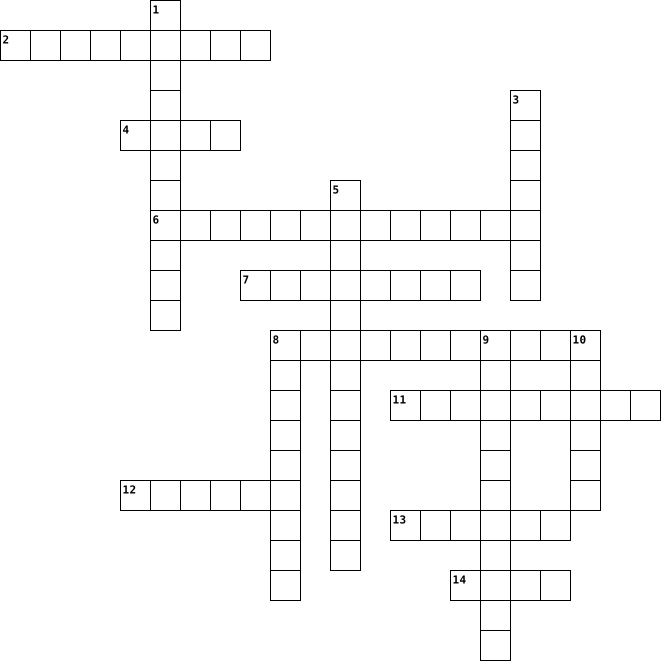
types of computer Crossword Puzzles
Unit 1 Quiz Review 2023-09-24

Across
- The site we use to do our coding projects
- The person who writes the code in a computer program when two programmers are working together.
- The attempt to find and fix errors in computer hardware or programs.
- The science of creating artifacts and solving problems using the help of a computer.
- The person who observes or reviews each line of code in a computer program as it is typed when two programmers are working together.
- The writing of compound words by starting each word with a capital letter.
- A programming environment where updates to a program during development automatically appear on the connected testing device.
- The area in App Inventor where you design the layout and view of your app
- Scientists who apply their knowledge of computation to creating solutions using a computer system.
- Two people working together to create a computer program. One person, called the driver, writes the code and explains the logic, while the other person, called the navigator, reviews it and gives feedback.
- A program that translates instructions or code into a language that can be read and understood by a computer.
- To increase the value of a numeric variable by a set amount.
Down
- Issues in a program’s code.
- The area in App Inventor where you add blocks to code your program
- A type of software application designed to run on a mobile device, such as a smartphone or tablet computer.
- The area in App Inventor where you drag and add components and view what your screen will look like
- The area in App Inventor where it lists all the components you can add to your app
- The area in App Inventor where you can see the list of components you have added to your screen already
- A flaw in a computer program that causes the program to produce an incorrect result or behavior.
- A item you can add to your app
- The curriculum we use to get directions on how to code
- The area in App Inventor where you can change the characteristics of components that have been added to your screen
22 Clues: Issues in a program’s code. • A item you can add to your app • The site we use to do our coding projects • The curriculum we use to get directions on how to code • To increase the value of a numeric variable by a set amount. • The area in App Inventor where you add blocks to code your program • The attempt to find and fix errors in computer hardware or programs. • ...
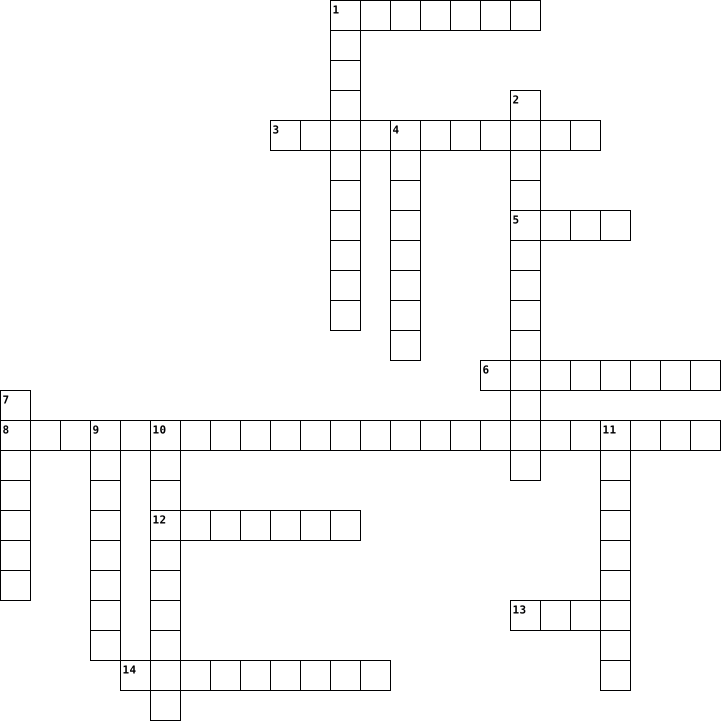
Christopher Perez-crossword-1 2016-10-24

Across
- A computer network that links smaller computer networks everywhere
- ctrl+u
- controls info you see on the computer
- feeds the electrical power(techchore)
- a piece of computer equipment where information can be stored
- primary memory
- device used to send data
- considered the brain
- ctrl+c
Down
- primary archival storage
- ctrl+v
- ctrl+x
- The ability to use information and communicate information
- Read only memory
- acts as a control
- world wide web
- ctrl+z
- The enclosure for the main
- random aces memory
- main circuit board
20 Clues: ctrl+v • ctrl+x • ctrl+u • ctrl+z • ctrl+c • world wide web • primary memory • Read only memory • acts as a control • random aces memory • main circuit board • considered the brain • primary archival storage • device used to send data • The enclosure for the main • controls info you see on the computer • feeds the electrical power(techchore) • ...
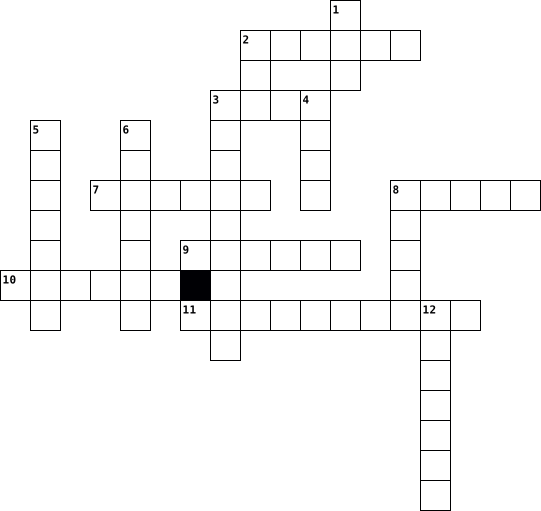
crossword 2024-11-03

Across
- A global navigation satellite system that provides location, velocity and time synchronization.
- A set of instructions, data or programs used to operate computers and execute specific tasks.
- A common computing acronym that stands for random-access memory.
- software that bundles together certain features in a way that is accessible to a user.
- a computer program or device that provides a service to another computer program and its user, also known as the client.
- portable device for connecting to a telecommunications network in order to transmit and receive voice, video, or other data.
- an input device used to enter characters and functions into the computer system by pressing buttons, or keys.
- A collection of files accessed through a web address, covering a particular theme or subject, and managed by a particular person or organization.
- A provider of online retail platform.
- A set of connectivity specifications developed in collaboration with industry leaders.
Down
- A machine that can be programmed to automatically carry out sequences of arithmetic or logical operations (computation).
- A hypertext-based information system.
- the protection of computer systems and information from harm, theft, and unauthorized use.
- A vast network that connects computers all over the world
- A software application used to access information on the World Wide Web.
- the primary component of a computer that acts as its “control center.”
- a small device that a computer user pushes across a desk surface in order to point to a place on a display screen and to select one or more actions to take from that position.
- consists of two or more computers that are linked in order to share resources (such as printers and CDs), exchange files, or allow electronic communications.
- also known as an “OS,” interfaces with the computer's hardware and provides services that applications can use.
- an act or instance of transferring something (such as data or files) from a usually large computer to the memory of another device
20 Clues: A hypertext-based information system. • A provider of online retail platform. • A vast network that connects computers all over the world • A common computing acronym that stands for random-access memory. • the primary component of a computer that acts as its “control center.” • A software application used to access information on the World Wide Web. • ...
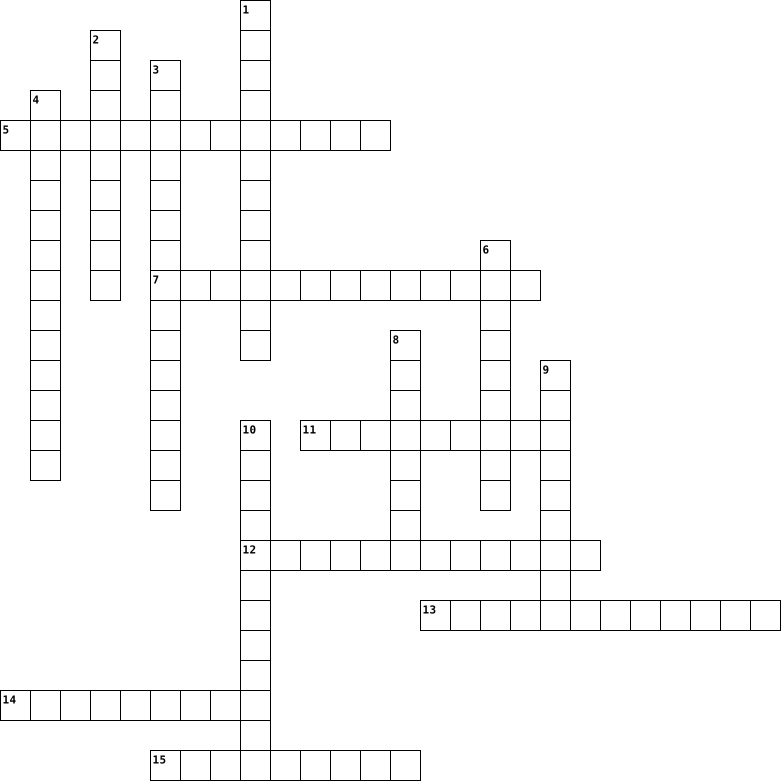
Computer 2022-08-15
Across
- Hardware untuk mencetak atau copy gambar.
- Sebuah komponen Hardware yang menyimpan data sekunder dan berisi piringan magnetis.
- Singkatan dari Random Access Memory.
- Hardware untuk menjalankan perintah membentuk program komputer.
- perangkat keras yang kita gunakan untuk melihat layar.
- perangkat keras.
- perangkat lunak.
Down
- papan yang terdiri atas alfabet huruf dll untuk mengetik.
- Software untuk meyimpanan data yang dikembangkan oleh google.
- Shotrcut copy.
- Hardware untuk mempointing.
- Shortcut paste.
- Shortcut redo.
- Susunan data dalam baris dan kolom.
- Shortcut undo.
15 Clues: Shotrcut copy. • Shortcut redo. • Shortcut undo. • Shortcut paste. • perangkat keras. • perangkat lunak. • Hardware untuk mempointing. • Susunan data dalam baris dan kolom. • Singkatan dari Random Access Memory. • Hardware untuk mencetak atau copy gambar. • perangkat keras yang kita gunakan untuk melihat layar. • papan yang terdiri atas alfabet huruf dll untuk mengetik. • ...
computer 2022-10-14
Across
- an output device that is like a tv.
- data that cannot be changed
- to store short term memory
- the commander
- a quicker version of hard disc drives.
- allows you to insert movies, cds and dvds
- improves your gameplay.
- the brain of the computer
- a small device that helps you control a range of things on a computer.
Down
- A panel of keys that operate a computer.
- The heart of the computer
- stores digital data.
- has the same purpose of an air conditioner.
- without it I cannot function.
- keyboard shortcut to copy something
15 Clues: the commander • stores digital data. • improves your gameplay. • The heart of the computer • the brain of the computer • to store short term memory • data that cannot be changed • without it I cannot function. • an output device that is like a tv. • keyboard shortcut to copy something • a quicker version of hard disc drives. • A panel of keys that operate a computer. • ...
Computer 2023-06-17
Across
- A video camera that can capture and transmit images or video in real time over a computer network.
- A device used for storing and retrieving digital information, typically in a computer.
- A security system that monitors and controls incoming and outgoing network traffic to protect against unauthorized access.
- A small device that you move with your hand to control the cursor on a computer screen.
- A software application used to access and view websites on the Internet.
- The process of converting data or information into a code to prevent unauthorized access or interception.
- A global network of computers that allows communication and sharing of information between users around the world.
Down
- The part of a computer that stores data and instructions for immediate use.
- A system for sending, receiving, and storing electronic messages over a computer network.
- A type of malicious software that can replicate itself and spread to other computers, causing damage to data and system functions.
- A device with buttons or keys that are used to input data or commands into a computer or other electronic device.
- Programs or applications that run on a computer, allowing the user to perform various tasks.
- A device that displays visual output from a computer or other electronic device.
- A technology that allows devices to connect to the internet wirelessly using radio waves.
- The main component of a computer that performs most of the processing inside the computer.
15 Clues: A software application used to access and view websites on the Internet. • The part of a computer that stores data and instructions for immediate use. • A device that displays visual output from a computer or other electronic device. • A device used for storing and retrieving digital information, typically in a computer. • ...
COMPUTER 2013-12-04
Across
- Numbers and Graphs.
- Plugs in a flash drive
- Holds base info.
- Allows transfer of info.
- Allows the computer to start.
- View Information.
- Cools Down.
Down
- *Click*.
- Makes Sound.
- Plays discs.
- Base of the computer's systems.
- Great for Presentations.
- Type.
- Creates Essays.
- Allows the system to operate.
15 Clues: Type. • *Click*. • Cools Down. • Makes Sound. • Plays discs. • Creates Essays. • Holds base info. • View Information. • Numbers and Graphs. • Plugs in a flash drive • Allows transfer of info. • Great for Presentations. • Allows the computer to start. • Allows the system to operate. • Base of the computer's systems.
Computer 2014-09-29
Across
- The technology that uses short range radio wave transmission-
- This reserve as the pathway for communicating devices to send and receive data and information. -
- Records image in digital form
- Input device consisting stick that pivots on a base and reports its angle or direction to the device and it is controlling. -
- Designed to be use for mobile calls
- Noise that produced from electron movement in active devices like vacuum tubes and transistors that are found in amplifier and oscillators-
- A presentation of useful information that has been manipulated by the central processing unit.
- navigating and providing nore precision when using touch screens
- The most popular method of communication of data or information within a permanent location
Down
- –The most common size is 650 megabyte capacity
- KEY Uniquely identifies each record.
- An emissive flat panel display where light is created by phosphors excited by a plasma discharge between two plat panel of glass-
- This can be graphic, web page or just plain-text that appears in the end. -
- Is an inexpensive and durable storage media that can hold over 50gigabytes of data
- Include text, clip arts, photos, sounds and any multimedia message. –
15 Clues: Records image in digital form • Designed to be use for mobile calls • KEY Uniquely identifies each record. • –The most common size is 650 megabyte capacity • The technology that uses short range radio wave transmission- • navigating and providing nore precision when using touch screens • Include text, clip arts, photos, sounds and any multimedia message. – • ...
computer 2014-02-25
Across
- zorgt voor invoer en uitvoer van gegevens
- om woorden in te geven
- meeteenheid van een scherm
- de fysieke onderdelen van een computer
- ook wel werkgeheugen genoemd
- een soort van computer
- om je scherm te verbinden met een tv
- brein van de pc
Down
- extern geheugen van de computer
- zorgt voor stroom in je computer
- alle niet-fysieke onderdelen van een computer
- zet gegevens van de computer over op papier
- oude manier van geheugen op te slaan
- verbind alle onderdelen
- draagbare manier om gegevens mee te nemen
15 Clues: brein van de pc • om woorden in te geven • een soort van computer • verbind alle onderdelen • meeteenheid van een scherm • ook wel werkgeheugen genoemd • extern geheugen van de computer • zorgt voor stroom in je computer • oude manier van geheugen op te slaan • om je scherm te verbinden met een tv • de fysieke onderdelen van een computer • zorgt voor invoer en uitvoer van gegevens • ...
computer 2022-02-08
Across
- the mouse clicker
- strong
- connect to the internet
- the wifi
- .com/.net
- where files are stored
- something attached to a file
Down
- plug
- the brain of a computer
- connecting to a speaker to play music
- drive something you can store stuff on and carry
- box computer
- search engine
- used to click
- wifi
15 Clues: plug • wifi • strong • the wifi • .com/.net • box computer • search engine • used to click • the mouse clicker • where files are stored • the brain of a computer • connect to the internet • something attached to a file • connecting to a speaker to play music • drive something you can store stuff on and carry
Computer 2023-11-17
Across
- A craftsman crafting the building blocks of the digital world with skill and precision.
- A sculptor shaping the digital landscape into beautiful and functional forms.
- A safe and cozy nest where information and imagination come together.
- A lantern illuminating the path of logic, guiding through the darkness of problems.
- A quill that writes the language of the future, creating stories in the digital age.
- A treasure trove of tech wonders, ready to be explored and discovered.
- A magical machine that brings ideas to life with sparks of creativity.
Down
- An explorer in the digital realm, embarking on quests for knowledge and fun.
- A buddy that speaks the language of computers, helping you on your digital journey.
- A champion in the world of circuits, mastering the dance of electrons.
- A friendly sidekick for solving puzzles and unlocking the secrets of technology.
- A leaper into the world of logic, solving problems with logical acrobatics.
- A pal that paints the world in pixels, creating colorful digital adventures.
- A burst of energy that transforms data into exciting and useful experiences.
- A pioneer venturing into the pixelated frontier, forging new paths of creativity.
15 Clues: A safe and cozy nest where information and imagination come together. • A champion in the world of circuits, mastering the dance of electrons. • A treasure trove of tech wonders, ready to be explored and discovered. • A magical machine that brings ideas to life with sparks of creativity. • ...
Computer 2023-11-17
Across
- An intelligent machine for exploring virtual worlds
- Building dreams and creating wonders with every code
- Unleash creativity and adventure with this device
- Paving the way for innovation and discovery
- Enhancing your senses through the power of technology
- A mathematical marvel for solving the toughest problems
- An electronic wizard that makes tasks magical
Down
- Powering up your world with lightning-fast capabilities
- Ignite your curiosity and discover new horizons
- Your digital companion for learning and fun
- Your trusted friend in the world of bits and bytes
- A smart electronic buddy that helps with information
- Fueling the fire of knowledge with every byte
- Navigate the universe of data with this stellar device
- Weaving together the threads of logic and knowledge
15 Clues: Your digital companion for learning and fun • Paving the way for innovation and discovery • Fueling the fire of knowledge with every byte • An electronic wizard that makes tasks magical • Ignite your curiosity and discover new horizons • Unleash creativity and adventure with this device • Your trusted friend in the world of bits and bytes • ...
Cruciverba di ripasso: architettura del computer 2025-10-08

Across
- memoria che immagazzina informazioni in modo persistente, anche a computer spento
- parallelepipedo che contiene i componenti elettronici che permettono al computer di funzionare
- capacità di gestire più utenti collegati
- è definito come elaboratore,elettronico,digitale
- scheda elettronica che contiene anche la CPU e la RAM
- memoria volatile
- qualità che tiene conto della velocità di elaborazione e della dimensione di memoria del computer
- computer che gestisce il cluster
- esempio di periferica di Input
- è paragonato al cervello del computer
- modello che descrive in modo molto schematico le principali componenti hardware di un computer
Down
- PC molto potenti con avanzate prestazioni grafiche e matematiche
- parte fisica del computer
- computer che lavorano in parallelo,costruiti per risolvere problemi che richiedono calcoli molto complessi
- dispositivi che mettono in comunicazione l'utente con il computer
- esempio di periferica di Output
- fase durante la quale in computer riceve informazioni/dati in ingresso
- memoria di sola lettura
- unità che esegue i calcoli matematici e le operazioni logiche
- insieme di tutti i programmi, dati e operazioni che il computer deve eseguire
20 Clues: memoria volatile • memoria di sola lettura • parte fisica del computer • esempio di periferica di Input • esempio di periferica di Output • computer che gestisce il cluster • è paragonato al cervello del computer • capacità di gestire più utenti collegati • è definito come elaboratore,elettronico,digitale • scheda elettronica che contiene anche la CPU e la RAM • ...
Notable People Crossword 2024-08-29

Across
- Received the gold medal of the Paris exposition
- co-creator of the handheld calculator
- Former CEO of Microsoft
- Electrical engineer, designed the first general-purpose electronic digital computer
- Invented Boolean algebra
- pioneered the idea of automatic programming; developed the first compiler called A-0
- Co-founded Apple inc. with Steve Jobs
- Pioneered game theory
- co-founded Apple inc. with Steve Wozniak
- Invented logarithms
Down
- Invented the first general purpose electronic computer
- Considered the “father of computer”
- German mathematician and philosopher credited with the creation of calculus
- created the world's first functional program-controlled Turing-complete computer, the Z3
- Chairman of the intel corporation
- Inventor of the email
- Created the base for the theories of probability
- Inventor of symbols like x for multiplication and sin/cos abbreviations
- Invented FORTRAN and Backus-Naur form
- He developed an electric telegraph, co developed morse code
20 Clues: Invented logarithms • Inventor of the email • Pioneered game theory • Former CEO of Microsoft • Invented Boolean algebra • Chairman of the intel corporation • Considered the “father of computer” • co-creator of the handheld calculator • Co-founded Apple inc. with Steve Jobs • Invented FORTRAN and Backus-Naur form • co-founded Apple inc. with Steve Wozniak • ...
Computer Parts Crossword Puzzle 2025-04-22

Across
- Battery that allows BIOS to retain settings after a computer is powered down, found on the motherboard.
- Type of component that has to be connected to the motherboard, adds capabilities to a computer.
- Basic firmware that is stored on a chip on the motherboard and is used before your operating system boots up.
- Moves hot air out of the computer.
- Type of component that is already installed within the computer.
- Tool used to grab small components on a device.
- Wireless technology, that is short-ranged, that is commonly used to connect accessories to a device.
- A circuit board that either houses or connects to all components that operate in a computer.
Down
- The first step of every lab to prevent static charge from reaching components.
- Cable standard that connects the computer to a visual display, newer standard
- Dissipates heat from inside your computer.
- Port standard that is used for system diagnostics and service updates for a device.
- Located near the lower edge of the motherboard, moves data to hard drives and USB ports.
- Compact memory slots for laptops.
- Chipset that is located on the busiest intersection on the board.
- Cable standard that connects storage components inside of a computer.
16 Clues: Compact memory slots for laptops. • Moves hot air out of the computer. • Dissipates heat from inside your computer. • Tool used to grab small components on a device. • Type of component that is already installed within the computer. • Chipset that is located on the busiest intersection on the board. • ...
Network Basics 2013-03-24

Across
- a collection of wires that transports data from one part of a computer to another
- a device in a network that filters and forwards packets between LAN segments
- a computer network that covers a relatively small area
- a protective barrier that stands between your computer network and the internet
- a system of LANs connected over a distance.
- one of the most widely implemented LAN standards
- wireless network
- a data structure in which each element is attached to one or more elements directly beneath it creating branches
- the shape of a LAN
- a specialized computer that is attached to a network and is used to provide the other computers in the network with services such as access to files, shared peripherals, or the routing of email.
- an electronic device that determines the next network point to send a packet on its way towards its destination
- a cable to connect to a LAN
Down
- the main network connections composing the internet; another term for bus
- an expansion board used to connect to a network
- a LAN setup in which all computers are connected to a central computer
- an application that runs on a personal computer or workstation and relies on a server to perform some operations.
- the amount of data that can be transmitted in a fixed amount of time
- a type of networkin which each workstation has equivalent capabilities and responsibilities
- a place of intersection where data arrives from one or more locations and is forwarded on in one or more directions.
- a processing location in a network such as a computer, printer or other device
- a circular network configuration
- A specific geographic location with public wireless services for mobile visitors.
- an 8 wire connector used to connect to a LAN or Ethernet (looks like a telephone jack)
- a computer network designed for a city or town
24 Clues: wireless network • the shape of a LAN • a cable to connect to a LAN • a circular network configuration • a system of LANs connected over a distance. • a computer network designed for a city or town • an expansion board used to connect to a network • one of the most widely implemented LAN standards • a computer network that covers a relatively small area • ...
IT Vocab 2025-02-24

Across
- malware that spreads by users from an infected device to the rest of the devices on a network/system
- a standard for the hardware of a computer system, determining what kinds of software it can run
- used to organize files, these are usually named for what is inside them
- the use of a variety of media (e.g., audio, visual)
- includes viruses and ransomware that can steal your information; usually requires the user to install the malicious software
- a stored block of information that is available to a computer program
- physical parts and components of a computer
- finding a problem and removing or fixing the problem
- devices that send data to a computer (input devices), provide output from a computer (output devices), or that perform both (input/output devices)
- a type of virus that does not rely on users to copy and spread but can replicate itself, once inside a network/system
- services and software available over the internet instead of a desktop computer or physical storage device
- pretending to be someone you trust or a system you work with, to get you to visit a fictitious site and enter your login or other private information
- the software that supports a computer's basic functions, such as scheduling tasks, executing applications, and controlling peripherals
Down
- the fundamental methods for naming, storing and handling files
- a flaw or weakness that allows a threat agent to bypass security
- to support with evidence or authority; to make more certain
- enables a computer to perform a specific task; program
- malware that accesses or controls a device without being detected
- an electronic device for storing and processing data, typically in binary form, according to instructions given to it in a variable program
- the unethical distribution of mass digital messages; the main way malware is opened and spread
20 Clues: physical parts and components of a computer • the use of a variety of media (e.g., audio, visual) • finding a problem and removing or fixing the problem • enables a computer to perform a specific task; program • to support with evidence or authority; to make more certain • the fundamental methods for naming, storing and handling files • ...
UNIT 1 - HIGH TECHNOLOGY 2015-09-17

Across
- / A small video camera that is used to show live images on a Web site .
- / the part of a radio, television, or computer, or of a piece of electrical equipment for playing recorded sound,
- MACHINE/ a device or system used to send and receive documents in electronic form along a phone line.
- a vertical case designed to house a computer system standing on the floor.
- which the sound is played.
- / the set of keys on a computer or typewriter that you press in order to make it work .
- DRIVE / a small piece of equipment that you connect to a computer or other piece of electronic equipment to copy and store information.
- CATCHING UP ON NEWS, SOAPS, MATCHES AND SITCOMS
Down
- PHONE / a phone that is connected to the phone system by radio instead of by a wire, and can be used anywhere .
- / a small device with a ball inside that is moved by hand across a flat surface to control the movement of the cursor (symbol that shows your position) on a computer screen.
- radio, television, etc.
- / A device into which people speak or sing in order to record their voices or to make them sound louder
- a device sent up into space to travel around the earth, used for collecting information or communicating
- a type of computer that is small enough to fit on the top of a desk .
- / A computer that is portable and suitable for use while traveling.
- A machine that is connected to a computer and prints onto paper using ink .
- It is use to display the output of a computer to the user .
17 Clues: radio, television, etc. • which the sound is played. • CATCHING UP ON NEWS, SOAPS, MATCHES AND SITCOMS • It is use to display the output of a computer to the user . • / A computer that is portable and suitable for use while traveling. • a type of computer that is small enough to fit on the top of a desk . • ...
UNIT 1 - HIGH TECHNOLOGY 2015-09-17

Across
- / A small video camera that is used to show live images on a Web site .
- / the set of keys on a computer or typewriter that you press in order to make it work .
- / a phone that is connected to the phone system by radio instead of by a wire, and can be used anywhere .
- drive / a small piece of equipment that you connect to a computer or other piece of electronic equipment to copy and store information.
- CATCHING UP ON NEWS, SOAPS, MATCHES AND SITCOMS
- / the part of a radio, television, or computer, or of a piece of electrical equipment for playing recorded sound,
- a vertical case designed to house a computer system standing on the floor.
Down
- a device or system used to send and receive documents in electronic form along a phone line.
- A machine that is connected to a computer and prints onto paper using ink .
- / a small device with a ball inside that is moved by hand across a flat surface to control the movement of the cursor (symbol that shows your position) on a computer screen.
- a type of computer that is small enough to fit on the top of a desk .
- which the sound is played.
- / A computer that is portable and suitable for use while traveling.
- / A device into which people speak or sing in order to record their voices or to make them sound louder
- radio, television, etc.
- a device sent up into space to travel around the earth, used for collecting information or communicating
- It is use to display the output of a computer to the user .
17 Clues: radio, television, etc. • which the sound is played. • CATCHING UP ON NEWS, SOAPS, MATCHES AND SITCOMS • It is use to display the output of a computer to the user . • / A computer that is portable and suitable for use while traveling. • a type of computer that is small enough to fit on the top of a desk . • ...
CSPuzzle 2023-04-26

Across
- 010101010011010110100101
- Completing Mathematical Problems
- Alphabetical Values
- A challenge or job for a program to complete
- A physical person using a computer program
- Sending of Data
- A set of code that completes a task when run
- A device that displays info to a user
- Numerical Information
Down
- A machine that computes
- Local Area Network
- Grouping of Data
- A code that sends packets to the correct computer
- Delay of Data
- A connection of multiple devices
- Central Processing Unit
- Hyper Text Markup Language
- Max amount of Data
- A network of interconnected devices
- Random Access Memory
20 Clues: Delay of Data • Sending of Data • Grouping of Data • Local Area Network • Max amount of Data • Alphabetical Values • Random Access Memory • Numerical Information • A machine that computes • Central Processing Unit • 010101010011010110100101 • Hyper Text Markup Language • Completing Mathematical Problems • A connection of multiple devices • A network of interconnected devices • ...
Crossword marcus' 2019-01-11

Across
- Random Access Memory; Memory that
- computer made by Apple.
- An output device is any peripheral that receives data from a computer, usually for display, projection, or physical reproduction.
- device that can read text or illustrations
- The main circuit board of a microcomputer.
- stores data and instructions.
- i.e., the memory and microprocessor.
- expansion board that enables a computer to manipulate and output sounds.
- A phone that combines computing,telephone/fax, and networking features.
- A device that controls the movement of the
- a mechanical or electrical device for measuring time, indicating hours, minutes, and sometimes seconds by hands on a round dial or by displayed figures.
Down
- term for display screen
- attaches to the USB port.
- device a piece of computer equipment on which information can be stored.
- A silicon chip that contains a CPU.
- small, easy to use, portable storage device
- on paper and translate the information into a form the computer can use.
- or pointer on a display screen.
- Computers; Computers that normally use windows.
- computer device, such as a CD-ROM drive or printer, that is not part of the essential
- (pronounced as separate letters) is the abbreviation for central processing unit. Sometimes referred to simply as the central processor, but more commonly called processor, the CPU is the brains of the computer where most calculations take place.
21 Clues: term for display screen • computer made by Apple. • attaches to the USB port. • stores data and instructions. • or pointer on a display screen. • Random Access Memory; Memory that • A silicon chip that contains a CPU. • i.e., the memory and microprocessor. • device that can read text or illustrations • The main circuit board of a microcomputer. • ...
Quality Month 2015-04-07
Across
- This is it's time
- Statistical Product Quality Administration author
- Syracuse's first biologic
- Type of administration
- Not Macro
- The opposite of trackfoolish
- Ours is sample manager
- Cleaning and process are types of this
- Do this together
- Very cold
- Better than red suspenders
- Recently approved
Down
- SQA's lead
- It happens in Room 130
- EMA and TGA are types of these
- Quality's favorite time
- After 21
- Resistance to change, in a good way
- How we manufacture
19 Clues: After 21 • Not Macro • Very cold • SQA's lead • Do this together • This is it's time • Recently approved • How we manufacture • It happens in Room 130 • Type of administration • Ours is sample manager • Quality's favorite time • Syracuse's first biologic • Better than red suspenders • The opposite of trackfoolish • EMA and TGA are types of these • Resistance to change, in a good way • ...
Fundamental security 2013-02-06

Across
- data send between to hosts
- what is a common DoS attack
- what is another name code updates
- What wed security controls interactivity between a app and computer
- allows or Denys traffic on a computer
- A person that pretends to be a employee to get info on the company
- How often should you check your security
- a way to safely access resources
- file contents that hold known characteristics of someone
- permanently deleting something
Down
- What type of threat is stealing, damage, destroy equipment
- What is another name for unsolicited email
- What type of virus is the most damaging
- what is another name for an infected computer
- What reads info and operates without your computer knowing
- what do anti-virus look for in software
- who is responsible for security
- software that pretends to be a trusted computer
- what type of attack sniffs out user names and passwords in a network
- What is a Trojan
20 Clues: What is a Trojan • data send between to hosts • what is a common DoS attack • permanently deleting something • who is responsible for security • a way to safely access resources • what is another name code updates • allows or Denys traffic on a computer • What type of virus is the most damaging • what do anti-virus look for in software • How often should you check your security • ...
Intro to computer 2018-04-05

Across
- physical equipment that you can feel and touch.
- a communication device that allows the computer to receive and send data.
- the fastest computers.
- the main computers in a network serving and connected to several other computers.
- computers must be disposed off properly.
- used to type data.
- in one second, billions or trillions of operations are done.
- It is like the television.
Down
- computer can store amount of data and information.
- converts electrical signal to sound.
- used by large corporations and organizations.
- It moves the pointer on the screen.
- most important element of a computer system.
- people can connect with others by the use of computers.
- step by step instructions when using hardware, software and data.
- a machine that creates a hard copy.
- be careful in sharing personal information on the internet.
- programs or instruction that a computer must follow.
- electronic hardware device.
- include texts and numbers, sounds, images, and video.
20 Clues: used to type data. • the fastest computers. • It is like the television. • electronic hardware device. • It moves the pointer on the screen. • a machine that creates a hard copy. • converts electrical signal to sound. • computers must be disposed off properly. • most important element of a computer system. • used by large corporations and organizations. • ...
Revision 2026-06-05

Across
- The part of the computer that displays what you are doing on the screen.
- What you should do when you finish using a computer so someone else cannot use your account.
- Central Processing Unit, the part of the computer that processes data.
- A trusted person or teacher you should tell if someone makes you feel uncomfortable online.
- A block-based programming language used for making games and animations.ALGORITHM A step-by-step set of instructions to solve a problem.
- Software used to access websites on the internet.
- Unsafe software your computer could get if you click on a suspicious link.
- An electronic message that should start with a greeting and use kind language.
- A basic computer part used for typing.
- The part of the computer you can touch
Down
- Doing this on a mouse usually opens up a settings menu.
- Copying your files so you can access them again if they are lost or deleted.
- The apps in a computer
- What you use to make code in scratch
- An example of personal information that you should never share online.
- A secret mix of letters, numbers, and symbols used to secure an account.
- What characters are called in Scratch
- Keeping yourself safe while using the internet.
18 Clues: The apps in a computer • What you use to make code in scratch • What characters are called in Scratch • A basic computer part used for typing. • The part of the computer you can touch • Keeping yourself safe while using the internet. • Software used to access websites on the internet. • Doing this on a mouse usually opens up a settings menu. • ...
Computer Hardware Terms 2012-11-20

Across
- moves the cursor or insertion point backward one character space
- computer display monitor capable of displaying many colors
- video monitor that accepts analog signals from the computer
- moves the cursor or insertion point backward one character space
- physical components of a computer system, such as CPU, memory, NIC, hard drive, mothrboard etc.
- computer system test prior to commercial release
Down
- four arrow buttons for moving the cursor right, left, up, or down
- technique used to make flat-panel displays easier to read
- temporary storage area in computer memory, which acts as a holding area allowing the CPU to manipulate data before transferring it to a device
- part of a computer that retain physical state (data) for some interval of time, even after a computer is powered off
- a round shaped media to store computer data
- can print more than one color.
- usually represents the first version of a computer hardware or software that implements all features in the initial requirements specification
- provides access of computers to network over cable TV lines
- high-speed storage mechanism
15 Clues: high-speed storage mechanism • can print more than one color. • a round shaped media to store computer data • computer system test prior to commercial release • technique used to make flat-panel displays easier to read • computer display monitor capable of displaying many colors • video monitor that accepts analog signals from the computer • ...
Fundamental Security 2013-02-06

Across
- What is a Trojan
- data send between to hosts
- What is another name for unsolicited email
- What type of threat is stealing, damage, destroy equipment
- allows or Denys traffic on a computer
- what do anti-virus look for in software
- permanently deleting something
- file contents that hold known characteristics of someone
- who is responsible for security
- What type of virus is the most damaging
Down
- what is another name for an infected computer
- what is another name code updates
- What reads info and operates without your computer knowing
- A person that pretends to be a employee to get info on the company
- What wed security controls interactivity between a app and computer
- what is a common DoS attack
- software that pretends to be a trusted computer
- a way to safely access resources
- what type of attack sniffs out user names and passwords in a network
- How often should you check your security
20 Clues: What is a Trojan • data send between to hosts • what is a common DoS attack • permanently deleting something • who is responsible for security • a way to safely access resources • what is another name code updates • allows or Denys traffic on a computer • what do anti-virus look for in software • What type of virus is the most damaging • How often should you check your security • ...
Fundamental security 2013-02-06

Across
- data send between to hosts
- what is a common DoS attack
- what is another name code updates
- What wed security controls interactivity between a app and computer
- allows or Denys traffic on a computer
- A person that pretends to be a employee to get info on the company
- How often should you check your security
- a way to safely access resources
- file contents that hold known characteristics of someone
- permanently deleting something
Down
- What type of threat is stealing, damage, destroy equipment
- What is another name for unsolicited email
- What type of virus is the most damaging
- what is another name for an infected computer
- What reads info and operates without your computer knowing
- what do anti-virus look for in software
- who is responsible for security
- software that pretends to be a trusted computer
- what type of attack sniffs out user names and passwords in a network
- What is a Trojan
20 Clues: What is a Trojan • data send between to hosts • what is a common DoS attack • permanently deleting something • who is responsible for security • a way to safely access resources • what is another name code updates • allows or Denys traffic on a computer • What type of virus is the most damaging • what do anti-virus look for in software • How often should you check your security • ...
Tech Term 2024-11-06

Across
- Interconnected Websites
- The transmission of a file or data from one computer to another
- Binary Digit
- Domain Name System
- Central Processing Unit
- Look like real life but in a headset
- Divide The divide between people who has access to the internet and people who dont
- Freaky Software
- a worldwide system of interconnected computers
- Portable Document File
- Read only memory
- Personal Information like your ip address
- Protects your computer from bad files
- 1 Million Bytes
Down
- Main printed circuit board
- Reset
- The process of protecting your computer
- Language Understood By A Computer
- Small Files
- Internet Protocol
- A computer program which manages access to a centralized resource
- A regular updated website or webpage
- 8 Binary Digits
- Stores Information
- Language Behind Every Website
- the address of a unique resource on the internet
- The traditional technology for connecting devices through a cord
- Random accessing memory
28 Clues: Reset • Small Files • Binary Digit • 8 Binary Digits • Freaky Software • 1 Million Bytes • Read only memory • Internet Protocol • Domain Name System • Stores Information • Portable Document File • Interconnected Websites • Central Processing Unit • Random accessing memory • Main printed circuit board • Language Behind Every Website • Language Understood By A Computer • ...
LabSim Chapter 3 Bonus! 2023-11-16

Across
- A printer that sprays small dots of ink from an ink reservoir onto a sheet of paper.
- The main memory of a computer that can be quickly accessed by the CPU. It is where the computer stores data and instructions that it is actively using.
- The process of dividing a single physical disk into multiple logical drives called volumes.
- A small computer that combines a display and keyboard and is designed to be easily carried.
- A connector, identified by its blue color and three rows of pins, that is used to connect older monitors to a computer.
- A popular type of computer system that can be equipped with peripheral devices such as a monitor, keyboard, mouse, and speakers.
- Codes An audible alarm that occurs when a computer encounters an issue before a power-on self test (POST) has completed when booting. The number and frequency of the beeps can be used to compare information found in the motherboard manual and identify the issue.
- The process of tracking changes to a file so that a file can be repaired or restored in case of file corruption or data loss.
- Components, including heat sinks and fans, that keep computer components from overheating.
- A utility in which all fragmented files on a drive are found and reconsolidated into the same physical location on the disk.
- The most important part of any modern computer system; it controls the other parts of the computer.
- The top-level folder, or directory, of a file system.
- A printer that uses electrical charges and heat to fuse tiny plastic particles (called toner) to the paper.
- An advanced system of cooling in which liquid coolant is in direct contact with the CPU. It offers a high level of heat transfer that quickly reduces the temperature of the CPU's surface.
- An additional computer processor that provides graphics processing. It improves performance by relieving the CPU of this duty.
- A device, usually external to a computer, that is plugged into a computer's communication port or is connected wirelessly. Common peripherals are keyboards, mice, monitors, speakers, and printers.
- An industry professional who oversees the design and development of computer devices and other systems that use electricity and electronics.
- A communication technology that uses light waves to transmit information through the air.
- The use of user and file attributes that control which users can read, write, move, or delete each file.
- A memory issue in which unintentional changes have been introduced to your original files resulting in missing files or data, scrambled documents, crashing programs, spontaneous reboots, registry errors, and missing systems.
- The most common type of long-term storage that uses thick magnetic disks encased in a protective housing to store data.
- An interface used to connect peripherals such as digital cameras and external hard drives to a computer. It is no longer commonly used.
- A process that combines knowledge, experience, and intuition to quickly identify the cause of a problem.
- A technician who repairs both software and hardware issues including but not limited to installing, troubleshooting, servicing, and repairing devices, as well as network equipment such as routers, switches, cables, and related network hardware.
- A connector, typically white with three rows of eight pins, designed to connect digital monitors to a computer.
- A connector now available on a wide variety of devices such as computers, monitors, TVs, Blu-Ray players, and more. HDMI is used to transfer high-definition signals. It supports both audio and video data.
- A common interface used to connect peripherals, such as mice, keyboards, printers, and digital cameras to a computer.
- A display device that allows a user to interact with a computer by touching, tapping, and swiping areas on the screen.
Down
- The way a file is organized. File formats are indicated by an extension such as .jpg, .gif, .png., .mp3, .wav, .wma, .mp4, .avi, and .wmv.
- A compact, portable storage device that uses special memory chips to store data.
- When parts of a single file, program, or application are stored in different areas of a physical disk.
- A circuit board that connects to a computer's motherboard, giving it additional power or functionality.
- A short-range wireless communication technology used to connect peripherals such as wireless headphones, speakers, keyboards, mice, smart watches, printers, and game controllers to a computer, including smartphones.
- Small computing devices such as tablets and smart phones that are much more portable than desktops and laptops.
- supply A unit that supplies electricity to the motherboard and other computer components.
- A storage device that uses light instead of magnetism to store information. This include CD-ROM, DVD, and Blu-ray devices.
- A liquid-cooled system that places a water-cooled heat exchanger near a heat source. The exchanger removes the heat, reducing the air temperature.
- The process of converting information so it cannot be understood without decrypting it using a key, especially to prevent unauthorized access.
- The communication system that allows data to be transferred between the components inside a computer. The term bus comes from the Latin word omnibus that means for all.
- A device that scans paper documents and converts them into digital files.
- The smallest container within a computer's storage system that is used to store information such as data, settings, and commands used in a computer program. A file is the smallest container that can be copied, deleted, or moved within a file system.
- The methods and structures that an operating system uses to organize files on a storage device like a hard drive. File systems often use directory structures to keep track of files.
- A computer component that attaches to a chip (such as a CPU) that disperses heat and prevents overheating.
- An event in which two objects with different charge levels come together resulting in an electrostatic shock.
- A large, flat computer component that connects the important components of the computer, such as the CPU, RAM, and the BIOS chip. It also has power and other communications connections.
- A common method of cooling that uses fans to move hot air out of a system.
- A connector used to connect a computer to a wired network.
- A component, sometimes built into and sometimes plugged into the motherboard, that provides network connectivity.
- Reencoding a file to consume less storage space.
- An interface primarily used on Apple computers that connects a monitor to a computer and can also provide DC power.
50 Clues: Reencoding a file to consume less storage space. • The top-level folder, or directory, of a file system. • A connector used to connect a computer to a wired network. • A device that scans paper documents and converts them into digital files. • A common method of cooling that uses fans to move hot air out of a system. • ...
FIT D Technology Crossword 2013-05-14

Across
- something you insert in a computer
- something that stores docs
- something that you can type on
- central processing unit
- main storage
- cell phone
- short term memory
- A computer or computer program that manages access to a centralized resource or service in a network
- something that the computer gives
- a catch phrase
Down
- where you put in cds
- wired wifi
- liquid crystal display
- brain of computer
- light emitting diode
- the clicker
- your picture that defines you
17 Clues: wired wifi • cell phone • the clicker • main storage • a catch phrase • brain of computer • short term memory • where you put in cds • light emitting diode • liquid crystal display • central processing unit • something that stores docs • your picture that defines you • something that you can type on • something that the computer gives • something you insert in a computer • ...
Cyber Security Awareness 2022 2022-07-19

Across
- A means of isolating applications, code or entire operating systems in order to perform testing or evaluation
- A security mechanism prohibiting the execution of any program that is not on a pre-approved list of software
- The recovery of data following computer failure or loss
- Another kind of malware that allows cybercriminals to remotely control your computer
- A hacking attack that tricks victims into clicking on an unintended link or button, usually disguised as a harmless element
- Malware that passes information about a computer user’s activities to an external party
- Obtaining services by using someone else’s resources
- A device or software designed to prevent unauthorized access to a computer or network
- A term related to the malicious concept of a botnet
- A malicious application or script that can be used to take advantage of a computer’s vulnerability
- Any means by which the keystrokes of a victim are recorded as they are typed into the physical keyboard
- high-speed internet access
Down
- A flaw or weakness that can be used to attack a system or organization
- Computer that provides data or services to other computers over a network
- An app on your phone that generates a code to add an extra level of security to a password
- The proper term to refer to an unauthorized attacker of computers, networks, and technology instead of the misused term “hacker”
- A person who has knowledge and skill in analyzing program code or a computer system, modifying its functions or operations and altering its abilities and capabilities
- A form of malware that deliberately prevents you from accessing files on your computer – holding your data hostage
- Malware that is loaded onto a computer and then run without the user’s knowledge or knowledge of its full effect
- Method used by criminals to obtain financial or other confidential information
- It's not really a _____, it's just someone else's computer
- This should be at least 8 characters long
- The application of mathematical processes on data-at-rest and data-in-transit to provide the security benefits of confidentiality, authentication, integrity and non-repudiation
- Something of value to a person, business, or organization
- Something that could cause an organization not to meet one of its objectives
- Malware that replicates itself so it can spread to infiltrate other computers
26 Clues: high-speed internet access • This should be at least 8 characters long • A term related to the malicious concept of a botnet • Obtaining services by using someone else’s resources • The recovery of data following computer failure or loss • Something of value to a person, business, or organization • It's not really a _____, it's just someone else's computer • ...
lesson 24 vocab 2016-04-20

Across
- a series of connected personal computers, workstations, and other devices, such as printers or scanners
- the worlds collection of interconnected commercial and governmentowned voice orientated systems
- computer configuration in which one or more computers on the network acts as a server
- the largest network used as a communication tool
- computer network that covers a large geographical area
- expert computer user who invades someone elses computer either for personal gain or simply for the satisfaction of being able to do it
- a device that uses coaxial cable to send and receive data
- a technique or device that examines a fingerprint. voice pattern, or the iris or retina of the eye
- a device that directs traffic on a network by dividing data into smaller packets that travel by different routes and then are reassembled at their destination
- computer architecture in which all of the computers on a network are equal and there is no computer designated as the server
- an internet connection technology that provides for the transfer of information to a computer at a high speed bandwidth over ordinary copper telephone lines
- a computer that uses the services of another program
- server that acts as an intermediary between a user and the internet
- network designed for the exclusive use of computers users within an organization that cannot be accessed by users outside the organization
Down
- a server that acts as an intermediary between a user and the internet
- a network configuration that allows selected outside organizations to access internal information systems
- a type of fiber optic telephone line that can transmit up to 1.544 megabits per second or can be used to transmit 24 digitized voice channels
- an ISP that provides connection speeds more than 30 times faster than dial up connections
- a device on the network
- a recent wireless technology that can deliver maximum speeds of up to 7 Mbps to your cell phone, home, computer, or car
- a computer that handles requests for data, email, file transfers, and other network services from other computers
- link from one computer to another through which data can be transmitted
- high end programs designed to provide network control and include special functions for connecting computers and other devices into a network
- a variation of LAN that uses no physical wires
- communications hardware device that facilitates the transmission of data
- a junction where information arrives from connected computers or peripheral devices
- a combination of hardware and software that creates a buffer between an internal network and the internet to prevent unauthorized access
27 Clues: a device on the network • a variation of LAN that uses no physical wires • the largest network used as a communication tool • a computer that uses the services of another program • computer network that covers a large geographical area • a device that uses coaxial cable to send and receive data • server that acts as an intermediary between a user and the internet • ...
subject 2023-06-27

Across
- education Participating in physical activities and sports for health and fitness.
- language Learning a different language, such as Spanish, French, or Chinese.
- Understanding the Earth's physical features, countries, and cultures.
- Understanding the laws and principles that govern matter, energy, and motion.
- Exploring past events, civilizations, and significant historical figures.
- Learning about the natural world through experiments and observations.
- science Understanding computers, coding, and technology.
- Developing language skills including reading, writing, and speaking.
- Engaging in creative activities like drawing, painting, and sculpting.
Down
- Reading and analyzing various types of written works, such as stories and poems.
- Studying living organisms and their characteristics.
- Exploring the properties, composition, and reactions of substances.
- Exploring different sounds, rhythms, and musical instruments.
- studies Learning about society, communities, cultures, and current events.
- Studying numbers, calculations, and solving equations.
15 Clues: Studying living organisms and their characteristics. • Studying numbers, calculations, and solving equations. • science Understanding computers, coding, and technology. • Exploring different sounds, rhythms, and musical instruments. • Exploring the properties, composition, and reactions of substances. • ...
Unit 1 Vocab 2021-10-19

Across
- Takes a photo
- When this happens, this will happen
- Activity
- This tree is taller than me
- Tracks your location
- What is the problem
- The computers thinking
- What went wrong?
- The computers process to give you an output
- Uses my finger
- Puts two things together
Down
- 1,2,3,4
- Sound input
- Bank of information
- How the computer gets input
- A machine that uses information
- Create
- What you give the computer
- What the computer gives to you
- Is always there
20 Clues: Create • 1,2,3,4 • Activity • Sound input • Takes a photo • Uses my finger • Is always there • What went wrong? • Bank of information • What is the problem • Tracks your location • The computers thinking • Puts two things together • What you give the computer • How the computer gets input • This tree is taller than me • What the computer gives to you • A machine that uses information • ...
subjects 2023-06-14

Across
- Exploring the properties, composition, and reactions of substances.
- Understanding the laws and principles that govern matter, energy, and motion.
- Reading and analyzing various types of written works, such as stories and poems.
- language Learning a different language, such as Spanish, French, or Chinese.
- Studying living organisms and their characteristics.
Down
- Developing language skills including reading, writing, and speaking.
- education Participating in physical activities and sports for health and fitness.
- Understanding the Earth's physical features, countries, and cultures.
- Exploring different sounds, rhythms, and musical instruments.
- Learning about the natural world through experiments and observations.
- Studying numbers, calculations, and solving equations.
- Exploring past events, civilizations, and significant historical figures.
- Engaging in creative activities like drawing, painting, and sculpting.
- studies Learning about society, communities, cultures, and current events.
- science Understanding computers, coding, and technology.
15 Clues: Studying living organisms and their characteristics. • Studying numbers, calculations, and solving equations. • science Understanding computers, coding, and technology. • Exploring different sounds, rhythms, and musical instruments. • Exploring the properties, composition, and reactions of substances. • ...
Ch. 12 Computers and Technology in Health Care - KEY TERMS 2025-02-18

Across
- An ECG test while the patient is working out.
- A basic understanding of how a computer works and applicants in your field or profession.
- Protective programs that limit the ability for other computers to access a computer.
- Allows for rapid dispensing of medications
- A computer that can control the launch of a rocket
- When a group of related medical fields are combined, it is called a file.
- A surgical procedure where a surgeon uses a preoperative and intraoperative image to guide or direct a surgery
- Uses technology to direct ultrahigh-frequency sound waves through the chest wall and into the heart.
- Information records for patients and employees.
- A program that contains instructions to alter the operation of computer programs, erase or scramble data on the computer.
- analyzing blood, performing laboratory analysis, scanning or viewing body parts.
- Involves the use of visual, audio, and computer systems to provide medical or health care services.
- computer- Larger computer that sits on a desktop.
- Such as a handheld tablet, smartphone, etc
- using applied science to promote an individuals safety and well being by adapting to the environment and using techniques for computer use.
- Light beams that can be focused precisely at one point to cut through tissue.
- Computerized body scanning method uses nuclear magnetic resonance instead of x-ray radiation
- Used for patients who cannot exercise/ A medication that stimulates the effect of exercise given to increase blood flow and heart rate.
- Using three dimensional designs to make prosthetics or artificial parts can make customized arms legs or other body parts
Down
- for nurses, physicians, and other health professionals to learn through virtual learning.
- Uses a special software to perform high-speed math calculations.
- A computerized interpretation system that produces visual pictures on a computer that monitors the patient's heartbeat.
- A list of the patients statistical data
- Allows health agencies to readily transfer patient electronic health records between health agencies in a national network.
- Used for patients who cannot exercise/ A medication that stimulates the effect of exercise given to increase blood flow and heart rate.
- emission tomography- Slightly radioactive substance is injected into patients and then scanned by a PET scanner.
- power supply- Used to protect a computer from electrical surges and power outages
- Stores patient information on a database.
- learning- An online teaching and learning environment that uses computers and the internet to allow teachers to present information and activities.
- Asking for specific medical fields can help the search be more specific.
- Advanced communication systems.
- A search engine that can identify mass amounts of information about any given topic
- Magnetic resonance Image
- therapy- Uses high energy particles to decrease the size of tumors and treat cancer.
- Also called E-mail is a way to send messages from one computer to another very quickly.
- A noninvasive scanning method that uses high-frequency sound waves that bounce back as an echo when they hit different tissues and organs inside the body.
- surgery- Also called computer assisted surgery. A robot attached to a medical device controlled by a computer, usually with a camera arm and a tool that can be attached to surgical instruments.
- portals- Secure online websites are established by a physician, health care facility, or other health care providers.
38 Clues: Magnetic resonance Image • Advanced communication systems. • A list of the patients statistical data • Stores patient information on a database. • Allows for rapid dispensing of medications • Such as a handheld tablet, smartphone, etc • An ECG test while the patient is working out. • Information records for patients and employees. • ...
Digital Life 2025-07-28

Across
- A wireless technology standard for exchanging data over short distances.
- Digital currency in which encryption techniques are used.
- A network security system that monitors and controls incoming and outgoing network traffic.
- Programs and other operating information used by a computer.
- A computer that manages access to a centralized resource or service.
- Unsolicited messages sent over the internet.
- The physical components of a computer.
- A malicious software program that replicates itself.
- A locator for an address on the internet.
- A step-by-step procedure for solving a problem.
- A global network of interconnected computers.
Down
- Software that is intended to damage or disable computers.
- Intelligence The simulation of human intelligence processes by machines.
- Measures taken to protect a computer or network from unauthorized access.
- A collection of information stored electronically.
- A local area wireless technology that allows electronic devices to exchange data.
- A document stored on the internet.
- Storing and accessing data over the internet instead of on local servers.
- A group of computers connected together to share resources.
- The maximum rate of data transfer across a network.
- A device that forwards data packets along networks.
- Reality An immersive computer-generated environment.
- The process of converting information into a secure format.
- Information processed or stored by a computer.
- The smallest unit of a digital image.
25 Clues: A document stored on the internet. • The smallest unit of a digital image. • The physical components of a computer. • A locator for an address on the internet. • Unsolicited messages sent over the internet. • A global network of interconnected computers. • Information processed or stored by a computer. • A step-by-step procedure for solving a problem. • ...
Computer Basics 2025-08-26

Across
- CARD Responsible for what you hear in the speakers or headphones
- A hand-held device for moving a cursor around the screen
- PROCESSING The most commonly used computer application used to produce documents
- An electronic device that executes the instructions in a program
- Another word for program
- The physical part of a computer
- SUPPLY UNIT converts the power from the wall outlet to the type of power needed by the computer
Down
- Access Memory Short-ter memory
- A device for typing letters, numbers, and symbols into the computer.
- the computer's main circuit board
- Diplays informaton on the a screen
- The data center of the computer
- CARD allows your computer to communicate over a network and access the Internet
- PROCESSING UNIT The brain of your computer that processes information
14 Clues: Another word for program • Access Memory Short-ter memory • The data center of the computer • The physical part of a computer • the computer's main circuit board • Diplays informaton on the a screen • A hand-held device for moving a cursor around the screen • An electronic device that executes the instructions in a program • ...
RU ITEC411 Crime and Security 2026-04-15

Across
- A flaw in a computer program that can be exploited.
- A virus that infected 80% of federal agencies and is considered one of the most destructive ones.
- Purposefully accessing a computer without permission.
- Malware that watches what the user is doing
- A group of compromised computers that communicate with a central control server.
- What the internet began as; as a collection of universities, government agencies, and companies.
- A vulnerability in OpenSSL that allowed attackers to overread a buffer to get information off of systems running the software.
- A program that allows an attacker to access a computer without going through the proper access route.
- Faking where it looks like communications come from
Down
- The act of luring people to a fake website used to collect data.
- A malware that requires a ransom to be paid to decrypt the user's data.
- A term for phone hacking.
- A digital attack used by a nation state.
- A type of attack that that impersenates a legitimate person or organization for malicious purposes.
- Software that causes harm.
- A computer program that puts itself on other computers
- Hacking for political purposes.
- A peice of software to fix a bug or vulnerability in a computer program.
- An acronym for internet connected devices
- A type of attack (acronym) that prevents people from accessing computer resources.
20 Clues: A term for phone hacking. • Software that causes harm. • Hacking for political purposes. • A digital attack used by a nation state. • An acronym for internet connected devices • Malware that watches what the user is doing • A flaw in a computer program that can be exploited. • Faking where it looks like communications come from • ...
Coding- Intro. 2016-03-27

Across
- Allows for user to repeat commands without having to type them over and over again.
- Is a set of rules guidelines is used to write the computer programs that we use every day.
- Commands that tell the computer program to do something. If it to do something then it need to do something else. It is similar to cause and effect.
- One or more commands or algorithm(s) designed to be carried out by a computer.
- A list of steps to finish a task. A set of instructions can be perform with or without a computer.
- An instruction for the computer. Many commands put together make up algorithms and computer programing.
- The study of the principles and use of computers.
- Take out a piece of code that is faulty and does not work properly.
Down
- The visual programing language used in code.org online learning system for 5-k students.
- A coding system using the binary digits 0 and 1 to represent a letter ,digit or other character in a computer or other electronic device.
- Involves breaking down a complex program of system into smaller parts that are more manageable and easier to understand.
- Is similar to if then statement but instead of then the program would run an else statement.
- Statements that only run under certain conditions or situations.
- Is a type of procedure or routine that is done to make programing easier. Is a shortcut for coding.
- Contains some known or unknown quantity of information referred to as a value.
- Is a technique managing complexity of computer system.
- Focuses on the recognition of patterns and regularities in data.
- The white area on the right side of code. Org where you drag and and drop commands to build you program.
18 Clues: The study of the principles and use of computers. • Is a technique managing complexity of computer system. • Statements that only run under certain conditions or situations. • Focuses on the recognition of patterns and regularities in data. • Take out a piece of code that is faulty and does not work properly. • ...
Vocabulary review 2022-05-23

Across
- (abbreviated)The heart of the computer, this is the component that actually executes instructions organized in programs ("software") which tell the computer what to do.
- (abbreviated)is an interface between a computer user and computer hardware.
- contains the physical components of a computer.
- Computer ___________are the devices you use to expand your system's functionality and are not essential for the computer to work.
- A ________ is a machine that can be programmed to manipulate symbols.
- The application of computers and internet to store, retrieve, transmit and manipulate information.
- Many peripherals are________ devices that give you a way to input information.
- cause (something) to pass on from one person or place to another.
- keep or accumulate (something) for future use
Down
- Provides the programmint tools software developers need.
- identify and remove errors from (computer hardware or software).
- a printed circuit board containing the principal components of a computer or other device, with connectors for other circuit boards to be slotted into
- the data output devices aren't_________ for the computer to operate, they're just needed to make the system useful.
- A computer screen or a device with a screen on which words or pictures can be shown.
14 Clues: keep or accumulate (something) for future use • contains the physical components of a computer. • Provides the programmint tools software developers need. • identify and remove errors from (computer hardware or software). • cause (something) to pass on from one person or place to another. • A ________ is a machine that can be programmed to manipulate symbols. • ...
Computer basics 2024-01-24

Across
- The responsible and ethical use of technology and the internet.
- Unsolicited or unwanted electronic messages, often sent in bulk.
- A security system that protects a computer network from unauthorized access.
- When something, such as a video or a post, becomes extremely popular and spreads rapidly on the internet.
- A machine that can store, process, and retrieve data, and can be used for various tasks like writing documents, playing games, and browsing the internet.
- A person who deliberately provokes or harasses others online to generate conflict and disruption.
- A security system that protects a computer network from unauthorized access.
- A device that converts physical documents or images into digital formats that can be stored or manipulated on a computer.
- The physical components of a computer system, such as the keyboard, monitor, and hard drive.
- An abbreviation for Universal Serial Bus, a common interface used to connect devices to a computer.
- The process of transferring data or files from a local device to a remote computer.
- A way of sending and receiving messages electronically over the internet.
- A device with buttons or keys that allow users to input characters and commands into a computer.
- A service that allows users to store and access their data remotely over the internet.
- A technology that allows devices to connect to the internet wirelessly.
- The screen or display unit that shows the visual output from a computer.
- Small digital images or icons used to express emotions or ideas in electronic communication.
- A device that produces a hard copy of digital documents or images.
- A person who gains unauthorized access to computer systems or networks with malicious intent.
- A digital audio or video file that can be downloaded or streamed, often discussing specific topics or featuring interviews.
- Small digital images or icons used to express emotions or ideas in electronic communication.
- The act of buying products or services over the internet.
- Adding geographical information, such as location coordinates, to digital media like photos or posts.
- Measures and practices taken to protect computer systems and data from unauthorized access or attacks.
- A collection of webpages that are accessed through the internet and can contain information, images, videos, and other content.
Down
- A global network of computers that allows people to connect and share information.
- Online platforms that enable users to create, share, and interact with content and connect with other people.
- A fraudulent practice where individuals are tricked into revealing sensitive information, such as passwords or credit card numbers, through deceptive emails or websites.
- The use of electronic communication to harass, intimidate, or threaten someone.
- A tool that helps users find information on the internet by entering keywords or phrases.
- The use of internet-based platforms and resources to facilitate learning and education
- A technology that overlays digital information, such as images or text, onto the real world.
- A collection of data or information stored on a computer under a specific name and location.
- The process of transferring data or files from a remote computer to a local device.
- A small piece of data stored on a user's computer by a website, used to remember information and enhance the browsing experience.
- An abbreviation for Uniform Resource Locator, it is the address used to access a website on the internet.
- A word or phrase preceded by the "#" symbol used to categorize and group content on social media.
- A secret combination of letters, numbers, or symbols used to protect personal information and restrict access to accounts.
- An online platform where users can create a profile, connect with others, and share content.
- A handheld input device used to move the cursor on a computer screen and make selections.
- The protection of personal information and the control over what is shared and accessed on the internet.
- The software that manages computer hardware and software resources and provides common services for computer programs.
- The trail of data and information left behind by a person's online activities.
- The process of transmitting and playing audio or video content in real time over the internet.
- Programs and applications that run on a computer, allowing users to perform specific tasks.
- A software application used to access and view websites on the internet.
- A person who has a large following on social media and can influence the opinions and behaviors of their audience.
- Playing video games over the internet, often with other players from around the world.
- Software designed to harm or disrupt computers or computer networks.
- A website or online platform where individuals or groups share their thoughts, opinions, and experiences.
50 Clues: The act of buying products or services over the internet. • The responsible and ethical use of technology and the internet. • Unsolicited or unwanted electronic messages, often sent in bulk. • A device that produces a hard copy of digital documents or images. • Software designed to harm or disrupt computers or computer networks. • ...
Cyber Safety 2023-08-20

Across
- Viruses and spyware
- Stores information on your computer
- False warning
- free from public attention
- wireless data network
- Threat created through connections
- false content about another person
- unwanted electronic devices
- unauthorized moving of data
Down
- Garenteer of a none imposter
- Copying some elses work
- false claims of legitimacy
- Gap between opposites on a subject
- Modify and publish content on a webpage
- Threat actor
- Fake online profile
- harmful computer code
- Computer infection
- Unwanted email messages
- Period of refrain from the internet
20 Clues: Threat actor • False warning • Computer infection • Viruses and spyware • Fake online profile • wireless data network • harmful computer code • Copying some elses work • Unwanted email messages • free from public attention • false claims of legitimacy • unwanted electronic devices • unauthorized moving of data • Garenteer of a none imposter • Gap between opposites on a subject • ...
lesson 24 2016-04-19

Across
- LAN (WLAN)-a variation of a LAN that uses no physical wires
- network-computer architecture in which all computers on a network are equal and there is no computer designed as a server
- computer user who invades someone else’s computer either for personal gain or simply for the satisfaction of being able to do it
- junction where information arrives from connected computers or peripheral devices and is then forwarded in one or more directions to other computers and devices
- known as IEEE 1394 and IEEE 1394b. The IEE 1394 bus standard supports data transfers of up to 400 Mbps and can connect to up to 63 external devices
- server-a server that acts as an intermediary between a user and the internet
- hardware device that facilitates the transmission of data
- area network (LAN)-a series of connected personal computers, workstations, and other devices, such as printers or scanners, within a confined space, such as an office building
- largest network used as a communication tool
- switched Telephone Network (PSTN)-the world’s collection of interconnected commercial and government owned voice-oriented systems
- computer that uses the services of another program
- network designed for the exclusive use of computer users within an organization that can not be accessed to users outside the organization
- a computer that handles request for data, e-mail, file transfers, and other network services from other computers (clients)
- recent wireless technology that can deliver maximum speeds of up to 7Mbps to your cell phone, home computer, or car. Stands for worldwide interoperability for microwave access
Down
- area network (WAN)-computer network that covers a large geographic area. Most WANs are made up if several connected LANs
- network-computer configuration in which one or more computers on the network act as a server
- operating system-high-end programs designed to provide network control and include special functions for connecting computers and other devices into a network
- security measures- examine a fingerprint, a voice pattern, or the iris or retina of the eye
- subscriber line (DSL)-an internet connection technology that provides for the transfer of information to a computer at a high-speed bandwidth over ordinary copper telephone lines
- channels-link from one computer to another through which data can be transmitted
- device on the network
- network configuration that allows selected outside organizations to access internal information systems
- line-a type of fiber-optic telephone line that can transmit up to 1.544 megabits per second or can be used to transmit 24 digitized voice channels
- device that directs traffic on a network by dividing data into smaller packets that travel by different routes and then are reassembled at their destination
- modem- a device that uses coaxial cable to send and receive data
25 Clues: device on the network • largest network used as a communication tool • computer that uses the services of another program • hardware device that facilitates the transmission of data • LAN (WLAN)-a variation of a LAN that uses no physical wires • modem- a device that uses coaxial cable to send and receive data • ...
Module 5 Vocab 2020-12-04

Across
- technique to seem legit
- compromised computer
- bring software back into use
- Small test fie on your computer
- someone who accesses internet illegal
- Make a copy of a file
- illegal duplication of software
- Biometric device that reads finger
- The process of decoding encrypted data
- illegal acts online
- characters to protect accounts
Down
- uses existing computer codes
- converting human data to computer data
- letters to identify an account
- The discovery of data online
- hardware that protects a websites resource
16 Clues: illegal acts online • compromised computer • Make a copy of a file • technique to seem legit • uses existing computer codes • bring software back into use • The discovery of data online • letters to identify an account • characters to protect accounts • Small test fie on your computer • illegal duplication of software • Biometric device that reads finger • ...
Vocab #1 and #2 2022-10-24

Across
- A name paired with a piece of information. (integer, character, string, boolean)
- Data or programs used to operated computers and execute specific tasks.
- the process of looking for and correcting errors in code.
- the region of a program where a name, such as variable, is valid.
- enables a computer to retain data, either temporarily or permanently.
- any information processed by and sent out from a computer or other electronic device.
- a repetitive action or command typically created when programming loops. (How many times a loop repeats).
- How a computer thinks. It's "mental processes." Includes decomposition, pattern matching, and abstraction.
- Name for a person who writes computer programs.
- The specific order in which instructions are performed in an algorithm.
- A programmer readable explanation or note within code. Usually indicated by a hashtag.
Down
- breaking a problem down into smaller pieces in order to make it more manageable.
- a sequence of instructions that is continually repeated until a certain condition is reached.
- Not a programming language, but an informal way of writing a program. "Fake code."
- The machines, wiring, and other physical components of a computer.
- A field of study in which people use the power of computers to solve big problems.
- data that is entered into or received by a computer.
- taking away all but the relevant data about an object or piece of code in order to reduce complexity and increases efficiency.
- an electronic device for storing and processing data.
- The act of setting a certain key or keys on the keyboard to perform a function when being pressed.
- A software application programmers use for software development.
- a list of steps or instructions used to solve a problem.
22 Clues: Name for a person who writes computer programs. • data that is entered into or received by a computer. • an electronic device for storing and processing data. • a list of steps or instructions used to solve a problem. • the process of looking for and correcting errors in code. • A software application programmers use for software development. • ...
Computer Parts Crossword 2021-04-12

Across
- The brain of the computer
- Short term memory
- Used for digital and video cameras
- A large printed computer board
- Lets peripherals communicate quickly
- Much slower than usb and firewire
- Universal Serial Bus
- Absorbs heat from the CPU
- Supplies power to the whole computer
Down
- If motherboard doesn't have sound chips
- Used to connect old printer and scanner
- Used to store data
- Houses your graphics card
- Used to expand the specs of the computer
- Activates when the computer is turned on
- To connect non-usb mice and keyboards
16 Clues: Short term memory • Used to store data • Universal Serial Bus • The brain of the computer • Houses your graphics card • Absorbs heat from the CPU • A large printed computer board • Much slower than usb and firewire • Used for digital and video cameras • Lets peripherals communicate quickly • Supplies power to the whole computer • To connect non-usb mice and keyboards • ...
Cyber Security 2020-10-27

Across
- Software designed to block malware from entering protected networks.
- A computer program that can copy itself and cause harm in various ways, such as stealing private information or destroying data.
- a program that records every key struck on a keyboard and sends that information to an attacker.
- A fictional virus modeled after the Stuxnet virus. Like Stuxnet, Doxnet is able to damage physical
- The amount of data that can pass through a network or part of a network per second.
- Multiple computers on a network that are infected with a program that can be controlled remotely. The infected computers are usually used to cause damage that couldn’t be achieved with a single computer.
- software that harms computers, networks, or people. Includes viruses, worms, ransomware, and other
- or identity theft.
- until it is decrypted using a secret key.
- unsolicited emails sent to many addresses. The purpose of most spam is to make money through
- a piece of software designed to update a computer program in order to fix a software vulnerability or improve the program.
- Someone who uses computers and computer networks to disrupt services or share secret information in an effort to draw attention to political or social issues.
- The process of using codes to make readable information unreadable. Encrypted information cannot be
- a data storage device that is used to store, back up, and transfer computer files.
- a flaw or weakness in a computer program that hackers or malware can exploit to gain access to a system or damage it.
Down
- consists of code written in a programming language that instructs computers to perform specific tasks.
- Extra copies of computer files that can be used to restore files that are lost or damaged.
- Two or more interconnected devices that can exchange data.
- a computer or computer program that provides specific services on a network, such as an email server
- port a type of connection between devices that can exchange information and power supply.
- a type of malware that holds victims’ computer files hostage by locking access to them or encrypting them. It then demands a ransom if the victim wants his or her files back.
- Computer programs that can block, detect, and remove viruses and other malware.
- A company or organization that gives users and devices access to the Internet.
- attempting to trick people into revealing sensitive information, such as passwords and credit card numbers, often by using emails or fake websites that look like they are from trusted organizations.
- programs.
- directs emails and a web server that serves up web pages.
- A distributed denial of service attack attempts to make an online service, like a website, unavailable by overwhelming it with a flood of traffic from a team of computers.
27 Clues: programs. • or identity theft. • until it is decrypted using a secret key. • directs emails and a web server that serves up web pages. • Two or more interconnected devices that can exchange data. • Software designed to block malware from entering protected networks. • A company or organization that gives users and devices access to the Internet. • ...
Computer Terminology crossword puzzle 2017-09-18

Across
- A large circuit board connected to all parts of the computer
- An input device which requires clicking
- small electronic chip which can calculate different calculations in a billionth of a second
- connects computer to printers, scanners,
- keyboards, mouse, monitor, touchscreen
- Temporary Storage Device
- allows high-speed communication between a peripheral and computer
Down
- physical parts of a computer
- Interpreting the instruction to determine which functions are to be performed
- External devices which connect to the computer
- First task of a CPU
- performs a system check when computer turns on
- speaker, printer, monitor
- code using the numbers 1 and 0
- The brain which carries out all instructions
15 Clues: First task of a CPU • Temporary Storage Device • speaker, printer, monitor • physical parts of a computer • code using the numbers 1 and 0 • keyboards, mouse, monitor, touchscreen • An input device which requires clicking • connects computer to printers, scanners, • The brain which carries out all instructions • External devices which connect to the computer • ...
Computer Science 2023-02-02

Across
- Software used for a spreadsheet
- An application developed by microsoft that was made by bill gates
- physical components that make up a computer system
- sequence of steps taken to solve a problem
- An electronic device
- a application used for typing documents
- a panel of keys that operate a computer
- an electronic visual display for computers
Down
- Is the study of computers, computing, programing, and computation with computer systems
- To update a document that has always been saved as
- Operation of a computer
- A presentation you can use for school or businesses
- the programs that help the computer run
- a printed version on paper
- device used to permanently restore and receive information
15 Clues: An electronic device • Operation of a computer • a printed version on paper • Software used for a spreadsheet • the programs that help the computer run • a application used for typing documents • a panel of keys that operate a computer • sequence of steps taken to solve a problem • an electronic visual display for computers • ...
ict_crossword1 2015-09-15

Across
- to check files for a computer virus
- free antivirus software
- version ???????
- a collection of computer programs
- to isolate a virus-infected file
- Microsoft’s presentation software
- not free antivirus software
- another name (genus) for Japanese Keyaki tree
Down
- example: to email a copy of your presentation file
- presentation ??? by Garr Reynolds
- a moving pointer that indicates a position on a computer screen
- a group of 2 or more computers connected to each other electronically
- Apple’s browser software
- Command (⌘)-Shift-3
- Mac OS X 10.10.x software
- 1727GHJ-S is an example of this type of network
- a collection of computer networks connected together worldwide.
- 1000 megabytes
18 Clues: 1000 megabytes • version ??????? • Command (⌘)-Shift-3 • free antivirus software • Apple’s browser software • Mac OS X 10.10.x software • not free antivirus software • to isolate a virus-infected file • presentation ??? by Garr Reynolds • a collection of computer programs • Microsoft’s presentation software • to check files for a computer virus • ...
ALT CROSSWORD 2022-02-01

Across
- - A system in which a record of transactions are maintained
- - Malicious piece of computer code
- - High-Definition Multimedia Interface
- - Reproduction of the function or action of a different computer
- - Virtual reality
- - Non-fungible token
- : machine-readable code consisting of black and white
- - Video game console
- - A panel of keys that operate a computer
Down
- - Servers that are accessed over the Internet
- - Scrambling data
- - A machine with a screen
- - A device which is an combination an iPod and and cell phone
- - Virtual-reality space
- - Universal serial bus
- - Digital or virtual currency that is secured by cryptography
- - Electronic device for storing and processing data
- - Wireless technology used to connect computers
18 Clues: - Scrambling data • - Virtual reality • - Non-fungible token • - Video game console • - Universal serial bus • - Virtual-reality space • - A machine with a screen • - Malicious piece of computer code • - High-Definition Multimedia Interface • - A panel of keys that operate a computer • - Servers that are accessed over the Internet • - Wireless technology used to connect computers • ...
MR.SCES EPIC CROSSWORD 2014-11-10

Across
- IT GOES IN A PLAYER THAT WHEN PLAYED MUSIC CAN BE HEARD OR OTHER NOISES/VIDEOS
- THING IM USING TO DO THIS CROSSWORD
- NOT A LITTLE FURRY CREATURE THE OTHER WORD FOR IT THAT I MOVE THINGS WITH
- IPAD,PHONE,TABLET .E.G
- ANOTHER WORD FOR TODAY + FACTS AND STATICSTICS
Down
- GTA,MINECRAFT,SNAKE AND CANDY CRUSH SAGA ARE TYPES OF WHAT...
- FACTS STATICSTICS IS STORED IN STUFF
- WHEN SOMEONE TELLS YOU SOMTHING YOU ... IT + FACTS AND STATICSTICS
- THE 0 +1 KEYWORD THING
- YOU CAN PLAY MUSIC AND VIDEOS WITH IT
- ANOTHER WORD FOR SHOP+ FACTS AND STATICSTICS
- KIDS NEED THIS 24/7 OR ANOTHER WORD FOR WIFI
- THE SUBJECT WE DO IN THIS CLASS
- I TYPE WORDS AND PARAGRAPHS WITH IT
14 Clues: THE 0 +1 KEYWORD THING • IPAD,PHONE,TABLET .E.G • THE SUBJECT WE DO IN THIS CLASS • THING IM USING TO DO THIS CROSSWORD • I TYPE WORDS AND PARAGRAPHS WITH IT • FACTS STATICSTICS IS STORED IN STUFF • YOU CAN PLAY MUSIC AND VIDEOS WITH IT • ANOTHER WORD FOR SHOP+ FACTS AND STATICSTICS • KIDS NEED THIS 24/7 OR ANOTHER WORD FOR WIFI • ...
Vocabulary review 2022-05-23

Across
- A ________ is a machine that can be programmed to manipulate symbols.
- Computer ___________are the devices you use to expand your system's functionality and are not essential for the computer to work.
- a printed circuit board containing the principal components of a computer or other device, with connectors for other circuit boards to be slotted into
- cause (something) to pass on from one person or place to another.
- Provides the programmint tools software developers need.
- contains the physical components of a computer.
- identify and remove errors from (computer hardware or software).
Down
- The application of computers and internet to store, retrieve, transmit and manipulate information.
- A computer screen or a device with a screen on which words or pictures can be shown.
- (abbreviated)The heart of the computer, this is the component that actually executes instructions organized in programs ("software") which tell the computer what to do.
- keep or accumulate (something) for future use
- Many peripherals are________ devices that give you a way to input information.
- the data output devices aren't_________ for the computer to operate, they're just needed to make the system useful.
- (abbreviated)is an interface between a computer user and computer hardware.
14 Clues: keep or accumulate (something) for future use • contains the physical components of a computer. • Provides the programmint tools software developers need. • identify and remove errors from (computer hardware or software). • cause (something) to pass on from one person or place to another. • A ________ is a machine that can be programmed to manipulate symbols. • ...
chapter 12 key terms 2025-02-18

Across
- health record (EHR)- computerized version of a patients medical information that may include statistical data, diagnoses, medical history, treatments, medications taken, tests performed, and any other information that could be included in a patients paper record
- adress, name, telelophone, email adress, insurance information, social security number, place of employment, and medical history
- applied science used to promote an individuals safety and well being by adapting to the environment and usign techniques to prevent injuries
- portals- secure online websites established by a physician, health care facility, or other health care provider
- mail- the process of sending messages from one computer to another
- protective programs that limit the ability of other computers to access a computer
- noninvasive scanning method that can be used to detect tumors, locate aneurysms and blood vessel abnormalitiesm, and examine the shape and size of intenal organs
- resonance imaging (MRI)- uses magnetic resonance instead of x-ray radiation, it alters the magnetic position of hydrogen atoms to produce an image
- computer- very large; can control the launch of a rocket to outer space
- stress test- medication that stimulates the effect of exercise is given to increase the blood flow and heart rate
- design (CAD)- using three dimensional models to make prosthetics, artificial parts, and custom designing individual body parts to perfectly match the physical requirements if the individual they are made for
- computer or tele[hone line to counnsel patients regarding medications and to monitor drug usage
- surgery- surgical procedure wehre a surgeon uses preoperative and intraoperative images to guide or direct the surgery
- therapy- high energy particles used to decrease the size of tumors and treat cancer
- light beams that can be focused precisely
- handheld tablet, smartphone, or personal digital assistant
- stress test- alloiws the physician to evaluate which parts fo the heart are healthy and function normally and which parts dont because a less than normal amoint of radioactive substance will be seen in areas of the heart with a decreased blood supply
- surgery- surgery that is more precise, better controlled movements, leaves tissues and organs with less trauma, smaller incisions, faster recovery, and less bleeding
- instruction (CAI)- educational computer programming designed for individual use
Down
- stress test- medication that stimulates the effect of exercise is given to increase the blood flow and heart rate
- literacy- a basic understanding of how a computer works and the applications used in your field or profession
- computers linked together
- evaluates cardiac functions, reveals valve irregularities, shows defects in the heart walls, and visualizes the presence of fluid between the layers of the pericadrium
- learning- online teaching snf learning environment that uses computers and theinterennt to allow teachers to present information and activities
- computer- can sit on a desktop
- links millions of computers throughout the world
- (ECG)- computerized interpretation system that produces visual pictures on a computer monitor and a printout of the electrical activ ity of a patients heart
- organized collection of information
- uses special software to perform high speed math calculations
- involves the use of video, audio, and computer systems to provide medical or health care services
- tomography- non invasive computerized X-ray that permits physicians to see clear, cross-sectional views of bone and body tissues and to find abnormalities like tumorsor bleeding
- information exchange (HIE)- allows all health care agencies to readily transfer patient EHRs between agencies in a national record in order to improve the speed, quality, and safety of a patient
- stress test- an ECG run while the patient is excercising
- name of a group of related records
- programs that contain instructions to alter the operation fot eh computer programs, erase/scramble daya on the computer, or allow access to information on a computer
- power supply-
- correlation of related information within a database
- emission tomography (PET)- allows the physican to detect cancer, check for metastais, or see if treatment is working by a decreased tumor size, allows the doctor to see any body part fron all sides
38 Clues: power supply- • computers linked together • computer- can sit on a desktop • name of a group of related records • organized collection of information • light beams that can be focused precisely • links millions of computers throughout the world • correlation of related information within a database • stress test- an ECG run while the patient is excercising • ...
Eden's Virus Vocab Crossword :/ 2018-11-15

Across
- online mail
- explosion of data that paralyzes a network
- security system for a computer that limits the exposure of a computer network
- used to protect computers from viruses
- type of malware that saves users data without the users knowing it
- programs used by a computer
- virus that replicates itself
- misleads users of its true intent
Down
- most used virus worm
- electronic device that stores data
- cyber crime in which people pretend to be a fake institution to lure you in so you will give out personal data
- unwanted computer software that turns a computer against itself
- software intended to damage systems
- unwanted program that delivers advertising content
- makes a virus look legitimate
15 Clues: online mail • most used virus worm • programs used by a computer • virus that replicates itself • makes a virus look legitimate • misleads users of its true intent • electronic device that stores data • software intended to damage systems • used to protect computers from viruses • explosion of data that paralyzes a network • unwanted program that delivers advertising content • ...
Computers 2021-03-23

Across
- the most common injury related to sitting at the computer for a long time
- an output device
- a computer program that controls a computer by directing detailed operation of its hardware and software
- this device is small, easy to transport, and has a large storage capacity
- the study of workers interactions with their working environment
- the results of computer processing
- an input device
Down
- the physical components of a computer system
- computer programs that directly carry out tasks that the user wants to perform
- the primary storage device on a computer used to store the operating system, applications, and data
- the computer interprets the data you input to complete a given task
- the name of a spreadsheet software
- temporary memory that stores information for a program when it is running
- data provided to computers by users
14 Clues: an input device • an output device • the name of a spreadsheet software • the results of computer processing • data provided to computers by users • the physical components of a computer system • the study of workers interactions with their working environment • the computer interprets the data you input to complete a given task • ...
Crossword Challenge 2023-10-03

Across
- A category that describes what the book is about
- Types of books organized by the Dewey Decimal system
- Call numbers help us find books on the...
- The day that you bring items back to the library
- To search for information on a subject
Down
- To check something out from the library again
- The part of the book that holds the pages together
- A book that you read on a device
- Use this to look up what books the library owns
- Fiction books are organized in alphabetical order by whose last name
- 1 or 2 words that are most important when searching for a book
11 Clues: A book that you read on a device • To search for information on a subject • Call numbers help us find books on the... • To check something out from the library again • Use this to look up what books the library owns • A category that describes what the book is about • The day that you bring items back to the library • The part of the book that holds the pages together • ...
ICT crossword 2022-04-13

Across
- are used to get sound out of the computer
- replaces the mouse in a laptop
- Printers can print high quality printouts
- used to print very large printouts
- is used to enter sound to the computer
- is the most famous type of keyboards
Down
- input device used by people with disabilities
- devices used to enter data to the computer
- reader is used to scan codes in supermarkets
- the physical parts of the computer (can be touched)
- devices used to store data
- devices used to get information out of the computer
- is a portable computer
- holds the data the user is currently working on
- screen is harmful to the eye
15 Clues: is a portable computer • devices used to store data • screen is harmful to the eye • replaces the mouse in a laptop • used to print very large printouts • is the most famous type of keyboards • is used to enter sound to the computer • are used to get sound out of the computer • Printers can print high quality printouts • devices used to enter data to the computer • ...
Legal and Ethical Computing 2016-05-24

Across
- The practice of taking someone else's work to claim as your own
- Licences to make it legal and easy to share data online (8,7)
- Abuse of another person online
- Increasing surveillance of computer use may be considered an invasion of this
- Publishes documents of political or historical importance that are censored or otherwise suppressed
- The use of computers to access data without authorisation
- Method of disposing of old computer equipment in an environmentally friendly way
Down
- Data about a person (8,7)
- UK legal Act regarding the handling of sensitive information such as personal details (4,10)
- IP Address masked by using this (5,6)
- Identifies a computer and its physical location on a network (2,7)
- UK legal Act preventing the use of computers for crime or malicious purposes (8,6)
- The haves and the have nots of the computer world (7,6)
- Law which governs the ownership, publishing and distribution of creative works
- Unauthorised copying of computer software/media
- What your computer becomes when it is dumped
16 Clues: Data about a person (8,7) • Abuse of another person online • IP Address masked by using this (5,6) • What your computer becomes when it is dumped • Unauthorised copying of computer software/media • The haves and the have nots of the computer world (7,6) • The use of computers to access data without authorisation • ...
EECS Course Names 2024-03-11

Across
- Programming and Intro Data Structures
- Control Systems Analysis and Design
- Intro to Embedded System Design
- Intro to Logic Design
- Analog Circuits
- Intro to Computer Organization
- Intro to Operating Systems
- Embedded Control Systems
- Foundations of Computer Science
- Intro to Electronic Circuits
Down
- Intro to Signals and Systems
- Discrete Math
- Computer Architecture
- Data Structures and Algorithms
- Intro to Semiconductor Devices
- Intro to Computer Security
- Probabilistic Methods in Engineering
- Web Systems
- Engineering Electromagnetics
- Embedded Control Systems
20 Clues: Web Systems • Discrete Math • Analog Circuits • Computer Architecture • Intro to Logic Design • Embedded Control Systems • Embedded Control Systems • Intro to Computer Security • Intro to Operating Systems • Intro to Signals and Systems • Engineering Electromagnetics • Intro to Electronic Circuits • Data Structures and Algorithms • Intro to Semiconductor Devices • ...
5.c and 5.d 2021-05-05

Across
- you usually do this in your pocket money
- the people who working in the library
- this is how you feel when you are sad
- if you wish it would come true...
- synonymous with by accident
- you do this when you write on your phone or computer
- this is what you get at Christmas or your birthday
Down
- synonymous with for example
- you give this to someone if she don't know what to do with a situation
- a nickname for those who read a lot
- a disease that cannot be cured
- the person who work with money
- there are many types of things like school and very ugly thing
- they work in animal shelters or aid organizations
14 Clues: synonymous with for example • synonymous with by accident • a disease that cannot be cured • the person who work with money • if you wish it would come true... • a nickname for those who read a lot • the people who working in the library • this is how you feel when you are sad • you usually do this in your pocket money • they work in animal shelters or aid organizations • ...
Ergonomics, Hardware & Software 2025-09-07

Across
- a small computer that combines the monitor, keyboard, storage devices, and cpu hardware together in one easy-to-transport case
- a network storage device
- from frequent repetition, reproducing a movement without thinking
- a pointing device used to control the cursor on the screen and used to perform tasks such as clicking or dragging
- the viewing area on a computer monitor
- the number of main parts of the keyboard
- a high-capacity external device for reading and storing data
- typing using all 10 fingers and without looking at the keys
- a portable hardware device for storing data
- a built in device for storing programs and data; a high-volume internal data storage device
- the screen connected to the computer that displays text and graphic images
- any accessory that can be connected to the computer, such as printer or scanner
- starting position for fingers on the keyboard when touch typing: a s d f j k l ; ‘
Down
- the way people sit at, place, and use the computer to avoid injury
- hardware that contains a set of keys you tap to insert text and numbers or to perform special tasks
- processing unit the internal operating unit or the computer's "brain" that controls the interaction between hardware and software
- insulated wire that connects computer parts
- internal hard drives or external devices such as flash drives used to store data
- the number of standard words keyed in one minute
- instructions used by a computer to operate its hardware or to perform tasks such as word processing
- a compact disc; a high-volume external data storage device
- a device that prints a hard copy of electronic documents
- the physical equipment in a computer system: keyboard, disk drive, printer, monitor, etc.
23 Clues: a network storage device • the viewing area on a computer monitor • the number of main parts of the keyboard • insulated wire that connects computer parts • a portable hardware device for storing data • the number of standard words keyed in one minute • a device that prints a hard copy of electronic documents • a compact disc; a high-volume external data storage device • ...
brendan's hardwere puzzle! 2019-01-10

Across
- The Central Processing Unit is the BRAIN of the computer. Sometimes referred to simply as the processor or central processor, the CPU is where most calculations take place.
- A computer device, such as a CD-ROM drive or printer, that is not part of the essential computer, i.e., the memory and microprocessor.
- Display screens, loudspeakers, and printers.
- High-speed memory used to store frequently used data so that is can be quickly retrieved by an application.
- A silicon chip that contains a CPU.
- Another term for display screen
- Internal storage areas in the computer.
Down
- A device that can read text or illustrations printed on paper and translate the information into a form the computer can use.
- A device that controls the movement of the cursor or pointer on a display screen.
- A device that feeds data into a computer, such as a keyboard or mouse.
- A magnetic disk on which you can store computer data.
- The main circuit board of a microcomputer.
- The set of typewriter-like keys that enables you to enter data into a computer.
- A phone that combines computing,telephone/fax, and networking features.
- Universal Service Bus; a type of port on the computer to attach peripherals.
15 Clues: Another term for display screen • A silicon chip that contains a CPU. • Internal storage areas in the computer. • The main circuit board of a microcomputer. • Display screens, loudspeakers, and printers. • A magnetic disk on which you can store computer data. • A device that feeds data into a computer, such as a keyboard or mouse. • ...
TECH 2025-11-06

Across
- A program designed to perform a specific task
- A small piece of data stored on a user’s device by a website
- The information someone leaves behind online
- Operating by means of transmitted electromagnetic waves
- Extremely modern and advanced; using the newest technology
- A piece of computer equipment, especially a small one such as a smartphone
- To make a program or system more modern or efficient
- The process of returning data or a system to a previous state
- A small symbol on a computer screen or website that allows you to open different documents or pages
- The process of converting data into a secret code to prevent unauthorized access
- A copy of data stored separately to prevent loss
- A computer program that makes it possible for you to read information on the internet
- The use of machines and computers that can operate without needing human control
- A shortcut that connects one webpage or file to another
- The internet considered as an imaginary area without limits where you can meet people in virtual reality
Down
- A digital document used to organize numbers and data
- Easy to use or understand, even for beginners
- A container used to organize files on a computer
- The programs used by a computer for doing particular jobs
- An error or flaw in a computer program
- A computer network where files and programs can be stored, especially the internet
- To press a button on a mouse or trackpad
- A small picture on a computer screen that represents a program, file, or function
- The long key that inserts a blank space between words
- The process of verifying the identity of a user or device
- A group of connected computers that share resources
- A set of rules to solve a problem in a series of steps
- A set of websites on the internet that end with the same group of letters
- The act of entering a username and password to access a system
- To move an object on the screen by holding down the mouse button
- The part of a computer or device that displays images and text
31 Clues: An error or flaw in a computer program • To press a button on a mouse or trackpad • The information someone leaves behind online • Easy to use or understand, even for beginners • A program designed to perform a specific task • A container used to organize files on a computer • A copy of data stored separately to prevent loss • ...
Anatomy of a computer 2023-11-28

Across
- funnels power through multicoloured cables
- used to connect to many different types of peripherals including digital cameras
- able to draw power and data through a port
- You can attach older keyboards and mice throught this port,known as communications port
Down
- directs data to and from appropriate devices
- the brain that carries out the computers instructions
- Lets peripherals communicate quickly with the processor, device port protrudes from the back of the computer
- Houses the graphics
8 Clues: Houses the graphics • funnels power through multicoloured cables • able to draw power and data through a port • directs data to and from appropriate devices • the brain that carries out the computers instructions • used to connect to many different types of peripherals including digital cameras • ...
High technology 2016-05-31

Across
- A device that can be programmed
- Initials of technology that replicates an environment
- An electronic game (2 words)
- Initials of intelligence by a machine
- A worldwide computer network
- A mobile phone with advanced operating system
- The hardware within a computer that executes a program
- A typing system for a computer
Down
- A component to make devices
- A printer to print objects (2 words)
- A telecommunication medium, with sound and image
- A pointing system for a computer
- A device to display images or videos
- A pair of small listening devices that is designated to be worn
- A portable personal computer
15 Clues: A component to make devices • An electronic game (2 words) • A worldwide computer network • A portable personal computer • A typing system for a computer • A device that can be programmed • A pointing system for a computer • A printer to print objects (2 words) • A device to display images or videos • Initials of intelligence by a machine • ...
Computer Vocabulary 2025-03-29

Across
- something that hurts your computer/files
- to save the information in a second place
- when you connect to a network
- to send a file at the bottom of an email
- "to take a photo" of a document
- when you send something to a printer
- the memory of your computer
Down
- email that you don't want
- applications and programs that run on a computer
- a special phrase to enter into an account
- to share an email or photo with someone
- to add a new program on your computer
- your computer breaks
- stick a small thing you can save data on
- to keep information on your computer
15 Clues: your computer breaks • email that you don't want • the memory of your computer • when you connect to a network • "to take a photo" of a document • to keep information on your computer • when you send something to a printer • to add a new program on your computer • to share an email or photo with someone • something that hurts your computer/files • ...
Information technology 2021-02-06

Across
- the time during which a machine, especially a computer, is not working or is not able to be used
- happening without any sudden changes, interruption, or difficulty
- old-fashioned and therefore not as good or as fashionable as something modern
- the period of time when a computer, system, etc. is being used without any problems
- a piece of electronic equipment that connects computer networks to each other, and sends information between networks
- a central computer from which other computers get information
- working or operating quickly and effectively in an organized way
- an advertisement that is shown in a new window in front of the window that you are looking at on a website
- a part of a computer to which extra devices such as printers, scanners, and digital cameras can be connected easily:
- a set of letters and symbols in a particular design and size
Down
- a computer program, used especially in business, that allows you to do financial calculations and plans
- a set of wires, covered by plastic, that carries electricity, phone signals, etc.
- a copy of information held on a computer that is stored separately from the computer
- a measurement of the amount of information that can be sent between computers, through a phone line, etc.
- a set of programs that control the way a computer system works, especially how its memory is used and how different programs work together
- to be much better than other similar things or people
16 Clues: to be much better than other similar things or people • a set of letters and symbols in a particular design and size • a central computer from which other computers get information • working or operating quickly and effectively in an organized way • happening without any sudden changes, interruption, or difficulty • ...
Cyber Security Puzzle 2017-04-11

Across
- Our team name
- Don't Click these if you find them in an email
- Facebook,Instagram and Twitter are types of this account
- _____ million homes have had serious virus problem on at least one computer
Down
- A form of bullying or harassment using electronic means
- People you meet on the internet who you don't know personally
- A free browser add-on that blocks potentially harmful ads
- Software designed to prevent and remove malicious software
8 Clues: Our team name • Don't Click these if you find them in an email • A form of bullying or harassment using electronic means • Facebook,Instagram and Twitter are types of this account • A free browser add-on that blocks potentially harmful ads • Software designed to prevent and remove malicious software • People you meet on the internet who you don't know personally • ...
hardware 2019-02-01

Across
- enables you to type and control the computer
- contains a CPU
- brain of the computer
- Phone you can ring people text people watch things go on social media
- the screen of the computer
- Storage Devices hols large amount of data
- universal service bus
Down
- you can watch these on tv
- the device that controls the hand on the screen
- main device of the computer
- Printer printer that works by spraying ink
- Printer uses a beam to print
- store a lot of data
- Devices device that feeds information into the computer
- Disk magnetic disk
15 Clues: contains a CPU • Disk magnetic disk • store a lot of data • brain of the computer • universal service bus • you can watch these on tv • the screen of the computer • main device of the computer • Printer uses a beam to print • Storage Devices hols large amount of data • Printer printer that works by spraying ink • enables you to type and control the computer • ...
tools and hazards 2018-03-05

Across
- to prevent esd damage to computer equipment
- to manipulate small parts
- to retrieve parts from location that are up areas that you cannot see well
- to clean different computer components without scratching or leaving clebris
- to strip and cut wires
- shine, Scrub, Clean and Check
- Standardize, stabilize, Conformity
- general condition of a person in all aspects
- to test the integrity of circuits and the quality of electricity in computer component and to test the functionality of computer
- Simplify, Set in order, Configure
- of the most common physical hazards involvong computer technicians
- set of tools designed to be used together or for a particular purpose
- clean the screens of monitors dampen of soft clean lint free cloth with distilled water and wipe the screen and remove any steaking after you have cleaned the monitors
Down
- to test the functionality of computer parts
- to bundle cables neatly inside and outside of a computer
- to hold small parts
- to stand on or place hardware on to prevent static electricity from building up
- to loosen or tighten screws that have a star like depression on the top a feature that is mainly found on laptop
- called nut driver is used to tighten nuts in the same way that a screwdriver tightens screws
- self discipline, custom and practice
- Clearing, Classify
- to loosen or tighten crosshead screws
- to loosen or tighten slotted screws
- container or enclosed space for storage
- hazards is a situation in the workplace that has the potential to harm the health and safety of people or to damage plant and equipment
25 Clues: Clearing, Classify • to hold small parts • to strip and cut wires • to manipulate small parts • shine, Scrub, Clean and Check • Simplify, Set in order, Configure • Standardize, stabilize, Conformity • to loosen or tighten slotted screws • self discipline, custom and practice • to loosen or tighten crosshead screws • container or enclosed space for storage • ...
AUSOM MAY 2017 2017-03-30

Across
- The original programmable computer
- Board game that's older than chess
- Internet Relay Chat (1,1,1)
- Cheap single-board computer (9,2)
- Hash key
- Mac OS 10.6 (4,6)
- Burn in (5,5)
- Convert to digital data
- Black & white (4,5)
- Apple Personal Digital Assistant
Down
- Increase overall size of an image
- Intel low-power processor
- Mac OS 10.2
- Early computer data storage
- Computer port replicator (7,7)
- Video Graphics Array (1,1,1)
- Analogue input device
- Non-standard punctuation mark aka ‽
- Apple dot-matrix printer (5,6)
- Apple laptop range (5,4)
20 Clues: Hash key • Mac OS 10.2 • Burn in (5,5) • Mac OS 10.6 (4,6) • Black & white (4,5) • Analogue input device • Convert to digital data • Apple laptop range (5,4) • Intel low-power processor • Early computer data storage • Internet Relay Chat (1,1,1) • Video Graphics Array (1,1,1) • Computer port replicator (7,7) • Apple dot-matrix printer (5,6) • Apple Personal Digital Assistant • ...
Technology 2025-11-21

Across
- Largest Unit of Storage
- Install New Version
- Clickable Website
- Smaller Unit of Storage
- Cyber security system
- Unit of Storage
- Bigger screen than Computer
- Where you search things up
- Dangerous Thing on Device
Down
- Drive 50 Gigabytes of Storage Space, Mr. Lubin recommends we use it
- Brain of the Computer
- Physical Part of Computer
- Massive Network
- Pointing Device
- Large but not largest unit of storage
- Protects you from a virus
- Type words
- Device you Carry
- Connects you to the Internet
19 Clues: Type words • Massive Network • Pointing Device • Unit of Storage • Device you Carry • Clickable Website • Install New Version • Brain of the Computer • Cyber security system • Largest Unit of Storage • Smaller Unit of Storage • Physical Part of Computer • Protects you from a virus • Dangerous Thing on Device • Where you search things up • Bigger screen than Computer • ...
Introduction to Computers Crossword 2021-09-28

Across
- small device that lets you control things on a computer
- the main circuit board
- renders images to the monitor
- transmit power and data between devices
- carries out computer's instructions
- machine that takes information from a computer and displays it on paper
- temporary data storage space
- arrangement of buttons and keys that helps you type
Down
- contains and holds all of the parts
- supplies power to the rest of the computer parts
- connected to a computer to generate sound
- storage unit on a computer
- allows communication between devices
- stores content and data on computer
- device that displays information and visuals
15 Clues: the main circuit board • storage unit on a computer • temporary data storage space • renders images to the monitor • contains and holds all of the parts • stores content and data on computer • carries out computer's instructions • allows communication between devices • transmit power and data between devices • connected to a computer to generate sound • ...
Bits and Pieces 2022-01-26

Across
- Holds all of your storage in the computer
- Not connected to any wires
- A screen which displays a computer image
- Where information leaves the computer
- Panel of keys that makes the computer type
- Tools, machinery, and other equipment
- A big device that plays sound/music
Down
- Stores data on the Internet
- A circuit board that has computer components
- Device that moves the cursor on the screen
- Directions given to a computer to work
- Device used to move the cursor on a laptop
- Disc that stores large amounts of data
- Cooling system for computers
- A facility allowing devices to have internet
15 Clues: Not connected to any wires • Stores data on the Internet • Cooling system for computers • A big device that plays sound/music • Where information leaves the computer • Tools, machinery, and other equipment • Directions given to a computer to work • Disc that stores large amounts of data • A screen which displays a computer image • Holds all of your storage in the computer • ...
Abdallah Awad 2020-09-30
Across
- Tangible Computer Things
- Central Processing
- Holleriths Computer Company
- For printing
- How your computer remembers things
- 010101
- Read Only
- permanent Storage
- Talking
- Ancient Calculator
- Wide Area Network
- Herman (last name)
- Intangible Computer Things
- Temporary Storage
- Clicking
- Network Source
Down
- Apple Watch
- Alan (last name)
- Local Area Network
- Computer Core
- Audio
- Typing
- Charles (last name)
- Apple Computer
- This is why you don't do your school work
- Another word for software
- How you talk to your computer
- USB's
- Viewing
- A Browser
- How your computer talks to you
31 Clues: Audio • USB's • Typing • 010101 • Talking • Viewing • Clicking • Read Only • A Browser • Apple Watch • For printing • Computer Core • Apple Computer • Network Source • Alan (last name) • permanent Storage • Wide Area Network • Temporary Storage • Central Processing • Local Area Network • Ancient Calculator • Herman (last name) • Charles (last name) • Tangible Computer Things • Another word for software • ...
Computer Mania 2014-11-09

Across
- The main component of the computer that executes program instructions
- Is sometimes called cathode ray tube
- It is the basic requirements for Internet access which includes an account with an ISP, a computer, Internet application software, and in most cases, a modem and a phone line
- Allows you to attach everything from mice to printers to your computer quickly and easily
- Holds information that is built into it even without power
- This is referred to as either the hardware (the computer) or the software (the computer application) that helps to deliver web content that can be accessed through the Internet
- A kind of connection that sends over the line one bit a time
- Ensures that only unique values can be assigned in each row for each field
- It is the backbone of office automation in which users allows transmitting data, mail, and even voice across the network
- It is client software which enables us to retrieve and display documents and other objects that are represented electronically
- This refers only to a single electronic document which is found in the WWW, and contains text, graphics and multimedia including interactive elements like online data entry forms
- Allows the computer to capture real time images and send it over the internet
- A method of banking in which the customer conducts transactions electronically via the Internet
- the most readily identified software is the DBMS itself
- Identifies the rows to be updated, selected and is composed of column names, expressions, constraints, sub-queries, and comparison operators
- Brain of the computer
- It is the main controlling program of the PC that controls the timing and sharing of system resources
- Produces a hard copy of what is displayed on your screen
- It is the large wide-area network created by the US Department of Defense in 1969 which served as a test bed for future network technologies particularly the Internet
- Output device that allows computer users to hear sound from the computer
- It covers the collection of details stored in database
- Is a specific character string that constitutes a reference to a resource
- This can be regarded as a kind of electronic filing cabinet
- Is a small high speed memory area that is placed between the processor and system memory
- Allows you to move the cursor around the screen
- It is a hyper media document description language that is used to publish documents which may contain text, images, sound, and video
- Massive interconnection of different computers all over the world
- A kind of database that is a list of information that is not necessarily related to any other lists or tables
Down
- Data values for every column are stored in rows are also called what
- A programmable electronic device that can store, retrieve, process large amounts of data
- Enables computers to communicate with each other over a telephone or cable line
- It is the unique address for a file that is accessible on the Internet and is a specific character string which constitutes a reference to a resource
- Programs and other operating information used by a computer
- Is a device that can read text or illustrations printed on paper and translate the information into a form that the computer can use
- Translates the movement of a plastic stick into electronic information that the computer can process
- It is a computer’s long term memory which is usually attached in one place inside the computer and holds the operating system, programs, and data files
- It is the main circuit board in the computer where everything comes together
- Is used to input textual information to the PC
- Allows computers to exchange data
- A facility allowing computers, smartphones, or other devices to connect to the Internet or communicate with one another wirelessly within a particular area
- It is the first program that runs in your computer
- Is trading in products or services using computer networks, such as the Internet
- An audio card which enables the computer to input, process and deliver sound
- It is a convenient way to send electronic messages between two people who both have access to the Internet
- A piece of code that is capable of copying itself and typically has a detrimental effect, such as corrupting the system or destroying data
- A kind of connection that sends bits of information in parallel at a time
- A kind of that stores information and conducts searches by using data in related tables.
- These are huge collection of webpage URLs that have been put in a database and assembled automatically by a server
- Smallest portable storage drive
- Information in a database is usually organized and stored here
- Is a standard interactive programming language for getting information from and updating to a database
- A computer that is portable and suitable for use while traveling
52 Clues: Brain of the computer • Smallest portable storage drive • Allows computers to exchange data • Is sometimes called cathode ray tube • Is used to input textual information to the PC • Allows you to move the cursor around the screen • It is the first program that runs in your computer • It covers the collection of details stored in database • ...
Web Watchers Cyber Security Puzzle 2017-04-11

Across
- A form of bullying or harassment using electronic means
- A free browser add-on that blocks potentially harmful ads
- Software designed to prevent and remove malicious software
Down
- Facebook,Instagram and Twitter are types of this account
- Our team name
- People you meet on the internet who you don't know personally
- _____ million homes have had serious virus problem on at least one computer
- Don't Click these if you find them in an email
8 Clues: Our team name • Don't Click these if you find them in an email • A form of bullying or harassment using electronic means • Facebook,Instagram and Twitter are types of this account • A free browser add-on that blocks potentially harmful ads • Software designed to prevent and remove malicious software • People you meet on the internet who you don't know personally • ...
unit 1 vocab 2021-10-19

Across
- putting matching things together
- saving info
- captures sound
- counting states
- the thinking computer do to turn input to output
- finding a problem and explaining it
- the four step problem solving process
- online or something you connect to
- info computers get
Down
- captures frames of light
- tracking
- it makes a computer a computer
- processing problem
- comparing different things
- tracks your finger
- explain what went wrong
- info computers give
- planning gathering materials
- a machine that works with info
- do it
20 Clues: do it • tracking • saving info • captures sound • counting states • processing problem • tracks your finger • info computers get • info computers give • explain what went wrong • captures frames of light • comparing different things • planning gathering materials • it makes a computer a computer • a machine that works with info • putting matching things together • ...
THE PARTS OF A COMPUTER IN A CROSSWORD!?!? 2020-10-29

Across
- This part of a computer, is an electronic circuitry within a computer that executes instructions that make up a computer program. It performs basic logic, controlling, and input and output operations, specified by the instructions in the program.
- This part of the computer is the core component of what defines a computer, but isn’t the most important part, it’s more like the brain of the computer. It’s a chip that sits inside a socket located on the motherboard.
- This part for a computer is a handheld pointing device that detects two dimensional motion relative to a surface. This motion is typically translated into the motion of a pointer on a display, which allows a smooth control of the interface of a computer.
- This part of a computer, also known as a computer chassis, tower, and system unit, is a part of a computer that contains most of the components of it. It’s usually constructed from steel, aluminium and plastic. Other materials such as glass, wood, acrylic and even Lego bricks have appeared in it.
- This part of a computer is a component within your computer that allows for short term data access. This is also known as DRAM, or dynamic random access memory. Your computer performs many operations by accessing data stored in its short term memory. Some examples of such operations include editing a document, loading applications and browsing the internet. The speed and performance of your computer depends on the amount of memory that is installed on your computer.
- This part of the computer is the most important software that runs a computer. It manages the computer's memory and processes, as well as all of its software and hardware. It also allows you to communicate with the computer without knowing how to speak the computer's language. Without it, a computer is considered useless.
- This part for a computer is an output device that displays information in pictures. It usually comprises the visual display, circuitry, casing, and power supply with LED backlighting having replaced cold cathode fluorescent lamp backlighting. It is usually connected to a computer via HDMI and Thunderbolt, making it able to see what's on the computer.
Down
- This part of a computer is a printed circuit board and the foundation of a computer. It allocates power and allows communication to and between the CPU, RAM, and all other computer components.
- This part of the computer converts mains AC to low-voltage regulated DC power parts of a computer. Computers use switched-mode power supplies. Some power supplies have a manual switch for selecting input voltage, while others automatically adapt to the mains voltage.
- This part of a computer is a device designed to draw heat away from the CPU and other components in the computer. Using it to lower CPU temperatures improves efficiency and performance of the computer. Adding it, however, can increase the overall noise level of the computer.
- This part of a computer is where it houses your applications, operating system and files for an unlimited amount of time until you decide to delete it. Computers need to write information and read it from the component, so the speed of the component determines how fast your system can boot up, load and access what you’ve saved.
- This part for the computer is a device which uses an arrangement of buttons and keys to act as mechanical levers or electronic switches. Performing simple functions such as typing for the computer to be used.
12 Clues: This part of a computer is a printed circuit board and the foundation of a computer. It allocates power and allows communication to and between the CPU, RAM, and all other computer components. • ...
Computers 2013-09-15

Across
- The powerful, and usually large, program that controls and manages the hardware and other software on a computer
- An external interface standard designed for communication between a computer and attached low- to mid-speed peripheral devices such as printers, scanners, and keyboards
- The main circuit board of computer
- A computer file containing a series of commands to be processed by a computer as if they were entered from the keyboard consecutively
- The information storage unit in computer
- An array of keys in a row or rows used for operating a computer
Down
- The central processing unit of computer
- A computer hardware component that connects a computer to a computer network
- The circuit board enabling screen display
- A computer display device
- A small device that a computer user pushes across a desk surface in order to point to a place on a display screen
- The place in a computer where the operating system, application programs, and data in current use are kept so that they can be quickly reached by the computer's processor
- The built-in software that determines what a computer can do without accessing programs from a disk
13 Clues: A computer display device • The main circuit board of computer • The central processing unit of computer • The information storage unit in computer • The circuit board enabling screen display • An array of keys in a row or rows used for operating a computer • A computer hardware component that connects a computer to a computer network • ...
Computer Terminology 2026-02-04

Across
- an output hardware device that converts electrical signals into sound waves
- an input device that optically converts physical documents, photos, or images into digital files to be stored, edited, or shared on a computer
- a shared boundary or point of interaction
- one bit is the smaller unit. It is the building block of all pieces of data.
- a specialized output device used to produce high-quality, large-scale vector graphics, blueprints, and technical drawings
- external hardware devices connected to a computer
- The device can read information that is stored here
- the visual output surface of a monitor
- a system that lets users interact with devices visually using elements like icons
- a virtual container used to organize, store, and group files
- where a computer temporarily or permanently stores data
- an active, running instance of software
- electronic technology
- creating, editing, and manipulating lines, shapes, text, and images
Down
- any data or information processed by, sent from, or displayed by a computer to a user
- any person who interacts with a computer system, software, website, or network
- used to enter text, numbers, symbols, and commands into a computer by pressing buttons or keys.
- an device that takes documents from a computer and creates a physical copy on paper
- used to store data, information, settings, or commands
- a handheld pointing device used to control the cursor
- any data, command, or signal sent to a computer system
- This is the memory used while processing is in progress. It is a two-way memory in that it both stores and recalls data at any time
- a set of ordered instructions
- system of interconnected computing devices (nodes) that communicate, share resources, and exchange data
- a hardware device that connects a computer or home network to the internet by converting digital data from devices into analog signals for transmission over lines
- anything relating to visual representations
- A byte is a group of either 8, 16, 32 or 64 bits. Memory on the computer is divided into bytes.
- servers, storage, databases, and software accessed over the internet
- a recorder is software or a device used to capture, digitize, and store audio, video, screen activity, or data
29 Clues: electronic technology • a set of ordered instructions • the visual output surface of a monitor • an active, running instance of software • a shared boundary or point of interaction • anything relating to visual representations • external hardware devices connected to a computer • The device can read information that is stored here • ...
привіт, моє ім'я - kacper 2019-01-09

Across
- Disk a magnetic disk on which you can store computer data.
- Storage Devices Grouping together tapes drives cdr's, cdrw's,
- The main circuit board of a microcomputer
- to attach peripherals.
- Printer A type of printer that works by spraying
- A phone that combines computing,telephone/fax, and networking features.
- ink at a sheet of paper. Magnetizedplates in the ink's path direct the ink onto the paper in the desired shapes.
- A device that controls the movement of the
Down
- Printer A type of printer that utilizes a laser beam toproduce an image on a drum.
- for backup.CPU The Central Processing Unit is the BRAIN of
- Another term for display screen
- or pointer on a display screen.
- MemoryInternal storage areas in the computer.MicroprocessorA silicon chip that contains a CPU
- Universal Service Bus; a type of port on the
- any device that holds large amounts of
- a he set of typewriter-like keys that enablesyou to enter data into a computer.
- Internal storage areas in the computer.
- computer. Sometimes referred to simply as the processor or central processor, the CPU is where most calculations take place.
- Devices A device that feeds data into a computer, such as a keyboard or mouse.
19 Clues: to attach peripherals. • Another term for display screen • or pointer on a display screen. • any device that holds large amounts of • Internal storage areas in the computer. • The main circuit board of a microcomputer • A device that controls the movement of the • Universal Service Bus; a type of port on the • Printer A type of printer that works by spraying • ...
Artem Reutenko 2022-11-30

Across
- An electronic machine which can accept data, process the data and give the results of the processing
- The information which is presented to the computer by a user
- Performs mathematical operations and logical operations
- Sockets into which an external device may be connected
- The brain of a computer
- Electronic or mechanical parts of the computer
- Physical units attached to the computer
- The smallest amount of data, either a 1 or 0
- High-speed unit of memory used to store and control data
Down
- Strong computers used by large organizations that need to process enourmous amounts of data
- The main circuit board inside your system
- The computer uses this standart code for the representation of characters
- This unit of memory consisnts of eight bits
- A set of instructions, called a program which tells the computer what to do
14 Clues: The brain of a computer • Physical units attached to the computer • The main circuit board inside your system • This unit of memory consisnts of eight bits • The smallest amount of data, either a 1 or 0 • Electronic or mechanical parts of the computer • Sockets into which an external device may be connected • Performs mathematical operations and logical operations • ...
Computer Mania 2014-11-09

Across
- A facility allowing computers, smartphones, or other devices to connect to the Internet or communicate with one another wirelessly within a particular area
- Is a small high speed memory area that is placed between the processor and system memory
- It is the first program that runs in your computer
- It is the backbone of office automation in which users allows transmitting data, mail, and even voice across the network
- Is a standard interactive programming language for getting information from and updating to a database
- It is client software which enables us to retrieve and display documents and other objects that are represented electronically
- The main component of the computer that executes program instructions
- Allows computers to exchange data
- It is the basic requirements for Internet access which includes an account with an ISP, a computer, Internet application software, and in most cases, a modem and a phone line
- Is sometimes called cathode ray tube
- Allows you to move the cursor around the screen
- It covers the collection of details stored in database
- It is the main controlling program of the PC that controls the timing and sharing of system resources
- It is the unique address for a file that is accessible on the Internet and is a specific character string which constitutes a reference to a resource
- Information in a database is usually organized and stored here
- These are huge collection of webpage URLs that have been put in a database and assembled automatically by a server
- Is a device that can read text or illustrations printed on paper and translate the information into a form that the computer can use
- A piece of code that is capable of copying itself and typically has a detrimental effect, such as corrupting the system or destroying data
- A kind of connection that sends bits of information in parallel at a time
- It is the main circuit board in the computer where everything comes together
- the most readily identified software is the DBMS itself
- Is used to input textual information to the PC
- A kind of database that is a list of information that is not necessarily related to any other lists or tables
- Enables computers to communicate with each other over a telephone or cable line
- An audio card which enables the computer to input, process and deliver sound
- It is the large wide-area network created by the US Department of Defense in 1969 which served as a test bed for future network technologies particularly the Internet
- Holds information that is built into it even without power
Down
- This refers only to a single electronic document which is found in the WWW, and contains text, graphics and multimedia including interactive elements like online data entry forms
- A method of banking in which the customer conducts transactions electronically via the Internet
- It is a computer’s long term memory which is usually attached in one place inside the computer and holds the operating system, programs, and data files
- Output device that allows computer users to hear sound from the computer
- Produces a hard copy of what is displayed on your screen
- A kind of connection that sends over the line one bit a time
- It is a convenient way to send electronic messages between two people who both have access to the Internet
- This can be regarded as a kind of electronic filing cabinet
- Smallest portable storage drive
- Identifies the rows to be updated, selected and is composed of column names, expressions, constraints, sub-queries, and comparison operators
- Is trading in products or services using computer networks, such as the Internet
- Massive interconnection of different computers all over the world
- This is referred to as either the hardware (the computer) or the software (the computer application) that helps to deliver web content that can be accessed through the Internet
- Ensures that only unique values can be assigned in each row for each field
- A kind of that stores information and conducts searches by using data in related tables.
- Brain of the computer
- Allows you to attach everything from mice to printers to your computer quickly and easily
- It is a hyper media document description language that is used to publish documents which may contain text, images, sound, and video
- Programs and other operating information used by a computer
- Allows the computer to capture real time images and send it over the internet
- A programmable electronic device that can store, retrieve, process large amounts of data
- Translates the movement of a plastic stick into electronic information that the computer can process
- Data values for every column are stored in rows are also called what
- A computer that is portable and suitable for use while traveling
- Is a specific character string that constitutes a reference to a resource
52 Clues: Brain of the computer • Smallest portable storage drive • Allows computers to exchange data • Is sometimes called cathode ray tube • Is used to input textual information to the PC • Allows you to move the cursor around the screen • It is the first program that runs in your computer • It covers the collection of details stored in database • ...
technology 2024-06-10

Across
- Device used to input data into a computer
- Universal Serial Bus.
- Unit of electrical resistance
- Cable A type of cable used in networking
- Connector for video output
- Device to display visual output
- Pathways for electrical current to travel
- Temporary storage used by computers
- The flow of electric charge through a conductor
Down
- Wires used to connect electronic devices
- Storage medium that uses magnetic disks
- Hand coverings for protection
- Devices that store and provide electrical energy
- High-speed external storage device
- Physical components of a computer system
- The process of powering a device through a USB port
- Effect Phenomenon where rechargeable batteries lose capacity
- A device used to enter information into a computer
- Device for taking photographs or recording video
- Central processing unit of a computer
20 Clues: Universal Serial Bus. • Connector for video output • Hand coverings for protection • Unit of electrical resistance • Device to display visual output • High-speed external storage device • Temporary storage used by computers • Central processing unit of a computer • Storage medium that uses magnetic disks • Wires used to connect electronic devices • ...
December CCPT Part II 2021-12-01

Across
- Creates the images we see on the computer
- allows for multiple tabs and programs to be open at once without slowing down the computer
- Two values, numbers, or quantities that are the same
- The “brain” of the computer
- a comparison of two values
- a specific type of virus
- replacing a variable with an expression it is equal to
- malware that disguises itself as legitimate software
- Data storage through the internet
- The opposite of another operation
Down
- solving a system of two equations in two variables where you add or subtract a multiple of one equation to another in order to get an equation with only one of the variables
- Rearranging an algebraic expression so that the variable is on its own
- organized structure of data that contains several fields and tables
- to multiply each of the terms within the parentheses by another term that is outside the parentheses
- malware that spreads through computer software by copying itself onto different computer files
- communicates instructions you want the computer to do
- Saves files and data
- A number that can be plugged in for a variable to make it true
18 Clues: Saves files and data • a specific type of virus • a comparison of two values • The “brain” of the computer • Data storage through the internet • The opposite of another operation • Creates the images we see on the computer • Two values, numbers, or quantities that are the same • malware that disguises itself as legitimate software • ...
Anatomy Of A Computer Diagram 2024-02-27

Across
- The brain of the computer that carries out instructions
- Main printed circuit board
- Smallest unit in a digital display
- Mechanism that enables a computer to retain data
- Piece of computer equipment that receives and converts data
- Smallest data unit a computer can process and store
Down
- Mechanism that enables a computer to retain data.
- Information entered into a computer system
- A small Processor
- Random access memory
- Conducts Electricity!
- The information that the device displays on a screen
- Physical elements of a computer
13 Clues: A small Processor • Random access memory • Conducts Electricity! • Main printed circuit board • Physical elements of a computer • Smallest unit in a digital display • Information entered into a computer system • Mechanism that enables a computer to retain data • Mechanism that enables a computer to retain data. • Smallest data unit a computer can process and store • ...
Viruses - Riley Boisvert 2018-11-16

Across
- type of virus that spreads through mail programs
- a type of virus named after a Greek myth
- designed to block unauthorized access while permitting outward communication
- programs and other operating information used by a computer
- the first email virus
- computer worm which copies itself to another computer in a network and then deletes completely from the previous computer in which it was contained
- unwanted computer software installed on your computer
Down
- software that automatically displays or downloads advertising material when a user is online
- viruses with malicious intent
- part of a computer that can not be physically harmed by a virus
- a virus that uses various mechanisms to avoid detection by antivirus software
- a virus that replicates itself
- a virus that floods a network
- a software that prevents viruses from spreading to your computer
- software that enables a user to obtain covert information about another's computer activities by transmitting data covertly from their hard drive
15 Clues: the first email virus • viruses with malicious intent • a virus that floods a network • a virus that replicates itself • a type of virus named after a Greek myth • type of virus that spreads through mail programs • unwanted computer software installed on your computer • programs and other operating information used by a computer • ...
Oliver 2013-05-01

Across
- Type of virus that start with T
- internal part of computer
- where you can see images
- outer paert of computer
- you use securty ...... for protect you cpu
- gives energy to many gadgets
- software program that displays advertising on your computer.
- software created to damage your computer
Down
- Use it to have personal information of others
- umbrella antivirus
- a phone that is smarth
- software to protect your computer
- also known as junk mail
- Type of virus that start with W
- is a file or program other then a virus that is potentially harmful.
15 Clues: umbrella antivirus • a phone that is smarth • also known as junk mail • outer paert of computer • where you can see images • internal part of computer • gives energy to many gadgets • Type of virus that start with T • Type of virus that start with W • software to protect your computer • software created to damage your computer • you use securty ...... for protect you cpu • ...
Hardware Components 2020-10-19

Across
- the primary component of a computer that processes instructions
- a data measurement unit that contains eight bits
- the main memory in a computer
- software that communicates with the hardware and allows other programs to run
- 1,000,000,000,000
- computer programs
- the standard unit of measurement used for measuring frequency
Down
- 1,000,000,000,000,000
- a numeric system that only uses two digits — 0 and 1
- 1000
- 1,000,000,000
- the physical parts of a computer and related devices
- (short for "binary digit") is the smallest unit of measurement used to quantify computer data
- 1,000,000
- the permanent part of a computer's memory
15 Clues: 1000 • 1,000,000 • 1,000,000,000 • 1,000,000,000,000 • computer programs • 1,000,000,000,000,000 • the main memory in a computer • the permanent part of a computer's memory • a data measurement unit that contains eight bits • a numeric system that only uses two digits — 0 and 1 • the physical parts of a computer and related devices • ...
ITE_11_Soós_Dániel 2024-01-03

Across
- pages per minute
- is the heart of the computer
- holds the instructions
- is any electronic or mechanical par of the computer
- are the physical unitars attached to the computer
- is built like a photocopier and is for use on dektop
- return is pressed to select
Down
- is the most powerful type of computer
- is a tiny computer wich can be held
- is a set of instructions called a program
- crime commited with the help of computers
- random access memory
- changes the functions ofother keys
- read omly memory
- also called a notebook pc
15 Clues: pages per minute • read omly memory • random access memory • holds the instructions • also called a notebook pc • return is pressed to select • is the heart of the computer • changes the functions ofother keys • is a tiny computer wich can be held • is the most powerful type of computer • is a set of instructions called a program • crime commited with the help of computers • ...
Computer hardware & System startup 2022-09-15

Across
- Starting a computer
- Main output device
- Uninterruptible power supply
- To press a mouse button
- Processor speed is measured in............
- To hightlight text
- Main processing device of a computer
- A device that turns a soft copy into a hard copy
- The longest key on a keyboard
Down
- A hard disk is an example of a........device
- ICT tool used when presenting to a large audience
- A pointing device
- A personal computer
- A portable computer
- ICT tool attached to a computer
- Audio output devices
16 Clues: A pointing device • Main output device • To hightlight text • Starting a computer • A personal computer • A portable computer • Audio output devices • To press a mouse button • Uninterruptible power supply • The longest key on a keyboard • ICT tool attached to a computer • Main processing device of a computer • Processor speed is measured in............ • ...
Robotics Terms 2022-05-02

Across
- Puzzle-piece shapes that are used to create code in Snap
- a unit of data that is eight binary digits long
- An object in Snap! which performs functions controlled by scripts.
- problem
- a group of computing devices and programs working together for a common purpose
- The background of a project performs functions through scripting.
- the process of identifying and removing errors from computer hardware or software
- has a single binary value, either 0 or 1
- a problem solving approach (algorithm) to find a satisfactory solution where finding an optimal or exact solution is impractical or impossible.
- a minute area of illumination on a display screen, one of many from which an image is composed
- red, green, and blue
- a complete, well-defined sequence of steps for completing a task or solving a problem
- online research output free of any and all restrictions on access and free of many restrictions on use, such as copyright or license restrictions
- a data compression algorithm that allows the original data to be perfectly reconstructed from the compressed data.
Down
- a machine that can run a program, including computers, tablets, servers, routers, and smart sensors
- a programmer hides all but the relevant data about an object in order to reduce complexity and increase efficiency
- a formal argument, is a special kind of variable, used in a subroutine to refer to one of the pieces of data provided as input to the subroutine
- hand simulating the execution of program code in order to manually verify that it works correctly
- a sequence of instructions or steps, written in a language that can be
- a data encoding and compression technique that deliberately discards some data in the compression process
- the routine process of locating and removing computer program bugs, errors or abnormalities
- error a mistake in the algorithm or program that causes it to behave incorrectly or unexpectedly
- a process wherein a set of instructions or structures are repeated in a sequence a specified number of times or until a condition is met
- by a computer, that will be used by the computer to complete a task or solve
- a numbering scheme in which there are only two possible values for each digit: 0 and 1.
- programs that are made freely available and may be redistributed and modified
- Different types of blocks linked together
27 Clues: problem • red, green, and blue • has a single binary value, either 0 or 1 • Different types of blocks linked together • a unit of data that is eight binary digits long • Puzzle-piece shapes that are used to create code in Snap • The background of a project performs functions through scripting. • An object in Snap! which performs functions controlled by scripts. • ...
Computer Parts Crossword 2022-03-02

Across
- an extra circuit board you could install
- you can use this to input audio
- the brain of your system
- typing
- the body of the computer
- how your computer gets power
Down
- you can use this to output audio
- where everything goes into
- what you use to see everything your computer provides
- fans
- what processes all the visuals
- clicking
- this allows the computer to get video input & output
- what you plug everything into
- what stores data to help your computer run
- where you store all your files
16 Clues: fans • typing • clicking • the brain of your system • the body of the computer • where everything goes into • how your computer gets power • what you plug everything into • what processes all the visuals • where you store all your files • you can use this to input audio • you can use this to output audio • an extra circuit board you could install • ...
TECHNOLOGY VOCABULARY 2021-06-16

Across
- a facial expression represented by a sequence of characters
- having an output that is proportional to the input
- a programmer who breaks into computer systems
- a security system preventing access to a computer or network
- fix a computer program piecemeal until it works
- set up for a particular purpose
- an online journal where people post about their experiences
- a listing of the computer files stored in memory
Down
- transfer out of a database or document
- software that is provided without charge
- a specific size and style of type within a type family
- page the opening page of a web site
- a list of questions that are frequently asked (about a given topic) along with their answers
- a set sequence of steps, part of larger computer program
- any small compartment
- the symbolic arrangement of data in a computer program
- a navigational system involving satellites and computers that can determine the latitude and longitude of a receiver on Earth by computing the time difference for signals from different satellites to reach the receiver
17 Clues: any small compartment • set up for a particular purpose • page the opening page of a web site • transfer out of a database or document • software that is provided without charge • a programmer who breaks into computer systems • fix a computer program piecemeal until it works • a listing of the computer files stored in memory • ...
Computer History 2022-08-25

Across
- Version 1.0 of the programming language was introduced in 1995. Hint: it's required to play some versions of Minecraft.
- The __________ Z80 processor was also released in 1976
- One of the largest Linux vendors; Company was purchased by "Big Blue"
- This computer was famously advertised during the 1984 Super Bowl
- This company introduced the Video Toaster for the Amiga computer. The Video Toaster was famously used by many cable companies and public access channels throughout the 1990s
- In 1979, __________ introduced the 68000 processor which would power the first Macintosh in 1984, as well as the Amiga and Atari ST in 1985.
- Apple introduced this computer in 1983 which was considered the first commercial computer with a graphical interface
- A clone of the altair. Featured in the Matthew Broderick movie Wargames.
- This famous painting/drawing application was released in 1990, the same year as Windows 3.0
- An OS Kernel that forms the core of OS products from Red Had, Canonical, Oracle and more
- Chuck ___________, formerly of Motorola led a small team to create the MOS 6502 processor which later powered the Atari 800 and Apple II.
- Richard _______ develops GNU (Gnu's Not Unix) in 1983
- This range of colorful Macintosh computers was first released in 1998 and did wonders to turn around Apple's financial woes of the 1990s.
- This term was coined by William Gibson in the 1984 book Neuromancer
- The computer famous for making Desktop Video possible in the 1980's and early 1990's
Down
- Steve _______ completes the Apple I computer in 1976.
- In 1978, during the ______ administration, the first computer was installed in the White House.
- Released in Japan as the Famicom, 1985 saw the release of a console known as the NES by this company.
- A Xerox facility where the first laser printer and the Graphical Interface were invented
- This computer was introduced in the UK in 1986. It is famous for being the first to feature the Acorn Risk Machine (ARM) processor which as evolved to power modern cell phones, tablets and Mac computers.
- Originally founded as a typewriter company in Canada, it was one of the "big 3" companies to launch a computer in 1977.
- An early computer game that once had dedicated consoles was invented in 1972
- 1976
- Computer company known as Big Blue
- This company released the 8080 processor
- This time-tested internet based application was first invented in 1971
- The 3.5" floppy disk was invented by ____ in 1981
- This was the first graphical web browser supported by a major institution
- Gary _____ develops the first commercially available operating system for microcomputers called CP/M in 1976.
- Company that produces multiple iDevices
- Creator of computers such as the TRS-80 and Color Computer series.
- An early home computer from the 1970's. Famously used by Bill Gates
- _____ Torvalds introduced the Linux kernel in 1991
- The company behind Windows
34 Clues: 1976 • The company behind Windows • Computer company known as Big Blue • Company that produces multiple iDevices • This company released the 8080 processor • The 3.5" floppy disk was invented by ____ in 1981 • _____ Torvalds introduced the Linux kernel in 1991 • Steve _______ completes the Apple I computer in 1976. • Richard _______ develops GNU (Gnu's Not Unix) in 1983 • ...
Tools of a Computer 2022-01-14

Across
- mouse This function has a light that lets you click on anything on the computer and it also lets you scroll.
- This lets you scroll up and down on your computer.
- Inside your computer that cool it down.
- The ethernet can give you the ability to have internet connection.
- sticks Has the ability to store memory.
- Has the ability to connect any device to the internet.
- A speaker can make the volume louder and it can also lower the volume.
- Can store data or storage.
- Lets you have access from something on your computer
Down
- device This is what you do for the computer
- bar A bar on the bottom of your keyboard that puts a space between your words.
- The functions or parts of a computer that makes your computer work.
- A part of a computer that lets you type in words.
- deviceWhat the computer does for you.
- Something that works without being plugged in.
15 Clues: Can store data or storage. • deviceWhat the computer does for you. • Inside your computer that cool it down. • sticks Has the ability to store memory. • device This is what you do for the computer • Something that works without being plugged in. • A part of a computer that lets you type in words. • This lets you scroll up and down on your computer. • ...