
computer Crossword Puzzles
Computer 2023-08-10

Across
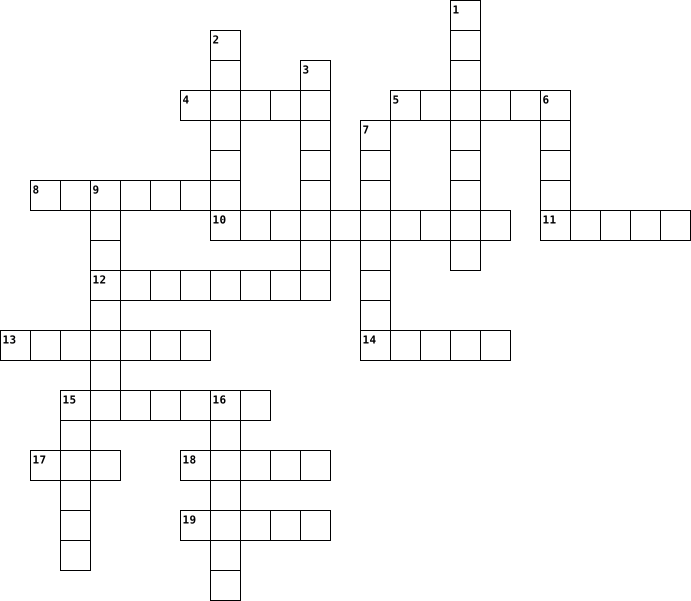
- Output device that displays information on a screen.
- Internal storage used to temporarily hold data and programs.
- (Central Processing Unit) "Brain" of the computer that carries out instructions from software.
- Programs and applications that run on a computer.
- Physical components of a computer system.
- Engine Online tool that helps you find information on the internet.
- Software used to access and view websites on the internet.
Down
- Global network of interconnected computers and servers.
- Input device with keys used to type characters into a computer.
- Process of transferring files from the internet to your computer.
- Pointing device used to interact with a computer's graphical user interface.
- Software used to organize and analyze data in rows and columns.
- Process of transferring files from your computer to the internet.
13 Clues: Physical components of a computer system. • Programs and applications that run on a computer. • Output device that displays information on a screen. • Global network of interconnected computers and servers. • Software used to access and view websites on the internet. • Internal storage used to temporarily hold data and programs. • ...
Computer 2023-05-02

Across
- What the code is set to when it is started.
- an expression that results in a value, that is, in a value of either true or false .
- A network of independent but connected devices all over the world.
Down
- Set of rules performed if a certain condition is met.
- A code that is available for anyone to use.
- error that results when the number of bits is not enough to hold the number, like a car's odometer "rolling over"
- Helps to verify that original author of the code is what he or she claims to be.
- the ability of the net to keep working even as the size of the network and the amount of traffic over the network increase.
- reported input is false
- A multi-step process that involves identifying a problem, isolating the source of the problem, and then either correcting the problem or determining a way to work around it. The final step of ______________ is to test the correction or workaround and make sure it works.
- stands for Internet Service Provider
- stands for Domain Name Service
- Also known as a shift cipher, is one of the simplest forms of encryption. It is a substitution cipher where each letter in the original message (called the plaintext) is replaced with a letter corresponding to a certain number of letters up or down in the alphabet.
13 Clues: reported input is false • stands for Domain Name Service • stands for Internet Service Provider • A code that is available for anyone to use. • What the code is set to when it is started. • Set of rules performed if a certain condition is met. • A network of independent but connected devices all over the world. • ...
Computer 2025-06-03

Across
- number system consists of only two digits
- any criminal activity intended to harm anyone using a computer and an Internet connection
- is a popular anti-virus software
- bulling it is an act of harming or hurra Singh using information technology in a deliberate manner
- number system consists of 16 digits
- number system consists of 8 digits
- it is the act of sending an email to a user misleading him to believe that it is from a trusted person
Down
- is a computer program that is designed to identify and remove virus from a computer
- number system consists of 0 to 9 digits
- grooming is the process of befriending child on social media to facilitate online or physical sexual abuse
- criminals persons who extracted confidential information from users and use these information to execute fraudulent task online
- is a software that prevent unauthorised access to your computer
- spoofing it is a bogus message turned into believing the message received from a trusted source
- it is asset of program that disrupt the normal functioning of a computer
- it refers to an illegal entry into a computer system without permission
15 Clues: is a popular anti-virus software • number system consists of 8 digits • number system consists of 16 digits • number system consists of 0 to 9 digits • number system consists of only two digits • is a software that prevent unauthorised access to your computer • it refers to an illegal entry into a computer system without permission • ...
computer 2022-11-04

Across
- off ออกจากระบบ
- ทำการพิมพ์
- in เสียบสาย
- down ปิดเครื่อง
- เชื่อมต่อ
- ทำการสั่งพิมพ์
- down เลื่อนหน้าจอลง
- on เข้าสู่ระบบ
Down
- ปลดสาย
- การเริ่มใหม่, เริ่มดําเนินการใหม่อีกครั้ง
- กระบวนการต่อเข้าไปยังเครื่องคอมพิวเตอร์ หรือว่าเครือข่ายคอมพิวเตอร์อื่น ๆ เพื่อว่าจะได้เข้าไปใช้ข้อมูลนั้น ๆและในระบบส่วนมากนั้นจะต้องใส่หมายเลขประจําตัว หรือรหัสผ่านก่อนที่จะเข้าไปใช้
- กดเมาส์
- การค้นหา, สืบเสาะแสวงหาข้อมูล
- up เลื่อนหน้าจอขึ้น
- การยกเลิกการใช้เชื่อมต่อกับระบบเครือข่าย
15 Clues: ปลดสาย • กดเมาส์ • เชื่อมต่อ • ทำการพิมพ์ • in เสียบสาย • off ออกจากระบบ • ทำการสั่งพิมพ์ • on เข้าสู่ระบบ • down ปิดเครื่อง • up เลื่อนหน้าจอขึ้น • down เลื่อนหน้าจอลง • การค้นหา, สืบเสาะแสวงหาข้อมูล • การยกเลิกการใช้เชื่อมต่อกับระบบเครือข่าย • การเริ่มใหม่, เริ่มดําเนินการใหม่อีกครั้ง • ...
Networks 2023-09-19

Across
- Used to repeat and boost network traffic
- A computer network that spans the entire floor of a building
- Directs data packets to their destination
- collection of connected computers and devices
- used to authenticate a user account on a network of device
- Dumb switch on a computer network
- Wireless communication mode that covers a short distance
- Computer network that extends across continents
- The way to verify users on a computing devices and computer networks
- Malicious program
Down
- Type of software used to combat malicious code
- Used by service providers to store data of clients
- Short distance wireless communication method
- A controlled private network that allows access to authorised set of users
- used to connect two sections of a computer network
- Private computer network used by business
- Wireless local are network
- Hardware used to connect computer to a computer network
- The largest wide area network
- Internet storage provided by storage service providers
20 Clues: Malicious program • Wireless local are network • The largest wide area network • Dumb switch on a computer network • Used to repeat and boost network traffic • Directs data packets to their destination • Private computer network used by business • Short distance wireless communication method • collection of connected computers and devices • ...
Computer Science 2023-08-28

Across
- Developed ENIAC computer
- Creator of the python language
- Inventor of the computer mouse
- Co-Founder of Apple
- Mathematician and logician who introduced a type of algebra
- Mathematician known for *his name*-Turing thesis
- Father of Computer Science
- Inventor of C programming language
- Mathematician who laid the groundwork for digital computers
Down
- Developed the first high level programming language
- Developed "object oriented Programming"
- developed hypertext
- working on UNIX operating system
- Billionaire Microsoft guy
- Concept of modern computer programming
- Computer scientist and Naval Officer
- Created the World Wide Web
- came up with the term Artificial Intelligence
- Concept of stored program on computer.
- First compiler for programming language
20 Clues: developed hypertext • Co-Founder of Apple • Developed ENIAC computer • Billionaire Microsoft guy • Created the World Wide Web • Father of Computer Science • Creator of the python language • Inventor of the computer mouse • working on UNIX operating system • Inventor of C programming language • Computer scientist and Naval Officer • Concept of modern computer programming • ...
Information Technology 2025-01-24

Across
- Applications
- Computer virus
- Storage unit
- website
- Mouse
- system Operating system
- engine Search Engine
- A set of instructions that control the hardware
- Web Browser
Down
- media Social media
- Programming language Computer language
- Database
- Computer Network
- Keyboard
- Display
- Wall of Fire
- The brain of the computer
- computing Cloud Computing
- Short-term memory
20 Clues: Mouse • E-mail • website • Display • Database • Keyboard • Web Browser • Applications • Storage unit • Wall of Fire • Computer virus • Computer Network • Short-term memory • media Social media • engine Search Engine • system Operating system • The brain of the computer • computing Cloud Computing • Programming language Computer language • A set of instructions that control the hardware
Computer 2020-02-20

Across
- a trillionth of a second
- uses to amplfy sound
- used to attach old mouses and keyboards
- it runs all program
- controls the input and output data
- transmits data to ther computers or servers
- it runs the graphic cords
- connects to other devices with out a cable
Down
- without this there wont be a computer to run
- connects to printers and other devices
- inside the cpu
- it help runt the power throught each device.
- storage device
13 Clues: inside the cpu • storage device • it runs all program • uses to amplfy sound • a trillionth of a second • it runs the graphic cords • controls the input and output data • connects to printers and other devices • used to attach old mouses and keyboards • connects to other devices with out a cable • transmits data to ther computers or servers • ...
COMPUTER 2020-11-18

Across
- sigla che indica l'unità centrale di elaborazione
- istruzioni che possono essere eseguite da un pc
- fornisce i dati in uscita dalla memoria
- BINARIO sistema di numeri di base 2
- dispositivo che permette di memorizzare i dati
- dispositivo per l'inserimento manuale dei dati
- la parte fisica del pc che puoi toccare
Down
- il cervello del pc
- invia dati alla memoria centrale
- è un raggruppamento di 8 bit
- la parte logica del pc, insieme dei programmi
- dispositivo per visualizzare le immagini
- dispositivo di punta mento portatile
13 Clues: il cervello del pc • è un raggruppamento di 8 bit • invia dati alla memoria centrale • BINARIO sistema di numeri di base 2 • dispositivo di punta mento portatile • fornisce i dati in uscita dalla memoria • la parte fisica del pc che puoi toccare • dispositivo per visualizzare le immagini • la parte logica del pc, insieme dei programmi • ...
computer 2022-03-29

Across
- gives a variable a value
- an ordered list
- a variable that cant be changed
- a diagram of a sequence
- will execute instructions
- can store two values
Down
- another input name
- posotive or negative whole number
- simple programing technique
- repeats something over again
- a data structure that looks like a list
- stores a floating point
- sequence of characters
13 Clues: an ordered list • another input name • can store two values • sequence of characters • a diagram of a sequence • stores a floating point • gives a variable a value • will execute instructions • simple programing technique • repeats something over again • a variable that cant be changed • posotive or negative whole number • a data structure that looks like a list
computer 2021-09-14

Across
- turn on the computer
- were the sound comes from
- old scanner and pinter
- slower
Down
- funnels power threw
- transfer data fast
- large PCB
- were the data tranfers
- bain of the computer
- process quickly
- graphics
- colour port
- stores temporary information
13 Clues: slower • graphics • large PCB • colour port • process quickly • transfer data fast • funnels power threw • turn on the computer • bain of the computer • were the data tranfers • old scanner and pinter • were the sound comes from • stores temporary information
Computer 2018-12-05

Across
- Wie vergrößtert man einen Bereich des Bildschirms?
- Bekannte Betriebssysteme sind z.b Apple Ios , Linux ...
- öffentlich drahtlose Internetzugangspunkte ist ...
- Mit welchen Gerät kann man schreiben?
- wie heißt die Abkürzung von Wireless Local Area Network?
- kürzt man Central Processing Unit ab?
Down
- Was kontrolliert den Datenverkehr zwischen den Computern ?
- Was bedeuted KB ?
- Wie nennt man die Verbindung zwischen Computer und Gerät?
- Was ist die Abkürzung von Terabyte ?
- Was bedeuted MB ?
- Wie kürzt manBits pro Sekunde ab ?
- Stick Mit welchen Gerät kann man Daten speichern?
13 Clues: Was bedeuted KB ? • Was bedeuted MB ? • Wie kürzt manBits pro Sekunde ab ? • Was ist die Abkürzung von Terabyte ? • Mit welchen Gerät kann man schreiben? • kürzt man Central Processing Unit ab? • Stick Mit welchen Gerät kann man Daten speichern? • Wie vergrößtert man einen Bereich des Bildschirms? • öffentlich drahtlose Internetzugangspunkte ist ... • ...
COMPUTER 2016-09-06

Across
- random access memory
- personal 2
- Connection system for high-speed peripheral equipment, formerly known as IEEE 1394, or referred to as 1394
- Basic Input Output System
- Port A part of a computer where wires from other pieces of equipment can be connected to it, sending through information one bit.
- ABBREVIATION FOR central processing unit
- power supply unit
Down
- board on computer cpu central processing unit
- port A part of a computer to which wires from other pieces of equipment such as a printer can be connected, sending information eight bits
- Card a circuit board inside a computer that allows it to record and play sounds
- Accelerated Graphic Ports
- Peripheral Component Interconnect
- Universal Serial Bus
13 Clues: personal 2 • power supply unit • random access memory • Universal Serial Bus • Basic Input Output System • Accelerated Graphic Ports • Peripheral Component Interconnect • ABBREVIATION FOR central processing unit • board on computer cpu central processing unit • Card a circuit board inside a computer that allows it to record and play sounds • ...
computer 2022-11-04

Across
- off ออกจากระบบ
- ทำการพิมพ์
- in เสียบสาย
- down ปิดเครื่อง
- เชื่อมต่อ
- ทำการสั่งพิมพ์
- down เลื่อนหน้าจอลง
- on เข้าสู่ระบบ
Down
- ปลดสาย
- การเริ่มใหม่, เริ่มดําเนินการใหม่อีกครั้ง
- กระบวนการต่อเข้าไปยังเครื่องคอมพิวเตอร์ หรือว่าเครือข่ายคอมพิวเตอร์อื่น ๆ เพื่อว่าจะได้เข้าไปใช้ข้อมูลนั้น ๆและในระบบส่วนมากนั้นจะต้องใส่หมายเลขประจําตัว หรือรหัสผ่านก่อนที่จะเข้าไปใช้
- กดเมาส์
- การค้นหา, สืบเสาะแสวงหาข้อมูล
- up เลื่อนหน้าจอขึ้น
- การยกเลิกการใช้เชื่อมต่อกับระบบเครือข่าย
15 Clues: ปลดสาย • กดเมาส์ • เชื่อมต่อ • ทำการพิมพ์ • in เสียบสาย • off ออกจากระบบ • ทำการสั่งพิมพ์ • on เข้าสู่ระบบ • down ปิดเครื่อง • up เลื่อนหน้าจอขึ้น • down เลื่อนหน้าจอลง • การค้นหา, สืบเสาะแสวงหาข้อมูล • การยกเลิกการใช้เชื่อมต่อกับระบบเครือข่าย • การเริ่มใหม่, เริ่มดําเนินการใหม่อีกครั้ง • ...
Computer 2024-12-12

Across
- – Essential for efficient NFV
- – NFV reduces reliance on this
- – Acronym for Network Function Virtualization
- – A benefit of NFV
- – Key to scalability in NFV
- platform used to manage NFV environments
- – Virtual Network Function
- – Management and Orchestration
- – Repeated as it fits both clues
Down
- – The primary industry using NFV
- – Ensures VNFs operate efficiently
- – Protocol managing communication
- – Pertaining to virtual environments
- – Virtualized Network Function
- – Where virtual appliances are hosted
15 Clues: – A benefit of NFV • – Virtual Network Function • – Key to scalability in NFV • – Essential for efficient NFV • – NFV reduces reliance on this • – Virtualized Network Function • – Management and Orchestration • – The primary industry using NFV • – Repeated as it fits both clues • – Protocol managing communication • – Ensures VNFs operate efficiently • ...
computer terms 2016-01-06

Across
- information stored on a computer.
- The screen for viewing computer information
- piece of hardware that will put computer information onto paper
- A box inside the computer case that receives power and converts it to provide power to the motherboard and other installed devices
- program that manages a computer's resources.
- any desktop, laptop, or notebook computer system.
- The physical portion of the computer.
- computer designed to sit in one position on a desk somewhere and not move around.
- A point of attention on the computer screen, of en marked with a flashing line or block
- collection of data, typically organized to make common retrievals easy and efficient.
- To type
Down
- Firmware that can control much of a computer's input/output functions
- removable disk used for storing or transferring information.
- A device for storing and/or retrieving data
- The main board in the computer also called the system board
- Central processing unit. a PC's heart or "brains".
- The device used to run a floppy disk
- Not a mouse with ears but a ..
- the main disk inside a computer used for storing programs and information.
19 Clues: To type • Not a mouse with ears but a .. • information stored on a computer. • The device used to run a floppy disk • The physical portion of the computer. • The screen for viewing computer information • A device for storing and/or retrieving data • program that manages a computer's resources. • any desktop, laptop, or notebook computer system. • ...
Information Technology Terminology 2026-01-05

Across
- – Temporary memory that helps the computer run programs.
- – A secure connection that protects data when using the internet.
- – A group of computers connected to share data and resources.
- System – Software that manages a computer’s hardware and programs.
- – A copy of data saved in case the original is lost.
- – Protecting computers and data from unauthorized access.
- – Software designed for a specific task, like writing or browsing.
- – Where data is saved long-term on a computer.
- – A secret word or code used to access a system.
- – A container used to organize files.
- – A single collection of information stored on a computer.
Down
- – The physical parts of a computer you can touch.
- – The global system of interconnected computer networks.
- – A way of changing data so only authorized people can read it.
- Computing – Using online services to store and access data and programs.
- – Programs that tell the computer what to do.
- – The “brain” of the computer that performs calculations.
- – A set of instructions for solving a problem or completing a task.
- – An electronic device that processes and stores information.
- – Raw facts or information that can be processed by a computer.
20 Clues: – A container used to organize files. • – Programs that tell the computer what to do. • – Where data is saved long-term on a computer. • – A secret word or code used to access a system. • – The physical parts of a computer you can touch. • – A copy of data saved in case the original is lost. • – Temporary memory that helps the computer run programs. • ...
CRIVELLARO 30 ARGOMENTI 2022-01-28

Across
- i programmi che forniscono le istruzioni al processore
- ricostruisce una fotografia in formato digitale
- componente logico di un computer
- amplificano il suono
- 1024 gigabyte
- componenti fisici di un computer
- circuiti elettrici di un computer
- esegue le istruzioni di un programma
- memoria volatile
- 1024 megabyte
- necessario per l’avvio del computer
Down
- serie ordinata di tasti
- stampa ad alta qualità
- dispositivo di puntamento per computer
- archivio di dati e informazioni
- 1024 byte
- l’immissione di dati nel computer
- raccoglie i dati in modo permanente
- collegamento tra tutte le componenti
- memoria permanente
- 1024 kilobyte
- unità aritmetica logica e unità
- l’emissione di dati dal computer
- unità di misura dell’informazione in un programma
24 Clues: 1024 byte • 1024 gigabyte • 1024 kilobyte • 1024 megabyte • memoria volatile • memoria permanente • amplificano il suono • stampa ad alta qualità • serie ordinata di tasti • archivio di dati e informazioni • unità aritmetica logica e unità • componente logico di un computer • componenti fisici di un computer • l’emissione di dati dal computer • l’immissione di dati nel computer • ...
Compute Vocabulary 2012-10-04

Across
- The display screen when you first turn the computer on
- The equipment used in a computer system
- Central Processing Unit
- Device that provides input to a computer
- The main circuit board of a computer
- Device that outputs information
- Uniform Resource Locater
- Program used to access the internet
- Code made of numbers separated by three dots
- Read-Only Memory
Down
- 2+ computers connected
- Any external device that provides input or output
- Computer that provides data to other computers
- Computer programs
- Allows programs to run
- Internet Service Provider
- The first setting before it is changed
- System of representing characters
- Unit of measurement used to measure data
- Random Access Memory
20 Clues: Read-Only Memory • Computer programs • Random Access Memory • 2+ computers connected • Allows programs to run • Central Processing Unit • Uniform Resource Locater • Internet Service Provider • Device that outputs information • System of representing characters • Program used to access the internet • The main circuit board of a computer • The first setting before it is changed • ...
Terms for Computers 2012-09-13

Across
- Where software is stored
- Display screen for files and links
- Central Processing unit
- Supplies data
- A board that contains basic circuitry of a computer
- Allows data to be sent to the computer
- internet serves provider
- the electronic components of a computer system
- system Software that controls the computer
- code represents letters and numbers
- Random Access memory
- The original settings
Down
- displays the image or sounds on a computer
- address code that connects computers
- Finds websites and documents
- Is connected to CPU but isn’t controlled
- Website address
- Directs the computer
- Interconnected computers that exchange data
- A group of bits turned into data
20 Clues: Supplies data • Website address • Directs the computer • Random Access memory • The original settings • Central Processing unit • Where software is stored • internet serves provider • Finds websites and documents • A group of bits turned into data • Display screen for files and links • code represents letters and numbers • address code that connects computers • ...
Computer 2014-02-26

Across
- Engelse naam voor 'toetsenbord'
- Rechstaande computer
- Ook wel systeelmbord genoemd, personal computer
- Hierdaar kan je beeld zien
- Hiermee kan je letter, cijfers en symbolen ingeven op je computer
- Tastbare onderdelen van de computer noemen we...
- Liggende computer
Down
- Gebruik je om bestanden te kunnen selecteren
- Apparaat dat permanent gegevens opslaat
- Hart van de computer
- Biedt plaats om je interne hardware te bevestigen
- Werkgeheugen, berekeningen worden hier tijdelijk opgeslagen
- extern opslagmedium, ook wel geheugenstick genoemd
13 Clues: Liggende computer • Hart van de computer • Rechstaande computer • Hierdaar kan je beeld zien • Engelse naam voor 'toetsenbord' • Apparaat dat permanent gegevens opslaat • Gebruik je om bestanden te kunnen selecteren • Ook wel systeelmbord genoemd, personal computer • Tastbare onderdelen van de computer noemen we... • Biedt plaats om je interne hardware te bevestigen • ...
computer 2023-04-28

Across
- Statement The if-else statement is used to execute both the true part and the false part of a given condition
- Operator a symbol or word used to connect two or more expressions such that the value of the compound expression produced
- Points where decisions must be made
- control used when the number of iterations to occur is already known.
- Statement A selection that allows more than one possible flow
- the quality of dealing with ideas rather than events.
- involves breaking down a complex problem or system into smaller parts
- Construct Form the basis for all programs
Down
- The first programming construct
- Statement A selection that allows more than one possible flow
- A small block of code
- control a standard against which other conditions can be compared in a scientific experiment.
- The repetition of a programme
- Program A set of instructions that a computer can run
14 Clues: A small block of code • The repetition of a programme • The first programming construct • Points where decisions must be made • Construct Form the basis for all programs • Program A set of instructions that a computer can run • the quality of dealing with ideas rather than events. • Statement A selection that allows more than one possible flow • ...
computer 2021-09-14

Across
- turn on the computer
- were the sound comes from
- old scanner and pinter
- slower
Down
- funnels power threw
- transfer data fast
- large PCB
- were the data tranfers
- bain of the computer
- process quickly
- graphics
- colour port
- stores temporary information
13 Clues: slower • graphics • large PCB • colour port • process quickly • transfer data fast • funnels power threw • turn on the computer • bain of the computer • were the data tranfers • old scanner and pinter • were the sound comes from • stores temporary information
computer 2021-09-14

Across
- turn on the computer
- were the sound comes from
- old scanner and pinter
- slower
Down
- funnels power threw
- transfer data fast
- large PCB
- were the data tranfers
- bain of the computer
- process quickly
- graphics
- colour port
- stores temporary information
13 Clues: slower • graphics • large PCB • colour port • process quickly • transfer data fast • funnels power threw • turn on the computer • bain of the computer • were the data tranfers • old scanner and pinter • were the sound comes from • stores temporary information
Computer 2023-07-01

Across
- A digital document or piece of information stored on a computer
- A network of computers that allows you to search for information, play games, and more
- Programs or applications that run on a computer
- A small device that you move on a surface to control the cursor on the screen
- A harmful program that can damage or disrupt a computer
- A screen that displays pictures and text from the computer
- A computer that sits on a desk and consists of a monitor, keyboard, and mouse
Down
- The physical components of a computer, like the keyboard, mouse, and monitor
- A board with buttons that you press to type letters and numbers
- A device that puts text or pictures from a computer onto paper
- A collection of web pages that you can visit on the Internet
- A portable computer that you can carry around
- An electronic way of sending messages to people over the Internet
13 Clues: A portable computer that you can carry around • Programs or applications that run on a computer • A harmful program that can damage or disrupt a computer • A screen that displays pictures and text from the computer • A collection of web pages that you can visit on the Internet • A device that puts text or pictures from a computer onto paper • ...
Computer 2025-01-19

Across
- a set of pages on the internet, where a company or an organization, or an individual person, puts information
- to get data from another computer, usually using the internet
- a computer program that searches the internet for information, especially by looking for documents containing a particular word or group of words
- a piece of software that you can download to a device such as a smartphone or tablet, for example to look up information or to play a game
- an electronic machine that can store, organize and find information, do processes with numbers and other data, and control other machines
- a device for examining something or recording something using light, sound or X-rays
- the main part of a computer, separate from the keyboard, mouse and monitor, that contains the unit that controls all the other parts of the system
Down
- it is a type of storage media that stores photos, videos, or other data in electronic devices.
- a small device that is moved by hand across a surface to control the movement of the cursor on a computer screen
- an international computer network connecting other networks and computers that allows people to share information around the world
- a small mark on a computer screen that can be moved and that shows the position on the screen where, for example, text will be added
- a machine for printing text on paper, especially one connected to a computer
- enlarge imagea small computer that can work with a battery and be easily carried
13 Clues: to get data from another computer, usually using the internet • a machine for printing text on paper, especially one connected to a computer • enlarge imagea small computer that can work with a battery and be easily carried • a device for examining something or recording something using light, sound or X-rays • ...
Computer 2025-06-15

Across
- it refers to a illegal entry in your computer system or network
- an act of harming or harassing using information technology
- hoaxing or misleading
- theft- it refers to the act of stealing and misusing someone's personal information
- a computer program that is designed to identify, prevent and remove viruses from a computer
- vital information resource under seize
- any criminal activity intended to harm anyone using a computer and an internet connection
- an act of sending email to a user misleading him to believe that it is from a trusted person or organisation
Down
- one time password
- the process of befriending children on social media to facilitate online or physical sexual abuse
- extortion- a crime in which the victim is attacked first and then forced to pay money
- terrorism- used to conduct terrorism through the use of computer
- security- a collection of technologies, processes and practices designed to protect networks, computer programs
- frauds- bank frauds is the use of illegal methods to get money or other things that belong to a bank or its customers
- a software that helps in preventing unauthorised access to your computer by blocking unsolicited communication
15 Clues: one time password • hoaxing or misleading • vital information resource under seize • an act of harming or harassing using information technology • it refers to a illegal entry in your computer system or network • terrorism- used to conduct terrorism through the use of computer • theft- it refers to the act of stealing and misusing someone's personal information • ...
Spanish Vocab 2022-12-12

Across
- Poster
- Desk
- Practical
- Flag
- Chair
- Fun
- Favorite
- Computer screen
- Door
- Computer mouse
- More than
- I need
- Three-ring binder
Down
- Clock
- Calculator
- Wastepaper basket
- Easy
- Pencil sharpener
- Difficult
- Computer
- Interesting
- Dictionary
- Table
- There is/there are
- Backpack
- Computer keyboard
- Boring
- You need
- Window
29 Clues: Fun • Desk • Flag • Easy • Door • Clock • Chair • Table • Poster • I need • Boring • Window • Computer • Favorite • Backpack • You need • Practical • Difficult • More than • Calculator • Dictionary • Interesting • Computer mouse • Computer screen • Pencil sharpener • Wastepaper basket • Computer keyboard • Three-ring binder • There is/there are
Spanish Vocab 2022-12-12

Across
- Poster
- Desk
- Practical
- Flag
- Chair
- Fun
- Favorite
- Computer screen
- Door
- Computer mouse
- More than
- I need
- Three-ring binder
Down
- Clock
- Calculator
- Wastepaper basket
- Easy
- Pencil sharpener
- Difficult
- Computer
- Interesting
- Dictionary
- Table
- There is/there are
- Backpack
- Computer keyboard
- Boring
- You need
- Window
29 Clues: Fun • Desk • Flag • Easy • Door • Clock • Chair • Table • Poster • I need • Boring • Window • Computer • Favorite • Backpack • You need • Practical • Difficult • More than • Calculator • Dictionary • Interesting • Computer mouse • Computer screen • Pencil sharpener • Wastepaper basket • Computer keyboard • Three-ring binder • There is/there are
Spanish Vocabulary 2021-10-21

Across
- screen (Computer)
- semester
- book
- pen
- poster
- table
- pencil sharpener
- computer
- paper
- (computer) mouse
Down
- ruler
- wastebasket
- eraser
- binder
- marker
- chalkboard
- pencil
- notebook
- backpack
- map
20 Clues: pen • map • book • ruler • table • paper • eraser • binder • marker • poster • pencil • semester • notebook • backpack • computer • chalkboard • wastebasket • pencil sharpener • (computer) mouse • screen (Computer)
Spanish Vocabulary 2021-10-21

Across
- screen (Computer)
- semester
- book
- pen
- poster
- table
- pencil sharpener
- computer
- paper
- (computer) mouse
Down
- ruler
- wastebasket
- eraser
- binder
- marker
- chalkboard
- pencil
- notebook
- backpack
- map
20 Clues: pen • map • book • ruler • table • paper • eraser • binder • marker • poster • pencil • semester • notebook • backpack • computer • chalkboard • wastebasket • pencil sharpener • (computer) mouse • screen (Computer)
decades 70s 2020-03-10
Across
- apple( computer)
- trend tendens
- maskine
- solidaritet
- sko
- plataform
- Vietnam
- ung
- protest
- krig
- spil
- video
Down
- bevægelser
- hippier
- feminisme
- sang
- lighed
- computer
- fred
- deling
20 Clues: sko • ung • sang • fred • krig • spil • video • lighed • deling • hippier • maskine • Vietnam • protest • computer • feminisme • plataform • bevægelser • solidaritet • trend tendens • apple( computer)
Computing 2018-01-09

Across
- Hand-held pointing device that detects two-dimensional motion relative to surface
- Flow of data across the network
- Computer program that is the core of a computer's operating system, with complete control over everything in the system
- Step-by-step walk-through for someone with no experience
- Computer software that transform high-level programming language to machine code
- File format that supports lossless data compression
- A form of malicious software
- Operating system
Down
- General purpose computer programming language
- Random access memory
- Networking device that forwards data packets between computer networks
- World' s largest network
- Person who penetrates systems
- Part of a computer system that consists of data or computer instructions
- A file system cataloging structure which contains references to other computer files
- Program that operates or controls a particular type of device that is attached to a computer
- Arrow which moves when you move mouse
- Software program designed to damage or do other unwanted actions on a computer systems
- A programming language commonly used for creating Web applications and software plug-ins
- Smallest controllable element of a picture represented on the screen
20 Clues: Operating system • Random access memory • World' s largest network • A form of malicious software • Person who penetrates systems • Flow of data across the network • Arrow which moves when you move mouse • General purpose computer programming language • File format that supports lossless data compression • Step-by-step walk-through for someone with no experience • ...
Denti Termini 2022-01-10

Across
- è una periferica in grado di acquisire immagini
- è una sorgente di informazioni
- fa parte della cpu, unità di calcolo
- immagine molto piccola
- un dispositivo di input presente nella maggior parte dei computer portatili
- sistema di archiviazione dati da remoto
- componenti fisiche del computer
- periferica di input
- video di spiegazione
- i dati che costituiscono il risultato finale dell'elaborazione
- random access memory, memoria di lavoro
- parti logiche del computer
- multiplo di byte
- posta elettronica
- unità di misura della memoria del computer
- interfaccia grafica
- tipo di carattere di scrittura
- multiplo di byte
- software di base del computer
- è una periferica di input
- sistema operativo
Down
- è un tipo di memoria che raccoglie tipicamente grandi quantità di dati
- un programma o del codice realizzato per danneggiare i computer
- schermo del computer
- procedimento di calcolo del computer
- personal computer
- Rete di collegamenti che permette la connessione e la comunicazione tra loro di reti locali di computer e banche dati
- servizio di posta elettronica
- fisso ______la componente di un calcolatore (detta anche processore)
- è uno spazio elettronico e digitale di Internet destinato alla pubblicazione di contenuti multimediali
- è un insieme di tecnologie per reti locali senza fili (WLAN)
- casella di posta elettronica
- tecnologie specifiche per la realizzazione di retiLAN sia fisiche che strutturali.
- multiplo di byte
- read only memory, memoria di sola lettura
- dispositivo hardware
- formato delle immagini
- elaboratore elettronico
- insieme di funzioni software scritte su rom
- la disposizione sulla pagina degli elementi
- la componente di un calcolatore (detta anche processore)
- computer portatile
42 Clues: multiplo di byte • multiplo di byte • multiplo di byte • personal computer • posta elettronica • sistema operativo • computer portatile • periferica di input • interfaccia grafica • schermo del computer • video di spiegazione • dispositivo hardware • immagine molto piccola • formato delle immagini • elaboratore elettronico • è una periferica di input • parti logiche del computer • ...
ICT Computing Essentials Lesson 2 2022-02-03

Across
- Enables user to transfer digital picture files to a computer
- Stores all the software and data that is not being used currently by the CPU
- Temporary memory
- The main storage device of the computer
- Brain of the computer
- Enables user to control movements on the screen when playing video games
- Enables user to verify a person's identity by copying, saving and matching digital images of a fingerprint
- Enables a user to transfer digital picture files to a computer
- Enables user to click, highlight and drag graphical representations (icons) of resources on a computer
- Plugged directly into the motherboard's expansion slots
Down
- Displays text or graphics processed by the computer by projecting content onto a large screen or wall
- Tower where the different components of your desktop computer are housed
- Displays the text or graphics processed by the computer
- Determines the global position (that is, the location) of the device
- A small, portable storage device that is inserted into small input/output devices
- Enables a user to scan and read information from printed barcodes
- Enables user to transfer audio (sounds, music) to a computer as digital files
- Places digital content (such as text or images) on paper by printing it with ink, producing a "hard copy"
- A small, portable storage device that connects to a computer
- Flat, round portable storage devices that require specialized optical drives to read and save (write) data
- Circuit board inside computer
- Enables user to input text and numbers into a computer
- Plays audio files processed by a computer
- A digital pen that enables users to write directly on a touch screen
- Cools the CPU
- Houses all of the system unit's internal components
26 Clues: Cools the CPU • Temporary memory • Brain of the computer • Circuit board inside computer • The main storage device of the computer • Plays audio files processed by a computer • Houses all of the system unit's internal components • Enables user to input text and numbers into a computer • Displays the text or graphics processed by the computer • ...
gallotti termini 2022-01-11

Across
- unità centrale di elaborazione
- contiene file e altre cartelle
- unità logico-aritmetica
- applicazione che ti permette di eliminare foto o documenti dal computer
- memoria di sola lettura
- circuito integrato che elabora i dati.
- cifra del sistema binario
- insieme di caratteri
- parte materiale di un computer
- processo in cui il computer viene acceso
- è un mini computer tascabile.
- estensione dei file generati da word
- un tipo di grafico utilizzato per rappresentare dati
- disegno che richiama la funzione ad essa associata
- è il modo in cui vengono organizzati testo e video all’interno di una pagina
- raggruppamento di otto bit
- programma che permette l’accesso alla rete internet
- Software utilizzato dal sistema operativo
- collegamento tra un documento e un altro
- singolo punto luminoso del monitor.
Down
- madre è la scheda principale dove sono collegati tutti i componenti hardware del computer.
- interfaccia grafica
- è la memoria dove vengono collocati i dati in fase di elaborazione
- processo in cui il computer si spegne
- esecuzione di più programmi simultaneamente.
- operativo l’insieme dei programmi che gestiscono l’hardware
- di ricerca applicativo di un sito internet che consente di cercare informazioni in Internet.
- Operazione che permette di caricare o scaricare dalla rete un file sul proprio computer
- estensione dei file generati dal software
- Posta elettronica,
- dati in uscita di un programma o informazioni in uscita da un computer
- computer dotato di un software che è in grado di ricevere le informazioni e trasferirle ad altri computer
- tipo di computer piccolo e leggero
- documento di lavoro
- è una rete di computer interna a un’azienda
- file dove vengono conservati dei dati
36 Clues: Posta elettronica, • interfaccia grafica • documento di lavoro • insieme di caratteri • unità logico-aritmetica • memoria di sola lettura • cifra del sistema binario • raggruppamento di otto bit • è un mini computer tascabile. • unità centrale di elaborazione • contiene file e altre cartelle • parte materiale di un computer • tipo di computer piccolo e leggero • ...
Computer Hardware and Software 2013-08-19

Across
- are made of metal and holds all the internal parts of a computer system.
- which cools the CPU to keep it functioning properly
- produces sound output that comes out of the speakers
- the most important software that runs on a computer and managers all software and hardware.
- is considered the brains of the computer
- a visual display device
- a hardware device used to record and transmit sound.
- a popular operating system
- known as the main circuit and provides a way for hardware in a computer to communicate with each other
- a device connected to a computer that allows a user to print items onto paper.
- a drive that is connected to a computer and on which a CD can be played.
Down
- a data storage device that is used to store information like software and files.
- a device used to input text into a computer or other device. Can be connected wirelessly or via USB.
- an output device used for listening that is held over the ears by a band worn on the head.
- produces the video output that comes out of the monitor
- stores temporary instructions and data
- an input device used to move a cursor around the screen
- a type of system software that is used to maintain the performance of a computer system.
- the most popular connection used to connect a computer to a device such as digital cameras, printers, scanners and external hard drives.
- a component that supplies power to the components of a computer.
- a cursor control device used in computer games.
- is an external device that produces sound.
- is a video capturing device that is connected to a computer.
23 Clues: a visual display device • a popular operating system • stores temporary instructions and data • is considered the brains of the computer • is an external device that produces sound. • a cursor control device used in computer games. • which cools the CPU to keep it functioning properly • produces sound output that comes out of the speakers • ...
Computer Fundamentals 2019-07-09

Across
- a device in which you can connect wirelessly and able access the Internet
- an information system on the Internet which allows documents to be connected to other documents by hypertext links
- round plastic device that can store data like music, movies and software
- hardware device used to point and click icons
- most famous for helping break the German's Enigma code during World War II
- a portable desktop computer
- TV like device that displays text, graphics and images on the screen
- the most powerful computers in terms of performance and data processing
- doing two or more things at the same time
- an example of a search engine and one of the most widely used
- consists of the physical components that make a computer work
- father of modern day computer
- one of the founder of Apple Company
- the guy that thinks of world wireless system
Down
- garbage in, garbage out
- brain and heart of the computer
- most widely used computer operating system
- machine that can be instructed to carry out sequences of arithmetic or logical operations
- hardware device that has keys to press on in order to input data into computer
- desktop computers and laptops belong to this category of computer
- hardware that prints on a paper
- the global system of interconnected computer networks that use the internet protocol suite to link devices worldwide
- American inventor who invented the QWERTY typewriter
- main saving storage device in the computer
- one of the founder of Microsoft
- Chinese computing device
- the first general– purpose digital computer
- The speed on how computer process and save information
- type of memory that is temporary in nature
- type of memory that you can only read and cannot modify
30 Clues: garbage in, garbage out • Chinese computing device • a portable desktop computer • father of modern day computer • brain and heart of the computer • hardware that prints on a paper • one of the founder of Microsoft • one of the founder of Apple Company • doing two or more things at the same time • most widely used computer operating system • ...
Chapter one key terms 2023-08-18

Across
- Manages all of the devices connected to the computer and controls the internal operations of the computer's hardware.
- Any low-level language that has a strong connection with instructions in the language and the architectures in machine code instructions.
- The electronic circuitry that executes instructions comprising a computer system.
- Unit of data that is eight binary digits long.
- The physical and mechanical components of a computer system.
- Scans the entire program and translates the whole of it into machine code at once.
- A low-level language made of binary numbers.
- A system of representing data using 0's and 1's.
- Universal character encoding standard.
- A piece of computer hardware that converts information into a readable form of use with other non-computerized equipment.
- Takes basic computer instructions and converts them into a pattern of bits that the computer procce's and runs these basic operations.
- Set of instructions commands and statements which is written by aogrammer by using a computer language.
- Memory could be lost easily if the computer turns off.
Down
- Known as auxiliary storage and is a non-volatile storage that is used to save data and programs for later retrieval.
- Set of rules which defines how a Python program will be written.
- A computer program used to run hardware or applications.
- A technician who specializes in code.
- CPU's primary method of program execution.
- The hardware in a computing device that stores the operating systems and other programs while the computer is on.
- Translates just one statement of the program at a time into machine code.
- A device that allows for information to be entered into a computer.
- A series of statements that have been designed to perform a specific task.
- Smallest unit of computer data.
23 Clues: Smallest unit of computer data. • A technician who specializes in code. • Universal character encoding standard. • CPU's primary method of program execution. • A low-level language made of binary numbers. • Unit of data that is eight binary digits long. • A system of representing data using 0's and 1's. • Memory could be lost easily if the computer turns off. • ...
thej 2026-05-18

Across
- what a computer needs to work
- accesss memory a common computing acronym that stands for random-access memory.
- a graphical element on your computer screen that shows your position in a software interface
- what you call some thing that you connect to the computer and delivers some thing to the computer
- an every day device that you or your parents use at work
- some thing that is a output and works to move the cursor
- versatile, portable touch-screen devices bridging the gap between smartphones and laptops.
- a modern data storage device that uses flash memory chips to store files and applications.
- It acts as an output device in a computer system, allowing users to produce tangible versions of digital content.
- an input device that allows you to type letters, numbers, and symbols into your computer or other electronic device
- storage refers to storage devices that store data and programs permanently, even when the computer is turned off.
Down
- storage the computer's primary workspace located directly on the motherboard
- a handheld mobile device that combines traditional phone features with a mobile operating system, functioning like a portable computer
- an electronic device that optically captures physical documents, photos, or objects and translates them into digital
- your computer or device's short-term memory
- something firmly fixed or integrated into a larger whole.
- a highly powerful, ultra-reliable computer used primarily by large organizations for mission-critical tasks.
- an exceptionally powerful system that harnesses the combined processing power of thousands of interconnected processors working in parallel
- a type of computer optical disc storage medium that stores data in the form of text, graphics, video, and audio files.
- a traditional, non-volatile data storage device used in computers.
20 Clues: what a computer needs to work • your computer or device's short-term memory • an every day device that you or your parents use at work • some thing that is a output and works to move the cursor • something firmly fixed or integrated into a larger whole. • a traditional, non-volatile data storage device used in computers. • ...
Computer definition 2026-02-12

Across
- a non-volatile computer memory type that stores permanent, unalterable data, often used to hold essential boot instructions like BIOS
- Is the instance of computer program that is being executed by one or many threads
- Definition
- A folder is a storage space, where many files can be placed into groups and organize the computer.
- any data, information, or signals processed by a computer and sent out to a user or another device
- a person who uses a computer or network service.
- relating to visual art or computer graphics.
- any system that connects two or more computers or devices to share data, resources, and services.
- A hand held pointing device that’s two d motion relative to surface
- a digital graphics program or a specific action within one
- a shared boundary across which two or more separate components of a computer system exchange information
- Digital computer, any of a class of devices capable of solving problems by processing information in discrete form.
Down
- A computer. recorder is a system that uses a high-capacity hard disk to record digital audio or digital video.
- A short term memory where data is stored as the processor needs it
- a visual display device
- The function of a computer holding data short term or long term between the processor and primary storage
- an output device used for producing high-quality, large-scale vector graphics, engineering drawings, or blueprints by controlling a drawing tool
- A computer bit is the smallest, most basic unit of data in computing and digital communications.
- an output hardware device that connects to a computer to generate, amplify, and emit sound.
- an external hardware device connected to a computer or network that produces a physical copy (hard copy) of text or graphics on paper, film, or other materials
- a device that allows you to digitize physical documents, images, or even objects, and convert them into a digital format that can be viewed, edited, and stored on a computer.
- any data, command, or signal sent from an external source (like a user or sensor) to the computer system for processing
- an input device that types
- an external device that connects to a computer to expand its capabilities.
- A unit of digital information consisting of 8 bits
- The persistent collection of data stored on a computer, treated as a single unit by the operating system
- remote, internet-based data storage and computing services rather than local hardware
- a visual, interactive system for human-computer interaction that allows users to operate devices, apps, or websites by manipulating graphical elements
28 Clues: Definition • a visual display device • an input device that types • relating to visual art or computer graphics. • a person who uses a computer or network service. • A unit of digital information consisting of 8 bits • a digital graphics program or a specific action within one • A short term memory where data is stored as the processor needs it • ...
Semester Test 2 2026-05-13

Across
- The circuit board that all other components connect to
- A common operating system created by Microsoft
- A new, improved, or fixed software that replaces older versions of the same software
- Computer programs also known as "apps"
- The operating system created by Google that runs on many smartphones and tablets
- A large, stationary computer that is highly customizable/upgradable, but requires peripheral devices (mouse, keyboard, etc) to function properly
- Putting new software on a device
- Giving a digital device or computer to-do tasks for you
- A handheld computer generally with a touchscreen that has cellular networking capability
- The most powerful computer. Very expensive. Mostly owned by the government
Down
- Tells you how many pixels your screen can display
- The operating system that runs on iPhones
- A portable, hinged and closable computer with an attached mouse/keyboard/screen
- The physical parts of a computer
- Removing software that you don't want from a device
- The smallest element in an electronic image
- The brain of the computer that processes information
- The digital parts of a computer
- A type of display screen that is sensitive to the touch of a finger or stylus (digital pencil)
- Random access memory
20 Clues: Random access memory • The digital parts of a computer • The physical parts of a computer • Putting new software on a device • Computer programs also known as "apps" • The operating system that runs on iPhones • The smallest element in an electronic image • A common operating system created by Microsoft • Tells you how many pixels your screen can display • ...
Ai in the world 2026-09-10

Across
- Computer that provides information or services.
- The brain of a computer.
- Physical parts of a computer.
- Small piece of text an AI reads.
- Step-by-step rules for solving a problem.
- Worldwide computer network.
- When AI makes up false information.
- Secret code used to log in.
- Stored information on a computer.
- Question or instruction given to AI.
- Get a file from the internet.
- Device used to type.
- Place where files are stored.
- Program used to visit websites.
Down
- AI using what it learned to give an answer.
- Device that puts files on paper.
- AI searches information before answering.
- Teaching an AI using data.
- AI system trained on data.
- Unfair or one-sided AI results.
- Intelligence Computer that can think and learn.
- Screen that shows information.
- Harmful computer program.
- Programs that run on a computer.
- Send a file to the internet.
- Connected computers that share information.
- Temporary computer memory.
- Information used to teach AI.
- A page or group of pages online.
- Device used to point and click.
- Online storage for files and data.
31 Clues: Device used to type. • The brain of a computer. • Harmful computer program. • Teaching an AI using data. • AI system trained on data. • Temporary computer memory. • Worldwide computer network. • Secret code used to log in. • Send a file to the internet. • Physical parts of a computer. • Get a file from the internet. • Information used to teach AI. • Place where files are stored. • ...
Computer Safety Crossword Puzzle 2018-08-15

Across
- To copy information from your internet-enabled device to the internet
- engine An Internet service that helps you search for information on the web
- A word or series of letters, numbers and characters that only you know
- unwanted email from someone you don't know
- To represent a literary work or close interpretation of one as one's own
- A program with a graphical user interface for displaying HTML files, used to navigate the World Wide Web
- A collection of web pages
- theft Practice of stealing personal details
- computer programs that can destroy files or make your computer crash
- mail Unwanted email messages
- Programs that run on your computer
- A small device connected to a computer that is used for the cursor
Down
- A term for the actual computer equipment
- internet harassment
- A panel of keys that operate a computer
- a tracking feature of internet browsers that shows all the recent websites visited
- A worldwide network of computer networks
- The arrow that appears on your computer screen
- A person who accesses a computer illegally or legally
- A way to exchange messages over the internet
20 Clues: internet harassment • A collection of web pages • mail Unwanted email messages • Programs that run on your computer • A panel of keys that operate a computer • A term for the actual computer equipment • A worldwide network of computer networks • unwanted email from someone you don't know • theft Practice of stealing personal details • ...
ITDT 2020-10-01

Across
- Random Access Memory
- Read only memory
- Wide Area Network
- last name of the originator of the concept of a digital programmable computer.
- personal digital assistants
- last name of a pioneer for computing science
- where the processor and memory live
- a storage device
- a form of output
- How a computer tells your things
- what you click on to reach another webpage
- a document stored on a disk
- Local Area Networks
- a form of software
- Programs or Applications
- nickname of steve wozniak
- last name of an American computer scientist
- physical parts of a computer
Down
- information on a webpage
- new facts entered into the computer to be processed, which consist of text, numbers, sounds, and images.
- the computer receiving the messages
- executes instructions given to the computer
- Permanent storage
- last name of the person who is best known for founding Commodore International
- a form of hardware
- How you tell your computer to do things
- Temporary storage RAM
- last name of the English mathematician who helped establish modern symbolic logic
- input, processing, output, and storage.
- How your computer remembers things
- center of network
31 Clues: Read only memory • a storage device • a form of output • Wide Area Network • Permanent storage • center of network • a form of hardware • a form of software • Local Area Networks • Random Access Memory • Temporary storage RAM • information on a webpage • Programs or Applications • nickname of steve wozniak • personal digital assistants • a document stored on a disk • physical parts of a computer • ...
General Computing 2025-07-07

Across
- – temporary memory that stores data while a computer is running
- – programs and operating systems used by a computer
- – storing data on the internet instead of a local device
- – a group of 4 bits
- – a step-by-step set of instructions to solve a problem
- – external devices connected to a computer like printers or scanners
- – software that protects a computer from malware
- – a computer that provides data or services to other computers
- – a computer system built into a device to control its functions
- – a group of 8 bits
- – memory that stores data permanently, even when the computer is off
Down
- – the physical parts of a computer
- – memory that is cleared when the power is turned off
- – number system that uses only the digits 0 and 1
- – a global network that connects millions of computers
- – the smallest unit of data in a computer
- – the smallest unit of a digital image
- – number system that uses digits 0–9 and letters A–F
- – software that converts assembly language into machine code
- – number system uses the digits 0 to 9
- – a device that detects or measures physical properties
- – the set of rules that defines how code must be written
22 Clues: – a group of 4 bits • – a group of 8 bits • – the physical parts of a computer • – the smallest unit of a digital image • – number system uses the digits 0 to 9 • – the smallest unit of data in a computer • – software that protects a computer from malware • – number system that uses only the digits 0 and 1 • – programs and operating systems used by a computer • ...
Input | Output | Storage | Memory 2026-06-26

Across
- A portable storage device used to save and transfer files.
- Memory that stores data currently being used by the computer.
- An input device used to control the pointer on the screen.
- Memory that stores instructions needed to start the computer.
- A fast storage device with no moving parts.
- An output device that produces a paper copy of work.
- Where data and files are kept for future use.
- An input device used to record sound.
- An output device worn on your ears to hear sound.
- Facts or information stored and processed by a computer.
Down
- An input device that captures photos or videos.
- An input device that copies pictures or documents into a computer.
- A storage device that keeps files even when the computer is turned off.
- Temporary space where a computer stores data while it is working.
- An output device that displays images and text.
- An output device that plays sound from a computer.
- An input device used to type letters and numbers.
- A device or process that sends data into a computer.
- A device that shows or produces the results from a computer.
- A collection of data saved with a name on a storage device.
20 Clues: An input device used to record sound. • A fast storage device with no moving parts. • Where data and files are kept for future use. • An input device that captures photos or videos. • An output device that displays images and text. • An input device used to type letters and numbers. • An output device worn on your ears to hear sound. • ...
Parts of a Computer 2022-10-19

Across
- A display screen to provide "output" to the user
- a video camera which is designed to record or stream to a computer or computer network
- Card, enables a computer to access the Internet by means of a cord
- Manages the functions of input, output, and storage devices.
- to enter information into the computer
- A device that allows pictures to be placed into a computer
- controls the motion of a pointer
- An output device that produces a hard copy on paper
Down
- Allows the user to record sounds as input to their computer
- Supply, converts mains AC to low-voltage regulated DC power for the internal components of a computer
- Drive, the hardware component that stores all of your digital content
- Card, enable internet connection through the wireless connection network under the coverage of a wireless local area network
- Fan, to blow cold air and drive hot air out of the computer
- Card, generates the video signal sent to a computer display
- Random Access Memory
- Card, Connects the speakers and microphone to the computer.
- Read Only Memory
- port, a common interface that enables communication between devices and a host controller such as a personal computer (PC) or smartphone
18 Clues: Read Only Memory • Random Access Memory • controls the motion of a pointer • to enter information into the computer • A display screen to provide "output" to the user • An output device that produces a hard copy on paper • A device that allows pictures to be placed into a computer • Allows the user to record sounds as input to their computer • ...
Part C: Exploring Computer Vocabulary 2020-04-29

Across
- Memory whose contents can be accessed and read but cannot be changed (read-only memory)
- A language designed for programming computers
- A system of interconnected electronic components or circuits
- Adjust the spaces between words
- unwanted e-mail
- A device that takes signals and displays them
- An electronic storage device
- The address of a web page on the world wide web
- Taking someone's words or ideas as if they were your own
- An electronic device that generates a digital representation of an image for data input to a computer
- The branch of engineering that deals with the use of computers and telecommunications to retrieve and store and transmit information
- A software program capable of reproducing itself
Down
- A device that can be used to insert data into a computer
- Software that controls the execution of computer programs and may provide various services
- Type without looking at the keyboard
- A local area network that uses high frequency radio signals to transmit and receive data over distances of a few hundred feet
- representing the real world by a computer program
- Exit a computer
- The smallest discrete component of an image on a screen
- The most common computer memory (random access memory) which can be used by programs to perform necessary tasks while the computer is on
- Electronic equipment connected by cable to a computer
- Enter a computer
- The standard keyboard
- A sequence of instructions that a computer can execute
- An instruction connecting one part of a program to another
- Equipment connected to a computer and used to transfer data out of the computer in the form of text, images, sounds, or other media
26 Clues: unwanted e-mail • Exit a computer • Enter a computer • The standard keyboard • An electronic storage device • Adjust the spaces between words • Type without looking at the keyboard • A language designed for programming computers • A device that takes signals and displays them • The address of a web page on the world wide web • A software program capable of reproducing itself • ...
Computers 2020-10-02

Across
- A free and open source web browser is known as mozilla firefox
- A mass storage device that has no moving parts.
- People who do calculations back in the day
- A computer program that takes over software from another computer
- A hardware device that converter data from a digital format
- The physical parts of a computer
- The main printed circuit board in general purpose computers
- the main software on a computer
- The main screen area that you see after turning on your computer
- The “D” in dvd
- A company taht features many application software including Excel, PowerPoint, etc.
- The collective name for viruses, spyware, ransomware etc
- Known as the “father of computers”
Down
- Engine A complex machine that can approximate polynomials
- Until the 1800’s a computer was considered a
- The step reckoner worked similar to a ______ in your car
- The “P” in CPU stands for
- A hardware device that keeps the computer device cool by circulating air
- the first recorded person to use the word computer in a book by
- This 1800’s device could add, subtract, multiply, and divide
- Considered the world's first computer programmer
- A collection of data that tells the computer how to work
- Considered to be the first computer this was a calculating tool
- A form of computer memory that can be read or changed in any order
- A software that is made to gather information on a certain person
- The first group of people to apply computing in real world complex problems
- Drive a data storage device that includes flash memory
27 Clues: The “D” in dvd • The “P” in CPU stands for • the main software on a computer • The physical parts of a computer • Known as the “father of computers” • People who do calculations back in the day • Until the 1800’s a computer was considered a • A mass storage device that has no moving parts. • Considered the world's first computer programmer • ...
Programming 2025-01-08

Across
- - A wireless technology that allows devices to connect to the internet.
- - A software application, usually for mobile devices.
- - A computer component used to store data temporarily or permanently.
- - A collection of web pages accessible via the internet.
- - A digital entertainment program played on a computer or device.
- - The display device used to show information from a computer.
- - A portable computer that can be used on the go.
- - A network of remote servers used for storage and processing.
- - A clickable element on a screen used to perform actions.
- - A system of connected devices that can communicate with each other.
- - A harmful program that infects and damages files or systems.
- - A device used to capture photos or video on a computer or phone.
- - Information that can be processed or stored by a computer.
- - A storage device used to store files on a computer (e.g., hard drive, flash drive).
Down
- - A visual representation, such as a photo or graphic, displayed on a computer.
- - A mobile device that can make calls, run apps, and access the internet.
- - The input device with keys used to type text and commands.
- - A secret word or phrase used to authenticate a user.
- - A screen used to display the output from a computer.
- - A container for storing data on a computer.
- - A pointing device used to interact with a computer screen.
- - A clickable text or image that connects to another webpage or resource.
- - A portable touch-screen device that functions like a computer.
- - The action of looking for information on the internet or a device.
- - The written instructions used in creating software and websites.
25 Clues: - A container for storing data on a computer. • - A portable computer that can be used on the go. • - A software application, usually for mobile devices. • - A secret word or phrase used to authenticate a user. • - A screen used to display the output from a computer. • - A collection of web pages accessible via the internet. • ...
Digital Literacy 2025-02-05

Across
- The physical components of a computer system, like the monitor, keyboard, and motherboard.
- The process of identifying and solving computer problems.
- A removable storage device used to back up files or transfer data.
- A type of volatile memory that clears when the computer turns off.
- The software that manages hardware and software resources, like Windows or macOS.
- The action of a computer interpreting and executing instructions.
- The result of processing, such as displayed text or printed documents.
- A programming statement that performs actions based on whether a condition is true or false.
- Online storage that allows access to files from anywhere with internet access.
- A place where digital data is saved for later use.
- The essential programs that help a computer function, like an operating system.
Down
- Programs designed for users to perform specific tasks, like word processors or games.
- A set of instructions that tells a computer what to do.
- A small, portable storage device that connects via USB.
- A device that stores large amounts of data permanently in a computer.
- An external device connected to a computer, such as a printer or a mouse.
- Permanent storage that retains data even when the computer is powered off.
- A stepbystep procedure or formula for solving a problem.
- A programming construct that repeats a block of code multiple times.
- A device used to enter data into a computer, such as a keyboard or a microphone.
- The "brain" of the computer that carries out instructions from programs.
- A component that reads and writes data, like a hard disk or a USB stick.
- The part of a computer that stores data and instructions for processing.
23 Clues: A place where digital data is saved for later use. • A set of instructions that tells a computer what to do. • A small, portable storage device that connects via USB. • A stepbystep procedure or formula for solving a problem. • The process of identifying and solving computer problems. • The action of a computer interpreting and executing instructions. • ...
General Computing and More Quiz :) 2022-04-27

Across
- The brand of a system that was made by Microsoft for gaming
- The thing that you use to type.
- The block game that was released in 2011
- The thing that is used to measure power in a computer
- The type of primary storage that a computer needs to work.
- The thing that is required to power your computer.
- The main processer of a computer.
- One of the most popular programming languages
- the thing that was most commonly used to store items on computer in the 1980's and the 1990's
- The thing you use to see things on a computer.
- The program that manages a computer's resources, especially the allocation of those resources among other programs.
- The type of port that is mostly used input peripherals
- The thing that clock speed is measure in.
- The most popular search engine
Down
- 2 or more electronic devices that are connected for the purpose of communication.
- A processing unit within a cpu.
- The type of computer that is only used for mathematics
- The device you use to hear stuff on a computer
- the main type of portable computing system
- the most popular type of display adapters
- The thing you use to talk to people online
- The thing that a computer requires to output things.
- the small portable device that is used for calling and that is made by Apple, Samsung , Xiaomi and many more companies
- a type of magnetic storage.
- The thing that affects your computer very badly and some of them steal info from your computer
- The things that are used in a computer to orginise things that are stored on secondary storage
26 Clues: a type of magnetic storage. • The most popular search engine • A processing unit within a cpu. • The thing that you use to type. • The main processer of a computer. • The block game that was released in 2011 • the most popular type of display adapters • The thing that clock speed is measure in. • the main type of portable computing system • ...
Computer Fundamentals 2019-07-09

Across
- the guy that thinks of world wireless system
- type of memory that is temporary in nature
- garbage in, garbage out
- the global system of interconnected computer networks that use the internet protocol suite to link devices worldwide
- round plastic device that can store data like music, movies and software
- a portable desktop computer
- a device in which you can connect wirelessly and able access the Internet
- desktop computers and laptops belong to this category of computer
- TV like device that displays text, graphics and images on the screen
- consists of the physical components that make a computer work
- American inventor who invented the QWERTY typewriter
- the first general– purpose digital computer
- brain and heart of the computer
- one of the founder of Microsoft
- Chinese computing device
Down
- The speed on how computer process and save information
- father of modern day computer
- type of memory that you can only read and cannot modify
- doing two or more things at the same time
- the most powerful computers in terms of performance and data processing
- hardware that prints on a paper
- one of the founder of Apple Company
- machine that can be instructed to carry out sequences of arithmetic or logical operations
- most famous for helping break the German's Enigma code during World War II
- hardware device that has keys to press on in order to input data into computer
- most widely used computer operating system
- hardware device used to point and click icons
- an example of a search engine and one of the most widely used
- saving storage device in the computer
- an information system on the Internet which allows documents to be connected to other documents by hypertext links
30 Clues: garbage in, garbage out • Chinese computing device • a portable desktop computer • father of modern day computer • hardware that prints on a paper • brain and heart of the computer • one of the founder of Microsoft • one of the founder of Apple Company • saving storage device in the computer • doing two or more things at the same time • ...
History of Technology 2024-10-09

Across
- internet service which allows the computer user to search the internet
- set of instructions or computer software which operates on the computer to carry out specific tasks
- small graphic or icon used to express emotion
- data storage device known by many different names, such as memory stick, thumb drive, jump drive or pen drive
- small device used to control the flow of electronic currents
- use of a global network of servers allowing access to stored data through the internet anywhere, anytime
- set of instructions or computer programs which operate on the computer to carry out specific tasks
- complex machine which operates according to provided instructions to find solutions to scientific or technological issues
- chip which processes all instructions of the computer
- carries out specific tasks of the user and runs in the foreground
- ability of a computer to make human-like decisions and perform human tasks
Down
- interactive web sites or applications used for sharing content and communicating
- use of keyboard keys to portray emotions
- global network or connection of computers
- computer meant to be used by one person
- flying machine operated remotely with an installed camera, also called unmanned aerial vehicles or UVAs
- ever-changing development of knowledge to solve practical problems
- web pages which are viewed on the internet also called the Web
- integrated circuit which is able to process or contain information
- devices used to control the electric current flow in early computers and produced a great amount of heat
- internal storage device
- internet service which provides access to the internet
- set of instructions used to create computer programs or software
- paper cards containing computer instructions or data inserted into the computer
24 Clues: internal storage device • computer meant to be used by one person • use of keyboard keys to portray emotions • global network or connection of computers • small graphic or icon used to express emotion • chip which processes all instructions of the computer • internet service which provides access to the internet • ...
Computer component 2023-09-29

Across
- What connector allows users to connect external devices like flash drives and peripherals to the computer?
- What component enables a computer to connect to a network such as the internet?
- What component is used in conjunction with a cooling fan to dissipate heat from the CPU?
- What component is used for long-term storage of data and software on a computer?
- What component processes and plays audio on a computer often used for speakers and headphones?
- What component helps dissipate heat from the CPU and other heat-generating parts?
- What component provides electrical power to the other parts of the computer?
- What component provides temporary storage for data that the CPU is actively using?
- What is the main circuit board of a computer that connects all the components?
Down
- What input device allows users to enter text and commands into the computer?
- What component reads and writes data from and to optical discs like CDs and DVDs?
- What component can be added to the motherboard to provide additional functionality such as a graphics card or sound card?
- What connector provides a wired network connection to the computer?
- What component is often considered the "brain" of the computer and performs most calculations?
- What storage device uses flash memory for faster data access compared to traditional hard drives?
- What is the enclosure that houses and protects the computer's internal components?
- What firmware is responsible for booting up the computer and initializing hardware components?
- What output device displays the visual output from the computer?
- What input device is used to move a cursor on the screen and interact with graphical user interfaces?
- What component is responsible for rendering graphics and images on a computer?
20 Clues: What output device displays the visual output from the computer? • What connector provides a wired network connection to the computer? • What input device allows users to enter text and commands into the computer? • What component provides electrical power to the other parts of the computer? • ...
Computer Terminology 2024-05-08

Across
- temporary memory on a computer
- a device that stores computer files
- device that processes computer information
- device used to connect to the internet
- used to print documents
- Keeps CPU from overheating
- the physical parts of a computer
- An ethernet card to connect to the internet
- a stationary computer
Down
- saves files from a computer permanently
- connects all components of a computer
- a portable computer
- device that displays computer information
- a program that helps user interact with computer
- cable used to connect to the network
15 Clues: a portable computer • a stationary computer • used to print documents • Keeps CPU from overheating • temporary memory on a computer • the physical parts of a computer • a device that stores computer files • cable used to connect to the network • connects all components of a computer • device used to connect to the internet • saves files from a computer permanently • ...
Crossword 2021-09-05

Across
- Holds programs, files ,etc
- The brain of the computer
- Gives a copy of what's on the computer
- To click the mouse button twice
- Communicates with the computer by striking keys
- Communicates with the Computer by clicks
- Devices that show data that comes out of the computer
- To push down to the right of the mouse
- A computer which all other computers are connected to
Down
- To hold the left mouse button and moving the mouse
- The colored part of the computer
- The TV part of the computer
- Wheel thing that's in the middle of your Mouse
- Devices that put data into the computer (EX. Pictures)
- Pictures for the computer
- Buttons on the KB(Key Board)
16 Clues: The brain of the computer • Pictures for the computer • Holds programs, files ,etc • The TV part of the computer • Buttons on the KB(Key Board) • To click the mouse button twice • The colored part of the computer • Gives a copy of what's on the computer • To push down to the right of the mouse • Communicates with the Computer by clicks • ...
compuer definition 2026-02-12

Across
- a person who uses a computer or network service.
- A unit of digital information consisting of 8 bits
- A computer bit is the smallest, most basic unit of data in computing and digital communications.
- a visual display device
- an external device that connects to a computer to expand its capabilities.
- an external hardware device connected to a computer or network that produces a physical copy (hard copy) of text or graphics on paper, film, or other materials
- a digital graphics program or a specific action within one
- relating to visual art or computer graphics.
- any data, information, or signals processed by a computer and sent out to a user or another device
- A hand held pointing device that’s two d motion relative to surface
- The function of a computer holding data short term or long term between the processor and primary storage
- remote, internet-based data storage and computing services rather than local hardware
- The persistent collection of data stored on a computer, treated as a single unit by the operating system
- A folder is a storage space, where many files can be placed into groups and organize the computer.
Down
- an output hardware device that connects to a computer to generate, amplify, and emit sound.
- an input device
- A computer. recorder is a system that uses a high-capacity hard disk to record digital audio or digital video.
- a device that allows you to digitize physical documents, images, or even objects, and convert them into a digital format that can be viewed, edited, and stored on a computer.
- any data, command, or signal sent from an external source (like a user or sensor) to the computer system for processing
- an output device used for producing high-quality, large-scale vector graphics, engineering drawings, or blueprints by controlling a drawing tool
- any system that connects two or more computers or devices to share data, resources, and services.
- Is the instance of computer program that is being executed by one or many threads
- A shared boundary across which two or more separate components of a computer system exchange imformation
- Definition
- a visual, interactive system for human-computer interaction that allows users to operate devices, apps, or websites by manipulating graphical elements
- a non-volatile computer memory type that stores permanent, unalterable data, often used to hold essential boot instructions like BIOS
- Digital computer, any of a class of devices capable of solving problems by processing information in discrete form.
- A short term memory where data is stored as the processor needs it
28 Clues: Definition • an input device • a visual display device • relating to visual art or computer graphics. • a person who uses a computer or network service. • A unit of digital information consisting of 8 bits • a digital graphics program or a specific action within one • A short term memory where data is stored as the processor needs it • ...
Debora priola 2020-11-19

Across
- interagiscono con il computer e
- conserva i dati
- elabora i dati e fa i calcoli
- emettono dati nel computer.
- i dati dall' interno e dall'
- aree di memoria nei dati
- fanno scrivere dati dal computer.
- coordina le operazioni
- cervello del computer
Down
- collegate con dei cavi
- fine della elaborazione
- programmi
- dall'esterno
- memoria temporanea
- e un elaboratore
- componenti fisici che si toccano
- operazione di calcolo
- memorizzare dati e programmi in modo
- esempio: dischetti, usb, hardisk esterno.
- memoria permanente
20 Clues: programmi • dall'esterno • conserva i dati • e un elaboratore • memoria temporanea • memoria permanente • operazione di calcolo • cervello del computer • collegate con dei cavi • coordina le operazioni • fine della elaborazione • aree di memoria nei dati • emettono dati nel computer. • i dati dall' interno e dall' • elabora i dati e fa i calcoli • interagiscono con il computer e • ...
Way Better than Shandi's Crossword 2012-12-19

Across
- displays signals on a computer screen
- a flat computer with no cover
- GB
- an agreement upon format of between two devices. It determines things like error checking and sending information
- A device that is connected to a host computer, but not part of it. It expands the host's capabilities but not not form part of the core computer architecture.
- megabyte
- Youtube is on this
- Optical disk format invented by Phillips, Sony, Toshiba, and Panasonic
- the address of the world wide web page
- The main center for your computer.
- Small plastic hard drive.
- Is a line of tablet computer designed and marked by Apple Inc. It can shoot videos, take photos, play music, send and receive email, and browse the web.
- wireless technology
- a program used to view HTML documents
- begins almost any task on your computer
- a hard plastic and magnetic dish used for storing and transporting information.
- Little icons that shows things
- A combined device for modulation and demodulation
- Much like text messaging but on a computer
- the way a program is set up
- used to complete tasks while your computer is running
- a popular technology that allows an electronic device to exchange data wirelessly
- you should have this for every class
- small part of software
Down
- input device that scans
- a pre-pressed compact disc
- A small picture or object
- Port interface on a computer to which you can connect to a devic tall
- A piece of computer equipment on which information can be stored.
- Internal storage for your computer.
- it is a symbol
- automatically starts up programs
- extremely big
- signifies the number of pixels are on the screen
- a connector that sends data one bit at a time
- Any problem with a computer, whether
- moves the cursor on the screen
- It is touchable without it being harmed
- The software that supports a computer's basic functions
- MG
- Mail sent electronically through the internet or satellite
- Universal Serial Bus
- Kilobyte
- a unit of a digital information
- hardware within a computer system
- The programs and other operating information used by a computer. This refers to the programming and various programs, such as Microsoft office, to your computer games.
- Little laptop
- copying files or data bases so they'll be preserved
- collection of computers and other hardware interconnected by communication channels that allow sharing of resources and information
- Somthing that crashes your computer
50 Clues: GB • MG • megabyte • Kilobyte • extremely big • Little laptop • it is a symbol • Youtube is on this • wireless technology • Universal Serial Bus • small part of software • input device that scans • A small picture or object • Small plastic hard drive. • a pre-pressed compact disc • the way a program is set up • a flat computer with no cover • moves the cursor on the screen • ...
compuer definition 2026-02-12

Across
- a person who uses a computer or network service.
- A unit of digital information consisting of 8 bits
- A computer bit is the smallest, most basic unit of data in computing and digital communications.
- a visual display device
- an external device that connects to a computer to expand its capabilities.
- an external hardware device connected to a computer or network that produces a physical copy (hard copy) of text or graphics on paper, film, or other materials
- a digital graphics program or a specific action within one
- relating to visual art or computer graphics.
- any data, information, or signals processed by a computer and sent out to a user or another device
- A hand held pointing device that’s two d motion relative to surface
- The function of a computer holding data short term or long term between the processor and primary storage
- remote, internet-based data storage and computing services rather than local hardware
- The persistent collection of data stored on a computer, treated as a single unit by the operating system
- A folder is a storage space, where many files can be placed into groups and organize the computer.
Down
- an output hardware device that connects to a computer to generate, amplify, and emit sound.
- an input device
- A computer. recorder is a system that uses a high-capacity hard disk to record digital audio or digital video.
- a device that allows you to digitize physical documents, images, or even objects, and convert them into a digital format that can be viewed, edited, and stored on a computer.
- any data, command, or signal sent from an external source (like a user or sensor) to the computer system for processing
- an output device used for producing high-quality, large-scale vector graphics, engineering drawings, or blueprints by controlling a drawing tool
- any system that connects two or more computers or devices to share data, resources, and services.
- Is the instance of computer program that is being executed by one or many threads
- A shared boundary across which two or more separate components of a computer system exchange imformation
- Definition
- a visual, interactive system for human-computer interaction that allows users to operate devices, apps, or websites by manipulating graphical elements
- a non-volatile computer memory type that stores permanent, unalterable data, often used to hold essential boot instructions like BIOS
- Digital computer, any of a class of devices capable of solving problems by processing information in discrete form.
- A short term memory where data is stored as the processor needs it
28 Clues: Definition • an input device • a visual display device • relating to visual art or computer graphics. • a person who uses a computer or network service. • A unit of digital information consisting of 8 bits • a digital graphics program or a specific action within one • A short term memory where data is stored as the processor needs it • ...
Computer Systems 2020-09-09

Across
- an information system used for decision-making, and for the coordination, control, analysis, and visualization of information in an organization.
- principal part of any digital computer system, generally composed of the main memory, control unit, and arithmetic-logic unit.
- the activity of electronically buying or selling of products on online services or over the Internet.
- a computer program that uses artificial-intelligence methods to solve problems within a specialized domain that ordinarily requires human expertise.
- the theory and development of computer systems able to perform tasks that normally require human intelligence, such as visual perception, speech recognition, decision-making, and translation between languages.
- a formal language comprising a set of instructions that produce various kinds of output.
- the programs and other operating information used by a computer
- system software that manages computer hardware, software resources, and provides common services for computer programs.
- executable software that runs on a computer
Down
- a set of integrated devices that input, output, process, and store data and information.
- an interdisciplinary research area at the interface of computer science and engineering.
- an employment arrangement in which the employee works outside of the employer's office. Often this means working from home or at a location close to home, such as a coffee shop, library, or co-working space.
- a type of computer program that, when executed, replicates itself by modifying other computer programs and inserting its own code.
- the use of computers to aid in the creation, modification, analysis, or optimization of a design.
- tools, machinery, and other durable equipment.
- a group of computers that use a set of common communication protocols over digital interconnections for the purpose of sharing resources located on or provided by the network nodes.
- a systematic approach to developing students' knowledge and/or skills that uses a computer as a central feature to support instruction via activities including, but not limited to, presenting materials, assessing progress, and guiding activities.
- the unauthorized duplication of copyrighted content that is then sold at substantially lower prices in the 'grey' market.
- a program or group of programs designed for end users.
19 Clues: executable software that runs on a computer • tools, machinery, and other durable equipment. • a program or group of programs designed for end users. • the programs and other operating information used by a computer • a set of integrated devices that input, output, process, and store data and information. • ...
Project in Computer 2017-02-22

Across
- a type of computer memory that can be accessed randomly.
- is the abbreviation for central processing unit.
- is a common interface that enables communication between devices and a host controller such as a personal computer.
- is a polycarbonate with one or more metal layers capable of storing digital information.
- any information that has been processed by and sent out from a computer or similar device is considered?
- a panel of keys that operate a computer or typewriter.
- is a device that accepts text and graphic output from a computer and transfers the information to paper.
- a device that converts analog audio signals into the equivalent air vibrations in order to make audible sound.
- is a computer network that spans a relatively small area.
- rope-like bunch of wires used to connect two things.
- the programs and other operating information used by a computer.
- is a brand name given by Intel Corp.
- is a standalone malware computer program that replicates itself in order to spread to other computers.
- allows a user organization to avoid toll charges for long distance calls.
- is the enclosure that contains most of the components of a computer.
- the machines, wiring, and other physical components of a computer or other electronic system.
- is a separate viewing area on a computer display screen in a system that allows multiple viewing areas as part of a graphical user interface.
- are found on keyboards often referred to as a multimedia keyboard.
- an instrument or device used for observing, checking, or keeping a continuous record of a process or quantity.
- a set of computer instructions in firmware that control input and output operations.
- are slightly larger than conventional floppy disks, and about twice as thick.
- is the faster serial version of the parallel ATA (PATA) interface.
Down
- refers to the copying and archiving of computer data so it may be used to restore the original after a data loss event.
- is a networking device that forwards data packets between computer networks.
- is the technology used for displays in notebook and other smaller computers.
- is a machine (mostly electronic) that is able to take information (input), do some work on or make changes to the information (process)
- is the process of replacing a product with a newer version of the same product.
- it is the standard monitor or display interface used in most PCs.
- is a computer video display in which each pixel on the screen is illuminated by a tiny bit of plasma or charged gas, somewhat like a tiny neon light.
- a large high-speed computer, especially one supporting numerous workstations or peripherals.
- a rigid non removable magnetic disk with a large data storage capacity.
- a vertical computer cabinet.
- is a computer networking device that connects devices together on a computer network.
- is a small chip that resides in computers and other electronic devices.
- is a section of the hard drive that is separated from other segments.
- is a cursor control device used in computer games and assistive technology.
- is any fan inside, or attached to, a computer case used for active cooling, and may refer to fans that draw cooler air into the case from the outside, expel warm air from inside, or move air across a heat sink to cool a particular component.
- is a pointing device (hand control) that detects two-dimensional motion relative to a surface.
- put (data) into a computer.
- recognition is a computer software program or hardware device with the ability to decode the human voice.
40 Clues: put (data) into a computer. • a vertical computer cabinet. • is a brand name given by Intel Corp. • is the abbreviation for central processing unit. • rope-like bunch of wires used to connect two things. • a panel of keys that operate a computer or typewriter. • a type of computer memory that can be accessed randomly. • ...
Computer Basics 2022-10-05

Across
- the "brain" of the computer.
- a computer that is portable.
- the programs and other operating information used by a computer.
- any device used to send data from a computer.
- displays images and text on the screen.
- input devices and output devices.
- the physical parts of a computer that you can touch.
Down
- a main way to communicate with a computer.
- an electronic device for storing and processing data.
- working area of a computer screen and contains icons files and apps.
- the pointing device.
- hardware device used to send data to a computer.
- where all your documents are saved.
- keyboards mouse digital cameras and microphones.
- monitor printer speakers and headphones.
- contains the main component of the computer.
16 Clues: the pointing device. • the "brain" of the computer. • a computer that is portable. • input devices and output devices. • where all your documents are saved. • displays images and text on the screen. • monitor printer speakers and headphones. • a main way to communicate with a computer. • contains the main component of the computer. • ...
Parts of a Computer 2024-01-02
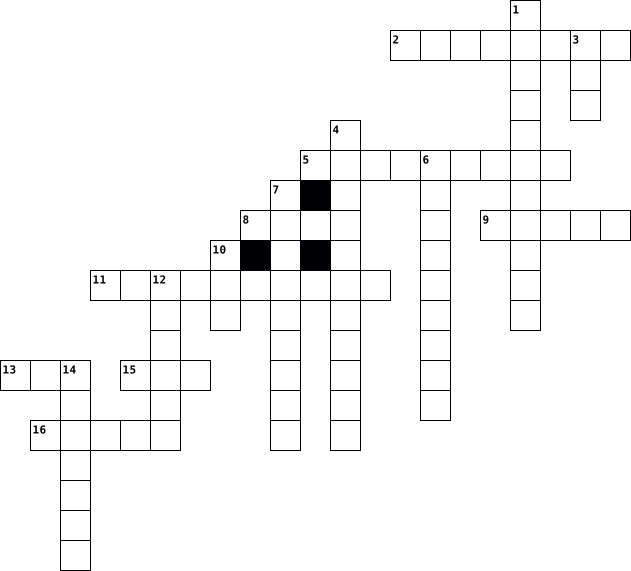
Across
- an input that types letters into the computer
- generating and recording audio
- the plastic or metal thing that surrounds the main parts of the computer
- a input device that moves the curser around the screen
- eternal storage space
- short term memory
- graphics card
- components of the computer that puts information into to computer
Down
- the highway of the computer (moves information from one location to another)
- long term memory
- the component that gives energy to the computer
- a space where you can insert a CD or a DVD
- component that stores all of your digital content
- the brain of the computer
- components of the computer that display or project information from the computer
- the screen of the computer
16 Clues: graphics card • long term memory • short term memory • eternal storage space • the brain of the computer • the screen of the computer • generating and recording audio • a space where you can insert a CD or a DVD • an input that types letters into the computer • the component that gives energy to the computer • component that stores all of your digital content • ...
Español 2020-12-01

Across
- poster
- clock
- paperwaste basket
- your
- window
- keyboard
- computer
- pencil sharpener
- diskette
- table
- computer screen
Down
- desk
- flag
- where
- door
- there
- backpack
- here
- chair
- computer mouse
20 Clues: desk • flag • door • your • here • where • clock • there • chair • table • poster • window • backpack • keyboard • computer • diskette • computer mouse • computer screen • pencil sharpener • paperwaste basket
Digital Crossword 2019-03-06

Across
- A type of computer memory that can be accessed randomly
- an online service that allows you to save information
- A set of computers connected together for the purpose of sharing resources
- A device that produces text or graphics
- The smallest unit of measurement used to quantify computer data
- An input device used to enter characters and functions into the computer
- anything that comes out of a computer
- A person who utilises a computer or network service
- A collection of instructions that performs a specific task when executed by a computer
- Is any external device that provides input and output for the computer
- A type of storage medium that permanently stores data on personal computers
- A physical surface on which visual information is presented
- A way to organise computer files
- A form of user interface that allows users to interact with electronic devices through graphical icons
Down
- A digital device capable of storing information
- Printer that interprets commands from a computer to make line drawings
- A device that feeds data into a compute
- electronic technology that generates, stores, and processes data
- Device that scans documents and images, which can be imported into a computer
- Capture is the process of acquiring data for use at some later date
- The instance of a computer program that is being executed
- A unit of digital information that most commonly consists of eight bits
- Pictures and films created using computers
- Allows the user to communicate with the operating system
- Produce audio output that can be heard by the listener
- an input device that is used to move the cursor
- A device that enables a computer to transmit data over telephone or cable lines
- A graphics program used for creating illustrations
- An object on a computer that stores data
29 Clues: A way to organise computer files • anything that comes out of a computer • A device that feeds data into a compute • A device that produces text or graphics • An object on a computer that stores data • Pictures and films created using computers • A digital device capable of storing information • an input device that is used to move the cursor • ...
Digital Literacy 2025-02-05

Across
- The process of identifying and solving computer problems.
- storage Online storage that allows access to files from anywhere with internet access.
- The result of processing, such as displayed text or printed documents.
- Memory that contains firmware or essential startup instructions.
- Only Memory (ROM) Permanent storage that retains data even when the computer is powered off.
- A type of volatile memory that clears when the computer turns off.
- The physical components of a computer system, like the monitor, keyboard, and motherboard.
- A set of instructions that tells a computer what to do.
- A stepbystep procedure or formula for solving a problem.
- system The software that manages hardware and software resources, like Windows or macOS.
- device A device that shows or produces information from a computer, like a monitor or speakers.
- hard A removable storage device used to back up files or transfer data.
- A place where digital data is saved for later use.
Down
- The part of a computer that stores data and instructions for processing.
- A programming statement that performs actions based on whether a condition is true or false.
- Another name for the computer's main processor.
- device An external device connected to a computer, such as a printer or a mouse.
- Processing Unit (CPU) The "brain" of the computer that carries out instructions from programs.
- A component that reads and writes data, like a hard disk or a USB stick.
- software The essential programs that help a computer function, like an operating system.
- A programming construct that repeats a block of code multiple times.
- software Programs designed for users to perform specific tasks, like word processors or games.
- device A device used to enter data into a computer, such as a keyboard or a microphone.
- The action of a computer interpreting and executing instructions.
- drive A device that stores large amounts of data permanently in a computer.
- drive A small, portable storage device that connects via USB.
- Access Memory (RAM) Temporary storage that helps a computer run programs quickly.
27 Clues: Another name for the computer's main processor. • A place where digital data is saved for later use. • A set of instructions that tells a computer what to do. • A stepbystep procedure or formula for solving a problem. • The process of identifying and solving computer problems. • drive A small, portable storage device that connects via USB. • ...
tech terms 2025-04-16

Across
- modulator demodulator
- set of instructions which enables a computer to do a specific task
- unit of data, 8 digits long
- 2 output device
- 1 thing a computer does
- device that connects two or more packet switched networks
- virus
- reload the operating system
- internal / external device that stores data
- 1 input device
- main printed circuit board, serves as the foundation of a computer
- software whose source code is freely available to anyone
- property artistic works or designs
- google chrome / apple safari
- transferring data from one device to another
- intrusive software developed by cybercriminals
- 3 thing a computer does
- 1 output device
- address of unique resources of the internet
- worldwide system of interconnected computer networks
- multiple of unit byte
- computers short term memory
- divide refers to the inequitable gap between those who have access to technology
- programming language, consists of binary and hexadecimal instructions
- 2 way to back up your information on a computer
- umeric label that is assigned to devices
Down
- systems program that oversees the processes on a computer
- shortcut for print, copy, and paste
- 2 input device
- start the operating system
- 2 thing a computer does
- feedback control system
- computer program that manages access to a centralized resource
- information system
- non volatile memory, stores data permanently
- physical and visible parts of a computer
- converting information into a code
- turns domain names into IP addresses
- 4 thing a computer does
- traditional technology for connecting devices
- small text files
- primary component, acts as "control center"
- format used when you need to save files
- regularly updated website or webpage
- network security
- reality computer generated simulation
- set of markup symbols or codes
- 1 way to back up your information on a computer
- .org / .com
49 Clues: virus • .org / .com • 2 input device • 1 input device • 2 output device • 1 output device • small text files • network security • information system • modulator demodulator • multiple of unit byte • 2 thing a computer does • 1 thing a computer does • feedback control system • 4 thing a computer does • 3 thing a computer does • start the operating system • unit of data, 8 digits long • ...
Information and Communication Technology 2023-02-23

Across
- - The practice of protecting computer systems and networks from digital attacks.
- - A security system that monitors and controls incoming and outgoing network traffic.
- - Programs and applications that run on a computer or mobile device.
- - Software designed to harm computer systems or steal data.
- system - The software that manages a computer's basic functions, such as memory and file systems.
- computing - A model for delivering computing resources over the internet.
- - An input device used for moving the cursor on a computer screen.
- - A device used for processing data and running programs.
- - The process of designing and writing code for software applications.
- - An output device that prints text and images on paper.
Down
- - An input device used for typing text and commands.
- - A type of malicious software that can damage or disrupt computer systems.
- - A structured collection of data that is stored and organized in a computer.
- - A global network of interconnected computer networks.
- - A device that connects multiple devices to a network and directs traffic between them.
- - A device that connects a computer to the internet.
- - The process of converting data into a code to prevent unauthorized access.
- - The physical components of a computer system, such as the CPU, hard drive, and motherboard.
- - A step-by-step procedure for solving a problem or accomplishing a task.
- - An output device that displays images and text.
20 Clues: - An output device that displays images and text. • - An input device used for typing text and commands. • - A device that connects a computer to the internet. • - A global network of interconnected computer networks. • - An output device that prints text and images on paper. • - A device used for processing data and running programs. • ...
60 technology terms 2012-12-19

Across
- go there to start most programs, a way to find files or system settings
- programs in a computer
- software that blocks viruses from harming the computer
- a storage device that aids the computer and gives it resources (ex. file server or printer)
- shows all of the programs that are open and the date and time
- something that is used to help the computer but not part of it
- hardware that links a home network to the internet, helps computers communicate with eachother
- a card used to help the monitor dislplay an image
- text, images, video, or audio on a page and is accesible through the network
Down
- a prot that can connect flashdrives or cables to the computer and can connect printers to computer
- ways that letters can be shaped and may include: style, typeface, point size,or weight
- reads and writes information onto a floppy disk
- physical parts of the computer
- a picture, word document, or movie that needs another program to open it.
- tells the computer what to do, kind of the boss
- a cd that has already-written, accesible information on it and cannot be rewritten
- picture element
- a small picture that represents a program
- a program, programmed to harm the computer
- hardware in a computer that uses instructions from a program to help it work
- equipment that can hold information
21 Clues: picture element • programs in a computer • physical parts of the computer • equipment that can hold information • a small picture that represents a program • a program, programmed to harm the computer • reads and writes information onto a floppy disk • tells the computer what to do, kind of the boss • a card used to help the monitor dislplay an image • ...
Crossword Puzzle Per.1 2016-02-08

Across
- coding error in a computer
- an act or instance of booting a computer system again
- a type of compact disc able to store large amounts of data
- ordered list containing successive steps or functions for performing certain actions
- processes the same information over and over until receives order to stop
- Information that is put into a computer by using data to put in
- symbols and rules that a computer uses to know what to do
- a process or set of rules
- drive a high-capacity, self-contained storage device containing a read-write mechanism plus one or more hard disks, inside a sealed unit
Down
- to place a video from one website into another site
- to detect or remove computer error
- the programs and other operating information used by a computer
- processes by and sent out from a computer or similar device
- subject to one or more conditions or requirements being met
- when we break a problem down into smaller parts to make it easier to tackle
- the electronic circuitry within a computer that carries out the instructions of a computer program by performing the basic arithmetic
- a term used to describe the process of a programmer
- and object that is capable of manipulating a value
- entered by terminal for immediate processing by the computer
- used primarily in business and legal writing
20 Clues: a process or set of rules • coding error in a computer • to detect or remove computer error • used primarily in business and legal writing • and object that is capable of manipulating a value • to place a video from one website into another site • a term used to describe the process of a programmer • an act or instance of booting a computer system again • ...
Tech Terms 1,2, and 3 2022-05-09

Across
- a system software that manages computer hardware, software resources, and provides common services for computer programs
- hypertext markup language
- converts data to a digital format to a format suitable for an analog such as a telephone or radio
- malicious software
- Firefox and Google Chrome
- hardwired to the internet(usually a blue cord)
- Internet protocol address
- holds everything together
- taking something off the internet and moving it onto your computer
- web log(online journal)
- 8 bits
- Open source software
- eBooks and songs
- experiencing something that is real on virtual
- a computer that performs a service
- a method by which information is turned into code
Down
- 0s and 1s
- one million bytes
- monitors incoming and outgoing network traffic based on predetermined security rules
- World Wide Web
- Duck Duck Go and Safari
- the process of which a running computer system is restarted
- Ctrl P
- domain name system
- read only memory
- Portable document format
- pieces of code that got onto your computer
- forwards data packets to computer networks
- Ctrl V
- a bunch of computers linked together
- Ctrl C
- the process of starting a computer
- stores all of your information in a computer
- Computer Processing unit
- 0s and 1s
- random access memory
- Uniform resource locator
- personal identifiable information
38 Clues: Ctrl P • Ctrl V • 8 bits • Ctrl C • 0s and 1s • 0s and 1s • World Wide Web • read only memory • eBooks and songs • one million bytes • malicious software • domain name system • Open source software • random access memory • Duck Duck Go and Safari • web log(online journal) • Portable document format • Computer Processing unit • Uniform resource locator • hypertext markup language • Firefox and Google Chrome • ...
Computer Skills Quiz 23/02/2026 2026-02-23

Across
- A key that removes the character to the left of the cursor.
- :: A very large and powerful computer used by big organisations.
- The part of the computer that shows pictures and text.
- A computer built into a desk and not easy to carry around.
- A part of the computer that stores files permanently.
- A key used to leave a program or close a menu.
- A computer small enough to fit in your hand and used for calls and apps.
- A portable computer that can be folded and carried.
- A key that makes capital letters when held down.
- A device used to point, click and select items on the screen.
Down
- A key that moves the cursor to the next typing position or box.
- A key that is used together with other keys to perform shortcuts.
- The brain of the computer that processes instructions.
- A device used to type letters, numbers and symbols.
- A key used to delete the character to the right of the cursor.
- A powerful computer used by one person for professional work such as design or engineering.
- A long key used to leave spaces between words.
- A computer that many users can connect to at the same time.
- A key that starts a new line when typing.
- The main board inside the computer that connects all parts together.
20 Clues: A key that starts a new line when typing. • A long key used to leave spaces between words. • A key used to leave a program or close a menu. • A key that makes capital letters when held down. • A device used to type letters, numbers and symbols. • A portable computer that can be folded and carried. • A part of the computer that stores files permanently. • ...
Create a Crossword 2021-12-17

Across
- the enclosure that contains most of the components of a personal computer
- a piece of equipment used to provide data and control signals to an information processing system
- processes commands to a computer program in the form of lines of text.
- an identifier specified as a suffix to the name of a computer file.
- system, is system software that manages computer hardware, software resources, and provides common services for computer programs.
- is a form of user interface that allows users to interact with electronic devices through graphical icons and audio indicator such as primary notation.
- is a reference model for how applications communicate over a network.
- the retention of retrievable data on a computer or other electronic system memory
- the physical parts of a computer
- is a passive heat exchanger that transfers the heat generated by an electronic or a mechanical device to a fluid medium
- an electro-mechanical data storage device that stores and retrieves digital data using magnetic storage
- an electronic device for storing and processing data typically in binary form according to instructions given to it in a variable program
- computer, a large high speed computer especially one supporting numerous workstations or peripherals
- a collection of instructions that tell a computer how to work.
- is a system of rules that allows two or more entities of a communications system to transmit information via any kind of variation of a physical quantity
- a small computer that contains a microprocessor as its central processor
- the collection and manipulation of items of data to produce meaningful information.
- a mobile device typically with a mobile operating system and touchscreen display processing circuitry
Down
- main processor or just processor is the electronic circuitry that executes instructions comprising a computer program
- a particularly powerful mainframe computer
- extends a private network across a public network and enables users to send and receive data across shared or public networks
- a computer network that interconnects computers within a limited area such as a residence, school, laboratory, university campus or office building
- is a form of computer memory that can be read and changed in any order typically used to store working data and machine code
- is a piece of computer hardware or software that provides functionality for other programs or devices called clients
- is the main printed circuit board in general purpose computers and other expandable systems
- the arrangement of the elements of a communication network
- card, a circuit board that can be inserted in a computer to give extra facilities or memory
- is the recording of information in a storage medium
- is a person who utilizes a computer or network service
- are individual facts statistics or items of information often numeric.
- a peripheral device
- an electrical device that supplies electric power to an electrical load.
32 Clues: a peripheral device • the physical parts of a computer • a particularly powerful mainframe computer • is the recording of information in a storage medium • is a person who utilizes a computer or network service • the arrangement of the elements of a communication network • a collection of instructions that tell a computer how to work. • ...
Chapter 1 VOCAB 2020-01-23

Across
- - involves combing through a text document or resource to get valuable structured information
- - computers used primarily by large organizations for critical applications; bulk data processing, such as census, industry and consumer statistics, enterprise resource planning; and transaction processing
- - facts provided or learned about something or someone
- - the programs and other operating information used by a computer
- - what is put in, taken in, or operated on by any process or system.
- CYCLE - the sequence of events in processing information, which includes (1) input, (2) processing, (3) storage and (4) output
- - computer systems that support two or more simultaneous users
- - the retention of retrievable data on a computer or other electronic system; memory
- - a computer that can conveniently be stored in a pocket (of sufficient size) and used while you're holding it
- - a computer or computer program which manages access to a centralized resource or service in a network
- - a desktop computer terminal, typically networked and more powerful than a personal computer
- - a graphic which is defined by points and has point-wise graphic representations
- - is "an ancillary device used to put information into and get information out of the computer"
- - a mobile phone that performs many of the functions of a computer, typically having a touchscreen interface, Internet access, and an operating system capable of running downloaded applications
- - larger smartphone
- - a printed version on paper of data held in a computer.
- - analog sound wave, that coded in digital form.
Down
- - the amount of something produced by a person, machine, or industry
- - a hardware device capable of transmitting an analog or digital signal over the telephone, other communication wire, or wirelessly
- - the main storage region of a computer, to which the central processor has immediate or direct access.
- - a small computing device worn on the body
- - a set of integrated devices that input, output, process, and store data and information
- - a combined device for modulation and demodulation, for example, between the digital data of a computer and the analog signal of a telephone line
- - an electronic representation of moving visual images (video) in the form of encoded digital data
- - a type of system that has been developed and designed to use on a computer
- - perform a series of mechanical or chemical operations on (something) in order to change or preserve it.
- - the change of information in any manner detectable by an observer
- - a legible version of a piece of data that is not printed on a physical medium, especially as stored or displayed on a computer
- - facts and statistics collected together for reference or analysis
- - an electronic device, generally connected to other devices or networks via different wireless protocols such as Bluetooth, Zigbee, NFC, Wi-Fi, LiFi, 3G, etc., that can operate to some extent interactively and autonomously
- - a piece of computer equipment on which information can be stored
- - a computer with a high level of performance as compared to a general-purpose computer
- - physical components to make up a computer system
33 Clues: - larger smartphone • - a small computing device worn on the body • - analog sound wave, that coded in digital form. • - physical components to make up a computer system • - facts provided or learned about something or someone • - a printed version on paper of data held in a computer. • - computer systems that support two or more simultaneous users • ...
A Brief History of Computing 2023-01-16

Across
- Considered the first computer programmer.
- Created by Charles Babbage in
- Used to crack codes in the 2nd world war.
- Considered the second generation of computer.
- Consists of a number of electronic circuits, all on a single “chip” or semiconductor.
- Never actually built but set the tone for the first non-human computer.
- A device that takes binary input data and performs operations on that data from instructions stored in memory, providing the results as output.
- Considered the first generation of computer.
- Gained popularity in the 70s and 80s, first produced by Commodore, Apple and IBM
- Considered the fourth generation of computer.
Down
- Created the Difference Engine in 1822.
- Mechanical calculator that could solve polynomial functions.
- Refers to a computer with no moving parts.
- Small electronic switches that revolutionised computing.
- The fastest computer today, with 9,216 CPUs.
- Created by Alan Turing in 1936.
- Said to be the first electronic, digital, programmable computer.
- Developed by Tommy Flowers in the 1940s and said to be the first electronic, digital, programmable computer. However, not general purpose.
- Considered the third generation of computer.
- The first microprocessor.
20 Clues: The first microprocessor. • Created by Charles Babbage in • Created by Alan Turing in 1936. • Created the Difference Engine in 1822. • Considered the first computer programmer. • Used to crack codes in the 2nd world war. • Refers to a computer with no moving parts. • The fastest computer today, with 9,216 CPUs. • Considered the third generation of computer. • ...
Computer technology 2020-12-01

Across
- a device for downloading and reading ebooks, developed by Amazon.com
- a panel of keys that operate a computer
- a piece of electrical equipment through which recorded or broadcast sound can be heard
- the address of a web page on the world wide web
- mobile device that combines cellular and mobile computing functions into one unit
- a small image or picture on a computer screen that is a symbol for folders, disks, peripherals, programs etc
- unwanted e-mail
- a small handheld device which is moved across a mat or flat surface to move the cursor on a computer screen
- the mechanical and electronic parts of a computer, not the software
- equipment for converting paper documents to electronic documents that can be used by a computer
- a machine for printing text or pictures
- a surface for placing and moving a computer mouse
- an operating system used by the majority of PCs
- Optical Character Recognition
Down
- an area that has an available wireless signal for Internet access (usually public)
- a sub-division of a computer's hard disk into which you put files
- a tablet computer created by Apple
- the number of dots or pixels per inch (sometimes per centimetre) used to create the screen image
- a small, unauthorized program that can damage a computer
- mouse arrow
- a set of headphones, typically with a microphone attached
- a tablet computer created by Apple
- central processing unit
- temporary storing of information while a computer is being used
- local area network
- a video camera connected to a computer, allowing its images to be seen by internet users
- a notebook computer; a laptop computer; a folding, portable computer
- red green blue
- a self-contained program or piece of software
- a small program that tells a PC how a peripheral works
30 Clues: mouse arrow • red green blue • unwanted e-mail • local area network • central processing unit • Optical Character Recognition • a tablet computer created by Apple • a tablet computer created by Apple • a panel of keys that operate a computer • a machine for printing text or pictures • a self-contained program or piece of software • the address of a web page on the world wide web • ...
Teya 2021-05-26

Across
- a record of your thoughts, opinions, or experiences that you film and publish on the internet.
- to move a piece of text to a particular place in a computer document.
- a place on a computer where emails that are sent to you are kept.
- the world wide web
- (of a computer) not connected to or directly controlled by a central system, or not connected to the internet.
- to join a file such as a document, picture, or computer program, to an email.
- a regular record of your thoughts, opinions, or experiences that you put on the internet for other people to read.
- the physical and electronic parts of a computer, rather than the instructions it follows.
- a secret word or combination of letters or numbers, used for communicating with another person or with a computer to prove who you are.
- to remove (part or all of) a written or electronic text.
Down
- to copy or move programs or information to a larger computer system or to the internet.
- a view on a computer screen that contains icons, representing files, programs, and other features of the computer.
- a set of pages of information on the internet about a particular subject, published by a single person or organization.
- to copy or move programs or information into a computer's memory, especially from the internet or a larger computer.
- uniform resource locator: a website address
- the set of keys on a computer or typewriter that you press in order to make it work.
- to open a computer file a website, etc. in order to look at or change information in it.
- the name of a website where you can show information about yourself, and communicate with groups of friends.
- to put something inside something else.
- to look for information on a computer, the internet.
20 Clues: the world wide web • to put something inside something else. • uniform resource locator: a website address • to look for information on a computer, the internet. • to remove (part or all of) a written or electronic text. • a place on a computer where emails that are sent to you are kept. • to move a piece of text to a particular place in a computer document. • ...
Computer Basics 2014-11-04

Across
- What you put in a radio
- inserts ink on a piece of paper from a machine
- Head piece that produces sound
- GUI lets you select icons, text, etc on the screen
- old way to store data
- Winter Foot-ware
- tells computer how to start up to load its operating system
- mouse, scanner, keyboard
- also known as RAM
- CPU for short
- basic computer function when a computer uses information
- Mega-- gig--
- where you keep your belongings
Down
- most important type of system software
- type of storage device
- high speed device that comes in many sizes
- surroundings
- printer, monitor, headphones
- peripheral device with keys
- IT
- a furry small animal that eats berries
- 2 or more computer linked together to share files,software,etc.
- computer talk
- usually on top of a normal printer
- physical parts of the computer
- displays graphics
26 Clues: IT • surroundings • Mega-- gig-- • computer talk • CPU for short • Winter Foot-ware • also known as RAM • displays graphics • old way to store data • type of storage device • What you put in a radio • mouse, scanner, keyboard • peripheral device with keys • printer, monitor, headphones • Head piece that produces sound • physical parts of the computer • where you keep your belongings • ...
M3 - Lets have some fun 2026-05-14

Across
- A machine used for digital work and internet access
- Thinking carefully to solve problems
- Information stored or processed by a computer
- Protecting devices and information from hackers or online attacks
- Programs or apps used on a computer
- A worldwide network connecting devices
- A visual symbol used in apps and programs
- Introducing new ideas, methods, or technology to improve something
- A set of instructions for a computer
Down
- An early sample built to test an idea or invention
- A mistake in a computer program
- Using science and math to design and build solutions
- Rules for staying safe and respectful online
- Staying protected online
- Creating plans or ideas for something new
- An organized collection of information stored electronically
- A test version of a product or invention
- A portable computer
- Searching for facts or information
- A person who writes computer instructions
20 Clues: A portable computer • Staying protected online • A mistake in a computer program • Searching for facts or information • Programs or apps used on a computer • Thinking carefully to solve problems • A set of instructions for a computer • A worldwide network connecting devices • A test version of a product or invention • Creating plans or ideas for something new • ...
Computer Basics 2022-10-05

Across
- working area of a computer screen and contains icons files and apps.
- contains the main component of the computer.
- the physical parts of a computer that you can touch.
- hardware device used to send data to a computer.
- a main way to communicate with a computer.
- the pointing device.
Down
- the programs and other operating information used by a computer.
- a computer that is portable.
- any device used to send data from a computer.
- input devices and output devices.
- displays images and text on the screen.
- monitor printer speakers and headphones.
- where all your documents are saved.
- an electronic device for storing and processing data.
- keyboards mouse digital cameras and microphones.
- the "brain" of the computer.
16 Clues: the pointing device. • a computer that is portable. • the "brain" of the computer. • input devices and output devices. • where all your documents are saved. • displays images and text on the screen. • monitor printer speakers and headphones. • a main way to communicate with a computer. • contains the main component of the computer. • ...
ICT A-Z Cross Word 2017-06-25

Across
- A recording of moving visual images made digitally
- A search engine
- A search engine
- Connected to or ready to send or recieve data with a computer network
- An object on a computer that stores data,info,setting or commands
- Extensible Hypertext Markup Language
- A panel of keys that operate a computer or typewriter
- Mobile computer with a touchscreen display
- A postal code consisting of five or nine digits
- A group or system of interconnected people or things
- A lever that can be moved to control the movement of a image on a computer
- a computer program that provides services to other computer programs
- Type of computer memory also known as Random Access Memory
- A type of memory card
- A computer that is portable
Down
- What makes it possible for us to create software and apps
- Cancel or reverse the effects
- To make a device or system operational/active
- A machine for printing text or pictures
- What is put in,taken in, or operated on by any system
- The first keys from left on the top row of letters
- Software application for retrieving,presenting and traversing info resources
- The Proper word for app
- Numerical notation in which numbers expressed as 0 or 1
- Machines,wiring, physical components of other electronic system
- A computer suitable for use at an ordinary desk
26 Clues: A search engine • A search engine • A type of memory card • The Proper word for app • A computer that is portable • Cancel or reverse the effects • Extensible Hypertext Markup Language • A machine for printing text or pictures • Mobile computer with a touchscreen display • To make a device or system operational/active • A postal code consisting of five or nine digits • ...
McKenna Rochelle - Crossword - 1st Period 2016-10-24

Across
- A denoting or relating to computer networks in which each computer can act as a server for the others, allowing shared access to files without need for a central server.
- It is a networking hardware device that allows a WiFi compliant device to connect to a wired network.
- The practice of using a network of remote servers hosted on the internet to store, manage, and process data, rather than a local server or a personal computer.
- It is a common connection point for devices in a network.
- It helps run games, email, web browsers, and almost everything on your computer or device.
- A router is a networking device that forwards data packets between computer networks.
- A portable phone that is almost exactly alike to a computer.
- A corrupted code that can destroy your computer.
- It is software that is made to damage or disable computers.
Down
- It is a numbered label that is assigned to each device.
- is a type of computer program that is used to run a computer's hardware and application program.
- A picture on a video that is used to bring in a audience.
- A portable computer that can be used like a normal computer.
- it is the study of use of systems for storing, retrieving, or sending information.
- A desktop computer terminal, typically networked and more powerful than a personal computer.
- When you act responsibly on the internet.
- When you post inappropriate messages over, and over again.
- It is a system for connecting a number of computer systems to form a local area network.
- Used to transfer digital signals over standard telephone lines.
19 Clues: When you act responsibly on the internet. • A corrupted code that can destroy your computer. • It is a numbered label that is assigned to each device. • A picture on a video that is used to bring in a audience. • It is a common connection point for devices in a network. • When you post inappropriate messages over, and over again. • ...
technology terms 2013-01-04

Across
- a file that remembers and holds information of things that happen on your computer
- a type of computer that can fit in you palm
- a check list that the computer uses when you turn it on
- a picture, word document, or movie that needs another program to open it.
- icons that represent column and battery power that are found in the bottom, right hand corner of the computer screen
- a way a program is set up
- picture element
- a piece of software that tells the operating system to communicate with a piece of software
- another name for laptop
- software that blocks viruses from harming the computer
- software that allows you to do more than one thing at once
- programs in a computer
- where do you plug in your flash drive or printer?
- what you do when you buy a song from iTunes and put it onto your iPod or computer
- the address of where a web page is found
- something that the user has to accept
- tells the computer what to do, kind of the boss
- hardware in a computer that uses instructions from a program to help it work
- two or more computers connected by software
- a measurement of wavelengths used in clocks
- a disk that can hold information on it and then can have information written over it
- storage for a web page that remembers what to do on that web page
- a system used in IBM computers that isn’t used very much anymore because it doesn’t support multitasking
- shows all of the programs that are open and the date and time
- hardware that links a home network to the internet, helps computers communicate with each other
- physical parts of the computer
- a piece of hardware that holds information on it and can move it
- another name for “box”
Down
- how many dpi there are on a screen
- a port that can connect flash drives or cables to the computer and can connect printers to computer
- a cd that has already-written, accessible information on it and cannot be rewritten
- a storage device that aids the computer and gives it resources (ex. file server or printer)
- the old version of a flash drive used to save and move information
- a measurement of how much information a computer can hold
- a format that computers use to be able to share information with each other
- a type of tablet sold by Amazon
- part of the computer that does the mathematical calculations for the computer
- a type of computer that is flat and has no cover
- a place where word documents, images, or powerpoint can be saved
- go there to start most programs, a way to find files or system settings
- text, images, video, or audio on a page and is accessible through the network
- the computer screen
- a tablet sold and created by apple
- a program that allows you to view HTML documents on the web
- a computer that stores all the information from a network of computers
- videos and pictures that are on your computer
- a program that enables you to be able to see the same thing on your computer screen as the printed final
- a card used to help the monitor display an image
- something that is used to help the computer but not part of it
- wireless technology that exchanges data over short distances and creates personal area networks
- a card about the size of a credit card that helps the computer
- a list of instructions that tell the computer what to do
- equipment that can hold information
- where all the information of the computer is stored
- a small picture that represents a program
- a program that finds sites and information that link to a key search word
- reads and writes information onto a floppy disk
- what makes up an image or picture on a screen
- a program, programmed to harm the computer
- ways that letters can be shaped and may include: style, typeface, point size, or weight
60 Clues: picture element • the computer screen • programs in a computer • another name for “box” • another name for laptop • a way a program is set up • physical parts of the computer • a type of tablet sold by Amazon • how many dpi there are on a screen • a tablet sold and created by apple • equipment that can hold information • something that the user has to accept • ...
Empolyability Cross words puzzle 2023-12-15

Across
- is the main circuit board
- Only Memory non-volatile savers even when power off;instructions are burned onto chips by the manufacturer
- Card a circuit connected to the motherboard allowing the computer to have more abilities in things
- Application applications for computer
- the most common keyboard arrangement, named for the first letters across the top row
- Device hardware device used to send data from the computer to other devices
- Code code that involve 8 bits to work
- INPUT OUTPUT SYSTEM) a is the operating system that allows the computer to communicate with other connected input or output devices
- the process of designing,writing,testing,debugging,and maintaining the source code of a computer
Down
- is programs that run on your computer and does certain things
- Access Memory Memory that will let you have random access to things
- Drive the primary storage components of a computer which holds all software and data.
- System controls the operation of a computer
- Device an hardware component that allows you to answer
- additional components besides the main parts of the computer such as printers and scanners.
- supply a system that convert AC current from the wall outlet into the dc currents required by electronic circuits
- is a space where you put things when they're not put to use
- Slot is a slot on the motherboard that an expansion card is inserted into
- is the part of a computer that controls what the computer mainly does and controls other parts of the computer
19 Clues: is the main circuit board • Application applications for computer • Code code that involve 8 bits to work • System controls the operation of a computer • Device an hardware component that allows you to answer • is a space where you put things when they're not put to use • is programs that run on your computer and does certain things • ...
cpu 2021-12-10

Across
- A computer's most basic unit of information
- A peripheral used to input data by pressing keys
- Frequently asked question; documents that answer questions common to a particular website or program
- A large structured set of data; a file that contains numerous records that contain numerous fields
- A part of a program that usually causes the computer to malfunction; often remedied in patches or updates to the program
- Transferring data from another computer to your computer
- Any device that holds computer data
- Namable unit of data storage; an element of data storage; a single sequence of bytes
- A small flexible disk used for storing computer data
- A small picture used to represent a file or program in a GUI interface
- A network of computer networks encompassing the World Wide Web, FTP, telnet, and many other protocols
- A peripheral device that reads and/or writes information on a disk
- Network interface card; a board inserted in a computer that provides a physical connection to a network
- A peripheral device that converts output from a computer into a printed image
- The process of loading or initializing an operating system on a computer; usually occurs as soon as a computer is turned on
- A program used to view World Wide Web pages, such as Netscape Navigator or Internet Explorer
Down
- Small unit of data storage; 8 bits; usually holds one character
- A peripheral device used to point to items on a monitor
- Software provided at no cost to the user
- Occurs when a user presses a button on the mouse twice in quick succession; this generates a command to the computer
- A device (usually within the computer case) that reads and writes information, including the operating system, program files, and data files
- Random access memory; the type of storage that changes; when the computer is turned off, the RAM memory is erased
- A collection of computers that are connected
- Complete, self-contained programs that perform a specific function (ie. spreadsheets, databases)
- A peripheral device used to connect one computer to another over a phone line
- Occurs when a user points the mouse at an icon or folder, presses the button and without releasing the button, moves the icon or folder to another place on the computer where the button is released
- Occurs when a user presses a button on a mouse which in turn, generates a command to the computer
- A graphical representation used to organize a collection of computer files; as in the concept of a filing cabinet (computer's hard drive) with files (folders)
- Software program that controls a piece of hardware or a peripheral
- Internet protocol; a computer's unique address or number on the Internet
- A list of operations available to the user of a program
- central processing unit; the brain of the computer; controls the other elements of the computer
32 Clues: Any device that holds computer data • Software provided at no cost to the user • A computer's most basic unit of information • A collection of computers that are connected • A peripheral used to input data by pressing keys • A small flexible disk used for storing computer data • A peripheral device used to point to items on a monitor • ...
Computing and ICT 2021-05-04

Across
- Commonly used to display computer output.
- Used for connecting a flash drive to a computer.
- A computer that is portable.
- A programming language that doubles as a snake.
- Something you would visit on the internet.
- A device used to control the computer.
- Used to cool down a computer processor.
- Used to store information on a computer.
Down
- Used to connect a television to a computer.
- A computer that does not have a physical keyboard.
- Something you would expect to find on a mobile smart phone.
- Used to process data in a computer.
- Used to input audio data into a computer.
- Used to input data into a computer.
- Used to input video data into a computer.
15 Clues: A computer that is portable. • Used to process data in a computer. • Used to input data into a computer. • A device used to control the computer. • Used to cool down a computer processor. • Used to store information on a computer. • Commonly used to display computer output. • Used to input audio data into a computer. • Used to input video data into a computer. • ...
Technology Time Machine 2012-08-20

Across
- First animated movie created by a computer.
- ________ is founded in 1975.
- Electronic typewriter created by _____.
- ______ is the first computer sold in 1951.
- _______ creates the first copy machine in 1959.
- ______ invents the computer mouse in 1964.
- _______ created the first digital computer.
- ______ first home computer built in 1976.
- The 1982 "man" of the year.
- A browser for surfing the web.
Down
- ______ invents networking in 1961.
- IBM introduces the first _____ in 1961 and becomes very successful.
- Ray ________ sends the first email message in 1971.
- A computer on a _____ is created in 1971.
- _______ creates the first Modem Data Phone.
- ______ is a line printer.
- ______ was created by Sony and Philips to store digital information.
- _______ disk is invented in 1970.
- ______ is the first computer for sale with a keyboard and monitor.
- The first video game invented in 1962 by Steve Russell.
- Apple's first personal digital assistant.
21 Clues: ______ is a line printer. • The 1982 "man" of the year. • ________ is founded in 1975. • A browser for surfing the web. • _______ disk is invented in 1970. • ______ invents networking in 1961. • Electronic typewriter created by _____. • A computer on a _____ is created in 1971. • ______ first home computer built in 1976. • Apple's first personal digital assistant. • ...
Tech Terms 2023-05-01

Across
- what is the cpu
- What is the internet
- how can you back your computer up
- what are 2 search engines
- what is a byte
- restarting your computer
- what is software
- what is computer language
- what is a bit
- what are output devices
- what does pdf stand for
- what is a hard drive
- what are the 4 things a computer can do
- software that supports a computer's basic functions
Down
- software that supports a computer's basic functions
- what are the shortcuts for paste, copy and print
- what does HTML stand for
- any software with malicious intent
- what is an IP address
- what are 2 browsers
- starting your computer
- family of wired computer networking
- What is the WWW
- what is hardware
- What is the URL
- what are input devices
- connects your home to the internet
- a device that forwards data packets to the appropriate parts of the computer
- 1 million bytes
29 Clues: what is a bit • what is a byte • what is the cpu • What is the WWW • What is the URL • 1 million bytes • what is hardware • what is software • what are 2 browsers • What is the internet • what is a hard drive • what is an IP address • starting your computer • what are input devices • what are output devices • what does pdf stand for • what does HTML stand for • restarting your computer • ...
Computer application 2022-05-16

Across
- What you use to hear out the computer
- something you save
- You use it to press stuff
- a person based on something
- What you use to look at the computer
- A Latin based computer keyboard
- The short cuts on a key board
- The backbone of the computer
- A computer software
- Technology to connect computers to a device with information
- Another word for Wi-FI
- you use it to store your files in
Down
- You use it to type
- To put into your files
- something you use to remove a word
- The programs on the computer
- The structure to organize data
- something you use to look up stuff
- A art of an program
- To look up something
- To restart your computer
- You use it to document something+
- To put a document on a piece of paper
- It is used by browsers to get published information
24 Clues: You use it to type • something you save • A art of an program • A computer software • To look up something • To put into your files • Another word for Wi-FI • To restart your computer • You use it to press stuff • a person based on something • The programs on the computer • The backbone of the computer • The short cuts on a key board • The structure to organize data • ...
Computer Studies 9/10 Crossword 2024-05-21

Across
- A high-level programming language often used for web development.
- The physical components of a computer system.
- A software application used to access the web.
- An interconnected group of computers.
- The smallest unit of digital information.
- The primary storage device in a computer.
- A sequence of characters.
- A temporary storage that provides fast access to data.
- A set of instructions that a computer follows to perform a task.
- The standard language for creating web pages.
Down
- The main circuit board of a computer.
- A named collection of related data.
- Basic unit of data in computing.
- A global system of interconnected computer networks.
- The practice of protecting computers and data from unauthorized access.
- A device for entering data into a computer.
- To find and correct errors in a program.
- A way of sending information over the internet securely.
- The "brain" of the computer.
- An error in a program.
20 Clues: An error in a program. • A sequence of characters. • The "brain" of the computer. • Basic unit of data in computing. • A named collection of related data. • The main circuit board of a computer. • An interconnected group of computers. • To find and correct errors in a program. • The smallest unit of digital information. • The primary storage device in a computer. • ...
COMPUTER WORDS 2026-08-21

Across
- THIS IS A SMALL CAMERA
- DRIVE THIS IS A COMPUTER LASER
- SERVES INFORMATION TO COMPUTERS THAT CONNECT TO IT
- THIS IS A COMMUNICATION DEVICE
- THIS IS ON A CONTROLLER
- YOU USE THIS TO MOVE ON A COMPUTER
- DRIVE THIS IS WHAT YOU PLUG INTO A COMPUTER
- THIS MAKES THE CONNECTION BETWEEN THE COMPUTER AND NETWORK
- YOU CAN TALK INTO THIS
- DRIVE THIS IS A SMALL STORAGE DEVICE
- CARD THIS IS A COMPONENT INSIDE THE COMPUTER THAT PROVIDES AUDIO
Down
- AN EXTERNAL DEVICE THAT PROVIDES INPUT AND OUTPUT
- THIS IS THE MAIN CIRCUT BOARD OF A COMPUTER
- THIS IS THE BRAIN OF THE COMPUTER
- USED TO DISPLAY THE COMPUTER'S INTERFACE
- USED FOR AUDIO INPUT AND OUTPUT
- THIS SCANS THINGS
- THIS IS THE THING THAT YOU TYPE ON
- THIS IS A PART USED TO CONNECT TWO COMPUTERS
- THIS PRINTS THINGS
20 Clues: THIS SCANS THINGS • THIS PRINTS THINGS • THIS IS A SMALL CAMERA • YOU CAN TALK INTO THIS • THIS IS ON A CONTROLLER • DRIVE THIS IS A COMPUTER LASER • THIS IS A COMMUNICATION DEVICE • USED FOR AUDIO INPUT AND OUTPUT • THIS IS THE BRAIN OF THE COMPUTER • THIS IS THE THING THAT YOU TYPE ON • YOU USE THIS TO MOVE ON A COMPUTER • DRIVE THIS IS A SMALL STORAGE DEVICE • ...
Unit 2 - Technology Systems 2026-01-13

Across
- Software that controls hardware
- Devices used to enter data
- Device used to control a pointer
- Programs used on a computer
- Computer that provides resources
- Device that produces paper copies
- Computer that accesses services
- Portable data storage device
- Device used to type text
Down
- Component that processes data
- Connected computers sharing data
- Component that saves data long-term
- Screen used to view information
- Physical parts of a computer
- Devices that display results
- Common computer operating system
- Online data storage system
- Temporary memory used by a computer
18 Clues: Device used to type text • Devices used to enter data • Online data storage system • Programs used on a computer • Physical parts of a computer • Devices that display results • Portable data storage device • Component that processes data • Software that controls hardware • Screen used to view information • Computer that accesses services • Connected computers sharing data • ...
Grade 9 Introduction to IT Revision 2024-05-20

Across
- Software designed to help the user perform specific tasks
- organized data
- Display screen for a computer
- Input device used for typing
- Raw unprocessed facts
- Software that is modified to meet specific user requirements
- Handheld device used to draw or select objects directly on a screen
- Software that manages computer hardware and software resources
- Device that scans barcodes for product information
- Suite of applications designed to work together seamlessly
- Pointing device used to interact with a computer
- The physical components of a computer system
- Entering data into the computer
- The act of manipulating data by a computer
- Type of system designed for specific control functions within a larger system
- instructions that tell the computer what to do and how to do it
Down
- Software designed to help analyze, configure, optimize, or maintain a computer
- Device used to read characters printed with magnetic ink, often used in banking
- Large, powerful computer often used by corporations for bulk data processing
- Device that converts different types of documents, such as scanned paper documents or PDFs, into editable and searchable data
- Software designed to perform a specific task or set of tasks
- Device used to detect marks made on paper, such as standardized tests
- The fastest, most powerful type of computer used for complex calculations
- Software designed to provide a platform for other software
- Information produced by a computer
- Pre-made software available to the general public
- Device that produces hard copies from a computer
- Device that converts physical documents into digital format
- Software developed specifically for a user or organization
- Portable computing device like a smartphone or tablet
- Software designed to perform a broad range of tasks
- Where data is saved for future use
- Personal computer designed for regular use at a single location
33 Clues: organized data • Raw unprocessed facts • Input device used for typing • Display screen for a computer • Entering data into the computer • Information produced by a computer • Where data is saved for future use • The act of manipulating data by a computer • The physical components of a computer system • Device that produces hard copies from a computer • ...
IT 2024-12-24

Across
- the set of keys for operating a computer or typewriter, or the set of letters that you can touch to write on a smartphone or tablet
- a list of questions and answers about a particular subject, especially one giving basic information for users of a website
- a set of pages on the internet, where a company or an organization, or an individual person, puts information
- a program designed to do a particular job; a piece of software
- a narrow area at the edge of a computer screen that you use to scroll through a file with, using a mouse
- a device that sends data to the appropriate parts of a computer network
- a machine for printing text on paper, especially one connected to a computer
- to get data from another computer, usually using the internet
- a computer program that allows one or more users to chat online using written messages that are sent and received quickly
Down
- the programs used by a computer for doing particular jobs
- the main page created by a company, an organization, etc. on the internet from which connections to other pages can be made
- not using wires
- a person who uses computers to get access to data in somebody else's computer or phone system without permission
- to put a new program onto a computer
- a place in a computer’s memory where information from a computer file is stored for a time until it is added to another file
- the internet considered as an imaginary space without a physical location in which communication over computer networks takes place
- a small symbol on a computer or smartphone screen that represents a program or a file
- the crime of cheating somebody in order to get money or goods illegally
- a way of organizing and storing computer files
- the rules of correct or polite behaviour among people using the internet
20 Clues: not using wires • to put a new program onto a computer • a way of organizing and storing computer files • the programs used by a computer for doing particular jobs • to get data from another computer, usually using the internet • a program designed to do a particular job; a piece of software • a device that sends data to the appropriate parts of a computer network • ...
Code Vocab 2022-11-10

Across
- a part of code that "handles" or listens for a specific type of event
- a programmable device that stores, retrieves, and processes data
- when you identify what defines the patterns you see and focus on the important information
- a group of programming statements that is part of a program
- a collection of computer commands that perform a specific task when run by a computer
- when you develop a step-by-step plan or the rules to follow to solve a problem
- data sent to a computer for processing by a program
- the ability to break a larger problem down into smaller parts
- set of instruction or commands that tell the computer what to do
- low-level software that interacts directly with the computer hardware, often called the Operating System (OS)
- higher-level software usually specialized to do a particular task
- any data sent from a program to a device
- part of the computer that processes data and allows the computer to "think"
- how a computer stores data
Down
- when you observe similarities and patterns within problems
- things that happen that are usually associated with an action
- how a program functions during execution
- something that includes a program as an integral part of its function
- long-term memory that computers use to store data files or other more permanent pieces of information that a user would expect to be able to access consistently
- any part of a computer that can take information from the outside world and input it into the computer
- short-term memory that computers use to cache temporary data they can access quickly
- any object in a game that has properties and behaviors
- the physical parts of a computer
- parts of a computer that can output information to the outside world
24 Clues: how a computer stores data • the physical parts of a computer • how a program functions during execution • any data sent from a program to a device • data sent to a computer for processing by a program • any object in a game that has properties and behaviors • when you observe similarities and patterns within problems • ...
Tech Vocabulary 2022-01-03

Across
- a vast network that connects computers all over the world.
- An intrusive software that is designed to damage and destroy computers and computer systems.
- a (small) defect or fault in a program
- the image that you see on the screen is made of thousands of tiny dots
- a process or set of rules to be followed in calculations or other problem-solving operations, especially by a computer.
- a computer program with a graphical user interface for displaying and navigating between web pages.
- a piece of code which is capable of copying itself and typically has a detrimental effect, such as corrupting the system or destroying data.
- an electronic device for storing and processing data, typically in binary form, according to instructions given to it in a variable program.
- A screen for the computer
- a printed circuit board containing the principal components of a computer or other device, with connectors into which other circuit boards can be slotted.
- The first 6 letters on English-language keyboards
Down
- an operating system used by the majority of PCs
- a panel of keys that operate a computer or typewriter.
- a small, movable device that lets you control a range of things on a computer.
- Random Access Memory
- a way of communicating wirelessly over short distances between electronic devices
- a system for communicating without wires over a computer network
- A string of words that tells the computer to do something
- Graphics processing unit
- a directive to a computer program to perform a specific task
- central processing unit
- transfer (data) from one computer to another, typically to one that is larger or remote from the user or functioning as a server.
- a small image or picture on a computer screen that is a symbol for folders, disks, peripherals, programs etc
- a sub-division of a computer's hard disk into which you put files
24 Clues: Random Access Memory • central processing unit • Graphics processing unit • A screen for the computer • a (small) defect or fault in a program • an operating system used by the majority of PCs • The first 6 letters on English-language keyboards • a panel of keys that operate a computer or typewriter. • A string of words that tells the computer to do something • ...
asdasd 2022-03-16

Across
- when a computer or other device is not turned on or connected to other devices
- a computer suitable for use at an ordinary desk
- a computer program that represents information in a two-dimensional grid of data, along with formulas that relate the data
- a field of computer science that investigates how computers should represent numbers and perform operations on them
- a handheld hardware input device that controls a cursor in a GUI for pointing
- a collection of data stored on a computer
- chip-based feature of your computer lets you access some information more quickly
- the process of indentifying yourself
- the process of closing and starting a computer or its operating system from the initial boot loading sequence
- a wireless network that allows user to send data from one device to another
- the process that professionals use to write code that instructs how a computer
- a series of radio waves
- a dynamic computer programming language. It is lightweight and most commonly used as a part of web pages
- it is one of the primary input devices used with a computer
- a vast network that connects computers all over the world
- a document-formatting language predominately used to create Web pages
- the physical components that a computer system requires to function
- it receives data and permanently writes it on a chip, and it lasts even after you turn off your computer
- a piece of software that enhances the capabilities of a programming language or other applications
- computer suddenly fails suddenly
- a copyrighted software that is available at no cost for unlimited usage
- connected to, served by, or available through a system and especially a computer
- a is the study of controls of any system by using technology
Down
- is the largest vendor of computer software in the world. It is also a leading provider of cloud computing services, video games, computer and gaming hardware
- short for electronic mail
- is an object on a computer that stores data, information, settings, or commands used with a computer program
- the address of a website that put into a list on a computer
- file that cannot be read by standard text editor programs
- is an output device that displays information in pictorial or text form
- the component of a computer system that controls the interpretation and execution of instructions.
- add a file to an email
- the process of closing and starting a computer or its operating system from the initial boot loading sequence
- a machine that performs processes, calculation, and operation
- is a process through which digital data is saved
- a software package designed to create electronic presentations consisting of a series of separate pages or slides
- a widely used object-oriented programming language and software platform
- memory is a device or system that is used to store information for immediate use in a computer.
- is a set of instructions or data that operates the hardware
- subsystem that is used to connect computer components and transfer data between them
- it is the main printed circuit board (PCB) in a computer
- a process or set of rules to be followed in calculations or other problem-solving operations
- is a computer language for laying out and structuring web pages
- a piece of software designed to carry out a particular task
- a software program created by Microsoft that uses spreadsheets to organize numbers and data with formulas and functions
- is a separate viewing area on a computer display screen in a system that allows multiple viewing areas
- short term memory where data is stored as the processor needs it
- the best-known and most-used open source operating system
- the traditional technology for connecting devices in a wired local area network
- a specialised programming language that deals with data definition and database management systems
- a text editor, i.e., an app specialized in editing plain text
50 Clues: add a file to an email • a series of radio waves • short for electronic mail • computer suddenly fails suddenly • the process of indentifying yourself • a collection of data stored on a computer • a computer suitable for use at an ordinary desk • is a process through which digital data is saved • it is the main printed circuit board (PCB) in a computer • ...