
computer Crossword Puzzles
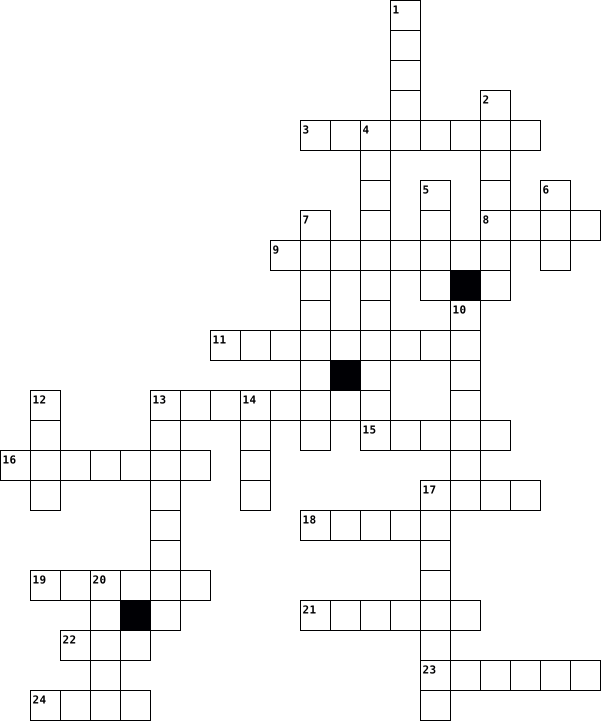
DELARUE_MAINAUD_CROSSWORD_COMPUTER_DEFINITION 2015-10-01

Across
- To keep a file
- To select what do you want
- BE ONLINE To be log on
- To scan a paper
- To write for computer
- DISC To save data
- To surf on the net
- To know who you are
- When the computer is slow
Down
- To have informations
- To print a document
- To protect and to enter in a website and in the computer
- It is a document
- To receive a mail
- To see what you do
- To search an information
- A FILE To keep the file
- A MESSAGE To send a message
- KEY To stock data
19 Clues: To keep a file • To scan a paper • It is a document • To receive a mail • KEY To stock data • To see what you do • DISC To save data • To surf on the net • To print a document • To know who you are • To have informations • To write for computer • BE ONLINE To be log on • A FILE To keep the file • To search an information • When the computer is slow • To select what do you want • ...
ss 2019-08-24

Across
- sign representing an image
- implemented to write
- computer component to display
- electronic file system
- computer component to move cursor
- application to send files
- internet search software
- way to thank
Down
- way to go back a page or folder
- portable operating system
- object to archive information on the computer
- text to redirect to a page
- secret code to access a page or application
- infected file downloaded from internet
- electronic directory to communicate
- cell phone brand
- symbol used in emails
- object to save information and transfer from one computer to another
- small piece for certain mechanical devices
19 Clues: way to thank • cell phone brand • implemented to write • symbol used in emails • electronic file system • internet search software • portable operating system • application to send files • text to redirect to a page • sign representing an image • computer component to display • way to go back a page or folder • computer component to move cursor • electronic directory to communicate • ...
REVIEW ICT PRIMARY - 2 2024-08-09

Across
- The Mouse is . . . device
- A Keyboard can use to type words, numbers, and . . .
- Used to show whatever you type on keyboard or draw with the mouse is . . .
- A computer is an . . .
- A Compact Disc (CD) is an . . .
- The parts of a computer which are used for storing are called . . .
Down
- The Processing device in a computer is known as the . . .
- A computer works very . . .
- The parts of a computer that helps us to show the results of processing are called . . .
- A Mouse used to give . . . . to a computer.
- Used to prints the results of work from the computer screen on a sheet paper is . . .
- A Keyboard is used for . . . . . into computer system.
- Devices that help us enter data into the computer are called . . .
13 Clues: A computer is an . . . • The Mouse is . . . device • A computer works very . . . • A Compact Disc (CD) is an . . . • A Mouse used to give . . . . to a computer. • A Keyboard can use to type words, numbers, and . . . • A Keyboard is used for . . . . . into computer system. • The Processing device in a computer is known as the . . . • ...
technology terms by kale Curtis 2023-05-05

Across
- A computer program that can copy itself and infect a computer
- a communication method
- connected to a server in the public internet
- files embedded within online communication channels such as emails, instant messages, or social networks.
- a device that turns text and graphics and transfers it from computer to paper.
Down
- stands for central processing unit
- a computer program or device that provides a service to another computer program and its user.
- is a wireless networking technology that uses radio waves to provide wireless high-speed Internet access.
- stands for Uniform Resource Locator.
- small, movable device that lets you control a range of things on a computer.
- any kind of unwanted, unsolicited digital communication that gets sent out in bulk.
- an electronic output device which displays images in pictorial form on the screen.
- for putting information including letters, words and numbers into your computer.
- stands for Portable Document Format.
- worldwide system of computer networks
15 Clues: a communication method • stands for central processing unit • stands for Uniform Resource Locator. • stands for Portable Document Format. • worldwide system of computer networks • connected to a server in the public internet • A computer program that can copy itself and infect a computer • small, movable device that lets you control a range of things on a computer. • ...
Lesson 24 vocab 2015-04-20

Across
- computer network that covers a large geographical area. Most WANs are made up of several connected LANs
- link from one computer to another through which data can be transmitted
- a network designed for the exclusive use of computer users within an organization that cannot be accessed by users outside the organization
- a type of fiber-optic telephone line that can transmit up to 1.533 megabits per second or can be used to transmit 24 digitized voice channels
- computer configuration in which one or more computers on the network acts as a server
- the world's collection of interconnected commercial and government-owned voice-oriented system
- a computer that handles request for data, e-mail, file transfers, and network services from other computers (clients).
- a network configuration that allows selected outside organizations to access internal information systems
- a recent wireless technology that can deliver maximum speeds of up to 7 Mbps to your cell phone, home computer, or car. Stands for Worldwide Interoperability for Microwave Access
- examine a fingerprint
- a device that directs traffic on a network by dividing data into smaller packets that travel by different routes and then are reassembled at their destination
- high-end programs designed to provide network control and include special functions for connecting computers and other devices into a network
Down
- a device on the network
- an ISP that provides connection speeds more than 30 times faster than dial-up connections- from 384 Kbps to 2.0 Mbps
- a computer that uses the services of another program
- computer architecture in which all of the computers on a network are equal and there is no computer designated as the server
- a device that uses coaxial cable to send and receive data
- expert computer user who invades someone else's computer either for personal gain or simply for the satisfaction of being able to do it
- a junction where information arrives from connected computers or peripheral devices and is then forwarded in one or more directions to other computers and devices
- an internet connection technology that provides for the transfer of information to a computer at a high-speed bandwidth over ordinary copper telephone lines
- a series of connected personal computers, workstations, and other devices, such as printers or scanners, within a confined space, such as an office building.
- the largest network used as a communication
- a variation of a lan that uses no physical wires
- a server that acts as an intermediary between a user and the internet
- a combination of hardware and software that creates a buffer between an internal network and and the software to prevent unauthorized access
- communications hardware device that facilitates the transmission of data
26 Clues: examine a fingerprint • a device on the network • the largest network used as a communication • a variation of a lan that uses no physical wires • a computer that uses the services of another program • a device that uses coaxial cable to send and receive data • a server that acts as an intermediary between a user and the internet • ...
edmundson Eagles are the goats 2018-02-05

Across
- Any information stored by a computer. It can be files, E-mails, video games, songs, pictures, etc.
- This is that small blinking line that shows you where your next typed letter or number will go.
- The address of documents and resources on the internet.
- Software that was written to do bad stuff to your computer.
- You have to do this to get access to a computer. You just type in a certain name or code.
- This is a secret code to protect your data and can keep others from accessing your computer.
- This is a small symbol or picture that represents a program or other things.
- Many computers that are connected like a web so you can see what other computer operators show you and you can show them things as well.
- This is the data that a computer stores. Long term memory must be saved to the hard drive.
- This is all the instructions for the computer or a program designed to do different things. Examples are: Microsoft Word, Internet Explorer, and Windows.
- and drop To do this, you click on something and hold the button down. This will move the object you clicked on and will leave it where you let go of the button. So it drags it and drops it.
- When you click on an icon, it is a shortcut to a file or program.
- This is an abbreviation for "sending particularly annoying messages"; it stands for unwanted e-mail.
- A picture or design on your desktop for decoration.
- This is simply a way to send a message from one computer to another.
Down
- This is the first page you see when you open your browser. You can make any page your homepage.
- This is an abbreviation for Frequently Asked Questions.
- This is an extra copy of a file or document.
- This is the program you use to browse files. A web browser will browse internet files, like Firefox or Internet Explorer.
- Anyone using a computer.
- This is the process where you copy something from another computer or the Internet, and save it on your computer.
- This is a picture that pops up when you are not using your computer.
- This is the screen that appears if you are not browsing the Internet, reading a file, or playing a game. Your icons are on this screen.
- click When you right click on the mouse, you are given a menu of options.
- bar The bar beside the Start button that shows what programs are open.
- This is a picture or an image.
- Group of internet servers linking computers around the world.
27 Clues: Anyone using a computer. • This is a picture or an image. • This is an extra copy of a file or document. • A picture or design on your desktop for decoration. • This is an abbreviation for Frequently Asked Questions. • The address of documents and resources on the internet. • Software that was written to do bad stuff to your computer. • ...
FULTON 2018-02-05

Across
- This is a small symbol or picture that represents a program or other things.
- This is an extra copy of a file or document.
- This is that small blinking line that shows you where your next typed letter or number will go.
- You have to do this to get access to a computer. You just type in a certain name or code.
- This is the data that a computer stores. Long term memory must be saved to the hard drive.
- This is the screen that appears if you are not browsing the Internet, reading a file, or playing a game. Your icons are on this screen.
- This is a secret code to protect your data and can keep others from accessing your computer.
- The address of documents and resources on the internet.
- This is an abbreviation for Frequently Asked Questions.
- This is the process where you copy something from another computer or the Internet, and save it on your computer.
- This is a picture that pops up when you are not using your computer.
- This is all the instructions for the computer or a program designed to do different things. Examples are: Microsoft Word, Internet Explorer, and Windows.
- Many computers that are connected like a web so you can see what other computer operators show you and you can show them things as well.
- bar The bar beside the Start button that shows what programs are open.
Down
- Software that was written to do bad stuff to your computer.
- This is the program you use to browse files. A web browser will browse internet files, like Firefox or Internet Explorer.
- Any information stored by a computer. It can be files, E-mails, video games, songs, pictures, etc.
- This is simply a way to send a message from one computer to another.
- This is a picture or an image.
- Anyone using a computer.
- A picture or design on your desktop for decoration.
- and drop - To do this, you click on something and hold the button down. This will move the object you clicked on and will leave it where you let go of the button. So it drags it and drops it.
- This is the first page you see when you open your browser. You can make any page your homepage.
- When you click on an icon, it is a shortcut to a file or program.
- click When you right click on the mouse, you are given a menu of options.
- This is an abbreviation for "sending particularly annoying messages"; it stands for unwanted e-mail.
26 Clues: Anyone using a computer. • This is a picture or an image. • This is an extra copy of a file or document. • A picture or design on your desktop for decoration. • The address of documents and resources on the internet. • This is an abbreviation for Frequently Asked Questions. • Software that was written to do bad stuff to your computer. • ...
crossword 2020-02-24

Across
- - This is a small symbol or picture that represents a program or other things.
- - You have to do this to get access to a computer. You just type in a certain name or code.
- - Any information stored by a computer. It can be files, E-mails, video games, songs, pictures, etc.
- - This is simply a way to send a message from one computer to another.
- - A picture or design on your desktop for decoration.
- - This is the first page you see when you open your browser. You can make any page your homepage.
- - When you click on an icon, it is a shortcut to a file or program.
- and drop - To do this, you click on something and hold the button down. This will move the object you clicked on and will leave it where you let go of the button. So it drags it and drops it.
- - This is a secret code to protect your data and can keep others from accessing your computer.
- - This is the program you use to browse files. A web browser will browse internet files, like Firefox or Internet Explorer.
- - This is that small blinking line that shows you where your next typed letter or number will go.
- - Software that was written to do bad stuff to your computer.
- -This is an abbreviation for "sending particularly annoying messages"; it stands for unwanted e-mail.
Down
- - This is all the instructions for the computer or a program designed to do different things. Examples are: Microsoft Word, Internet Explorer, and Windows.
- - Many computers that are connected like a web so you can see what other computer operators show you and you can show them things as well.
- - This is the process where you copy something from another computer or the Internet, and save it on your computer.
- - This is a picture that pops up when you are not using your computer.
- - This is a picture or an image.
- - The address of documents and resources on the internet.
- - This is an abbreviation for Frequently Asked Questions.
- - Anyone using a computer.
- - This is the data that a computer stores. Long term memory must be saved to the hard drive.
- bar - The bar beside the Start button that shows what programs are open.
- - This is the screen that appears if you are not browsing the Internet, reading a file, or playing a game. Your icons are on this screen.
- - This is an extra copy of a file or document.
- click - When you right click on the mouse, you are given a menu of options.
26 Clues: - Anyone using a computer. • - This is a picture or an image. • - This is an extra copy of a file or document. • - A picture or design on your desktop for decoration. • - The address of documents and resources on the internet. • - This is an abbreviation for Frequently Asked Questions. • - Software that was written to do bad stuff to your computer. • ...
Module 11 Chapter 7 Crossword 2020-07-11

Across
- Demilitarized Zone ; Part of a computer network controlled by a firewall that allows computers (such as web servers) to be accessible from the Internet but isolated from the internal network
- software that enables a user to obtain covert information about another's computer activities by transmitting data covertly from their hard drive.
- Information technology; technology involving the development, maintenance, and use of computer systems, software, and networks or the processing and distribution of data; Formerly called information systems
- Redundant array of independent disks; computer disk configuration that allows one or more disk drives to fail whereas maintaining the integrity of the data they are storing. Failed components may be replaced before they lead to a loss of data
- a complex system of interconnected elements.
- Central processing unit; hardware component that performs the processing in a computer.
- Computer that provides access to a shared file system and/ or increased computing capacity
- Virtual private network; utilizes software that provides an authenticated, encrypted connection
- a system for connecting a number of computer systems to form a local area network, with protocols to control the passing of information and to avoid simultaneous transmission by two or more systems.
- Wide area network; Network of computers (as the Internet) in a large area (as a country or the globe) for sharing resources or exchanging data. Contrast with LAN
- Computer or dedicated hardware device that restricts access between a protected network and the internet, or between other sets of networks.
- Structured query language; supports commands to create, update, and delete data. Provides the ability to submit both simple and highly sophisticated requests to the database application
Down
- a structured set of data held in a computer, especially one that is accessible in various ways.
- Uninterruptible power supply; Redundant backup power source used to protect computers in the event of a power surge or temporary power outage
- Random access memory; Hardware component in a computer where data and programs are temporarily stored during processing
- a piece of code which is capable of copying itself and typically has a detrimental effect, such as corrupting the system or destroying data.
- The process of encoding electronic data, mating it unintelligible to unauthorized parties; typically involves the use of a key to encode the data in such a way that a unique key is required to decode the data. Keys must be securely communicated between the sender and the recipient.
- real-time electronic reporting of anatomic pathology reports
- Local area network; Network that operates only within a local area such as an office; Often used for sharing resources such as a printer and file storage devices
- type of malware that spreads copies of itself from computer to computer
20 Clues: a complex system of interconnected elements. • real-time electronic reporting of anatomic pathology reports • type of malware that spreads copies of itself from computer to computer • Central processing unit; hardware component that performs the processing in a computer. • ...
jasons crossword puzzle. Name______________________ 2018-10-25

Across
- - This is that small blinking line that shows you where your next typed letter or number will go.
- - This is simply a way to send a message from one computer to another.
- - This is the screen that appears if you are not browsing the Internet, reading a file, or playing a game. Your icons are on this screen.
- - Anyone using a computer.
- - You have to do this to get access to a computer. You just type in a certain name or code.
- - When you click on an icon, it is a shortcut to a file or program.
- - This is a small symbol or picture that represents a program or other things.
- - This is an extra copy of a file or document.
- or World Wide Web - Group of internet servers linking computers around the world.
- - A picture or design on your desktop for decoration.
- - This is the first page you see when you open your browser. You can make any page your homepage.
- bar - The bar beside the Start button that shows what programs are open.
- click - When you right click on the mouse, you are given a menu of options.
- - This is a picture or an image.
- -This is an abbreviation for "sending particularly annoying messages"; it stands for unwanted e-mail.
Down
- - Any information stored by a computer. It can be files, E-mails, video games, songs, pictures, etc.
- - Many computers that are connected like a web so you can see what other computer operators show you and you can show them things as well.
- - This is the program you use to browse files. A web browser will browse internet files, like Firefox or Internet Explorer.
- - This is a picture that pops up when you are not using your computer.
- - This is all the instructions for the computer or a program designed to do different things. Examples are: Microsoft Word, Internet Explorer, and Windows.
- - This is the process where you copy something from another computer or the Internet, and save it on your computer.
- - The address of documents and resources on the internet.
- - This is a secret code to protect your data and can keep others from accessing your computer.
- - This is the data that a computer stores. Long term memory must be saved to the hard drive.
- - This is an abbreviation for Frequently Asked Questions.
- - Software that was written to do bad stuff to your computer.
- and drop - To do this, you click on something and hold the button down. This will move the object you clicked on and will leave it where you let go of the button. So it drags it and drops it.
27 Clues: - Anyone using a computer. • - This is a picture or an image. • - This is an extra copy of a file or document. • - A picture or design on your desktop for decoration. • - The address of documents and resources on the internet. • - This is an abbreviation for Frequently Asked Questions. • - Software that was written to do bad stuff to your computer. • ...
Ch. 24 Vocab 2016-04-18

Across
- A technique or device that examines s fingerprint, voice pattern, or the iris or retina of the eye
- A series of connected personal computers, workstations, and other devices, such as printers or scanners, within a confined space, such as an office building
- A variation of a LAN that uses no physical wires
- Computer architecture in which all of the computers on a network are equal and there is no computer designated as the server
- The world's collection of interconnected commercial and government-owned voiceoriented systems
- A device that uses coaxial cable to send and recive data
- A combination of hardware and software that creates a buffer between an internal network and the Internet to prevent unauthorized access
- An internet connection technology that provides for the transfer of information to computer at a high speed bandwidth over ordinary copper telephone lines
- Expert computer user who invades someone else's computer either for personal gain or simply for the satisfaction of being able to do it
- A server that acts as an intermediary between the user and the internet
- High-end programs designed to provide the network control and include special functions for connecting computers and other devices into a network
- Communications hardware device that facilitates the transmission of data
Down
- A network designed for the exclusive use of computer users within an organization that cannot be accessed by users outside the organization
- An ISP that provides connection speeds more than 30 times faster than dial up connections
- A device that directs traffic on a network by dividing data into smaller packets that travel by different routs and then are reassembled at their destination
- A computer that handles requests for data,e-mail,file transfers, and other network services from other computers
- The largest network used as a communication tool
- Computer network that covers a large geographical area. Most WNAs are made up of several connected LANs
- A recent wireless technology that can deliver max. speeds of up to 7 Mbps to your cell phone, home computer, or car.
- A junction where information arrives from connected computers or peripheral devices and is then forwarded in one or more directions to other computers and devices
- A type of fiber-optic telephone line that can transmit up to 1.544 megabits per second or can be used to transmit 24 digitized voice channels
- Computer configuration in which one or more computers on the network acts as a server
- A computer that uses the services of another program
- A network configuration that allows selected outside organizations to access internal information systems
- channels Link from one computer to another through which data can be transmitted
- A device on the network
26 Clues: A device on the network • A variation of a LAN that uses no physical wires • The largest network used as a communication tool • A computer that uses the services of another program • A device that uses coaxial cable to send and recive data • A server that acts as an intermediary between the user and the internet • ...
Lesson 24 vocab 2016-04-25

Across
- Expert computer user who invades someone else’s computer either for personal gain or simply for the satisfaction of being able to do it
- computer network that covers a large geographical area
- ISP that provides connection speeds more than 30 times faster than dial up connections
- A network designed for the exclusive use of computer users within the organization that cnnot be accessed by users outside the organization
- A device that directs traffic on a network by dividibg data into smaller packets that travel by different routesand then are reassembled at their destination
- A junction where information arrives form connected computers or peripheral devices and is then forwarded in one or more directions to other computers and devices
- A type of fiber-optic telephone line that can transmit up to 1.544 megabits per second or can be used to transmit 24 digitized voice channels
- Communications hardware device that facilitates the transmission of data
- A server that acts as an intermediary between a user and the Internet
- High-end programs designed to provide network control and include special functions for connecting computers and other devices into a network
- The largest network used as a communication tool
- a device that uses coaxial cable to send and receive data
Down
- The world’s coll4ection of interconnected commercial and government owned voice-oriented systems
- an internet connection technology that provides for the transfer of information to a computer
- A series pf connected personal computers, workstations, and other devices, such as printers or scanners, within a confined space, such as an office building
- Computer configuration in which one or more computers on the network acts as a server
- Link from one computer to another through which data can be transmitted
- examines a fingerprint, a voice pattern, or the iris or retina of the eye
- A computer that handles requests for data, e-mail, file transfers, and other network services from other computers
- A recent wireless technology that can deliver maximum speeds of up to 1mbps to your cell phone, home computer, or car
- Computer architecture in which all of the computers on a network are equal and there is no computer designated as the server
- A variation of a LAN that uses no physical wires
- a network configuration that allows selected outside organized to access internal information systems
- a computer that uses the services of another program
- A combination of hardware and software that creates a buffer between an internal network and the Internet to prevent unauthorized access
- A device on the network
26 Clues: A device on the network • A variation of a LAN that uses no physical wires • The largest network used as a communication tool • a computer that uses the services of another program • computer network that covers a large geographical area • a device that uses coaxial cable to send and receive data • ...
ITF Vocabulary 2022-03-08

Across
- This hardware provides more memory to the computer to run more programs and run them faster.
- a web file that contains information, website details, and user preferences.
- An OS that interfaces with the user through text only.
- a utility software that shows all running programs. Can be accessed through Ctrl + Alt + Esc
- Any hardware device that displays to the user the computer's results of processing
- This is the hardware that contains all the circuitry of the computer
- a computer language that consists of only 0 and 1
- This is one of the only Freeware OS available.
- This is the numeric address of a computer connected to the internet. It can be changed.
- The most storage heavy optical disk, the blu-ray
- A computer that shares it resources with others on a network
- An OS that interfaces with the user through graphics, icons, and text
- This is software that allows a single computer to run multiple virtual OS simultaneously
- A device that converts digital signals into analog signals
- This is the numeric address of a computer. It cannot be changed.
Down
- The most common Internet Standard that allows for multiple devices, and has speeds of upto 1 Gbps
- An RJ-45 cord that allows computers or modems to connect through a wire to the internet.
- a number language that ranges from 0-9
- A person who tries to exploit weaknesses in code to gain access to information within a program or system.
- This type of authentication uses more than one unique authentication method, such as a password and an SMS code.
- A type of SSD that is usually called a USB drive, USB stick, or thumb drive.
- This hardware takes the dangerous levels of heat away from the GPU & CPU and disperses it safely.
- Any hardware device that sends signal to a computer that the user interacts with
- This hardware helps takes the graphics processing away from the CPU through its own processing core.
- a computer language that ranges from 0-F
- A storage drive that consists of magnetic plates that spin around at certain RPMs
- A storage drive that consists of many microchips linked together
- A device that connects networks to networks
- Store Where you can purchase or download apps for your smartphone, tablet, or computer
- an attack on a computer or network where multiple computers are overwhelming it with packets.
- This is the basic language for creating web pages
- an optical disk that came after the CD but before the blu-ray disc
- This is the brain of the computer.
33 Clues: This is the brain of the computer. • a number language that ranges from 0-9 • a computer language that ranges from 0-F • A device that connects networks to networks • This is one of the only Freeware OS available. • The most storage heavy optical disk, the blu-ray • a computer language that consists of only 0 and 1 • This is the basic language for creating web pages • ...
Annika Lau_Crossword 2026-02-04

Across
- it is the standard technology for connecting wired devices into an LAN.
- technology file system it is the primary filling system that newer Windows systems use to organize, store, and find files on internal hard drives.
- it is a small removable flash memory card used for storing data in electronic devices.
- unit the component within a CPU that acts as the “manager” of the computer.
- technology attachment it is a standardized interface which is used to connect storage devices to a computer’s motherboard.
- advanced technology attachment it is the standard hardware interface used to connect storage devices to a computer’s motherboard.
- processing unit it is a specialized circuit designed to quickly manipulate computer memory.
- graphics array it is a connector on a computer that sends video signals so you can see images on a screen.
- definition multimedia interface a standard physical connector and cable used to transmit high-quality video and audio from a source.
- array of independence a hardware system that combines multiple physical hard drives into a single unit to increase performance or protect against data loss.
- input or output system it is the pre-installed software firmware that runs when it’s turned on.
- state drive a type of computer storage that saves data using memory chips.
- interface card a piece of computer hardware that allows a computer, server, or other device to connect to a network.
- crystal display a type of flat-panel screen used in electronics to display text, images, or videos.
Down
- unit interface it is part of any technical document that’s created for a government contract that should be protected because it could release personal information.
- series bus a small device that stores data and plugs into a computer’s USB port.
- function array a type of external data storage that uses flash memory hardware media for data storage.
- only memory a type of computer hardware that stores data permanently, even when the device is turned off.
- processing unit the main hardware component that acts like the “brain” of the computer.
- PC it is a functional computer which is kept in a small compact case.
- it is a tiny computer contained on a single chip.
- logic unit a digital circuit that performs all math calculations on binary data.
- visual interface it is a video hardware connector used to send high-quality video signals.
- access memory a computer’s short term memory.
- disk drive it is a physical storage device used in computers to permanently store digital information.
- a program or code that can attach itself to files or software on a computer. It can be very dangerous to parts of your computer.
26 Clues: it is a tiny computer contained on a single chip. • it is the standard technology for connecting wired devices into an LAN. • access memory a computer’s short term memory. • it is a small removable flash memory card used for storing data in electronic devices. • ...
Review 2024-02-05

Across
- This professional oversees and coordinates various aspects of a system or organization, ensuring smooth and efficient operations.
- Programs designed to perform specific tasks for users
- The result of processed data that has context and meaning
- Space where data and instructions are saved for future use
- The brain of the computer responsible for processing instructions
- raw material eg, numbers,symbols etc
- Focused on safeguarding digital information, this professional assesses and implements security measures to protect data from unauthorized access or breaches
- Responsible for managing and operating computer systems, this role involves tasks such as monitoring system performance and executing commands.
- This component directs and manages the operations of the CPU, ensuring tasks are executed in the correct sequence
Down
- This role involves inputting and updating data into computer systems, ensuring accuracy and completene
- This term refers to the steps a computer takes to perform tasks and calculations
- Software that helps run the computer and coordinate its activities
- gives computer additional fuctions
- 1st stage of infomation cycle, data enter the computer
- The physical components of a computer, such as the monitor and keyboard
- Found within the CPU, this unit is responsible for performing mathematical calculations and logical operation
- Information is presented to the use
17 Clues: gives computer additional fuctions • Information is presented to the use • raw material eg, numbers,symbols etc • Programs designed to perform specific tasks for users • 1st stage of infomation cycle, data enter the computer • The result of processed data that has context and meaning • Space where data and instructions are saved for future use • ...
Computing Lesson 1 Key Terms 2022-01-11

Across
- refers to information that your computer processes such as text numbers, sound, video, images and files
- refers to your computer and its components inside and external peripherals, such as your monitor, keyboard, mouse and printer
- process information is stored on the computer’s hard drive
- often smaller, less expensive and more portable and can use battery or AC power
- consists of a keyboard, mouse, monitor, and system unit, also called personal computers (PCs)
- range of products that go with personal computer
- refers to the programs or instructions that tell the computer what tasks to perform
- Information is output on computers monitor
Down
- computers that literally fit in your hand
- refers to the person using the computer
- includes a touchscreen, microphone, camera and speakers, all built into the same unit
- known as desktop computers
- are like supercomputers in that they are very powerful and made to execute many programs simultaneously at a high speed
- a computer or series of computers designed to process data at extremely fast speeds
- input information is processed by the computer
- an individual inputs information via mouse or keyboard
- is a programmable electronic device designed to accept data, perform prescribed mathematical and logical operations at high speed and display the results of these operations
17 Clues: known as desktop computers • refers to the person using the computer • computers that literally fit in your hand • Information is output on computers monitor • input information is processed by the computer • range of products that go with personal computer • an individual inputs information via mouse or keyboard • ...
Computer Systems 2020-09-09

Across
- / refers to the buying and selling of goods or services using the internet, and the transfer of money and data to execute these transactions.
- intelligence/ refers to the stimulation of human intelligence in machines that are programmed to think like humans and mimic their actions.
- program that enables a computer to perform a specific task, as opposed to the physical components of the system (hardware).
- network/two or more computers that are connected with one another for the purpose of communicating data electronically.
- instruction (CAI) / a systematic approach to developing student's knowledge and/or skill that uses a computer as a central feature to support instruction via activities including,but not limited to, presenting materials,assessing progress, and guiding activities.
- design, construction, and use of machines (robots) to perform tasks done traditionally by human beings.
- a specific set of ordered operations for a computer to perform.
- / a collection of entities such as hardware,software and liveware that are designed to receive, process, manage and present information in a meaningful format.
- software/ subclass of computer software that employs the capabilities of a computer directly and thoroughly to a task that users wishes to perform.
- system system that emulates,or acts in all respects with the decision-making capabilities of a human expert
- processing unit(cpu)/principal part of any digital computer system, generally composed of the main memory, control unit, and arithmetic-logic unit.
- language / language that is the medium of communication between human and computer systems. It is the set of instructions written in a specific style (coding) to instruct the computer to perform a specific task.
Down
- Physical component of a computer system.Referring to the electrical parts and devices that make up a computer.
- virus/ software program capable of reproducing itself and usually capable of causing great harm to files or other programs on the same computer.
- work at home by the use of an electronic linkup with a central office
- design (CAD)/ an important industry within the tech world.It involves utilizing computers to help with engineering and design for a wide range of projects.
- system software /communicates with the hardware and allows other programs to run. It manages the computer's memory and processes, as well as all of its software and hardware.
- information system (MIS)/ the study of people,technology,organizations,and the relationships among them.
- the act of stealing software that is legally protected.
19 Clues: the act of stealing software that is legally protected. • a specific set of ordered operations for a computer to perform. • work at home by the use of an electronic linkup with a central office • design, construction, and use of machines (robots) to perform tasks done traditionally by human beings. • ...
Eagles are da goats 2018-02-05

Across
- This is that small blinking line that shows you where your next typed letter or number will go.
- You have to do this to get access to a computer. You just type in a certain name or code.
- The address of documents and resources on the internet.
- This is an abbreviation for Frequently Asked Questions.
- This is a picture that pops up when you are not using your computer.
- This is the screen that appears if you are not browsing the Internet, reading a file, or playing a game. Your icons are on this screen.
- Many computers that are connected like a web so you can see what other computer operators show you and you can show them things as well.
- When you click on an icon, it is a shortcut to a file or program.
- Anyone using a computer.
- This is the process where you copy something from another computer or the Internet, and save it on your computer.
- Software that was written to do bad stuff to your computer.
- This is the program you use to browse files. A web browser will browse internet files, like Firefox or Internet Explorer.
- This is a small symbol or picture that represents a program or other things.
- Any information stored by a computer. It can be files, E-mails, video games, songs, pictures, etc.
Down
- This is the first page you see when you open your browser. You can make any page your homepage.
- This is a picture or an image.
- and drop To do this, you click on something and hold the button down. This will move the object you clicked on and will leave it where you let go of the button. So it drags it and drops it.
- A picture or design on your desktop for decoration.
- This is an extra copy of a file or document.
- This is the data that a computer stores. Long term memory must be saved to the hard drive.
- This is all the instructions for the computer or a program designed to do different things. Examples are: Microsoft Word, Internet Explorer, and Windows.
- This is a secret code to protect your data and can keep others from accessing your computer.
- This is simply a way to send a message from one computer to another.
- bar The bar beside the Start button that shows what programs are open.
- This is an abbreviation for "sending particularly annoying messages"; it stands for unwanted e-mail.
- Group of internet servers linking computers around the world.
- click When you right click on the mouse, you are given a menu of options.
27 Clues: Anyone using a computer. • This is a picture or an image. • This is an extra copy of a file or document. • A picture or design on your desktop for decoration. • The address of documents and resources on the internet. • This is an abbreviation for Frequently Asked Questions. • Software that was written to do bad stuff to your computer. • ...
Hawkins Computer Tech 2018-02-05
Across
- This is a secret code to protect your data and can keep others from accessing your computer
- This is an abbreviation for "sending particularly annoying messages"; it stands for unwanted e-mail
- This is the first page you see when you open your browser. You can make any page your homepage
- A picture or design on your desktop for decoration
- This is all the instructions for the computer or a program designed to do different things. Examples are: Microsoft Word, Internet Explorer, and Windows
- click When you right click on the mouse, you are given a menu of options
- This is the screen that appears if you are not browsing the Internet, reading a file, or playing a game. Your icons are on this screen
- This is a small symbol or picture that represents a program or other things
- You have to do this to get access to a computer. You just type in a certain name or code
- This is an extra copy of a file or document
- This is the data that a computer stores .Long term memory must be saved to the hard drive
- The address of documents and resources on the internet
- This is simply a way to send a message from one computer to another
- Any information stored by a computer. It can be files, E-mails, video games, songs, pictures, etc
Down
- Software that was written to do bad stuff to your computer
- This is the program you use to browse files. A web browser will browse internet files, like Firefox or Internet Explorer
- This is a picture that pops up when you are not using your computer
- and drop To do this, you click on something and hold the button down. This will move the object you clicked on and will leave it where you let go of the button. So it drags it and drops it
- This is an abbreviation for Frequently Asked Questions
- This is the process where you copy something from another computer or the Internet, and save it on your computer
- This is a picture or an image
- Anyone using a computer
- When you click on an icon, it is a shortcut to a file or program
- bar The bar beside the Start button that shows what programs are open
- Many computers that are connected like a web so you can see what other computer operators show you and you can show them things as well
- This is that small blinking line that shows you where your next typed letter or number will go
26 Clues: Anyone using a computer • This is a picture or an image • This is an extra copy of a file or document • A picture or design on your desktop for decoration • This is an abbreviation for Frequently Asked Questions • The address of documents and resources on the internet • Software that was written to do bad stuff to your computer • ...
Vocab Word search 2018-10-29

Across
- This is all the instructions for the computer or a program designed to do different things. Examples are: Microsoft Word, Internet Explorer, and Windows.
- Group of internet servers linking computers around the world.
- This is simply a way to send a message from one computer to another.
- This is a secret code to protect your data and can keep others from accessing your computer.
- When you right click on the mouse, you are given a menu of options.
- Any information stored by a computer. It can be files, E-mails, video games, songs, pictures, etc.
- This is an extra copy of a file or document.
- This is a picture that pops up when you are not using your computer.
- This is the data that a computer stores. Long term memory must be saved to the hard drive.
- Anyone using a computer.
- This is that small blinking line that shows you where your next typed letter or number will go.
- This is the first page you see when you open your browser. You can make any page your homepage.
- This is a picture or an image.
- This is a small symbol or picture that represents a program or other things.
- The address of documents and resources on the internet.
Down
- This is the process where you copy something from another computer or the Internet, and save it on your computer.
- This is the program you use to browse files. A web browser will browse internet files, like Firefox or Internet Explorer.
- a picture or design on your desktop for decoration.
- To do this, you click on something and hold the button down. This will move the object you clicked on and will leave it where you let go of the button. So it drags it and drops it.
- When you click on an icon, it is a shortcut to a file or program.
- Many computers that are connected like a web so you can see what other computer operators show you and you can show them things as well.
- This is an abbreviation for Frequently Asked Questions.
- The bar beside the Start button that shows what programs are open.
- This is an abbreviation for "sending particularly annoying messages"; it stands for unwanted e-mail.
- This is the screen that appears if you are not browsing the Internet, reading a file, or playing a game. Your icons are on this screen.
- You have to do this to get access to a computer. You just type in a certain name or code.
- software that was written to do bad stuff to your computer.
27 Clues: Anyone using a computer. • This is a picture or an image. • This is an extra copy of a file or document. • a picture or design on your desktop for decoration. • This is an abbreviation for Frequently Asked Questions. • The address of documents and resources on the internet. • software that was written to do bad stuff to your computer. • ...
Fundamentals of Information Technology 2014-08-14

Across
- It is the most widely-installed Local network technology.
- It was a wooden box that could only add and subtract by means of series of gears and wheels.
- It is a combination of software and hardware and used to provide services to the client-computers.
- It was a tremendous breakthrough in advancing the computer.
- It was a mechanical computer that can solve any mathematical problems.
- It is short for "Global positioning system"
- It is used for space exploration and weather based system.
- It is a data processing cycle component where output maybe stored on a disk for future use.
- The one using the computer or any device connected to a network.
- It is short for "Liquid crystal display".
- It is also called "display".
- It is the main circuit board of your computer and also known as the main board or logic board.
- It is short for "Universal serial bus".
- It is form of computer data storage.It allows data items to be read and written roughly the same amount of time regardless of the order in which data item are accessed.
- It is the process of arranging data in a specific order.
- The example of this computer are cellphones,tablets, and laptops.
- It is responsible for sending network traffic to its correct direction.
- It is like the brains of the computer.
- It is a device that scans documents such as photographs and pages of text.
Down
- It is a capability of a computer to perform the specified task repeatedly.
- It is an input device commonly used to control video games.
- It is short for "Read only memory".
- It is a mobile phone with more advance computing capability and connectivity that basic features.
- He was the invertor of 'vacuum tubes and light bulb".
- It is a collection of computer and peripherals connected to each other through different modes.
- It is a wireless mobile technology used for device communication over short ranges.
- It is an electronic device. It can input, manipulate data, store, and provides output.
- It is an input device that prints paper documents.
- It is a type of computer. It is used by small business.
- It is short for "Modulator Demodulator".
- A device that convert sound waves into an electronic current, usually fed into an amplifier,a recorder, or a broadcast transmitter.
- It is an electronic flash memory data storage device used for sorting digital information.
- It is short for "Network interface card".
- It is a hand-operated device that controls the coordinates of a cursor on your computer screen.
- It was the first machine used for counting and calculating.
35 Clues: It is also called "display". • It is short for "Read only memory". • It is like the brains of the computer. • It is short for "Universal serial bus". • It is short for "Modulator Demodulator". • It is short for "Liquid crystal display". • It is short for "Network interface card". • It is short for "Global positioning system" • ...
Lesson 24 Vocabulary 2016-04-19

Across
- a combination of hardware and software that creates a buffer between an internal network and the Internet to prevent unauthorized access
- a computer that uses the services of another program
- a junction where information arrives from connected computers or peripherl devices and is then forwarded in one or more directions to other computers and devices
- a technique or device that examines a fingerprint, voice pattern, or the iris or retina of the eye
- a device that uses coaxial cable t osend and receive data
- an ISP that provides connection speeds more than 30 times faster than dial-up connnections - from 384 Kbps tp 2.0 Mbps
- a series of connected personal computers, workstations, and other devices, such as printers or scanners, within a confined space, such as an office building
- a variation of LAN that uses no physical wires
- a network configuration that allows selected outside organizations to access internal information systems
- computer configuration in which one or more computers on the network acts as a server
- computer that handles requests for data, e-mail, file transfers, and other network services from other computers(clients)
- largest network used as a communication tool
- a server that acts as an intermediary between a user and the Internet
Down
- link from one computer to another through which data can be transmitted
- a recent wireless technology that can deliver maximum speed of up to 7 Mbps to your cell phone, home computer, or car. Stands for Worldwide Interoperability for Microwave Access
- high-end programs designed to provide network control and include special functions for connecting computers and other devices into a network
- an Internet connection technology that provides for the transfer of information to a computer at a high-speeed bandwidth over ordinary copper telephone lines
- the world's collection of interconnected commerical and government-ownede voice-oriented systems
- computer network that covers a large geographical area
- expert computer user who invades someone else's computer either for personal gain or simply for the satisfaction of being able to do it
- device that directs traffic on a network by driving data into smaller packets that travel by differnet routes and then are reassembled at their destination
- communication hardware device that facilitates the transmissionof data
- a device on the network
- a network designed for the exclusive use of computer users within an organization that cannot be accessed by users outside the organization
- computer architecture in which all of the computers on a network are equal and there is no computer designated as the server
- a type of fiber-optic telephoneline that can transmit up to 1.544 megabits per second or can be used to transmit 24 digitized voice channels
26 Clues: a device on the network • largest network used as a communication tool • a variation of LAN that uses no physical wires • a computer that uses the services of another program • computer network that covers a large geographical area • a device that uses coaxial cable t osend and receive data • a server that acts as an intermediary between a user and the Internet • ...
Lesson 24 vocab 2016-04-19

Across
- A computer that handles requests for data,email,file,transfers,and other computer/clients
- A recent woreless technology that can deliver maximum speeds of up to 7 Mbps to your cell phone, home computer, or car. Stands for Worldwide Interoperability for Microwave access
- A network designed for the exclusive use of computer users within an organization that cannot be accessed by users outside the orginization
- A server that acts like an intermediary between a user and the internet
- A combination of hardware and software that create a buffer zone between an internal network and the internet to prevent unauthurized access
- A junction where information arrives from connected computers or peripheral devices and is then forwarded in one or more directions to other computers and devices
- Computer architecture in which all of the co mputers on a network are equal and there is no comuter designated as the server
- A device that uses coaxial cable to send and recive data
- The worlds collection of interconneceted commercial and government owned voice oriented systems
- High end programs desinged to provide network control and include special functions for connecting computers and other devices into a network
- Expert computer user who invades someone elses computer either for personal gain or somply the satisfaction of being able to do it
- Computer configuration in which one or more computers on the network act as a server
- A variation of a lan that uses no physical wires
- A device on the network
Down
- internet service provider An isp that provides connection speeds more than 30 times faster than dial up
- A techqnique that examines a fingerprint,voice patterns, or the iris or retina of the eye
- A type of fiber optic telephone line hat can transmit up to 1.544 megabits per second or can be used to transmit 24 digitized voice channels
- An internet connection technology that provides for the transfer of information to a computer at a a high speed bandwidth over ordinary copper telephone lines
- The largest network used as a communication tool
- Link from one computer to another through which data can be transmitted
- Computer network that convers a large geogrpahical area
- A series of connected personal computers and workstations such as printers or scanners within a confined space such as an office building
- Communications hardware deivce that facilitates the transmission of data
- A computer that uses the services of another program
- A network configuration that allows selected outside organizations to access internal information systems
- A device that directs traffic on a netowrk by dividing data into smaller packets that travel by different routes and then are reassemvled at their destination
26 Clues: A device on the network • The largest network used as a communication tool • A variation of a lan that uses no physical wires • A computer that uses the services of another program • Computer network that convers a large geogrpahical area • A device that uses coaxial cable to send and recive data • ...
Snowde 2020-01-22

Across
- - Any information stored by a computer. It can be files, E-mails, video games, songs, pictures, etc.
- - This is the screen that appears if you are not browsing the Internet, reading a file, or playing a game. Your icons are on this screen.
- click - When you right click on the mouse, you are given a menu of options.
- - This is a secret code to protect your data and can keep others from accessing your computer.
- - This is the process where you copy something from another computer or the Internet, and save it on your computer.
- - This is an abbreviation for Frequently Asked Questions.
- - This is a picture or an image.
- - This is simply a way to send a message from one computer to another.
- - This is a picture that pops up when you are not using your computer.
- - This is the program you use to browse files. A web browser will browse internet files, like Firefox or Internet Explorer.
- - Anyone using a computer.
- - This is an extra copy of a file or document.
- - You have to do this to get access to a computer. You just type in a certain name or code.
Down
- - This is that small blinking line that shows you where your next typed letter or number will go.
- bar - The bar beside the Start button that shows what programs are open.
- - This is the first page you see when you open your browser. You can make any page your homepage.
- - Many computers that are connected like a web so you can see what other computer operators show you and you can show them things as well.
- A picture or design on your desktop for decoration.
- - This is all the instructions for the computer or a program designed to do different things. Examples are: Microsoft Word, Internet Explorer, and Windows.
- - The address of documents and resources on the internet.
- - This is a small symbol or picture that represents a program or other things.
- - This is the data that a computer stores. Long term memory must be saved to the hard drive.
- - When you click on an icon, it is a shortcut to a file or program.
- - Software that was written to do bad stuff to your computer.
- or World Wide Web - Group of internet servers linking computers around the world.
- and drop - To do this, you click on something and hold the button down. This will move the object you clicked on and will leave it where you let go of the button. So it drags it and drops it.
- -This is an abbreviation for "sending particularly annoying messages"; it stands for unwanted e-mail.
27 Clues: - Anyone using a computer. • - This is a picture or an image. • - This is an extra copy of a file or document. • A picture or design on your desktop for decoration. • - This is an abbreviation for Frequently Asked Questions. • - The address of documents and resources on the internet. • - Software that was written to do bad stuff to your computer. • ...
Bayley,Aiden 2020-01-22

Across
- - This is the program you use to browse files. A web browser will browse internet files, like Firefox or Internet Explorer.
- - This is all the instructions for the computer or a program designed to do different things. Examples are: Microsoft Word, Internet Explorer, and Windows.
- - Many computers that are connected like a web so you can see what other computer operators show you and you can show them things as well.
- - This is a secret code to protect your data and can keep others from accessing your computer.
- on - You must do this to get access to a computer. You just type in a certain name or code.
- - This is a small symbol or picture that represents a program or other things.
- - This is simply a way to send a message from one computer to another.
- - A picture or design on your desktop for decoration.
- - This is an extra copy of a file or document.
- - Software that was written to do bad stuff to your computer.
- - This is the data that a computer stores. Long term memory must be saved to the hard drive.
- - This is an abbreviation for Frequently Asked Questions.
- and drop - To do this, you click on something and hold the button down. This will move the object you clicked on and will leave it where you let go of the button. So it drags it and drops it.
- bar - The bar beside the Start button that shows what programs are open.
Down
- - Anyone using a computer.
- - This is that small blinking line that shows you where your next typed letter or number will go.
- or World Wide Web - Group of internet servers linking computers around the world.
- - This is the screen that appears if you are not browsing the Internet, reading a file, or playing a game. Your icons are on this screen.
- - This is a picture that pops up when you are not using your computer.
- - This is the process where you copy something from another computer or the Internet, and save it on your computer.
- - This is the first page you see when you open your browser. You can make any page your homepage.
- - When you click on an icon, it is a shortcut to a file or program.
- - The address of documents and resources on the internet.
- - This is a picture or an image.
- -This is an abbreviation for "sending particularly annoying messages"; it stands for unwanted e-mail.
- click - When you right click on the mouse, you are given a menu of options.
- - Any information stored by a computer. It can be files, E-mails, video games, songs, pictures, etc.
27 Clues: - Anyone using a computer. • - This is a picture or an image. • - This is an extra copy of a file or document. • - A picture or design on your desktop for decoration. • - The address of documents and resources on the internet. • - This is an abbreviation for Frequently Asked Questions. • - Software that was written to do bad stuff to your computer. • ...
crossword 2020-02-24

Across
- - This is the screen that appears if you are not browsing the Internet, reading a file, or playing a game. Your icons are on this screen.
- - This is a secret code to protect your data and can keep others from accessing your computer.
- - When you click on an icon, it is a shortcut to a file or program.
- -This is an abbreviation for "sending particularly annoying messages"; it stands for unwanted e-mail.
- - A picture or design on your desktop for decoration.
- and drop - To do this, you click on something and hold the button down. This will move the object you clicked on and will leave it where you let go of the button. So it drags it and drops it.
- - This is simply a way to send a message from one computer to another.
- - This is the first page you see when you open your browser. You can make any page your homepage.
- - This is that small blinking line that shows you where your next typed letter or number will go.
- - This is the process where you copy something from another computer or the Internet, and save it on your computer.
- bar - The bar beside the Start button that shows what programs are open.
- - Anyone using a computer
- - This is a picture or an image.
- - This is the program you use to browse files. A web browser will browse internet files, like Firefox or Internet Explorer.
- - You have to do this to get access to a computer. You just type in a certain name or code.
Down
- - Software that was written to do bad stuff to your computer.
- - Many computers that are connected like a web so you can see what other computer operators show you and you can show them things as well.
- - This is an abbreviation for Frequently Asked Questions.
- - This is all the instructions for the computer or a program designed to do different things. Examples are: Microsoft Word, Internet Explorer, and Windows.
- - This is a picture that pops up when you are not using your computer.
- click - When you right click on the mouse, you are given a menu of options.
- - The address of documents and resources on the internet
- - Any information stored by a computer. It can be files, E-mails, video games, songs, pictures, etc.
- - This is an extra copy of a file or document.
- or World Wide Web - Group of internet servers linking computers around the world.
- - This is the data that a computer stores. Long term memory must be saved to the hard drive.
- - This is a small symbol or picture that represents a program or other things.
27 Clues: - Anyone using a computer • - This is a picture or an image. • - This is an extra copy of a file or document. • - A picture or design on your desktop for decoration. • - The address of documents and resources on the internet • - This is an abbreviation for Frequently Asked Questions. • - Software that was written to do bad stuff to your computer. • ...
vocab 2020-02-24

Across
- - This is the screen that appears if you are not browsing the Internet, reading a file, or playing a game. Your icons are on this screen.
- - This is a secret code to protect your data and can keep others from accessing your computer.
- - When you click on an icon, it is a shortcut to a file or program.
- -This is an abbreviation for "sending particularly annoying messages"; it stands for unwanted e-mail.
- - A picture or design on your desktop for decoration.
- and drop - To do this, you click on something and hold the button down. This will move the object you clicked on and will leave it where you let go of the button. So it drags it and drops it.
- - This is simply a way to send a message from one computer to another.
- - This is the first page you see when you open your browser. You can make any page your homepage.
- - This is that small blinking line that shows you where your next typed letter or number will go.
- - This is the process where you copy something from another computer or the Internet, and save it on your computer.
- bar - The bar beside the Start button that shows what programs are open.
- - Anyone using a computer.
- - This is a picture or an image.
- - This is the program you use to browse files. A web browser will browse internet files, like Firefox or Internet Explorer.
- - You have to do this to get access to a computer. You just type in a certain name or code.
Down
- - Software that was written to do bad stuff to your computer.
- - Many computers that are connected like a web so you can see what other computer operators show you and you can show them things as well.
- - This is an abbreviation for Frequently Asked Questions.
- - This is all the instructions for the computer or a program designed to do different things. Examples are: Microsoft Word, Internet Explorer, and Windows.
- - This is a picture that pops up when you are not using your computer.
- click - When you right click on the mouse, you are given a menu of options.
- - The address of documents and resources on the internet.
- - Any information stored by a computer. It can be files, E-mails, video games, songs, pictures, etc.
- - This is an extra copy of a file or document.
- or World Wide Web - Group of internet servers linking computers around the world.
- - This is the data that a computer stores. Long term memory must be saved to the hard drive.
- - This is a small symbol or picture that represents a program or other things.
27 Clues: - Anyone using a computer. • - This is a picture or an image. • - This is an extra copy of a file or document. • - A picture or design on your desktop for decoration. • - This is an abbreviation for Frequently Asked Questions. • - The address of documents and resources on the internet. • - Software that was written to do bad stuff to your computer. • ...
Crossword 2020-02-24

Across
- - This is the screen that appears if you are not browsing the Internet, reading a file, or playing a game. Your icons are on this screen.
- - This is a secret code to protect your data and can keep others from accessing your computer.
- - When you click on an icon, it is a shortcut to a file or program.
- – this is an abbreviation for sending particularly annoying messages its stands for unwatched email
- - pictures or design on your desktop
- and drop - To do this, you click on something and hold the button down. This will move the object you clicked on and will leave it where you let go of the button. So it drags it and drops it.
- - This is simply a way to send a message from one computer to another.
- - This is the first page you see when you open your browser. You can make any page your homepage.
- - This is that small blinking line that shows you where your next typed letter or number will go.
- - This is the process where you copy something from another computer or the Internet, and save it on your computer.
- bar - the bar describes the start button that shows that programs are open
- - Anyone using a computer
- - This is a picture or an image.
- - This is the program you use to browse files. A web browser will browse internet files, like Firefox or Internet Explorer.
- - You have to do this to get access to a computer. You just type in a certain name or code.
Down
- - Software that was written to do bad stuff to your computer.
- - Many computers that are connected like a web so you can see what other computer operators show you and you can show them things as well.
- - This is an abbreviation for Frequently Asked Questions.
- - This is all the instructions for the computer or a program designed to do different things. Examples are: Microsoft Word, Internet Explorer, and Windows.
- - This is a picture that pops up when you are not using your computer.
- click - When you right click on the mouse, you are given a menu of options.
- - The address of documents and resources on the internet.
- - Any information stored by a computer. It can be files, E-mails, video games, songs, pictures, etc.
- - This is an extra copy of a file or document.
- or World Wide Web - Group of internet servers linking computers around the world.
- - This is the data that a computer stores. Long term memory must be saved to the hard drive.
- - This is a small symbol or picture that represents a program or other things.
27 Clues: - Anyone using a computer • - This is a picture or an image. • - pictures or design on your desktop • - This is an extra copy of a file or document. • - This is an abbreviation for Frequently Asked Questions. • - The address of documents and resources on the internet. • - Software that was written to do bad stuff to your computer. • ...
Baker | Biggie cheese's secret lair 2018-02-05

Across
- This is the data that a computer stores. Long term memory must be saved to the hard drive.
- Group of internet servers linking computers around the world.
- When you click on an icon, it is a shortcut to a file or program.
- The address of documents and resources on the internet.
- This is the screen that appears if you are not browsing the Internet, reading a file, or playing a game. Your icons are on this screen.
- Software that was written to do bad stuff to your computer.
- and drop To do this, you click on something and hold the button down. This will move the object you clicked on and will leave it where you let go of the button. So it drags it and drops it.
- This is an extra copy of a file or document.
- A picture or design on your desktop for decoration.
- This is an abbreviation for Frequently Asked Questions.
- bar The bar beside the Start button that shows what programs are open.
- You have to do this to get access to a computer. You just type in a certain name or code.
- This is simply a way to send a message from one computer to another.
- This is all the instructions for the computer or a program designed to do different things. Examples are: Microsoft Word, Internet Explorer, and Windows.
- This is that small blinking line that shows you where your next typed letter or number will go.
- This is the process where you copy something from another computer or the Internet, and save it on your computer.
- Many computers that are connected like a web so you can see what other computer operators show you and you can show them things as well.
Down
- This is the program you use to browse files. A web browser will browse internet files, like Firefox or Internet Explorer.
- This is a picture that pops up when you are not using your computer.
- This is an abbreviation for "sending particularly annoying messages"; it stands for unwanted e-mail.
- Anyone using a computer.
- Any information stored by a computer. It can be files, E-mails, video games, songs, pictures, etc.
- This is a picture or an image.
- This is a secret code to protect your data and can keep others from accessing your computer.
- This is the first page you see when you open your browser. You can make any page your homepage.
- click When you right click on the mouse, you are given a menu of options.
- This is a small symbol or picture that represents a program or other things.
27 Clues: Anyone using a computer. • This is a picture or an image. • This is an extra copy of a file or document. • A picture or design on your desktop for decoration. • The address of documents and resources on the internet. • This is an abbreviation for Frequently Asked Questions. • Software that was written to do bad stuff to your computer. • ...
Resine, Fly Eagles Fly. 2018-02-05

Across
- Anyone using a computer.
- This is a picture or an image.
- Many computers that are connected like a web so you can see what other computer operators show you and you can show them things as well.
- This is all the instructions for the computer or a program designed to do different things. Examples are: Microsoft Word, Internet Explorer, and Windows.
- This is simply a way to send a message from one computer to another.
- Any information stored by a computer. It can be files, E-mails, video games, songs, pictures, etc.
- This is an extra copy of a file or document.
- click When you right click on the mouse, you are given a menu of options.
- This is a picture that pops up when you are not using your computer.
- bar The bar beside the Start button that shows what programs are open.]
- This is the program you use to browse files. A web browser will browse internet files, like Firefox or Internet Explorer.
- You have to do this to get access to a computer. You just type in a certain name or code
- This is the process where you copy something from another computer or the Internet, and save it on your computer.
Down
- Software that was written to do bad stuff to your computer.
- and drop To do this, you click on something and hold the button down. This will move the object you clicked on and will leave it where you let go of the button. So it drags it and drops it.
- The address of documents and resources on the internet.
- When you click on an icon, it is a shortcut to a file or program.
- This is the first page you see when you open your browser. You can make any page your homepage.
- This is a small symbol or picture that represents a program or other things.
- A picture or design on your desktop for decoration.
- This is the data that a computer stores. Long term memory must be saved to the hard drive.
- This is that small blinking line that shows you where your next typed letter or number will go.
- This is a secret code to protect your data and can keep others from accessing your computer.
- This is the screen that appears if you are not browsing the Internet, reading a file, or playing a game. Your icons are on this screen.
- This is an abbreviation for Frequently Asked Questions.
- This is an abbreviation for "sending particularly annoying messages"; it stands for unwanted e-mail.
- or World Wide Web Group of internet servers linking computers around the world.
27 Clues: Anyone using a computer. • This is a picture or an image. • This is an extra copy of a file or document. • A picture or design on your desktop for decoration. • The address of documents and resources on the internet. • This is an abbreviation for Frequently Asked Questions. • Software that was written to do bad stuff to your computer. • ...
vocab crossword puzzle 2018-10-29

Across
- Anyone using a computer.
- This is the data that a computer stores. Long term memory must be saved to the hard drive.
- Software that was written to do bad stuff to your computer.
- The bar beside the Start button that shows what programs are open.
- This is an abbreviation for Frequently Asked Questions.
- Group of internet servers linking computers around the world.
- When you click on an icon, it is a shortcut to a file or program.
- The address of documents and resources on the internet.
- This is a picture that pops up when you are not using your computer.
- Any information stored by a computer. It can be files, E-mails, video games, songs, pictures, etc.
- This is a secret code to protect your data and can keep others from accessing your computer.
- This is simply a way to send a message from one computer to another.
- This is a picture or an image.
- A picture or design on your desktop for decoration.
- This is a small symbol or picture that represents a program or other things.
Down
- This is an abbreviation for "sending particularly annoying messages"; it stands for unwanted e-mail.
- This is the program you use to browse files. A web browser will browse internet files, like Firefox or Internet Explorer.
- This is that small blinking line that shows you where your next typed letter or number will go
- This is the screen that appears if you are not browsing the Internet, reading a file, or playing a game. Your icons are on this screen.
- This is all the instructions for the computer or a program designed to do different things. Examples are: Microsoft Word, Internet Explorer, and Windows.
- When you right click on the mouse, you are given a menu of options.
- This is an extra copy of a file or document.
- Many computers that are connected like a web so you can see what other computer operators show you and you can show them things as well.
- This is the first page you see when you open your browser. You can make any page your homepage.
- To do this, you click on something and hold the button down. This will move the object you clicked on and will leave it where you let go of the button. So it drags it and drops it.
- This is the process where you copy something from another computer or the Internet, and save it on your computer.
- You have to do this to get access to a computer. You just type in a certain name or code.
27 Clues: Anyone using a computer. • This is a picture or an image. • This is an extra copy of a file or document. • A picture or design on your desktop for decoration. • This is an abbreviation for Frequently Asked Questions. • The address of documents and resources on the internet. • Software that was written to do bad stuff to your computer. • ...
Makylah's-Computer Vocabulary and Graphics 2018-10-29

Across
- This is an abbreviation for "sending particularly annoying messages"; it stands for unwanted e-mail.
- This is the screen that appears if you are not browsing the Internet, reading a file, or playing a game. Your icons are on this screen.
- This is a picture or an image.
- This is all the instructions for the computer or a program designed to do different things. Examples are: Microsoft Word, Internet Explorer, and Windows.
- The address of documents and resources on the internet.
- You have to do this to get access to a computer. You just type in a certain name or code.
- Any information stored by a computer. It can be files, E-mails, video games, songs, pictures, etc.
- This is a picture that pops up when you are not using your computer.
- Software that was written to do bad stuff to your computer.
- or World Wide Web Group of internet servers linking computers around the world.
- and drop To do this, you click on something and hold the button down. This will move the object you clicked on and will leave it where you let go of the button. So it drags it and drops it.
- This is an abbreviation for Frequently Asked Questions.
- This is the data that a computer stores. Long term memory must be saved to the hard drive.
- click When you right click on the mouse, you are given a menu of options.
Down
- This is an extra copy of a file or document.
- When you click on an icon, it is a shortcut to a file or program.
- Many computers that are connected like a web so you can see what other computer operators show you and you can show them things as well.
- bar The bar beside the Start button that shows what programs are open.
- Anyone using a computer.
- A picture or design on your desktop for decoration.
- This is the program you use to browse files. A web browser will browse internet files, like Firefox or Internet Explorer.
- This is a small symbol or picture that represents a program or other things.
- This is the first page you see when you open your browser. You can make any page your homepage.
- This is the process where you copy something from another computer or the Internet, and save it on your computer.
- This is a secret code to protect your data and can keep others from accessing your computer.
- This is simply a way to send a message from one computer to another.
- This is that small blinking line that shows you where your next typed letter or number will go.
27 Clues: Anyone using a computer. • This is a picture or an image. • This is an extra copy of a file or document. • A picture or design on your desktop for decoration. • The address of documents and resources on the internet. • This is an abbreviation for Frequently Asked Questions. • Software that was written to do bad stuff to your computer. • ...
julian's crossword 2018-10-29

Across
- - This is a small symbol or picture that represents a program or other things.
- - Anyone using a computer.
- - This is a secret code to protect your data and can keep others from accessing your computer.
- - This is all the instructions for the computer or a program designed to do different things. Examples are: Microsoft Word, Internet Explorer, and Windows.
- - This is the process where you copy something from another computer or the Internet, and save it on your computer.
- - This is a picture or an image.
- - Any information stored by a computer. It can be files, E-mails, video games, songs, pictures, etc.
- - This is the screen that appears if you are not browsing the Internet, reading a file, or playing a game. Your icons are on this screen
- - This is simply a way to send a message from one computer to another.
- - This is a picture that pops up when you are not using your computer.
- - This is that small blinking line that shows you where your next typed letter or number will go.
- - This is the first page you see when you open your browser. You can make any page your homepage.
- - This is the data that a computer stores. Long term memory must be saved to the hard drive
- - You have to do this to get access to a computer. You just type in a certain name or code.
- bar - The bar beside the Start button that shows what programs are open.
Down
- - Software that was written to do bad stuff to your computer.
- - The address of documents and resources on the internet.
- - Group of internet servers linking computers around the world.Wallpaper - A picture or design on your desktop for decoration.
- - This is the program you use to browse files. A web browser will browse internet files, like Firefox or Internet Explorer.
- - When you click on an icon, it is a shortcut to a file or program.
- - A picture or design on your desktop for decoration.
- - Many computers that are connected like a web so you can see what other computer operators show you and you can show them things as well.
- - This is an abbreviation for Frequently Asked Questions.
- and drop - To do this, you click on something and hold the button down. This will move the object you clicked on and will leave it where you let go of the button. So it drags it and drops it.
- click - When you right click on the mouse, you are given a menu of options
- -This is an abbreviation for "sending particularly annoying messages"; it stands for unwanted e-mail.
26 Clues: - Anyone using a computer. • - This is a picture or an image. • - A picture or design on your desktop for decoration. • - The address of documents and resources on the internet. • - This is an abbreviation for Frequently Asked Questions. • - Software that was written to do bad stuff to your computer. • ...
techno vocab1 2018-10-29

Across
- This is an abbreviation for Frequently Asked Questions
- This is the data that a computer stores. Long term memory must be saved to the hard drive.
- This is a picture or an image.
- This is the screen that appears if you are not browsing the Internet, reading a file, or playing a game. Your icons are on this screen.
- The address of documents and resources on the internet.
- and drop To do this, you click on something and hold the button down. This will move the object you clicked on and will leave it where you let go of the button. So it drags it and drops it.
- This is the first page you see when you open your browser. You can make any page your homepage.
- The bar beside the Start button that shows what programs are open.
- or World Wide Web Group of internet servers linking computers around the world.
- When you right click on the mouse, you are given a menu of options.
- This is all the instructions for the computer or a program designed to do different things. Examples are: Microsoft Word, Internet Explorer, and Windows.
- Software that was written to do bad stuff to your computer.
- This is that small blinking line that shows you where your next typed letter or number will go.
Down
- This is an extra copy of a file or document.
- This is an abbreviation for "sending particularly annoying messages"; it stands for unwanted e-mail.
- Anyone using a computer.
- This is the program you use to browse files. A web browser will browse internet files, like Firefox or Internet Explorer.
- Many computers that are connected like a web so you can see what other computer operators show you and you can show them things as well.
- This is the process where you copy something from another computer or the Internet, and save it on your computer.
- Any information stored by a computer. It can be files, E-mails, video games, songs, pictures, etc.
- This is a secret code to protect your data and can keep others from accessing your computer.
- This is simply a way to send a message from one computer to another.
- When you click on an icon, it is a shortcut to a file or program.
- A picture or design on your desktop for decoration.
- This is a picture that pops up when you are not using your computer.
- You have to do this to get access to a computer. You just type in a certain name or code.
- This is a small symbol or picture that represents a program or other things.
27 Clues: Anyone using a computer. • This is a picture or an image. • This is an extra copy of a file or document. • A picture or design on your desktop for decoration. • This is an abbreviation for Frequently Asked Questions • The address of documents and resources on the internet. • Software that was written to do bad stuff to your computer. • ...
Courtney Sorensons crossword 2018-10-29

Across
- this is an abbreviation for"sending particularly annoying messages";it stands for unwanted e-mail.
- this is the program you use to browse files. a web browser will browse internet files,like fire fox or internet explorer.
- click- when you right click on the mouse, you are given a menu of options.
- this is a picture or image.
- this is an abbreviation for frequently asked questions.
- this is that small blinking line that shows you where your next typed letter or number will go.
- when you click on an icon, it is a shortcut to a file or program.
- you have to do this to get access to your computer. you just type in a certain name or code.
- this is a small symbol or picture that represents a program or other things.
- bar- the bar beside the start button that shows what programs are open.
- this is a picture that pops up when you are not using your computer.
- or world wide web- group of internet servers linking computers around the world
- this is the screen that appears if you are not browsing the internet, playing a game, or reading a file. your icons are on this screen.
- this is an extra copy of a file or document.
- and drop- to do this, you click on something and hold the button down. this will move the objects you clicked on and will leave on where you let go of the button. so it drags it and drops it.
Down
- this is the data that the computer stores. long turn memory must be saved on the hard drive.
- this is the first thing you see when you open your browser.you can make any page your homepage.
- software that was written to do bad stuff to your computer.
- this is a simple way to send a message from one computer to another.
- a picture or design on your desktop for decoration.
- many computers that connect like a web so you can see what other computer operators show you and you can show them things as well.
- this is all the instructions for the computer or a program designed to do different things;Microsoft,word.
- this is a secret code to protect your data and from others accessing your computer.
- this is the process where you copy something from another computer or the internet, and save it on your computer.
- any information stored by a computer. it can be files, e-mail,songs, videos, etc.
- anyone using a computer.
- the address of documents and resources on the internet.
27 Clues: anyone using a computer. • this is a picture or image. • this is an extra copy of a file or document. • a picture or design on your desktop for decoration. • this is an abbreviation for frequently asked questions. • the address of documents and resources on the internet. • software that was written to do bad stuff to your computer. • ...
Crystianah's Crossword 2018-10-25

Across
- - This is simply a way to send a message from one computer to another.
- - This is the program you use to browse files. A web browser will browse internet files, like Firefox or Internet Explorer.
- - This is that small blinking line that shows you where your next typed letter or number will go.
- - This is an abbreviation for Frequently Asked Questions.
- - This is a secret code to protect your data and can keep others from accessing your computer.
- - When you right click on the mouse, you are given a menu of options.
- - This is the first page you see when you open your browser. You can make any page your homepage.
- - To do this, you click on something and hold the button down. This will move the object you clicked on and will leave it where you let go of the button. So it drags it and drops it.
- - This is all the instructions for the computer or a program designed to do different things. Examples are: Microsoft Word, Internet Explorer, and Windows.
- - This is the process where you copy something from another computer or the Internet, and save it on your computer.
- - Many computers that are connected like a web so you can see what other computer operators show you and you can show them things as well.
Down
- - Anyone using a computer.
- - The address of documents and resources on the internet.
- - The bar beside the Start button that shows what programs are open.
- - This is the data that a computer stores. Long term memory must be saved to the hard drive.
- -This is an abbreviation for "sending particularly annoying messages"; it stands for unwanted e-mail.
- - When you click on an icon, it is a shortcut to a file or program.
- - This is the screen that appears if you are not browsing the Internet, reading a file, or playing a game. Your icons are on this screen.
- - Group of internet servers linking computers around the world.
- - This is a picture or an image.
- - A picture or design on your desktop for decoration.
- - This is a picture that pops up when you are not using your computer.
- - Software that was written to do bad stuff to your computer.
- - You have to do this to get access to a computer. You just type in a certain name or code.
- - Any information stored by a computer. It can be files, E-mails, video games, songs, pictures, etc.
- - This is an extra copy of a file or document.
- - This is a small symbol or picture that represents a program or other things.
27 Clues: - Anyone using a computer. • - This is a picture or an image. • - This is an extra copy of a file or document. • - A picture or design on your desktop for decoration. • - The address of documents and resources on the internet. • - This is an abbreviation for Frequently Asked Questions. • - Software that was written to do bad stuff to your computer. • ...
Eleni's crossword :) 2018-10-24

Across
- - This is the program you use to browse files. A web browser will browse internet files, like Firefox or Internet Explorer.
- - This is the process where you copy something from another computer or the Internet, and save it on your computer.
- click - When you right click on the mouse, you are given a menu of options.
- - This is an abbreviation for Frequently Asked Questions.
- - This is simply a way to send a message from one computer to another.
- - This is a picture that pops up when you are not using your computer.
- - Software that was written to do bad stuff to your computer.
- - This is the screen that appears if you are not browsing the Internet, reading a file, or playing a game. Your icons are on this screen.
- - The address of documents and resources on the internet.
- - This is that small blinking line that shows you where your next typed letter or number will go.
- - This is the first page you see when you open your browser. You can make any page your homepage.
- -This is an abbreviation for "sending particularly annoying messages"; it stands for unwanted e-mail.
- - Anyone using a computer.
Down
- or World Wide Web - Group of internet servers linking computers around the world.
- - This is a picture or an image.
- - When you click on an icon, it is a shortcut to a file or program.
- - A picture or design on your desktop for decoration.
- - You have to do this to get access to a computer. You just type in a certain name or code.
- - Any information stored by a computer. It can be files, E-mails, video games, songs, pictures, etc.
- - Many computers that are connected like a web so you can see what other computer operators show you and you can show them things as well.
- - This is a secret code to protect your data and can keep others from accessing your computer.
- - This is all the instructions for the computer or a program designed to do different things. Examples are: Microsoft Word, Internet Explorer, and Windows.
- - This is a small symbol or picture that represents a program or other things.
- bar - The bar beside the Start button that shows what programs are open.
- and drop - To do this, you click on something and hold the button down. This will move the object you clicked on and will leave it where you let go of the button. So it drags it and drops it.
- - This is an extra copy of a file or document.
- - This is the data that a computer stores. Long term memory must be saved to the hard drive.
27 Clues: - Anyone using a computer. • - This is a picture or an image. • - This is an extra copy of a file or document. • - A picture or design on your desktop for decoration. • - This is an abbreviation for Frequently Asked Questions. • - The address of documents and resources on the internet. • - Software that was written to do bad stuff to your computer. • ...
messner 2020-01-22

Across
- - This is the screen that appears if you are not browsing the Internet, reading a file, or playing a game. Your icons are on this screen.
- - This is a secret code to protect your data and can keep others from accessing your computer.
- - When you click on an icon, it is a shortcut to a file or program.
- -This is an abbreviation for "sending particularly annoying messages"; it stands for unwanted e-mail.
- - A picture or design on your desktop for decoration.
- and drop - To do this, you click on something and hold the button down. This will move the object you clicked on and will leave it where you let go of the button. So it drags it and drops it.
- - This is simply a way to send a message from one computer to another.
- - This is the first page you see when you open your browser. You can make any page your homepage.
- - This is that small blinking line that shows you where your next typed letter or number will go.
- - This is the process where you copy something from another computer or the Internet, and save it on your computer.
- bar - The bar beside the Start button that shows what programs are open.
- - Anyone using a computer.
- - This is a picture or an image.
- - This is the program you use to browse files. A web browser will browse internet files, like Firefox or Internet Explorer.
- - You have to do this to get access to a computer. You just type in a certain name or code.
Down
- - Software that was written to do bad stuff to your computer.
- - Many computers that are connected like a web so you can see what other computer operators show you and you can show them things as well.
- - This is an abbreviation for Frequently Asked Questions.
- - This is all the instructions for the computer or a program designed to do different things. Examples are: Microsoft Word, Internet Explorer, and Windows.
- - This is a picture that pops up when you are not using your computer.
- click - When you right click on the mouse, you are given a menu of options.
- - The address of documents and resources on the internet.
- - Any information stored by a computer. It can be files, E-mails, video games, songs, pictures, etc.
- - This is an extra copy of a file or document.
- or World Wide Web - Group of internet servers linking computers around the world.
- - This is the data that a computer stores. Long term memory must be saved to the hard drive.
- - This is a small symbol or picture that represents a program or other things.
27 Clues: - Anyone using a computer. • - This is a picture or an image. • - This is an extra copy of a file or document. • - A picture or design on your desktop for decoration. • - This is an abbreviation for Frequently Asked Questions. • - The address of documents and resources on the internet. • - Software that was written to do bad stuff to your computer. • ...
Hales 2020-01-22

Across
- - This is the screen that appears if you are not browsing the Internet, reading a file, or playing a game. Your icons are on this screen.
- - This is a secret code to protect your data and can keep others from accessing your computer.
- - When you click on an icon, it is a shortcut to a file or program.
- -This is an abbreviation for "sending particularly annoying messages"; it stands for unwanted e-mail.
- - A picture or design on your desktop for decoration.
- and drop - To do this, you click on something and hold the button down. This will move the object you clicked on and will leave it where you let go of the button. So it drags it and drops it.
- - This is simply a way to send a message from one computer to another.
- - This is the first page you see when you open your browser. You can make any page your homepage.
- - This is that small blinking line that shows you where your next typed letter or number will go.
- - This is the process where you copy something from another computer or the Internet, and save it on your computer.
- bar - The bar beside the Start button that shows what programs are open.
- - Anyone using a computer.
- - This is a picture or an image.
- - This is the program you use to browse files. A web browser will browse internet files, like Firefox or Internet Explorer.
- - You have to do this to get access to a computer. You just type in a certain name or code.
Down
- - Software that was written to do bad stuff to your computer.
- - Many computers that are connected like a web so you can see what other computer operators show you and you can show them things as well.
- - This is an abbreviation for Frequently Asked Questions.
- - This is all the instructions for the computer or a program designed to do different things. Examples are: Microsoft Word, Internet Explorer, and Windows.
- - This is a picture that pops up when you are not using your computer.
- click - When you right click on the mouse, you are given a menu of options.
- - The address of documents and resources on the internet.
- - Any information stored by a computer. It can be files, E-mails, video games, songs, pictures, etc.
- - This is an extra copy of a file or document.
- or World Wide Web- Group of internet servers linking computers around the world.
- - This is the data that a computer stores. Long term memory must be saved to the hard drive.
- - This is a small symbol or picture that represents a program or other things.
27 Clues: - Anyone using a computer. • - This is a picture or an image. • - This is an extra copy of a file or document. • - A picture or design on your desktop for decoration. • - This is an abbreviation for Frequently Asked Questions. • - The address of documents and resources on the internet. • - Software that was written to do bad stuff to your computer. • ...
deedon 2020-01-22

Across
- - This is the process where you copy something from another computer or the Internet, and save it on your computer
- - This is a picture or an image
- bar - The bar beside the Start button that shows what programs are open
- - This is the screen that appears if you are not browsing the Internet, reading a file, or playing a game. Your icons are on this screen.
- - The address of documents and resources on the internet
- - Any information stored by a computer. It can be files, E-mails, video games, songs, pictures, etc.
- - This is a picture that pops up when you are not using your computer\
- - This is the program you use to browse files. A web browser will browse internet files, like Firefox or Internet Explorer
- - When you click on an icon, it is a shortcut to a file or program
- - This is simply a way to send a message from one computer to another.
- - Software that was written to do bad stuff to your computer
- - This is an abbreviation for Frequently Asked Questions
- - This is the data that a computer stores. Long term memory must be saved to the hard drive
- - You have to do this to get access to a computer. You just type in a certain name or code
Down
- - This is a small symbol or picture that represents a program or other things
- - This is that small blinking line that shows you where your next typed letter or number will go
- - This is all the instructions for the computer or a program designed to do different things. Examples are: Microsoft Word, Internet Explorer, and Windows
- - A picture or design on your desktop for decoration.
- - Many computers that are connected like a web so you can see what other computer operators show you and you can show them things as well
- -This is an abbreviation for "sending particularly annoying messages"; it stands for unwanted e-mail
- and drop - To do this, you click on something and hold the button down. This will move the object you clicked on and will leave it where you let go of the button. So it drags it and drops it
- - This is a secret code to protect your data and can keep others from accessing your computer
- - This is an extra copy of a file or document
- - This is the first page you see when you open your browser. You can make any page your homepage.
- - Anyone using a computer
- click - When you right click on the mouse, you are given a menu of options
26 Clues: - Anyone using a computer • - This is a picture or an image • - This is an extra copy of a file or document • - A picture or design on your desktop for decoration. • - The address of documents and resources on the internet • - This is an abbreviation for Frequently Asked Questions • - Software that was written to do bad stuff to your computer • ...
Lesson 24 2016-04-18

Across
- a device that uses coaxial cable to send and receive data
- computer architecture in which all of the computers on a network are equal and there is no computer designated as the server
- a server that acts as an intermediary between a user and the internet
- a series of connectred personal computers, workstations, and other devices, such as printers or scanners, within a confined space
- communications hardware device that facilitates the transmission of data
- a computer that handles rewquest for data, e-mail, file transfers, and other network services from other computers
- a device that directs traffic on a network by dividing data into smaller packets that travel by different routes and then are reassembled at their destination
- link from one computer to another through which data can be transmitted
- an ISP that provides connections speeds more than 30 times faster than dial-up-connections
- a junction where information arrives from connected computers or peripheral devices and is then forwarded in one or more directions to other computers and devices
- a combination of hardware and software that creates a buffer between an internal network and the internet to prevent unauthorized access
- the largest network used as a communication tool
- computer configuration in which one or more computers on the network acts as a server
Down
- a recent wireless technology that can deliver maxium speeds up to 7 Mbps to your cell phone, home computer, or car
- a technique or device that examines a fingerprint, voice pattern, or the iris or retina of the eye
- a computer that uses the services of another program
- computer network that covers a large geographical area
- A variation of a LAN that uses no physical wires
- high-end programs designed to provide network control and include special functions for connecting computers and other devices
- a network configuration that allows selected outside organizations to access internal information systems
- the worlds collection of interconnected commercial and government-owned voice-oriented systems
- a type of fiber-optic telephone line that can trnasmit up to 1.544 megabits per second or can be used to transmit 24 digitized voice channels
- expert computer user whoi unvades someone else's computer either for personal data or simply for the satisfaction of being able to
- a device on a network
- an internet connection technology that provides for the transfer of information to a computer at a high-speed bandwith over ordinary copper telephone lines
- a netwrok designed for the exclusive use of computer users within an organization that cannot be accessed by users outside the organization
26 Clues: a device on a network • A variation of a LAN that uses no physical wires • the largest network used as a communication tool • a computer that uses the services of another program • computer network that covers a large geographical area • a device that uses coaxial cable to send and receive data • a server that acts as an intermediary between a user and the internet • ...
Lesson 24 Vocab crossword 2016-04-19

Across
- link from one computer to another through which data can be transmitted
- a computer that uses the services of another program
- computer configuration in which one or more computers on the network acts as a server
- a junction where information arrives from connected computers or peripheral devices and is then forwarded in one or more directions to other computers and devices
- computer architecture in which all of the computers on a network are equal and there is no computer designated as the server
- a variation of a LAN that uses no physical wires
- a network configuration that allows selected outside organizations to access internal information systems
- communications hardware device that facilitates the transmission of data
- a recent wireless technology that can deliver maximum speeds of up to 7 Mbps to your cell phone, home computer, or car
- an ISP that provides connection speeds more than 30 times faster than dial-up connections
- a device on the network
- a computer that handles requests for data, e-mail, file transfers, and other network services from other computers
- a server that acts as an intermediary between a user and the internet
Down
- the world's collection of interconnected commercial and government-owned voice-oriented systems
- expert computer user who invades someone else's computer either for personal gain or simply for the satisfaction of being able to do it
- security measures such as scanning of a fingerprint, iris, or retina
- the largest network used as a communication tool
- a network designed for the exclusive use of computer users within an organization that cannot be accessed by users outside the organization
- a device that directs traffic on a network by dividing data into smaller packets that travel by different routes and then are reassembled at their destination
- an internet connection technology that provides for the transfer for the transfer of information to a computer at a high-speed bandwidth over ordinary copper telephone lines
- a series of connected personal computers, workstations, and other devices, such as printers or scanners, within a confined space, such as an office building
- a device that uses coaxial cable to send and receive data
- computer network that covers a wide geographical area
- a combo of hardware and software that creates a buffer between an internal network and the internet to prevent unauthorized access
- high-end programs designed to provide network control and include special functions for connecting computers and other devices into a network
- a type of fiber-optic telephone line that can transmit up to 1.544 megabits per second or can be used to transmit 24 digitized voice channels
26 Clues: a device on the network • the largest network used as a communication tool • a variation of a LAN that uses no physical wires • a computer that uses the services of another program • computer network that covers a wide geographical area • a device that uses coaxial cable to send and receive data • security measures such as scanning of a fingerprint, iris, or retina • ...
Unit 4 Vocabulary 2024-10-18

Across
- an electronic machine that is used for playing games on a screen
- a set of computers that are connected to each other so that they can share information
- if a battery charges, or if you charge it, it takes in and stores electricity
- a special room or building in which a scientist does tests or prepares substances
- to get better after an illness, accident, shock etc
- to search for information on a computer or on the Internet
- a substance that is not a solid or a gas, for example water or milk
- happening once a year
- something important that you succeed in doing by your own efforts
- something that you give or do in order to help something be successful
- an amount (of money)
- someone who is receiving medical treatment from a doctor or in a hospital
- a substance used in chemistry or produced by a chemical process
- a sudden clear understanding of something or part of something, especially a complicated situation or idea
- a machine or tool that does a special job
Down
- a piece of written work that is stored on a computer
- to add (new software) to a computer so that it is ready to be used
- a machine for controlling a games console, that is small enough to hold in your hand when you use it
- any one of the buttons that you press on a computer keyboard to operate the computer
- to move information on a computer screen up or down so that you can read it
- a substance such as air, which is not solid or liquid, and usually cannot be seen
- the part of a television or computer where the picture or information appears
- to move (information or programs) from a computer network to a small computer
- a world that is made, done, seen etc on a computer, rather than the real world
- to use and control (a machine or equipment)
- an organisation that has a particular purpose such as scientific or educational work, or the building where this organisation is based
- very small living things, some of which cause illness or disease
- information on a computer that you store under a particular name
- the power that is carried by wires, cables etc, and is used to provide light or heat, to make machines work etc
- the place in a computer email program where new messages arrive
- a firm object or substance that has a fixed shape, not a gas or liquid
- a group of people who have been chosen to work together to do a particular job
- to be formed from one or more things or people
33 Clues: an amount (of money) • happening once a year • a machine or tool that does a special job • to use and control (a machine or equipment) • to be formed from one or more things or people • to get better after an illness, accident, shock etc • a piece of written work that is stored on a computer • to search for information on a computer or on the Internet • ...
Week 1 - Week 4 2017-04-25

Across
- is a computer that combines the case, monitor, keyboard and mouse in one unit
- An input device that contains keys users press to enter data and instructions into a computer
- is a set of programs containing instructions that work together to coordinate all the activities among computer hardware resources
- Pointing device that fits under the palm of your hand comfortably
- an optical device that projects an image (or moving images) onto a surface, commonly a projection screen
- Like a laptop this is a small portable computer but the biggest difference is that its user interface is all through touch.
- refers to the program that you interact with to perform specific computer tasks
- An input device that contains keys users press to enter data and instructions into a computer
- MICR are used in banks because a large number of _____________ to be processed every day
Down
- ______________Scanner device used for reading bar coded data (data in form of light and dark lines).
- displays an online advertisement in a banner or pop-up window
- The process of using the personal computer and page layout software to combine text and graphics to create publication documents such as newsletters, brochures, books, etc.
- one byte contains 8 _____
- Allows user to perform maintenance-type tasks usually related to managing a computer, its devices or its programs
- input device which converts analog information into digital form.
- one byte are needed to store one ____________
- is by far the most common type of computer
- a series of instructions that tells the computer to do and how to do it
18 Clues: one byte contains 8 _____ • is by far the most common type of computer • one byte are needed to store one ____________ • displays an online advertisement in a banner or pop-up window • Pointing device that fits under the palm of your hand comfortably • input device which converts analog information into digital form. • ...
Week 1 - Week 4 2017-04-25

Across
- Like a laptop this is a small portable computer but the biggest difference is that its user interface is all through touch.
- MICR are used in banks because a large number of _____________ to be processed every day
- An input device that contains keys users press to enter data and instructions into a computer
- refers to the program that you interact with to perform specific computer tasks
- an optical device that projects an image (or moving images) onto a surface, commonly a projection screen
- is by far the most common type of computer
- displays an online advertisement in a banner or pop-up window
- one byte contains 8 _____
Down
- Pointing device that fits under the palm of your hand comfortably
- ______________Scanner device used for reading bar coded data (data in form of light and dark lines).
- The process of using the personal computer and page layout software to combine text and graphics to create publication documents such as newsletters, brochures, books, etc.
- input device which converts analog information into digital form.
- is a computer that combines the case, monitor, keyboard and mouse in one unit
- Allows user to perform maintenance-type tasks usually related to managing a computer, its devices or its programs
- one byte are needed to store one ____________
- a series of instructions that tells the computer to do and how to do it
- An input device that contains keys users press to enter data and instructions into a computer
- is a set of programs containing instructions that work together to coordinate all the activities among computer hardware resources
18 Clues: one byte contains 8 _____ • is by far the most common type of computer • one byte are needed to store one ____________ • displays an online advertisement in a banner or pop-up window • Pointing device that fits under the palm of your hand comfortably • input device which converts analog information into digital form. • ...
School 2021-06-06
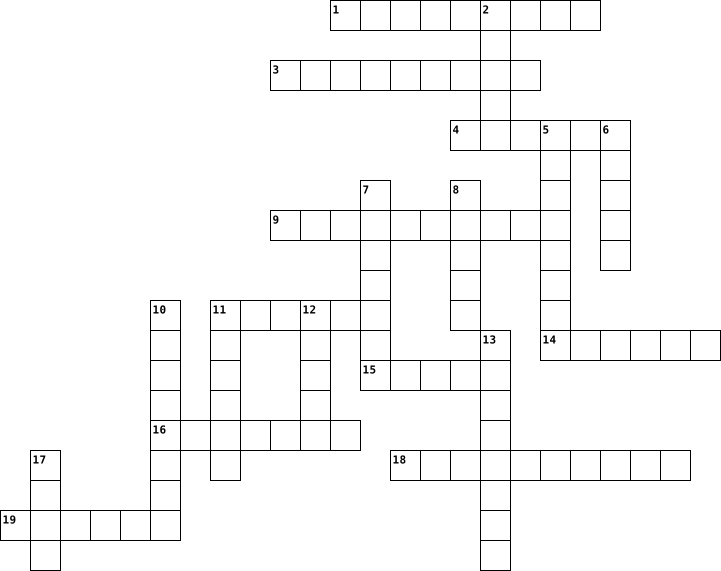
Across
- projector
- principal
- Eraser
- whiteboard
- people
- Sticky
- table
- uniform
- highlights
- marker
Down
- Chair
- Students
- Rules
- students
- books
- computer
- Pencil
- Paper
- teachers
- iPad
20 Clues: iPad • Chair • Rules • books • Paper • table • Eraser • people • Pencil • Sticky • marker • uniform • Students • students • computer • teachers • projector • principal • whiteboard • highlights
Tech Crossword 2021-11-23

Across
- human input is minimized by this
- a collection of data that is organized so that its contents can easily be accessed, managed, and updated
- a person who operates a computer
- a website that finds other websites on the Internet
- acronym for random access memory
- a set of credentials granting access
- any machine or component that attaches to a computer
- computer instructions (programs) that are stored electronically on a computer hard drive
Down
- malicious code or program
- this hardware is used to connect devices
- a software program that reads webpages
- conducting business transactions over the Internet
- the physical parts of a computer
- a series of computers and other devices that are interconnected
- an electronic mail message
- information to be stored or processed by a computer
16 Clues: malicious code or program • an electronic mail message • human input is minimized by this • a person who operates a computer • the physical parts of a computer • acronym for random access memory • a set of credentials granting access • a software program that reads webpages • this hardware is used to connect devices • conducting business transactions over the Internet • ...
Crossword 2024-04-04

Across
- images in sounds created by computer that seem almost real to user
- control the ability to opaque
- you can play this on the computer for fun
- I set of pages on the Internet, where a company or on organization
- electronic letter
- a piece of a work involving
- you use this to write on a computer
- you use this to move and click on the computer?
Down
- television
- your personal telephone
- the ability to operate a machine from a distance using
- wedsites and software programs
- an international computer network
- a piece of software that you can download to a device such as smart phone or tablet
- you use it for going on the Internet, storing information and playing games
- activity, or for broadcasting programs for people to listen to
16 Clues: television • electronic letter • your personal telephone • a piece of a work involving • control the ability to opaque • wedsites and software programs • an international computer network • you use this to write on a computer • you can play this on the computer for fun • you use this to move and click on the computer? • the ability to operate a machine from a distance using • ...
KeyCode Vocabulary 2023-01-17

Across
- Handheld input device that controls a cursor in a graphical user interface
- Any physical device capable of storing information, temporarily or permanently
- Keeps the overall computer cool by circulating air to or from a component
- Device that allows you to input letters, numbers and other symbols into a computer
- Input device usually on laptops that allows the user to move the cursor with their finger and is pressure sensitive
- The brain or calculator of a computer that handles all instructions it receives from hardware or software
- Device that allows users to input audio into their computers
- Hardware input device that captures still images or video of the user
Down
- A printed circuit board that sends power and communication to all components of the computer
- Any set of instructions that tells the hardware what to do and how to do it. (Ex: web browsers, games, word processors)
- Any part of your computer that has a physical structure. (Ex: keyboard or mouse)
- Electronic device that manipulates information or data. It has the ability to store, retrieve, and process data.
- Output device that displays video, images, and text
- A plug and play interface that allows a computer to communicate with other devices
- External output device that takes electronic data and generates a hard copy of it
- A hole or connection on the front, back or side of a computer allowing the connection of external devices
- Hardware output device connected to a computer to generate sound
17 Clues: Output device that displays video, images, and text • Device that allows users to input audio into their computers • Hardware output device connected to a computer to generate sound • Hardware input device that captures still images or video of the user • Keeps the overall computer cool by circulating air to or from a component • ...
Free time Activities 2023-11-20

Across
- going
- children
- listening
- gym
- using
- painting
- knitting
- watching
- reading
Down
- football
- computer
- dancing
- sewing
- swimming
- playing
- guitar
- music
- gardening
- with
19 Clues: gym • with • going • music • using • sewing • guitar • dancing • playing • reading • football • computer • children • swimming • painting • knitting • watching • listening • gardening
School supplies 2026-08-19

Across
- pen
- tape
- folder
- chair
- computer
- ruler
- eraser
- highlighter
- desk
Down
- whiteboard
- pencil
- scissors
- marker
- crayon
- staple
- paper
- binder
- table
- glue
19 Clues: pen • tape • glue • desk • chair • paper • table • ruler • pencil • marker • crayon • folder • staple • binder • eraser • scissors • computer • whiteboard • highlighter
technology concepts 2024-05-30

Across
- a device that transforms ac to dc
- random acess memory but shorter
- definition of HDD
- solid-state drive but shorter
- an alteration or vibration of space
- a device that contains energy
- a device that allows sound to come out from the computer
- a device used to write in the computer
Down
- a technology use to connect devices wireless
- the main circuit in a computer
- shielded twisted pair but shorter
- a device that regulated electricity of an electric circuit
- everything you can touch from the computer
- technology that provides internet access
- a device that copies a text or image into a paper
- a color of printers represented with k
- unshielded twisted pair but shorter
- everything you cannot touch from the computer
18 Clues: definition of HDD • solid-state drive but shorter • a device that contains energy • the main circuit in a computer • random acess memory but shorter • a device that transforms ac to dc • shielded twisted pair but shorter • an alteration or vibration of space • unshielded twisted pair but shorter • a color of printers represented with k • a device used to write in the computer • ...
Week 1 - Week 4 2017-04-25

Across
- Pointing device that fits under the palm of your hand comfortably
- a series of instructions that tells the computer to do and how to do it
- refers to the program that you interact with to perform specific computer tasks
- an optical device that projects an image (or moving images) onto a surface, commonly a projection screen
- input device which converts analog information into digital form.
- MICR are used in banks because a large number of _____________ to be processed every day
Down
- An input device that contains keys users press to enter data and instructions into a computer
- Program Allows user to perform maintenance-type tasks usually related to managing a computer, its devices or its programs
- is a set of programs containing instructions that work together to coordinate all the activities among computer hardware resources
- Like a laptop this is a small portable computer but the biggest difference is that its user interface is all through touch.
- The process of using the personal computer and page layout software to combine text and graphics to create publication documents such as newsletters, brochures, books, etc.
- ______________Scanner device used for reading bar coded data (data in form of light and dark lines).
- one byte are needed to store one ____________
- one byte contains 8 _____
- is a computer that combines the case, monitor, keyboard and mouse in one unit
- is by far the most common type of computer
- displays an online advertisement in a banner or pop-up window
- An input device that contains keys users press to enter data and instructions into a computer
18 Clues: one byte contains 8 _____ • is by far the most common type of computer • one byte are needed to store one ____________ • displays an online advertisement in a banner or pop-up window • Pointing device that fits under the palm of your hand comfortably • input device which converts analog information into digital form. • ...
Computer Basic Vocabulary 2014-11-05

Across
- device through which a computer sends out information
- silicon chip that processes data and carries out instructions
- device that stores, retrieves, manipulates and processes data to produce an outcome
- Input device used to type text
- physical equipment of a computer
- set of instructions that makes computer hardware work; programs or applications
- output device that transfers information to a hard copy
Down
- use of technology tools to input, store, process, and communicate information
- a type of software that includes programs that help people do certain tasks
- component that allows people to select text and icons from the computer screen to choose commands and files and start application software; makes computers user friendly
- language a computer can understand; made up of a series of ones and zeroes
- Application;ordered instructions done by the computer
- Output device that displays graphics on a screen
- Two or more computers linked together to share files and resources
- Only Memory ROM; starts up the computer and holds its start up instructions
15 Clues: Input device used to type text • physical equipment of a computer • Output device that displays graphics on a screen • device through which a computer sends out information • Application;ordered instructions done by the computer • output device that transfers information to a hard copy • silicon chip that processes data and carries out instructions • ...
Inside the system 2022-11-03

Across
- - It can be called the brain of the pc.
- - Machine code, which consists of 8 bits.
- - Machine code that a computer understands. It consists of 0 and 1.
- - The main circuit board inside pc system.
- - A physical unit that allows you to determine the speed of the processor.
- Processors are made from this material.
- - Standard code for binary representation of characters.
Down
- - A device for processing different information
- - A device as part of a computer for counting time. It sends signals at fixed time intervals to measure and synchronize the data flow.
- - It's high-speed units of memory used to store and control data.
- - This is the main program present on any computer or laptop, its main task is to manage computer components, as well as their interaction with each other.
- - A device in which data is stored during computer operation.
- - A special software for controlling a computer.
- - Electrical channels which allow devices inside the computer to communicate with each other.
- - Device for permanent data storage.
15 Clues: - Device for permanent data storage. • - It can be called the brain of the pc. • Processors are made from this material. • - Machine code, which consists of 8 bits. • - The main circuit board inside pc system. • - A device for processing different information • - A special software for controlling a computer. • - Standard code for binary representation of characters. • ...
ICT Basics 2018-06-06

Across
- Ram is considered what type of memory.
- What is a group of independent computers attached to one another through communication media.
- Excel What is the most appropriate software for calculating in computer
- What refers to the physical devices used to store programs or data on a temporary or permanent basis for use in a computer or other digital electronic device.
- The computer’s input device is_
- Bar Displays icons and titles of all programs or folders currently active on your screen
Down
- Computer Name the fastest type of computer that can perform complex operations at very high speed.
- A personal computer operating system from Microsoft
- The word ‘Computer’ is derived from
- What is the main working memory of the computer?
- A Particular task is done by which software?
- Babbage Whom do you think father of modern computers?
- A special type of memory chip holding software which can be read but not written to
- hard disk The computer device most widely used is
- Rom can only do _______ operations.
15 Clues: The computer’s input device is_ • The word ‘Computer’ is derived from • Rom can only do _______ operations. • Ram is considered what type of memory. • A Particular task is done by which software? • What is the main working memory of the computer? • hard disk The computer device most widely used is • A personal computer operating system from Microsoft • ...
technology terms by kale Curtis 2023-05-05

Across
- A computer program that can copy itself and infect a computer
- a communication method
- connected to a server in the public internet
- files embedded within online communication channels such as emails, instant messages, or social networks.
- a device that turns text and graphics and transfers it from computer to paper.
Down
- stands for central processing unit
- a computer program or device that provides a service to another computer program and its user.
- is a wireless networking technology that uses radio waves to provide wireless high-speed Internet access.
- stands for Uniform Resource Locator.
- small, movable device that lets you control a range of things on a computer.
- any kind of unwanted, unsolicited digital communication that gets sent out in bulk.
- an electronic output device which displays images in pictorial form on the screen.
- for putting information including letters, words and numbers into your computer.
- stands for Portable Document Format.
- worldwide system of computer networks
15 Clues: a communication method • stands for central processing unit • stands for Uniform Resource Locator. • stands for Portable Document Format. • worldwide system of computer networks • connected to a server in the public internet • A computer program that can copy itself and infect a computer • small, movable device that lets you control a range of things on a computer. • ...
Ch. 12 KEY TERMS 2025-02-18

Across
- - the processor sending messages form one computer to another
- (CAD) individuals who make prosthetics, or artificial parts, can custom design individualized prosthetics such as hands, legs, fingers, and other body parts that will precisely match the physical requirements of the individual for whom they are designed.
- (PET) - a slightly radioactive substance is injected into the patient and detected by the PET scanner. This radioactive tracer travels through the body and is picked up by body cells.
- - a laptop in a compact case which can sit at a desktop
- - involves the use of video, audio, and computer systems to provide medical or health care services.
- - usually involves walking a treadmill or riding an exercise bike until a target heart rate is reached;
- - online teaching
- - when a group of related records is combined
- - an applied science used to promote an individuals safety and well being by adapting to the environment and use it techniques to prevent injuries
- - areas that database is entered into, each type of information is a field
- - uses special software to perform high-speed math calculations
- - programs that contain instructions to alter the operation of the computer programs, erase or scramble data on the computer, or allow access to information on the computer.
- - a handheld tablet or a smartphone
- - method that uses high-frequency sound waves that bounce back as an echo when they hit different tissues and organs inside the body
- - links millions of computers through the world
- used for patients who cannot exercise; a medication that simulates the effect of exercise is given to increase the blood flow and heart rate
- - uses technology to direct ultrahigh-frequency sound waves through the chest wall and into the heart; a computer then converts the reflection of the waves into an image of the heart;
- - uses high-energy particles to decrease the size of tumors and treat cancer
- - light beams that can be focused precisely
- (HIE) - allows a health care care agencies to readily transfer patient electronic health records between a ageiences in a national network
- - the
Down
- - secure online websites are established bu a physician, health care facility, or other health care provider. Patients can log in any time to see their health info.
- (EHR) - a computerized version of a patients medical information that may include statistical data, diagnoses, medical history etc. that could be on the patients paper record
- - computer of telephone line to Consuelo patients regarding medications and drug abuse
- a basic understanding of how a computer works and the application used in your field or profession
- (IGS) - a surgical procedure in which a surgeon uses preoperative and intraoperative images to guide or direct the surgery
- - a special camera is used to identify the rays emitted from the substance while the patient is at rest and then during exercise;
- - a very large computer that can control the launch of a rocket to outer space
- - A robot is a mechanical device that is computer controlled. surgeon is seated at a computer console that provides 3-D magnified images of the surgical site.
- (MRI) - computerized method uses nuclear magnetic resonance; alters the magnetic position of hydrogen atoms to produce an image
- - each collection of related information
- - an organized collection of information
- (CAI) - educational computer programming designed for individualized use.
- - used for patients who cannot exercise; a medication that simulates the effect of exercise is given to increase the blood flow and heart rate
- (CT) - computerized X-ray permits physicians to see clear, cross-sectional views of both bone and body tissues and to find abnormalities
- (ECG) - computerized interpretation system that produces visual pictures on a computer monitor and a printout of the electrical activity of a patient's heart
- - are protective programs that limit the ability of other ocnouterso to access a computer
37 Clues: - the • - online teaching • - a handheld tablet or a smartphone • - each collection of related information • - an organized collection of information • - light beams that can be focused precisely • - when a group of related records is combined • - links millions of computers through the world • - a laptop in a compact case which can sit at a desktop • ...
project 2014-11-02

Across
- also called a diskette
- They are placed in a certain slot on the mainboard with an extra high data transfer rate.
- is a data storage device that includes flash memory
- r host bridge is a microchip on some PC motherboards
- display is an electronic visual display for computers
- Data Rate which is a type of SDRAM and appeared first on the market around 2001
- is focused on performing tasks involving intense numerical calculations such as weather forecasting
- Data Out RAM came out in 1995 as a new type of memory available for Pentium based systems.
- invisible in an infected computer into other files (computer virus) or otherwise propagate themselves (worm).
- vice allows data items to be read and written
- hat stores and provides relatively quick access to large amounts of data
- known as the mainboard, system board
- computer memory on which data has been prerecorded
- from Intel is a high-end server and supercomputer microprocessor.
- s a unit of data that is eight binary digits long
- is a widely used type of semiconductor
- bus is the most popular internal interconnect for personal computers
- computer was created to distinguish the traditional, large, institutional computer
- is a device for digitizing paper documents into images that may be manipulated by a computer.
- tie or tie-wrap, also known as a hose tie
- is a form of problem solving, often applied to repair failed products or processes
- connector is a three-row 15-pin DE-15 connector
- Page Mode comes from the capability of memory being able to access data that is on the same page and can be done with less latency.
- is the hardware within a computer that carries out the instructions
- the world leader in silicon innovation, develops processor
- the smallest unit of information on a machine
- is a type of ram of its own, it came out in 1999 and was developed from traditional DRAM but its architecture is totally new
Down
- r a notebook is a portable personal computer
- includes the chassis, microprocessor,
- virus is a malware program that, when executed, replicates by inserting copies of itself
- DRAM is a type of DRAM that runs in synchronization with the memory bus.
- pointing device that detects two-dimensional motion
- is 109 or 1,000,000,000 bytes
- means a programmable machine.
- s a flat panel display
- is a light-emitting diode (LED)
- a typewriter-style device,which uses an arrangement of buttons,
- allows a computer to communicate over an analogue medium
- built-in software that determines what a computer can do without accessing programs from a disk.
- is a type of optical storage media that allows data to be written to it only once
- are a class of multi-user computers that lie in the middle range of the computing spectrum,
- is an electronic device that supplies electric energy
- also called a video adapter,
- a device that accepts text and graphic output
- external to a computer, that disable the lower fidelity built-in speaker.
- is a computer bus interface that connects host
- vacuum tube containing one or more electron guns,
- at the heart of all computers
- is one of the two chips in the core logic chipset
- s software that manages computer hardware and software
- is a measure of computer storage capacity and is 2 to the 40th power
- (KB or Kbyte*) is approximately a thousand bytes
- is an internal computer expansion card that facilitates economical input and output of audio signals
- originally AT Attachment
- Advanced Micro Devices
55 Clues: also called a diskette • s a flat panel display • Advanced Micro Devices • originally AT Attachment • also called a video adapter, • is 109 or 1,000,000,000 bytes • means a programmable machine. • at the heart of all computers • is a light-emitting diode (LED) • known as the mainboard, system board • includes the chassis, microprocessor, • is a widely used type of semiconductor • ...
Grade 10 Test 2023-03-05

Across
- ______ Versatile Disk is for storages of movies about 1.4 GB.
- Keyboard shortcuts for ctrl + x.
- computer user can type and control keys.
- helps computer user to see and view.
- Acronym of Random Access Memory.
- Main parts of the CPU.
- Keyboard shortcuts for ctrl + v.
- Keyboard found at United States.
Down
- Computer User can click and point.
- One of the components of expansion slots.
- Keyboard found at United Kingdom.
- It provides power to the cpu /computer.
- _______ fan is to cool down the computer/ CPU.
- stands for Read Only Memory.
14 Clues: Main parts of the CPU. • stands for Read Only Memory. • Keyboard shortcuts for ctrl + x. • Acronym of Random Access Memory. • Keyboard shortcuts for ctrl + v. • Keyboard found at United States. • Keyboard found at United Kingdom. • Computer User can click and point. • helps computer user to see and view. • It provides power to the cpu /computer. • ...
COMPUTER SCIENCE CROSSWORD 2026-08-28

Across
- Temporary memory used while programs are running.
- A set of step-by-step instructions used to solve a problem.
- An interface used to connect devices to a computer.
- A place where digital information is saved.
- Programs and instructions that tell the computer what to do.
- Fast memory that stores frequently used data.
- Data entered into a computer.
Down
- The physical parts of a computer.
- Information produced by a computer.
- Non-volatile memory that stores permanent instructions.
- A communication system that transfers data between computer components.
- Information that a computer processes and stores.
- The main component that processes instructions in a computer.
13 Clues: Data entered into a computer. • The physical parts of a computer. • Information produced by a computer. • A place where digital information is saved. • Fast memory that stores frequently used data. • Temporary memory used while programs are running. • Information that a computer processes and stores. • An interface used to connect devices to a computer. • ...
computer 2017-09-27

Across
- binary digit
- dispositivo di input
- insieme dei programmi
- parte fisica del computer
- memoria di sola lettura
Down
- programma dannoso per il computer
- unità centrale di elaborazione
- dispositivo di output
- disk memoria di massa
- memoria volatile
10 Clues: binary digit • memoria volatile • dispositivo di input • dispositivo di output • insieme dei programmi • disk memoria di massa • memoria di sola lettura • parte fisica del computer • unità centrale di elaborazione • programma dannoso per il computer
computer 2017-07-28

Across
- Compact Disk
- an input device
- cannot be touched
- physical part of computer
- prints information on paper
- used to connect computer to internet
Down
- an electronic device works faster than humans
- this device has keys to type
- Uninterruptible Power Supply
- set of step by step instructions that allow computer to do some work.
10 Clues: Compact Disk • an input device • cannot be touched • physical part of computer • prints information on paper • this device has keys to type • Uninterruptible Power Supply • used to connect computer to internet • an electronic device works faster than humans • set of step by step instructions that allow computer to do some work.
Computer 2017-07-28

Across
- Read Only Memory
- Visual Display Unit
- Digital Versatile Disk
- CD
- Universal Synchronous Bus
Down
- Random Access Memory
- Secondary memory present inside CPU
- A disk used to store information
- Constant Voltage Transformer
- Central Processing Unit
10 Clues: CD • Read Only Memory • Visual Display Unit • Random Access Memory • Digital Versatile Disk • Central Processing Unit • Universal Synchronous Bus • Constant Voltage Transformer • A disk used to store information • Secondary memory present inside CPU
computer 2017-07-29

Across
- Game in Windows Accessories
- Tool used to draw circle
- Tool used to spray color
Down
- Clicking this button AllPrograms comes
- Tool used to draw curves
- Text editor Software Program
- Tool used to copy a color
- Tool used to increase size of drawing
- Tool to draw a line
- Window Accessory used for drawing
10 Clues: Tool to draw a line • Tool used to draw curves • Tool used to draw circle • Tool used to spray color • Tool used to copy a color • Game in Windows Accessories • Text editor Software Program • Window Accessory used for drawing • Tool used to increase size of drawing • Clicking this button AllPrograms comes
COMPUTER 2013-07-18

Across
- dsmfgsj
- dsgfydsgfuyjsg
- asgfydsg
- sgfjsgyf
- sfgmmf
Down
- dfgkusgfk
- asgdaystf
- dsfgdyujs
- eygsydgksiyg
- djygfsyu
10 Clues: sfgmmf • dsmfgsj • asgfydsg • sgfjsgyf • djygfsyu • dfgkusgfk • asgdaystf • dsfgdyujs • eygsydgksiyg • dsgfydsgfuyjsg
Computer 2014-02-25

Across
- ray disk Iets waar je een film met scherpe beelden van kan zien
- De programma's geïnstalleerd op de computer
- het toestel zelf
- schijf Ding dat alle programma's laat samen werken op de computer
- Toestel waar je dingen met aanklikt op het scherm
- Ding waar geluid uit komt
Down
- Waar je je programma op kan zien
- Ding waarmee je kunt afprinten
- Ding waarmee je muziek kan luisteren
- Iets waar je bestanden kan opzetten
10 Clues: het toestel zelf • Ding waar geluid uit komt • Ding waarmee je kunt afprinten • Waar je je programma op kan zien • Iets waar je bestanden kan opzetten • Ding waarmee je muziek kan luisteren • De programma's geïnstalleerd op de computer • Toestel waar je dingen met aanklikt op het scherm • ray disk Iets waar je een film met scherpe beelden van kan zien • ...
Computer 2014-06-02

Across
- hier kijk je naar
- hier wordt alles opgeslagen
- om mee te videochatten
- hiermee kan je afdrukken
Down
- wordt gebruikt om tekst in te geven
- met dit kan je projecteren
- dit zorgt dat je op internet kan
- hier kunnen films/games/muziek op staan
- kat zijn favoriete snack
- geluid komt hier uit
10 Clues: hier kijk je naar • geluid komt hier uit • om mee te videochatten • kat zijn favoriete snack • hiermee kan je afdrukken • met dit kan je projecteren • hier wordt alles opgeslagen • dit zorgt dat je op internet kan • wordt gebruikt om tekst in te geven • hier kunnen films/games/muziek op staan
computer 2014-05-09

Across
- externe opslagmedium
- de echte wereld systematisch afgetast omgezet kan worden in data
- externe geheugen
- een cursor op het scherm die je met handbeweging bestuurd
- ander woord voor rugmuis
- is een apparaat waarmee informatiesignalen geschikt gemaakt worden om over een verbinding te worden getransporteerd
Down
- toont bewegende beelden
- is de uitvoer van de computer
- hiermee typ je woorden
- ander woord voor videoprojector
10 Clues: externe geheugen • externe opslagmedium • hiermee typ je woorden • toont bewegende beelden • ander woord voor rugmuis • is de uitvoer van de computer • ander woord voor videoprojector • een cursor op het scherm die je met handbeweging bestuurd • de echte wereld systematisch afgetast omgezet kan worden in data • ...
Computer 2015-07-22

Across
- / _____________ is a packet oriented mobile data service on the 2G and 3G cellular communication system's global system for mobile communications (GSM).
- / A ____________ represents its layout or structure from the point of view of data flow
- / _________ allows wireless transmission of audio.
- / The popularity of computer networks sharply increased with the creation of the ________________ in the 1990s.
- / In a ____________, all data flows through one centralized device.
Down
- / WiFi uses ____________ to allow two devices to communicate with one another.
- / ______________ allow devices in different rooms to efficiently share a broadband Internet connection, enable people to more easily share their files and printers within the network, and help with overall network security.
- / a _________ is a type of socket where cable plug is inserted
- Positioning System (GPS)/ _____________ is a space-based navigation system that provides location and time information in all weather conditions.
- / ___________ devices typically produce a better signal when used outside or by a window.
10 Clues: / _________ allows wireless transmission of audio. • / a _________ is a type of socket where cable plug is inserted • / In a ____________, all data flows through one centralized device. • / WiFi uses ____________ to allow two devices to communicate with one another. • / A ____________ represents its layout or structure from the point of view of data flow • ...
Computer 2021-11-04

Across
- the thing that your mouse goes on to better control your mouse
- the central prossessing unit
- the graphics card unit
- the device that lets you see what the computer is doing(it rhymes with scromitor)
- a thing that allows you to type
Down
- the thing that connects your devices to your computer
- the laptosp built by apple
- a thing that allows you to navigate your computer
- the thing that stores stuff
- the software that most use
10 Clues: the graphics card unit • the laptosp built by apple • the software that most use • the thing that stores stuff • the central prossessing unit • a thing that allows you to type • a thing that allows you to navigate your computer • the thing that connects your devices to your computer • the thing that your mouse goes on to better control your mouse • ...
computer 2021-11-07

Across
- prima macchina dotata di una memoria
- tipologia di computer che non ha alcuna predisposizione destinata a facilitare il trasporto a mano
- tipo di personal computer pensato per poter essere trasportato a mano da una sola persona
- primo strumento in grado di esegiure compiti generici
Down
- sfrutta fenomeni fisici
- strumento di calcolo
- parte del computer in cui ci sono le icone che rappresentano le risorse, i programmi e i documenti utilizzabili dall'utente
- dispositivo per scrivere
- dispositivo di puntamento per computer
- progettato per risolvere equazioni differenziali
10 Clues: strumento di calcolo • sfrutta fenomeni fisici • dispositivo per scrivere • prima macchina dotata di una memoria • dispositivo di puntamento per computer • progettato per risolvere equazioni differenziali • primo strumento in grado di esegiure compiti generici • tipo di personal computer pensato per poter essere trasportato a mano da una sola persona • ...
Computer 2022-03-08

Across
- It helps to personalize the computer.
- It is useful for writing.
- It's good for confirmation.
- Turkish is a görev.
- We move with the mouse.
- Drawing application.
Down
- It comes to the end of the applications on the computer.
- Code consisting of only 0 and 1
- It helps us to write any command. (for example:tree)
- Opens with google
10 Clues: Opens with google • Turkish is a görev. • Drawing application. • We move with the mouse. • It is useful for writing. • It's good for confirmation. • Code consisting of only 0 and 1 • It helps to personalize the computer. • It helps us to write any command. (for example:tree) • It comes to the end of the applications on the computer.
computer 2022-02-18

Across
- The process of writing specific instruction in computer language.
- it used to type in a computer
- formulas are used for
- what does the short form ctrl+v do
Down
- what is defined as a network of millions of computers connected with each other
- a tool used to erase unwantedlines and fills from an object
- The ability to move objects like graphics, charts etc.,on the powerpoint slide.
- an application used to make presentation
- charls babbage is the father of
- Which mode is used to write lengthy programs in python.
10 Clues: formulas are used for • it used to type in a computer • charls babbage is the father of • what does the short form ctrl+v do • an application used to make presentation • Which mode is used to write lengthy programs in python. • a tool used to erase unwantedlines and fills from an object • The process of writing specific instruction in computer language. • ...
Computer 2022-04-28

Across
- a data storage device
- facts and statistics collected together for reference or analysis.
- Random-access memory
- a collection of instructions that tell a computer how to work
- physical parts of a computer
- the smallest unit of data in a computer
Down
- A central processing unit
- a vast network that connects computers all over the world.
- an electronic device for storing and processing data
- magnetic storage medium for a computer
10 Clues: Random-access memory • a data storage device • A central processing unit • physical parts of a computer • magnetic storage medium for a computer • the smallest unit of data in a computer • an electronic device for storing and processing data • a vast network that connects computers all over the world. • a collection of instructions that tell a computer how to work • ...
Computer 2022-07-05

Across
- Database
- management
- application
- service
- organized
Down
- document
- litigation
- software
- Information
- Query
10 Clues: Query • service • document • Database • software • organized • litigation • management • application • Information
Computer 2022-11-04

Across
- อุปกรณ์จ่ายไฟของคอมพิวเตอร์
- หน้าจอ
- ตัวประมวลผล
- อุปกรณ์คอมพิวเตอร์ชนิดหนึ่งที่เป็นแผงวงจรหลัก
- การ์ดจอ
- โครงสร้างเก็บอุปกรณ์ต่างๆ
Down
- หน่วยประมวนผล
- ลำโพง
- จอภาพ
- อุปกรณ์เก็บข้อมูล
10 Clues: ลำโพง • จอภาพ • หน้าจอ • การ์ดจอ • ตัวประมวลผล • หน่วยประมวนผล • อุปกรณ์เก็บข้อมูล • โครงสร้างเก็บอุปกรณ์ต่างๆ • อุปกรณ์จ่ายไฟของคอมพิวเตอร์ • อุปกรณ์คอมพิวเตอร์ชนิดหนึ่งที่เป็นแผงวงจรหลัก
Computer 2022-11-04

Across
- พื้นหลังบนจอภาพคอมพิวเตอร์
- เชื่อมต่อ
- แป้นพิมพ์
- เมาส์ (อุปกรณ์เคลื่อนตำแหน่ง)
- จอคอมพิวเตอร์
Down
- รหัสผ่าน
- ปุ่ม
- รูปสัญลักษณ์โปรแกรมบนจอคอมพิวเตอร์
- จดหมายอิเล็กทรอนิกส์
- ค้นหา สืบเสาะ
10 Clues: ปุ่ม • รหัสผ่าน • เชื่อมต่อ • แป้นพิมพ์ • ค้นหา สืบเสาะ • จอคอมพิวเตอร์ • จดหมายอิเล็กทรอนิกส์ • พื้นหลังบนจอภาพคอมพิวเตอร์ • เมาส์ (อุปกรณ์เคลื่อนตำแหน่ง) • รูปสัญลักษณ์โปรแกรมบนจอคอมพิวเตอร์
Computer 2022-11-04

Across
- อุปกรณ์ที่ใช้สื่อสารกับคอมพิวเตอร์ใช้ป้อนข้อมูลต่างๆลงไปในคอมพิวเตอร์
- เป็นอุปกรณ์ที่ทำหน้าที่ในการจ่ายกระแสไฟฟ้าให้กับชิ้นส่วนอุปกรณ์คอมพิวเตอร์
- ฐานข้อมูลแหล่งที่รวบรวมข้อมูลไว้เพื่อใช้สำหรับการค้นคว้า
- ประกอบด้วยแผ่นจานแม่เหล็กสองแผ่นหรือมากกว่ามาจัดเรียงอยู่บนแกนเดียวกัน
- เป็นแผ่นวงจรไฟฟ้าแผ่นใหญ่ที่รวมเอาชิ้นส่วนอิเล็กทรอนิกส์ที่สำคัญไว้ด้วยกัน ซึ่งเป็นส่วนที่ควบคุมการทำงานของอุปกรณ์ต่างๆ ภายในตัวคอมพิวเตอร์ทั้งหมด
Down
- รูปแบบของเว็บไซต์ที่เชื่อมโยงผู้คนไว้ด้วยกันผ่านอินเตอร์เน็ต
- โครงหรือกล่องสำหรับประกอบอุปกรณ์ต่าง ๆ ของคอมพิวเตอร์ไว้ภายใน
- เป็นระบบงานที่ใช้เพื่อค้นหาทรัพยากรต่าง ๆ และได้นําเสนอข้อมูลที่เป็นข้อความภาพ กราฟิก เสียง ภาพเคลื่อนไหวในเอกสารบนจอภาพนั้น ๆ
- หน่วยความจำหลักแต่ไม่ถาวร ซึ่งจะต้องมีไฟมาหล่อเลี้ยงอุปกรณ์ตลอดในการทำงาน
- ช่วยแบ่งเบาภาระการประมวลผลให้ซีพียู จึงทำให้การทำงานของคอมพิวเตอร์นั้นเร็วขึ้น
10 Clues: ฐานข้อมูลแหล่งที่รวบรวมข้อมูลไว้เพื่อใช้สำหรับการค้นคว้า • รูปแบบของเว็บไซต์ที่เชื่อมโยงผู้คนไว้ด้วยกันผ่านอินเตอร์เน็ต • โครงหรือกล่องสำหรับประกอบอุปกรณ์ต่าง ๆ ของคอมพิวเตอร์ไว้ภายใน • อุปกรณ์ที่ใช้สื่อสารกับคอมพิวเตอร์ใช้ป้อนข้อมูลต่างๆลงไปในคอมพิวเตอร์ • ประกอบด้วยแผ่นจานแม่เหล็กสองแผ่นหรือมากกว่ามาจัดเรียงอยู่บนแกนเดียวกัน • ...
Computer 2022-11-04

Across
- เชื่อมต่อ
- card การ์ดบันทึกข้อมูล
- เครือข่ายอินเทอร์เน็ต
- เมาส์
- ค้นหา,สืบเสาะ
Down
- ลบ
- ปุ่ม
- โปรแกรมบนจอคอมพิวเตอร์
- แป้นพิมพ์
- จอคอมพิวเตอร์
10 Clues: ลบ • ปุ่ม • เมาส์ • เชื่อมต่อ • แป้นพิมพ์ • จอคอมพิวเตอร์ • ค้นหา,สืบเสาะ • เครือข่ายอินเทอร์เน็ต • โปรแกรมบนจอคอมพิวเตอร์ • card การ์ดบันทึกข้อมูล
Computer 2022-11-04

Across
- เมาส์
- ปุ่ม
- จอคอมพิวเตอร์
- ลบ
- โปรแกรมบนจอคอมพิวเตอร์
- เชื่อมต่อ
Down
- แป้นพิมพ์
- การ์ดบันทึกข้อมูล
- ค้นหา,สืบเสาะ
- เครือข่ายอินเทอร์เน็ต
10 Clues: ลบ • ปุ่ม • เมาส์ • แป้นพิมพ์ • เชื่อมต่อ • ค้นหา,สืบเสาะ • จอคอมพิวเตอร์ • การ์ดบันทึกข้อมูล • เครือข่ายอินเทอร์เน็ต • โปรแกรมบนจอคอมพิวเตอร์
Computer 2023-09-07

Across
- encode information in a computer file
- Language is an improvement over GL
- Instructions given in strings of 0's and 1's Flying mammal
- Processor CPU on a microchip
- fifth generation language
Down
- interpreter to convert code to machine language
- translate the programe one statement at a time
- also called datafilee
- translates whole program into machine code
- stores and organises relevant computer files together
10 Clues: also called datafilee • fifth generation language • Processor CPU on a microchip • Language is an improvement over GL • encode information in a computer file • translates whole program into machine code • translate the programe one statement at a time • interpreter to convert code to machine language • stores and organises relevant computer files together • ...
Computer 2023-10-30

Across
- darker text
- key used to type words
- move to next line
- capital letters
- longest key
Down
- key used to type number
- erase everything
- Slanting words
- give instructions to computer
- correct our mistakes
10 Clues: darker text • longest key • Slanting words • capital letters • erase everything • move to next line • correct our mistakes • key used to type words • key used to type number • give instructions to computer
computer 2023-10-19

Across
- - a small device that a computer user pushes across a desk surface in order to point a place in a display screen and select one or more actions.
- - is a computer's temporary memory, which exists as chips on the motherboard near the CPU.
- - standard output devices used with computer systems that enable the listener to listen to a sound as an outcome.
- - uses to enter characters and functions into the computer system.
- - an output device connected to a computer system to print data on paper.
Down
- - is commonly referred to as the brain of a computer.
- - used to display information being entered and processed on a computer.
- - the main printed circuit board in a computer.
- - device provides the memory for installing programs and saving files.
- - is a key component to your computer, it is the component that outputs all your visuals on the computer .
10 Clues: - the main printed circuit board in a computer. • - is commonly referred to as the brain of a computer. • - uses to enter characters and functions into the computer system. • - device provides the memory for installing programs and saving files. • - used to display information being entered and processed on a computer. • ...
Computer 2019-10-19

Across
- Program is used for graphic.
- Network or Bluetooth will let you connect to your computer with almost any electronic device.
- For richer sounds, music, movies and games. Can be used by more than one person.
- Program is used to create a table.
- Used for letters, putting web pages on paper and making colour photographs.
Down
- Is flat, energy efficient, and does not flicker. All laptop and modern computers use these.
- Program is used to create a slide show.
- Copy into your computer.
- Is a computer language.
- abbreviation for Uninterruptible Power Supply.
10 Clues: Is a computer language. • Copy into your computer. • Program is used for graphic. • Program is used to create a table. • Program is used to create a slide show. • abbreviation for Uninterruptible Power Supply. • Used for letters, putting web pages on paper and making colour photographs. • For richer sounds, music, movies and games. Can be used by more than one person. • ...
Computer 2019-10-15

Across
- It looks like a TV screen
- It helps us to type words, number and symbols
- It helps us to draw pictures
- These help us to listen to music
Down
- It helps us to take out printout
- It Copies pictures and pages, and turn them into images
- It makes computer games a lot more fun
- It used to take live photos and videos
- A storage device
- It stores a large amount of information
10 Clues: A storage device • It looks like a TV screen • It helps us to draw pictures • It helps us to take out printout • These help us to listen to music • It makes computer games a lot more fun • It used to take live photos and videos • It stores a large amount of information • It helps us to type words, number and symbols • It Copies pictures and pages, and turn them into images
Computer 2020-02-14

Across
- หูฟัง
- ลำโพง
- ข้อมูล
- ระบบปฏิบัติการ
- เครื่องสแกน
Down
- อุปกรณ์
- แป้นพิมพ์
- รหัสผ่าน
- จดหมายอิเล็กทรอนิกส์
- เชื่อมต่อ
10 Clues: หูฟัง • ลำโพง • ข้อมูล • อุปกรณ์ • รหัสผ่าน • แป้นพิมพ์ • เชื่อมต่อ • เครื่องสแกน • ระบบปฏิบัติการ • จดหมายอิเล็กทรอนิกส์
Computer 2024-04-26

Across
- to put a word
- you can see stuff on it
- how to put color/words on paper
- to keep stuff in your clipboard
Down
- how to make letters thicker
- ow to make your word
- to reset your screen
- board you can type with it on a computer
- to delete what you just did
- to take something off and paste it on something
10 Clues: to put a word • ow to make your word • to reset your screen • you can see stuff on it • how to make letters thicker • to delete what you just did • how to put color/words on paper • to keep stuff in your clipboard • board you can type with it on a computer • to take something off and paste it on something
Computer 2024-07-16

Across
- a device where cables in a network meet
- a word to mean connection between two or more computes
- storage device with 700MBs
- volatile memory of a computer
- communication device used to connect two LANs using the same protocol
- a device used to convert analog to digital signals and vice versa
Down
- part of the computer that we can see and touch
- a collection of documents on the internet
- common web brouser on phones
- a computer file format for a song
10 Clues: storage device with 700MBs • common web brouser on phones • volatile memory of a computer • a computer file format for a song • a device where cables in a network meet • a collection of documents on the internet • part of the computer that we can see and touch • a word to mean connection between two or more computes • ...
Computer 2024-06-14

Across
- (Portable Document Format): A file format used for documents. (3 letters)
- (Graphical User Interface): What you interact with using icons and menus. (3 letters)
- (Central Processing Unit): The brain of the computer. (3 letters)
- (Local Area Network): A network confined to a small area like a home or office. (3 letters)
- (Secure Sockets Layer): Provides secure communication over the internet. (3 letters)
Down
- (Application Programming Interface): Allows software applications to communicate with each other. (3 letters)
- (File Transfer Protocol): Used to transfer files between computers. (3 letters)
- (Uniform Resource Locator): The web address of a page. (3 letters)
- (Hypertext Markup Language): The language used to create web pages. (4 letters, starts with "H")
- (Domain Name System): Converts domain names into IP addresses. (3 letters)
10 Clues: (Central Processing Unit): The brain of the computer. (3 letters) • (Uniform Resource Locator): The web address of a page. (3 letters) • (Portable Document Format): A file format used for documents. (3 letters) • (Domain Name System): Converts domain names into IP addresses. (3 letters) • ...
Computer 2024-06-20

Across
- delivers education online
- disadvantage of network banking
- full form of PAN
- looks like a bus
Down
- advantage of networking
- protects data in computer
- book online tickets
- advantage of e reservation
- physically attach a computer to a network
- each computer in a network
10 Clues: full form of PAN • looks like a bus • book online tickets • advantage of networking • delivers education online • protects data in computer • advantage of e reservation • each computer in a network • disadvantage of network banking • physically attach a computer to a network
Computer 2024-06-03

Across
- is a large set of data used by companies like Amazon and Netflix
- A network that covers a small area
- A last stage of data investigative cycle where final decision are made
- A network that connects computers all over the world.
- A visual representation of information or data
Down
- is a raw of fact and figure at a collection stage before being processed
- is an online data visualization website where data can be visualize inform of bubbles with different colour
- A topology in which every computer and network device is connected to a single cable
- is the study of data to extract meaningful insights
- A stage in data investigative cycle where all necessary planning are conducted before data collection
10 Clues: A network that covers a small area • A visual representation of information or data • is the study of data to extract meaningful insights • A network that connects computers all over the world. • is a large set of data used by companies like Amazon and Netflix • A last stage of data investigative cycle where final decision are made • ...
Computer 2023-03-12

Across
- แสดงผลของเครื่องคอมพิวเตอร์
- แผงวงจรหลักของคอมพิวเตอร์
- อุปกรณ์จัดเก็บข้อมูลภายในคอมพิวเตอร์ ที่ได้รับการพัฒนาต่อยอดมาจากฮาร์ดดิสก์
- ทำหน้าที่แปลงไฟฟ้า
Down
- ใช้ป้อนข้อมูลเข้าไปในคอมพิวเตอร์
- จอแสดงผลสำหรับคอมพิวเตอร์
- หน่วยความจำหลักของคอมพิวเตอร์
- ใช้ในการควบคุม
- ใช้ในการจัดเก็บเนื้อหาดิจิทัลและข้อมูลบนคอมพิวเตอร์
- ระบบประมวผล
10 Clues: ระบบประมวผล • ใช้ในการควบคุม • ทำหน้าที่แปลงไฟฟ้า • จอแสดงผลสำหรับคอมพิวเตอร์ • แผงวงจรหลักของคอมพิวเตอร์ • แสดงผลของเครื่องคอมพิวเตอร์ • หน่วยความจำหลักของคอมพิวเตอร์ • ใช้ป้อนข้อมูลเข้าไปในคอมพิวเตอร์ • ใช้ในการจัดเก็บเนื้อหาดิจิทัลและข้อมูลบนคอมพิวเตอร์ • อุปกรณ์จัดเก็บข้อมูลภายในคอมพิวเตอร์ ที่ได้รับการพัฒนาต่อยอดมาจากฮาร์ดดิสก์
Computer 2025-06-16

Across
- A system that monitors and controls network traffic based on security rules, acting as a barrier against unauthorized access.
- privacy The right of individuals to control how their personal information is collected, used, and shared.
- A secret word or phrase used to gain access to a computer system or online account.
- Address A unique numerical label assigned to each device connected to a computer network.
- A service that encrypts internet traffic and routes it through a server in a different location, masking the user's IP address and location.
- Harassment or intimidation using electronic communication.
Down
- Software designed to damage or disable computers and computer systems.
- Software that detects, prevents, and removes malicious software.
- A type of cyberattack where criminals try to trick individuals into revealing sensitive information, often through fake emails or websites.
- The process of converting information into a code to prevent unauthorized access.
10 Clues: Harassment or intimidation using electronic communication. • Software that detects, prevents, and removes malicious software. • Software designed to damage or disable computers and computer systems. • The process of converting information into a code to prevent unauthorized access. • ...
COMPUTER 2025-02-27

Across
- a common type of display that can be used with Arduino.
- LCD type that uses organic light-emitting diodes to display images.
- a two-wire communication protocol that uses only two pins on the microcontroller.
- people that blood glucose monitors can help.
- LCD type that allows users to interact with the display by touching it.
- LCD type that can display images and graphics in addition to text.
- the blood glucose monitor can help optimize its performance.
Down
- full form of the abbreviation “LCD”
- measures blood glucose levels.
- most basic type of LCD.
10 Clues: most basic type of LCD. • measures blood glucose levels. • full form of the abbreviation “LCD” • people that blood glucose monitors can help. • a common type of display that can be used with Arduino. • the blood glucose monitor can help optimize its performance. • LCD type that can display images and graphics in addition to text. • ...
COMPUTER 2025-02-27

Across
- a two-wire communication protocol that uses only two pins on the microcontroller.
- most basic type of LCD.
- a common type of display that can be used with Arduino.
- people that blood glucose monitors can help.
- LCD type that allows users to interact with the display by touching it.
- LCD type that can display images and graphics in addition to text.
Down
- full form of the abbreviation “LCD”
- measures blood glucose levels.
- the blood glucose monitor can help optimize its performance.
- LCD type that uses organic light-emitting diodes to display images.
10 Clues: most basic type of LCD. • measures blood glucose levels. • full form of the abbreviation “LCD” • people that blood glucose monitors can help. • a common type of display that can be used with Arduino. • the blood glucose monitor can help optimize its performance. • LCD type that can display images and graphics in addition to text. • ...
Computer 2025-10-06

Across
- The base of the laptop
- A person or account that has full control over a resource or computer
- A feature that allows administrators to manage devices
- A unique identifier that is used for branding
- An administrative feature that allows the use of monitoring and managing mobile devices
- A unique identifier that is used for branding
- Renamed to Google Workspace, is and administrative workspace with many customizable administrators
Down
- Removing a device from the provisioned status
- A unique string used to identify the type of device
- A set of resources within a network that can be shared and or managed by administrators
- A unique string used to identify the type of device
- A document provided by a computer manufacturer and is used to help identify key points when assembling a computer
12 Clues: The base of the laptop • Removing a device from the provisioned status • A unique identifier that is used for branding • A unique identifier that is used for branding • A unique string used to identify the type of device • A unique string used to identify the type of device • A feature that allows administrators to manage devices • ...
computer 2026-01-16

Across
- artificial intelligence
- what you leave online
- code for unlocking something
- the thing your computer connects to, to work
- a way someone steals money
Down
- a 2 step code for unlocking something
- the thing you use to type
- pretending to be someone you're not
- what you use to move the cursor
- central processing unit
10 Clues: what you leave online • central processing unit • artificial intelligence • the thing you use to type • a way someone steals money • code for unlocking something • what you use to move the cursor • pretending to be someone you're not • a 2 step code for unlocking something • the thing your computer connects to, to work
computer 2025-10-28

Across
- Hardware use to listen to sound from a program
- Millions of computers around the world connected to each other.
- A panel of keys that operate a computer.
- Programs that run on a computer.
Down
- A pointing device.
- Software program that lets you explore the World Wide Web.
- This is also known as the processor.
- The parts of a computer system that you can touch.
- A blinking line on the screen.
- TV-like part of the computer that you look at to see information.
10 Clues: A pointing device. • A blinking line on the screen. • Programs that run on a computer. • This is also known as the processor. • A panel of keys that operate a computer. • Hardware use to listen to sound from a program • The parts of a computer system that you can touch. • Software program that lets you explore the World Wide Web. • ...
computer 2025-11-05

Across
- Combination of two or more topologies( topology refers to the arrangement and configuration of a network's components)
- Which of the following is a popular open-source relational database management system?
- Computer virus strikes what part of a computer?
- What is the name of the algorithm used by Google’s search engine?
- What was the name of the first search engine ever created?
Down
- What is the term for a self-contained unit of code that can be reused in multiple programs?
- Which is the popular version control system used in software development?
- What “M” computer security company, founded by namesake John in 1987 before being acquired by Intel in 2011, is well known for its anti-virus software that is available to individual consumers?
- What is the process of converting source code into machine-readable code called?
- What was the name of the first computer virus?
10 Clues: What was the name of the first computer virus? • Computer virus strikes what part of a computer? • What was the name of the first search engine ever created? • What is the name of the algorithm used by Google’s search engine? • Which is the popular version control system used in software development? • ...