
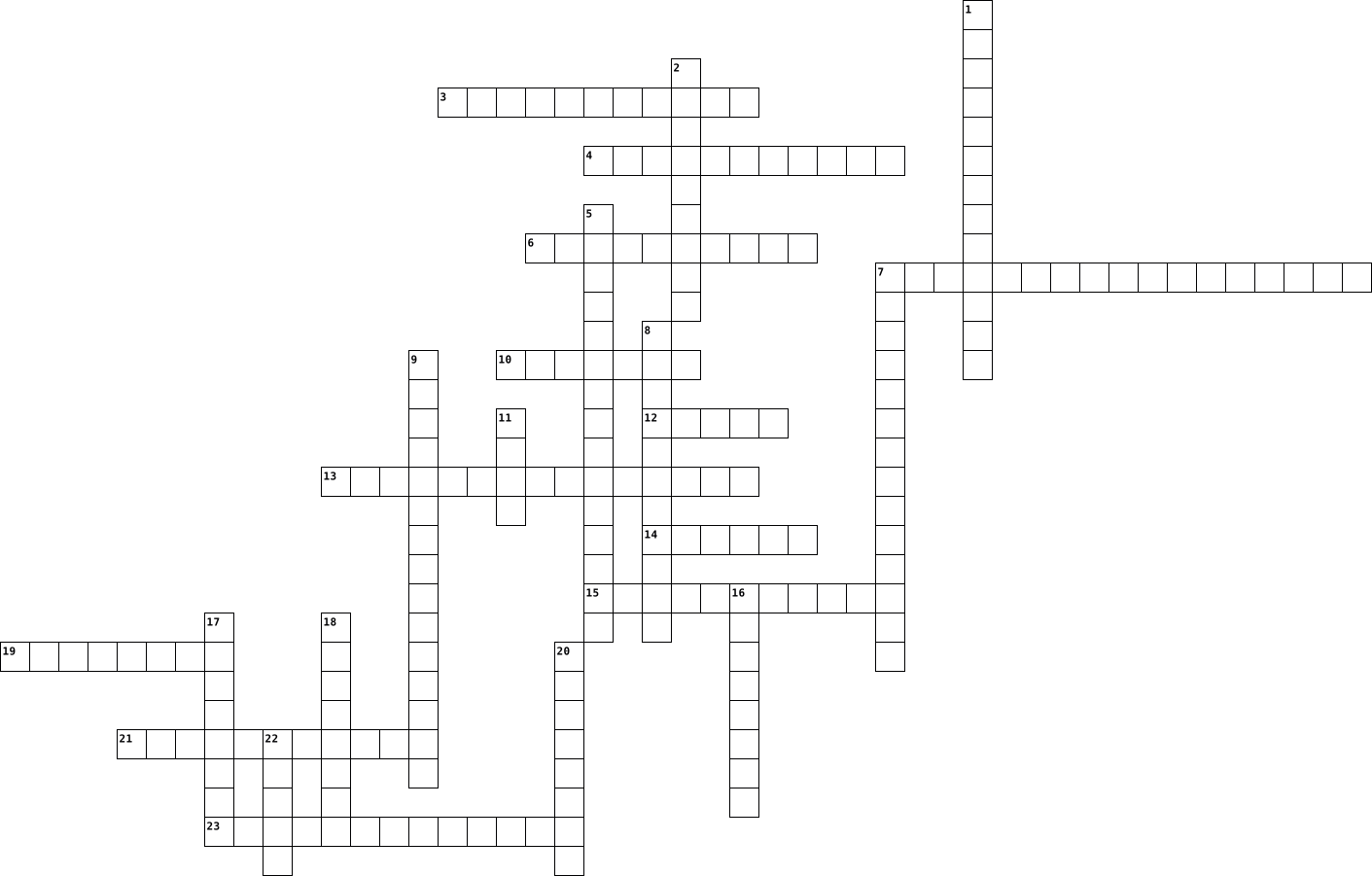
computer Crossword Puzzles
Computing Hardware 2017-01-31

Across
- A store for data in a computer that cannot be overwritten - it stores the boot sequence for the operating system
- The central printed circuit board that holds the crucial components of the system
- Secondary storage device using magnetised platters to store data and files - usually a hard drive
- A hardware device used to input data into a computer system for processing
- Non-volatile storage used to store programs and data even when power is turned off
- Works with the CPU to control the flow of data within the system
- technology based on electronics with no moving parts
- Performs all the arithmetic and logical operations within the CPU
- This is the process the CPU goes through every second depending on clock speed
- A CPU with two processors
Down
- RAM is an example of this
- Solid state memory used in portable devices and as removable storage
- A system of numbers using only two digits 0 and 1
- The internal logical structure and organisation of the computer hardware
- Data lost when there's no power
- Main memory of a computer that stores data, applications and the operating system whilst in use
- Secondary storage device used lasers to read and write data to a reflective surface
- A section of the hard disk used as if it were RAM to supplement the amount of main memory available to the computer
- Data retained even when power turned off
- A part of the computer architecture that transfers data and signals between the components of the computer
- Special high speed memory used by a computer to store frequently used instructions
- Contains the control unit, ALU and cache memory
- A CPU with four processors
23 Clues: RAM is an example of this • A CPU with two processors • A CPU with four processors • Data lost when there's no power • Data retained even when power turned off • Contains the control unit, ALU and cache memory • A system of numbers using only two digits 0 and 1 • technology based on electronics with no moving parts • ...
Security Crossword 2025-01-20

Across
- - Software that is specifically designed to disrupt, damage, or gain unauthorized access to computer systems.
- - A vulnerability in software that is unknown to the vendor and can be exploited by hackers.
- - A type of malicious software designed to block access to a computer system until a sum of money is paid.
- - The process of converting an input (or 'message') into a fixed-length string of characters, which is typically a hash code.
- - The process of verifying the identity of a user or process.
- - A network of private computers infected with malicious software and controlled as a group.
- - A method of trying to gather personal information using deceptive e-mails and websites.
- - A type of malware that is often disguised as legitimate software.
Down
- - A method of bypassing normal authentication to secure unauthorized remote access to a computer.
- - A network security system that monitors and controls incoming and outgoing network traffic.
- - A type of surveillance software that has the capability to record every keystroke you make.
- - The process of converting information or data into a code to prevent unauthorized access.
- - A collection of software tools that enable unauthorized access to a computer or network.
- - Software that enables a user to obtain covert information about another's computer activities.
- - Virtual Private Network, a service that encrypts your internet traffic and protects your online identity.
- - A security mechanism for separating running programs to reduce system failures or software vulnerabilities.
- - Distributed Denial of Service, an attack meant to shut down a machine or network, making it inaccessible.
- - A piece of software designed to update or fix problems with a computer program or its supporting data.
- - Software designed to detect and destroy computer viruses.
- - Unauthorized access to a computer system or network.
20 Clues: - Unauthorized access to a computer system or network. • - Software designed to detect and destroy computer viruses. • - The process of verifying the identity of a user or process. • - A type of malware that is often disguised as legitimate software. • - A method of trying to gather personal information using deceptive e-mails and websites. • ...
Struttura dei computer 2024-11-25

Across
- Software utilizzato per navigare su Internet.
- Dispositivo utilizzato per catturare immagini e video in tempo reale.
- Unità base di informazione digitale.
- Diritti legali che proteggono opere creative, come software.
- Unità che elabora i dati in un computer.
- Memoria di massa veloce basata su memoria flash.
- Sistema operativo mobile sviluppato da Google.
- Interfaccia grafica che consente agli utenti di interagire con il computer.
- Dispositivi per l'uscita audio.
- Memoria volatile che si cancella allo spegnimento del computer.
- Polvere utilizzata per stampanti laser e fotocopiatrici.
- Dispositivo per l'ingresso audio.
- Unità di misura (con prefisso) della frequenza del processore.
- Contratto di licenza d'uso che specifica i termini per utilizzare un software.
- Software di base che avvia il computer e gestisce l'hardware.
- Piattaforma principale su cui si collegano tutti i componenti hardware, scheda...
- Numero di pixel che compongono uno schermo.
Down
- Componente che contiene l'inchiostro per le stampanti.
- Programma che coordina l'hardware e gestisce le operazioni del computer, sistema...
- Interfaccia per trasmettere audio e video in alta definizione.
- Dispositivo per la stampa di documenti.
- Dispositivo di input utilizzato per digitare comandi e testi.
- Dispositivo che fornisce energia al computer.
- Unità che misura la risoluzione di una stampante o immagine.
- Dispositivo utilizzato per visualizzare immagini e testo del computer.
- Dispositivo per digitalizzare documenti cartacei.
- Capacità di un sistema operativo di eseguire più programmi contemporaneamente.
- Dispositivo di archiviazione che utilizza piatti magnetici per memorizzare dati.
- Sistema operativo open source basato su UNIX.
- Unità che corrisponde a 8 bit.
- Dispositivo di input utilizzato per puntare e cliccare.
- Memoria non volatile che contiene istruzioni base del computer.
32 Clues: Unità che corrisponde a 8 bit. • Dispositivi per l'uscita audio. • Dispositivo per l'ingresso audio. • Unità base di informazione digitale. • Dispositivo per la stampa di documenti. • Unità che elabora i dati in un computer. • Numero di pixel che compongono uno schermo. • Software utilizzato per navigare su Internet. • Dispositivo che fornisce energia al computer. • ...
Virtual Reality by Liam 2025-05-07

Across
- representing familiar things a way that is accurate or true to life
- the presentation of an image on a surface, especially a movie screen
- Head - Mounted Display
- allowing a two - way flow of information between a computer, or other device and a user
- a set of headphones, typically with a microphone attached, used especially in telephone and radio communication
- not physically existing as such but made by software to appear to do so
- involving or relating to the use of computer technology
- ______, also known as human pose estimation, is a computer vision technology that detects and analyzes human posture
- the overall structure within which a user, computer or program operates
Down
- a series of coded software instructions to control the operation of a computer or other machine
- a deceptive appearance of impression
- the world or the state of things as they actually exist, as opposed to an idealistic or notional idea of them
- the computer - generated simulation of a 3 dimensional image or environment that can be interacted with in a seemingly real or physical way by a person using special electronic equipment, such as a helmet with a screen inside or gloves fitted with sensors
- the umbrella term for VR, AR, and MR
- refers to something having 3 dimensions
- the use of virtual reality technology, especially for remote control of machinery or for apparent participation in distant events
- denoting or using virtual reality technology that gives the impression of being fully enclosed and involved in the simulated environment
- the production of a computer model of something, especially for the purpose of study
- relating to sensation or the physical senses
- the programs and the other operating information used by a computer
20 Clues: Head - Mounted Display • a deceptive appearance of impression • the umbrella term for VR, AR, and MR • refers to something having 3 dimensions • relating to sensation or the physical senses • involving or relating to the use of computer technology • representing familiar things a way that is accurate or true to life • ...
the big one 2026-05-25

Across
- the components, devices, and media that retain digital data for varying intervals
- is a fundamental unit of execution, work, or program instructions loaded into memory
- a fundamental unit of information corresponding to a letter, digit, punctuation mark, or control symbol
- the physical or virtual components used to store data and instructions for processing
- a small, lightweight, and inexpensive laptop
- is an actively executing instance of a computer program
- a character encoding standard that assigns numerical values (0 to 127) to letters, numbers, punctuation, and control characters
- a programmable machine designed to automatically process, store, and retrieve data based on a set of logical or mathematical instructions
- Unicode Transformation Format
- any data, signal, or command sent to a computer system for processing
Down
- is the fundamental unit of digital information in computer science
- a cohesive, integrated group of hardware and software components that work together to process data, manage resources, and perform specific tasks
- a computer's volatile main memory, providing fast, temporary storage for the CPU to actively run programs and process data
- the manipulation of data by a computer to transform raw inputs into meaningful information or outcomes
- his is the internal memory directly accessible by the CPU, holding the data and instructions actively being processed
- any physical or virtual hardware component used to enter data, process it, output results, or store information.
- the fundamental unit of information in computer science and digital communications
- the fundamental, base-2 numbering system used by all modern computers
- is the primary "brain" of a computer
- any information, data, or signal that a computer system generates after processing an input
20 Clues: Unicode Transformation Format • is the primary "brain" of a computer • a small, lightweight, and inexpensive laptop • is an actively executing instance of a computer program • is the fundamental unit of digital information in computer science • the fundamental, base-2 numbering system used by all modern computers • ...
Computer Parts Crossword 2021-02-17

Across
- creates images on the monitor
- heart of the computer
- what controls the output onto the screen
- device allowing audio
- screen for computer
- what allows the computer to use internet
- used to read/write CD's
- brain of the computer
Down
- heart of the computer
- cooling for computer
- a central processing unit
- digital storage
- storage for working data and code
- supplies power
- protection around everything
15 Clues: supplies power • digital storage • screen for computer • cooling for computer • heart of the computer • heart of the computer • device allowing audio • brain of the computer • used to read/write CD's • a central processing unit • protection around everything • creates images on the monitor • storage for working data and code • what controls the output onto the screen • ...
CRUCINFORMATIC 2020-11-14

Across
- la più grande rete di computer
- mezzo per memorizzare ed elaborare i dati
- raggruppamento di 8 bit
- mini computer tascabile
- collegamenti utilizzati per connettere periferiche
- sistema di numerazione che utilizza 2 sole cifre bus canale per la trasmissione dei dati tra i vari componenti del computer
- dati di ingresso in un programma
- programma in grado di riconoscere un virus in un file
- singolo documento di lavoro con un nome
- formato internazionale per dei codici dei caratteri
- unità centrale di elaborazione
- profilo di un utente
- operativo insieme di programmi che gestiscono l'hardware, cpu...
- memoria interna al processore con altissima velocità di accesso
- supporto di memoria
Down
- valore numerico di una grandezza
- singolo punto luminoso del monitor
- madre scheda principale dove sono collegati tutti i componenti hardware
- software utilizzato dal sistema operativo per gestire un dispositivo hardware
- componente hardware esterno al computer
- insieme di istruzioni che fanno funzionare
- procedimento risolutivo di un problema
- uscita dei dati di un programma
- personal computer
- tipo di sistema operativo ad interfaccia rapida
- scatola metallica che racchiude le componenti fisiche del computer
- disk principale unità di memorizzazione dei dati
27 Clues: personal computer • supporto di memoria • profilo di un utente • raggruppamento di 8 bit • mini computer tascabile • la più grande rete di computer • unità centrale di elaborazione • uscita dei dati di un programma • valore numerico di una grandezza • dati di ingresso in un programma • singolo punto luminoso del monitor • procedimento risolutivo di un problema • ...
Computer and Tech Essentials 2021-09-09

Across
- an accurate worldwide navigational and surveying facility.
- a finite sequence of well-defined, computer-implementable instructions.
- a way of saving passwords.
- the part of a computer where all the computing happens.
- blocks unauthorized access while permitting outward communication.
- a range of frequencies within a given band, in particular that used for transmitting a signal.
- a computer/television screen.
- a spare copy of data.
- conceal data in something by converting it into a code.
- software that is specifically designed to disrupt, damage, or gain unauthorized access to a computer system.
Down
- interfere with a radio to make it useless.
- a program that tries to destroy something.
- memory in which high speed retrieval is possible.
- sending scam emails to get personal information.
- a combined device for modulation and demodulation.
- a place where you can look things up.
- code used in digital computers, based on a number system in which there are only two possible states, off and on, usually symbolized by 0 and 1.
- a group of binary digits or bits (usually eight) operated on as a unit.
- memory device for computer system.
- an act or instance of booting a computer system again.
20 Clues: a spare copy of data. • a way of saving passwords. • a computer/television screen. • memory device for computer system. • a place where you can look things up. • interfere with a radio to make it useless. • a program that tries to destroy something. • sending scam emails to get personal information. • memory in which high speed retrieval is possible. • ...
Ict. Words 2017-06-25

Across
- signing into a computer
- a bigger version of a byte
- facts provided or learned
- metalanguage which allows users to define their own customized markup languages
- key on the numeric keypad of most computer keyboards.
- searching for information and facts
- Use it to type letters numbers and symbols
- 1180591620717411303424 bytes go into this
- Downloaded for your own use on devices
- a thing that is or may be chosen.
- a way a altering a original photo
- An application where you write things
Down
- A code using 0's and 1's
- the loudness of sound
- A website where you practice coding games
- a general-purpose computer programming language
- a lesson shown through a video on the computer
- You keep all you documents and downloads here
- a search engine that starts with Y
- collection of pages arranged in sequence that contain text and images for presenting to an audience
- A Microsoft application
- Computer equipment that you can tangible
- a sentence worded or expressed so as to elicit information.
- working area of a computer screen
- A well-known search engine
- a mistake made in spelling a word
26 Clues: the loudness of sound • signing into a computer • A Microsoft application • A code using 0's and 1's • facts provided or learned • a bigger version of a byte • A well-known search engine • working area of a computer screen • a thing that is or may be chosen. • a way a altering a original photo • a mistake made in spelling a word • a search engine that starts with Y • ...
Louis Vences-Crossward-3rd 2016-10-24

Across
- Computer network device that connects devices together
- Possible danger that might cause your information to be vulnurable
- Type of free software supported by an advertisement
- Network interface identification and location addressing
- A lot of Emails
- 9 Elements for Digital Citizenship: Digital Etiquette, Literacy, Access, Security, Health and Wellness, Commerce, Communication, Rights and Responsibilities, Law.
- Thing that can spread from one computer to another
- Storing, retrieving, and sending information
- Network of remote servers hosted on the Internet to store, manage, and process data.
Down
- Malicious software
- Network is created when two or more PCs are connected and share resources without going to a separate server computer
- It is a desktop computer terminal
- Data storage device that store and retrieve data
- Storage device that stores persistent data on a solid-state flash memory
- Activity of defrauding an online account holder of financial information
- A system for connecting a number of computers in a local area network
- A portable computer
- Networking hardware device that allows a Wi-Fi compliant device to connect to a wired network
- Connection point for devices in a network
- Portable little computer that can download apps and stuff
20 Clues: A lot of Emails • Malicious software • A portable computer • It is a desktop computer terminal • Connection point for devices in a network • Storing, retrieving, and sending information • Data storage device that store and retrieve data • Thing that can spread from one computer to another • Type of free software supported by an advertisement • ...
Task 8 2013-05-17

Across
- to see what you are doing you need a ******
- comes before a kelobyte
- wow the graphics are *********
- the ***** is like pressing a button
- storage on a computer that can't be modified
- my camera is a ******* camera
- an old game requires a ********
- Google, games and word are ********
- i can **** a picture
- to hear the sound you need ********
- I need a WiFi *****
- I use this to extract data from my computer
- i need to get a **** from my computer
- all things go through a *******
- its a manilla ******
Down
- all computers need a ********
- if there is an input there is always an ******
- An output I plug computer equipment into
- A very popular IOS
- apple has a nice lock screen *********
- disk its floppy and is basically a disc
- I use this to make youtube videos
- I am a **** on windows
- facebook is a social *******
- to input stuff onto a computer
- its like a big printer but it draws with pens!
- I use this to navigate on my computer
- 8 *** game
- I lost all the ****** on my USB!
- *andom *ccess of *emory is known as..
30 Clues: 8 *** game • A very popular IOS • I need a WiFi ***** • i can **** a picture • its a manilla ****** • I am a **** on windows • comes before a kelobyte • facebook is a social ******* • all computers need a ******** • my camera is a ******* camera • wow the graphics are ********* • to input stuff onto a computer • an old game requires a ******** • all things go through a ******* • ...
hardware and software 2024-06-14

Across
- Primary control center aka control center
- Used to store a copy of files on an external device
- Store data long term
- System Type of system software allows the user to interact with the hardware
- Building blocks of computer hardware
- One of the main components in a computer
- Type of software extends the functionality of a device
- computer code that is used to make the computer hardware useful
- Software Everything on a computer
Down
- Makes files smaller
- One of the logic gates, takes n inputs and returns a 1 only when all n inputs are 1
- Anything you can touch
- Hardware disk drive measured in
- Speed of the CPU
- One of the logic gates, takes a single input and returns a 1 when the input is a 0
- Type of software that is designed to help maintain a computer system
- RAM measured in
- A result that can only have one of two possible values: true or false.
- stores data and instructions that are currently in use
- One of the logic gates, takes n inputs and return a 1 when any input is a 1.
- Quarantines files so they can't be run
21 Clues: RAM measured in • Speed of the CPU • Makes files smaller • Store data long term • Anything you can touch • Hardware disk drive measured in • Software Everything on a computer • Building blocks of computer hardware • Quarantines files so they can't be run • One of the main components in a computer • Primary control center aka control center • ...
BTT101 2022-09-29

Across
- One's and zero's that are stored information.
- Educational software made by google.
- Operating system for apple
- The software that supports the computer's basic functions.
- Operating system for chromebooks.
- Software that performs a specific task.
- Short term memory of a computer. system.
- Operating system used for windows computers.
- A software used for education purposes.
- Provides power to multiple components of the computer systems.
Down
- A connection board for the most important components of a computer system.
- One's and zero's that are used to represent if there's currents flowing through the transistor.
- A program that enable a person to manipulate images or models visually on a computer.
- Locating and retrieving content on the internet.
- A semiconductor material that allows current to flow through it.
- Operating software for sanmsung, google pixel, and many more phones.
- The component of a computer system that performs calculations.
- Augments the CPU to allow your computer to render images at high speed.
- Software that's used to support a computer's function.
- Software system that provides basic machine instructions that allows the hardware to function and communicate with the other software running on a device.
20 Clues: Operating system for apple • Operating system for chromebooks. • Educational software made by google. • Software that performs a specific task. • A software used for education purposes. • Short term memory of a computer. system. • Operating system used for windows computers. • One's and zero's that are stored information. • Locating and retrieving content on the internet. • ...
Technology 2023-09-30

Across
- Writing instructions for computers to execute specific tasks.
- Programs and applications that run on a computer.
- Devices with internet connectivity and the ability to interact with other devices or systems.
- Structured collection of data organized for efficient retrieval and management.
- Use of biological systems, organisms, or cells to develop products or technologies.
- Use of computers and software for various applications.
- Global system of interconnected computer networks.
- Study and manipulation of matter on an atomic and molecular scale.
- Creating physical objects from a digital model using successive layering of materials.
Down
- Step-by-step instructions for solving a particular problem or task.
- Technology that overlays digital information onto the real world.
- Development of computer systems that can perform tasks requiring human intelligence.
- Design, construction, operation, and use of robots.
- Protection of computer systems, networks, and data from theft or damage.
- Use of largely automatic equipment in a system of operation.
- Delivery of computing services over the internet.
- Physical components of a computer system.
- Computer-generated simulation of a three-dimensional environment.
- Transmission of information over a distance using electronic means.
- Unmanned aerial vehicles operated remotely or autonomously.
20 Clues: Physical components of a computer system. • Programs and applications that run on a computer. • Delivery of computing services over the internet. • Global system of interconnected computer networks. • Design, construction, operation, and use of robots. • Use of computers and software for various applications. • ...
Technology 2024-10-09

Across
- non-portable computer
- a digital pen
- social media platform for cringey dancing videoss
- social media platform created by Mark Zuckerberg
- one of the most popular and advanced AI chatbots
- short term memory of a computer (acronym)
- a visual set of data (goes in a straight line)that you scan
- someone who posts on social media and is popular
- used to send digital messages
- holds the computer screen
- used to make physical copies of things
- a mobile device used to make calls
- used to refuel a battery in a device
- used to listen to music privately
Down
- you are probably on this search engine right now
- something that is online
- used to type
- transfers data between electronics (acronym)
- a type of laptop that the school provides
- larger version of a cellphone
- used to amplify sound
- powers a device and converts chemical energy to electrical energy
- a search engine launched in 2009
- a platform used to post videos
- portable computer
- little squares that make up a digital image
- like the engine of a computer (acronym)
- global network
- drags a cursor
- a computer for individual use (acronym)
30 Clues: used to type • a digital pen • global network • drags a cursor • portable computer • non-portable computer • used to amplify sound • something that is online • holds the computer screen • larger version of a cellphone • used to send digital messages • a platform used to post videos • a search engine launched in 2009 • used to listen to music privately • a mobile device used to make calls • ...
Zao M. Period 1 2024-11-08

Across
- A place to organize icons.
- They use transparency.
- Allows you to connect to the internet.
- A collection of microsoft apps.
- A highlighted text that when you click on take you to that link.
- The @ in your email.
- A short ranged connecter that doesn't use cords.
- To send data to a file or program.
- All ways to access the internet.
- To transfer files from websites to computer.
- A world wide network that links computers.
- Physical elements to the computer.
- Address to webpage.
- To transfer files from computer to websites.
- An application for using websites and the internet.
Down
- A storage space that allows you to access them wherever in the cloud.
- Software programs that run stand alone or locally on a computer.
- To bring data to a file or program.
- Online cloud storage space by microsoft.
- Used to connect other devices with cords.
- A piece of computer hardware used to display images,videos, and graphics information on a computer.
- A photo with animations.
- This makes it easier to send of store files.
- Stores stuff in the internet.
- Electronic document.
- They identify you as you use a network.
26 Clues: Address to webpage. • The @ in your email. • Electronic document. • They use transparency. • A photo with animations. • A place to organize icons. • Stores stuff in the internet. • A collection of microsoft apps. • All ways to access the internet. • To send data to a file or program. • Physical elements to the computer. • To bring data to a file or program. • ...
tech terms 1 2024-11-13

Across
- what is a thing a computer does starts with a Data Input
- a way to back up your information on a computer starting with p?
- what keyboard shortcut is ctrl + p
- is the difference between hardware and software? HARDWARE
- an output device starting with m
- what is a thing a computer does starts with s
- Give an example of browsers Google that start with G?
- What is a bit?
- what keyboard shortcut is ctrl+ c
- what is the internet?
- what is a thing a computer does starts with o
- a way to back up your information on a computer starting with c?
- what is a thing a computer does starts with p
- What is the difference between hardware and software? SOFTWARE Youcan'ttouch
Down
- what is the CPU?
- what is a URL?
- what is machine language?
- what is the wide web?
- an example of browsers Google that start with y? Yahoo
- what is a download?
- an output device starting with p
- name an input device starting with m
- what input devices starting with k
- bits What is a byte?
24 Clues: what is a URL? • What is a bit? • what is the CPU? • what is a download? • what is the wide web? • bits What is a byte? • what is the internet? • what is machine language? • an output device starting with p • an output device starting with m • what keyboard shortcut is ctrl+ c • what keyboard shortcut is ctrl + p • what input devices starting with k • ...
Crossword information technology 2025-01-24

Across
- An organized collection of structured information, or data.
- DATA Extremely large data sets that may be analyzed to reveal patterns, trends, and associations.
- Electronic mail; messages distributed by electronic means.
- (ARTIFICIAL INTELLIGENCE) The theory and development of computer systems able to perform tasks that normally require human intelligence. 1
- Programs and other operating information used by a computer.
- Relating to or using digital signals.
- A global system of interconnected computer networks.
- Relating to or using mobile phones or other wireless portable devices.
- The physical components of a computer system.
Down
- A network of servers that store and manage data.
- Facts and statistics collected together for reference or analysis.
- The process of writing computer programs.
- A set of related web pages located under a single domain name.
- A secret word or phrase used for access.
- A program designed for a specific task or application.
- A set of rules or instructions for solving a problem.
- An electronic device for storing and processing data.
- The application of scientific knowledge for practical purposes.
- A group of interconnected computers.
- Measures taken to protect against unauthorized access or damage.
20 Clues: A group of interconnected computers. • Relating to or using digital signals. • A secret word or phrase used for access. • The process of writing computer programs. • The physical components of a computer system. • A network of servers that store and manage data. • A global system of interconnected computer networks. • ...
tech 2025-11-03

Across
- → A portable version of a computer.
- → A feature that turns your device into an internet access point.
- → A tiny electronic component inside circuits or processors.
- → A device that connects and directs data between networks.
- → A mistake or flaw in a program that causes errors.
- → The physical components of a computer system.
- → Process of converting data into a secret code for protection.
- → Portable storage device that connects through a USB port.
- → A programming language named after a type of snake.
Down
- ->A programmable machine designed to carry out a series of actions without human help.
- → The part of the CPU that performs calculations and logic.
- → Programs and applications that run on a computer.
- → Technology that allows wireless internet connection.
- → A popular programming language named after coffee.
- → The brain of the computer that performs all operations.
- → An electronic device used to process data and perform tasks.
- → A collection of web pages accessible through the internet.
- → A keyword used to exit a loop in programming.
- → A malicious program that can harm your computer.
- System (OS) → The main system software that manages all hardware and software.
20 Clues: → A portable version of a computer. • → A keyword used to exit a loop in programming. • → The physical components of a computer system. • → A malicious program that can harm your computer. • → Programs and applications that run on a computer. • → A popular programming language named after coffee. • → A mistake or flaw in a program that causes errors. • ...
Unit 5 Vocabulary Review 2025-12-05

Across
- – A list of things to talk about in a meeting.
- – You speak into this to record your voice.
- – The outside covering of your body.
- – You wear these on your ears to listen to sound.
- – This plays sound out loud.
- – You look at this on a computer.
- – A card or message asking someone to come to an event.
- – Drinks and small snacks.
- When someone shows and explains information to a group.
- – The smallest part of a living thing.
- – Things you throw away.
- – The organ that pumps blood in your body.
- – Not flat; having height, width, and depth.
Down
- – A very bad event that causes a lot of damage.
- – It takes video for your computer.
- – Another word for a computer screen.
- – You move this to control the pointer on a computer.
- – Things we use from nature, like water or trees.
- – Paper copies made by a machine.
- – A computer call where you can see and hear the person.
- – Tools or machines you need to do something.
- – The organs you use to breathe.
- – It stores all the files on your computer.
- – You use this to type.
24 Clues: – You use this to type. • – Things you throw away. • – Drinks and small snacks. • – This plays sound out loud. • – The organs you use to breathe. • – Paper copies made by a machine. • – You look at this on a computer. • – It takes video for your computer. • – The outside covering of your body. • – Another word for a computer screen. • – The smallest part of a living thing. • ...
sams hardware puzzle 2026-08-21

Across
- a communications device that can be either internal or external to your computer
- devices that are used to input sound
- a input device used to control video games
- the main circuit board of the computer
- card a component inside the computer that provides audio input and output capabilities
- the most common type of connection computers use in a local area network
- an input device that scans documents and images
- drive small data storage device
- a tool that changes sound waves into electrical signals
Down
- any external device that provides input and output for the computer
- one of the 2 main input devices used by computers
- a camera used to broadcast videos on the web
- a screen used to project things
- serves information to computers that connect to it
- a output device that prints documents
- drive lasers what can see and read data
- the card that physically makes the connection between the computer and the network cable
- a board of keys used to type
- drive something that hold all your data. It can hold up to 100 GB of storage
- the brain of a computer
20 Clues: the brain of a computer • a board of keys used to type • a screen used to project things • drive small data storage device • devices that are used to input sound • a output device that prints documents • the main circuit board of the computer • drive lasers what can see and read data • a input device used to control video games • a camera used to broadcast videos on the web • ...
Delarue_Mainaud_crossword_computer_definition 2015-10-15

Across
- To see what you do
- To select what do you want
- To write for computer
- BE OFFLINE To be log off
- KEY To stock data
- To surf on the net
- To protect and to enter in a website and in the computer
- A MESSAGE To send a message
Down
- DISC To save data
- It is a document
- To have informations
- BE ONLINE To be log on
- To receive a mail
- To scan a paper
- To search an information
- A FILE To keep the file
- To know who you are
- When the computer is slow
- To print a document
- To keep a file
20 Clues: To keep a file • To scan a paper • It is a document • To receive a mail • KEY To stock data • DISC To save data • To see what you do • To surf on the net • To know who you are • To print a document • To have informations • To write for computer • BE ONLINE To be log on • A FILE To keep the file • To search an information • BE OFFLINE To be log off • When the computer is slow • ...
Computer Parts Crossword 2022-03-07

Across
- Computer memory
- processes the data from the motherboard and sends the appropriate information to the monitor for it to be displayed
- cooling
- wireless to a computer
- sound
- Energy
- Outside of a computer
- storage for the computer
- Powers the Bios
Down
- computers main circuit board
- temporary storage
- Images
- floppydrive
- computers brain
- more performance harddrive
15 Clues: sound • Images • Energy • cooling • floppydrive • Computer memory • computers brain • Powers the Bios • temporary storage • Outside of a computer • wireless to a computer • storage for the computer • more performance harddrive • computers main circuit board • processes the data from the motherboard and sends the appropriate information to the monitor for it to be displayed
technology 2015-08-24

Across
- Executable software that runs on a computer. Also known as an
- A hand operated pointer device that, along with a keyboard, serves as a
- device for a computer.
- A programmable electronic device for storing and processing data.
- the physical parts of a computer and all related devices.
- touch typing
- Lines of computer code written by programmers that tell the computer
- A hand operated pointer device that, along with a keyboard, serves as a
Down
- input device for a computer.
- A board made of keys which, along with a mouse, serves as a primary
- An international computer network used for many kinds of electronic
- row The keys to which the four fingers of each hand should return as a base
- input device for a computer.
- to do. Also known as a program or application.
- Messages sent electronically over a computer network.
15 Clues: touch typing • device for a computer. • input device for a computer. • input device for a computer. • to do. Also known as a program or application. • Messages sent electronically over a computer network. • the physical parts of a computer and all related devices. • Executable software that runs on a computer. Also known as an • ...
COMPUTERS! 2022-03-02

Across
- the principal part of any digital computer system, generally composed of the main memory, control unit, and arithmetic-logic unit.
- a computer accessory that allows a user to type text into a computer
- The short-term memory of a computer, which is used to handle all active processes and programmes.
- information that's stored in or used by a computer
- an internal or external computer disc drive that reads and writes data using laser beam technology
- storage device used in computers
- a software application that uses keywords or phrases to help people locate the information they're seeking for on the internet
- a specialised processor created to speed up the processing of graphics
- a tiny portable input device that controls the cursor on a computer screen
Down
- a data storage device that is a flexible magnetic disc which is removable.
- an electronic device with a screen used for display
- information shown in the form of diagrams, graphs, drawings, and symbols on a visual display device or on a computer printout
- the primary screen of a computer, from which windows and applications may be launched and operated
- the primary piece of circuitry into which all other components plug into to form a unified whole.
- permanent or semi-permanent data stored on non-volatile computer memory chips
15 Clues: storage device used in computers • information that's stored in or used by a computer • an electronic device with a screen used for display • a computer accessory that allows a user to type text into a computer • a specialised processor created to speed up the processing of graphics • a data storage device that is a flexible magnetic disc which is removable. • ...
Ch 24 Technology 2026-05-12

Across
- The remote diagnosis and treatment of patients using technology
- Devices that are computer hardware that displays the processed data from the computer
- Devices that are peripheral hardware that allows the user to provide data to the computer
- A communication system for connecting several computers so information can be shared
- A collection of data or program records stored as a unit with a specific name
- Each employee with network access must log in using a unique password
- Computer hardware and software that perform data analysis, storage, and archiving; accepts and responses to requests from devices (clients) made over a network
Down
- The computer process of changing encrypted text to readable or plain text after a user enters a secret key or password
- Files are copied onto many servers in various locations
- A private computer network that can only be accessed by authorized people
- A set of electronic instructions to operate and perform different computer tasks
- A program or hardware that acts as a barrier between the network and the Internet
- Physical equipment of the computer system required for communication and data processing functions
- The interval of time during which something, such as hardware or software, is not functioning
- A pen-shaped device with a variety of tips that is used on touchscreens to write, draw, or enter commands
- Peripheral computer hardware that connects to the router to provide internet access to the network or computer
16 Clues: Files are copied onto many servers in various locations • The remote diagnosis and treatment of patients using technology • Each employee with network access must log in using a unique password • A private computer network that can only be accessed by authorized people • A collection of data or program records stored as a unit with a specific name • ...
Computer Science 2022-09-13

Across
- Personal computer
- Binary digit
- A set of instructions for a computer
- When a computer switch is turned on
- Breaking things down into smaller parts
Down
- Repeating items
- Two digits used in computers 1s and 0s
- Removing unneeded parts
- Thinking like a computer
- List of instructions
- The brain of the computer
- When a computer switch is turned off
- A single light on a screen
13 Clues: Binary digit • Repeating items • Personal computer • List of instructions • Removing unneeded parts • Thinking like a computer • The brain of the computer • A single light on a screen • When a computer switch is turned on • A set of instructions for a computer • When a computer switch is turned off • Two digits used in computers 1s and 0s • Breaking things down into smaller parts
Riley Common Terms 2025-09-23

Across
- To transfer a file or program from a computer to the internet-sending a file.
- Computer Hardware used to display images, videos, or text on a computer.
- Commonly used software by Microsoft.
- Where you display your icons-where your computer first opens up to.
- Short-range wireless way to connect devices.
- Wireless networking that uses radio waves to connect devices together within a curtain area.
- Go to web page
- The machinery or the computer-the parts that make a computer work. Most is hidden inside the computer.
Down
- A place to save and organize data safely, so you can access it anytime from anywhere.
- Online cloud storage service for Microsoft.
- To move a file or program from a website to a device-receiving a file.
- Used to connect computers with other devices through a wire.
- Like that will take you to another web page.
- What is at the end of your email before the .com, .org, etc.
- The internet-more specifically, everything you can access on the internet. The item is stored on the internet instead of your computer’s hard drive.
- Programs that tell the computer how to work and what to do.
- A network that connects computers all over the world so information, conversations, and ideas can be shared.
17 Clues: Go to web page • Commonly used software by Microsoft. • Online cloud storage service for Microsoft. • Like that will take you to another web page. • Short-range wireless way to connect devices. • Programs that tell the computer how to work and what to do. • Used to connect computers with other devices through a wire. • ...
Health and Safety 2026-09-13

Across
- – A health problem that can occur from using a mouse for long periods.
- – Regular breaks to rest your eyes and body when using a computer.
- – Unwanted or harmful electronic messages.
- – Harmful software that can damage your computer or steal information.
- – The level of light in a room that should be neither too bright nor too dim.
- – A health problem that can affect the wrist or hand due to repeated movements.
- – A piece of furniture designed to support the body when using a computer.
- – Keeping your hands, equipment and working area clean to prevent the spread of germs.
- – The practice of designing a workspace to make computer use safe and comfortable.
Down
- – The way you position your body while sitting or working at a computer.
- – Keeping your school and computer area neat and tidy.
- – A device used to protect the computer from power surges.
- – The part of the computer you look at.
- – A common eye problem that can result from looking at a screen for too long.
- – The distance your eyes should be from the screen (about 50–70 cm).
- – The ability to see text and images on the screen clearly.
- – The practice of protecting your data and personal information from unauthorised access.
- – Correct sitting position when using a computer.
18 Clues: – The part of the computer you look at. • – Unwanted or harmful electronic messages. • – Correct sitting position when using a computer. • – Keeping your school and computer area neat and tidy. • – A device used to protect the computer from power surges. • – The ability to see text and images on the screen clearly. • ...
Computer and Video Game Vocabulary 2020-12-05
Across
- An artificially created or enhanced sound used to emphasize certain actions within computer and video games.
- An electronic musical instrument that generates audio signals that may be converted to sound.
- Computer or video games music sores. Also, the name given to an album of music taken from a computer or video game sold commercially or performed on radio stations or in live concerts.
- where melodies and bass lines ascend or descend via semitones.
- How much sound/how many different parts we hear.
- The speed of a sound or piece of music.
- Music technology is the used of any devices, mechanism, machine or tool by a musician or composer to make or perform music; to compose, notate, play back or record songs or pieces; or to analyse or edit music. E.g. a computer.
- Each instrument has its own unique tone quality.
- A name given to the music often heard over a computer or video game's main menu - the theme by which a computer or video game is often most well-known from and may continue throughout the entire gameplay.
- Melodies which move mainly by leap or use notes which are not next to or close to one another.
- Accenting the weaker beats of the bar to give an offbeat or jumpy feel to the music.
- The act of arranging a piece of music for an orchestra and assigning parts to the different musical instruments.
Down
- A name given to a point within a computer or video games when the player has to make a decision - often accompanied by a short piece of memorable music or series of sound effects.
- A reoccurring theme throughout the music connected with a particular person, idea, or situation.
- Using digital technology, computers, MIDI, sound recording and manipulating software and digital effects to both create and enhance sounds and music used within computer and video games.
- Describes the music which is associated with a particular character within a computer or video game and may be manipulated, varied and adapted depending on different situations, atmospheres and scenarios that the character finds themselves in within a computer or video game.
- How the notes or sounds are played.
- Bass line often move by leap in much music from computer and video games, leaving gaps between the notes.
- A point within a computer or video game knowing when a significant event is about to occur - often accompanied by music or a sound effect.
- The volume of a sound or pieces of music.
- An articulation marking where notes are performed sharply and detached from each other to create a spiky feel - common in much computer and video game music.
- A stye of electronic music which used simple melodies made for programmable sound generators.
- The technique of digitally encoding music or sound and reusing it as part of a composition or recording.
- The highness or lowness of the sound.
24 Clues: How the notes or sounds are played. • The highness or lowness of the sound. • The speed of a sound or piece of music. • The volume of a sound or pieces of music. • How much sound/how many different parts we hear. • Each instrument has its own unique tone quality. • where melodies and bass lines ascend or descend via semitones. • ...
lesson 24 vocab 2016-04-19

Across
- a variation of a lan that uses no physical wires
- an internet connection technology that provides for the transfer of information to a computer at a high speed bandwidth over ordinary copper telephone lines
- computer network that covers a large geographical area
- computer configuration in which one or more computers the network acts as a server
- a junction where information arrives form connected computers or peripheral devices an dis then forwarded in one or more directions to other comuters and devices
- examines a fingerprint, a voice pattern, or the iris or retina of the eye
- a device that directs traffic ona network buy dividing data into smaller packets that travel by different routes and then are reassembled at their destination
- the largest network used as a communication tool
- th worlds collection of interconnected commercial and government owned voice oriented systems
- a combination of hardware and software that creates a buffer between an internal network and the internet to prevent unauthorized access
- computer architecture in which all of the computers on a network are equal and there is no computer designated as the server
Down
- a device that uses coaxial cable to send and receive data
- an isp that provides connecttion speeds more than 30 times faster than dial-up connections
- high end programs designed to provide network controll and include spacial functions for connecting computers and other devices into a network
- a recent wireless technology that can deliver maximum speeds of up to 7 Mbps to your cell phone, home computer, or car
- link from one computer to another through which data can be transmitted
- expert computer user who invades someone else's computer either for personal gain or simply for the satisfaction of being able to do it
- a device on the network
- a network designed for the exclusive use of computer users within an organization that can not be accsessed by users outside the organization
- a series of connected personal computers, workstations, and other devices, such as printers or scanners within a confined space such as an office building
- a server that acts as an intermediary between a user and the internet
- a computer that handles requests for data, email, file transfers, and other network services from other computers
- a computer that uses the services of another program
- a type of fiber-optic telephone line that can transmit up to 1.544 megabits per second or can be used to transmit 24 digitized voice channels
- a network configuration that allows selected outside organizations to access internal information systems
- communications hardware device that facilitates the transmission of data
26 Clues: a device on the network • a variation of a lan that uses no physical wires • the largest network used as a communication tool • a computer that uses the services of another program • computer network that covers a large geographical area • a device that uses coaxial cable to send and receive data • ...
lesson 24 vocab 2016-04-19

Across
- a network configuration that allows selected outside organizations to access internal information systems
- the worlds collection of interconnected commercial and government owned voice oriented systems.
- a type of fiber optic telephone line that can transmit up to 1.544 megabits per second or can be used to transmit 24 digitized voice channels.
- a series of connected personal computers, workstations, and other devices, such as printerss or scanners, within a confined space.
- the largest network used as a communication tool.
- computer network that covers a large geographical area.
- an internet connection technology that provides for the transfer of information to a computer at a high speed bandwidth over ordinary copper telephone lines
- high end programs designed to provide network control and include special functions for connecting computers and other devices into a network.
- computer architecture in which all computers on a network are equal and there is no computer designated as the server.
- a server that acts as an intermediary between a user and the internet.
- a device that uses coaxial cable to send and receive data.
- an ISP that provides connection speeds more than 30 times faster than dial up connections.
Down
- link from one computer to another through which data can be transmitted.
- a combination of hardware and software that create a buffer between an internal network and the internet to prevent unauthorized access.
- a recent wireless technology that can deliver maximum speeds of up to 7mbps to your cell phone, home computer or car.
- computer configuration in which one or more computers on the network acts as a server.
- a technique or device that examines a fingerprint, voice pattern, or the iris or retina of the eye.
- a network designed for the exclusive use of computer users within an organization that cannot be accessed by users outside the organization.
- a computer that uses the services of another program.
- a junction where information arrives from connected computers or peripheral devices and is then forwarded in one or more directions to other computers and devices.
- a device on the network.
- a variation of LAN that uses no physical wires.
- a device that directs traffic on a network by dividing data into smaller packets that travel by different routes and then are reassembled at their destination.
- expert computer user who invades someone else's computer either for personal gain or simply the satisfaction of doing it.
- a computer that handles requests for data, email, file transfers and other network services from other computers.
- communications hardware device that facilitates the transmission of data.
26 Clues: a device on the network. • a variation of LAN that uses no physical wires. • the largest network used as a communication tool. • a computer that uses the services of another program. • computer network that covers a large geographical area. • a device that uses coaxial cable to send and receive data. • ...
Vocabulary 24 2016-04-18

Across
- a junction where information arrives from connected computers or peripheral devices and is then forwarded in one or more directions to other computers and devices
- a device on the network
- is a family of technologies that are used to transmit digital data over telephone lines
- link from one computer to another through which data can be transmitted
- Computer configuration in which one or more computers on the network acts as a server
- an ISP that provides connection speeds more than 30 times faster than dial-up- from 384 Kbps to 2.0 Mbps
- a device that uses coaxial cable to send and receive data
- a variation of a LAN that uses no physical wires
- computer architecture in which all of the computers on a network are equal and there is no computer designated as the server
- a device that examines a fingerprint, voice pattern, or retina of the eye to determine if it should allow access
- expert computer user who invades someone else's computer either for personal gain or simply for the satisfaction of being able to do it
Down
- the world's collection of inter connected commercial and government-owned, voice-orientated systems
- a network designed for the exclusive use of computer users within an organization that cannot be accessed by users outside the organization
- communications hardware device that facilitates the transmission of data
- high-end programs designed to provide network control ad include special functions for connecting computers and other devices into a network
- a server that acts as an intermediary between a user and a client
- a device that directs traffic on a network by dividing data into smaller packets that travel by different routes and then are reassembled at their destination
- a computer that handles requests for data and other network services from other computers
- a combination of hardware and software that creates a buffer between an internal network and the Internet to prevent unauthorized access
- a series of connected personal computers, workstations, and other devices, such as printers or scanners, within a confined space, such as an office building
- a recent wireless technology that can deliver maximum speeds of up to 7 Mbps to your cell phone, home computer, or car.
- a type of fiber optic telephone line that can transmit up to 1.544 megabits per second or can be used to transmit 24 digitized voice channels
- the largest network used as a communication tool
- computer network that covers a large geographical area. Made up of several connected LANs
- a network configuration that allows selected outside organizations to access internal information systems
- a computer that uses the service of another computer
26 Clues: a device on the network • the largest network used as a communication tool • a variation of a LAN that uses no physical wires • a computer that uses the service of another computer • a device that uses coaxial cable to send and receive data • a server that acts as an intermediary between a user and a client • ...
Marshall can you find it out 2018-02-05

Across
- This is the data that a computer stores. Long term memory must be saved to the hard drive.
- This is a small symbol or picture that represents a program or other things.
- Anyone using a computer.
- This is an abbreviation for "sending particularly annoying messages"; it stands for unwanted e-mail.
- When you click on an icon, it is a shortcut to a file or program.
- Group of internet servers linking computers around the world.
- A picture or design on your desktop for decoration.
- This is a picture or an image.
- bar The bar beside the Start button that shows what programs are
- This is all the instructions for the computer or a program designed to do different things. Examples are: Microsoft Word, Internet Explorer, and Windows.
- This is the process where you copy something from another computer or the Internet, and save it on your computer.
- and drop To do this, you click on something and hold the button down. This will move the object you clicked on and will leave it where you let go of the button. So it drags it and drops it.
- click When you right click on the mouse, you are given a menu of options.
- This is an abbreviation for Frequently Asked Questions.
Down
- This is that small blinking line that shows you where your next typed letter or number will go.
- This is an extra copy of a file or document.
- This is simply a way to send a message from one computer to another.
- This is the program you use to browse files. A web browser will browse internet files, like Firefox or Internet Explorer.
- This is the screen that appears if you are not browsing the Internet, reading a file, or playing a game. Your icons are on this screen.
- Software that was written to do bad stuff to your computer.
- This is a picture that pops up when you are not using your computer.
- This is a secret code to protect your data and can keep others from accessing your computer.
- Many computers that are connected like a web so you can see what other computer operators show you and you can show them things as well.
- This is the first page you see when you open your browser. You can make any page your homepage.
- You have to do this to get access to a computer. You just type in a certain name or code.
- The address of documents and resources on the internet.
- Any information stored by a computer. It can be files, E-mails, video games, songs, pictures, etc.
27 Clues: Anyone using a computer. • This is a picture or an image. • This is an extra copy of a file or document. • A picture or design on your desktop for decoration. • The address of documents and resources on the internet. • This is an abbreviation for Frequently Asked Questions. • Software that was written to do bad stuff to your computer. • ...
Donez's Crossword Puzzle 2018-02-05

Across
- options.
- typed letter or number will go.
- This is the data that a computer stores. Long term memory
- click When you right click on the mouse, you are given a menu'
- This is a picture or an image.
- This is the program you use to browse files. A web browser
- This is an extra copy of a file or document.
- This is the process where you copy something from another
- This is all the instructions for the computer or a program
- open.
- reading a file, or playing a game. Your icons are on this
- computer.
- browse internet files, like Firefox or Internet Explorer.
- where you let go of the button So it drags it and drops it.
- This is an abbreviation for Frequently Asked Questions.
- Any information stored by a computer. It can be files, E-mails
- This is an abbreviation for "sending particularly annoying
- This is a picture that pops up when you are not using
- as well.
- games, songs, pictures, etc.
- This is that small blinking line that shows you where your
- be saved to the hard drive.
Down
- Anyone using a computer.
- things.
- from accessing your computer.
- When you click on an icon, it is a shortcut to a file or
- This is the first page you see when you open your browser. You can make any page your homepage.
- You have to do this to get access to a computer. You just type
- Group of internet servers linking computers around the world.
- down This will move the object you clicked on and will leave
- This is a secret code to protect your data and can keep
- Explorer, and Windows.
- or the Internet, and save it on your computer.
- and drop To do this, you click on something and hold the
- what other computer operators show you and you can show them
- A picture or design on your desktop for decoration.
- This is a small symbol or picture that represents a program or
- a certain name or code.
- it stands for unwanted e-mail.
- BAR The bar beside the Start button that shows what programs
- This is simply a way to send a message from one computer to
- to do different things. Examples are: Microsoft Word,
- This is the screen that appears if you are not browsing the
- Software that was written to do bad stuff to your computer.
- The address of documents and resources on the internet.
45 Clues: open. • things. • options. • as well. • computer. • Explorer, and Windows. • a certain name or code. • Anyone using a computer. • be saved to the hard drive. • games, songs, pictures, etc. • from accessing your computer. • This is a picture or an image. • it stands for unwanted e-mail. • typed letter or number will go. • This is an extra copy of a file or document. • ...
jasons crossword puzzle. Name______________________ 2018-10-25

Across
- click - When you right click on the mouse, you are given a menu of options.
- - Any information stored by a computer. It can be files, E-mails, video games, songs, pictures, etc.
- or World Wide Web - Group of internet servers linking computers around the world.
- - The address of documents and resources on the internet.
- - When you click on an icon, it is a shortcut to a file or program.
- - This is a secret code to protect your data and can keep others from accessing your computer.
- - This is an abbreviation for Frequently Asked Questions.
- - This is the data that a computer stores. Long term memory must be saved to the hard drive.
- - This is a picture that pops up when you are not using your computer.
- - This is an extra copy of a file or document.
- - This is the screen that appears if you are not browsing the Internet, reading a file, or playing a game. Your icons are on this screen.
- - This is a small symbol or picture that represents a program or other things.
- - This is simply a way to send a message from one computer to another.
Down
- and drop - To do this, you click on something and hold the button down. This will move the object you clicked on and will leave it where you let go of the button. So it drags it and drops it.
- - Many computers that are connected like a web so you can see what other computer operators show you and you can show them things as well.
- - This is the process where you copy something from another computer or the Internet, and save it on your computer.
- - Software that was written to do bad stuff to your computer.
- - A picture or design on your desktop for decoration.
- - This is all the instructions for the computer or a program designed to do different things. Examples are: Microsoft Word, Internet Explorer, and Windows.
- - This is the program you use to browse files. A web browser will browse internet files, like Firefox or Internet Explorer.
- - This is the first page you see when you open your browser. You can make any page your homepage.
- - Anyone using a computer.
- - You have to do this to get access to a computer. You just type in a certain name or code.
- - This is a picture or an image.
- - This is that small blinking line that shows you where your next typed letter or number will go.
- -This is an abbreviation for "sending particularly annoying messages"; it stands for unwanted e-mail.
- bar - The bar beside the Start button that shows what programs are open.
27 Clues: - Anyone using a computer. • - This is a picture or an image. • - This is an extra copy of a file or document. • - A picture or design on your desktop for decoration. • - The address of documents and resources on the internet. • - This is an abbreviation for Frequently Asked Questions. • - Software that was written to do bad stuff to your computer. • ...
Jacob crossword 2018-10-31

Across
- - This is the process where you copy something from another computer or the Internet, and save it on your computer.
- - This is the first page you see when you open your browser. You can make any page your homepage.
- -This is an abbreviation for "sending particularly annoying messages"; it stands for unwanted e-mail.
- - This is all the instructions for the computer or a program designed to do different things. Examples are: Microsoft Word, Internet Explorer, and Windows.
- - Group of internet servers linking computers around the world.
- - This is the screen that appears if you are not browsing the Internet, reading a file, or playing a game. Your icons are on this screen.
- - This is a secret code to protect your data and can keep others from accessing your computer.
- - This is a picture or an image.
- - This is the program you use to browse files. A web browser will browse internet files, like Firefox or Internet Explorer.
- - When you click on an icon, it is a shortcut to a file or program.
- - This is a small symbol or picture that represents a program or other things.
- bar - The bar beside the Start button that shows what programs are open.
- and drop - To do this, you click on something and hold the button down. This will move the object you clicked on and will leave it where you let go of the button. So it drags it and drops it.
- - Software that was written to do bad stuff to your computer.
Down
- - You have to do this to get access to a computer. You just type in a certain name or code.
- - Many computers that are connected like a web so you can see what other computer operators show you and you can show them things as well.
- - This is an abbreviation for Frequently Asked Questions.
- - This is a picture that pops up when you are not using your computer.
- - A picture or design on your desktop for decoration.
- - This is that small blinking line that shows you where your next typed letter or number will go.
- - This is the data that a computer stores. Long term memory must be saved to the hard drive.
- - Any information stored by a computer. It can be files, E-mails, video games, songs, pictures, etc.
- - This is an extra copy of a file or document.
- - This is simply a way to send a message from one computer to another.
- - Anyone using a computer.
- click - When you right click on the mouse, you are given a menu of options.
- - The address of documents and resources on the internet.
27 Clues: - Anyone using a computer. • - This is a picture or an image. • - This is an extra copy of a file or document. • - A picture or design on your desktop for decoration. • - This is an abbreviation for Frequently Asked Questions. • - The address of documents and resources on the internet. • - Software that was written to do bad stuff to your computer. • ...
Computer Vocabulary and Graphics 2018-10-29

Across
- bar The bar beside the Start button that shows what programs are open.
- and drop To do this, you click on something and hold the button down. This will move the object you clicked on and will leave it where you let go of the button. So it drags it and drops it.
- Software that was written to do bad stuff to your computer.
- or World Wide Web Group of internet servers linking computers around the world.
- This is the first page you see when you open your browser. You can make any page your homepage.
- click When you right click on the mouse, you are given a menu of options.
- This is a small symbol or picture that represents a program or other things.
- This is all the instructions for the computer or a program designed to do different things. Examples are: Microsoft Word, Internet Explorer, and Windows.
- This is simply a way to send a message from one computer to another.
- Any information stored by a computer. It can be files, E-mails, video games, songs, pictures, etc.
- A picture or design on your desktop for decoration.
- This is the screen that appears if you are not browsing the Internet, reading a file, or playing a game. Your icons are on this screen.
Down
- Anyone using a computer.
- This is the program you use to browse files. A web browser will browse internet files, like Firefox or Internet Explorer.
- When you click on an icon, it is a shortcut to a file or program.
- This is the data that a computer stores. Long term memory must be saved to the hard drive.
- The address of documents and resources on the internet.
- Many computers that are connected like a web so you can see what other computer operators show you and you can show them things as well.
- This is a picture or an image.
- This is a picture that pops up when you are not using your computer.
- This is an extra copy of a file or document.
- This is an abbreviation for Frequently Asked Questions.
- This is a secret code to protect your data and can keep others from accessing your computer.
- This is the process where you copy something from another computer or the Internet, and save it on your computer.
- You have to do this to get access to a computer. You just type in a certain name or code.
- This is that small blinking line that shows you where your next typed letter or number will go.
- This is an abbreviation for "sending particularly annoying messages"; it stands for unwanted e-mail.
27 Clues: Anyone using a computer. • This is a picture or an image. • This is an extra copy of a file or document. • A picture or design on your desktop for decoration. • The address of documents and resources on the internet. • This is an abbreviation for Frequently Asked Questions. • Software that was written to do bad stuff to your computer. • ...
vocab crossword puzzle 2018-10-29

Across
- This is simply a way to send a message from one computer to another.
- The address of documents and resources on the internet.
- This is a picture or an image.
- This is an extra copy of a file or document.
- The bar beside the Start button that shows what programs are open.
- This is a picture that pops up when you are not using your computer.
- This is an abbreviation for Frequently Asked Questions.
- You have to do this to get access to a computer. You just type in a certain name or code.
- This is the process where you copy something from another computer or the Internet, and save it on your computer.
- Software that was written to do bad stuff to your computer.
- This is that small blinking line that shows you where your next typed letter or number will go
- This is the program you use to browse files. A web browser will browse internet files, like Firefox or Internet Explorer.
- This is the first page you see when you open your browser. You can make any page your homepage.
- This is an abbreviation for "sending particularly annoying messages"; it stands for unwanted e-mail.
- When you click on an icon, it is a shortcut to a file or program.
- This is a small symbol or picture that represents a program or other things.
- Any information stored by a computer. It can be files, E-mails, video games, songs, pictures, etc.
Down
- A picture or design on your desktop for decoration.
- This is the data that a computer stores. Long term memory must be saved to the hard drive.
- To do this, you click on something and hold the button down. This will move the object you clicked on and will leave it where you let go of the button. So it drags it and drops it.
- Many computers that are connected like a web so you can see what other computer operators show you and you can show them things as well.
- This is all the instructions for the computer or a program designed to do different things. Examples are: Microsoft Word, Internet Explorer, and Windows.
- Anyone using a computer.
- When you right click on the mouse, you are given a menu of options.
- This is the screen that appears if you are not browsing the Internet, reading a file, or playing a game. Your icons are on this screen.
- Group of internet servers linking computers around the world.
- This is a secret code to protect your data and can keep others from accessing your computer.
27 Clues: Anyone using a computer. • This is a picture or an image. • This is an extra copy of a file or document. • A picture or design on your desktop for decoration. • The address of documents and resources on the internet. • This is an abbreviation for Frequently Asked Questions. • Software that was written to do bad stuff to your computer. • ...
it 2023-10-30

Across
- Converting data into a secret code to prevent unauthorized access.
- A step-by-step procedure for solving a problem.
- Instructions written in a programming language.
- Local Area Network, a network that connects computers within a limited area.
- Storing and accessing data and programs over the internet instead of a local computer.
- Software that translates high-level programming code into machine-readable code.
- A person who gains unauthorized access to computer systems or networks.
- An operating system developed by Microsoft.
- A secret combination of characters used to authenticate a user's identity.
- Measures taken to protect computer systems and data from unauthorized access or attacks.
- A networking device that forwards data packets between computer networks.
- A software tool used for organizing and analyzing data in rows and columns.
- Malicious software disguised as legitimate software.
- A type of malicious software that can replicate itself and spread to other computers.
- Uniform Resource Locator, the address used to access resources on the internet.
- Wireless Fidelity, a technology that allows devices to connect to the internet wirelessly.
- The process of creating computer programs using programming languages.
- Universal Serial Bus, a common interface for connecting devices to a computer.
Down
- A display device used to view output from a computer.
- An input device used to enter data and commands into a computer.
- A global network of interconnected computers and devices.
- A popular programming language used for developing a wide range of applications.
- Programs and applications that run on a computer system.
- Hypertext Markup Language, the standard language for creating web pages.
- Structured Query Language, a programming language used for managing and manipulating databases.
- Software used to access and view websites on the internet.
- Transmission Control Protocol/Internet Protocol, the basic communication protocol of the internet.
- Malicious software designed to harm or exploit computer systems.
- Creating a copy of data to protect against loss or damage.
- The capacity to hold and retain data or information.
- A network security system that monitors and controls incoming and outgoing network traffic
- development: The process of creating websites and web applications.
- A computer or system that provides resources or services to other computers or clients.
- Virtual Private Network, a secure connection between a user and a private network over the internet.
- system: Software that manages computer hardware and software resources.
- A structured collection of data stored and organized for easy retrieval.
- The process of identifying and fixing errors or bugs in software code.
- A network security system that monitors and controls incoming and outgoing network traffic.
- Extensible Markup Language, a markup language used for storing and transporting data.
- A group of interconnected computers and devices.
40 Clues: An operating system developed by Microsoft. • A step-by-step procedure for solving a problem. • Instructions written in a programming language. • A group of interconnected computers and devices. • The capacity to hold and retain data or information. • Malicious software disguised as legitimate software. • A display device used to view output from a computer. • ...
Unit Vocab 2021-09-28

Across
- a relatively unskilled individual who uses scripts or programs, such as a web shell, developed by others to attack computer systems and networks and deface websites, according to the programming and hacking cultures.
- any offensive maneuver that targets computer information systems, computer networks, infrastructures, or personal computer devices
- A hacker that violates computer security for their own profit or gain
- the process of recognizing a user's identity'
- a standalone malware computer program that replicates itself in order to spread to other computers. It often uses a computer network to spread itself, relying on security failures on the target computer to access it. It will use this machine as a host to scan and infect other computers.
- an overlay network within the Internet that can only be accessed with specific software, configurations, or authorization, and often uses a unique customized communication protocol.
- a type of computer program that, when executed, replicates itself by modifying other computer programs and inserting its own code. If this replication succeeds, the affected areas are then said to be "infected"
Down
- parts of the Internet not fully accessible through standard search engines
- measurement and statistical analysis of people's unique physical and behavioral characteristics
- a pathway or method used by a hacker to illegally access a network or computer in an attempt to exploit system vulnerabilities
- people who study, experiment with, or explore telecommunication systems, such as equipment and systems connected to public telephone networks.
- a computer expert who uses their technical knowledge to achieve a goal or overcome an obstacle, within a computerized system by non-standard means
- the gaining of unauthorized access to data in a system or computer.
- the protection of computer systems and networks from information disclosure, theft of or damage to their hardware, software, or electronic data, as well as from the disruption or misdirection of the services they provide.
- a social or political activist act that is carried out by breaking into and wreaking havoc on a secure computer system
15 Clues: the process of recognizing a user's identity' • the gaining of unauthorized access to data in a system or computer. • A hacker that violates computer security for their own profit or gain • parts of the Internet not fully accessible through standard search engines • measurement and statistical analysis of people's unique physical and behavioral characteristics • ...
unit 5 2025-11-21

Across
- doll
- house
- ship
- car
- mouse
- bike
- radio
- keyboard
- balloon
- teddy
Down
- toy
- plane
- computer
- helicopter
- game
- robot
- kite
- ball
- board
19 Clues: toy • car • doll • ship • game • kite • bike • ball • plane • house • robot • mouse • radio • board • teddy • balloon • computer • keyboard • helicopter
REVIEW ICT PRIMARY - 2 2024-08-09

Across
- The parts of a computer that helps us to show the results of processing are called . . .
- A Mouse used to give . . . . to a computer.
- The Processing device in a computer is known as the . . .
- Used to prints the results of work from the computer screen on a sheet paper is . . .
- A computer is an . . .
Down
- The parts of a computer which are used for storing are called . . .
- A Compact Disc (CD) is an . . .
- Used to show whatever you type on keyboard or draw with the mouse is . . .
- The Mouse is . . . device
- A computer works very . . .
- Devices that help us enter data into the computer are called . . .
- A Keyboard is used for . . . . . into computer system.
- A Keyboard can use to type words, numbers, and . . .
13 Clues: A computer is an . . . • The Mouse is . . . device • A computer works very . . . • A Compact Disc (CD) is an . . . • A Mouse used to give . . . . to a computer. • A Keyboard can use to type words, numbers, and . . . • A Keyboard is used for . . . . . into computer system. • The Processing device in a computer is known as the . . . • ...
REVIEW ICT PRIMARY - 2 2024-08-09

Across
- The parts of a computer that helps us to show the results of processing are called . . .
- A Mouse used to give . . . . to a computer.
- The Processing device in a computer is known as the . . .
- Used to prints the results of work from the computer screen on a sheet paper is . . .
- A computer is an . . .
Down
- The parts of a computer which are used for storing are called . . .
- A Compact Disc (CD) is an . . .
- Used to show whatever you type on keyboard or draw with the mouse is . . .
- The Mouse is . . . device
- A computer works very . . .
- Devices that help us enter data into the computer are called . . .
- A Keyboard is used for . . . . . into computer system.
- A Keyboard can use to type words, numbers, and . . .
13 Clues: A computer is an . . . • The Mouse is . . . device • A computer works very . . . • A Compact Disc (CD) is an . . . • A Mouse used to give . . . . to a computer. • A Keyboard can use to type words, numbers, and . . . • A Keyboard is used for . . . . . into computer system. • The Processing device in a computer is known as the . . . • ...
Navada .W period 1 2024-02-06

Across
- A worldwide network that links computers.
- Cloud Another word for the internet
- To transfer, move, or copy data from a website
- Monier A piece of computer hardware that is used to display
- to send data
- port Used to connect computers with peripheral devices
- is the short-range wireless interconnection of mobile phones,
- To transfer, move, or copy data from a computer
- tell a computer how to perform specific tasks.
- smartphones, or other devices to connect to the internet
Down
- is a collection of instructions, programs, and data
- is a wireless networking technology that uses radio waves that allow
- Refers to the physical elements of a computer.
- To bring data
- securely online
- and other electronic devices
- the address of a web page.
- Desktop Apps software programs that stand alone or locally on computer devices.
- storage A way for people and organizations to save
- as smartphones and other devices
20 Clues: to send data • To bring data • securely online • the address of a web page. • and other electronic devices • as smartphones and other devices • Cloud Another word for the internet • A worldwide network that links computers. • Refers to the physical elements of a computer. • To transfer, move, or copy data from a website • To transfer, move, or copy data from a computer • ...
BCS reveiw by JahQuon Pettiford 2015-11-11

Across
- - Executable software that runs on a computer. Also known as an
- - A popular compressed file format for digital music downloads.
- - The keys to which the four fingers of each hand should return as a base
- - Approximately 1,000 bytes.
- touch typing.
- - A programmable electronic device for storing and processing data.
- - A hand operated pointer device that, along with a keyboard, serves as a
- - Approximately 1,000,000 bytes.
Down
- input device for a computer.
- - Approximately 1,000,000,000 bytes.
- Example: 00000001 = 1
- - A board made of keys which, along with a mouse, serves as a primary
- device for a computer.
- - An international computer network used for many kinds of electronic
- - A collection of webpages.
- bar - The horizontal strip that contains lists of available menus for a certain
- - A series of 8 binary bits that digitally represent a single character to the
17 Clues: touch typing. • Example: 00000001 = 1 • device for a computer. • - A collection of webpages. • input device for a computer. • - Approximately 1,000 bytes. • - Approximately 1,000,000 bytes. • - Approximately 1,000,000,000 bytes. • - A popular compressed file format for digital music downloads. • - Executable software that runs on a computer. Also known as an • ...
Tech Times Crossword Puzzle 2013-05-13

Across
- one color segment of a picture
- the short-term memory that a computer has
- the smallest measurment of storage on a computer that can be set as 0 or 1
- a long-term storage holder that does not move (UBS drives, phones, tablets)
- 1,024 terabytes
- the part of the computer that saves all of your files when your computer is on or off
- piece of information passed along networks
- is made up of eight bits
Down
- every device connected to a network has one
- 1,024 megabytes
- a protected code that protects important information
- a file that has more pixels
- 1,024 bytes
- acts as the brain of a computer and makes sure the computer can run properly
- 1,024 kilobytes
- the first network that used packet switching (Advanced Research Projects agency)
- something that passes packets from one network to where they need to go
17 Clues: 1,024 bytes • 1,024 megabytes • 1,024 kilobytes • 1,024 terabytes • is made up of eight bits • a file that has more pixels • one color segment of a picture • the short-term memory that a computer has • piece of information passed along networks • every device connected to a network has one • a protected code that protects important information • ...
Puzzle 2025-06-10

Across
- Not allowing others to access your personal information online.
- A program that protects your computer from viruses.
- Connecting computers to share data and resources.
- A secure way to send and receive electronic messages.
- The act of stealing someone's identity online.
- The main circuit board of a computer.
- The set of ethical rules for online behavior.
- A secret word or phrase used to prove your identity.
Down
- A type of computer that provides services to other computers on a network.
- A set of rules for how computers communicate.
- A collection of connected devices that share resources within a limited area.
- A common cable used for wired networks.
- Unwanted emails, often advertisements.
- A device that forwards data packets between computer networks.
- A worldwide system of interconnected computer networks.
- A person who tries to gain unauthorized access to computer systems.
- A program that can copy itself and spread to other computers.
17 Clues: The main circuit board of a computer. • Unwanted emails, often advertisements. • A common cable used for wired networks. • A set of rules for how computers communicate. • The set of ethical rules for online behavior. • The act of stealing someone's identity online. • Connecting computers to share data and resources. • A program that protects your computer from viruses. • ...
Sara's Computer Terms 2012-12-20

Across
- another name for the internet-a huge database with lots of imformation that can be searched
- searching the web
- Universal Seriel Bus-a port used for connection, communication, and power supply between computers & electronic devices
- the physical elements that make a computer system-the stuff you can touch
- like a mini laptop that fits in your palm except with less functions of a laptop
- stores, collects, and organizes all types of data
- a flat computer with no cover
- the core of a computer's functionality-the main part of a computer that processes the mathematical calculations-CPU
- a device that is connected to a host computer
- Read Only Memory-computer memory of data that cannot be removed and can only be read
- an older smartphone
- a software program that can reproduce itself and damage the computer
- the thing that holds icons like volume control and battery power-is at the bottom right of most computers
- Dots per inch-how many pixels that can be displayed per inch
- a software that supports a computer's basic functions
- the address of a world wide web page-url
- a small picture or object that represents a program, file, web page, or command
- a policy that tells a subscriber what they can and cannot do if they dont want to be terminated
- Port a connector that can be used to send data to a computer
- something that helps the monitor display the image on the computer screen
- a program used to view HTML documents
- one point in a graphic image
- the programs and other operating information used by a computer-the stuff you cannot touch
Down
- a software that can find and block viruses
- it is used for a thin screen to function-acronym is TFT
- a compact disc that contains data only attainable to a computer
- Random Access Memory-used to complete tasks when your computer is running
- the clearness of a picture depends on how many pixels can be displayed on the monitor
- a device that scans the typed words off of a paper and puts them onto a computer-acronym is OCR
- a new high-tech optical disc format that allows recording, rewriting, and playback
- another name for a laptop-also a program that can be opened in the start menu
- something that holds and remembers imformation-also a kids favorite treat
- imformation can be stored
- an older verision of flash drives-stores and transports information on a magnetic disk
- the hardware in a computer system that carries out the instructions
- something that automatically starts up programs when you turn on the computer
- any type of file, such as a picture, a word document, a movie, ect, that needs another program to open it
- a standard operating system that was used but didn't support multitasking
- a document that is mostly used for financial data
- a program where you can edit a paper or product while it is up-allows you to print exactly what is on your screen
- a format that is agreed upon between two devices
- something that links a home network to the internet-a way for computers to communicate
- places where Wi-Fi is attainable
- a graphical representation of text
- a storage device that give resources to many devices
- one million bytes
- a box that contains the most important part of the computer
- any problem with a computer
- it temporarily remembers all the stuff on a website
- another name for a floppy disk
50 Clues: searching the web • one million bytes • an older smartphone • imformation can be stored • any problem with a computer • one point in a graphic image • a flat computer with no cover • another name for a floppy disk • places where Wi-Fi is attainable • a graphical representation of text • a program used to view HTML documents • the address of a world wide web page-url • ...
Software 2021-12-01

Across
- the general name for any program that translates code from one language to another, for example translating source code into machine code. There are three types - compilers, assemblers and interpreters
- programs that perform specific common task related to running the computer, e.g. zipping files
- programming code that has not yet been compiled into an executable file.
- programs that perform specific tasks that would need doing even if computers didn't exist, e.g. editing text, carrying out calculations
- how the operating system uses RAM to optimise the performance of the computer
- a suite of programs designed to control the operations of the computer.
- how an operating system manages hardware and software to optimise the performance of the computer
- to manage the hardware resources in order to provide for an orderly and controlled allocation of the processors, memories and I/O devices among the various programs competing for them and manage the storage of data. It hides the complexities of the hardware from the user.
Down
- a generic term for the physical parts of the computer, both internal and external
- a generic term for any program that can be run on a computer.
- a language based on giving the computer commands or procedures to follow.
- compiled code that can be run as an executable on any computer
- a program that manages the operation of a computer.
- a programming paradigm that encapsulates instructions and data together into objects
- code, data and resources that can be called by other programs
- how an operating system stores and retrieves files
- a technique to ensure that different users or different programs are able to work on the same computer system at the same time
17 Clues: how an operating system stores and retrieves files • a program that manages the operation of a computer. • a generic term for any program that can be run on a computer. • code, data and resources that can be called by other programs • compiled code that can be run as an executable on any computer • ...
COMPUTER FUNDAMENTALS AND APPLICATIONS 2019-02-05

Across
- A personal computer designed to be in a stationary location, where all of its components fit on or under a desk or table.
- It is an element of an information system which is the physical, tangible parts or components of a computer.
- It is the number of horizontal and vertical pixels in a display.
- It is also called a notebook computer.
- It is the main circuit board of the computer.
- The fastest, most powerful computer.
- A computing device to be worn by a consumer.
- A computing device small enough to hold in your hand.
- A thin, lighter weight mobile computer.
- It is also called the Central Processing Unit (CPU).
- It is an example of a volatile memory.
Down
- A light sensing input device that reads printed text and graphics.
- Any data and instructions entered into the memory of a computer.
- It visually conveys text, graphics and video information.
- An input device containing keys that is pressed to enter data.
- It produces text and graphics on a physical medium.
- An electronic programmable device operating under the control of instructions stored in its own memory.
- An internet capable phone.
- A stationary pointing device with a ball on its top or side.
- It is a meeting between two or more geographically separated people.
- It is a long, expensive powerful server that can handle hundreds or thousands of connected user simultaneously.
- A small symbol on the screen whose location and shape change as a user moves a pointing device.
- These are speakers that cover or are placed outside of the ear.
- It is the data that has been processed into a useful form.
- Centralized storage area for programs, data and information.
25 Clues: An internet capable phone. • The fastest, most powerful computer. • It is also called a notebook computer. • It is an example of a volatile memory. • A thin, lighter weight mobile computer. • A computing device to be worn by a consumer. • It is the main circuit board of the computer. • It produces text and graphics on a physical medium. • ...
COMPUTER FUNDAMENTALS AND APPLICATIONS 2019-02-05

Across
- It is the data that has been processed into a useful form.
- It visually conveys text, graphics, and video information.
- A personal computer designed to be in a stationary location, where all of its components fit on or under a desk or table.
- It is the main circuit board of the computer.
- It is the number of horizontal and vertical pixels in a display.
- These are speakers that cover or are placed outside of the ear.
- An internet capable phone.
- It is also called the Central Processing Unit (CPU).
- An electronic programmable device operating under the control of instructions stored in its own memory.
- A light sensing input device that reads printed text and graphics.
- It is a meeting between two or more geographically separated people.
- A thin, lighter weight mobile computer.
- It is an example of volatile memory.
Down
- A stationary pointing device with a ball on its top or side.
- A small symbol on the screen whose location and shape change as a user moves a pointing device.
- Any data and instructions entered into the memory of a computer.
- A computing device to be worn by a consumer.
- The fastest, most powerful computer.
- A computing device small enough to hold in your hand.
- An input device containing keys that is pressed to enter data.
- It is a long, expensive powerful server that can handle hundreds or thousands of connected user simultaneously.
- It is an element of an information system which is the physical, tangible parts or components of a computer.
- It is also called a notebook computer.
- It produces text and graphics on a physical medium.
- Centralized storage area for programs, data and information.
25 Clues: An internet capable phone. • The fastest, most powerful computer. • It is an example of volatile memory. • It is also called a notebook computer. • A thin, lighter weight mobile computer. • A computing device to be worn by a consumer. • It is the main circuit board of the computer. • It produces text and graphics on a physical medium. • ...
COMPUTER FUNDAMENTALS AND APPLICATIONS 2019-02-05

Across
- A stationary pointing device with a ball on its top or side.
- It is also called a notebook computer.
- It is the number of horizontal and vertical pixels in a display.
- Centralized storage area for programs, data and information.
- Any data and instructions entered into the memory of a computer.
- It is also called the Central Processing Unit (CPU).
- It is an element of an information system which is the physical, tangible parts or components of a computer.
- It is a meeting between two or more geographically separated people.
- A small symbol on the screen whose location and shape change as a user moves a pointing device.
- A personal computer designed to be in a stationary location, where all of its components fit on or under a desk or table.
- A computing device small enough to hold in your hand.
- It is an example of volatile memory.
- These are speakers that cover or are placed outside of the ear.
Down
- It produces text and graphics on a physical medium.
- It is a long, expensive powerful server that can handle hundreds or thousands of connected user simultaneously.
- It is the data that has been processed into a useful form.
- A thin, lighter weight mobile computer.
- An internet capable phone.
- It visually conveys text, graphics, and video information.
- It is the main circuit board of the computer.
- A light sensing input device that reads printed text and graphics.
- The fastest, most powerful computer.
- A computing device to be worn by a consumer.
- An electronic programmable device operating under the control of instructions stored in its own memory.
- An input device containing keys that is pressed to enter data.
25 Clues: An internet capable phone. • The fastest, most powerful computer. • It is an example of volatile memory. • It is also called a notebook computer. • A thin, lighter weight mobile computer. • A computing device to be worn by a consumer. • It is the main circuit board of the computer. • It produces text and graphics on a physical medium. • ...
CHAPTER:-1 2025-02-13

Across
- Short-term memory
- The main component of a computer that controls how the computer operates.
- A global network of computer networks that allows devices to communicate and share information.
- A private network contained within an enterprise that is used to securely share company information and computing resources among employees.
- The main circuit board that connects and controls a computer's internal components.
- A computer network that connects computers within a metropolitan area.
- Interconnected computing devices that can exchange data and share resources with each other.
- The unit of transmission in a link layer protocol, and consists of a link layer header followed by a packet.
Down
- Any computer hardware or software device that requests access to a service provided by a server.
- A hardware device or software that processes requests sent over a network and replies to them.
- A private network similar to an intranet, but typically open to external parties, such as business partners, suppliers, key customers, etc.
- A small segment of data that is sent over a network.
- A piece of hardware that displays the video and graphics from a computer
- A collection of devices connected together in one physical location, such as a building, office, or home.
- The technology that connects your offices, data centers, cloud applications, and cloud storage together.
- A type of non-volatile memory used to store permanent data.
- A set of instructions, data or programs used to operate computers and execute specific tasks.
- A device that stores data on a computer
- The physical equipment that allows devices to communicate on a network.
- The program a computer's microprocessor uses to start the computer system after it is powered on.
20 Clues: Short-term memory • A device that stores data on a computer • A small segment of data that is sent over a network. • A type of non-volatile memory used to store permanent data. • A computer network that connects computers within a metropolitan area. • The physical equipment that allows devices to communicate on a network. • ...
Everything Computers Vocab Practice 2026-08-31

Across
- Designed the Analytical Engine, an early plan for a programmable mechanical computer.
- Technology that connects devices to a network without wires.
- Using computers to store, process, communicate, and work with information.
- In 1969, this network connected four research locations and allowed computers to share information.
- A system of linked web pages and resources accessed through the internet.
- A name used to identify a person on a computer, app, website, or network.
- In 1947, this invention began replacing vacuum tubes and helped computers become smaller.
- The study of computers, programming, data, hardware, and software.
- Programs and data that tell a computer how to perform tasks.
- Small, fast storage that keeps frequently used information ready for quick access.
Down
- Published instructions for Babbage's Analytical Engine in 1843.
- An online tool used to find information and web pages.
- World chess champion who was defeated by IBM's Deep Blue in 1997.
- An electronic device that receives data, follows instructions, and produces or stores a result.
- In 1989, Tim Berners-Lee proposed this system of linked online pages and resources.
- A language used to organize and structure content on web pages.
- Computer systems that can recognize patterns, understand language, or make predictions.
- Sent an early network email and used the @ symbol to separate the user and computer names.
- A small chip that contains the CPU and helps control computer operations.
- A group of connected devices that can share data.
- Proposed the World Wide Web and created the first web server, browser, and website.
- The main processor that carries out instructions and performs calculations.
- Instructions written to tell a computer what to do.
23 Clues: A group of connected devices that can share data. • Instructions written to tell a computer what to do. • An online tool used to find information and web pages. • Technology that connects devices to a network without wires. • Programs and data that tell a computer how to perform tasks. • Published instructions for Babbage's Analytical Engine in 1843. • ...
Malicious Software 2017-11-13

Across
- / A term used to classify applications that are being annoying or undesirable but less serious than malware
- / A program that is often used to maliciously redirect Internet connections
- / A secret method that may be embedded to software to provide unauthorized access to data
- / A weakness which allows an attacker to reduce a system's information assurance
- / An attack which targets online users for extraction of their sensitive information such as username, password and credit card information
- / A self-replicating virus that does not alter files but duplicates itself
- / Software tool used by intruders to secretly get an access to user's computer
- / A computer program that seems to be harmless, but it does some form of damage
- / Program that replicates itself by copying its code to another programs, boot sector or files
Down
- / Someone who accesses a computer illegally or without authorisation
- / Any program or file that is harmful to a computer user
- / A network security system that monitors and controls incoming and outgoing network traffic
- / A method of gaining access to system bypassing the normal procedure
- / Software that displays advertising banners on Web browsers
- / A software or hardware tool that records the keys struck on a keyboard
- / A type of malware that locks a computer or hijacks a user's files until a ransom is paid
- / Process of a virus entering a computer or certain areas of a computer or files
- / Software that installs components on a computer for recording Web surfing habits
- / A program or piece of code that finds and takes advantage of a security flaw in an application or system so that cybercriminals can use it for their benefit
- / This is the condition which causes the virus to activate or to release its payload
20 Clues: / Any program or file that is harmful to a computer user • / Software that displays advertising banners on Web browsers • / Someone who accesses a computer illegally or without authorisation • / A method of gaining access to system bypassing the normal procedure • / A software or hardware tool that records the keys struck on a keyboard • ...
ECC Data communications 2015-01-28

Across
- An electrical connector on the motherboard to plug a controller card
- redirecting a user from a legetimate web site to a false one
- A computer program that can establish a communication because it contains information about the computer and the device
- local area network
- software installed with another program that generates advertising revenue for the program’s creator by displaying targeted ads to the program’s user
- a web site set up to look exactly like a legitimate site
- Device used to accomplish input and output functions of the computer, plugged into a port or slot
- starting and running more than one program at a time
- an email message sent to someone claiming to be from a legitimate web site asking them to clik a link in the email message
- any program that is intended to cause harm or convey information to others without the owner’s permission
- connection at the back of the computer
Down
- A computer that is plugged into a network that can access a server
- prevents other computers on the Internet from accessing your computer
- instruct your computer to perform annoying or destructive activities
- The rules that establish an orderly transfer of data between the sender and receiver
- what medium is used to send the message from the sender to the receiver, such as a telephone cable
- All computers on a network share the programs and data
- Network interface card
- Universal Serial Bus
- programs that track a computer’s Internet useage, and sends this data back to the company who created it
- a computer that acts as a central storage location for programs and provide mass storage for the data used on the network
- Graphical User Interface
22 Clues: local area network • Universal Serial Bus • Network interface card • Graphical User Interface • connection at the back of the computer • starting and running more than one program at a time • All computers on a network share the programs and data • a web site set up to look exactly like a legitimate site • redirecting a user from a legetimate web site to a false one • ...
Intro Computer Science Crossword 2023-08-24

Across
- understand and identify your audience's problems or needs
- how a computer takes in information from the world (keyboard, mouse, touchscreen)
- *abbreviation* a framework for identifying problems, designing solutions, testing and refining
- a set of (often repeated) steps used to solve a problem
- long-term memory even when the computer is turned off
- something that happens outside a program that the program can respond to (like a screen tap or mouse click)
- a programming language found in editors—such as Microsoft MakeCode and Scratch—that uses different colored and shaped blocks that connect in a specific order to allow beginners to learn concepts without having to worry about syntax
- construct rough drafts or sketches of your ideas
- a chip inside the computer and it's how the computer transforms information
- test your prototype solutions
- a handheld microcomputer with many inputs and outputs
- a text-based programming language that uses letters, numbers, and symbols. It's one of the most popular programming languages in the world
Down
- a self contained set of instructions for performing a specific task within a computer program
- a detailed outline or rough draft of a program. natural language and code
- brainstorm several possible creative solutions
- a coding editor in Code Connection that lets you code with two programming languages: Block or JavaScript
- part of a program that runs when a specific event happens
- where you will build your programs
- how the computer remembers things
- learning more about the target audience
- virtual space that shows what your program will look like when running on a micro:bit
- *abbreviation* short-term memory that disappears when the computer is turned off
- how a computer displays or communicates information
23 Clues: test your prototype solutions • how the computer remembers things • where you will build your programs • learning more about the target audience • brainstorm several possible creative solutions • construct rough drafts or sketches of your ideas • how a computer displays or communicates information • long-term memory even when the computer is turned off • ...
COMPUTER FUNDAMENTALS AND APPLICATIONS 2019-02-05

Across
- It is the number of horizontal and vertical pixels in a display.
- An internet capable phone.
- A personal computer designed to be in a stationary location, where all of its components fit on or under a desk or table.
- A stationary pointing device with a ball on its top or side.
- Any data and instructions entered into the memory of a computer.
- It is the data that has been processed into a useful form.
- These are speakers that cover or are placed outside of the ear.
- A small symbol on the screen whose location and shape change as a user moves a pointing device.
- A computing device to be worn by a consumer.
- It is an example of a volatile memory.
- A light sensing input device that reads printed text and graphics.
- It is a long, expensive powerful server that can handle hundreds or thousands of connected user simultaneously.
- Centralized storage area for programs, data and information.
Down
- A thin, lighter weight mobile computer.
- It produces text and graphics on a physical medium.
- The fastest, most powerful computer.
- It is also called a notebook computer.
- It is an element of an information system which is the physical, tangible parts or components of a computer.
- It visually conveys text, graphics and video information.
- It is the main circuit board of the computer.
- A computing device small enough to hold in your hand.
- It is also called the Central Processing Unit (CPU).
- It is a meeting between two or more geographically separated people.
- An input device containing keys that is pressed to enter data.
- An electronic programmable device operating under the control of instructions stored in its own memory.
25 Clues: An internet capable phone. • The fastest, most powerful computer. • It is also called a notebook computer. • It is an example of a volatile memory. • A thin, lighter weight mobile computer. • A computing device to be worn by a consumer. • It is the main circuit board of the computer. • It produces text and graphics on a physical medium. • ...
COMPUTER FUNDAMENTALS AND APPLICATIONS 2019-02-05

Across
- It is an element of an information system which is the physical, tangible parts or components of a computer.
- A personal computer designed to be in a stationary location, where all of its components fit on or under a desk or table.
- A computing device small enough to hold in your hand.
- Any data and instructions entered into the memory of a computer.
- It is a long, expensive powerful server that can handle hundreds or thousands of connected user simultaneously.
- An internet capable phone.
- An input device containing keys that is pressed to enter data.
- It is a meeting between two or more geographically separated people.
- It is the main circuit board of the computer.
- A thin, lighter weight mobile computer.
- The fastest, most powerful computer.
- It is also called a notebook computer.
Down
- It is the number of horizontal and vertical pixels in a display.
- It is also called the Central Processing Unit (CPU).
- These are speakers that cover or are placed outside of the ear.
- An electronic programmable device operating under the control of instructions stored in its own memory.
- A small symbol on the screen whose location and shape change as a user moves a pointing device.
- A computing device to be worn by a consumer.
- It visually conveys text, graphics, and video information.
- A stationary pointing device with a ball on its top or side.
- Centralized storage area for programs, data and information.
- It is an example of volatile memory.
- It is the data that has been processed into a useful form.
- A light sensing input device that reads printed text and graphics.
- It produces text and graphics on a physical medium.
25 Clues: An internet capable phone. • It is an example of volatile memory. • The fastest, most powerful computer. • It is also called a notebook computer. • A thin, lighter weight mobile computer. • A computing device to be worn by a consumer. • It is the main circuit board of the computer. • It produces text and graphics on a physical medium. • ...
Technology 2024-04-18
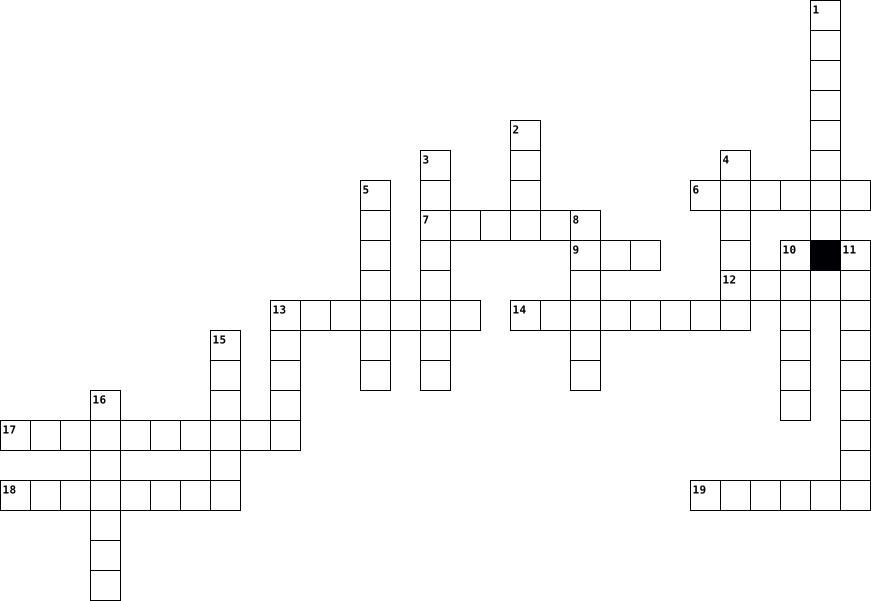
Across
- It's a device used to capture and record images or videos.
- media Websites and applications that allow users to create and share content with others.
- Short for application, it's a software program designed to perform specific tasks on a computer or mobile device.
- A digital communication method that allows you to send and receive messages over the internet.
- It's the screen that displays the images and text from your computer.
- It's a global network that connects computers and allows for the exchange of information.
- It's a mobile phone that can also perform various functions like browsing the internet and running apps.
- The process of transferring data from a remote computer or server to a local device.
- engine A tool that helps users find information on the internet by entering keywords or phrases.
Down
- This input device allows you to type letters, numbers, and symbols into your computer.
- It's a wireless networking technology that allows devices to connect to the internet without using cables.
- A secret combination of characters used to protect access to personal accounts or devices.
- A mobile device that is typically larger than a smartphone and smaller than a laptop.
- A collection of web pages that are accessed through the internet.
- This portable computer can be easily carried and used anywhere.
- The activity of playing electronic games on computers, consoles, or mobile devices.
- It's a wireless technology that enables devices to connect and communicate with each other over short distances.
- It's a small device that you move to control the cursor on your computer screen.
- The process of transferring data from a local device to a remote computer or server.
- This device produces a physical copy of documents or images from a computer.
20 Clues: It's a device used to capture and record images or videos. • This portable computer can be easily carried and used anywhere. • A collection of web pages that are accessed through the internet. • It's the screen that displays the images and text from your computer. • This device produces a physical copy of documents or images from a computer. • ...
Technology Crossword 2023-06-07

Across
- represents text, computer processor instructions, or any other data using a two-symbol system.
- is the most important processor in a given computer.
- is the protection of computer systems and networks from attack by malicious actors.
- is a form of computer memory that can be read and changed in any orde.
- is a coding format for digital audio developed largely by the Fraunhofer Society in Germany
- is a file format developed by Adobe in 1992 to present document
- is a digital multimedia container format most commonly used to store video and audi.
- is a collection of discrete values that convey informatio.
- is a method of representing data in a visual, machine-readable form
Down
- is an American multinational technology company
- is a commonly used method of lossy compression for digital images, particularly for those images produced by digital photography.
- is a type of computer program that, when executed, replicates itself by modifying other computer programs and inserting its own code into those programs.
- are small blocks of data created by a web server.
- is a bitmap image format that was developed by a team at the online services provider CompuServe.
- is a mobile operating system
- is a hardware or software component that stores data so that future requests for that data can be served faster
- is a mapping from some domain (for example, a range of integers) to bits.
- is a method of transmitting and receiving messages using electronic devices.
- is any software intentionally designed to cause disruption to a computer, server, client, or computer network.
- is a proprietary audio/video interface for transmitting uncompressed video data and compressed or uncompressed digital audio data from an HDMI-compliant source devic.
20 Clues: is a mobile operating system • is an American multinational technology company • are small blocks of data created by a web server. • is the most important processor in a given computer. • is a collection of discrete values that convey informatio. • is a file format developed by Adobe in 1992 to present document • ...
Computer Components Puzzle 2025-03-27

Across
- A computers short term memory
- Performs mathematical calculations at a high speed
- To convert electric current from a source to the correct voltage, current and frequency to power the board
- supplementary memory system that temporarily stores frequently used instructions and data for quicker processing by the central processing unit (CPU) of a computer
- Connects devices to your home network and internet
- Peripheral devices are not essential to the functioning of a computer, but they enhance its functionality. These devices can be input devices, output devices, or both.
- Used to select items on the screen and to your computer to perform tasks
- an input device used to enter characters and functions into the computer system by pressing buttons, or keys
- A type of computer that stores permanent data and instructions for the device to start up
- Allows devices to communicate with each other without cables or wires
Down
- A long life and non volatile storage chip that is widely used in embedded systems
- The largest printed circuit board in a machines chassis
- A device that converts electrical signals into sound waves
- Connects your devices to the internet by converting signals between your devices and your internet service provider (ISP)
- Used to turn physical documents or images into digital files
- The physical device that stores data on a computer
- replace traditional hard disk drives (HDDs) in computers and perform the same basic functions as a hard drive
- A device that prints documents and images onto paper or other materials
- central processing unit is the main part of a computer that controls how it operates
- An output device that displays information being processed in a computer
20 Clues: A computers short term memory • Performs mathematical calculations at a high speed • Connects devices to your home network and internet • The physical device that stores data on a computer • The largest printed circuit board in a machines chassis • A device that converts electrical signals into sound waves • ...
CHAPTER 1 2025-02-13

Across
- A type of non-volatile memory used to store permanent data.
- Any computer hardware or software device that requests access to a service provided by a server.
- The technology that connects your offices, data centers, cloud applications, and cloud storage together.
- The program a computer's microprocessor uses to start the computer system after it is powered on.
- The unit of transmission in a link layer protocol, and consists of a link layer header followed by a packet.
- The main component of a computer that controls how the computer operates.
- A device that stores data on a computer
- A private network similar to an intranet, but typically open to external parties, such as business partners, suppliers, key customers, etc.
- A computer network that connects computers within a metropolitan area.
- Interconnected computing devices that can exchange data and share resources with each other.
- A set of instructions, data or programs used to operate computers and execute specific tasks.
Down
- The main circuit board that connects and controls a computer's internal components.
- A collection of devices connected together in one physical location, such as a building, office, or home.
- A private network contained within an enterprise that is used to securely share company information and computing resources among employees.
- A piece of hardware that displays the video and graphics from a computer
- A small segment of data that is sent over a network.
- A global network of computer networks that allows devices to communicate and share information.
- The physical equipment that allows devices to communicate on a network.
- Short-term memory
- A hardware device or software that processes requests sent over a network and replies to them.
20 Clues: Short-term memory • A device that stores data on a computer • A small segment of data that is sent over a network. • A type of non-volatile memory used to store permanent data. • A computer network that connects computers within a metropolitan area. • The physical equipment that allows devices to communicate on a network. • ...
RETI 2026-05-20

Across
- rete informatica che connette più reti locali (LAN) situate all'interno di un'area geografica più ampia, tipicamente una città o un grande campus universitario.
- capacità di un sistema di continuare a funzionare correttamente anche in caso di guasto di uno o più dei suoi componenti.
- è un computer o un altro dispositivo collegato a una rete
- l'etichetta numerica che identifica univocamente un dispositivo collegato a una rete informatica.
- tecnica utilizzata per trasferire i dati da un nodo all'altro di una rete, tracciando il percorso corretto tra il mittente e il destinatario.
- capacità di un sistema di accettare nuove funzionalità o modifiche senza dover riscrivere o compromettere la struttura esistente.
- la parte fisica e tangibile di un computer o di un sistema informatico.
- dispositivo che dirige il traffico dati tra la tua rete domestica e Internet,
- dispositivo di rete che mette in comunicazione tra loro diversi computer
Down
- è la rete informatica più piccola che esista. è la rete informatica più piccola che esista.
- l'insieme delle operazioni necessarie per mantenere un sistema (hardware o software) efficiente, sicuro e funzionante nel tempo.
- rete informatica che collega computer e dispositivi all'interno di un'area geografica limitata e privata.
- è un modello di rete in cui tutti i computer collegati hanno gli stessi poteri e doveri.
- si riferisce all'estensione fisica, allo spazio e alla distanza coperta da una rete o da un sistema.
- è un'architettura di rete
- rete che copre distanze enormi
- dispositivo che permette ai tuoi computer e smartphone di collegarsi a Internet.
- dispositivo di rete molto semplice che serve a connettere più computer tra loro in una rete locale.
- è l'elenco telefonico di Internet.
- insieme di due o più computer o dispositivi collegati tra loro per scambiarsi informazioni e condividere risorse.
20 Clues: è un'architettura di rete • rete che copre distanze enormi • è l'elenco telefonico di Internet. • è un computer o un altro dispositivo collegato a una rete • la parte fisica e tangibile di un computer o di un sistema informatico. • dispositivo di rete che mette in comunicazione tra loro diversi computer • ...
🧩 Crossword (40 Words – Final Set) 2026-03-30

Across
- Raw facts without meaning
- Using information systems to monitor operations
- Information must be error free
- Gaining edge over competitors using information systems
- Transforming data into meaningful information
- Steps or instructions followed to perform tasks
- Processed data that is meaningful and useful
- Set of components that collect process store and distribute information
- System that supports office activities
- Using information to make choices
- Temporary storage used by a computer
- Information must be available when needed
- Instructions that control computer operations
- Individual who uses information from a system
- Ability to increase efficiency using information systems
- Connection of devices for sharing data
- Information must be enough but not excessive
- Hardware that displays processed information
- Electronic device that processes data into information
- System that supports complex decision making
- Data entered into a computer system
Down
- Organized collection of related data
- Information value must exceed its cost
- Physical components of a computer
- Converting raw data into meaningful information
- Information must be arranged properly
- Software that manages computer hardware
- Saving data for future use
- Information can be checked for accuracy
- Program designed for end users
- Users who interact with information systems
- Information must relate to the context and user needs
- Hardware used to enter data into a computer
- System that manages databases
- Ability to perform tasks quickly with fewer resources
- Result produced by a computer
- System that processes daily transactions
- Process of selecting the best course of action
- System that provides reports for management
- Structured output of information for users
40 Clues: Raw facts without meaning • Saving data for future use • System that manages databases • Result produced by a computer • Information must be error free • Program designed for end users • Physical components of a computer • Using information to make choices • Data entered into a computer system • Organized collection of related data • Temporary storage used by a computer • ...
Vocab lesson 24 2016-04-19

Across
- A combination of hardware and software that creates a buffer between an internal network and the Internet to prevent unauthorized access
- High end programs designed to provide network control and include special functions for connecting computers and other devices as a single file
- Examines a fingerprint, voice pattern, or the iris or retina of the eye
- Communications hardware device that facilitates the transmission of data
- A series of connected personal computers, workstations and other devices such as printers or scanners, within a confined space, such as an office building
- A computer that handles request for data, email,file transfer, and other network services from other computers
- The world's colection of interconnected commercial and government owned voice oriented systems
- A junction where information arrives from connected computers or peripheral devices and is then forwarded in one or more directions to other computers and devices
- Computer architecture in which all of the computers on a network are equal and there is no computer designated as the server
- A device that uses coaxial cable to send and recieve data
- A type of fiber optic telephone line that can transmit up to 1.544 megabits per second or can be used to transmit 24 digitized voice channels
- Computer network that covers a large geographical area
Down
- An IPS that provides connection speeds more than 30 times faster than dial up connections
- Expert computer user who invades someone else's computer either for personal gain or simply for the satifaction of being able to do it
- A device that directs traffic on a network by dividing data into smaller packets that travel by different routes and then are reassembled at their destination
- A server that acts as an intermediary between a user and the Internet
- A recent wireless technology that can deliver maximum speeds of up to 7 Mbps to your cell phone, home computer,or car
- A network designed for the exclusive use of computer users within an organization that cannot be accesed by users outside the organization
- An Internet connection technology that provides for the transfer of information to a computer at a high speed bandwidth over telephone lines
- Computer configuration in which one or more computers on the network acts as a server
- Link from one computer to another through which data can be transmitted
- A computer that uses the services of another program
- A variation of a LAN that uses no physical wires
- The largest network used as a communication tool
- A device on the network
- A network configuration that allows selected outside organizations to access internal information systems
26 Clues: A device on the network • A variation of a LAN that uses no physical wires • The largest network used as a communication tool • A computer that uses the services of another program • Computer network that covers a large geographical area • A device that uses coaxial cable to send and recieve data • ...
Vocabulary 24 2016-04-18

Across
- A variation of LAN that uses no physical wires
- A type of fiber-optic telephone line that can be transmitted up to 1.544 megabits per second or can be used to transmit 24 digitized voice channels
- Link from one computer to another through which data can be transmitted
- high-end programs designed to provide network control and include special function for connecting computers and other devices into a network
- A combination of hardware and software that creates a buffer between an internal network and the Internet to prevent unauthorized access
- A recent wireless technology that can deliver maximum speeds of up to 7 Mbps to your cell phone, home computer, or car.
- A network designed for the exclusive use of computer users within an organization that cannot be accessed by users outside the organization
- Computer architecture in which all of the computers on a network are equal and there is no computer designated as the server
- The largest network used as a communication tool
- Computer configuration in which one or more computers on the network acts as a server
- A device that directs traffic on a network by dividing data into smaller packets that travel by different routes and then are reassembled at their destination
Down
- A device that uses coaxial cable to send and receive data
- A computer that uses the services of another program
- A device on the network
- A technique or device that examines a fingerprint, voice pattern, or the iris or retina of the eye
- A junction where information arrives from connected computers or peripheral devices and is then forwarded in one or more directions to other computers and devices
- A series of connected personal computers, workstations, and other devices, such as printers or scanners, within a confined space, such as an office building
- A computer that handles requests for data, e-mail, file transfers, and other network services from other computers
- An internet connection technology that provides for the transfer of information to a computer at a high-speed bandwidth over ordinary systems such as Linux use the term directory
- Computer network that covers a large geographic area
- expert computer user who invades someone else’s computer either for personal gain or simply for the satisfaction of being able to do it
- A network configuration that allows selected outside organizations to access internal information systems
- The world’s collection of interconnected commercial and government-owned voice-oriented systems
- An ISP that provides connection speeds more than 30 times faster than dial-up connections-from 384 Kbps to 2.0 Mbps
- Communications hardware device that facilitates the transmission of data
25 Clues: A device on the network • A variation of LAN that uses no physical wires • The largest network used as a communication tool • A computer that uses the services of another program • Computer network that covers a large geographic area • A device that uses coaxial cable to send and receive data • Link from one computer to another through which data can be transmitted • ...
crossword 2020-02-24

Across
- - The address of documents and resources on the internet.
- - This is the program you use to browse files. A web browser will browse internet files, like Firefox or Internet Explorer
- - Any information stored by a computer. It can be files, E-mails, video games, songs, pictures, etc.
- or World Wide Web - Group of internet servers linking computers around the world.
- - Software that was written to do bad stuff to your computer.
- - Anyone using a computer.
- - This is all the instructions for the computer or a program designed to do different things. Examples are: Microsoft Word, Internet Explorer, and Windows.
- - This is simply a way to send a message from one computer to another
- - This is an abbreviation for Frequently Asked Questions
- - This is a picture that pops up when you are not using your computer.
- - This is the process where you copy something from another computer or the Internet, and save it on your computer
- - Many computers that are connected like a web so you can see what other computer operators show you and you can show them things as well.
- and drop - To do this, you click on something and hold the button down. This will move the object you clicked on and will leave it where you let go of the button. So it drags it and drops it.
- bar - The bar beside the Start button that shows what programs are open
Down
- - You have to do this to get access to a computer. You just type in a certain name or code
- - This is an extra copy of a file or document
- - When you click on an icon, it is a shortcut to a file or program
- - A picture or design on your desktop for decoration.
- - This is that small blinking line that shows you where your next typed letter or number will go.
- - This is the first page you see when you open your browser. You can make any page your homepage.
- -This is an abbreviation for "sending particularly annoying messages"; it stands for unwanted e-mail.
- - This is a secret code to protect your data and can keep others from accessing your computer.
- - This is the data that a computer stores. Long term memory must be saved to the hard drive.
- - This is a small symbol or picture that represents a program or other things
- - This is the screen that appears if you are not browsing the Internet, reading a file, or playing a game. Your icons are on this screen.
- click - When you right click on the mouse, you are given a menu of options
- - This is a picture or an image.
27 Clues: - Anyone using a computer. • - This is a picture or an image. • - This is an extra copy of a file or document • - A picture or design on your desktop for decoration. • - This is an abbreviation for Frequently Asked Questions • - The address of documents and resources on the internet. • - Software that was written to do bad stuff to your computer. • ...
Davis-Briscoe 2020-01-22

Across
- - This is that small blinking line that shows you where your next typed letter or number will go.
- - This is an extra copy of a file or document.
- - This is the data that a computer stores. Long term memory must be saved to the hard drive.
- - Software that was written to do bad stuff to your computer.
- - This is a picture or an image.
- - This is the process where you copy something from another computer or the Internet, and save it on your computer.
- - This is all the instructions for the computer or a program designed to do different things. Examples are: Microsoft Word, Internet Explorer, and Windows.
- or World Wide Web - Group of internet servers linking computers around the world.
- - Many computers that are connected like a web so you can see what other computer operators show you and you can show them things as well.
- - Anyone using a computer
- - Any information stored by a computer. It can be files, E-mails, video games, songs, pictures, etc.
- click - When you right click on the mouse, you are given a menu of options.
Down
- bar - The bar beside the Start button that shows what programs are open.
- - This is simply a way to send a message from one computer to another.
- - This is the program you use to browse files. A web browser will browse internet files, like Firefox or Internet Explorer.
- - The address of documents and resources on the internet.
- - When you click on an icon, it is a shortcut to a file or program.
- - This is a picture that pops up when you are not using your computer.
- - This is the first page you see when you open your browser. You can make any page your homepage.
- - You have to do this to get access to a computer. You just type in a certain name or code.
- - This is a small symbol or picture that represents a program or other things.
- - This is a secret code to protect your data and can keep others from accessing your computer.
- - This is the screen that appears if you are not browsing the Internet, reading a file, or playing a game. Your icons are on this screen.
- -This is an abbreviation for "sending particularly annoying messages"; it stands for unwanted e-mail.
- - This is an abbreviation for Frequently Asked Questions.
- and drop - To do this, you click on something and hold the button down. This will move the object you clicked on and will leave it where you let go of the button. So it drags it and drops it.
26 Clues: - Anyone using a computer • - This is a picture or an image. • - This is an extra copy of a file or document. • - The address of documents and resources on the internet. • - This is an abbreviation for Frequently Asked Questions. • - Software that was written to do bad stuff to your computer. • - When you click on an icon, it is a shortcut to a file or program. • ...
Jordan - Computer Vocab and Graphics 2018-02-05

Across
- This is an extra copy of a file or document.
- Anyone using a computer.
- and drop To do this, you click on something and hold the button down. This will move the object you clicked on and will leave it where you let go of the button. So it drags it and drops it.
- bar The bar beside the Start button that shows what programs are open.
- This is the first page you see when you open your browser. You can make any page your homepage.
- This is a picture or an image.
- This is an abbreviation for Frequently Asked Questions.
- This is a picture that pops up when you are not using your computer.
- This is simply a way to send a message from one computer to another.
- or World Wide Web Group of internet servers linking computers around the world.
- When you click on an icon, it is a shortcut to a file or program.
- click When you right click on the mouse, you are given a menu of options.
- This is the process where you copy something from another computer or the Internet, and save it on your computer.
- This is the screen that appears if you are not browsing the Internet, reading a file, or playing a game. Your icons are on this screen.
Down
- This is the program you use to browse files. A web browser will browse internet files, like Firefox or Internet Explorer.
- This is that small blinking line that shows you where your next typed letter or number will go.
- A picture or design on your desktop for decoration.
- The address of documents and resources on the internet.
- Many computers that are connected like a web so you can see what other computer operators show you and you can show them things as well.
- Any information stored by a computer. It can be files, E-mails, video games, songs, pictures, etc.
- This is a secret code to protect your data and can keep others from accessing your computer.
- This is all the instructions for the computer or a program designed to do different things. Examples are: Microsoft Word, Internet Explorer, and Windows.
- Software that was written to do bad stuff to your computer.
- This is the data that a computer stores. Long term memory must be saved to the hard drive.
- You have to do this to get access to a computer. You just type in a certain name or code.
- This is a small symbol or picture that represents a program or other things.
- This is an abbreviation for "sending particularly annoying messages"; it stands for unwanted e-mail.
27 Clues: Anyone using a computer. • This is a picture or an image. • This is an extra copy of a file or document. • A picture or design on your desktop for decoration. • The address of documents and resources on the internet. • This is an abbreviation for Frequently Asked Questions. • Software that was written to do bad stuff to your computer. • ...
Computer Vocabulary and Graphics 2018-10-30

Across
- Anyone using a computer.
- This is the screen that appears if you are not browsing the Internet, reading a file, or playing a game. Your icons are on this screen.
- This is the first page you see when you open your browser. You can make any page your homepage.
- Many computers that are connected like a web so you can see what other computer operators show you and you can show them things as well.
- This is all the instructions for the computer or a program designed to do different things. Examples are: Microsoft Word, Internet Explorer, and Windows.
- This is simply a way to send a message from one computer to another.
- This is the data that a computer stores. Long term memory must be saved to the hard drive.
- or World Wide Web Group of internet servers linking computers around the world.
- Any information stored by a computer. It can be files, E-mails, video games, songs, pictures, etc.
- This is an abbreviation for "sending particularly annoying messages"; it stands for unwanted e-mail.
- This is a picture that pops up when you are not using your computer.
- This is the process where you copy something from another computer or the Internet, and save it on your computer.
- and drop To do this, you click on something and hold the button down. This will move the object you clicked on and will leave it where you let go of the button. So it drags it and drops it.
- This is a small symbol or picture that represents a program or other things.
Down
- Software that was written to do bad stuff to your computer.
- This is an extra copy of a file or document.
- The address of documents and resources on the internet.
- click When you right click on the mouse, you are given a menu of options.
- When you click on an icon, it is a shortcut to a file or program.
- A picture or design on your desktop for decoration.
- This is the program you use to browse files. A web browser will browse internet files, like Firefox or Internet Explorer.
- This is a secret code to protect your data and can keep others from accessing your computer.
- This is an abbreviation for Frequently Asked Questions.
- bar The bar beside the Start button that shows what programs are open.
- This is a picture or an image.
- This is that small blinking line that shows you where your next typed letter or number will go.
- You have to do this to get access to a computer. You just type in a certain name or code.
27 Clues: Anyone using a computer. • This is a picture or an image. • This is an extra copy of a file or document. • A picture or design on your desktop for decoration. • The address of documents and resources on the internet. • This is an abbreviation for Frequently Asked Questions. • Software that was written to do bad stuff to your computer. • ...
Tech Terms 2024-11-14

Across
- A printed circuit board containing the components of a computer or other device,with connectore into witch other boards can be slotted.
- what is one input device
- Aunit of information equal
- A computer or system that provides resources, data, seriousness, or programs to together computers, know as clients, over a network.
- Hypertext markup Language
- The shortcut for copy and paste.
- The smallest part of a computer
- Portable document file
- a set of programs that helps a communications service provider monitor, control, analyze and manage a telephone or computer network.
- A regularly updated website or web page, typically one run by an individual or small group, that is written in an informal or conversational style.
- Protects sensitive data from prying eyes by scrambling ordinary text into a form that is impossible to read without the proper decryption key
- Centeral Prosessing unit
- Any intrusive software developed by cyber-criminals to steal data and damage or destroy computers
- A collection of web sites and pages that people can acess through the internet.
- any information connected to a specific individual that can be used to ucover that individuals identity, such as their social security number.
- A system for connecting a number of computer systems to form a local area network.
- the phone book of the internet
- a cyber security solution that protects your computer or network from unwanted traffic.
- start or restart
- Example of search engine
Down
- The computer-generated simulation of a three-dimensional image or environment that can be interacted with in a helmet with a screen inside or gloves fitted with sensors.
- A type of non-volatile memory used to store permanent data
- what is the difference between hardware and software.
- A physical Device made for storage
- Property A work or invention that is the result of creativity,such as a manuscription or a design.
- Data unit that is eight digits long.
- A language that the computer understands.
- The address of a web page.
- Small pieces of text sent to your browser by a website that you visit
- A transfer of a file from one computer to another
- the gulf between those who have ready acsess to computer and internet, and those who do not.
- A string of characters that identifies each computer.
- Random-access memory
- a unique string of characters that identifies each other
- A bunch of networks connected by many many switches and routers.
- Name something that a computer does
- what is a way to back up your work.
37 Clues: start or restart • Random-access memory • Portable document file • what is one input device • Centeral Prosessing unit • Example of search engine • Hypertext markup Language • Aunit of information equal • The address of a web page. • the phone book of the internet • The smallest part of a computer • The shortcut for copy and paste. • A physical Device made for storage • ...
12 2025-02-18

Across
- allows patients to communicate with physicians or health care specialists at a distance
- When a group of related records is combined
- To perform a PET scan, a slightly radioactive substance is injected into the patient and detected by the PET scanner
- light beams that can be focused precisely
- proper lighting, correct positioning of the computer keyboard and monitor, a chair that provides good support, and proper posture
- the use of computer systems
- programs that contain instructions to alter the operation of the computer programs
- a small amount of a radioactive substance such as thallium is given intravenously
- special software to perform high-speed math calculations.
- A database is an organized collection of information
- called computer-assisted surgery
- an approach to education called virtual learning
- protective programs that limit the ability of other computers to access a computer.
- allows a user to locate records quickly, compile statistics and reports, enter additional information and changes readily, and store information more efficiently than paper files.
- rapid dispensing of medications
- uses technology to direct ultrahigh-frequency sound waves through the chest wall and into the heart
- information about the patient
- each collection of related information
- uses high-energy particles to decrease the size of tumors and treat cancer
- can sit on a desktop
Down
- basic understanding of how a computer works
- allows all health care agencies to readily transfer patient electronic health records (EHRS) between agencies in a national network.
- use for patient who cannot exercise
- custom design individualized prosthetics such as hands, legs, fingers, and other body parts
- an ECG run while the patient is exercising
- educational computer programming designed for individualized use.
- computerized, body-scanning method uses nuclear magnetic resonance instead of X-ray radiation
- used for patients who cannot exercise
- can control the launch of a rocket to outer space.
- a computerized interpretation system that produces visual pictures on a computer monitor and a printout of the electrical activity of a patient's heart;
- permits physicians to see clear, cross-sectional views of both bone and body tissues
- To protect a computer from electrical surges and power outage
- secure online websites are established by a physician
- surgical procedure in which a surgeon uses preoperative and intraoperative images to guide or direct the surgery
- online teaching and learning environment
- a noninvasive scanning method that uses high-frequency sound waves that bounce back as an echo when they hit different tissues and organs inside the body
- sending messages from one computer to another
37 Clues: can sit on a desktop • the use of computer systems • information about the patient • rapid dispensing of medications • called computer-assisted surgery • use for patient who cannot exercise • used for patients who cannot exercise • each collection of related information • online teaching and learning environment • light beams that can be focused precisely • ...
Cruciverba Architettura di un PC e oltre 2020-12-18

Across
- componente connesso direttamente al socket della CPU e responsabile della comunicazione tra processore e alcune delle principali componenti della motherboard
- memoria centrale dove la CPU prende i dati e le informazioni da utilizzare.
- unità di memoria a stato solido
- dispositivi di output che permettono la riproduzione di suoni.
- Componente della CPU che si occupa del controllo
- memoria primaria del computer dove al suo interno contiene i programmi fondamentali da eseguire durante l’accensione del computer
- sistema che permette di virtualizzare delle azioni che altrimenti si sarebbero dovute svolgere fisicamente
- Complex Instruction Set Computer
- insieme di cavi che servono a mettere in
- Architettura di un....
- sensore che permette a due device di connettersi tra loro attraverso un sistema wireless
- elemento del computer che serve per tenere memorizzati i dati e le istruzioni
Down
- tutte le componenti del pc
- Reduced instruction set computer
- circuito stampato ovvero un supporto che viene usato per connettere e mettere in comunicazione dei componenti in un circuito elettronico
- Matematico che creò l'architettura più usata
- sensore che permette di utilizzare le applicazioni di navigazione, come ad esempio Google Maps o Mappe di apple
- Servono per raffreddare il PC
- insieme di circuiti integrati della scheda madre che si occupano di smistare e dirigere il traffico di dati tra i vari componenti del computer
- l'altra metà del cielo” del core logico del chipset
- Componente della CPU che si occupa di operazioni
- dispositivo di input che permette di registrare un suono
- dispositivo utilizzato per la memorizzazione a lungo termine dei dati in un computer
- Componente principale del computer, il "cervello"
- robot sviluppato da LEGO basato su un corpo centrale, mattoncino intelligente, dotato di attacchi per sensori e motori.
25 Clues: Architettura di un.... • tutte le componenti del pc • Servono per raffreddare il PC • unità di memoria a stato solido • Reduced instruction set computer • Complex Instruction Set Computer • insieme di cavi che servono a mettere in • Matematico che creò l'architettura più usata • Componente della CPU che si occupa del controllo • ...
Ryleigh Newsom- fourth period 2020-09-10

Across
- to talk in a friendly or informal way.
- a website that brings people together to talk and make new friends.
- a method of saving a web pages address.
- is a term used to describe the unwritten rules of internet courtesy.
- a term used to describe computer storage.
- a name, e-mail, or other personal information that enables other users to get a hold of someone.
- is an area where users share thoughts, ideas, or help by posting text massages.
- the name given to a user on a computer or computer network.
- is a computer or another device connected to a computer network.
- Describes the act of browsing the internet by going from one web page to another.
- describes a metaphysical space created by networked computers where users may shop, chat, or learn.
- is text at the top of a page in a electronic document or hard copy.
Down
- a discussion groups over the internet that links a group of people together with common interest via e-mail.
- an icon, graphic, or text that links to another file or object.
- sending a file to another computer though a modem or network.
- they are locations with information on frequently asked questions about a particular product or service.
- it is a location for a website.
- when a users computer or another device connects to the internet.
- points to a location where data may be accessed.
- a small set of instructions designed to be scheduled and executed by the CPU independently of the parent process.
- a location for storing files on your computer.
- a software or hardware device that accepts responds to requests made over a network.
22 Clues: it is a location for a website. • to talk in a friendly or informal way. • a method of saving a web pages address. • a term used to describe computer storage. • a location for storing files on your computer. • points to a location where data may be accessed. • the name given to a user on a computer or computer network. • ...
PC 2018-01-08

Across
- electrical component that can "make" or "break" an electrical circuit, interrupting the current or diverting it from one conductor to another
- one of the earliest operating systems based on the Linux kernel
- smallest controllable element of a picture represented on the screen
- part of a computer system that consists of data or computer instructions
- passive heat exchanger that transfers the heat generated by an electronic or a mechanical device to a fluid medium, often air or a liquid coolant
- a form of malicious software
- computer software that transforms computer code written in one programming language into another programming language
- output device which displays information in pictorial form
- hand-held pointing device that detects two-dimensional motion relative to a surface
Down
- general-purpose computer programming language
- flow of data across the network
- manufacturer and seller of a wide variety of office equipment including scanners, printers, and multifunction systems that scan, print, copy, email and fax
- file format that supports lossless data compression
- a file system cataloging structure which contains references to other computer files
- world's largest network
- a method, often secret, of bypassing normal authentication or encryption in a computer system
- computer program that is the core of a computer's operating system, with complete control over everything in the system
- manufacturer of processors, motherboard chipsets, network interface controllers and integrated circuits etc
- firmware that comes pre-installed on a personal computer's system board, and it is the first software run when powered on
- network hardware device that modulates one or more carrier wave signals to encode digital information for transmission and demodulates signals to decode the transmitted information
20 Clues: world's largest network • a form of malicious software • flow of data across the network • general-purpose computer programming language • file format that supports lossless data compression • output device which displays information in pictorial form • one of the earliest operating systems based on the Linux kernel • ...
COMPUTER FUNDAMENTALS AND APPLICATIONS 2019-02-05

Across
- An input device containing keys that is pressed to enter data.
- It is also called a notebook computer.
- It is the number of horizontal and vertical pixels in a display.
- Centralized storage area for programs, data and information.
- It is the main circuit board of the computer.
- A computing device small enough to hold in your hand.
- It is a meeting between two or more geographically separated people.
- It is an example of volatile memory.
- These are speakers that cover or are placed outside of the ear.
- It is also called the Central Processing Unit (CPU).
- A personal computer designed to be in a stationary location, where all of its components fit on or under a desk or table.
Down
- It visually conveys text, graphics, and video information.
- A thin, lighter weight mobile computer.
- A stationary pointing device with a ball on its top or side.
- It is the data that has been processed into a useful form.
- It is a long, expensive powerful server that can handle hundreds or thousands of connected user simultaneously.
- It is an element of an information system which is the physical, tangible parts or components of a computer.
- It produces text and graphics on a physical medium.
- An internet capable phone.
- A computing device to be worn by a consumer.
- Any data and instructions entered into the memory of a computer.
- The fastest, most powerful computer.
- An electronic programmable device operating under the control of instructions stored in its own memory.
- A small symbol on the screen whose location and shape change as a user moves a pointing device.
- A light sensing input device that reads printed text and graphics.
25 Clues: An internet capable phone. • The fastest, most powerful computer. • It is an example of volatile memory. • It is also called a notebook computer. • A thin, lighter weight mobile computer. • A computing device to be worn by a consumer. • It is the main circuit board of the computer. • It produces text and graphics on a physical medium. • ...
COMPUTER FUNDAMENTALS AND APPLICATIONS 2019-02-05

Across
- A light sensing input device that reads printed text and graphics.
- Any data and instructions entered into the memory of a computer.
- It is the number of horizontal and vertical pixels in a display.
- An internet capable phone.
- An input device containing keys that is pressed to enter data.
- Centralized storage area for programs, data and information.
- It is a long, expensive powerful server that can handle hundreds or thousands of connected user simultaneously.
- The fastest, most powerful computer.
- A small symbol on the screen whose location and shape change as a user moves a pointing device.
- It is the main circuit board of the computer.
- A computing device to be worn by a consumer.
- It is also called a notebook computer.
- It is the data that has been processed into a useful form.
Down
- It produces text and graphics on a physical medium.
- A personal computer designed to be in a stationary location, where all of its components fit on or under a desk or table.
- An electronic programmable device operating under the control of instructions stored in its own memory.
- A computing device small enough to hold in your hand.
- It visually conveys text, graphics, and video information.
- It is a meeting between two or more geographically separated people.
- A stationary pointing device with a ball on its top or side.
- These are speakers that cover or are placed outside of the ear.
- It is also called the Central Processing Unit (CPU).
- It is an element of an information system which is the physical, tangible parts or components of a computer.
- A thin, lighter weight mobile computer.
- It is an example of volatile memory.
25 Clues: An internet capable phone. • The fastest, most powerful computer. • It is an example of volatile memory. • It is also called a notebook computer. • A thin, lighter weight mobile computer. • A computing device to be worn by a consumer. • It is the main circuit board of the computer. • It produces text and graphics on a physical medium. • ...
Tech Dictionary 2023-09-15

Across
- peripheral device that enables a user to input text into a computer or any other electronic machinery
- A global computer network
- A structed set of data held in a computer
- A device that forwards data packets to the appropriate parts of a computer network
- is when someone uses the internet in a safe and legal way such as no hacking, illegally downloading or damaging of people work
- the control center of a computer
- a social engineering attack used to steal somebody's personal information such as passwords or credit card information
- is an output device that displays information in pictorial or textual form
- inspects and manages incoming and outgoing communications from the network
- any internal or external equipment or devices you can use perform major functions such as input
- a video camera that is connected to a device and allows videos and images to be online
Down
- To give credit for the original source of information
- Small blocks of data created by a web server
- A device that has many apps
- a device that can be used for computer data
- a wireless networking technology that uses radio waves to provide wireless high-speed Internet access
- It allows users to access the files wherever there is Internet access
- convenient computer that is more useful and is almost as powerful as a desktop computerLAN
- the knowledge, skills, and attitudes that present children with the opportunity to be safe and empowered while using digital applications
- a sequence of characters or encoded information identifying when a certain event occurred
- a hardware which connects to a computer, broadband network or wireless router
21 Clues: A global computer network • A device that has many apps • the control center of a computer • A structed set of data held in a computer • a device that can be used for computer data • Small blocks of data created by a web server • To give credit for the original source of information • It allows users to access the files wherever there is Internet access • ...
Quizlet 2023-08-24

Across
- test your prototype solutions
- a set of (often repeated) steps used to solve a problem
- something that happens outside a program that the program can respond to (like a screen tap or mouse click)
- learning more about your target audience
- empathize, define, ideate, prototype, test
- long-term memory even when the computer is turned off.
- shows what your program will look like running on a micro:bit
- A set of instructions that a computer can follow.
- a self contained set of instructions for performing a specific task within a computer program.
- random access memory
- how a computer displays or communicates information
- A framework for identifying problems, designing solutions, testing and refining
Down
- A coding editor in Code Connection that lets you code with two programming languages: Block or JavaScript.
- construct rough drafts or sketches of your ideas
- brainstorm several possible creative solutions
- A text-based programming language that uses letters, numbers, and symbols. It's one of the most popular programming languages in the world
- A programming language found in editors—such as Microsoft MakeCode and Scratch—that uses different colored and shaped blocks that connect in a specific order to allow beginners to learn concepts without having to worry about syntax.
- A handheld microcomputer with many inputs and outputs.
- this is a chip inside the computer and it's how the computer transforms information
- understand and identify your audience's problems or needs
- how a computer takes in information from the world (keyboard, mouse, touchscreen)
- how the computer remembers things
- detailed outline or rough draft of a program. natural language and code.
- where you will build your programs
- part of a program that runs when a specific event happens
25 Clues: random access memory • test your prototype solutions • how the computer remembers things • where you will build your programs • learning more about your target audience • empathize, define, ideate, prototype, test • brainstorm several possible creative solutions • construct rough drafts or sketches of your ideas • A set of instructions that a computer can follow. • ...
Technology2 2025-01-11

Across
- - Watching videos or listening to music online without downloading.
- - Something made by humans, like a robot brain.
- - A message you send from your phone.
- - The tiny dots that make up a picture on a screen.
- - A system that tells you where you are and how to get somewhere.
- - A word that means something related to computers or the internet.
- - Something that protects your computer from bad programs.
- - Information stored on your device or online.
- - Instructions that tell a computer what to do.
- - A program you use to look at websites.
- - Something you click on to visit a website.
- - A screen that works when you tap or swipe it.
- - A special place on your phone just for smiley faces.
- - A small picture that represents a program or file.
- - A step-by-step way to solve a problem using computers.
- - Something that exists online or in a computer world.
- - The smallest unit of data in a computer.
Down
- - The amount of time spent on devices.
- - A cool little tool or device that does something special.
- - Playing video games stored on the internet.
- - A place on your computer where deleted files go.
- - A computer that stores and shares files for others.
- - A digital version of a paper document.
- - When virtual and real mix, like in AR games.
- - A group of connected computers sharing information.
- - A program to write code for apps and games.
- - Talking to friends online in real time.
- - A place where you organize files on a computer.
- - To figure out a tricky way to solve a computer problem.
- - A unit to measure data, bigger than a kilobyte.
30 Clues: - A message you send from your phone. • - The amount of time spent on devices. • - A digital version of a paper document. • - A program you use to look at websites. • - Talking to friends online in real time. • - The smallest unit of data in a computer. • - Something you click on to visit a website. • - Playing video games stored on the internet. • ...
CS11 KeyTerms1-4 2026-03-03

Across
- A tool that organizes, analyzes, and graphs numeric data such as budgets and financial reports.
- An image representation that uses thousands of dots or pixels to represent images.
- A communications system connecting two or more computers.
- A mobile phone operating system developed specifically for the Android phone.
- The most powerful type of computer; a special high-capacity machine used by very large organizations.
- The rules or guidelines for people to follow when using software, hardware, and data.
- The specific ability of an operating system to switch between different applications stored in memory.
- The area that provides users access to various computer resources
- A category of mobile computer that is designed to be worn.
- A part of the system software that performs specific tasks related to managing computer resources.
- A container in a file management system where related files are stored.
- A type of cryptocurrency or digital currency that has no cash equivalent and involves no third-party banks.
- A software program that provides a user interface to various web resources.
Down
- These connect to other documents, which can include videos, text, graphics, or audio files.
- An important component of a computer system; it controls and manipulates data to produce information.
- A computer capable of great processing speeds and massive data storage, often used by large institutions.
- The established rules for exchanging data between computers.
- Recognized as the largest computer network in the world.
- The third element of an e-mail message that provides additional information about the sender.
- A collection of related data.
- The technical process of starting or restarting a computer.
21 Clues: A collection of related data. • Recognized as the largest computer network in the world. • A communications system connecting two or more computers. • A category of mobile computer that is designed to be worn. • The technical process of starting or restarting a computer. • The established rules for exchanging data between computers. • ...
Computer Technology 2018-09-14

Across
- Read only memory
- device is any computing hardware that is used for storing, porting and extracting data files and objects
- It was designed as a high speed point to point channel for attaching a video card to a computer system
- is defined as an acronym that stands for Universal Serial Bus which is a type of computer port which can be used to connect equipment to a computer
- for connection devices to your personal computer
- An integrated circuit that contains all the functions of a central processing unit computer
- power supply unit
- Is a form of a computer data storage that stores data and machine code currently being used
Down
- one of the most essential part of a computer system
- a local computer bus for attaching hardware devices in a computer
- refers to the physical devices used to store programs or data on a temporary or permanent basis for use in a computer or other digital electronic device
- Is the program a personal computer’s microprocessor uses to get the computer system started after you turn it on
- A central processing unit is the electronic circuitry within a computer that carries out the instructions of a computer
13 Clues: Read only memory • power supply unit • for connection devices to your personal computer • one of the most essential part of a computer system • a local computer bus for attaching hardware devices in a computer • An integrated circuit that contains all the functions of a central processing unit computer • ...
Computer Networking and Communications 2017-12-06

Across
- Is an electrical device that supplies electric power to an electrical load.
- A global computer network providing a variety of information and communication facilities.
- Is a computer that requests services from a server computer.
- Is a hardware device that's used to store information like software and files.
- Is a computer network that interconnects users with computer resources in a geographic area or region larger than that covered by even a large local area network but smaller than the area covered by a wide area network.
- Is a telecommunications network or computer network that extends over a large geographical distance.
- Is a computer that provides services to clients.
- Is an expansion card which generates a feed of output images to a display.
Down
- It is the enclosure for all the other main interior components of a computer.
- Is a typewriter-style device which uses an arrangement of buttons or keys to act as a mechanical lever or electronic switch.
- Is an output device which displays information in pictorial form.
- Is a computer network that interconnects computers within a limited area such as a residence, school, laboratory, university campus or office building.
- The hardware within a computer that executes a program.
- Is the main printed circuit board found in general purpose microcomputers and other expandable systems.
- A collection of computers is a set of computers connected together for the purpose of sharing resources.
- Is any physical device capable of storing information temporarily or permanently.
16 Clues: Is a computer that provides services to clients. • The hardware within a computer that executes a program. • Is a computer that requests services from a server computer. • Is an output device which displays information in pictorial form. • Is an expansion card which generates a feed of output images to a display. • ...
Technology Crossword Puzzle 2022-05-18

Across
- an interconnected system of public webpages accessible through the Internet.
- allows data to be transmitted by the computer in a human-friendly form
- a peripheral device that accepts data and feeds it into a computer.
- a computer transferring data to a computer printer and generating a hard copy of the electronic data being printed
- the programs and other operating information used by a computer.
- small handheld device that is dragged across a flat surface to move the cursor on a computer screen, typically having buttons that are pressed to control functions.
- selling high-end networking gear and software to telecommunications companies and internet service providers
- electronic device that accepts text files or images from a computer and transfers them to a medium such as paper or film.
Down
- global computer network providing a variety of information and communication facilities, consisting of interconnected networks using standardized communication protocols.
- the address of a web page.
- pair of earphones joined by a band placed over the head, for listening to audio signals such as music or speech.
- set of related web pages located under a single domain name, typically produced by a single person or organization.
- output hardware device that connects to a computer to generate sound.
- interconnected computing devices that can exchange data and share resources with each other.
- a panel of keys that operate a computer or typewriter.
- an output device that displays information in pictorial or text form.
16 Clues: the address of a web page. • a panel of keys that operate a computer or typewriter. • the programs and other operating information used by a computer. • a peripheral device that accepts data and feeds it into a computer. • output hardware device that connects to a computer to generate sound. • an output device that displays information in pictorial or text form. • ...
Mein Zimmer 2022-01-14

Across
- Dør
- Fjernsyn
- Bord
- Billede
- Højtaler
- Sofa
- Seng
- Computer
Down
- skab
- Lænestol
- Lampe
- Stol
- gardin
- Værelse
- Gulv
- Puder
- Plakat
- Tæppe
- Vindue
19 Clues: Dør • skab • Stol • Bord • Gulv • Sofa • Seng • Lampe • Puder • Tæppe • gardin • Plakat • Vindue • Værelse • Billede • Lænestol • Fjernsyn • Højtaler • Computer
Computers 2023-06-12

Across
- A global network that allows computers to connect and share information.
- A device that creates a physical copy of digital documents or images on paper.
- A device with buttons or keys used to input letters, numbers, and commands into a computer.
- Programs and applications that tell the computer what to do and how to perform tasks.
- A digital container that stores information, such as documents, images, or videos.
- Harmful software that can damage or disrupt computer systems and files.
Down
- The physical components of a computer, such as the processor, memory, and storage devices.
- A machine that can store and process information, and perform tasks like calculations and communication.
- The screen that displays information and visuals from the computer.
- A portable computer that can be easily carried and used on-the-go.
- A wireless technology that enables devices to connect to the internet without using cables.
- Software used to access and navigate websites and other online content.
- A device that moves the cursor on the computer screen and allows you to select and interact with objects.
- Playing interactive computer games for entertainment and fun.
- A common type of port and connector that allows you to connect external devices to the computer.
15 Clues: Playing interactive computer games for entertainment and fun. • A portable computer that can be easily carried and used on-the-go. • The screen that displays information and visuals from the computer. • Software used to access and navigate websites and other online content. • Harmful software that can damage or disrupt computer systems and files. • ...
Create KIM Chart for the following vocabulary words 2025-04-02

Across
- Central Processing Unit
- a hand-held pointing device that allows users to control the cursor on a computer screen, enabling them to select items, navigate, and interact with the graphical user interface
- a data storage device that uses integrated circuits to store data persistently
- a type of non-volatile memory that stores data permanently, meaning the data remains even when power is off, and can only be read, not modified or erased
- a person who speaks
- a type of non-volatile computer memory storage medium that can be electrically erased and reprogrammed, retaining data even when power is off
- external hardware components that connect to a computer to extend its functionality
- a computer and networking device that forwards data packets between computer networks
Down
- a specialized processor originally designed to accelerate graphics rendering.
- an input device that allows you to type letters, numbers, and symbols into your computer or other electronic device
- the main printed circuit board within a computer
- an output device that displays visual information generated by a computer, like text, images, and videos
- a device that converts digital signals from a computer into analog signals for transmission over telephone lines or cable networks, and vice versa, enabling internet access and communication
- a computer's short-term memory, where the data the CPU (Central Processing Unit) needs to access quickly is stored, allowing for faster processing and multitasking
- main printed circuit board within a computer
- allows devices to communicate with each other without cables or wire
16 Clues: a person who speaks • Central Processing Unit • main printed circuit board within a computer • the main printed circuit board within a computer • allows devices to communicate with each other without cables or wire • a specialized processor originally designed to accelerate graphics rendering. • ...
Computer parts 2024-02-06

Across
- computer expansion card that generates a feed of graphics
- Power SuppMonitor
- Device with a screen used for display
- stores all your digital content
- hand-held pointing device
- enters characters and functions into the computer
- worldwide system of computer networks
Down
- used to draw cooler air into the case from the outside
- device that accepts text and graphic output from a computer and transfers the information to paper
- Computer processor
- the main printed circuit
- contains most of the hardware of a personal computer
- random access memory
- allows you to use CDs
14 Clues: Power SuppMonitor • Computer processor • random access memory • allows you to use CDs • the main printed circuit • hand-held pointing device • stores all your digital content • Device with a screen used for display • worldwide system of computer networks • enters characters and functions into the computer • contains most of the hardware of a personal computer • ...
Brady M. Common Terms 2026-03-12

Across
- Wireless Usb Port
- Your main area to acces all your commonly used apps made by microsoft.
- The screen on your computer
- Pictures that have small animations.
- How you connect to the internet to acces your computer
- Whatever your email is set up to.
- A picture that you can shrink and size up without taking the shape.
Down
- Your main screen when you turn on your computer
- A inserted link you can click on to get another page.
- Port on side of your computer with the blue tab in it, connects other devices
- Allowing a page to acces your information
- The physical parts of a computer
- What you click on to open a website
- Specific apps and downloads that are saved on your computer.
- The long random letters and numbers at the top of your screen
- If you were to take pictures from your phone and put them on you computer you would be doing this.
- File format that provides electronic image. It cant be edited by other people.
17 Clues: Wireless Usb Port • The screen on your computer • The physical parts of a computer • Whatever your email is set up to. • What you click on to open a website • Pictures that have small animations. • Allowing a page to acces your information • Your main screen when you turn on your computer • A inserted link you can click on to get another page. • ...
Computers - 6th grade 2023-03-23

Across
- to play video or sound on a computer
- to use a scanner to make a copy of a document or picture and put it into a computer
- a device that allows a person to enter letters, numbers, and other symbols
- a device which copies pictures and documents so that they can be put on a computer
- a removable hard drive that is connected to the outside of a computer, it is used to store data such as photos, videos, and documents
- to choose something on a computer screen by pressing a button on the mouse
Down
- to put a new program onto a computer
- the part of computer equipment that the sound comes out of
- to join a computer or a mobile device to the Internet
- a device that connects your computer to Internet
- to put letters and pictures on paper using printer
- the flat surface at the front of the computer
- a video camera that is connected to a computer so that what it records can be seen on a website or on another computer as it happens
13 Clues: to put a new program onto a computer • to play video or sound on a computer • the flat surface at the front of the computer • a device that connects your computer to Internet • to put letters and pictures on paper using printer • to join a computer or a mobile device to the Internet • the part of computer equipment that the sound comes out of • ...
Computer History Crossword Puzzle 2024-11-05

Across
- This is the "brain" of your computer. Everything that happens in your computer has to go through this piece of hardware.
- These are the earliest modern photographs, invented by Charles Daguerre in 1839. It could take anywhere from half a minute to several hours to take one of these.
- This was the earliest version of the internet, and originally connected university computers at UCLA to Stanford in 1969.
- This is a tiny switch that functions as a logic gate. Early ones were made with vacuum tubes, but now your computer has billions of them!
- This is the code made of zeroes and ones that all computers use.
- This Sumerian devices for adding and subtracting was invented almost 5,000 years ago!
- This was the earliest device for recording and playing back sound. Modern ones are called record players.
Down
- This man decoded German Enigma messages during WWII and is considered the father of artificial intelligence.
- This is the same thing as a computer chip, and it connects whole networks of transistors.
- He invented the first computer, the Analytical Engine, in 1837.
- This is the opposite of software and refers to all the physical parts of your computer
- This is the "heart" of your computer. It allows all the parts of your computer to communicate with each other.
- This was the first color movie. It follows a girl from Kansas who is transported to a magical land full of witches and talking animals.
- This is "thinking space" for your computer to run programs on. It can fit a lot of data on it at a time, but doesn't save anything when you shut the computer down.
- This Pixar film was the first movie to be fully animated with CGI.
- She wrote the first computer programs and was the first person to realize that computers could be used for things other than math.
- This is the spinning disk that stores all your data on most high-performing computers.
- This is the word for how many times a camera records a picture every second, or how often the screen on a video game refreshes.
18 Clues: He invented the first computer, the Analytical Engine, in 1837. • This is the code made of zeroes and ones that all computers use. • This Pixar film was the first movie to be fully animated with CGI. • This Sumerian devices for adding and subtracting was invented almost 5,000 years ago! • ...
Ch. 12 Computers and Technology in Health Care - KEY TERMS 2025-02-18

Across
- group of related records is combined
- stress test: small amount of a radioactive substance such as thallium is given intravenously
- learning:an online teaching and learning environment that uses computers and the Internet to allow teachers to present information and activities and, at times, even engage and interact with students
- provide medical or health care services,
- Information is entered into areas
- the applications used in your field or profession
- computer: which can sit on a desktop, to a very large
- tomography (CT): noninvasive, computerized X-ray permits physicians to see clear,cross-sectional views of both bone and body tissues and to find abnormalities such as tumors or bleeding
- engineers and designers, has also found a place
- resonance imaging (MRI): computerized, body-scanning method uses nuclear magnetic resonance instead of X-ray radiation
- therapeutic treatment
- (ECG): computerized interpretation system that produces visual pictures on a computer monitor and a printout of the electrical activity of a patient's heart electronic health record (EHR): securely storing and protecting a large amount of data computerized version of a patient's medical information that may include statistical data (name, address, telephone number, insurance information, etc.), diagnoses, medical history, treatments, medications taken, tests performed, and any other information that could be included in a patient's paper record.
- pharmacies:low for rapid dispensing of medications.
- the use of video, audio, and computer systems
- portals: or secure online websites are established by a physician, health care facility, or other health care provider
- stress test: sed for patients who cannot exercise
- emission tomography (PET): a slightly radioactive substance is injected into the patient and detected by the PET scanner.
- computer: that can control the launch ofa rocket to outer space.
- each collection of related information
- that contain instructions to alter the operation of the computer programs, erase or scramble data on the computer, or allow access to information on the computer.
- information exchange (HIE): allows all health care agencies to readily transfer patient electronic health records (EHRs) between agencies in a national network.
- computer: can control the launch of a rocket to outer space.
Down
- stress test: used for patients who cannot exercise
- to direct ultrahigh-frequency sound waves through the chest wall and into the heart
- design (CAD): originally used
- protective programs that limit the ability of other computers to access a computer
- surgery (IGS): a surgical procedure in which a surgeon uses preoperative and intraoperative images to guide or direct the surgery
- computers can be linked together
- scanning method that uses high-frequency sound waves that bounce back as an echo when they hit different tissues and organs inside the body
- instruction (CAI): educational computer:programming designed for individualized usage
- surgery: also called computer-assisted surgery, is another major technological advance. A robot is a mechanical device that is computer controlled.
- mail: or e-mail, is the process of sending messages from one computer to another
- special software to perform high-speed math calculations
- literacy:means a basic understanding of how a computer works
- an applied science used to promote an individual's safety and well-being by adapting to the environment and using techniques to prevent injuries.
- organized collection of information,
- stress test: ECG run while the patient is Exercising usually involves walking a treadmill or riding an exercise bike until a target heart rate is reached
- therapy: uses high-energy particles to decrease the size of tumors and treat cancer.
- power supply: protect a computer from electrical surges and power outages,
- contains a wealth of information, every health care provider should be familiar with how to use the Internet as a research tool.
- or light beams that can be focused precisely, are one example.
- such as a handheld tablet,smartphone, or personal digital assistant
42 Clues: therapeutic treatment • design (CAD): originally used • computers can be linked together • Information is entered into areas • group of related records is combined • organized collection of information, • each collection of related information • provide medical or health care services, • the use of video, audio, and computer systems • ...
Cyber Crossword 2021-10-06

Across
- The brain of the computer
- A single_ User computer containing a Central processing Unit (CPU) and one or more memory circuits.
- They are found on the right side of the keyboard and act much like a calculator pad
- A video display terminal
- Small, lightweight, portable battery- powered computers that can fit onto your lap
- Random Access Memory abbreviated form
- The smallest piece of computer information, either the number 0 or 1
- A system of interconnected computers
Down
- an output device
- To start up a computer
- An input device
- An output device that connects to a computer to generate sound
- The process of transferring information from a computer to a website
- Change the case of the letter when pressed
- Modifier key on a keyboard
- Information Business machines
16 Clues: An input device • an output device • To start up a computer • A video display terminal • The brain of the computer • Modifier key on a keyboard • Information Business machines • A system of interconnected computers • Random Access Memory abbreviated form • Change the case of the letter when pressed • An output device that connects to a computer to generate sound • ...
Ethan Mendez-crossword-7th period 2016-10-25

Across
- stroke in a letter system
- internet explorer, google chrome, Mozilla Firefox
- a smaller thinner computer
- A personal computer that is not portable due to its tower
- includes internet based communities
- A supercomputer is the most powerful computer in the world and has extremely fast processing system.
- google, excite, and Lycos
Down
- Mainly used in big businesses and are right below supercomputer
- computer is like a phone but bigger in size and the tablet can to a lot more things
- a thumbnail or picture that represent a app or widget
- a small portable PC
- programming for the computer to help it run smoothly
- one of many things that make the visual of the computer
- without serif
- a invisible wall that prevents unauthorized personnel
- disadvantage stale data
16 Clues: without serif • a small portable PC • stroke in a letter system • disadvantage stale data • google, excite, and Lycos • a smaller thinner computer • includes internet based communities • internet explorer, google chrome, Mozilla Firefox • programming for the computer to help it run smoothly • a thumbnail or picture that represent a app or widget • ...
Vocabulary Crossword Puzzle 2017-06-21

Across
- information system on the Internet that allows documents to be connected to other documents
- storage unit in a computer
- or be booted again
- or inappropriate messages sent on the Internet
- a system designed to prevent unauthorized access to or from a private network.
- combined device for modulation and demodulation; between the digital data of a computer
- suddenly almost or nearly as described
- text file
- working surface of a desk
Down
- or computer program that manages access to a centralized resource or service in a network.
- (data) from one computer system to another, typically over the Internet.
- a global computer network providing a variety of information
- for central processing unit.
- to navigate the World Wide Web.
- user interface
- high-capacity, self-contained storage device
- as corrupting the system or destroying data.
17 Clues: text file • user interface • or be booted again • working surface of a desk • storage unit in a computer • for central processing unit. • to navigate the World Wide Web. • suddenly almost or nearly as described • high-capacity, self-contained storage device • as corrupting the system or destroying data. • or inappropriate messages sent on the Internet • ...
Coding Vocabulary 2024-11-02

Across
- A sequence of characters that are used as data.
- An “if-then” statement that determines how code is executed.
- Process of writing instructions for a computer.
- The information computers give to users.
- Set of instructions that tells the computer what to do.
- Information entered into the computer.
Down
- A block of code that performs a specific task.
- A set of instructions run multiple times.
- A placeholder for storing a value that can change.
- A programming language's rules and structure.
- Raw information for computer programs to process.
- A data type with true or false values.
- A mistake in a computer program.
- An instruction that tells a computer to perform a particular action.
- A symbol or keyword that operates on values.
- A whole number.
16 Clues: A whole number. • A mistake in a computer program. • A data type with true or false values. • Information entered into the computer. • The information computers give to users. • A set of instructions run multiple times. • A symbol or keyword that operates on values. • A programming language's rules and structure. • A block of code that performs a specific task. • ...
Perkembangan Komputer 2023-03-30

Across
- ...circuit teknologi computer generasi 3
- generasi intergrated circuit
- alat hitung tertua
- penggunaan aplikasi computer generasi ke 1
- ...tube teknologi computer generasi ke 1
- sudah bisa digunakan untuk video game
Down
- Bahasa pemrograman computer generasi ke 2
- computer generasi ke 5
- computer generasi 1
- pengguna sempoa terbesar
- teknologi computer generasi ke 5
- negara penemu sempoa
12 Clues: alat hitung tertua • computer generasi 1 • negara penemu sempoa • computer generasi ke 5 • pengguna sempoa terbesar • generasi intergrated circuit • teknologi computer generasi ke 5 • sudah bisa digunakan untuk video game • ...circuit teknologi computer generasi 3 • ...tube teknologi computer generasi ke 1 • Bahasa pemrograman computer generasi ke 2 • ...
QFS - Vocabulary Unit 2 2025-10-03

Across
- - is a programmable machine.
- drive - A disk drive that reads data stored on hard disks, also called hard disk drive.
- It is the bar that spans the bottom of the screen and contains the start button on the left side and the system tray on the right
- system - Software designed to control the hardware of a specific data-processing system to allow uses and application programs to make use of it.
- Device - any device that provides input to a computer
- - Computer hardware refers to the physical parts of a computer and related devices.
- Software - is a software program that runs on your computer.
Down
- - a visual representation of something on your computer
- - Central Processing Unit.
- - can be difficult to describe because it is virtual or not physical like computer hardware.
- slots - A long narrow socket in a computer into which an expansion card can be inserted.
- - any external device that provides input and output for the computer.
- - a large powerful computer often serving many connected terminals and usually used by large complex organizations.
- - graphical images on a monitor.
14 Clues: - Central Processing Unit. • - is a programmable machine. • - graphical images on a monitor. • Device - any device that provides input to a computer • - a visual representation of something on your computer • Software - is a software program that runs on your computer. • - any external device that provides input and output for the computer. • ...