
hardware and software Crossword Puzzles
Choice Board Computer Science 2026-02-22

Across
- The physical, tangible components of a computer system that you can see and touch
- An external, auxiliary hardware device connected to a computer
- A unique numerical label assigned to every device
- A powerful computer or software system that manages network resources
- A high-performance, non-volatile data storage device
- The industry standard for cables, connectors, and protocols
Down
- A global computer network providing a variety of information and communication facilities
- the primary, non-volatile data storage device inside a computer
- The interconnection via the internet of computing devices embedded in everyday objects
- The foundational software that manages a computer's hardware and software resources
- The central printed circuit board in a computer that acts as the backbone
- The primary "brain" of a computer
- A computer's short-term, high-speed, volatile memory
13 Clues: The primary "brain" of a computer • A unique numerical label assigned to every device • A computer's short-term, high-speed, volatile memory • A high-performance, non-volatile data storage device • The industry standard for cables, connectors, and protocols • An external, auxiliary hardware device connected to a computer • ...
Quiz for your home work 2024-06-10

Across
- A secret word or phrase used to authenticate access.
- A device that receives data from a computer (e.g., monitor, printer).
- An electronic device for storing and processing data.
- (Uniform Resource Locator) The address of a web page.
- (Random Access Memory) Short-term memory that stores data temporarily.
- Where data is saved permanently (e.g., hard drive, SSD).
- The physical parts of a computer.
- Programs and operating information used by a computer.
- Device A device used to provide data to a computer (e.g., keyboard, mouse).
- Software used to access the internet (e.g., Chrome, Firefox).
Down
- (OS) Software that manages computer hardware and software (e.g., Windows, macOS).
- A global network connecting millions of private, public, academic, business, and government networks.
- Wireless technology for connecting devices to the internet.
- A unique identifier for a user on a system.
- A group of interconnected computers.
- Electronic mail, a method of exchanging digital messages.
- Saving data on remote servers accessed via the internet.
- A wireless technology for exchanging data over short distances.
- A collection of web pages on the internet.
- Central Processing Unit The brain of the computer that processes instructions.
20 Clues: The physical parts of a computer. • A group of interconnected computers. • A collection of web pages on the internet. • A unique identifier for a user on a system. • A secret word or phrase used to authenticate access. • An electronic device for storing and processing data. • (Uniform Resource Locator) The address of a web page. • ...
computer parts 2026-02-13

Across
- An electronic device that processes data, converting input into useful output, typically comprising hardware (physical parts) and software (programs).
- Electronic mail
- Moving data to a server
- Non-physical programs
Down
- Physical components
- Pointing device
- Unique web address
- What is the "brain" of the computer?
- Screen
- Copy and ___
- Operating ___
11 Clues: Screen • Copy and ___ • Operating ___ • Pointing device • Electronic mail • Unique web address • Physical components • Non-physical programs • Moving data to a server • What is the "brain" of the computer? • An electronic device that processes data, converting input into useful output, typically comprising hardware (physical parts) and software (programs).
Chapter 10 Computers in the Medical Office 2025-01-08

Across
- Computer with massive hard drive capacity that is used to link other computers together
- Modifications to software to fix deficiencies in the software
- Software responsible for the general operation of a computer system
- Patient's medical record from a single medical source
- Written material that accompanies purchased software containing necessary software information
- Patient's electric medical records from multiple sources combined into one master database
- Hardware device or software program designed to prevent unauthorized access to a computer system
- Software used to control the computer and its peripheral equipment
Down
- Type of healthcare software often intertwined with EMR and used in the day-to-day operations
- Connecting two or more computers together to share files and hardware
- When recipient receives an e-mail that directs them to go to a fake website and provide financial information
- Refers to the storage of computer data, can be volatile or nonvolatile
- Brain of the computer that preforms instructions defined by software
13 Clues: Patient's medical record from a single medical source • Modifications to software to fix deficiencies in the software • Software used to control the computer and its peripheral equipment • Software responsible for the general operation of a computer system • Brain of the computer that preforms instructions defined by software • ...
Global Technology Trivia 2022-04-05

Across
- A software company that made Photoshop, Acrobat Reader, and the flash player
- A hardware and software company best known for the iPhone, Airpods, and the iMac
- A consumer electronics company best known for the PlayStation
- A consumer electronics and software company known for their video game character, Mario
- A technology company which designs graphics processing units for computers
- A company that designs, develops, and manufactures personal computers and a variety of computer-related products
- the world's most popular search engine
- test
- A consumer electronics company known for their Galaxy series of android smartphones
Down
- A virtual reality company that produces virtual reality hardware and software
- A digital storefront that offers two or one day shipping in the United States
- A subscription based streaming service that allows members to watch TV shows and movies
- A software company responsible for creating the windows operating system
- A rocket manufacture and transport services company that made the first reusable rocket
- A semiconductor company that makes computer chips for personal computers
- A cloud-based video conferencing platform that can be used for video conferencing meetings
- An automotive company that made the first mass-produced electric vehicle
17 Clues: test • the world's most popular search engine • A consumer electronics company best known for the PlayStation • A software company responsible for creating the windows operating system • A semiconductor company that makes computer chips for personal computers • An automotive company that made the first mass-produced electric vehicle • ...
crossword 2024-06-17

Across
- Where data is saved permanently (e.g., hard drive, SSD).
- (Uniform Resource Locator): The address of a web page.
- A global network connecting millions of private, public, academic, business, and government networks.
- Electronic mail, a method of exchanging digital messages.
- A unique identifier for a user on a system.
- (Central Processing Unit) The brain of the computer that processes instructions.
- Wireless technology for connecting devices to the internet.
- A wireless technology for exchanging data over short distances.
- A secret word or phrase used to authenticate access.
Down
- An electronic device for storing and processing data.
- A collection of web pages on the internet.
- The physical parts of a computer.
- Programs and operating information used by a computer.
- System (OS) Software that manages computer hardware and software (e.g., Windows, macOS).
- Storage Saving data on remote servers accessed via the internet.
- DeviceA device that receives data from a computer (e.g., monitor, printer).
- Device A device used to provide data to a computer (e.g., keyboard, mouse).
- A group of interconnected computers.
- Software used to access the internet (e.g., Chrome, Firefox).
- (Random Access Memory) Short-term memory that stores data temporarily.
20 Clues: The physical parts of a computer. • A group of interconnected computers. • A collection of web pages on the internet. • A unique identifier for a user on a system. • A secret word or phrase used to authenticate access. • An electronic device for storing and processing data. • Programs and operating information used by a computer. • ...
teka teki silang 2024-08-12

Across
- jenis memory yaitu
- perangkat lunak yang bertugas mengatur proses internal adalah
- distro linux yg cocok digunkan untuk server adalah
- kata lain dari otak komputer
- contoh hardware
- storage yang berhubungan langsung dengan cpu disebut
- yang merupakan perangkat display
- internet yg sering digunakan untuk transfer data adalah
- hardware yang berfungsi sebagai penghantar arus listrik
Down
- bagian komputer adalah
- proxy server adalah
- windows 10 merupakan salah satu produk dari
- ping merupakan perintah untuk
- penyimpanan data sementara disebut
- software yang dapat mengelolah tabel dan angka adalah
- untuk mengisntal computer kita perlu menyiapkan
- sruktur tertingi pada linux adalah
- yang merupakan editing software adalah
- skema desain pembangunan sebuah jaringan dikenal dengan
- tipe file yg digunakan oleh operasi linux secara umum adalah
20 Clues: contoh hardware • jenis memory yaitu • proxy server adalah • bagian komputer adalah • kata lain dari otak komputer • ping merupakan perintah untuk • yang merupakan perangkat display • penyimpanan data sementara disebut • sruktur tertingi pada linux adalah • yang merupakan editing software adalah • windows 10 merupakan salah satu produk dari • ...
Digital Crossword 2021-08-02

Across
- Where your software, documents, and other files are stored:
- Any part of your computer that has a physical structure, such as the keyboard or mouse.
- Measured in megahertz (MHz), or millions of instructions per second; and gigahertz (GHz), or billions of instructions per second.
- You can save documents and photos to a hard drive, or they can be saved online in the
- One of the main ways to communicate with a computer with your fingers.
- This allows you to write a letter, design a flyer, and create many other types of documents.
- This is used to print documents, photos, and anything else that appears on your screen.
- Any type of software that is designed to damage your computer or gain unauthorized access to your personal information.
- The tool you use to access the Internet.
Down
- This is the computer's main circuit board.
- This acronym is used to describe a computer's short-term memory.
- This is a type of software that allows you to perform specific tasks.
- An electronic device that manipulates information, or data. It has the ability to store, retrieve, and process data.
- Another important tool for communicating with computers. Could also be known as a pointer or clicker device.
- This is the most important software that runs on a computer. It manages the computer's memory and processes, as well as all of its software and hardware. It also allows you to communicate with the computer without knowing how to speak the computer's language.
- Any set of instructions that tells the hardware what to do and how to do it.
- What is a shorter term for Wireless Internet Connection?
17 Clues: The tool you use to access the Internet. • This is the computer's main circuit board. • What is a shorter term for Wireless Internet Connection? • Where your software, documents, and other files are stored: • This acronym is used to describe a computer's short-term memory. • This is a type of software that allows you to perform specific tasks. • ...
Engineering Tech Crossword 2025-04-30

Across
- The core part of an operating system that manages system resources.
- Measures taken to protect computers and networks from unauthorized access.
- The server-side logic and database layer of a software application.
- A set of rules for data communication over a network.
- The standard language for creating web pages.
- Network of physical objects embedded with sensors and software.
- A device that converts digital signals for internet transmission over telephone lines.
- Temporary storage that speeds up access to frequently used data.
- A set of practices combining development and IT operations.
- A tiny semiconductor used to perform specific functions in electronics.
- The main circuit board that connects all components in a computer.
- Permanent software programmed into hardware devices.
- Information that can be processed or analyzed by a computer.
- The data transfer capacity of a network connection.
- Number system consisting only of 0s and 1s.
- Technology that creates virtual versions of hardware, servers, or operating systems.
- A complete path through which electric current flows.
- The physical components of a computer or electronic system.
- A version control system for tracking code changes in software development.
- A device that detects and responds to physical inputs like heat or motion.
- A professional who designs, builds, and tests technological systems.
- The process of converting data into a secure, unreadable format.
- Technology that performs tasks with minimal human input.
Down
- A processor designed to accelerate graphics rendering.
- A collection of connected computers or devices that share resources.
- A command-line interface used to interact with a computer system.
- A wired network protocol commonly used in local area networks (LANs).
- A set of integrated circuits that manage data flow between components.
- A secure, distributed ledger system used for tracking digital transactions.
- A program that translates code from high-level to machine language.
- The arrangement of components or settings within a system.
- A remote-controlled or autonomous flying device.
- A lightweight, portable unit that packages software and its dependencies.
- A storage location for code and project files, often managed by version control.
- The number of bits processed per unit of time, often in streaming.
- A device or software that distributes network traffic across multiple servers.
- A versatile, object-oriented programming language used in many applications.
- The point of interaction between hardware, software, or users.
- Internet-based services for data storage, computing, and software delivery.
- To identify and fix bugs or errors in a program.
- Interface allowing different software applications to communicate with each other.
- A precise set of rules or instructions for solving a computational problem.
- A beginner-friendly, high-level programming language with readable syntax.
- A file containing code written to automate tasks.
- Central Processing Unit; executes instructions in a computer.
45 Clues: Number system consisting only of 0s and 1s. • The standard language for creating web pages. • A remote-controlled or autonomous flying device. • To identify and fix bugs or errors in a program. • A file containing code written to automate tasks. • The data transfer capacity of a network connection. • Permanent software programmed into hardware devices. • ...
Cloud and Virtualisation 2023-04-26

Across
- A security tool designed to monitor and filter incoming and outgoing network traffic
- A system of numerical notation that uses only two symbols, typically 0 and 1
- A program or piece of software designed to fulfil a particular purpose
- A piece of computer hardware or software that provides functionality for other programs or devices
- A type of malicious software that replicates itself and spreads
- Unsolicited electronic mail or text messages sent in this way
- The arrangement and interlinking of computers in a computer network
- An input device that allow users to enter text
- A set of protocols, routines, and tools for building software applications, allowing different programs to communicate with each other
- A group of interconnected devices or computers that communicate with each other
- An error or flaw in a software program or system
- Technology that allows users to access data and applications from anywhere
- A handheld device that enables users to control the movement of a cursor
Down
- A series of instructions written in a programming language
- A multinational technology company that develops, licenses, and sells computer software, consumer electronics, and personal computers.
- The part of a computer that interprets and executes instructions
- The amount of time it takes for data to travel between its source and destination
- Technology that creates a simulated version of computer hardware or software
- A set of instructions or rules written in a programming language
- A unit of digital information equal to equal to approximately 1 million bytes
- A search engine that was founded in 1998
- A multinational technology company that specializes in e-commerce, digital streaming, cloud computing, and artificial intelligence
22 Clues: A search engine that was founded in 1998 • An input device that allow users to enter text • An error or flaw in a software program or system • A series of instructions written in a programming language • Unsolicited electronic mail or text messages sent in this way • A type of malicious software that replicates itself and spreads • ...
Quiz for your home work 2024-06-04

Across
- An electronic device for storing and processing data.
- Device A device that receives data from a computer (e.g., monitor, printer).
- Device A device used to provide data to a computer (e.g., keyboard, mouse).
- Central Processing Unit The brain of the computer that processes instructions.
- Electronic mail, a method of exchanging digital messages.
- Programs and operating information used by a computer.
- Random Access Memory Short-term memory that stores data temporarily.
- Wireless technology for connecting devices to the internet.
- Uniform Resource Locator The address of a web page.
- System Software that manages computer hardware and software (e.g., Windows, macOS).
- A global network connecting millions of private, public, academic, business, and government networks.
Down
- A wireless technology for exchanging data over short distances.
- Software used to access the internet (e.g., Chrome, Firefox).
- The physical parts of a computer.
- Where data is saved permanently (e.g., hard drive, SSD).
- A secret word or phrase used to authenticate access.
- A group of interconnected computers.
- Storage Saving data on remote servers accessed via the internet.
- A unique identifier for a user on a system.
- A collection of web pages on the internet.
20 Clues: The physical parts of a computer. • A group of interconnected computers. • A collection of web pages on the internet. • A unique identifier for a user on a system. • Uniform Resource Locator The address of a web page. • A secret word or phrase used to authenticate access. • An electronic device for storing and processing data. • ...
Computer crossword 2021-04-19

Across
- A wired or wireless connection over a wide area
- Malicious software with the intent of stealing private information
- (two words contains a dash in the middle) The software that every other software uses to run off of
- A hardware component that controls random memory
- the unique link that immediately directs someone to a website or information on the internet
- A wired connection that connects you to the internet over a small area
Down
- The inner pieces of a computer system
- A link to another site on a website
- A very common port used to dock cords, cables and external storage devices
- Memory that cannot be edited, only read by the OS and software
- The programs that direct the hardware
11 Clues: A link to another site on a website • The inner pieces of a computer system • The programs that direct the hardware • A wired or wireless connection over a wide area • A hardware component that controls random memory • Memory that cannot be edited, only read by the OS and software • Malicious software with the intent of stealing private information • ...
CHAPTER 1 2025-02-13

Across
- A type of non-volatile memory used to store permanent data.
- Any computer hardware or software device that requests access to a service provided by a server.
- The technology that connects your offices, data centers, cloud applications, and cloud storage together.
- The program a computer's microprocessor uses to start the computer system after it is powered on.
- The unit of transmission in a link layer protocol, and consists of a link layer header followed by a packet.
- The main component of a computer that controls how the computer operates.
- A device that stores data on a computer
- A private network similar to an intranet, but typically open to external parties, such as business partners, suppliers, key customers, etc.
- A computer network that connects computers within a metropolitan area.
- Interconnected computing devices that can exchange data and share resources with each other.
- A set of instructions, data or programs used to operate computers and execute specific tasks.
Down
- The main circuit board that connects and controls a computer's internal components.
- A collection of devices connected together in one physical location, such as a building, office, or home.
- A private network contained within an enterprise that is used to securely share company information and computing resources among employees.
- A piece of hardware that displays the video and graphics from a computer
- A small segment of data that is sent over a network.
- A global network of computer networks that allows devices to communicate and share information.
- The physical equipment that allows devices to communicate on a network.
- Short-term memory
- A hardware device or software that processes requests sent over a network and replies to them.
20 Clues: Short-term memory • A device that stores data on a computer • A small segment of data that is sent over a network. • A type of non-volatile memory used to store permanent data. • A computer network that connects computers within a metropolitan area. • The physical equipment that allows devices to communicate on a network. • ...
CHAPTER 1 2026-02-04

Across
- Malicious software that harms computers
- Input device that converts printed text to digital form
- Computer that delivers webpages to users
- Device that stores data temporarily while programs run
- Software that finds information using keywords
- Electronic device that follows instructions stored in memory
- A person who creates software and applications
- Unprocessed facts such as numbers or text
- Device that visually displays text and images
- Device that allows users to hear sound
Down
- Software that manages computer hardware
- Portable computer such as smartphone or tablet
- Processed data that has meaning
- Software used to access webpages
- A collection of related webpages
- Output device that produces text and graphics on paper
- Technology that reduces environmental impact
- Worldwide network of computers
- A collection of connected computers and devices
- Input device used to type text and numbers
20 Clues: Worldwide network of computers • Processed data that has meaning • Software used to access webpages • A collection of related webpages • Device that allows users to hear sound • Software that manages computer hardware • Malicious software that harms computers • Computer that delivers webpages to users • Unprocessed facts such as numbers or text • ...
HARDWARE AND SOFTWARE 2024-09-16

Across
- refers to the connection of two or more computer systems for the purpose of sharing resources, data and information.
- controls the computer's hardware and software
- Devices that connect to a computer, such as a printer or a keyboard, are called
- Software that communicates with a computer's hardware is called a
Down
- is a type of software that's programmed into a hardware device
- powers all the components inside a computer
- is a communication system that transfers data between components inside a computer.
- is a security system that monitors and controls incoming and outgoing network traffic.
- is an organized collection of data stored and accessed electronically.
- is a piece of software that tells a computer how to interact with a specific hardware device.
10 Clues: powers all the components inside a computer • controls the computer's hardware and software • is a type of software that's programmed into a hardware device • Software that communicates with a computer's hardware is called a • is an organized collection of data stored and accessed electronically. • ...
Hardware Software 2022-10-11

Across
- A hardware that outputs information that you can see
- Which hardware lets you select or make choices on a computer?
- Data that is sent out of a system is called?
- Hardware where your work is saved on
- A hardware that outputs audio
Down
- The parts of the computer we can see and touch is called?
- Data which is inserted into a system is called
- You can save your work on the cloud
- Program that gives instructions to the computer are called
- A device that you can touch or click with your fingers
- something you use to type text into a computer
11 Clues: A hardware that outputs audio • You can save your work on the cloud • Hardware where your work is saved on • Data that is sent out of a system is called? • Data which is inserted into a system is called • something you use to type text into a computer • A hardware that outputs information that you can see • A device that you can touch or click with your fingers • ...
Computer Science 2024-02-20

Across
- a set of commands, instructions, and other syntax used to create computer programs
- The thinking work computers do to turn input into output
- an electronic device for storing and processing
- the information computers give to users
- the physical parts of a computer
- system software that manages computer hardware and software
- computers native language
- uses abbreviations for humans to understand
- a set of instructions and rules written in a language that can be understood by a computer
Down
- instructions, written in code, for a computer to carry out
- a set of steps to complete a task
- the information computers get from users
- the electronic circuitry within a computer
- instructions that tell the computer what to do
- written in language that is designed to be easily understood by humans.
- made up of 1's and 0's
- saving information to use in the future
17 Clues: made up of 1's and 0's • computers native language • the physical parts of a computer • a set of steps to complete a task • the information computers give to users • saving information to use in the future • the information computers get from users • the electronic circuitry within a computer • uses abbreviations for humans to understand • ...
Information Technology 2022-02-28

Across
- A type of computer system
- A type of Software
- A set of instructions, data or programs used to operate computers and execute specific tasks
- The name of a company that makes processors
- Memory is measured in ______
- Another word for processed data
- everything is connected to this device (ports, chips, memory etc.)
- Another output device
- A programmable device, that works faster than a human
- Another input device
Down
- any piece of computer hardware equipment which converts information to a human-perceptible form
- Volatile memory
- A commonly used input device
- An ancient storage medium
- Another name for a modern-day Personal Digital Assistant
- Provides electricity tothe computer system
- Refers to devices that captures information such that a computer can understand
- A component of a computer system. It is also an Output device
- A type of Systems Software
- Physical parts of a computer+
20 Clues: Volatile memory • A type of Software • Another input device • Another output device • A type of computer system • An ancient storage medium • A type of Systems Software • A commonly used input device • Memory is measured in ______ • Physical parts of a computer+ • Another word for processed data • Provides electricity tothe computer system • ...
crossword 9 2024-09-23

Across
- An organized collection of structured information or data, typically stored electronically.
- A software emulation of a physical computer that runs an operating system and applications.
- A method of trying to gather personal information using deceptive emails or websites.
- The human-readable instructions that make up a software program.
- Malicious software that secretly gathers information from a user's computer.
- Software designed to disrupt, damage, or gain unauthorized access to computer systems.
- A process of making three-dimensional solid objects from a digital file.
- The process of converting information into a code to prevent unauthorized access.
- A specific class of computer software that provides the low-level control for a device's specific hardware.
- A hardware or software component that stores data for faster access upon future requests.
Down
- Software with source code that anyone can inspect, modify, and enhance.
- A subset of artificial intelligence that allows systems to learn and improve from experience.
- A network of interconnected devices that communicate and exchange data over the Internet.
- The means by which a user interacts with a computer or software application.
- A step-by-step procedure for solving a problem or performing a task.
15 Clues: The human-readable instructions that make up a software program. • A step-by-step procedure for solving a problem or performing a task. • Software with source code that anyone can inspect, modify, and enhance. • A process of making three-dimensional solid objects from a digital file. • ...
CHAPTER:-1 2025-02-13

Across
- Short-term memory
- The main component of a computer that controls how the computer operates.
- A global network of computer networks that allows devices to communicate and share information.
- A private network contained within an enterprise that is used to securely share company information and computing resources among employees.
- The main circuit board that connects and controls a computer's internal components.
- A computer network that connects computers within a metropolitan area.
- Interconnected computing devices that can exchange data and share resources with each other.
- The unit of transmission in a link layer protocol, and consists of a link layer header followed by a packet.
Down
- Any computer hardware or software device that requests access to a service provided by a server.
- A hardware device or software that processes requests sent over a network and replies to them.
- A private network similar to an intranet, but typically open to external parties, such as business partners, suppliers, key customers, etc.
- A small segment of data that is sent over a network.
- A piece of hardware that displays the video and graphics from a computer
- A collection of devices connected together in one physical location, such as a building, office, or home.
- The technology that connects your offices, data centers, cloud applications, and cloud storage together.
- A type of non-volatile memory used to store permanent data.
- A set of instructions, data or programs used to operate computers and execute specific tasks.
- A device that stores data on a computer
- The physical equipment that allows devices to communicate on a network.
- The program a computer's microprocessor uses to start the computer system after it is powered on.
20 Clues: Short-term memory • A device that stores data on a computer • A small segment of data that is sent over a network. • A type of non-volatile memory used to store permanent data. • A computer network that connects computers within a metropolitan area. • The physical equipment that allows devices to communicate on a network. • ...
ITC 2025-01-04

Across
- - The physical components of a computer system.
- - The process of identifying and fixing errors in a program.
- - A data structure that follows the Last In, First Out (LIFO) principle.
- - A collection of elements identified by index or key.
- - A device that produces physical copies of digital documents.
- - A symbolic name associated with a value.
- - A camera used for capturing video in real-time.
- - A variable that stores the memory address of another variable.
- - A sequence of instructions that repeats until a condition is met.
- - An error or flaw in a program.
- - A block of code designed to perform a specific task.
- - Software managing hardware and software resources.
- - Programs and operating information used by a computer.
- - Universal Serial Bus, a standard for connecting peripherals.
- - A blueprint for creating objects in object-oriented programming.
Down
- - A step-by-step procedure for solving a problem or accomplishing a task.
- - An error or unexpected event during program execution.
- - A wired network connection standard.
- - An instance of a class containing data and methods.
- - Integrated Development Environment, a software application for coding.
- - The process of converting source code into executable code.
- - A wireless technology for exchanging data over short distances.
- - A network security system controlling incoming and outgoing traffic.
- - Software designed to detect and remove malware.
- - A base-2 numeral system used in computing.
25 Clues: - An error or flaw in a program. • - A wired network connection standard. • - A symbolic name associated with a value. • - A base-2 numeral system used in computing. • - The physical components of a computer system. • - A camera used for capturing video in real-time. • - Software designed to detect and remove malware. • ...
CS Python Fundamentals 2022-05-02

Across
- is just a set of steps to do some task.
- Short-term memory.
- Carries out program instructions.
- Long-term memory;storage
- command in Python that is the basic form of output for text on the screen.
- The computer sends information to the user.
- is any positive or negative whole number including zero.
- are characters that have a special meaning in Python.
- information that is sent to a function to run.
- specify what happens when the condition is False.
- Instructions that a computer follows, written in code
- returns the minimum element in a set of data.
Down
- is a number with a decimal point.
- are spots in memory that hold information.
- expressions that evaluate to either True or False.
- Programs that run on hardware.
- An electronic device consisting of hardware and software.
- The user sends information to the computer.
- The physical machine.
- Translates code to machine language.
- made up of words and letters.
- returns the biggest element in a set of data.
22 Clues: Short-term memory. • The physical machine. • Long-term memory;storage • made up of words and letters. • Programs that run on hardware. • is a number with a decimal point. • Carries out program instructions. • Translates code to machine language. • is just a set of steps to do some task. • are spots in memory that hold information. • The user sends information to the computer. • ...
ICT 2017-06-25

Across
- A program that allows people to publicly share videos
- A type of application from Microsoft and allows people to use pages to write on
- A form of coding that can easily take someone somewhere with a click of a button
- A system inside of a device, that is not physical
- A type of global computer network
- A personal data base which is stored in computers or portable
- Software and Hardware
- A group or system of interconnected things
- A type of database program
- A piece of hardware used to type letters into a computer
- Type of hardware used with a monitor and a keyboard
- The abbreviation for Extensible Hyper Text Markup Language
Down
- A group of binary digits
- A person or company that generates applications for others
- A form of 1 billion bytes
- A type of hardware which allows a group of people to use internet
- A form of 1 sextillion bytes
- The action of using the code language
- A type of scripting language
- The most essential part of a computer. It contains the CPU, memory and connectors for input and output devices
- A Uniform resource locater
- A type of code that uses pixels and squares to link the user to something
- Different types of hardware
- A type of folder used in a computer
- A device that can produce something
- A recording of visual images
26 Clues: Software and Hardware • A group of binary digits • A form of 1 billion bytes • A Uniform resource locater • A type of database program • Different types of hardware • A form of 1 sextillion bytes • A type of scripting language • A recording of visual images • A type of global computer network • A type of folder used in a computer • A device that can produce something • ...
SLR 4 - Operating systems and system software - 1.2.1 2026-01-14

Across
- Software that manages hardware and software resources, providing services for programs and users.
- The process of deciding which process runs on the CPU and for how long.
- An OS designed to process data and respond within a guaranteed time frame.
- A scheduling algorithm where processes are executed in the order they arrive.
- OS features that protect data and resources from unauthorized access.
- Dividing memory into variable-sized segments based on logical divisions of a program.
- A program that allows the operating system to communicate with hardware devices.
- The core part of an operating system that manages system resources like CPU, memory, and devices.
- A special function executed by the CPU when an interrupt occurs.
Down
- Dividing memory into fixed-size blocks (pages) to manage virtual memory efficiently.
- The OS function that organizes and controls access to files on storage devices.
- A lightweight OS designed for devices with limited resources (e.g., IoT devices).
- Programs that perform maintenance tasks such as file management, disk cleanup, and antivirus scanning.
- An OS that allows multiple users to access the system simultaneously.
- Software designed to control and manage computer hardware and provide a platform for running application software.
- A scheduling algorithm that gives each process an equal time slice in a cyclic order.
- A signal sent to the CPU to indicate an event that needs immediate attention.
- A memory management technique that uses disk space to extend RAM, allowing larger programs to run.
- An operating system that manages a group of distinct computers and makes them appear as a single system.
19 Clues: A special function executed by the CPU when an interrupt occurs. • An OS that allows multiple users to access the system simultaneously. • OS features that protect data and resources from unauthorized access. • The process of deciding which process runs on the CPU and for how long. • An OS designed to process data and respond within a guaranteed time frame. • ...
IT 2025-12-02

Across
- Tool used to secure data by converting it to code
- Extracting useful patterns from large datasets
- Software that manages computer hardware
- The visual part of software users interact with
- Rules for data communication over networks
- Checking a system for malicious software
- Online space to save and access files
- A software-based emulation of a computer
- Machines simulating human intelligence
Down
- Keeping servers running smoothly and securely
- Organizing and handling structured data
- Find and fix errors in software
- A set of rules for writing computer code
- Algorithms that learn from data automatically
- Protecting computers and networks from attacks
- New version of a program to improve it
- Measures to protect systems from digital threats
- Blocks unauthorized access to a network
- Copy of data saved for recovery purposes
- Write instructions for a computer program
20 Clues: Find and fix errors in software • Online space to save and access files • New version of a program to improve it • Machines simulating human intelligence • Organizing and handling structured data • Software that manages computer hardware • Blocks unauthorized access to a network • A set of rules for writing computer code • Checking a system for malicious software • ...
computer systens 2024-06-12

Across
- Gates Powers things
- Not touchable
- apps
- physical
- Were all the hardware links to
- Protects the computer
- Helps run the computer
- Makes files smaller
Down
- Apps and other appliances
- It is the theme
- Have spares copy's
- Stops any vires
- Stores hertz
- What you downloads are stored on
- 1 in 1 out
- Storing files
- 2 in 1 out
- What you downloads are stored on
- 2 in 1 out only need one on
- What the ram uses
- Centre processing unit
21 Clues: apps • physical • 1 in 1 out • 2 in 1 out • Stores hertz • Not touchable • Storing files • It is the theme • Stops any vires • What the ram uses • Have spares copy's • Gates Powers things • Makes files smaller • Protects the computer • Helps run the computer • Centre processing unit • Apps and other appliances • 2 in 1 out only need one on • Were all the hardware links to • ...
module 1 2018-11-25

Across
- portable computer
- consist of two main parts: hardware and software
- physical units attached to the computer
- non-volatile type of memory
- eight bits together
- performs mathematical calculations
- allows us to extract information in printed form
- the 'brain' of computer
Down
- large and very powerful computer
- input device which has 2 buttons and 1 wheel
- sockets into which an external device may be connected
- high-speed units of memory used to store and control data
- any electronic or mechanical part you can see or touch
- a set of instructions, called a program
- results produced by a computer
15 Clues: portable computer • eight bits together • the 'brain' of computer • non-volatile type of memory • results produced by a computer • large and very powerful computer • performs mathematical calculations • physical units attached to the computer • a set of instructions, called a program • input device which has 2 buttons and 1 wheel • ...
Crossword 2022-04-25

Across
- input device for gaming
- database request
- software to surf the web
- programm on your device
- operating system's main core
- defends the networking side of your local network
- information of a specific type
- cable for connecting to web
- output hardware for printing documents
- hardware that makes impossible to overheat processor
- for instance: the website sample
- use it to navigate across screen
- finds domain name for specific ip adress
- most popular image file extension
- pc insides
- makes giveaway of network by wireless
- box containing all your pc's hardware
Down
- use it to make spreadsheets, explore the web and etc.
- type of a programms that can spy on the device
- input device for typing
- helps you to navigate to another page
- use it to listen music
- use it to copy documents in digtal format
- computer programs
- portable computer
- service programm on device
- a page in the web
- one unit of screen
- device displaying computer screen
- contains information
- name of the website
- connects some devices to your pc
- free programs
33 Clues: pc insides • free programs • database request • computer programs • portable computer • a page in the web • one unit of screen • name of the website • contains information • use it to listen music • input device for gaming • input device for typing • programm on your device • software to surf the web • service programm on device • cable for connecting to web • operating system's main core • ...
Industries 2023-11-28

Across
- plan for economy
- virtual
- imformation
- opposite of software
- human
- phone
Down
- computers
- robot
- faster
- jump somewhere
- opposite of hardware
11 Clues: robot • human • phone • faster • virtual • computers • imformation • jump somewhere • plan for economy • opposite of hardware • opposite of software
ROBOCODE 2019-02-14

Across
- KIT ROBOTICO EDUCATIVO
- CONJUNTO DE PROGRAMAS
- SISTEMA OPERATIVO
- DISPOSITIVO QUE CAPTA MAGNITUDES FISICAS
- ELEMENTOS FISICO DE UN SISTEMA
- SISTEMA CONJUNTO DE ACCIONES
- PLACA LOGICA DEL MBOT
- PARTE DE UN SISTEMA UNIDO
- DISPOSICIÓN QUE ESTABLECEN
Down
- MAQUINA AUTOMATICA PROGRAMABLE
- DESAFIO DE RESOLUCION
- FUNCIÓN PREDEFINIDA
- CONJUNTO ORDENADO SISTEMATICO
- PLATAFORMA DE HARDWARE Y SOFTWARE
- ACTUADOR MECANICO
15 Clues: SISTEMA OPERATIVO • ACTUADOR MECANICO • FUNCIÓN PREDEFINIDA • DESAFIO DE RESOLUCION • CONJUNTO DE PROGRAMAS • PLACA LOGICA DEL MBOT • KIT ROBOTICO EDUCATIVO • PARTE DE UN SISTEMA UNIDO • DISPOSICIÓN QUE ESTABLECEN • SISTEMA CONJUNTO DE ACCIONES • CONJUNTO ORDENADO SISTEMATICO • MAQUINA AUTOMATICA PROGRAMABLE • ELEMENTOS FISICO DE UN SISTEMA • PLATAFORMA DE HARDWARE Y SOFTWARE • ...
INTRODUCTION TO COMPUTERS 2020-10-28

Across
- Output device that displays images
- Computer pointing device
- Transfers data
- Set of computer programs to do tasks
- Computer for use by a single person
- Physical parts of a computer
- Main circuit board inside computers
- Main storage device of a computer
- Cord connecting computer to internet
Down
- Software maintenance process
- Computer hardware for electric power
- Hardware used to provide data
- Allows the computer to communicate
- Removable hard drive outside computer
- Common measurement of CPU speed
15 Clues: Transfers data • Computer pointing device • Software maintenance process • Physical parts of a computer • Hardware used to provide data • Common measurement of CPU speed • Main storage device of a computer • Output device that displays images • Allows the computer to communicate • Computer for use by a single person • Main circuit board inside computers • ...
INTRODUCTION TO COMPUTERS 2020-10-27

Across
- Output device that displays images
- Computer pointing device
- Transfers data
- Set of computer programs to do tasks
- Computer for use by a single person
- Physical parts of a computer
- Main circuit board inside computers
- Main storage device of a computer
- Cord connecting computer to internet
Down
- Software maintenance process
- Computer hardware for electric power
- Hardware used to provide data
- Allows the computer to communicate
- Removable hard drive outside computer
- Common measurement of CPU speed
15 Clues: Transfers data • Computer pointing device • Software maintenance process • Physical parts of a computer • Hardware used to provide data • Common measurement of CPU speed • Main storage device of a computer • Output device that displays images • Allows the computer to communicate • Computer for use by a single person • Main circuit board inside computers • ...
INTRODUCTION TO COMPUTERS 2020-10-27

Across
- Output device that displays images
- Computer pointing device
- Transfers data
- Set of computer programs to do tasks
- Computer for use by a single person
- Physical parts of a computer
- Main circuit board inside computers
- Main storage device of a computer
- Cord connecting computer to internet
Down
- Software maintenance process
- Computer hardware for electric power
- Hardware used to provide data
- Allows the computer to communicate
- Removable hard drive outside computer
- Common measurement of CPU speed
15 Clues: Transfers data • Computer pointing device • Software maintenance process • Physical parts of a computer • Hardware used to provide data • Common measurement of CPU speed • Main storage device of a computer • Output device that displays images • Allows the computer to communicate • Computer for use by a single person • Main circuit board inside computers • ...
WORKPLACE TECHNOLOGY 2025-09-15

Across
- device which transfers information and images from physical documents to computer files
- software which provides instructions for basic operation of computer hardware
- network of remote servers which operate through the internet
- and systems developed by applying scientific knowledge for practical purposes
- which makes exact duplicates of documents
- software which provides platforms and instructions for specific tasks
- system of computer networks
Down
- software which has restrictions on its use and source code is kept secret
- interconnected telephone system which allows for specialized features and may involve internet connection
- software which operate and can be accessed through the World Wide Web
- which guide how computer hardware operates, what tasks are performed and how those tasks are performed
- for sending and receiving printed documents over telephone lines
- elements of a computer and all separate physical elements which support computer functionality
- networks typically used by organizations for the sharing of company news, policies, documents and other information
- machine for storing, processing and retrieving data; includes desktops, laptops, tablets and smartphones
- among computers to facilitate communication and sharing of resources
- networking technology using radio waves to transport internet signals
- device which produces physical versions of computer documents and images using paper and ink
- software which can be used without paying a license fee and can be modified to add capabilities not realized by its originators
- information system on the internet which connects billions of documents known as web pages
20 Clues: system of computer networks • which makes exact duplicates of documents • network of remote servers which operate through the internet • for sending and receiving printed documents over telephone lines • among computers to facilitate communication and sharing of resources • software which operate and can be accessed through the World Wide Web • ...
Computers Jayden Scott 2020-10-02

Across
- Groupings of 1's and 0's that makes information that a computer can understand.
- Brain of the computer that performs instructions defined by software
- a geographic network that covers a relatively small geographic area such as a building or a small campus
- starting up a computer from a halted or powered down condition.
- a input device for clicking and scrolling
- Its purpose is to get text and graphic output from a computer and transfers the information to paper
- software responsible for the general operation of a computer system, including the operation of hardware, running application software, and file management
- device used to insert data into a computer or other device
- Something anyone can operate
- . Its primary purpose is to display the information from the computer.
- largest type of network in terms of geographic area
- Storage device that stores digitally encoded data on rapidly rotating rigid disks with magnetic surfaces
Down
- A computer or series of computers not connected by cables of any kind.
- temporary place to store material that works quickly. erased when computer turns off. Volatile.
- The components used to link computers and other devices so they may share files and utilize other electronic resources
- Software used to control the computer and its peripheral equipment
- used to cool the computer by drawing in cooler air and expelling warm air.
- A device that provides electricity to a computer.
- the physical parts of a computer
- Set of instructions that tells the hardware what to do
- device that projects images, gives sound, and basically gives out the info from the computer so the user can obtain it
- Permanent instructions that cannot be changed
- Printed circuit board on which the CPU, RAM chips and other electronic circuit elements of a digital computer are frequently located.
- stores data and information and is usually volatile
- ex: network drive, hard drive, flash drive, google drive.
25 Clues: Something anyone can operate • the physical parts of a computer • a input device for clicking and scrolling • Permanent instructions that cannot be changed • A device that provides electricity to a computer. • stores data and information and is usually volatile • largest type of network in terms of geographic area • ...
Science and modern technology 2014-04-27

Across
- A hardware device that enables an image, such as a computer screen, to be projected onto a flat surface.
- A small, portable laptop.
- … means “connected to a network.” Also used to indicate whether a person is on the Internet or not.
- Output device that play sounds saved as digital files.
- A device that is physically connected to a computer.
- Software that play digital media.
- To transfer videos, software, photos from a web server to your computer.
- This collection of software runs the computer.
- The act of joining or linking.
- Computers display device and in most of the cases, the only source of output from your computer
- Device used to create letters, numbers and symbols.
- Method of exchanging digital messages from an author to one or more recipients.
Down
- The primary display screen of a computer system.
- A display device which allows the user to interact with a computer, phone by touching areas on the screen.
- The programs used to direct the operation of a computer.
- An external hardware device responsible for taking computer data and generating a hard copy of that data.
- A kind of computer that is portable
- It is used to read and store data for computers.
- A mouse that is connected to the computer without a cord.
- A program or piece of code that is loaded onto your computer without your knowledge and can damage your personal files.
- These programs allow users to navigate the Internet.
- Another word for the web.
- Connects computer to the Internet.
23 Clues: A small, portable laptop. • Another word for the web. • The act of joining or linking. • Software that play digital media. • Connects computer to the Internet. • A kind of computer that is portable • This collection of software runs the computer. • The primary display screen of a computer system. • It is used to read and store data for computers. • ...
Computer revision Crossword 2022-04-27

Across
- when software takes a copy of files to protect against data loss and malware attacks.
- an optical device that is easily damaged, cheap and accesses data slowly
- A type of system software ex. Microsoft
- when an algorithm is used to scramble plain text into cipher text.
- a collection of wires that transmit data and instructions from one component to another
- decodes instructions and sends signals to control how data moves around the CPU.
- a general term covering computer programs
- any information about a living individual that allows that individual to be identified
- Is the part of the CPU which performs calculations
- it is read-only
- this can be calculated by doing Width x height x colour depth + 10% for metadata
- memory a solid-state device that has limited numbers of read/write cycles
Down
- part of the hard disk being used as memory
- software that provides a platform on which users can run programs and maintain the computer system
- cycles per second
- all physical parts of a computer system
- the person the stored data refers to
- when software reduces the size of a file so it takes up less disk space and is quicker to download over the internet.
- computer systems with a dedicated function within a larger mechanical or electrical system
- 00111000 in denary
- 11001100 in denary
- the unit before petabyte
- a defined list of characters recognised by computer hardware and software.
- a small amount of memory in the CPU
- when data is stored using pits and lands
- the unit after megabyte
26 Clues: it is read-only • cycles per second • 00111000 in denary • 11001100 in denary • the unit after megabyte • the unit before petabyte • a small amount of memory in the CPU • the person the stored data refers to • all physical parts of a computer system • A type of system software ex. Microsoft • when data is stored using pits and lands • a general term covering computer programs • ...
Crucigrama de Hardware y Software 2025-05-19

Across
- duro hardware que almacena datos y archivos
- hardware que almacena datos
- hardware que facilita la conexion de otros dispositivos al dispositivo principal.
- sistema software creado por microsoft
- software que protege el dispositivo de virus
Down
- hardware creado para ver imagenes
- hardware que permite escribir
- hardware que toma fotograifas
- hardware reproductor de sonido
- hardware que controla el cursor
10 Clues: hardware que almacena datos • hardware que permite escribir • hardware que toma fotograifas • hardware reproductor de sonido • hardware que controla el cursor • hardware creado para ver imagenes • sistema software creado por microsoft • duro hardware que almacena datos y archivos • software que protege el dispositivo de virus • ...
cs 23-24 2020-09-17

Across
- physical elements of technology
- storage of network adresses accessed by browsers
- a server focused on managing emails
- programs and data
- average computer or terminal
- a server through which clients perform tasks
Down
- input and output devices in relation to a computer
- a set of connected computer systems
- peripherals connected to a powerful server or computer
- a program or computer providing services and data to clients
- a networking device which accepts and sends out data
- labor and management parts of economy
- low performance terminal
- hardware of software controlling network data flow
14 Clues: programs and data • low performance terminal • average computer or terminal • physical elements of technology • a set of connected computer systems • a server focused on managing emails • labor and management parts of economy • a server through which clients perform tasks • storage of network adresses accessed by browsers • input and output devices in relation to a computer • ...
Jomar's CROSSWORD PUZZLE on CIS1102N 2023-11-14

Across
- It is a type of software embedded in hardware devices, providing low-level control for the device's specific functions.
- It is a file that contains a program or application that can be run or executed on a computer.
- It is the process of verifying the identity of a user, ensuring that they are who they claim to be.
- It is the process of reorganizing the data on a storage device to improve access times and overall system performance.
- This software is used for creating, editing, and manipulating visual elements. Examples include Adobe Photoshop and GIMP.
- This software manages the storage, retrieval, and organization of data. Examples include MySQL, Oracle, and Microsoft SQL Server.
- This software creates virtual instances of computer resources, allowing multiple operating systems or applications to run on a single physical machine.
- It is the server-side of an application that handles data storage, processing, and business logic.
- It refers to an application's ability to handle increased load and user activity without compromising performance.
- This (UX)encompasses the overall experience a user has with an application. It involves aspects such as ease of use, accessibility, and the emotional response elicited by the interface.
- _______ apps promote teamwork and communication among individuals or groups. They typically include features like file sharing, messaging, and project collaboration tools, fostering efficient collaboration in both professional and personal settings.
- These devices are connected to a computer, such as printers, scanners, or external drives.
- These applications facilitate interaction between users, such as email clients, messaging apps, and video conferencing tools.
- It is the client-side of an application that users interact with. It includes the graphical elements and user interface components that users see and interact with directly.
- It is a popular example of a note-taking app that enables users to capture and organize ideas, thoughts, and information.
- They are crucial for anti-virus software to stay effective against evolving threats. They typically include new virus definitions, security patches, and improvements to the software's detection and removal capabilities, keeping it current and robust.
- This software is designed to detect, prevent, and remove malicious software (malware) from a computer or network, safeguarding against security threats.
- These utilities reduce the size of files or folders, making them easier to store, transfer, and manage.
Down
- These applications include integrated development environments (IDEs) and tools for software developers to create, test, and debug code.
- This software models real-world processes or systems, allowing users to analyze and understand their behavior without real-world consequences.
- It is a security measure that isolates suspicious or infected files from the rest of the system to prevent further damage.
- _______ System. It is software that manages computer hardware and provides services for computer programs.
- It involves making copies of data to prevent loss in the event of data corruption, hardware failure, or other unforeseen issues.
- It is a software application used to access information on the internet. Popular examples include Chrome, Firefox, and Safari.
- It is a security barrier that monitors and controls incoming and outgoing network traffic.
- These applications enable users to create and manipulate visual elements, including photo editing software.
- These apps help users organize, prioritize, and track their tasks and activities. These tools often include features like to-do lists, deadlines, and project collaboration to enhance productivity.
- It involves using algorithms and behavioral analysis to identify previously unknown or evolving threats.
- It acts as a bridge between the frontend and backend of an application. It facilitates communication and data exchange between different components, helping them work together efficiently.
- It refers to any software specifically designed to harm, exploit, or infiltrate computer systems without the owner's consent.
- It is the process of restoring lost or deleted data from storage devices, often after accidental deletion or hardware failure.
- It involves the use of unique physical or behavioral characteristics, such as fingerprints or facial recognition, for user authentication.
- They are step-by-step procedures or formulas for solving problems and performing tasks in software development and computing.
- This (UI) refers to the graphical layout of an application, including buttons, icons, and other visual elements that users interact with.
- These applications help users accomplish tasks efficiently, such as word processors, spreadsheets, and presentation software.
- These apps allow users to schedule and manage events, appointments, and deadlines.
- It is software that enables communication between the operating system and hardware devices, ensuring proper functionality.
- It is the process of examining software, files, or the entire system for potential threats such as viruses, malware, or other malicious code.
- It is a piece of software designed to update or fix problems with a computer program.
- It refers to the base-2 numeral system used in computing, representing information using only 0s and 1s.
40 Clues: These apps allow users to schedule and manage events, appointments, and deadlines. • It is a piece of software designed to update or fix problems with a computer program. • It is a security barrier that monitors and controls incoming and outgoing network traffic. • These devices are connected to a computer, such as printers, scanners, or external drives. • ...
ISY 106 CROSSWORD 2024-09-22

Across
- A network security system that monitors and controls incoming and outgoing network traffic.
- A common method of network communication in local area networks (LANs).
- The brain of the computer, responsible for executing instructions.
- Service that translates domain names into IP addresses.
- Address, Unique identifier assigned to each device connected to a network.
- A networking device that connects devices within a LAN and forwards data.
- A device that forwards data between networks.
- Firmware used to perform hardware initialization during the booting process.
Down
- The core part of an operating system, managing hardware resources.
- A small-sized type of volatile computer memory that provides high-speed data access to a processor.
- Software that enables the creation and management of virtual machines.
- Technology that allows for the creation of virtual versions of physical computing resources.
- Computing model that allows access to a shared pool of configurable computing resources over the Internet.
- A communication system that transfers data between components inside a computer or between computers.
- Volatile memory used by the CPU to store data for active programs.
- Software that manages computer hardware and software resources.
16 Clues: A device that forwards data between networks. • Service that translates domain names into IP addresses. • Software that manages computer hardware and software resources. • The core part of an operating system, managing hardware resources. • Volatile memory used by the CPU to store data for active programs. • ...
Data Center & Lab Crossword Puzzle 2020-06-05

Across
- a system's ability to maintain full functionality despite a change in size or volume
- Platform as a Service
- Data Center Certification
- Software Define Data Center
- mode of operation for software in which multiple instances of one or many applications run in a shared environment
- solid state device
- software computer that runs an operating system or application environment, just as physical hardware would
- Development & Operations
- opensource UNIX
- A quality of service metric used to gauge the scalability and performance of cloud applications within the hosted cloud platforms
- Disaster recovery as a service
- vmware management center
Down
- amazon web services
- Ability to expand workload on demand
- Backup as a Service
- software for VM creation, operations and management
- infrastructure as a service
- open source container application
- software that connects software components or enterprise applications
- vmware software defined network
20 Clues: opensource UNIX • solid state device • amazon web services • Backup as a Service • Platform as a Service • Development & Operations • vmware management center • Data Center Certification • Software Define Data Center • infrastructure as a service • Disaster recovery as a service • vmware software defined network • open source container application • Ability to expand workload on demand • ...
Computer Science 2024-06-03

Across
- A machine or device that performs processes, calculations, and operations based on instructions provided by a software or hardware program.
- Often shortened to app, is a series of codes that allow specific tasks to happen.
- The illegal copying, distribution, or use of software.
- The physical components that make up a computing system, computer, or computing device.
- A systematic approach to problem solving that is often used to find and resolve a problem.
- A group of computing devices connected by cables or wireless media for the exchange of information and resources.
- The global collection of computer networks and their connections, all using shared protocols to communicate.
- Programs that run on a computing system, computer, or other computing device.
Down
- An early approximation of a final product or information system, often built for demonstration purposes.
- The process of automating
- The study of computers and algorithmic processes, including their principles, their hardware and software designs, their implementation, and their impact on society.
- Hypertext Markup Language, a language used to create web pages.
- Information that is collected and used for reference or analysis; digital or nondigital information, including numbers, text, show of hands, images, sounds, or video.
- The amount of information that hard-wired or wireless connections can process or transmit.
- System that connects devices and computers to a shared network.
- A device or software that determines the path that data packets travel from source to destination.
16 Clues: The process of automating • The illegal copying, distribution, or use of software. • Hypertext Markup Language, a language used to create web pages. • System that connects devices and computers to a shared network. • Programs that run on a computing system, computer, or other computing device. • ...
Key Terms (4.1 - Types of Software) 2025-09-02

Across
- Software that allows the user to perform a useful task .
- The first commands loaded when a computer starts; it checks hardware and loads the firmware .
- An example of application software to store and manipulate data .
- A type of software that manages the hardware and software in a computer .
Down
- A type of application software that allows the user to create text-based documents .
- System software that performs housekeeping activities .
- Instructions that are stored in the ROM and are loaded when the computer starts .
- A program that manages the computer, allows the user to communicate with the computer, and allows software to be run .
- A type of application software that performs calculations on data .
- A piece of software that retrieves and displays web pages .
- A series of instructions written in a programming language that performs a function .
11 Clues: System software that performs housekeeping activities . • Software that allows the user to perform a useful task . • A piece of software that retrieves and displays web pages . • An example of application software to store and manipulate data . • A type of application software that performs calculations on data . • ...
CF Lesson 2- Grace Graham 2022-02-09

Across
- operating system, operating system for mobile devices
- software given away by the author, you cant change the copyright code
- Disk Operating System
- user license, license gives you the right to install software on a single computer
- powerpoint, used to put info in an electronic slide show format
- software that is downloadable
- word, prepares text documents
- software included with a new computer
- license, license that gives you permission to use a program
- excel, grid of rows and columns where you enter data
- os x, Macintosh operating system
- installed to correct errors
Down
- physical parts of a computer system
- instructions for the computer
- operating system, smaller and generally less capable than desktop operating systems
- software, controls resources and operations of a computer system
- replacing with a newer version
- translators, translates computer code written by a programmer
- software, also called productivity software
- access, collection of information organized for rapid search
20 Clues: Disk Operating System • installed to correct errors • instructions for the computer • software that is downloadable • word, prepares text documents • replacing with a newer version • os x, Macintosh operating system • physical parts of a computer system • software included with a new computer • software, also called productivity software • ...
46a 2024-07-11

Across
- Video cable
- Touchscreen pen
- Fast storage
- Wired network
- Video recorder
- Data connector
- Physical tech
- Network security
- Power source
- Phone chip
- Internet distributor
- Power adapter
- Data storage
Down
- Data storage
- Online storage
- Image display
- Computer program
- Network host
- Portable storage
- Small headphones
- Web finder
- Security software
- Connector device
- Internet tool
- Mobile software
25 Clues: Web finder • Phone chip • Video cable • Data storage • Fast storage • Network host • Power source • Data storage • Image display • Wired network • Physical tech • Internet tool • Power adapter • Online storage • Video recorder • Data connector • Touchscreen pen • Mobile software • Computer program • Portable storage • Small headphones • Network security • Connector device • Security software • Internet distributor
Computer and internet terms 2024-05-21

Across
- The physical components that make up a computer system.
- device: A hardware component that is used to provide data or instructions to a computer or information processing system.
- memory: Hardware components used to store data, programs, and information for later use. Examples include hard drives, solid-state drives, floppy disks, etc.
- system: The core software that controls the computer's basic functions and allows other software to run.
- engine: A web-based tool that allows users to find information on the internet by searching for specific keywords, phrases, or topics.
- A software program designed to perform a specific task or function, such as a web browser, word processor, or spreadsheet.
- A computer is a device that accepts information (in the form of digitized data) and manipulates it for some result based on a program, software, or sequence of instructions on how the data is to be processed.
- a battery- or AC-powered personal computer (PC) smaller than a briefcase.
- the top surface of a desk. also : an area or window on a computer screen in which icons are arranged in a manner analogous to objects on top of a desk. 2. : a desktop computer.
- A physical interface on a computer or other device where a cable can be connected to allow communication and the flow of data.
Down
- menu: A feature in software programs that provides information, instructions, and troubleshooting assistance to the user.
- The main memory in a computer where programs and data are stored temporarily while the computer is running.
- drive: A portable, rewritable, and compact data storage device that connects to a computer's USB port.
- A global network of interconnected computer networks that enables the exchange of data and communication between devices worldwide.
- page: The main web page of a website that serves as the entry point for users to access the website's content and navigate to other pages.
- safety rules: Guidelines and best practices to ensure online safety and security, such as using strong passwords, being cautious of suspicious links/emails, and protecting personal information.
- A software application used to access and navigate the World Wide Web, displaying web pages and allowing users to interact with online content.
- box: The input field within a search engine where users can enter their search queries.
- the large cabinet or 'main frame' that held the central processing unit (CPU) of early computer systems.
- The programs and applications that run on a computer and provide functionality.
- The electronic circuitry that executes instructions comprising a computer program, performing basic arithmetic, logic, controlling, and input/output operations.
- An output device, usually a display screen, that shows the visual output from a computer.
- device: A hardware component that is used to display, print, or present information from a computer.
- A set of wires bundled together to transmit data, power, or signals between electronic devices.
- An optical data storage medium that can be used to store files, software, music, and other digital content
25 Clues: The physical components that make up a computer system. • a battery- or AC-powered personal computer (PC) smaller than a briefcase. • The programs and applications that run on a computer and provide functionality. • box: The input field within a search engine where users can enter their search queries. • ...
Computer Terms 2025-10-29

Across
- The "home screen" on your computer--what you see when you first log on.
- An application/program used to access and view websites.
- Headphones are an example of an _____________ device.
- A tool for finding information on the Internet. Like Google.
- Located inside your computer; location where you store data including the operating system.
- The instructions that tell the computer what to do; the programs of the computer system.
- A software tool used to complete a specific task such as create a letter, browse the Internet, and calculate a math problem.
- In a program, such as an Internet browser, a tab is one of several small, labeled, clickable, areas at the top of a ____________.
- A network of computer networks.
- The hardware that allows computer to connect to the internet.
- The primary component of a computer that processes instructions. It runs the operating system and applications, constantly receiving input from the user or active software programs.
Down
- A collection of computers that are connected.
- A computer’s central communications backbone connectivity point, through which all components and external peripherals connect.
- Random _________ Memory is a type of data storage used in computers that is generally located on the motherboard.
- The physical equipment of the computer system that you can see and touch.
- A device that plugs into a cable or phone line and broadcasts the digital signal wirelessly. This device is what make WiFi possible.
- WiFi is technology that allows computers and other devices to communicate over a ________________ signal.
- Changing the way that text, graphics, tables and other elements looks on the page.
- Where we store and access data and programs over the Internet instead of your computer's hard drive.
- RAM is _________ memory which means it isn't stored forever.
- Directory that includes all Files and Folders.
- Most important software on the computer; controls the hardware and makes it possible to run other types of software.
22 Clues: A network of computer networks. • A collection of computers that are connected. • Directory that includes all Files and Folders. • Headphones are an example of an _____________ device. • An application/program used to access and view websites. • A tool for finding information on the Internet. Like Google. • ...
Hardware 2021-05-16

Across
- biometric
- android operating system
- scanner
- access memory
- programs
- output type
- application software
- input, ,output
- embedded operating system
- touch
- synchronize
Down
- orgainised facts
- universal serial bus
- input type
- centralised computer
- drive
- state drive
- raw facts
- only memory
- operating system
20 Clues: drive • touch • scanner • programs • biometric • raw facts • input type • output type • state drive • only memory • synchronize • access memory • input, ,output • orgainised facts • operating system • universal serial bus • centralised computer • application software • android operating system • embedded operating system
Engineering 2026-03-18

Across
- Data Centers
- Coding
- Machinery
- Systems
- Design robots
- Design highway systems
- Design Networks
- Wiring
- Medicines
- Tunnels
- turbines
Down
- Design telecommunications
- Create systems to reduce waste
- Aircrafts
- Knowledge-based systems
- Healthcare
- Oilrigs
- lasers
- weapons
- makes software
- Computer systems
21 Clues: Coding • lasers • Wiring • Oilrigs • Systems • weapons • Tunnels • turbines • Aircrafts • Machinery • Medicines • Healthcare • Data Centers • Design robots • makes software • Design Networks • Computer systems • Knowledge-based systems • Design highway systems • Create systems to reduce waste • Design telecommunications
Computer Systems Vocabulary 2020-09-10
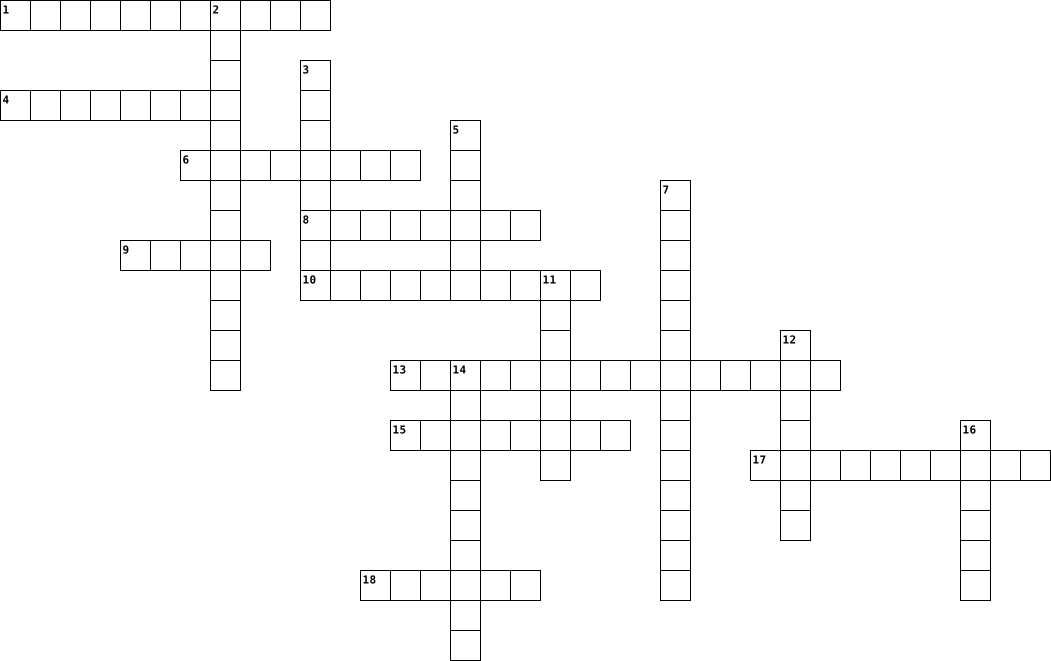
Across
- Software/group of programs designed for end users.
- physical parts of a computer
- That branch that focuses on the design,application, construction, and operation of robots.
- Computer___ instruction/ A system used to develop student's knowledge and skills that use computers.
- Computer ___/A computer program that replicates itself by changing the original programming and inserting its own coding.
- Buying, selling, or services online
- Group of computers with a common communication protocols over digital interconnections for sharing resources.
- Computer___/ a set of instructions that makes different types of outputs.
- Intelligence/A machine's intelligence.
- System/A computer system that makes decisions like a human expert.
Down
- Employees do not physically go to work.
- Computer instructions that tell the computer how to function.
- Computer____/Hardware and software setup
- Design/A computer that helps in the creation, modification, or analysis of the design.
- Processing unit/Electronic circuitry in a computer that executes instructions that makes up the programming.
- Instructions for a computer to perform a task.
- Information system/ Organizes data
- Stealing software
18 Clues: Stealing software • physical parts of a computer • Information system/ Organizes data • Buying, selling, or services online • Intelligence/A machine's intelligence. • Employees do not physically go to work. • Computer____/Hardware and software setup • Instructions for a computer to perform a task. • Software/group of programs designed for end users. • ...
TECNOLOGIA E INOVAÇÃO 2022-03-28

Across
- “Periférico que exibe os dados processados na máquina.”
- “Trata-se do sistema operacional para mobile mais utilizado na atualidade.”
- “Conjunto de instruções programadas dentro de um software, que comanda a realização de atividades de acordo com as escolhas dos usuários.”
- “Memória rápida, de curto prazo, que é apagada com o desligamento da máquina, utilizada pelo processador para colocar os dados dos aplicativos em execução.”
- “Camada virtual que intermedia a comunicação entre o usuário e a máquina.”
- “Componente do hardware que conecta duas ou mais máquinas, estabelecendo uma rede. É essencial para a navegação web.”
- “Conjunto de placas, circuitos e componentes físicos de um equipamento de informática.”
- “Software cuja função é administrar e gerenciar os recursos de um sistema, o hardware, os arquivos e os aplicativos.”
- "Componente de hardware responsável por processar dados e transformar em informação, também chamado de CPU."
Down
- “Trata-se de um sistema operacional livre e gratuito, que pode ser adaptado para uso em desktop, mobile, servidores e outros eletrônicos.”
- “Pequeno software que dá instruções para o sistema operacional poder utilizar determinado hardware.”
- “Hardware utilizado em computadores e notebooks para o armazenamento a longo prazo dos aplicativos e arquivos.”
- “Hardware que conecta e interliga todos os demais hardwares da máquina.”
- “Periférico que converte a energia elétrica alternada em corrente contínua, necessária ao funcionamento do hardware.”
- “Trata-se de um sistema operacional de propriedade da Nokia que, durante muitos anos, foi referência no mercado mobile.”
- “Tipo de periférico, que pode ser virtual ou físico, de entrada de informações no qual podem ser configurados atalhos para certas tarefas (como Crtl+C e Ctrl+V).”
- “Softwares que executam as tarefas específicas que o usuário necessita, como navegar na internet, digitar textos, enviar mensagens, editar fotos, etc.”
- “Trata-se do sistema operacional para desktop mais utilizado nas últimas décadas.”
18 Clues: “Periférico que exibe os dados processados na máquina.” • “Hardware que conecta e interliga todos os demais hardwares da máquina.” • “Camada virtual que intermedia a comunicação entre o usuário e a máquina.” • “Trata-se do sistema operacional para mobile mais utilizado na atualidade.” • ...
Grade 9 Introduction to IT Revision 2024-05-20

Across
- Software designed to help the user perform specific tasks
- organized data
- Display screen for a computer
- Input device used for typing
- Raw unprocessed facts
- Software that is modified to meet specific user requirements
- Handheld device used to draw or select objects directly on a screen
- Software that manages computer hardware and software resources
- Device that scans barcodes for product information
- Suite of applications designed to work together seamlessly
- Pointing device used to interact with a computer
- The physical components of a computer system
- Entering data into the computer
- The act of manipulating data by a computer
- Type of system designed for specific control functions within a larger system
- instructions that tell the computer what to do and how to do it
Down
- Software designed to help analyze, configure, optimize, or maintain a computer
- Device used to read characters printed with magnetic ink, often used in banking
- Large, powerful computer often used by corporations for bulk data processing
- Device that converts different types of documents, such as scanned paper documents or PDFs, into editable and searchable data
- Software designed to perform a specific task or set of tasks
- Device used to detect marks made on paper, such as standardized tests
- The fastest, most powerful type of computer used for complex calculations
- Software designed to provide a platform for other software
- Information produced by a computer
- Pre-made software available to the general public
- Device that produces hard copies from a computer
- Device that converts physical documents into digital format
- Software developed specifically for a user or organization
- Portable computing device like a smartphone or tablet
- Software designed to perform a broad range of tasks
- Where data is saved for future use
- Personal computer designed for regular use at a single location
33 Clues: organized data • Raw unprocessed facts • Input device used for typing • Display screen for a computer • Entering data into the computer • Information produced by a computer • Where data is saved for future use • The act of manipulating data by a computer • The physical components of a computer system • Device that produces hard copies from a computer • ...
01 Computer Terms 2016-11-30
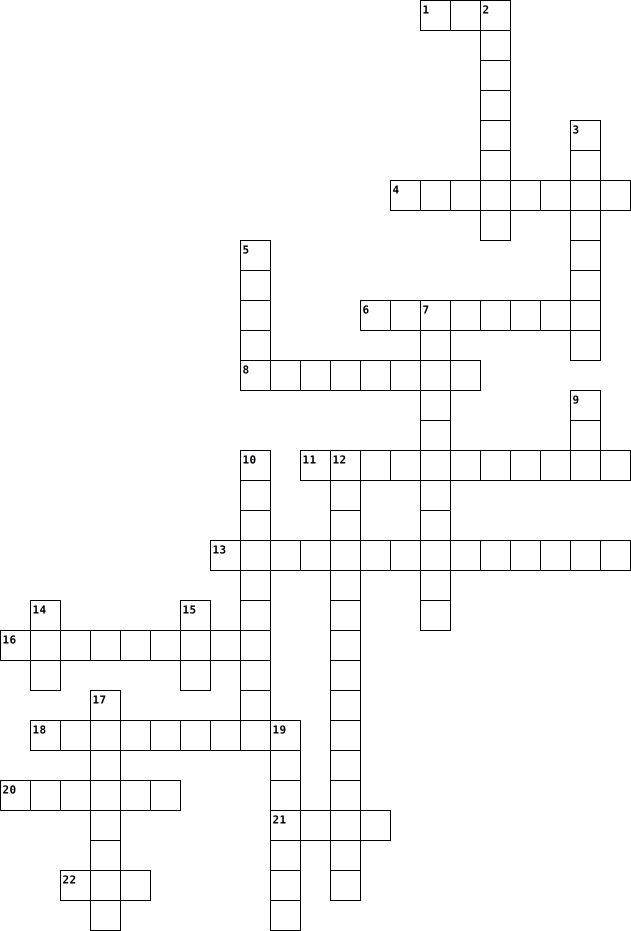
Across
- stores data internally
- keyboard, mouse, touchscreen, microphone
- approx 1 million bytes of data
- Controls CPU Process
- zero or one
- physical components
- graphical user interface
- applications that run on computer hardware
- interface between the user and the computer hardware
- temporary memory
- brains of the computer
Down
- approx 1 trillion bytes of data
- language of the Computer System
- external device that provides input and output for a computer
- holds computer components, often green
- approx 1 quintillion bytes of data
- electronic device that receives data and processes data
- Input, Process, Output, Storage
- 7 bits of data
- permanent memory
- connects computer to internet
- documents on the screen
22 Clues: zero or one • 7 bits of data • permanent memory • temporary memory • physical components • Controls CPU Process • stores data internally • brains of the computer • documents on the screen • graphical user interface • connects computer to internet • approx 1 million bytes of data • approx 1 trillion bytes of data • language of the Computer System • Input, Process, Output, Storage • ...
Computer Fun 2014-10-30

Across
- unique address
- spraying liquid
- client software
- specific markets to target
- plastic stick
- leaves dots
- combinations of hardware, software
- compare
- collection of people, hardware
- user ID
- electronic messages
- check balances
- Attachment
- use of wireless devices
- Transaction Processing System
- gather information
- coupon aggregators
- ongoing process
- realtime images
- person plan, builds
- translates domain names
- massive interconnection
- main circuit
- business activities electronically
- output device
Down
- Internet application software
- use of diagrams
- long term memory
- Simplify the sharing of information
- single theme
- one-dimensional input device
- on the job decisions
- small model
- Trusted third-party
- secure
- Form of e government
- single electronic document
- computer machinery
- hyper media document
- Head up a team
- tactical decisions
- recordable compact disk
- webpage URLs
- ShopLaTiDa
- backbone
- embedded microchip
- Mobile ad impressions
- Subset of e-commerce
- e-commerce infrastructure
- main controlling program
50 Clues: secure • compare • user ID • backbone • Attachment • ShopLaTiDa • leaves dots • small model • single theme • webpage URLs • main circuit • plastic stick • output device • unique address • check balances • Head up a team • use of diagrams • spraying liquid • client software • ongoing process • realtime images • long term memory • computer machinery • tactical decisions • gather information • embedded microchip • ...
Informatika soal 2026-04-15

Across
- Simpan online?
- Bahasa coding?
- Sistem operasi?
- Simpan data?
- Memori sementara?
- Hapus data?
- Alat cetak?
- Masuk data?
- Halaman internet?
- Gerak kursor?
Down
- Perangkat keras?
- Layar sentuh?
- Lawan hardware?
- Mesin pencari?
- Jaringan global?
- Program komputer?
- Alat tampil gambar?
- Alat ketik?
- Bahasa web?
- Otak komputer?
20 Clues: Alat ketik? • Hapus data? • Alat cetak? • Masuk data? • Bahasa web? • Simpan data? • Layar sentuh? • Gerak kursor? • Simpan online? • Bahasa coding? • Mesin pencari? • Otak komputer? • Lawan hardware? • Sistem operasi? • Perangkat keras? • Jaringan global? • Program komputer? • Memori sementara? • Halaman internet? • Alat tampil gambar?
ICT CROSSWORD PUZZLE 2014-03-20

Across
- hardware
- intangible
- software
- palmtopcomputer
Down
- tangible
- personalcomputer
- 1,000,000,000
- hardware
- collectionofinformation
- portable
- numerickeypad
11 Clues: tangible • hardware • hardware • software • portable • intangible • 1,000,000,000 • numerickeypad • palmtopcomputer • personalcomputer • collectionofinformation
BASIC ICT CONCEPTS 2024-09-27

Across
- NETWORK
- FIREWALL
- DATABASE
- INTERNET
Down
- ALGORITHM
- ENCRYPTION
- HARDWARE
- SOFTWARE
- BROWSER
- CLOUD
10 Clues: CLOUD • NETWORK • BROWSER • HARDWARE • SOFTWARE • FIREWALL • DATABASE • INTERNET • ALGORITHM • ENCRYPTION
Computer Systems 2022-10-25

Across
- A software application that us used to create and deliver presentations is called?
- Data which is entered into a system from a piece of hardware for processing is called?
- The parts of the computer we can see and touch is called?
- Which Hardware is used to type text into a computer?
- A computer hardware that displays the video and graphics information is called?
Down
- Which hardware lets you select or make choices on a computer?
- Information that is sent out of a system is called?
- Programs that give instructions to the computer are called?
- A combination of both hardware and software working together is called?
9 Clues: Information that is sent out of a system is called? • Which Hardware is used to type text into a computer? • The parts of the computer we can see and touch is called? • Programs that give instructions to the computer are called? • Which hardware lets you select or make choices on a computer? • ...
Basic ICT Concepts 2024-09-27

Across
- NETWORK
- FIREWALL
- DATABASE
- INTERNET
Down
- ALGORITHM
- ENCRYPTION
- HARDWARE
- SOFTWARE
- BROWSER
- CLOUD
10 Clues: CLOUD • NETWORK • BROWSER • HARDWARE • SOFTWARE • FIREWALL • DATABASE • INTERNET • ALGORITHM • ENCRYPTION
GMetrix Word Search 2025-04-28

Across
- Wireless technology that connects devices to the internet.
- The physical parts of a computer you can touch.
- Device A device used to send information to a computer (ex: keyboard).
- A machine that follows instructions to complete tasks.
- Computing Storing and accessing data over the internet instead of a hard drive.
- Programs and other operating information used by a computer.
- Device Equipment used to store data (ex: USB drive).
- A global system of connected computer networks.
Down
- System The software that manages a computer’s hardware and software (ex: Windows).
- A system that blocks unauthorized access to a network.
- Device A device that receives information from a computer (ex: printer).
- A group of computers connected to share information.
- Software used to access and view websites (ex: Chrome).
- The "brain" of the computer that carries out instructions.
- A harmful program designed to damage a computer.
15 Clues: The physical parts of a computer you can touch. • A global system of connected computer networks. • A harmful program designed to damage a computer. • A group of computers connected to share information. • Device Equipment used to store data (ex: USB drive). • A system that blocks unauthorized access to a network. • ...
Computer Terms--Ava Barthalow 2020-10-09

Across
- where your software, documents, and other files are stored
- any part of the computer that has physical structure; the parts that make up the computer
- an electronic device that has the ability to store, retrieve, and process data
- any hardware that sends data to a computer (mouse, keyboard, touch screen, webcam, microphone)
- software that allows you to perform a specific task
- be changed (holds programs and boot up information)
- the computer's main circuit board that holds the CPU, memory, connectors, cards, and connections to your computer's RandomAccessMemory short-term memory, it temporarily stores the data until it is neededReadOnlyMemory a storage medium that is used to store memory permanently and canGraphicalUserInterface lets you use your mouse to click icons, buttons, and menus displayed on the screen
Down
- the brain of the computer that controls all other parts and carries out commands
- any set of instructions that tells the hardware what to do and how to do itWebBrowser a tool you use to access the internet (Google Chrome, Safari, Internet Explorer, Edge, Firefox)
- manages the computer's memory and processes, as well as all of its software and hardware (Windows, MacOS, Linux,
- any hardware receives data from a computer (printer, monitor, speaker, headphones)
- series of commandBinary two digits used to represent information using electricity; ones and zeros
12 Clues: software that allows you to perform a specific task • be changed (holds programs and boot up information) • where your software, documents, and other files are stored • an electronic device that has the ability to store, retrieve, and process data • the brain of the computer that controls all other parts and carries out commands • ...
ICT REVISION 2025-02-12

Across
- Reality A technology that immerses users in a simulated 3D environment
- Card A hardware component that enhances image rendering and video processing
- Memory The part of the computer that stores data and instructions currently in use
- A technology that converts printed text into digital text
- Card A device that processes audio data and improves sound quality
- Software embedded into hardware to control its functionality
- A branch of technology that enables machines to perform tasks that require human intelligence
- Mark Reader A device that detects marks on specially designed forms, such as answer sheets
- Stripe Reader A device used to read information stored on magnetic stripes, such as on bank cards
- A program that translates high-level code into machine code
- A visual-based interface that uses windows, icons, and menus
- An input and output device that allows users to interact by touching the display
- Non-volatile memory that stores essential system instructions
- An output device that produces sound from digital signals
- A type of computer that is stationary and typically used in offices
- Printer A device that creates three-dimensional objects by layering material
- An application software used for organizing and analyzing numerical data
- A portable computer with an integrated screen and keyboard
- Driver A system software that allows the operating system to communicate with hardware
- Programs that control a computer’s operations and processing of data
- A device that captures images or text from paper and converts it into a digital format
- Storage Non-volatile storage used for long-term data retention
- A portable touchscreen computing device, larger than a smartphone but smaller than a laptop
- The physical components of a computer system
- Storage A storage device that is connected to a computer externally for data backup
- The main circuit board that connects all components of a computer
- An output device that displays visual information on a screen
- A device that converts digital signals into mechanical movement
Down
- An output device used to produce high-quality vector graphics
- Projector A device that displays video and images onto a large screen
- and PIN A secure payment system that requires inserting a card and entering a PIN
- Based An operating system interface that responds to hand movements and touches
- A text-based user interface where commands are typed
- Volatile memory used for temporary data storage while a computer is running
- Small applications that run within a larger program or browser
- Software used for designing engineering and architectural models
- A system software that combines multiple object files into a single executable program
- Storage A remote storage system that allows users to save and access data online
- Software Software used to manage and automate industrial and mechanical processes
- The smallest unit of data in computing, represented as 0 or 1
- The main component responsible for processing instructions in a computer
- A communication pathway used to transfer data between computer components
- A system that detects marks made on a special form, often used in exams
- Line Interface A text-based interface used to interact with an operating system
- A hardware component that enables a computer to connect to a network
- User Interface An interface that allows users to interact with a computer using visual elements
- A mobile computing device with calling, internet, and app functionality
- System System software that manages hardware and software resources
- An input device commonly used for gaming and flight simulation
- The component of a computer that executes instructions to perform tasks
- A technology that uses radio waves to read and capture data stored in tags
- A group of 8 bits, used to store a single character of data
- A small, fast memory that stores frequently accessed data for quick retrieval
- A hybrid device between a smartphone and a tablet
- Reader A device that scans printed barcodes to retrieve information
- Printer A high-quality printer that uses toner and heat to produce prints
- Software Software that collects and analyzes data from sensors and instruments
- Matrix Printer A type of printer that uses pins to create characters on paper
- Scanner A device that scans Quick Response codes to retrieve information
59 Clues: The physical components of a computer system • A hybrid device between a smartphone and a tablet • A text-based user interface where commands are typed • A technology that converts printed text into digital text • An output device that produces sound from digital signals • A portable computer with an integrated screen and keyboard • ...
Introduction to Video Game Design Crossword 2024-11-07

Across
- general idea
- Compatibility ability to run the same hardware or software as an older model of a device
- various types of programs used to create and interact with applications
- Reality three-dimensional images or interactions in which the gamer accepts as a real environment
- controls the video games through various instruments
- process of sharing and delivering video games
- Systems initial program allowing software to communicate with hardware
- information which describes every aspect of game design from start to finish
Down
- carries out instruction given to the gaming system
- manages the various systems of the gaming system
- Compatibility devices which plans for future versions
- electronic circuit which accepts and processes arithmetic and logic operations
- can be erased and re-programmed multiple times
- means of interaction
- Formats way in which information and organization of data is stored in a computer
- creation of background and scenery
- makes up the arrangement of the game in order to make it understandable to the player
- advertisement, promotion or selling of a product
- conversation between two people or characters
- fictional figure representation
- network of software and services used to run various applications through the Internet
- Memory used to store data permanently on the device
22 Clues: general idea • means of interaction • fictional figure representation • creation of background and scenery • conversation between two people or characters • process of sharing and delivering video games • can be erased and re-programmed multiple times • manages the various systems of the gaming system • advertisement, promotion or selling of a product • ...
Computer Systems 2024-12-13

Across
- Short for ‘binary digit’; one 0 or a 1.
- Software used for general tasks such as work and entertainment.
- Parts of a computer that you can touch.
- The part of a computer that performs calculations and carries out instructions.
- A logic gate that accepts only one input; the output will always be the opposite of the input.
- A form of algebra where all values are reduced to either true or false.
- A program that can learn from data and experiences, letting it mimic the way humans make decisions. e.g. understanding speech.
- A device that is able to gather data from its surroundings to respond to or record.
- Software that manages and oversees (looks after) the computer system (both the hardware and software), e.g. the operating system, antivirus, system settings.
- Digital image made from objects placed on a computer screen.
- Software that can identify (spot) similarities in lines, colours, textures and shapes of an image, which is used to tell what an object in an image is.
- A set of instructions that tell a computer what to do.
- The way that users and computer systems communicate.
Down
- A device in a computer that controls the flow of electricity; it is used to make decisions.
- Working (alone) without human help.
- Short for 'picture element'. The smallest unit of a digital image or of a computer screen.
- Information that is stored using 1s and 0s.
- A number system that uses 0s and 1s, that is used to represent data in computer systems.
- One 1 or 0.
- A type of systems software that manages the hardware and software resources on a device.
- Information that is continuous/smooth.
- A logic gate that accepts two inputs and will output a 1 (or TRUE) value when either of the inputs is a 1 (TRUE).
- A digital image made using a grid of pixels.
- The total number of pixels on a screen.
- A logic gate that accepts two inputs and will output a 1 (or TRUE) value only if both inputs are a 1 (TRUE).
25 Clues: One 1 or 0. • Working (alone) without human help. • Information that is continuous/smooth. • Short for ‘binary digit’; one 0 or a 1. • Parts of a computer that you can touch. • The total number of pixels on a screen. • Information that is stored using 1s and 0s. • A digital image made using a grid of pixels. • The way that users and computer systems communicate. • ...
Hardware 2021-05-16

Across
- input, ,output
- application software
- centralised computer
- raw facts
- orgainised facts
- biometric
- input type
- programs
- embedded operating system
- synchronize
Down
- touch
- drive
- only memory
- access memory
- state drive
- universal serial bus
- android operating system
- operating system
- scanner
- output type
20 Clues: touch • drive • scanner • programs • raw facts • biometric • input type • only memory • state drive • output type • synchronize • access memory • input, ,output • orgainised facts • operating system • application software • centralised computer • universal serial bus • android operating system • embedded operating system
Computer Fun 2014-10-30

Across
- main controlling program
- combinations of hardware, software
- embedded microchip
- Simplify the sharing of information
- business activities electronically
- translates domain names
- Internet application software
- use of wireless devices
- single electronic document
- person plan, builds
- collection of people, hardware
- on the job decisions
- Attachment
- webpage URLs
- recordable compact disk
- one-dimensional input device
- electronic messages
- gather information
- compare
- plastic stick
- e-commerce infrastructure
- small model
- spraying liquid
- Form of e government
- use of diagrams
- single theme
- leaves dots
Down
- coupon aggregators
- tactical decisions
- computer machinery
- ongoing process
- ShopLaTiDa
- Transaction Processing System
- specific markets to target
- unique address
- Trusted third-party
- massive interconnection
- user ID
- backbone
- hyper media document
- Mobile ad impressions
- Head up a team
- secure
- output device
- long term memory
- main circuit
- check balances
- realtime images
- Subset of e-commerce
- client software
50 Clues: secure • user ID • compare • backbone • ShopLaTiDa • Attachment • small model • leaves dots • webpage URLs • main circuit • single theme • output device • plastic stick • unique address • Head up a team • check balances • ongoing process • realtime images • spraying liquid • use of diagrams • client software • long term memory • tactical decisions • computer machinery • embedded microchip • gather information • ...
Computer and internet terms 2024-05-21

Across
- The physical components that make up a computer system.
- device: A hardware component that is used to provide data or instructions to a computer or information processing system.
- memory: Hardware components used to store data, programs, and information for later use. Examples include hard drives, solid-state drives, floppy disks, etc.
- system: The core software that controls the computer's basic functions and allows other software to run.
- engine: A web-based tool that allows users to find information on the internet by searching for specific keywords, phrases, or topics.
- A software program designed to perform a specific task or function, such as a web browser, word processor, or spreadsheet.
- A computer is a device that accepts information (in the form of digitized data) and manipulates it for some result based on a program, software, or sequence of instructions on how the data is to be processed.
- a battery- or AC-powered personal computer (PC) smaller than a briefcase.
- the top surface of a desk. also : an area or window on a computer screen in which icons are arranged in a manner analogous to objects on top of a desk. 2. : a desktop computer.
- A physical interface on a computer or other device where a cable can be connected to allow communication and the flow of data.
Down
- menu: A feature in software programs that provides information, instructions, and troubleshooting assistance to the user.
- The main memory in a computer where programs and data are stored temporarily while the computer is running.
- drive: A portable, rewritable, and compact data storage device that connects to a computer's USB port.
- A global network of interconnected computer networks that enables the exchange of data and communication between devices worldwide.
- page: The main web page of a website that serves as the entry point for users to access the website's content and navigate to other pages.
- safety rules: Guidelines and best practices to ensure online safety and security, such as using strong passwords, being cautious of suspicious links/emails, and protecting personal information.
- A software application used to access and navigate the World Wide Web, displaying web pages and allowing users to interact with online content.
- box: The input field within a search engine where users can enter their search queries.
- the large cabinet or 'main frame' that held the central processing unit (CPU) of early computer systems.
- The programs and applications that run on a computer and provide functionality.
- The electronic circuitry that executes instructions comprising a computer program, performing basic arithmetic, logic, controlling, and input/output operations.
- An output device, usually a display screen, that shows the visual output from a computer.
- device: A hardware component that is used to display, print, or present information from a computer.
- A set of wires bundled together to transmit data, power, or signals between electronic devices.
- An optical data storage medium that can be used to store files, software, music, and other digital content
25 Clues: The physical components that make up a computer system. • a battery- or AC-powered personal computer (PC) smaller than a briefcase. • The programs and applications that run on a computer and provide functionality. • box: The input field within a search engine where users can enter their search queries. • ...
Computer and internet terms 2024-05-21

Across
- The physical components that make up a computer system.
- device: A hardware component that is used to provide data or instructions to a computer or information processing system.
- memory: Hardware components used to store data, programs, and information for later use. Examples include hard drives, solid-state drives, floppy disks, etc.
- system: The core software that controls the computer's basic functions and allows other software to run.
- engine: A web-based tool that allows users to find information on the internet by searching for specific keywords, phrases, or topics.
- A software program designed to perform a specific task or function, such as a web browser, word processor, or spreadsheet.
- A computer is a device that accepts information (in the form of digitized data) and manipulates it for some result based on a program, software, or sequence of instructions on how the data is to be processed.
- a battery- or AC-powered personal computer (PC) smaller than a briefcase.
- the top surface of a desk. also : an area or window on a computer screen in which icons are arranged in a manner analogous to objects on top of a desk. 2. : a desktop computer.
- A physical interface on a computer or other device where a cable can be connected to allow communication and the flow of data.
Down
- menu: A feature in software programs that provides information, instructions, and troubleshooting assistance to the user.
- The main memory in a computer where programs and data are stored temporarily while the computer is running.
- drive: A portable, rewritable, and compact data storage device that connects to a computer's USB port.
- A global network of interconnected computer networks that enables the exchange of data and communication between devices worldwide.
- page: The main web page of a website that serves as the entry point for users to access the website's content and navigate to other pages.
- safety rules: Guidelines and best practices to ensure online safety and security, such as using strong passwords, being cautious of suspicious links/emails, and protecting personal information.
- A software application used to access and navigate the World Wide Web, displaying web pages and allowing users to interact with online content.
- box: The input field within a search engine where users can enter their search queries.
- the large cabinet or 'main frame' that held the central processing unit (CPU) of early computer systems.
- The programs and applications that run on a computer and provide functionality.
- The electronic circuitry that executes instructions comprising a computer program, performing basic arithmetic, logic, controlling, and input/output operations.
- An output device, usually a display screen, that shows the visual output from a computer.
- device: A hardware component that is used to display, print, or present information from a computer.
- A set of wires bundled together to transmit data, power, or signals between electronic devices.
- An optical data storage medium that can be used to store files, software, music, and other digital content
25 Clues: The physical components that make up a computer system. • a battery- or AC-powered personal computer (PC) smaller than a briefcase. • The programs and applications that run on a computer and provide functionality. • box: The input field within a search engine where users can enter their search queries. • ...
Computer Basics 2024-07-08

Across
- The name of the browser we use.
- Antivirus is an example of this kind of software.
- The file format we will use most in this class.
- Project format used by photoshop.
- A hard drive is an example of this kind of peripheral.
- Fortnight is an example of this kind of software.
Down
- Software responsible for managing a computer and its hardware.
- The name for Apple's file managing utility software.
- A projector is an example of this kind of peripheral.
- An image file that can not save transparency.
- Any part of a computer you can not touch.
- Any part of a computer that you can touch.
- A file format that can be opened in many different programs.
- Image file format that can save transparency.
- A file format that is specific to a program. Can be used to save something you want to go back and edit later.
- A keyboard is an example of this kind of peripheral.
16 Clues: The name of the browser we use. • Project format used by photoshop. • Any part of a computer you can not touch. • Any part of a computer that you can touch. • An image file that can not save transparency. • Image file format that can save transparency. • The file format we will use most in this class. • Antivirus is an example of this kind of software. • ...
Computers Cyniia Hough 2020-09-30

Across
- hardware that stores information then processes it
- sends signals to control the other parts of the computer
- famous software available for all devices but mostly android
- plays media like music and movies
- famous software only used on Apple devices
- software that helps analyze configure optimize or maintain a computer
- a video communication software available on all devices mostly popular in 2012
- conceived the first automatic digital computer
- displays output videos and other graphics
- a software game that allows you to craft and mine in caves
- that allows a user to run crucial application that allows a user to run applications on his/her computing device
- center of the network
- connects to the motherboard of a computer system and generates output images to display
- a solid-state storage device that uses integrated circuit assemblies to store data persistently, typically using flash memory, and functioning as secondary storage in the hierarchy of computer storage
- how to tell your computer things
Down
- oldest known device used to calculate and display information about astronomical phenomena
- software program designed to perform tasks such as processing program code to machine code
- used to save software and files
- helped develop one of the first high level programming languages
- a video communication software only
- hardware website thats made by the same company as google
- computer scientist who worked on SmallTalk
- computernetwork that extends over a large geog
- a hand-held pointing device that detects two dimensional motion relative to a surface
- first computer ever made
- a printed circuit board containing the principal components of a computer or other device
- a computer that is portable and suitable for use while traveling
- how your computer remembers things
- how your computer taqlks to you
- how a computer tells you things
- worked on the worlds first fully operational storedprogram electromechanical computer
31 Clues: center of the network • first computer ever made • used to save software and files • how your computer taqlks to you • how a computer tells you things • how to tell your computer things • plays media like music and movies • how your computer remembers things • a video communication software only • displays output videos and other graphics • ...
Crossword on Handouts 1-3 2020-11-02

Across
- hardware that needs ink and paper
- protects during power outage (2 words)
- Microchips are made of this substance
- computer screen
- Data is stored in this
- to find out what's wrong
- another name for the CPU
- personal digital assistant acronym
- hardware that allows you to type data
- a pen to write on a tablet
- slots that connect external devices to computer
- parts of the computer you can touch
Down
- eg a computer in a microwave or car ignition
- The CPU is found on one of these
- start computer again
- fastest and most expensive computer
- another name for a PC
- Tom is a cat and Jerry is one of these!
- Opposite of hardware
- "brain" of the computer (3 words)
- connects to every part of the computer
21 Clues: computer screen • start computer again • Opposite of hardware • another name for a PC • Data is stored in this • to find out what's wrong • another name for the CPU • a pen to write on a tablet • The CPU is found on one of these • hardware that needs ink and paper • "brain" of the computer (3 words) • fastest and most expensive computer • personal digital assistant acronym • ...
19EAC302-Embedded systems Design - Oct 2024 2024-10-23

Across
- ---- bus is bidirectional and is used to send and receive data to and from I/O device or memory.
- ------Is A Small Computer On A Single Integrated Circuit Containing A Processor Core, Memory, And Programmable Input/Output Peripherals.
- ----processor can execute more than one instruction during a clock cycle by simultaneously dispatching multiple instructions to different execution units on the processor.
- One ---- of data is stored in one location in one memory location
- -----are the inputs to the embedded systems(plural)
- This Area Of Microprocessor Will Perform Various Computing Functions Such As Arithmetic Operations
- A Program that converts source code to object code
- ----is a software for debuggind which is similar to the microprocessor which imitates the hardware
Down
- small (8-Bit or 16-bit or 32 bit) storage elements found inside the CPU(plural)
- ----Language is the language that the processor (hardware) can directly understand.
- A type of memory that retains data even when the power is turned off.
- ------ Software Defines The Way The System Works and Supervises The Application Software
- ----- memory is a small and fast memory very near to the CPU to speed up the processor
- ----is a common way to increase the instruction throughput of a microprocessor by executing instructions simultaneously
- ------is the number of Tasks completed Per Second
- ----Architecture working on Single instruction and multiple data
- ----- systems are devices that consist of hardware and software components to perform a designated function.
- The processor needs this to Synchronize and sequence all internal operations
- Each location in Memory is identified by a unique -----.
- ----processor is one in which embedded system programs are written, debugged and developed
20 Clues: ------is the number of Tasks completed Per Second • A Program that converts source code to object code • -----are the inputs to the embedded systems(plural) • Each location in Memory is identified by a unique -----. • ----Architecture working on Single instruction and multiple data • One ---- of data is stored in one location in one memory location • ...
Computer terms 2026-01-08

Across
- High-speed memory built into the CPU
- Security chip used for encryption and system integrity
- The "brain" of the computer that performs instructions
- Core software of the operating system that manages hardware
- Firmware that starts the computer during boot
- Non-volatile storage that uses flash memory
- Heat-based printer commonly used for receipts
- Software that allows the operating system to communicate hardware
Down
- Central circuit board that connects all components
- Powder-based ink used in laser printers
- Converts AC power to DC power for computer components
- Device that converts physical actions into digital signals
- Device that displays visual output from the computer
- Temporary, volatile memory used to story active programs
- The part of the CPU that performs math and logic operations
- Hardware that enables network connectivity
16 Clues: High-speed memory built into the CPU • Powder-based ink used in laser printers • Hardware that enables network connectivity • Non-volatile storage that uses flash memory • Firmware that starts the computer during boot • Heat-based printer commonly used for receipts • Central circuit board that connects all components • ...
Tech 2025-11-03

Across
- → The physical components of a computer system.
- System (OS) → The main system software that manages all hardware and software.
- / Internet → A collection of web pages accessible through the internet.
- → A programming language named after a type of snake.
- → A popular programming language named after coffee.
- → Process of converting data into a secret code for protection.
- → A mistake or flaw in a program that causes errors.
- → An electronic device used to process data and perform tasks.
- → Technology that allows wireless internet connection.
- → The brain of the computer that performs all operations.
Down
- → Portable storage device that connects through a USB port.
- → A feature that turns your device into an internet access point.
- → A malicious program that can harm your computer.
- → Programs and applications that run on a computer.
- → A portable version of a computer.
- → The part of the CPU that performs calculations and logic.
- → A device that connects and directs data between networks.
- → A keyword used to exit a loop in programming.
- → A tiny electronic component inside circuits or processors.
- → An integrated circuit that performs computation and logic operations.
20 Clues: → A portable version of a computer. • → The physical components of a computer system. • → A keyword used to exit a loop in programming. • → A malicious program that can harm your computer. • → Programs and applications that run on a computer. • → A popular programming language named after coffee. • → A mistake or flaw in a program that causes errors. • ...
Hardware 2021-05-16

Across
- input, ,output
- application software
- centralised computer
- raw facts
- orgainised facts
- biometric
- input type
- programs
- embedded operating system
- synchronize
Down
- touch
- drive
- only memory
- access memory
- state drive
- universal serial bus
- android operating system
- operating system
- scanner
- output type
20 Clues: touch • drive • scanner • programs • raw facts • biometric • input type • only memory • state drive • output type • synchronize • access memory • input, ,output • orgainised facts • operating system • application software • centralised computer • universal serial bus • android operating system • embedded operating system
engineering 2026-03-18

Across
- Design telecommunications
- Health Care
- lasers
- aircrafts
- Design robots
- Design Networks
- Data Centers
- toothpaste
- Make software
- oil rigs
- knowlage based systems
Down
- systems to reduce waste
- Machinery
- Design highway systems
- Systems make anti-air weapons
- coding
- computer systems
- tunnels
- Turbines
- wiring
20 Clues: coding • lasers • wiring • tunnels • Turbines • oil rigs • Machinery • aircrafts • toothpaste • Health Care • Data Centers • Design robots • Make software • Design Networks • computer systems • Design highway systems • knowlage based systems • systems to reduce waste • Design telecommunications • Systems make anti-air weapons
TEKA TEKI SILANG TUGAS ITT 2023-10-04

Across
- perangkat software yang berfungsi sebagai browser
- Microsoft yang berfungsi dalam membuat presentasi secara offline
- aplikasi/software untuk membuat presentasi, poster, secara online
- surat elektronik, berfungsi mengirim email yang berbasis google
- Perangkat yang berfungsi sebagai otak komputer
- hardware yang berfungsi mengarahkan kursor
- papan ketik pada perangkat komputer
- perangkat keras
- bentuk diagram flowchart untuk menggambarkan process
Down
- perangkat lunak
- perangkat output
- Microsoft yang berfungsi mengolah angka
- perangkat untuk menyimpan file dalam komputer
- perangkat CPU yang berfungsi mendinginkan
- layar perangkat output yang berfungsi mengeluarkan gambar pada komputer
- central processing unit
- rumus Excel untuk menjumlahkan seluruh angka
- rumus pada Excel untuk membuat rata rata
- diagram yang menggambarkan algoritma
- Microsoft yang berfungsi mengolah data(membuat proposal, artikel, dll)
- artificial intelegence
21 Clues: perangkat lunak • perangkat keras • perangkat output • artificial intelegence • central processing unit • papan ketik pada perangkat komputer • diagram yang menggambarkan algoritma • Microsoft yang berfungsi mengolah angka • rumus pada Excel untuk membuat rata rata • perangkat CPU yang berfungsi mendinginkan • hardware yang berfungsi mengarahkan kursor • ...
Computer Fun 2014-10-30

Across
- unique address
- spraying liquid
- client software
- specific markets to target
- plastic stick
- leaves dots
- combinations of hardware, software
- compare
- collection of people, hardware
- user ID
- electronic messages
- check balances
- Attachment
- use of wireless devices
- Transaction Processing System
- gather information
- coupon aggregators
- ongoing process
- realtime images
- person plan, builds
- translates domain names
- massive interconnection
- main circuit
- business activities electronically
- output device
Down
- Internet application software
- use of diagrams
- long term memory
- Simplify the sharing of information
- single theme
- one-dimensional input device
- on the job decisions
- small model
- Trusted third-party
- secure
- Form of e government
- single electronic document
- computer machinery
- hyper media document
- Head up a team
- tactical decisions
- recordable compact disk
- webpage URLs
- ShopLaTiDa
- backbone
- embedded microchip
- Mobile ad impressions
- Subset of e-commerce
- e-commerce infrastructure
- main controlling program
50 Clues: secure • compare • user ID • backbone • Attachment • ShopLaTiDa • leaves dots • small model • single theme • webpage URLs • main circuit • plastic stick • output device • unique address • check balances • Head up a team • use of diagrams • spraying liquid • client software • ongoing process • realtime images • long term memory • computer machinery • tactical decisions • gather information • embedded microchip • ...
Computer Fun 2014-10-30

Across
- unique address
- spraying liquid
- client software
- specific markets to target
- plastic stick
- leaves dots
- combinations of hardware, software
- compare
- collection of people, hardware
- user ID
- electronic messages
- check balances
- Attachment
- use of wireless devices
- Transaction Processing System
- gather information
- coupon aggregators
- ongoing process
- realtime images
- person plan, builds
- translates domain names
- massive interconnection
- main circuit
- business activities electronically
- output device
Down
- Internet application software
- use of diagrams
- long term memory
- Simplify the sharing of information
- single theme
- one-dimensional input device
- on the job decisions
- small model
- Trusted third-party
- secure
- Form of e government
- single electronic document
- computer machinery
- hyper media document
- Head up a team
- tactical decisions
- recordable compact disk
- webpage URLs
- ShopLaTiDa
- backbone
- embedded microchip
- Mobile ad impressions
- Subset of e-commerce
- e-commerce infrastructure
- main controlling program
50 Clues: secure • compare • user ID • backbone • Attachment • ShopLaTiDa • leaves dots • small model • single theme • webpage URLs • main circuit • plastic stick • output device • unique address • check balances • Head up a team • use of diagrams • spraying liquid • client software • ongoing process • realtime images • long term memory • computer machinery • tactical decisions • gather information • embedded microchip • ...
Computer Fun 2014-10-30

Across
- unique address
- spraying liquid
- client software
- specific markets to target
- plastic stick
- leaves dots
- combinations of hardware, software
- compare
- collection of people, hardware
- user ID
- electronic messages
- check balances
- Attachment
- use of wireless devices
- Transaction Processing System
- gather information
- coupon aggregators
- ongoing process
- realtime images
- person plan, builds
- translates domain names
- massive interconnection
- main circuit
- business activities electronically
- output device
Down
- Internet application software
- use of diagrams
- long term memory
- Simplify the sharing of information
- single theme
- one-dimensional input device
- on the job decisions
- small model
- Trusted third-party
- secure
- Form of e government
- single electronic document
- computer machinery
- hyper media document
- Head up a team
- tactical decisions
- recordable compact disk
- webpage URLs
- ShopLaTiDa
- backbone
- embedded microchip
- Mobile ad impressions
- Subset of e-commerce
- e-commerce infrastructure
- main controlling program
50 Clues: secure • compare • user ID • backbone • Attachment • ShopLaTiDa • leaves dots • small model • single theme • webpage URLs • main circuit • plastic stick • output device • unique address • check balances • Head up a team • use of diagrams • spraying liquid • client software • ongoing process • realtime images • long term memory • computer machinery • tactical decisions • gather information • embedded microchip • ...
Foc3 2020-07-09

Across
- Acarreo
- Estado
- Diagrama_de_Transiciones
- Máquina_de_Turing
- Alfabeto
Down
- Símbolo
- Hardware
- Tuplas
- Lenguaje
- Software
10 Clues: Tuplas • Estado • Símbolo • Acarreo • Hardware • Lenguaje • Software • Alfabeto • Máquina_de_Turing • Diagrama_de_Transiciones
Computer Systems 2022-10-25

Across
- A software application that us used to create and deliver presentations is called?
- Which hardware lets you select or make choices on a computer?
- Programs that give instructions to the computer are called?
Down
- A combination of both hardware and software working together is called?
- The parts of the computer we can see and touch is called?
- Data which is entered into a system from a piece of hardware for processing is called?
- Which Hardware is used to type text into a computer?
- A computer hardware that displays the video and graphics information is called?
- Information that is sent out of a system is called?
9 Clues: Information that is sent out of a system is called? • Which Hardware is used to type text into a computer? • The parts of the computer we can see and touch is called? • Programs that give instructions to the computer are called? • Which hardware lets you select or make choices on a computer? • ...
Computer and internet terms 2024-05-21

Across
- A set of wires bundled together to transmit data, power, or signals between electronic devices.
- drive: A portable, rewritable, and compact data storage device that connects to a computer's USB port.
- A software program designed to perform a specific task or function, such as a web browser, word processor, or spreadsheet.
- system: The core software that controls the computer's basic functions and allows other software to run.
- safety rules: Guidelines and best practices to ensure online safety and security, such as using strong passwords, being cautious of suspicious links/emails, and protecting personal information.
- box: The input field within a search engine where users can enter their search queries.
- page: The main web page of a website that serves as the entry point for users to access the website's content and navigate to other pages.
- the large cabinet or 'main frame' that held the central processing unit (CPU) of early computer systems.
- The programs and applications that run on a computer and provide functionality.
- A physical interface on a computer or other device where a cable can be connected to allow communication and the flow of data.
- A computer is a device that accepts information (in the form of digitized data) and manipulates it for some result based on a program, software, or sequence of instructions on how the data is to be processed.
- A software application used to access and navigate the World Wide Web, displaying web pages and allowing users to interact with online content.
- The main memory in a computer where programs and data are stored temporarily while the computer is running.
Down
- the top surface of a desk. also : an area or window on a computer screen in which icons are arranged in a manner analogous to objects on top of a desk. 2. : a desktop computer.
- An optical data storage medium that can be used to store files, software, music, and other digital content
- The physical components that make up a computer system.
- The electronic circuitry that executes instructions comprising a computer program, performing basic arithmetic, logic, controlling, and input/output operations.
- a battery- or AC-powered personal computer (PC) smaller than a briefcase.
- An output device, usually a display screen, that shows the visual output from a computer.
- device: A hardware component that is used to display, print, or present information from a computer.
- memory: Hardware components used to store data, programs, and information for later use. Examples include hard drives, solid-state drives, floppy disks, etc.
- menu: A feature in software programs that provides information, instructions, and troubleshooting assistance to the user.
- device: A hardware component that is used to provide data or instructions to a computer or information processing system.
- engine: A web-based tool that allows users to find information on the internet by searching for specific keywords, phrases, or topics.
- A global network of interconnected computer networks that enables the exchange of data and communication between devices worldwide.
25 Clues: The physical components that make up a computer system. • a battery- or AC-powered personal computer (PC) smaller than a briefcase. • The programs and applications that run on a computer and provide functionality. • box: The input field within a search engine where users can enter their search queries. • ...
Foc3 2020-07-13

Across
- hardware
- rom
- software
- assembly_language_program
Down
- pentium
- ram
- execution_unit
- ascii
- binary_arithmetic
- processor
10 Clues: ram • rom • ascii • pentium • hardware • software • processor • execution_unit • binary_arithmetic • assembly_language_program
CS-1234 2025-02-18

Across
- ACCUMULATOR
- SOFTWARE
- ALU
- IPADDRESS
- REGISTER
- DATABBUS
Down
- CONTROLBUS
- HARDWARE
- MACADDDRESS
- CU
10 Clues: CU • ALU • HARDWARE • SOFTWARE • REGISTER • DATABBUS • IPADDRESS • CONTROLBUS • MACADDDRESS • ACCUMULATOR
digital 2025-04-29

Across
- SECURITY
- INTERNET
- NETWORK
- HARDWARE
- ALGORITHM
Down
- TECHNOLOGY
- DIGITAL
- SOFTWARE
- PROGRAM
- DATABASE
10 Clues: DIGITAL • PROGRAM • NETWORK • SECURITY • SOFTWARE • INTERNET • HARDWARE • DATABASE • ALGORITHM • TECHNOLOGY
computer hardware 2014-03-17

Across
- een benaming voor snelheid van een processor
- afkorting voor tijdelijk geheugen
- een ander woord voor scherm
- onderdelen bij computersysteem
- computers gebruikt door banken
- brein van de computer
- programma's bij een computersysteem
- hardware+ software=
- randapparaat, word vanuit de pc gestuurd
- gebruik je om het pijltje te bewegen
Down
- oude extern geheugen
- gegevens aanleveren aan de pc
- daarin steek je een uitbreidingskaart
- toetsenbord in het Engels
- verbindt alle delen met elkaar
- draagbare pc
- computer pimpen
- voorziet de computer van stroom
18 Clues: draagbare pc • computer pimpen • hardware+ software= • oude extern geheugen • brein van de computer • toetsenbord in het Engels • een ander woord voor scherm • gegevens aanleveren aan de pc • onderdelen bij computersysteem • computers gebruikt door banken • verbindt alle delen met elkaar • voorziet de computer van stroom • afkorting voor tijdelijk geheugen • ...
Tech 2025-11-03

Across
- → The physical components of a computer system.
- System (OS) → The main system software that manages all hardware and software.
- / Internet → A collection of web pages accessible through the internet.
- → A programming language named after a type of snake.
- → A popular programming language named after coffee.
- → Process of converting data into a secret code for protection.
- → A mistake or flaw in a program that causes errors.
- → An electronic device used to process data and perform tasks.
- → Technology that allows wireless internet connection.
- → The brain of the computer that performs all operations.
Down
- → Portable storage device that connects through a USB port.
- → A feature that turns your device into an internet access point.
- → A malicious program that can harm your computer.
- → Programs and applications that run on a computer.
- → A portable version of a computer.
- → The part of the CPU that performs calculations and logic.
- → A device that connects and directs data between networks.
- → A keyword used to exit a loop in programming.
- → A tiny electronic component inside circuits or processors.
- → An integrated circuit that performs computation and logic operations.
20 Clues: → A portable version of a computer. • → The physical components of a computer system. • → A keyword used to exit a loop in programming. • → A malicious program that can harm your computer. • → Programs and applications that run on a computer. • → A popular programming language named after coffee. • → A mistake or flaw in a program that causes errors. • ...
Computer Science Crossword 2019-08-23

Across
- An element on a Web page, that is usually displayed as underlined text, which connects the page to another page or online resource.
- The address of a page on the World Wide Web, specific to each page/
- This is a collection of software that spans the Internet and enables the interlinking of documents and resources. The basic idea of it was created proposed by Tim Berners-Lee
- This software uses intuitive, visual elements to simplify the process of viewing files and executing programs.
- Programs that execute (run) on the computer, carrying out tasks such as word processing or accessing the web.
- A small thumb size stick that stores data as electrical charges in a series of memory "cells" made up of non-volatile electronic circuitry. They connect to the computer via USB and hold files.
- The "brain of the computer" that carries out programmatic steps in order to process data. One of the top producers of this product is Intel.
- This memory is packaged on separate chips and communicates with the CPU using low-speed circuitry, and data stored here cannot be accessed as quickly as other options, making it significantly less expensive.
- device that receives, stores, and processes information.
- The main panel where almost all the hardware plugs in- the CPU, RAM, and Hard Drive are all examples of hardware attached to this piece.
- A collection of 8 bits, which is therefore 256 different values.
- A software application that is used to access the World Wide Web.
- A collection of files that are organized together and labeled with a common name.
- A collection of programs that controls how the CPU, memory and Input/output devices work together to execute programs.
- A type of software that is designed to carry out tasks within a particular area, such as word processing, graphical design, or Web access.
Down
- These are the physical components of the computer, such as the monitor, keyboard, and hard drive.
- A part of the Hardware that is a vast, international network of computers. It started in 1969.
- The main source of energy for the hardware of the computer.
- A unit of data for memory, 8 of this make up a byte, and two to the number of this is the number of values.
- Software that assists in the creation of new software, such as debuggers.
- Devices that allow the computer to receive data and instructions from an outside source, such as a person entering commands into a keyboard. Examples of this are mice, trackpads, microphones, and scanners.
- Devices that allow the computer to display or broadcast its results/ Examples of this are monitors, printers, and speakers.
- A metal platter that stores bits as magnetized and unmagnetized spots.
- This type of memory is typically built into the CPU chip, and it uses high-speed circuitry to provide extremely fast access to data, making it more expensive than other parts memory options.
24 Clues: device that receives, stores, and processes information. • The main source of energy for the hardware of the computer. • A collection of 8 bits, which is therefore 256 different values. • A software application that is used to access the World Wide Web. • The address of a page on the World Wide Web, specific to each page/ • ...
DDL 2025-05-27

Across
- - smallest computers available
- - Intagible part of a computer
- - Facts and figures
- - Largest and most powerful computers
- hardware and software
Down
- - Tangible part of a computer
- - Processed data
- - Computer that do only dedicated tasks
- - An electronic device that accept intpu, proces it to give required output
- - Link two devices over long distance
- - Used to move pointers in the computer
- - Are holes found in the computers e.g USB
- - Is the screen of a computer
13 Clues: - Processed data • - Facts and figures • hardware and software • - Tangible part of a computer • - Is the screen of a computer • - smallest computers available • - Intagible part of a computer • - Link two devices over long distance • - Largest and most powerful computers • - Computer that do only dedicated tasks • - Used to move pointers in the computer • ...
OS 1 2020-11-12
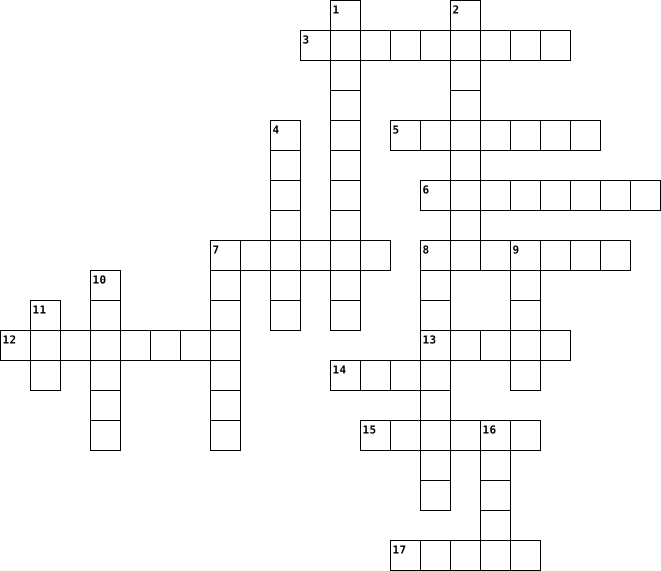
Across
- G in GUI
- A software application for accessing information on the World Wide Web.
- Saving a file from Internet to our computer
- A latest version of Android OS
- Windows Explorer, Compression Tool, Anti-Virus are ____ types of software
- The instructions given to the computer in the form of a program is called
- A computer program that is harmful to computer
- 8 bits
- The software that acts as middle layer between hardware and user applications
- MacOS is developed and marketed by
Down
- Software that has to be purchased or licensed for a fee and is copyrighted
- Windows is product from
- Mascot of Linux OS
- An example of a text editor
- USB - U stands for
- An example of FOSS OS
- In Windows OS, taskbar is located at ___
- Most popular tablet operating system
- Spreadsheet software
19 Clues: 8 bits • G in GUI • Mascot of Linux OS • USB - U stands for • Spreadsheet software • An example of FOSS OS • Windows is product from • An example of a text editor • A latest version of Android OS • MacOS is developed and marketed by • Most popular tablet operating system • In Windows OS, taskbar is located at ___ • Saving a file from Internet to our computer • ...
SISTEM KOMPUTER DAN JARINGAN KOMPUTER B 2025-01-20

Across
- ALAT INPUT UNTUK PONSEL PINTAR
- CARD PENYIMPANAN DATA
- PERANGKAT LUNAK
- KONTROL BAGIAN PROSESOR YANG BERTUGAS UNTUK PERANGKAT TERPASANG DIKOMPUTER
- MENAMPILKAN GAMBAR DI KOMPUTER
- OTAK DALAM KOMPUTER
- PERANGKAT BAGIAN MASUKAN
- KOMPONEN 3 SISTEM KOMPUTER
- PERANGKAT KERAS
- KOMUNIKASI DATA PADA PONSEL
- CONTOH SISTEM OPERASI
Down
- OFFICE UNTUK MEMBUAT LAPORAN
- EMPAT BAGIAN PERANGKAT KERAS (ING)
- NAMA LAIN PENGGUNA
- CONTOH UMUM PERANGKAT KELUARAN
- CONTOH UMUM PERANGKAT MASUKAN
- PERANGKAT BAGIAN PENYIMPANAN
- PERANGKAT BAGIAN KELUARAN
- KEYBOARD TERMASUK PERANGKAT APA
- BAGIAN UTAMA PRANGKAT PEMROSESAN
20 Clues: PERANGKAT LUNAK • PERANGKAT KERAS • NAMA LAIN PENGGUNA • OTAK DALAM KOMPUTER • CARD PENYIMPANAN DATA • CONTOH SISTEM OPERASI • PERANGKAT BAGIAN MASUKAN • PERANGKAT BAGIAN KELUARAN • KOMPONEN 3 SISTEM KOMPUTER • KOMUNIKASI DATA PADA PONSEL • OFFICE UNTUK MEMBUAT LAPORAN • PERANGKAT BAGIAN PENYIMPANAN • CONTOH UMUM PERANGKAT MASUKAN • ALAT INPUT UNTUK PONSEL PINTAR • ...
Computer Awareness 2020-02-21

Across
- manipulation of data
- create graphics
- hardware for connecting to the internet
- digital representation of data
- internet based storage
- opposite of analog
- software used to collect audio/visual data
- device for outputting sound from a computer
- device used to record images
- device for viewing data
- device for accurate plotting of graphics
- graphical user interface
- helps computer to remember
- data that is put in a computer
Down
- hardware for inputing data
- parts that add on to a computer
- container for files
- software used for manipulating data
- read only memory
- software method of interacting with a computer
- container for information or data
- random access memory
- person who uses a computer
- two or more computers connected
- smallest unit of data
- hardware for controlling cursor
- device for displaying a hard copy of data
- grouping of units of data
- data that is put out of a computer
29 Clues: create graphics • read only memory • opposite of analog • container for files • manipulation of data • random access memory • smallest unit of data • internet based storage • device for viewing data • graphical user interface • grouping of units of data • hardware for inputing data • person who uses a computer • helps computer to remember • device used to record images • ...
Computer Terms -- Leah Nordhaus 2021-03-04

Across
- software that allows you to perform a specific task
- where your software, documents, and other files are stored
- series of commands
- the computer's main circuit board that holds the CPU, memory, connectors, cards, and connections to your computer's ports.
- short-term memory, it temporarily stores the data until it is needed ReadOnlyMemory a storage medium that is used to store memory permanently and cannot be changed (holds programs and boot up information)GraphicalUserInterface lets you use your mouse to click icons, buttons, and menus displayed on the screen
- any hardware receives data from a computer (printer, monitor, speaker, headphones)
- the brain of the computer that controls all other parts and carries out commands
Down
- any part of the computer that has physical structure; the parts that make up the computer Software any set of instructions that tells you what to do and how to do it
- two digits used to represent information using electricity; ones and zeros
- manages the computer's memory and processes, as well as all of its software and hardware (Windows, MacOS, Linux, iOS, Android)
- a tool you use to access the internet (Google Chrome, Safari, Internet Explorer, Edge, Firefox)
- any hardware that sends data to a computer (mouse, keyboard, touch screen, webcam, microphone)
- an electronic device that has the ability to store, retrieve, and process data
13 Clues: series of commands • software that allows you to perform a specific task • where your software, documents, and other files are stored • two digits used to represent information using electricity; ones and zeros • an electronic device that has the ability to store, retrieve, and process data • ...
Foc3 2020-03-08

Across
- UPC
- Alphanumeric
- Code
- Standard Format
Down
- Pixel
- Hardware
- numeric_data
- OCR
- Software
- Bitmap
10 Clues: UPC • OCR • Code • Pixel • Bitmap • Hardware • Software • numeric_data • Alphanumeric • Standard Format
Python Fundamentals - Module 1 2023-09-13

Across
- translates code to machine language and checks for errors
- type of memory that processes quickly but is stored short-term
- programs that run on hardware
- the part of the computer that carries out program instructions
- the escape character
- lines of code that are used to add notes for the programmer and are ignored by the computer
- the computer translates information into a series of 1s and 0s
- command used to display output on the screen
- the symbol used to start a comment line
- a character that is handled differently in the output
Down
- type of long-term memory that stores data permanently
- an electronic device consisting of hardware and software
- a character that prints when an escape sequence backslash is added to the code
- instructions that a computer follows that is written as code
- storage used to store text or numbers
- the physical machine that makes up the computer
- information sent by the computer to the user
- typing \t in between quotes
18 Clues: the escape character • typing \t in between quotes • programs that run on hardware • storage used to store text or numbers • the symbol used to start a comment line • information sent by the computer to the user • command used to display output on the screen • the physical machine that makes up the computer • type of long-term memory that stores data permanently • ...
Core 1 2025-01-06

Across
- Short-range wireless technology for connecting peripherals.
- – Manages print jobs in Windows.
- Software used to manage virtual machines.
- Process of diagnosing and resolving hardware or software issues.
- Component that accelerates graphics rendering.
- Unique identifier for network interface cards.
- The brain of the computer, processes instructions.
- – Protocol that automatically assigns IP addresses to devices on a network.
- Type of memory module used in desktop computers.
- Legacy video interface that transmits digital signals to displays.
- Data storage virtualization technology that provides redundancy.
- – Discharge that can damage computer components during handling.
- Devices connected to the internet that interact and share data.
- – Replace hardware components without shutting down the system.
- Connector used for Ethernet cables.
- – Network of remote servers used for data storage and access.
- Older video connection standard.
- Common battery type used in laptops.
- Translates private IP addresses to public IP addresses for internet access.
- Modern replacement for BIOS, offering faster boot times and enhanced security.
- Socket type that allows CPUs to be inserted without applying pressure.
- Wireless network connection technology.
- A common video and audio interface for connecting displays.
Down
- Component that converts electricity from AC to DC for computer use.
- The main circuit board connecting all computer components.
- Firmware that initializes hardware during the boot process.
- Secure remote network connection.
- – Platform for developing, shipping, and running containerized applications.
- – High-speed interface developed by Intel and Apple for data and video transfer.
- Software that manages hardware and software resources on a computer.
- Secure protocol for remote administration of systems.
- – Display technology commonly used in monitors and laptops.
- Security device or software that monitors and controls incoming and outgoing network traffic.
- A faster storage device that has no moving parts.
- Technology that allows multiple operating systems to run on one physical machine.
- System that translates domain names to IP addresses.
- Small, fast memory that stores frequently accessed data for the CPU.
- Interface used for connecting hard drives and SSDs to the motherboard.
- Command to display the current IP address of a Windows computer.
- Used by the system for active tasks.
40 Clues: – Manages print jobs in Windows. • Older video connection standard. • Secure remote network connection. • Connector used for Ethernet cables. • Used by the system for active tasks. • Common battery type used in laptops. • Wireless network connection technology. • Software used to manage virtual machines. • Component that accelerates graphics rendering. • ...
Jackson Q. Period 6 2024-02-06

Across
- The internet.
- Wireless networking.
- Software programs.
- Physical parts of computer.
- Computer hardware that shows images.
- Take data from a file.
- Network that links computers.
- Moves data.
- Universal Serial Bus port.
Down
- Sending a file.
- Wireless interconnection of electronics.
- Organizations data.
- Put data into a file.
- Data tells computer to work.
- Place that displays icons.
15 Clues: Moves data. • The internet. • Sending a file. • Software programs. • Organizations data. • Wireless networking. • Put data into a file. • Take data from a file. • Place that displays icons. • Universal Serial Bus port. • Physical parts of computer. • Data tells computer to work. • Network that links computers. • Computer hardware that shows images. • ...
Unit 4 Operating Systems 2023-11-12

Across
- Utility program that restores damaged files
- Provides icons (or tiles) to click and run applications
- Starting the computer when the power button is turned off
- Restores your system to an earlier date to remove new settings that may have caused problems
- Interface where the user must type in command language with exact spelling, form, and punctuation
- Schedules regular maintenance tasks (ex: back ups and virus updates)
- Type of OS that Allows only ONE program/app to run at a time
- restarting the computer
- defining your entire computer system (naming it)
- Used to describe the combination of hardware architecture and software used to run applications, another name for OS
- Instructions stored on the ROM chip
- Software that allows you to optimize and maintain your computer
- Sending documents to be printed to a buffer instead of sending them immediately to the printer is called ________.
Down
- While waiting for devices (like a printer, for example), the OS places items in ________.
- Software that allows an operating system to interface (communicate) with hardware
- A program that assesses and reports information about various computer resources and devices.
- Provides security features such as a firewall or spyware protection
- get rid of files you haven't used for a long time or temporary files
- Software that Includes your operating system (OS) and utility software
- Re-organizes your hard drive so that scattered bits of files are reorganized for efficiency in retrieving data
- Provides you with an interface to work with your computer hardware and applications
- Search tools typically use an _____ to assist with locating items quickly
- These devices will contain their own drivers to connect with the OS
- Utility program to get updated drivers or definitions
- The process of starting your computer
- Multiple documents line up in a _____ in the buffer.
- Type of OS that Allows TWO OR MORE programs/apps to run at the same time
27 Clues: restarting the computer • Instructions stored on the ROM chip • The process of starting your computer • Utility program that restores damaged files • defining your entire computer system (naming it) • Multiple documents line up in a _____ in the buffer. • Utility program to get updated drivers or definitions • Provides icons (or tiles) to click and run applications • ...