
types of computer Crossword Puzzles
Digi Tech 2019-03-07

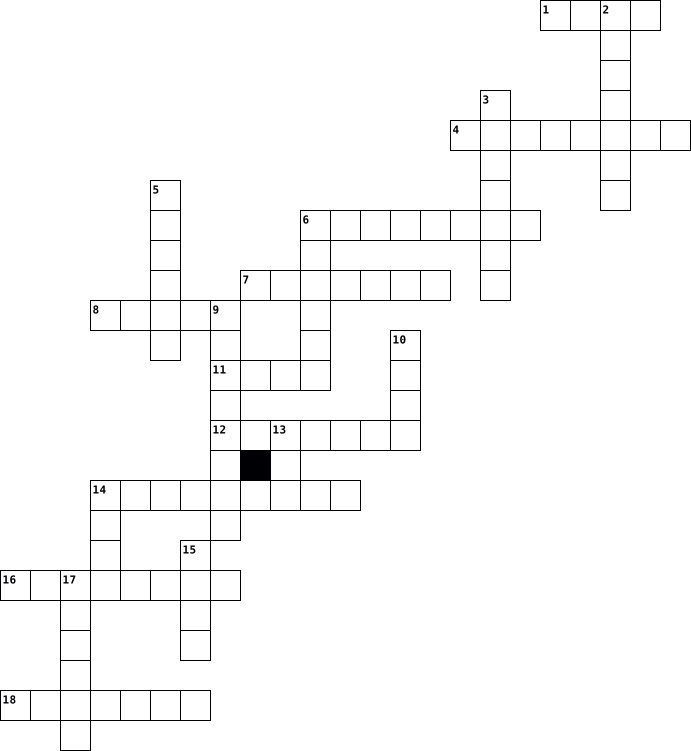
Across
- A computer system resources especially storage and computer available on demand without direct active management by the user
- Users interface that allows users to interact with electronic devices through graphical icons
- the part of a computer in which data or program instructions can be stored for retrieval
- A computer device that can help show several sites
- To produce lines and marks on a piece of paper or on an electronic device
- A boundary across which two independent systems meet and communicate with each other
- A device for examining, reading or monitoring something
- Any external device that provides input and output for the computer
- hardware device that allows information be stored and retrieved on a computer
- They receive audio input from computers sound card and produce audio output in the form of sound waves
- A hardware device much like a printer used for printing graphics
- a series of coded software instructions to control the operation of a computer or other machines
Down
- A self contained piece of information available information available to the operating system
- A combined device for modulation and demodulation
- A person who utilizes a computer or network service
- A flat panel or an area on an electronic device
- A group of interconnected websites
- A place where power or information leaves a system ‘
- A visual art or computer graphics
- A device that can read and store information
- to accomplish a workflow or function
- a primary input device used with a computer
- Involving or relating to the use of computer technology
- A place where energy information enters a system
- To record a sound
- A machine for printing texts or pictures
- A way to organise files
- Is a group of either 8,16,32 or 64 bits
- it is the building bock of all pieces of data
29 Clues: To record a sound • A way to organise files • A visual art or computer graphics • A group of interconnected websites • to accomplish a workflow or function • Is a group of either 8,16,32 or 64 bits • A machine for printing texts or pictures • a primary input device used with a computer • A device that can read and store information • ...
Daniel Martinez's Internet Crossword puzzle 2013-03-26

Across
- the unauthorized use, reproduction, distribution, or transmission of copyrighted material. (like pirates – its stealing)
- A global network of thousands of other computer networks that offers e-mail and information retrieval services to millions of people
- Software program that is designed to damage files on a computer that receives it. Viruses replicate (reproduce) and can spread to other application and operating system software.
- An unauthorized person who secretly gains access to computer files.
- a list of citations that appear at the end of a paper, article, chapter or book.
- OPERATORS Using keywords such as AND, OR, NOT in web searches to narrow search results.
Down
- USE The fair use doctrine provides educators with the right to make reasonable copies of copyrighted materials without specific consent of the author for purposes of criticism, comment, news reporting, teaching, scholarship, or research.
- A bully who operates online, in cyberspace; To bully online
- A system of connected computers that allows the sharing of files and equipment. There are two types of networks: local area network (LAN) and wide area network (WAN).
- A collaborative website which can be directly edited by anyone with access to it
- To renew or revitalize; To reload a webpage on the internet
- NETWORKS online communities where people meet, socialize, exchange digital files, etc. (facebook, twitter, instagram)
12 Clues: A bully who operates online, in cyberspace; To bully online • To renew or revitalize; To reload a webpage on the internet • An unauthorized person who secretly gains access to computer files. • A collaborative website which can be directly edited by anyone with access to it • a list of citations that appear at the end of a paper, article, chapter or book. • ...
TEST 2016-08-26

Across
- You should never use your ____'s name as a password
- You should have a unique password for every single online ________
- Identity theft, financial fraud, stalking, bullying, criminal hacking, email spoofing and piracy are all types of this.
- Viruses, Trojans and key loggers are all types of this.
- Information security isn’t just cyber! It also includes people and ________
- Mobile apps ask for these when you install them
- 99% of these people are not criminals, but the 1% that are have made a bad name for them
- You should always use a VPN when using public _____
- A type of malware that has the ability to record every keystroke
- Treat your passwords like this household item; never share them, use a good one, and change them regularly.
- Someone else’s computer.
- Make sure you have this in case of disaster.
- Information security is _____ responsibility!
- What happens online stays online because the internet is _______
- This included pieces of identifiable information such as your full name, home address, phone number, drivers license number, etc.
- Think before you ______
- Illegally downloading software, music and movies.
- Don't connect with _______ or people you don’t know in real life
Down
- This contains the exact location of where a photo was taken.
- These should be strong, long and complex.
- It's exciting to turn 16 and get this, but NEVER post photos of this piece of plastic online (2 words).
- Passwords are private, so never do this with them.
- These types of emails often have bad spelling and grammar, and convey a false sense of urgency.
- Strong passwords include letters, numbers and ______.
- Bad guys can use this to find you in real life, so never give out ________ information online.
- See______? Say ________!
- Every ____ seconds someone's identity is stolen!
- You should only download official versions of these and only with your parents' permission.
- Never be afraid to ask your _______ for help. Also tell them if you’re being cyberbullied or know someone who is.
- Use two-_______ authentication whenever it's offered.
- When in doubt, ___!
31 Clues: When in doubt, ___! • Think before you ______ • See______? Say ________! • Someone else’s computer. • These should be strong, long and complex. • Make sure you have this in case of disaster. • Information security is _____ responsibility! • Mobile apps ask for these when you install them • Every ____ seconds someone's identity is stolen! • ...
M1.1 assignment 2023-03-21

Across
- A port that can connect peripherals or transfer data between 2 devices
- Stores data
- An input of an audio/video to transmit high definition audio and video data to another device.
- A one way road for electrical currents
- A small flash memory card design for multiple electronic devices
- Connect to high speed expansion cards, can come in different sizes
- Build in touch functionality allow user to interact with computer screen
- rack A storage rack for Servers
- A Person identity file
- A camera to record
- Scanner Can read barcode and convert them to data
- An electrical current
- Measure the pressure or force of a electrical current
- An external devices that sends data and provide input/output interface for a computer
- A measuring tool for electrical current
- Allow communication between applications
- A home for a expansion card
- Talks about the dimensions and physical characteristics of the board
Down
- A local computer bus that attaches PCI expansion hardware into a computer, which the PCI is specifically designed for the computer
- RAM as also known, is the storage for Memories
- A converter that converts electrical current to power to an electronic load.
- A series of collections of software
- A functions to recognize physiological behavior or characteristics on most devices
- A camera recording u doing everything and saying everything
- The highway of computer for the flow of electrical flow
- A big computer to hold lots of data
- Brother to HDMI but better and more functions
- Small sin pin port for keyboard and mouse
- A process which computer system decode a series of functions
- The heart of the computer which process information
- A computer charger
- brain of the computer
- port A input/output hole for physical connections with other computers and devices
- A two number secret code talk
34 Clues: Stores data • A camera to record • A computer charger • An electrical current • brain of the computer • A Person identity file • A home for a expansion card • A two number secret code talk • rack A storage rack for Servers • A series of collections of software • A big computer to hold lots of data • A one way road for electrical currents • A measuring tool for electrical current • ...
types of computer 2022-11-15

Across
- it can be used to make calls and store numbers
- it is small and light and can be carried
Down
- it has a touchscreen and a pen
- heavy and difficult to carry
4 Clues: heavy and difficult to carry • it has a touchscreen and a pen • it is small and light and can be carried • it can be used to make calls and store numbers
Information Technology- introduction (level 1) 2020-05-28

Across
- Information technology is the use of any ..., storage, networking and other physical devices.
- IT refers to the development, maintenance, and use of computer ..., systems, and networks.
- One of the ... of information technology include information security and information Visualization.
- With help of information technologies the instant messaging, emails, voice and video calls becomes ..., cheaper and much efficient.
- Information technology has made the education process more ... and productive.
- Unemployment and lack of job security is the ... of IT.
Down
- Negative effect of IT on education Children sometimes over use technology in the classroom which obviously affects the learning process in a ... way.
- Information technology (IT) is the use of computers to ..., retrieve, transmit, and manipulate data or information.
- ... of information technology is Expanding Means of Communication.
- Information technology helps in promoting opportunities of ... sharing throughout the world.
10 Clues: Unemployment and lack of job security is the ... of IT. • ... of information technology is Expanding Means of Communication. • Information technology has made the education process more ... and productive. • IT refers to the development, maintenance, and use of computer ..., systems, and networks. • ...
Information Technology- introduction (level 1) 2020-05-27

Across
- Information technology is the use of any ..., storage, networking and other physical devices.
- IT refers to the development, maintenance, and use of computer ..., systems, and networks.
- One of the ... of information technology include information security and information Visualization.
- With help of information technologies the instant messaging, emails, voice and video calls becomes ..., cheaper and much efficient.
- Information technology has made the education process more ... and productive.
- Unemployment and lack of job security is the ... of IT.
Down
- Negative effect of IT on education Children sometimes over use technology in the classroom which obviously affects the learning process in a ... way.
- Information technology (IT) is the use of computers to ..., retrieve, transmit, and manipulate data or information.
- ... of information technology is Expanding Means of Communication.
- Information technology helps in promoting opportunities of ... sharing throughout the world.
10 Clues: Unemployment and lack of job security is the ... of IT. • ... of information technology is Expanding Means of Communication. • Information technology has made the education process more ... and productive. • IT refers to the development, maintenance, and use of computer ..., systems, and networks. • ...
CLASS 10 COMPUTER 2021-06-10

Across
- Machine that lets out documents or images you have created.
- usually consists of eight bits.
- usually comprises the display device, circuitry, casing, and power supply.
- A small picture on a computer screen that represents a program or function that can be opened.
- any computer-generated information displayed on screen, printed on paper or in machine readable form, such as disk and tape.
- a software system that links topics on the screen to related information and graphics, which are typically accessed by a point-and-click method.
- code made up of numbers separated by three dots that identifies a particular computer on the Internet
- client software program that runs against a Web server or other Internet server and enables a user to navigate the World Wide Web (WWW) to access and display data.
- the type of software that allows you to perform specific tasks
Down
- Computer programs such as windows.
- a device that feeds data into a computer, such as a keyboard or mouse.
- Booting a computer system again usually due to a problem.
- A device for computer games
- An electronic device that can intensify speeches, music, etc., and made audible throughout a room, hall, or the like.
- the combination of typeface and other qualities, such as size, pitch, and spacing.
- the collection of physical parts of a computer system.
- sending an email, posting photos on a social media site and using your webcam.
- A long, narrow computer key
- a device can send a picture from piece of paper to a computer screen
- copy(data) from one computer system to another, typically over the Internet.
- a part of a computer system or network that is designed to block unauthorized access while permitting outward communication.
- An error, flaw, failure, or fault in a computer program or system that causes it to produce an incorrect or unexpected result or to behave in unintended ways.
- the exclusive right, as recognized separately in each country, to publish and sell literary, artistic, or musical materials.
23 Clues: A device for computer games • A long, narrow computer key • usually consists of eight bits. • Computer programs such as windows. • the collection of physical parts of a computer system. • Booting a computer system again usually due to a problem. • Machine that lets out documents or images you have created. • ...
Friday 2026-02-26

Across
- – To turn off a computer.
- – To make something appear bigger on a screen.
- – A program used to explore the internet.
- – To solve a problem or difficulty.
- – The small moving symbol on a screen.
- – To become liquid because of heat.
- – To connect a device to a computer or power supply.
- – The physical parts of a computer.
- – To add salt, pepper, or spices to food.
- – To start a computer.
- – To remove part of a text, film, or recording.
- – To prepare or install equipment.
- – Unwanted email messages.
- – Having an acidic taste like lemon.
- – Containing too much oil or fat.
- – A system that protects your computer from online danger.
- – Clickable text that opens another webpage.
- – Food made from milk.
- – When a computer suddenly stops working suddenly.
- – To include something extra.
- – To enter someone’s computer system illegally.
- – Tasting like sugar or honey.
Down
- – Food that can make you gain weight.
- – A saved website link in your browser.
- – Fast internet connection.
- – A paper copy of a document.
- – To mix food with a spoon.
- – To focus closely on something.
- – To send a file from your computer to the internet.
- – Not cooked.
- – To type information into a computer.
- – To make a copy of computer information.
- – When a computer suddenly stops working.
- – Very cold; kept in a freezer.
- – To make something warmer.
- – A strong taste that is not sweet.
- – Something that sticks to your fingers.
- – To add sauce to a salad.
- – The place where you type a website name.
- – The skin of a fruit or vegetable.
- – To improve software or equipment.
- – Without much flavor.
- – Food that is no longer fresh.
43 Clues: – Not cooked. • – To start a computer. • – Without much flavor. • – Food made from milk. • – To turn off a computer. • – To add sauce to a salad. • – Unwanted email messages. • – Fast internet connection. • – To mix food with a spoon. • – To make something warmer. • – A paper copy of a document. • – To include something extra. • – Tasting like sugar or honey. • ...
Chapter 2 Vocabulary ACE 2020-2021 2020-12-09

Across
- A wired network adapter card that resembles a telephone jack
- Drive that is small, portable storage and is Plug and Play technology.
- Devices such as Keyboard, Mouse, Microphone, Touch Screen.
- Principal mass storage device on a computer.
- the computer is turned off.
- Two or more processors on a single chip.
- Metal that draws away the heat from the processor.
- The brain of the computer.
- Devices such as a printer, monitor, speakers.
- Program stored on a chip on the motherboard that starts the computer.
- A hard drive that is outside the computer.
- Devices that serve the input, output and storage functions of the computer.
Down
- Main circuit board of the computer.
- Printers where the image is electrostatically charged and attracts a dry ink called toner.
- Adapter that establishes connection with a network; it may be onboard, wired or wireless.
- Temporary memory that your computer uses to hold instructions and data.
- A hot-swappable port that can connect up to 63 devices per port.
- Physical components of the computer.
- A device that can be plugged and unplugged without turning off the computer.
- A small battery to provide a computer with power to keep data in memory
- The number of horizontal pixels by vertical pixels.
- Can be used to connect many different devices-faster than firewire and USB.
- Standard port type that connects many kinds of devices including printers, keyboards, etc.
- Videocard that has its own processor.
- Picture elements on the screen which contain 3 colors (RGB.
- Cards that are small circuit boards that plug directly into the motherboard such as for video, sound, etc.
- Short range wireless technology.
27 Clues: The brain of the computer. • the computer is turned off. • Short range wireless technology. • Main circuit board of the computer. • Physical components of the computer. • Videocard that has its own processor. • Two or more processors on a single chip. • A hard drive that is outside the computer. • Principal mass storage device on a computer. • ...
Ethan S. Common Terms 2026-03-12

Across
- A collection of microsoft apps.
- A hole in the sides or top of the computer that you can input cords into it to use as devices.
- Bring a file into your computer.
- The first thing that you see after unlocking your computer, you can see your apps and wallpaper.
- The screen of a computer that shows you what you’re doing.
- To receive a file from the internet or another device.
- Bring a file out of your computer.
Down
- Software that is ran and downloaded on your computer to perform a task.
- Files on your computer that tell it how to perform certain tasks.
- The place where files are stored on the interent servers.
- A way to connect devices or other electronics without a cord.
- To distribute a file to another device or the internet.
- The internal parts of a PC, like the GPU or CPU which is mostly in the case.
- Another type of image file on your computer thats easier to send emails to.
- A way to connect a computer to the internet wirelessly to connect with other computers.
- A document file on your computer or internet.
- A type of image file on your computer that supports transparency and a fixed number of pixels.
17 Clues: A collection of microsoft apps. • Bring a file into your computer. • Bring a file out of your computer. • A document file on your computer or internet. • To receive a file from the internet or another device. • To distribute a file to another device or the internet. • The place where files are stored on the interent servers. • ...
Types of business organization 2022-11-18

Across
- How is the partner with limited liability called?
- Limited Liability ... means that some/all partners have limited liability, but they also have to retain an automatic management responsibility.
- ... can occur between partners. This is one of the cons of a partnership.
- ... is easier to fund (due to more partners and, thus, more funding). This is one of the pros of a partnership.
- What is a contractual agreement between two or more business organizations to run a new business project?
- What is an agreement between the franchisor and the franchisee to allow product distribution?
- Who are major shareholders in the company and also have control over it?
- ... business is when the owners of a business and the business itself are separate legal identities, in addition to having limited liability.
Down
- ... business is when the owners of a business and the business itself are one legal identity, in addition to having unlimited liability.
- few legal ... This one of the pros of the sole traders.
- What happens when, for the first time, shares of a public limited company are made available through the stock market?
- ... General Meeting is an annual meeting between directors and shareholders of a company to vote on major company decisions, to inform them on company performance, elect new directors, etc.
- An unincorporated, unlimited type of business organization that is owned and controlled by one person who also receives all profits.
- ... liability is when investors only repay for the capital they've invested in the business.
- ... partner is the partner that only provides money and receives profit returns but isn't involved with management.
- What is an unincorporated, unlimited type of business organization that is owned, financed and run by 2 to 20 people that also requires a deed of partnership to be used?
- A ... is the business organization that buys the rights to use the company's brand name, business name, production method, etc.
- ... Limited Company is an an incorporated, limited type of business organization that only allows shares to be sold to invited shareholders.
- ... liability is when the owner/s are personally and fully responsible for all losses and debts of the business.
- ... partner is a partner with unlimited liability.
20 Clues: How is the partner with limited liability called? • ... partner is a partner with unlimited liability. • few legal ... This one of the pros of the sole traders. • Who are major shareholders in the company and also have control over it? • ... can occur between partners. This is one of the cons of a partnership. • ...
types of drugs kh 2020-05-14

Across
- to use a drug properly
- distorts though mood and senses
- a prescription drug
- a type of inhalant
- a type of narcotic
- using drug not intended purposes but to get high
- something to get drunk on
- a drug that can lead into more powerful drugs
- a type of gateway drug and a drug that you inhail
- a type of hallucinogenics
- a type of stimulant
Down
- things that can help the body or hurt it
- a type of street drug
- abused or traded on the streets
- an effect of drinking too much
- a type of depressant
- a type of drug that speeds up the body
- to take a drug for its intended purposes but do it wrong
- slows down the body
19 Clues: a type of inhalant • a type of narcotic • a prescription drug • slows down the body • a type of stimulant • a type of depressant • a type of street drug • to use a drug properly • something to get drunk on • a type of hallucinogenics • an effect of drinking too much • distorts though mood and senses • abused or traded on the streets • a type of drug that speeds up the body • ...
Types of reactions vocab 2016-04-06

Across
- Reaction in which product is always CO2 + H2O
- Oxidation Readuction
- A rearrangement of atoms that produces changes in physical and chemical properties of substances involved; chemical change in which new materials are formed
- Dissolved in water
- equation that has the general form of AX + BY -> AY +BX
- Involves transfer of electrons from one substance to another; also called redox
- State where two opposing processes or reactions are occurring at the same time and same rate
- Reaction in which a precipitate is a product
- Reactants and products contain same number of atoms
Down
- Symbolizes a chemical reaction (qualitatively & quantitatively)
- Chemical equation that has the general form A+BX -> AX + B
- Large number preceding chemical formulas in a chemical equation
- Solid that forms when two solutions are mixed, usually as a result of a chemical reaction
- Reaction where one reactant forms two or more products
- Chemical equation obtained by omitting unchanged ions (spectator ions) from an ionic equation
- Reaction where two elements or an element and compound or two compounds combine to form one product.
- Reaction of an acid and a base to form a salt and a water
- Substances are present at the beginning of a chemical reaction and subsequently undergo a change in identity
- What is formed as a result of a chemical reaction
19 Clues: Dissolved in water • Oxidation Readuction • Reaction in which a precipitate is a product • Reaction in which product is always CO2 + H2O • What is formed as a result of a chemical reaction • Reactants and products contain same number of atoms • Reaction where one reactant forms two or more products • equation that has the general form of AX + BY -> AY +BX • ...
types of tissue crossword 2021-12-15

Across
- involuntary; in stomach and intestines helps with digestion
- transports nutrients,gases, wastes and hormones
- secretes mucus; ciliated tissue moves mucus, lines respiratory passageways
- involuntary; vital for pumping blood through the cardiovascular system
- fibers form a soft internal skeleton that supports other cell types
- protective tissue usually makes multiple membrane junctions between adjacent cells
- attached by tendons to bones of the skeleton
- tensile strength with the ability to absorb compressive shock
- secretes and absorbs. covers ovaries, lines kidney tubules, and ducts of some glands
Down
- lines inner surface of all blood vessels, facilitates diffusion of gases and small molecules
- protects against abrasion and water loss
- absorbs,also secretes mucus and enzymes, lines uterus,stomach and intestines
- supports and protects; provides levers for muscle to act on
- found in brain, spinal cord and nerves
- attaches muscle to bone or to muscles
- allows the urinary organs to expand and stretch
- underlying tissues and internal organs against damage
- provides strength and elasticity and maintains the shape of certain structures such as the external ear.
- supports and reinforces; has cushioning properties; resists compression
19 Clues: attaches muscle to bone or to muscles • found in brain, spinal cord and nerves • protects against abrasion and water loss • attached by tendons to bones of the skeleton • transports nutrients,gases, wastes and hormones • allows the urinary organs to expand and stretch • underlying tissues and internal organs against damage • ...
Types of Government Review 2025-01-29

Across
- These are provided by the government to help citizens with what they need (Ex. Post office, library)
- This ancient civilization invented direct democracy
- The person in charge of the government and lawmaking
- Government led by religious leaders
- The title of the leader of a monarchy
- Government where the king or queen has complete control over the government
- Another word for army, this is how the government protects the country
- Government where citizen vote themselves on ALL issues
- A group of people who make and enforce rules for a community, state, nation, or country
Down
- The person who represents the government, a symbolic leader
- Government where a single leader takes control of the whole country
- Government where citizens vote for leaders to represent them during lawmaking
- Government that is led by a small group of people
- This ancient civilization used representative democracy to govern
- Police officers help keep ________ within a country.
- Government where all people are seen as equal and the government owns all property
- Government where the king or queen shares power with an elected assembly who makes laws
- Rules for how people in a country should behave, passed by the government
- The idea that a king or queen is chosen by God to rule a country
19 Clues: Government led by religious leaders • The title of the leader of a monarchy • Government that is led by a small group of people • This ancient civilization invented direct democracy • Police officers help keep ________ within a country. • The person in charge of the government and lawmaking • Government where citizen vote themselves on ALL issues • ...
Types of Research Studies 2024-04-08

Across
- have a control group
- observe groups of people in their normal environment, do not involve treatment or intervention
- the sampling of individual units from a population
- research method that incorporates scientific procedures to test a hypothesis
- the outcome has not occurred at the time of initiation of the study. The researcher determines exposure and follows participants into the future to assess outcomes
- take place before any testing in humans is done
- to find out more about a particular intervention, or treatment
- side-by-side comparison, systematically compares two or more things to pinpoint similarities and differences
- examines all the literature related to a specific research question in a standardised way
Down
- involves repeated observations of the same variables over long periods of time
- provides portrayal of characteristics of a particular individual, situation or group. Focuses more on the “what” of the research subject than the “why”
- used to look at characteristics in given population i.e. past smoking habits and current diagnoses of lung cancer
- look for a relationship between two or more variables, or things, that naturally occur in the same environment
- simplest type of descriptive study, the researcher describes patient symptoms, signs, diagnosis, or treatment
- combined results of many studies rather than a single evaluation
- observational study design, participants do not have the outcome of interest to begin with, they are selected based on the exposure status of the individual and followed over time to evaluate for occurrence of outcome of interest
- patients cross over from one treatment to another during the course of the trial, removing variation between participants which exists in a parallel trial where each participant only receives one intervention
- the outcome of interest has already occurred when the study commences
- clinical trial in which participants are randomly assigned to either the treatment group or control group (abbrev)
19 Clues: have a control group • take place before any testing in humans is done • the sampling of individual units from a population • to find out more about a particular intervention, or treatment • combined results of many studies rather than a single evaluation • the outcome of interest has already occurred when the study commences • ...
Types of air freighter 2026-04-06

Across
- – Flat structure used to support cargo
- – Standardized box for transporting goods
- – Management of transporting goods
- – Smaller aircraft often converted for cargo use
- – Large opening for loading cargo
- – Process of changing passenger aircraft into cargo aircraft
- – Process of placing cargo onto aircraft
- – Modern cargo aircraft by Airbus
- – Aircraft used to carry cargo instead of passengers
Down
- – Goods transported by air
- – Famous large cargo aircraft
- – Removing cargo from aircraft
- – Large aircraft with a wide fuselage used for cargo
- – Moving goods from one place to another
- – Cargo space below passenger deck
- – Primary cargo area of aircraft
- – Heavy-lift cargo aircraft
- – Goods carried in bulk
- – Cargo loaded through the front of aircraft
19 Clues: – Goods carried in bulk • – Goods transported by air • – Heavy-lift cargo aircraft • – Famous large cargo aircraft • – Removing cargo from aircraft • – Primary cargo area of aircraft • – Large opening for loading cargo • – Modern cargo aircraft by Airbus • – Cargo space below passenger deck • – Management of transporting goods • – Flat structure used to support cargo • ...
types of seismic waves 2014-01-08

Across
- how many types of surface waves are there
- are s waves slower or faster than p waves
- p waves travel at _km/s
- p waves are what waves?
- surface waves are responsible for _ _ _ _ _ _ _ _ _ _
- Rayleigh waves cause the surface to move up and ?
- surface waves cause significant ? damage
- love waves cause the surface to move ?
- do s waves cause more or less damage than p waves
Down
- s waves travel at _km/s
- surface wave beginning with L
- p waves can travel through _ _ _ _ _ _ and liquids
- surface waves are restricted close to the what?
- p waves shake the earth _ _ _ _ and forwards
- s waves shake the earth at _ _ _ _ _ _ _ _ _ _ _ to the direction of travel
- are surface waves the slowest or fastest
- s waves do not pass through what?
- which waves arrive first
- surface wave beginning with R
19 Clues: s waves travel at _km/s • p waves travel at _km/s • p waves are what waves? • which waves arrive first • surface wave beginning with L • surface wave beginning with R • s waves do not pass through what? • love waves cause the surface to move ? • are surface waves the slowest or fastest • surface waves cause significant ? damage • how many types of surface waves are there • ...
Types of forces/transformations 2023-12-07

Across
- energy created by moving objects
- potential energy over a system
- energy energy that is stored
- energy that is temporarily stored in the bending and twisting of an object
- energy of vibrations in matter
- energy locked in the nucleus of an atom
- where kintitic energy happens the most
- is when two masses have a force of attraction
- Energy cannot be created or destroyed
- energy that is moving
- energy created by chemical reactions
Down
- energy of moving electrons
- energy that travels in waves
- A type of friction that goes against motion
- energy of heat
- the movement that produces electron
- energy that is stored when an object is moving to its highest point
- is the resistance of an object
- is the movement of energy through a substance
- energy of light
20 Clues: energy of heat • energy of light • energy that is moving • energy of moving electrons • energy that travels in waves • energy energy that is stored • potential energy over a system • energy of vibrations in matter • is the resistance of an object • energy created by moving objects • the movement that produces electron • energy created by chemical reactions • ...
Types of Chemical Reactions 2024-05-19

Across
- - Numbers indicating the quantity of reactants/products.
- bond - Attraction holding atoms together.
- - Two or more substances form one product.
- - One element replaces another.
- - Gain of electrons.
- - Substances that undergo change.
- - Equal atoms on both sides of an equation.
- equation - Representation of a chemical reaction.
Down
- - Reaction absorbing heat.
- - Loss of electrons.
- - Small numbers indicating the number of atoms.
- displacement - Exchange of ions between two compounds.
- - Group of atoms bonded together.
- - Single compound breaks down.
- - Substances formed in a reaction.
- of Conservation of Mass - Mass is neither created nor destroyed.
- - Dissolved in water.
- - Insoluble solid formed in a solution.
- - Reaction releasing heat.
- - Substance speeding up a reaction.
20 Clues: - Loss of electrons. • - Gain of electrons. • - Dissolved in water. • - Reaction absorbing heat. • - Reaction releasing heat. • - Single compound breaks down. • - One element replaces another. • - Group of atoms bonded together. • - Substances that undergo change. • - Substances formed in a reaction. • - Substance speeding up a reaction. • - Insoluble solid formed in a solution. • ...
Types of Stories & Storytelling 2026-03-24

Across
- A short section or extract taken from a book or text.
- A company or person responsible for producing and selling books.
- A story full of exciting events and fast-paced scenes — often paired with adventure.
- A story set in an imaginary world with magic and mythical creatures.
- A story featuring secret agents, espionage and covert missions.
- A digital version of a book that you read on a screen or device.
- A story designed to frighten the reader with scary events or monsters.
- Pictures or drawings inside a book that help tell the story.
- The final part of a story — it can be happy, sad or open.
- A fast-paced, suspenseful story that keeps you on the edge of your seat.
- A story full of exciting journeys, challenges and daring deeds.
Down
- To produce text or images on paper using a machine (verb).
- A book with a soft, flexible cover — cheaper than a hardback.
- A funny story told with drawings or animated characters.
- A set of books following the same characters or theme across several volumes.
- Short for science fiction — stories set in the future involving technology or space.
- A story set in the past, often featuring real events or periods of history.
- A type of story focused on romance and relationships between characters.
- A long fictional story written in prose — longer than a short story.
19 Clues: A short section or extract taken from a book or text. • A funny story told with drawings or animated characters. • The final part of a story — it can be happy, sad or open. • To produce text or images on paper using a machine (verb). • Pictures or drawings inside a book that help tell the story. • A book with a soft, flexible cover — cheaper than a hardback. • ...
Information Technology- introduction (level 1) 2020-05-28

Across
- Information technology is the use of any ..., storage, networking and other physical devices.
- IT refers to the development, maintenance, and use of computer ..., systems, and networks.
- One of the ... of information technology include information security and information Visualization.
- With help of information technologies the instant messaging, emails, voice and video calls becomes ..., cheaper and much efficient.
- Information technology has made the education process more ... and productive.
- Unemployment and lack of job security is the ... of IT.
Down
- Negative effect of IT on education Children sometimes over use technology in the classroom which obviously affects the learning process in a ... way.
- Information technology (IT) is the use of computers to ..., retrieve, transmit, and manipulate data or information.
- ... of information technology is Expanding Means of Communication.
- Information technology helps in promoting opportunities of ... sharing throughout the world.
10 Clues: Unemployment and lack of job security is the ... of IT. • ... of information technology is Expanding Means of Communication. • Information technology has made the education process more ... and productive. • IT refers to the development, maintenance, and use of computer ..., systems, and networks. • ...
anatomy of a computer 2019-11-10

Across
- lets the processor communicate with the PC’s peripherals.
- The CPU stores temporary information,such as data relating to open programs,in___
- is also known as a COM (communications) port.
- If you have an older printer or scanner, you probably connect the device to the _____________
- It funnels power through the multicolored cables to each device.
Down
- Many peripherals, such as MP3 players, modern printers,and PDAs (personal digital assistants) require ___ connections.
- if you want better sound quality, you can buy a ____________
- the link between all the different components inside your computer
- You can use ________ to connect many different types of peripherals, including digital cameras and digital video cameras.
- is a hardware bus used for adding internal components to a desktop computer
- houses your graphics card, which supplies the image to the monitor.
- is the brain that carries out your computer’s instructions.
- Although some newer mice and keyboards include USB cables, most require ____ ports.
13 Clues: is also known as a COM (communications) port. • lets the processor communicate with the PC’s peripherals. • is the brain that carries out your computer’s instructions. • if you want better sound quality, you can buy a ____________ • It funnels power through the multicolored cables to each device. • ...
Technology Vocabulary 2021-08-19

Across
- a point of interaction between a computer system and a user
- a navigational system involving satellites and computers
- adjust the spaces between words
- fix a computer program piecemeal until it works
- having an output that is proportional to the input
- a programmer who breaks into computer systems
- a program that gives a computer instructions
- a symbol in a graphical user interface
- a unit of information equal to 1000 kilobytes or 10^6 bytes
- a device used to connect computers by a telephone line
- a system of interconnected electronic components or circuits
- a copy of a file or directory on a separate storage device
- the most common computer memory which can be used by programs
- a sequence of instructions that a computer can execute
- a restricted computer network
Down
- the process in which output of a system is returned to input
- an instruction connecting one part of a program to another
- transfer out of a database or document
- an electronic device that generates a digital representation of an image for data input to a computer
- a set of related records kept together
- any small compartment
- a unit of information equal to 1000 megabytes or 10^9 bytes
- adjusting the parts of something in relation to each other
- the smallest discrete component of an image on a screen
- transfer data into a database or document
- a digital audio file made available on the internet
- an electronic storage device
- a networked computer that provides access to client stations
28 Clues: any small compartment • an electronic storage device • a restricted computer network • adjust the spaces between words • transfer out of a database or document • a set of related records kept together • a symbol in a graphical user interface • transfer data into a database or document • a program that gives a computer instructions • ...
Computer Systems 2025-08-15

Across
- - Malicious software that can corrupt other software
- - The brains of the computer, responsible for processing instructions
- - Output device that creates hard copies of documents or images
- - The physical components of a computer that you can see and touch
- - An output device that displays images and text
- - Programs and instructions that tell the hardware what to do
- - Devices like hard drives or SSDs used to store data long-term
- - Security system that monitors and controls network traffic
- - Eight bits
- - A cable connecting the computer to the internet
- - An input device for pointing and clicking on a screen
- - Input device used for typing characters and commands
- - Software that allows the computer to communicate with a hardware device
- - The main circuit board of a personal computer
Down
- - Hardware like keyboards and mice used to provide data to a computer
- - Volatile memory that stores data the CPU needs quickly for active tasks
- - System software that manages computer hardware and provides a platform for applications
- - Hardware like monitors and printers that display processed data to the user
- - A group of connected computers
- - Non-volatile memory, stores data even when the computer is turned off
20 Clues: - Eight bits • - A group of connected computers • - The main circuit board of a personal computer • - An output device that displays images and text • - A cable connecting the computer to the internet • - Malicious software that can corrupt other software • - Input device used for typing characters and commands • - An input device for pointing and clicking on a screen • ...
Computer Crossword 2020-09-25

Across
- Houses the graphics card
- A USB that stores files external to the
- The programs and other operations in a
- Allows for use of speakers, headphones etc.
- Reduces heat in the computer
- Stores everything inside the computer
- Google Chrome eats it
- Powers the whole computer
- Read-Only-Memory
- Determines the quality and speed of your
Down
- Uses lasers to read CD's
- The physical components of the computer
- Telegraphs information based on a physical plugin
- It is the home for all physical components
- the computer
- Reads your operating system
- The brain of the computer
17 Clues: the computer • Read-Only-Memory • Google Chrome eats it • Uses lasers to read CD's • Houses the graphics card • Powers the whole computer • The brain of the computer • Reads your operating system • Reduces heat in the computer • Stores everything inside the computer • The programs and other operations in a • The physical components of the computer • ...
crossword puzzle 2021-08-26

Across
- conceive, design, build, supervise, operate, construct and maintain infrastructure projects and systems in the public and private sector
- design power-producing machines
- use the principles of engineering, soil science, biology, and chemistry to develop solutions to environmental problems
- evaluate, design, and maintain computer hardware and software systems
- develop and design chemical
- a person who practices civil engineering
Down
- design, develop, test, and supervise the manufacture of electrical equipment
- create and study materials at the atomic level
- there are six types of it
- another term for genetic
10 Clues: another term for genetic • there are six types of it • develop and design chemical • design power-producing machines • a person who practices civil engineering • create and study materials at the atomic level • evaluate, design, and maintain computer hardware and software systems • design, develop, test, and supervise the manufacture of electrical equipment • ...
Md Ziaul Haque 2025-03-07

Across
- Disc File System (CDFS) - Created specifically for optical disk media.
- - The computer is capable of operating multiple applications at the same time.
- Windows computers contain a section of the disk that is inaccessible to the user.
- has several different types of custom installations:
- operating system requirements.
Down
- creates a file system on a partition for file storage.
- System Software and Hardware Requirements
- a partition in Windows using the Disk Management utility
- an OS on multiple computers takes time.
- operating systems ship with an installer program.
10 Clues: operating system requirements. • an OS on multiple computers takes time. • System Software and Hardware Requirements • operating systems ship with an installer program. • has several different types of custom installations: • creates a file system on a partition for file storage. • a partition in Windows using the Disk Management utility • ...
test 2022-04-27

Across
- audio
- digital junk mail
- random access memory
- error or failure in a program
- the smallest unit of data in a pc
- a policy or attitude that views a nation's power structure as corrupt, repressive, exploitive,
- memory is the component that computer holds
- is the component of the computer that holds
- a software add-on that is installed on a program, enhancing its capabilities.
- one of a small set of data holding places that are part of the computer processor.
- fuses electrical engineering and computer science to develop new technology
- the action of looking through drives, shares, and folders on a computer for a file.
- storage Hard disk
- a unit of information equal to one million
- an individual who uses computer, networking or other skills to overcome a technical problem.
- four binary digits or half of an eight-bit byte
- programs to calculate
- a message warning the recipients of a non-existent computer virus threat.
Down
- a fear of long words
- architecture the structure of an internal structure in a computer
- needs instructions
- 1000 bytes
- ram
- the name of a website on the internet
- running multiple applications at once
- RAM and ROM
- coding
- the action or habit of estimating something as worthless.
- solid state storage device
- bits half a byte
- is equal to 1,000 Terabytes.
- engineer a software program that helps people find the information they are looking for online using keywords or phrases.
- to redraw the image information from memory
- 1111
34 Clues: ram • 1111 • audio • coding • 1000 bytes • RAM and ROM • digital junk mail • needs instructions • storage Hard disk • a fear of long words • random access memory • programs to calculate • bits half a byte • solid state storage device • is equal to 1,000 Terabytes. • error or failure in a program • the smallest unit of data in a pc • the name of a website on the internet • ...
Computer Vocabulary 2014-02-10

Across
- the starting up of a computer
- The background image of a display screen on which windows icons and graphical items appear.
- code A coding system using the binary digits 0 to 1 to represent a letter,digit,or other characters in a computer or other electronic device.
- A system that responds to requests across a computer network to provide a network service
- a computer network consisting of a worldwide network of computer networks that use the TCP/IP network protocols to facilitate data transmission and exchange.
- The practice of using a network of remote servers hosted on the internet to store,manage,and process data rather than local server or a personal computer.
- Is an identifier for a computer or device on a TCP/IP network.
- The mechanical,magnetic,electronic, and electrical components making up a computer system.
- Use this to remember things.Stands for read only memory, holds information the computer needs permanently.
- A piece of computer hardware that accesses a service made by an available server.
- Written programs or procedures to the operation of a computer system.
Down
- Short for Basic Input Output System. A built in software that determines what a computer can do without accessing programs from a disk.
- 8 bits in every byte.
- stands for internet service provider. A company that provides access to the internet to subscriber-based customers.
- A pre selected option adapted by a computer program.
- system:All the virtual files and folders that lets you interact with the computer.
- where all the information is stored in the form of bits. Where your computer keeps your software and all the programs you run.
- short for Domain Name System. A internet server that translates domain names into IP addresses.
- Is the main printed circuit board found in computers. It holds many of the electronic components of the system.
- a message given to a web browser by a web server.
- a program with a source code available to the general public for use.
- Electronic equipment connected by a cable to the CPU.
- Connect as or operate. A group of two or more computers
- a high speed storage mechanism.
- a program with a graphical user interface for displaying HTML files, used to navigate the World Wide Web.
- Stands for Universal Serial Bus is a standard type of connection for many different kind of devices. Are cables and cords.
- Use this to remember things. Stands for Random Access Memory. Is a temporary storage.
- Tells other parts of the computer what to do. Stands for Central Processing Unit. Measured by how many million times a second it can process instructions.
- Stands for Uniform Resource Locator. It is the global address of documents and other resources on the World Wide Web.
29 Clues: 8 bits in every byte. • the starting up of a computer • a high speed storage mechanism. • a message given to a web browser by a web server. • A pre selected option adapted by a computer program. • Electronic equipment connected by a cable to the CPU. • Connect as or operate. A group of two or more computers • ...
FIRST GENERATION OF COMPUTERS 2020-09-29

Across
- a person who writes computer programs.
- was Australia 's first digital computer, and the fifth stored program computer in the world.
- was a set of computers developed by British codebreakers in the years 1943–1945 to help in the cryptanalysis of the Lorenz cipher .
- it was an advanced bit-serial binary computer with two independent CPUs, each with its own 512- word acoustic mercury delay line memory.
- is a base-2 number system invented by Gottfried Leibniz that is made up of only two numbers: 0 and 1.
- was the first general-purpose electronic digital computer design for business application produced in the United States.
- was one of the earliest stored-program computers, developed at the Victoria University of Manchester from the Manchester Baby.
- one advantage of First gen computers
- tube an electron tube, valve or tube, is a device that controls electric current flow in a high vacuum between electrodes to which an electric potential difference has been applied.
- speed one disadvatange of First gen computers
- was an American physicist and inventor, best known for being credited with inventing the first electronic digital computer.
- a semiconductor device with two terminals, typically allowing the flow of current in one direction only.
- also called the Small-Scale Experimental Machine (SSEM), was the first electronic stored-program computer, was built at the University of Manchester.
- was an early British computer. Inspired by John von Neumann's seminal First Draft of a Report on the EDVAC.
Down
- is a collection of instructions that can be executed by a computer to perform a specific task.
- is a system of electrical conductors and components forming a complete and closed path.
- an electronic device for storing and processing data, typically in binary form, according to instructions given to it in a variable program.
- an unfavorable circumstance or condition that reduces the chances of success or effectiveness.
- is the electronic circuitry within a computer that executes instructions that make up a computer program.
- a condition or circumstance that puts one in a favorable or superior position.
- the year where computers of first generation used vacuum tubes as the basic components for memory and circuitry for CPU.
- he was an english electrical engineer and physicist who invented the first thermionic valve or vacuum tube.
- capacity for storing information on a computer.
- it is one of the first electronic computers that utilized the binary system that first began performing basic tasks in 1951.
- was an English engineer. During World War II, He designed and built Colossus, the world's first programmable electronic computer, to help solve encrypted German messages.
- it was the first electronic general-purpose digital computer. It was Turing-complete, and able to solve "a large class of numerical problems" through reprogramming.
- was an American electrical engineer and computer pioneer. With John Mauchly, he designed the first general-purpose electronic digital computer (ENIAC)
- was an American physicist who, along with J. Presper Eckert, designed ENIAC
- is not programmable but it could solve a system of linear equations.
29 Clues: one advantage of First gen computers • a person who writes computer programs. • speed one disadvatange of First gen computers • capacity for storing information on a computer. • is not programmable but it could solve a system of linear equations. • was an American physicist who, along with J. Presper Eckert, designed ENIAC • ...
FIRST GENERATION OF COMPUTERS 2020-09-29

Across
- a person who writes computer programs.
- was Australia 's first digital computer, and the fifth stored program computer in the world.
- was a set of computers developed by British codebreakers in the years 1943–1945 to help in the cryptanalysis of the Lorenz cipher .
- it was an advanced bit-serial binary computer with two independent CPUs, each with its own 512- word acoustic mercury delay line memory.
- is a base-2 number system invented by Gottfried Leibniz that is made up of only two numbers: 0 and 1.
- was the first general-purpose electronic digital computer design for business application produced in the United States.
- was one of the earliest stored-program computers, developed at the Victoria University of Manchester from the Manchester Baby.
- one advantage of First gen computers
- tube an electron tube, valve or tube, is a device that controls electric current flow in a high vacuum between electrodes to which an electric potential difference has been applied.
- speed one disadvatange of First gen computers
- was an American physicist and inventor, best known for being credited with inventing the first electronic digital computer.
- a semiconductor device with two terminals, typically allowing the flow of current in one direction only.
- also called the Small-Scale Experimental Machine (SSEM), was the first electronic stored-program computer, was built at the University of Manchester.
- was an early British computer. Inspired by John von Neumann's seminal First Draft of a Report on the EDVAC.
Down
- is a collection of instructions that can be executed by a computer to perform a specific task.
- is a system of electrical conductors and components forming a complete and closed path.
- an electronic device for storing and processing data, typically in binary form, according to instructions given to it in a variable program.
- an unfavorable circumstance or condition that reduces the chances of success or effectiveness.
- is the electronic circuitry within a computer that executes instructions that make up a computer program.
- a condition or circumstance that puts one in a favorable or superior position.
- the year where computers of first generation used vacuum tubes as the basic components for memory and circuitry for CPU.
- he was an english electrical engineer and physicist who invented the first thermionic valve or vacuum tube.
- capacity for storing information on a computer.
- it is one of the first electronic computers that utilized the binary system that first began performing basic tasks in 1951.
- was an English engineer. During World War II, He designed and built Colossus, the world's first programmable electronic computer, to help solve encrypted German messages.
- it was the first electronic general-purpose digital computer. It was Turing-complete, and able to solve "a large class of numerical problems" through reprogramming.
- was an American electrical engineer and computer pioneer. With John Mauchly, he designed the first general-purpose electronic digital computer (ENIAC)
- was an American physicist who, along with J. Presper Eckert, designed ENIAC
- is not programmable but it could solve a system of linear equations.
29 Clues: one advantage of First gen computers • a person who writes computer programs. • speed one disadvatange of First gen computers • capacity for storing information on a computer. • is not programmable but it could solve a system of linear equations. • was an American physicist who, along with J. Presper Eckert, designed ENIAC • ...
L25 speeling 2022-06-02

Across
- something causing or regarded as causing a response
- information usually in numerical form, suitable for processing by computer
- not able to be reached; unable to approach
- made by humans rather than occurring in nature
Down
- devices that respond to particular types of changes in its condition or environment
- the act of acting on or effecting each other
- arousing wonder and fear, as if supernatural
- really; actually
- of or relating to the family or household
- the greatest extreme; the maximum
10 Clues: really; actually • the greatest extreme; the maximum • of or relating to the family or household • not able to be reached; unable to approach • the act of acting on or effecting each other • arousing wonder and fear, as if supernatural • made by humans rather than occurring in nature • something causing or regarded as causing a response • ...
chapter 1 2016-04-07

Across
- physical parts of the computer. The part you see.
- – display on the screen, print or transmit the results somewhere
- - provides rules to avoid injuries
- a larger and even faster computer than a mainframe
- help to organize and locate files.
- a saved page/s of information
- - information put into the computer
- System - the master program on your computer.
- -data to the storage area
Down
- -is the place where information is held before it is processed.
- performing calculations, save, math, sort list, graphics
- information in a computer
- instructions to perform a task, or process data
- system – combination of hardware, software, data
- -a computer that provides services to computers
- -large, fast, expensive, dollars.
- extension- a file identifier that identifies what type of file it is.
- - It is the place information is saved and kept.
- flash drive – is a storage device
19 Clues: information in a computer • -data to the storage area • a saved page/s of information • -large, fast, expensive, dollars. • flash drive – is a storage device • - provides rules to avoid injuries • help to organize and locate files. • - information put into the computer • System - the master program on your computer. • instructions to perform a task, or process data • ...
+ICT Crossword 2021-12-03

Across
- a computer or computer program which manages access to a centralized resource or service in a network the programs and other operating information used by a computer.
- a device or substance for absorbing excessive or unwanted heat.
- any of various devices (including sensors) used to enter information and instructions into a computer for storage or processing and to deliver the processed data to a human operator
- A storage device is any type of computing hardware that is used for storing, porting or extracting data files and objects.
- a hardware component that supplies power to an electrical device.
- a circuit board that can be inserted in a computer to give extra facilities or memory.
- the part of a computer that houses the primary devices that perform operations and produce results for complex calculations.
- processes commands to a computer program in the form of lines of text.
- an electronic device for storing and processing data, typically in binary form, according to instructions given to it in a variable program
- the software that supports a computer's basic functions, such as scheduling tasks, executing applications, and controlling peripherals
- A network protocol is an established set of rules that determine how data is transmitted between different devices in the same network.
- the hardware in a computing device where the operating system (OS), application programs and data in current use are kept so they can be quickly reached by the device's processor.
- facts and statistics collected together for reference or analysis.
- a person who uses or operates something, especially a computer or other machine.
- high-performance computers with large amounts of memory and processors that process billions of simple calculations and transactions in real time.
- the retention of retrievable data on a computer or other electronic system; memory.
Down
- Network topology describes the physical and logical relationship of nodes in a network, the schematic arrangement of the links and nodes.
- a group of letters occurring after a period in a file name, indicating the format of the file.
- the machines, wiring, and other physical components of a computer or other electronic system.
- a printed circuit board containing the principal components of a computer or other device, with connectors into which other circuit boards can be slotted.
- model describes seven layers that computer systems use to communicate over a network.
- input device is a piece of equipment used to provide data and control signals to an information processing system, such as a computer or information appliance.
- the part of a computer that houses the primary devices that perform operations and produce results for complex calculations.
- a response to the problem of inefficient usability in early, text-based command-line interfaces for the average user.
- a particularly powerful mainframe computer.
- a small computer that contains a microprocessor as its central processor.
- the part of a computer in which operations are controlled and executed.
- a high-capacity, self-contained storage device containing a read-write mechanism plus one or more hard disks, inside a sealed unit. Also called hard disk drive.
- extends a private network across a public network and enables users to send and receive data across shared or public networks as if their computing devices were directly connected to the private network.
- software manipulating or extracting data from a stored file.
- or tablet PC, is a portable computer that uses a touchscreen as its primary input device.
31 Clues: a particularly powerful mainframe computer. • software manipulating or extracting data from a stored file. • a device or substance for absorbing excessive or unwanted heat. • a hardware component that supplies power to an electrical device. • facts and statistics collected together for reference or analysis. • ...
Computer hardware 2023-09-18

Across
- Read Only Memory
- Used to process video data
- Output device that produces motion
- Collects data about the external environment
- controls the cursor on the screen
- the brain of the computer
- processed data
- the computer's long term memory.
Down
- the intangible parts of a computer
- Used to draw on the computer
- information
- Creates a 3 dimensional object
- output device used to make a blueprint
- Used to input video into the CPU
- the computer's internal and short term memory
- the physical components of a computer
- The largest internal circuit board
- data sent into the computer
- used with a cable to connect a computer to a network
19 Clues: information • processed data • Read Only Memory • the brain of the computer • Used to process video data • data sent into the computer • Used to draw on the computer • Creates a 3 dimensional object • Used to input video into the CPU • the computer's long term memory. • controls the cursor on the screen • the intangible parts of a computer • Output device that produces motion • ...
Computer Literacy Word Puzzle 2022-01-04

Across
- Devices that allow users to put information into the computer
- tells the hardware what to do
- Wide Area Network
- 1,000,000,000 Bytes
- Read Only Memory
- Where you save all your documents
- Processing Cycle Input Storage Processing Output
- Personal Area Network
- Devices that give information out in a form that the user needs
- physical parts of the computer that you can see or touch
Down
- Any devices are not part of the central core of the computer
- Wireless Local Area Network
- Controls the general operations of the computer
- The only 2 numbers a computer really understands
- 1,000,000,000,000 Bytes
- Random Access Memory
- Local Area Network
- brains of the computer
18 Clues: Read Only Memory • Wide Area Network • Local Area Network • 1,000,000,000 Bytes • Random Access Memory • Personal Area Network • brains of the computer • 1,000,000,000,000 Bytes • Wireless Local Area Network • tells the hardware what to do • Where you save all your documents • Controls the general operations of the computer • The only 2 numbers a computer really understands • ...
7 types of computer malwares 2022-11-02

Across
- diquises itself a regular program (software).
- an ad that is a scam.
Down
- demonding to unlock files.
- one you won't recognize.
- records everything keystroke.
- look at what your doing.
- goes through your file.
7 Clues: an ad that is a scam. • goes through your file. • one you won't recognize. • look at what your doing. • demonding to unlock files. • records everything keystroke. • diquises itself a regular program (software).
Technology 2020-10-09
Across
- an instruction connecting one part of a program to another
- transfer a file or program to a smaller computer
- the ammount of information that can be stored on a disk drive
- a sequence of instructions that a computer can execute
- a software program capable of reproducing itself
- a set of related records kept together
- a computer connected to the internet that maintains a series of web pages on the World Wide Web
- the exclusive right to sell a work
- a security system preventing access to a computer or network
- a program used to view HTML documents
Down
- a system of interconnected electronic components or circuits
- a device that takes signals and displays them
- an electonic storage device
- a short line of text that a website puts on your computers hard drive when you access the website
- written programs operating on a computer system
- a sequence of data produced as a single unit of information
- a fault or defect in a computer program, system, or machine
- the symbolic arrangement of data in a computer program
- an online journal where people post about their experiences
- cause to load and start the initial processes
20 Clues: an electonic storage device • the exclusive right to sell a work • a program used to view HTML documents • a set of related records kept together • a device that takes signals and displays them • cause to load and start the initial processes • written programs operating on a computer system • transfer a file or program to a smaller computer • ...
Anatomy of a Computer Crossword Puzzle 2020-02-18

Across
- lets the processor communicate with the PC's peripherals
- USBs and FireWires are replacing the need for this component
- much slower than new USB and FireWire ports
- funnels power through coloured cables
- portrudes from the back of the computer
Down
- many modern forms of technology require a connection to this component
- houses most of your computer's components
- houses your graphic card
- can be used to connect many different types of peripherals
- you can't see it when you open up your case
- when the capacity is reached, it redirects your excess data to a hard drive
- most of these attach to one of the motherboard's PCI ports
- the keyboard port is usually coloured purple here
13 Clues: houses your graphic card • funnels power through coloured cables • portrudes from the back of the computer • houses most of your computer's components • you can't see it when you open up your case • much slower than new USB and FireWire ports • the keyboard port is usually coloured purple here • lets the processor communicate with the PC's peripherals • ...
crossword puzzle 2021-08-26

Across
- there are six types of it
- develop and design chemical
- another term for genetic
- evaluate, design, and maintain computer hardware and software systems
- create and study materials at the atomic level
- design, develop, test, and supervise the manufacture of electrical equipment
Down
- a person who practices civil engineering
- use the principles of engineering, soil science, biology, and chemistry to develop solutions to environmental problems
- design power-producing machines
- conceive, design, build, supervise, operate, construct and maintain infrastructure projects and systems in the public and private sector
10 Clues: another term for genetic • there are six types of it • develop and design chemical • design power-producing machines • a person who practices civil engineering • create and study materials at the atomic level • evaluate, design, and maintain computer hardware and software systems • design, develop, test, and supervise the manufacture of electrical equipment • ...
Computing's Impact on Society - A Crossword Adventure 2025-05-01

Across
- What is the protection of digital information from unauthorized access called?
- The imparting or exchanging of information.
- The introduction of new things, ideas, or ways of doing something.
- A step - by - step procedure for calculations.
- What technology combines computer science and algorithms to make machines “smart”?
- A group of interconnected people or things.
- A very important change in the way that people do things.
- Physical parts of a computer system
- The device that processes data and runs programs.
- The branch of technology that deals with the design, construction, operation of robots.
- A global system of interconnected computer networks.
Down
- Programs and data that tell a computer what to do.
- What is the process of creating programs for computers called?
- A complete change in form, appearance, or nature.
- Facts and statistics collected together for reference or analysis.
- The process by which businesses or other organizations develop international influence.
- What is the collective term for industries based on digital technology?
- Relating to or using computer technology.
- What work mode became more popular due to computer and Internet technology?
- What business model has flourished with the help of the Internet and computers?
20 Clues: Physical parts of a computer system • Relating to or using computer technology. • The imparting or exchanging of information. • A group of interconnected people or things. • A step - by - step procedure for calculations. • A complete change in form, appearance, or nature. • The device that processes data and runs programs. • ...
Computer Crossword puzzle 2022-10-19

Across
- the OS used on apple computers
- the shortcut for copy
- temporary storage that the CPU accesses for activities such as chrome tabs and open applications
- How you interact with the computer
- brains of the computer
- when someone gains unauthorized access to your computer, also a synonym for slashing.
- software that performs a specific task
- a harmful software disguised as a normal one, named after a roman tragedy.
- the successor to dial up internet and can be used with a tv cable line or a conventional phone line
Down
- first ever computer company
- How you interact with the Internet
- part of the computer that supplies power to the components
- a computer programme that spreads and reproduces without the users knowledge
- the smallest computer storage measurement made up of 1 individual binary digit
- first ever calculation device that used beads and also lead to the invention of the computer
- the part of the computer that lets all the components talk to each other
- A type of network that connects using wires and satellites, an example is the internet
- The language that computers use for instructions and commands, written as 1’s and 0’s
- A method to connect to the internet using the phone lines
- a storage device that uses a physical moving disk inside.
20 Clues: the shortcut for copy • brains of the computer • first ever computer company • the OS used on apple computers • How you interact with the Internet • How you interact with the computer • software that performs a specific task • A method to connect to the internet using the phone lines • a storage device that uses a physical moving disk inside. • ...
Computer Parts and Functions 2023-04-06

Across
- The part of the computer that keeps other parts from overheating.
- Responsible for graphics memory and detail.
- The part of the computer that captures images.
- The system that makes all other systems work together.
- The part of the computer that stores primary memory.
- An output signal used to convey audio exiting a computer.
- An input signal used to type or command functions into the computer.
Down
- A basic drive for storing and transporting information.
- The system that provides power for all computer parts.
- The brain of a computer that tells other parts of the computer what to do.
- An output signal that shows an image of what is on the computer.
- An input signal used to provide control to the user.
- Stores and processes memory first. It is responsible for the speed at which a computer opperates.
- A code sequence of flashing lights and numbers that communicates to the computer.
- The part of the computer where things are plugged into.
15 Clues: Responsible for graphics memory and detail. • The part of the computer that captures images. • An input signal used to provide control to the user. • The part of the computer that stores primary memory. • The system that provides power for all computer parts. • The system that makes all other systems work together. • ...
IT Puzzle 2022-01-10

Across
- electronic device that generates input, output, processing, and storage of data
- when a device can only exist in two possible states
- how many bits make a byte?
- the smallest type of computer
- part of the CPU that performs arithmetic and logical operations
- devices that are attached to the computer system
- this type of memory is affected by sunlight
- this type of memory is non-volatile and permanent
Down
- intangible components of a computer
- the fastest computer in the world
- a bistable device which is the smallest unit of storage
- type of computer used by airlines to make flight arrangements
- type of computer used in automobile stores
- what kind of devices are hard drives, floppy disks, dvd, cd, and thumb drive
- tangible components of a computer
- this type of memory is volatile and temporary
16 Clues: how many bits make a byte? • the smallest type of computer • the fastest computer in the world • tangible components of a computer • intangible components of a computer • type of computer used in automobile stores • this type of memory is affected by sunlight • this type of memory is volatile and temporary • devices that are attached to the computer system • ...
COMPUTER&INTERNET 2020-09-25

Across
- The tool which helps to type.
- To push one of the buttons on the mouse.
- Junk e-mail sent to many people at once, usually involving advertising or offering services.
- document.
- A permanent high-speed internet connection.
- A word, phrase, or image that you can click on to move to a new document or a new section within the
- A small picture on the screen that shows the type of file or programme.
- When your computer suddenly stops working.
- An online personal diary with thoughts and opinions as well as links to other websites.
- A computer expert who can break through security to damage computers with viruses or steal data.
- This thing on your screen can indicate two things: 1) where your mouse pointer is, or 2) where the next
- To move a file from your computer onto the internet.
- A flat panel or area on an electronic device such as a television, computer, or smartphone, on which images and data are displayed.
- A way of marking an internet website so that you can find it easily.
Down
- Pieces of equipment, such as the computer, keyboard, webcam etc.
- To replace something with a newer version.
- A computer that is portable and suitable for use while travelling.
- typed will be entered in a line of text.
- To move a file from the internet to your computer.
- To push one of the buttons on the mouse.
- A program which protects your computer from damage by other users.
- A piece of software that is on your computer without your permission and runs against your wishes.
- A program you use to view websites.
- A computer or computer program which manages access to a centralized resource or service in a network.
24 Clues: document. • The tool which helps to type. • A program you use to view websites. • To push one of the buttons on the mouse. • typed will be entered in a line of text. • To push one of the buttons on the mouse. • To replace something with a newer version. • When your computer suddenly stops working. • A permanent high-speed internet connection. • ...
Technology - The Glop Group 2024-05-21

Across
- - A MACHINE THAT LAST YOU CHARGE SERVERAL COMPUTERS OR TABLETS AT ONCE
- - A SMALL PORTABLE COMPUTER THAT HAS A TOUCHSCREEN INSTEAD OF A KEYBOARD OR MOUSE
- - A COMPUTER THAT IS SMALL
- - A PICE OF HARDWARE THAT IS USED TO CONTROL THE CURSOR ON YOUR COMPUTER SCREEN
- - A DEVICE THAT PRODUCES SOUND AND IS CONNECT TO YOUR COMPUTER OR TABLET
- - EQUIPIMENT THAT ALLOWS DIFFERENT DEVICES TO CONNECT TO THE INTERNET
- - A SET OF LETTERS AND NUMBERS BUTTONS WHICH ALLOWS YOU TO INPUT WORDS AND COMMANDS INTO THE COMPUTER
- - A MACHINE USED FOR PRITINT TEXT AND IMAGES
- - THE SCREEN OF THE COMPUTER
- - SMALL MACHINE THAT FLIES THROUGH THAT AIR, AND IS CONTROLLED BY A REMOTE DEVICE
- - AN ENTERTAIMENT DEVICE AND A HANDHELD CONTROLLER USED TOGETHER TO PLAY A VIDEO GAME
Down
- - A SMALL, PORTABLE HARD DRIVE THAT CAN STORE INFORMATION FOR A COMPUTER
- - A SMALL PAIR OF SPEAKERS THAT YOU WEAR OVER YOUR EARS AND PLUGS INTO A DEVICE
- - A COMPUTER THAT IS SMALL AND PORTABLE, AND CAN RUN ON A BATTERY
- - A DEVICE THAT RECORDS IMAGES IS THE FROM OF
- - A MACHINE THAT PROJECTS AN IMAGE ONTO A WALL OR SMARTBOARD
- - A WIRELESS DEVICE THAT RESPONDS TO VOICE COMMANDS
- - A WHITEBOARD THAT ACTS LIKE A LARGE TOUCHSCREEN TABLET
- - PHONE WITH INTERNET
- - YOU CAN WEAR ON YOUR WRIST
- - CAMERA THAT RECORD VIDEOS
21 Clues: - PHONE WITH INTERNET • - A COMPUTER THAT IS SMALL • - CAMERA THAT RECORD VIDEOS • - YOU CAN WEAR ON YOUR WRIST • - THE SCREEN OF THE COMPUTER • - A MACHINE USED FOR PRITINT TEXT AND IMAGES • - A DEVICE THAT RECORDS IMAGES IS THE FROM OF • - A WIRELESS DEVICE THAT RESPONDS TO VOICE COMMANDS • - A WHITEBOARD THAT ACTS LIKE A LARGE TOUCHSCREEN TABLET • ...
Tecnology vocabulary 2021-07-26

Across
- or defect in a computer program system , or machine
- the symbolic arrangement of data in a computer program
- any small compartment
- the amount of imformation that can be stored on a disk drive
- memory that is the set aside as a specialized buffer storage
- a facial expression represented by a sequence of character
- the exclusive right to sell a work
- transfer a file or program to a small computer.
- a unit of measurement of information
Down
- a program that gives a computer instruction
- computer that is hooked to a computer network
- a listing of the computer files stored in memory
- any computer that is hooked to a computer any computer that is hooked to a computer
- an online journal where people post about their experiences
- an output that is proportional to the input
15 Clues: any small compartment • the exclusive right to sell a work • a unit of measurement of information • a program that gives a computer instruction • an output that is proportional to the input • computer that is hooked to a computer network • transfer a file or program to a small computer. • a listing of the computer files stored in memory • ...
Computer components 2025-03-28

Across
- a chip that processes images, videos, and animations
- a piece of hardware that converts electricity from a wall outlet into a form that can be used by a computer's components.
- a device that connects two or more packet-switched networks or subnetworks
- a type of computer memory that can store and retrieve data electronically
- a computer's main processor that controls and performs most of its functions
- a hardware device that translates digital signals into analog signals so that computers can connect to the internet.
- a device that prints text and images from a computer onto paper or other materials.
- the main circuit board in a computer that connects all the internal components
- a type of computer memory that stores data that can only be read, not written to.
- a type of computer storage device that stores data electronically on silicon chips.
Down
- a device that turns physical documents, images, or objects into digital files
- a wireless technology that allows devices to communicate with each other over short distances
- a handheld device that controls the cursor on a computer screen
- a set of keys that you press to type letters, numbers, and symbols into a computer
- a physical device that stores data like programs, files, and operating systems.
- an output device that converts audio signals from a computer into sound
- a device that connects to a computer to input or output information
- a screen that displays information from a computer
- a temporary storage space in a computer that holds frequently used data and instructions.
- a computer's short-term memory that stores data for quick access by the processor
20 Clues: a screen that displays information from a computer • a chip that processes images, videos, and animations • a handheld device that controls the cursor on a computer screen • a device that connects to a computer to input or output information • an output device that converts audio signals from a computer into sound • ...
Resolution Crossword 2023-01-04

Across
- resolution is measured in dpi
- 1 million pixels
- the number of different types of computer graphic resolutions there are
- resolution is measured in horizontal and vertical pixels
Down
- applications of high resolution are used for
- resolution is measured in pixels
- determined by how many pixels (picture elements) or dpi (dots per inch) are available
- the part of a sensor which collects photons
8 Clues: 1 million pixels • resolution is measured in dpi • resolution is measured in pixels • the part of a sensor which collects photons • applications of high resolution are used for • resolution is measured in horizontal and vertical pixels • the number of different types of computer graphic resolutions there are • ...
crossword puzzle 2021-08-26

Across
- conceive, design, build, supervise, operate, construct and maintain infrastructure projects and systems in the public and private sector
- design power-producing machines
- use the principles of engineering, soil science, biology, and chemistry to develop solutions to environmental problems
- evaluate, design, and maintain computer hardware and software systems
- develop and design chemical
- a person who practices civil engineering
Down
- design, develop, test, and supervise the manufacture of electrical equipment
- create and study materials at the atomic level
- there are six types of it
- another term for genetic
10 Clues: another term for genetic • there are six types of it • develop and design chemical • design power-producing machines • a person who practices civil engineering • create and study materials at the atomic level • evaluate, design, and maintain computer hardware and software systems • design, develop, test, and supervise the manufacture of electrical equipment • ...
Keywords 2019-07-21

Across
- Software that detects possible harmful viruses in a computer system and removes them
- The number of instructions that a computer can carry out in a second
- A screen that produces a visual output
- The software that manages the software and hardware on a computer.
- Converts paper document into a digital format
- The main circuit board in a computer that other hardware connects to
- Enables the input of data using labelled keys
- The main memory which can only be read and starts up the computer when it is switched on.
- Produces a physical copy of the output
- Controls the cursor on the screen
Down
- Secondary storage device using magnetised platters to store data and files
- The computer containing the ALU, control unit and cache memory
- Secondary storage that can hold a lot of data e.g. flash drive
- Software designed to help maintain a computer system
- A collection of parts that work together for a common purpose
- Inputs sound into the computer
- Produces an audible output
- The main memory in the computer that can be read and written to.
18 Clues: Produces an audible output • Inputs sound into the computer • Controls the cursor on the screen • A screen that produces a visual output • Produces a physical copy of the output • Converts paper document into a digital format • Enables the input of data using labelled keys • Software designed to help maintain a computer system • ...
Devices off a computer 2017-06-30

Across
- card Used to generate and capture sounds
- A output device you can get a paper copy of your work
- A output device you can see what you are working on
- device Any piece of computer hardware that is used to communicate the results of data that has been processed by a computer system
- The 'brains' of the computer
- The main printed circuit board in the computer with sockets to connect the other parts
- The physical parts of a computer system
- device A piece of computer equipment on which data can be stored
- Used by programs to perform necessary tasks whilst the computer is on
Down
- device Any piece of computer hardware used to provide data to a computer system
- A input device so you can input voice or sound recordings
- A input device you can point, click and select things on your screen
- A input device you can type text, numbers and symbols into your work
- This projects a sound coming out off a computer or you can connect it to a microphone
- disk To store all of your applications and files
- Permanent storage that is used to stand up your computer
- To keep the CPU cool and stop it overheating
17 Clues: The 'brains' of the computer • The physical parts of a computer system • card Used to generate and capture sounds • To keep the CPU cool and stop it overheating • disk To store all of your applications and files • A output device you can see what you are working on • A output device you can get a paper copy of your work • ...
CH 12 Computers & Technology 2021-03-18

Across
- electrocardiogram
- computer assisted instruction
- computer&magnets to see organs
- specific data categories of a database
- organized information stored on computer
- use high-energy particles to treat tumors
- use high-frequency sound waves to make pictures of body parts
- electronic health record
- prevents unauthorized access to a computer
- uninterrupted power supply
Down
- basic understanding of computers
- test checking heart using sound waves
- group of related records
- programs that alter operation of a computer
- computerized tomography
- computer aided design
16 Clues: electrocardiogram • computer aided design • computerized tomography • group of related records • electronic health record • uninterrupted power supply • computer assisted instruction • computer&magnets to see organs • basic understanding of computers • test checking heart using sound waves • specific data categories of a database • organized information stored on computer • ...
Technology vocabulary 2021-04-12

Across
- a software program capable of reproducing itself.
- a local area network that uses high frequency radio signals to transmit and receive data over distances of a few hundred feet; uses ethernet protocol.
- a networked computer that provides access to client stations.
- distribute (multimedia files) over the internet for playback on a mobile device or a personal computer.
- a programmer who breaks into computer systems.
- an electronic device that generates a digital representation of an image for data input to a computer.
- an instruction connecting one part of a program to another.
- a sequence of instructions that a computer can execute.
- an electronic storage device.
- a unit of information equal to 1000 kilobytes or 10^6 bytes.
Down
- the mechanical components making up a computer system.
- a computer providing shared resources to a computer network.
- a digital camera designed to take digital photographs and transmit them over the internet.
- the smallest discrete component of an image on a screen.
- unwanted e-mail.
- a device that takes signals and displays them
- the address of a web page on the world wide web.
- the most common computer memory which can be used by programs to perform necessary tasks while the computer is on; an integrated circuit memory chip allows information to be stored or accessed in any order and all storage locations are equally accessible.
- a device used to connect computers by a telephone line.
19 Clues: unwanted e-mail. • an electronic storage device. • a device that takes signals and displays them • a programmer who breaks into computer systems. • the address of a web page on the world wide web. • a software program capable of reproducing itself. • the mechanical components making up a computer system. • a sequence of instructions that a computer can execute. • ...
Computer Systems 2026-01-29

Across
- - Malicious software that can corrupt other software
- - The brains of the computer, responsible for processing instructions
- - Output device that creates hard copies of documents or images
- - The physical components of a computer that you can see and touch
- - An output device that displays images and text
- - Programs and instructions that tell the hardware what to do
- - Devices like hard drives or SSDs used to store data long-term
- - Security system that monitors and controls network traffic
- - Eight bits
- - A cable connecting the computer to the internet
- - An input device for pointing and clicking on a screen
- - Input device used for typing characters and commands
- - Software that allows the computer to communicate with a hardware device
- - The main circuit board of a personal computer
Down
- - Hardware like keyboards and mice used to provide data to a computer
- - Volatile memory that stores data the CPU needs quickly for active tasks
- - System software that manages computer hardware and provides a platform for applications
- - Hardware like monitors and printers that display processed data to the user
- - A group of connected computers
- - Non-volatile memory, stores data even when the computer is turned off
20 Clues: - Eight bits • - A group of connected computers • - The main circuit board of a personal computer • - An output device that displays images and text • - A cable connecting the computer to the internet • - Malicious software that can corrupt other software • - Input device used for typing characters and commands • - An input device for pointing and clicking on a screen • ...
computer terms nora 2015-06-04

Across
- Kilby Developed and demonstrated a microchip on September 12, 1958.
- Best known for co-developing the BASIC programming language in 1964 with Thomas E. Kurtz.
- Zuse a german civil engineer
- Baer: video game developer.
- Berners-Lee Invented the World Wide Web (WWW)
- an american psychologist and computer scientist.
- Hoff he is one of the inventors of the microprocessor.
- Presper Eckert Invented the first general-purpose electronic digital computer (ENIAC) along with John Mauchly.
- Developed the Turing Machine in 1936
- Founded (MITS) in 1970
- Created the first graphical Computer game, OXO (also known as Noughts and Crosses) a tic-tac-toe game in 1952
- E. Kurtz American computer scientist who co-developed the BASIC programming language during 1963 to 1964, together with John G. Kemeny.
Down
- helped define and develop several widely used technologies
- Most known as the inventor of the transistor, which revolutionized the electronics industry.
- creating the first personal computers.
- Andreessen an american entrepreneur
- Bushnell American engineer and entrepreneur who founded both Atari, Inc. and the Chuck E. Cheese's Pizza-Time Theaters chain
- Chu Pioneer computer Engineer who was a core member of the engineering team that designed the first American Electronic computer, the ENIAC (Electronic Numerical Integrator and Computer)
- Eisler: austrian inventor
- Inventor of the first digital computer, the Atanasoff–Berry Computer (ABC). The computer was first conceived in 1937 and first tested in 1942.
- Dean: an american inventor and an american engineer.
21 Clues: Founded (MITS) in 1970 • Eisler: austrian inventor • Baer: video game developer. • Zuse a german civil engineer • Andreessen an american entrepreneur • Developed the Turing Machine in 1936 • creating the first personal computers. • Berners-Lee Invented the World Wide Web (WWW) • an american psychologist and computer scientist. • ...
TechFest'16 2016-08-25

Across
- The place that is titled as the birth place of the Web.
- The most basic Building block to create anything in minecraft.
- Popluar online game created by Blizzard Entertainment.
- A general-purpose machine that processes data according to a set of instructions that are stored internally either temporarily or permanently.
- The monitor is connected to the computer using a ____________.
- The values that a function uses to perform operations or calculations.
- No wires.
- When you send a letter to someone.
- A program that allows users to communicate through email.
- Type of computer and peripherals all on top of a desk.
Down
- Hardware that connects computer to a network.
- Input device used mainly for playing games
- Data stored in hard disk is ___________. It will still be available even if computer is switched off.
- Connects computer to the internet.
- The space all around your document.
- A sheet in a workbook that contains only a chart.
- External networks or devices are connected to the computer using _________.
- PlayStation VR is aslo known by the codename Project 'X'. What is X.
- One of the major browsers, that is used on the Internet.
- Giant computer that connects other computers to a network.
20 Clues: No wires. • Connects computer to the internet. • When you send a letter to someone. • The space all around your document. • Input device used mainly for playing games • Hardware that connects computer to a network. • A sheet in a workbook that contains only a chart. • Popluar online game created by Blizzard Entertainment. • ...
FITAVocab.CLK 2013-05-15

Across
- society designed to inform people about internet safety and security
- electronic technology
- unit to measure speed of signaling or data transfer
- Comcast;Xfinity
- arrangement of data
- port to connect peripherals to a computer
- document or file with special format
- device that sends data to a computer
- type of port to connect mouse or keyboard to a PC
- 8 bits
- processes hardware instructions
- main circuit board
- "I'm lovin' it!"
- symbol designed for recognition
- slot to slide in cds and other discs
- data delivered to a computer
- data delivered from a computer
- quoting on an authoritative source
- oath taken by a person before undertaking the duties of an office
- quantity of storage in computers
- to start up
- sequence of instructions to be completed by a computer
- flash drive; earbuds
- rules and behaviors designed to keep individuals safe when online
Down
- relating to computer or computer networks
- cords
- program that searches for documents
- bring in and start anew
- amount your computer can hold
- delivers information to a computer
- internet "hosting" service that allows you to make your own website
- wireless networking technology that connects other wireless electronic devices
- preview of file or page
- collection of software that directs a computer's operations
- way in which parts of something are laid out
- port to connect to the internet
- data transmission in which a single wire can carry several channels at one time
- protecting information on computer systems/networks
- Dogpile;Ixquick
- slot that allows you to add more plugins
- program designed to do a certain function
- ID with 32 characters used for naming wireless networks
- port to connect audio devices to a computer
- area network that uses high frequency radio signals to transmit and receive data
- a computer's main storage device that stores all your files
- collection of related data stored on your computer or other storage device
- code of conduct one uses online
47 Clues: cords • 8 bits • to start up • Comcast;Xfinity • Dogpile;Ixquick • "I'm lovin' it!" • main circuit board • arrangement of data • flash drive; earbuds • electronic technology • bring in and start anew • preview of file or page • data delivered to a computer • amount your computer can hold • data delivered from a computer • port to connect to the internet • processes hardware instructions • ...
Century 21 Jr. Chapter 1 Terms 2016-01-06

Across
- Another name for digital communication tools
- (UI) Allows users to give commands to a computer
- On-screen work area where windows, icons, tools, gadgets, and images appear
- (PC) Small computer designed for an individual user
- The Windows 8/8.1 tool that can be displayed anytime to give access to searching, sharing, the Start screen, devices, and operating system settings
- Location on the Web where information or applications may be stored
- Software that allows a person to complete a specific task such as creating a report, browsing the Internet, editing a multimedia video, or calculating a math problem
- (GUI) Computer interface that displays pictures, icons, and other images; allows the user to give commands and navigate by clicking the mouse or tapping a digital pen rather than keying commands
- Computer data storage for the operating system, applications, and data when a computer is on
- Location in an application where all of the commands are displayed
- Applications that run over the Internet inside a web browser that permit completion of specific tasks such as sending email, creating reports, and viewing multimedia
- Programs that give instructions to a computer
- Microsoft's cloud storage feature
- Facts and figures such as words, pictures, and numbers
- (OS) Software that controls the basic operations of a computer
- Refers to the way a user puts data into a computer
- The tiled interface that displays when a user opens Windows 8 or 8.1
- Device that works with a computer, such as a printer, digital tablet, scanner, or headset
- Series of letters and/or numbers and symbols that a person keys to gain access to a computer
- Location where a user can key keywords to conduct a search
- Amount of a product or service producers (companies) are willing and able to offer for sale
- Refers to performing calculations with two digits?0 and 1
- Machine that follows a set of instructions to change and store data
- Physical parts of a computer that a person can touch with his or her hands
- Causes text to move to a new line automatically when the current line is full
Down
- Device commonly used to store computer files
- Involves sending and sharing information with the people who want or need it
- memory Type of memory storage that is often used in portable devices such as USB flash drives, laptops, and PDAs; it is relatively inexpensive and characterized by quick read access time
- Button that sends an application window to the taskbar to hide it from the screen
- Putting words, pictures, facts, or numbers into a meaningful form that can be used and understood
- disc Device used to store computer files; built into most personal computers
- (LAN) Network that connects computers that are close to each other, usually in the same building
- Way in which the user obtains data from a computer, such as reading a text message, printing a report, or viewing photos on a monitor
- Refers to how data is changed or used
- Folder stored inside another folder
- Drive and series of folders and subfolders that describe the location of a computer file, such as Documents\Computers\Chapter 2\Moon Project 2
- Button that removes an application window from the taskbar so as to fill the entire screen
- Most common storage device inside a computer
- (RAM) Working memory of a computer that is erased or cleared when the computer is turned off
- Another name for a microprocessor
- (CPU) Another name for a microprocessor
- Used by Windows operating systems to organize computer files
- administrator Expert who manages a LAN
- Button used to restore an application window to its previous size
- Refers to saving data for later use
- (processor) Small circuit board that controls all of the work done by a computer; most important part of a computer
- Windows feature that displays icons for open applications and files
- Series of letters and/or numbers that identifies the user to the computer
- Framed screen in which an application opens
- box Area on a computer screen that lists the choices the user can make
50 Clues: Another name for a microprocessor • Microsoft's cloud storage feature • Folder stored inside another folder • Refers to saving data for later use • Refers to how data is changed or used • administrator Expert who manages a LAN • (CPU) Another name for a microprocessor • Framed screen in which an application opens • Device commonly used to store computer files • ...
Century 21 Jr. Chapter 1 Terms 2016-01-06

Across
- Software that allows a person to complete a specific task such as creating a report, browsing the Internet, editing a multimedia video, or calculating a math problem
- Another name for digital communication tools
- Amount of a product or service producers (companies) are willing and able to offer for sale
- Location where a user can key keywords to conduct a search
- The tiled interface that displays when a user opens Windows 8 or 8.1
- The Windows 8/8.1 tool that can be displayed anytime to give access to searching, sharing, the Start screen, devices, and operating system settings
- Microsoft's cloud storage feature
- Button that sends an application window to the taskbar to hide it from the screen
- Programs that give instructions to a computer
- Refers to the way a user puts data into a computer
- Device that works with a computer, such as a printer, digital tablet, scanner, or headset
- (GUI) Computer interface that displays pictures, icons, and other images; allows the user to give commands and navigate by clicking the mouse or tapping a digital pen rather than keying commands
- (UI) Allows users to give commands to a computer
- (OS) Software that controls the basic operations of a computer
- Windows feature that displays icons for open applications and files
- Way in which the user obtains data from a computer, such as reading a text message, printing a report, or viewing photos on a monitor
- Applications that run over the Internet inside a web browser that permit completion of specific tasks such as sending email, creating reports, and viewing multimedia
- Machine that follows a set of instructions to change and store data
- Another name for a microprocessor
- (CPU) Another name for a microprocessor
- Folder stored inside another folder
- Location in an application where all of the commands are displayed
- Device commonly used to store computer files
- Framed screen in which an application opens
- disc Device used to store computer files; built into most personal computers
- (LAN) Network that connects computers that are close to each other, usually in the same building
- Physical parts of a computer that a person can touch with his or her hands
- Series of letters and/or numbers and symbols that a person keys to gain access to a computer
- Drive and series of folders and subfolders that describe the location of a computer file, such as Documents\Computers\Chapter 2\Moon Project 2
Down
- Refers to performing calculations with two digits?0 and 1
- On-screen work area where windows, icons, tools, gadgets, and images appear
- (processor) Small circuit board that controls all of the work done by a computer; most important part of a computer
- Computer data storage for the operating system, applications, and data when a computer is on
- administrator Expert who manages a LAN
- Most common storage device inside a computer
- Involves sending and sharing information with the people who want or need it
- (PC) Small computer designed for an individual user
- Button used to restore an application window to its previous size
- Refers to how data is changed or used
- Putting words, pictures, facts, or numbers into a meaningful form that can be used and understood
- Location on the Web where information or applications may be stored
- (RAM) Working memory of a computer that is erased or cleared when the computer is turned off
- Button that removes an application window from the taskbar so as to fill the entire screen
- Series of letters and/or numbers that identifies the user to the computer
- Refers to saving data for later use
- Area on a computer screen that lists the choices the user can make
- Used by Windows operating systems to organize computer files
- Causes text to move to a new line automatically when the current line is full
- Facts and figures such as words, pictures, and numbers
- memory Type of memory storage that is often used in portable devices such as USB flash drives, laptops, and PDAs; it is relatively inexpensive and characterized by quick read access time
50 Clues: Microsoft's cloud storage feature • Another name for a microprocessor • Folder stored inside another folder • Refers to saving data for later use • Refers to how data is changed or used • administrator Expert who manages a LAN • (CPU) Another name for a microprocessor • Framed screen in which an application opens • Another name for digital communication tools • ...
Bioactive Terms 2025-04-09

Across
- A process which modifies proteins through the additional of sugar chains.
- In the laboratory "In _____".
Down
- To link together.
- Discoveries that are made using computer simulation. "In _____"
- Bred for specific characteristics.
- In the body "In ____".
- Substances that may prevent or delay some types of cell damage.
7 Clues: To link together. • In the body "In ____". • In the laboratory "In _____". • Bred for specific characteristics. • Discoveries that are made using computer simulation. "In _____" • Substances that may prevent or delay some types of cell damage. • A process which modifies proteins through the additional of sugar chains.
Year 8 ICT Crossword puzzle 2023-09-19

Across
- the type of computer system or smartphone you are using, in relation to the type of software (= computer programs) you can use on it
- the fact that you like something or someone more than another thing or person
- the instructions that control what a computer does
- the physical and electronic parts of a computer, rather than the instructions it follows
- a piece of computer software used for showing rows and columns of numbers or other data, and for doing calculations with this data
- to make something as good or effective as possible
- to keep a road, machine, building, etc. in good condition
- the protection of information against being stolen or used wrongly or illegally
Down
- to use or control equipment or a machine or to make something work
- discovering why something does not work effectively and making suggestions about how to improve it
- relating to one thing and not others
- to arrange or make changes to a computer system, a piece of computer equipment or software, etc. to make it able to do a particular task or work in a particular way
- the way in which information is made available to the user on the screen of a computer, mobile phone, etc.
- to help
- a series of instructions that can be put into a computer in order to make it perform an operation
- a set of computer equipment and programs used together for a particular purpose
- to make changes to a text or film, deciding what will be removed and what will be kept in, in order to prepare it for being printed or shown
- someone who uses a product, machine, or service
- to study or examine something in detail in order to discover or understand more about it
- information stored on a computer as one unit with one name
20 Clues: to help • relating to one thing and not others • someone who uses a product, machine, or service • the instructions that control what a computer does • to make something as good or effective as possible • to keep a road, machine, building, etc. in good condition • information stored on a computer as one unit with one name • ...
GRADE 10 D QUIZ 1 2022-06-09

Across
- The process of starting or restarting a computer is called...............................
- A............ produces a hardcopy-physical copy-of text and graphics.
- A................. is a pointing device that fits under the palm of your hand.
- A................ printer many functions
- Hardware refers to the................components of a computer that you can see and touch.
- A user............ is an instruction given by the user to a particular question displayed by the program.
- A...............is an input device that contains keys (buttons) that the user presses to enter data and instructions into a computer
- The.................Logic Unit performs arithmetic operations such as addition and subtraction.
Down
- A.............ink character recognition (MICR) reader reads the magnetic ink characters that are printed at the bottom of each cheque.
- The most commonly used operating system on a computer is any version of Microsoft...............
- ........................captures human-marked data from printed forms, such as surveys, test forms or questionnaires.
- The....................system is the main software that controls all the operations that take place in a computer and manages the computer hardware.
- The BIOS performs the................to ensure that the computer hardware connected to the computer is correctly installed and is fully functional.
- A.............is a device that displays text, graphics and video, and is a visual window for the user.
- printing enables you to print on both sides of a page thus saving on paper costs.
- You interact with the computer using a series of windows and clicking on.........., menus buttons (WIMP).
- A.................is the smallest unit of a digital image.
- A well-designed user.............is essential for an operating system to be popular.
- The operating system is responsible for managing......................
- A................is an instruction that causes the computer to perform a particular action.
20 Clues: A................ printer many functions • A.................is the smallest unit of a digital image. • A............ produces a hardcopy-physical copy-of text and graphics. • The operating system is responsible for managing...................... • A................. is a pointing device that fits under the palm of your hand. • ...
GRADE 10 D QUIZ 1 2022-06-09

Across
- The process of starting or restarting a computer is called...............................
- A............ produces a hardcopy-physical copy-of text and graphics.
- A................. is a pointing device that fits under the palm of your hand.
- A................ printer many functions
- Hardware refers to the................components of a computer that you can see and touch.
- A user............ is an instruction given by the user to a particular question displayed by the program.
- A...............is an input device that contains keys (buttons) that the user presses to enter data and instructions into a computer
- The.................Logic Unit performs arithmetic operations such as addition and subtraction.
Down
- A.............ink character recognition (MICR) reader reads the magnetic ink characters that are printed at the bottom of each cheque.
- The most commonly used operating system on a computer is any version of Microsoft...............
- ........................captures human-marked data from printed forms, such as surveys, test forms or questionnaires.
- The....................system is the main software that controls all the operations that take place in a computer and manages the computer hardware.
- The BIOS performs the................to ensure that the computer hardware connected to the computer is correctly installed and is fully functional.
- A.............is a device that displays text, graphics and video, and is a visual window for the user.
- .......................printing enables you to print on both sides of a page thus saving on paper costs.
- You interact with the computer using a series of windows and clicking on.........., menus buttons (WIMP).
- A.................is the smallest unit of a digital image.
- A well-designed user.............is essential for an operating system to be popular.
- The operating system is responsible for managing......................
- A................is an instruction that causes the computer to perform a particular action.
20 Clues: A................ printer many functions • A.................is the smallest unit of a digital image. • A............ produces a hardcopy-physical copy-of text and graphics. • The operating system is responsible for managing...................... • A................. is a pointing device that fits under the palm of your hand. • ...
computers crossword 2023-09-06

Across
- a software package used to display information in the form of a slide show.
- a folder or box for holding loose papers that are typically arranged in a particular order for easy reference.
- press a computer mouse button twice in quick succession to select a file, program, or function.
- Files and folders can be copied or moved to another location by literally "dragging" them across the screen.
- the virtual location for applications, documents, data or other sub-folders
- a link that points to a computer program.
- a computer file that contains an encoded sequence of instructions that the system can execute directly when the user clicks the file icon
- an image on the computer screen that represents an application, a capability, or some other
- strip of icons, usually located at the bottom of the screen, that shows you which windows are currently open
- a separate viewing area on a computer display screen in a system
Down
- To load something onto your hard drive.
- a set of options presented to the user of a computer application to help them find information or execute a function
- a computer program that can capture, display and manipulate data arranged in rows and columns
- the ability to manage, organize, or run something on a computer
- the act of pressing a computer mouse button once without moving the mouse
- the position indicator on a computer display screen where a user can enter text.
- an electronic copy or hard copy of reference material for a product.
- the working surface of a desk.
- Bar A bar used to scroll across your page
- load an operating system (OS) into the computer's main memory or RAM.
20 Clues: the working surface of a desk. • To load something onto your hard drive. • a link that points to a computer program. • Bar A bar used to scroll across your page • the ability to manage, organize, or run something on a computer • a separate viewing area on a computer display screen in a system • an electronic copy or hard copy of reference material for a product. • ...
Types of Group Travel 2023-06-20

Across
- When three or more generations vacation together.
- A type of travel that celebrates the end of a marriage.
- A type of trip that celebrates a bride-to-be.
- A way for travel advisors to learn more about the destinations and products they sell.
- A type of trip that celebrates a groom-to-be.
- An acronym for meetings, incentives, conferences and exhibitions.
- A group travel experience led by a guide.
- A term used when groups of students travel during a popular school break.
- A type of vacation with a focus on mental, physical and emotional health.
Down
- When cruise-goers travel together and book eight or more staterooms on the same ship and sailing date.
- A vacation with a focus on a club-and-ball sport in which players attempt to hit the ball into a series of holes using the fewest strokes possible.
- An offsite team bonding experience with coworkers.
- An occasion where many members of an extended family gather.
- A special trip celebrating the day someone was born.
- A wedding ceremony hosted away from a couple’s hometown requiring the wedding party and guests to travel.
- A journey to a holy or sacred place.
- A getaway spent with friends.
- A combination of traditional tourism and voluntary service.
- A getaway that honors a momentous occasion.
19 Clues: A getaway spent with friends. • A journey to a holy or sacred place. • A group travel experience led by a guide. • A getaway that honors a momentous occasion. • A type of trip that celebrates a bride-to-be. • A type of trip that celebrates a groom-to-be. • When three or more generations vacation together. • An offsite team bonding experience with coworkers. • ...
Types of buildings B2 2022-05-05

Across
- a tall building near the coast or shore with a flashing light at the top to warn ships of rocks and other dangers
- a very tall modern building, usually in a city
- a part of a building consisting of rooms that are partly or completely below the level of the ground
- a wheeled vehicle for living or travelling in, especially for holidays, that contains beds and cooking equipment and can be pulled by a car
- a small house, usually in the countryside
- a large strong building, built in the past by a ruler or important person to protect the people inside from attack
- a house that usually has only one storey (= level)
- built as or belonging to a row of often small houses joined together along their side walls
- a very large, expensive house
Down
- a large building that is divided into apartments
- a house that is joined to another similar house on only one side
- a house not connected to any other building
- the space or room at the top of a building, under the roof
- a covered structure in front of the entrance to a building
- a set of steps that lead from one level to another
- area which has only private houses, not offices and factories.
- a large traditional house in the countryside
- an area of land next to a building
- a small, simple house made of wood
19 Clues: a very large, expensive house • an area of land next to a building • a small, simple house made of wood • a small house, usually in the countryside • a house not connected to any other building • a large traditional house in the countryside • a very tall modern building, usually in a city • a large building that is divided into apartments • ...
Computers Crossword Puzzle 2025-10-02

Across
- Global network that connects computers
- Screen that displays the computer’s output
- Wireless network connection
- The brain of the computer that processes data
- To transfer data from the internet to your device
- The physical parts of a computer
- Quick access to programs or files
- Program used to access websites
- Device that produces a hard copy of documents
- Application designed for a specific task
- Organizes files on a computer
Down
- Used to type letters and numbers
- To transfer data from your device to the internet
- Electronic mail for sending messages
- Online storage for files and data
- A digital document or collection of data
- Pointing device for navigating a computer
- Secret word or phrase to access accounts
- Instructions written for a computer program
- Programs and applications that run on a computer
20 Clues: Wireless network connection • Organizes files on a computer • Program used to access websites • Used to type letters and numbers • The physical parts of a computer • Online storage for files and data • Quick access to programs or files • Electronic mail for sending messages • Global network that connects computers • A digital document or collection of data • ...
Computer Science Terminology 2024-08-14

Across
- A computers main circuit board that all other parts connect to
- The screen component of a desktop computer
- an output device that puts the content of the screen on paper
- A computer that can be carried with you
- A computer that sits at a desk
- A computer system that simulates human intelligence
- A large powerful high-performance computer
Down
- A computer that fits in your pocket
- The input device that allows you to click on screen
- The unit that keeps memory on standby to load instantly when accessed
- The input device that allows you to write words in the computer
- A computer that uses a touch screen
- Devices like a keyboard, mouse or joystick The definition of A.I
- Devices like screens, headphones and printers
- The unit that stores memory permanently
- The brain of the computer
- The processing unit responsible for making graphics appear
17 Clues: The brain of the computer • A computer that sits at a desk • A computer that fits in your pocket • A computer that uses a touch screen • The unit that stores memory permanently • A computer that can be carried with you • The screen component of a desktop computer • A large powerful high-performance computer • Devices like screens, headphones and printers • ...
2022 CIT Vocab 2022-03-10

Across
- Comprises the entire set of programs, procedures, and routines associated with the operation of a computer system
- person who legally or illegally gains access to and sometimes tampers with information in a computer system
- visible and moving pointer that the user controls with a mouse, touch pad, or similar input device
- main circuit board for numerous electronic equipment like a computer or laptop
- graphic symbol on a computer display screen that represents an app, an object, or a function
- storage device that has moving parts and can become unstable
- selection automatically used by a program or computer system
- field test of a product by testers outside a company developing it that is conducted prior to commercial release
- computer program that is usually disguised as an innocent program or file, that can cause harm to a computer system
- central processing unit
- sliding text, images or video across a monitor or display, vertically or horizontally
- small mobile manual device that controls movement of the cursor and selection of functions on a computer display
Down
- solid-state storage device that uses integrated circuit assemblies to store data, typically using flash memory
- A standard serial computer interface that allows simplified attachment of computer components like a mouse or keyboard
- computer network cable consisting of various specified local-area network protocols
- software that controls the operation of a computer and directs the processing of programs
- device that sends the transmission of data over an electronic communications network in a wireless process
17 Clues: central processing unit • storage device that has moving parts and can become unstable • selection automatically used by a program or computer system • main circuit board for numerous electronic equipment like a computer or laptop • computer network cable consisting of various specified local-area network protocols • ...
Empowerment Technology Quiz 2018-08-22

Across
- / An example of Online Test that is presented in the reporter's powerpoint.
- / Best example of video hosting sites.
- Talks / A media organization that posts talks online for free distribution under the slogan "ideas worth spreading."
- / An episodic series of video streamed online.
- / Online courses that simulate the classroom online.
- / The world's leading social sound platform where anyone can listen to or create sounds and share them everywhere.
- / A couple that uploads youtube series, they are presented in the powerpoint.
- / A game created by Blackstorm Labs and released on the Instant Games platform in Facebook Messenger in November 2016.
- / Through video hosting sites, you can take a video and show it to the entire world.
Down
- Multimedia / any computer-delivered electronic system that allows the user to control, combine, and manipulate different types of media, such as text, sound, video, computer graphics, and animation.
- / To place an object from one site to another.
- / Learning conducted via electronic media, typically on the Internet.
- / A digital music service that gives you access to millions of songs.
- / An episodic series of audio or text files streamed online.
- Tests / Online survey forms and tests that automatically display the results when finished.
15 Clues: / Best example of video hosting sites. • / To place an object from one site to another. • / An episodic series of video streamed online. • / Online courses that simulate the classroom online. • / An episodic series of audio or text files streamed online. • / Learning conducted via electronic media, typically on the Internet. • ...
Computher 2022-02-09

Across
- digital junk mail
- Locate the file or folder that you want to zip.
- A computer virus is a type of computer program that, when executed
- messages distributed by electronic means from one computer user to one or more recipients via a network.
- an act of moving or copying a file, program
- a collection of linked web pages
- is a file or code, typically delivered over a network
- a file format that provides an electronic image
- monitor is an output device that displays information in pictorial or text form
- the physical components that a computer system requires to function
Down
- the fraudulent practice of sending emails
- a wireless technology
- the use of a computer to present and combine text, graphics, audio,
- To insert into. To enclose
- small graphical representation of a program or file
- A computer worm is a standalone malware computer program that replicates itself in order to spread to other computer
- instructions that tell a computer what to do.
17 Clues: digital junk mail • a wireless technology • To insert into. To enclose • a collection of linked web pages • the fraudulent practice of sending emails • an act of moving or copying a file, program • instructions that tell a computer what to do. • Locate the file or folder that you want to zip. • a file format that provides an electronic image • ...
Computers and Ergonomics 2022-04-04

Across
- is Also known as RAM
- A deliberately harmful computer program designed to create annoying glitches or destroy data.
- By making _____________ part of your routine at work and at home, you can keep your body free of strain and pain.
- What should be flat on the floor?
- Printer, Headphones, Monitor are all ____________ devices
- The main storage device in a Computer
- Pain resulting from doing the same task over and over is called _______ strain injury.
- CPU short for
- Taking breaks is one way of preventing computer work-related _____________.
- Acronym for Computer Vision Syndrome
Down
- Is used to put the alphabetic keys in all uppercase
- Keep your back _____________ and bend your knees – remember to never twist or bend your back.
- RSI stands for
- Physical (see and touch) parts of a computer
- Any set of instructions that tells the hardware what to do and how to do it
- Will help to prevent back pain, headaches, and eye strain
- The brain of the computer, controls the other elements of the computer
- Should be sufficient enough that you don’t have to strain, but not too bright where glare is an issue.
- Keep your feet together ____________ on the floor
- Staring at a computer screen for long periods of time can strain your _____________.
20 Clues: CPU short for • RSI stands for • is Also known as RAM • What should be flat on the floor? • Acronym for Computer Vision Syndrome • The main storage device in a Computer • Physical (see and touch) parts of a computer • Keep your feet together ____________ on the floor • Is used to put the alphabetic keys in all uppercase • ...
Kiki's crossword #1 2022-06-05

Across
- Movie
- Personality
- Run-down car
- Picture
- Phrase
- Dizzines
- Friends actor
- Autumn Flower
- Clue
- Genderbenders
- Comic personality
- Contretemps
- Tiger Friend
- Sad
- Rage
- Author
- Meat
- Difficult
- Spontaneous
- Resolve
- System of Courts
- Wine
Down
- Comedy types
- Stress
- Anagram
- Unselfish one
- 90's sitcom
- Inconvenient
- Phrase
- Address
- Knotty
- Flippant types
- Approval
- Director types
- Wear
- Maker
- Actor
- Money man
38 Clues: Sad • Clue • Wear • Rage • Meat • Wine • Movie • Maker • Actor • Stress • Phrase • Phrase • Knotty • Author • Anagram • Picture • Address • Resolve • Dizzines • Approval • Difficult • Money man • Personality • 90's sitcom • Contretemps • Spontaneous • Comedy types • Run-down car • Inconvenient • Tiger Friend • Unselfish one • Friends actor • Autumn Flower • Genderbenders • Flippant types • Director types • System of Courts • Comic personality
BTT Suweyda's Crossword! 2022-09-29

Across
- a computer case that is designed to sit on your desk
- a program or collection of programs that enable a person to manipulate images or models visually on a computer
- are devices connected to computers that can take pictures at defined times intervals
- is a set of electronic instructions that tell a computer what to do
- are devices that print text and graphics on paper
- controls the overall activity of a computer
- a device that provides a visual display
- is used to maintain your computer and make sure it runs effective
- is mainly used by businesses and universities
- are input devices that are primarily controlled by a user's thumbs
- a temporary memory that storages information
Down
- provides power to multiple components with different connectors
- a connection board for the most important components
- the brain of the computer
- a device that allows the output of sound from a computer
- is designed to allow users to produce slide shows
- are devices that look and work much like a photocopier
- contains chips that add new features to a computer
- control the movement of a cursor or pointer on a display screen
- displays information on screen using a gui
- permanent memory and where all of your files live
21 Clues: the brain of the computer • a device that provides a visual display • displays information on screen using a gui • controls the overall activity of a computer • a temporary memory that storages information • is mainly used by businesses and universities • is designed to allow users to produce slide shows • are devices that print text and graphics on paper • ...
Computer Basics 2019-09-16

Across
- Occurs when a user presses a button on a mouse which in turn, generates a command to the computer
- The physical parts of a computer
- A small picture usually representing program or file
- A document that is usually named and saved in a folder
- Presentation Program
- Central processing unit; the brain of the computer; controls the other elements of the computer
- Device that converts output from a computer into a printed image
- Spreadsheet program
- Uniform resource locator; the address of a site on the World Wide Web
- A program used to view the Internet, such as Google Chrome or Internet Explorer
Down
- A device used to display information visually
- Used to input data by pressing keys
- A network of computers connected through the World Wide Web
- Device used to select items and place insertion point on the screen
- A collection of computer files organized and saved together
- Transferring data from another computer to your computer
- Harmful computer program designed to destroy or corrupt networks
17 Clues: Spreadsheet program • Presentation Program • The physical parts of a computer • Used to input data by pressing keys • A device used to display information visually • A small picture usually representing program or file • A document that is usually named and saved in a folder • Transferring data from another computer to your computer • ...
Virtual reality and augmented reality 2020-03-10

Across
- What type of technology is used to allow other shifts and power feedback?
- In which sphere virtual reality is used most?
- What are the components of augmented reality such as processor, display, sensors and input devices?
- The Virtual Reality Modeling Language abbreviation.
- On what is based one of the methods by which virtual reality can be realized?
- graphics Which image-based virtual reality systems have been gaining popularity?
- An augmented reality game application that allows users to hide messages in real environments, utilizing geolocation technology in order to enable users to hide messages wherever they may wish in the world.
- One of the major players in Virtual Reality.
Down
- A head-mounted device that provides virtual reality for the wearer.
- How is called the virtual reality world, during which the user feels as if they are in a virtual world?
- Computer generated image that is used to create Augmented reality.
- Other, distinct types of VR style technology.
- What a world that a person using virtual reality equipment can look at.
- The science and practice of making augograms for Augmented reality.
- What is used to represent augmented reality?
15 Clues: What is used to represent augmented reality? • One of the major players in Virtual Reality. • In which sphere virtual reality is used most? • Other, distinct types of VR style technology. • The Virtual Reality Modeling Language abbreviation. • Computer generated image that is used to create Augmented reality. • ...
What do you know about Computers? 2021-05-12

Across
- the smallest component of a digital image
- programmable electronic device that process data
- temporary output information
- the "brain" of the computer
- display the user`s work
- device used to store large amount of data
- parts of a computer you can see and touch
- stands for random access memory
- a nurmeric system that uses only 0 and 1
- input device consisting of keys
- shows the movement and motion of a pointer
Down
- a portable computer
- Stands for liquid crystal display
- scans document and convert to digital format
- an output device that prints paper document
- known as processed data
- the main circuit board of a computer
- the smallest unit of data
- raw material to be processed
- a group of 8 bits
20 Clues: a group of 8 bits • a portable computer • known as processed data • display the user`s work • the smallest unit of data • the "brain" of the computer • temporary output information • raw material to be processed • stands for random access memory • input device consisting of keys • Stands for liquid crystal display • the main circuit board of a computer • ...
A+ Guide to IT Technical Support - Chapter 1 2021-12-07

Across
- A port used to connect dial-up phone lines to computers
- The latest evolution of PCI which is not backward compatible with earlier PCI slots and cards.
- A circuit board inserted into a slot on the motherboard to enhance the capability of the computer
- Software that is permanently stored in a chip.
- A setting within a mobile device that disables the cellular, Wi-Fi, and Bluetooth antennas so the device cannot transmit signals
- A port that can be used by a microphone, audio in, audio out, and stereo audio out. Also called a sound port.
- Firmware that can control much of a computer’s input/output functions, such as communication with the keyboard and the monitor.
- A device that receives a laptop computer and provides additional secondary storage and easy connection to peripheral devices
- A device used to test a port in a computer or other devices to make sure the port is working
- A smaller version of the ATX form factor
Down
- A group of wires running from the front or top of the computer case to the motherboard.
- The common name for standards for a local wireless network as defined by IEEE 802.11
- Round plastic or metal pegs that separate the motherboard from the case so that components on the back of the motherboard do not touch the case.
- The largest type of personal computer case.
- A computer that has the monitor and computer case built together and uses components that are common to both a laptop and a desktop computer
- A short-range wireless technology used to connect two devices in a small personal network
- A miniature circuit board installed on a motherboard to hold memory
- A computer case for any type of computer
- A computer that lies flat and sometimes serves double-duty as a monitor stand
- A type of memory module used in laptop computers that uses DIMM technology.
20 Clues: A computer case for any type of computer • A smaller version of the ATX form factor • The largest type of personal computer case. • Software that is permanently stored in a chip. • A port used to connect dial-up phone lines to computers • A miniature circuit board installed on a motherboard to hold memory • ...
The Journey Inside A Computer 2017-02-13

Across
- Port- if you have a old printer you are able to connect your device to the parallel pot
- is the brain that carries your computer
- new micew and keyboards include USB cables that require
- the manufacturing that installs a basic OS, it activates the BIOS activates when you turn the computer on
- a motherboard is a large PCB by the house most of your computer's component
- port-there more slowers then USB, can attach some older key boards, mice, and modern
Down
- 1394- with a fire wire you can connect many different types of peripherals that include a digital camera
- you can add devices such as modems and the sound cards
- the CPU stores temporary information which is a data relating to the opening program
- supply unit is not the prettiest
- is a graphic card which helps the image to the monitor
- Card- The motherboards mostly integrated the sound chips
12 Clues: supply unit is not the prettiest • is the brain that carries your computer • you can add devices such as modems and the sound cards • is a graphic card which helps the image to the monitor • new micew and keyboards include USB cables that require • Card- The motherboards mostly integrated the sound chips • ...
Computer Vocabulary Assignment 2012-10-08

Across
- Device a device that accepts data that feeds it into a computer
- System collection of software
- program that lets people read documents on a website for research purposes
- address A numeric code that lets people know all computers are hooked to the internet
- it’s something the computer can control, but not the computer itself (Printers for example.)
- Device electronic device connected to the computer for transferring data
- tools to help you do something
- memory so instructions maybe stored
- the computer takes bytes away when you download things to your computer
- memory available so people may download and process documents and other stuff
Down
- it is what your computer should and will do if you don’t tell it to do something else
- Code system of letters and number
- a board where other boards are placed
- a business that lets people get hooked on the internet and e-mail for a fee
- the programs used for giving instruction and operation of the computer
- something liked by a wire so stuf can be broadcast all over
- it’s the central processing unit. It is the key component of the computer system
- something that is used for specifying addresses on the computer
- the website you are on is your server- example Google chrome
19 Clues: System collection of software • tools to help you do something • Code system of letters and number • memory so instructions maybe stored • a board where other boards are placed • something liked by a wire so stuf can be broadcast all over • the website you are on is your server- example Google chrome • something that is used for specifying addresses on the computer • ...
Components of a Computer and Different Applications 2013-11-07

Across
- Automated control of the monitoring and ordering of stock
- Allows the preparation of a show using slides, with the addition of text, images and sound
- All records are processed by a computer, without human interaction. Hours worked, Wage and overtime are all used in calculations.
- Applications Program + Associated documentation
- The use of a computer in the manufacturing process
- The use of a computer to automatically control a process
- The physical parts of a computer system
- A system used to keep track of stock in a business/industry
- A program to carry out a task which could be done without a computer (e.g. Word Processing)
- An application that produces a graphical output
Down
- A set of instructions to tell the computer what to do
- Software which can solve a number of problems
- A system housing expert human knowledge of a particular topic. Made up of 4 parts
- The methodology of solving a problem solution following a specific set of steps
- Stores data, Uses cells and can carry out calculations
- Increasing the customers awareness of a product using advertising
- Carries out 3 actions to control the sale of an item
- The use of a computer to create a design
- Uses advanced layout techniques to produce leaflets, posters e.t.c.
- an application specifically written to solve a specific problem
- A set of instructions that allow the user to communicate with the computer
- Applications which allow communication using text
- A collection of instructions
23 Clues: A collection of instructions • The physical parts of a computer system • The use of a computer to create a design • Software which can solve a number of problems • Applications Program + Associated documentation • An application that produces a graphical output • Applications which allow communication using text • The use of a computer in the manufacturing process • ...
Unit 1 Review 2024-09-13

Across
- This invention in 1939 was a stepping stone to the first computer.
- Messaging, commenting, or talking to someone digitally in a way that's threatening or stressful.
- Type of device used to put information into a computer. (ex. keyboard)
- A block of text that automatically appears at the end of an email message to provide information about the sender.
- A machine composed of both hardware and software.
- A set of step by step instructions that tell a computer how to perform tasks.
- An email field that allows you to send a duplicate of an email to someone other than the primary recipient. (2 words)
- Brin and Page founded this search engine in 1998, which has become the most popular today.
- This type of software performs specific information processing tasks for end users.
- This type of computer memory stores data permanently and is not lost when the machine is turned off. (3 words)
- The Central Processing Unit is the "what" of a computer.
- The unique record of all the online interactions associated with you and is online indefinitely is your digital _____.
Down
- This stands for “OS.” (2 words)
- A brief summary of the email's content used to tell the email's purpose and encourage the receiver to open and read.(2 words)
- Messages distributed by electronic means from one computer user to one or more recipients via a network.
- The keyboard replaced these in 1947 for users to become more efficient when entering information. (2 words)
- The recommended length of characters for a secure password.
- The creation of this was made to pass information around the world in a matter of seconds. (3 words)
- Software designed to gain unauthorized access to and disrupt or damage a computer system.
- This type of computer memory is temporary, meaning the data is lost when the machine is turned off. (3 words)
- The physical pieces of a computer.
- A malicious software that blocks access to a phone or computer system until a sum of money is paid.
- A type of cyberbullying that focuses on attempting to start arguments online.
- Type of device used to see the results of a computer's manipulation of the data input. (ex. printer)
- This makes a computer so fast.
25 Clues: This makes a computer so fast. • This stands for “OS.” (2 words) • The physical pieces of a computer. • A machine composed of both hardware and software. • The Central Processing Unit is the "what" of a computer. • The recommended length of characters for a secure password. • This invention in 1939 was a stepping stone to the first computer. • ...
Tech Crossword 2 2025-07-18

Across
- : Someone who manages online discussions
- : Language used to create web pages
- : Short for application
- : A portable personal computer
- : Temporary storage to speed up processes
- : Security system that monitors and controls network traffic
- : Malicious software that can harm a computer
- : Global network of computers
- : Device that connects networks and provides Wi-Fi
Down
- : Programs and operating systems used by a computer
- : Copy of data saved in case of loss
- : Unwanted or junk email
- : Smallest element of a digital image
- : A secret word or phrase for authentication
- : Physical components of a computer
- : Software used to access the web
- : Name used to identify websites
- : Smallest unit of digital data
- : Access a system by entering credentials
- : Common computer port type
20 Clues: : Short for application • : Unwanted or junk email • : Common computer port type • : Global network of computers • : A portable personal computer • : Smallest unit of digital data • : Name used to identify websites • : Software used to access the web • : Language used to create web pages • : Physical components of a computer • : Copy of data saved in case of loss • ...
OS Vocabulary 2012-12-03

Across
- An archive file.
- Malicious software
- The process of installing a program.
- Tool that can restore your computer to the previous back up created of the hard drive.
- An electronic device that stores, processes and gives an output.
- A type of malware that generates unsolicited advertisements.
- Horses A type of malware that comes with a downloaded file like music, video, or a game to get the users personal information.
- Two or more computer systems liked together.
- A type of malware that gathers personal information from the user.
- It is putting the computer in the factory setting.
- End-user license agreement
Down
- A fraud.
- A way to broadcast information.
- A software used to prevent, detect, or remove viruses.
- Computer network or web
- Having a doubt or distrust on something.
- System Program that you put in the computer to make other softwares run.
- A round thinned device used for storage.
- A type of malware that exploit security vulnerabilities to spread to other networked computers.
- This setting might help you fix problems and take you to the point when the computer was running
20 Clues: A fraud. • An archive file. • Malicious software • Computer network or web • End-user license agreement • A way to broadcast information. • The process of installing a program. • Having a doubt or distrust on something. • A round thinned device used for storage. • Two or more computer systems liked together. • It is putting the computer in the factory setting. • ...
Computer Crossword 2022-10-19

Across
- Physical parts of a computer
- Set of instructions, data or programs
- Most widely used operating system
- Responses by touching areas of the screen
- Combination of keys providing quick access
- Text/graphic output in the form of paper
- Digital video device
- Also referred to as hardware devices
- Electronic data communication
Down
- Converts sound into an electrical signal
- Software performing tasks on user commands
- Panel of keys operating a computer
- Known as the "brain of a computer"
- A connection board for important components
- Process of keeping computers clean
- Device with a screen used for display
- Current to match your components
- The theme of this puzzle
- Connect to a computer to generate sound
- Hotspot over a wireless local area network
20 Clues: Digital video device • The theme of this puzzle • Physical parts of a computer • Electronic data communication • Current to match your components • Most widely used operating system • Panel of keys operating a computer • Known as the "brain of a computer" • Process of keeping computers clean • Also referred to as hardware devices • Set of instructions, data or programs • ...
Crossword assignment 2020-09-10

Across
- the branch of technology that deals with the design, construction, operation, and application of robots
- a set of integrated devices that input, output, process, and store data and information
- the programs and other operating information used by a computer
- provide (a computer or other machine) with coded instructions for the automatic performance of a task
- a group of computers that use a set of common communication protocols over digital interconnections for the purpose of sharing resources located on or provided by the network nodes
- a computerized information-processing system designed to support the activities of company or organizational management
- the part of a computer in which operations are controlled and executed
- the use of computers to aid in the creation, modification, analysis, or optimization of a design
- a systematic approach to developing students' knowledge and/or skills that uses a computer as a central feature to support instruction via activities including, but not limited to, presenting materials, assessing progress, and guiding activities
Down
- commercial transactions conducted electronically on the Internet
- work from home, making use of the Internet, email, and the telephone
- systems of communication with a computer
- a type of computer program that, when executed, replicates itself by modifying other computer programs and inserting its own code
- a program or group of programs designed for end users
- the theory and development of computer systems able to perform tasks that normally require human intelligence, such as visual perception, speech recognition, decision-making, and translation between languages
- system software that manages computer hardware, software resources, and provides common services for computer programs
- the unauthorized use or reproduction of another's work
- a piece of software programmed using artificial intelligence techniques
- the machines, wiring, and other physical components of a computer or other electronic system
19 Clues: systems of communication with a computer • a program or group of programs designed for end users • the unauthorized use or reproduction of another's work • the programs and other operating information used by a computer • commercial transactions conducted electronically on the Internet • work from home, making use of the Internet, email, and the telephone • ...
Jesse McNallys CS History Puzzle 2023-08-29

Across
- Collaborator on the ENIAC project
- Inventor of the integrated circuit
- Creator of one of the first compilers
- Pioneer of computer concepts and designs
- Inventor of a mechanical calculator
- Mathematician who contributed to calculus and binary
- Co-designer of early computing systems
- von Neumann Major figure in computer architecture and design
- Developer of Boolean algebra
Down
- Inventor of punched card tabulation
- Architect of the Harvard Mark I computer
- Microsoft co-founder and tech entrepreneur
- Innovator behind punched card-controlled machinery
- Inventor of logarithms
- Mathematician associated with the Analytical Engine
- Creator of the FORTRAN programming language
- Computer scientist and systems dynamics pioneer
- Codebreaker and early computer scientist
- Co-founder of Intel, known for a technology prediction
19 Clues: Inventor of logarithms • Developer of Boolean algebra • Collaborator on the ENIAC project • Inventor of the integrated circuit • Inventor of punched card tabulation • Inventor of a mechanical calculator • Creator of one of the first compilers • Co-designer of early computing systems • Architect of the Harvard Mark I computer • Pioneer of computer concepts and designs • ...
It's all Computer 2026-03-06

Across
- main circuit board that connects all components
- this is the result of the computing process
- isn't perfect but finds a good-enough solution quickly
- the smallest unit of measurement for digital storage
- a graphics card on steroids
- a port used to connect devices and transfer data
- a set of instructions a computer follows
- a process or set of rules to be followed in calculations or other problem-solving operations, especially by a computer.
- this is what happens when a computer acts on the inputs to create something else
- algorithm that checks one at a time randomly
- a document saved on a computer
- high school basketball coach with over 700 wins and 1 state title
- brain of the computer
- 8 bits
Down
- an electronic device that does input, processing & output
- central processing unit
- an outdated machine that could send and receive copies over a telephone line
- long term storage
- an error in a computer program
- an old English term for any bear, but it originated specifically to describe the brown bear
- temporary storage
- input device
- more expensive and modern type of computer cooling
- the smallest unit of a digital image or display
- Red __________ and blue
- any source of data that goes into the computing process
- acts as a bridge between human language and computer binary, allowing devices to store and display text
- output device
- used two digits to represent all data, instructions, and information in computer systems
29 Clues: 8 bits • input device • output device • long term storage • temporary storage • brain of the computer • central processing unit • Red __________ and blue • a graphics card on steroids • an error in a computer program • a document saved on a computer • a set of instructions a computer follows • this is the result of the computing process • algorithm that checks one at a time randomly • ...
I.T Crossword Puzzle 2025-10-02

Across
- The part of the computer we use to type
- This part contains the CPU and all the fragile parts of the computer
- After data is placed we then have to ___
- When Data is placed into the computer
- This is the part of the computer we use to control the cursor on the computer
- The physical parts of a computer
- Portable computer with a full keyboard
- Portable computer that can fit in your pocket
Down
- This part is used to listen to sound from the computer
- Used to translate data on the computer onto paper
- Holding data to process at a later time
- We use this part to see what the computer is doing
- Intangible instructions given to the computer to run correctly.
- Used to translate voices and music into the computers language
- When the processing of data is complete
15 Clues: The physical parts of a computer • When Data is placed into the computer • Portable computer with a full keyboard • The part of the computer we use to type • Holding data to process at a later time • When the processing of data is complete • After data is placed we then have to ___ • Portable computer that can fit in your pocket • ...
Introduction to Computers 2020-08-18

Across
- memory is computer memory on which data
- programs software tells the computer to perform a specific task
- access memory a form of computer memory that can be read and change in any order
- is a unit of storage capable of holding a single character
- is the fastest type of computer
- is equal to 1,073, 741,824 bytes
- is equal to 1,048,576 bytes
Down
- an electronic device that can perform tasks and calculations based on the instructions it has been given
- computer which are portable
- computer. a computer that is small enough to fit on a desk
- fastest super computers can handle well over a billion instructions per seconds
- is equal to 1,024 bytes
- also call a server, is smaller than a mainframe and larger than a microcomputer
- computers are less powerful and less expensive than the supercomputer
- program a detailed set of computer instruction installed in the computer, tells the computer what to do
- software which controls the way computers parts work together
16 Clues: is equal to 1,024 bytes • is equal to 1,048,576 bytes • computer which are portable • is the fastest type of computer • is equal to 1,073, 741,824 bytes • memory is computer memory on which data • is a unit of storage capable of holding a single character • computer. a computer that is small enough to fit on a desk • ...
Tech Terms 2022-11-28

Across
- a networking device that forwards data packets between computer networks
- #1 thing a computer does
- browser
- #4 thing a computer does
- copying data from one computer to another
- software designed to cause disruption computers,servers,and computer networks
- central processing unit
- #2 thing a computer does
- command for copy
- systems the software that supports a computer's basic operation
- browser
- search engine
- a unit of information equal to around one million bytes
- LAN connecting computers together in a wired network
Down
- you wanna ____ when you're lagging or glitchy
- address internet protocol
- #3 thing a computer does
- hyper text markup language
- magnetic storage for computers
- portable document format
- 0101010101
- uniform resource locater
- a network security system that monitors incoming and outgoing network traffic
- small blocks of data created by web servers
- the smallest unit of data
- search engine
- a hardware device that converts data from digital formats into analog transmission
- command for paste
- a group of binary digits
29 Clues: browser • browser • 0101010101 • search engine • search engine • command for copy • command for paste • central processing unit • #3 thing a computer does • #1 thing a computer does • #4 thing a computer does • portable document format • uniform resource locater • #2 thing a computer does • a group of binary digits • address internet protocol • the smallest unit of data • hyper text markup language • ...
Tech Terms 2022-11-28

Across
- command for paste
- the smallest unit of data
- a unit of information equal to around one million bytes
- a network security system that monitors incoming and outgoing network traffic
- copying data from one computer to another
- uniform resource locater
- a networking device that forwards data packets between computer networks
- systems the software that supports a computer's basic operation
- address internet protocol
- browser
- browser
- #1 thing a computer does
- command for copy
- a group of binary digits
- search engine
Down
- 0101010101
- search engine
- #2 thing a computer does
- LAN connecting computers together in a wired network
- magnetic storage for computers
- small blocks of data created by web servers
- software designed to cause disruption computers,servers,and computer networks
- a hardware device that converts data from digital formats into analog transmission
- portable document format
- central processing unit
- #4 thing a computer does
- #3 thing a computer does
- hyper text markup language
- you wanna ____ when you're lagging or glitchy
29 Clues: browser • browser • 0101010101 • search engine • search engine • command for copy • command for paste • central processing unit • #2 thing a computer does • uniform resource locater • portable document format • #4 thing a computer does • #1 thing a computer does • #3 thing a computer does • a group of binary digits • the smallest unit of data • address internet protocol • hyper text markup language • ...
Tech Crossword 2 2025-07-18

Across
- : Someone who manages online discussions
- : Language used to create web pages
- : Short for application
- : A portable personal computer
- : Temporary storage to speed up processes
- : Security system that monitors and controls network traffic
- : Malicious software that can harm a computer
- : Global network of computers
- : Device that connects networks and provides Wi-Fi
Down
- : Programs and operating systems used by a computer
- : Copy of data saved in case of loss
- : Unwanted or junk email
- : Smallest element of a digital image
- : A secret word or phrase for authentication
- : Physical components of a computer
- : Software used to access the web
- : Name used to identify websites
- : Smallest unit of digital data
- : Access a system by entering credentials
- : Common computer port type
20 Clues: : Short for application • : Unwanted or junk email • : Common computer port type • : Global network of computers • : A portable personal computer • : Smallest unit of digital data • : Name used to identify websites • : Software used to access the web • : Language used to create web pages • : Physical components of a computer • : Copy of data saved in case of loss • ...
Computer Vocabulary 2014-08-21

Across
- Picture
- Information
- Processor
- Date of a news
- Full space between lines
- Proofreader makes corrections
- Transmit information
- Exposing image
- Study of peoples efficiency
- A letter from a company
- Page has a title
- Movable indicator
- Sketch
Down
- Flat paper container
- Computer system
- Wireless
- Performance
- Size of words typed
- Row on a computer
- Notation at the end of the letter
- Put documents
- Mark errors
- Spacing in a page
- Type size
- Keys
- Direct operation of a computer
26 Clues: Keys • Sketch • Picture • Wireless • Processor • Type size • Information • Performance • Mark errors • Put documents • Date of a news • Exposing image • Computer system • Page has a title • Row on a computer • Spacing in a page • Movable indicator • Size of words typed • Flat paper container • Transmit information • A letter from a company • Full space between lines • Study of peoples efficiency • ...
Computer and Tech Essentials 2021-09-09

Across
- input device
- irrelevant messages
- individuals who break into programs
- computer security system
- another word for application
- memory system
- developer of word
- first public computer
- data measurement
- what www stands for in a URL
Down
- most well known operating system
- storage room of computer data
- developer of the mac
- what is the uniform resource locator
- heart of a computer
- turning something on and off again
- number system of 1 and 2
- dangerous file
- screen
- emails sent with the intent to steal info
20 Clues: screen • input device • memory system • dangerous file • data measurement • developer of word • irrelevant messages • heart of a computer • developer of the mac • first public computer • number system of 1 and 2 • computer security system • another word for application • what www stands for in a URL • storage room of computer data • most well known operating system • ...
HW & SW 2025-01-27

Across
- Temporary storage.
- _______ software helps us do specific tasks, like typing, drawing, or playing games.
- a type of screen.
- Stores all your files, programs, files.
- When the hardware parts work together to help the computer to _______.
- _________ software for making slideshows.
- a type of Word Processor.
- another word for buttons on a keyboard.
- helps move the pointer on the screen.
Down
- It is referred to as the physical parts of the computer.
- a program for drawing or colouring.
- They play sound or music on the computer.
- a collection of programs and instructions that tell the computer how to perform tasks.
- Displays information on a screen.
- Prints texts, pictures and documents onto paper.
- to access websites and the internet
- Software can be stored ________ on the computer.
- ___ has buttons for typing letters, numbers and symbols.
- ______ programs we play not the computer.
- the main software that manages the computer's hardware and lets other programs run.
- The 'brain' off the computer.
21 Clues: a type of screen. • Temporary storage. • a type of Word Processor. • The 'brain' off the computer. • Displays information on a screen. • a program for drawing or colouring. • to access websites and the internet • helps move the pointer on the screen. • Stores all your files, programs, files. • another word for buttons on a keyboard. • They play sound or music on the computer. • ...
GRADE 9 ICT REVIEW 2021-09-08

Across
- it holds all the components of the computer
- Separate monitor, keyboard, case, mouse
- User may need to carry an adapter
- Requires the user to enter commands
- An interface built around graphics
- Areas for displaying information
- Used to give out sound
- very large and expensive and are capable of supporting hundreds, or even thousands, of users at the same time
- A phone with an in-built computer, Small enough to fit in a pocket
- Information is deleted when the computer is turned off
- Small images used to represent folders/files
Down
- a software program that manages computer resources.
- Small portable computer, Very lightweight and portable
- Used to point at objects on the computer
- Mini computer worn on the wrist
- The brain of the computer
- Read only Memory
17 Clues: Read only Memory • Used to give out sound • The brain of the computer • Mini computer worn on the wrist • Areas for displaying information • User may need to carry an adapter • An interface built around graphics • Requires the user to enter commands • Separate monitor, keyboard, case, mouse • Used to point at objects on the computer • it holds all the components of the computer • ...