
types of computer Crossword Puzzles
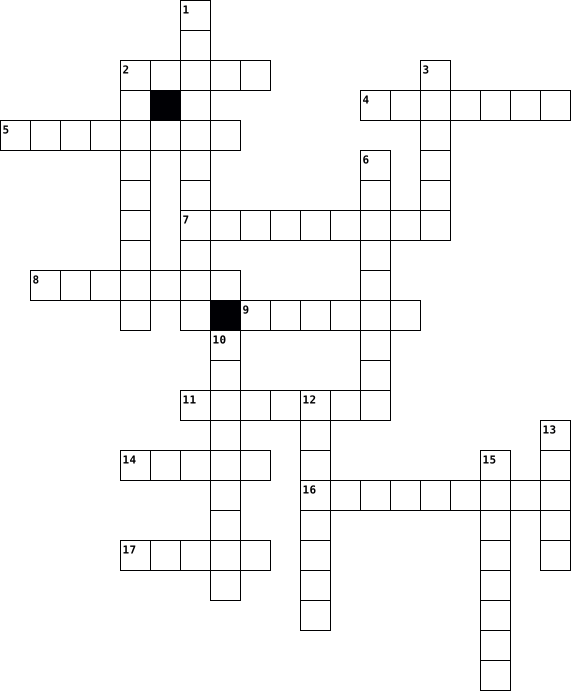
Strong Passwords 2025-09-23

Across
- Someone who breaks into computer systems
- A password attack that uses a list of common words
- A blend of letters and numbers for a stronger password
- A series of words used for a memorable but secure key
- One tool used to fool you into sharing your password
- Security based on unique physical characteristics (fingerprint, Face ID, etc.)
- Requiring two or more ways to verify identity
- Malicious software that records your keystrokes without your knowledge
Down
- The process of verifying a user's identity
- One way you can be fooled into sharing your password
- The combination of different character types within a single password to make it strong
- The unauthorized access of secure data
- Your username and password combination
- A scam to trick you into giving away your password
- A non-letter, non-number character like $ or #
- How often you should share your password
- The minimum number of characters required for MultiCare passwords
17 Clues: The unauthorized access of secure data • Your username and password combination • Someone who breaks into computer systems • How often you should share your password • The process of verifying a user's identity • Requiring two or more ways to verify identity • A non-letter, non-number character like $ or # • A password attack that uses a list of common words • ...
ICE Task 2 2019-03-13

Across
- a system that have several parameters that characterize their performance and functionality
- a dedicated computer system designed for one or two specific functions
- the amount of data moved successfully from one place to another in a given period
- a software that protect unauthorized access
- the collection of data that can be used by computers which need to communicate with each other, usually as part of a network
- a computer networking device that connects devices on a computer network
- the simultaneous transmission of the same message to multiple recipient
- the point of interconnection between a computer and a private or public network
- the amount of data moving across a network at a given point of time
- the rules that are set to enable communication through computers
- the system that supports the connection over the network, to enable sharing over the computer network
Down
- the address of a world wide web page
- a classic principle in computer networking
- computer network that uses wireless data connections between network nodes
- unique numbers that are used to identify each computer communicating in the internet protocol
- an arrangement in a local area network in which each node is connected to a main cable or link called bus
- a common type of wired configuration
- the amount of data that is sent, usually measured in seconds
- where data is exchanged between computers
- the component of a computer’s internal hardware that is used for communicating over a network with another computer
20 Clues: the address of a world wide web page • a common type of wired configuration • where data is exchanged between computers • a classic principle in computer networking • a software that protect unauthorized access • the amount of data that is sent, usually measured in seconds • the rules that are set to enable communication through computers • ...
Lesson 24 Vocab 2016-04-19

Across
- high end programs designed to provide network control and include special functions for connecting computers and other devises into a network
- computer that uses the service of another program
- internet connection technology that provides for the transfer of info to a computer
- an ISP that provides connection speed more than 30 times faster than dial-up connections
- a type of fiber-optic telephone line that can transmit up to 1.544 MG per second
- someone who invades someone else's computer without permission
- recent wireless technology that can deliver maximum speed of up to 7 Mbps to your cell phone, home computer or car
- server that acts as a n intermediary between a user and the internet
- variation of a LAN that uses no physical wires
- combination of hardware and software that creates a buffer between an internal network and the internet to prevent unauthorized access
- computer that handles requests for data, e-mail, file transfers and other network services from other computers
- computer architecture in which all of the computers on a network are equal and there is no computer designated as the server
- uses coaxial cable to send and receive data
Down
- the worlds collection of interconnected commercial and government owned voice oriented systems
- limk from one computer to another where data is transmitted
- computer configuration in which one or more computers on the network acts as a server
- device that directs traffic on a network by dividing data into smaller packets that travel by different routes
- junction where information arrives from connected computers or peripheral devices and is forwarded n more than one direction
- examine a fingerprint, voice pattern, or iris of the eye
- computer networks that covers a large geographic area
- largest network and used as a communication tool
- device on a network
- series of computers, workstations, and other devices
- allows selected outside organizations to access the internet
- network for computer users within an organization that cant be accessed by users outside the organization
- communications hardware device on a computer, which includes the screen and housing fro its electrical components
26 Clues: device on a network • uses coaxial cable to send and receive data • variation of a LAN that uses no physical wires • largest network and used as a communication tool • computer that uses the service of another program • series of computers, workstations, and other devices • computer networks that covers a large geographic area • ...
Computer Vocabulary 2014-08-25

Across
- - A flat paper used to enclose a letter or document.
- – a place where power leaves a system.
- - A folder or box for holding loose papers that are typically arranged in a particular order for easy reference.
- – device that scans documents and changes them into digital data.
- processing - storage of text on a computer.
- - The head or dispatch of a article showing when was printed and written.
- – a powerful mainframe computer.
- – a panel of keys that operate a computer.
- – operate on computer data by means of a program.
- facts collected together for analysis.
- – a group of people or things.
- Page – the names of the author and publisher and other publication information.
- checker – a program which checks the spelling of words in a text.
Down
- – the retention of data on a computer or electronic system.
- software - computer software designed to operate and control the computer hardware.
- - programs and other information used by a computer.
- - determination of the relative position of something or someone.
- row keys - which four fingers of each hand return as a base.
- letter - A letter from one company to another.
- - marked by a good or legitimate reason.
- - electronic device for storing data.
- - a book that lists words in groups of synonyms and related concepts.
- - giving force to words or actions.
- checker – attempts to verify written text for grammatical correctness.
- – system of rules governing affairs.
- Size - size of a typeface measured from line to line.
- address - explicit inclusion of the address of the person sending the message. Provides the recipient.
- spacing - Line spacing is the vertical distance between lines of text.
28 Clues: – a group of people or things. • – a powerful mainframe computer. • - giving force to words or actions. • – system of rules governing affairs. • - electronic device for storing data. • – a place where power leaves a system. • facts collected together for analysis. • - marked by a good or legitimate reason. • – a panel of keys that operate a computer. • ...
Unit terminology CROSSWORD PUZZLE 2023-10-10

Across
- Someone who accesses a computer or network illegally.
- Radio frequency identification; technology that uses radio signals to communicate with a tag placed in or attached to an object, an animal, or a person.
- A sequence of numbers that uniquely identifies the location of each computer or device connected to the Internet. Short for Internet Protocol.
- A collection of computers and mobile devices connected together, often wirelessly, via communications devices and transmission media.
- The point at which a peripheral device attaches to or communicates with a computer or mobile device so that the peripheral device can send data to or receive information from the computer.
- Any hardware component that conveys information from a computer or mobile device to one or more people.
- Someone who accesses a computer or network illegally with the intent of destroying data, stealing information, or other malicious action.
- The electronic component of a computer that interprets and carries out the basic instructions that operate a computer. See also processor
- An application that enables designers to create sophisticated publications that contain text, graphics, and many colors. DTP for short.
- A single device that looks like a printer or a copy machine but provides the functionality of a printer, scanner, copy machine, and perhaps a fax machine.
- A worldwide collection of electronic documents.
- A device, typically used in a home, that streams digital media from a computer or network to a television, projector, or some other entertainment device.
Down
- The trend of computers and devices with technologies that overlap, which can result in consumers needing fewer devices for the functionality that they require.
- Camera that records video as digital signals, which you can transfer directly to a computer or mobile device with the appropriate connection.
- The code of acceptable behaviors users should follow while on the Internet. Short for Internet etiquette.
- An electronic image file format by Adobe Systems that mirrors the appearance of an original document. Short for Portable Document Format.
- A computer dedicated to providing one or more services to other computers or devices on a network. Sometimes called a host computer.
- The electronic component of a computer that interprets and carries out the basic instructions that operate a computer. See also CPU
- An environment of virtual servers that house and provide access to resources users access through the Internet.
- The point at which a peripheral device attaches to or communicates with a computer or mobile device so that the peripheral device can send data to or receive information from the computer.
- An Internet standard that permits file uploading and downloading to and from other computers on the Internet. Short for File Transfer Protocol.
21 Clues: A worldwide collection of electronic documents. • Someone who accesses a computer or network illegally. • Any hardware component that conveys information from a computer or mobile device to one or more people. • The code of acceptable behaviors users should follow while on the Internet. Short for Internet etiquette. • ...
IT Trivia 2022-07-22

Across
- an instruction for the computer
- data that has been converted into a more useful or intelligible form
- a communication method that uses electronic devices to deliver messages across computer networks
- software programs designed to damage or do other unwanted actions on a computer
- a multinational information technology company that sells hardware, software and related business services
- anything that has the potential to cause serious harm to a computer system
- bits of data that a computer uses to collect information on your browsing history
- a method of preventing unauthorized access to or from a particular network
Down
- the process of transferring one or more files from a remote computer to your local computer
- a loudspeaker responsive only to the lowest acoustic frequencies
- a hardware device that allows information to be stored and retrieved on a computer
- a unit of storage capacity for computer data and memory
- the data transfer capacity of a computer network in bits per second
- a hardware device that filters and forwards network packets
- a device that is used to connect two pieces of equipment that were not designed to be connected
- ... and wireless
- transducers that convert electromagnetic waves into sound waves
- a device that connects two or more packet-switched networks or subnetworks
18 Clues: ... and wireless • an instruction for the computer • a unit of storage capacity for computer data and memory • a hardware device that filters and forwards network packets • transducers that convert electromagnetic waves into sound waves • a loudspeaker responsive only to the lowest acoustic frequencies • ...
internet 2023-11-17

Across
- Storage device that uses magnetic disks.
- The practice of using multiple servers to reduce the risk of downtime.
- An electronic path for data in a computer.
- source Software that is free to use, modify, and distribute.
- A type of computer virus that spreads through email.
- The visual representation of a program's structure.
- The basic unit of information in computing.
- A network of computers that are connected and can communicate with each other.
- A measure of a computer's processing speed.
- Input device that uses buttons and a wheel.
- The brain of the computer.
- A small piece of code that performs a specific task.
- Software that is designed to damage or disrupt a computer system.
- The process of finding and fixing errors in a program.
- A program that replicates itself and spreads to other computers.
Down
- The process of converting data into a coded form.
- A program that appears harmless but hides a malicious function.
- A small, portable storage device.
- A high-capacity, self-contained storage device.
- A series of instructions that a computer can execute.
- Abbreviation for Read-Only Memory.
- A set of rules for encoding and decoding information.
- Abbreviation for Hypertext Markup Language.
- The process of bringing a computer system back to a normal state after a failure.
- Abbreviation for Internet Service Provider.
- A protocol used for secure communication over a computer network.
- A small piece of data stored on a user's computer by a web browser.
- A type of computer memory that is volatile and temporary.
- Abbreviation for World Wide Web.
- Abbreviation for Central Processing Unit.
- A graphical representation of a program's algorithm.
- The graphical user interface in Microsoft Windows.
32 Clues: The brain of the computer. • Abbreviation for World Wide Web. • A small, portable storage device. • Abbreviation for Read-Only Memory. • Storage device that uses magnetic disks. • Abbreviation for Central Processing Unit. • An electronic path for data in a computer. • Abbreviation for Hypertext Markup Language. • The basic unit of information in computing. • ...
Computer Science Crossword 2021-12-08

Across
- - the physical parts of a computer
- model
- unit
- user interface (GUI)
- access memory
- device
- card
- extension
- system
- protocol
- computer
- storage device
Down
- sink
- interface
- drive
- - a machine that can be programmed to carry out sequences of arithmetic or logical operations automatically
- - a computer used primarily by large organizations for critical applications like bulk data processing for tasks
- ara network
- processing unit
- topology
- private network
- supply
- - individual facts, statistics, or items of information, often numeric
23 Clues: sink • unit • card • model • drive • device • system • supply • topology • protocol • computer • interface • extension • ara network • access memory • storage device • processing unit • private network • user interface (GUI) • - the physical parts of a computer • - individual facts, statistics, or items of information, often numeric • ...
spanish 2026-02-19

Across
- in front of
- computer mouse
- here
- in,on
- there
- window
- your
- door
- chair
- where
- desk
- the
- its a...
- table
- computer keyboard
- some
- computer(screen)
- wastepaperbasket
- de la/del on top of
Down
- behind
- of
- underneath
- computer
- what is this
- my
- next to or beside
- poster
- there are there is
- clock
- bookbag
- pencil sharpener
- flag
32 Clues: of • my • the • here • your • door • desk • some • flag • in,on • there • chair • where • clock • table • behind • window • poster • bookbag • computer • its a... • underneath • in front of • what is this • computer mouse • pencil sharpener • computer(screen) • wastepaperbasket • next to or beside • computer keyboard • there are there is • de la/del on top of
Computer Anatomy 2022-02-16

Across
- You can add devices such as sound cards to this
- Old printers usually use these to connect usb
- Are much slower than usb and firewire ports
- This chip activates when you turn on a computer
- This houses your graphics card
- These are normally integreted in motherboards
Down
- This is used to connect types of peripherals
- The brain that carries your computers actions
- A large PCB
- It funnels power through multicoloured cables
- Most mice and keyboards require these ports
- The hard drive isnt nearly as fast as this
- Many peripherals require these connections
13 Clues: A large PCB • This houses your graphics card • The hard drive isnt nearly as fast as this • Many peripherals require these connections • Are much slower than usb and firewire ports • Most mice and keyboards require these ports • This is used to connect types of peripherals • The brain that carries your computers actions • Old printers usually use these to connect usb • ...
Computer Memory 2022-11-07

Across
- this storage unit is in between terabyte and exabyte
- this has the least access time among the available memory
- this RAM needs to be refreshed
- this is volatile and temporary memory
Down
- we can erase the contents in this ROM when it is in the system
- a secondary storage device
- these are introduced in third generation computers
- number of types of computer memory
- a rom that is programmed will become this
9 Clues: a secondary storage device • this RAM needs to be refreshed • number of types of computer memory • this is volatile and temporary memory • a rom that is programmed will become this • these are introduced in third generation computers • this storage unit is in between terabyte and exabyte • this has the least access time among the available memory • ...
Hormones and behaviour 2023-11-13

Across
- Scheele got men to approach what type of female until uncomfortable?
- Kosfeld found that oxytocin led people to .... others more
- WHat 3 types of name did de Dreu test in trolley problems?
- Oxytocin is made in the ...
- Scheele claimed to have found a role for oxytocin in ...
- Oxytocin is known to be released during...
- Hormones are unlike neurotransmitters in that they act over the ...
Down
- Kosfeld found no effects when people played against a ...
- Oxytocin is released by the ...
- Scheele studied 86 men of what kind?
- Kosfeld investigated oxytocin in what sort of game?
- favouring your own ethnic group
- de Dreu found participants with oxytocin were less likely to sacrifice a member of the...
13 Clues: Oxytocin is made in the ... • Oxytocin is released by the ... • favouring your own ethnic group • Scheele studied 86 men of what kind? • Oxytocin is known to be released during... • Kosfeld investigated oxytocin in what sort of game? • Scheele claimed to have found a role for oxytocin in ... • Kosfeld found no effects when people played against a ... • ...
Computer Crossword Puzzle 2022-03-31

Across
- An electronic device that can intensify sound to make it easier for an audience to hear.
- The main circuit board of a computer that holds many of the important components.
- A small picture on a computer screen that represents a program that can be opened.
- A small device that you move with your hand to help you click on items on the computer screen.
- the inputs on a keyboard to help you enter information on the computer.
- The physical parts of a computer.
- A machine that is used for printing documents and pictures.
Down
- A screen that displays an image that is being generated by a computer.
- A group of files or documents that are stored together by a title.
- Booting a computer system again usually due to a problem.
- the Central Processing Unit processes and exchanges data with the peripherals.
- To look something up.
- The set of keys that are used to type words on a computer.
- a computer program where you can look up and information on the internet.
- A disk that contains computer data.
- A device that is used to save documents to use on another computer.
- what you look at while using your electronic devices.
17 Clues: To look something up. • The physical parts of a computer. • A disk that contains computer data. • what you look at while using your electronic devices. • Booting a computer system again usually due to a problem. • The set of keys that are used to type words on a computer. • A machine that is used for printing documents and pictures. • ...
Cyber security 2022-09-14

Across
- The act of taking advantage of human trust to gain access to private information. This can be done as easily as calling a number and asking for it.
- A service from Google that works to protect websites from spam and abuse caused by robots. A user is presented with a Turing test to distinguish them from a robot.
- A segment of data sent by an Internet server to the browser that is returned to the browser every time it accesses the server. This is used to identify the user or track their access to the server. Initially, cookies were used to stay logged in but are now commonly used for tracking.
- One of the most insidious types of malware, as they are extremely stealthy and difficult to detect by traditional endpoint protection methods. This malware masks its existence and controls the operating system, preventing its detection even further. Hackers use rootkits to access a system and steal information.
- Software that can only be run for a limited amount of time before it expires.
- An error, flaw, failure, or fault in a computer program or system that causes an unintended code interaction.
- A secret word or phrase that is used to access a computer system or service.
- Programs that are bundled into another program that a user downloads in the hope that the user will select “next” by force of habit and install.
- Creating a fake identity on a social network account, usually a dating website, to target a specific victim for deception.
- A form of malicious software that disguises itself as a harmless computer program but provides threat actors with the ability to execute any variety of attacks that steal information, disrupt functionality or damage data.
Down
- The method of obtaining user information through fraudulent communications targeted directly at people. This is usually done through emails disguised as coming from a legitimate source but delivers the target’s information back to the hacker’s actual source.
- Code that is embedded into the hardware of a computer.
- A test that distinguishes between robots and humans using a website where you have to “prove you’re human”.
- A hacking attack that makes the device mine cryptocurrency, in addition to its normal use.
- The core of a computer’s operating system that houses the most essential functions of the computer.
- A cyber attacker who uses software and social engineering methods to steal data and information.
- Stands for the National Security Agency and is the official United States cryptologic organization under the Department of Justice. Responsible for global monitoring, collection, and processing of information and data for both foreign and domestic intelligence.
- Seemingly harmless impersonal data, like how many times a user clicked or refreshed the page when visiting a website.
- Hacking with malicious intent. Typically to gain access to a computer and steal as much data as possible.
19 Clues: Code that is embedded into the hardware of a computer. • A secret word or phrase that is used to access a computer system or service. • Software that can only be run for a limited amount of time before it expires. • A hacking attack that makes the device mine cryptocurrency, in addition to its normal use. • ...
crossword 2019-02-12

Across
- what happens on the screen
- chip in the CPU
- computer device like memory
- storage devices-grouping together tape drives
- record data onto a disk
- devices-a device that feeds data into a computer
- brain of the computer
- storage on the computer
Down
- data into a computer
- main circuit in a microcomputer
- term for a display screen
- printer-a type of printer that produces images on drum
- phone-a phone that combines computing
- Disk-stores computer data
- device-display screens,loud speakers and screens
- jet printer-a type of printer that sprays ink onto sheets of paper
- type of port in the computer
17 Clues: chip in the CPU • data into a computer • brain of the computer • record data onto a disk • storage on the computer • term for a display screen • Disk-stores computer data • what happens on the screen • computer device like memory • type of port in the computer • main circuit in a microcomputer • phone-a phone that combines computing • storage devices-grouping together tape drives • ...
Operating_system_2 2013-04-03

Across
- to terminate a connection to a computer or network
- an open source version of unix developed by a volunteer team of programmers around the world
- capable of being used without modification
- an external computer add-on, such as a printer or a scanner; also known as an 'accessory'
- a software program which allows a user to perform specific tasks such as word processing, email, accounting, database management
- a software program which mimics the performance of one or more hardware devices in order to run software independently of the actual hardware
- to end a program or a process before its completion
- any program designed to run on a computer
- to enter information related to an account name and its password in order to access a computer resource
- a program/code which allows programmers to change the original software as much as they like
- concurrent execution of two or more tasks by a processor
- an error in a computer program
- something a computer program must do; these are often reasons to use a particular program or upgrade to a more recent version
- physical things that make up a computer, such as a component or a peripheral
- to start a program on a computer
Down
- a person who uses a product or service on a computer
- any device internal to the computer, such as a primary hard disk drive or motherboard.
- a software link between a computer and an operator; it provides a framework for productivity software such as an office suite, a web browser, or programming languages
- a method of packing data in order to save disk storage space or download time
- an organized, electronic collection of information optimized for fast access and typically consisting rows, columns, indexes, and keys
- a group of connected computers which share resources
- privately developed and owned technology
- an incorrect action attributable to poor judgment, ignorance, or inattention
- a computer failure due to faulty hardware or a serious software bug
- a person who writes or modifies computer programs or applications
- the largest known public network in the world, connecting millions of computers around the world
- literally meaning 'that which is given', this term refers to raw information of any kind
27 Clues: an error in a computer program • to start a program on a computer • privately developed and owned technology • any program designed to run on a computer • capable of being used without modification • to terminate a connection to a computer or network • to end a program or a process before its completion • a person who uses a product or service on a computer • ...
Lesson 14 Vocab 2013-10-16

Across
- A name that represents a value.
- Any error in a computer program that keeps it from running as planned or as expected.
- An instruction or set of instructions explaining how to solve a problem. An algorithm is often illustrated using a flowchart.
- deals with the form and structure of statements in a programming language (a formal language).
- An error in the syntax of an informal or a formal language (for example, when a statement in a computer program cannot be parsed by the processor).
- A programming paradigm that uses objects and their interactions to design applications and computer programs.
- An instruction that a programmer gives to a computer via code, causing the computer to perform a specific action.
- The situation in which a program executes but does not produce the results that were intended.
- The “performance” or “running” of a computer command.
- A programming language that hides the details of how the computer hardware solves a problem and is therefore easier for a programmer to use.
- A set of computer instructions that, when put together, help to accomplish a task or function, such as creating a web page, a word processing document, or a calculator.
- Refers to the meaning of an informal language sentence or the logic of a formal language statement (for example, a computer program).
- A collection of program statements in a text file.
- A person who writes the code (creates the programs) to instruct a computer what to do. Computer programmers are also called software engineers.
- A part of a program that most often has an if...then statement; for example, “If it is raining, then I’ll bring an umbrella.” In this example, the presence of rain is the condition that can change to affect the next action.
- Binary code made up of 0s and 1s; usually this is data converted from a high-level language by a compiler. Often used as a synonym for low-level programming language.
- A programming language that allows direct control of the computer hardware.
Down
- Programming language that has the same structure and set of commands as machine languages but allows programmers to use symbolic representations of numeric machine code.
- the meaning of syntactically valid strings in a programming language.
- A programming paradigm that instructs the computer how to do a task using a step-by-step process.
- All of the characters used to write a computer program.
- A diagram that uses graphical symbols to illustrate the flow of steps in a process.
- A computer application that executes a high-level source program directly, without first compiling and saving it to disk.
- A computer application that translates a high-level source program into machine instructions readable by a processor and saves it to disk. The program executes when run.
- One of the most commonly used scripting language for use in web pages.
- An instance of a class or type of data.
- To repeat a process.
27 Clues: To repeat a process. • A name that represents a value. • An instance of a class or type of data. • A collection of program statements in a text file. • The “performance” or “running” of a computer command. • All of the characters used to write a computer program. • the meaning of syntactically valid strings in a programming language. • ...
Computer Systems Vocabulary 2017-09-04

Across
- Software programs that perform tasks to make the hardware operate.
- A device used to insert data into a computer or other device.
- Starting up a computer from a halted or powered down condition.
- A computer's physical machinery and equipment.
- Programs that perform tasks specifically for the user.
- Printed circuit board on which the CPU, RAM chips and other electronic circuit components are located.
- The part of computer where data is stored for later use.
- A temporary place to store material that works quickly. erased when computer turns off.
- An input or output device that connects to and works with the computer in some way.
- The brain of the computer that performs instructions defined by software.
Down
- A set of step-by-step instructions to a computer. Some are burned directly into chips, while others are stored as program files.
- Memory storage devices such as hard disk drives, CDs, DVDs, flash drives and any type of memory card.
- Set of instructions called programs that tell the hardware and software what to do. Can be operating system or application software.
- Groupings of 1's and 0's that makes information that a computer can understand.
- User interaction through graphical icons and visual indicators.
- Bits, byte, kilobyte, megabyte, gigabyte, terabyte.
- A device that projects images, gives sound, and basically gives out the info from the computer so the user can obtain it.
- Permanent instructions that cannot be changed.
- A device that provides electrical power to a computer.
- A memory storage device that stores digitally encoded data.
20 Clues: A computer's physical machinery and equipment. • Permanent instructions that cannot be changed. • Bits, byte, kilobyte, megabyte, gigabyte, terabyte. • Programs that perform tasks specifically for the user. • A device that provides electrical power to a computer. • The part of computer where data is stored for later use. • ...
Computer 2022-05-07
Across
- mobilni telefon
- pokrenuti
- ukljuciti
- iskljuciti
- pogledati
- otvoriti
- proveriti
- citati
- poruka
- slusati, cuti
Down
- daunlodovati, skinuti
- aplodovati
- raditi, praviti
- zatvoriti
- pisati
- zvoniti
- podatak
- poslati
18 Clues: pisati • citati • poruka • zvoniti • podatak • poslati • otvoriti • pokrenuti • ukljuciti • zatvoriti • pogledati • proveriti • aplodovati • iskljuciti • slusati, cuti • mobilni telefon • raditi, praviti • daunlodovati, skinuti
Computer Skills 2022-04-19

Across
- A program used to find and view pages on the world wide web/internet
- to turn off the sound
- A secret word that allows access to a computer or computer program.
- Pressing the left mouse button and releasing it quickly
- an electronic message used by individuals to communicate with one another
- how loud or soft a sound is
- a hand-held device that controls the coordinates of a cursor on your computer screen as you move it
- Move up or down a page on the screen
- An optical instrument that uses lenses to focus light, and film to record an image of an object.
- A pointing device you can use instead of a mouse. It senses the position of your finger and moves the pointer accordingly.
- A key that moves the cursor to a preset position, as in indenting paragraphs.
- A document that is stored on your computer.
- Data that is entered into the computer system via an input or storage device.
Down
- the process of maintaining information in memory over time
- a name that uniquely identifies someone on a computer system.
- A computer input device that uses a set of keys to put data into the computer.
- a symbol or image on a screen of a program
- to turn in or send in a document
- text box on a page where you can type information that you wish to search for
- Hardware for output that displays characters and images
- Data that has been processed into a useful format.
- an area of storage for images and data
- to move computer software or information from one computer to another
23 Clues: to turn off the sound • how loud or soft a sound is • to turn in or send in a document • Move up or down a page on the screen • an area of storage for images and data • a symbol or image on a screen of a program • A document that is stored on your computer. • Data that has been processed into a useful format. • Pressing the left mouse button and releasing it quickly • ...
hello 2021-12-15

Across
- Machine for making paper copies of texts.
- A process or set of rules used in calculations or problem solving.
- The computer screen which comes up when a computer is turned on and which displays icons for main programmes.
- Identity required to enter a system of closed website.
- High-capacity Internet transmission capacity.
- Used to recharge batteries.
- All programmes and digitised materials needed to run IT systems.
- Used to type and enter information into a computer.
- An Internet label, address.
- Device used to convert a plug.
- A safeguard of a file.
Down
- A space used to store a set of files.
- Restart a computer.
- A wifi outlet.
- The programme which makes a computer work.
- Small, highly portable device used to store information, data, etc.
- Part of computer that stores most information.
- Smartphone programme for most activities.
- A set of images often used to accompany a presentation.
- A piece of wire used as a connection.
20 Clues: A wifi outlet. • Restart a computer. • A safeguard of a file. • Used to recharge batteries. • An Internet label, address. • Device used to convert a plug. • A space used to store a set of files. • A piece of wire used as a connection. • Machine for making paper copies of texts. • Smartphone programme for most activities. • The programme which makes a computer work. • ...
Computer Parts 2023-01-13

Across
- Provides high quality visual display by processing and executing graphical data using graphical techniques.
- A computer hardware component that connects acomputer to a computer network.
- An electrical cable that temporarily connects an appliance to the electricity supply.
- device that accepts text and graphic output from a computer and transfers the information to paper.
- Converts mains AC to Low-voltage regulated DC power for the internal components of a computer.
- tower that includes many components that work together in order to communicate with other computers, produce sound and audio, and allow human interaction.
- Known as a computer chassis.
- Backbone that ties the computer components together at one spot.
- A non-volatile data storage device.
- Device or system that is used to store information for immediate use in computer.
Down
- Uses laser light or electronic waves within or near the visible light spectrum.
- An obsolecent type of disk storage composed of a thinand flexible disk.
- Device that uses untegrated circuit assemblies to store data.
- A form of memory that can be read and changed in any order.
- Printed circuit board that can be inserted into electrical connector.
- An internal expansion card that provides input and output of audio signals to and from a computer under the control of computer programs.
- A piece of computer hardware equipment which converts information.
- An output device that displays information pictorial or textual display.
- Is a hand-Held pointing device that detects two-dimensional motion.
19 Clues: Known as a computer chassis. • A non-volatile data storage device. • A form of memory that can be read and changed in any order. • Device that uses untegrated circuit assemblies to store data. • Backbone that ties the computer components together at one spot. • A piece of computer hardware equipment which converts information. • ...
Computers Jude Johnson 2020-10-01

Across
- drive Storage device added to the computer by using a USB port.
- The logic circuitry that responds to and processes the basic instructions that drive a computer. Has generally replaced the term central processing unit (CPU).
- The dissipation of large amounts of heat, which is created while a computer system is running. Heat is generated inside the computer tower by various hardware such as CPU, video card or even the hard drive.
- data that a computer sends
- what is put in, taken in, or operated on by any process or system.
- One of the most essential parts of a computer system. It holds together many of the crucial components of a computer, including the central processing unit (CPU), memory and connectors for input and output devices.
- tools, machinery, and other durable equipment.
- Fans They cool the surrounding area by circulating fresh air through the case by drawing out hot air, drawing in cooler air, or both.
- code Groupings of 1's and 0's that makes information that a computer can understand.
- Drive The primary computer storage device, which spins, reads and writes one or more fixed disk platters. It permanently stores and retrieves information.
- Supply A hardware component that supplies power to an electrical device. It receives power from an electrical outlet and converts the current from AC (alternating current) to DC (direct current), which is what the computer requires.
- This is the same RAM. It is volatile memory that stores information on an integrated circuit used by the operating system, software, and hardware. When power is turned off it will erase the contents it has gathered. You can add it in the PCI slots on the motherboard.\
- Card Connects to the motherboard of a computer system and generates output images to display. Also referred to as graphics cards. They include a processing unit, memory, a cooling mechanism and connections to a display device.
- Copy of printed information from the computer.
Down
- software capable of accepting requests
- Used to provide visual output from a computer. They use CRT and LCD technology.
- Cooling Keeps your computer from overheating
- the programs and other operating information used by a computer.
- fans Used in conjunction with heat sinks to prevent overheating of the components in central processing units.
- Drive A type of computer disk drive that reads and writes data from disks through laser beaming technology. This type of drive allows a user to retrieve, edit and delete the content from disks such as CDs, DVDs and Blu-ray disks.
- translates source code into machine code one line at a time
- browser A program that allows a user to view and interact with web page
- Card An expansion card that attaches to your PCI slot on the motherboard that enables the computer to input, process, and deliver sound that can be heard through speakers or headphones. It converts digital data to analog sound waves you can hear.
- and Mouse External input devices connected to a computer.
- Drive Fans Often used in systems with heat-production challenges from a lot of hard drive usage.
- Records sound
26 Clues: Records sound • data that a computer sends • software capable of accepting requests • Cooling Keeps your computer from overheating • tools, machinery, and other durable equipment. • Copy of printed information from the computer. • and Mouse External input devices connected to a computer. • translates source code into machine code one line at a time • ...
TRIAL 2 2021-07-20

Across
- The physical parts of a computer
- an email scam that dishonest people use to try to get you to reveal your passwords or other information they could use to hack into your private information
- the address of a site on the World Wide Web
- the number of pixels that can be shown on a device’s display
- the type of storage that is not changed even when the computer is turned off
- etiquette of the internet
- A part of a program that usually causes the computer to malfunction; often remedied in patches or updates to the program
- A peripheral device that converts output from a computer into a printed image
- A small picture used to represent a file or program in a GUI interface
- headlines that are crafted with the sole purpose of driving clicks
- A network of computer networks encompassing the World Wide Web
- an extra copy of a file, document or all data stored on a computer
- A computer's most basic unit of information
- documents that answer questions common to a particular website or program
- an area on a laptop that substitutes for a mouse
- A program arranged in rows and columns that manipulates numbers
- A device that reads and writes information, including the operating system, program files, and data files
Down
- Complete, self-contained programs that perform a specific function
- The concept of discovering patterns from large amounts of data
- Ability of machines and computers to appear intelligent and make decisions
- a decentralised, digital currency
- shopping and buying things online
- Namable unit of data storage
- systems designed to protect and secure a computer network
- THE concept of reusing an object or materials to create a new product of better quality than the original
- a picture that pops up when you are not using your computer
- a deliberately harmful computer program designed to create annoying glitches or destroy data
- total amount of users who visit a website
- a concept where a piece of content is quickly and widely spread or popularized by media, especially social media
- bar on your computer that shows what programs are open
- a secret code to protect your data and can keep others from accessing your computer
- computer programs that conduct “human-like” conversations with users, typically via text
32 Clues: etiquette of the internet • Namable unit of data storage • The physical parts of a computer • a decentralised, digital currency • shopping and buying things online • total amount of users who visit a website • the address of a site on the World Wide Web • A computer's most basic unit of information • an area on a laptop that substitutes for a mouse • ...
Computer Science 07 2020-01-22

Across
- xxx controls, methods to stop children accessing inappropriate content on the internet.
- xxx seeking and self obsession, negative things could we say the use of selfies and social media have brought?
- act helps to protect intellectual property, copyright, designs and patents, written and recorded content
- xxx commons attribution, Work can be shared, copied or modified. Credit to copyright holder given --- share a like, Modified works can only be distributed with the same licence terms as the original - none commercial, Nobody can use the copyrighted work for profit -- no derivative works, The work can be copied and distributed but can be modified or built on
- xxx of Information Act, Allows members of the public to access information held on computer systems by public organisations, Government departments parliament councils armed forces NHS police schools and universities,
- if computer hardware is not recycled properly it can lead to
- xxx divide, Some people have greater access to technology than others
- xxx the sending of sexually explicit messages or images to other people. This is now illegal and can lead to prosecution.
Down
- possible result of impact of cyberbullying.
- unauthorized access to computer files and cyber crime, Computer Misuse Act hope to stop
- xxx xxxxxx Prolonged exposure to display screens. Reduced by regular breaks correct lighting and distance away from monitor
- Causing public arguments or distress with other online users by posting aggressive or inflammatory comments.
- xxx National security or harmful information or for future publication, the Freedom of information act is xxx for these types of information
- xxx misuse act is the legislation that can be used to prosecute hackers
- Protection Act, xxxx xxxxxxxxxx xxx Data need only be used in a fair and lawful way - Data must only be used for the specified purpose - Data should be adequate relevant and not excessive for the specified use - Data must be accurate and kept up to date - Data should not be kept longer than is necessary - The right of the data subject must be observed - Data should be kept safe and secure - Data should not be transferred abroad without adequate protection
15 Clues: possible result of impact of cyberbullying. • if computer hardware is not recycled properly it can lead to • xxx divide, Some people have greater access to technology than others • xxx misuse act is the legislation that can be used to prosecute hackers • unauthorized access to computer files and cyber crime, Computer Misuse Act hope to stop • ...
Computer Skills 2025-11-12

Across
- = Temporary memory that disappears when the computer is turned off is called _____.
- = What is an electronic machine that receives input, processes data, produces output, and stores information?
- = Long-term storage like a hard drive or USB is called _____ storage.
- = Listening to music through speakers is an example of _____ output.
- = A device that produces audio output from a computer is called _____.
- = Saving an essay on a USB drive is an example of _____.
- = Uploading pictures to Google Photos uses _____ storage.
- = The information or commands you give to a computer is called _____.
- = Speaking into a device to use voice-to-text uses a _____.
- = Programs or instructions that tell the computer what to do are called _____.
- = Typing an email is an example of using a _____.
- = Optical media used for secondary storage is called a _____.
- = Swiping on a tablet to unlock it uses a _____.
- = The keypad used to enter information at an automated teller machine is called an _____.
- = Clicking on a YouTube video is an example of using a _____.
- = The part of the computer that acts like the brain is called the _____.
- = A document saved on a computer for later use is called a _____.
Down
- = A device often used for gaming input is called a _____.
- = A device that shows visual output from a computer is called a _____.
- = The CPU works together with _____ to process information.
- = A device that gives physical output from a computer is called a _____.
- = A common device for permanent storage of files is a _____.
- = The final result a computer gives after processing is called _____.
- = A small removable device used for long-term storage is called a _____.
- = The cycle of Input, Processing, Output, and Storage is called the ____ cycle.
- = A device used to put physical documents into a computer is called a _____.
- = A device used to show visual output to a large group is called a _____.
- = An example of a cloud storage service is _____.
- = The main function that allows the computer to work with input is called _____.
- = Watching a movie on a projector is an example of _____ output.
- = Printing a document is an example of _____ output.
31 Clues: = Swiping on a tablet to unlock it uses a _____. • = An example of a cloud storage service is _____. • = Typing an email is an example of using a _____. • = Printing a document is an example of _____ output. • = Saving an essay on a USB drive is an example of _____. • = A device often used for gaming input is called a _____. • ...
Computer Project (Crossword Puzzle) 2025-06-06

Across
- When software is copied and distributed illegally , it is called software _____.
- A network device that is used to connect all the computers in a network with each other.
- An act of harming, harassing, or targeting a person using the internet in a deliberate manner.
- Enables you to connect your computer to an available internet connection over the existing telephone lines.
- Network ______ means protecting data and resources from any unauthorized access.
- A security system that prevents unauthorized people from accessing your system and network.
- The computers that communicate with each other.
- A digital ______ is an impression about a person that exists on the internet because of his online activities.
Down
- Unwanted bulk emails that come from unknown sources.
- A device that connects two different types of networks with each other.
- All nodes in the network are connected in a circular manner in ______ topology.
- Works similar to Hub.
- A legal right granted by law to the creator for his original work.
- ______ Network card is the most commonly used network card.
- The simplest way to prevent plagiarism is through proper _______.
- An illegal intrusion into a computer system or network.
16 Clues: Works similar to Hub. • The computers that communicate with each other. • Unwanted bulk emails that come from unknown sources. • An illegal intrusion into a computer system or network. • ______ Network card is the most commonly used network card. • The simplest way to prevent plagiarism is through proper _______. • ...
Unit 2 vocabulary 2017-11-17

Across
- a standardized system for tagging text files
- The key component of a computer system
- To communicate electronically on the computer
- a location or address identifying where documents can be found on the Internet
- a system of interlinked hypertext
- A piece of code that is capable of copying itself and has a detrimental effect
- Camera that records and stores digital images
- The programs and other operating information used by a computer
- To copy data from one computer system to another or to a disk
- Combining words and phrases using the words AND, OR, NOT and NEAR
- To browse the Internet; look around casually and randomly
Down
- a camera used for electronic motion picture acquisition
- A link from a hypertext file or document to another location or file
- Computer programs with a user interface
- The machines, wiring, and other physical components of a computer
- The imparting or exchanging of information or news
- The application of scientific knowledge for practical purposes
- An international computer network providing e-mail and information from computers
- A program that accesses and displays files on the Internet and other networks
- The intellectual study of the structure and behavior of the physical and natural world
20 Clues: a system of interlinked hypertext • The key component of a computer system • Computer programs with a user interface • a standardized system for tagging text files • To communicate electronically on the computer • Camera that records and stores digital images • The imparting or exchanging of information or news • a camera used for electronic motion picture acquisition • ...
Unit 1 2026-06-10

Across
- an object that provides a supply of electricity for something
- to make something better
- the set of keys for operating a computer or typewriter
- a way of doing something by using special knowledge or skills
- a piece of equipment with moving parts that uses power to do work
- a portable computer that can work with a battery
- connected to a computer, a computer network, or the internet
- a collection of computer documents connected to the internet
- the gradual growth of something
- a device that you press to turn something on and off
Down
- an electronic machine that produces sound
- to change something by including the most recent information
- the electrical system of communication that you use to talk to someone else in a different place
- a machine that is used for printing documents or photographs
- an electronic machine that is used to store and sort information
- happening or existing now
- an object used for connecting a piece of equipment to an electricity supply
- a collection of computer data that forms a single unit
- a telephone that people can carry and use outside
- to press a button on a mouse or other device
20 Clues: to make something better • happening or existing now • the gradual growth of something • an electronic machine that produces sound • to press a button on a mouse or other device • a portable computer that can work with a battery • a telephone that people can carry and use outside • a device that you press to turn something on and off • ...
Computer Vocabulary Terms 2014-08-26

Across
- : CD , Computer memory unit
- : To Prepare , Method
- : to fix something, To Re-work on it
- : Sketch, or To plan something out
- : Computer, Or something u use for web
- Software : Computer Program
- : something u type on, use internet on , use to do re-search\
- : Something u use to type on a computer or laptop
- Adresses : To Send something back, return to sender
- size : it measures
- greeting, Salute
- Spacing : Type or Format of something
- : something u use to enclose up a letter
- Processing : Method, Processing something
Down
- : Computer Add-on , To scan
- : To go back and forth
- : Wide straight
- : Size of letters
- :Importance, scale
- : When u go over something, Re-Read
- : A Definition book, like a Dictionary
- : Record Holder
- : File, to save something, To Store something
- : Something a Human has
- put : Production , Finished product
- Skill or a Talent
- Top : A Computer u can travel with
- : Screen blinker , Desktop Arrow, Computer pointer
- Head : Corporate Stationary
- Protection : Computer Scanner , Protection
30 Clues: : Wide straight • : Record Holder • greeting, Salute • : Size of letters • Skill or a Talent • :Importance, scale • size : it measures • : To Prepare , Method • : To go back and forth • : Something a Human has • : Computer Add-on , To scan • : CD , Computer memory unit • Software : Computer Program • Head : Corporate Stationary • : Sketch, or To plan something out • ...
Unit 1 2026-05-27

Across
- an object that provides a supply of electricity for something
- to make something better
- the set of keys for operating a computer or typewriter
- a way of doing something by using special knowledge or skills
- a piece of equipment with moving parts that uses power to do work
- a portable computer that can work with a battery
- connected to a computer, a computer network, or the internet
- a collection of computer documents connected to the internet
- the gradual growth of something
- a device that you press to turn something on and off
Down
- an electronic machine that produces sound
- to change something by including the most recent information
- the electrical system of communication that you use to talk to someone else in a different place
- a machine that is used for printing documents or photographs
- an electronic machine that is used to store and sort information
- happening or existing now
- an object used for connecting a piece of equipment to an electricity supply
- a collection of computer data that forms a single unit
- a telephone that people can carry and use outside
- to press a button on a mouse or other device
20 Clues: to make something better • happening or existing now • the gradual growth of something • an electronic machine that produces sound • to press a button on a mouse or other device • a portable computer that can work with a battery • a telephone that people can carry and use outside • a device that you press to turn something on and off • ...
Sean and Jordyn 2022-03-28

Across
- behind
- keyboard
- there
- poster
- Backpack
- window
- diskette
- desk
- here
- flag
- door
- table
- wastepaper_basket
- on top of
Down
- Where?
- below
- (computer)mouse
- clock
- computer
- (computer)screen
- chair
- in
- next to
- Pencil sharpener
- in front of
25 Clues: in • desk • here • flag • door • below • clock • there • chair • table • Where? • behind • poster • window • next to • keyboard • computer • Backpack • diskette • on top of • in front of • (computer)mouse • (computer)screen • Pencil sharpener • wastepaper_basket
Mummy Pig At Work 2019-03-29

Across
- I see that the computer is _____ again
- Yes, if you both sit _______
- She has alot of _____ work to do today
- You mustn't touch the computer, ______
- What you eat in the afternoon
- The computer is not ______ to do that
- I am a bit of an ______ at these things
- Peppa, ______!
- I'll ______ lunch while you mend the computer
- Now, it's my _____!
- I don't know where the _____ is
Down
- Mummy pig is working on her ________
- Yes, as long as you don't _____ her
- Maybe if I just _____ it off...
- We can play "Happy Mrs. Chicken" ____
- What on ______ is going on?
- Can we go and _____ Mummy on her computer?
- Can George and I sit on your _____ and watch you work?
- Can you _____ the computer
- I'm not very good with these ______...
- Daddy pig is making _____ for lunch
21 Clues: Peppa, ______! • Now, it's my _____! • Can you _____ the computer • What on ______ is going on? • Yes, if you both sit _______ • What you eat in the afternoon • Maybe if I just _____ it off... • I don't know where the _____ is • Yes, as long as you don't _____ her • Daddy pig is making _____ for lunch • Mummy pig is working on her ________ • We can play "Happy Mrs. Chicken" ____ • ...
CSCI-241 Discussion Worksheet Week #1 2019-08-30

Across
- a message presented to the user by the computer program
- Java statement terminator
- username needed to access a computer system
- number base used by all computers
- data sent from the user to a computer program
- program that translates Java to bytecode
- the physical computer
- computer software that sits between the user and the hardware (two words)
- Java computer program before it is compiled (two words)
- describes the type of error detected when a programmer compiles a program containing an illegal Java statement
- filename extension of a compiled Java program file
- Java class that allows the program to read text from the keyboard
- name of the entry point to run any Java program
- the integrated development environment uses in CSCI-241
Down
- a line in a program that exists for a human to read, but has no effect on how the program runs
- the symbols used to enclose a block of code in a Java program (two words)
- type of programming language, such as Java, C or FORTRAN (two words)
- Java statement that tells the compiler that a specific library will be used
- language that the Java Virtual Machine understands (two words)
- the word or phrase needed to verify your identity when logging in
- reserved word which has specific meaning to a programming language
- abbreviation for a software development tool that provides access to an editor, compiler, etc.
- general term for computer programs
- abbreviation for the "brains" of the computer
- type of language understood by the computer hardware
- the operating system used in our computer lab
- abbreviation for the software that runs the compiled code of Java programs
27 Clues: the physical computer • Java statement terminator • number base used by all computers • general term for computer programs • program that translates Java to bytecode • username needed to access a computer system • data sent from the user to a computer program • abbreviation for the "brains" of the computer • the operating system used in our computer lab • ...
Unit 6 and 7 Review 2013-04-23

Across
- An electronic pen
- Jam comes in a glass ____
- Tuna comes in a metal _____
- This is what you use to listen to music
- Your birthday is the day this happened
- This saves your results in computer games
- Cluedo and Monopoly are...
- Cans are made of _____
- Boxes are made of ____
- To work, you have to _______
- A computer you can take with you
Down
- This game has kings, queens, and knights
- You use this to type on the computer
- My computer _____ is 17"
- Programs you install on a computer
- Where you load a cd on your computer
- Everyone in the world _____ and dies
- After you do the Selectividad, you ___
- Milk comes in a plastic ____
- The camera on your computer
- When you have a wedding, you _____
- The Gameboy is a ____
22 Clues: An electronic pen • The Gameboy is a ____ • Cans are made of _____ • Boxes are made of ____ • My computer _____ is 17" • Jam comes in a glass ____ • Cluedo and Monopoly are... • Tuna comes in a metal _____ • The camera on your computer • Milk comes in a plastic ____ • To work, you have to _______ • A computer you can take with you • Programs you install on a computer • ...
Computer Literacy 2022-10-11

Across
- copy
- random access memory
- first general purpose computer
- the data that has been processed and is now turned into information to be stored
- software type that is the individual programs within the computer
- past
- 8.5x11 size paper
- primary input device
- first computer operating system
- what we tell a computer to do
- 8 bits
Down
- undo
- electronic storage
- the general term for input and output devices
- instructions that tell a computer what to do
- the most common operating system for personal home computers
- 11x17 size paper
- the thinking a computer does
- electronic device that executes the instructions of a program
- 8.5x14 size paper
- read only memory
- 1 digit of information in binary code
- the methods used to keep information available for later use
23 Clues: copy • undo • past • 8 bits • 11x17 size paper • read only memory • 8.5x14 size paper • 8.5x11 size paper • electronic storage • random access memory • primary input device • the thinking a computer does • what we tell a computer to do • first general purpose computer • first computer operating system • 1 digit of information in binary code • instructions that tell a computer what to do • ...
Computer Science 07 2020-01-22

Across
- xxx controls, methods to stop children accessing inappropriate content on the internet.
- xxx seeking and self obsession, negative things could we say the use of selfies and social media have brought?
- act helps to protect intellectual property, copyright, designs and patents, written and recorded content
- xxx commons attribution, Work can be shared, copied or modified. Credit to copyright holder given --- share a like, Modified works can only be distributed with the same licence terms as the original - none commercial, Nobody can use the copyrighted work for profit -- no derivative works, The work can be copied and distributed but can be modified or built on
- xxx of Information Act, Allows members of the public to access information held on computer systems by public organisations, Government departments parliament councils armed forces NHS police schools and universities,
- if computer hardware is not recycled properly it can lead to
- xxx divide, Some people have greater access to technology than others
- xxx the sending of sexually explicit messages or images to other people. This is now illegal and can lead to prosecution.
Down
- possible result of impact of cyberbullying.
- unauthorized access to computer files and cyber crime, Computer Misuse Act hope to stop
- xxx xxxxxx Prolonged exposure to display screens. Reduced by regular breaks correct lighting and distance away from monitor
- Causing public arguments or distress with other online users by posting aggressive or inflammatory comments.
- xxx National security or harmful information or for future publication, the Freedom of information act is xxx for these types of information
- xxx misuse act is the legislation that can be used to prosecute hackers
- Protection Act, xxxx xxxxxxxxxx xxx Data need only be used in a fair and lawful way - Data must only be used for the specified purpose - Data should be adequate relevant and not excessive for the specified use - Data must be accurate and kept up to date - Data should not be kept longer than is necessary - The right of the data subject must be observed - Data should be kept safe and secure - Data should not be transferred abroad without adequate protection
15 Clues: possible result of impact of cyberbullying. • if computer hardware is not recycled properly it can lead to • xxx divide, Some people have greater access to technology than others • xxx misuse act is the legislation that can be used to prosecute hackers • unauthorized access to computer files and cyber crime, Computer Misuse Act hope to stop • ...
Unit 1 and 2 Vocabulary 2023-08-24

Across
- a set of instructions for the computer to follow
- construct rough drafts or sketches of your ideas
- how a computer takes in information from the world (keyboard, mouse, touchscreen)
- long term-memory even when the computer is turned off
- random access memory
- shows what your program will look running on a micro:bit
- learning about your target audience
- how the computer remembers things
- understand and identify your audience's problems or needs
- a self contained set of instructions for performing a specific task within a computer program
Down
- test your prototype solutions
- how a computer displays or communicates information
- detailed outline or rough draft of a program. natural language and code
- a set of (often repeated) steps used to solve a problem
- a chip inside the computer and it's how the computer transforms information
- A handheld microcomputer with many inputs and outputs
- something that happens outside a program that the program can respond to (like a screen tap or mouse click)
- brainstorm several possible creative solutions
18 Clues: random access memory • test your prototype solutions • how the computer remembers things • learning about your target audience • brainstorm several possible creative solutions • a set of instructions for the computer to follow • construct rough drafts or sketches of your ideas • how a computer displays or communicates information • ...
6M Voc 2019-09-16

Across
- a list of all the information and websites that someone has looked for on the internet
- a piece of equipment that does a particular thing
- a written remark giving an opinion
- send a piece of information by email or text
- large letters like those at the beginning of a sntence or name
- pictures or shapes used to represent something on a computer program
- a safe way of using a computer or the internet
- send a written message to someone over the internet
- a website where one or more people can write about opinions, interests, and experiences
- make a computer keep information about your favorite websites
- the ability to be connected to the internet without other people watching you or knowing what you are doing
- move information to your computer from another computer system or the internet
Down
- put your name and other information on a website for the first time
- send items, like photos or videos, from your computer to another computer system using the internet
- small letters like those in the middle of words or sentences
- the numbers or letters that you have to put into a computer to be able to use the system
- the name used by someone for using a computer program
- knowledge or facts about yourself
- safe,protected
- a piece of writing that is published on a blog
- put personal details about yourself on a social media website
- suddenly stop working
22 Clues: safe,protected • suddenly stop working • knowledge or facts about yourself • a written remark giving an opinion • send a piece of information by email or text • a safe way of using a computer or the internet • a piece of writing that is published on a blog • a piece of equipment that does a particular thing • send a written message to someone over the internet • ...
Unit1 Vocabulary Review 2019-09-22

Across
- a piece of equipment that does a particular thing
- put personal details about yourself on a social media website
- a list of all the information and websites that someone has looked for on the internet
- send a piece of information by email or text
- a written remark giving an opinion
- knowledge or facts about yourself
- move information to your computer from another computer system or the internet
- the ability to be connected to the internet without other people watching you or knowing what you are doing
- safe,protected
- the name used by someone for using a computer program
- send items, like photos or videos, from your computer to another computer system using the internet
- a website where one or more people can write about opinions, interests, and experiences
Down
- small letters like those in the middle of words or sentences
- put your name and other information on a website for the first time
- pictures or shapes used to represent something on a computer program
- large letters like those at the beginning of a sntence or name
- suddenly stop working
- make a computer keep information about your favorite websites
- a piece of writing that is published on a blog
- a safe way of using a computer or the internet
- the numbers or letters that you have to put into a computer to be able to use the system
- send a written message to someone over the internet
22 Clues: safe,protected • suddenly stop working • knowledge or facts about yourself • a written remark giving an opinion • send a piece of information by email or text • a piece of writing that is published on a blog • a safe way of using a computer or the internet • a piece of equipment that does a particular thing • send a written message to someone over the internet • ...
Explora Vision - Computer Science 2022-11-02

Across
- Device required for internet connection
- First Super Computer designed in India
- One of the first Word Processors
- First Page of a Website
- Computer on a network that requests files from another computer
- Computer Abbreviation used for Database.
- The first graphical browser for the www
Down
- People who break into other people's computers
- The computer cannot boot without this software
- Acronym for World Wide Web
- A visible screen of a computer
- Main Circuit Board of a computer system
- Number System used by computer to calculate and store data
- Computer Program that converts Assembly Language to Machine Language
- Language to create Website
15 Clues: First Page of a Website • Acronym for World Wide Web • Language to create Website • A visible screen of a computer • One of the first Word Processors • First Super Computer designed in India • Device required for internet connection • Main Circuit Board of a computer system • The first graphical browser for the www • Computer Abbreviation used for Database. • ...
Tech Terms 2024-11-14

Across
- random access memory
- backbone of every website
- a way of scrambling data so that only authorized parties can understand the information
- interlinked websites
- a naming database in which internet domain names are located and translated into Internet Protocol (IP) addresses
- restart
- Portable Document File/format
- Input device starting with M
- digital
- parts of a computer you cannot touch
- Part of a computer system that is designed to block unauthorized access
- a frequently updated web page used for personal commentary or business content
- stores information on your computer
- a computer-generated environment like real life
- A way to back up a device
- engines Yahoo
- Small text files that websites store on your computer to remember information
- Address Internet Protocol Address
- 1 million bytes
- connected devices
Down
- Language zeros or ones
- Uniform Resource Locator
- thing a computer does Input, ______, storage and process
- malicious software
- open source software (LibreOffice)
- start
- the main circuit board in a computer system
- the gap between demographics and regions that have access to modern information and communications technology
- eight bits
- what makes hardware and software interact
- Information from another computer to mine
- Physical parts of a computer
- read only memory
- A traditional way of getting on the internet
- Google Chrome
- Output device starting with M
- a server is a computer that runs a program that allows you to connect to other computers over the Internet
- Central Processing Unit
- Personal Identifiable information
- zeros or ones
40 Clues: start • restart • digital • eight bits • Google Chrome • engines Yahoo • zeros or ones • 1 million bytes • read only memory • connected devices • malicious software • random access memory • interlinked websites • Central Processing Unit • Language zeros or ones • Uniform Resource Locator • backbone of every website • A way to back up a device • Input device starting with M • ...
puzzle 2023-09-06

Across
- start a computer and put it into a state of readiness for operation.
- a movable indicator on a computer screen identifying the point that will be affected by input from the user, for example showing where typed text will be inserted.
- an act of saving data to a storage location, usually the hard drive.
- the working area of a computer screen regarded as a representation of a notional desktop and containing icons representing items such as files and a wastebasket.
- a long thin section at the edge of a computer display by which material can be scrolled using a mouse.
- Microsoft Windows is a group of several proprietary graphical operating system families developed and marketed by Microsoft
- a computer file is a resource for recording data on a computer storage device
- press a computer mouse button twice in quick succession to select a file, program, or function.
- In computing, a computer file is a resource for recording data on a computer storage device, primarily identified by its filename.
- a computer program used to create and manipulate spreadsheets.
- a record of the address of a file, website, or other data made to enable quick access.
- a symbol or graphic representation on a screen of a program, option, or window, especially one of several for selection.
Down
- a bar at the edge of the display of a graphical user interface that allows quick access to current or favorite applications.
- a software package used to display information in the form of a slide show.
- the act of pressing a computer mouse button once without moving the mouse.
- a modifier key which, when pressed in conjunction with another key, performs a special operation
- to point to an object on the screen, hold down the left mouse button while moving the mouse and the object to a new location on the screen then release the mouse button.
- In computing, a directory is a file system cataloging structure which contains references to other computer files, and possibly other directories.
- a list of commands or options, especially one displayed on screen.
- a piece of software that enhances or “extends” the capabilities of a programming language or other applications.
20 Clues: a computer program used to create and manipulate spreadsheets. • a list of commands or options, especially one displayed on screen. • start a computer and put it into a state of readiness for operation. • an act of saving data to a storage location, usually the hard drive. • the act of pressing a computer mouse button once without moving the mouse. • ...
Components of a Computer: Pedro Amato 2019-02-07

Across
- Allows other devices to be connected into a computer
- Contains all the necessary components of a Computer
- Fast Long-Term memory storage
- Only read data/information
- Allows use of sound in a Computer
- A component that records data
- Cools specific components in a computer
- Controls video display on a computer
Down
- Produces air vibration to amplify sound from computer
- Reads and writes data with laser beam technology
- Receives and sends information to telephone lines
- Programs/operating Information on a Computer
- Effectively stores data on a computer
- Set of keys that operate a computer
- A touch pad that senses touch to operate computer
15 Clues: Only read data/information • Fast Long-Term memory storage • A component that records data • Allows use of sound in a Computer • Set of keys that operate a computer • Controls video display on a computer • Effectively stores data on a computer • Cools specific components in a computer • Programs/operating Information on a Computer • ...
Components of a Computer: Pedro 2019-02-07

Across
- Only read data/information
- Cools specific components in a computer
- Contains all the necessary components of a Computer
- Produces air vibration to amplify sound from computer
- A touch pad that senses touch to operate computer
- Reads and writes data with laser beam technology
- Effectively stores data on a computer
- Fast Long-Term memory storage
Down
- Allows use of sound in a Computer
- Handles instructions received by the computer software and hardware
- Receives and sends information to telephone lines
- Set of keys that operate a computer
- Programs/operating Information on a Computer
- A component that records data
- Controls video display on a computer
15 Clues: Only read data/information • A component that records data • Fast Long-Term memory storage • Allows use of sound in a Computer • Set of keys that operate a computer • Controls video display on a computer • Effectively stores data on a computer • Cools specific components in a computer • Programs/operating Information on a Computer • ...
Crossword 16 2020-02-01

Across
- The process used by search engines to inspect new information.
- A file from a web server that gets stored on the hard drive of a computer and then tells the web server about the user, their computer and their activities on their computer is called a ……..
- It allows user to interact with computer generated images as if they were in a real-life environment.
- That is how much data a network connection can send along.
- A device that is used to scan images, text, photos, or, other graphics on the computer.
- Transferring of information from a computer to a website.
- Video camera or computer set app that can take real time images and upload them to a Web browser.
- Software that makes it possible to find and retrieve information on the Internet.
- Software used to open and surf the Internet is called a browser.
- To ….. something is slang for finding and correcting defects in the equipment and malfunctions in the programs.
- A computer that shares its original information with other computers in the network.
- When referring to computers viruses, a piece of computer code that copies itself from one computer to another, destroying information as it goes, is referred as a worm.
Down
- Software that allows the Internet to deliver audio-visual content to be delivered by email and be viewed on the monitor.
- Taking information, both sound and visual, from the Internet and storing it temporarily on files for continuous play.
- A common programming Language.
- A program that allows its user to edit, revise, correct and print texts.
- Another word for the internet, typically considered slang, is ……, which can be defined as an interconnected computer network that holds information.
- Devices that store large amounts of information are referred to as ……...
- is a loss of information due to software or hardware malfunctions.
- A piece of computer code that can be transferred between computers, and destroy saved information or even computer operability is commonly referred to as a virus.
- To reassess data, a computer needs a small memory storage space to place resent information, such as web pages, so that the user can access this information without reconnecting to the web. This space is called the ……. .
- A tiny wafer of silicon with the ability to store millions of bits of information within its miniature electric currents.
- A person who can break in to a computer with no authorization.
- The popular operating system from Microsoft.
- The directory of user interface. The icons on the …… display links to the hard drive, network, and recycling bin of delegating materials.
- When a malfunction occurs in a program, or a piece of equipment becomes defective.
26 Clues: A common programming Language. • The popular operating system from Microsoft. • Transferring of information from a computer to a website. • That is how much data a network connection can send along. • The process used by search engines to inspect new information. • A person who can break in to a computer with no authorization. • ...
Harpers computer vocabulary 2014-02-11

Across
- a group of binary digits or bits operated on as one unit.
- the CPU works with the information on the computer.
- small files that websites put on your computer hard disk drive when you first visit.
- a set of computer instructions in firmware that control input and output operations.
- code a coding system using the binary digits 0 and 1 to represent a letter, digit, or other character in a computer or other electronic device.
- system the software that supports a computer's basic functions, such as scheduling tasks, exciting applications, and controlling peripherals.
- a peripheral device.
- a preselected option adopted by a computer program or other mechanism when no alternative is specified by the programmer or user.
- computing the practice of using a network of remote services hosted on the internet to store, manage, and process data.
- the parts of a computer you can touch.
- a computer network consisting of a worldwide network.
- is a device in the computer that is working even if the computer is turned off.
- donating a piece of equipment such as a computer that is suitable for use at an ordinary desk.
- memory found in computers.
Down
- a program with a graphical user interface for displaying HTML files, used to navigate the world wide web.
- a desktop computer or workstation that is capable of obtaining information and applications from a server.
- defines the cables, connectors, and communication protocols used in a bus for connection, communication and power supply between computers and electronic devices.
- a printed circuit board containing the principal components of a computer or other device, with connectors into which other circuit boards can be slotted.
- source denoting software for which the original source code is made freely available and may be redistributed and modified.
- a unique string of numbers separated by periods that indicates each computer using the internet protocol to communicate over a network.
- a high capacity, self-connected storage device a read-write mechanism plus one or more hard disks inside a sealed unit.
- Software gives instructions to the hardware and tells it what to do and how to do it.
- is the fundamental network identification for any resource connected to the web.
- The collection of information used to connect your application to a particular ODCB database.
- a memory for high-speed retrieval is possible.
- a group or system of interconnected people or things.
- is an internet service provider.
- a computer or a computer program that manages access to a centralized resource or service in a network.
28 Clues: a peripheral device. • memory found in computers. • is an internet service provider. • the parts of a computer you can touch. • a memory for high-speed retrieval is possible. • the CPU works with the information on the computer. • a group or system of interconnected people or things. • a computer network consisting of a worldwide network. • ...
ZOOM Crossword 2021-01-09

Across
- the front of a computer
- to give a suggestion for an action
- to import programs
- images that can be seen on a screen
- the choices on a computer screen
- to use something together
- to use a password to get into a program
- to stop for a short time
- to talk together on-line by writing messages
- to ask someone to join an activity
- a time set for an appointment or a plan
- responses e.g. thumbs up or check marks
- to exit
- a network of computers around the world
- words written on a computer screen
- a instrument to take photos
- a number of people together
- images that show on your computer screen
- to press the mouse
- to turn off the sound on a microphone
Down
- a secret word of phrase
- people coming together for a conversation
- noise
- someone who joins an activity
- one in a set of directions
- what you write to someone
- an instrument to record sounds
- opposite of "off"
- having to do with sound
- a small portable computer without a keyboard
- to put information into a computer
- the person in charge of a meeting
- the set of icons on a computer
- to get sound back on your computer
- to connect with others
- to leave
- a small portable computer
- an electronic message
- to try something to see if it works
- to finish, complete
- the address of an internet location
- opposite of "on"
42 Clues: noise • to exit • to leave • opposite of "on" • opposite of "off" • to import programs • to press the mouse • to finish, complete • an electronic message • to connect with others • a secret word of phrase • the front of a computer • having to do with sound • to stop for a short time • what you write to someone • to use something together • a small portable computer • one in a set of directions • ...
Dallen 2023-09-15

Across
- a convenient computer that is more useful and is almost as powerful as a desktop computer
- an electronic device that manipulates information, or data
- an input device that allows a person to enter letters, numbers, and other symbols (together, these are called characters) into a computer
- a set of instructions, data or programs used to operate computers and execute specific tasks
- A modem is a hardware which connects to a computer, broadband network or wireless router. Modems can convert information between analogue and digital formats in real time making a seamless two-way network communication
- an electronic device with a screen used for display (as of television pictures or computer information)
- simply a new way of storing files and other digital content
- the ability to navigate our digital environments in a way that's safe and responsible and to actively and respectfully engage in these spaces
- a wireless networking technology that allows devices such as computers (laptops and desktops), mobile devices (smart phones and wearables), and other equipment (printers and video cameras) to interface with the Internet
- any internal or external equipment or devices you can use perform major functions such as input, storage, processing, communication, output, connection and more.
- a computer network that links devices within a building or group of adjacent buildings
- a device that performs many of the functions of a computer, typically having a touchscreen interface, internet access, and an operating system capable of running downloaded applications
- a small digital video camera that connects to a computer
- a global computer network providing a variety of information and communication facilities, consisting of interconnected networks using standardized communication protocols
Down
- A structured set of data held in a computer, especially one that is accessible in various ways
- a sequence of characters or encoded information identifying when a certain event occurred, usually giving date and time of day, sometimes accurate to a small fraction of a second.
- a program that searches for and identifies items in a database that correspond to keywords or characters specified by the user, used especially for finding particular sites
- A device that forwards data packets to the appropriate parts of a computer network.
- text files with small pieces of data — like a username and password — that are used to identify your computer as you use a network
- when a person takes information and images, typically from other people, and uses them to create a new identity for themselves
- the address of a web page
- a security system that requires two separate, distinct forms of identification in order to access something.
- the control center of the computer
- a part of a computer system or network which is designed to block unauthorized access while permitting outward communication
24 Clues: the address of a web page • the control center of the computer • a small digital video camera that connects to a computer • an electronic device that manipulates information, or data • simply a new way of storing files and other digital content • A device that forwards data packets to the appropriate parts of a computer network. • ...
Computing Systems A 2023-12-04

Across
- Wi-Fi is mainly used by home and public networks to access the Internet.
- software that is embedded in hardware
- computer programs and games
- _____enable a peripheral and computer to "talk" to each other.
- Random access memory is the ____ storage for your computer.
- a machine that stores and processes data
- the fraudulent practice of sending emails or other messages purporting to be from reputable companies in order to induce individuals to reveal personal information
- A computer ____is security software that protects your computer from hackers.
- any invention, including tools, machines, techniques, and sources of power
- The physical components of a computer are called _____.
- local access network
Down
- incomplete email
- _____is using simple problem solving techniques to solve a problem.
- a file sent along with an email
- wide area network
- A file ____tells the computer what type of program to open.
- What does the B in Bcc mean?
- A device that transmits digital data over analog utility lines and links with an Internet Service Provider.
- provides a particular service and manages resources
- A group of computers that share resources is called a ____.
- helps a computer find other computers on the network
- includes input devices and output devices
- When looking on the Internet for a solution to a problem, you should look for ____ sources.
- image file
- group of computers that can share resources and information
25 Clues: image file • incomplete email • wide area network • local access network • computer programs and games • What does the B in Bcc mean? • a file sent along with an email • software that is embedded in hardware • a machine that stores and processes data • includes input devices and output devices • provides a particular service and manages resources • ...
Soal tes awal modul 5 tipe a 2014-02-03

Across
- Includes various types, such as glass, brick, rock, concrete, abrasive materials, porcelain enamel, dielectric insulators, refractory stone, etc
- Type of cutting tool used to create angle shaped groove
- Tools used in 5th module practicum
- Materials used to mediate and seal two rooms tightly (gas / liquid)
- conventional milling
- tool used to create small grooves on the workpiece surface so that the surface is not slippery
- Has soft characteristic so it can be bent, used as sliding bearings of bronze, cooking utensils.
Down
- the practice of incising a design onto a hard, usually flat surface, by cutting grooves into it.
- a tool / knife that used directly for slashing product / workpiece
- This type of cutting tools were used to make gears by the type and amount of the desired gear
- type of cutting tool that need stalk for the operation process
- Destroying large chunks using the jaws, rotatig, cone, or roller destructive machine types.
- Process of cutting away material by feeding a workpiece past a rotating multiple tooth cutter.
- One of plastic manufacturing methods
- Made froam coal, hard and not easily bent, uses for cars karosesi, boat’s wall, power tools, and others.made froam coal, hard and not easily bent, uses for cars karoseri, boat’s wall, power tools, and others
15 Clues: conventional milling • Tools used in 5th module practicum • One of plastic manufacturing methods • Type of cutting tool used to create angle shaped groove • type of cutting tool that need stalk for the operation process • a tool / knife that used directly for slashing product / workpiece • Materials used to mediate and seal two rooms tightly (gas / liquid) • ...
Chapter 4 - Hardware & Software 2013-02-04

Across
- Electronic components that input, process, output, store, and communicate data.
- A type of application software that serves the needs of a specific industry
- Software programs that perform a business function.
- The process by which multiple operating systems share the same computer hardware.
- The brains of the computer - selects instructions, processes them, performs calculations, and stores results
- A type of Application software such as a screen saver.
- A computer that provides some type of service
Down
- A computer program that controls the computer's resources.
- An open source web server.
- Instructions for computers
- 1024 MB
- 1024 B
- Type of hardware devices that displays the results of computer processing.
- Computer software that is installed into devices into a special, programmable memory of the device
- A computer that provides simple programs and usually connected via a network.
- The means by which computers represent data: 1's & 0's
- Main memory of computer that holds data or instructions.
17 Clues: 1024 B • 1024 MB • An open source web server. • Instructions for computers • A computer that provides some type of service • Software programs that perform a business function. • The means by which computers represent data: 1's & 0's • A type of Application software such as a screen saver. • Main memory of computer that holds data or instructions. • ...
Parts of the Computer 2021-09-22

Across
- used with shortcuts
- tells the hardware what to do
- special keys, f keys
- the brains of the computer
- what you can touch
- technique often used with a mouse
- software protects your computer
- looks like a TV
- programs that make your computer sick
- sounds
- keys that move the cursor in the direction indicated
Down
- lets you do many things
- lets you point to objects
- metal or plastic box
- input device
- lets you explore the internet
- where your documents are saved
- go between software
- good way to move
- prints text and pictures
20 Clues: sounds • input device • looks like a TV • good way to move • what you can touch • used with shortcuts • go between software • metal or plastic box • special keys, f keys • lets you do many things • prints text and pictures • lets you point to objects • the brains of the computer • lets you explore the internet • tells the hardware what to do • where your documents are saved • ...
Parts of a computer 2026-01-27

Across
- Output devices that play sound from the computer
- Processes and renders images, videos, and graphics for display on the monitor.
- Older video port used to connect computers to monitors or projectors.
- A small, reversible USB connector used for fast data transfer, charging, and video output.
- High-speed port for data, video, and power; often uses a USB-C connector.
- Older port used for connecting keyboards and mice.
- is responsible for what you see on the monitor
- Input device used to type text and commands into the computer.
- Ports Connect external devices like flash drives, keyboards, and printers.
- Output device that produces hard copies of digital documents.
- Connects a computer to a wired network or the internet.
- built into the motherboard instead of having a separate video card
- Reads memory cards used in cameras and other devices
- Input device that converts physical documents into digital format.
- Prevents the computer from overheating by dissipating heat from components.
Down
- Input device used to record sound or voice.
- is a technology for wireless communication over short distances. It's often used in computers to communicate with wireless keyboards, mice, and printers.
- called the brain of the computer, and its job is to carry out commands
- Provides electrical power to all internal computer components.
- Sends high-resolution video and audio to displays, commonly used on modern computers.
- where your software, documents, and other files are stored
- Connects devices like keyboards, mice, flash drives, and printers; transfers data and power.
- a piece of computer hardware that converts digital data processed by a computer into a human-perceptible form, such as text, images, sound, or video
- is your computer's temporary, short-term memory that holds data and programs
- Input device used to point, click, and interact with items on the screen.
- a piece of computer hardware that allows users to send data or commands to a computer for processing.
- Transmits digital video signals to monitors.
- the computer's main circuit board. It's a thin plate that holds the CPU, memory, connectors for the hard drive
- Connects headphones, speakers, or microphones.
- a computer output device with a screen that displays visual information—text, graphics, and video—from a computer or other video-generating device. Output device that displays visual information from the computer.
- Sends high-quality audio and video from a computer to a monitor or TV.
- Captures video and images for communication or recording.
32 Clues: Input device used to record sound or voice. • Transmits digital video signals to monitors. • is responsible for what you see on the monitor • Connects headphones, speakers, or microphones. • Output devices that play sound from the computer • Older port used for connecting keyboards and mice. • Reads memory cards used in cameras and other devices • ...
Vocabulary words of Computer 2021-10-06

Across
- stands for random access memory and it is a memory stored in that you can modify and edit it and it is sometimes used to store working data and machine codes.It stores the information you are using on your computer actively.
- is a small device that has flash memory that is to store data and it can also transfer the data to another computer
- stands for local area network and it is a network that is in areas like school and the computers can connect and share information
- It’s a device that can get connected to your computer and you use it with your computer
- it’s like trash emails that a person sends to many people and the person advertises hoping the receiver will buy the item.
- stands for wide area network and it is a big network and allows you to share information and communicate from computers to computers in other locations.
- makes your computer perform better and it is fast.
- it is when you have permission to copy from the owner.
- known as Universal serial bus and you can transfer or take your data and connect to other peripheral devices
- is a website were the community of users can edit and add content.For example google something random you will see Wikipedia with it and its loaded with information about the thing you googled
Down
- It is getting unauthorized data like passwords, private information, from other people in a computer or device.Or it can be exploiting in games using hacks.
- it is a security device that protects your computer making sure no suspicious things enter or cyber-attacks.
- stands for solid state driver is a storage and stores data persistently
- Fair use gives permission to use copyrighted work for a group of people without the work owner’s permission but only for uses like teaching, research, news report, and more.
- the rules for an acceptable way that you are going to use the internet.
- keeps your data and network safe from viruses or threats.
- is a recognizable area of a bigger program.
- it is copying someone's work and claiming that you made it and it was your idea.
- stands for central processing unit and it is the part of the computer that recovers and executes instructions.
- known as Hard disk drive and it is a type of storage thats in your computer and it can store and retrieve data they store like software programs and some other files
20 Clues: is a recognizable area of a bigger program. • makes your computer perform better and it is fast. • it is when you have permission to copy from the owner. • keeps your data and network safe from viruses or threats. • stands for solid state driver is a storage and stores data persistently • the rules for an acceptable way that you are going to use the internet. • ...
anatomy of the computer 2015-02-10

Across
- to and from the appropriate devices
- If you have an older printer or scanner, you probably
- that
- s. Manufacturers
- are much slower than new USB and
- is the brain that carries out your
- component by any means.
- communicate with the PC’s peripherals
- video cameras
- most of your computer’s components and directs data
- of peripherals, including digital cameras and
Down
- 1394 You can use _____ to connect many different
- ports.
- isn't the
- hard drive.
- reaches its capacity,
- It also lets the
- instructions
- Motherboards often have integrated sound chips.
- color the keyboard port purple and the
- processor redirects the excess data to
- the device to the
- houses your graphics card, which supplies
- port green.
24 Clues: that • ports. • isn't the • hard drive. • port green. • instructions • video cameras • s. Manufacturers • It also lets the • the device to the • reaches its capacity, • component by any means. • are much slower than new USB and • is the brain that carries out your • to and from the appropriate devices • communicate with the PC’s peripherals • color the keyboard port purple and the • ...
anatomy of a computer 2017-10-03

Across
- The AGP houses your graphics card.
- Many peripherals, such as MP3 players, modern printers,
- The PSU (power supply unit) isn’t the
- most of your computer’s components and directs data
- to and from the appropriate devices
- (megabits per second).
- some newer mice and keyboards include
- PDAs (personal digital assistants) require USB
- Current FireWire ports transfer data as fast as
- motherboard is a large PCB (printed circuit board) that
- often have integrated sound chips.
- ports are much slower than new USB and
Down
- The CPU is the brain that carries out your
- as data relating to open programs, in
- in the BIOS (Basic Input/Output System) chip
- let peripherals communicate quickly
- you have an older printer or scanner, you probably
- (Peripheral Component Interconnect)
- ports.
- component by any means.
- the processor.
- the device to the parallel port.
- instructions
- Serial Bus) connection.
- The motherboard manufacturer installs a basic OS (operating
- cables, most require PS/2 ports.
26 Clues: ports. • instructions • the processor. • (megabits per second). • component by any means. • Serial Bus) connection. • the device to the parallel port. • cables, most require PS/2 ports. • The AGP houses your graphics card. • often have integrated sound chips. • let peripherals communicate quickly • (Peripheral Component Interconnect) • to and from the appropriate devices • ...
PARTS OF A COMPUTER 2023-11-22

Across
- It provides a physical connection between two or more devices.
- It lets you point to objects on the screen, click on them, and move them.
- It is one endpoint of a two way communication link between two programs running on the network.
- It transmits power or data between devices or positions, which is covered in plastic by one or more wires.
- The C Language Integrated Production System
- This reads and writes disks.
- All the physical parts of a computer system.
- a piece of software that adds new features or extends functionality on an existing application.
- This contains the main components of a computer.
- It is a computer processor connection designed to make upgrading the processor easier.
Down
- This is a standard cable connection interface for smartphones, computers and other consumer electronic devices.
- This allows the computer to have audio.
- It is a column placed to the right or left of a webpage's primary content area.
- This stops the processor from getting too hot.
- This is the computer’s brain.
- This is the main storage space for data.
- It is one of the main ways to communicate with a computer
- It sends power through cables to the motherboard and other components.
- This is your computer or laptop’s short-term memory.
- A set of instructions or commands that tell a computer what to do.
20 Clues: This reads and writes disks. • This is the computer’s brain. • This allows the computer to have audio. • This is the main storage space for data. • The C Language Integrated Production System • All the physical parts of a computer system. • This stops the processor from getting too hot. • This contains the main components of a computer. • ...
Overview of Computer Hardware 2023-12-05

Across
- Random access memory
- It has data-storage channels and sections on its surface. It has a round form and is composed of polycarbonate plastic.
- ______ and Virtual Storage have replaced secondary memory in recent years.
- _____Card It’s commonly found in digital cameras, printers, gaming consoles, and other electronic devices. It may be used to carry lots of data and comes in a variety of sizes.
- an analog interface between a PC and monitor that was widely used prior to DVI
- is a processor designed to handle graphics operations.
- This is also called a USB drive since it has flash memory and a built-in USB interface. These devices can be immediately connected to our desktops and laptops, allowing us to read data into them even more quickly and efficiently.
- a standard for simultaneously transmitting digital video and audio from a source, such as a computer or TV cable box, to a computer monitor, TV or projector.
- s the main circuit board of your computer and is also known as the mainboard or logic board
- is also referred to as internal memory.
Down
- ____ Disk It’s a non-volatile device that stores data that could be changed or deleted an infinite number of times.
- is the primary component of a computer that acts as its “control center.
- ____Disk is generally used with plastic and is made secure by using protective cases.
- Read-only memory
- a video display interface The digital interface is used to connect a video source, such as a video display controller, to a display device, such as a computer monitor.
- ___ Disk It’s a card that stores data by changing or reorganising the magnetism of microscopic metal magnetic nanoparticles on the card’s band. A swipe card is another name for it.
- external to the computer system. It is not as primary storage as here the data is being stored for the long term or we can say it’s permanent storage.
- A Contactless Smart Card is what it’s called. It is commonly used for storing greater information on electronic devices such as phones, cameras, and so on.
- It refers to Solid State Drive, a type of mass storage technology similar to hard disc drives. It is much more resilient than hard drives as it does not require visual discs.
- are data storage discs that are round and flat. It is available in two distinct sizes: 4.7Gigabyte solitary discs and 8.5Gigabyte dual discs.
20 Clues: Read-only memory • Random access memory • is also referred to as internal memory. • is a processor designed to handle graphics operations. • is the primary component of a computer that acts as its “control center. • ______ and Virtual Storage have replaced secondary memory in recent years. • ...
Foundations of computer science 2024-03-11

Across
- computer operation in which a process is split into parts that execute simultaneously
- Gathering data from a large group of people around the world.
- bring or put into operation or practical use.
- data that is so large, fast or complex that it's difficult or impossible to process using traditional methods.
- When you look or closely view information
- Look and search for specific and important parts of data while also taking out unnecessary data.
- the practice or science of collecting and analyzing numerical data in large quantities, especially for the purpose of inferring proportions in a whole from those in a representative sample.
- Create a visual of the filtered out data. An example of this is a graph or pie chart.
- bring or gather together
- Simply put, it's information
Down
- When a computer thinks like a human
- Training a computer to recognize and use data in order to make decisions. The data you provide is the code.
- accessible to all, including companies, citizens, the media, and consumers.
- Make something easier to understand
- Data about data. Specifies how data may be organized.
- a number of connected items or names written or printed consecutively, typically one below the other.
- prejudice in favor of or against one thing, person, or group compared with another, usually in a way considered to be unfair.
- something produced by a person, machine, or industry.
- procedure used for solving a problem or performing a computation.
- to provide or give something such as information or a code to a computer
- Put or fix data in a way that it can be used.
21 Clues: bring or gather together • Simply put, it's information • When a computer thinks like a human • Make something easier to understand • When you look or closely view information • bring or put into operation or practical use. • Put or fix data in a way that it can be used. • Data about data. Specifies how data may be organized. • ...
Parts of the Computer 2026-03-19

Across
- Displays images, videos, and text from the computer.
- Controls the cursor to click, move, and select items.
- Card (GPU) Handles images, video, and graphics processing.
- (Random Access Memory) Temporarily stores data while the computer is in use.
- A flat surface used to control the cursor (common on laptops).
- Converts paper documents into digital files.
- Flash Drive Portable device used to store and transfer files.
- Used to type letters, numbers, and commands.
- Card (NIC) Connects the computer to a network or the internet.
- Captures photos and videos for the computer.
- Output sound from the computer.
Down
- Inputs sound or voice into the computer.
- Supply Unit (PSU) Supplies power to the computer.
- Drive / SSD Stores files and programs permanently.
- Allow private listening to audio.
- Connects and allows communication between all components.
- (Central Processing Unit) Processes instructions and controls the computer.
- Unit The main case that holds the computer’s internal components.
- Controls movement in games and simulations.
- Produces printed copies of digital documents.
20 Clues: Output sound from the computer. • Allow private listening to audio. • Inputs sound or voice into the computer. • Controls movement in games and simulations. • Converts paper documents into digital files. • Used to type letters, numbers, and commands. • Captures photos and videos for the computer. • Produces printed copies of digital documents. • ...
Components of the computer 2026-05-19

Across
- a compact digital video camera that connects to a computer or network
- a piece of computer hardware that uses lasers to read and write data on optical discs like CDs, DVDs, and Blu-rays
- a hardware input device that captures your voice or other sounds and converts them into electrical signals
- a handheld hardware device that translates your physical movements and clicks into digital commands
- your computer’s short-term memory
- Used to create images
- a rectangular socket used to establish a wired physical connection to a network
- Ports vary widely by shape, data speed, and power output, ranging from older, single-direction connections to modern, versatile interfaces
- electroacoustic transducers that convert electrical audio signals into sound waves
- Traditional mechanical data storage device
- a hardware device that expands a single USB port on your computer into multiple ports
Down
- A hardware output device that displays information—like text, images, and video—generated by a computer or other device
- a high-speed, non-volatile storage device that stores data using flash memory chips
- onnects your home to your Internet Service Provider (ISP), bringing the internet into your house
- The brain of the computer
- the physical enclosure that houses and protects your computer's internal components, such as the motherboard, CPU, GPU, and storage
- The central circuit board in a computer
- converts high-voltage alternating current (AC) from your wall outlet into the stable, low-voltage direct current (DC) required to safely power internal computer components
- the primary input device used to interact with a computer, smartphone, or electronic machine
- A hardware component that prosseces
20 Clues: Used to create images • The brain of the computer • your computer’s short-term memory • A hardware component that prosseces • The central circuit board in a computer • Traditional mechanical data storage device • a compact digital video camera that connects to a computer or network • a rectangular socket used to establish a wired physical connection to a network • ...
Soal tes awal modul 5 tipe a 2014-02-03

Across
- Includes various types, such as glass, brick, rock, concrete, abrasive materials, porcelain enamel, dielectric insulators, refractory stone, etc
- the practice of incising a design onto a hard, usually flat surface, by cutting grooves into it.
- tool used to create small grooves on the workpiece surface so that the surface is not slippery
- Materials used to mediate and seal two rooms tightly (gas / liquid)
- Has soft characteristic so it can be bent, used as sliding bearings of bronze, cooking utensils.
- Destroying large chunks using the jaws, rotatig, cone, or roller destructive machine types.
Down
- Tools used in 5th module practicum
- Process of cutting away material by feeding a workpiece past a rotating multiple tooth cutter.
- type of cutting tool that need stalk for the operation process
- a tool / knife that used directly for slashing product / workpiece
- This type of cutting tools were used to make gears by the type and amount of the desired gear
- conventional milling
- Made froam coal, hard and not easily bent, uses for cars karosesi, boat’s wall, power tools, and others.made froam coal, hard and not easily bent, uses for cars karoseri, boat’s wall, power tools, and others
- Type of cutting tool used to create angle shaped groove
- One of plastic manufacturing methods
15 Clues: conventional milling • Tools used in 5th module practicum • One of plastic manufacturing methods • Type of cutting tool used to create angle shaped groove • type of cutting tool that need stalk for the operation process • a tool / knife that used directly for slashing product / workpiece • Materials used to mediate and seal two rooms tightly (gas / liquid) • ...
Final Grade 7 - Programming (June 23, 2023) 2023-06-19

Across
- There are two types of loops, a FOR loop and a _____________ loop.
- A process or set of rules to be followed in calculations or other problem-solving operations, especially by a computer.
- Variables are named areas of a computer ________________.
- Algorithms are represented in two forms, flowcharts and ___________________
Down
- ________________ test is one that has the answer Yes/No (or True/False)
- This symbol is used in a flowchart to show they start and finish of the algorithm
- Ordinary division is one type of division another type of division is __________________ division
- Pseudocode consist of three parts Input, ___________________ and Output.
- A special key word that returns the remainder when two numbers divide each other
- this is a special key word used to get data from a user in a program. It is used in the input part of the program.
10 Clues: Variables are named areas of a computer ________________. • There are two types of loops, a FOR loop and a _____________ loop. • ________________ test is one that has the answer Yes/No (or True/False) • Pseudocode consist of three parts Input, ___________________ and Output. • Algorithms are represented in two forms, flowcharts and ___________________ • ...
Computer Terminology 2024-05-08

Across
- temporary memory on a computer
- a device that stores computer files
- device that processes computer information
- device used to connect to the internet
- used to print documents
- Keeps CPU from overheating
- the physical parts of a computer
- An ethernet card to connect to the internet
- a stationary computer
Down
- saves files from a computer permanently
- connects all components of a computer
- a portable computer
- device that displays computer information
- a program that helps user interact with computer
- cable used to connect to the network
15 Clues: a portable computer • a stationary computer • used to print documents • Keeps CPU from overheating • temporary memory on a computer • the physical parts of a computer • a device that stores computer files • cable used to connect to the network • connects all components of a computer • device used to connect to the internet • saves files from a computer permanently • ...
Computers Bryce 2020-09-30

Across
- Speaker-- S or H
- where the processor and memory live
- the first calculating tool
- Permanent storage
- programs or applications
- Were the first computers
- Center of the network
Down
- the temporary storage Ram
- A computer network that connects within a limited area
- how you tell your computer things
- Operating system is an example of
- how computers talk to other computers
- how your computer remembers things
- main processor of a computer
- code code that is represented by 0 and 1
- a computer network that extends over a large geographical area
- were the first programmers
- How the computer tell you things
18 Clues: Speaker-- S or H • Permanent storage • Center of the network • programs or applications • Were the first computers • the temporary storage Ram • the first calculating tool • were the first programmers • main processor of a computer • How the computer tell you things • how you tell your computer things • Operating system is an example of • how your computer remembers things • ...
computer. 2022-10-18
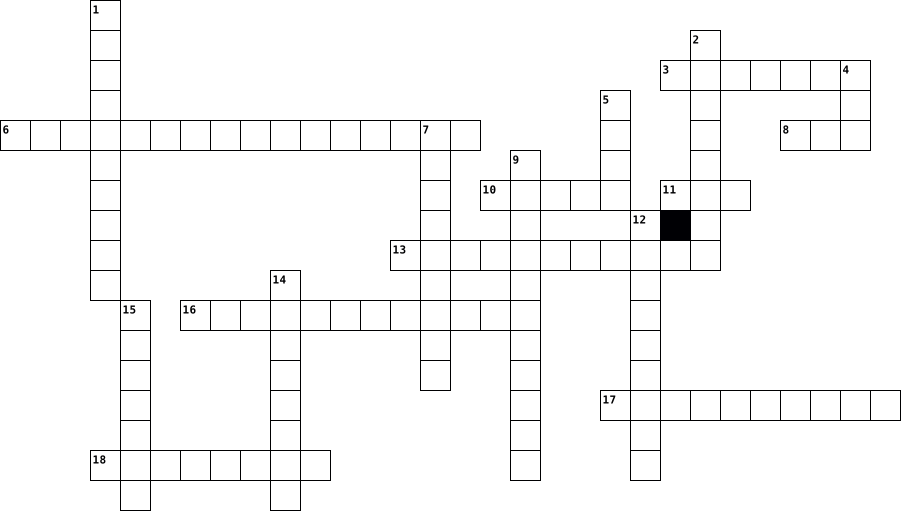
Across
- displays the programs, software, or video to the user accurately and clearly.
- uses a laser beam to read the data from the disk as it is spinning
- non-volatile memory type
- A movable device that lets you control a range of things on a computer.
- brain of the computer.
- backbone of the compute
- render graphics
- A device that translates sound waves into electrical signals and supports computer-based audio communications.
- helps you to put information including letters, words, and numbers into your computer.
Down
- hardware used to cool the pc
- A device for pointing (controlling input positioning) on a computer display screen.
- stores the short-term data that a PC requires to properly operate
- a computer chassis that holds all the parts that make a computer
- it enhances the quality of images shown on a display.
- provides components with electric power.
- all computer data is stored permanently.
- offer audio output for the listener.
- A device that accepts text files or images from a computer and transfers them to a medium such as paper or film.
18 Clues: render graphics • brain of the computer. • backbone of the compute • non-volatile memory type • hardware used to cool the pc • offer audio output for the listener. • provides components with electric power. • all computer data is stored permanently. • it enhances the quality of images shown on a display. • a computer chassis that holds all the parts that make a computer • ...
Explora Vision - Computer Science 2022-11-02

Across
- Device required for internet connection
- First Super Computer designed in India
- One of the first Word Processors
- First Page of a Website
- Computer on a network that requests files from another computer
- Computer Abbreviation used for Database.
- The first graphical browser for the www
Down
- People who break into other people's computers
- The computer cannot boot without this software
- Acronym for World Wide Web
- A visible screen of a computer
- Main Circuit Board of a computer system
- Number System used by computer to calculate and store data
- Computer Program that converts Assembly Language to Machine Language
- Language to create Website
15 Clues: First Page of a Website • Acronym for World Wide Web • Language to create Website • A visible screen of a computer • One of the first Word Processors • First Super Computer designed in India • Device required for internet connection • Main Circuit Board of a computer system • The first graphical browser for the www • Computer Abbreviation used for Database. • ...
ICT 2024-07-26

Across
- Disk made up of metal disc and coated with metal oxide
- is the process form of data
- computer small and in size and design for general used by single person
- is a collection of unprocessed facts, figures and S symbols
- is permanently built into the computer at the time of production
- the fastest type of computer
- process of decoding data that has been encrypted into secret format
- refers to input process output cycle
Down
- software used to analyse configure optimise or maintain the computer
- any part of the computer that has a physical structure that can be seen and touched
- number system uses only that digits zero and one
- are portable computer S
- is intangible
- memory also known as auxiliary memory
- devices asep data and instructions from the user
- refers to memory that can be selected and use randomly
- better known as personal digital assistants
- disk what developed in late 1960s
- pc that is not portable
- Editors facilitate the creation of flawless text document
20 Clues: is intangible • are portable computer S • pc that is not portable • is the process form of data • the fastest type of computer • refers to input process output cycle • memory also known as auxiliary memory • disk what developed in late 1960s • better known as personal digital assistants • devices asep data and instructions from the user • ...
parts of computer-James 2017-06-30

Across
- it is used to click on icons
- it is what you look at when on a computer
- a collection of instructions placed together in groups called programs
- the physical parts of a computer system
- the main circuit board of your computer that everything else plugs into
- it is what is connected to a computer
- permanent storage that is used to start up your computer
Down
- a computer that controls access to a network
- a way of connecting devices to a computer that provides FAST access
- an electronic device for storing and processing information
- you use it to write letters on a computer
- a small electronic devise used for storing data also known as a memory stick or pen drive
- the part of the computer that executes commands
- a permanent devise used for strong large amounts of data
- used by programs to perform necessary tasks whilst the computer is on
15 Clues: it is used to click on icons • it is what is connected to a computer • the physical parts of a computer system • it is what you look at when on a computer • you use it to write letters on a computer • a computer that controls access to a network • the part of the computer that executes commands • a permanent devise used for strong large amounts of data • ...
Review crossword 2021-10-20

Across
- A type of processing where the computer compares your input with other options.
- Something that can film or take pictures.
- Something that can sense your finger and takes it in as input.
- Something that you can use to search for information.
- Review what worked and what didn't and how you might change your approach in the future.
- Identifying the problem.
- Information that the computer puts out.
- Taking information from memory, manipulating it, and then sending it back into storage.
- The four things common to all computers, and what makes a computer a computer.
Down
- A place where information is stored.
- A type of processing where the computer finds a match to your input.
- A type of processing where the computer makes a decision based on your input
- Research previous solutions and brainstorm new ones.
- The commands you put in the computer to make it do things.
- A type of processing where the computer counts.
- Put a plan into action and test to see what works.
- A device that tracks location.
- A thinking machine that takes input, stores information, processes it, and outputs the result.
- Something that can take in input.
19 Clues: Identifying the problem. • A device that tracks location. • Something that can take in input. • A place where information is stored. • Information that the computer puts out. • Something that can film or take pictures. • A type of processing where the computer counts. • Put a plan into action and test to see what works. • ...
Networking Concepts 2025-05-21

Across
- The network without wires.
- The Topology where devices are connected in a circular manner.
- The Topology which requires one main cable or wire for connecting devices.
- The type of network created for a single individual.
- The types of layout by which may devices are connected with each other
- The most commonly used network card.
- The devices connected with each other in a network.
Down
- The extra devices with a computer like mouse,printer.
- Full form of Wi-Fi:
- The type of Topology where only two devices are present.
- The network which connects devices with houses or buildings.
- The type of network which connects devices at distant places.
12 Clues: Full form of Wi-Fi: • The network without wires. • The most commonly used network card. • The devices connected with each other in a network. • The type of network created for a single individual. • The extra devices with a computer like mouse,printer. • The type of Topology where only two devices are present. • ...
Computer History 2015-06-01

Across
- Enables computers to get information from telephones
- Combinations of 0,1 also ON, OFF
- Use of visual indicators to interact with devices
- Smallest display a computer could print
- Known as “The Father Of Video Games”
- Invented by Paul Eisler, and holds electronic circuits
- Member of the team that created ENIAC.
- Creator the first website
- Creator the first graphical computer game
- A computer group met from 1975-1986.
- He was the inventor of the transistor.
- Came up with using a universal processor
- consists of 1 or more platters in casing
- He invented the first computer algorithm
- Founded the first computer commercial company
- Wide area network, the beginning of Internet
- Devices connected together for data being shared
- Used to view accessible pages over the Internet
- An easy programming language during 1970-1980
- He co-developed the BASIC programming language
- It is a two dimensional barcode
- An engineer and entrepreneur who invented Atari
- Inventor of the first digital computer.
Down
- He helped develop the USB and the AGP
- A program that understands instructions without softwares
- Known as “the founder of computer science”
- inventor who founded the printed circuit board
- optional disc which contains audio, software data
- They are the building blocks of a computer hardware
- Founded the micro instrumentation and telemetry systems
- He created the idea of universal network
- known as the brain of the computer
- A program that accepts, responds another program
- He was the co-author of the mosaic web browser
- Responsible for instructions it receives from hardware
- He co-developed the BASIC programming language
- inventor and computer engineer of the ISA
- It is where data is stored online
- He invented the first integrated circuit.
- It is used to develop electronic web pages
- It supports data transfer from devices
- A line of computers by Steve Jobs
- The primary building block of all microchips
- Smallest measurement size listed in operating systems
44 Clues: Creator the first website • It is a two dimensional barcode • Combinations of 0,1 also ON, OFF • It is where data is stored online • A line of computers by Steve Jobs • known as the brain of the computer • Known as “The Father Of Video Games” • A computer group met from 1975-1986. • He helped develop the USB and the AGP • Member of the team that created ENIAC. • ...
computer vocab 2014-02-12

Across
- A client is a computer that retrieves information from or uses resources provided by a server or main computer.
- computing A term used to describe services over a network by a collection of servers.
- A software program that allows a person to explore the Internet in an easy to use way.
- referred to as the mb, mainboard, mobo, mobd, backplane board,base board, main circuit board, planar board, system board, or a logic board on Apple computers.
- address an address of a computer or other network device on a network using TCP/IP
- a company that provides Internet access to users or subscribers of its service.
- standard created by Bob Bemer and others that is data equal to either 7 or 8 bits depending if it needs error correction (parity).
- In general, default is what the computer, operating system, or program has set for the user based off what it believes is the best. option
- system An operating system or OS is a software program that enables the computer hardware to communicate and operate with the computer software.
- software is a collection of instructions that enable a user to interact with the computer or have the computer perform specific tasks for them.
- drive referred to as a hard disk drive and abbreviated as HD or HDD, the hard drive is the computer's main storage media device that permanently stores all data on the computer.
Down
- code number system represented by the numeric values of 0 or 1, also known as OFF or ON, and is the primary language that computers use to communicate.
- type of "built-in" memory that is capable of holding data and having that data read from the chip, but not written to.
- is best described as a device that is physically connected to your computer or something that can be physically touched
- referred to as the brain of the computer, processor, central processor, or microprocessor.
- When referring to an operating system or GUI, the Desktop is a system of organization of icons on a screen.
- port Short for Universal Serial Bus, USB is a standard that was introduced in 1995 by Intel, Compaq, Microsoft and several other computer companies.
- an is a hardware device that allows a computer to perform an additional function, but is not something the computer needs in order to work.
- initially developed by the IPTO with the intention of helping to develop the progress of computing technology by linking the work being done by all the best academic computer centers.
- A collection of computers, servers, mainframes, network devices, peripherals, or various other devices connected to one another allowing for data to be shared and used.
- is a form of URI and is a standardized naming convention for addressing documents accessible over the Internet or Intranet.
- (RAM) is a computer storage location that allows information to be stored and accessed quickly from random locations within DRAM on a memory module.
- a dedicated computer setup for one or more purposes
23 Clues: a dedicated computer setup for one or more purposes • a company that provides Internet access to users or subscribers of its service. • address an address of a computer or other network device on a network using TCP/IP • computing A term used to describe services over a network by a collection of servers. • ...
Digital Literacy Test Review 2014-01-15

Across
- an output device that displays text and graphics
- acronym is GUI and displays pictures which allow the user to interact with a computer easily
- the first step in the information processing cycle
- hard disk, floppy disk and the cloud are examples of what type of devices
- the third step in the information processing cycle
- output device that produces a hard copy of the processing results
- physical components of the computer
- converts physical documents to a digital format
- instructions and programs for controlling the computer
- decides which computers are allowed to access the hardware and software on the network
- the language the computer understands
- volatile, short term memory that disappears when the computer is turned off
- a network that connects devices in geographically separated areas - for example across regional or national boundaries
Down
- channel through which data is transferred between devices and the processor
- approximately a thousand bytes
- imports voice into a computer
- when a device is plugged in to a computer and configured automatically
- has letters and numbers and is used to enter data
- software that supervises and directs all the other software and the computer hardware
- electronic equipment connected by cable to the CPU of a computer
- the second step in the information processing cycle
- connects personal computers, workstations, and other devices in a limited geographical area
- CPU stands for
- input device that allows you to hear sound from the computer
- a 1 or a 0
- approximately a billion bytes
- usually has 3 following three components: server, workstation, and communication channel
- input device that looks like a pen and is used on a touch screen
- an electronic device that receives, processes, and stores data as well as produces a result
29 Clues: a 1 or a 0 • CPU stands for • imports voice into a computer • approximately a billion bytes • approximately a thousand bytes • physical components of the computer • the language the computer understands • converts physical documents to a digital format • an output device that displays text and graphics • has letters and numbers and is used to enter data • ...
Computer Systems 2021-11-08

Across
- Stores instructions for starting the computer.
- The part of the CPU that carries out simple mathematical operations and logical comparisons.
- Software designed to run or maintain a computer system (Operating System or Utilities).
- A piece of software responsible for running the computer.
- Fetches and executes instructions to run programs and process data.
- A processor specialized for display functions.
- A printed circuit board that connects the components of the computer system together allowing communication between components.
- Memory that is directly accessible by the CPU ie: RAM and ROM.
- All information in the main memory or storage remains when the power is lost.
- Quick access memory found inside the CPU.
- Software designed to maintain a computer system.
Down
- Reorganising data on the hard drive to put broken up files back together
- The complete collection of components
- The part of the CPU that controls the flow of data
- The physical parts of a computer system.
- Stores data and instructions for currently running programs. Loses data when computer is turned off.
- The last stage of the the FDE cycle
- A device specialized for audio functions.
- Programs or application that can be run on a computer system.
- The number of instructions that the CPU can carry out each second.
- All information in the main memory is lost when power is lost.
21 Clues: The last stage of the the FDE cycle • The complete collection of components • The physical parts of a computer system. • A device specialized for audio functions. • Quick access memory found inside the CPU. • Stores instructions for starting the computer. • A processor specialized for display functions. • Software designed to maintain a computer system. • ...
LEARNING UNIT 2 - Protecting information Resources Puzzle 2023-03-05

Across
- involves deliberate attacks intended to disable computers or networks for the purpose of disrupting commerce, education and recreation for personal gain, committing espionage, or facilitating criminal conspiracies, such as drug and human trafficking.
- The illegal placement of unauthorized charges on your telephone bill for unrequested services or calls not made.
- is a type of malicious software -- or malware -- that is installed on a computing device.
- Short for "malicious software," this term means computer viruses and other types of programs that cybercriminals use to disrupt or access your computer, typically with the aim of gathering sensitive files and accounts.
- Someone who uses the Internet to illegally break into computers.
- is designed to monitor all inbound and outbound network activity and identify any suspicious patterns that may indicate a network or system attack from someone attempting to break into or compromise a system.
- is a situation in which a person or program successfully identifies as another by falsifying data, to gain an illegitimate advantage.
- in context of network security, corresponds to theft or interception of data by capturing the network traffic using a packet sniffer.
- is any software application in which an advertising banner or other advertising material displays or downloads while a program is running.
- Short for "voice phishing," it's the use of recorded messages to telephones — usually claiming to be from a bank — with the goal of tricking you into revealing personal or account information for identity theft.
Down
- The capturing of information from the magnetic stripe on your ATM and credit card by use of portable "skimmer" devices that are secretly installed on card-reading machines.
- is an act performed by a knowledgeable computer user, sometimes called a "hacker," that illegally browses or steals a company's or individual's private information. Sometimes, this person or group of individuals may be malicious and destroy or otherwise corrupt the computer or data files.
- is any kind of fraud that is committed by means of a computer system. It typically involves making illicit financial transfers through computer commands.
- runs when the user launches an infected program or boots from an infected disk or USB drive. Keep a low profile because they need to spread widely without being detected
- The use of authentic-looking emails, often purporting to be from a bank or government agency, to trick you into responding with sensitive personal data.
- A network of computers — maybe one of the machines is yours — that scammers have infected with hidden software to secretly send spam.
- Named for the SMS (short message service) technology used to send text messages, it means phishing attempts made on cellphones.
17 Clues: Someone who uses the Internet to illegally break into computers. • is a type of malicious software -- or malware -- that is installed on a computing device. • The illegal placement of unauthorized charges on your telephone bill for unrequested services or calls not made. • ...
information 2020-07-09

Across
- software that automatically displays or downloads advertising material such as banners or pop-ups when a user is online.
- a network of remote servers hosted on the Internet and used to store, manage, and process data in place of local servers or personal computers.
- a number of interconnected computers, machines, or operations.
- a person who uses computers to gain unauthorized access to data.
- a piece of computer hardware or software (computer program) that provides functionality for other programs or devices, called "clients".
- a person or thing that develops something.
- software that is specifically designed to disrupt, damage, or gain unauthorized access to a computer system.
- an organized collection of data, generally stored and accessed electronically from a computer system.
- (of software) designed to detect and destroy computer viruses.
Down
- Services that allow you to semi-automate custom business processes that include human tasks.
- a person who is responsible for the upkeep, configuration, and reliable operation of computer systems.
- the person who maintains a particular website.
- a global computer network providing a variety of information and communication facilities, consisting of interconnected networks using standardized communication protocols.
- Environments for productivity such as a virtual desktop environment.
- the action or method of storing something for future use.
- the protection of information systems from theft or damage to the hardware, the software, and to the information.
- a type of malicious software designed to block access to a computer system until a sum of money is paid.
- the quantities, characters, or symbols on which operations are performed by a computer, which may be stored and transmitted in the form of electrical signals and recorded on magnetic, optical, or mechanical recording media.
- the systematic computational analysis of data or statistics.
- analyse (a database) to generate new information.
20 Clues: a person or thing that develops something. • the person who maintains a particular website. • analyse (a database) to generate new information. • the action or method of storing something for future use. • the systematic computational analysis of data or statistics. • a number of interconnected computers, machines, or operations. • ...
Saaruban & Tayfun - Crossword 2020-07-09

Across
- software that automatically displays or downloads advertising material such as banners or pop-ups when a user is online.
- a network of remote servers hosted on the Internet and used to store, manage, and process data in place of local servers or personal computers.
- a number of interconnected computers, machines, or operations.
- a person who uses computers to gain unauthorized access to data.
- a piece of computer hardware or software (computer program) that provides functionality for other programs or devices, called "clients".
- a person or thing that develops something.
- software that is specifically designed to disrupt, damage, or gain unauthorized access to a computer system.
- an organized collection of data, generally stored and accessed electronically from a computer system.
- (of software) designed to detect and destroy computer viruses.
Down
- Services that allow you to semi-automate custom business processes that include human tasks.
- a person who is responsible for the upkeep, configuration, and reliable operation of computer systems.
- the person who maintains a particular website.
- a global computer network providing a variety of information and communication facilities, consisting of interconnected networks using standardized communication protocols.
- Environments for productivity such as a virtual desktop environment.
- the action or method of storing something for future use.
- the protection of information systems from theft or damage to the hardware, the software, and to the information.
- a type of malicious software designed to block access to a computer system until a sum of money is paid.
- the quantities, characters, or symbols on which operations are performed by a computer, which may be stored and transmitted in the form of electrical signals and recorded on magnetic, optical, or mechanical recording media.
- the systematic computational analysis of data or statistics.
- analyse (a database) to generate new information.
20 Clues: a person or thing that develops something. • the person who maintains a particular website. • analyse (a database) to generate new information. • the action or method of storing something for future use. • the systematic computational analysis of data or statistics. • a number of interconnected computers, machines, or operations. • ...
Computer History 2015-06-01

Across
- optional disc which contains audio, software data
- inventor and computer engineer of the ISA
- He invented the first integrated circuit.
- Invented by Paul Eisler, and holds electronic circuits
- He invented the first computer algorithm
- Inventor of the first digital computer.
- He was the co-author of the mosaic web browser
- Devices connected together for data being shared
- A program that understands instructions without softwares
- A program that accepts, responds another program
- He created the idea of universal network
- An easy programming language during 1970-1980
- They are the building blocks of a computer hardware
- A line of computers by Steve Jobs
- Known as “the founder of computer science”
- Founded the micro instrumentation and telemetry systems
- Used to view accessible pages over the Internet
- Creator the first website
- known as the brain of the computer
- The primary building block of all microchips
- Smallest display a computer could print
- Known as “The Father Of Video Games”
- Member of the team that created ENIAC.
Down
- It is used to develop electronic web pages
- Came up with using a universal processor
- It is a two dimensional barcode
- Combinations of 0,1 also ON, OFF
- Smallest measurement size listed in operating systems
- Responsible for instructions it receives from hardware
- He was the inventor of the transistor.
- Creator the first graphical computer game
- A computer group met from 1975-1986.
- An engineer and entrepreneur who invented Atari
- Founded the first computer commercial company
- inventor who founded the printed circuit board
- Use of visual indicators to interact with devices
- He co-developed the BASIC programming language
- He helped develop the USB and the AGP
- He co-developed the BASIC programming language
- Enables computers to get information from telephones
- Wide area network, the beginning of Internet
- It is where data is stored online
- consists of 1 or more platters in casing
- It supports data transfer from devices
44 Clues: Creator the first website • It is a two dimensional barcode • Combinations of 0,1 also ON, OFF • A line of computers by Steve Jobs • It is where data is stored online • known as the brain of the computer • A computer group met from 1975-1986. • Known as “The Father Of Video Games” • He helped develop the USB and the AGP • He was the inventor of the transistor. • ...
Computer History 2015-05-30

Across
- Inventor and computer engineer of the ISA
- Inventor who founded the printed circuit board
- Smallest measurement size listed in operating systems
- Devices connected together for data being shared
- An engineer and entrepreneur who invented Atari
- A line of computers by Steve Jobs
- Invented by Paul Eisler, and holds electronic circuits
- Inventor of the first digital computer.
- Use of visual indicators to interact with devices
- A computer group met from 1975-1986.
- A program that accepts, responds another program
- He was the co-author of the mosaic web browser
- He invented the first computer algorithm
- Founded the micro instrumentation and telemetry systems
- Optional disc which contains audio, software data
- Smallest display a computer could print
- An easy programming language during 1970-1980
- It is where data is stored online
- Creator the first website
- A program that understands instructions without softwares
- The primary building block of all microchips
- He was the inventor of the transistor.
- He co-developed the BASIC programming language
- Used to view accessible pages over the Internet
Down
- Combinations of 0,1 also ON, OFF
- He invented the first integrated circuit.
- Creator the first graphical computer game
- He co-developed the BASIC programming language
- They are the building blocks of a computer hardware
- Came up with using a universal processor
- Known as the brain of the computer
- consists of 1 or more platters in casing
- Wide area network, the beginning of Internet
- He created the idea of universal network
- Founded the first computer commercial company
- Member of the team that created ENIAC.
- Responsible for instructions it receives from hardware
- Known as “The Father Of Video Games”
- Known as “the founder of computer science”
- It supports data transfer from devices
- It is a two dimensional barcode
- Enables computers to get information from telephones
- He helped develop the USB and the AGP
- It is used to develop electronic web pages
44 Clues: Creator the first website • It is a two dimensional barcode • Combinations of 0,1 also ON, OFF • A line of computers by Steve Jobs • It is where data is stored online • Known as the brain of the computer • A computer group met from 1975-1986. • Known as “The Father Of Video Games” • He helped develop the USB and the AGP • Member of the team that created ENIAC. • ...
ch.12 key terms 2025-02-18

Across
- (ECG)-visual pictures of heart electrical activity from computer for information
- small amount of radioactive system given IV to identify healthy heart
- programas that contain instructions to alter the operation of computer programs
- stress test- used for patients who cannot exercise, stimulates the effect of exercise
- aided design (CAD)- 3 dimensional imaging models, making custom prosthetics
- noninvasive scanning method that uses echo to create image of body
- protective programs that limit the ability of other computers to access computer
- health record (EHR)- patient medical information with data on a computer
- information exchange (HIE)-all health care agencies to transfer electronic health records
- literacy-basic understanding of how a computer works and applications used in field
- stress test- ECG while patient is exercising to see heart function during activity
- secure online websites that are established by physician/health thing
- procedure where surgeon uses images to guide/direct surgery
- high energy particles to decrease size of tumors and treat cancer
- small handheld tablet or smartphone/pda/laptop/ small computer
- a very large computer that can control lots of things
- allow for rapid dispensing of medications (uses online means)
- a device to protect a computer from power loss
Down
- robot seated at console operates robot to perform surgery
- mail- the process of sending messages from computer to computer quickl
- direct ultrahigh-frequency sound waves through chest wall into heart for image
- organized collection of information
- involves use of video, audio, and computer systems to provide medical
- networked system which links millions of computers throughout the world
- areas where information goes like name, address, telephone, email address
- each collection of related information
- assisted instruction (CAI)- educational computer programming for individualized use
- tomography (CT)- noninvasive computerized x-ray for clear cross sectional view
- body-scanning method using nuclear resonance
- systems that can link computers together (any number of computers linked)
- stress test- medication that stimulates effect of exercise to increase blood flow
- radioactive into patient to diagnose heart
- light beams that can be focused precisely
- computer used by single person for personal use
- uses special software to perform high-speed math calculations
- online teaching and learning that uses computer to teach
- applied science to promote safety and wellbeing by adapting to environment
- when a group of related record is combined
38 Clues: organized collection of information • each collection of related information • light beams that can be focused precisely • radioactive into patient to diagnose heart • when a group of related record is combined • body-scanning method using nuclear resonance • a device to protect a computer from power loss • computer used by single person for personal use • ...
Dallen 2023-09-15

Across
- a convenient computer that is more useful and is almost as powerful as a desktop computer
- an electronic device that manipulates information, or data
- an input device that allows a person to enter letters, numbers, and other symbols (together, these are called characters) into a computer
- a set of instructions, data or programs used to operate computers and execute specific tasks
- A modem is a hardware which connects to a computer, broadband network or wireless router. Modems can convert information between analogue and digital formats in real time making a seamless two-way network communication
- an electronic device with a screen used for display (as of television pictures or computer information)
- simply a new way of storing files and other digital content
- the ability to navigate our digital environments in a way that's safe and responsible and to actively and respectfully engage in these spaces
- a wireless networking technology that allows devices such as computers (laptops and desktops), mobile devices (smart phones and wearables), and other equipment (printers and video cameras) to interface with the Internet
- any internal or external equipment or devices you can use perform major functions such as input, storage, processing, communication, output, connection and more.
- a computer network that links devices within a building or group of adjacent buildings
- a device that performs many of the functions of a computer, typically having a touchscreen interface, internet access, and an operating system capable of running downloaded applications
- a small digital video camera that connects to a computer
- a global computer network providing a variety of information and communication facilities, consisting of interconnected networks using standardized communication protocols
Down
- A structured set of data held in a computer, especially one that is accessible in various ways
- a sequence of characters or encoded information identifying when a certain event occurred, usually giving date and time of day, sometimes accurate to a small fraction of a second.
- a program that searches for and identifies items in a database that correspond to keywords or characters specified by the user, used especially for finding particular sites
- A device that forwards data packets to the appropriate parts of a computer network.
- text files with small pieces of data — like a username and password — that are used to identify your computer as you use a network
- when a person takes information and images, typically from other people, and uses them to create a new identity for themselves
- the address of a web page
- a security system that requires two separate, distinct forms of identification in order to access something.
- the control center of the computer
- a part of a computer system or network which is designed to block unauthorized access while permitting outward communication
24 Clues: the address of a web page • the control center of the computer • a small digital video camera that connects to a computer • an electronic device that manipulates information, or data • simply a new way of storing files and other digital content • A device that forwards data packets to the appropriate parts of a computer network. • ...
Inside the system 2018-11-27

Across
- Not using wires to send and receive electronic signals.
- A large and very fast computer that can do many jobs at once.
- A unit of computer information that is equal to eight bits.
- A machine that is used for printing documents, photographs, etc.
- The main circuit board of a computer.
- Brain and the main part of a computer system which can process data represented in binary code.
- A mobile telephone that can be used to send and receive e-mail, connect to the Internet, take photographs, etc.
- Designed to be used while being held in your hands.
- The programs that run on a computer and perform certain functions.
Down
- Electronic components of a computer.
- Unit of measuring processor clock speed.
- A small computer that is designed to be easily carried.
- Finding and fixing problems in machinery and technical equipment (such as computers).
- Devices used to input or output data into and out of a computer.
- A mark on a computer screen that shows the place where information is being entered or read.
- Quickly accessible location available to a computer's central processing unit.
- The part of a computer in which information that cannot be changed is stored.
17 Clues: Electronic components of a computer. • The main circuit board of a computer. • Unit of measuring processor clock speed. • Designed to be used while being held in your hands. • Not using wires to send and receive electronic signals. • A small computer that is designed to be easily carried. • A unit of computer information that is equal to eight bits. • ...
spanish vocab 2022-03-28

Across
- ontop of
- here
- behind
- Computer
- Mouse
- window
- Computer keyboard
- where
- Wastepaper basket
- Computer screen
Down
- door
- Pencil sharpener
- Poster
- Backpack
- desk
- Disk
- underneath
- in or on
- Flag
- chair
- in front of
- table
- there
- next to
24 Clues: door • here • desk • Disk • Flag • Mouse • chair • where • table • there • Poster • behind • window • next to • ontop of • Backpack • Computer • in or on • underneath • in front of • Computer screen • Pencil sharpener • Computer keyboard • Wastepaper basket
Repaso de capitulo 2022-03-28

Across
- behind
- keyboard
- there
- poster
- Backpack
- window
- diskette
- desk
- here
- flag
- door
- table
- wastepaper_basket
- on top of
Down
- Where?
- below
- (computer)mouse
- clock
- computer
- (computer)screen
- chair
- in
- next to
- Pencil sharpener
- in front of
25 Clues: in • desk • here • flag • door • below • clock • there • chair • table • Where? • behind • poster • window • next to • keyboard • computer • Backpack • diskette • on top of • in front of • (computer)mouse • (computer)screen • Pencil sharpener • wastepaper_basket
Level F Unit 1 Vocabulary 2025-10-13

Across
- an example of this is a nickname that only close friends and family call you
- people who are training to be pilots use computer programs to do this
- critics of true crime often question what our obsession with these types of details says about society
- phrases like "it's raining cats and dogs" might be described this way
- many students take one of these from reading during the summer months
- in order to do this to someone's anger, you might talk in a low, calm tone
- rhymes with "notorious" but means the opposite
- in Beauty and the Beast, Belle longed for something more than this type of life
- you might ask someone to do this for you if you get in trouble
- a verb that might describe what you do when you are seeking a reaction
- many children's movies have these types of jokes that their younger audience would not understand
- could describe a used car salesman desperate to make a commission
Down
- you might side-eye someone who gives you this feeling
- how you might feel after hearing someone use several hackneyed phrases in a row
- sounds like "approval" because that's what it means
- famous members of an American literary movement named for this word include Henry David Thoreau and Ralph Waldo Emerson
- one of very few words that can be used to describe both chocolate cake and the Roman Empire
- a word that could describe a miniature team within a team
- often used when describing someone's behavior as childish
- doctors frequently do this with their patients who smoke
20 Clues: rhymes with "notorious" but means the opposite • sounds like "approval" because that's what it means • you might side-eye someone who gives you this feeling • doctors frequently do this with their patients who smoke • a word that could describe a miniature team within a team • often used when describing someone's behavior as childish • ...
Spanish Vocabulary Crossword 2022-03-29

Across
- ontop of
- here
- behind
- Computer
- Mouse
- window
- Computer keyboard
- where
- Wastepaper basket
- Computer screen
Down
- door
- Pencil sharpener
- Poster
- Backpack
- desk
- Disk
- underneath
- in or on
- Flag
- chair
- in front of
- table
- there
- next to
24 Clues: door • here • desk • Disk • Flag • Mouse • chair • where • table • there • Poster • behind • window • next to • ontop of • Backpack • Computer • in or on • underneath • in front of • Computer screen • Pencil sharpener • Computer keyboard • Wastepaper basket
Capitals 2024-11-14

Across
- A standard for connecting peripherals to a computer
- A wireless technology standard for exchanging data over short distances
- A pair of small speakers worn over or in the ears
- A machine for printing text or pictures onto paper
- A device used to capture photographs or videos
- Software designed to detect and destroy computer viruses
- A device that displays computer output
- A mobile phone that performs many functions of a computer
- An unmanned aerial vehicle
Down
- A wearable computing device worn on a user's wrist
- A device used to recharge batteries
- A portable touchscreen computer
- A device that forwards data packets between computer networks
- An input device used to enter characters and functions into a computer system
- A technology that allows devices to connect to the internet wirelessly
- A portable computer
- A device used to capture and transmit sound
- A device that converts printed text or images into digital form
- A small handheld input device that controls a cursor on a computer screen
- A device that converts electrical signals into sound
20 Clues: A portable computer • An unmanned aerial vehicle • A portable touchscreen computer • A device used to recharge batteries • A device that displays computer output • A device used to capture and transmit sound • A device used to capture photographs or videos • A pair of small speakers worn over or in the ears • A wearable computing device worn on a user's wrist • ...
Explora Vision - Computer Science 2022-11-02

Across
- Device required for internet connection
- First Super Computer designed in India
- One of the first Word Processors
- First Page of a Website
- Computer on a network that requests files from another computer
- Computer Abbreviation used for Database.
- The first graphical browser for the www
Down
- People who break into other people's computers
- The computer cannot boot without this software
- Acronym for World Wide Web
- A visible screen of a computer
- Main Circuit Board of a computer system
- Number System used by computer to calculate and store data
- Computer Program that converts Assembly Language to Machine Language
- Language to create Website
15 Clues: First Page of a Website • Acronym for World Wide Web • Language to create Website • A visible screen of a computer • One of the first Word Processors • First Super Computer designed in India • Device required for internet connection • Main Circuit Board of a computer system • The first graphical browser for the www • Computer Abbreviation used for Database. • ...
6M Voc 2019-09-16

Across
- suddenly stop working
- safe,protected
- a safe way of using a computer or the internet
- small letters like those in the middle of words or sentences
- put personal details about yourself on a social media website
- send a written message to someone over the internet
- make a computer keep information about your favorite websites
- pictures or shapes used to represent something on a computer program
- a piece of writing that is published on a blog
- move information to your computer from another computer system or the internet
Down
- the ability to be connected to the internet without other people watching you or knowing what you are doing
- the name used by someone for using a computer program
- a written remark giving an opinion
- send a piece of information by email or text
- knowledge or facts about yourself
- a piece of equipment that does a particular thing
- large letters like those at the beginning of a sntence or name
- send items, like photos or videos, from your computer to another computer system using the internet
- a list of all the information and websites that someone has looked for on the internet
- the numbers or letters that you have to put into a computer to be able to use the system
- put your name and other information on a website for the first time
- a website where one or more people can write about opinions, interests, and experiences
22 Clues: safe,protected • suddenly stop working • knowledge or facts about yourself • a written remark giving an opinion • send a piece of information by email or text • a safe way of using a computer or the internet • a piece of writing that is published on a blog • a piece of equipment that does a particular thing • send a written message to someone over the internet • ...
Intro to Data Structure 2025-03-09

Across
- A data structure that consists of a collection of nodes (vertices) connected by edges
- In this DS, all insertion and deletion are permitted at only one end of the list.
- Method of arranging and keeping data in the memory or storage system of a computer
- Type of data structure where elements are arranged in one dimension
- Data structure where elements are linked using pointers.
Down
- These are the basic data types used in Java programming such as integer, floating-point (real numbers), character and Boolean data types.
- DS that are represented by a pointer to the topmost node in the tree. If the tree is empty, then the value of root is NULL.
- It is a collection of data items stored at contiguous memory locations.
- DS that items are inserted at one end and deleted from the other end
- The methods for solving problems, which could be implemented in programming.
10 Clues: Data structure where elements are linked using pointers. • Type of data structure where elements are arranged in one dimension • DS that items are inserted at one end and deleted from the other end • It is a collection of data items stored at contiguous memory locations. • The methods for solving problems, which could be implemented in programming. • ...
Lighting the Sky with Raspberry Pi 2023-12-01

Across
- Machine that processes information
- To do with electricity
- Device used to connect things in an electrical circuit
- Makes things happen
- Slows down the flow of electricity
- Device in circuits that must be closed for electricity to flow
- Name of school in this article
- Maori name for star cluster that signals the start of the Maori New Year
- Path that carries electricity
- Light emitting diode
- New information produced by a computer
- Language that the computer can understand
Down
- Really small computer that can be programmed to control circuits
- Digital ___
- List of instructions for a computer
- ___ technologies
- Information received by a computer
- Allows electricity to pass through
18 Clues: Digital ___ • ___ technologies • Makes things happen • Light emitting diode • To do with electricity • Path that carries electricity • Name of school in this article • Machine that processes information • Slows down the flow of electricity • Information received by a computer • Allows electricity to pass through • List of instructions for a computer • ...
ICT COMPUTER TERMINOLOGY 2012-04-17

Across
- opposite to analogue
- what you use to store things in
- it is plugged into the computer and it prints things out
- to control the movement or direction of something
- Read-only memory
- one of something in information
- a device connected to a host compute
- A lever that can be moved in several direct
- what you use to control the computer with
- keep your files in
- Any piece of computer hardware equipment used to communicate the results of data processing
- an instance of a computer program that is being executed
- Random Access Memory
- a computer or other machine
- a device that optically scans images photos and more.
- a screen is used when you are using a computer.
- A collection of hardware components and computers interconnected by communication
- 8 bits of information in this
Down
- the representation and manipulation of image
- computer printer for printing vector graphics
- put data into a computer
- all the files will be saved onto something
- interact
- he place where two different things meet a
- a software.
- music plays out of them
- what you use to write with
- i cant write but i can
- A person who uses or operates something
- how computers talk to each other
- it records
- disk portable floppy device
32 Clues: interact • it records • a software. • Read-only memory • keep your files in • opposite to analogue • Random Access Memory • i cant write but i can • music plays out of them • put data into a computer • what you use to write with • a computer or other machine • disk portable floppy device • 8 bits of information in this • what you use to store things in • one of something in information • ...
Explora Vision - Computer Science 2022-11-02

Across
- Language to create Website
- Computer Abbreviation used for Database.
- One of the first Word Processors
- Computer Program that converts Assembly Language to Machine Language
- A visible screen of a computer
- First Page of a Website
- Number System used by computer to calculate and store data
Down
- People who break into other people's computers
- Device required for internet connection
- Acronym for World Wide Web
- Main Circuit Board of a computer system
- First Super Computer designed in India
- Computer on a network that requests files from another computer
- System The computer cannot boot without this sotware
- The first graphical browser for the www
15 Clues: First Page of a Website • Language to create Website • Acronym for World Wide Web • A visible screen of a computer • One of the first Word Processors • First Super Computer designed in India • Device required for internet connection • Main Circuit Board of a computer system • The first graphical browser for the www • Computer Abbreviation used for Database. • ...
09.06 Cherish Simpson 2023-09-06

Across
- act of pressing a computer mouse button twice quickly without moving the mouse
- a resource for recording data on a computer storage device
- a long thin box along one edge of a window
- the act of pressing a computer mouse button once without moving the mouse
- to copy a document, record or image being worked on to a storage medium
- a pictogram or ideogram displayed on a computer screen
- a software package used to display information in the form of a slide show
- a file created by a software application
- a graphical user interface element that displays and facilitates switching between running programs
Down
- consists of a visual area containing some of the graphical user interface of the program it belongs to
- a computer program that can capture, display and manipulate data arranged in rows and columns
- the position indicator on a computer display screen where a user can enter text
- a handle in a user interface that allows the user to find a file or resource located in a different directory or folder
- a personal computer designed for regular use at a stationary location
- a file system cataloging structure which contains references to other computer files, and possibly other directories
- a common filename extension denoting an executable file
- a key that alters the function of another key if both are pressed at the same time
- a list of options presented to the user
- the process of starting a computer as initiated via hardware
- to draw or pull slowly or heavily
20 Clues: to draw or pull slowly or heavily • a list of options presented to the user • a file created by a software application • a long thin box along one edge of a window • a pictogram or ideogram displayed on a computer screen • a common filename extension denoting an executable file • a resource for recording data on a computer storage device • ...
Technology 2026-04-22

Across
- programs and applications you use on a computer
- responsible and safe use of technology
- a program to write and edit text documents
- you type letters and numbers with it
- a mobile phone with internet and apps
- a small portable device to store and transfer files
- a global network that connects computers worldwide
- bullying that happens online or through digital devices
- a tool that shows or plays information from a computer
Down
- a tool used to send information into a computer
- you wear them on your ears to listen to sound
- it puts text or images from a computer onto paper
- devices that play sound out loud from a computer
- the “brain” of the computer that processes information
- a tool to find information online
- a small camera used with a computer for video calls
- you move it with your hand to control the pointer on screen
- it stores all your computer data and files
- presentation a series of slides used to show information
19 Clues: a tool to find information online • you type letters and numbers with it • a mobile phone with internet and apps • responsible and safe use of technology • a program to write and edit text documents • it stores all your computer data and files • you wear them on your ears to listen to sound • a tool used to send information into a computer • ...
Use - for spaces some words abbreviated 2021-12-01

Across
- supply gives power to computer
- how dats is transmitted over devices
- pulls unwanted heat away
- facts and statistics
- tells you what type of file you have
- connects with user via visuals
- holds data in a structured fashion
- physical components of the computer
- saving data to be accessed long term
- processes data and makes calculation
- computers short term memory
- a person who operates something
- a class of extremely fast computers
- structure of every node in a network
- a device used to input information
- processes requests from a clients
Down
- a circuit board that can be inserted
- hardware that sends data to computer
- in between sizes of a phone and pc
- stores all your data
- connects use to a program
- software that support basic function
- a software program manipulating data
- aka big iron used by companies a lot
- encrypted access over the internet
- has a microprocessor as its CPU
- holds cpu ram and motherboard
- main circuit board of a computer
- a device for storing and processing
- 7 layers computers use on a network
- links computers in same building
31 Clues: stores all your data • facts and statistics • pulls unwanted heat away • connects use to a program • computers short term memory • holds cpu ram and motherboard • supply gives power to computer • connects with user via visuals • has a microprocessor as its CPU • a person who operates something • main circuit board of a computer • links computers in same building • ...
The Journey Inside a Computer 2017-02-13

Across
- activates when you turn on your computer
- the CPU stores temporary information
- you can add devices such as modems and sound cards to this
- used for if you have an old printer or scanner
- also known as a COM
Down
- used for keeping extra data
- used for if you need more better sound quality
- is a large PSB that holds most of your computers components
- houses graphic cards
- you can use this to connect to many different types of peripherals
- is the brain that carries your computers instructions
- funnels power through the multicolored cables
- used for keyboards/mouse that arent used by a USB cable
13 Clues: also known as a COM • houses graphic cards • used for keeping extra data • the CPU stores temporary information • activates when you turn on your computer • funnels power through the multicolored cables • used for if you need more better sound quality • used for if you have an old printer or scanner • is the brain that carries your computers instructions • ...
Technology Crossword 2014-05-01
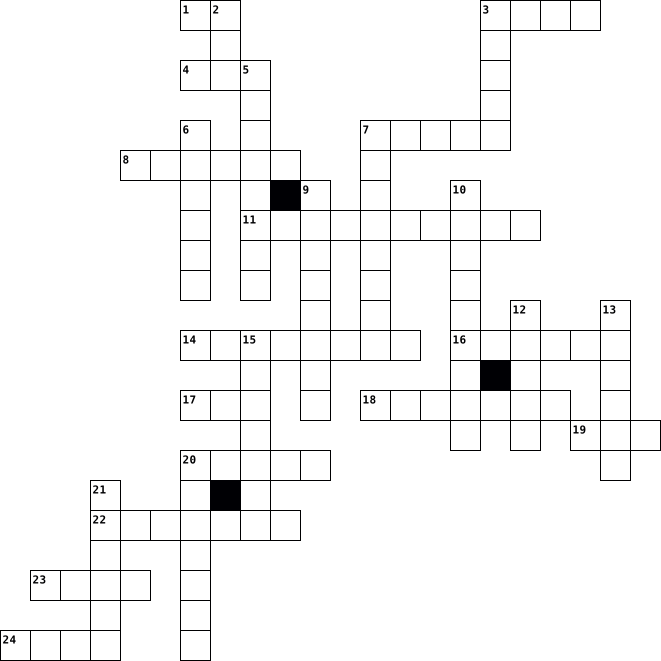
Across
- Printer at printer for making 3D objects
- a app that is named after plant
- a Nintendo game console that is 3D
- things that connect your computer to your monitor
- Bird a app that features a yellow bird
- a hardware you connect to your computer to listen to stuff
- a hardware for typing
- a popular search engine
- the thing that makes your computer run
- a hardware for playing audio outload
- an instant messaging app
- a hardware you connect to your computer for navigating the monitor
- a hardware for printing pictures
- a game console that can do everything (360)
- 8 Bits
Down
- storage on a disk
- a infection for your computer
- a app for sending pictures to your friends
- a thing for pictures and videos
- what I'm using right now (Computer Class)
- a website/app for sharing pictures statuses
- app for uploading pictures and sharing
- Button a thing you press to turn something on
- a slang word for a picture of yourself
- a website/app for streaming videos
- screen of computer
- type of apple phone
27 Clues: 8 Bits • storage on a disk • screen of computer • type of apple phone • a hardware for typing • a popular search engine • an instant messaging app • a infection for your computer • a app that is named after plant • a thing for pictures and videos • a hardware for printing pictures • a Nintendo game console that is 3D • a website/app for streaming videos • ...