
types of computer Crossword Puzzles
HT1 W6 Keywords 2025-10-12

Across
- A picture or symbol to represent a company.
- A regular way of doing something — often based on experience, habit, or tradition.
- Different types of animal in the same group of animals.
- Ways of coping or plans we use to help us.
- To find or name something.
Down
- The ability to manage your thoughts, feelings, and actions.
- A series of steps or actions taken to achieve a specific goal.
- A group of living things that are the same kind.
- The part of a computer with letters, numbers and symbols that you press to type.
- Knowing what something means or how it works.
10 Clues: To find or name something. • Ways of coping or plans we use to help us. • A picture or symbol to represent a company. • Knowing what something means or how it works. • A group of living things that are the same kind. • Different types of animal in the same group of animals. • The ability to manage your thoughts, feelings, and actions. • ...
computer vocab 2017-06-21

Across
- known as unsolicited bulk email (UBE), junk mail, or unsolicited commercial email (UCE), is the practice of sending unwanted email messages, frequently with commercial content, in large quantities to an indiscriminate set of recipients.
- drive: The primary computer storage device, which spins, reads and writes one or more fixed disk platters.
- small text file (up to 4KB) created by a website that is stored in the user's computer either temporarily for that session only or permanently on the hard disk
- 1. an instrument or device used for observing, checking, or keeping a continuous record of a process or quantity.
- system designed to prevent unauthorized access to or from a private network.
- a way to organize computer files.
- is a typewriter-style device which uses an arrangement of buttons or keys to act as a mechanical lever or electronic switch.
- student with disciplinary or other special duties during school hours.
- The Internet is the global system of interconnected computer networks that use the Internet protocol suite (TCP/IP) to link devices worldwide.
- is an input device that is most often used with a personal computer.
- To restart a computer
- object on a computer that stores data, information, settings, or commands used with a computer program
Down
- the abbreviation for central processing unit. Sometimes referred to simply as the central processor, the CPU is the brains of the computer where most calculations take place.
- File server: a computer and storage device dedicated to storing files. Any user on the network can store files on the server. Print server: a computer that manages one or more printers, and a network server is a computer that manages network traffic.
- software program that runs against a Web server or other Internet server and enables a user to navigate the World Wide Web (WWW) to access and display data.
- television receiver used in a studio to select or verify the picture being broadcast from a particular camera.
- the working surface of a desk
- is an image that represents an application, a capability, or some other concept or specific entity with meaning for the user
- :electronic device for storing and processing data, typically in binary form, according to instructions given to it in a variable program.
- The primary computer storage device, which spins, reads and writes one or more fixed disk platters.
- systems: software that supports a computer's basic functions, such as scheduling tasks, executing applications, and controlling peripherals.
- to download is to receive data from a remote system, typically a server such as a web server, an FTP server, an email server, or other similar systems.
- operating system (OS) or application environment that is installed on software, which imitates dedicated
- is a type of malicious software program ("malware") that, when executed, replicates itself by modifying other computer programs and inserting its own code.
- flash drive: An external hard disk drive or optical disc drive that plugs into the USB port. See portable hard drive
- is a device or program that enables a computer to transmit data over, for example, telephone or cable lines.
- Wide web
27 Clues: Wide web • To restart a computer • the working surface of a desk • a way to organize computer files. • is an input device that is most often used with a personal computer. • student with disciplinary or other special duties during school hours. • system designed to prevent unauthorized access to or from a private network. • ...
nathan cse terms 2023-09-11

Across
- a type of coding that uses blocks instead of numbers
- What is software definition in computer?
- is a graphical control element that provides the user a simple way to trigger an event
- is Software? Definition, Types and Examples
- is an action or occurrence recognized by software, often originating asynchronously from the external environment, that may be handled by the software.
Down
- an algorithm is a list set of instructions, used to solve problems or perform tasks, based on the understanding of available alternatives.
- is a set of instructions, data or programs used to operate computers and execute specific tasks.
- refers to any information or data that is sent to a computer for processing
- these are examples of what software, digital images, digital video, video games, web pages and websites
9 Clues: What is software definition in computer? • is Software? Definition, Types and Examples • a type of coding that uses blocks instead of numbers • refers to any information or data that is sent to a computer for processing • is a graphical control element that provides the user a simple way to trigger an event • ...
IITT 2023-05-08

Across
- Wireless Fidelity
- gain unauthorized access
- fraudulent message
Down
- piece of software or hardware that blocks certain types of traffic
- Local Are network
- A program intended to alter data on a computer in an invisible fashion, usually for mischievous or destructive purposes
6 Clues: Wireless Fidelity • Local Are network • fraudulent message • gain unauthorized access • piece of software or hardware that blocks certain types of traffic • A program intended to alter data on a computer in an invisible fashion, usually for mischievous or destructive purposes
computer Christopher Dunn 2020-10-01

Across
- a peripheral device which makes a persistent representation of graphics or text, usually on paper
- Local Area Networks
- an American online video-sharing platform headquartered in San Bruno, California.
- Random Access Memory
- is an electrical cable that temporarily connects an appliance to the mains electricity supply via a wall socket or extension cord
- software with malicious behavior that aims to gather information about a person or organization and send such information to another entity in a way that harms the user
- standalone malware computer program that replicates itself in order to spread to other computers
- output how computer tells you things input tell your computer things
- the physical parts of a computer
- wireless internet card
- manly used for gamers to talk to each other during games
- how computer tells you things
- Wide Area Networks
- a type of computer program that, when executed, replicates itself by modifying other computer programs and inserting its own code
- an instrument or device used for observing, checking, or keeping a continuous record of a process or quantity.
Down
- Read Only Memory
- Long term data storage
- Responsible for carrying out instructions of a program
- how your computer talks to other computers
- attached to, a computer case used for active cooling
- Where the processor & memory live
- an electro-mechanical data storage device that uses magnetic storage to store and retrieve digital data using one or more rigid rapidly rotating platters coated with magnetic material
- Operating system
- a hand-held pointing device that detects two-dimensional motion relative to a surface
- A video card is an expansion card which generates visuals for the display
- tell your computer things
- , water cooling or liquid cooling is a system used to reduce the temperature of its hardware
27 Clues: Read Only Memory • Operating system • Wide Area Networks • Local Area Networks • Random Access Memory • Long term data storage • wireless internet card • tell your computer things • how computer tells you things • the physical parts of a computer • Where the processor & memory live • how your computer talks to other computers • attached to, a computer case used for active cooling • ...
CS_and_IT 2023-12-13

Across
- a number with a decimal point, also the opposite of sink
- separation of a function calling from its execution
- binary, 0 or 1, true or false, etc.
- also referred to as programming
- creates wifi(2 words)
- add a string of characters to another
- connected to a computer to perform extra tasks not inherent in a typical computer
- the operating system on Samsung and Tecno smartphones
- highest privilege on a Linux terminal
Down
- one of the most popular Linux-based os's
- a collection of functions, also a room with students and a teacher
- used to give admin privileges to a normal user on a terminal
- remote management service through a command line shell
- a collection of programmed commands referred using a single name
- a running program
- the process of making a computer program
- towards data packets on the internet
- raised by a program when it encounters an error which it's not programmed to handle
- a number without a decimal point
- fed to a computer or a program
- a collection of characters such as 'someone' or 'gd6jg' in computer programming
- a programming language, also a big snake
- a single computer command
23 Clues: a running program • creates wifi(2 words) • a single computer command • fed to a computer or a program • also referred to as programming • a number without a decimal point • binary, 0 or 1, true or false, etc. • towards data packets on the internet • add a string of characters to another • highest privilege on a Linux terminal • one of the most popular Linux-based os's • ...
Computer Hardware 2013-11-21

Across
- A measure of the work required to move electrons through a circuit (voltage), multiplied by the number of electrons going through that circuit per second (current).
- The temporary storage for data and programs that are being accessed by the CPU.
- Connects a computer to the Internet using a phone line.
- Connects a computer to a network using a network cable.
- Considered the brain of the computer. It is sometimes referred to as the processor.
- Connects a computer to peripheral devices.
- A hard drive, or hard disk drive, is a magnetic device used to store data.
- Provides graphic capability.
- A measure of the amount of electrons moving through a circuit per second.
Down
- The main printed circuit board and contains the buses, or electrical pathways, found in a computer.
- Connects a computer to peripheral devices.
- Provides audio capability.
- Contains instructions that can be directly accessed by a CPU.
- Connects a computer to peripheral devices.
- Sends a video signal to a computer so that the signal can be recorded to the computer hard drive with Video Capture software.
- Connects SCSI devices, such as hard drives or tape drives, to a computer.
- The opposition to the flow of current in a circuit, measured in ohms.
- Connects a computer to a network using radio frequencies.
- A measure of work required to move a charge from one location to another.
- Provides the ability to watch and record television signals on a PC by connecting a cable television, satellite, or antenna to the installed tuner card.
20 Clues: Provides audio capability. • Provides graphic capability. • Connects a computer to peripheral devices. • Connects a computer to peripheral devices. • Connects a computer to peripheral devices. • Connects a computer to the Internet using a phone line. • Connects a computer to a network using a network cable. • Connects a computer to a network using radio frequencies. • ...
Computer Applications 2023-08-14

Across
- a small, unauthorized program that can damage a computer
- the image that you see on the screen is made of thousands of tiny dots, points or pixels
- a kind of memory used to make a computer work faster
- a self-contained program or piece of software
- the basic software that manages a computer (for example, Windows 10, OS X, Unix, iOS)
- software that operates a PC and does various things, such as writing text (word-processing program), keeping accounts (accounts program) and drawing pictures (graphics program)
- messages sent from one computer to another.
- a program like Firefox or Internet Explorer. You use it to view or browse the Internet.
- International network of computers that you connect to
- abbreviation of "universal serial bus"; a standardized connection for attaching devices to computers etc
Down
- a specific computer record. It could contain data such as text (e.g. essay.doc), or a program such as paint.exe.
- a (small) defect or fault in a program
- The Web is one of the services available on the Internet. It lets you access millions of pages through a system of links
- a system for communicating without wires over a computer network
- a copy of files from a computer's hard disk
- Central Processing Unit. This is a PC's heart or "brains"
- software a program that finds and removes viruses from a computer
- an area that has an available wireless signal for Internet access (usually public)
- a small program that tells a PC how a peripheral works
- Memory is for the temporary storing of information while a computer is being used
20 Clues: a (small) defect or fault in a program • a copy of files from a computer's hard disk • messages sent from one computer to another. • a self-contained program or piece of software • a kind of memory used to make a computer work faster • a small program that tells a PC how a peripheral works • International network of computers that you connect to • ...
different terms and keywords on: software types, drivers and devices, the different applications 2023-11-14

Across
- Software designed to run on mobile devices.
- Software that provides a platform for other software to run on.
- Storage devices connected externally to a computer.
- a piece of computer software or hardware that restricts the data that is allowed to flow through.
- enables communication between the operating system and network hardware
- embedded in hardware devices, providing low-level control.
- application that is use for creating, editing, and viewing Portable Document Format files
- drivers that are simple applications that both Windows and Linux may utilize.
- Applications for creating, managing, and analyzing data in tabular form.
- set of files that tells a piece of hardware how to function
- Software whose source code is freely available to the public.
- Software that is part of a larger system and is dedicated to a specific function.
- drivers that provide unstructured access to the hardware.
- designed to help analyze, configure, optimize, or maintain a computer.
Down
- These are utilities for optimizing and maintaining system performance
- software that secretly monitors computer activity
- devices connected to a computer to provide additional functionality
- drivers that provide structured access to the hardware.
- Software that acts as a bridge between different software applications.
- facilitates communication between the operating system and audio hardware.
- A small text file sent to your computer by a web site you have visited
- a more permanent store that holds files even when the computer is switched off.
- System that manages and provides services for computer programs.
- Programs designed for end-users to perform specific tasks.
- detect, prevent, and remove malicious software.
- driver that enables communication between the operating system and graphics hardware.
- connects two or more packet-switched networks or subnetworks
- a computer hardware device that converts data from a digital format into a format suitable for an analog transmission
- Devices that display or present data processed by a computer.
- the most fundamental driver on a computer.
30 Clues: the most fundamental driver on a computer. • Software designed to run on mobile devices. • detect, prevent, and remove malicious software. • software that secretly monitors computer activity • Storage devices connected externally to a computer. • drivers that provide structured access to the hardware. • drivers that provide unstructured access to the hardware. • ...
Artificial Intelligence 2026 2026-01-28

Across
- Information given to help improve future results.
- Technology that turns spoken words into text.
- Computer program that helps with tasks using voice or text.
- Process of finding useful patterns in large amounts of data.
- Learning by trying actions and using rewards or penalties.
- Result produced by a computer system.
- Rules about what is right and fair when using technology.
- Checking a model to see how well it works.
- Ability to use learned information in new situations.
- System that follows set rules to make decisions.
- Computer program that can talk with people using text or voice.
- Model that uses questions and answers to make choices.
- Data that is given to a computer system.
- Numbers that show how important certain information is in a model.
- Act of sorting data into groups based on similarities.
- Ability to identify something that has been seen before.
- Process of teaching a model using data.
- Process of improving by using data and experience.
- When a computer system favors certain results because of unfair data.
- Writing instructions that tell a computer what to do.
- Trained system that makes predictions or decisions.
- Information collected for computers to study and learn from.
- Guess about what may happen based on data.
- Programs and instructions that run on a computer.
- Set of steps a computer follows to solve a problem.
- Making a system work better or faster.
- System modeled after the human brain that helps computers learn.
- Ability of a computer to identify objects in pictures.
- Learning that uses labeled examples to teach a system.
Down
- Computer program designed to act like a human expert.
- Type of technology that helps computers think and learn like humans.
- Single piece of information used to help a computer learn.
- Learning that finds patterns without labeled data.
- Type of learning that uses many layers to understand complex data.
- Extra notes or labels added to data to explain what it shows.
- System that listens and responds to spoken commands.
- Way of grouping data that is alike without using labels.
- Result or answer made from learned information.
- Act of working with data to produce results.
- Field that designs and builds machines that can move and act.
- Technology that identifies people by their faces.
- Changing words from one language into another.
- Technology that helps computers understand human language.
- Physical parts of a computer, like chips and machines.
- Way computers learn from data without being directly programmed.
- How close a computer’s answers are to being correct.
- Use of machines or computers to do work without human help.
- Collection of data used to train or test a computer system.
- Technology that helps computers understand pictures and videos.
- Repeated shape, idea, or behavior found in data.
50 Clues: Result produced by a computer system. • Making a system work better or faster. • Process of teaching a model using data. • Data that is given to a computer system. • Checking a model to see how well it works. • Guess about what may happen based on data. • Act of working with data to produce results. • Technology that turns spoken words into text. • ...
Computer Crossword Puzzle 2021-11-10

Across
- Used to record your voice
- A camera that records whatever it's looking at in real life time
- Turns code from your computer into sounds.
- A visual output of what your computer is doing
- Keys with letters and numbers on them that allow you to type
- Provides power to your computer
Down
- Holds all the computer parts together
- Stores all of your documents, pictures, videos, applications, etc
- Plays audio from computer
- Renders images, videos, etc
- Used to store files and move them from computer to computer
- Houses all of the computer components
- Controls your computer, lets it interact with applications
- Temporary storage
14 Clues: Temporary storage • Plays audio from computer • Used to record your voice • Renders images, videos, etc • Provides power to your computer • Holds all the computer parts together • Houses all of the computer components • Turns code from your computer into sounds. • A visual output of what your computer is doing • Controls your computer, lets it interact with applications • ...
tech 2025-11-03

Across
- → A portable version of a computer.
- → A feature that turns your device into an internet access point.
- → A tiny electronic component inside circuits or processors.
- → A device that connects and directs data between networks.
- → A mistake or flaw in a program that causes errors.
- → The physical components of a computer system.
- → Process of converting data into a secret code for protection.
- → Portable storage device that connects through a USB port.
- → A programming language named after a type of snake.
Down
- ->A programmable machine designed to carry out a series of actions without human help.
- → The part of the CPU that performs calculations and logic.
- → Programs and applications that run on a computer.
- → Technology that allows wireless internet connection.
- → A popular programming language named after coffee.
- → The brain of the computer that performs all operations.
- → An electronic device used to process data and perform tasks.
- → A collection of web pages accessible through the internet.
- → A keyword used to exit a loop in programming.
- → A malicious program that can harm your computer.
- System (OS) → The main system software that manages all hardware and software.
20 Clues: → A portable version of a computer. • → A keyword used to exit a loop in programming. • → The physical components of a computer system. • → A malicious program that can harm your computer. • → Programs and applications that run on a computer. • → A popular programming language named after coffee. • → A mistake or flaw in a program that causes errors. • ...
Ch. 12 KEY TERMS 2025-02-18

Across
- - the processor sending messages form one computer to another
- (CAD) individuals who make prosthetics, or artificial parts, can custom design individualized prosthetics such as hands, legs, fingers, and other body parts that will precisely match the physical requirements of the individual for whom they are designed.
- (PET) - a slightly radioactive substance is injected into the patient and detected by the PET scanner. This radioactive tracer travels through the body and is picked up by body cells.
- - a laptop in a compact case which can sit at a desktop
- - involves the use of video, audio, and computer systems to provide medical or health care services.
- - usually involves walking a treadmill or riding an exercise bike until a target heart rate is reached;
- - online teaching
- - when a group of related records is combined
- - an applied science used to promote an individuals safety and well being by adapting to the environment and use it techniques to prevent injuries
- - areas that database is entered into, each type of information is a field
- - uses special software to perform high-speed math calculations
- - programs that contain instructions to alter the operation of the computer programs, erase or scramble data on the computer, or allow access to information on the computer.
- - a handheld tablet or a smartphone
- - method that uses high-frequency sound waves that bounce back as an echo when they hit different tissues and organs inside the body
- - links millions of computers through the world
- used for patients who cannot exercise; a medication that simulates the effect of exercise is given to increase the blood flow and heart rate
- - uses technology to direct ultrahigh-frequency sound waves through the chest wall and into the heart; a computer then converts the reflection of the waves into an image of the heart;
- - uses high-energy particles to decrease the size of tumors and treat cancer
- - light beams that can be focused precisely
- (HIE) - allows a health care care agencies to readily transfer patient electronic health records between a ageiences in a national network
- - the
Down
- - secure online websites are established bu a physician, health care facility, or other health care provider. Patients can log in any time to see their health info.
- (EHR) - a computerized version of a patients medical information that may include statistical data, diagnoses, medical history etc. that could be on the patients paper record
- - computer of telephone line to Consuelo patients regarding medications and drug abuse
- a basic understanding of how a computer works and the application used in your field or profession
- (IGS) - a surgical procedure in which a surgeon uses preoperative and intraoperative images to guide or direct the surgery
- - a special camera is used to identify the rays emitted from the substance while the patient is at rest and then during exercise;
- - a very large computer that can control the launch of a rocket to outer space
- - A robot is a mechanical device that is computer controlled. surgeon is seated at a computer console that provides 3-D magnified images of the surgical site.
- (MRI) - computerized method uses nuclear magnetic resonance; alters the magnetic position of hydrogen atoms to produce an image
- - each collection of related information
- - an organized collection of information
- (CAI) - educational computer programming designed for individualized use.
- - used for patients who cannot exercise; a medication that simulates the effect of exercise is given to increase the blood flow and heart rate
- (CT) - computerized X-ray permits physicians to see clear, cross-sectional views of both bone and body tissues and to find abnormalities
- (ECG) - computerized interpretation system that produces visual pictures on a computer monitor and a printout of the electrical activity of a patient's heart
- - are protective programs that limit the ability of other ocnouterso to access a computer
37 Clues: - the • - online teaching • - a handheld tablet or a smartphone • - each collection of related information • - an organized collection of information • - light beams that can be focused precisely • - when a group of related records is combined • - links millions of computers through the world • - a laptop in a compact case which can sit at a desktop • ...
PC 2018-01-08

Across
- electrical component that can "make" or "break" an electrical circuit, interrupting the current or diverting it from one conductor to another
- one of the earliest operating systems based on the Linux kernel
- smallest controllable element of a picture represented on the screen
- part of a computer system that consists of data or computer instructions
- passive heat exchanger that transfers the heat generated by an electronic or a mechanical device to a fluid medium, often air or a liquid coolant
- a form of malicious software
- computer software that transforms computer code written in one programming language into another programming language
- output device which displays information in pictorial form
- hand-held pointing device that detects two-dimensional motion relative to a surface
Down
- general-purpose computer programming language
- flow of data across the network
- manufacturer and seller of a wide variety of office equipment including scanners, printers, and multifunction systems that scan, print, copy, email and fax
- file format that supports lossless data compression
- a file system cataloging structure which contains references to other computer files
- world's largest network
- a method, often secret, of bypassing normal authentication or encryption in a computer system
- computer program that is the core of a computer's operating system, with complete control over everything in the system
- manufacturer of processors, motherboard chipsets, network interface controllers and integrated circuits etc
- firmware that comes pre-installed on a personal computer's system board, and it is the first software run when powered on
- network hardware device that modulates one or more carrier wave signals to encode digital information for transmission and demodulates signals to decode the transmitted information
20 Clues: world's largest network • a form of malicious software • flow of data across the network • general-purpose computer programming language • file format that supports lossless data compression • output device which displays information in pictorial form • one of the earliest operating systems based on the Linux kernel • ...
CS11 KeyTerms1-4 2026-03-03

Across
- A tool that organizes, analyzes, and graphs numeric data such as budgets and financial reports.
- An image representation that uses thousands of dots or pixels to represent images.
- A communications system connecting two or more computers.
- A mobile phone operating system developed specifically for the Android phone.
- The most powerful type of computer; a special high-capacity machine used by very large organizations.
- The rules or guidelines for people to follow when using software, hardware, and data.
- The specific ability of an operating system to switch between different applications stored in memory.
- The area that provides users access to various computer resources
- A category of mobile computer that is designed to be worn.
- A part of the system software that performs specific tasks related to managing computer resources.
- A container in a file management system where related files are stored.
- A type of cryptocurrency or digital currency that has no cash equivalent and involves no third-party banks.
- A software program that provides a user interface to various web resources.
Down
- These connect to other documents, which can include videos, text, graphics, or audio files.
- An important component of a computer system; it controls and manipulates data to produce information.
- A computer capable of great processing speeds and massive data storage, often used by large institutions.
- The established rules for exchanging data between computers.
- Recognized as the largest computer network in the world.
- The third element of an e-mail message that provides additional information about the sender.
- A collection of related data.
- The technical process of starting or restarting a computer.
21 Clues: A collection of related data. • Recognized as the largest computer network in the world. • A communications system connecting two or more computers. • A category of mobile computer that is designed to be worn. • The technical process of starting or restarting a computer. • The established rules for exchanging data between computers. • ...
CH7 Types of Businesses 2023-12-06

Across
- Tom and Jerry, friends with a shared passion for technology, formed a ___ to launch a software development company.
- The innovative marketing campaign helped the company ___ a substantial increase in sales and brand recognition within just a few months.
- Jane, as the sole proprietor of a graphic design firm, faced the challenge of ___ when a client sued the business for copyright infringement.
- To comply with government regulations, the new business had to ___ its name and operations formally before starting its commercial activities.
- In the law firm partnership, Emily, a ___, not only contributed actively to managing the business but also bore full personal liability for the firm's obligations.
- The family-owned business restructured as a ___, enjoying the tax advantages of a partnership while maintaining the benefits of a corporation.
- Maria, a shareholder in a manufacturing corporation, found comfort in the ___ concept, knowing her personal responsibility was restricted to the amount of her investment.
Down
- The restaurant owners breathed a sigh of relief as their ___ coverage covered the costs when a patron accidentally spilled hot coffee on themselves.
- The tech company opted for ___ status, subjecting itself to corporate taxes on earnings while its shareholders paid taxes separately.
- The multinational ___ expanded its market presence, issuing shares of stock to investors and ensuring the business continued independently of individual owners.
- As proud ___ in the successful tech startup, Mark and Sarah eagerly attended the annual shareholder meeting to discuss the company's progress.
- John's small landscaping business, operated solely by him, flourished due to his dedicated efforts in providing personalized services.
- Alex invested in a real estate partnership as a ___, securing financial benefits without being directly involved in the day-to-day decisions.
- With the ___ granted by the board, the CEO made critical decisions to steer the company through a challenging economic downturn.
- The software developer excelled not only in coding but also in explaining complex ___ concepts to non-technical team members.
- The animal rescue organization operated as a ___ corporation, channeling its earnings back into caring for animals rather than seeking individual profits.
- Jack and Emma formed an ___ for their consulting firm, appreciating the limited liability for owners and the flexibility it provided in managing their business.
17 Clues: Tom and Jerry, friends with a shared passion for technology, formed a ___ to launch a software development company. • The software developer excelled not only in coding but also in explaining complex ___ concepts to non-technical team members. • ...
types of indoor plants 2023-12-25

Across
- This plant snores
- Hanging vine commonly green and white leaves with pointed tips
- Also a yummy fruit
- Creepy crawly hanging plant that makes lots of babies
- tropical birthday gift to dad
- Mini version of a tree
- Maiden-Hair is one kind
- leafy green plant- one you own!
- Precious stone
Down
- Brazilian plant with stripes like an African animal
- Tree with braided trunk
- The tree you put lights on
- good for burns
- With pretty flowers, common name for a girl
- Goes “hiisssssz”
- Tires are made of this
- Olivia & Watchi
17 Clues: good for burns • Precious stone • Olivia & Watchi • Goes “hiisssssz” • This plant snores • Also a yummy fruit • Tires are made of this • Mini version of a tree • Tree with braided trunk • Maiden-Hair is one kind • The tree you put lights on • tropical birthday gift to dad • leafy green plant- one you own! • With pretty flowers, common name for a girl • ...
Types of network requirements 2024-08-05

Across
- - Wide Area Network; a network that covers a broad area, often across cities or countries.
- Local Area Network - segmenting a network into different sub-networks.
- - A device that forwards data packets between computer networks.
- - Network Address Translation; a method of modifying IP address information in packets.
- - The capacity of a network link (repeated clue for variety).
- - A device that acts as a node between different networks, often with different protocols.
- - The maximum rate of data transfer across a network.
- - A set of rules governing the exchange of data between devices.
- - The time it takes for a data packet to travel from source to destination.
- - Time delay in data transmission (repeated clue for variety).
Down
- - A security system that controls incoming and outgoing network traffic.
- - The physical or logical arrangement of network devices.
- of Service -prioritizing certain types of network traffic.
- - The inclusion of extra components to ensure network reliability.
- - The actual rate of successful data transfer achieved over a network.
- - A network device that connects devices within a network and uses MAC addresses to forward data.
- - The process of converting data into a code to prevent unauthorized access.
- Address - A unique identifier for a device on a network.
- - A segment of a network that is divided into smaller parts. Domain Name System; translates domain names to IP addresses.
19 Clues: - The maximum rate of data transfer across a network. • Address - A unique identifier for a device on a network. • - The physical or logical arrangement of network devices. • of Service -prioritizing certain types of network traffic. • - The capacity of a network link (repeated clue for variety). • - Time delay in data transmission (repeated clue for variety). • ...
Topic 6 DEVELOPMENT OF HARDWARE, SOFTWARE & TELECOMMUNICATIONS SYSTEMS 2024-05-02

Across
- A computer or a software system that provides services or resources to other computers
- A flat, solid state storage medium commonly used to transfer files
- A portable storage device that plugs directly into a computer’s system unit using a built in USB connector
- A package of flash memory that can be used as a substitute for a hard disk drive
- A private network that allows controlled access to specific resources or services to authorized users outside of an organization
- Physical components of a computer that you can touch and see.
- The delivery of computing services
- A type of computer memory that is used to store data and programs
- Semiconductor materials
- Set of instructions and programs that tell a computer what to do
- A mobile device that combines the functionalities of a traditional mobile phone
- The capacity of a device to hold and retain data
Down
- Materials that have a conductivity
- Represents data as microscopic light and dark spots on the disc surface
- A digital communication method used to exchange messages between individuals or groups over the internet
- A type of computer memory that stores data which cannot be easily modified or changed
- A software program designed to perform specific tasks or functions on a computer
- A set of recognizable and verifiable data
- Digital highways that connect computers and other devices together
- The brain of a computer
- A global network of interconnected computers and devices that communicate with each other using standardized protocols
21 Clues: The brain of a computer • Semiconductor materials • Materials that have a conductivity • The delivery of computing services • A set of recognizable and verifiable data • The capacity of a device to hold and retain data • Physical components of a computer that you can touch and see. • Set of instructions and programs that tell a computer what to do • ...
Java Crossword Puzzle 2023-04-22

Across
- Name given to an item in your program
- Statement that prints any argument you pass and adds a new line after it
- A note written in source code by the programmer to describe or clarify the code
- named group of statements
- Stores information in a computer for a short period
- An electronic device use to store information and process data
- Computer component that acts a control center
- Data type that can store up to 8 bytes
- Computer memory unit equal to 8 bits
- A data structure consisting of a collection of elements
- Computer memory unit equal to 1024 GB
- a memory location that can hold an integer which negative or positive and non decimal
- Stores a value into a variable
- Data type that stores up to a decimal value with 6 to 7 points
- A value or operation that computes a value
- Order in which operators are evaluated
- Computer memory unit equal to 1024 MB
- Data type that stores a double character
- A piece of the computer's memory that is given a name and type
- An identifier that you cannot use because it already has a reserved meaning in Java
- Devices that produce a result out of the computer
Down
- Term that means to run the methods
- Computer memory unit equal to 1024 bytes
- Devices that are plugged into the computer
- set of instructions to be carried out by a computer.
- Text box into which the program's output is printed
- A category or set of data values
- Combines multiple values or expressions
- set of legal structures and commands that can be used in a particular language
- Data type that stores true or false statements
- Data type that stores one character
- is a program that translates high-level language into low-level language
- term that means to write down the methods
- An object that can read input from many resources
- Computer memory unit equal to 0 or 1
- Data type that stores whole numbers from -128 to 127
- a command to be executed
- Computer memory unit equal to 1024 KB
- A popular programming language used to web applications
- The set of instructions in a program
- A sequence of characters to be printed
41 Clues: a command to be executed • named group of statements • Stores a value into a variable • A category or set of data values • Term that means to run the methods • Data type that stores one character • Computer memory unit equal to 8 bits • Computer memory unit equal to 0 or 1 • The set of instructions in a program • Name given to an item in your program • ...
Tech Terms Crossword 2025-04-17

Across
- two ways to backup your information on a computer
- a family of wired computer networking
- shortcut for print? Copy? And Paste?
- 8 bits
- An online Journal of an individual or Group
- Booting is starting a computer's operating system, so rebooting is to start it for a second or third time
- protecting information or data by using mathematical models to scramble then uses a key to unscramble
- examples of browsers
- Domain Name System
- any intrusive software
- What is the difference between hardware and software?
- One million bytes
- Name two output devices
- random-access memory
- 2 examples of search engines.
- Central processing unit
- Manage computer hardware and software
- Used for storage
- 1s and 0s
- the computer-generated simulation of a three-dimensional image or environment that can be interacted with in a seemingly real or physical way by a person using special electronic equipment, such as a helmet with a screen inside or gloves fitted with sensors.
Down
- the gap between those who have access to technology, the internet and digital literacy training and those who do not
- What are the four things a computer does
- Used to program the computer
- Address of a web page
- two input devices
- put something on your computer
- small blocks of data created by a web server while a user is browsing a website
- Creations and Inventions
- a computer or system that provides resources, data, services, or programs to other computers
- computer software that is released under a license in which the copyright holder grants users the rights to use, study, change, and distribute the software and its source code
- the main printed circuit board in a computer
- Address a unique number linked to your online activity..
- an abbreviation that stands for Portable Document Format
- A connection of websites
- the standard markup language for documents designed to be displayed in a web browser.
- the Global computer network
- Any representation of information that permits the identity of an individual
- random-access memory
- a network security device that monitors and filters incoming and outgoing network traffic
39 Clues: 8 bits • 1s and 0s • Used for storage • two input devices • One million bytes • Domain Name System • examples of browsers • random-access memory • random-access memory • Address of a web page • any intrusive software • Name two output devices • Central processing unit • Creations and Inventions • A connection of websites • the Global computer network • Used to program the computer • ...
parts of a computer 2025-11-06

Across
- – Wireless technology for short-range communication between devices.
- Drive (HDD) – Magnetic storage device for long-term data storage.
- Case – The enclosure that houses most of the computer’s components.
- Memory – Small, high-speed memory that stores frequently used data for quick CPU access.
- Input Output System (BIOS) – Firmware that starts hardware during boot and loads the operating system.
- Optics – Technology using light signals through glass fibers for high-speed data transfer.
- Memory – Main memory (RAM) directly accessible by the CPU.
- Interface Card (NIC) – Hardware that connects a computer to a network.
- Card – Hardware that renders images, video, and animations for display.
- Media – Portable storage like USB drives, CDs, or SD cards.
Down
- – Wired networking technology for connecting computers in a local area network (LAN).
- State Drive (SSD) – Storage device using flash memory for fast data access.
- Processing Unit (GPU) – The processor that performs rapid calculations for image rendering.
- – The main circuit board that connects and allows communication between all computer parts.
- Processing Unit (CPU) – The primary component that performs calculations and executes instructions.
- – Universal connection standard for data transfer and peripheral devices.
- Extensible Firmware Interface (UEFI) – Modern firmware that replaces BIOS, managing boot and system startup.
- – Temporary data storage used for running programs and processing information.
- Memory - Storage for long-term data, such as hard drives or SSDs.
19 Clues: Memory – Main memory (RAM) directly accessible by the CPU. • Media – Portable storage like USB drives, CDs, or SD cards. • Drive (HDD) – Magnetic storage device for long-term data storage. • Memory - Storage for long-term data, such as hard drives or SSDs. • Case – The enclosure that houses most of the computer’s components. • ...
Room 204 2024-05-01

Across
- sits on table 5
- she is a peacemaker
- his computer number is 9
- Likes Ronaldo
- has white glasses
- Likes the game plants vs Zombies
- has red hair
- here computer number is 14
- his computer number is 10
- has ginger hair color
- she is in mexico
- here computer number is 19
Down
- has a space lunchbox
- here comuputer number is 4
- wants to be a police officer
- here computer number is 2
- has a hello kitty water bottle
- Has a pug
- has alot of colors
- speak's japanese
20 Clues: Has a pug • has red hair • Likes Ronaldo • sits on table 5 • speak's japanese • she is in mexico • has white glasses • has alot of colors • she is a peacemaker • has a space lunchbox • has ginger hair color • his computer number is 9 • here computer number is 2 • his computer number is 10 • here comuputer number is 4 • here computer number is 14 • here computer number is 19 • ...
Room 204 2024-05-01

Across
- sits on table 5
- she is a peacemaker
- his computer number is 9
- Likes Ronaldo
- has white glasses
- Likes the game plants vs Zombies
- has red hair
- here computer number is 14
- his computer number is 10
- has ginger hair color
- she is in mexico
- here computer number is 19
Down
- has a space lunchbox
- here comuputer number is 4
- wants to be a police officer
- here computer number is 2
- has a hello kitty water bottle
- Has a pug
- has alot of colors
- speak's japanese
20 Clues: Has a pug • has red hair • Likes Ronaldo • sits on table 5 • speak's japanese • she is in mexico • has white glasses • has alot of colors • she is a peacemaker • has a space lunchbox • has ginger hair color • his computer number is 9 • here computer number is 2 • his computer number is 10 • here comuputer number is 4 • here computer number is 14 • here computer number is 19 • ...
Keyboarding History 2019-09-08

Across
- another name for a computer screen
- a measure of error in keyboarding
- non-volatile type of data storage and holds data permanently
- converts information into human-readable form
- a device that you type on
- output device that sound comes out of
- input device that helps us move around the computer screen
Down
- most common type of keyboard
- input device that allows input sound into the computer
- type of data storage used in computers and memory is volatile
- to make a hard copy of work or a document
- the brain of the computer
- last name of the inventor of the typewriter
- the number of fingers used on the home row
- finger that is used to strike the space bar
- computer hardware equipment used to provide data to the computer
16 Clues: the brain of the computer • a device that you type on • most common type of keyboard • a measure of error in keyboarding • another name for a computer screen • output device that sound comes out of • to make a hard copy of work or a document • the number of fingers used on the home row • last name of the inventor of the typewriter • ...
The Anatomy of a computer and the journey inside a computer 2017-02-12

Across
- What does read only memory stand for?
- Each of the eight digits is called a binary digit or a.
- A mouse and a computer are examples of.
- is a large PCB that houses most of your computer's components.
- The dot on the scoreboard in one picture element or a.
- information This code is called.
Down
- What does Random access memory stand for?
- The results are then what to your screen.
- Are types of calculators that the Execute uses to do the math
- Figures out what operation is to be carried out and send the information to a specific place.
- The switches inside a microprocessor
- these slots let peripherals communicate quickly with the processor.
12 Clues: information This code is called. • The switches inside a microprocessor • What does read only memory stand for? • A mouse and a computer are examples of. • What does Random access memory stand for? • The results are then what to your screen. • The dot on the scoreboard in one picture element or a. • Each of the eight digits is called a binary digit or a. • ...
Computer Hardware and Ports 2021-09-27

Across
- a Computer port that transmits video and audio data in high quality. It can act as an input or an output.
- Hardware that helps the CPU handle video data; processes video information inside the computer.
- The large piece of metal and plastic that provides connections to all of the other pieces of hardware.
- a computer port that allows audio data to be sent to a headset or headphones. It typically uses a green colored port.
- Peripheral that acts as an input device for letters and numbers. You use this to type.
- A white-colored computer port that is used to provide video output.
- A computer port that is great at transmitting data. It can be found in version 1.1, 2.0 and 3.0. It is both an input and an output.
Down
- Peripheral that is used to move the cursor on the screen.
- A blue-colored computer port that is used to provide video output.
- Peripheral that displays information from the computer as a visual output.
- Hardware that allows users to store information indefinitely; the "Long-term" memory of the computer.
- Hardware that provides electricity to the other parts of the computer.
- Hardware that acts as the "brain" of the computer; handles all processing of data.
- Hardware that helps computers run programs; the "Short-term" memory of the computer.
- an input device that records your face and sends that data into the computer.
15 Clues: Peripheral that is used to move the cursor on the screen. • A blue-colored computer port that is used to provide video output. • A white-colored computer port that is used to provide video output. • Hardware that provides electricity to the other parts of the computer. • Peripheral that displays information from the computer as a visual output. • ...
Joumana's Tech Crossword 2021-10-06

Across
- Powers all the websites
- Data sent to a computer
- Group of two or more devices linked together
- Physical parts of computer system
- Input device to control pointer
- Instruction given to the computer
- Input device to display something
- Brain of the computer
Down
- A software program for end-user
- Intermediate b/w user and hardware
- Storage area
- Company founded by Bill Gates
- input device to type something
- Portable computer
- Something we play for enjoyment
- Processed information
16 Clues: Storage area • Portable computer • Processed information • Brain of the computer • Powers all the websites • Data sent to a computer • Company founded by Bill Gates • input device to type something • A software program for end-user • Input device to control pointer • Something we play for enjoyment • Physical parts of computer system • Instruction given to the computer • ...
Our VR&AR Boards 2022-01-20

Across
- a very realistic home decoration AR app
- term covering technologies such as vr, ar and mr
- what does AR stand for
- what device is the oculus rift
- Which country uses virtual reality products the most?
Down
- where did the idea of virtual reality first come up
- it is the one of the sector where VR is used the most and it is the industry.What is it?
- what is the area where virtual reality products are used the most?
- 3D technology displayed on the computer screen through glasses that completely wrap your eyes
- how many types of reality do we know
- a virtual reality tool
- what kind of environment is the person using VR in
12 Clues: a virtual reality tool • what does AR stand for • what device is the oculus rift • how many types of reality do we know • a very realistic home decoration AR app • term covering technologies such as vr, ar and mr • what kind of environment is the person using VR in • where did the idea of virtual reality first come up • ...
Computer Words by Julia 2019-02-07

Across
- Fan inside a computer that cools it down.
- New things that are not old, and are future like.
- Things that hold information that you connect to your computer , like a USB.
- The screen of your computer.
- Circuit board that allows the computer parts to run and make the computer work
- Memory of computer that you can randomly access
- Device that receives input and produced a sound.
Down
- Provides basic instructions to the computer to make it function.
- Something that connects to a computer and prints out a paper with what you want on it.
- Something you hold in your hand to click things on the screen that controls what comes up on the screen.
- Keys you type on to run your computer.
- What stores your data
- Where your mouse goes
- Memory of computer that’s hard to access.
- Things that allow other devices to connect to them.
15 Clues: What stores your data • Where your mouse goes • The screen of your computer. • Keys you type on to run your computer. • Fan inside a computer that cools it down. • Memory of computer that’s hard to access. • Memory of computer that you can randomly access • Device that receives input and produced a sound. • New things that are not old, and are future like. • ...
Puzzle in the form of Crossword 2025-05-06

Across
- Temporary memory that stores data for currently running programs.
- Software designed for a specific task, like word processing or browsing.
- A large, powerful computer used by organizations for bulk data processing.
- The most powerful type of computer, used for complex calculations.
- The physical components of a computer system.
- Small high-speed memory located close to the CPU.
- A place where data is saved permanently, like a hard drive.
- system Software that manages computer hardware and software resources.
- The programs and instructions that tell the computer what to do.
Down
- The main circuit board that connects all computer components.
- External devices connected to a computer, such as a scanner or printer.
- Devices that send data into the computer, like a keyboard or mouse.
- Permanent memory that contains essential startup instructions.
- The brain of the computer that performs calculations and tasks.
- Devices that receive data from the computer, like a monitor or printer.
15 Clues: The physical components of a computer system. • Small high-speed memory located close to the CPU. • A place where data is saved permanently, like a hard drive. • The main circuit board that connects all computer components. • Permanent memory that contains essential startup instructions. • The brain of the computer that performs calculations and tasks. • ...
Chapter 1-4 vocabulary words 2026-02-14

Across
- Critical thinking that involves considering alternatives and searching for evidence.
- The simpler way to explain/interpret phenomena
- Understanding of the natural world using empiricism and knowledge.
- A theory that categorizes people/behavior into types
- An explanation expressed in mathematical, computer or biological process.
Down
- The number and variety of phenomena explained by a theory.
- A Quantity or Quality that varies across individuals.
- The subset of individuals that the researcher studies.
8 Clues: The simpler way to explain/interpret phenomena • A theory that categorizes people/behavior into types • A Quantity or Quality that varies across individuals. • The subset of individuals that the researcher studies. • The number and variety of phenomena explained by a theory. • Understanding of the natural world using empiricism and knowledge. • ...
Computer Sample 2025-06-08

Across
- Two or more computers are connected within a small area,
- Wireless technology used to interconnect mobile phones,
- That connects to different types of network with each other,
- Two or more computers located at distant places,
- Certain set of rules that determine how data should be transferred ,
Down
- The layout in which the various component of a network.
- Used in both LAN and wan setup,
- Card physically attach a computer to a network ,
8 Clues: Used in both LAN and wan setup, • Card physically attach a computer to a network , • Two or more computers located at distant places, • The layout in which the various component of a network. • Wireless technology used to interconnect mobile phones, • Two or more computers are connected within a small area, • ...
crossword 2022-04-27

Across
- program that microprocessor uses
- data that can not be changed
- put into a computer to input data
- sends multiple bits of data at once
- physical aspects of a computer
- used for attaching hardware in a computer
Down
- temporary storage
- switch for electronic signals
- allows PC to transmit or receive data
- connects hardware to a processer
- the main processer
- data transfer used to connect computers
- program used to operate a computer
- inputs and outputs audio
- supplies power to computer
- attaches a video card to a computer
16 Clues: temporary storage • the main processer • inputs and outputs audio • supplies power to computer • data that can not be changed • switch for electronic signals • physical aspects of a computer • program that microprocessor uses • connects hardware to a processer • put into a computer to input data • program used to operate a computer • sends multiple bits of data at once • ...
Technology vocabulary 2021-07-06

Across
- crime committed using a computer and the internet
- of or relating to a combinatorial system devised by George boole that combines
- TechnologY the branch of engineering that deals with the use of computers and telecommunications to retrieve and store and transmit
- adjusting the parts of something in relaction To each other
- wide web computer network consisting of a collection of internet sites that offer text and graphics and sound and animation resources through the hypertext transfer protocol
- engine a computer program that retrieves documents or files or data from a database or from a computer network (especially from the internet)
- electronic equipment connected by cable to a computer
- the smallest discrete component of an image on a screen
Down
- system (computer science) software that controls the execution of computer programs and may provide various services
- with the logical operatoria AND and OR and IF THEN and EXCEPT and NOT
- Word a significant word used in indexing or cataloging
- an image represented as a Two dimensional array of brightness vales for pixels
- written programs operating on a computer system
- a coppy of a file por directory on a separate storage device
- processing the parte of a computer that does most of the data processing
- having an output that is proportional yo the input
16 Clues: written programs operating on a computer system • crime committed using a computer and the internet • having an output that is proportional yo the input • electronic equipment connected by cable to a computer • the smallest discrete component of an image on a screen • Word a significant word used in indexing or cataloging • ...
Expanded Learning Crossword Puzzle 04/15/21 2021-04-15

Across
- Pepsi and Coca-cola are types of?
- China, Russia, India are all countries in this continent.
- Happy, sad, angry, excited are different _______?
- Most commonly used metal.
Down
- Device to measure temperature.
- Disk or flash component responsible for holding save data in a computer.
- Cloth surface used for paintings, but is also used to make ship sails.
- Face covering also known as a ____?
8 Clues: Most commonly used metal. • Device to measure temperature. • Pepsi and Coca-cola are types of? • Face covering also known as a ____? • Happy, sad, angry, excited are different _______? • China, Russia, India are all countries in this continent. • Cloth surface used for paintings, but is also used to make ship sails. • ...
DIFFERENT TERMS IN MODULE 1 OF "LITE" 2023-02-07

Across
- produces text and graphics on a physical medium such as paper.
- an act of transmitting messages. It is a process in which information is exchanged between individuals through verbal and non-verbal means.
- is a powerful, single-user computer. Is like a personal computer, but it has a more powerful microprocessor and a higher-quality monitor.
- refers to the knowledge obtained from reading, investigation, study, or research
- allows a user to speak into the computer to input data and instructions.
- the enclosure composed of the main elements of a computer that are used to administer data.
- solid state drive
- small portable storage device often referred to as pen drives, thumb drives, or jump drives.
- converts printed material (such as text and pictures) into a form the computer can use.
- is a digital video camera that enables users to create a movie or take still photographs electronically.
- a subset of ICT as the technology used in the field of IT aids in the use of ICT
- pertains to the computer's physical devices. It is any part of the computer that can be seen and touched.
Down
- is an extremely fast computer that can perform millions of instructions per second.
- is the most common input device that accepts letters, numbers, and commands from the user.
- allows one to take pictures then transfer the photographed images to the computer or printer instead of storing the images on a traditional film.
- allows one to hear music, voice, and other sounds.
- displays text, graphics, and videos on a screen Many monitors look similar to a television (TV).
- technology that supports activities involving information such as gathering, processing, storing, and presenting data. Increasingly, these activities also involve collaboration and communication.
- The goal of using it is to keep data permanently.
- is a small, single-user computer based on a microprocessor.
- The circuitry of the system unit containing the primary components of a computer with connectors into which other circuit boards can be positioned
- any hardware component that transmits information to one or more people.
- is a multi-user computer capable of supporting from 10 to hundreds of users simultaneously.
- compact disc, is a flat, round and portable metal disc.
- enter or send data and instructions from the user or from another computer system on the internet
- has made communication much easier and faster through telephones, fax machines, mobile devices, and the internet.
- hard disk drive
- is a powerful multi-user computer capable of supporting hundreds or thousands of users simultaneously.
- lets one select options from on-screen menus. A mouse is used by moving it on a flat surface, pressing its two buttons (left and right), and scrolling the wheel that is located between the buttons.
29 Clues: hard disk drive • solid state drive • The goal of using it is to keep data permanently. • allows one to hear music, voice, and other sounds. • compact disc, is a flat, round and portable metal disc. • is a small, single-user computer based on a microprocessor. • produces text and graphics on a physical medium such as paper. • ...
2.5 Key Terms 2024-10-01

Across
- A manufacturer leaves a document for assisting in assembly.
- A workspace with several types of customizable features and tools.
- A feature that allows administrators to manage devices.
- A unique number that will identify the model of a device.
- An administrative feature that allows the use of monitoring and managing mobile devices.
- The literal bottom of a laptop.
Down
- Removing a device from the provisioned status.
- Resources within a network that are shared or managed by administrators.
- A unique identifier that is used for branding.
- An account or person that has close to full control on a computer.
- Unique numbers that can identify a device.
- A unique identifier that is used for it's branding purposes.
12 Clues: The literal bottom of a laptop. • Unique numbers that can identify a device. • Removing a device from the provisioned status. • A unique identifier that is used for branding. • A feature that allows administrators to manage devices. • A unique number that will identify the model of a device. • A manufacturer leaves a document for assisting in assembly. • ...
Computer Vocabulary 2014-08-22

Across
- a folder or box Formatting refers to the appearance
- printer good-quality printed material Motherboard computer or other device
- enclosing or indicating Proofreader marks Standard symbols and abbreviations
- style left margin Body control module
- protection software Antivirus software
- keyboard Letter header organization's name and address
- words-first and last words on the page
- operate with a network Processing by means of a program
- spacing double space all or part of a document
- computer personal computer Hard copy printed copy
Down
- page-author and publisher Cursor computer screen identifying
- typefaces used by a computer Computer a electric device
- correct production errors of text or art
- address-address you are sending your letter to
- position Spell checker flags words Grammar checker grammatical correctness
- equipment Input information enters Laptop computer portable and suitable
- letter letter from one company
17 Clues: letter letter from one company • style left margin Body control module • protection software Antivirus software • words-first and last words on the page • correct production errors of text or art • address-address you are sending your letter to • spacing double space all or part of a document • computer personal computer Hard copy printed copy • ...
Technology vocabulary 2021-07-06

Across
- Word a significant word used in indexing or cataloging
- system (computer science) software that controls the execution of computer programs and may provide various services
- having an output that is proportional yo the input
- written programs operating on a computer system
- electronic equipment connected by cable to a computer
- a coppy of a file por directory on a separate storage device
- of or relating to a combinatorial system devised by George boole that combines
Down
- crime committed using a computer and the internet
- processing the parte of a computer that does most of the data processing
- an image represented as a Two dimensional array of brightness vales for pixels
- wide web computer network consisting of a collection of internet sites that offer text and graphics and sound and animation resources through the hypertext transfer protocol
- TechnologY the branch of engineering that deals with the use of computers and telecommunications to retrieve and store and transmit
- engine a computer program that retrieves documents or files or data from a database or from a computer network (especially from the internet)
- with the logical operatoria AND and OR and IF THEN and EXCEPT and NOT
- adjusting the parts of something in relaction To each other
- the smallest discrete component of an image on a screen
16 Clues: written programs operating on a computer system • crime committed using a computer and the internet • having an output that is proportional yo the input • electronic equipment connected by cable to a computer • Word a significant word used in indexing or cataloging • the smallest discrete component of an image on a screen • ...
Technology vocabulary 2021-07-06

Across
- a coppy of a file por directory on a separate storage device
- engine a computer program that retrieves documents or files or data from a database or from a computer network (especially from the internet)
- adjusting the parts of something in relaction To each other
- TechnologY the branch of engineering that deals with the use of computers and telecommunications to retrieve and store and transmit information
- web computer network consisting of a collection of internet sites that offer text and graphics and sound and animation resources through the hypertext transfer protocol
- written programs operating on a computer system
- electronic equipment connected by cable to a computer
- with the logical operatoria AND and OR and IF THEN and EXCEPT and NOT
Down
- of or relating to a combinatorial system devised by George boole that combines
- the smallest discrete component of an image on a screen
- an image represented as a Two dimensional array of brightness vales for pixels
- a significant word used in indexing or cataloging
- processing the parte of a computer that does most of the data processing
- having an output that is proportional yo the input
- crime committed using a computer and the internet
- system (computer science) software that controls the execution of computer programs and may provide various services
16 Clues: written programs operating on a computer system • a significant word used in indexing or cataloging • crime committed using a computer and the internet • having an output that is proportional yo the input • electronic equipment connected by cable to a computer • the smallest discrete component of an image on a screen • ...
Computer Crossword Puzzle Vocabulary 2017-06-21

Across
- on-screen cursor to different items on the screen
- booting a computer system again
- centralized resource or service in a network
- central processing unit.
- an electronic device for storing and processing data
- Drive high-capacity, self-contained storage device.
- documents to be connected to other documents by hypertext links
- copy from one computer system to another
- corrupting the system or destroying data
- operating system, stops functioning properly and exits
- organize computer files
- observing, checking, or keeping a continuous record of a process or quantity.
- image that represents an application
- computer case, monitor, keyboard, and mouse
- program with a graphical user interface for displaying HTML files
Down
- papers that are typically arranged in a particular order for easy reference
- A small text file
- the working surface of a desk
- combined device for modulation and demodulation
- wide variety of situations
- irrelevant or inappropriate messages sent on the Internet to a large number
- prevent unauthorized access to or from a private network
- a panel of keys that operate a computer or typewriter
- puzzle
- System the software that supports a computer's basic functions
- flash drive: an external flash drive, small enough to carry on a key ring
- global computer network providing a variety of information and communication
27 Clues: puzzle • A small text file • organize computer files • central processing unit. • wide variety of situations • the working surface of a desk • booting a computer system again • image that represents an application • copy from one computer system to another • corrupting the system or destroying data • computer case, monitor, keyboard, and mouse • ...
Computer Basics 2023-01-10

Across
- A card responsible for what you hear in the speakers or headphones
- Different devices that can be used with your computer
- The science of equipment design
- An electronic device that manipulates information
- A card that allows your computer to communicate over a network and access the Internet
- Any part of your computer that has a physical structure
- A computer that serves up information to other computers on a network
- The brain of the computer, and its job is to carry out commands
- A computers processing speed
- Uniform Resource Locator--Each website has a unique address
- Your system's short-term memory
Down
- The primary piece of hardware you need to connect to the internet
- Where your software, documents, and other files are permanently stored
- Any set of instructions that tells the hardware what to do and how to do it
- A card responsible for what you see on the monitor
- Central Processing Unit
- A plug-in device designed to protect a computer from surges and spikes
- Graphical User Interface
- The computer's main circuit board
- Technology for wireless communication over short distances
- A hardware device that allows you to connect several computers and other devices to a single Internet connection
- An application used to access and view websites
22 Clues: Central Processing Unit • Graphical User Interface • A computers processing speed • The science of equipment design • Your system's short-term memory • The computer's main circuit board • An application used to access and view websites • An electronic device that manipulates information • A card responsible for what you see on the monitor • ...
Milestones in Technology 2025-09-22

Across
- 1800s device that sent Morse code messages over wires
- Wireless networking that connects devices without cables
- Small affordable computer designed for one person
- 1960s U.S. military network that became the foundation of the internet
- Gear-driven machine that performed math before electricity
- Acronym for windows, icons, and menus that replaced typed commands
- Device combining a phone, camera, and computer, first popularized in 2007
- Storage that keeps files on the internet instead of on your computer
- Ancient counting tool with beads on rods
- Tiny switch invented in 1947 that replaced vacuum tubes
- Shiny optical disc, short for Compact Disc, used for music and data
- Spinning magnetic disk that stores computer files
- Integrated circuit that put many transistors on one chip
Down
- Machine that performs trillions of calculations per second
- CPU-on-a-chip first created in 1971, the "brain" of a computer
- Abbreviation for Artificial Intelligence, machines that "learn" and make decisions
- Stiff paper with holes used to store early computer data
- Glass part that powered early computers but overheated often
- System of sites and links known as the World Wide Web
- Giant computer used by banks and governments for big data
- Electromechanical switch that allowed early computers to "think"
- Portable bendy disk used for storage in the 1980s and 1990s
22 Clues: Ancient counting tool with beads on rods • Small affordable computer designed for one person • Spinning magnetic disk that stores computer files • 1800s device that sent Morse code messages over wires • System of sites and links known as the World Wide Web • Tiny switch invented in 1947 that replaced vacuum tubes • ...
lessin 24 vocab 2016-04-19

Across
- a junction where information arrives from connected computers or peripheral devices
- a type of fiber-optoc telephone line that can transmit up to 1.544 megabits per second
- computer architecture in which all of the computers on a network are equal
- the world's collection of interconneted commercial and governmentowned voice-oriented system
- a network configuration that allows selected outside organizations to access internal information systems
- a computer that uses the services of another program
- a network designed for the exclusive use or computer users whin an organization
- high-end programs designed to provide network control and include special functions
- a device that uses coaxial cable to senf and receive data
- an ISP that provides connection speeds more than 30 times faster than dial-up connections
- link form one computer to another through which data can be trasnsmitted
- a device on the network
- a combanation of hardware and software that creates a buffer between an internal network
Down
- a techniwue or divice that examines fingerprint,voice pattern, or iris
- the largest network used as communication tool
- computer configuration in which one or more computers on the net work
- an internet connection technology that provides for the transfer of information
- a series of connected personal computers
- a computer that handles reqiests for data,e-mail,file transfers
- a device that directs traffic on a network by dividing data into smaller packets
- communications hardware device that facilitates the transmission of data
- a variation of a LAN that uses no physical wires
- a server that acts as an untermediary between a user and the internet
- a recent wireless technology that can deliver maximum speeds of up to 7 Mbps
- expert computer user who invades someone else's computer either for personal gain or simply for the satisfaction
- computer network that covers a large geographical area
26 Clues: a device on the network • a series of connected personal computers • the largest network used as communication tool • a variation of a LAN that uses no physical wires • a computer that uses the services of another program • computer network that covers a large geographical area • a device that uses coaxial cable to senf and receive data • ...
Parts of the computer - Khadija 2017-06-30

Across
- A transducer that converts sound into an electrical signal.
- It takes pictures and can usually record video too(7,6).
- This is a character-recognition technology used mainly by the banking industry(8,3,9,11).
- You control it with your hand where you want it to go
- The physical parts of a computer system.
- An electronic device that can read and output printed barcodes to a computer(7,6).
- The main circuit board of your computer that everything else plugs into.
Down
- permanent storage that is used to start up your computer.
- Is the mechanical or electronic conversion of images of typed, handwritten or printed text into machine-encoded text, (7,9,11).
- You hold it in your hand and as you move it ,it will move which ever direction you move it in.
- the process of capturing human-marked data from document forms such as surveys and tests(7,4,6).
- Used by programs to preform necessary tasks whilst the computer is on.
- A device that can be used to digitise images. They're similar to a photocopier but they make a digital copy instead of a physical copy.
- the part of the computer that executes commands.
- You control it with your finger or palm and you move it were you want to click a tab or a app (7,4,5).
- You hold it in your hand and when you want it to do something you click on the button or analogue stick.
- It is an input and output device normally layered on the top of an electronic visual display of an information processing system(5,6).
- A concept keyboard is a flat board which contains a grid of switches. Each switch can be programmed to do whatever you want.(7,3,5).
- A computer that controls access to a network.
- A webcam is a video camera that feeds or streams its image in real time to or through a computer to a computer network(3,3).
20 Clues: The physical parts of a computer system. • A computer that controls access to a network. • the part of the computer that executes commands. • You control it with your hand where you want it to go • It takes pictures and can usually record video too(7,6). • permanent storage that is used to start up your computer. • ...
Matter and Energy 2024-02-04

Across
- We measure it in grams (g) or kilograms (kg)
- When objects get hotter, their volume increases
- The space a substance occupies
- There are many types, including thermal and light
Down
- A computer, for example
- It has two properties we can measure
- An action that makes an object move or changes its shape
- A type of simple machine that begins with "p"
8 Clues: A computer, for example • The space a substance occupies • It has two properties we can measure • We measure it in grams (g) or kilograms (kg) • A type of simple machine that begins with "p" • When objects get hotter, their volume increases • There are many types, including thermal and light • An action that makes an object move or changes its shape
Parts of a computer - Valbone 2017-06-30

Across
- A device that you can point, click and select things on your screen.
- A device that you can get a paper copy of your work
- The part of the computer that executes commands
- the main printed circuit board in the computer with sockets to connect the other parts (6,5)
- (Read Only Memory) Permanent storage that is used to start up your computer
- the machine reproduces the image from a computer onto a screen(4,9)
- The physical parts of a computer system
- used to generate and capture sounds(5,4)
- to keep the CPU cool and stop it overheating
Down
- The programs and other operating information used by a computer.
- A device that stores all of your applications and files (4,4)
- a pointing device consisting of a ball held by a socket containing sensors to detect a rotation of the ball about two axis (7,4,5)
- so you can input voice or sound recordings
- A device that you can see what you are working on
- A device that you can type text, numbers and symbols into your work
- (Random Access memory)Used by programs to perform necessary tasks whilst the computer is on
- A computer that controls access to a network
- a device that captures images from photographic prints, posters, magazine pages.
18 Clues: The physical parts of a computer system • used to generate and capture sounds(5,4) • so you can input voice or sound recordings • A computer that controls access to a network • to keep the CPU cool and stop it overheating • The part of the computer that executes commands • A device that you can see what you are working on • ...
Technology Skills 2023-02-01

Across
- Composes professional email using all 5 parts of the email
- Types, enters information into documents
- Handles with care, cleans and stores properly
- Understands and uses programs such as Lightroom, Photoshop, Premier, After Effects, and Illustrator
Down
- Understands how to compose a quality picture
- Understands and uses Microsoft Office
- Understands how computers are connected and builds Ethernet cable as needed
- Understands parts of a computer and the function of each part
8 Clues: Understands and uses Microsoft Office • Types, enters information into documents • Understands how to compose a quality picture • Handles with care, cleans and stores properly • Composes professional email using all 5 parts of the email • Understands parts of a computer and the function of each part • ...
Computer Hardware 2022-02-09

Across
- This input device controls your cursor.
- You use this to type on a computer.
- Audio is output from a set of?
Down
- A laptop/chromebook has this instead of a mouse.
- An input device for tablets/smartphones.
- Dot Matrix and Inkjet are types of?
6 Clues: Audio is output from a set of? • Dot Matrix and Inkjet are types of? • You use this to type on a computer. • This input device controls your cursor. • An input device for tablets/smartphones. • A laptop/chromebook has this instead of a mouse.
WORDS RELATED TO TECHNOLOGY 2024-06-05

Across
- - Materials used in electronic devices.
- - Electronic devices worn on the body.
- - Electronic device for processing data.
- - Internet-based storage and computing services.
- - Organized collection of data.
- -(Internet of Things Network of physical devices connected to the Internet.
- -(Artificial Intelligence)Simulation of human intelligence by machines.
- - Global network connecting millions of computers.
- - Buying and selling of goods online.
- - Large and complex data sets.
- - Digital or virtual currency using cryptography.
- - Manipulation of matter on an atomic scale.
- - Step-by-step procedure for calculations.
- - Process of converting information into code.
- - Group of interconnected computers.
Down
- - Computer that provides data to other computers.
- - Advanced computing using quantum-mechanical phenomena.
- - Unmanned aerial vehicles.
- - Mobile device with advanced features.
- - Protection of computer systems from theft or damage.
- - Programs and operating information used by a computer.
- - Overlaying digital information on the real world.
- - Physical components of a computer.
- - Technology enabling systems to operate without human intervention.
- - Technology dealing with the design and operation of robots.
- - Measuring and analyzing human body characteristics.
- - Distributed ledger technology.
- Printing - Creating a physical object from a digital model.
- - Type of AI that allows computers to learn from data.
- -(Virtual Reality)Computer-generated simulation of a 3D environment.
30 Clues: - Unmanned aerial vehicles. • - Large and complex data sets. • - Organized collection of data. • - Distributed ledger technology. • - Physical components of a computer. • - Group of interconnected computers. • - Buying and selling of goods online. • - Electronic devices worn on the body. • - Mobile device with advanced features. • - Materials used in electronic devices. • ...
module 1 2018-11-25

Across
- portable computer
- consist of two main parts: hardware and software
- physical units attached to the computer
- non-volatile type of memory
- eight bits together
- performs mathematical calculations
- allows us to extract information in printed form
- the 'brain' of computer
Down
- large and very powerful computer
- input device which has 2 buttons and 1 wheel
- sockets into which an external device may be connected
- high-speed units of memory used to store and control data
- any electronic or mechanical part you can see or touch
- a set of instructions, called a program
- results produced by a computer
15 Clues: portable computer • eight bits together • the 'brain' of computer • non-volatile type of memory • results produced by a computer • large and very powerful computer • performs mathematical calculations • physical units attached to the computer • a set of instructions, called a program • input device which has 2 buttons and 1 wheel • ...
Tech Terms 1, 2 & 3 2026-05-08

Across
- Property Protected creations such as music, art, inventions, or written works.
- Engines Tools used to search for information online, such as Google and Bing.
- The standard language used to create and structure content on web pages, such as text, links, and images.
- A worldwide network that connects computers and devices to share information.
- A website or webpage that contains regular posts, updates, or articles.
- The process of copying data or files from the internet or another computer to your device.
- A unit of digital information made up of 8 bits and commonly used to represent a single character of text.
- Read-Only Memory; permanent memory that stores startup instructions for a computer.
- A computer or system that provides data, resources, or services to other computers.
- Functions of a Computer Input, processing, storage, and output.
- Programs and applications that run on a computer.
- Devices Devices that display or produce information from a computer, such as monitors and printers.
- Wide Web A system of websites and web pages accessed through the Internet using a web browser.
- System Software that manages computer hardware and provides a user interface, such as Windows or Linux.
- Programs used to access the internet, such as Google Chrome and Mozilla Firefox.
- A file format designed to display documents consistently across different devices while preserving layout, fonts, and graphics.
- Language The lowest-level programming language made of binary numbers (0s and 1s) that a computer can understand directly.
Down
- Methods Ways to save copies of data, such as cloud storage and external drives.
- A Uniform Resource Locator; the web address used to locate a resource on the internet.
- A unit of digital storage equal to about 1 million bytes.
- The Central Processing Unit; the main part of a computer that processes instructions, runs programs, and controls operations.
- The smallest unit of information in computing and digital communications. It can have a value of either 0 or 1.
- Shortcuts Print: Ctrl + P, Copy: Ctrl + C, Paste: Ctrl + V.
- The physical parts of a computer, such as the keyboard, monitor, and CPU.
- Malicious software designed to harm, damage, or exploit computers and systems, such as viruses or ransomware.
- Address A unique numerical label assigned to a device on a network to identify and communicate with it.
- or Reboot Boot means starting a computer and loading the operating system. Reboot means restarting the computer.
- A wired networking technology used to connect devices in a local area network (LAN) using cables.
- Domain Name System; a system that translates website names into IP addresses.
- Devices Devices used to enter data into a computer, such as a keyboard and mouse.
- The main circuit board that connects and allows communication between computer components.
- Reality A computer-generated environment that simulates a real or imaginary world.
- A security system that monitors and controls network traffic to protect against unauthorized access.
- Open-Source Software; software that anyone can use, modify, and share.
- Divide The gap between people who have access to technology and the internet and those who do not.
- Small pieces of data stored by websites in your browser to remember information like login details and preferences.
- The process of coding information to keep it secure and protect it from unauthorized access.
- Random Access Memory; temporary memory a computer uses while programs are running.
- Personally Identifiable Information; personal data that can identify someone, such as a name, address, or Social Security number.
- Drive A storage device used to save data and programs permanently on a computer.
40 Clues: Programs and applications that run on a computer. • A unit of digital storage equal to about 1 million bytes. • Shortcuts Print: Ctrl + P, Copy: Ctrl + C, Paste: Ctrl + V. • Functions of a Computer Input, processing, storage, and output. • Open-Source Software; software that anyone can use, modify, and share. • ...
nweg 2021-11-25

Across
- desktop computer terminal
- someone that uses a computer or a network services
- used to connect devices together
- a type of software program created to protect information technology
- provider Vodacom
- a device or program that provides a service to another computer
- security device to protect network from filtering traffic
- a network that connects computers around the world
- instructions for a computer
- a person that maintains the computer infrastructure
Down
- it is a thick wire for used for physical connection
- a device that transfers data packets between devices
- allows a device to connect to the internet
- physical hardware that provides computing functions
- it provides data link protocol
- layout of a computer network
- cables a cable that runs from the device to the router or network switch
- wireless technology to connect devices to the internet
- a set of rules used to determine how data is transmitted
- a device that accepts text and graphic output
20 Clues: provider Vodacom • desktop computer terminal • instructions for a computer • layout of a computer network • it provides data link protocol • used to connect devices together • allows a device to connect to the internet • a device that accepts text and graphic output • someone that uses a computer or a network services • a network that connects computers around the world • ...
Room 204 2024-05-01

Across
- sits on table 5
- she is a peacemaker
- his computer number is 9
- Likes Ronaldo
- has white glasses
- Likes the game plants vs Zombies
- has red hair
- here computer number is 14
- his computer number is 10
- has ginger hair color
- she is in mexico
- here computer number is 19
Down
- has a space lunchbox
- here comuputer number is 4
- wants to be a police officer
- here computer number is 2
- has a hello kitty water bottle
- Has a pug
- has alot of colors
- speak's japanese
20 Clues: Has a pug • has red hair • Likes Ronaldo • sits on table 5 • speak's japanese • she is in mexico • has white glasses • has alot of colors • she is a peacemaker • has a space lunchbox • has ginger hair color • his computer number is 9 • here computer number is 2 • his computer number is 10 • here comuputer number is 4 • here computer number is 14 • here computer number is 19 • ...
Room 204 2024-05-01

Across
- has a space lunchbox
- here computer number is 2
- his computer number is 10
- speak's japanese
- has white glasses
- here computer number is 14
- has red hair
- Likes the game plants vs Zombies
- she is in mexico
Down
- Has a pug
- wants to be a police officer
- has ginger hair color
- she is a peacemaker
- has alot of colors
- here computer number is 19
- here comuputer number is 4
- has a hello kitty water bottle
- Likes Ronaldo
- his computer number is 9
- sits on table 5
20 Clues: Has a pug • has red hair • Likes Ronaldo • sits on table 5 • speak's japanese • she is in mexico • has white glasses • has alot of colors • she is a peacemaker • has a space lunchbox • has ginger hair color • his computer number is 9 • here computer number is 2 • his computer number is 10 • here computer number is 19 • here comuputer number is 4 • here computer number is 14 • ...
Technology of the 1980s 2025-03-28

Across
- - Smallest unit of computer data
- - Digital storage format for computers
- - Portable cassette player
- - Visual representation on a screen
- - Apple’s first personal computer
- - Popular video game console
- - Iconic video game from the '80s
- - Early internet connection device
- - Wireless technology for devices
Down
- - Operating system by Microsoft
- - Early mobile communication device
- - Temporary computer memory
- - Video tape recorder
- - Personal computer, common in homes
- - Floppy storage medium
- - Small computer processor
- - Machine for sending documents
- - Technology for precise cutting and scanning
- - Input device for computers
- - Light technology used in signs
20 Clues: - Video tape recorder • - Floppy storage medium • - Portable cassette player • - Small computer processor • - Temporary computer memory • - Popular video game console • - Input device for computers • - Operating system by Microsoft • - Machine for sending documents • - Smallest unit of computer data • - Light technology used in signs • - Apple’s first personal computer • ...
The Anatomy of a Computer 2021-11-05

Across
- Peripheral Component Interconnect
- the Brain of the computer (Central Processing Unit)
- Basic Input/Output System
- The programs inside of a computer.
- Accelerated Graphics Port
- The plastic shell of a computer.
- A large amount of data is stored here, but it's not as quick to access.
- An input device that most computer have.
Down
- The thing that decides what the pixels should look like.
- A printed Circuit board that has most of your computer components inside.
- Something that allows you to draw power from the computer.
- The physical components of a computer.
- The power supply unit.
- Stores temporary information
14 Clues: The power supply unit. • Basic Input/Output System • Accelerated Graphics Port • Stores temporary information • The plastic shell of a computer. • Peripheral Component Interconnect • The programs inside of a computer. • The physical components of a computer. • An input device that most computer have. • the Brain of the computer (Central Processing Unit) • ...
12 2025-02-18

Across
- allows patients to communicate with physicians or health care specialists at a distance
- When a group of related records is combined
- To perform a PET scan, a slightly radioactive substance is injected into the patient and detected by the PET scanner
- light beams that can be focused precisely
- proper lighting, correct positioning of the computer keyboard and monitor, a chair that provides good support, and proper posture
- the use of computer systems
- programs that contain instructions to alter the operation of the computer programs
- a small amount of a radioactive substance such as thallium is given intravenously
- special software to perform high-speed math calculations.
- A database is an organized collection of information
- called computer-assisted surgery
- an approach to education called virtual learning
- protective programs that limit the ability of other computers to access a computer.
- allows a user to locate records quickly, compile statistics and reports, enter additional information and changes readily, and store information more efficiently than paper files.
- rapid dispensing of medications
- uses technology to direct ultrahigh-frequency sound waves through the chest wall and into the heart
- information about the patient
- each collection of related information
- uses high-energy particles to decrease the size of tumors and treat cancer
- can sit on a desktop
Down
- basic understanding of how a computer works
- allows all health care agencies to readily transfer patient electronic health records (EHRS) between agencies in a national network.
- use for patient who cannot exercise
- custom design individualized prosthetics such as hands, legs, fingers, and other body parts
- an ECG run while the patient is exercising
- educational computer programming designed for individualized use.
- computerized, body-scanning method uses nuclear magnetic resonance instead of X-ray radiation
- used for patients who cannot exercise
- can control the launch of a rocket to outer space.
- a computerized interpretation system that produces visual pictures on a computer monitor and a printout of the electrical activity of a patient's heart;
- permits physicians to see clear, cross-sectional views of both bone and body tissues
- To protect a computer from electrical surges and power outage
- secure online websites are established by a physician
- surgical procedure in which a surgeon uses preoperative and intraoperative images to guide or direct the surgery
- online teaching and learning environment
- a noninvasive scanning method that uses high-frequency sound waves that bounce back as an echo when they hit different tissues and organs inside the body
- sending messages from one computer to another
37 Clues: can sit on a desktop • the use of computer systems • information about the patient • rapid dispensing of medications • called computer-assisted surgery • use for patient who cannot exercise • used for patients who cannot exercise • each collection of related information • online teaching and learning environment • light beams that can be focused precisely • ...
Hardware and Software 2016-05-13

Across
- Output that is printed on paper
- A solid state device that controls electric current flow; replace the vacuum tube
- Anything that has only two states such as on/off or yes/no
- Programs or instructions
- A device that is attached to the computer to aid in input and/or output
- A piece of hardware that stores and retrieves information (two words)
- A small piece of silicon on which circuits are etched (two words)
- To manipulate data in accordance with instructions from a computer program
- A coding system which uses zeros and ones to encode information (two words)
- A machine that prints characters and images
- A connector on the motherboard used to add circuit boards to expand the functionality of the computer (two words)
- An individual point of light on a display screen
- Circuitry etched on a small silicon chip that is designed to perform a complex task (two words)
- A computer output device similar to a television screen
- Storage memory chips containing information that cannot be changed
- A binary digit: 0 or 1
- About a million bytes
- A display of computer generated information
- A machine used to accept, process, store, and get information
- An input device used to enter characters.
- Computer output displayed on a monitor (two words)
Down
- A rigid disk encased in an airtight drive (two words)
- A single letter, digit, or special symbol
- An integrated circuit
- Information that can be expressed in numerical form (two words)
- The computers immediate internal memory, RAM and ROM (two words)
- A small, solid-state (non-moving) memory storage disk that plugs into a USB port of a computer (two words)
- The physical parts of a computer
- About a thousand bytes
- A measure of computer speed
- An input device that reads text, images, and bar codes
- A reusable magnetic storage made from thin circular Mylar material (two words)
- A picture or illustration
- The main processing unit of a computer
- Glass bulb similar to a light bulb used to control electric current flow (two words)
- Used to maintain the digital information for later use (two words)
- A grouping of eight binary digits used by the computer as a single unit
- Temporary storage comprising the computer’s primary work space; contents are lost if power is disrupted
- A place to store information
- Step-by-step instructions for completing a task
- Approximately a billion bytes or characters
- Data that is entered into a computer
- A standard method used for paring alphanumeric characters with binary representations
43 Clues: An integrated circuit • About a million bytes • About a thousand bytes • A binary digit: 0 or 1 • Programs or instructions • A picture or illustration • A measure of computer speed • A place to store information • Output that is printed on paper • The physical parts of a computer • Data that is entered into a computer • The main processing unit of a computer • ...
Parts of a Computer 2019-02-11

Across
- Input device for selecting options on the computer
- Protects all of the parts
- Circuit board to which the internal parts of the computer attach
- To keep the computer cool
- Converts mains AC electricity into DC for the computer
- Carries out basic tasks and instructions as well as allocating tasks to other parts of the computer
- Audio input device
Down
- Input device for typing
- Something such as a screen which allows you to see what the computer is doing
- Plays audio
- The screen
- Random Access Memory to temporarily store data
- Generates the output to a display device (can assist the CPU on other tasks too)
- To give instructions to the computer
- Universal Serial Bus port - Connection for attaching devices to a computer
- Where data is written stored and accessed for the long term
16 Clues: The screen • Plays audio • Audio input device • Input device for typing • Protects all of the parts • To keep the computer cool • To give instructions to the computer • Random Access Memory to temporarily store data • Input device for selecting options on the computer • Converts mains AC electricity into DC for the computer • ...
Computer Hardware 2013-11-21

Across
- A measure of the amount of electrons moving through a circuit per second.
- Connects a computer to peripheral devices.
- Provides audio capability.
- The temporary storage for data and programs that are being accessed by the CPU.
- The main printed circuit board and contains the buses, or electrical pathways, found in a computer.
- Considered the brain of the computer. It is sometimes referred to as the processor.
- Connects a computer to a network using a network cable.
- Provides the ability to watch and record television signals on a PC by connecting a cable television, satellite, or antenna to the installed tuner card.
- The opposition to the flow of current in a circuit, measured in ohms.
- A measure of work required to move a charge from one location to another.
Down
- Sends a video signal to a computer so that the signal can be recorded to the computer hard drive with Video Capture software.
- Provides graphic capability.
- Connects a computer to the Internet using a phone line.
- Connects a computer to a network using radio frequencies.
- Contains instructions that can be directly accessed by a CPU.
- Connects a computer to peripheral devices.
- A measure of the work required to move electrons through a circuit (voltage), multiplied by the number of electrons going through that circuit per second (current).
- Connects SCSI devices, such as hard drives or tape drives, to a computer.
- A hard drive, or hard disk drive, is a magnetic device used to store data.
- Connects a computer to peripheral devices.
20 Clues: Provides audio capability. • Provides graphic capability. • Connects a computer to peripheral devices. • Connects a computer to peripheral devices. • Connects a computer to peripheral devices. • Connects a computer to the Internet using a phone line. • Connects a computer to a network using a network cable. • Connects a computer to a network using radio frequencies. • ...
Computer Hardware 2013-11-21

Across
- Contains instructions that can be directly accessed by a CPU.
- Connects a computer to peripheral devices.
- Connects a computer to a network using a network cable.
- Provides audio capability.
- The opposition to the flow of current in a circuit, measured in ohms.
- A measure of the work required to move electrons through a circuit (voltage), multiplied by the number of electrons going through that circuit per second (current).
- Sends a video signal to a computer so that the signal can be recorded to the computer hard drive with Video Capture software.
- Considered the brain of the computer. It is sometimes referred to as the processor.
- Connects a computer to peripheral devices.
- Connects SCSI devices, such as hard drives or tape drives, to a computer.
- The temporary storage for data and programs that are being accessed by the CPU.
Down
- Provides the ability to watch and record television signals on a PC by connecting a cable television, satellite, or antenna to the installed tuner card.
- A measure of the amount of electrons moving through a circuit per second.
- A measure of work required to move a charge from one location to another.
- Provides graphic capability.
- The main printed circuit board and contains the buses, or electrical pathways, found in a computer.
- Connects a computer to the Internet using a phone line.
- A hard drive, or hard disk drive, is a magnetic device used to store data.
- Connects a computer to a network using radio frequencies.
- Connects a computer to peripheral devices.
20 Clues: Provides audio capability. • Provides graphic capability. • Connects a computer to peripheral devices. • Connects a computer to peripheral devices. • Connects a computer to peripheral devices. • Connects a computer to a network using a network cable. • Connects a computer to the Internet using a phone line. • Connects a computer to a network using radio frequencies. • ...
Computer Parts Crossword Fun 2019-09-17

Across
- A mouse is a small computer equipment with a few buttons that a user drags on an even platform to carry out different actions on a computer.
- Storage Data Storage helps to store and protect data in a computer or other technology for later use.
- A software is a type of computer application used to perform different needs of the user.
- The Motherboard is the platform on which all the internal computer components are placed.
- ROM is a specific changeable memory used in computers and other devices.
- A keyboard is a hard, external part of a computer used to communicate/insert information into a computer.
- Printer is something that is used to print different documents/pictures onto paper that is connected to a computer.
Down
- CPU is the major chip in the computer used to perform all tasks.
- A speaker is an external hardware of a computer that is used to execute different sounds.
- The Monitor is a screen that displays all the information to the user.
- Network Adapter is an inner hardware of the computer that helps to interact with another computer over a network.
- A hard drive is a type of computer component that helps to store and recover information in disks.
- RAM serves as a physical and internal computer component used for storing data for a short period of time. It also assists the computer as active memory.
- A port is a designed opening in a computer used for plugging devices.
14 Clues: CPU is the major chip in the computer used to perform all tasks. • A port is a designed opening in a computer used for plugging devices. • The Monitor is a screen that displays all the information to the user. • ROM is a specific changeable memory used in computers and other devices. • ...
Room 204 2024-05-01

Across
- sits on table 5
- she is a peacemaker
- his computer number is 9
- Likes Ronaldo
- has white glasses
- Likes the game plants vs Zombies
- has red hair
- here computer number is 14
- his computer number is 10
- has ginger hair color
- she is in mexico
- here computer number is 19
Down
- has a space lunchbox
- here comuputer number is 4
- wants to be a police officer
- here computer number is 2
- has a hello kitty water bottle
- Has a pug
- has alot of colors
- speak's japanese
20 Clues: Has a pug • has red hair • Likes Ronaldo • sits on table 5 • speak's japanese • she is in mexico • has white glasses • has alot of colors • she is a peacemaker • has a space lunchbox • has ginger hair color • his computer number is 9 • here computer number is 2 • his computer number is 10 • here comuputer number is 4 • here computer number is 14 • here computer number is 19 • ...
Room 204 2024-05-01

Across
- sits on table 5
- she is a peacemaker
- his computer number is 9
- Likes Ronaldo
- has white glasses
- Likes the game plants vs Zombies
- has red hair
- here computer number is 14
- his computer number is 10
- has ginger hair color
- she is in mexico
- here computer number is 19
Down
- has a space lunchbox
- here comuputer number is 4
- wants to be a police officer
- here computer number is 2
- has a hello kitty water bottle
- Has a pug
- has alot of colors
- speak's japanese
20 Clues: Has a pug • has red hair • Likes Ronaldo • sits on table 5 • speak's japanese • she is in mexico • has white glasses • has alot of colors • she is a peacemaker • has a space lunchbox • has ginger hair color • his computer number is 9 • here computer number is 2 • his computer number is 10 • here comuputer number is 4 • here computer number is 14 • here computer number is 19 • ...
Computer Hardware 2021-09-10

Across
- data that is entered into the computer with input devices
- To manipulate or calculate data
- The results of processed data
- uses magnetic waves to read and store information permanently
- Also known as a video card.The piece of computer hardware which produces the images you see on your monitor.
- The physical, touchable parts of the computer
- The place where data is held when it is not needed for processing
Down
- A programmable machine capable of receiving Input, Processing, Storage and Output
- a program designed to run other programs on a computer. Responsible for managing both software and hardware resources.
- A type of hard drive with no moving parts, it saves and reads with electrical waves
- Non-touchable programs in a computer
- The brain of the computer,
- where all the other devices in your computer such as the processor, memory, hard disk, and CD/DVD drives are connected
- Any hardware device connected to the computer that expands the computer’s input, output and storage capabilities
- Short term memory. Holds the data while it is being processed. Dumps the data when the computer shuts down
15 Clues: The brain of the computer, • The results of processed data • To manipulate or calculate data • Non-touchable programs in a computer • The physical, touchable parts of the computer • data that is entered into the computer with input devices • uses magnetic waves to read and store information permanently • The place where data is held when it is not needed for processing • ...
Input Devices 2023-09-20

Across
- Used in computer games and vehicles to control movement.
- Used to input light readings into a computer.
- Used to enter text into a computer.
- Used to input freehand drawings using a connected pen.
- Allow hard copies of images or text to be transferred to a computer.
- Used to input temperature readings into a computer.
- Used to draw or control elements directly onto a computer display.
- Attached to PCs, laptops, and mobile phones to capture images.
- An alternative to a mouse, useful for children or people with limited movement in their hands.
Down
- Held in hand and used to control TVs.
- Used to input sounds and voices.
- Used in desktop computers and game consoles to control a virtual vehicle.
- Removes the need for a keyboard, common in smart-held devices.
- An alternative to a mouse, built into most laptops.
- Used to control the position of the pointer on the screen of the computer.
- Used to take high-quality photographs or video.
- Used where only numerical information needs to be entered.
- Used to input presser readings to a computer.
18 Clues: Used to input sounds and voices. • Used to enter text into a computer. • Held in hand and used to control TVs. • Used to input light readings into a computer. • Used to input presser readings to a computer. • Used to take high-quality photographs or video. • An alternative to a mouse, built into most laptops. • Used to input temperature readings into a computer. • ...
Ch. 6 Crossword 2022-11-28

Across
- useds to play, create, and modify audio and video files.
- hold the data that the computer needs for processing at any given point in time.
- stores data permanently
- external and internal devices that connect to the computer directly and help you access its facilities
- a single-user/single-tasking operating system designed by Microsoft.
- helps you input data into the computer
- helps you create and display worksheets containing data.
- enables you to store data and processed information even when the computer is powered off.
- function involves basic computer tasks to manage peripheral devices.
Down
- offers various tools to help you analyze and maintain the performance of a computer
- refers to the process of starting a computer
- the command center "brains" of the computer
- a single-user/multitasking operating system with a GUI for user commands.
- mechanical parts for input, output, storage and data processiong
- performs operations specific to the application
- the master program that controls the system hardware
- acts as a platform for application software to execute specific tasks.
- houses the components that process data
18 Clues: stores data permanently • helps you input data into the computer • houses the components that process data • the command center "brains" of the computer • refers to the process of starting a computer • performs operations specific to the application • the master program that controls the system hardware • useds to play, create, and modify audio and video files. • ...
Technology 2023-06-12
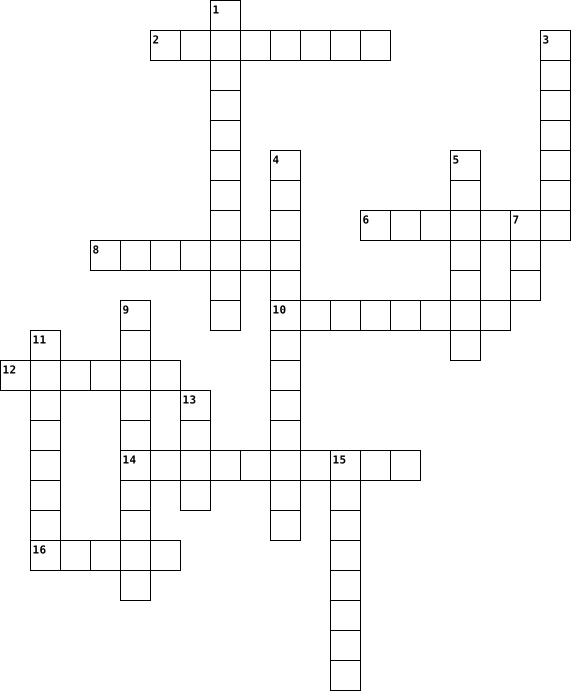
Across
- Physical parts of a computer or electronic device that you can touch and see
- Reality (VR) Computer-generated simulation of a three-dimensional environment for an immersive experience
- Collection of web pages that can be accessed on the internet
- Programs and applications that run on a computer or electronic device
- Writing instructions or commands for a computer program
- Intelligence (AI) Creating intelligent machines that can think and learn like humans
- Mechanical device that can perform tasks automatically or be controlled by humans
Down
- Creating and developing computer programs by giving instructions to the computer
- Relating to using technology to process and display information in numbers
- Measures taken to protect computer systems and data from unauthorized access
- A group of computers or devices connected together to share information
- Short for "application," a program or tool designed for a specific purpose
- Introducing new ideas, methods, or technologies to create something better
- Electronic machine used to store, process, and retrieve information
- Information that is stored and processed by a computer
- Worldwide network of computers that allows communication and access to information
16 Clues: Information that is stored and processed by a computer • Writing instructions or commands for a computer program • Collection of web pages that can be accessed on the internet • Electronic machine used to store, process, and retrieve information • Programs and applications that run on a computer or electronic device • ...
Test 2015-04-22

Across
- help offered by companies or service providers
- a wall that offers protection from Virus and other unsolicited activities
- Voulantary return of the charge deducted from the customer
- Software has to be ___________ on the computer for it to work
- Presence of Viruses in a computer causes this
- Another word for double check
- secret code that is used to access files or database
- Written/Typewritten/Printed copy
- General term for Monitor, Mouse, Keyboard, CPU
- Screen A common error that we see in computers
- Promise of service offered
- Virtual Storage space
- A software that helps in preventing Virus or Malware attacks
- not valid
- Access We can use the clients computer using __________
Down
- Malware that affects the performace of a Computer
- Key Serial code that has to be entered to verify the authencity of a software
- Set of codes written to make an application work
- No longer able to access a computer or a device
- Closing down of an appliance or device
- proceess of obtaining a file from the net or other meduim wherin it is available for use
- Capable of being run on an other computer without change
- iOS, iPod, iPhone, iMAC
- Completed/Taken care of
- Person who fixes issues in the computer
- Another word for restart
- Detailed study of an issue
- Software that is installed surreptitiously and gathers information about internet users browsing habits
28 Clues: not valid • Virtual Storage space • iOS, iPod, iPhone, iMAC • Completed/Taken care of • Another word for restart • Promise of service offered • Detailed study of an issue • Another word for double check • Written/Typewritten/Printed copy • Closing down of an appliance or device • Person who fixes issues in the computer • Presence of Viruses in a computer causes this • ...
Tech Vocab 2023-10-02

Across
- a group of two or more devices or nodes that can communicate
- all the physical parts that make up a computer
- : to increase the size of (a window) to fill an entire computer screen.
- a word, phrase, or string of characters intended to differentiate an authorized user or process (for the purpose of permitting access) from an unauthorized user,
- is a small handheld input device that controls a computer screen's cursor or pointer in conjunction with the way it is moved on a flat surface
- a type of computer program that is designed to run a computer's hardware and application programs.
- a pre-designed value or setting that is used by a computer software or mobile application when a value or setting is not specified by the program user.
- a visible and moving pointer that the user controls with a mouse, touchpad or similar input device such as a trackball.
- performed to return data that has been lost, stolen or damaged to its original condition or to move data to a new location.
Down
- type of computer program that performs a specific personal, educational, and business function.
- to replace (a window) on a computer display with a small button or icon which will restore the window when selected.
- instructions that tell a computer what to do.
- any application or software that does not need to be bundled with other software or applications, nor does it require anything else to function.
- a type of computer file that contains plain text, i.e., human-readable characters
- a key or combination of keys on a computer keyboard programmed to perform a specific function when pressed.
- Keys an alphanumeric key—sometimes called a hot key or mnemonic—that users can use instead of a pointing device to activate interactive controls
- a storage space, or container, where many files can be placed into groups and organize the computer.
- the access point for programs displayed on the desktop, even if the program is minimized.
- an operating system designed by Microsoft
19 Clues: an operating system designed by Microsoft • instructions that tell a computer what to do. • a group of two or more devices or nodes that can communicate • all the physical parts that make up a computer • : to increase the size of (a window) to fill an entire computer screen. • ...
Computer Hardware 2013-11-21

Across
- A measure of the amount of electrons moving through a circuit per second.
- Connects a computer to peripheral devices.
- Provides audio capability.
- The temporary storage for data and programs that are being accessed by the CPU.
- The main printed circuit board and contains the buses, or electrical pathways, found in a computer.
- Considered the brain of the computer. It is sometimes referred to as the processor.
- Connects a computer to a network using a network cable.
- Provides the ability to watch and record television signals on a PC by connecting a cable television, satellite, or antenna to the installed tuner card.
- The opposition to the flow of current in a circuit, measured in ohms.
- A measure of work required to move a charge from one location to another.
Down
- Sends a video signal to a computer so that the signal can be recorded to the computer hard drive with Video Capture software.
- Provides graphic capability.
- Connects a computer to the Internet using a phone line.
- Connects a computer to a network using radio frequencies.
- Contains instructions that can be directly accessed by a CPU.
- Connects a computer to peripheral devices.
- A measure of the work required to move electrons through a circuit (voltage), multiplied by the number of electrons going through that circuit per second (current).
- Connects SCSI devices, such as hard drives or tape drives, to a computer.
- A hard drive, or hard disk drive, is a magnetic device used to store data.
- Connects a computer to peripheral devices.
20 Clues: Provides audio capability. • Provides graphic capability. • Connects a computer to peripheral devices. • Connects a computer to peripheral devices. • Connects a computer to peripheral devices. • Connects a computer to the Internet using a phone line. • Connects a computer to a network using a network cable. • Connects a computer to a network using radio frequencies. • ...
Computer Hardware 2013-11-21

Across
- Contains instructions that can be directly accessed by a CPU.
- Connects a computer to peripheral devices.
- Connects a computer to a network using a network cable.
- Provides audio capability.
- The opposition to the flow of current in a circuit, measured in ohms.
- A measure of the work required to move electrons through a circuit (voltage), multiplied by the number of electrons going through that circuit per second (current).
- Sends a video signal to a computer so that the signal can be recorded to the computer hard drive with Video Capture software.
- Considered the brain of the computer. It is sometimes referred to as the processor.
- Connects a computer to peripheral devices.
- Connects SCSI devices, such as hard drives or tape drives, to a computer.
- The temporary storage for data and programs that are being accessed by the CPU.
Down
- Provides the ability to watch and record television signals on a PC by connecting a cable television, satellite, or antenna to the installed tuner card.
- A measure of the amount of electrons moving through a circuit per second.
- A measure of work required to move a charge from one location to another.
- Provides graphic capability.
- The main printed circuit board and contains the buses, or electrical pathways, found in a computer.
- Connects a computer to the Internet using a phone line.
- A hard drive, or hard disk drive, is a magnetic device used to store data.
- Connects a computer to a network using radio frequencies.
- Connects a computer to peripheral devices.
20 Clues: Provides audio capability. • Provides graphic capability. • Connects a computer to peripheral devices. • Connects a computer to peripheral devices. • Connects a computer to peripheral devices. • Connects a computer to a network using a network cable. • Connects a computer to the Internet using a phone line. • Connects a computer to a network using radio frequencies. • ...
Computer Words 2024-06-17

Across
- the smallest unit of data that a computer can process and store.
- Security- the practice of protecting systems, networks, and programs from digital attacks
- the ability of software and hardware from different sources to work together without having to be altered to do so
- allows devices to communicate with each other without cables or wires.
- a software program used to locate and display information on the Internet or an intranet.
- any unsolicited communication sent in bulk.
- small files of information that a web server generates and sends to a web browser
- used to refer to computer files or memory that can be read or used, but not changed or added to in any way
- a tiny wafer of semiconducting material with an embedded electronic circuit.
- a data measurement unit applied to digital computer or media storage
- System- the program that, after being initially loaded into the computer by a boot program, manages all of the other application programs in a computer.
- computer systems that are connected to a network and are accessible to users from anywhere at any time
- a unit of data that is eight binary digits long
- malicious software that enters a user's computer, gathers data from the device and user, and sends it to third parties without their consent.
- a type of malware that can automatically propagate or self-replicate without human interaction, enabling its spread to other computers across a network.
- a multi-platform, object-oriented, and network-centric language that can be used as a platform in itself.
- a storage location used to temporarily store data used by servers, apps, and browsers to speed load times.
- the clock speed of a central processing unit (CPU), which determines how many instructions a processor can execute per second.
- A zip is a file format that can contain multiple files combined and compressed into one file.
Down
- the capacity at which a network can transmit data.
- the use or operation of computers.
- a commonly used method of lossy compression for digital images, particularly for those images produced by digital photography
- to reload the operating system of a computer:
- an image, video, piece of information, etc. that is circulated rapidly and widely on the internet.
- the transmission of high-quality data of wide bandwidth.
- the number of pixels that are displayed per inch for an image
- the process of protecting information or data by using mathematical models to scramble it in such a way that only the parties who have the key to unscramble it can access it.
- a set of rules for formatting and processing data.
- a network security device that monitors and filters incoming and outgoing network traffic based on an organization's previously established security policies
- a computer on a network that provides the interface between two applications or networks that use different protocols
- the logic circuitry that responds to and processes the basic instructions that drive a computer
- device that is used to store data or programs (sequences of instructions) on a temporary or permanent basis for use in an electronic digital computer.
- files embedded within online communication channels such as emails, instant messages, or social networks
- Any stored data.
- any intrusive software developed by cybercriminals (often called hackers) to steal data and damage or destroy computers and computer systems.
- a type of malware that downloads onto a computer disguised as a legitimate program
- a computer which uses continuously changeable entities like mechanical, electrical, hydraulic, etc.
- Crime- any criminal activity that involves a computer, network or networked device.
- A computer program that can copy itself and infect a computer without permission or knowledge of the user
- Space- the amount of data that can reside within the disk drive or storage medium to a maximum limit.
40 Clues: Any stored data. • the use or operation of computers. • any unsolicited communication sent in bulk. • to reload the operating system of a computer: • a unit of data that is eight binary digits long • the capacity at which a network can transmit data. • a set of rules for formatting and processing data. • the transmission of high-quality data of wide bandwidth. • ...
Crossword for Mrs C 2023-09-06

Across
- by keeping something in your files.
- Something that stores information
- click and press a computer mouse button twice
- a folding cover or folder
- executable file
- shorter way to do something
- key key that alters the function of another key
- system that allows multiple viewing areas
- a small graphical representation
- bar at edge of display
Down
- an electronic document
- list of commandments or options
- to start up
- the giving of something to someone or presenting something
- an act of selecting an option
- working area of a computer screen
- pass slowly and tedious
- bar long thin section at the end of your computer
- record something
- a movable indicator on a computer screen
20 Clues: to start up • executable file • record something • an electronic document • bar at edge of display • pass slowly and tedious • a folding cover or folder • shorter way to do something • an act of selecting an option • list of commandments or options • a small graphical representation • Something that stores information • working area of a computer screen • ...
Software Crossword 2022-09-13

Across
- -title
- -computer killer
- -hard with ware
- -small
- -has the abc on it
- -the code to get into the computer
- -output of sound
- -inserting
- -read only memory (short form)
Down
- -the virus killer
- -the computer is giving out
- -screen of a computer
- -random access memory (short form)
- -different name for application
- -input of sound
- -brains
16 Clues: -title • -small • -brains • -inserting • -hard with ware • -input of sound • -computer killer • -output of sound • -the virus killer • -has the abc on it • -screen of a computer • -the computer is giving out • -read only memory (short form) • -different name for application • -random access memory (short form) • -the code to get into the computer
10A 2021-06-24

Across
- any set of instructions that tells the hardware what to do and how to do it
- Usually consists of eight bits.
- Used for copying a picture or document into a computer.
- What id a shorter term for Wireless Internet Connection
- is a type of software that allows you to perform specific tasks
- your system's short-term memory
- Any computer-generated information displayed on screen, printed on paper or in machine readable form, such as disk and tape.
- A screen that displays an image that is being generated by a computer.
- any part of your computer that has a physical structure, such as the keyboard or mouse.
- Sending an email, posting photos on a social media site and using your webcam.
- a device for computer games
- measured in megahertz (MHz), or millions of instructions per second; and gigahertz (GHz), or billions of instructions per second.
Down
- WHAT WORD DESCRIBES RESTARTING YOUR DEVICE
- An electronic device that can intensify speeches, music, etc., and made audible throughout a room, hall, or the like.
- the tool you use to access the Internet
- an electronic device that manipulates information, or data. It has the ability to store, retrieve, and process data
- A device that feeds data into a computer, such as a keyboard or mouse.
- another important tool for communicating with computers. Commonly known as a pointing device.
- or the Central Processing Unit is the component of a computer system that processes and exchanges data with the peripherals.
- where your software, documents, and other files are stored
20 Clues: a device for computer games • Usually consists of eight bits. • your system's short-term memory • the tool you use to access the Internet • WHAT WORD DESCRIBES RESTARTING YOUR DEVICE • Used for copying a picture or document into a computer. • What id a shorter term for Wireless Internet Connection • where your software, documents, and other files are stored • ...
Java 2 2023-12-14

Across
- follows // and is for other humans to explain the program
- loops that stop when the condition is false
- follows an if statement if none of the if and else if conditions work
- expressions that give a true or false result
- process of finding and fixing errors
- person who writes computer programs
- specific data values in holding areas
- logical operator thats only true when all conditions are true
- you write this to take string input
- keyword used to make variables a constant
Down
- statement used to print characters on the same line
- you write this for integer input
- function that checks if two strings are same but ignores case
- losing data when changing types
- keyword X is for space, this is used to check conditions after if and before else
15 Clues: losing data when changing types • you write this for integer input • person who writes computer programs • you write this to take string input • process of finding and fixing errors • specific data values in holding areas • keyword used to make variables a constant • loops that stop when the condition is false • expressions that give a true or false result • ...
Web Ethics & Safety 2024-02-21

Across
- use Uppercase, numbers, special characters !Fo0+/8@1L
- a worldwide system of computer networks.
- think before you
- two or more computers that are linked in order to share resources, such as printers, exchange files, or allow electronic communications.
- computer device which forwards data packets from one network to another; the dock.
- ownership of any creative work or invention
- monitors incoming and outgoing network traffic and decides whether to allow or block specific traffic
- an exclusive right granted for an invention
- security component which encrypts data and keeps it private within a public
- granted legal right which gives the creator of an original work exclusive rights to reproduce, publish, sell or distribute his or her production
- exception to copyright infringement: allows for educators to use part of someone's work
Down
- use of other people’s words, thoughts or ideas without crediting the source.
- crime which occurs when someone’s personal and financial information is stolen
- a method of prevention to avoid computer viruses.
- don't be a bystander, be a
- computer program which replicates and spreads itself from one computer to another
- method through which hackers can gain access to a computer; usually through email scams
- adult Internet user who uses social networking sites, chat rooms or other cyberspace to approach and eventually hurt other people, usually for sexual or abusive purposes.
- network controller which connects network devices and allows effective communication between these devices; the traffic light.
- device 95% of cyberbullies use to cyberbully others
- unauthorized reproduction or distribution of copyrighted materials
- creation, distribution or forwarding of a message which includes sexually explicit materials through a computer, cell phone or other electronic device
- use of computers, cell phones or other electronic devices to deliberately and repeatedly harm another person through the Internet
- originally refers to someone who is an expert at computer programming, but also means someone who illegally gains access to others’ computer for their own profits
24 Clues: think before you • don't be a bystander, be a • a worldwide system of computer networks. • ownership of any creative work or invention • an exclusive right granted for an invention • a method of prevention to avoid computer viruses. • device 95% of cyberbullies use to cyberbully others • use Uppercase, numbers, special characters !Fo0+/8@1L • ...
Angus cyber safety 2016-06-08

Across
- you can search stuff up
- way you read fast
- you type in to log onto a computer
- and dad
- that no one can see
- who goes into your account and steals stuff
- who stalks you online
- way to contact people
Down
- device people use to text
- who bully's you online
- details
- front of your computer
- that no one can see
- protects your computer
- who you don't know that emails you heaps of times
- a cold for your computer
- who teaches you
- use a keyboard to type words onto it
- of unsafe
- people use to send stuff to anyone who has it
20 Clues: details • and dad • of unsafe • who teaches you • way you read fast • that no one can see • that no one can see • who stalks you online • way to contact people • who bully's you online • front of your computer • protects your computer • you can search stuff up • a cold for your computer • device people use to text • you type in to log onto a computer • use a keyboard to type words onto it • ...
COMPUTER FUNDAMENTALS AND APPLICATIONS 2019-02-05

Across
- A thin, lighter weight mobile computer.
- It is a long, expensive powerful server that can handle hundreds or thousands of connected user simultaneously.
- A small symbol on the screen whose location and shape change as a user moves a pointing device.
- It is the main circuit board of the computer.
- An input device containing keys that is pressed to enter data.
- It visually conveys text, graphics and video information.
- It is a meeting between two or more geographically separated people.
- It is an example of a volatile memory.
- It is the data that has been processed into a useful form.
- An electronic programmable device operating under the control of instructions stored in its own memory.
- An internet capable phone.
- It is also called the Central Processing Unit (CPU).
Down
- It produces text and graphics on a physical medium.
- A light sensing input device that reads printed text and graphics.
- A computing device to be worn by a consumer.
- A computing device small enough to hold in your hand.
- Centralized storage area for programs, data and information.
- A stationary pointing device with a ball on its top or side.
- The fastest, most powerful computer.
- Any data and instructions entered into the memory of a computer.
- It is also called a notebook computer.
- It is the number of horizontal and vertical pixels in a display.
- These are speakers that cover or are placed outside of the ear.
- A personal computer designed to be in a stationary location, where all of its components fit on or under a desk or table.
- It is an element of an information system which is the physical, tangible parts or components of a computer.
25 Clues: An internet capable phone. • The fastest, most powerful computer. • It is also called a notebook computer. • It is an example of a volatile memory. • A thin, lighter weight mobile computer. • A computing device to be worn by a consumer. • It is the main circuit board of the computer. • It produces text and graphics on a physical medium. • ...
COMPUTER FUNDAMENTALS AND APPLICATIONS 2019-02-05

Across
- It is the data that has been processed into a useful form.
- It is also called a notebook computer.
- An internet capable phone.
- It is a meeting between two or more geographically separated people.
- It is a long, expensive powerful server that can handle hundreds or thousands of connected user simultaneously.
- It produces text and graphics on a physical medium.
- A small symbol on the screen whose location and shape change as a user moves a pointing device.
- These are speakers that cover or are placed outside of the ear.
- It visually conveys text, graphics and video information.
- An input device containing keys that is pressed to enter data.
- A light sensing input device that reads printed text and graphics.
- A personal computer designed to be in a stationary location, where all of its components fit on or under a desk or table.
Down
- Any data and instructions entered into the memory of a computer.
- A thin, lighter weight mobile computer.
- A stationary pointing device with a ball on its top or side.
- A computing device to be worn by a consumer.
- The fastest, most powerful computer.
- It is the main circuit board of the computer.
- An electronic programmable device operating under the control of instructions stored in its own memory.
- It is the number of horizontal and vertical pixels in a display.
- A computing device small enough to hold in your hand.
- It is an example of a volatile memory.
- It is also called the Central Processing Unit (CPU).
- It is an element of an information system which is the physical, tangible parts or components of a computer.
- Centralized storage area for programs, data and information.
25 Clues: An internet capable phone. • The fastest, most powerful computer. • It is also called a notebook computer. • It is an example of a volatile memory. • A thin, lighter weight mobile computer. • A computing device to be worn by a consumer. • It is the main circuit board of the computer. • It produces text and graphics on a physical medium. • ...
COMPUTER FUNDAMENTALS AND APPLICATIONS 2019-02-05

Across
- It is also called the Central Processing Unit (CPU).
- Centralized storage area for programs, data and information.
- A thin, lighter weight mobile computer.
- It visually conveys text, graphics, and video information.
- A computing device small enough to hold in your hand.
- A light sensing input device that reads printed text and graphics.
- A small symbol on the screen whose location and shape change as a user moves a pointing device.
- It is the main circuit board of the computer.
- It produces text and graphics on a physical medium.
- A computing device to be worn by a consumer.
- Any data and instructions entered into the memory of a computer.
Down
- It is an example of volatile memory.
- An electronic programmable device operating under the control of instructions stored in its own memory.
- An internet capable phone.
- A personal computer designed to be in a stationary location, where all of its components fit on or under a desk or table.
- These are speakers that cover or are placed outside of the ear.
- A stationary pointing device with a ball on its top or side.
- It is a meeting between two or more geographically separated people.
- The fastest, most powerful computer.
- It is a long, expensive powerful server that can handle hundreds or thousands of connected user simultaneously.
- An input device containing keys that is pressed to enter data.
- It is the data that has been processed into a useful form.
- It is also called a notebook computer.
- It is the number of horizontal and vertical pixels in a display.
- It is an element of an information system which is the physical, tangible parts or components of a computer.
25 Clues: An internet capable phone. • It is an example of volatile memory. • The fastest, most powerful computer. • It is also called a notebook computer. • A thin, lighter weight mobile computer. • A computing device to be worn by a consumer. • It is the main circuit board of the computer. • It produces text and graphics on a physical medium. • ...
COMPUTER FUNDAMENTALS AND APPLICATIONS 2019-02-05

Across
- A personal computer designed to be in a stationary location, where all of its components fit on or under a desk or table.
- It visually conveys text, graphics, and video information.
- An input device containing keys that is pressed to enter data.
- It is a long, expensive powerful server that can handle hundreds or thousands of connected user simultaneously.
- It is the number of horizontal and vertical pixels in a display.
- Centralized storage area for programs, data and information.
- Any data and instructions entered into the memory of a computer.
- It is also called the Central Processing Unit (CPU).
- An internet capable phone.
- A computing device to be worn by a consumer.
- It is also called a notebook computer.
- It is the data that has been processed into a useful form.
- A thin, lighter weight mobile computer.
Down
- A small symbol on the screen whose location and shape change as a user moves a pointing device.
- It is an element of an information system which is the physical, tangible parts or components of a computer.
- A stationary pointing device with a ball on its top or side.
- A light sensing input device that reads printed text and graphics.
- These are speakers that cover or are placed outside of the ear.
- It is a meeting between two or more geographically separated people.
- A computing device small enough to hold in your hand.
- It produces text and graphics on a physical medium.
- The fastest, most powerful computer.
- It is the main circuit board of the computer.
- An electronic programmable device operating under the control of instructions stored in its own memory.
- It is an example of volatile memory.
25 Clues: An internet capable phone. • The fastest, most powerful computer. • It is an example of volatile memory. • It is also called a notebook computer. • A thin, lighter weight mobile computer. • A computing device to be worn by a consumer. • It is the main circuit board of the computer. • It produces text and graphics on a physical medium. • ...
Personal Dictionary BTT10 2021-11-18

Across
- can be easily moved around and functions like a computer
- storage unit containing a disk
- a online journal
- brings internet to your house
- Stores all data even if deleted
- online currency(Doge Coin)
- a good sitting posture
- used to observe data as pictures
- a protective barrier that monitors data coming and going from all devices
- global network which provide a multitude of information
- a bunch of network sources that are connected
- stores information
- two or more connected computer channeling energy through each other
- helps to access the world wide web
- wireless technology that electronics can be connected to
- mini storage device for data
- Has Keys
- can corrupt files
- physical parts of computer
- The theft of personal information through false emails
- digital communication
Down
- a mobile device with the power of a computer
- Cannot be moved
- a person who has the skills to communicate online
- protects your account better
- a quotation/ reference from a website or other source
- manages hardware
- faking to be someone your not online to trick another person
- puts information into and takes information out of devices
- tells the computer what to do
- moves information from the computer to the network
- A smaller version of a computer that runs on a chrome operating system
- a pannel of keys that operates a device
- stores website information and monitors activity while on said website
- controls and executes commands
- allows you to get into a website
- a digital record of when a event happened
- allows the user to carry out searches
- made up of binary code
39 Clues: Has Keys • Cannot be moved • a online journal • manages hardware • can corrupt files • stores information • digital communication • a good sitting posture • made up of binary code • online currency(Doge Coin) • physical parts of computer • protects your account better • mini storage device for data • brings internet to your house • tells the computer what to do • ...
Computer Crossword Puzzle - Information and Communication Technology 2021-02-17

Across
- Brain of the computer
- Everything attaches to this
- Displays webpages, and images on a screen
- Cools the cpu from overheating
- Input device that lets you type keywords in
- Read-only memory, starts with and "R" and rhymes with "Tom"
- The part of the computer where you plug in USB, audio devices and other external hardware.
- Can be plugged into the computer for addition functions
Down
- Supplies power to the computer
- Creates images on the computer
- Input device that lets you navigate the computer
- Holds disks such as CD's and blueray
- Sits on the motherboard and looks like a thin rectangle
- Holds information and files, even when computer is turned off
- A rectangular box that holds all the computer components
- Communication system that transfers data between components inside a computer
16 Clues: Brain of the computer • Everything attaches to this • Supplies power to the computer • Creates images on the computer • Cools the cpu from overheating • Holds disks such as CD's and blueray • Displays webpages, and images on a screen • Input device that lets you type keywords in • Input device that lets you navigate the computer • ...
Security Terms 2022-11-17

Across
- Copy of files from computer hard drive saved on other digital media that is stored in a secure location
- Set of software tools used by attackers to hide the presence of other malicious softwares
- Logical computer network of zombies under control of an attacker
- Attacker who controls a botnet
- Database of viruses used to identify infected files
- Computer code that is dormant until it is triggered by a specific logical event
- General term used to describe software that spies on users by gathering information without consent
Down
- Program or feature incorporated in a browser that stops popup advertisements from appearing
- Enhancements to software to provide expanded functionality, but do not address vulnerabilities
- Software that is a cumulative package of all patches and feature updates
- Malware preventing devices from properly operating until a fee is paid
- Software that helps prevent computers from becoming infected by spyware
- Infected computer under remote control of an attacker
- Malicious computer code that reproduces itself on a computer
- Software of hardware device that captures each keystroke that is typed on the computer's keyboard
- Hardware or software designed to limit spread of malware
- Software code that gives access to a program that circumvents normal security protections
- Publicly released software security update to repair a vulnerability
- Malicious program designed to enter a computer via a network to take advantage of vulnerabilities
- Security program that delivers advertising content in a way that is unexpected and unwanted
20 Clues: Attacker who controls a botnet • Database of viruses used to identify infected files • Infected computer under remote control of an attacker • Hardware or software designed to limit spread of malware • Malicious computer code that reproduces itself on a computer • Logical computer network of zombies under control of an attacker • ...
crossword puzzle computer related terms 2019-06-30

Across
- Scanners are used to enter information directly in to the computers memory. This device works like a Xerox machine. The scanner converts any type of printed or written information including photographs into digital pulses, which can be manipulated by the computer.
- make a calculation, especially using a computer.
- abbreviation for light-emitting diode:
- an instrument for converting sound waves into electrical energy variations which may then be amplified, transmitted, or recorded.
- an integrated circuit that contains all the functions of a central processing unit of a computer
- a device for recording visual images in the form of photographs, film, or video signals
- a small piece, part, or quantity of something.
- a pair of earphones joined by a band placed over the head, for listening to audio signals such as music or speech.
- This is an input device which is used to draw lines or figures on a computer screen. It’s touched to the CRT screen where it can detect raster on the screen as it passes.
- a high-capacity, self-contained storage device containing a read-write mechanism plus one or more hard disks, inside a sealed unit. Also called hard disk drive.
- a machine for printing text or pictures onto paper, especially one linked to a computer.
- a panel of keys that operate a computer or typewriter.
- a compact disc used as a read-only optical memory device for a computer system.
- a unit of information equal to one million million (1012) or, strictly, 240 bytes.
- a small handheld device that is dragged across a flat surface to move the cursor on a computer screen, typically having buttons that are pressed to control functions.
- changeable; inconstant.
Down
- a handheld controller for video games.
- A device that converts analog audio signals into the equivalent air vibrations in order to make audible sound.
- a printed circuit board containing the principal components of a computer or other device, with connectors into which other circuit boards can be slotted.
- a display device which allows the user to interact with a computer by touching areas on the screen.
- an electronic device for storing and processing data, typically in binary form, according to instructions given to it in a variable program.
- used as a read-only optical memory device for a computer system.
- A computer monitor is an output device that displays information in pictorial form.
- is an electronic device that can read and output printed barcodes to a computer.
- a flexible removable magnetic disk, typically encased in hard plastic, used for storing data.
- determine (the amount or number of something) mathematically.
- relating to, using, or expressed in a system of numerical notation that has 2 rather than 10 as a base.
- is similar to the upside- down design of the mouse. The user moves the ball directly, while the device itself remains stationary. The user spins the ball in various directions to effect the screen movements.
- a rigid nonremovable magnetic disk with a large data storage capacity.
- a global computer network providing a variety of information and communication facilities, consisting of interconnected networks using standardized communication protocols.
- facts and statistics collected together for reference or analysis.
- is an optical disc format designed to display high definition video and store large amounts of data.
- what is put in, taken in, or operated on by any process or system.
33 Clues: changeable; inconstant. • a handheld controller for video games. • abbreviation for light-emitting diode: • a small piece, part, or quantity of something. • make a calculation, especially using a computer. • a panel of keys that operate a computer or typewriter. • determine (the amount or number of something) mathematically. • ...
Computer Fundamentals 2017-10-03

Across
- Howard Akine built a 50 foot long 10 ft high what?
- The most powerful computer.
- The brain of the computer.
- Allow instructions and data to be saved.
- First computing device.
- First electronic computing device.
- First mechanical computing device.
Down
- Bill Gates and Paul Allen created a software empire called?
- Allows users to see or hear info.
- Feeds data into the computer.
- Random Access memory.
- Read only memory.
- #1 milestone in computer history.
- The Internets purpose was for academic and government what?
- Physical parts of the computer.
- Steve Jobs and Steve Wozniak made the PC affordable by creating what?
- First commercial computer.
17 Clues: Read only memory. • Random Access memory. • First computing device. • The brain of the computer. • First commercial computer. • The most powerful computer. • Feeds data into the computer. • Physical parts of the computer. • Allows users to see or hear info. • #1 milestone in computer history. • First electronic computing device. • First mechanical computing device. • ...
Chapter 3 2013-03-06

Across
- ___-Generated Art has become more popular with the progress in technology
- An artistic style that ignores the blemishes in the world
- Endpapers, jackets, and frames are all aspects of this
- Author of The Polar Express
- This type of book is sturdy and often have manipulations
- ___ Art has a flat, two-dimensional quality
- the first picture book, by Comenius
- Movement can be portrayed using ___
- A name associated with a medal awarded for illustrations
- allows an illustrator to create and relieve suspense
Down
- Realism, impressionism, and postmodernism are types of this
- Illustrators use different materials to create their art
- This refers to the way an author identify a person in the story
- This is used symbolically to reflect mood and emotions
- The paper surrounding the book that provides information about the author
- A relief method of illustrating early picture books
- The _____ information helps identify the characters
- This type of book conveys knowledge with content specific vocabulary
- Author of Max and Ruby
- this is the ability to comprehend visual images
20 Clues: Author of Max and Ruby • Author of The Polar Express • the first picture book, by Comenius • Movement can be portrayed using ___ • ___ Art has a flat, two-dimensional quality • this is the ability to comprehend visual images • A relief method of illustrating early picture books • The _____ information helps identify the characters • ...
Computers 2021-09-17

Across
- Although some newer mice and keyboards include USB cables, most require ____
- helps house and transport data
- houses most of your computer’s components and directs data
- carries out your computer’s instructions
- ____slots let peripherals communicate quickly with the processor
- You can use _____ to connect many different
- The ____ activates when you turn on the computer
- if you have an older printer or scanner, you probably connect the device to the _________
Down
- houses your graphics card, which supplies the image to the monitor
- Motherboards often have integrated ____
- are much slower than new USB and FireWire ports
- of peripherals, including digital cameras and
- video cameras
- The CPU stores temporary information, such as data relating to open programs, in ___
- It funnels power through the multicolored cables
15 Clues: video cameras • helps house and transport data • Motherboards often have integrated ____ • carries out your computer’s instructions • You can use _____ to connect many different • of peripherals, including digital cameras and • are much slower than new USB and FireWire ports • The ____ activates when you turn on the computer • ...
Chapter 3 2013-03-06

Across
- Author of Max and Ruby
- this is the ability to comprehend visual images
- A name associated with a medal awarded for illustrations
- Author of The Polar Express
- Endpapers, jackets, and frames are all aspects of this
- Illustrators use different materials to create their art
- ___-Generated Art has become more popular with the progress in technology
- ___ Art has a flat, two-dimensional quality
- This refers to the way an author identify a person in the story
- This type of book is sturdy and often have manipulations
- Realism, impressionism, and postmodernism are types of this
- A relief method of illustrating early picture books
Down
- the first picture book, by Comenius
- This is used symbolically to reflect mood and emotions
- The paper surrounding the book that provides information about the author
- allows an illustrator to create and relieve suspense
- This type of book conveys knowledge with content specific vocabulary
- An artistic style that ignores the blemishes in the world
- Movement can be portrayed using ___
- The _____ information helps identify the characters
20 Clues: Author of Max and Ruby • Author of The Polar Express • the first picture book, by Comenius • Movement can be portrayed using ___ • ___ Art has a flat, two-dimensional quality • this is the ability to comprehend visual images • The _____ information helps identify the characters • A relief method of illustrating early picture books • ...
Computer Vocabulary 2017-06-21

Across
- A small handheld device that is dragged across a flat surface to move the cursor on a computer screen, typically having buttons that are pressed to control functions
- A folding cover or holder, typically made of stiff paper or cardboard, for storing loose papers
- The abbreviation for central processing unit. They are the brains of the computer where most calculations take place
- A sudden failure, which puts a system out of action
- Copy (data) from one computer system to another, typically over the Internet
- An electronic device for storing and processing data
- A panel of keys that operate a computer or typewriter
- A global computer network providing a variety of information and communication facilities, consisting of interconnected networks using standardized communication protocols
- A program with a graphical user interface for displaying HTML files, used to navigate the World Wide Web
- A piece of code that is capable of copying itself and typically has a detrimental effect, such as corrupting the system or destroying data
- An instrument or device used for observing, checking, or keeping a continuous record of a process or quantity
Down
- A combined device for modulation and demodulation, for example, between the digital data of a computer and the analog signal of a telephone line
- An act or instance of booting a computer system again
- Almost or nearly as described, but not completely or according to strict definition
- Wide Web An information system on the Internet that allows documents to be connected to other documents by hypertext links, enabling the user to search for information by moving from one document to another
- Tools, machinery, and other durable equipment
- System The software that supports a computer's basic functions
- flash drive An external flash drive, small enough to carry on a key ring, that can be used with any computer that has a USB port
- Place (a document) in a cabinet, box, or folder in a particular order for preservation and easy reference
- The working surface of a desk
- A computer or computer program that manages access to a centralized resource or service in a network
- A symbol or graphic representation on a screen of a program, option, or window, especially one of several for selection
- Irrelevant or inappropriate messages sent on the Internet to a large number of recipients. Or send the same message indiscriminately to (large numbers of recipients) on the Internet
23 Clues: The working surface of a desk • Tools, machinery, and other durable equipment • A sudden failure, which puts a system out of action • An electronic device for storing and processing data • An act or instance of booting a computer system again • A panel of keys that operate a computer or typewriter • System The software that supports a computer's basic functions • ...
Vocabulary Lesson 2 Maja 2017-03-03

Across
- an ill-bred man, especially one who behaves in a dishonorable or irresponsible way toward women. A local town boy or youth, as contrasted with a university or public school student. A servant at a university or public school.
- Short for Joint Photographic Experts Group, and pronounced jay-peg. JPEG is a lossy compression technique for color images. Although it can reduce files sizes to about 5% of their normal size, some detail is lost in the compression.
- the introductory page of a website, typically serving as a table of contents for the site a web page set as the default or start-up page on a browser.
- Basis points (BPS) refer to a common unit of measure for interest rates and other percentages in finance. One basis point is equal to 1/100th of 1%, or 0.01% (0.0001), and is used to denote the percentage change in a financial instrument.
- a program with a graphical user interface for displaying HTML files, used to navigate the World Wide Web.
- The word wireless is dictionary defined as "having no wires". In networking terminology, wireless is the term used to describe any computer network where there is no physical wired connection between sender and receiver, but rather the network is connected by radio waves and/or microwaves to maintain communications.
- In decimal systems, kilo stands for 1,000, but in binary systems, a kilo is 1,024 (2 to the 10th power). Technically, therefore, a kilobyte is 1,024 bytes, but it is often used loosely as a synonym for 1,000 bytes. ... In computer literature, kilobyte is usually abbreviated as K or KB.
- A scanner is an input device that scans documents and images, which can be imported into a computer. They are available in flatbed or sheet-fed versions and are usually connected via a high-speed USB port. OCR software can be used to recognize text documents imported from a scanner.
- the action or process of making a physical object from a three-dimensional digital model, typically by laying down many thin layers of a material in succession.
- a part of a computer system or network that is designed to block unauthorized access while permitting outward communication.
- the process of converting information or data into a code, especially to prevent unauthorized access.
- A router is a device that forwards data packets along networks. A router is connected to at least two networks, commonly two LANs or WANs or a LAN and its ISP's network. Routers are located at gateways, the places where two or more networks connect.
- Domain Name Servers (DNS) are the Internet's equivalent of a phone book. They maintain a directory of domain names and translate them to Internet Protocol (IP) addresses.
- a person who uses computers to gain unauthorized access to data.
Down
- a general-purpose computer programming language designed to produce programs that will run on any computer system.
- program instructions.
- a unit of information equal to one billion (109) or, strictly, 230 bits.
- a system for connecting a number of computer systems to form a local area network, with protocols to control the passing of information and to avoid simultaneous transmission by two or more systems.
- URL is the abbreviation of Uniform Resource Locator. It is the global address of documents and other resources on the World Wide Web. ... A URL is one type of Uniform Resource Identifier (URI); the generic term for all types of names and addresses that refer to objects on the World Wide Web.
- In computing, virtualization means to create a virtual version of a device or resource, such as a server, storage device, network or even an operating system where the framework divides the resource into one or more execution environments.
- A computer network or data network is a telecommunications network which allows nodes to share resources. In computer networks, networked computing devices exchange data with each other using a data link. The connections between nodes are established using either cable media or wireless media.
- (in relation to Excel spreadsheet): A cell is the intersection between a row and a column on a spreadsheet that starts with cell A1. Below is an illustrated example of a highlighted cell in Microsoft Excel; the cell address, cell name, or cell pointer "D8" (column D, row 8) is the selected cell and the location of what is being modified.
- A local-area network (LAN) is a computer network that spans a relatively small area. Most often, a LAN is confined to a single room, building or group of buildings, however, one LAN can be connected to other LANs over any distance via telephone lines and radio waves.
- a movable indicator on a computer screen identifying the point that will be affected by input from the user, for example showing where typed text will be inserted.
- (especially in computing) arranges or put into a format.
25 Clues: program instructions. • (especially in computing) arranges or put into a format. • a person who uses computers to gain unauthorized access to data. • a unit of information equal to one billion (109) or, strictly, 230 bits. • the process of converting information or data into a code, especially to prevent unauthorized access. • ...
crossword puzzle input ouput process 2019-06-30

Across
- a rigid nonremovable magnetic disk with a large data storage capacity.
- This is an input device which is used to draw lines or figures on a computer screen. It’s touched to the CRT screen where it can detect raster on the screen as it passes.
- is an electronic device that can read and output printed barcodes to a computer.
- is similar to the upside- down design of the mouse. The user moves the ball directly, while the device itself remains stationary. The user spins the ball in various directions to effect the screen movements.
- A computer monitor is an output device that displays information in pictorial form.
- make a calculation, especially using a computer.
- relating to, using, or expressed in a system of numerical notation that has 2 rather than 10 as a base.
- an integrated circuit that contains all the functions of a central processing unit of a computer
- a panel of keys that operate a computer or typewriter.
- A device that converts analog audio signals into the equivalent air vibrations in order to make audible sound.
- a pair of earphones joined by a band placed over the head, for listening to audio signals such as music or speech.
- used as a read-only optical memory device for a computer system.
- an electronic device for storing and processing data, typically in binary form, according to instructions given to it in a variable program.
- what is put in, taken in, or operated on by any process or system.
- determine (the amount or number of something) mathematically.
Down
- is an optical disc format designed to display high definition video and store large amounts of data.
- a small piece, part, or quantity of something.
- facts and statistics collected together for reference or analysis.
- a global computer network providing a variety of information and communication facilities, consisting of interconnected networks using standardized communication protocols.
- a unit of information equal to one million million (1012) or, strictly, 240 bytes.
- a high-capacity, self-contained storage device containing a read-write mechanism plus one or more hard disks, inside a sealed unit. Also called hard disk drive.
- a flexible removable magnetic disk, typically encased in hard plastic, used for storing data.
- an instrument for converting sound waves into electrical energy variations which may then be amplified, transmitted, or recorded.
- a printed circuit board containing the principal components of a computer or other device, with connectors into which other circuit boards can be slotted.
- a device for recording visual images in the form of photographs, film, or video signals
- Scanners are used to enter information directly in to the computers memory. This device works like a Xerox machine. The scanner converts any type of printed or written information including photographs into digital pulses, which can be manipulated by the computer.
- a display device which allows the user to interact with a computer by touching areas on the screen.
- (liquid crystal display) is the technology used for displays in notebook and other smaller computers.
- changeable; inconstant.
- abbreviation for light-emitting diode:
- a machine for printing text or pictures onto paper, especially one linked to a computer.
- a small handheld device that is dragged across a flat surface to move the cursor on a computer screen, typically having buttons that are pressed to control functions.
- a compact disc used as a read-only optical memory device for a computer system.
33 Clues: changeable; inconstant. • abbreviation for light-emitting diode: • a small piece, part, or quantity of something. • make a calculation, especially using a computer. • a panel of keys that operate a computer or typewriter. • determine (the amount or number of something) mathematically. • used as a read-only optical memory device for a computer system. • ...
Technology vocabulary 2023-12-15

Across
- a secret word used to access a computer system
- engine a program that searches for information on the internet
- a portable computer with a touchscreen
- a mobile phone with more features
- a regularly updated website or webpage on a specific topic
- an input device with keys used to type
- wireless technology that allows devices to connect
- malicious software that replicates and spreads causing harm
- a global network connecting computers
- to make something current or bring up to date
- media online platforms to connect with others
- real-time communication between users over the internet
Down
- a pointing device used to interact with a computer
- the physical components of a computer
- programs and application that run on a electronic device
- computer system that protect data, networks, etc.
- a software application used to access websites
- word short for the word 'application'
- to transfer data to your device
- to transfer data from the internet
- an electronic device that starts with a 'c'
- a collection of webpages available through internet
- to end a session on a website or computer
- electronic mail
- a unique name used to identify an individual on a computer
25 Clues: electronic mail • to transfer data to your device • a mobile phone with more features • to transfer data from the internet • the physical components of a computer • word short for the word 'application' • a global network connecting computers • a portable computer with a touchscreen • an input device with keys used to type • to end a session on a website or computer • ...
Fundamentals of Information Technology 2014-08-14

Across
- It is the most widely-installed Local network technology.
- It was a wooden box that could only add and subtract by means of series of gears and wheels.
- It is a combination of software and hardware and used to provide services to the client-computers.
- It was a tremendous breakthrough in advancing the computer.
- It was a mechanical computer that can solve any mathematical problems.
- It is short for "Global positioning system"
- It is used for space exploration and weather based system.
- It is a data processing cycle component where output maybe stored on a disk for future use.
- The one using the computer or any device connected to a network.
- It is short for "Liquid crystal display".
- It is also called "display".
- It is the main circuit board of your computer and also known as the main board or logic board.
- It is short for "Universal serial bus".
- It is form of computer data storage.It allows data items to be read and written roughly the same amount of time regardless of the order in which data item are accessed.
- It is the process of arranging data in a specific order.
- The example of this computer are cellphones,tablets, and laptops.
- It is responsible for sending network traffic to its correct direction.
- It is like the brains of the computer.
- It is a device that scans documents such as photographs and pages of text.
Down
- It is a capability of a computer to perform the specified task repeatedly.
- It is an input device commonly used to control video games.
- It is short for "Read only memory".
- It is a mobile phone with more advance computing capability and connectivity that basic features.
- He was the invertor of 'vacuum tubes and light bulb".
- It is a collection of computer and peripherals connected to each other through different modes.
- It is a wireless mobile technology used for device communication over short ranges.
- It is an electronic device. It can input, manipulate data, store, and provides output.
- It is an input device that prints paper documents.
- It is a type of computer. It is used by small business.
- It is short for "Modulator Demodulator".
- A device that convert sound waves into an electronic current, usually fed into an amplifier,a recorder, or a broadcast transmitter.
- It is an electronic flash memory data storage device used for sorting digital information.
- It is short for "Network interface card".
- It is a hand-operated device that controls the coordinates of a cursor on your computer screen.
- It was the first machine used for counting and calculating.
35 Clues: It is also called "display". • It is short for "Read only memory". • It is like the brains of the computer. • It is short for "Universal serial bus". • It is short for "Modulator Demodulator". • It is short for "Liquid crystal display". • It is short for "Network interface card". • It is short for "Global positioning system" • ...
Keenan Young 2016-02-16

Across
- Plug in's for my headphones to listen to muh jams
- Pink colored plug in so I can show my friends my pictures off the internet
- Uses the numbers 1-0 as language
- Controls all in the computer. May also put you to bed at night and make you supper
- Random Accessing Unit
- also know as the tower
- cools off the computer(not fan)
- Socket that converts power for the computer
- Plug in that is also know as the Video Graphic Array
Down
- Plug in for mouses or keyboards
- Keeps the computer cool(not heatsink)
- Windows is an example
- Turns off the computer
- The brains of the computer
- Place to put special cards for video and sound
- Is an example of an input device
- cord that allows you to connect to the internet
- Cd is inserted
- Is both an output and hardware device
- Is were the permanent data stored
20 Clues: Cd is inserted • Windows is an example • Random Accessing Unit • Turns off the computer • also know as the tower • The brains of the computer • Plug in for mouses or keyboards • cools off the computer(not fan) • Uses the numbers 1-0 as language • Is an example of an input device • Is were the permanent data stored • Keeps the computer cool(not heatsink) • ...
Computer Tech CrossWord 2020-10-14

Across
- machine to make copys
- a computer that is used on a desk
- the main circuit board
- When a computer sends data
- the main part of equiment for the Computer
- a device that is mobile
- a piece of equitment that sends sound waves
- a device were info can be stored
- the computer case
Down
- buttons to write words
- the piece that contains the parts
- a plug in to charge
- when a computer receives data
- a place to store your files
- a computer that is able to go with you
- to recive input and give output
- Power source to the system
- a card that outputs images on devices
- a screen to work on
- to connect keyboards and mice
- a device used to move the cursor
- the video connecter
- a device made to communicate with
- makes sound louder
24 Clues: the computer case • makes sound louder • a plug in to charge • a screen to work on • the video connecter • machine to make copys • buttons to write words • the main circuit board • a device that is mobile • Power source to the system • When a computer sends data • a place to store your files • when a computer receives data • to connect keyboards and mice • to recive input and give output • ...