
types of computer Crossword Puzzles
Networking Concepts & Cyber Ethics 2025-06-03

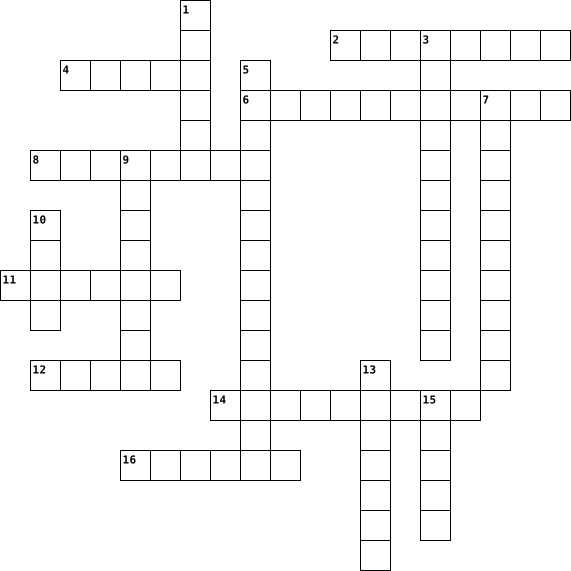
Across
- : We use this to type on computer
- : We do this to find things on internet
- : A machine we use to study and play
- : A saved document, photo or game
- : We watch this on YouTube
- : Sending and receiving messages online
- : A place on the internet with pages and information
- : Do not share this with people you don’t know
- : We must be this on the internet
- : We use this to click and move cursor
Down
- : We look at this part of a computer
- : A word for things on internet
- : Keep this secret, do not share it
- : We must follow these while using computer
- : We should only chat with real ____ online
- : It helps phone or laptop to connect to internet
- : We should not post too many of these online
- : Talking to friends using computer or phone
- : We use this to open websites
- : Fun thing we play on computer or phone
20 Clues: : We watch this on YouTube • : We use this to open websites • : A word for things on internet • : We use this to type on computer • : A saved document, photo or game • : We must be this on the internet • : Keep this secret, do not share it • : We look at this part of a computer • : A machine we use to study and play • : We use this to click and move cursor • ...
Computers 2023-07-11

Across
- A program used for accessing and viewing websites on the internet.
- Software designed to harm or exploit any electronic device, network, or service.
- An electronic machine that can store and process data.
- A screen used for displaying images from a computer.
- A collection of web pages that are linked together and share a common domain name.
- A small device used for storing and transferring data between computers.
- A global network of computers that allows people to communicate and share information.
- A program that protects a computer from unauthorized access over the internet.
- drive The part of a computer that stores data permanently.
Down
- A device that can scan documents or images and convert them into digital files.
- A set of keys on a computer that are used for typing.
- The use of electronic communication to bully a person, typically by sending messages of an intimidating or threatening nature.
- A device that is used to move the cursor on a computer screen.
- A program that can damage or destroy files on a computer.
- A machine that prints text or images onto paper.
- A way of sending messages electronically over the internet.
- Programs and other operating information used by a computer.
17 Clues: A machine that prints text or images onto paper. • A screen used for displaying images from a computer. • A set of keys on a computer that are used for typing. • An electronic machine that can store and process data. • A program that can damage or destroy files on a computer. • drive The part of a computer that stores data permanently. • ...
crossword 2022-04-27

Across
- program that microprocessor uses
- data that can not be changed
- put into a computer to input data
- sends multiple bits of data at once
- physical aspects of a computer
- used for attaching hardware in a computer
Down
- temporary storage
- switch for electronic signals
- allows PC to transmit or receive data
- connects hardware to a processer
- the main processer
- data transfer used to connect computers
- program used to operate a computer
- inputs and outputs audio
- supplies power to computer
- attaches a video card to a computer
16 Clues: temporary storage • the main processer • inputs and outputs audio • supplies power to computer • data that can not be changed • switch for electronic signals • physical aspects of a computer • program that microprocessor uses • connects hardware to a processer • put into a computer to input data • program used to operate a computer • sends multiple bits of data at once • ...
crossword 2022-04-27

Across
- program that microprocessor uses
- data that can not be changed
- put into a computer to input data
- sends multiple bits of data at once
- physical aspects of a computer
- used for attaching hardware in a computer
Down
- temporary storage
- switch for electronic signals
- allows PC to transmit or receive data
- connects hardware to a processer
- the main processer
- data transfer used to connect computers
- program used to operate a computer
- inputs and outputs audio
- supplies power to computer
- attaches a video card to a computer
16 Clues: temporary storage • the main processer • inputs and outputs audio • supplies power to computer • data that can not be changed • switch for electronic signals • physical aspects of a computer • program that microprocessor uses • connects hardware to a processer • put into a computer to input data • program used to operate a computer • sends multiple bits of data at once • ...
crossword 2022-04-27

Across
- program that microprocessor uses
- data that can not be changed
- put into a computer to input data
- sends multiple bits of data at once
- physical aspects of a computer
- used for attaching hardware in a computer
Down
- temporary storage
- switch for electronic signals
- allows PC to transmit or receive data
- connects hardware to a processer
- the main processer
- data transfer used to connect computers
- program used to operate a computer
- inputs and outputs audio
- supplies power to computer
- attaches a video card to a computer
16 Clues: temporary storage • the main processer • inputs and outputs audio • supplies power to computer • data that can not be changed • switch for electronic signals • physical aspects of a computer • program that microprocessor uses • connects hardware to a processer • put into a computer to input data • program used to operate a computer • sends multiple bits of data at once • ...
Personal Tech Dictionary Puzzle - 21 2023-09-15

Across
- This is a wireless networking technology that uses radio waves to provide wireless high-speed Internet access. A common misconception is that it's term is short for "wireless fidelity,"
- A hardware which connects to a computer, broadband network or wireless router.
- It is any internal or external equipment or devices you can use perform major functions such as input, storage, processing, communication, output, connection and more.
- A program that, after being initially loaded into the computer by a boot program, and manages all of the other application programs in a computer.
- This is a computer network that links devices within a building or group of adjacent buildings.
- A structured set of data held in a computer, especially one that is accessible in various ways
- This is a convenient computer that is more useful and is almost as powerful as a desktop computer. Desktop Computers can run on batteries , Ac power, chargers, and many more.
- An external serial bus interface standard for connecting peripheral devices to a computer,
- When you accept them on a website, they send all your info to that website.
- This is a device that can be used for computer data. This can be used to store school work, videos, memories and much more.
- This is a global computer network providing a huge variety of info
- This is when someone uses the internet in a safe and legal way such as no hacking, illegally downloading or damaging of people work.
Down
- In computing, a firewall is a network security system that monitors and controls incoming and outgoing network traffic based on predetermined security rules.
- A new type of computer designed to help you get things done faster and easier.
- This is a video camera that is connected to a device and allows videos and images to be online.
- A common computing acronym that stands for random-access memory. Sometimes it's called PC memory or just memory.
- A device that forwards data packets to the appropriate parts of a computer network.
- Someone that creates a fake online identity to use the victim for money.
- This is a device that has many apps that people use in general, and for business, such as the market, clothing stores,
- This is a web-based tool that enables users to locate information on the World Wide Web. Popular examples of this is Google and Yahoo!
- This is a set of instructions, data or programs used to operate computers and execute specific tasks. It is the opposite of hardware, which describes the physical aspects of a computer.
- This is a sequence of characters or encoded information identifying when a certain event occurred, usually giving date and time of day, sometimes accurate to a small fraction of a second.
- This is a peripheral device that enables a user to input text into a computer or any other electronic machinery. This is an input device and is the most basic way for the user to communicate with a computer.
- This is simply a new way of storing files and other digital content. It allows users to access the files wherever there is Internet access.
- This is a social engineering attack used to steal somebody's personal information such as passwords or credit card information.
25 Clues: This is a global computer network providing a huge variety of info • Someone that creates a fake online identity to use the victim for money. • When you accept them on a website, they send all your info to that website. • A hardware which connects to a computer, broadband network or wireless router. • ...
Evolution of Computer 2026-06-30

Across
- → The inventor of the Tabulating Machine.
- → A chip used in fourth generation computers.
- → The type of tapes used to store data in second generation computers.
- → The kind of intelligence used in fifth generation computers.
- → The first electronic general-purpose digital computer.
- → Shortform of "Universal Automatic Computer".
- → The calculating machine invented by Blaise Pascal.
Down
- → The first programmer in computer history.
- → The first calculator that could perform all four arithmetic operations.
- → The scientist known as the Father of computers.
- → Used in second generation computers.
- → The first calculating device.
12 Clues: → The first calculating device. • → Used in second generation computers. • → The inventor of the Tabulating Machine. • → The first programmer in computer history. • → A chip used in fourth generation computers. • → Shortform of "Universal Automatic Computer". • → The scientist known as the Father of computers. • → The calculating machine invented by Blaise Pascal. • ...
Computer Literacy Cross Word Puzzle 2024-12-10

Across
- Repeating a set of actions
- The result or information produced by a computer after executing commands
- A step-by-step method to solve a problem
- Process of repeating steps given to the computer through code
- is the process of giving instructions to a computer so it can do specific tasks. Just like we speak different languages to communicate with people, computers have their own languages too
- like a container that stores data, such as a number or text
- A reusable block of code that performs a specific task
- Data or information provided to a computer to process
- the process of finding and fixing errors in the code
- When there is an error in the code that causes it not to run correctly
Down
- Statement helps the computer make decisions based on certain conditions.
- The language or set of rules used to write programs
- A set of instructions given to a computer to perform a specific task
- The correct order of steps in a program
- instruction that the computer follows
- programming language like Python or JavaScript is used to communicate with the computer
- command that tells the robot to move 90 degrees to the left or right
- Statement A conditional statement that runs one block of code if the condition is true, or another if not
18 Clues: Repeating a set of actions • instruction that the computer follows • The correct order of steps in a program • A step-by-step method to solve a problem • The language or set of rules used to write programs • the process of finding and fixing errors in the code • Data or information provided to a computer to process • ...
Test Review Crossword 2018-01-05

Across
- memory that can be accessed randomly
- doing business online
- An easy way to put information together and add numbers together
- brings electrical power to the computer
- the act of bullying online
- ties the functions of your computer together
- taking someone else's words and saying they are yours
- offline version of google slides
- the moving from one slide to another
- ______ displays information visually
- doing business online and in life
- small piece if equipment used to store and transfer information using USB
- Command V
- a source that you can trust is a ____ source
Down
- The Etiquette of cyberspace
- an on computer app that you can use to make movies or presentations
- used to select items on your computer screen
- a google app that you can create a slide show presentation on
- doing business in life, in a building
- a small plastic disk
- Command C
- _____ holds massive amounts or information and is computers primary source of storage
- part of a computer that makes the image you see on your monitor
- what allows special features to pictures or words
- a desktop app used to write papers
- An online version of Pages
- Command X and Command V
- keeps your computer from getting too hot
- used mainly for typing on your computer
- a website you use when making a presentation
30 Clues: Command C • Command V • a small plastic disk • doing business online • Command X and Command V • the act of bullying online • An online version of Pages • The Etiquette of cyberspace • offline version of google slides • doing business online and in life • a desktop app used to write papers • memory that can be accessed randomly • the moving from one slide to another • ...
Computer terms 2023-09-06

Across
- A set of options presented to the user of a app to help them find information
- A long section on the edge of a PC display that allows material to be scrolled
- A computer file containing information
- A small graphical representation of a program, feature or file.
- A bar at the edge of a computer display
- To press the mouse twice in quick succession
- The action of pressing your computer mouse
- A movable indicator on your screen that identifies the next input that will be affected by the user
- A filename denoting an executable file.
- A computer program that represents information on a two dimensional grid.
- To load an operating system into the Computers main memory
Down
- A software package used to display information
- To point to an object on the screen and move it to a new location
- A modifier key which, when pressed in conjunction with another key,performs a special operation
- A icon representation of a file,document or folder
- Container in a computer system for storing information
- A separate viewing area on a computer that allows the user to see multiple viewing areas
- A storage space or container where many files can be placed
- The computer display area that represents different documents and icons
- To copy a document, record or image being worked onto a storage medium
20 Clues: A computer file containing information • A bar at the edge of a computer display • A filename denoting an executable file. • The action of pressing your computer mouse • To press the mouse twice in quick succession • A software package used to display information • A icon representation of a file,document or folder • ...
Anatomy of computer 2020-02-06

Across
- motherboard manufacturer installs a basic OS
- you can add devices like modems and sound cards
- if you have an older printer or scanner
- it funnels power through the multicolored cables
- motherboards often have integrated sound chips
Down
- current firewire transfer data as fast as 400Mbps
- are much slower than new USB
- is a large PCB
- is the brain that carries out your computers instructions
- houses your graphics cards, which supplies the image to the monitor
- some newer mice and keyboards include USB cables
- stores temporary information
12 Clues: is a large PCB • are much slower than new USB • stores temporary information • if you have an older printer or scanner • motherboard manufacturer installs a basic OS • motherboards often have integrated sound chips • you can add devices like modems and sound cards • it funnels power through the multicolored cables • some newer mice and keyboards include USB cables • ...
COMPUTER FUNDAMENTALS AND APPLICATIONS 2019-02-05

Across
- It is also called the Central Processing Unit (CPU).
- It is a long, expensive powerful server that can handle hundreds or thousands of connected user simultaneously.
- It is also called a notebook computer.
- A computing device to be worn by a consumer.
- It is the data that has been processed into a useful form.
- These are speakers that cover or are placed outside of the ear.
- It is the main circuit board of the computer.
- A light sensing input device that reads printed text and graphics.
- A small symbol on the screen whose location and shape change as a user moves a pointing device.
- It is the number of horizontal and vertical pixels in a display.
- A stationary pointing device with a ball on its top or side.
Down
- An electronic programmable device operating under the control of instructions stored in its own memory.
- It produces text and graphics on a physical medium.
- It visually conveys text, graphics and video information.
- The fastest, most powerful computer.
- An internet capable phone.
- It is an example of a volatile memory.
- A computing device small enough to hold in your hand.
- An input device containing keys that is pressed to enter data.
- It is an element of an information system which is the physical, tangible parts or components of a computer.
- It is a meeting between two or more geographically separated people.
- A thin, lighter weight mobile computer.
- Centralized storage area for programs, data and information.
- A personal computer designed to be in a stationary location, where all of its components fit on or under a desk or table.
- Any data and instructions entered into the memory of a computer.
25 Clues: An internet capable phone. • The fastest, most powerful computer. • It is an example of a volatile memory. • It is also called a notebook computer. • A thin, lighter weight mobile computer. • A computing device to be worn by a consumer. • It is the main circuit board of the computer. • It produces text and graphics on a physical medium. • ...
COMPUTER FUNDAMENTALS AND APPLICATIONS 2019-02-05

Across
- A computing device small enough to hold in your hand.
- A personal computer designed to be in a stationary location, where all of its components fit on or under a desk or table.
- A stationary pointing device with a ball on its top or side.
- A thin, lighter weight mobile computer.
- It is a meeting between two or more geographically separated people.
- An electronic programmable device operating under the control of instructions stored in its own memory.
- It is also called a notebook computer.
- An input device containing keys that is pressed to enter data.
- It is the data that has been processed into a useful form.
- An internet capable phone.
- It is the number of horizontal and vertical pixels in a display.
- It is an example of volatile memory.
- It produces text and graphics on a physical medium.
Down
- A light sensing input device that reads printed text and graphics.
- The fastest, most powerful computer.
- It is an element of an information system which is the physical, tangible parts or components of a computer.
- It visually conveys text, graphics, and video information.
- It is a long, expensive powerful server that can handle hundreds or thousands of connected user simultaneously.
- A computing device to be worn by a consumer.
- It is the main circuit board of the computer.
- It is also called the Central Processing Unit (CPU).
- These are speakers that cover or are placed outside of the ear.
- Any data and instructions entered into the memory of a computer.
- A small symbol on the screen whose location and shape change as a user moves a pointing device.
- Centralized storage area for programs, data and information.
25 Clues: An internet capable phone. • The fastest, most powerful computer. • It is an example of volatile memory. • It is also called a notebook computer. • A thin, lighter weight mobile computer. • A computing device to be worn by a consumer. • It is the main circuit board of the computer. • It produces text and graphics on a physical medium. • ...
Computing Hardware 2017-01-31

Across
- A store for data in a computer that cannot be overwritten - it stores the boot sequence for the operating system
- The central printed circuit board that holds the crucial components of the system
- Secondary storage device using magnetised platters to store data and files - usually a hard drive
- A hardware device used to input data into a computer system for processing
- Non-volatile storage used to store programs and data even when power is turned off
- Works with the CPU to control the flow of data within the system
- technology based on electronics with no moving parts
- Performs all the arithmetic and logical operations within the CPU
- This is the process the CPU goes through every second depending on clock speed
- A CPU with two processors
Down
- RAM is an example of this
- Solid state memory used in portable devices and as removable storage
- A system of numbers using only two digits 0 and 1
- The internal logical structure and organisation of the computer hardware
- Data lost when there's no power
- Main memory of a computer that stores data, applications and the operating system whilst in use
- Secondary storage device used lasers to read and write data to a reflective surface
- A section of the hard disk used as if it were RAM to supplement the amount of main memory available to the computer
- Data retained even when power turned off
- A part of the computer architecture that transfers data and signals between the components of the computer
- Special high speed memory used by a computer to store frequently used instructions
- Contains the control unit, ALU and cache memory
- A CPU with four processors
23 Clues: RAM is an example of this • A CPU with two processors • A CPU with four processors • Data lost when there's no power • Data retained even when power turned off • Contains the control unit, ALU and cache memory • A system of numbers using only two digits 0 and 1 • technology based on electronics with no moving parts • ...
COMPUTER CONCEPTS AND USE OF COMPUTERS 2025-12-24

Across
- – Computers designed to perform many different tasks.
- – Small computers such as laptops, tablets, and smartphones used by individuals.
- – An output device that displays information visually on the screen.
- – Hardware components used to enter data and instructions into a computer.
- – The ability of a computer to save data and information for future use.
- – Computers designed to perform one specific task only.
Down
- – An input device used to type letters, numbers, and commands into a computer.
- – Raw facts and figures entered into a computer for processing.
- – The ability of a computer to produce correct results.
- – Hardware components that display or produce results from a computer.
- – Processed data that is meaningful and useful to the user.
- – A computer that manages network resources and provides data or services to other computers.
- – The act of converting data into useful information using a computer.
- – An electronic device that accepts data, processes it, stores it, and produces information.
- – The ability of a computer to work continuously for long hours without getting tired.
15 Clues: – Computers designed to perform many different tasks. • – The ability of a computer to produce correct results. • – Computers designed to perform one specific task only. • – Processed data that is meaningful and useful to the user. • – Raw facts and figures entered into a computer for processing. • ...
Tech Terms 2023-04-28

Across
- files left behind when you visit websites
- Restart
- malicious software
- Hypertext markup language
- Start
- Computer generated environment with scenes and objects that appear to be real
- Portable document format
- ctrl c
- Google, Bing
- Device that provides service to another computer program + user
- Uniform Resource Locator
- World Wide Web, all public websites or pages
- Read only memory, non-volatile memory type
- Tells hardware what to do and how to do it
- blocks malware
- Way to back up information
- ctrl v
- The gap between demographics and regions that have access to modern information and communications technologies
- Central processing unit
- 1 million bytes
- A group of eight bits
- organizes internet traffic
- Magnetic storage medium for a computer
- Copy from one computer system to another
- Open source software, software available for use, modification, and distribution with its original rights
Down
- A worldwide system of computer networks
- Random access memory, main memory in computer
- Input device
- changes signals
- Output device
- The smallest unit of data a computer can store
- ctrl p
- Creativity resulting in an invention
- Four things a computer does (input, processing, storage, output)
- Physical elements of a computer
- A website designed to make it easier for users to create entries in chronological order
- Personal Identification Information, identifies an individual
- Machine language
- Converting information into code
- Windows 10
- Computers central communications backbone connectivity point
- Microsoft Edge, Apple Safari
- Internet protocol address
- Domain name system, turns domain name into IP address
44 Clues: Start • ctrl p • ctrl c • ctrl v • Restart • Windows 10 • Input device • Google, Bing • Output device • blocks malware • changes signals • 1 million bytes • Machine language • malicious software • A group of eight bits • Central processing unit • Portable document format • Uniform Resource Locator • Hypertext markup language • Internet protocol address • Way to back up information • organizes internet traffic • ...
Computer Tech 2020-10-14

Across
- It ties the components of the computer all together all in one spot allowing it to talk to each other
- it captures the sound and puts into the device.
- Anything that provides input into a computer for example a keyboard.
- It's used to surf the internet through wireless connection.
- A set of keys that sends data to your computer
- Provides information in different forms like a printer for example
- is a program or a network
- It displays information into a pictornary form
- A piece of the computer equipment that stores information
- a printed circuit board controlling output to a display screen.
- a computer designed to stay in its place
- A router is a networking device that forwards data packets between computer networks
- a rigid non removable magnetic disk with a large data storage capacity.
Down
- primary devices that perform operations and produce results for complex calculations.
- Chemical energy converted into electricity
- It enters motion into a computer
- a movable computer
- Its malware is attached to another program, it can spread to all over.
- It's designed to disrupt, damage, or gain unauthorized access to computers.
- Allows other programs to run.
- a movable device
- A device you drag on a flat surface to move the mouse or click on things.
- It projects sound out of the device.
- It translates the motion of users' fingers.
- A device that prints, it can print pictures
25 Clues: a movable device • a movable computer • is a program or a network • Allows other programs to run. • It enters motion into a computer • It projects sound out of the device. • a computer designed to stay in its place • Chemical energy converted into electricity • It translates the motion of users' fingers. • A device that prints, it can print pictures • ...
Computer Apps. 2013-05-23

Across
- the type of computer we use in Computer Apps.
- the yellow button in the top left of your Safari page does this
- the first theme option for your presentation on KeyNote
- stamp icon
- the music notes icon is...
- the fruit on the back of a mac
- F1 and F2 changes...
- where you go to change your wallpaper on your computer
- this is what the arrows on iPhoto do to your photo
Down
- compass icon
- the LaunchPad is an icon of...
- clicking the "+" sign when on safari creates a new...
- asdfghjkl
- second option on Pages for a template for your document
- you plug this into your computer and have to safely eject it before taking it out of your computer
- the down arrow in the top right of your safari page shows...
- the default font on Pages
- Ms. Louis' favorite student :)
- blue and silver faces icon
- the button to the right of F12
- keys on the sides of the space board
21 Clues: asdfghjkl • stamp icon • compass icon • F1 and F2 changes... • the default font on Pages • the music notes icon is... • blue and silver faces icon • the LaunchPad is an icon of... • the fruit on the back of a mac • Ms. Louis' favorite student :) • the button to the right of F12 • keys on the sides of the space board • the type of computer we use in Computer Apps. • ...
Computer apps semester test 2018-01-08

Across
- expressing strong opinions
- self contained storage device on your computer
- the process of converting information of data into a code
- online presentation creator
- offline version of google slides
- online website creator
- online version of keynote
- offline movie creator
- online stores and physical stores
- bullying online
- flexible removable magnetic disk
- online sheets creator
- email with a virus
Down
- company online
- this is something that you connect to your computer to control where you go
- to steal or pass something as your own
- brains of the computer
- the process of taking encrypted information and converting it back
- correct way to speak on the internet
- something almost everybody knows/your own knowledge
- this can have movies, games, and songs on it
- self contained storage device on the computer
- online version of pages
- offline version of google docs
- business online
- the change from on picture to another
- keeps the computer from over heating
27 Clues: company online • bullying online • business online • email with a virus • offline movie creator • online sheets creator • brains of the computer • online website creator • online version of pages • online version of keynote • expressing strong opinions • online presentation creator • offline version of google docs • offline version of google slides • flexible removable magnetic disk • ...
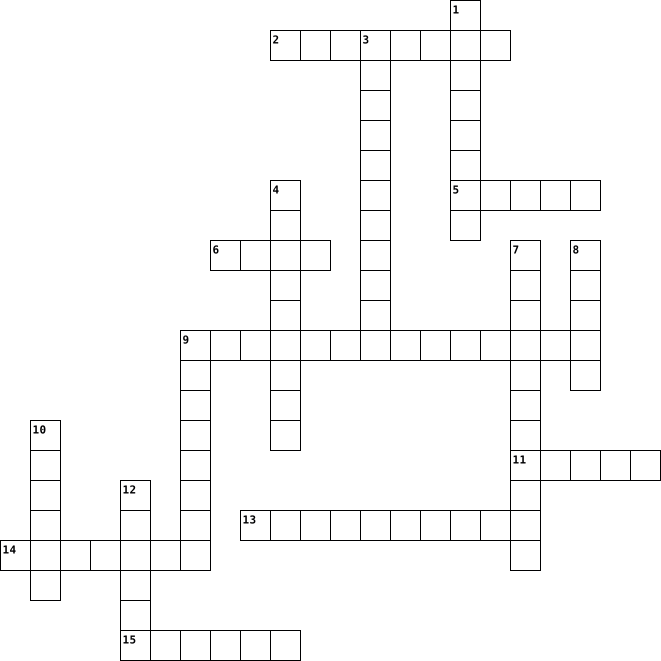
COMPUTER 2013-07-19
Across
- The programs and other operating information used by a computer.
- The state or act of a computer or a component of from the user or from a device or from a software either automatically or manually.
- Designed the Harvard Mark I.
- An electronic device for storing and processing data,
- A numeric system that only uses two digits — 0 and 1.
- A small hand-held device that is dragged across a flat surface to move the cursor on a computer screen, typically in binary form, according to instructions given to
- A powerful computer used for computing-intensive tasks.
- Is a lightweight and portable personal computer that utilizes a flat panel touch screen display.
Down
- Any piece of computer hardware equipment used to communicate the results of data processing carried out by an information processing system (such as a computer) which converts the electronically generated information into human-readable form.
- Is a semiconductor device used to amplify and switch electronic signals and electrical power.
- Father of modern computer.
- Built the first working mechanical computer, the Z1.
- Collections of instructions for manipulating data.
- A very small piece of semiconductor, especially in a computer, that contains extremely small electronic circuits and devices, and can perform particular operations.
- An output device that prints the results of data processing.
- Electronic device that converts digital data into analog signals to recover the digital data transmitted. transmission over analog telecommunications circuits (e.g.,traditional phone lines) and demodulates received
16 Clues: Father of modern computer. • Designed the Harvard Mark I. • Collections of instructions for manipulating data. • Built the first working mechanical computer, the Z1. • An electronic device for storing and processing data, • A numeric system that only uses two digits — 0 and 1. • A powerful computer used for computing-intensive tasks. • ...
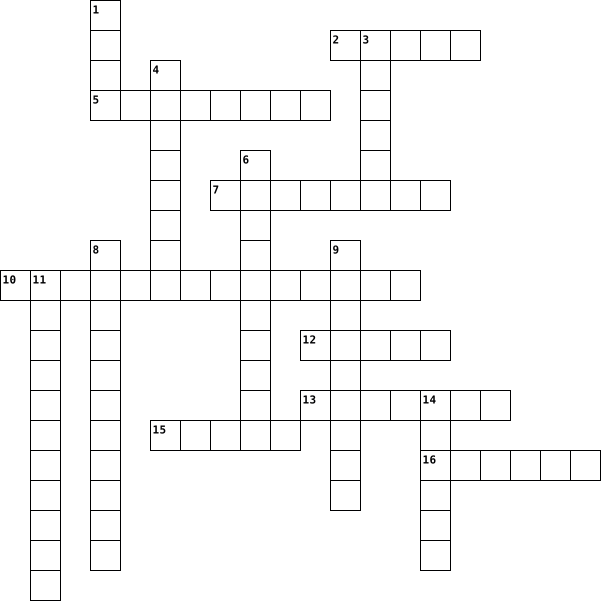
COMPUTER 2013-07-19
Across
- The programs and other operating information used by a computer.
- A small hand-held device that is dragged across a flat surface to move the cursor on a computer screen, typically in binary form, according to instructions given to
- A very small piece of semiconductor, especially in a computer, that contains extremely small electronic circuits and devices, and can perform particular operations.
- Father of modern computer.
- The state or act of a computer or a component of from the user or from a device or from a software either automatically or manually.
- Built the first working mechanical computer, the Z1.
- An output device that prints the results of data processing.
- Is a lightweight and portable personal computer that utilizes a flat panel touch screen display.
Down
- Collections of instructions for manipulating data.
- Is a semiconductor device used to amplify and switch electronic signals and electrical power.
- A powerful computer used for computing-intensive tasks.
- Designed the Harvard Mark I.
- Electronic device that converts digital data into analog signals to recover the digital data transmitted. transmission over analog telecommunications circuits (e.g.,traditional phone lines) and demodulates received
- An electronic device for storing and processing data,
- A numeric system that only uses two digits — 0 and 1.
- Any piece of computer hardware equipment used to communicate the results of data processing carried out by an information processing system (such as a computer) which converts the electronically generated information into human-readable form.
16 Clues: Father of modern computer. • Designed the Harvard Mark I. • Collections of instructions for manipulating data. • Built the first working mechanical computer, the Z1. • An electronic device for storing and processing data, • A numeric system that only uses two digits — 0 and 1. • A powerful computer used for computing-intensive tasks. • ...
COMPUTER 2013-07-19
Across
- A small hand-held device that is dragged across a flat surface to move the cursor on a computer screen, typically in binary form, according to instructions given to
- Collections of instructions for manipulating data.
- An electronic device for storing and processing data,
- Father of modern computer.
- The state or act of a computer or a component of from the user or from a device or from a software either automatically or manually.
- An output device that prints the results of data processing.
- Electronic device that converts digital data into analog signals to recover the digital data transmitted. transmission over analog telecommunications circuits (e.g.,traditional phone lines) and demodulates received
- A numeric system that only uses two digits — 0 and 1.
Down
- A very small piece of semiconductor, especially in a computer, that contains extremely small electronic circuits and devices, and can perform particular operations.
- Any piece of computer hardware equipment used to communicate the results of data processing carried out by an information processing system (such as a computer) which converts the electronically generated information into human-readable form.
- The programs and other operating information used by a computer.
- Built the first working mechanical computer, the Z1.
- Is a semiconductor device used to amplify and switch electronic signals and electrical power.
- A powerful computer used for computing-intensive tasks.
- Designed the Harvard Mark I.
- Is a lightweight and portable personal computer that utilizes a flat panel touch screen display.
16 Clues: Father of modern computer. • Designed the Harvard Mark I. • Collections of instructions for manipulating data. • Built the first working mechanical computer, the Z1. • An electronic device for storing and processing data, • A numeric system that only uses two digits — 0 and 1. • A powerful computer used for computing-intensive tasks. • ...
Computer build 2020-12-14

Across
- combines multiple disk drive components into one logical unit
- computer memory that can be read and changed in any order
- the main printed circuit board in computers
- collection of computer systems and servers
- onboard battery-powered semi-conductor chip
- data communication without wires
- a stop error or exception error
- manages input/output in a computer
- power-on self-test
- used to update the master boot records
- high-performance computer system designed for a single user
- chip that connects to the central processing unit (CPU)
Down
- electronic components in an integrated circuit
- software-based alternatives to physical computer objects such as servers
- command-line disk partitioning utility
- reorganizes the data stored on a hard drive
- examines the integrity of your hard drive
- standard of motherboards
- checks if data has been lost or written over
- the program a computer's microprocessor uses to start the computer system after it is powered on
20 Clues: power-on self-test • standard of motherboards • a stop error or exception error • data communication without wires • manages input/output in a computer • command-line disk partitioning utility • used to update the master boot records • examines the integrity of your hard drive • collection of computer systems and servers • the main printed circuit board in computers • ...
Activity 2.1.1: Functionality and performance of network systems here 2024-08-13

Across
- Indicates how long it takes for packets to reach their destination
- A validation process in communication systems where a check is performed before a connection.
- The number of packets that are processed within a specific period of time
- Ability of a system (computer, network, cloud cluster, etc.) to continue operating without interruption when one or more of its components fail.
- A digital network that manages data transfer in the form of small and optimized packets comprising a payload and a header, an improvement from older, analog-era network types.
- A type of network that relies on a physical connection between two distinct network nodes, which requires the link to be set up before the nodes can communicate.
- Delay fluctuation
- Packets of data that is received at their destination in the same order they were sent from the source.
- Time required by the spent station to transmit data to the link.
- Describe the maximum amount of data that can be transferred throughout your network.
Down
- The ability of a computer, machine, electronic system or network to maintain limited functionality even when a large portion of it has been destroyed or rendered inoperative.
- Network requirements relates to overall network
- Time of data propagation through the link.
- Processing time for data at the destination.
- The number of packets that arrive in different order than the one sent.
- The what factor are linked to protocol stacks.
- Network requirements relating to Out-of-order statistics
- Time spent by the packet at the destination’s queue
- The how factor are linked to protocol stacks
- Bad/lost packets may need to be retransmitted, reducing the average throughput between the devices communicating.
20 Clues: Delay fluctuation • Time of data propagation through the link. • Processing time for data at the destination. • The how factor are linked to protocol stacks • The what factor are linked to protocol stacks. • Network requirements relates to overall network • Time spent by the packet at the destination’s queue • Network requirements relating to Out-of-order statistics • ...
information and Technology 2019-12-13

Across
- Prepare something to transfer it
- malicious software loaded onto a user’s computer without them knowing and performs malicious actions
- an object where you put inputs
- Central Processing Unit
- facts and questions
- a web page that serves as a publicly accessible personal journal for an individual
- A part of a computer system that blocks unauthorized use
- Where you access any and everything
- Local Area Network
- A transmission of a file from one computer to another
- A computer that serves for other computers
Down
- where output data is shown
- the thing you use to navigate the monitor
- A desk
- A software application that is on your computer
- an object on a computer that stores information
- World Wide Web
- a starting up sequence
- The address of a World Wide Web page
- Hypertext markup language
- Wide Area Network
- A way to organize folders
- Drive A secondary storage device that keeps data permanent
- Random Access Memory
24 Clues: A desk • World Wide Web • Wide Area Network • Local Area Network • facts and questions • Random Access Memory • a starting up sequence • Central Processing Unit • Hypertext markup language • A way to organize folders • where output data is shown • an object where you put inputs • Prepare something to transfer it • Where you access any and everything • The address of a World Wide Web page • ...
Crossword Puzzle 2017-06-21

Across
- Stops working
- send (data) by modem.
- Central Processing Unit
- a global computer network providing a variety of information and communication facilities
- service in a network.
- flash drive an external flash drive
- a person or thing regarded as a representative symbol of something.
- a panel of keys that operate a computer or typewriter.
- the working surface of a desk.
- System the software that supports a computer's basic functions
- physical components of a computer
Down
- irrelevant or inappropriate messages sent on the Internet to a large number of recipients.
- a program with a graphical user interface for displaying HTML files, used to navigate the World Wide Web.
- use a mouse to move a cursor on a computer screen.
- an information system on the Internet that allows documents to be connected to other documents by hypertext links
- not physically existing
- copy
- a piece of code that is capable of copying itself and typically has a detrimental effect, such as corrupting the system or destroying data.
- an act or instance of booting a computer system again.
- Folder systems use directories to organize files within a storage device
- Small piece of data
- an instrument or device used for observing
- an electronic device for storing and processing data
- a part of a computer system or network that is designed to block unauthorized access while permitting outward communication.
- Drive a high-capacity, self-contained storage device
25 Clues: copy • Stops working • Small piece of data • send (data) by modem. • service in a network. • Central Processing Unit • not physically existing • the working surface of a desk. • physical components of a computer • flash drive an external flash drive • an instrument or device used for observing • use a mouse to move a cursor on a computer screen. • ...
IT & Business 2023-08-16

Across
- The process of promoting a product or service through paid advertising
- A person who starts and runs a business
- The act of buying or selling goods or services online
- The physical circuitry that makes up a computer
- A software program that performs a specific task
- A type of legal protection for creative works
- A graphical representation of a program's logic or flow
- The standard markup language for creating web pages
- A written agreement between two or more parties
- A type of computer program that is used to create and edit documents
- A type of software used to create and edit spreadsheets
- A type of computer network that connects computers all over the world.
Down
- The process of finding and fixing errors in code
- A software program used to create and edit digital images
- The process of converting raw materials into finished goods
- The main circuit board of a computer
- A type of computer program that is used to create and edit presentations.
- The act of selling goods or services to another country
- A unit of data that consists of eight bits
- The act of purchasing goods or services from another country
- The process of bringing a new product or service to market
- A series of instructions that tells a computer what to do
- A system of record-keeping and financial reporting for businesses
- A system used to store and organize data
- A program that protects a computer from viruses and other malicious software
25 Clues: The main circuit board of a computer • A person who starts and runs a business • A system used to store and organize data • A unit of data that consists of eight bits • A type of legal protection for creative works • The physical circuitry that makes up a computer • A written agreement between two or more parties • The process of finding and fixing errors in code • ...
KAILEY'S VOCAB!!! :) 2012-10-04

Across
- device A peripheral device that accepts data.
- A software program that allows the user to find and read
- address the numerical code that identifies all computers that are connected to the internet.
- Device Electronic equipment connected to a computer.
- device The collection of software that directs a computers operation.
- A rigid, slotted board that contains the basic circuitry wires of a computer. Desktop: A small object that can fit on a desk.
- Memory saved when computers are turned off and turned on.
- used for specifying addresses on t he internet.
- A font used for size, color, or what kind of style.
- Access to data files programs
Down
- A device inside another device.
- Program used to direct the operation of a computer, T.V.
- code The representation of each one of a set of numbers, letters,exc
- Computer system
- An internet, passage.
- Metal ware used as tools like locks, and hinges.
- Processed by a computer as a unit.
- A company or organization that provides access to the internet through its server.
- Short term memory that only exists while computer is running.
19 Clues: Computer system • An internet, passage. • Access to data files programs • A device inside another device. • Processed by a computer as a unit. • device A peripheral device that accepts data. • used for specifying addresses on t he internet. • Metal ware used as tools like locks, and hinges. • A font used for size, color, or what kind of style. • ...
ouiaklon 2014-02-19

Across
- Domain Name System.
- a code system using The binary digits 0 and 1 to represent a letter.
- A program with a graphical user interface.
- A string of numbers separated by periods.
- The practice of using the network of remote servers.
- a set of computer instructions in firmware that control input and output operations.
- Something inserted on to a rom chip can only be read, not removed.
- A group of people or things.
- A collection of items.
- Denoting software.
- Rigid, Slotted board were parts connect.
- A website's own style.
- The number of bits used to encode a single character of text.
- In a network.
Down
- The program and other operating information.
- A system that responds to requests acrossed a computer network.
- Random Access memory.
- The software that supports a computers info.
- Small enough to fit on a desk.
- port Universal serial bus.
- The host of a web page.
- Central Processing Unit.
- A device.
- A small piece of data sent from a website.
- A computer network consisting of worldwide networks of computer.
- The mechanical, magnetic, electronic, on your computer.
- A disk drive containing a hard disk.
- To load the first piece of software that starts a computer.
- Internet Service provider.
29 Clues: A device. • In a network. • Denoting software. • Domain Name System. • Random Access memory. • A collection of items. • A website's own style. • The host of a web page. • Central Processing Unit. • port Universal serial bus. • Internet Service provider. • A group of people or things. • Small enough to fit on a desk. • A disk drive containing a hard disk. • ...
Computer Vocab Crossword. 2014-02-19

Across
- A program with a graphical user interface.
- Something inserted on to a rom chip can only be read, not removed.
- The practice of using the network of remote servers.
- To load the first piece of software that starts a computer.
- In a network.
- A website's own style.
- Domain Name System.
- Central Processing Unit.
- The program and other operating information.
- A string of numbers separated by periods.
- Denoting software.
- a set of computer instructions in firmware that control input and output operations.
Down
- Internet Service provider.
- a code system using The binary digits 0 and 1 to represent a letter.
- The mechanical, magnetic, electronic, on your computer.
- Rigid, Slotted board were parts connect.
- A collection of items.
- The software that supports a computers info.
- A device.
- A group of people or things.
- The host of a web page.
- The number of bits used to encode a single character of text.
- Small enough to fit on a desk.
- A computer network consisting of worldwide networks of computer.
- A disk drive containing a hard disk.
- A small piece of data sent from a website.
- A system that responds to requests acrossed a computer network.
- Random Access memory.
- port Universal serial bus.
29 Clues: A device. • In a network. • Denoting software. • Domain Name System. • Random Access memory. • A collection of items. • A website's own style. • The host of a web page. • Central Processing Unit. • Internet Service provider. • port Universal serial bus. • A group of people or things. • Small enough to fit on a desk. • A disk drive containing a hard disk. • ...
jon's revision crossword ict 2024-05-16

Across
- the name given to non physical parts of a computer
- the physical parts of a computer
- the name of the computers code
- whole data base
- a system data cannot be added to manually
- to back up the computers storage systems
- a system of a computer
- a speaker that can answer questions ans play music
- a device that gives a computer information
- main processor
Down
- used to search for certain data in a number of fields
- title of columns in a data base
- a storage device that can only be used while the computer is on
- a device that gives us information from the computer
- controls a rooms temperature
- a device that can run independently
16 Clues: main processor • whole data base • a system of a computer • controls a rooms temperature • the name of the computers code • title of columns in a data base • the physical parts of a computer • a device that can run independently • to back up the computers storage systems • a system data cannot be added to manually • a device that gives a computer information • ...
Computer Networking Quiz 2023-02-06

Across
- Email is the exchange of computer-stored messages from one user to one or more recipients via the internet.
- a series of numbers that identifies any device on a network
- a standard that defines how to establish and maintain a network conversation by which applications can exchange data.
- a worldwide system of computer networks
- a set of computers sharing resources to communicate
- a basic unit of data that's grouped together and transferred over a computer network,
- A network hub is a node that broadcasts data to every computer or Ethernet-based device connected to it.
Down
- the transfer of data from one digital device to another.
- Where you physical plug your computer or a docking station into a wall jack.
- computer networks that are not connected by cables of any kind.
- a measure of the data transfer rate or capacity of a given network.
- a computer program or device that provides a service to another computer program.
- An established set of rules that determine how data is transmitted between different devices in the same network.
- Networking hardware used to connect one network device to other network devices.
- a physical or virtual appliance that passes information between two or more packet-switched computer networks.
- A set of physical or network devices that are essential for communication.
16 Clues: a worldwide system of computer networks • a set of computers sharing resources to communicate • the transfer of data from one digital device to another. • a series of numbers that identifies any device on a network • computer networks that are not connected by cables of any kind. • a measure of the data transfer rate or capacity of a given network. • ...
IT 2025-07-21

Across
- To find and fix errors in code.
- Programs and other operating information used by a computer.
- A number system using only 0s and 1s.
- Unsolicited or junk email.
- A device that forwards data packets between networks.
- An organized collection of data.
- A popular high-level programming language.
- The process of gaining access to a computer system.
- A global network connecting millions of computers.
- An identifier used by a person to access a computer system.
Down
- A step-by-step procedure for solving a problem or performing a task.
- A group of connected computers that share resources.
- The process of encoding data to prevent unauthorized access.
- The physical parts of a computer.
- The rules that define the structure of a programming language.
- A security system that monitors and controls network traffic.
- Software designed to harm or exploit a computer system.
- An input device used to type text.
- A high-level programming language known for its readability.
- A type of malicious software that replicates itself.
20 Clues: Unsolicited or junk email. • To find and fix errors in code. • An organized collection of data. • The physical parts of a computer. • An input device used to type text. • A number system using only 0s and 1s. • A popular high-level programming language. • A global network connecting millions of computers. • The process of gaining access to a computer system. • ...
Intro to Using Technology 2023-10-03

Across
- Delivering data or information after processing by means of an output device
- Program designed to entertain a user by playing an interactive game
- The act of writing a computer program using a programming language
- collection of web pages on the web.
- Microprocessor which calculates all data
- Board which contains letters, numbers, function and control keys used to input data or information
- Connected websites on the internet developed using HTML
- Main internal permanent storage device
- Complex machine which operates according to provided instructions to find solutions to issues
- Small, hand-held pointing device used to input data or information
- Program used to locate websites containing information meeting specific criteria
- Main circuit board which holds the majority of the computer components
- Simultaneously communicating and working with other technology users through the internet
- Program used for sending and receiving electronic messages through the internet
- Physical parts of a computer
- Taking in data or information for processing and output by means of an input device
- Removable storage device located outside of the main computer tower
- Ever-changing development of knowledge to solve practical problems
- Global network or connection of computers
- Program made up of a grid of columns and rows in which data is entered and results are
- Solving software or hardware problems using problem-solving techniques
Down
- Set of instructions which runs the computer and its components allowing application software to operate
- Program or suite of programs offered from the cloud through the internet
- Global network of servers which operate through the internet; used for storing files
- Computer memory which temporarily stores computer information
- Single document on website
- Computer used by multiple computers to store files
- A collection of slides displayed on a large screen used to enhance a presentation and engage an audience
- Program used to create, edit, and produce a text document.
- Set of instructions which carry out specific tasks of the user
- Company which provides access to the internet and its services
- Program on a mobile device used for sharing content and communicating
- Preparing data or information for output
- Program which provides access to websites.
- Set of instructions which operate on the computer
35 Clues: Single document on website • Physical parts of a computer • collection of web pages on the web. • Main internal permanent storage device • Microprocessor which calculates all data • Preparing data or information for output • Global network or connection of computers • Program which provides access to websites. • Set of instructions which operate on the computer • ...
class 9 2021-06-02

Across
- any set of instructions that tells the hardware what to do and how to do it
- Usually consists of eight bits.
- Used for copying a picture or document into a computer.
- What id a shorter term for Wireless Internet Connection
- is a type of software that allows you to perform specific tasks
- your system's short-term memory
- Any computer-generated information displayed on screen, printed on paper or in machine readable form, such as disk and tape.
- A screen that displays an image that is being generated by a computer.
- any part of your computer that has a physical structure, such as the keyboard or mouse.
- Sending an email, posting photos on a social media site and using your webcam.
- a device for computer games
- measured in megahertz (MHz), or millions of instructions per second; and gigahertz (GHz), or billions of instructions per second.
Down
- WHAT WORD DESCRIBES RESTARTING YOUR DEVICE
- An electronic device that can intensify speeches, music, etc., and made audible throughout a room, hall, or the like.
- the tool you use to access the Internet
- an electronic device that manipulates information, or data. It has the ability to store, retrieve, and process data
- A device that feeds data into a computer, such as a keyboard or mouse.
- another important tool for communicating with computers. Commonly known as a pointing device.
- or the Central Processing Unit is the component of a computer system that processes and exchanges data with the peripherals.
- where your software, documents, and other files are stored
20 Clues: a device for computer games • Usually consists of eight bits. • your system's short-term memory • the tool you use to access the Internet • WHAT WORD DESCRIBES RESTARTING YOUR DEVICE • Used for copying a picture or document into a computer. • What id a shorter term for Wireless Internet Connection • where your software, documents, and other files are stored • ...
CLASS 10 2021-06-01

Across
- any set of instructions that tells the hardware what to do and how to do it
- Usually consists of eight bits.
- Used for copying a picture or document into a computer.
- What id a shorter term for Wireless Internet Connection
- is a type of software that allows you to perform specific tasks
- your system's short-term memory
- Any computer-generated information displayed on screen, printed on paper or in machine readable form, such as disk and tape.
- A screen that displays an image that is being generated by a computer.
- any part of your computer that has a physical structure, such as the keyboard or mouse.
- Sending an email, posting photos on a social media site and using your webcam.
- a device for computer games
- measured in megahertz (MHz), or millions of instructions per second; and gigahertz (GHz), or billions of instructions per second.
Down
- WHAT WORD DESCRIBES RESTARTING YOUR DEVICE
- An electronic device that can intensify speeches, music, etc., and made audible throughout a room, hall, or the like.
- the tool you use to access the Internet
- an electronic device that manipulates information, or data. It has the ability to store, retrieve, and process data
- A device that feeds data into a computer, such as a keyboard or mouse.
- another important tool for communicating with computers. Commonly known as a pointing device.
- or the Central Processing Unit is the component of a computer system that processes and exchanges data with the peripherals.
- where your software, documents, and other files are stored
20 Clues: a device for computer games • Usually consists of eight bits. • your system's short-term memory • the tool you use to access the Internet • WHAT WORD DESCRIBES RESTARTING YOUR DEVICE • Used for copying a picture or document into a computer. • What id a shorter term for Wireless Internet Connection • where your software, documents, and other files are stored • ...
Information Processing Cycle 2022-01-19

Across
- Random Access Memory
- Programming structure that repeats a set of instructions as long as a specific condition is true.
- Information that is processed from a computing system and recieved by the user.
- Solid State Drive works similar to a flash drive but stores large amounts of data like a HDD hard drive.
- The physical components that make up a computing system, computer, or computing device.
- An internal or external device that connects directly to a computer but does not contribute to the primary function of a computer.
- Interpreting input and producing output.
- Software that controls the communication between the hardware and application software of a computer.
- Hardware equipment used to transfer data out from a computer system.
- Read Only Memory is used to boot up the computer.
- Hardware equipment used to transfer data into a computing system for processing.
Down
- Flat flash drive used in mobile devices.
- Software developed to help the user perform specific tasks.
- Set of instructions to complete a task.
- Storage on remote systems where it is maintained, managed, and backed up.
- Set of instructions that runs a computing system, computer, or other computing device.
- Temporarily stored data for immediate use in a computing system.
- small protable storage device that uses and electrical rewritable storage to store or transfer data.
- Determines if a given statement is true or false.
- Central Processing Unit is the master chip that controlls all other aspects of the computer.
- Place where data is held and retrieved at a later time.(Long term storage)
- Internal storage device that stores data.
22 Clues: Random Access Memory • Set of instructions to complete a task. • Flat flash drive used in mobile devices. • Interpreting input and producing output. • Internal storage device that stores data. • Determines if a given statement is true or false. • Read Only Memory is used to boot up the computer. • Software developed to help the user perform specific tasks. • ...
ITEC 55 : The Computer HardWHERES? 2024-10-19

Across
- The PSU is mounted just inside the back of the ___________.
- It can be used for efficient computations, as well as for the storage of short-term data.
- It is a combination of both analog and digital computers.
- It is most appropriately defined as any the tangible part of a computer system.
- The fundamental sequence of steps that a CPU performs.
- It is the computer's mind where all of the data processing and computing happens.
- It is a storage device which stores the operation system (OS), installed software, and the other computer files.
- It prevent the motherboard from touching the case of the computer.
- It shows result in form of monitor or other output devices
Down
- It distributes power and permits communication with and between the central processing unit, or CPU and RAM
- is an active cooling solution used to cool down integrated circuits in computer systems.
- This is the component that converts power from the wall outlet to one that the computer needs.
- It provides commands to the processor, to tell it what it needs to do.
- Motherboard is the heart and biggest circuit board of the computer.
- It is particularly designed to process analogue data
- It processes all “graphic things” for gaming, video, and photo editing.
16 Clues: It is particularly designed to process analogue data • The fundamental sequence of steps that a CPU performs. • It is a combination of both analog and digital computers. • It shows result in form of monitor or other output devices • The PSU is mounted just inside the back of the ___________. • It prevent the motherboard from touching the case of the computer. • ...
FRANCISDAGOAT 2025-04-09

Across
- A manager who closely observes the work space.
- A diet focusing on whole grains and natural foods.
- The overall structure of a building macroscopic
- A small electronic device that performs the functions of a central processing unit in a computer.
- A small specific habitat within a larger ecosystem.
- Something that is visible to the naked eye.
Down
- The larger types of nucleus found in living things.
- A microorganism is a bacteria causing disease.
- A nutrient in small quantities for growth and development.
- Nutrients in large amount of for energy and growth.
- A scientist who studies microorganisms.
- A microscopic organism such as bacterium, virus, or fungi.
- An instrument used to see objects that are too small to be seen by the naked eye.
- A wave used in cooking and communication.
- The whole universe or large scale system.
- A device that converts sound into an electric signal.
16 Clues: A scientist who studies microorganisms. • A wave used in cooking and communication. • The whole universe or large scale system. • Something that is visible to the naked eye. • A manager who closely observes the work space. • A microorganism is a bacteria causing disease. • The overall structure of a building macroscopic • ...
Parts of a computer 2024-09-18

Across
- A device that helps cool down the internal components of the computer.
- A pointing device used to interact with items on the screen.
- A stationary computer designed to be used at a desk.
- Port: A socket used to connect the computer to a wired network.
- Supply: Provides electrical power to the computer's internal components.
- The screen that displays the visual output from the computer.
- A portable computer that is small enough to be used on your lap.
- The input device used to type text into the computer.
- Card: A component that renders images and videos on the screen.
Down
- Outputs sound generated by the computer.
- Drive: A device that stores all data permanently on the computer.
- The main circuit board that holds the CPU, memory, and other essential components.
- Card: Allows the computer to connect to a network, often wirelessly.
- Temporary memory that stores data for running applications.
- The brain of the computer, responsible for processing instructions.
- A handheld, touchscreen device used for various computing tasks.
- Port: A slot used to connect external devices like flash drives.
17 Clues: Outputs sound generated by the computer. • A stationary computer designed to be used at a desk. • The input device used to type text into the computer. • Temporary memory that stores data for running applications. • A pointing device used to interact with items on the screen. • The screen that displays the visual output from the computer. • ...
Digital LIteracy 2024-09-19

Across
- A slot used to connect external devices like flash drives.
- Drive A device that stores all data permanently on the computer.
- A pointing device used to interact with items on the screen.
- The screen that displays the visual output from the computer.
- A component that renders images and videos on the screen.
- The main circuit board that holds the CPU, memory, and other essential components.
- A handheld, touchscreen device used for various computing tasks.
- Provides electrical power to the computer's internal components.
- Allows the computer to connect to a network, often wirelessly.
Down
- A socket used to connect the computer to a wired network.
- The input device used to type text into the computer.
- A device that helps cool down the internal components of the computer.
- A stationary computer designed to be used at a desk.
- Outputs sound generated by the computer.
- Temporary memory that stores data for running applications.
- A portable computer that is small enough to be used on your lap.
- The brain of the computer, responsible for processing instructions.
17 Clues: Outputs sound generated by the computer. • A stationary computer designed to be used at a desk. • The input device used to type text into the computer. • A socket used to connect the computer to a wired network. • A component that renders images and videos on the screen. • A slot used to connect external devices like flash drives. • ...
COMPUTER FUNDAMENTALS AND APPLICATIONS 2019-02-05

Across
- A personal computer designed to be in a stationary location, where all of its components fit on or under a desk or table.
- It is an element of an information system which is the physical, tangible parts or components of a computer.
- It is the number of horizontal and vertical pixels in a display.
- It is also called a notebook computer.
- It is the main circuit board of the computer.
- The fastest, most powerful computer.
- A computing device to be worn by a consumer.
- A computing device small enough to hold in your hand.
- A thin, lighter weight mobile computer.
- It is also called the Central Processing Unit (CPU).
- It is an example of a volatile memory.
Down
- A light sensing input device that reads printed text and graphics.
- Any data and instructions entered into the memory of a computer.
- It visually conveys text, graphics and video information.
- An input device containing keys that is pressed to enter data.
- It produces text and graphics on a physical medium.
- An electronic programmable device operating under the control of instructions stored in its own memory.
- An internet capable phone.
- A stationary pointing device with a ball on its top or side.
- It is a meeting between two or more geographically separated people.
- It is a long, expensive powerful server that can handle hundreds or thousands of connected user simultaneously.
- A small symbol on the screen whose location and shape change as a user moves a pointing device.
- These are speakers that cover or are placed outside of the ear.
- It is the data that has been processed into a useful form.
- Centralized storage area for programs, data and information.
25 Clues: An internet capable phone. • The fastest, most powerful computer. • It is also called a notebook computer. • It is an example of a volatile memory. • A thin, lighter weight mobile computer. • A computing device to be worn by a consumer. • It is the main circuit board of the computer. • It produces text and graphics on a physical medium. • ...
COMPUTER FUNDAMENTALS AND APPLICATIONS 2019-02-05

Across
- It is the data that has been processed into a useful form.
- It visually conveys text, graphics, and video information.
- A personal computer designed to be in a stationary location, where all of its components fit on or under a desk or table.
- It is the main circuit board of the computer.
- It is the number of horizontal and vertical pixels in a display.
- These are speakers that cover or are placed outside of the ear.
- An internet capable phone.
- It is also called the Central Processing Unit (CPU).
- An electronic programmable device operating under the control of instructions stored in its own memory.
- A light sensing input device that reads printed text and graphics.
- It is a meeting between two or more geographically separated people.
- A thin, lighter weight mobile computer.
- It is an example of volatile memory.
Down
- A stationary pointing device with a ball on its top or side.
- A small symbol on the screen whose location and shape change as a user moves a pointing device.
- Any data and instructions entered into the memory of a computer.
- A computing device to be worn by a consumer.
- The fastest, most powerful computer.
- A computing device small enough to hold in your hand.
- An input device containing keys that is pressed to enter data.
- It is a long, expensive powerful server that can handle hundreds or thousands of connected user simultaneously.
- It is an element of an information system which is the physical, tangible parts or components of a computer.
- It is also called a notebook computer.
- It produces text and graphics on a physical medium.
- Centralized storage area for programs, data and information.
25 Clues: An internet capable phone. • The fastest, most powerful computer. • It is an example of volatile memory. • It is also called a notebook computer. • A thin, lighter weight mobile computer. • A computing device to be worn by a consumer. • It is the main circuit board of the computer. • It produces text and graphics on a physical medium. • ...
COMPUTER FUNDAMENTALS AND APPLICATIONS 2019-02-05

Across
- A stationary pointing device with a ball on its top or side.
- It is also called a notebook computer.
- It is the number of horizontal and vertical pixels in a display.
- Centralized storage area for programs, data and information.
- Any data and instructions entered into the memory of a computer.
- It is also called the Central Processing Unit (CPU).
- It is an element of an information system which is the physical, tangible parts or components of a computer.
- It is a meeting between two or more geographically separated people.
- A small symbol on the screen whose location and shape change as a user moves a pointing device.
- A personal computer designed to be in a stationary location, where all of its components fit on or under a desk or table.
- A computing device small enough to hold in your hand.
- It is an example of volatile memory.
- These are speakers that cover or are placed outside of the ear.
Down
- It produces text and graphics on a physical medium.
- It is a long, expensive powerful server that can handle hundreds or thousands of connected user simultaneously.
- It is the data that has been processed into a useful form.
- A thin, lighter weight mobile computer.
- An internet capable phone.
- It visually conveys text, graphics, and video information.
- It is the main circuit board of the computer.
- A light sensing input device that reads printed text and graphics.
- The fastest, most powerful computer.
- A computing device to be worn by a consumer.
- An electronic programmable device operating under the control of instructions stored in its own memory.
- An input device containing keys that is pressed to enter data.
25 Clues: An internet capable phone. • The fastest, most powerful computer. • It is an example of volatile memory. • It is also called a notebook computer. • A thin, lighter weight mobile computer. • A computing device to be worn by a consumer. • It is the main circuit board of the computer. • It produces text and graphics on a physical medium. • ...
technology terminology 2023-11-02

Across
- an image on the computer screen
- piece of writing that describes the application, purpose, creation
- press on the mouse
- of a wide range of applications that enable instructors to display information during a lecture
- double press on a mouse
- -help scroll
- a computer program that can capture, display and manipulate data
- computer
Down
- data score
- devices that control, regulate, monitor, collect data,
- a personal computing device
- the process of starting up a computer system.
- click on your mouse and hold
- used to give users quick access to all of their essential programs,
- -mouse
- computer file that contains an encoded sequence of instructions that the system can execute
17 Clues: google • -mouse • computer • data score • -help scroll • press on the mouse • double press on a mouse • a personal computing device • click on your mouse and hold • an image on the computer screen • the process of starting up a computer system. • devices that control, regulate, monitor, collect data, • a computer program that can capture, display and manipulate data • ...
Tech Terms 2024-11-20

Across
- A frequently updated web page
- Any intrusive software developed by cybercriminals
- A family of wired computer networking technologies commonly used in local area networks (LAN)
- The difference in tech between people
- Scramble letters to make information more secure
- A external device that stores data
- 8 bits
- Starting a computer's operating system
- One part of machine Language
- A digtal address for a place on the internet
- Information connected to an individual
- Network adress for your computer
- Google Chrome and yahoo
- System software that manages computer hardware and software resources
- Doucments shared over the internet
- Google and Firefox
- A way to back up information
- The diffrnce between hardware and software
- CTRL C
- A input device
- 0 or 1
Down
- A computer generated program
- Copying from one computer to another
- Short Term Memory
- 1 Thing a computer dose
- A computer program or device that provides service to another program
- Main printed circuit board
- A unit of information equal to one million bytes.
- A worldwide system where all devices are connected
- Small pieces of data stored on your device by websites you visit
- Hypertext Markup Language
- A output device
- A computer program or code that is protected by copyright
- CTRL V
- Operation support systems
- A network security device that monitors and filters incoming and outgoing network traffic
- Read Only Memory
- Domain main system
- Starting a computer for a second or third time
- central processing unit
- Portable Doucment Format
- CTRL P
42 Clues: 8 bits • CTRL V • CTRL C • CTRL P • 0 or 1 • A input device • A output device • Read Only Memory • Short Term Memory • Domain main system • Google and Firefox • 1 Thing a computer dose • Google Chrome and yahoo • central processing unit • Portable Doucment Format • Hypertext Markup Language • Operation support systems • Main printed circuit board • A computer generated program • ...
IT & Business 2023-08-16

Across
- The process of bringing a new product or service to market
- The physical circuitry that makes up a computer
- The process of promoting a product or service through paid advertising
- A word that is spelled the same forwards and backward
- A system of record-keeping and financial reporting for businesses
- A type of legal protection for creative works
- The main circuit board of a computer
- A software program that performs a specific task
- The act of purchasing goods or services from another country
- A unit of data that consists of eight bits
- A type of computer program that is used to create and edit documents
- A software program used to create and edit digital images
- The act of selling goods or services to another country
Down
- A written agreement between two or more parties
- A program that protects a computer from viruses and other malicious software
- The process of converting raw materials into finished goods
- A type of software used to create and edit spreadsheets
- A type of computer network that connects computers all over the world.
- A series of instructions that tells a computer what to do
- A graphical representation of a program's logic or flow
- The act of buying or selling goods or services online
- A person who starts and runs a business
- The process of finding and fixing errors in code
- A type of computer program that is used to create and edit presentations.
- A system used to store and organize data
25 Clues: The main circuit board of a computer • A person who starts and runs a business • A system used to store and organize data • A unit of data that consists of eight bits • A type of legal protection for creative works • A written agreement between two or more parties • The physical circuitry that makes up a computer • The process of finding and fixing errors in code • ...
Computer 2023-06-18
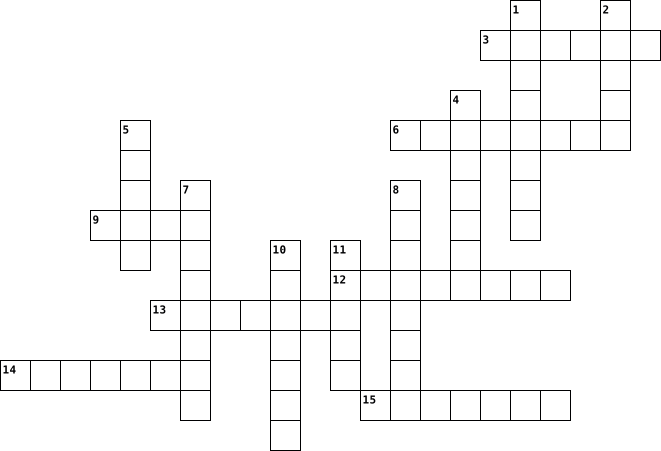
Across
- A portable computer that can be used on the go.
- The physical components of a computer system, such as the monitor, keyboard, and mouse.
- A collection of data or information stored on a computer.
- A global network that connects computers and allows communication and information sharing.
- A screen that displays information from the computer.
- A device that prints out text or images from the computer.
- A computer system that sits on a desk or table.
Down
- A secret word or combination of characters used to access a computer or online accounts.
- A small device that moves the cursor on the computer screen.
- A software application used to access and view websites on the internet.
- Electronic mail sent and received through the internet.
- An input device with buttons or keys used to type on a computer.
- Programs and applications that run on a computer.
- A system that connects computers and other devices to share resources and information.
- A harmful program or code that can damage or disrupt a computer system.
15 Clues: A portable computer that can be used on the go. • A computer system that sits on a desk or table. • Programs and applications that run on a computer. • A screen that displays information from the computer. • Electronic mail sent and received through the internet. • A collection of data or information stored on a computer. • ...
application terms 2023-09-07

Across
- a pointer that the user controls with a mouse
- a computer system to storing information
- a written electronic paper
- a load of operating systems that go inside the main memory
- a set of options presented to the user to help them find information
- a link that points to a computer program.
- the virtual location for applications documents data
- a separate viewing area on a computer
- a sound that is made when you press the mouse once
- to click on something on the computer and move it to somewhere else
- to keep is the same as...
- a computer program that can capture display and manipulate data arranged in rows and columns
- when you press two keys at the same time and makes a operation ( ex: (ctrl+c) )
Down
- to display information in the form of slideshow
- a piece of software that extends capability of a program
- a image on a computer screen that represents a application
- a long thin box along one edge of a window, which you click on with the mouse to move the text up, down, or across the window
- a sound that is made when you quickly press the mouse twice
- a computer display that represents objects found on top a physical desk
- narrow strip located at the bottom of the screen that tells you the widows that are open
20 Clues: to keep is the same as... • a written electronic paper • a separate viewing area on a computer • a computer system to storing information • a link that points to a computer program. • a pointer that the user controls with a mouse • to display information in the form of slideshow • a sound that is made when you press the mouse once • ...
COMPUTER FUNDAMENTALS AND APPLICATIONS 2019-02-05

Across
- It is the number of horizontal and vertical pixels in a display.
- An internet capable phone.
- A personal computer designed to be in a stationary location, where all of its components fit on or under a desk or table.
- A stationary pointing device with a ball on its top or side.
- Any data and instructions entered into the memory of a computer.
- It is the data that has been processed into a useful form.
- These are speakers that cover or are placed outside of the ear.
- A small symbol on the screen whose location and shape change as a user moves a pointing device.
- A computing device to be worn by a consumer.
- It is an example of a volatile memory.
- A light sensing input device that reads printed text and graphics.
- It is a long, expensive powerful server that can handle hundreds or thousands of connected user simultaneously.
- Centralized storage area for programs, data and information.
Down
- A thin, lighter weight mobile computer.
- It produces text and graphics on a physical medium.
- The fastest, most powerful computer.
- It is also called a notebook computer.
- It is an element of an information system which is the physical, tangible parts or components of a computer.
- It visually conveys text, graphics and video information.
- It is the main circuit board of the computer.
- A computing device small enough to hold in your hand.
- It is also called the Central Processing Unit (CPU).
- It is a meeting between two or more geographically separated people.
- An input device containing keys that is pressed to enter data.
- An electronic programmable device operating under the control of instructions stored in its own memory.
25 Clues: An internet capable phone. • The fastest, most powerful computer. • It is also called a notebook computer. • It is an example of a volatile memory. • A thin, lighter weight mobile computer. • A computing device to be worn by a consumer. • It is the main circuit board of the computer. • It produces text and graphics on a physical medium. • ...
COMPUTER FUNDAMENTALS AND APPLICATIONS 2019-02-05

Across
- It is an element of an information system which is the physical, tangible parts or components of a computer.
- A personal computer designed to be in a stationary location, where all of its components fit on or under a desk or table.
- A computing device small enough to hold in your hand.
- Any data and instructions entered into the memory of a computer.
- It is a long, expensive powerful server that can handle hundreds or thousands of connected user simultaneously.
- An internet capable phone.
- An input device containing keys that is pressed to enter data.
- It is a meeting between two or more geographically separated people.
- It is the main circuit board of the computer.
- A thin, lighter weight mobile computer.
- The fastest, most powerful computer.
- It is also called a notebook computer.
Down
- It is the number of horizontal and vertical pixels in a display.
- It is also called the Central Processing Unit (CPU).
- These are speakers that cover or are placed outside of the ear.
- An electronic programmable device operating under the control of instructions stored in its own memory.
- A small symbol on the screen whose location and shape change as a user moves a pointing device.
- A computing device to be worn by a consumer.
- It visually conveys text, graphics, and video information.
- A stationary pointing device with a ball on its top or side.
- Centralized storage area for programs, data and information.
- It is an example of volatile memory.
- It is the data that has been processed into a useful form.
- A light sensing input device that reads printed text and graphics.
- It produces text and graphics on a physical medium.
25 Clues: An internet capable phone. • It is an example of volatile memory. • The fastest, most powerful computer. • It is also called a notebook computer. • A thin, lighter weight mobile computer. • A computing device to be worn by a consumer. • It is the main circuit board of the computer. • It produces text and graphics on a physical medium. • ...
everything about a computer 2022-10-24

Across
- windows: I am an operating system. I operate tabs and such.
- I'm all components of a computer.
- (random access memory) I handle all tasks and apps u need me for games.
- bug (1948): I'm a literal bug that was found in a computer
- I'm also an operating system and work different from windows with different tasks.
- w: I remove the tab I am on.
- 1 of 2 ways of accessing the internet.
- 1 of 2 ways of accessing the internet.
- I am when an error or problem occurs. Named after a literal bug.
- baby (1948): I am the first computer to execute a program
- I am what to use to access the internet.
- I'm a type of file name.
Down
- I am what you use to type.
- I'm a common storage unit in a computer.
- cable: used to connect to the internet ex: computer.
- (read only memory) data stored in me can only be read hence the name.
- i'm a collection of folders.
- leaking private information of others.
- (central processing unit) I am the processor of everything in the computer.
- I am what you use to move the cursor
- we need to keep this virus out lets make a wall!
- + shift + T: I bring back deleted tabs
22 Clues: I'm a type of file name. • I am what you use to type. • i'm a collection of folders. • w: I remove the tab I am on. • I'm all components of a computer. • I am what you use to move the cursor • leaking private information of others. • 1 of 2 ways of accessing the internet. • 1 of 2 ways of accessing the internet. • + shift + T: I bring back deleted tabs • ...
Tap into IT Crossword 2020-05-24
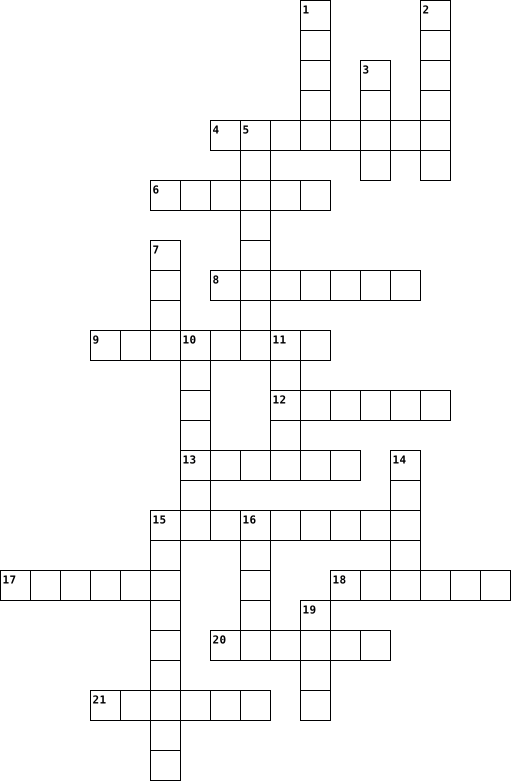
Across
- protective software
- portable computer
- human like robot
- programmable machine
- identifying data; biscuit
- sweet Scottish treat
- allows fast internet access
- harmful programme
- computer storage
- restart a computer
- small ingenious device
Down
- talk face to face
- communication device
- unwanted email
- global computer linker
- computer woe
- computer output device
- do very well
- Internet connection device
- Speed at which data travels along a connection
- Computer Company
- camera lense function
22 Clues: computer woe • do very well • unwanted email • human like robot • Computer Company • computer storage • talk face to face • portable computer • harmful programme • restart a computer • protective software • communication device • programmable machine • sweet Scottish treat • camera lense function • global computer linker • computer output device • small ingenious device • identifying data; biscuit • ...
Introduction to ICT 2022-11-07

Across
- Device used to point and click on a computer.
- Information Communication Technology in short.
- Physical parts of a computer.
- The brain of the computer.
- Programs used by a computer.
- processed data by the computer.
- Printed documnet on paper.
- International Network in short.
Down
- Also referred to as a CPU.
- Changing data into information.
- Device used for typing and inputting instructions.
- All computer users are?
- In ICT the term audio basically relates to?
- Place where computer practicals and studies take place in school.
- elearning tool on the internet.
15 Clues: All computer users are? • Also referred to as a CPU. • The brain of the computer. • Printed documnet on paper. • Programs used by a computer. • Physical parts of a computer. • Changing data into information. • processed data by the computer. • elearning tool on the internet. • International Network in short. • In ICT the term audio basically relates to? • ...
Viruses-Sean Brown 2018-04-11

Across
- a self-replicating program , typically having a detrimental effect.
- an unwanted piece of software that can potentially harm your computer
- the programs and info used by a computer
- a virus that gave a simple expression of affection
- distributed denial of service
- a panel of keys that operate a computer
- Random Access Memory
- A number of interconnected machines or computers
- messages sent through a network to one or more computers
Down
- a device used for storing data, sending messages and processing data
- a series of numbers that denotes the location of a computer
- A screen used to provide visual output from a computer
- a worm that attempted to steal military information
- the machinery and wiring of a computer or other electronic device
- A virus disguised as legitimate software
15 Clues: Random Access Memory • distributed denial of service • a panel of keys that operate a computer • the programs and info used by a computer • A virus disguised as legitimate software • A number of interconnected machines or computers • a virus that gave a simple expression of affection • a worm that attempted to steal military information • ...
COMPUTER FUNDAMENTALS AND APPLICATIONS 2019-02-05

Across
- An input device containing keys that is pressed to enter data.
- It is also called a notebook computer.
- It is the number of horizontal and vertical pixels in a display.
- Centralized storage area for programs, data and information.
- It is the main circuit board of the computer.
- A computing device small enough to hold in your hand.
- It is a meeting between two or more geographically separated people.
- It is an example of volatile memory.
- These are speakers that cover or are placed outside of the ear.
- It is also called the Central Processing Unit (CPU).
- A personal computer designed to be in a stationary location, where all of its components fit on or under a desk or table.
Down
- It visually conveys text, graphics, and video information.
- A thin, lighter weight mobile computer.
- A stationary pointing device with a ball on its top or side.
- It is the data that has been processed into a useful form.
- It is a long, expensive powerful server that can handle hundreds or thousands of connected user simultaneously.
- It is an element of an information system which is the physical, tangible parts or components of a computer.
- It produces text and graphics on a physical medium.
- An internet capable phone.
- A computing device to be worn by a consumer.
- Any data and instructions entered into the memory of a computer.
- The fastest, most powerful computer.
- An electronic programmable device operating under the control of instructions stored in its own memory.
- A small symbol on the screen whose location and shape change as a user moves a pointing device.
- A light sensing input device that reads printed text and graphics.
25 Clues: An internet capable phone. • The fastest, most powerful computer. • It is an example of volatile memory. • It is also called a notebook computer. • A thin, lighter weight mobile computer. • A computing device to be worn by a consumer. • It is the main circuit board of the computer. • It produces text and graphics on a physical medium. • ...
COMPUTER FUNDAMENTALS AND APPLICATIONS 2019-02-05

Across
- A light sensing input device that reads printed text and graphics.
- Any data and instructions entered into the memory of a computer.
- It is the number of horizontal and vertical pixels in a display.
- An internet capable phone.
- An input device containing keys that is pressed to enter data.
- Centralized storage area for programs, data and information.
- It is a long, expensive powerful server that can handle hundreds or thousands of connected user simultaneously.
- The fastest, most powerful computer.
- A small symbol on the screen whose location and shape change as a user moves a pointing device.
- It is the main circuit board of the computer.
- A computing device to be worn by a consumer.
- It is also called a notebook computer.
- It is the data that has been processed into a useful form.
Down
- It produces text and graphics on a physical medium.
- A personal computer designed to be in a stationary location, where all of its components fit on or under a desk or table.
- An electronic programmable device operating under the control of instructions stored in its own memory.
- A computing device small enough to hold in your hand.
- It visually conveys text, graphics, and video information.
- It is a meeting between two or more geographically separated people.
- A stationary pointing device with a ball on its top or side.
- These are speakers that cover or are placed outside of the ear.
- It is also called the Central Processing Unit (CPU).
- It is an element of an information system which is the physical, tangible parts or components of a computer.
- A thin, lighter weight mobile computer.
- It is an example of volatile memory.
25 Clues: An internet capable phone. • The fastest, most powerful computer. • It is an example of volatile memory. • It is also called a notebook computer. • A thin, lighter weight mobile computer. • A computing device to be worn by a consumer. • It is the main circuit board of the computer. • It produces text and graphics on a physical medium. • ...
vocabulary review 2024-03-11

Across
- Humans, dogs, and cats are all types of ____________.
- Every weekend I have to do several loads of ___________.
- Balloons TD6 is my favorite ___________ game.
- fastener made of two rows of teeth that lock together
Down
- I really want to see the Golden Gate ____________
- My friend has a ___________ party. We all jumped out and screamed ____________.
- I don't need any help, I can do this all by __________.
- My favorite type of ______ trick is when a rabbit is pulled out of the hat.
- Today for lunch I think I will make a ham and cheese __________
- I'm friends with the ___________ that's under my bed
10 Clues: Balloons TD6 is my favorite ___________ game. • I really want to see the Golden Gate ____________ • I'm friends with the ___________ that's under my bed • Humans, dogs, and cats are all types of ____________. • fastener made of two rows of teeth that lock together • I don't need any help, I can do this all by __________. • ...
Computer Parts 2 Interior 2020-10-11

Across
- a 15-pin flat power connector
- Software used to control the computer and its peripheral equipment
- contains all of the computer's main parts
- memory a computer uses to store info while processing
- used to prevent static build up
- a hardware device that uses lasers or light
- responsible for all you see on your monitor
- fan inside a computer case
Down
- a strap designed to remove all static elec
- an older secondary storage unit
- standard way to keep CPU cool
- An adapter card that enables you to connect speakers,
- central brain of the computer
- a device that provides power to a computer
- physical box holding the internal computer parts
- drive primary storage component of a computer
16 Clues: fan inside a computer case • standard way to keep CPU cool • a 15-pin flat power connector • central brain of the computer • an older secondary storage unit • used to prevent static build up • contains all of the computer's main parts • a strap designed to remove all static elec • a device that provides power to a computer • a hardware device that uses lasers or light • ...
Alan gratz 2022-05-27
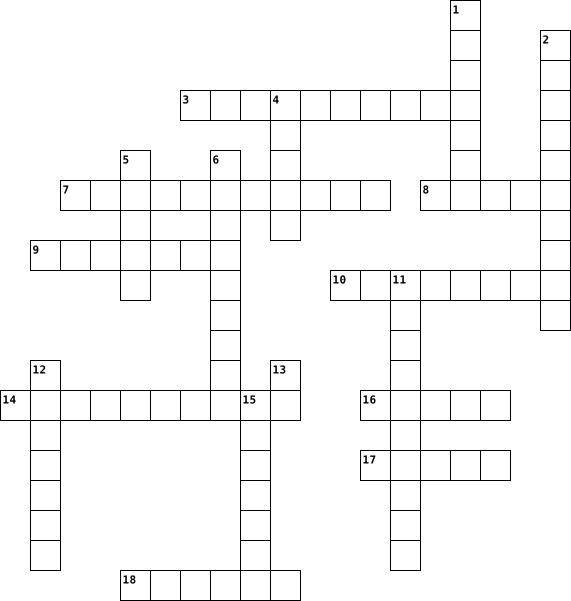
Across
- types of books that are real
- 1st,2nd, or third person
- alan gratz wife
- types of books that are fake
- where alan gratz lives
- a book alan gratz wrote taking place on 9/11
- what alan gratz writes
- alan gratz favorite food
- a book alan gratz wrote taking place on d-day
Down
- a type of weapon and a book alan gratz wrote
- things writers use to make good books
- how old alan gratz it
- alan's last name
- where alan gratz was born
- types of books alan gratz writes
- his full time job
- alan gratz daughter
- a 3 person story taking place in germany syria and cuba
18 Clues: alan gratz wife • alan's last name • his full time job • alan gratz daughter • how old alan gratz it • where alan gratz lives • what alan gratz writes • 1st,2nd, or third person • alan gratz favorite food • where alan gratz was born • types of books that are real • types of books that are fake • types of books alan gratz writes • things writers use to make good books • ...
Computer Technology crossword 2026-06-16

Across
- Physical components of a computer system
- Set of instructions written for a computer
- Activity of writing computer programs
- Step-by-step procedure to solve a problem
- Process of converting data into a secure form
- Interconnected collection of computers and devices
- Programs and applications used by a computer
- Computer that provides services to other computers
Down
- Remote storage and computing services over the Internet
- Application used to access web pages
- Security system that filters network traffic
- Popular programming language named after a comedy group
- Global system connecting millions of computers
- An electronic machine that processes data
- Organized collection of related data
15 Clues: Application used to access web pages • Organized collection of related data • Activity of writing computer programs • Physical components of a computer system • An electronic machine that processes data • Step-by-step procedure to solve a problem • Set of instructions written for a computer • Security system that filters network traffic • ...
Parts Of A Computer 2019-09-17

Across
- a thing that allows you to submit data over telephone or cable lines.
- a part of a computer that allows the computer to access external devices.
- Drive a external device that is connected to a computer to store data.
- a thing that makes sounds that are produced from a computer louder.
- a panel that has letters and numbers that allows you to type with.
- a computer screen.
- storage a storage that stores information on the computer.
- a part which controls the computer.
- a storage that permanently saves data.
Down
- a storage that temperately saves data.
- a part of the computer that operates the system of the computer.
- a component that has circuits that connects parts of a computer.
- a machine that prints text and pictures onto paper.
- a device that yous to move the arrow on a computer screen
14 Clues: a computer screen. • a part which controls the computer. • a storage that temperately saves data. • a storage that permanently saves data. • a machine that prints text and pictures onto paper. • a device that yous to move the arrow on a computer screen • storage a storage that stores information on the computer. • ...
Criss-Cross Fill the Box 2015-03-14

Across
- Capital of Jharkhand
- Dennis _______ is the founder of C language.
- Software used for mathematical calculations.
- Phobia of spiders
- Software that allows to access the internet.
- Generates a continuous output waveform.
- Tim Cook is the CEO of _______.
- _____ = mass X acceleration.
- Helps protect the computer against power fluctuations
- Instrument in submarine used to see objects above the sea level.
- A computer program installed to damage your computer.
- Control, alt, and _____ starts the task manager.
Down
- Firewall in computer is used for _______.
- A ______ of wolves.
- Simple machine that has a grooved wheel which holds rope or cable.
- The layer of atmosphere where ozone is present.
- World's tallest grass.
- The bending of light around obstacles
- A subatomic particle with negative charge.
- Das Auto is the slogan of _______.
- Ignites the air fuel mixture in an engine.
- The first screen that appears after logging in a computer.
- ______ and Prejudice is a famous book by Jane Austen.
- IBM stands for International Business _______.
24 Clues: Phobia of spiders • A ______ of wolves. • Capital of Jharkhand • World's tallest grass. • _____ = mass X acceleration. • Tim Cook is the CEO of _______. • Das Auto is the slogan of _______. • The bending of light around obstacles • Generates a continuous output waveform. • Firewall in computer is used for _______. • A subatomic particle with negative charge. • ...
Technology Crossword 2015-10-25

Across
- Device that lets you control the pointer on screen
- This software is used to create websites
- The part of the computer that you look at
- software used to make computer animation
- Portable computer
- Device with keys that lets you enter text
- The most popular image editing software
- Popular computer operating system
- A collection of computers connected together
Down
- Tech company that's a bit fruity
- More of this will make your computer work faster
- Device that produces hard copies of documents
- A series of drawn images that play one after the other
- The world's most popular social media technology
- Device used to input images into the computer
- Usually located at the bottom of a website
16 Clues: Portable computer • Tech company that's a bit fruity • Popular computer operating system • The most popular image editing software • This software is used to create websites • software used to make computer animation • The part of the computer that you look at • Device with keys that lets you enter text • Usually located at the bottom of a website • ...
Cell's Crossword 2024-01-23

Across
- The parts of a cell. They process and release energy, destroy and digest materials, and replicate genetic information.
- Temporary storage bubbles for the cell, storing food, water, or waste.
- Cells found in animals.
- The basic structural and functional unit of all forms of life; they are able to replicate independently.
- All organisms are made of cells, The cell is the basic building block of life, Every cell comes from another existing cell.
- The cell’s “control center”, housing the cell’s chromosomes.
- This transport requires energy to move a substance into and out of a cell.
Down
- Cells found in plants (with a cell wall, chloroplasts, and a large, central vacuole for storage that takes up a lot of space).
- Large molecules made from stringing amino acids together.
- Very simple, single-celled bacteria that do not have a membrane-bound nucleus, mitochondria, or organelles.
- Organism that is composed of many cells, and many different types of cells that perform different tasks throughout the organism.
- The chemical reaction a plant carries out in order to produce energy from sunlight.
- Plants, algae, fungi and some bacteria have an extra computer layer that is very rigid and tough, that helps protect the cell and give it shape
- In plant cells only, they are organelles that produce food.
- Much more complex types of cells
- The movement of things in and out of the cell without the use of energy.
- Jelly-like substance in the cell containing all the organelles in the cell. It helps to maintain the structure of the cell
17 Clues: Cells found in animals. • Much more complex types of cells • Large molecules made from stringing amino acids together. • In plant cells only, they are organelles that produce food. • The cell’s “control center”, housing the cell’s chromosomes. • Temporary storage bubbles for the cell, storing food, water, or waste. • ...
Computer Quiz 2022-09-21

Across
- example of a system software
- brain of a computer
- Input Device
- Wireless fidelity
- Raw facts
- Physical Components
- output device
- gives access to online resources
- founded by Bill Gate
- Single Purpose
- Output device
- Multi-purpose machine
Down
- portable computer
- Operating system
- Processed Facts
- input device
- Mobile system software
- Type of display
- Instruction from user
- LOng term memory
- Short term memory
21 Clues: Raw facts • input device • Input Device • output device • Output device • Single Purpose • Processed Facts • Type of display • Operating system • LOng term memory • portable computer • Wireless fidelity • Short term memory • brain of a computer • Physical Components • founded by Bill Gate • Instruction from user • Multi-purpose machine • Mobile system software • example of a system software • ...
UNIT 3: E-WORLD 2015-01-08

Across
- To include a diagram in a document.
- A portable computer.
- The activity of buying things via the internet.
- Not connected to a network.
- To press a button on a computer mouse.
- The part of the computer with keys.
- Another word for erase.
- to gain access to a network by identifying oneself with a username and a password.
Down
- We do this when we want to keep a document on our computer.
- Disengage from communication in a chat or a forum.
- When you learn something using a computer and the Internet.
- To transfer a file from another computer to your computer by means of a modem and telephone line (or cable) or network connection.
- The short word for Personal Computer.
- A book you can read using a computer and the Internet.
- Another word for the writing of a document.
15 Clues: A portable computer. • Another word for erase. • Not connected to a network. • To include a diagram in a document. • The part of the computer with keys. • The short word for Personal Computer. • To press a button on a computer mouse. • Another word for the writing of a document. • The activity of buying things via the internet. • ...
UNIT 3: E-WORLD 2015-01-08

Across
- Disengage from communication in a chat or a forum.
- To transfer a file from another computer to your computer by means of a modem and telephone line (or cable) or network connection.
- When you learn something using a computer and the Internet.
- To gain access to a network by identifying oneself with a username and a password.
- Another word for erase.
- To include a diagram in a document.
- The short word for Personal Computer.
Down
- The activity of buying things via the internet.
- The part of the computer with keys.
- Not connected to a network.
- Another word for the writing of a document.
- To press a button on a computer mouse.
- A book you can read using a computer and the Internet.
- A portable computer.
- We do this when we want to keep a document on our computer.
15 Clues: A portable computer. • Another word for erase. • Not connected to a network. • The part of the computer with keys. • To include a diagram in a document. • The short word for Personal Computer. • To press a button on a computer mouse. • Another word for the writing of a document. • The activity of buying things via the internet. • ...
Crossword Puzzle, Com Sci B-Day 2025-09-12

Across
- A card that computes complex/heavy tasks.
- A version of letters in numbers written as 0's and 1's.
- An internal component of a computer.
- The main circuit board that connects data between RAM, Graphics Card and the CPU.
- The computer's session data that is cleared when the pc is turned off. (short term)
- A input device that inputs the keys pressed onto the computer.
- The main processing unit.
Down
- A cable that connects you to the internet / LAN.
- A card that handles and carries out computations.
- A external machine that prints out text from a computer.
- A component that visualizes the output of a computer.
- A high capacity computer storage, stored in a drive. (not short term)
- A cable that powers the computer from a source like a outlet.
- An physical component of a computer.
- A input device that inputs the clicks onto the computer.
15 Clues: The main processing unit. • An physical component of a computer. • An internal component of a computer. • A card that computes complex/heavy tasks. • A cable that connects you to the internet / LAN. • A card that handles and carries out computations. • A component that visualizes the output of a computer. • A version of letters in numbers written as 0's and 1's. • ...
Fountainhead Wealth 2018-01-24

Across
- What is Adam’s dog’s name?
- Clarity, _____, Values.
- The marketing name for NFS.
- How many plants are in the bullpen?
- Most heavily traded Exchange-Traded Fund in the world (ticker symbol)?
- What city is Adam from?
- At the end of every day, you should ______ your computer.
- This designation is designed for technical analysts and portfolio managers.
- The deadline to file taxes is on , April ______.
- You have a _____ obligation to provide advice that is in the best interest of your client.
- When taking a phone message, _______ the team member the message is for.
Down
- What is John’s favorite drink at the office?
- Which fund company does Joe Gengo work for?
- What Peter makes in the morning.
- What type of dance does John like to perform?
- An investment that is not one of the conventional investment types is called an ______ investment.
- The three elements of our investing model are: ______ , tactical, and alternative
- How many siblings does Adam have?
18 Clues: Clarity, _____, Values. • What city is Adam from? • What is Adam’s dog’s name? • The marketing name for NFS. • What Peter makes in the morning. • How many siblings does Adam have? • How many plants are in the bullpen? • Which fund company does Joe Gengo work for? • What is John’s favorite drink at the office? • What type of dance does John like to perform? • ...
unit 12 - key compact 2021-06-07

Across
- something you play for fun, usually with other people
- a clock that makes a noise to wake you
- the system that onnects all computers where you can find websites
- a small computer that you control by touching the screen
- a piece of equipment for playing music CDs
- a place to keep food cold
- a light that you put in different places
- a set of keys on a computer
- a machine for washing your clothes
Down
- to move wearing a special boot with wheels on the bottom
- a piece of equipment used for cooking food
- a type of camera that records images that you can use and store on a computer
- a small object that is connected to a computer that you move with your hand to control what the computer does
- a series of letters,signs or numbers use to send an email to someone
- a machine to print documents from your computer
- a material made from cow skin, often used for jackets, shoes and handbags
- a small computer that you can carry around
- to copy films or music from the internet
18 Clues: a place to keep food cold • a set of keys on a computer • a machine for washing your clothes • a clock that makes a noise to wake you • a light that you put in different places • to copy films or music from the internet • a piece of equipment used for cooking food • a small computer that you can carry around • a piece of equipment for playing music CDs • ...
careers in technology 2023-05-05

Across
- description includes the entire process of defining requirements, visualizing and creating graphics including illustrations, logos, layouts and photos.
- quickly diagnose and solve computer issues for others
- Communicating with clients about layout and design. Creating a wide range of graphics and layouts for product illustrations, company logos, and websites with software such as photoshop. Reviewing final layouts and suggesting improvements when necessary.
- writes specifications for programs, application, and other software
- sets up databases to track company's information and maintains those operations
- allows multiple operating systems to simultaneously share a processor's resources in a safe and efficient way
- makes recommendations to organizations for the best systems to use
Down
- They're responsible for ensuring the efficiency of their company's network hardware and computer systems.
- provides assistance to others with setting up, running, or fixing technical systems
- specialize in technologically and scientifically advanced products. They use their technical skills to explain the benefits of their products or services to potential customers and to show how their products or services are better than their competitors'
- known as business technology analyst, is an information technology professional who specializes in analyzing, designing and implementing information systems
- responsible for protecting the computer networks of a company, organization, and government agency
- is the person in charge of data security for a company
- analyzes digital evidence and investigates computer security incidents to derive useful information in support of system/network vulnerability mitigation.
- experts in establishing cloud-computing solutions for a company
- responsible for creating websites
- create games that users play on desktop computers, mobile platforms, or consoles.
- someone who makes value out of data. Such a person proactively fetches information from various sources and analyzes it for better understanding about how the business performs, and builds AI tools that automate certain processes within the company.
- writes, rewrites, maintains, and tests the software essential to key computer functions
- coordinates technology-related matters, planed upgrades of existing software or hardware, and negotiates with service provider
20 Clues: responsible for creating websites • quickly diagnose and solve computer issues for others • is the person in charge of data security for a company • experts in establishing cloud-computing solutions for a company • makes recommendations to organizations for the best systems to use • writes specifications for programs, application, and other software • ...
English 2019-06-09

Across
- Programs that controls the operations of a device like a printer or a scanner.
- A set of commands or instructions and other syntax used to create a software program.
- A remote-controlled pilot-less aircraft or missile.
- A process of converting data into a code to prevent unauthorized access.
- The machines, wiring, or other physical components of a computer or other electronic system.
- A global computer network providing a variety of information and communication facilities, consisting of interconnected networks using standardized communication protocols.
- An open source operating system.
- An unauthorized access and use of copyrighted material.
- A software designed to detect and destroy computer viruses.
- A software that can be amended by the users.
- An arrangement whereby a secure, apparently private network is achieved using encryption over a public network, typically the Internet.
- The operating system made by Apple.
- A software that is specifically designed to damage, disrupt, or gain unauthorized access to a computer’s operating system.
- A network of remote servers hosted on the internet and used to store, manage, and process data in place of local servers or personal computers.
- The operating system made by Microsoft.
- A large high-speed computer.
Down
- A disk drive used to read from and write to a hard disk.
- A process or set of rules to be followed in calculation or other problem solving operations, especially be a computer.
- A multi-player video game played competitively for spectators.
- A particularly powerful mainframe computer
- The programs and other operating information used by a computer.
- The operating system used on smartphones.
- The low level software that supports the computer’s basic functions
- A structured set of data held in a computer.
- A computer generated simulation of a 3D image or environment that you can interact with
- A software that is subject to copyright and cannot be amended by the users.
- A dedicated website or other application which allows users to connect with each other.
- A computer system able to perform tasks normally requiring human intelligence.
- A piece of code which is capable of copying itself and has detrimental effect as corrupting a system or destroying data.
- The exclusive legal right given to the originator for a fixed number of years to own and manage intellectual property.
- The brain of the computer where most calculations take place.
- A software development environment designed for people to build video games.
32 Clues: A large high-speed computer. • An open source operating system. • The operating system made by Apple. • The operating system made by Microsoft. • The operating system used on smartphones. • A particularly powerful mainframe computer • A structured set of data held in a computer. • A software that can be amended by the users. • ...
UPC Warriors 2023 2023-06-21

Across
- The standard markup language for creating web pages
- The act of selling goods or services to another country
- The main circuit board of a computer
- The process of finding and fixing errors in code
- A system used to store and organize data
- A series of instructions that tells a computer what to do
- A program that protects a computer from viruses and other malicious software
- A type of legal protection for creative works
- The process of converting raw materials into finished goods
- A software program used to create and edit digital images
- A person who starts and runs a business
- A system of record-keeping and financial reporting for businesses
- A type of computer program that is used to create and edit presentations
Down
- The process of promoting a product or service through paid advertising
- A graphical representation of a program's logic or flow
- A type of computer program that is used to create and edit documents
- A written agreement between two or more parties
- The act of buying or selling goods or services online
- The process of bringing a new product or service to market
- The act of purchasing goods or services from another country
- A software program that performs a specific task
- The physical circuitry that makes up a computer
- A type of computer network that connects computers all over the world
- A type of software used to create and edit spreadsheets
- A unit of data that consists of eight bits
25 Clues: The main circuit board of a computer • A person who starts and runs a business • A system used to store and organize data • A unit of data that consists of eight bits • A type of legal protection for creative works • A written agreement between two or more parties • The physical circuitry that makes up a computer • The process of finding and fixing errors in code • ...
Parts of Computer 1 2024-07-18

Across
- The brain of the computer. (3 letters)
- External storage device that is small and portable. (8 letters)
- A device combining a computer and phone functions. (10 letters)
- A mobile device larger than a smartphone. (6 letters)
- Used to type on the computer. (8 letters)
- A computer that stays on a desk. (7 letters)
- A portable computer. (6 letters)
- Place where data is stored. (7 letters)
Down
- A general term for an electronic device that processes data. (8 letters)
- Used to print documents. (7 letters)
- A small handheld device used to point and click. (5 letters)
- Worn over ears to listen to sound. (9 letters)
- Used to play sound. (8 letters)
- Used to display the computer's visual output. (7 letters)
- A device to store data permanently. (8 letters)
- Used to capture audio. (10 letters)
- Another term for monitor. (7 letters)
- A device to scan documents. (7 letters)
18 Clues: Used to play sound. (8 letters) • A portable computer. (6 letters) • Used to capture audio. (10 letters) • Used to print documents. (7 letters) • Another term for monitor. (7 letters) • The brain of the computer. (3 letters) • A device to scan documents. (7 letters) • Place where data is stored. (7 letters) • Used to type on the computer. (8 letters) • ...
Anatomy of a Computer 2022-09-13

Across
- I/O
- RAM
- ROM
- boots up the computer
- signs, calendars, newsletter
- USB
- speaker, monitor, printer
- helps users to complete a task
- helps computer run smoother
Down
- tells the computer what to do
- RAM & ROM
- word processing
- samrtborad, tablet
- CPU
- mouse, kyboard, microphone
- Program that do malicious things
- drawing graphics
- there are__ main hardware components
18 Clues: I/O • CPU • RAM • ROM • USB • RAM & ROM • word processing • drawing graphics • samrtborad, tablet • boots up the computer • speaker, monitor, printer • mouse, kyboard, microphone • helps computer run smoother • signs, calendars, newsletter • tells the computer what to do • helps users to complete a task • Program that do malicious things • there are__ main hardware components
Parts of a Computer 2025-11-11

Across
- – Wireless technology for short-range device communication.
- Drive (HDD) – Storage device with spinning disks that store data magnetically.
- Case – The enclosure that holds and protects all the main computer components.
- Memory – Very fast memory that stores frequently used data for quick CPU access.
- Input Output System (BIOS) – Firmware that starts hardware and loads the operating system when the computer powers on.
- Optics – Technology that sends data as light through glass fibers for high-speed internet.
- Memory – Main memory (RAM) used for immediate processing and temporary data storage.
- Interface Card (NIC) – Hardware that connects a computer to a network.
- Card – Hardware that generates and displays images and video.
- Media – Portable storage that can be easily inserted or removed, like USB drives or SD cards.
Down
- – A wired networking technology for fast, stable internet connections.
- State Drive (SSD) – Fast storage device with no moving parts that uses flash memory.
- Processing Unit (GPU) – The processor inside a graphics card that handles visual and graphical tasks.
- – The main circuit board that connects and allows communication between all computer parts.
- Processing Unit (CPU) – The main chip that performs calculations and runs instructions; the “brain” of the computer.
- (Universal Serial Bus) – Standard port and cable type for connecting and transferring data between devices.
- Extensible Firmware Interface (UEFI) – Modern replacement for BIOS that manages startup and hardware with faster boot times and more features.
- – Temporary data storage the computer uses while running programs.
- Memory – Long-term data storage, like hard drives or SSDs.
19 Clues: Memory – Long-term data storage, like hard drives or SSDs. • – Wireless technology for short-range device communication. • Card – Hardware that generates and displays images and video. • – Temporary data storage the computer uses while running programs. • – A wired networking technology for fast, stable internet connections. • ...
Tech 2023-05-12

Across
- A collection of organized data that can be accessed, managed, and updated by a computer system.
- The process of verifying that a computer program or system functions correctly and meets specified requirements.
- A software development methodology that emphasizes flexibility, collaboration, and continuous delivery of working software.
- The process of restructuring existing code to improve its readability, maintainability, and efficiency without changing its external behavior.
- The use of technology to perform tasks without human intervention, often used in software development to streamline repetitive tasks.
- The process of improving the performance or efficiency of a computer program or system.
- The process of combining different software systems or components into a unified, functioning system.
- The practice of tracking and managing changes to source code or other software development assets over time.
Down
- Written information, including code comments and user guides, that explains how software applications or systems work and how to use them.
- The ability of a software system to handle increasing amounts of data, traffic, or users without a loss of performance or functionality.
- A software structure that provides a foundation for building applications, including pre-built libraries, code templates, and standardized programming practices.
- The measures taken to protect computer systems and data from unauthorized access, theft, or damage.
- The set of rules that dictate how programming language statements are constructed and used to create computer programs.
- Application Programming Interface, a set of protocols, routines, and tools for building software and interacting with other software applications.
- The act of writing code to create software applications, games, or other computer programs.
- The process of finding and correcting errors or defects in a computer program.
- The ongoing process of monitoring, updating, and improving software applications or systems to ensure they remain effective and efficient.
- A step-by-step procedure for solving a problem or achieving a specific outcome, often used in computer programming.
- A set of instructions written in a programming language that a computer can understand and execute.
- The process of installing and configuring software applications or systems in a production environment.
20 Clues: The process of finding and correcting errors or defects in a computer program. • The process of improving the performance or efficiency of a computer program or system. • The act of writing code to create software applications, games, or other computer programs. • ...
ict 2025-05-16

Across
- a type of malware that downloads onto a computer disguised as a legitimate program
- a hand-held input device used to control the movement or actions of a digital object on a computer screen
- a contract between code that verifies security properties of an object and code that requires that an object have certain security properties
- the external and internal devices and equipment that enable you to perform major functions such as input, output, storage, communication, processing, and more.
- an optical disc format like CD and DVD
- line interface a text-based interface where you can input commands that interact with a computer's operating system
- the combination of phone and tablet
- a whole number, including positive, negative, and zero.
- a set of instructions, data or programs used to operate computers and execute specific tasks.
- Any type of intangible property created by the mind, such as inventions, works of art and literature, designs, names, or images
- a set of exclusive legal rights given to the author or creator of an original work
- a system of interconnected public webpages accessible through the Internet
- a computer component responsible for generating and recording audio
- video, image and audio
Down
- connects electronic devices within a user's immediate area.
- The way presenter present to the audience
- a basic unit of information that represents a letter, number, symbol, or control code
- carbon copy a way of sending copies of an email to other people without the other receiver knowing
- strain injury represents a group of conditions associated with the overuse of computer
- card a piece of computer hardware designed to allow computers to communicate over a computer network.
- the main circuit board in a computer system
- a research instrument that consists of a set of questions
- a malware designed to deny a user or organization access to files on their computer
- a panel of keys that operate a computer
- It’s a close question answer
- Manner in using internet
26 Clues: video, image and audio • Manner in using internet • It’s a close question answer • the combination of phone and tablet • an optical disc format like CD and DVD • a panel of keys that operate a computer • The way presenter present to the audience • the main circuit board in a computer system • a whole number, including positive, negative, and zero. • ...
Computer Fundamentals and Applications 2018-08-28

Across
- / An electronic computer built for the military
- / Apple gave us this type of computer with its icon driven interface.
- / The third element of CBIS.
- / What company gave us the Macintosh computer.
- / This brought the fourth generation of computers, as thousands of integrated circuits were built.
- / ENIAC computer was turn on for the first time in what place.
- / The first computer for commercial use.
- / The 4th element of CBIS these are rules and instructions on how things are done.
- / Users interacted with third generation computers through monitor and?
- / Instead of vacuum tubes they use this material which were more reliable.
- / Second generation computers moved from binary machine language to symbolic or?
- / There were 650 and 700 series of computers made their mark.
- / This is a type of storage media one example is disk.
- / During this generation of computers over 100 computer programming languages were developed
Down
- / Computers of this generation could only perform single task.
- / Is left out of some lists of CBIS elements.
- / In this generation computers became smaller and reliable.
- / The most obvious part of CBIS.
- / They use this to produce output.
- / Transistors were miniaturized and placed on silicon chips,called?
- / Most often overlooked and the most important part of CBIS.
- / This computer weighed 30 tons and 18000 vacuum tubes used for processing
- / This generation saw also the development of GUIs,mouse etc.
- / The second element of CBIS, is what tells the hardware how to function
- / Surname of the person who designed the Analytical Engine.
25 Clues: / The third element of CBIS. • / The most obvious part of CBIS. • / They use this to produce output. • / The first computer for commercial use. • / Is left out of some lists of CBIS elements. • / What company gave us the Macintosh computer. • / An electronic computer built for the military • / This is a type of storage media one example is disk. • ...
Digital Skills 2023-01-26

Across
- an electronic message
- unique method of controlling access
- online address
- place a text box or image
- a piece of typed work
- any method of producing computer work
- a way to record data
- computer intelligence
Down
- to leave a page or activity
- controller rather than keyboard
- connecting using wifi
- instagram and facebook
- computer handling equipment
- this describes being secure.
- to remove
- information
- a computer created reality
17 Clues: to remove • information • online address • a way to record data • an electronic message • connecting using wifi • a piece of typed work • computer intelligence • instagram and facebook • place a text box or image • a computer created reality • to leave a page or activity • computer handling equipment • this describes being secure. • controller rather than keyboard • ...
DIGITAL FOOTPRINT CCC 2018 TMS 2018-10-02

Across
- google laptop
- an adult who tries to harm a minor online
- computer parts
- one way your footprint is used
- correcting grammar mistakes online
- protective software
- an app where you can share posts
- hacking someone's bank account
- stealing and claiming someone else's work
- computer instructions
- Internet Messaging
- sending a sexually explicit message
Down
- the act of silencing someone online
- Online Entertainment
- someone who can program a computer do something that it wasn't meant to do
- stalking someone online
- the tracks you leave behind online
- Read only Memory
- another word for software
- online harassment
- a wireless computer
- a wired computer
- a phone with Internet access
- computer disease
24 Clues: google laptop • computer parts • Read only Memory • a wired computer • computer disease • online harassment • Internet Messaging • protective software • a wireless computer • Online Entertainment • computer instructions • stalking someone online • another word for software • a phone with Internet access • one way your footprint is used • hacking someone's bank account • ...
ict key words 2012-05-16

Across
- effective storage of data in a logical and structured way.
- was a computer language originally designed to teach students about computer programming. But it proved so popular that it became an important computer language in its own right
- 'Information and Communication Technology'
- 'Analogue-to-Digital Converter'
- 'Small Computer Systems Interface'. It is promounced "scuzzy".
- CAL is where someone makes use of a specially designed software application in order to learn about a subject or practice a new set of skills
- This is an automatic input device.
Down
- This was a computer language originally designed to teach students about computer programming. But it proved so popular that it became an important computer language in its own right
- short for "immediate access store"Computer Aided Design
- 'Value' can have one of two meanings
- Short for Electronic Data Interchange.
- "Computer Aided Design
- Digital Subscriber Line.
- 'Computer Aided Manufacturing'
- When documents are scanned into a computer the contents are usually saved as an image. This means without using OCR, any text on the original paper document couldn't be edited or saved as text
15 Clues: "Computer Aided Design • Digital Subscriber Line. • 'Computer Aided Manufacturing' • 'Analogue-to-Digital Converter' • This is an automatic input device. • 'Value' can have one of two meanings • Short for Electronic Data Interchange. • 'Information and Communication Technology' • short for "immediate access store"Computer Aided Design • ...
Anatomy Of A Computer 2017-09-26

Across
- of peripherals
- Port Serial port's are much slower than USB
- the PSU funnels power through multicolored cables
- The USB keeps storage of your files and documents you make
- instructions
- Card you can buy more than one
- the device to the parallel port
- When the RAM reaches its capacity
Down
- Wire.You can use Fire Wire to connect many different
- printed circuit board
- you can add devices
- Port If you have an older printer or scanner you probably
- The motherboard manufacturer installs a basic OS
- mouse port
- The CPU is the brain that carries out your
- hard drive
- processor redirects the excess data to
- the houses your graphics card
18 Clues: mouse port • hard drive • instructions • of peripherals • you can add devices • printed circuit board • the houses your graphics card • Card you can buy more than one • the device to the parallel port • When the RAM reaches its capacity • processor redirects the excess data to • The CPU is the brain that carries out your • Port Serial port's are much slower than USB • ...
History of Computer Storage 2023-02-20

Across
- Enables computers to send and receive information.
- Designed to hold electronic circuits.
- Barcode that stores a large number of data.
- Collection of devices connected together.
- Smallest measurement listed in the operating systems.
- Smallest display that could be shown.
- Safe way of storing your data online.
- To view web pages over the internet.
Down
- It is a data storage device.
- Using visual indicators to interact with devices.
- Optional disc which consists.
- Combinations of 0,1, also On, Off.
- The brain of the computer.
- Primary building block of all microchips.
- Used to develop electronic web pages.
- Easy programming language in the 70s.
- The basic building block of a computern hardware.
- Supports data transfer from devices.
18 Clues: The brain of the computer. • It is a data storage device. • Optional disc which consists. • Combinations of 0,1, also On, Off. • Supports data transfer from devices. • To view web pages over the internet. • Designed to hold electronic circuits. • Used to develop electronic web pages. • Easy programming language in the 70s. • Smallest display that could be shown. • ...
Computer Components 2019-09-17

Across
- The CPU is the brain of the computer, which completes almost all of the operations to be relayed to output devices
- An output device that puts out video to a monitor
- is a type of non-volatile memory that is permanent and cannot be changed
- An output device that shows pictures from the computer through a screen
- The part of a computer which holds all of the parts in place
- The instructions in a computer that tells it what to do
- An output device that creates noise from the computer
Down
- An Input device that has keys which when pressed, are interpreted by the computer as an instruction
- A trackpad is a sensor that reads hand gestures as signals that are understood by the computer
- A collection of data stored digitally, usually in a hard drive
- is a type of volatile memory that is non-permanent and helps the computer run programs
- The component of the computer that stores information permanently
- An input device that controls a point that can interact with the computer
- Something that allows outside devices to physically connect with a computer
14 Clues: An output device that puts out video to a monitor • An output device that creates noise from the computer • The instructions in a computer that tells it what to do • The part of a computer which holds all of the parts in place • A collection of data stored digitally, usually in a hard drive • The component of the computer that stores information permanently • ...
Computer History Crossword Puzzle 2024-11-05

Across
- This is the "brain" of your computer. Everything that happens in your computer has to go through this piece of hardware.
- These are the earliest modern photographs, invented by Charles Daguerre in 1839. It could take anywhere from half a minute to several hours to take one of these.
- This was the earliest version of the internet, and originally connected university computers at UCLA to Stanford in 1969.
- This is a tiny switch that functions as a logic gate. Early ones were made with vacuum tubes, but now your computer has billions of them!
- This is the code made of zeroes and ones that all computers use.
- This Sumerian devices for adding and subtracting was invented almost 5,000 years ago!
- This was the earliest device for recording and playing back sound. Modern ones are called record players.
Down
- This man decoded German Enigma messages during WWII and is considered the father of artificial intelligence.
- This is the same thing as a computer chip, and it connects whole networks of transistors.
- He invented the first computer, the Analytical Engine, in 1837.
- This is the opposite of software and refers to all the physical parts of your computer
- This is the "heart" of your computer. It allows all the parts of your computer to communicate with each other.
- This was the first color movie. It follows a girl from Kansas who is transported to a magical land full of witches and talking animals.
- This is "thinking space" for your computer to run programs on. It can fit a lot of data on it at a time, but doesn't save anything when you shut the computer down.
- This Pixar film was the first movie to be fully animated with CGI.
- She wrote the first computer programs and was the first person to realize that computers could be used for things other than math.
- This is the spinning disk that stores all your data on most high-performing computers.
- This is the word for how many times a camera records a picture every second, or how often the screen on a video game refreshes.
18 Clues: He invented the first computer, the Analytical Engine, in 1837. • This is the code made of zeroes and ones that all computers use. • This Pixar film was the first movie to be fully animated with CGI. • This Sumerian devices for adding and subtracting was invented almost 5,000 years ago! • ...
technology terminology 2023-11-02

Across
- an image on the computer screen
- piece of writing that describes the application, purpose, creation
- press on the mouse
- of a wide range of applications that enable instructors to display information during a lecture
- double press on a mouse
- -help scroll
- a computer program that can capture, display and manipulate data
- computer
Down
- data score
- devices that control, regulate, monitor, collect data,
- a personal computing device
- the process of starting up a computer system.
- click on your mouse and hold
- used to give users quick access to all of their essential programs,
- -mouse
- computer file that contains an encoded sequence of instructions that the system can execute
17 Clues: google • -mouse • computer • data score • -help scroll • press on the mouse • double press on a mouse • a personal computing device • click on your mouse and hold • an image on the computer screen • the process of starting up a computer system. • devices that control, regulate, monitor, collect data, • a computer program that can capture, display and manipulate data • ...
Alan Turing Crossword 2023-05-04

Across
- The game Alan Turing had his AI play
- A way people figure our code
- The creator of the first electronic computer
- modern day company who produces electronics
- Something you give someone to preform a task
- something someone has to do
- One of Alan Turing's favorite pass time puzzles
- Who we were at war with during WW2
- another word for robot
- A computing device used for work and gaming
Down
- Alan Turing's thesis he made
- Germany's unbreakable code during WW2
- A way of doing something
- A language that people use to preform tasks on a computer
- Alan Turing's idea of a computer that can act like a human
- The reason Alan Turing created the computer
- giving a computer instructions
17 Clues: another word for robot • A way of doing something • something someone has to do • Alan Turing's thesis he made • A way people figure our code • giving a computer instructions • Who we were at war with during WW2 • The game Alan Turing had his AI play • Germany's unbreakable code during WW2 • modern day company who produces electronics • ...
Peripheral, Input and Output Devices 2026-05-13

Across
- A security device that scans fingerprints, faces, or eyes.
- A small button on a laptop keyboard used to move the cursor.
- A device that captures photos and transfers them to a computer.
- This is a device that display or transmit information from a computer after processing.
- Any external hardware connected to a computer but not part of the system unit.
- A device that scans product codes to retrieve information.
- A device used to produce large detailed drawings and posters.
Down
- This is a device that allow users to enter or transmit data into a computer.
- A device that helps artists, architects, and designers create drawings digitally.
- A device that produces a hard copy of text or images on paper.
- A device that detects shaded answers on multiple-choice forms.
- A device that displays computer output onto a large screen or wall.
- A device used to type text, numbers, and commands into a computer.
- This is a device that detects light from the screen for drawing or selecting objects.
- A flat area on a laptop used to control the cursor with a finger.
- This is a device that produces sound from a computer.
- A device connected to a computer for live video and images.
- A screen that displays text, images, and videos from a computer.
- A device that converts physical documents into digital form.
- A device used to input sound or voice into a computer.
20 Clues: This is a device that produces sound from a computer. • A device used to input sound or voice into a computer. • A security device that scans fingerprints, faces, or eyes. • A device that scans product codes to retrieve information. • A device connected to a computer for live video and images. • A small button on a laptop keyboard used to move the cursor. • ...
Computer Fundamentals and Applications 2018-08-28

Across
- / In this generation computers became smaller and reliable.
- / The second element of CBIS, is what tells the hardware how to function
- / The most obvious part of CBIS.
- / Surname of the person who designed the Analytical Engine.
- / ENIAC computer was turn on for the first time in what place.
- / There were 650 and 700 series of computers made their mark.
- / Transistors were miniaturized and placed on silicon chips,called?
- / Instead of vacuum tubes they use this material which were more reliable.
- / This generation saw also the development of GUIs,mouse etc.
- / During this generation of computers over 100 computer programming languages were developed
- / The 4th element of CBIS these are rules and instructions on how things are done.
- / Apple gave us this type of computer with its icon driven interface.
Down
- / They use this to produce output.
- / The third element of CBIS.
- / Is left out of some lists of CBIS elements.
- / Users interacted with third generation computers through monitor and?
- / Second generation computers moved from binary machine language to symbolic or?
- / What company gave us the Macintosh computer.
- / This is a type of storage media one example is disk.
- / Most often overlooked and the most important part of CBIS.
- / Computers of this generation could only perform single task.
- / This brought the fourth generation of computers, as thousands of integrated circuits were built.
- / An electronic computer built for the military
- / This computer weighed 30 tons and 18000 vacuum tubes used for processing
- / The first computer for commercial use.
25 Clues: / The third element of CBIS. • / The most obvious part of CBIS. • / They use this to produce output. • / The first computer for commercial use. • / Is left out of some lists of CBIS elements. • / What company gave us the Macintosh computer. • / An electronic computer built for the military • / This is a type of storage media one example is disk. • ...
Computer Fundamentals and Applications 2018-08-28

Across
- / The first computer for commercial use.
- / The 4th element of CBIS these are rules and instructions on how things are done.
- / This generation saw also the development of GUIs,mouse etc.
- / The third element of CBIS.
- / Most often overlooked and the most important part of CBIS.
- / This is a type of storage media one example is disk.
- / In this generation computers became smaller and reliable.
- / Users interacted with third generation computers through monitor and?
- / Surname of the person who designed the Analytical Engine.
- / During this generation of computers over 100 computer programming languages were developed
- / Is left out of some lists of CBIS elements.
- / Computers of this generation could only perform single task.
- / This brought the fourth generation of computers, as thousands of integrated circuits were built.
Down
- / Apple gave us this type of computer with its icon driven interface.
- / The most obvious part of CBIS.
- / Second generation computers moved from binary machine language to symbolic or?
- / ENIAC computer was turn on for the first time in what place.
- / What company gave us the Macintosh computer.
- / An electronic computer built for the military
- / Instead of vacuum tubes they use this material which were more reliable.
- / There were 650 and 700 series of computers made their mark.
- / They use this to produce output.
- / Transistors were miniaturized and placed on silicon chips,called?
- / This computer weighed 30 tons and 18000 vacuum tubes used for processing
- / The second element of CBIS, is what tells the hardware how to function
25 Clues: / The third element of CBIS. • / The most obvious part of CBIS. • / They use this to produce output. • / The first computer for commercial use. • / Is left out of some lists of CBIS elements. • / What company gave us the Macintosh computer. • / An electronic computer built for the military • / This is a type of storage media one example is disk. • ...
Computer term Crossword Puzzle 2021-10-19

Across
- looking back at previous tests
- What you enter into a computer.
- this sensor take photos of things.
- input > processing <> storage > output
- type of processing, takes some examples and _____ them with another example.
- to gather everything needed for projects
- this sensor makes your phone function well without being connected to wifi.
- this sensor tells the computer when your touching its screen.
- the 4 steps in making an idea come to life
Down
- type of processing, application _____ how many times something happens
- to figure something out
- type of processing, ___ user says thing, ____ do this
- this sensor records you.
- things built into a computer that gives apps input.
- type of processing, takes 2 examples of something chosen by you and _______ them.
- Information the computer gives you.
- this sensor keeps track of your location.
- What the computers use to change info from input to output
- Information the app/computer keeps.
19 Clues: to figure something out • this sensor records you. • looking back at previous tests • What you enter into a computer. • this sensor take photos of things. • Information the computer gives you. • Information the app/computer keeps. • input > processing <> storage > output • to gather everything needed for projects • this sensor keeps track of your location. • ...
IBCA Vocabulary Crossword (Set 3) 2016-09-07

Across
- Displays a document on the screen after it has been saved.
- An undisclosed sequence of characters that one must input to gain access to the users directory, to a file, or application.
- An application package, including applications such as MS Word, MS Excel, MS PowerPoint, MS Publisher, etc.
- The procedure for a user to disconnect from a computer system closing access to the resources that were assigned to the user.
- A list of choices shown on the display screen.
- A device, such as a printer, video display, or speaker, that presents data from a computer to a user.
- Device attached to a computer that produces hard copies of documents.
- Switches the numeric keypad between numeric entry and editing.
- A form of computer storage that temporarily holds programs that are currently being used.
- To enlarge a window to the full size of the screen.
- Turning a computer off and on again using one step.
- A tool for getting around the desktop.
- To reestablish or to bring back the former, original, or normal condition.
Down
- A small computer designed for use by an individual.
- Small hand-held computers that help you perform simple tasks such as note taking, maintaining a calendar, appointment book, and address book.
- To reduce the size of a window.
- A specialized outlet on a computer into which an external device can be plugged in.
- An image that replaces the File menu and is located in the upper-left corner of Microsoft Office programs.
- Establish a connection to a computer by identifying oneself as an authorized user, thus gaining access to resources that are assigned to that user.
- Produce a hard copy of a document using a computer printer.
- A calculator-type keyboard used to enter numbers and perform calculations.
- The computer's master control program that manages all other programs on the computer.
- A TV-like device used to display information on a screen.
- A system of interconnected computers.
- To bring back the last action that you undid.
25 Clues: To reduce the size of a window. • A system of interconnected computers. • A tool for getting around the desktop. • To bring back the last action that you undid. • A list of choices shown on the display screen. • A small computer designed for use by an individual. • To enlarge a window to the full size of the screen. • Turning a computer off and on again using one step. • ...
Computer Crossword 2014-06-12

Across
- Input that moves the cursor
- The most common type of display
- The temporary memory of the computer
- The fastest type of printer
- Converts power entering the computer to 12V DC
- A more efficient data storage drive
- The most common type of printer
- battery that powers the system clock
- Connects computer components
- The type of cable that connects the hard drive to the motherboard
- The most recent external output cable
- A security system where a card is used to store private information
- Used to protect the computer components from dust and other damage
Down
- The brain of the computer
- Expansion card used to process sound
- card used to connect to wireless networks
- Expansion card used to process visuals
- An external input or output
- The most common external connector
- Expansion card used to connect to wireless networks
- Cable that connects the motherboard to power
- Input generally used to input letters and numbers
- Used to connect the CPU to the heat sink and fan assembly
- The permanent memory of a computer
- Drive used to read CDs and DVDs
- Replacement for a mouse. Comes built in to laptops
26 Clues: The brain of the computer • Input that moves the cursor • An external input or output • The fastest type of printer • Connects computer components • The most common type of display • The most common type of printer • Drive used to read CDs and DVDs • The most common external connector • The permanent memory of a computer • A more efficient data storage drive • ...
Computer Crossword 2014-06-03

Across
- The most common type of display
- The most common type of printer
- The most common external connector
- Replacement for a mouse. Comes built in to laptops
- A more secure data storage drive
- Cable that connects the motherboard to power
- The most recent external output cable
- Input generally used to input letters and numbers
- Expansion card used to process visuals
- Converts power entering the computer to 12V DC
- Connects computer components
- Used to protect the computer components from dust and other damage
- Input that moves the cursor
- An external input or output
Down
- A security system where a card is used to store private information
- Expansion card used to connect to wireless networks
- Expansion card used to process sound
- The type of cable that connects the hard drive to the motherboard
- used to connect the CPU to the heat sink and fan assembly
- card used to connect to wireless networks
- Drive The permanent memory of a computer
- battery that powers the system clock
- The temporary memory of the computer
- Drive used to read CDs and DVDs
- The brain of the computer
- The fastest type of printer
26 Clues: The brain of the computer • Input that moves the cursor • An external input or output • The fastest type of printer • Connects computer components • The most common type of display • The most common type of printer • Drive used to read CDs and DVDs • A more secure data storage drive • The most common external connector • Expansion card used to process sound • ...
Computer 2026-05-13

Across
- A network spread across large geographical areas
- The proper and comfortable way of using a computer.
- A disorder caused by looking at a computer screen for too long.
- The part of the computer that displays information on the screen.
- The process of turning on the computer
- A device used to type information into the computer.
- The key used to move to the next line.
- A storage device used to save files and transfer data.
- A type of network used within a small area such as a school or office.
Down
- The largest network in the world.
- The keyboard keys labeled F1 to F12.
- A health problem caused by bad posture while using a computer.
- An electrical device that accepts instructions and processes data
- The device used to move the pointer and make selections.
- The function of the computer that stores information for later use.
- Typing in all capital letters online is called this.
16 Clues: The largest network in the world. • The keyboard keys labeled F1 to F12. • The process of turning on the computer • The key used to move to the next line. • A network spread across large geographical areas • The proper and comfortable way of using a computer. • A device used to type information into the computer. • Typing in all capital letters online is called this. • ...
ENKHJIN'S IGCSE ICT PUZZLE 2021-12-09

Across
- of storage device used in computers. This non-volatile storage media stores persistent data on solid-state flash memory
- RAM has a...memory.
- refers to computer memory chips containing permanent or semi-permanent data.
- interact with the physical
- a specialized electronic circuit designed to rapidly manipulate and alter memory to accelerate the creation of images in a frame buffer intended for output to a display device
- computer Another name for a microcontroller.
- What computer would have a intact
- A software which allows the computer to
- Which operating system is a mainframe
Down
- and trackpad.
- Which kind of memory immediately loses
- A name of components which helps the
- likely to use?
- An operating systems controls the.
- What computer is the most powerful motherboard the main printed circuit board (PCB) in a
- data when the PC is switched off?
- central processing unit
- as a useful device was actually
18 Clues: and trackpad. • likely to use? • RAM has a...memory. • central processing unit • interact with the physical • as a useful device was actually • data when the PC is switched off? • What computer would have a intact • An operating systems controls the. • A name of components which helps the • Which operating system is a mainframe • Which kind of memory immediately loses • ...
Katana West 4th 2020-09-10

Across
- holds personal information
- a method of saving a web page address
- act of browsing the internet by going from one web page to another
- short for frequently asked questions
- to talk in a friendly or formal way
- the unwritten rules of the internet
- an icon, graphic, or text that links to another file
- sending a file to another computer
- a small set of instructions
Down
- a discussion group over the _internet_ that links a group of people together with common interests via e-mail
- information placed in front of the other data known as the _body_ or the _payload_
- location of a website
- metaphysical space created by networked computers
- an area where users share thoughts, ideas, or help by posting text messages
- a term used to describe computer storage
- name given to a user on a computer or a computer network
- refers to when a user, computer, or another device connects to the internet
- location for storing files on your computer
- points to a location where data may be accessed
- a software or hardware device that accepts and responds to requests made over a network
20 Clues: location of a website • holds personal information • a small set of instructions • sending a file to another computer • to talk in a friendly or formal way • the unwritten rules of the internet • short for frequently asked questions • a method of saving a web page address • a term used to describe computer storage • location for storing files on your computer • ...
Unit 1 vocabulary 2021-10-19

Across
- Information that a computer gives to a user
- Think about how to improve your idea
- Get ready to try and solve a problem
- Uses different numbers
- Saving information
- Hears what the user is saying
- finds a match between multiple things
- Shows location of something
- Similarities and differences
- The way to solve any problem
Down
- A machine that uses IOSP
- Network giving information
- Uses variables
- Keeping information for later
- How input is turned to output
- The 4 things that make a computer a computer
- Perform an action
- Identify a problem
- The information that is given to a computer
- Users finger controls computer
- Takes picture of what it's pointed at
- Input not given by the user
22 Clues: Uses variables • Perform an action • Identify a problem • Saving information • Uses different numbers • A machine that uses IOSP • Network giving information • Input not given by the user • Shows location of something • Similarities and differences • The way to solve any problem • Keeping information for later • How input is turned to output • Hears what the user is saying • ...