
types of computer Crossword Puzzles
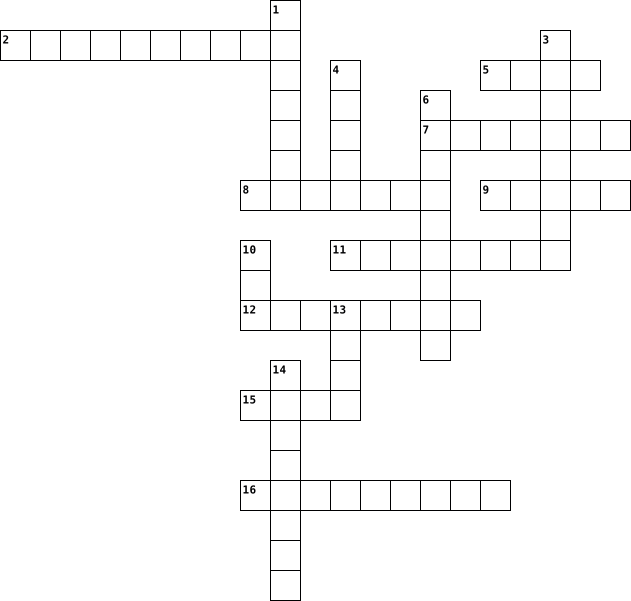
Microbit Crossword 2019-07-02

Across
- A machine usually programmable by a computer, capable of carrying out a complex series of actions automatically.
- Detects which direction it is pointing in.
- A wireless communication method for exchanging data between devices when they are near by.
- Not known beforehand, unpredictable.
- Repeating a process.
- Code that can be re-arranged to form a program.
- A way of connecting the micro:bit to other devices.
- Light Emitting Diode
Down
- The brains of the computer.
- A way of repeating a process in a program.
- A value that can change during a program.
- Universal Serial Bus, used for connecting devices to a computer
- Measures the speed at which an object is moving.
- When = > < are used to find out if a variable meets a condition you have set.
- For connecting the micro:bit to the computer.
- A small computer provided by BBC to encourage a new generation of computer programmers.
- An LED that can be programmed to show different colours
- The process of copying your code on to the micro:bit
18 Clues: Repeating a process. • Light Emitting Diode • The brains of the computer. • Not known beforehand, unpredictable. • A value that can change during a program. • A way of repeating a process in a program. • Detects which direction it is pointing in. • For connecting the micro:bit to the computer. • Code that can be re-arranged to form a program. • ...
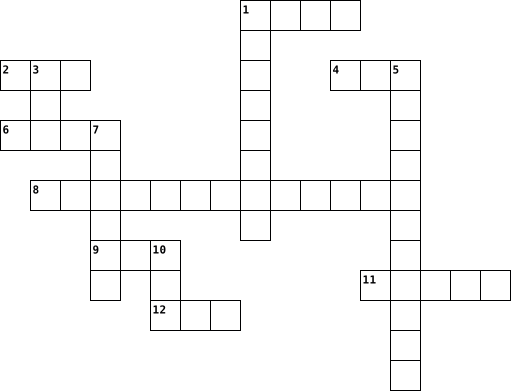
Tech Terms 1&2 2026-04-13

Across
- taking info fromone computer and putting it on another
- brain of computer
- one thing a computer does
- start
- uniform resource locator
- a small piece of data stored on a user's device by a web browser to track, identify, and enhance the user's experience on websites
- physical part of computer
- 0 or 1
- one million bytes
- a system for connecting a number of computer systems to form a local area network, with protocols to control the passing of information and to avoid simultaneous transmission by two or more systems
- one thing a computer does
Down
- one thing a computer does
- Data flows into and out of devices through what we call ports. A firewall is what controls what is - and more importantly isn't - allowed to pass through those ports
- a standardized system for tagging text files to achieve font, color, graphic, and hyperlink effects on web pages
- one thing a computer does
- 8 bits
- stores info completely
- any software designed to harm, disrupt, or gain unauthorized access to computers, networks, or devices
- global computer network
- machine language
- set of instructions
21 Clues: start • 8 bits • 0 or 1 • machine language • brain of computer • one million bytes • set of instructions • stores info completely • global computer network • uniform resource locator • one thing a computer does • one thing a computer does • one thing a computer does • physical part of computer • one thing a computer does • taking info fromone computer and putting it on another • ...
Ch.12 computers and Technology in healthcare-key terms 2025-02-18

Across
- allows all health care agencies to readily transfer patient electronic health records between agencies in a national network.
- a computerized version of a patient’s medical information that may include statistical data( name, address, telephone number, insurance information, etc.)
- secure online websites are established by a physician, health care facility, or other health care provider. P
- uses technology to direct ultra high-frequency sound waves through the chest wall and into the heart.
- - the use of high-frequency sound waves, is a therapeutic device in addition to a method of imaging.
- an applied science used to promote an individual’s safety and well-being by adapting to the environment and using techniques to prevent injuries.
- learning- the internet offers an approach to education.
- uses special software to perform high-speed math calculations.
- surgery - also called computer-assisted surgery, is another major technological advance.
- provided many enhancements for individuals who have hearing impairments.
- this is a noninvasive scanning method that uses high-frequency sound waves that bounce back as an echo when they hit different tissues and organs inside the body.
- an organized collection of information.
- a handheld tablet, smartphone, or personal case to a personal computer, which can sit on a desktop.
- tomography (CT) introduced in 1972, this noninvasive, computerized X-ray permits physicians to see clear, cross-sectional views of both bone and body tissues and to find abnormalities such as tumors or bleeding.
- a basic understanding of how a computer works and the applications used in your field or profession.
- this computerized, body-scanning method uses nuclear magnetic resonance instead of X-ray radiation.
- used for patients who cannot exercise.
Down
- e-mail is the process of sending messages from one computer to another.
- information is entered into areas
- an ECG run while the patient is exercising.
- a small amount of a radioactive substance such as thallium is given intravenously.
- discussed in detail in section 1:2, involves the use of video, audio, and computer systems to provide medical or health care care services.
- when a group of related records is combined.
- is a surgical procedure in which a surgeon uses preoperative and intraoperative images to guide or direct the surgery.
- allow for rapid dispensing of medications.
- is educational computer programming designed for individualized use.
- originally used by engineers and designers, ahs also found a place in therapeutic treatment.
- light beams that can be focused precisely,are one example.
- through the use of systems.
- therapy - uses high-energy particles to decrease the size of tumors and treat cancer.
- control the launch of a rocket to outer space.
- a computerized interpretation system that produces visual pictures on a computer monitor and a printout of the electrical activity of a patient’s heart.
- within the database, each collection of related information.
- used for patients who cannot exercise.
- are protective programs that limit the ability of other computers to access a computer.
- emission tomography (PET)- to perform a PET scan, a slightly radioactive substance is injected into the patient and detected by the PET scanner.
- power supply (UPS)- to protect a computer from electrical surges and power outages.
- millions of computers throughout the world.
- are programs that contain instructions to alter the operation of the computer programs, erase or scramble data on the computer, or allow access to information on the computer.
39 Clues: through the use of systems. • information is entered into areas • used for patients who cannot exercise. • used for patients who cannot exercise. • an organized collection of information. • allow for rapid dispensing of medications. • an ECG run while the patient is exercising. • millions of computers throughout the world. • when a group of related records is combined. • ...
Spanish Vocabulario de Capitulo 2B 2022-12-13

Across
- there is, there are
- its a...
- poster
- above
- you
- window
- computer
- waste paper bin
- my
- of
- underneath
- desk
- door
- computer screen
- behind
- where
- some
Down
- flag
- computer mouse
- in or on
- on top of
- keyboard
- table
- pencil sharpener
- next to
- backpack
- in front of
- chair
- the
- what is this?
- clock
31 Clues: my • of • you • the • flag • desk • door • some • above • table • chair • clock • where • poster • window • behind • next to • its a... • in or on • keyboard • computer • backpack • on top of • underneath • in front of • what is this? • computer mouse • waste paper bin • computer screen • pencil sharpener • there is, there are
Crossword 1 2023-10-10

Across
- Any hardware component that conveys information from a computer or mobile device to one or more people.
- Sophisticated printers used to produce high quality drawings such as blueprints, maps, and circuit diagrams.
- A light-sensing input device that reads printed text and graphics and then translates the results into a form the computer can process.
- Input device that contains keys you press to enter data and information into a computer or mobile device.
- Thin, lightweight mobile computer with a screen in its lid and a keyboard in its base, designed to fit on your lap. See also notebook computer
- A duplicate of content on a storage medium that you can use in case the original is lost, damaged, or destroyed.
- Data that has been processed into a useful form.
- Any hardware component that allows you to enter data and instructions into a computer or mobile device.
- A computer dedicated to providing one or more services to other computers or devices on a network. Sometimes called a host computer.
- A collection of computers and mobile devices connected together, often wirelessly, via communications devices and transmission media.
Down
- An electronic device, operating under the control of instructions stored in its own memory.
- A touch-sensitive display device.
- A personal computer designed to be in a stationary location, where all of its components fit on or under a desk or table. Also called a desktop computer.
- Audio output device that covers or are placed outside the ear.
- Desktop that does not have a tower and instead houses the screen and system unit in the same case.
- Thin, lighter weight mobile computer that has a touch screen, usually smaller than a laptop but larger than a phone.
- Term used to refer to data.
- A small symbol on the screen whose location and shape change as a user moves a pointing device.
- A high-speed, high-quality nonimpact printer that creates images using a laser beam and powdered ink called toner.
- Electronic components that store instructions waiting to be executed and the data needed by those instructions.
20 Clues: Term used to refer to data. • A touch-sensitive display device. • Data that has been processed into a useful form. • Audio output device that covers or are placed outside the ear. • An electronic device, operating under the control of instructions stored in its own memory. • ...
Computer Terminology 2017-09-18

Across
- is basically the computer's language
- serial bus (USB)is used to connect devices to your computer
- the brain of the computer
- is where the data on the computer is prerecorded.
- has all the recorded media on the computer
- are physical devices connected to a computer
- is a smaller version than a byte
- It holds together the most crucial parts of the computer
Down
- is anything that is originally made on the internet or a computer
- a cluster of colors that come together to create an image
- used for producing music through a speaker or headphone
- is the final step of the basic operational process.
- is a small processor
- memory on a computer that can be accessed randomly
- is any media that is stored on a hard drive
15 Clues: is a small processor • the brain of the computer • is a smaller version than a byte • is basically the computer's language • has all the recorded media on the computer • is any media that is stored on a hard drive • are physical devices connected to a computer • is where the data on the computer is prerecorded. • memory on a computer that can be accessed randomly • ...
9E - Crossword 2021-10-05

Across
- Dot-matrix, Inkjet and Laser are all types of which computer peripherals?
- A bar code reader is an example of what type of a device?
- Type of touch screen
Down
- What is a device that converts computer output into a form that can be transmitted over a telephone line?
- Used to select displayed objects
5 Clues: Type of touch screen • Used to select displayed objects • A bar code reader is an example of what type of a device? • Dot-matrix, Inkjet and Laser are all types of which computer peripherals? • What is a device that converts computer output into a form that can be transmitted over a telephone line?
Computer and Tech Essentials 2021-09-09

Across
- an accurate worldwide navigational and surveying facility.
- a finite sequence of well-defined, computer-implementable instructions.
- a way of saving passwords.
- the part of a computer where all the computing happens.
- blocks unauthorized access while permitting outward communication.
- a range of frequencies within a given band, in particular that used for transmitting a signal.
- a computer/television screen.
- a spare copy of data.
- conceal data in something by converting it into a code.
- software that is specifically designed to disrupt, damage, or gain unauthorized access to a computer system.
Down
- interfere with a radio to make it useless.
- a program that tries to destroy something.
- memory in which high speed retrieval is possible.
- sending scam emails to get personal information.
- a combined device for modulation and demodulation.
- a place where you can look things up.
- code used in digital computers, based on a number system in which there are only two possible states, off and on, usually symbolized by 0 and 1.
- a group of binary digits or bits (usually eight) operated on as a unit.
- memory device for computer system.
- an act or instance of booting a computer system again.
20 Clues: a spare copy of data. • a way of saving passwords. • a computer/television screen. • memory device for computer system. • a place where you can look things up. • interfere with a radio to make it useless. • a program that tries to destroy something. • sending scam emails to get personal information. • memory in which high speed retrieval is possible. • ...
Technology 2024-10-09

Across
- non-portable computer
- a digital pen
- social media platform for cringey dancing videoss
- social media platform created by Mark Zuckerberg
- one of the most popular and advanced AI chatbots
- short term memory of a computer (acronym)
- a visual set of data (goes in a straight line)that you scan
- someone who posts on social media and is popular
- used to send digital messages
- holds the computer screen
- used to make physical copies of things
- a mobile device used to make calls
- used to refuel a battery in a device
- used to listen to music privately
Down
- you are probably on this search engine right now
- something that is online
- used to type
- transfers data between electronics (acronym)
- a type of laptop that the school provides
- larger version of a cellphone
- used to amplify sound
- powers a device and converts chemical energy to electrical energy
- a search engine launched in 2009
- a platform used to post videos
- portable computer
- little squares that make up a digital image
- like the engine of a computer (acronym)
- global network
- drags a cursor
- a computer for individual use (acronym)
30 Clues: used to type • a digital pen • global network • drags a cursor • portable computer • non-portable computer • used to amplify sound • something that is online • holds the computer screen • larger version of a cellphone • used to send digital messages • a platform used to post videos • a search engine launched in 2009 • used to listen to music privately • a mobile device used to make calls • ...
Computer components 2019-09-13

Across
- The part of a computer which holds all of the parts in place
- A trackpad is a sensor that reads hand gestures as signals that are understood by the computer
- An Input device that has keys which when pressed, are interpreted by the computer as an instruction
- The CPU is the brain of the computer, which completes almost all of the operations to be relayed to output devices
- An output device that puts out video to a monitor
- The instructions in a computer that tells it what to do
- is a type of volatile memory that is non-permanent and helps the computer run programs
Down
- A collection of data stored digitally, usually in a hard drive
- An output device that creates noise from the computer
- The component of the computer that stores information permanently
- Something that allows outside devices to physically connect with a computer
- An input device that controls a point that can interact with the computer
- An output device that shows pictures from the computer through a screen
- is a type of non-volatile memory that is permanent and cannot be changed
14 Clues: An output device that puts out video to a monitor • An output device that creates noise from the computer • The instructions in a computer that tells it what to do • The part of a computer which holds all of the parts in place • A collection of data stored digitally, usually in a hard drive • The component of the computer that stores information permanently • ...
Computer parts- Aidan Harris 2019-09-17

Across
- An Input device that has keys which when pressed, are interpreted by the computer as an instruction
- An output device that puts out video to a monitor
- The CPU is the brain of the computer, which completes almost all of the operations to be relayed to output devices
- Something that allows outside devices to physically connect with a computer
- A trackpad is a sensor that reads hand gestures as signals that are understood by the computer
- The part of a computer which holds all of the parts in place
- The component of the computer that stores information permanently
Down
- An input device that controls a point that can interact with the computer
- A collection of data stored digitally, usually in a hard drive
- An output device that shows pictures from the computer through a screen
- An output device that creates noise from the computer
- is a type of non-volatile memory that is permanent and cannot be changed
- The instructions in a computer that tells it what to do
- is a type of volatile memory that is non-permanent and helps the computer run programs
14 Clues: An output device that puts out video to a monitor • An output device that creates noise from the computer • The instructions in a computer that tells it what to do • The part of a computer which holds all of the parts in place • A collection of data stored digitally, usually in a hard drive • The component of the computer that stores information permanently • ...
Computer parts 2019-09-17

Across
- A trackpad is a sensor that reads hand gestures as signals that are understood by the computer
- An output device that shows pictures from the computer through a screen
- Something that allows outside devices to physically connect with a computer
- A collection of data stored digitally, usually in a hard drive
- is a type of volatile memory that is non-permanent and helps the computer run programs
Down
- The component of the computer that stores information permanently
- An output device that creates noise from the computer
- The CPU is the brain of the computer, which completes almost all of the operations to be relayed to output devices
- An Input device that has keys which when pressed, are interpreted by the computer as an instruction
- An input device that controls a point that can interact with the computer
- An output device that puts out video to a monitor
- The part of a computer which holds all of the parts in place
- The instructions in a computer that tells it what to do
- is a type of non-volatile memory that is permanent and cannot be changed
14 Clues: An output device that puts out video to a monitor • An output device that creates noise from the computer • The instructions in a computer that tells it what to do • The part of a computer which holds all of the parts in place • A collection of data stored digitally, usually in a hard drive • The component of the computer that stores information permanently • ...
Unit 3 Vocab 2023-02-21

Across
- An object or a group of objects whose shape masks other artwork so that only the areas that lie within the clipping mask are visible.
- A type face whose characters have small lines or flourishes at the end points of letters. Examples include Times New Roman, Georgia, and Palatino.
- A line with anchor points at either end. It can be a straight line or it can be curved.
- A symbolic picture-especially one used as part of a writing system.
- A type of image that uses mathematical formulas rather than individual colored blocks. Files types include: EPS, AI and PDF
- A vector font that prints as seen on a computer screen and can be resized without distortion.
- Text begins right where you click and does not automatically wrap to the next line.
Down
- Graphics composed of rectangular grids of pixels. File types include: JPG, PNG and GIF
- Multiple lines of text within a bounding box.
- An improved version of TrueType font offering all of True Type's benefits plus additional stylistic features.
10 Clues: Multiple lines of text within a bounding box. • A symbolic picture-especially one used as part of a writing system. • Text begins right where you click and does not automatically wrap to the next line. • Graphics composed of rectangular grids of pixels. File types include: JPG, PNG and GIF • ...
COMPUTER 2015-11-04

Across
- a great program to use for making and editing spreadsheets
- function used to find the largest or maximum number in a given list of values
- combination of table and column names
- it can help improve the readability of a worksheet
- another term for sigma
- provides a quick way to sum columns or rows of numbers in an excel worksheet
- wrist/and/arm problems is sometimes called as _____
Down
- German title of Computer World
- function that measures central tendency
- simply a grid of boxes, or cells, set up in rows and columns
- he wrote a short story titled "A Logic Named Joe"
- a set of instructions that computer follows
- she wrote the article titled "Student Use of Library Computers: Are Desktop Computers Still Relevant in Today's Libraries?"
- it can help you sort data
- before saving, the file name ends with ____
- a system that prevents unauthorized use and access to your computer
16 Clues: another term for sigma • it can help you sort data • German title of Computer World • combination of table and column names • function that measures central tendency • a set of instructions that computer follows • before saving, the file name ends with ____ • he wrote a short story titled "A Logic Named Joe" • it can help improve the readability of a worksheet • ...
computer 2022-02-09
Across
- - the use of a variety of artistic or communicative media.
- - a picture, image, or other representation. · a sign or representation that stands for its object by virtue of a resemblance or analogy to it
- - A computer monitor is an output device that displays information in pictorial or text form
- - a set of related web pages located under a single domain name, typically produced by a single person or organization.
- - messages distributed by electronic means from one computer user to one or more recipients via a network.
- - tools, machinery, and other durable equipment.
- - the fraudulent practice of sending emails purporting to be from reputable companies in order to induce individuals to reveal personal information, such as passwords and credit card numbers.
- - A worm virus is a malicious, self-replicating program that can spread throughout a network without human assistance.
- - a standard for the short-range wireless interconnection of mobile phones, computers, and other electronic devices.
Down
- - Malware (short for “malicious software”) is a file or code, typically delivered over a network, that infects, explores, steals or conducts virtually any behavior an attacker wants
- - the programs and other operating information used by a computer.
- - A virus is an infectious agent that can only replicate within a host organism.
- - fix (an object) firmly and deeply in a surrounding mass.
- - is a common file format that's used to compress one or more files together into a single location. ... They contain data and files together in one place.
- - digital junk mail — unsolicited communications sent in bulk over the internet or through any electronic messaging system.
- - copy (data) from one computer system to another, typically over the internet.
16 Clues: - tools, machinery, and other durable equipment. • - the use of a variety of artistic or communicative media. • - fix (an object) firmly and deeply in a surrounding mass. • - the programs and other operating information used by a computer. • - copy (data) from one computer system to another, typically over the internet. • ...
Robyn Benford-Crossword-4 2016-10-25

Across
- copy
- piece of computer equipment
- keys that create shortcuts
- a input device
- a important part of the computer
- network lining
- created the internet
- can not be removed
- motherboard
- provide data and control
- example of a output device
- WWW
Down
- difference of WWW and internet
- can store and retrieve data
- created WWW
- is the brain
- random access memory
- ability to use information and communicate with technology
- send data from other devices
- created WWW
- example of storage device
21 Clues: WWW • copy • created WWW • created WWW • motherboard • is the brain • a input device • network lining • can not be removed • random access memory • created the internet • provide data and control • example of storage device • keys that create shortcuts • example of a output device • can store and retrieve data • piece of computer equipment • send data from other devices • ...
Computer Science Terms 2024-09-03

Across
- A peripheral used to input data by pressing keys
- A way of solving problems in Computer Science and Math
- Any device that holds computer data
- The study of things that have happened hundreds of thousand years ago
- A plan or drawing to show how something functions before it is made
- A network of computer networks encompassing the World Wide Web, FTP, telnet, and many other protocols
- A collection of computers that are connected
- Software provided at a minimal cost to users who are on their honor to send in payment to the programmer
- Random access memory; the type of storage that changes; when the computer is turned off, the RAM memory is erased
- A program arranged in rows and columns that manipulates numbers
- processing unit The brain of the computer; controls the other elements of the computer
- Processor A program that allows the user to create primarily text documents
- Uniform resource locator; the address of a site on the World Wide Web; a standard way of locating objects on the Internet
- A model of a design created in the early stages of the engineering process
- A part of a program that usually causes the computer to malfunction; often remedied in patches or updates to the program
- A deliberately harmful computer program designed to create annoying glitches or destroy data
- The use of the imagination or original ideas, especially in the production of an artistic work.
- Transferring data from another computer to your computer
Down
- A screen in a software program that permits the user to view several programs at one time
- The study of grammar, spelling and punctuation
- Any of a number of hardware devices connected to a CPU
- A peripheral device used to point to items on a monitor
- A device used to display information visually
- A snapshot in time
- A program used to view World Wide Web pages, such as Netscape Navigator or Internet Explorer
- Small unit of data storage; 8 bits; usually holds one character
- The study of plants, animals, food, plants
- Bar Allows the user to control which portion of the document is visible in the window; available either horizontally or vertically or both
- Read-only memory; the type of storage that is not changed even when the computer is turned off
- Something new uncovered by scientific investigation
- Complete, self-contained programs that perform a specific function (ie. spreadsheets, databases)
- A list of operations available to the user of a program
- A peripheral device that converts output from a computer into a printed image
- A graphical representation of program activities; a row of icons used to perform tasks in a program
- A new product, system, or process that has never existed before
35 Clues: A snapshot in time • Any device that holds computer data • The study of plants, animals, food, plants • A collection of computers that are connected • A device used to display information visually • The study of grammar, spelling and punctuation • A peripheral used to input data by pressing keys • Something new uncovered by scientific investigation • ...
Vocabulary Lesson 2 Giovanni Flores 2017-03-02

Across
- a defined structure for the processing, storage, or display of data
- programming language that developers use to create applications on your computer
- a movable indicator on a computer screen identifying the point that will be affected by input from the user, for example showing where typed text will be inserted
- a unit of memory or data equal to 1,024 bytes
- program instructions
- the introductory page of a website, typically serving as a table of contents for the site
- computer network that spans a relatively small area
- a part of a computer system or network that is designed to block unauthorized access while permitting outward communication
- color-image graphics compression format
- term used to describe any computer network where there is no physical wired connection between sender and receiver
- the action or process of making a physical object from a three-dimensional digital model, typically by laying down many thin layers of a material in succession
- common unit of measure for interest rates and other percentages in finance
Down
- a group or system of interconnected people or things
- a unit of information equal to one billion
- use of computer technology for design and design documentation
- a device that forwards data packets to the appropriate parts of a computer network
- a program with a graphical user interface for displaying HTML files, used to navigate the World Wide Web
- a system for connecting a number of computer systems to form a local area network, with protocols to control the passing of information and to avoid simultaneous transmission by two or more systems
- entire spreadsheet is composed of rows and columns of cells
- a protocol for specifying addresses on the Internet
- to create a virtual version of a device or resource
- a person who uses computers to gain unauthorized access to data
- the process of converting information or data into a code, especially to prevent unauthorized access
- an input device that scans documents and images, which can be imported into a computer
- Internet's equivalent of a phone book
25 Clues: program instructions • Internet's equivalent of a phone book • color-image graphics compression format • a unit of information equal to one billion • a unit of memory or data equal to 1,024 bytes • computer network that spans a relatively small area • a protocol for specifying addresses on the Internet • to create a virtual version of a device or resource • ...
Lesson 24 Vocabulary 2016-04-18

Across
- A recent wireless technology that can deliver maximum speeds of up to 7 Mbps to your cell phone, home computer, or car. Stands for Worldwide Interoperability for Microwave Access
- An ISP that provides connection speeds more than 30 times faster than dial-up connections-from 384Kbps to 2.0 Mbps
- A device on the Network
- A type of fiber-optic telephone line that can transmit up to 1.544 megabits per second or can be used to transmit 24 digitized voice channels
- a network configuration that allows selected outside organizations to access internal information systems
- The world’s collection of interconnected commercial and the government owned voice-orientated system
- Computer network that covers a large geographical area. Most WANs are made up of several connected LANS
- An internet connection technology that provides for the transfer of information to a computer at a high-speed bandwidth over ordinary copper telephone lines
- A device that directs traffic on a network by dividing data into smaller packets that travel by different routes and then are reassembled at their destination
- a network designed for the exclusive use of computer users within an organization that cannot be accessed by users outside the organization
- A server that acts as an intermediary between a user and the internet
- Computer architecture in which all of the computers on a network are equal an there is no computer designated as the server
Down
- Link from one computer to another through which data can be transmitted
- A series of connected personal computers, workstations, and other devices, such as printers or scanners, within a confined space, such as an office building
- a combination of hardware and software that creates a buffer between an internal network and the Internet to prevent unauthorized access
- A technique or device that examines a fingerprint, voice pattern, or the iris or retina of the eye
- High-end programs designed to provide network control and include special functions connection computers and other devices into a network
- A computer that handles requests for data, e-mail, file transfers, and other network services from other computers (clients)
- Computer configuration in which one or more computers on the network acts as a server
- the largest network used as communication tool
- Expert computer user who invades someone else’s computer either for personal gain or simply for satisfaction of being able to do it
- Communications hardware device that facilitates the transmission of data
- A computer that uses the services of another program
- A junction where information arrives from connected computers or peripheral devices and is them forwarded in one or more directions to other computer and devices
- A variation of a LAN that uses no physical wires
- A device that uses coaxial cable to send and receive data
26 Clues: A device on the Network • the largest network used as communication tool • A variation of a LAN that uses no physical wires • A computer that uses the services of another program • A device that uses coaxial cable to send and receive data • A server that acts as an intermediary between a user and the internet • ...
tech terms 2023-05-01

Across
- random access memory
- a part of a computer system or network which is designed to block unauthorised access while permitting outward communication.
- What are the four things a computer does?
- a device that forwards data packets to the appropriate parts of a computer network.
- What is the WWW
- unique string of characters that identify each computer
- What is a download?
- a system for connecting a number of computer systems to form a local area network
- uniform resource locator
- bits What is a byte?
- a way of scrambling data so that only authorized parties can understand the information
- turns domain names into IP addresses, which browsers use to load internet pages
- a work or invention that is the result of creativity, such as a manuscript to which one has rights and for which one may apply for a patent, copyright, trademark, etc.
- Name two output devices
- a combined device for modulation and demodulation
- Name two ways to backup your information on a computer
- hypertext markup language
- Name two input devices?
- the computer-generated simulation of a three-dimensional image or environment that can be interacted with in a seemingly real or physical way by a person using special electronic equipment, such as a helmet with a screen inside or gloves fitted with sensors.
- Read-only memory
Down
- a piece of data from a website that is stored within a web browser that the website can retrieve at a later time.
- What is a hard drive?
- What is the difference between hardware and software.
- computer power on or restarting it
- a computer or computer program which manages access to a centralized resource or service in a network
- What is the keyboard shortcut for print? Copy? And Paste?
- Give 2 examples of search engines.
- What is the internet?
- software that is specifically designed to harm a computer system.
- a regularly updated website or web page, typically one run by an individual or small group, that is written in an informal or conversational style.
- the software that supports a computer's basic functions
- What is machine language?
- one million bytes.
- What is the CPU?
- What is a bit?
- Any representation of information that permits the identity of an individual to whom the information applies to be reasonably inferred by either direct or indirect means.
- Portable Document Format
- a set of programs that help a communications service provider monitor, control, analyze and manage a telephone or computer network.
- Give two examples of browsers
- the gulf between those who have ready access to computers and the internet, and those who do not.
- a printed circuit board containing the principal components of a computer or other device, with connectors into which other circuit boards can be slotted.
41 Clues: What is a bit? • What is the WWW • What is the CPU? • Read-only memory • one million bytes. • What is a download? • random access memory • bits What is a byte? • What is a hard drive? • What is the internet? • Name two output devices • Name two input devices? • uniform resource locator • Portable Document Format • What is machine language? • hypertext markup language • ...
Cybersecurity 2025-08-28

Across
- Electronic message sent online.
- Malicious attempt to break into systems.
- A person who operates a computer.
- Short for password.
- Instructions written for a computer.
- Unwanted emails.
- Entering username and password.
- Opposite of risky online.
- Symbol for security.
- Another word for the internet.
Down
- A document saved on a computer.
- Talking online with others.
- Break into a computer system.
- Malicious software that spreads.
- A program you install on a device.
- System controller with full rights.
- What antivirus software does.
- Information stored on a computer.
- Used to unlock encryption.
- Clickable text that leads to a website.
- Short for website.
- Highest level access on a system.
- Automated computer program.
23 Clues: Unwanted emails. • Short for website. • Short for password. • Symbol for security. • Opposite of risky online. • Used to unlock encryption. • Talking online with others. • Automated computer program. • Break into a computer system. • What antivirus software does. • Another word for the internet. • A document saved on a computer. • Electronic message sent online. • ...
Chapter 2 Management, Supervision, And Decision Making Crossword Puzzle 2021-10-13

Across
- managers identify the knowledge, skills, and abilities needed for each position and then hire and train those employees
- a common set of activities that makes up an important part of a manager's job.
- a sign or indication of something that appears to be the problem
- employees are divided into work teams based on the types of activities they will be completing
- managers monitor the work of employees and the use of all resources to make sure they are being used as planned.
- is an experienced manager who meets regularly with a new manager to provide feedback and advice
- managers represent their organization and maintain effective relationships with others
- effective managers are constantly on the lookout for new opportunities and areas for improvement
- the fundamental guidelines for the decisions and actions of managers
- the process of making sure work meets acceptable standards
- managers determine the type and number of people needed to operate
- an alternative course of action to be followed if a specific problem arises
Down
- a systematic way to explore the consequences of specific choices using computer software
- managers need to make sure important information is gathered, used appropriately, and shared with those who need it
- a computer-based system that stores, organizes, and provides information about a business.
- - managers most important resource
- a difficult situation requiring a solution
- involves managing work schedules to achieve maximum productivity, not wasting time
- a procedure used to evaluate the work and accomplishment of an employee and provide feedback on performance
- documents that identify the tasks to be done, employees assigned to the work, and the time frame for completion
- any individual who is subject to the authority and control of another person
21 Clues: - managers most important resource • a difficult situation requiring a solution • the process of making sure work meets acceptable standards • a sign or indication of something that appears to be the problem • managers determine the type and number of people needed to operate • the fundamental guidelines for the decisions and actions of managers • ...
Hardware-Kayleigh 2019-01-10

Across
- Display screen
- Central processing unit is the brain of the computer.
- Main circuit board of a micro computer
- Personal computers that normally uses windows
- A device that feeds data into the computer
- Physical components of the computer like a monitor
- A computer made b Apple
- Portable storage device that attaches to a USB port
- A device that controls the movement of the pointer on screen
Down
- Internal storage in the computer
- Silicon chip that contains a CPU
- Display screens,loudspeakers and printers
- Typewriter like keys that allow you to enter data into the computer.
- It combines computing and networking features.
- Magnetic disk where you can store computing data
15 Clues: Display screen • A computer made b Apple • Internal storage in the computer • Silicon chip that contains a CPU • Main circuit board of a micro computer • Display screens,loudspeakers and printers • A device that feeds data into the computer • Personal computers that normally uses windows • It combines computing and networking features. • ...
project 2014-11-02

Across
- also called a diskette
- They are placed in a certain slot on the mainboard with an extra high data transfer rate.
- is a data storage device that includes flash memory
- r host bridge is a microchip on some PC motherboards
- display is an electronic visual display for computers
- Data Rate which is a type of SDRAM and appeared first on the market around 2001
- is focused on performing tasks involving intense numerical calculations such as weather forecasting
- Data Out RAM came out in 1995 as a new type of memory available for Pentium based systems.
- invisible in an infected computer into other files (computer virus) or otherwise propagate themselves (worm).
- vice allows data items to be read and written
- hat stores and provides relatively quick access to large amounts of data
- known as the mainboard, system board
- computer memory on which data has been prerecorded
- from Intel is a high-end server and supercomputer microprocessor.
- s a unit of data that is eight binary digits long
- is a widely used type of semiconductor
- bus is the most popular internal interconnect for personal computers
- computer was created to distinguish the traditional, large, institutional computer
- is a device for digitizing paper documents into images that may be manipulated by a computer.
- tie or tie-wrap, also known as a hose tie
- is a form of problem solving, often applied to repair failed products or processes
- connector is a three-row 15-pin DE-15 connector
- Page Mode comes from the capability of memory being able to access data that is on the same page and can be done with less latency.
- is the hardware within a computer that carries out the instructions
- the world leader in silicon innovation, develops processor
- the smallest unit of information on a machine
- is a type of ram of its own, it came out in 1999 and was developed from traditional DRAM but its architecture is totally new
Down
- r a notebook is a portable personal computer
- includes the chassis, microprocessor,
- virus is a malware program that, when executed, replicates by inserting copies of itself
- DRAM is a type of DRAM that runs in synchronization with the memory bus.
- pointing device that detects two-dimensional motion
- is 109 or 1,000,000,000 bytes
- means a programmable machine.
- s a flat panel display
- is a light-emitting diode (LED)
- a typewriter-style device,which uses an arrangement of buttons,
- allows a computer to communicate over an analogue medium
- built-in software that determines what a computer can do without accessing programs from a disk.
- is a type of optical storage media that allows data to be written to it only once
- are a class of multi-user computers that lie in the middle range of the computing spectrum,
- is an electronic device that supplies electric energy
- also called a video adapter,
- a device that accepts text and graphic output
- external to a computer, that disable the lower fidelity built-in speaker.
- is a computer bus interface that connects host
- vacuum tube containing one or more electron guns,
- at the heart of all computers
- is one of the two chips in the core logic chipset
- s software that manages computer hardware and software
- is a measure of computer storage capacity and is 2 to the 40th power
- (KB or Kbyte*) is approximately a thousand bytes
- is an internal computer expansion card that facilitates economical input and output of audio signals
- originally AT Attachment
- Advanced Micro Devices
55 Clues: also called a diskette • s a flat panel display • Advanced Micro Devices • originally AT Attachment • also called a video adapter, • is 109 or 1,000,000,000 bytes • means a programmable machine. • at the heart of all computers • is a light-emitting diode (LED) • known as the mainboard, system board • includes the chassis, microprocessor, • is a widely used type of semiconductor • ...
Jr ICT CLub - Computer Terms #2 2024-07-19

Across
- Press this to turn the computer on or off.
- A small light to help you see in the dark.
- Press this if the computer stops working to start it again.
- You use this to type words and numbers into the computer.
- Adjust how loud or quiet the sounds are on your gadget.
- Small headphones that fit in your ears.
- A pen-like tool you can use instead of your finger on a touchscreen.
- Put these on your ears to hear music and sounds without others hearing.
- Makes the pictures and videos on your computer look clear and colorful.
- Give electricity to your laptop so the battery doesn't run out.
- Press buttons with numbers and letters to type on your gadget.
- This part connects all the other parts of the computer together.
- Gives electricity to all the parts of the computer so it can work.
- Lets your computer connect to the internet without a wire.
- Shows you what's happening on the computer with pictures and words.
- Use your finger to touch and control your gadget.
- The box that holds all the parts of the computer together and protects them.
- The part of your laptop that shows you pictures and words so you can see what you're doing.
- Like a small mouse on a laptop, you use your finger to move the arrow on the screen.
- This helps your computer run programs and keep things you're working on right now.
Down
- Listens to your voice so you can talk to other people or record sounds.
- A place to plug in things like a mouse, keyboard, or a memory stick.
- Takes pictures and videos of you to show to other people online.
- Connects your computer to the internet with a wire.
- Puts sound into your ears without anyone else hearing.
- Makes sound so you can hear music, voices, and sounds from videos.
- Use this to change channels and control your TV or other gadgets.
- Holds electricity so your laptop can work without being plugged in.
- Keeps the computer from getting too hot so it doesn't stop working.
- A bigger touchpad on some laptops where you can move the arrow and click with your fingers.
- Lets your computer connect to other devices like mouse, keyboard, speaker without wires.
- It stores all your files and programs, like pictures, games, and documents.
- Puts discs inside so you can play music, watch movies, or install programs.
- It's like the brain of the computer, doing all the thinking and calculations.
- Moves the arrow on the screen and helps you click on things.
- A stand to hold your camera steady when taking pictures.
- Use this to take pictures and record videos.
- Keeps the computer cool by blowing air inside to stop it from getting too hot.
38 Clues: Small headphones that fit in your ears. • Press this to turn the computer on or off. • A small light to help you see in the dark. • Use this to take pictures and record videos. • Use your finger to touch and control your gadget. • Connects your computer to the internet with a wire. • Puts sound into your ears without anyone else hearing. • ...
Parts of a Computer. 2013-09-04

Across
- Connect your mouse and keyboard into this port.
- Use this to control your computer.
- Pastes digital images and/or text onto a sheet.
- Greatly increases video quality on your computer.
- Transportation for Digital files.
- Carries files of your computer.
- A circular object that inserts into your computer.
- Displays images from a computer.
- Memory randomly accessed.
Down
- Allows you to hear your computer.
- Connects everything in your computer.
- A computer unit.
- Use this to type on your computer.
- Network Cable.
- A telephone wire.
15 Clues: Network Cable. • A computer unit. • A telephone wire. • Memory randomly accessed. • Carries files of your computer. • Displays images from a computer. • Allows you to hear your computer. • Transportation for Digital files. • Use this to control your computer. • Use this to type on your computer. • Connects everything in your computer. • ...
Security 2022-08-16

Across
- a special high-speed storage mechanism. It can be either a reserved section of main memory or an independent high-speed storage device.
- A client computer program that can retrieve and display information from servers on the World Wide Web
- is whom someone or what something is for example the name by which something is known,
- A potential for violation of security which exists when there is a circumstance capability action or event that could breach security and cause harm
- A logical or physical discontinuity in a network to prevent unauthorized access to data or resources
- A system entity that provides a service in response to requests from other system entities called clients.
Down
- A type of malware that is a form of extortion. It works by encrypting a victim's hard drive denying them access to key files. The victim must then pay a ransom to decrypt the files and gain access to them again
- A generic term for a number of different types of malicious code,
- Any computer that has full two-way access to other computers on the Internet.
- A computer's inter-network address that is assigned for use by the Internet Protocol and other protocols,
- A hidden self-replicating section of computer software usually malicious logic that propagates by infecting
11 Clues: A generic term for a number of different types of malicious code, • Any computer that has full two-way access to other computers on the Internet. • is whom someone or what something is for example the name by which something is known, • A logical or physical discontinuity in a network to prevent unauthorized access to data or resources • ...
tech terms 2025 2025-04-17

Across
- Ctrl+c
- ChromeOS, and microsoft window
- read only memory
- random access memory
- Ctrl+v
- safari, and google chrome
- personally identifiable information
- how many things does a computer do?
- you can touch
- A computer-generated environment with scenes and objects that appear to be real, making the user feel they are immersed in their surroundings
- central processing unit
- A process that scrambles data so that only authorized people can understand it
- Portable document for mat
- a system of interconnected public web pages accessible through the internet
- monitor, and speaker
- domain name system
- small text file websites use to remember information
- computer component that stores data
- restarts a computer
- a group of binary digits or bits (usually eight) operated on as a unit.
Down
- 0,1
- internet protocol
- a computer and networking device that forwards data packets between computer networks
- A regularly updated website or web page where individuals or businesses publish content, typically in the form of posts, displayed in reverse chronological order
- a network security system that monitors and controls incoming and outgoing network traffic based on pre-defined security rules.
- hypertext markup language
- office strategic services
- google search, and yahoo
- the main circuit board in a computer
- is a computer hardware device that converts data from a digital format into a format suitable for an analog transmission
- a unit of information equal to 220 bytes or, loosely, one million bytes.
- Any software designed to harm computer systems, steal data, or disrupt operations
- you cant touch
- transferring data from a remote server to your own device
- mouse, and keyboard
- the smallest unit of data that a computer can process and store.
- A legal term that refers to creations of the mind, such as inventions, designs, and symbols.
- starts a computer operating system
- The gap between those who have access to technology, the internet and digital literacy training and those who do not
- A computer or system that provides resources, data, services, or programs to other computers (called clients) over a network, acting as a central host for files and serving them to network clients
- a networking technology that allows devices to communicate over cables
41 Clues: 0,1 • Ctrl+c • Ctrl+v • you can touch • you cant touch • read only memory • internet protocol • domain name system • mouse, and keyboard • restarts a computer • random access memory • monitor, and speaker • central processing unit • google search, and yahoo • hypertext markup language • office strategic services • safari, and google chrome • Portable document for mat • ChromeOS, and microsoft window • ...
easy work 2018-09-13
Across
- Manufacturers generally color the keyboard port purple and the mouse port green.
- is the brain that carries out your computer’s instructions.
- The CPU stores temporary information,such as data relating to open programs.
- it activates when you turn on the computer
- 1394 Current FireWire ports transfer data as fast as 400Mbps (megabits per second). (The next genera- tion of FireWire offers speeds as fast as 3,200 Mbps.) You can use FireWire to connect many different types of peripherals, including digital cameras and digital video cameras. Like USB ports, FireWire ports are hot-swappable, which means you can connect a device to the FireWire port, unplug it, and connect another device without rebooting the computer.
- it houses your graphics card, which supplies the image to the monitor.
- Card Motherboards often have integrated sound chips. If your motherboard does not have a sound chip or if you want better sound quality, you can buy a __ __.
- it draws power from the computer in addition to data through the port.
Down
- Port you’ll want to be sure that you have an available USB port and you may need to buy a USB cable.
- slots let peripherals communicate quickly with the processor.
- a large PCB that houses most of your computer’s components.
- Port You can attach some older key- boards, mice, and modems to the __ ___.
- It funnels power through the multicolored cables to each device.
13 Clues: it activates when you turn on the computer • is the brain that carries out your computer’s instructions. • a large PCB that houses most of your computer’s components. • slots let peripherals communicate quickly with the processor. • It funnels power through the multicolored cables to each device. • ...
Hardware software Homework 2019-05-09

Across
- the instructions in software are written in this
- the heart of the computer. It does the actual computing.
- data coming out of the computer
- a storage device that plugs into a computer
- an input device that allows you to put words into a CPU
- data going into the computer
- the software that does something useful
- A piece of equipment that does something
- what a computer does to data
- part of the computer that has no physical presence. You cannot touch it
Down
- an output device that allows you to see images on a screen
- something that is real and can be touched
- The software that controls the computer
- a device that can hold files and data for use later on
- part of the computer that has a physical presence. You can touch it.
15 Clues: data going into the computer • what a computer does to data • data coming out of the computer • The software that controls the computer • the software that does something useful • A piece of equipment that does something • something that is real and can be touched • a storage device that plugs into a computer • the instructions in software are written in this • ...
คอมพิวเตอร์เบื้องต้น 2019-10-27

Across
- disk the main disk inside a computer used for storing programs
- or blog.
- a tablet computer created by Apple.
- a computer that is small enough to sit on the palm of the hand
- A collection of webpages. Learn more here.
- An application is any program designed to perform a specific function directly for the user.
- a specific computer record
- Memory is for the temporary storing of information
Down
- International network of computers
- a way of communicating wirelessly over short distances
- a small program that tells a PC how a peripheral works
- a kind of memory used to make a computer work faster
- Unwanted and unsolicited "junk" email or irrelevant postings to a
- An output device that produces a paper hard copy from a computer
- Central Processing Unit. This is a PC's heart or "brains"
- An electronic book that can be downloaded and read on a computer or other device.
16 Clues: or blog. • a specific computer record • International network of computers • a tablet computer created by Apple. • A collection of webpages. Learn more here. • Memory is for the temporary storing of information • a kind of memory used to make a computer work faster • a way of communicating wirelessly over short distances • ...
Computing Support Vocabulary 3 2022-04-09

Across
- file transfer from local device to the internet
- located at bottom of desktop; to launch programs
- the physical computer system
- text that allows you to connect to a location
- the mouse button that opens a shortcut menu
- private messages sent over a computer network
- software that controls computer hardware
- the 'factory setting' of a software
- a device that broadcasts a signal wirelessly
- temporary memory
- file transfer from the internet to local device
Down
- position the mouse pointer over an icon
- process of consolidating pieces of files
- horizontal& vertical bar; controls visible page
- the portal through which you interact with an app
- a digital file where documents are organized
- connect a peripheral device to a computer
- a piece of computer information
- horizontal and vertical control over visible page
19 Clues: temporary memory • the physical computer system • a piece of computer information • the 'factory setting' of a software • position the mouse pointer over an icon • process of consolidating pieces of files • software that controls computer hardware • connect a peripheral device to a computer • the mouse button that opens a shortcut menu • ...
Technology Terms Chapter 1 2019-09-19

Across
- Software that controls the basic operations of the computer
- Devices that work with a computer, such as a printer, digital tablet, scanner, or headset
- Small circuit board that controls all work done by a computer; most important part of a computer
- the instructions computers need to work properly
- Small computer designed for an individual user
- it lets you save data for later use
- it lets you put data into a computer
- it is the sharing of information with others
Down
- Another name for a microprocessor
- the parts of a computer you can touch
- it lets you change or manipulate data using software
- Machine that follows a set of instructions to change and store data
- it lets you get data from a computer
- Words, pictures, and numbers
14 Clues: Words, pictures, and numbers • Another name for a microprocessor • it lets you save data for later use • it lets you get data from a computer • it lets you put data into a computer • the parts of a computer you can touch • it is the sharing of information with others • Small computer designed for an individual user • the instructions computers need to work properly • ...
lesson 29 2024-04-12

Across
- relative
- used to operate computers
- many
- online shopping
- Google docs
- intrigued
- computer stuff
- a place to play games
- difficult to understand
Down
- cut off
- a device for computers
- a way of living
- for keeping notes
- a type of rodent
- old printer
- a point where two systems meet
- like auto-correct
- the arrow on the computer screen
- internet connector
- copy
- a type of computer
21 Clues: many • copy • cut off • relative • intrigued • old printer • Google docs • computer stuff • a way of living • online shopping • a type of rodent • for keeping notes • like auto-correct • internet connector • a type of computer • a place to play games • a device for computers • difficult to understand • used to operate computers • a point where two systems meet • the arrow on the computer screen
Python Vocab 2023-02-06

Across
- A program that converts code written in a high-level language into machine language.
- A base-2 number system that uses only the digits 0 and 1 to represent numbers.
- A number used to identify an element in a list or array.
- A data type that has two possible values, either true or false.
- A keyword in a programming language used to define a function or class.
- An ordered collection of data elements.
- A real number expressed in decimal form with double the precision of a float, such as 6.28318.
- An immutable sequence of data elements.
- A sequence of characters that can be manipulated.
- The process of finding and removing errors in a computer program.
- The alignment of code within a program to make it easier to read.
- A piece of code that performs a specific task.
Down
- A set of instructions or commands that are used by a computer to process data.
- A named storage location for data that can be changed or manipulated.
- Error An error in the logic of a program that produces incorrect results.
- A note written in a program's source code to explain its purpose.
- Error An error in the structure of a program that prevents it from running.
- The joining of two or more strings together.
- A characteristic or property of an object.
- A real number expressed in decimal form, such as 3.14159.
- An integrated development environment, used to write, compile, and debug code
- A function associated with an object.
- A whole number that can be positive, negative, or zero.
- Types A classification of data which determines how it can be used and manipulated.
24 Clues: A function associated with an object. • An ordered collection of data elements. • An immutable sequence of data elements. • A characteristic or property of an object. • The joining of two or more strings together. • A piece of code that performs a specific task. • A sequence of characters that can be manipulated. • ...
Robyn Benford-Crossword-4 2016-10-25

Across
- network lining
- send data from other devices
- piece of computer equipment
- example of a output device
- can not be removed
- can store and retrieve data
- created WWW
- created the internet
- provide data and control
- copy
- a important part of the computer
Down
- difference of WWW and internet
- WWW
- is the brain
- created WWW
- random access memory
- motherboard
- example of storage device
- ability to use information and communicate with technology
- keys that create shortcuts
- a input device
21 Clues: WWW • copy • created WWW • motherboard • created WWW • is the brain • network lining • a input device • can not be removed • random access memory • created the internet • provide data and control • example of storage device • example of a output device • keys that create shortcuts • piece of computer equipment • can store and retrieve data • send data from other devices • ...
Junk Food Recap Crossword 2021-03-06
Across
- English for "même"
- Adjective for sugar
- You pick up fast food in your car
- When you are very fat, you are...
- A driver brings food to your house
- You eat in the restaurant
- Adjective for salt
- Adjective for fat
- When you eat well, you ______ (v.) weight.
Down
- Fries, salad are types of ________
- English for "plus"
- When you eat badly, you _____(v.) weight.
- Burger, pizzas are types of ______
- A size bigger than XL
- Cake, milkshakes are types of ________
- English for "moins"
16 Clues: Adjective for fat • English for "même" • English for "plus" • Adjective for salt • Adjective for sugar • English for "moins" • A size bigger than XL • You eat in the restaurant • You pick up fast food in your car • When you are very fat, you are... • Fries, salad are types of ________ • Burger, pizzas are types of ______ • A driver brings food to your house • ...
2019 – NCSAM Cyber Security Crossword Puzzle Challenge 2019-08-06

Across
- to a computer through a “back door.”
- Acronym for Protected Health Information.
- A technology that allows us to access our files and/or services through the internet from anywhere in the world.
- Stop. ____. Connect.
- You should check these regularly.
- Hardware or software designed to prevent unauthorized access to a computer or network from another computer or network.
- An umbrella term that describes all forms of malicious software designed to wreak havoc on a computer. Common forms include: viruses, trojans, worms, and ransomware.
- A fraudulent action similar to phishing, using SMS (text) messages rather than e-mail messages to send bait message to people.
- A piece of malware that often allows a hacker to gain remote
- A technique used by hackers to obtain sensitive information.
- The acronym for the month of cybersecurity awareness events.
- A type of software application or script that performs tasks on command, allowing an attacker to take complete control remotely of an affected computer.
- Something you should never share with another person.
- The month in which National Cyber Security Awareness Month occurs.
Down
- Links with catchy titles that lure users into opening them.
- Hacking or deception that imitates another person, software program, hardware device, or computer, with the intentions of bypassing security measures.
- Kids and parents should be aware of these online bullies.
- When someone follows a person into a secured area without proper credentials.
- A type of malware aimed to corrupt, erase or modify information on a computer before spreading to others.
- Don’t download these unless you know and have confirmed the sender.
- A personal identification number commonly associated with an ATM.
- Malware that replicates itself, so it can spread to infiltrate other computers.
- A type of malware that locks your computer until you pay to have it unlocked.
- Someone who violates computer security for malicious reasons, kudos, or personal gain.
- When a hacker successfully exploits a vulnerability in a computer or device, and gains access to its files and network
25 Clues: Stop. ____. Connect. • You should check these regularly. • to a computer through a “back door.” • Acronym for Protected Health Information. • Something you should never share with another person. • Kids and parents should be aware of these online bullies. • Links with catchy titles that lure users into opening them. • ...
Computer Fundamentals and Applications 2018-08-28

Across
- / Surname of the person who designed the Analytical Engine.
- / Is left out of some lists of CBIS elements.
- / The first computer for commercial use.
- / They use this to produce output.
- / This is a type of storage media one example is disk.
- / The 4th element of CBIS these are rules and instructions on how things are done.
- / Most often overlooked and the most important part of CBIS.
- / This generation saw also the development of GUIs,mouse etc.
- / This brought the fourth generation of computers, as thousands of integrated circuits were built.
- / Instead of vacuum tubes they use this material which were more reliable.
- / Second generation computers moved from binary machine language to symbolic or?
- / In this generation computers became smaller and reliable.
- / The second element of CBIS, is what tells the hardware how to function
- / There were 650 and 700 series of computers made their mark.
Down
- / Users interacted with third generation computers through monitor and?
- / Apple gave us this type of computer with its icon driven interface.
- / During this generation of computers over 100 computer programming languages were developed
- / Transistors were miniaturized and placed on silicon chips,called?
- / The third element of CBIS.
- / What company gave us the Macintosh computer.
- / ENIAC computer was turn on for the first time in what place.
- / The most obvious part of CBIS.
- / An electronic computer built for the military
- / Computers of this generation could only perform single task.
- / This computer weighed 30 tons and 18000 vacuum tubes used for processing
25 Clues: / The third element of CBIS. • / The most obvious part of CBIS. • / They use this to produce output. • / The first computer for commercial use. • / Is left out of some lists of CBIS elements. • / What company gave us the Macintosh computer. • / An electronic computer built for the military • / This is a type of storage media one example is disk. • ...
Tech Terms 2022-05-10

Across
- main printed circuit board
- i million bytes of data
- process of encoding information
- something that sends data
- domain name system
- a computer language
- its information to tell who you are
- digatil device that converts data into analog
- process requests from a client
- a type of security system that restrics access
- the thing that manages the computer hardware
Down
- innovations
- read only memory
- disrupts a computer
- random access memory
- wired networking
- happens when you turn on the computer
- shows what device is on a network
- open source software
- data from a website
- online journal
- a format for documents
22 Clues: innovations • online journal • read only memory • wired networking • domain name system • disrupts a computer • a computer language • data from a website • random access memory • open source software • a format for documents • i million bytes of data • something that sends data • main printed circuit board • process requests from a client • process of encoding information • ...
IBCA Vocabulary Crossword (Set 3) 2016-09-07

Across
- A TV-like device used to display information on a screen.
- Switches the numeric keypad between numeric entry and editing.
- A calculator-type keyboard used to enter numbers and perform calculations.
- An undisclosed sequence of characters that one must input to gain access to the users directory, to a file, or application.
- Produce a hard copy of a document using a computer printer.
- Displays a document on the screen after it has been saved.
- To enlarge a window to the full size of the screen.
- An application package, including applications such as MS Word, MS Excel, MS PowerPoint, MS Publisher, etc.
- Small hand-held computers that help you perform simple tasks such as note taking, maintaining a calendar, appointment book, and address book.
- A device, such as a printer, video display, or speaker, that presents data from a computer to a user.
- A specialized outlet on a computer into which an external device can be plugged in.
- To reestablish or to bring back the former, original, or normal condition.
- To bring back the last action that you undid.
Down
- To reduce the size of a window.
- A small computer designed for use by an individual.
- An image that replaces the File menu and is located in the upper-left corner of Microsoft Office programs.
- Establish a connection to a computer by identifying oneself as an authorized user, thus gaining access to resources that are assigned to that user.
- A form of computer storage that temporarily holds programs that are currently being used.
- A list of choices shown on the display screen.
- Device attached to a computer that produces hard copies of documents.
- The procedure for a user to disconnect from a computer system closing access to the resources that were assigned to the user.
- The computer's master control program that manages all other programs on the computer.
- A tool for getting around the desktop.
- A system of interconnected computers.
- Turning a computer off and on again using one step.
25 Clues: To reduce the size of a window. • A system of interconnected computers. • A tool for getting around the desktop. • To bring back the last action that you undid. • A list of choices shown on the display screen. • A small computer designed for use by an individual. • To enlarge a window to the full size of the screen. • Turning a computer off and on again using one step. • ...
2019 – NCSAM Cyber Security Crossword Puzzle Challenge 2019-08-06

Across
- A technology that allows us to access our files and/or services through the internet from anywhere in the world.
- Something you should never share with another person.
- The month in which National Cyber Security Awareness Month occurs.
- When someone follows a person into a secured area without proper credentials.
- Links with catchy titles that lure users into opening them.
- Malware that replicates itself, so it can spread to infiltrate other computers.
- A type of malware aimed to corrupt, erase or modify information on a computer before spreading to others.
- Don’t download these unless you know and have confirmed the sender.
- Kids and parents should be aware of these online bullies.
- Hardware or software designed to prevent unauthorized access to a computer or network from another computer or network.
Down
- An umbrella term that describes all forms of malicious software designed to wreak havoc on a computer. Common forms include: viruses, trojans, worms, and ransomware.
- Someone who violates computer security for malicious reasons, kudos, or personal gain.
- A fraudulent action similar to phishing, using SMS (text) messages rather than e-mail messages to send bait message to people.
- A type of malware that locks your computer until you pay to have it unlocked.
- A piece of malware that often allows a hacker to gain remote access to a computer through a “back door.”
- Stop. ____. Connect.
- A type of software application or script that performs tasks on command, allowing an attacker to take complete control remotely of an affected computer.
- A technique used by hackers to obtain sensitive information.
- You should check these regularly.
- The acronym for the month of cybersecurity awareness events.
- Acronym for Protected Health Information.
- When a hacker successfully exploits a vulnerability in a computer or device, and gains access to its files and network
- A personal identification number commonly associated with an ATM.
- Hacking or deception that imitates another person, software program, hardware device, or computer, with the intentions of bypassing security measures.
24 Clues: Stop. ____. Connect. • You should check these regularly. • Acronym for Protected Health Information. • Something you should never share with another person. • Kids and parents should be aware of these online bullies. • Links with catchy titles that lure users into opening them. • A technique used by hackers to obtain sensitive information. • ...
careers in technology 2023-05-05

Across
- description includes the entire process of defining requirements, visualizing and creating graphics including illustrations, logos, layouts and photos.
- quickly diagnose and solve computer issues for others
- Communicating with clients about layout and design. Creating a wide range of graphics and layouts for product illustrations, company logos, and websites with software such as photoshop. Reviewing final layouts and suggesting improvements when necessary.
- writes specifications for programs, application, and other software
- sets up databases to track company's information and maintains those operations
- allows multiple operating systems to simultaneously share a processor's resources in a safe and efficient way
- makes recommendations to organizations for the best systems to use
Down
- They're responsible for ensuring the efficiency of their company's network hardware and computer systems.
- provides assistance to others with setting up, running, or fixing technical systems
- specialize in technologically and scientifically advanced products. They use their technical skills to explain the benefits of their products or services to potential customers and to show how their products or services are better than their competitors'
- known as business technology analyst, is an information technology professional who specializes in analyzing, designing and implementing information systems
- responsible for protecting the computer networks of a company, organization, and government agency
- is the person in charge of data security for a company
- analyzes digital evidence and investigates computer security incidents to derive useful information in support of system/network vulnerability mitigation.
- experts in establishing cloud-computing solutions for a company
- responsible for creating websites
- create games that users play on desktop computers, mobile platforms, or consoles.
- someone who makes value out of data. Such a person proactively fetches information from various sources and analyzes it for better understanding about how the business performs, and builds AI tools that automate certain processes within the company.
- writes, rewrites, maintains, and tests the software essential to key computer functions
- coordinates technology-related matters, planed upgrades of existing software or hardware, and negotiates with service provider
20 Clues: responsible for creating websites • quickly diagnose and solve computer issues for others • is the person in charge of data security for a company • experts in establishing cloud-computing solutions for a company • makes recommendations to organizations for the best systems to use • writes specifications for programs, application, and other software • ...
Computer Fundamentals and Applications 2018-08-28

Across
- / Surname of the person who designed the Analytical Engine.
- / Users interacted with third generation computers through monitor and?
- / ENIAC computer was turn on for the first time in what place.
- / This computer weighed 30 tons and 18000 vacuum tubes used for processing
- / Most often overlooked and the most important part of CBIS.
- / This generation saw also the development of GUIs,mouse etc.
- / Is left out of some lists of CBIS elements.
- / This brought the fourth generation of computers, as thousands of integrated circuits were built.
- / The second element of CBIS, is what tells the hardware how to function
- / There were 650 and 700 series of computers made their mark.
- / During this generation of computers over 100 computer programming languages were developed
- / What company gave us the Macintosh computer.
Down
- / The third element of CBIS.
- / This is a type of storage media one example is disk.
- / The most obvious part of CBIS.
- / The first computer for commercial use.
- / Apple gave us this type of computer with its icon driven interface.
- / Transistors were miniaturized and placed on silicon chips,called?
- / Instead of vacuum tubes they use this material which were more reliable.
- / They use this to produce output.
- / Computers of this generation could only perform single task.
- / An electronic computer built for the military
- / The 4th element of CBIS these are rules and instructions on how things are done.
- / Second generation computers moved from binary machine language to symbolic or?
- / In this generation computers became smaller and reliable.
25 Clues: / The third element of CBIS. • / The most obvious part of CBIS. • / They use this to produce output. • / The first computer for commercial use. • / Is left out of some lists of CBIS elements. • / What company gave us the Macintosh computer. • / An electronic computer built for the military • / This is a type of storage media one example is disk. • ...
Computer Fundamentals and Applications 2018-08-28

Across
- This is a type of storage media one example is disk.
- ENIAC computer was turn on for the first time in what place.
- The second element of CBIS, is what tells the hardware how to function
- Users interacted with third generation computers through monitor and?
- There were 650 and 700 series of computers made their mark.
- Transistors were miniaturized and placed on silicon chips,called?
- The first computer for commercial use.
- An electronic computer built for the military
- The most obvious part of CBIS.
- Most often overlooked and the most important part of CBIS.
- This computer weighed 30 tons and 18000 vacuum tubes used for processing
- In this generation computers became smaller and reliable.
- The third element of CBIS.
Down
- Apple gave us this type of computer with its icon driven interface.
- Is left out of some lists of CBIS elements.
- The 4th element of CBIS these are rules and instructions on how things are done.
- This brought the fourth generation of computers, as thousands of integrated circuits were built.
- This generation saw also the development of GUIs,mouse etc.
- Second generation computers moved from binary machine language to symbolic or?
- What company gave us the Macintosh computer.
- Instead of vacuum tubes they use this material which were more reliable.
- They use this to produce output.
- Surname of the person who designed the Analytical Engine.
- During this generation of computers over 100 computer programming languages were developed
- Computers of this generation could only perform single task.
25 Clues: The third element of CBIS. • The most obvious part of CBIS. • They use this to produce output. • The first computer for commercial use. • Is left out of some lists of CBIS elements. • What company gave us the Macintosh computer. • An electronic computer built for the military • This is a type of storage media one example is disk. • ...
Tuesdays Technology & Enterprise Crossword 2013-08-29

Across
- Dairy products are generally made from what common liquid ?
- What is the top layer of skin called ?
- What should you never do to wet hair ?
- Name the hardware device whose only purpose is to connect a computer to the Internet ?
- What ingredient makes bread rise ?
Down
- The number system used in computers ?
- Chiffon, marble and bundt are types of what ?
- What carpentry joint can be used to glue a table top together ?
- Money coming in from any source is called ?
- Another term used to describe electronic mail ?
10 Clues: What ingredient makes bread rise ? • The number system used in computers ? • What is the top layer of skin called ? • What should you never do to wet hair ? • Money coming in from any source is called ? • Chiffon, marble and bundt are types of what ? • Another term used to describe electronic mail ? • Dairy products are generally made from what common liquid ? • ...
Computer and Video Game Vocabulary 2020-12-05

Across
- An artificially created or enhanced sound used to emphasize certain actions within computer and video games.
- An electronic musical instrument that generates audio signals that may be converted to sound.
- Computer or video games music sores. Also, the name given to an album of music taken from a computer or video game sold commercially or performed on radio stations or in live concerts.
- where melodies and bass lines ascend or descend via semitones.
- How much sound/how many different parts we hear.
- The speed of a sound or piece of music.
- Music technology is the used of any devices, mechanism, machine or tool by a musician or composer to make or perform music; to compose, notate, play back or record songs or pieces; or to analyse or edit music. E.g. a computer.
- Each instrument has its own unique tone quality.
- A name given to the music often heard over a computer or video game's main menu - the theme by which a computer or video game is often most well-known from and may continue throughout the entire gameplay.
- Melodies which move mainly by leap or use notes which are not next to or close to one another.
- Accenting the weaker beats of the bar to give an offbeat or jumpy feel to the music.
- The act of arranging a piece of music for an orchestra and assigning parts to the different musical instruments.
Down
- A name given to a point within a computer or video games when the player has to make a decision - often accompanied by a short piece of memorable music or series of sound effects.
- A reoccurring theme throughout the music connected with a particular person, idea, or situation.
- Using digital technology, computers, MIDI, sound recording and manipulating software and digital effects to both create and enhance sounds and music used within computer and video games.
- Describes the music which is associated with a particular character within a computer or video game and may be manipulated, varied and adapted depending on different situations, atmospheres and scenarios that the character finds themselves in within a computer or video game.
- How the notes or sounds are played.
- Bass line often move by leap in much music from computer and video games, leaving gaps between the notes.
- A point within a computer or video game knowing when a significant event is about to occur - often accompanied by music or a sound effect.
- The volume of a sound or pieces of music.
- An articulation marking where notes are performed sharply and detached from each other to create a spiky feel - common in much computer and video game music.
- A stye of electronic music which used simple melodies made for programmable sound generators.
- The technique of digitally encoding music or sound and reusing it as part of a composition or recording.
- The highness or lowness of the sound.
24 Clues: How the notes or sounds are played. • The highness or lowness of the sound. • The speed of a sound or piece of music. • The volume of a sound or pieces of music. • How much sound/how many different parts we hear. • Each instrument has its own unique tone quality. • where melodies and bass lines ascend or descend via semitones. • ...
Vocabulary 24 2016-04-18

Across
- a junction where information arrives from connected computers or peripheral devices and is then forwarded in one or more directions to other computers and devices
- a device on the network
- is a family of technologies that are used to transmit digital data over telephone lines
- link from one computer to another through which data can be transmitted
- Computer configuration in which one or more computers on the network acts as a server
- an ISP that provides connection speeds more than 30 times faster than dial-up- from 384 Kbps to 2.0 Mbps
- a device that uses coaxial cable to send and receive data
- a variation of a LAN that uses no physical wires
- computer architecture in which all of the computers on a network are equal and there is no computer designated as the server
- a device that examines a fingerprint, voice pattern, or retina of the eye to determine if it should allow access
- expert computer user who invades someone else's computer either for personal gain or simply for the satisfaction of being able to do it
Down
- the world's collection of inter connected commercial and government-owned, voice-orientated systems
- a network designed for the exclusive use of computer users within an organization that cannot be accessed by users outside the organization
- communications hardware device that facilitates the transmission of data
- high-end programs designed to provide network control ad include special functions for connecting computers and other devices into a network
- a server that acts as an intermediary between a user and a client
- a device that directs traffic on a network by dividing data into smaller packets that travel by different routes and then are reassembled at their destination
- a computer that handles requests for data and other network services from other computers
- a combination of hardware and software that creates a buffer between an internal network and the Internet to prevent unauthorized access
- a series of connected personal computers, workstations, and other devices, such as printers or scanners, within a confined space, such as an office building
- a recent wireless technology that can deliver maximum speeds of up to 7 Mbps to your cell phone, home computer, or car.
- a type of fiber optic telephone line that can transmit up to 1.544 megabits per second or can be used to transmit 24 digitized voice channels
- the largest network used as a communication tool
- computer network that covers a large geographical area. Made up of several connected LANs
- a network configuration that allows selected outside organizations to access internal information systems
- a computer that uses the service of another computer
26 Clues: a device on the network • the largest network used as a communication tool • a variation of a LAN that uses no physical wires • a computer that uses the service of another computer • a device that uses coaxial cable to send and receive data • a server that acts as an intermediary between a user and a client • ...
Computers & Mobile Phones 2013-04-01

Across
- - An identification used by a person allowing access to a computer system, computer network, or online account - AEEMNRSU
- - The process of transferring software/information from a server to a computer - ADDLNNOW
- - Messages you can exchange back and forth with a friend through a special program (like QQ) - AAEGGIIMNNNSSSTT
- - Electronic messages sent from one computer to another - AEILM
- - Junk mail sent to your e-mail box that is usually advertising something (don't open it!) - AMPS
- - An area that has an available wireless signal for Internet access (usually public) - HOOPSTT
- - A Web site where you can post a personal journal (short for Web-log) - BGLO
- - A mobile phone that includes a small computer and gives access to Internet and email - AEHMNOPRST
- - A folding, portable computer - ALOPPT
- - Name for a mobile phone in the USA - CEEHLLNOP
- - A set of keys that allows you to type and enter information on the computer - ABDEKORY
- - A mobile computer consisting of a screen only, and controlled by touching the screen - ABELTT
- - It's a metaphor to denote file systems on the computer’s home screen - DEKOPST
- - A sub-division of a computer's hard disk into which you put files - DEFLOR
- – The small plastic card that enables your phone to connect to the service provider - ACDIMRS
Down
- - A small, unauthorized program that can damage a PC - IRSUV
- - A specific computer record; it could contain data such as text or PPT, or a program - EFIL
- – The area where your mobile phone can be used - ACEEGORV
- - International network of computers - EEINNRTT
- - A way of communicating wirelessly over short distances between electronic devices - BEHLOOTTU
- - A system for communicating without wires over a computer network - FIIW
- – A message of up to 160 characters sent from a mobile phone (also called SMS) - AEEEGMSSTTX
- - A display screen on which the user selects options (as from a menu) by touching the screen - CCEEHNORSTU
- - A connection between documents or areas on the internet - IKLN
- - An application, typically a small, specialized program downloaded onto mobile devices - PAP
- - Opposite of download - ADLOPU
- - A (small) defect or fault in a program - BGU
- - A program like Firefox or Internet Explorer that you use to view the Internet - BEORRSW
- – Signal strength on mobile phones - CEEINOPRT
- - A string of characters that allows access to a computer, interface, or system - ADOPRSSW
30 Clues: - Opposite of download - ADLOPU • - A folding, portable computer - ALOPPT • - A (small) defect or fault in a program - BGU • – Signal strength on mobile phones - CEEINOPRT • - International network of computers - EEINNRTT • - Name for a mobile phone in the USA - CEEHLLNOP • – The area where your mobile phone can be used - ACEEGORV • ...
Hardware 2020-03-10

Across
- A unit of information equal to 220 bytes or, loosely, one million bytes.
- A passive heat exchanger that transfers the heat generated by an electronic or a mechanical device to a fluid
- A small device able to be connected to and used with a computer, especially to allow access to wireless broadband or use of protected software.
- It is a frequency unit of cycles per second that measures transmissions through airwaves or conduits
- A place in a computer where an expansion card can be inserted.
- A device which can be slotted into a computer to allow the use of audio components for multimedia applications.
- A central processor or main processor, is the electronic circuitry within a computer that executes instructions that make up a computer program.
- A facility allowing computers, smartphones, or other devices to connect to the Internet or communicate with one another wirelessly within a particular area.
- A form of computer memory that can be read and changed in any order, typically used to store working data and machine code.
- A high-capacity, self-contained storage device containing a read-write mechanism plus one or more hard disks, inside a sealed unit.
- A type of storage medium that permanently stores data on personal computers (PCs) and other electronic devices.
Down
- A computer hardware component that connects a computer to a computer network.
- It is a frequency unit that measures the number of cycles per second.
- A family of computer networking technologies commonly used in local area networks, metropolitan area networks and wide area networks.
- An electrical device that supplies electric power to an electrical load.
- A printed circuit board found in general purpose computers and other expandable systems.
- A device that you connect to a home entertainment system, it allows you to send music from your phone to the music system via Bluetooth.
- A standard for connecting computers and their peripherals.
- A unit of information equal to one billion (109) or, strictly, 230 bytes.
- A printed circuit board controlling output to a display screen.
20 Clues: A standard for connecting computers and their peripherals. • A place in a computer where an expansion card can be inserted. • A printed circuit board controlling output to a display screen. • It is a frequency unit that measures the number of cycles per second. • A unit of information equal to 220 bytes or, loosely, one million bytes. • ...
Computer Parts 2023-10-17

Across
- A computers storage containing non- volatile, permanent dad that can only be read, not written.
- Accepts text files or images from a computer.
- A small device that a computer user pushes across a desk in order to point to a play on a display.
- Electrical device that offers electric power such as a laptop computer.
- The backbone of a computer components that ties together in one spot.
- A high capacity, storage device containing a read-write mechanism plus one or more hard disk.
- The brain of the computer, containing all the circuitry needed to process storage data and output results.
- To pick up sounds such as vibrations in the air into electronic signals.
- The computer component for generating and recording audio.
- A computers short-term memory where data that is currently being used is stored.
Down
- A device used for observing or keeping continuous record of a process.
- A terminal device used to enable internet connection through wireless networks.
- A card that connects to a computer system to generate images to display
- An input device that consists of numbers and letters known as keys.
- A COMPUTER CASE USED FOR ACTIVE COOLING.
- Universal connection used to connect devices.
- Enables a computer to access the internet.
- An input device that captures still pictures or motion videos.
- A machine that scans documents and converts them into data.
19 Clues: A COMPUTER CASE USED FOR ACTIVE COOLING. • Enables a computer to access the internet. • Accepts text files or images from a computer. • Universal connection used to connect devices. • The computer component for generating and recording audio. • A machine that scans documents and converts them into data. • ...
18.1 vocab Tiffany Mize period 3 2016-04-28

Across
- wide web system of accessing, changing, and downloading a large set of hypertext-link documents and other files located on computers connected through the internet.
- Computer Small portable computer designed to be used while it is worn on the body.
- Program that can insert copies
- Transmission of information over communication lines.
- Person who illegally gains access to and sometimes tampers with information in a computer system
- Extension of the internet
- technology Using computing to distribute information
- browser used for displaying and viewing pages on the web.
- Is a global computer network.
Down
- reality Artificial three-dimensional visual world created by a computer.
- Arrangement that allows employees to work at home.
- Engine Computer program that can produce a list of documents related to a given topic.
- design Software for designing.
- Network used by organization.
- Bits of information about a computer user that are stored on that computers hard drive.
15 Clues: Extension of the internet • Network used by organization. • Is a global computer network. • Program that can insert copies • design Software for designing. • Arrangement that allows employees to work at home. • Transmission of information over communication lines. • technology Using computing to distribute information • ...
Python Vocabulary 2023-02-06

Across
- Types A classification of data which determines how it can be used and manipulated.
- A number used to identify an element in a list or array.
- The alignment of code within a program to make it easier to read.
- A program that converts code written in a high-level language into machine language.
- Language A set of instructions or commands that are used by a computer to process data.
- A real number expressed in decimal form with double the precision of a float such as 6.28318.
- An immutable sequence of data elements.
- A sequence of characters that can be manipulated.
- The joining of two or more strings together.
- A real number expressed in decimal form such as 3.14159.
- A keyword in a programming language used to define a function or class.
Down
- A piece of code that performs a specific task.
- A characteristic or property of an object.
- A function associated with an object.
- A base-2 number system that uses only the digits 0 and 1 to represent numbers.
- A whole number that can be positive negative or zero.
- An ordered collection of data elements.
- The process of finding and removing errors in a computer program.
- A data type that has two possible values either true or false.
- A note written in a program's source code to explain its purpose.
- Error An error in the logic of a program that produces incorrect results.
- A named storage location for data that can be changed or manipulated.
- Error An error in the structure of a program that prevents it from running.
- An integrated development environment used to write compile and debug code
24 Clues: A function associated with an object. • An ordered collection of data elements. • An immutable sequence of data elements. • A characteristic or property of an object. • The joining of two or more strings together. • A piece of code that performs a specific task. • A sequence of characters that can be manipulated. • A whole number that can be positive negative or zero. • ...
Technology Terms Chapter 1 2019-09-19

Across
- it lets you get data from a computer
- Words, pictures, and numbers
- Devices that work with a computer, such as a printer, digital tablet, scanner, or headset
- Another name for a microprocessor
- the instructions computers need to work properly
Down
- it lets you save data for later use
- the parts of a computer you can touch
- Small computer designed for an individual user
- Machine that follows a set of instructions to change and store data
- it lets you change or manipulate data using software
- Small circuit board that controls all work done by a computer; most important part of a computer
- Software that controls the basic operations of the computer
- it is the sharing of information with others
- it lets you put data into a computer
14 Clues: Words, pictures, and numbers • Another name for a microprocessor • it lets you save data for later use • it lets you get data from a computer • it lets you put data into a computer • the parts of a computer you can touch • it is the sharing of information with others • Small computer designed for an individual user • the instructions computers need to work properly • ...
Parts of a computer 2023-09-19

Across
- This is the main brain of the computer
- The most important part of the processing system in a computer
- This is what goes before every link
- A computer used for one person at a time
- You can watch movies with these
- This is what you use to connect computers with other computers
- This is a font
Down
- Your computer's short term memory
- Used for audio in a computer
- People store music on these
- Basically internet
- Allows things to be displayed on the monitor
- The physical parts of a computer
- The digital parts of a computer
- A storage device that is not necessary in all computers
- You connect computers with this
16 Clues: This is a font • Basically internet • People store music on these • Used for audio in a computer • The digital parts of a computer • You connect computers with this • You can watch movies with these • The physical parts of a computer • Your computer's short term memory • This is what goes before every link • This is the main brain of the computer • ...
Computer Lab Terms 2019-04-18

Across
- to press the mouse button
- to enlarge a window to full size
- to exit a program and close the window
- the design for a set of characters
- arrow or blinking line that tells you were you are working
- a virtual storage place for files
- a key that inserts a space or moves the cursor to another spreadsheet cell
- a key that erases information before the cursor
- to link a file to another location
- a compressed computer file containing larger files
- a combination of keys that perform tasks without the mouse
- any number, letter, symbol, or space on the keyboard
- sending message from one computer to another
- millions of computers around the world working together
- the brain the computer, stands for Central Processing Unit
- standard layout of an English language keyboard
- the middle row of keys on a keyboard
- a key that allows users to capture an image of the computer screen
- the small boxes on the outline of an object, you can drag these
Down
- to hid a file from view
- this key allows letters to be in uppercase
- something created on the computer
- a document that stores data in a grid
- computer software designed for specific tasks
- the screen or working are on the computer
- webbased platforms that allows people to interact
- the button that gives you a menu and list of options
- the primary storage
- a button that allows you to go back to a previous web page
- the address of a www page
- a virtual container on a computer
- a key that erases information after the cursor
32 Clues: the primary storage • to hid a file from view • to press the mouse button • the address of a www page • to enlarge a window to full size • something created on the computer • a virtual storage place for files • a virtual container on a computer • the design for a set of characters • to link a file to another location • the middle row of keys on a keyboard • ...
Eli Davis - 4th 2020-09-10

Across
- sending a file to another computer using modem or network
- a term used to describe the unwritten rules of internet courtesy
- a software or hardware device that accepts and responds to a request made on a network
- a name email or other personal information that enables others to get in contact with you
- a group of resources assigned to a specific group of individuals
- to talk in a friendly or informal way on the internet
- another way to contact friends or family on the internet
- the act of browsing to web going from one page to another using hyperlink
- a computer or another device connected to a computer network
- describes information placed in front of other data
- an icon graphic or text that link to another file or object
- when a computer user or another device connects to the internet
- moving a window in any direction to see more of that window
Down
- a term used to describe computer storage
- a small set of computer instructions that is executed by the cpu independently of the parent process
- the name given on a computer
- a way to save a web pages address
- what the internet used to be called
- locations with information on frequently asked questions about a particular product or service
- a location for storing files on your computer
- a way to reload data
- an area where users share thoughts ideas or help by posting text messages
- describes a single post on twitter
- points to a location where data may be accessed
- used to describe a list of email addresses
25 Clues: a way to reload data • the name given on a computer • a way to save a web pages address • describes a single post on twitter • what the internet used to be called • a term used to describe computer storage • used to describe a list of email addresses • a location for storing files on your computer • points to a location where data may be accessed • ...
Technology concepts 2025-09-04

Across
- The physical components of a computer system, such as the CPU, memory, and storage devices.
- Software Programs designed for end-users, such as word processors, web browsers, and mobile apps.
- Devices Hardware that displays or outputs data from a computer, such as monitors, printers, or speakers.
- A computer that provides services, resources, or data to other devices on a network.
- Programs and applications that run on a computer and perform specific tasks for the user.
- Computing The delivery of services like storage, software, and processing power over the internet.
- (SSD) A type of storage device that uses flash memory for faster performance compared to traditional hard drives.
- A global network that connects millions of computers, enabling communication and information sharing.
- Technology that allows machines to simulate human intelligence, such as learning and decision-making.
- Devices Hardware used to enter data into a computer, such as a keyboard, mouse, or scanner.
- System The system software that manages computer hardware, software, and resources (e.g., Windows, macOS, Linux).
Down
- (AR) Technology that overlays digital information on the real world, often using smartphones or AR glasses.
- (VR) A simulated digital environment that immerses users through special gadgets like VR headsets.
- An organized collection of data stored electronically and accessed by specialized software.
- A device that forwards data between networks and provides internet connectivity.
- The practice of protecting systems, networks, and data from digital attacks or unauthorized access.
- (GPU) A specialized computer component that handles rendering images, videos, and graphics.
- An electronic device that processes information and performs tasks according to instructions.
- (Internet of Things) A network of everyday objects embedded with sensors and software to exchange data (e.g., smartwatches, smart home devices).
- A system of interconnected devices that communicate and share resources.
20 Clues: A system of interconnected devices that communicate and share resources. • A device that forwards data between networks and provides internet connectivity. • A computer that provides services, resources, or data to other devices on a network. • Programs and applications that run on a computer and perform specific tasks for the user. • ...
Vocabulary lesson 2 - Zakkary Turpin 2017-03-02

Across
- The translation of data into a secret code.
- In networking terminology, wireless is the term used to describe any computer network where there is no physical wired connection between sender and receiver, but rather the network is connected by radio waves and/or microwaves to maintain communications.
- In computing, virtualization refers to the act of creating a virtual (rather than actual) version of something, including virtual computer hardware platforms, storage devices, and computer network resources.
- Stands for "Joint Photographic Experts Group." JPEG is a popular image file format.
- a unit of information equal to one billion (109) or, strictly, 230 bits.
- software is used by architects, engineers, drafters, artists, and others to create precision drawings or technical illustrations.
- A system of signals used to represent letters or numbers in transmitting messages. The instructions in a computer program.
- A computer network or data network is a telecommunications network which allows nodes to share resources.
- an input device that scans documents and images, which can be imported into a computer
- In computer user interfaces, a cursor is an indicator used to show the current position for user interaction on a computer monitor or other display device that will respond to input from a text input or pointing device.
- It is the abbreviation of Uniform Resource Locator. It is the global address of documents and other resources on the World Wide Web.
- The term "format" has several meanings, related to 1) disk formatting, 2) page formatting, and 3) file formats. 1) Disk formatting.
Down
- A local-area network (LAN) is a computer network that spans a relatively small area.
- A 3D printer is a computer-aided manufacturing (CAM) device that creates three-dimensional objects.
- A firewall is a network security system designed to prevent unauthorized access to or from a private network.
- In data communications, bits per second (abbreviated bps or bit/sec) is a common measure of data speed for computer modems and transmission carriers.
- a unit of memory or data equal to 1,024 (210) bytes.
- The most widely used local area network (LAN) technology.
- A document that serves as a starting point on a Web site.
- Computer hacking refers to the practice of modifying or alteringcomputer software and hardware to accomplish a goal that is considered to be outside of the creator's original objective.
- Java was designed to have the look and feel of the C++ language, but it is simpler to use than C++ and enforces an object-oriented programming model.
- A client software program that runs against a Web server or other Internet server and enables a user to navigate the World Wide Web
- The data is usually text, a numeric value, or a formula. The entire spreadsheet is composed of rows and columns of cells.
- The Internet's system for converting alphabetic names into numeric IP addresses
- a networking device that forwards data packets between computer networks.
25 Clues: The translation of data into a secret code. • a unit of memory or data equal to 1,024 (210) bytes. • The most widely used local area network (LAN) technology. • A document that serves as a starting point on a Web site. • a unit of information equal to one billion (109) or, strictly, 230 bits. • ...
Robotics_6 2020-01-02
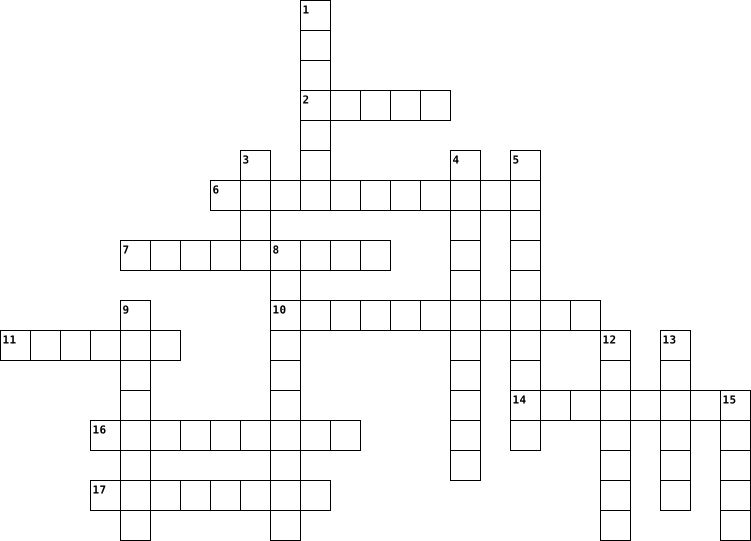
Across
- what is put in, taken in, or operated on by any process or system
- types of robots that explore the farthest reaches of space and the darkest trenches of the ocean floor, boldly going where no man has gone before.
- types of robots that are able to fly. They don’t include aquatic automatons or surface rovers.
- a wearable machine that increases the strength and endurance of the human frame
- various instruments that robots can use to gather forms of environmental data that allows the machine to adjust its own position and tasks based on this stimuli
- a motor that reads programming signals and translates them into mechanical movement.
- the process by which human labor is replaced by autonomous machines.
- information about reactions to a product, a performance of a task, etc. which is used as a basis for improvement.
Down
- types of robots that help surgeons perform delicate operations on patients.
- this term refers to how a robot arm or body can maneuver. This corresponds to the number of joints in a particular machine.
- a configuration of a robot arm where two joints become aligned along a common axis
- types of robots that comprise the most basic form of machine — a stationary or semi-stationary device that executes a repetitive task.
- a method for generating force using compressed gas or air.
- types of robots that improve the lives of countless homeowners the world over
- types of robots that go far beyond deep-sea exploration and are used by marine biologists and conservationists.
- the period of time wherein a robot is operating as intended
- a device that can execute a task independent of direct human control or activity.
17 Clues: a method for generating force using compressed gas or air. • the period of time wherein a robot is operating as intended • what is put in, taken in, or operated on by any process or system • the process by which human labor is replaced by autonomous machines. • types of robots that help surgeons perform delicate operations on patients. • ...
Personal dictionary crossword 2021-11-18

Across
- something that carrys out webserches
- A type of computer
- someone being able to find,evaluate, and information through typing
- someone with a online fake persona
- moniters ingoing and outgoing networks
- A storage device on a disk
- little block of data
- a panel of keys
- computers that are connected and powering each other
- portable computer
- instructions for a computer
- an online journal
- A form of memory for a device
- A little storage device
- mobile device like a computer
- something that spreads
- Manages the computers basic functions
- a digital record of a time
- a unique digital identifier that cannot be copied, substituted, or subdivided
- many communication and information faculties
- A unit for computers storage
Down
- good sitting posture
- A device that can only be used at a desk
- operations that are controlled and executed
- wireless technology for connecting devices
- Blocks out hackers
- including physical parts of a computer
- keeping a record of things
- something that saves companies money
- a reference to a book or author
- It withholds, processes, and stores data.
- A link to a website
- an application software of the world wide web
- used to put information in and out of a computer
- An alert to let you know of a hackers or stolen
- that can't
- Local network source
- a networking device that forwards data
- translates signals through the router
39 Clues: that can't • a panel of keys • portable computer • an online journal • A type of computer • Blocks out hackers • A link to a website • good sitting posture • little block of data • Local network source • something that spreads • A little storage device • A storage device on a disk • keeping a record of things • a digital record of a time • instructions for a computer • ...
Parts of a computer 2019-09-13

Across
- An output device that shows pictures from the computer through a screen
- Something that allows outside devices to physically connect with a computer
- A trackpad is a sensor that reads hand gestures as signals that are understood by the computer
- A collection of data stored digitally, usually in a hard drive
- An Input device that has keys which when pressed, are interpreted by the computer as an instruction
- is a type of non-volatile memory that is permanent and cannot be changed
- An output device that puts out video to a monitor
Down
- The CPU is the brain of the computer, which completes almost all of the operations to be relayed to output devices
- The part of a computer which holds all of the parts in place
- The instructions in a computer that tells it what to do
- An output device that creates noise from the computer
- The component of the computer that stores information permanently
- An input device that controls a point that can interact with the computer
- is a type of volatile memory that is non-permanent and helps the computer run programs
14 Clues: An output device that puts out video to a monitor • An output device that creates noise from the computer • The instructions in a computer that tells it what to do • The part of a computer which holds all of the parts in place • A collection of data stored digitally, usually in a hard drive • The component of the computer that stores information permanently • ...
Victoria wilder virus 2019-11-05

Across
- short for distributed denial of service attack
- a fraudulent practice of sending emails purporting to be from reputable companies in order to induce individuals to reveal personal info
- was a computer worm that began infecting computers
- messages distributed by electronic means from one computer user to one or more recipients via a network
- a type of malicious software designed to block access to a computer system until a sum of money is paid
- irrelevant or innapropriote messages sent on the internet to a large number of recipients
Down
- any malware which misleads users of its true intent
- software program that allows a user to locate, access,and display web pages
- the programs and other operating info used by a computer
- a software designed to detect and destroy computer viruses
- software that is specifically designed to disrupt, damage, or gain unauthorised access to a computer system
- an unwanted computer software installed on your computer
- protection of info systems from theft or damage to the hardware, software
- the amount of memory in your computer
- a standalone malware computer program that replicates itself in order to spread to other computers
15 Clues: the amount of memory in your computer • short for distributed denial of service attack • was a computer worm that began infecting computers • any malware which misleads users of its true intent • the programs and other operating info used by a computer • an unwanted computer software installed on your computer • ...
PLTW Vocabulary 2021-04-23

Across
- A set of instructions that a computer executes to achieve a particular objective.
- A flaw in a computer program that causes the program to produce an incorrect result or behavior.
- A semiconductor diode that emits light when conducting current.
- A small computer on a single integrated circuit containing a processor, memory, and programmable inputs and outputs.
- A method to analyze and record information about a program's execution.
- A command that performs different actions depending on whether a condition is true or false.
- A chip that processes information and data from input and delivers information or data as an output.
- To identify bugs or errors in computer hardware or programs and fix them.
- Information or signals produced or delivered by a computer system.
- Something unexpected that happens while a program is running.
- Information or signals put into a computer system.
Down
- A program that translates instructions or code into a language that can be read and understood by a computer.
- The science of creating artifacts and solving problems using the help of a computer. Some of the areas of focus include software engineering, programming, data analysis, algorithms, graphics, and animation.
- Building interactive physical systems using software and hardware that can sense and respond to the analog world.
- To break a problem down into smaller pieces.
- A diagram that represents an algorithm, work flow, or process, and uses geometric symbols connected by arrows to show the direction of the flow of action.
- An interruption or break in a signal or transmission from one device to another.
- A standard, short-range wireless connection for electronic devices.
- An ordered set of instructions that are used to carry out a task.
- Scientists who apply their knowledge of computation to creating solutions using a computer system.
- To carry out or put into effect.
21 Clues: To carry out or put into effect. • To break a problem down into smaller pieces. • Information or signals put into a computer system. • Something unexpected that happens while a program is running. • A semiconductor diode that emits light when conducting current. • An ordered set of instructions that are used to carry out a task. • ...
C for Cyber Security 2022-10-10

Across
- A fraudulent email purportedly from a reputable company attempting to get personal information
- Something personal to you and should never be shared
- A malicious software designed to block access to a computer system until a sum of money is paid
- The process of identifying a user’s identity
- The process of taking plain text and scrambling it into an unreadable format
- A combination of the words “robot” and “network”
- A piece of software or application that displays advertisements on your computer
- A piece of hardware or software, used to keep intruders out
- An icon displayed along a web browser URL; indicates a secure mode
- the address of a website; check its validity before clicking on it
- Unauthorized access to a network, information systems or application
- Alert / Always on the lookout
Down
- A sequence of words or text used to control access to a computer; similar to a password
- A form of malware used by hackers to spy on you and your computer activities
- A flaw or weakness in a computer system that could be exploited to violate the system’s security
- Threatening behavior facilitated through electronic means such as texting
- In addition to passwords; provides better security
- Facebook, Twitter, Instagram etc. (Two Words)
- When a hacker changes source of an email so that it seems to come from a trusted source
- harmful computer programs such as viruses, worms, and trojans used by hackers to harm your computer
20 Clues: Alert / Always on the lookout • The process of identifying a user’s identity • Facebook, Twitter, Instagram etc. (Two Words) • A combination of the words “robot” and “network” • In addition to passwords; provides better security • Something personal to you and should never be shared • A piece of hardware or software, used to keep intruders out • ...
D&IRS 2015 Prerequisite 2015-07-12

Across
- The symbols used in an assembly language
- A common boundary between two systems is called
- The list of coded instructions for a computer
- The brain of any computer system
- A memory that holds micro programs is
- The section of the CPU that selects, interprets and sees to the execution of program instructions
- The term referring to evacuating the content of some part of the machine is known as
- Which access method is used for obtaining a record from a cassette tape
- Which device of computer operation dispenses with the use of the keyboard?
Down
- RAM is used as a short memory because it is
- The device that can both feed data into and accept data from a computer is
- A computer program that converts assembly language to machine language is
- The organization and interconnection of the various components of a computer system is
- Compilers and interpreters are themselves
- method used to connect a remote computer
- ancient method useful for adding numbers
16 Clues: The brain of any computer system • A memory that holds micro programs is • The symbols used in an assembly language • method used to connect a remote computer • ancient method useful for adding numbers • Compilers and interpreters are themselves • RAM is used as a short memory because it is • The list of coded instructions for a computer • ...
Review 2025-12-17

Across
- The main circuit board that connects all parts of the computer
- Allow you to put information into a computer
- The “brain” of the computer
- Operating system that uses BOTH GUI and command line
- *2 Words* A network within a home
- *2 words* New creations or tools people are starting to use
- Something that plugs into your computer to help you use it
- Oldest operating system created by Microsoft
- A way computers around the world connect
Down
- A small computer used by one person
- <b></b>
- <u></u>
- <i></i>
- This compandy created Windows
- Temporary memory
- Code that uses 0 and 1
- Language computers use to make websites
- Use your computer by touching icons
18 Clues: <b></b> • <u></u> • <i></i> • Temporary memory • Code that uses 0 and 1 • The “brain” of the computer • This compandy created Windows • *2 Words* A network within a home • A small computer used by one person • Use your computer by touching icons • Language computers use to make websites • A way computers around the world connect • Allow you to put information into a computer • ...
A3: Computer Software in an IT System 2021-10-07

Across
- an operating software
- These manage the performance of your hardware and application software installed on your computer, to ensure they work optimally.
- These are software applications that are paid programs, but are made available for free for a limited period of time known as ‘trial period’.
- It is a photo editing application software by Adobe. You can use it to visually enhance, catalogue and share your pictures.
- It is an online communication app that you can use for video chat, voice calling and instant messaging.
- It is spreadsheet software that you can use for presenting and analyzing data.
Down
- This software is often classified as one of the types of system software. They operate and control devices and peripherals plugged into a computer.
- Used to store data and sort information.
- An internet browser used to access and view websites.
- Software used for emailing.
10 Clues: an operating software • Software used for emailing. • Used to store data and sort information. • An internet browser used to access and view websites. • It is spreadsheet software that you can use for presenting and analyzing data. • It is an online communication app that you can use for video chat, voice calling and instant messaging. • ...
CS20 Theory Review 2021-12-08

Across
- Software that allows you to verify transactions such as crypto
- The brain of the computer
- The abbreviation of a computer's memory
- NFTs are used to guarantee this about a piece of art
- A Small unit of computer information, It makes up 1/8 of a byte
- used only by quantum computers to store information instead of bits
- A small device that is used to amplify or change the input signals
- a logic gate that only outputs a signal when both inputs are on
Down
- a type of computer that is used for highly complicated tasks like encryption
- used to store permenant information from a computer
- The software that a computer runs to function
- Stores extra information for faster future commands
- a high speed vibrating piece of quartz that is responsible for the timing of the operations in a computer
- The arithmetic calculator of a computer
- the part of a computer which connects everything together
15 Clues: The brain of the computer • The arithmetic calculator of a computer • The abbreviation of a computer's memory • The software that a computer runs to function • used to store permenant information from a computer • Stores extra information for faster future commands • NFTs are used to guarantee this about a piece of art • ...
Agriculture & Construction and Arts, AV & Communication 2024-03-25

Across
- professionals trained in the art and science of building design
- a person who uploads, produces, or appears in videos on YouTube
- specializes in the installation, repair, and maintenance of plumbing systems
- manages jobs on a construction site
- specializes in the installation, repair, and maintenance of electrical systems
- produces entertaining, helpful, or educational material that cater to the interests of a target audience
- involved in the design, cutting, and building of furniture using different types of wood
Down
- a person who sings, especially professionally
- makes indoor spaces functional, safe, and beautiful
- designs and works on facilities, bridges, roads, tunnels, and water systems
- a person who is in charge of and determines the final content of a text
- creates designs by hand or using computer software
- a person whose profession is dancing
13 Clues: manages jobs on a construction site • a person whose profession is dancing • a person who sings, especially professionally • creates designs by hand or using computer software • makes indoor spaces functional, safe, and beautiful • professionals trained in the art and science of building design • a person who uploads, produces, or appears in videos on YouTube • ...
computer vocabulary 2014-02-11

Across
- value used when not specified by the user
- The main board of a computer, usually containing the circuitry for the CPU, keyboard, and monitor
- stores recently used information so it can recently accessed at a later time
- a computer that provides data to other computers
- software that communicates with the hardware and allows other programs to run
- two or more computers connected to each other
- the first screen you see when you start your computer, includes background and bookmarked websites
- a code that only uses the numbers 0 and 1
- the address of a specific web site
- to turn on a computer
- Works as the brain of a computer system
- the company that that you or your parents pay to provide internet
- Is what stores all your data, stores the hard disk where your folders and documents are stored
- Where you can connect your game controllers, computer mice, keyboards, ect.
- keeps the name of websites memorable
Down
- A computer and the associated physical equipment directly involved in the performance of data-processing or communications functions
- applications and services offered over the internet
- a small amount of data generated by a website and saved by your web browser
- common on wide area networks
- unit of measured used to measured data
- a program people often use to access the world wide web
- an external device that gives input and output for the computer
- made up of small memory chips
- a program that allows people to communicate and search originally created by the military
- installing new programs or applications to your computer
- a program's code is open to the public
- a code made up of number and separated by three dots
- a pre-installed program on windows
- memory containing hardwired instructions
29 Clues: to turn on a computer • common on wide area networks • made up of small memory chips • the address of a specific web site • a pre-installed program on windows • keeps the name of websites memorable • unit of measured used to measured data • a program's code is open to the public • Works as the brain of a computer system • memory containing hardwired instructions • ...
C for Cyber Security 2022-10-10

Across
- A form of malware used by hackers to spy on you and your computer activities
- Unauthorized access to a network, information systems or application
- A piece of software or application that displays advertisements on your computer
- When a hacker changes source of an email so that it seems to come from a trusted source
- A sequence of words or text used to control access to a computer; similar to a password
- The process of taking plain text and scrambling it into an unreadable format
- A piece of hardware or software, used to keep intruders out
- Threatening behavior facilitated through electronic means such as texting
- In addition to passwords; provides better security
- A flaw or weakness in a computer system that could be exploited to violate the system’s security
Down
- Something personal to you and should never be shared
- A malicious software designed to block access to a computer system until a sum of money is paid
- media Facebook, Twitter, Instagram etc. (Two Words)
- The process of identifying a user’s identity
- A combination of the words “robot” and “network”
- the address of a website; check its validity before clicking on it
- A fraudulent email purportedly from a reputable company attempting to get personal information
- Alert / Always on the lookout
- harmful computer programs such as viruses, worms, and trojans used by hackers to harm your computer
- An icon displayed along a web browser URL - indicates a secure mode
20 Clues: Alert / Always on the lookout • The process of identifying a user’s identity • A combination of the words “robot” and “network” • In addition to passwords; provides better security • media Facebook, Twitter, Instagram etc. (Two Words) • Something personal to you and should never be shared • A piece of hardware or software, used to keep intruders out • ...
Coding 2023-07-13

Across
- A value that can change during the execution of a program
- Sent from one device to another through a network or other means of communication
- System of representing data using only two digits, 0 and 1
- Finding and eliminating errors in a program
- Breaking down a complex problem into smaller, more manageable parts
- The result produced by a computer or other electronic device after processing input
- A set of instructions that a computer follows to solve a problem or complete a task
- Facts, figures, or other pieces of information that can be processed by a computer
- A small computer on a single integrated circuit that is designed to control specific devices or systems
- Data or commands entered into a computer or other electronic device
- An ordered list of steps or actions that a program follows to accomplish a task
Down
- When a program takes different paths based on certain conditions or user input
- Physical components of a computer or other electronic device
- Repetitive code blocks
- Relating to electronic technology that uses binary code to represent data
- The process of writing instructions in a programming language to create software or applications
- A programming language that can be used to create a wide variety of programs for different purposes
- A small programmable device used for learning coding and electronics
- A sequence of characters, such as letters, numbers, and symbols
- Programs and other operating information used by a computer
20 Clues: Repetitive code blocks • Finding and eliminating errors in a program • A value that can change during the execution of a program • System of representing data using only two digits, 0 and 1 • Programs and other operating information used by a computer • Physical components of a computer or other electronic device • ...
Computer Fundamentals 2024-09-25

Across
- The smallest unit of data in computing, a 1 or 0.
- The end of a filename that indicates its format.
- Devoted to processing data for rendering images and video.
- A small electronic component used to switch signals (1 or 0) in a computer.
- A device that absorbs and dissipates heat from electronic components.
- A storage device with no moving parts.
- A device that manages data between computer networks.
- The "beat" of a CPU that determines how fast it processes instructions.
- The language computers use, consisting of 1s and 0s.
- Volatile memory used by a computer to store data temporarily.
- A unit of frequency, equal to one cycle per second.
Down
- A 3 Gigahertz CPU has 3 _____ clock cycles per second.
- A wireless technology for exchanging data over short distances.
- Data or commands entered into a computer.
- A type of memory that retains data even without power.
- A group of 8 bits, used to store a single character.
- Our computer lab is an example of this type of network.
- A computer that provides data to other computers in a network.
- A measurement meaning one-billionth, often used in technology.
- The main circuit board of a computer that holds essential components.
- The material used in transistors that allows them to switch between on and off states.
- A component that stores and releases electrical energy.
- A format for storing high quality audio on PCs.
23 Clues: A storage device with no moving parts. • Data or commands entered into a computer. • A format for storing high quality audio on PCs. • The end of a filename that indicates its format. • The smallest unit of data in computing, a 1 or 0. • A unit of frequency, equal to one cycle per second. • A group of 8 bits, used to store a single character. • ...
Crossword 2016-02-09

Across
- projectors project what appears in the screen
- It has two different types drum and flatbed
- can be an output and input
- control Device that is use to control other divices
Down
- Divice that allowas you to write characters in a computer
- when you input data by hand
- Output device use to listen to music
- allows you to make a copy of what have
- pointing device that allow you to point the screen
9 Clues: can be an output and input • when you input data by hand • Output device use to listen to music • allows you to make a copy of what have • It has two different types drum and flatbed • projectors project what appears in the screen • pointing device that allow you to point the screen • control Device that is use to control other divices • ...
Computer Terms 2023-01-12

Across
- the computer keys
- Cenrtal Processing Unit
- another name for the world wide web
- main storage computer for memory on a computer
- Used to take a video with your computer
- Capture images and convert them to digital
- puts an image onto a screen or wall
- Controls the movement of a video game console
- small, portable storage
- Random Access Memory
Down
- another name for the screen of a computer
- Sound output
- Puts digital images on paper
- Used to broadcast your voice
- All electrical components of a computer plug into this
- Allows you to move a navigate on your device
16 Clues: Sound output • the computer keys • Random Access Memory • Cenrtal Processing Unit • small, portable storage • Puts digital images on paper • Used to broadcast your voice • another name for the world wide web • puts an image onto a screen or wall • Used to take a video with your computer • another name for the screen of a computer • Capture images and convert them to digital • ...
computer 2023-06-15
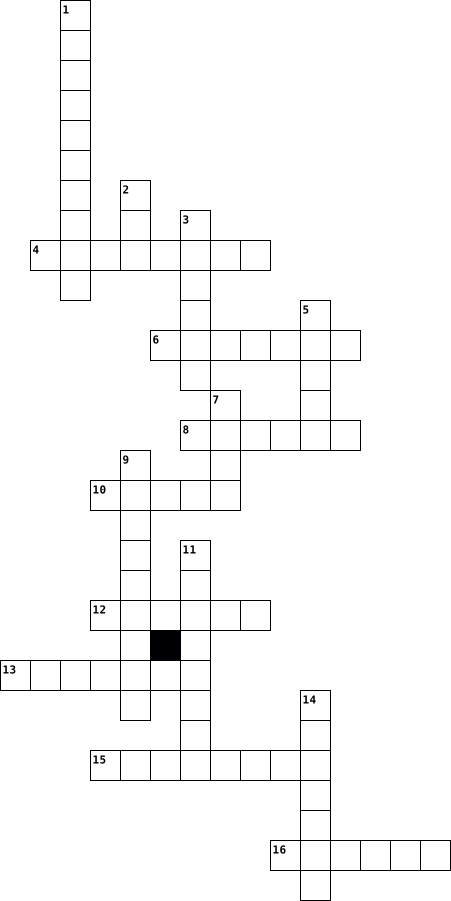
Across
- A device with buttons or keys that you press to input letters, numbers, or commands into a computer. It looks like a typewriter.
- A screen that displays information and images from a computer. You can see text, pictures, videos, and other content on the monitor.
- A portable computer that consists of a touch-sensitive screen and does not have a physical keyboard. You can use your fingers or a stylus to interact with the screen.
- A network of servers that store and manage data and applications remotely. Cloud services allow you to access and save files from anywhere with an internet connection.
- A device that connects multiple computers or devices to form a network and allows them to access the internet. It directs traffic between devices.
- A device that produces a paper copy of documents, pictures, or other digital content from a computer. It prints using ink or toner.
- Programs and instructions that tell a computer what to do. Software includes applications, games, and the operating system.
- A small camera that captures video and audio to transmit or record them. Webcams are often used for video calls, online meetings, or vlogging.
Down
- A pair of devices that you wear over or in your ears to listen to audio from a computer. They provide a private and immersive listening experience.
- Drive A portable storage device that connects to a computer's USB port. You can save files, documents, and other data on a USB drive.
- A portable computer that is designed to be used on your lap or in different locations. It has a built-in keyboard, monitor, and touchpad or trackpad.
- A small device that you move on a flat surface to control the cursor on a computer screen. You click the buttons to select or interact with items.
- Drive A storage device inside a computer that stores and retrieves digital data, such as files, programs, and operating systems.
- A wireless technology that allows devices to connect and exchange data over short distances. It is often used for connecting peripherals like speakers, headphones, and keyboards.
- A global network that connects computers and allows them to share information and communicate with each other. You can access websites and resources through the internet.
- A device that produces sound or audio output from a computer. You can hear music, videos, and other audio through the speakers.
16 Clues: Programs and instructions that tell a computer what to do. Software includes applications, games, and the operating system. • A device that produces sound or audio output from a computer. You can hear music, videos, and other audio through the speakers. • ...
Computer 2024-03-04
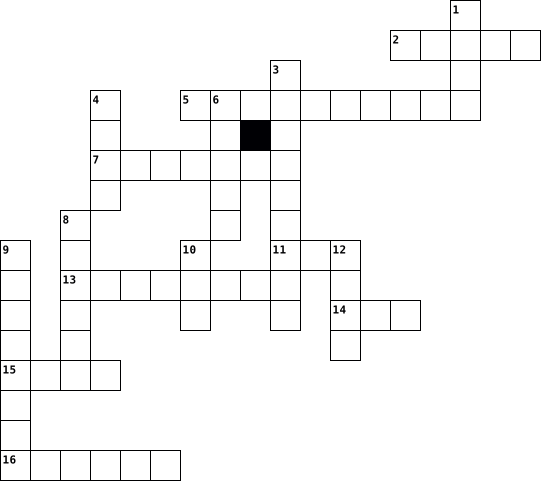
Across
- mouse
- ota kuva näytöstä
- profiili
- mainos
- Sinulla on sellainen koulussa
- sovellus
- sillä ladataan akkua
- poistaa
Down
- lista
- sillä kirjoitetaan
- kopioida
- painaa,näpäyttää
- hakkeri
- salainen avain
- ohjelmointivirhe
- raahata
16 Clues: lista • mouse • mainos • hakkeri • raahata • poistaa • kopioida • profiili • sovellus • salainen avain • painaa,näpäyttää • ohjelmointivirhe • ota kuva näytöstä • sillä kirjoitetaan • sillä ladataan akkua • Sinulla on sellainen koulussa
Computer Vocab 2012-10-04

Across
- It is used to go onto the internet and browse, you can use Internet Explorer, Opera, Safari, Google Chrome, etc.
- the normal setting that it comes with
- system – The thing in your computer that makes everything work! (also called OP)
- a thing that works WITH the CPU but it doesn’t connect to it, such as a printer
- Where all of your programs are kept, also called Hard Drive
- basically a unit of measurement on how big a file or program is, can be a byte, megabyte, gigabyte, Trilobite, etc.
- Just the Basic Computer, Monitor, Mouse, Keyboard, etc.
- a thing inside of your computer that Sends data out and in via input / output device
- device a Device that send out all of the data you want to send out
- internet service provider, such as Wild blue, Fast bytes, etc.
Down
- the programs used to get your computer to work better such as Java
- Random Access Memory – some programs use this to run.
- the board inside the actual computer that has bumps on it and it makes the computer run, you HAVE to have a motherboard to have it work
- code How a computer will represent numbers and letters
- address It’s like you computers social security number and people can use it to connect to your computer.
- in your computer it makes your internet work
- The place where you can see all of your programs on the list
- The Websites ID like it can be www.google.com
- Central Processing Unit - allows you to run programs
- device a Device that takes in all data that you are downloading
20 Clues: the normal setting that it comes with • in your computer it makes your internet work • The Websites ID like it can be www.google.com • Random Access Memory – some programs use this to run. • Central Processing Unit - allows you to run programs • code How a computer will represent numbers and letters • Just the Basic Computer, Monitor, Mouse, Keyboard, etc. • ...
Networks 2022-03-28

Across
- type of network media
- rate ratio of retransmitted packets
- and its user
- a service to another computer
- connects two or more packet- switched
- (Internet Service Provider)
- type of network
- amount of data that can be transferred
- a computer program or device that
Down
- delay
- (Domain Name Server)
- wireless
- one to another
- Optic
- rate/collisions
- computer network address
- set of instructions
- user name
- data broken into small chunks
- two or more computers connected by cables
20 Clues: delay • Optic • wireless • user name • and its user • one to another • rate/collisions • type of network • set of instructions • (Domain Name Server) • type of network media • computer network address • (Internet Service Provider) • a service to another computer • data broken into small chunks • a computer program or device that • rate ratio of retransmitted packets • ...
Computer Science Vocabulary 2022-11-22

Across
- a accessory you can plug/connect to a computer
- short term memory a pc needs
- reads and writes data onto a disk
- a network that connects all devices in a wide geographic area
- a unit that performs input/output in a computer
- a small device used for storing/transfering data
- unimportant messages you receive on the internet
- the correct way to act on the internet
Down
- a part of a computer system that is used to block unauthorized access
- a part of a computer
- a network that connects all devices in a certain area
- stores data permanently
- the use of a product only under a certain circumstance
- legal claim of media
- hijacking a computer you do not own
- stealing someone else's idea and passing it off as your own
- security a thing that protects you from data breaches
- connects the accessories to the computer
18 Clues: a part of a computer • legal claim of media • stores data permanently • short term memory a pc needs • reads and writes data onto a disk • hijacking a computer you do not own • the correct way to act on the internet • connects the accessories to the computer • a accessory you can plug/connect to a computer • a unit that performs input/output in a computer • ...
Crossword 2016-02-09

Across
- projectors project what appears in the screen
- It has two different types drum and flatbed
- can be an output and input
- control Device that is use to control other divices
Down
- Divice that allowas you to write characters in a computer
- when you input data by hand
- Output device use to listen to music
- allows you to make a copy of what have
- pointing device that allow you to point the screen
9 Clues: can be an output and input • when you input data by hand • Output device use to listen to music • allows you to make a copy of what have • It has two different types drum and flatbed • projectors project what appears in the screen • pointing device that allow you to point the screen • control Device that is use to control other divices • ...
Crossword 2016-02-09

Across
- projectors project what appears in the screen
- It has two different types drum and flatbed
- can be an output and input
- control Device that is use to control other divices
Down
- Divice that allowas you to write characters in a computer
- when you input data by hand
- Output device use to listen to music
- allows you to make a copy of what have
- pointing device that allow you to point the screen
9 Clues: can be an output and input • when you input data by hand • Output device use to listen to music • allows you to make a copy of what have • It has two different types drum and flatbed • projectors project what appears in the screen • pointing device that allow you to point the screen • control Device that is use to control other divices • ...
Basic Computer Vocabulary 2025-11-18

Across
- Pictures or graphics that represent files, programs, or folders.
- The bar usually located at the bottom of Microsoft Windows operating systems, which displays the start button, system clock, programs that are currently running, as well as other open windows.
- When you get a file from another computer and put it on your computer.
- Drive The slot where you insert a disk into the computer.
- Bin Where you put files that you want to delete.
- This opens when you click on an icon. It is a rectangular visual area showing the program being used or what is in a folder.
- Drive Disks inside your computer where all the data is stored.
- Programs that allow you to do things on a computer like play games, word processing, view files on the Internet.
- Gives you options or choices of what to do.
- A piece of computer work.
Down
- System The main program that runs the computer. A popular one is Windows.
- The blinking line that lets you know where to type.
- A place to store your computer work or files.
- A device used to save files on so they can be used on another computer.
- The starting screen of the computer.
- The way the computer screen looks and interacts with the user.
- A computer that stores files for other computers to access and download.
17 Clues: A piece of computer work. • The starting screen of the computer. • Gives you options or choices of what to do. • A place to store your computer work or files. • Bin Where you put files that you want to delete. • The blinking line that lets you know where to type. • Drive The slot where you insert a disk into the computer. • ...
Anatomy of computer 2021-02-09

Across
- power supply unit, the device which regulates and distributes the power to the components inside your computer.
- a set of computer instructions in firmware which control input and output operations.
- central processing unit, A unit that processes the computer's instructions
- random access memory, This is where, before being processed, a PC stores data.
- for attaching an external computer, such as a printer. There is both a parallel port and at least one serial port on most personal computers.
Down
- Accelerated Graphics Port, a port which houses the graphic card which provides an image on the computer screen.
- A printed circuit board that contains most of the computer's components
- universal serial bus, a standardized technology for attaching peripheral devices to a computer.
- A circuit board in a computer made for the creation or reproduction of sound
- a port that allows high-speed communication and data exchange between a computer and a peripheral or between two computers.
- Peripheral Component Interconnect, slots for connecting computers and their peripherals.
- A type of port used for the attachment of input devices such as keyboards and mice by older computers
12 Clues: A printed circuit board that contains most of the computer's components • central processing unit, A unit that processes the computer's instructions • A circuit board in a computer made for the creation or reproduction of sound • random access memory, This is where, before being processed, a PC stores data. • ...
Crossword Puzzle 2022-03-22

Across
- Is a line of desktop and laptop computers developed by Apple
- A data structure consisting of a collection of elements values or variables.
- A language that Apple developed for various operating systems, including some of its smartphone operating systems, as well as desktop platforms.
- An electronic link providing direct access from one distinctively marked place in a hypertext or hypermedia document to another in the same or a different document.
- Are the virtual components or codes, which divides the physical core of a CPU into virtual multiple cores.
- Is a term that describes digitizing an image, allowing it to be stored on or modified by a computer.
- A general-purpose, compiled imperative programming language that is especially suited to numeric computation and scientific computing.
- Process of detecting and removing of existing and potential errors in a software code that can cause it to behave unexpectedly or crash.
- A small graphical representation of a program or file.
- Is an unexpected problem with software or hardware.
- A panel of keys that operate a computer or typewriter.
- Sometimes referred to as a screencap or screengrab, is an image that shows the contents of a computer display.
- Is the virtual location for applications, documents, data or other sub-folders. Folders help in storing and organizing files and data in the computer.
- Is a vast network that connects computers all over the world.
- The component of your computer that allows you to store and access data on a long-term basis.
- Refers to the act of eliminating a file, text, or another object from the computer hard drive or other media.
- An interpreted, high-level, general-purpose programming language which supports multiple programming paradigms.
- Is a non-volatile memory type.
- Is a person who utilizes a computer or network service.
- Is described by its boundaries, structure and purpose and expressed in its functioning.
- Unix-like, open source and community-developed operating system (OS) for computers, servers, mainframes, mobile devices and embedded devices.
- Is an English word that means “ network ,” “cobweb,” or “mesh.”
- A computer programming language often used to build websites and software, automate tasks, and conduct data analysis.
- Deals with generating images with the aid of computers.
Down
- One of the first widely used languages and for many years the most popular language in the business community.
- An object-oriented programming language that produces software for multiple platforms.
- The central data repository, or hub , in a corporation's data processing center, linked to users through less powerful devices such as workstations or terminals.
- The complete location or name of where a computer, file, device, or web page is located.
- Is a modifier key on a keyboard, used to type capital letters and other alternate "upper" characters.
- An imperative and procedural programming language, designed by Niklaus Wirth as a small, efficient language intended to encourage good programming practices using structured programming and data structuring.
- The act or an instance of shutting down and restarting something.
- A form of information
- A process that copies all your files, data and information to effectively create two versions.
- Is a function performed to reverse the action of an earlier action.
- A collection of linked web pages that share a unique domain name
- A device that communicates between the internet and the devices in your home that connect to the internet.
- A system for linking related text documents that allows the participation of multiple users.
- Detailed plan or procedure for solving a problem with a computer.
- The clarity of the text and images displayed on your screen.
- Writing data to a storage medium, such as a floppy disk, CD-R, USB flash drive, or hard drive.
- Is a computer's short-term memory, which it uses to handle all active tasks and apps.
- An electronic device for storing and processing data, typically in binary form.
- Is hardware or software that is used to store something, usually data, temporarily in a computing environment.
- Connection between two devices
- Is anything that can harm a users information on a computer. This information can varry, in value, from computer to computer.
- Data that a computer sends
- A cross-platform open-source computer programming language used widely in the commercial and private computing sectors.
- Comprises the entire set of programs, procedures, and routines associated with the operation of a computer system.
- A malicious piece of computer code designed to spread from device to device.
- The main printed circuit board (PCB) in a computer.
50 Clues: A form of information • Data that a computer sends • Connection between two devices • Is a non-volatile memory type. • Is an unexpected problem with software or hardware. • The main printed circuit board (PCB) in a computer. • A small graphical representation of a program or file. • A panel of keys that operate a computer or typewriter. • ...
Crossword Puzzle 2022-03-22

Across
- A small graphical representation of a program or file.
- A system for linking related text documents that allows the participation of multiple users.
- A panel of keys that operate a computer or typewriter.
- An electronic device for storing and processing data, typically in binary form.
- A malicious piece of computer code designed to spread from device to device.
- The act or an instance of shutting down and restarting something.
- A process that copies all your files, data and information to effectively create two versions.
- Is a line of desktop and laptop computers developed by Apple
- A device that communicates between the internet and the devices in your home that connect to the internet.
- Is an unexpected problem with software or hardware.
- An imperative and procedural programming language, designed by Niklaus Wirth as a small, efficient language intended to encourage good programming practices using structured programming and data structuring.
- An object-oriented programming language that produces software for multiple platforms.
- One of the first widely used languages and for many years the most popular language in the business community.
- The component of your computer that allows you to store and access data on a long-term basis.
- An electronic link providing direct access from one distinctively marked place in a hypertext or hypermedia document to another in the same or a different document.
- Unix-like, open source and community-developed operating system (OS) for computers, servers, mainframes, mobile devices and embedded devices.
- A data structure consisting of a collection of elements values or variables.
- A language that Apple developed for various operating systems, including some of its smartphone operating systems, as well as desktop platforms.
- A form of information
- Is a modifier key on a keyboard, used to type capital letters and other alternate "upper" characters.
- Refers to the act of eliminating a file, text, or another object from the computer hard drive or other media.
- Is a term that describes digitizing an image, allowing it to be stored on or modified by a computer.
- A computer programming language often used to build websites and software, automate tasks, and conduct data analysis.
- A general-purpose, compiled imperative programming language that is especially suited to numeric computation and scientific computing.
- Process of detecting and removing of existing and potential errors in a software code that can cause it to behave unexpectedly or crash.
Down
- Is the virtual location for applications, documents, data or other sub-folders. Folders help in storing and organizing files and data in the computer.
- Is a vast network that connects computers all over the world.
- Are the virtual components or codes, which divides the physical core of a CPU into virtual multiple cores.
- The clarity of the text and images displayed on your screen.
- Is an English word that means “ network ,” “cobweb,” or “mesh.”
- Connection between two devices
- Is a non-volatile memory type.
- Is anything that can harm a users information on a computer. This information can varry, in value, from computer to computer.
- Is a computer's short-term memory, which it uses to handle all active tasks and apps.
- Detailed plan or procedure for solving a problem with a computer.
- Data that a computer sends
- Deals with generating images with the aid of computers.
- The main printed circuit board (PCB) in a computer.
- The complete location or name of where a computer, file, device, or web page is located.
- A cross-platform open-source computer programming language used widely in the commercial and private computing sectors.
- Is hardware or software that is used to store something, usually data, temporarily in a computing environment.
- The central data repository, or hub , in a corporation's data processing center, linked to users through less powerful devices such as workstations or terminals.
- Is a person who utilizes a computer or network service.
- A collection of linked web pages that share a unique domain name
- Is described by its boundaries, structure and purpose and expressed in its functioning.
- Writing data to a storage medium, such as a floppy disk, CD-R, USB flash drive, or hard drive.
- Sometimes referred to as a screencap or screengrab, is an image that shows the contents of a computer display.
- Comprises the entire set of programs, procedures, and routines associated with the operation of a computer system.
- Is a function performed to reverse the action of an earlier action.
- An interpreted, high-level, general-purpose programming language which supports multiple programming paradigms.
50 Clues: A form of information • Data that a computer sends • Connection between two devices • Is a non-volatile memory type. • The main printed circuit board (PCB) in a computer. • Is an unexpected problem with software or hardware. • A small graphical representation of a program or file. • A panel of keys that operate a computer or typewriter. • ...
Crossword 2016-02-09

Across
- pointing device that allow you to point the screen
- Output device use to listen to music
- Divice that allowas you to write characters in a computer
- when you input data by hand
- control Device that is use to control other divices
Down
- can be an output and input
- projectors project what appears in the screen
- It has two different types drum and flatbed
- allows you to make a copy of what have
9 Clues: can be an output and input • when you input data by hand • Output device use to listen to music • allows you to make a copy of what have • It has two different types drum and flatbed • projectors project what appears in the screen • pointing device that allow you to point the screen • control Device that is use to control other divices • ...
Computer parts Crossword 2022-03-03

Across
- shows the images that the graphics card creates
- holds memory being used
- gives the computer power to run
- holds and protects the computer parts
- reads CDs and DVDs
- the brains of the computer
- holds memory not being used
- the heart of the computer
Down
- connects your computer to the wifi
- a simple version of another storage drive.
- allows complex sounds to be created
- play sounds that your computer is trying to create
- cools the computer parts so they don't overheat
- allows you to type and move around the monitor
- creates the images and videos and runs them on your monitor
15 Clues: reads CDs and DVDs • holds memory being used • the heart of the computer • the brains of the computer • holds memory not being used • gives the computer power to run • connects your computer to the wifi • allows complex sounds to be created • holds and protects the computer parts • a simple version of another storage drive. • allows you to type and move around the monitor • ...
the big one 2026-05-25

Across
- the components, devices, and media that retain digital data for varying intervals
- is a fundamental unit of execution, work, or program instructions loaded into memory
- a fundamental unit of information corresponding to a letter, digit, punctuation mark, or control symbol
- the physical or virtual components used to store data and instructions for processing
- a small, lightweight, and inexpensive laptop
- is an actively executing instance of a computer program
- a character encoding standard that assigns numerical values (0 to 127) to letters, numbers, punctuation, and control characters
- a programmable machine designed to automatically process, store, and retrieve data based on a set of logical or mathematical instructions
- Unicode Transformation Format
- any data, signal, or command sent to a computer system for processing
Down
- is the fundamental unit of digital information in computer science
- a cohesive, integrated group of hardware and software components that work together to process data, manage resources, and perform specific tasks
- a computer's volatile main memory, providing fast, temporary storage for the CPU to actively run programs and process data
- the manipulation of data by a computer to transform raw inputs into meaningful information or outcomes
- his is the internal memory directly accessible by the CPU, holding the data and instructions actively being processed
- any physical or virtual hardware component used to enter data, process it, output results, or store information.
- the fundamental unit of information in computer science and digital communications
- the fundamental, base-2 numbering system used by all modern computers
- is the primary "brain" of a computer
- any information, data, or signal that a computer system generates after processing an input
20 Clues: Unicode Transformation Format • is the primary "brain" of a computer • a small, lightweight, and inexpensive laptop • is an actively executing instance of a computer program • is the fundamental unit of digital information in computer science • the fundamental, base-2 numbering system used by all modern computers • ...
ITE_11_Jankovics_Dávid 2024-01-02

Across
- a lightweight computer that you can transport easily
- The heart of the computer
- commited with the help of computers
- a set of programs that control the hsrdware
- any electronic or mechanical part of the computer system
- the background screen that displays icon,files and folders
Down
- physical units attached to the computer
- the study of how people interact with machines and their work conditions
- a device that prints images or text on paper
- the luminance of images
- the brain of the computer
- copies the selected text or image
- reads images and converts them into electronic codes that computers can understand
- the most powerful type of computer
- the clarity of images
15 Clues: the clarity of images • the luminance of images • The heart of the computer • the brain of the computer • copies the selected text or image • the most powerful type of computer • commited with the help of computers • physical units attached to the computer • a set of programs that control the hsrdware • a device that prints images or text on paper • ...
computer terms - 1st 6 weeks 2013-03-20

Across
- final produce from input and processing
- device that displays output on paper
- stop a computer reaching something on internet
- the way the computer changes info
- online manners
- output device for sound
- acceptable use policy
- parts of computer that you can touch
- 2 or more computers connected to communicate
- uniform resource locator
- output device like a tv
- input device rolling on flat surface
Down
- starting the computer
- page that appears when browser is started
- central processing unit
- document granting exclusive rights to creator
- first stage of computer
- bullying using technology
- taking indecent images and sending to mobile phones
- input device for typing
- program that protects system from hackers
- secret series of letters, numbers and characters
- input device that makes a copy of document
- where information is kept until needed later
- random access memory
25 Clues: online manners • random access memory • starting the computer • acceptable use policy • central processing unit • first stage of computer • input device for typing • output device for sound • output device like a tv • uniform resource locator • bullying using technology • the way the computer changes info • device that displays output on paper • parts of computer that you can touch • ...
MHS IT Puzzle 2025-04-10

Across
- Updates often fix these flaws in software.
- A physical part of the computer, like the CPU or RAM.
- Used to physically connect to a wired network.
- The wireless connection your laptop uses.
- An image or file you upload to prove you're not a bot.
- A website’s name, like google.com.
- Type of software you can install and run for free.
- Used to access websites — Chrome and Firefox are examples.
- The ‘brain’ of the computer.
- Number of ones and zeros in a byte.
Down
- A portable storage device, also called a thumb drive.
- You enter this to prove you’re you; don’t share it.
- Main circuit board inside the computer.
- Software designed to harm your computer.
- These programs protect against viruses.
- Popular spreadsheet program by Microsoft.
- This input device moves a pointer on screen.
- Microsoft's cloud platform.
- The computer’s permanent memory.
- Temporary memory your computer uses for fast access.
20 Clues: Microsoft's cloud platform. • The ‘brain’ of the computer. • The computer’s permanent memory. • A website’s name, like google.com. • Number of ones and zeros in a byte. • Main circuit board inside the computer. • These programs protect against viruses. • Software designed to harm your computer. • Popular spreadsheet program by Microsoft. • ...
Ch.12 computers and Technology in healthcare-key terms 2025-02-18

Across
- allows all health care agencies to readily transfer patient electronic health records between agencies in a national network.
- a computerized version of a patient’s medical information that may include statistical data( name, address, telephone number, insurance information, etc.)
- secure online websites are established by a physician, health care facility, or other health care provider. P
- uses technology to direct ultra high-frequency sound waves through the chest wall and into the heart.
- - the use of high-frequency sound waves, is a therapeutic device in addition to a method of imaging.
- an applied science used to promote an individual’s safety and well-being by adapting to the environment and using techniques to prevent injuries.
- learning- the internet offers an approach to education.
- uses special software to perform high-speed math calculations.
- surgery - also called computer-assisted surgery, is another major technological advance.
- provided many enhancements for individuals who have hearing impairments.
- this is a noninvasive scanning method that uses high-frequency sound waves that bounce back as an echo when they hit different tissues and organs inside the body.
- an organized collection of information.
- a handheld tablet, smartphone, or personal case to a personal computer, which can sit on a desktop.
- tomography (CT) introduced in 1972, this noninvasive, computerized X-ray permits physicians to see clear, cross-sectional views of both bone and body tissues and to find abnormalities such as tumors or bleeding.
- a basic understanding of how a computer works and the applications used in your field or profession.
- this computerized, body-scanning method uses nuclear magnetic resonance instead of X-ray radiation.
- used for patients who cannot exercise.
Down
- e-mail is the process of sending messages from one computer to another.
- information is entered into areas
- an ECG run while the patient is exercising.
- a small amount of a radioactive substance such as thallium is given intravenously.
- discussed in detail in section 1:2, involves the use of video, audio, and computer systems to provide medical or health care care services.
- when a group of related records is combined.
- is a surgical procedure in which a surgeon uses preoperative and intraoperative images to guide or direct the surgery.
- allow for rapid dispensing of medications.
- is educational computer programming designed for individualized use.
- originally used by engineers and designers, ahs also found a place in therapeutic treatment.
- light beams that can be focused precisely,are one example.
- through the use of systems.
- therapy - uses high-energy particles to decrease the size of tumors and treat cancer.
- control the launch of a rocket to outer space.
- a computerized interpretation system that produces visual pictures on a computer monitor and a printout of the electrical activity of a patient’s heart.
- within the database, each collection of related information.
- used for patients who cannot exercise.
- are protective programs that limit the ability of other computers to access a computer.
- emission tomography (PET)- to perform a PET scan, a slightly radioactive substance is injected into the patient and detected by the PET scanner.
- power supply (UPS)- to protect a computer from electrical surges and power outages.
- millions of computers throughout the world.
- are programs that contain instructions to alter the operation of the computer programs, erase or scramble data on the computer, or allow access to information on the computer.
39 Clues: through the use of systems. • information is entered into areas • used for patients who cannot exercise. • used for patients who cannot exercise. • an organized collection of information. • allow for rapid dispensing of medications. • an ECG run while the patient is exercising. • millions of computers throughout the world. • when a group of related records is combined. • ...
Grace Reinke - Virus 2019-11-05

Across
- Malware made to get money from someone
- An electronic way of messaging people
- A system that keeps your software secure
- Program on a computer, Opposite of hardware
- Malware that hacks into your computer to spy on you
- The ______ horse
- Distributed Denial of Service
Down
- Someone who forcefully enters your files or computer
- A way of accessing the internet
- Opposite of software (Ex. hard drive)
- Software used to protect you computer
- A fake email, sent to try and get personal information
- Software specifically made to harm a computer system
- Infects computers, Our current topic
- A slimy animal, sends copies of itself to other computers
15 Clues: The ______ horse • Distributed Denial of Service • A way of accessing the internet • Infects computers, Our current topic • Opposite of software (Ex. hard drive) • Software used to protect you computer • An electronic way of messaging people • Malware made to get money from someone • A system that keeps your software secure • Program on a computer, Opposite of hardware • ...
anatomy of computer 2020-09-25

Across
- houses graphics card, which supplies the image to the monitor
- many peripherals like MP3 players require this type of connection
- if your motherboard does not have a sound chip, or you want better sound quality you need to buy this
- funnels power through the multicolored cables
- older printers or scanners use this port to connect
- you can use this to connect many different types of peripherals like digital cameras
Down
- CPU stores temporary information in this
- brain that carries out computers instructions
- this port is also known as the communications port
- most mice require this type of port
- houses most of computers components
- lets peripherals communicate with processor
12 Clues: most mice require this type of port • houses most of computers components • CPU stores temporary information in this • lets peripherals communicate with processor • brain that carries out computers instructions • funnels power through the multicolored cables • this port is also known as the communications port • older printers or scanners use this port to connect • ...
Tech Times Crossword Puzzle 2013-05-13

Across
- one color segment of a picture
- the short-term memory that a computer has
- the smallest measurment of storage on a computer that can be set as 0 or 1
- a long-term storage holder that does not move (UBS drives, phones, tablets)
- 1,024 terabytes
- the part of the computer that saves all of your files when your computer is on or off
- piece of information passed along networks
- is made up of eight bits
Down
- every device connected to a network has one
- 1,024 megabytes
- a protected code that protects important information
- a file that has more pixels
- 1,024 bytes
- acts as the brain of a computer and makes sure the computer can run properly
- 1,024 kilobytes
- the first network that used packet switching (Advanced Research Projects agency)
- something that passes packets from one network to where they need to go
17 Clues: 1,024 bytes • 1,024 megabytes • 1,024 kilobytes • 1,024 terabytes • is made up of eight bits • a file that has more pixels • one color segment of a picture • the short-term memory that a computer has • piece of information passed along networks • every device connected to a network has one • a protected code that protects important information • ...
Puzzle 2025-06-10

Across
- Not allowing others to access your personal information online.
- A program that protects your computer from viruses.
- Connecting computers to share data and resources.
- A secure way to send and receive electronic messages.
- The act of stealing someone's identity online.
- The main circuit board of a computer.
- The set of ethical rules for online behavior.
- A secret word or phrase used to prove your identity.
Down
- A type of computer that provides services to other computers on a network.
- A set of rules for how computers communicate.
- A collection of connected devices that share resources within a limited area.
- A common cable used for wired networks.
- Unwanted emails, often advertisements.
- A device that forwards data packets between computer networks.
- A worldwide system of interconnected computer networks.
- A person who tries to gain unauthorized access to computer systems.
- A program that can copy itself and spread to other computers.
17 Clues: The main circuit board of a computer. • Unwanted emails, often advertisements. • A common cable used for wired networks. • A set of rules for how computers communicate. • The set of ethical rules for online behavior. • The act of stealing someone's identity online. • Connecting computers to share data and resources. • A program that protects your computer from viruses. • ...
my tech assignment 2023-05-10

Across
- the programs and other operating information used by a computer
- A person that makes or breaks code
- coded instructions for the automatic performance
- structure of cords or wires that cross with even spacings
- A part of a website where multiple sources are found
- A form of cammands to a robot or computer
Down
- A connection of websites, apps and browsers.
- Pieces if machinery that can do repetitive task
- docs A app where you create essays
- Piece of tech that humans use daily to do work
- Pieces of tech ranging from computers to phone
- A form of computer art
- A piece of machinery that controlls where you click on a computer
- piece of tech that connects to a computer and gives it more space
- A set of coding or cammands that tell a computer what to do
15 Clues: A form of computer art • A person that makes or breaks code • docs A app where you create essays • A form of cammands to a robot or computer • A connection of websites, apps and browsers. • Piece of tech that humans use daily to do work • Pieces of tech ranging from computers to phone • Pieces if machinery that can do repetitive task • ...
Project in Computer 2017-02-23

Across
- can take a variety of forms, from commands you enter from the keyboard to data from another computer or device.
- is the leader in development, deployment, and management of Linux and open source solutions.
- is a system of linked networks that are worldwide in extent and facilitate data communication services such as remote login, file transfer, electronic mail, and World Wide Web and newsgroup.
- are small software programs that help the operating system us or “drive” the device.
- is a telecommunications network or computer network that extends over a large geographical distance
- converts digital data to analog sound waves you can hear.
- is a group of computers and associated devices that share a common communications line or wireless link to a server.
- converts mains AC to low-voltage regulated DC power for the internal components of a computer.
- is the technology used for displays in notebook and other smaller computers.
- is a section of the hard drive that is separated from other segments.
- any information that has been processed by and sent out from a computer or similar device is considered _______.
- is a technological system that uses information about a person (or other biological organism) to identify that person.
- is the program a personal computer's microprocessor uses to get the computer system started after you turn it on.
- a computer operating system with a graphical user interface.
- displays are thinner than cathode ray tube ( CRT ) displays and brighter than liquid crystal displays ( LCD ).
- are computers used primarily by large organizations for critical applications, bulk data processing, such as census, industry and consumer statistics, enterprise resource planning, and transaction processing.
- They receive audio input from the computer's sound card and produce audio output in the form of sound waves.
- is a shared media, so the are rules for sending packets of data to avoid conflicts and protect data integrity.
- is any physical device capable of storing information temporarily or permanently.
Down
- is a set of electronic components in an integrated circuit that manages the data flow between the processor, memory and peripherals.
- is a networking device that forwards data packets between computer networks.
- raise (something) to a higher standard, in particular improve (equipment or machinery) by adding or replacing components.
- is an accessibility feature of some graphical user interfaces to assist users who have physical disabilities or help users reduce repetitive strain injury.
- a part of a computer system or network that is designed to block unauthorized access while permitting outward communication.
- is the most important component in the computer system.
- is a device or program that enables a computer to transmit data over, for example, telephone or cable lines.
- are tend to be surprising but relatively harmless.
- when this option is selected it will replace your current version of Windows 7 and erase everything on your computer.
- is the audio signal given out by a computer to announce the result of a short diagnostic testing sequence the computer performs when first powering up (called the Power-On-Self-Test or POST ).
- these are little screws that are used to hold the computer cards in place.
- is the brains of the computer where most calculations take place.
- an ethernet cable in which the transmit line connects to the receive line at the other end and vice versa
- is a collection of software that manages computer hardware resources and provides common services for computer programs.
- spies you as you surf or do business on the Internet.
- is an external bus standard that supports data transfer rates of 12 Mbps.
- an electronic device for storing and processing data, typically in binary form, according to instructions given to it in a variable program.
- is a threaded separator of defined length used to raise one assembly above another.
- is a commercial Unix-like real-time operating system, aimed primarily at the embedded systems market.
- a high-capacity, self-contained storage device containing a read-write mechanism plus one or more hard disks, inside a sealed unit.
- Os can be classified as _____ if it responds to inputs instantly
40 Clues: are tend to be surprising but relatively harmless. • spies you as you surf or do business on the Internet. • is the most important component in the computer system. • converts digital data to analog sound waves you can hear. • a computer operating system with a graphical user interface. • Os can be classified as _____ if it responds to inputs instantly • ...