
types of computer Crossword Puzzles
Computer terminology crossword 2022-02-15

Across
- Main board of a computer containing the primary components to process information
- Compact disk that stores a large amount of data
- Television-like output device that displays information on a screen
- A portion of the screen that can contain its own documents or messages
- A way to simply connect your other devices and electronics to your computer
- A measure of storage that equals 1 billion bytes
- A device that allows one computer to connect another computer and transfer data over
Down
- A measure of storage that equals 1 million bytes
- Non-conductive material where computer microprocessor and other electric components
- There all the main information is stored in the computer
- Internal memory storage whose contents can be retrieved and altered by the user
- Equal to a character and is formed by 8 bytes
- Small, manual device that controls the movement of the cursor on a computer display
- The smallest unit of information in a computer
14 Clues: Equal to a character and is formed by 8 bytes • The smallest unit of information in a computer • Compact disk that stores a large amount of data • A measure of storage that equals 1 million bytes • A measure of storage that equals 1 billion bytes • There all the main information is stored in the computer • ...
Computer Technology 2020-10-08

Across
- Small, manual device that controls the movement of the cursor on a computer display.
- Non-conductive material where computer microprocessor and other electric components.
- Main board of a computer containing the primary components to process information.
- A device that allows one computer to connect another computer and transfer data over.
- A measure of storage that equals 1 billion bytes.
- A portion of the screen that can contain its own documents or messages.
Down
- There all the main information is stored in the computer.
- A way to simply connect your other devices and electronics to your computer.
- A measure of storage that equals 1 million bytes.
- Internal memory storage whose contents can be retrieved and altered by the user.
- Compact disk that stores a large amount of data.
- The smallest unit of information in a computer.
- Television-like output device that displays information on a screen.
- Equal to a character and is formed by 8 bytes.
14 Clues: Equal to a character and is formed by 8 bytes. • The smallest unit of information in a computer. • Compact disk that stores a large amount of data. • A measure of storage that equals 1 million bytes. • A measure of storage that equals 1 billion bytes. • There all the main information is stored in the computer. • ...
Computer Terminology Crossword 2023-04-19

Across
- A portion of the screen that can contain its own documents or messages.
- Equal to a character and is formed by 8 bytes.
- Compact disk that stores a large amount of data.
- There all the main information is stored in the computer.
- Television-like output device that displays information on a screen.
- A way to simply connect your other devices and electronics to your computer.
- A device that allows one computer to connect another computer and transfer data over.
- A measure of storage that equals 1 million bytes.
Down
- Main board of a computer containing the primary components to process information.
- Non-conductive material where computer microprocessor and other electric components
- A measure of storage that equals 1 billion bytes.
- The smallest unit of information in a computer.
- Small, manual device that controls the movement of the cursor on a computer display.
- Internal memory storage whose contents can be retrieved and altered by the user.
14 Clues: Equal to a character and is formed by 8 bytes. • The smallest unit of information in a computer. • Compact disk that stores a large amount of data. • A measure of storage that equals 1 billion bytes. • A measure of storage that equals 1 million bytes. • There all the main information is stored in the computer. • ...
Computer crossword 2023-05-02

Across
- Internal memory storage whose contents can be retrieved and altered by the user.
- Small, manual device that controls the movement of the cursor on a computer display.
- A measure of storage that equals 1 billion bytes.
- Non-conductive material where computer microprocessor and other electric components
- A device that allows one computer to connect another computer and transfer data over
Down
- Equal to a character and is formed by 8 bits.
- Main board of a computer containing the primary components to process information.
- Television-like output device that displays information on a screen
- A way to simply connect your other devices and electronics to your computer.
- A measure of storage that equals 1 million bytes.
- The smallest unit of information in a computer.
- There all the main information is stored in the computer.
- A portion of the screen that can contain its own documents or messages.
- Compact disk that stores a large amount of data
14 Clues: Equal to a character and is formed by 8 bits. • The smallest unit of information in a computer. • Compact disk that stores a large amount of data • A measure of storage that equals 1 million bytes. • A measure of storage that equals 1 billion bytes. • There all the main information is stored in the computer. • ...
Tech Terms 1 2025-04-16

Across
- Google and Yahoo
- the transmission of a file or data from one computer to another over a network, usually from a larger server to a user device
- connects devices together
- four things a computer does
- in the computer
Down
- ways to back up a computer
- A bunch of interlinked websites that are on the internet. A system of interconnected public web pages accessible through the Internet
- 8 bits
- he numeric codes for the operations that a particular computer can execute dire
- 0 or 1
- the hardware component that stores all of your digital content.
- physical
- keyboard and mouse
- screen and printers
- control process unit
- The address of a web page
16 Clues: 8 bits • 0 or 1 • physical • in the computer • Google and Yahoo • keyboard and mouse • screen and printers • control process unit • connects devices together • The address of a web page • ways to back up a computer • four things a computer does • the hardware component that stores all of your digital content. • ...
Engineering and tehnological world 2025-04-30

Across
- Program that finds bugs in a code
- A flat raised surface
- Source of power(for remote controls, wall clocks)
- Path for an electrical current
- Diesel, gasoline, charcoal are a type of...
- Facts coloected for analysis
- Most programmers write...
- A ... peadal that makes a car stop.
- Device that detects changes
- Products first sample
- A screwdriver
- An ... converts power to motion
- Computer screen
- Computer resolution mesurment
- A thin light beam
- A light bulb emits...
- A place where you can experiment.(Physics ...)
- Computer networks comunicate via a...
- Data is stored in a
Down
- Building layout
- Sound or movement that gives information
- Artificial intelligence
- A machine made to look human
- An individual or collaborative longer task
- A flying robot
- International Space Station is a...
- Protects internal network from external network
- Power unit that generates movment
- Computer that gives data to others
- Computer, phone, TV is a...
- Computer components are conected by a...
- Device to measure something
- Metal, Cotton, paper, plastic are...
- Screwdriver is used for...
- Architects draw a..
35 Clues: A screwdriver • A flying robot • Building layout • Computer screen • A thin light beam • Architects draw a.. • Data is stored in a • A flat raised surface • Products first sample • A light bulb emits... • Artificial intelligence • Most programmers write... • Screwdriver is used for... • Device that detects changes • Computer, phone, TV is a... • Device to measure something • ...
CODING 2016-02-09

Across
- A program that runs on a system against the owner’s or user’s wishes
- Used to provide the temporary storage of information function.
- A collection of data into a permanent storage structure stored on the hard drive.
- A term used to describe junk and unsolicited e-mail.
- the quantities, characters, or symbols on which operations are performed by a computer,
- It is a worldwide system of computer networks
- a symbol or function denoting an operation (e.g., ×, +).
- an error in a computer program or system.
Down
- A wireless method of sending information
- It is a program that displays the files and data on internet
- a place where power or information leaves a system.
- A term used to describe an unwanted program that uses system or application vulnerabilities to infect a computer
- A binary unit of data storage with only 2 digits 0 and 1.
- a system of symbols and rules for writing programs or algorithms
- either or both of two stated possibilities
- identify and remove errors from
- Another Computer term for “Starting a Computer”
17 Clues: identify and remove errors from • A wireless method of sending information • an error in a computer program or system. • either or both of two stated possibilities • It is a worldwide system of computer networks • Another Computer term for “Starting a Computer” • a place where power or information leaves a system. • A term used to describe junk and unsolicited e-mail. • ...
TECHNOLOGY VOCABULARY 2021-08-07

Across
- the amount of information that can be stored on a disk drive
- a sequence of data processed as a single unit of information
- set up for a particular purpose
- a unit of measurement of information
- any computer that is hooked up to a computer network
- restore something reduced in volume to its full volume
- locate and correct errors in a computer program code
- a compact disk that is used with a computer
- a part of RAM used for temporary storage of data
Down
- the symbolic arrangement of data in a computer program
- the exclusive right to sell a work
- of or pertaining to a number system having 2 as its base
- RAM memory that is set aside as a specialized buffer storage
- a program used to view HTML documents
- a fault or defect in a computer program, system, or machine
15 Clues: set up for a particular purpose • the exclusive right to sell a work • a unit of measurement of information • a program used to view HTML documents • a compact disk that is used with a computer • a part of RAM used for temporary storage of data • any computer that is hooked up to a computer network • locate and correct errors in a computer program code • ...
crossword 2021-08-03

Across
- a copy of a file or directory on a separate storage device
- having an output that is proportional to the input
- a sequence of data processed as a single unit of information
- and correct errors in a computer program code
- the exclusive right to sell a work
- a unit of measurement of information
- a listing of the computer files stored in memory
- a short line of text that a web site puts on your computer's hard drive when you access the web site
Down
- science) the area of the screen in graphical user interfaces against which icons and windows appear
- a program used to view HTML documents
- any small compartment
- an online journal where people post about their experiences
- science) indicator consisting of a movable spot of light (an icon) on a visual display; moving it allows the user to point to commands or screen positions
- any computer that is hooked up to a computer network
- symbolic arrangement of data in a computer program
- RAM memory that is set aside as a specialized buffer storage
16 Clues: any small compartment • the exclusive right to sell a work • a unit of measurement of information • a program used to view HTML documents • and correct errors in a computer program code • having an output that is proportional to the input • symbolic arrangement of data in a computer program • any computer that is hooked up to a computer network • ...
Computer Terminology Crossword 2021-01-16

Across
- Internal memory storage whose contents can be retrieved and altered by the user.
- Equal to a character and is formed by 8 bytes
- Mainboard of a computer containing the primary components to process information.
- Non-conductive material where computer microprocessor and other electric components
- A device that allows one computer to connect to another computer and transfer data over
Down
- A measure of storage that equals 1 billion bytes.
- There all the main information is stored in the computer.
- Small, a manual device that controls the movement of the cursor on a computer display.
- Television-like output device that displays information on a screen
- A measure of storage equals 1 million bytes.
- a way to simply connect your other devices and electronics to your computer.
- Compact disk that 3tores a large amount of data
- A portion of the screen that can contain its own documents or messages.
- The smallest unit of information in a computer.
14 Clues: A measure of storage equals 1 million bytes. • Equal to a character and is formed by 8 bytes • Compact disk that 3tores a large amount of data • The smallest unit of information in a computer. • A measure of storage that equals 1 billion bytes. • There all the main information is stored in the computer. • ...
CompSci 2023-10-15

Across
- Gathering info abt computer systems before it is attacked
- Type of attack that uses a computer program to generate all combinations of characters until it finds the combination that matches the password
- Illegal copying of software of data
- Type of attack that comes from a network of distributed computer systems
- Something to swap tasks in and out of the processor to appear that the computer is multitasking
- Gives user special access
- Gives user no restriction to the software
- Credit must be given to author
- Prevents malicious traffic from entering the network
- Encrypts the IP address to hide it
Down
- Devices not allowed to connect to network
- Protects original work
- Protects indication of commercial source
- Protects ideas
- Program that controls the operation of a specific type of device that is a part of the computer system
- Allows the user to interact with the system by typing in specific commands
- Type of attack that uses a list of passwords to check if the password that is being cracked matches a password in the list
- Short of robot network, a network of computers under control of a single operator
- Fooling biometric scanners
- Language that is used to form queries to extract or manipulate information in a database
20 Clues: Protects ideas • Protects original work • Gives user special access • Fooling biometric scanners • Credit must be given to author • Encrypts the IP address to hide it • Illegal copying of software of data • Protects indication of commercial source • Devices not allowed to connect to network • Gives user no restriction to the software • ...
FIT E: Vocab Word Quest 2013-05-16

Across
- protection for any published worked
- 1000 yottabyte
- 1000 terabyte
- Ex: DSL, Cable
- Ex:Comcast
- a program the allows you to interact with the computer
- Ex: google
- way to save a file created in word
- responsible rules and behavior to keep you save
- 1000 exabyte
- 1000 zetabyte
- RAM
- personal conduct online
- computer screen
- Ex: optical, mechanical, touch pad
- a short memorable phrase used in advertising
- 1000 kilobyte
- 1000 bytes
- two programs that can work together
- eight bits
- a online, zoomable presentation program
- 1000 megabyte
- allows equipment to handle information that continuously changes
- the process of powering on a computer
Down
- the overall appearance of a document
- a symbol or other design adopted by an organization to identify its product
- the smallest amount of data
- the overall way of how a computer is setup
- CPU
- LCD
- LED
- RTF
- NCSA
- 1000 petabyte
- Ex: mouse, flash drive
- heart of the computer
- 1000 brontobyte
- a close up or preview of a template
- protection of information on computer/networks
- Ex: printer, monitor
- the overall layout of a document
- a brief summery of ones work experience
- an electronic signal that is sent as binary digits
- a way to save a file in adobe
- 1000 gigabyte
- a standard for the short-range wireless interconnection of cellular phones, computers, and other electronic devices
- a pre developed format
47 Clues: CPU • LCD • LED • RTF • RAM • NCSA • Ex:Comcast • Ex: google • 1000 bytes • eight bits • 1000 exabyte • 1000 terabyte • 1000 petabyte • 1000 zetabyte • 1000 kilobyte • 1000 gigabyte • 1000 megabyte • 1000 yottabyte • Ex: DSL, Cable • 1000 brontobyte • computer screen • Ex: printer, monitor • heart of the computer • Ex: mouse, flash drive • a pre developed format • personal conduct online • the smallest amount of data • ...
Kabels 2014-02-25

Across
- Analoge aansluiting van een beeldscherm
- "Hart" van je computer, maakt en verwerkt alle processen (CPU)
- "Hard Disk Drive" je opslaggeheugen van je computer
- "universal serial bus"
- paneel vaar toetsen op staan die je indrukt en zo lettertjes op je scherm krijgt
- Analoge/oude aansluiting van een muis of toetsenbord
- Werkgeheugen van een computer
- Soort kaart die je in je moederbord steekt voor grafische doeleinden (GPU)
- Gebruikt om digitale beeldschermen en projectors aan te sluiten
Down
- Draagbare computer
- "Solid State Drive" snellere schijf om je gegevens op te slagen
- Paneel vol met aansluitingen om je computer te laten werken en alles met elkaar te verbinden
- "Personal Computer"
- PC die platligt op je bureau
- Soort paneel waar je je beeld op ziet
- CD
- Kaartje dat je in je fototoestel en dergelijken steekt
- Kabel waardoor de computer wordt voorzien van stroom
18 Clues: CD • Draagbare computer • "Personal Computer" • "universal serial bus" • PC die platligt op je bureau • Werkgeheugen van een computer • Soort paneel waar je je beeld op ziet • Analoge aansluiting van een beeldscherm • "Hard Disk Drive" je opslaggeheugen van je computer • Analoge/oude aansluiting van een muis of toetsenbord • Kabel waardoor de computer wordt voorzien van stroom • ...
DDL 2025-05-27

Across
- Devices – Components such as monitors, speakers, or printers that display or produce results from a computer.
- – The process of encoding data to prevent unauthorized access.
- – A computer that stores and provides online content.
- Drive (HDD) / Solid-State Drive (SSD) – Storage devices where files, programs, and the operating system are kept.
- System (OS) – The main software that manages hardware and other programs, like Windows, macOS, or Linux.
- Devices – Equipment like a mouse, keyboard, or touchscreen used to enter data into a computer.
- (Random Access Memory) – Temporary memory that stores data for quick access while the computer is running.
- – An input device used for typing commands and text.
- – Wireless internet connection.
- – A security system that monitors and controls incoming and outgoing network traffic.
- – The ability to save and retain data, including hard drives, SSDs, and flash drives.
- – The main circuit board that connects all hardware components.
- – An electronic device that processes data and performs tasks based on user input.
- – A collection of web pages accessible online.
Down
- – A file sent along with an email, like a document or image
- – A cyberattack method where scammers trick users into revealing sensitive
- – A program used to navigate the internet, like Chrome or Edge.
- – Sending data from your device to the internet.
- (CPU) – The brain of the computer that performs calculations and executes tasks.
- – The programs and operating systems that allow a computer to function and perform tasks.
- – The physical components of a computer, such as the monitor, keyboard, and processor.
- – Transferring data from the internet to your device.
- – Unwanted or junk emails, often advertisements.
- – The web address used to access a site.
- - Hacking refers to gaining unauthorized access to a computer system or network.
- (App) – A program designed for specific tasks, such as web browsing, editing, or gaming.
- – A display screen that visually presents information from the computer
- – The main folder where received emails are stored.
- Supply Unit (PSU) – Converts electricity into usable power for the computer's components.
- – Connection points for external devices like USB drives, headphones, and monitors.
30 Clues: – Wireless internet connection. • – The web address used to access a site. • – A collection of web pages accessible online. • – Sending data from your device to the internet. • – Unwanted or junk emails, often advertisements. • – The main folder where received emails are stored. • – An input device used for typing commands and text. • ...
Lesson 24 Vocab 2015-04-15

Across
- switched telephone network: the world's collection of interconnected commercial and government owned voice-oriented systems
- the largest network used as a communication tool
- a recent wireless technology that can deliver maximum speeds of up to 7 mbps to your cell phone, home computer, or car. stands for worldwide interoperability for microwave access
- method of high-level security that examines a fingerprint, voice pattern, or the iris or retina of the eye and matches it with the original entry in the system.
- a series of connected personal computers, workstations, and other devices such as printers or scanners, within a confined space, such as an office building
- link from one computer to another through which data can be transmitted
- a computer that handles requests for data, e-mail, file transfers, and other network services from other computers (clients)
- a network configuration that allows selected outside organizations to access internal information
- a device that uses coaxial cable to send and receive data
- computer configuration in which one or more computers on the network acts as a server
- a network designed for the exclusive use of computers within an organization that cannot be accessed by users outside the organization
- a server that acts as an intermediary between a user and the Internet
- a junction where information arrives from connected computers or peripheral devices and is then forwarded in one or more directions to other computers
- communications hardware device that facilitates the transmission of data
- line: an internet connection technology that provides for the transfer of information to a computer at a high speed bandwidth over ordinary copper telephone lines
Down
- network: computer architecture in which all of the computers on a network are equal and there is no computer designed as the server
- a variation of a lan that uses no physical wires
- network: computer network that covers a large geographical area. most wans are made up of several connected lans
- a device on the network
- an isp that provides connection speeds more than 30 times faster than dial-up connections - from 384 kbps to 2.0 mpbs
- a computer that uses the services of another program
- a device that directs traffic on a network by dividing data into smaller packets that travel by different routes and then are reassembled at their destination
- a combination of hardware and software that creates a buffer between an internal network and the Internet to prevent unauthorized access
- a type of fiber-optic telephone line that can transmit up to 1.544 megabits per second or can be used to transmit 24 digitalized voice channels
- expert computer user who invades someone else's computer either for personal gain or simply for the satisfaction of being able to do it
- operating system: high-end programs designed to provide network control and include special functions for connecting computers and other devices into a network
26 Clues: a device on the network • a variation of a lan that uses no physical wires • the largest network used as a communication tool • a computer that uses the services of another program • a device that uses coaxial cable to send and receive data • a server that acts as an intermediary between a user and the Internet • ...
Web Safety Tools 2023-08-22

Across
- the external and internal devices and equipment that enable you to perform major functions such as input, output, storage, communication, processing, and more
- wireless networking technology that uses radio waves to provide wireless high-speed Internet access
- irrelevant or inappropriate messages sent on the internet to a large number of recipients
- computer programing system
- use and or distribution of copyrighted computer software in violation of the copyright laws or applicable license restrictions
- random-access memory
- somebody who gets into your computer and gets your personal information
- good hacker
- network security device that monitors incoming and outgoing network traffic and decides whether to allow or block specific traffic based on a defined set of security rules
- a person who looks for other people in order to use, control, or harm them in some way
- interconnected computing devices that can exchange data and share resources with each other
- when somebody gets all your personal information and starts acting like you
- program that can copy itself and infect a computer without permission or knowledge of the user
- facts and statistics collected together for reference or analysis
Down
- the practice of taking someone else's work or ideas and passing them off as one's own.
- microcomputer and software
- bad hacker
- being mean to somebody on the internet
- protects your computer
- secret codes for personal information log in
- inappropriate communication between people
- the programs and other operating information used by a computer.
- a gateway that passes data between one or more local area networks (LANs)
- keeps people from using there stuff or they will get in trouble
- computer network providing a variety of information and communication facilities, consisting of interconnected networks using standardized communication protocols
25 Clues: bad hacker • good hacker • random-access memory • protects your computer • microcomputer and software • computer programing system • being mean to somebody on the internet • inappropriate communication between people • secret codes for personal information log in • keeps people from using there stuff or they will get in trouble • ...
Caleb's Puzzle 2024-09-13

Across
- the component that holds the microprocessor
- Technology you can connect to a network near you
- The process of luring someone into a relationship by means of a fictional online persona
- Having the ability to use mobile/computers and internet
- A reference to a resource that specifies its location on a computer network
- A device that connects an electronic to the internet
- A collection of information stored in a computers system or any other form of storage
- An app or device that is made to keep you online
- A global computer network providing a variety of information and communication
- A low costing computer that is less that $300
- A mobile device small enough to fit in your pocket
- An electronic device made to store or process data
- A hardware component that holds all your digital information
Down
- a software (internal) that provides a brain for your computer
- A cyberattack it uses emails,text,calls or website to get personal info
- A hardware device that allows you to view what is on the device
- A System that links multiple computing devices receive and share information
- A small device that transfers data over cables
- Used mostly to remember information about you and keep track of browsing active, privacy, and more
- A computer made to be out on a office desk
- The physical parts of a computer
- A video camera that captures recordings or take images
- A software program that helps people find the information they are looking for online
- A wireless network technology that allows all mobile devices to connect to the internet
- A set of instructions, data or programs used to operate computers and execute specific tasks
25 Clues: The physical parts of a computer • A computer made to be out on a office desk • the component that holds the microprocessor • A low costing computer that is less that $300 • A small device that transfers data over cables • Technology you can connect to a network near you • An app or device that is made to keep you online • ...
Computer Pioneers & Terms 2015-06-01

Across
- created the first prototype ICs and commercialized them
- a unit of digital information in computing and telecommunications
- a data storage device
- a component used to control the amount of current
- created the idea of the universal network.
- the co-inventor of the computer language BASIC.
- a line of computers by Steve Jobs
- invented the first general-purpose electronic computer.
- The father of electronic games.
- an optical disc which contains audio or software data
- a programmable device that accepts digital data input
- a package that contains electronic components
- a type of interface that allows users to interact
- a two-dimensional barcode that has a large storage
- one of the inventors of the microprocessor.
- A standardized name for addressing documents
- Board a board which holds electronic components
- a base-2, 8-bit number system
- the inventor of the transistor.
- a model of data storage
- created the concept of Algorithm
- a Wide Area Network linking research center
Down
- Co-inventor of the USB.
- the internet.
- invented the first electronic digital computer.
- an easy to understand programming language
- co-founder of Netscape
- created the first personal computers.
- created the MITS Altair
- a computer program that transforms source code
- a hardware device that allows a computer to receive/send info.
- inventor who invented the printed circuit board.
- accepts and answers to requests made by another program.
- inventor of the World Wide Web
- Created the first graphical computer game.
- father of video games
- created the first american electronic computer called ENIAC.
- co-inventor of BASIC.
- the smallest portion of an image.
- to create electronic documents
- the inventor of the first digital and programmable computers.
- excerpts data
- developed the Color PC monitor.
- handling all instructions it receives from hardware
44 Clues: the internet. • excerpts data • a data storage device • father of video games • co-inventor of BASIC. • co-founder of Netscape • Co-inventor of the USB. • created the MITS Altair • a model of data storage • a base-2, 8-bit number system • inventor of the World Wide Web • to create electronic documents • The father of electronic games. • the inventor of the transistor. • ...
Computer Components Puzzle 2025-03-27

Across
- A computers short term memory
- Performs mathematical calculations at a high speed
- To convert electric current from a source to the correct voltage, current and frequency to power the board
- supplementary memory system that temporarily stores frequently used instructions and data for quicker processing by the central processing unit (CPU) of a computer
- Connects devices to your home network and internet
- Peripheral devices are not essential to the functioning of a computer, but they enhance its functionality. These devices can be input devices, output devices, or both.
- Used to select items on the screen and to your computer to perform tasks
- an input device used to enter characters and functions into the computer system by pressing buttons, or keys
- A type of computer that stores permanent data and instructions for the device to start up
- Allows devices to communicate with each other without cables or wires
Down
- A long life and non volatile storage chip that is widely used in embedded systems
- The largest printed circuit board in a machines chassis
- A device that converts electrical signals into sound waves
- Connects your devices to the internet by converting signals between your devices and your internet service provider (ISP)
- Used to turn physical documents or images into digital files
- The physical device that stores data on a computer
- replace traditional hard disk drives (HDDs) in computers and perform the same basic functions as a hard drive
- A device that prints documents and images onto paper or other materials
- central processing unit is the main part of a computer that controls how it operates
- An output device that displays information being processed in a computer
20 Clues: A computers short term memory • Performs mathematical calculations at a high speed • Connects devices to your home network and internet • The physical device that stores data on a computer • The largest printed circuit board in a machines chassis • A device that converts electrical signals into sound waves • ...
Computer Multiple Meaning Words Crossword 2026-03-08

Across
- someone who delivers food at a restaurant OR computer system that stores and processes information
- a way of storing information or documents on a computer OR rough surface used to shorten nails
- the button that moves the cursor right on a computer when typing OR the small metal part that opens soda cans
- the button on a computer keyboard OR what opens a lock
- a piece of software that adds actions to a computer OR to connect with wires
- the rodent animal OR the technology that you use to control a computer
- moisture condensed in the air/weather OR an online storage system for computer information
- to broadcast live online OR a creek or small river
- the content you see when you log into a website like Youtube OR to give food
Down
- a line of color OR doing something more than one day in a row
- a sickness that is easy to spread OR a computer program that attacks a different computer
- someone who is extremely popular OR a picture/symbol
- to use a keyboard OR a sort/kind of a thing
- to become OR to increase in height
- videos that are not long OR clothing for your legs that are not pants
- plug in electronics to get power OR the amount of money to pay for an item or service
16 Clues: to become OR to increase in height • to use a keyboard OR a sort/kind of a thing • to broadcast live online OR a creek or small river • someone who is extremely popular OR a picture/symbol • the button on a computer keyboard OR what opens a lock • a line of color OR doing something more than one day in a row • ...
CHAPTER 2: Information Technology and AISs 2014-11-08

Across
- Intangible part of computer. It is a computer instructions or data
- An abbreviation of a primary memory that contains operating system instructions, application program instructions and user data.
- A computer processor contained on an integrated-circuit chip
- _____ Language of detailed instruction that computers can understand and execute
- An abbreviation that provides several users access to common hardware, software, and computer files
- _____ system is a set of software programs that helps a computer, file server, or network run itself and also the application programs designed for it
- Printers that employ tiny wires in a print head to strike an inked ribbon and create tiny dots on a print page
- Physical part of computer system
- Acronym of a word that closely resembles a CD-ROM in that too is a 5-inch plastic disk that uses a laser to encode microscopic pits in its substrate surface
- An acronym for “modulator-demodulator”
Down
- Biometric scanner system that recognize fingerprints, irises, retinas, faces even ears.
- Create printed output in much the same way as duplicating machines.
- Biometric scanner system that recognize signatures, voices, or keystroke dynamics
- Printers that create characters by distributing tiny dots of ink onto printer pages
- Collection of facts or data
- _____Documents that are the starting point for collecting accounting data in most AISs (time cards, packaging slips, survey forms)
- Combines video, text, graphics, animation, and sound to produce multidimensional output
- An abbreviation for the software that enables business and government agencies to transmit and manipulate financial data on organizational-wide basis and usually used by large organizations.
- A device that accepts text and graphic output from a computer and transfers the information to paper
- An abbreviation that has the ability to transmit voice grade signals or digital data over wireless communication channels
20 Clues: Collection of facts or data • Physical part of computer system • An acronym for “modulator-demodulator” • A computer processor contained on an integrated-circuit chip • Intangible part of computer. It is a computer instructions or data • Create printed output in much the same way as duplicating machines. • ...
Crossword Puzzle 2023-03-04

Across
- A string of characters used to verify or “authenticate” a person’s identity.
- consists of two or more computers that are linked in order to share resources (such as printers and CDs), exchange files, or allow electronic communications.
- a piece of data a web server sends to a browser.
- a computer that handles requests for data, email, file transfers, and other network services from other computers.
- a piece of software that performs a specific function.
- refers to resources and services available on the Internet.
- a term for malicious software unethical hackers use for illegal access or to harm a system.
- This is where a computer stores information from a web page to make it easier to access.
- A location on the World Wide Web.
- This is a file type that displays images online
Down
- a wireless communications technology intended to replace cables.
- Transmission of computer-based information over short to medium distances using radio frequencies.
- The combination of user name and password that provides an individual, group, or service with access to a computer system.
- the method by which users access and save or "pull down" software or other files to their own computers from a remote computer via the Internet.
- a computer program that causes disruptions to a system by modifying other computer programs and inserting its own code.
- it experiences a sudden spike in popularity in a short period of time.
- sometimes called simply "the Net".
- This is the first page of a website that a user visits after clicking on the link.
- a software program that allows users to access the Internet.
- manipulate information on a system
20 Clues: A location on the World Wide Web. • sometimes called simply "the Net". • manipulate information on a system • This is a file type that displays images online • a piece of data a web server sends to a browser. • a piece of software that performs a specific function. • refers to resources and services available on the Internet. • ...
Unit 5 2020-02-15

Across
- a view on a computer screen that contains icons (small symbols or pictures) representing files, programs, and other features of the computer
- application: a computer program that is designed for a particular purpose
- someone who is intelligent but not fashionable or popular
- to get rid of something completely or destroy something bad
- not now existing
- information, especially facts or numbers, collected to be examined and considered and used to help decision-making, or information in an electronic form that can be stored and used by a computer
- a short film that consists of news reports, usually one that was made in the past for showing in a cinema
- to make someone with an illness healthy again
Down
- a name or other word that you sometimes need to type in along with a password before you are allowed to use a computer or a website
- the putting and keeping of things in a special place for use in the future
- to copy or move programs or information to a larger computer system or to the internet
- to copy or move programs or information into a computer's memory, especially from the internet or a larger computer
- a coloured substance that women put on their lips to make them more attractive
- to win against someone in a fight, war, or competition
- a mobile phone that can be used as a small computer and that connects to the internet
- someone whose job is to manage a website
- a camera that records moving pictures and sound and allows these to be broadcast on the internet as they happen
- a television station
- a computer program that makes it possible for you to read information on the internet
- a country or area controlled politically by a more powerful country that is often far away
20 Clues: not now existing • a television station • someone whose job is to manage a website • to make someone with an illness healthy again • to win against someone in a fight, war, or competition • someone who is intelligent but not fashionable or popular • to get rid of something completely or destroy something bad • ...
Computer Basics 2023-01-19

Across
- connect to the computer using a standard USB interface
- binary digits that correspond to one of two potential values
- instructions specifying the steps necessary to complete certain tasks
- communicates with the CPU using lower-speed circuitry
- vast international network of computers
- the physical components of a computer
- carries out programmatic steps in order to process data
- collection of programs that controls how the CPU, memory, and I/O devices work together to execute programs
Down
- simplifies the process of viewing files and executing programs using intuitive visual elements
- allow the computer to receive data and instructions from an external source, including keyboards, mice, and microphones
- a device that receives, stores, and processes information
- electronic components wired together to control the flow of electrical signals
- utilizes high-speed circuitry to provide extremely fast access to data
- manages the CPU’s operation by controling how data and instructions are reloaded from memory and accessed by the CPU
- collection of software that spans the Internet and enables the interlinked over the Internet
- a collection of 8 bits that is capable of representing 2^8=256 different values
- circuit board containing the hardware components
- represents a connection to another page and is usually displayed in a Web page as colored, underlined text
- allow the computer to display or broadcast its results, including monitors, printers, and speakers
- a small, portable device that integrates all of the computer components into one unit
20 Clues: the physical components of a computer • vast international network of computers • circuit board containing the hardware components • communicates with the CPU using lower-speed circuitry • connect to the computer using a standard USB interface • carries out programmatic steps in order to process data • a device that receives, stores, and processes information • ...
Online Safety, Security, Ethics and Etiquettes 2022-09-29

Across
- is a program or piece of code that is loaded onto your computer without your knowledge and runs against your wishes
- interception
- is the common name used to describe software that is given to the user with advertisements embedded in the application
- legal system comprising of rules and principles
- is full of as much trickery appears useful but damages system, requires human action to run, do not self-replicate
- and including the introduction
- is a system that prevents unauthorized use and access to your computer
- moral principles that govern a person
- Harassment on the internet
- term used to describe inappropriate behavior towards a young personputting them at risk to a sexual offence.
- sending an email to a user falsely claiming to be an established legitimate enterprise in an attempt to scam
Down
- websites and apps, such as Facebook, MySpace, Instagram, Viber,Tumblr, SnapChat, Ask.fm and Twitter
- transmission of viruses.
- unauthorized access to a computer system or application
- is the area of law that deals with the Internet's relationship to technological and electronic elements
- Unauthorized alteration, damaging,deletion or deterioration of computer data,
- of any nonpublic transmission of computer data to,from, or within a computer system.
- a type of bullying done using the internet
- Cybercrime Prevention Act
- malicious software
- electronic junk mail
- document, or electronic data
- refers to sending and receiving rude messages or videos of naked pictures
- is similar to a virus by design and is considered to be a sub-class of a virus
24 Clues: interception • malicious software • electronic junk mail • transmission of viruses. • Cybercrime Prevention Act • Harassment on the internet • document, or electronic data • and including the introduction • moral principles that govern a person • a type of bullying done using the internet • legal system comprising of rules and principles • ...
Computer Hardware, Aivona Ibhawoh 2018-09-19

Across
- Cools down the computer
- Supplies power to a computer
- Uses laser LIGHT to read data from a optical disc
- Sends signals to control other parts of the computer
- Allows the CPU, RAM and other computer devices to communicate with each other
- A place where hard or floppy disk drives can be installed
- A device inside a System unit that temporarily stores information
Down
- a compact DVD but made for high definition
- Connects the computer to a computer network
- Allows you to plug in flash and usb drives
- Uses pixels on a screen to make images
- Takes info from a modem and delivers it to a computer
- Produces sound that can be heard through speakers
- Card a type of chip used for data storage
- a device that enables a computer to transmit data over
15 Clues: Cools down the computer • Supplies power to a computer • Uses pixels on a screen to make images • Card a type of chip used for data storage • a compact DVD but made for high definition • Allows you to plug in flash and usb drives • Connects the computer to a computer network • Uses laser LIGHT to read data from a optical disc • ...
Types 2026-05-11

Across
- John the Baptist cries out: "Behold, the ___ of God, who takes away the sin of the world!" — The Passover animal whose unbroken bones and blood on the doorpost protected Israel now finds its fulfillment. (Ex 12:3–7; Jn 1:29; 1 Cor 5:7)
- Three days in the great fish; Jesus says "as ___ was in the belly of the great fish, so will the Son of Man be three days in the heart of the earth." (Jon 1:17; Mt 12:40)
- This mountain of fire, darkness, and the written Law terrifies all who approach; Hebrews contrasts it with the heavenly Zion we now approach through Christ. (Ex 19:16–18; Heb 12:18–24)
- God promises this king that his throne and kingdom will be established forever; the angel Gabriel tells Mary that the Lord God will give her son "the throne of his father ___." (2 Sam 7:12–16; Lk 1:32–33; Mt 1:1)
- Sold by his brothers for silver, falsely accused and imprisoned, raised to glory at the right hand of Pharaoh, and the very brothers who betrayed him bow before him and are saved — Acts calls him a type of the rejected-and-exalted Christ. (Gen 37–45; Acts 7:9–10)
- Paul calls Christ the "last ___," a life-giving spirit; where the first man brought death through disobedience, the second man brings life. (Rom 5:14; 1 Cor 15:45–49)
- Solomon built this as God's dwelling place on earth; when challenged, Jesus says "Destroy this ___, and in three days I will raise it up" — John explains he was speaking of his body. (1 Kgs 8:13; Jn 2:19–21)
Down
- Bread from heaven that fed Israel in the wilderness; Jesus declares "I am the true ___ that came down from heaven — whoever eats of this bread will live forever." (Ex 16:14–15; Jn 6:31–35, 48–51)
- He led Israel through the sea on dry ground, gave them the Law, interceded for the people, and fed them in the desert; Hebrews says he was faithful in God's house as a servant, but Christ is faithful as a Son over God's house. (Ex 14; Heb 3:3–6)
- Moses lifted this on a pole in the wilderness so that all who looked upon it would live; Jesus says the Son of Man must be lifted up in the same way, that whoever believes in him may have eternal life. (Num 21:8–9; Jn 3:14–15)
- Offered by his father, carried wood up a mountain, bound and laid upon it, then received back alive — Hebrews says his father received him back "figuratively speaking" as from the dead. (Gen 22; Heb 11:17–19)
- This fiery prophet from Tishbe was taken up to heaven without dying; Malachi promises his return before the great day of the Lord, and Jesus identifies John the Baptist as the fulfillment. (Mal 4:5; Mt 11:14; Lk 1:17)
- Eight people were saved through water in this vessel; Peter says baptism, which corresponds to this, now saves you through the resurrection of Jesus Christ. (Gen 6–8; 1 Pet 3:20–21)
13 Clues: Paul calls Christ the "last ___," a life-giving spirit; where the first man brought death through disobedience, the second man brings life. (Rom 5:14; 1 Cor 15:45–49) • Three days in the great fish; Jesus says "as ___ was in the belly of the great fish, so will the Son of Man be three days in the heart of the earth." (Jon 1:17; Mt 12:40) • ...
Technology words 2024-10-09

Across
- To look for information online or in a database
- Wireless technology for short-range communication (9)"
- Security system that protects networks from unauthorized access
- "Device used to operate a video game or computer (10)"
- Device for receiving broadcast images and sound (10)
- Control stick used for gaming or simulations (7)
- Wireless internet connection (4)
- On-screen indicator for text or selection (6)
- Screen used to display computer output (7)
- "Device used for making calls (5)"
- Online encyclopedia anyone can edit
- Software program designed for smartphones or tablets
- Cables used to transmit electricity or data (5)
- Form of energy that powers homes and devices
- Global network of interconnected computers (8)
- Type of malware that can infect and disrupt computer systems
- Device used to control a cursor (5)
- computer memory for active tasks
Down
- Popular search engine founded in 1998 (6)
- Physical components of a computer system
- Wearable audio output device for private listening (10)
- Software used to access websites
- Connector type used for flash devices (3)
- Interactive digital entertainment played on consoles or computers
- Small files stored on your computer by websites to track information
- "Input device with keys for typing (8)"
- Link between two or more devices or systems
- Device that produces sound (7)
- Online location with pages and content, accessed by a URL
- Device used for processing data (8)
30 Clues: Device that produces sound (7) • Software used to access websites • Wireless internet connection (4) • computer memory for active tasks • "Device used for making calls (5)" • Online encyclopedia anyone can edit • Device used for processing data (8) • Device used to control a cursor (5) • "Input device with keys for typing (8)" • Physical components of a computer system • ...
Technology2 2025-01-11

Across
- - Watching videos or listening to music online without downloading.
- - Something made by humans, like a robot brain.
- - A message you send from your phone.
- - The tiny dots that make up a picture on a screen.
- - A system that tells you where you are and how to get somewhere.
- - A word that means something related to computers or the internet.
- - Something that protects your computer from bad programs.
- - Information stored on your device or online.
- - Instructions that tell a computer what to do.
- - A program you use to look at websites.
- - Something you click on to visit a website.
- - A screen that works when you tap or swipe it.
- - A special place on your phone just for smiley faces.
- - A small picture that represents a program or file.
- - A step-by-step way to solve a problem using computers.
- - Something that exists online or in a computer world.
- - The smallest unit of data in a computer.
Down
- - The amount of time spent on devices.
- - A cool little tool or device that does something special.
- - Playing video games stored on the internet.
- - A place on your computer where deleted files go.
- - A computer that stores and shares files for others.
- - A digital version of a paper document.
- - When virtual and real mix, like in AR games.
- - A group of connected computers sharing information.
- - A program to write code for apps and games.
- - Talking to friends online in real time.
- - A place where you organize files on a computer.
- - To figure out a tricky way to solve a computer problem.
- - A unit to measure data, bigger than a kilobyte.
30 Clues: - A message you send from your phone. • - The amount of time spent on devices. • - A digital version of a paper document. • - A program you use to look at websites. • - Talking to friends online in real time. • - The smallest unit of data in a computer. • - Something you click on to visit a website. • - Playing video games stored on the internet. • ...
CHAPTER 2: Information Technology and AISs 2014-11-08

Across
- An acronym for “modulator-demodulator”
- Combines video, text, graphics, animation, and sound to produce multidimensional output
- _____Documents that are the starting point for collecting accounting data in most AISs (time cards, packaging slips, survey forms)
- Printers that employ tiny wires in a print head to strike an inked ribbon and create tiny dots on a print page
- Physical part of computer system
- Biometric scanner system that recognize fingerprints, irises, retinas, faces even ears.
- A device that accepts text and graphic output from a computer and transfers the information to paper
- An abbreviation that has the ability to transmit voice grade signals or digital data over wireless communication channels
- An abbreviation for the software that enables business and government agencies to transmit and manipulate financial data on organizational-wide basis and usually used by large organizations.
- An abbreviation of a primary memory that contains operating system instructions, application program instructions and user data.
- Create printed output in much the same way as duplicating machines.
Down
- Acronym of a word that closely resembles a CD-ROM in that too is a 5-inch plastic disk that uses a laser to encode microscopic pits in its substrate surface
- _____ system is a set of software programs that helps a computer, file server, or network run itself and also the application programs designed for it
- Printers that create characters by distributing tiny dots of ink onto printer pages
- Collection of facts or data
- _____ Language of detailed instruction that computers can understand and execute
- A computer processor contained on an integrated-circuit chip
- Intangible part of computer. It is a computer instructions or data
- An abbreviation that provides several users access to common hardware, software, and computer files
- Biometric scanner system that recognize signatures, voices, or keystroke dynamics
20 Clues: Collection of facts or data • Physical part of computer system • An acronym for “modulator-demodulator” • A computer processor contained on an integrated-circuit chip • Intangible part of computer. It is a computer instructions or data • Create printed output in much the same way as duplicating machines. • ...
hardwear 2019-01-09

Across
- An expansion board that enables a computer to manipulate and output sounds
- magnetic disk on which you can store computer data.
- A device that feeds data into a computer, such as a keyboard or mouse
- The main circuit board of a microcomputer.
- A silicon chip that contains a CPU.
- A computer device, such as a CD-ROM drive or printer, that is not part of the essential computer, i.e., the memory and microprocessor. Peripheral A device that can read text or illustrations printed on paper and translate the information into a form the computer can use.
Down
- A type of printer that works by spraying ionized ink at a sheet of paper. Magnetized plates in the ink's path direct the ink onto the paper in the desired shapes.
- A phone that combines computing telephone/fax, and networking features.
- The physical components of the computer such as the monitor and system unit.
- A device that controls the movement of the cursor or pointer on a display screen. Mouse Display screens, loudspeakers, and printers.
- Printer A type of printer that utilizes a laser beam to produce an image on a drum.
- The set of typewriter-like keys that enablesyou to enter data into a computer.
- Another term for display screen
- Internal storage areas in the computer.
- A device that controls the movement of the cursor or pointer on a display screen.
15 Clues: Another term for display screen • A silicon chip that contains a CPU. • Internal storage areas in the computer. • The main circuit board of a microcomputer. • magnetic disk on which you can store computer data. • A device that feeds data into a computer, such as a keyboard or mouse • A phone that combines computing telephone/fax, and networking features. • ...
Barkmans Crossword 2024-01-04

Across
- - How computers are wirelessly connected
- Firewall - protects your computer from viruses
- Compression Tool - shrinks the size of files
- device - what shows the user info
- computing - using less energy to compute
- - etiquette of the internet
- Extortionist - stop hacking in exchange currency
- Vision Syndrome - computer affected eyesight
- - an integrated interface within devices
- device - how you enter info
- - what gives your device info
Down
- - business online
- Device Convergence - technology that needs less computers
- Web Design - the resolution matches the screen
- - unaware of a virus
- System - made of 1s and 0s
- - your position whilst computing
- - accessing a device illegally
- - how clear the screen is
- social network - users alike can engage together
- - organized data
- - stores info on you computer
- Aggregation - a compilations of information
- Defragmenter - organizer of data on a disk
- Protector - protects electronics against power surges
25 Clues: - organized data • - business online • - unaware of a virus • - how clear the screen is • System - made of 1s and 0s • - etiquette of the internet • device - how you enter info • - stores info on you computer • - what gives your device info • - accessing a device illegally • - your position whilst computing • device - what shows the user info • ...
The Enigma of the Hidden Keyword 2025-07-01

Across
- that connects devices over a short distance
- of converting code into machine language
- of rules for solving problems or performing tasks
- error in a program
- main circuit board in a computer
- program designed to detect and remove viruses
- software tool that translates high-level code into machine code
- storage device using flash memory
- identifier for devices on a network
- that holds data long-term
Down
- of finding and fixing errors in code
- memory used to store firmware
- that tell a computer what to do
- memory inside the CPU
- of the computer that executes instructions
- unit of data in computing
- used to input text
- of memory that is fast and volatile
- used to display images
- a computer understands
20 Clues: used to input text • error in a program • memory inside the CPU • used to display images • a computer understands • unit of data in computing • that holds data long-term • memory used to store firmware • that tell a computer what to do • main circuit board in a computer • storage device using flash memory • of memory that is fast and volatile • identifier for devices on a network • ...
Tissues 2023-10-06

Across
- ____ muscle is multinucleate and voluntary.
- ____ tissue has reticular, elastic, and collagen fibres. (Everything Bagel!)
- Simple ____ epithelium appears as small cubes in a single layer. Its function is secretion.
- adipose tissue is made up of ____.
- ____ muscle is involuntary and striated. It has intercalated discs.
- ____ are unspecialized and may differentiate to become other cells of the body. It is located in the stratum basale.
- ____ epithelium is ciliated and contains goblet cells. Its function is absorption.
- ____ is the study of tissues.
- This is one of the four types of tissues. It is excitable and can contract. There are three types of ____ tissue.
- ____ is a type of connective tissue with a hard matrix. Hint: “osteo”
Down
- ____ squamous epithelium appears as many layers. It can be keratinized or nonkeratinized.
- This tissue is known as a “bloody sponge”.
- This is one of the four types of tissues. It regenerates every 6 weeks.
- Simple ____ epithelium appear as a single layer of flat cells. It is found in the lungs and blood vessels.
- ____ epithelium is known as the respiratory epithelium. It has goblet cells.
- ____ muscle is non-striated and involuntary. It is located in the small intestine
- ____ epithelium is found in the urinary bladder. It can recoil and contract.
- ____ is a type of connective tissue in which the ECM is fluid.
- The conductive cell of ____ tissue is the neuron.
- This is one of the four tissue types. There is usually more matrix than cells in ____ tissue.
20 Clues: ____ is the study of tissues. • adipose tissue is made up of ____. • This tissue is known as a “bloody sponge”. • ____ muscle is multinucleate and voluntary. • The conductive cell of ____ tissue is the neuron. • ____ is a type of connective tissue in which the ECM is fluid. • ____ muscle is involuntary and striated. It has intercalated discs. • ...
Payroll and Taxes Puzzle 2024-10-02

Across
- This is a United States Citizenship and Immigration Services form
- Why would a worker earn $100, but receive a paycheck for less than $100?
- The total amount of money an employee would receive before taxes and deductions are taken out
- 2 Types of Taxes, federal and ____
- The deadline to file Income tax is
- The 1040 is the form you would fill out for what type of taxes?
- You put your number of allowances on what form
- Also known as take home pay
- Failure to file taxes can result in a fine or what?
- What is it called when the IRS checks people's tax returns to see if they are accurate?
- What shows the amount of taxes withheld from your paycheck over a years time?
- What shows the amount of taxes withheld from your paycheck per pay period?
- The higher the number of allowance = ____ tax taken out of your pay each pay period
Down
- Besides salary, one should pay attention to what else when looking for a job?
- Who sends you your W-2 every year?
- Another name for taxable income is what?
- An individual whom a taxpayer can claim for credits and/or exemptions
- Two types of payroll tax are Medicare and ___?
- Tax filers can receive their refunds via check or what?
- The types of taxpayers: single, married filing jointly, married filing separately, and head of household
- Medicare and Social Security are both types of what kind of tax?
21 Clues: Also known as take home pay • Who sends you your W-2 every year? • 2 Types of Taxes, federal and ____ • The deadline to file Income tax is • Another name for taxable income is what? • Two types of payroll tax are Medicare and ___? • You put your number of allowances on what form • Failure to file taxes can result in a fine or what? • ...
Technology vocabulary 2021-07-26

Across
- a symbol in a graphical user interface
- an online jourmal where people post about their experiences
- a unit of measurement of information
- transfer data into a database or document
- aprogram that gives a computer intructions
- adjust the spaces between words
- page the opening page of a web site
- in enter computer
- unwanted e mail
Down
- any small comportment
- a copy of a file or directory on a separate stooage device
- a retricted computer network
- the smallest discrete component of an image on a screen
- ROM a compact disck that is used with a computer
- transfer a file or program to a smaller computer
15 Clues: unwanted e mail • in enter computer • any small comportment • a retricted computer network • adjust the spaces between words • a unit of measurement of information • page the opening page of a web site • a symbol in a graphical user interface • transfer data into a database or document • aprogram that gives a computer intructions • ...
Rhys C - Common terms 2024-09-19

Across
- used to connect devices into a computer
- A file to save your work in
- A animated image
- Parts of the computer like keyboard, mouse, and monitor
- To bring data into a file
- To put a image or file into the internet
- A nickname for internet
- The screen of the computer so you can see what's happening on the computer
- A way to save data so that you can access it if you have internet
- A network used to link other computers to each other
Down
- A image
- A wireless connection used mostly by phones
- The thing you need if you want to access the internet
- To move a file to save to your computer
- A format for your images to make it easier to find them
- To send data to a file
- A collection of apps, search engines, and presentation apps
- The name of the link
18 Clues: A image • A animated image • The name of the link • To send data to a file • A nickname for internet • To bring data into a file • A file to save your work in • used to connect devices into a computer • To move a file to save to your computer • To put a image or file into the internet • A wireless connection used mostly by phones • ...
news tegnologies 2021-11-16

Across
- of or relating to a combinatorial system devised by George Boole that combines propositions with the logical operators AND and OR and IF THEN and EXCEPT and NOT
- an online journal where people post about their experiences
- any computer that is hooked up to a computer network
- symbolic arrangement of data in a computer program
- science) a memory device consisting of a flat disk covered with a magnetic coating on which information is stored
- an image represented as a two dimensional array of brightness values for pixels
- adjusting the parts of something in relation to each other
Down
- a program that gives a computer instructions
- RAM memory that is set aside as a specialized buffer storage
- a sequence of data processed as a single unit of information
- unit of measurement of information
- a compact disk that is used with a computer
- a data transmission rate for modems
- a copy of a file or directory on a separate storage device
- a short line of text that a web site puts on your computer's hard drive when you access the web site
- any small compartment
- a fault or defect in a computer program, system, or machine
- having an output that is proportional to the input
18 Clues: any small compartment • unit of measurement of information • a data transmission rate for modems • a compact disk that is used with a computer • a program that gives a computer instructions • symbolic arrangement of data in a computer program • having an output that is proportional to the input • any computer that is hooked up to a computer network • ...
Computer Apps Midterm 2022-09-28

Across
- type of software that allows the user to perform specific tasks
- used to indent paragraphs
- automatic closing of an email that includes your name, titles, and contact information
- converts the power from the wall outlet to the type of power needed by the computer
- primary piece of hardware needed for connection to the Internet
- Accessed by pressing Control, Alternate, and Delete, this allows the user to see all running programs
- tool that allows you to access the Internet
- set of instructions that tells the hardware what to do
- most important software that runs on a computer
- computer's main circuit board
Down
- uses an electronic eye to detect movement
- port on the computer case that allows users to connect to the Internet
- any part of your computer that has a physical structure
- allows users to be able to point and click rather than typing commands
- electronic device that manipulates information or data
- collection of related text, images, and other resources
- website's unique address
- computer's short term memory
- most common web browser
- The Internet, or more specifically, all of the things you can access remotely over the Internet
20 Clues: most common web browser • website's unique address • used to indent paragraphs • computer's short term memory • computer's main circuit board • uses an electronic eye to detect movement • tool that allows you to access the Internet • most important software that runs on a computer • electronic device that manipulates information or data • ...
Computer Safety/ Sierra Street 2018-08-16

Across
- Can protect you from the unexpected.
- To protect your computer files from being scanned.
- Use a computer to gain unauthorized to data in a system.
- Make or declare legally valid.
- Designed to detect and destroy computer viruses.
- A group or condition of being free observed by other people.
- Ads.
- Passwords a combination of letters,numbers and special characters.
- The repeated use of electronic communications to harass or frighten someone.
- The programs and other operating information used by a computer.
Down
- A software that aims to gather information about a person without their knowledge.
- Designed to let parents set controls on their children computer use.
- A collection of related web pages.
- The use of election communication to bully a person.
- Media limit your information on those sites.
- The fraudulent of sending emails purporting to be from reputable companies in order to induce individuals to reveal personal information.
- Irrelevant messages sent on the internet to a large number of recipients.
- Software that is invented to damage computers or computers systems.
- Safety avoid surfing websites you don't know already.
- The state or condition of being free observed or disturbed by other people.
20 Clues: Ads. • Make or declare legally valid. • A collection of related web pages. • Can protect you from the unexpected. • Media limit your information on those sites. • Designed to detect and destroy computer viruses. • To protect your computer files from being scanned. • The use of election communication to bully a person. • ...
Computer Repair 2013-11-22

Across
- provides data protection when connecting multiple hard drives
- considered the brain of the computer
- performs a basic hardware check
- The basic software that manages a computer
- Checks the integrity of files and folders on a hard drive by scanning the file system
- Connects a computer to peripheral devices
- adapter used to connect to a device to a network
- store data in the form of bytes
- introduced in the late 1960s and is one of the oldest operating systems
- main circuit board in a computer
Down
- a group of chips that controls the time and flow of data and instructions to and from the CPU
- sometimes called a ribbon cable
- Prepares a hard drive to store information
- contain instructions that can be directly accessed by a CPU
- temporary storage on the motherboard used by the CPU to process data and instructions
- displays the applications that are currently running
- sudden and dramatic increase in voltage
- type of power connector used to connect devices like optical drives and hard drives
- a form of computer data storage
- a data cable that connects the optical drive to the motherboard
20 Clues: sometimes called a ribbon cable • performs a basic hardware check • store data in the form of bytes • a form of computer data storage • main circuit board in a computer • considered the brain of the computer • sudden and dramatic increase in voltage • Connects a computer to peripheral devices • Prepares a hard drive to store information • ...
Computer Apps Midterm 2022-09-28

Across
- uses an electronic eye to detect movement
- website's unique address
- port on the computer case that allows users to connect to the Internet
- used to indent paragraphs
- tool that allows you to access the Internet
- set of instructions that tells the hardware what to do
- allows users to be able to point and click rather than typing commands
- type of software that allows the user to perform specific tasks
- collection of related text, images, and other resources
Down
- electronic device that manipulates information or data
- most common web browser
- automatic closing of an email that includes your name, titles, and contact information
- any part of your computer that has a physical structure
- computer's main circuit board
- most important software that runs on a computer
- computer's short term memory
- converts the power from the wall outlet to the type of power needed by the computer
- Accessed by pressing Control, Alternate, and Delete, this allows the user to see all running programs
- primary piece of hardware needed for connection to the Internet
- The Internet, or more specifically, all of the things you can access remotely over the Internet
20 Clues: most common web browser • website's unique address • used to indent paragraphs • computer's short term memory • computer's main circuit board • uses an electronic eye to detect movement • tool that allows you to access the Internet • most important software that runs on a computer • electronic device that manipulates information or data • ...
Computer vs. Traditional Animation 2023-11-17

Across
- Traditional animations are arguably more _______ than their more modern counterpart
- A technique to capture realistic movements of people, animals, and some objects
- Which is cheaper, digital or traditional?
- Someone who makes animations
- What the "I" stands for in CGI
- A type of animation that uses constant photographs and movements (____ motion)
- You can get an undergraduate ________ to become a computer animator
- A Japanese traditional animated film from 2001, by filmmaker Hayao Miyazaki (two words)
- The first fully computer-animated full-length film (two words)
- The name of the 1958 film that was the first example of computer animation
Down
- Traditional animation: where each ______ is drawn by hand
- Traditional animation begins with a series of ________ to map out what the film will look like
- Traditional animation involves creating physical _______
- The opposite of digital animation
- Traditional animation is also known as _____ animation
- A computer animation company that has merged with Disney
- A Disney traditional animated film from 1942
- Animators draw sequences of animation on _______ paper
- The computer animated film that features 36 in-film locations
- This movie about dinosaurs is a great example of CGI (two words)
20 Clues: Someone who makes animations • What the "I" stands for in CGI • The opposite of digital animation • Which is cheaper, digital or traditional? • A Disney traditional animated film from 1942 • Traditional animation is also known as _____ animation • Animators draw sequences of animation on _______ paper • Traditional animation involves creating physical _______ • ...
Relebogile's components 2019-09-21

Across
- Used to move or position a cursor on a computer screen.
- Consists of software and hardware component.
- Central Processing Unit.
- Bring rich sound for music,movies and more to your PC.
- People uses it to play games in the computer.
- Converting sound waves into an electrical signal.
- A typewriter-style device.
- A group of wires on the main ciruit board of the computer.
- Stores an information for future purpose.
Down
- A collection of data on the disk that has a name.
- A device used for observing,checking or keeping a continuous record of something.
- Consists of many network that have been connected together to form one worldwide network.
- The most essential parts of a computer screen.
- An optical device that projects an image onto a surface,commonly a projection screen.
- A device for recording visual images in the form of photographs,film or videos signals.
- Two or more computers connected so that they can exchange data and programs.
- An electronic devices about a one inch square,covered in plastic.
- What do we uses to convert soft copy to hard copy.
- Main memory is sometimes called.
- Basic input and output system.
20 Clues: Central Processing Unit. • A typewriter-style device. • Basic input and output system. • Main memory is sometimes called. • Stores an information for future purpose. • Consists of software and hardware component. • People uses it to play games in the computer. • The most essential parts of a computer screen. • A collection of data on the disk that has a name. • ...
Relebogile's components 2019-09-21

Across
- Central Processing Unit.
- A device used for observing,checking or keeping a continuous record of something.
- Consists of many network that have been connected together to form one worldwide network.
- An electronic devices about a one inch square,covered in plastic.
- The most essential parts of a computer screen.
- Stores an information for future purpose.
- A group of wires on the main ciruit board of the computer.
- Main memory is sometimes called.
- A typewriter-style device.
Down
- A device for recording visual images in the form of photographs,film or videos signals.
- What do we uses to convert soft copy to hard copy.
- Consists of software and hardware component.
- A collection of data on the disk that has a name.
- People uses it to play games in the computer.
- Converting sound waves into an electrical signal.
- Two or more computers connected so that they can exchange data and programs.
- Bring rich sound for music,movies and more to your PC.
- An optical device that projects an image onto a surface,commonly a projection screen.
- Used to move or position a cursor on a computer screen.
- Basic input and output system.
20 Clues: Central Processing Unit. • A typewriter-style device. • Basic input and output system. • Main memory is sometimes called. • Stores an information for future purpose. • Consists of software and hardware component. • People uses it to play games in the computer. • The most essential parts of a computer screen. • A collection of data on the disk that has a name. • ...
dfg 2019-02-11

Across
- A tracking feature of Internet browsers that shows all the recent websites visited
- To send information from your computer to another computer
- A self-replicating software program that typically arrives through e-mail attachments and which multiplies on the hard drive, quickly exhausting the computer’s memory
- A hostile, strongly worded message that may contain obscene language
- Willful and repeated harm inflicted through the medium of electronic text
- A form of malicious code that displays unsolicited advertising on your computer
- In this crime, someone obtains the vital information (e.g., credit card, social security number, bank account numbers) of another person, usually to steal money
- The name a user selects to be identified on a computer, on a network, or in an online gaming forum
- A secret word or number that must be used to gain access to an online service
- “Live” time; the actual time during which something takes place
- Rules or manners for interacting courteously with others online
- A security system usually made up of hardware and software used to block hackers, viruses, and other malicious threats to your computer
- Cell phone, computer and other mobile device users—often teens and ‘tweens’—create and exchange provocative messages and nude, sexual images of themselves using their cell phone’s built-in digital camera and text messaging capabilities
- A method of sending short messages (also called SMS) between mobile phones and other computer-enabled devices
Down
- A piece of information about your visit to a website that some websites record automatically on your computer
- A type of online fraud, where someone tries to trick the victim into revealing sensitive details, such as a username, password, or credit card details by masquerading as a trustworthy entity in electronic communication
- Any Internet-related illegal activity
- computers maintain a record of all website visits and e-mail messages, leaving a trail of the user’s activity in cyberspace
- To copy a file from one computer system to another via the Internet
- A diary or personal journal kept on a website
- Online communities, also known as social networks, where people share information about themselves, music files, photos, etc
- Refers to virtual sexual encounters between two or more persons
- Methods individuals use to track, lure, or harass another person online
- stands for malicious software or code, which includes any harmful code—trojans, worms, spyware, adware, etc.—that is designed to damage the computer or collect information
- Software that attempts to block malicious programs from harming your computer
- A program, or set of instructions, that runs on a computer
- To upload information to the Web
- A location online that allows multiple users to communicate electronically with each other in real time
- Any unsolicited e-mail, or junk mail
- A wide variety of software installed on people’s computers, which collects information about you without your knowledge or consent and sends it back to whoever wrote the program
30 Clues: To upload information to the Web • Any unsolicited e-mail, or junk mail • Any Internet-related illegal activity • A diary or personal journal kept on a website • To send information from your computer to another computer • A program, or set of instructions, that runs on a computer • Refers to virtual sexual encounters between two or more persons • ...
Computer 2019-02-07

Across
- Is the backbone of a computer system.
- It is an electromechanical data storage device that stores and retrieves digital information. Information is stored long term.
- Random Access Memory. Computer memory which temporarily stores and processes all of the information the PC needs right now.
- Any device or component that receives information from a computer or the information provided by the computer.
- All the computer programs or code running on a machine.
- A device or component that allows data to be given to a computer.
- A precise sequence of instructions for processes that can be executed by a computer.
Down
- The master program that manages how software uses the hardware of the computer.
- The physical parts or components of a compute. Hardware is managed by software.
- A machine that receives inputs, processes them, stores some of them and produces outputs. It works faster than the average human brain.
- The process of saving something for future use.
- Central Processing Unit. It is the master chip that controls all the other parts of the computer.
- A coding system using the binary digits 0 and 1 to represent a letter, digit, graphics or other characters in a computer or other electronic device.
13 Clues: Is the backbone of a computer system. • The process of saving something for future use. • All the computer programs or code running on a machine. • A device or component that allows data to be given to a computer. • The master program that manages how software uses the hardware of the computer. • ...
Managed IT 2024-08-09

Across
- "A software improvement to fix issues or add features."
- "Software that protects your computer from harmful programs."
- "Accessing your work computer from another location."
- "Electronic messages sent between computers."
- "A system that connects your computers and devices."
- "Fixing a broken computer or system."
- "A powerful computer that manages access to resources in a network."
- "A service that answers your IT questions and problems."
- "A secret word or phrase to secure your accounts."
- "A copy of your data saved for safekeeping."
Down
- "Keeping an eye on your IT systems to ensure everything runs smoothly."
- "Measures to protect your business from digital threats."
- "Programs and applications that run on your computer.
- "Information stored on your computer or in the cloud."
- "Connected to the internet."
- "Online storage that lets you access your files from anywhere."
- "Help provided for technical issues."
- "Global network that connects millions of private, public, academic, and government networks."
- "Wireless internet connection for your devices."
- "A digital barrier that keeps your network safe from threats."
20 Clues: "Connected to the internet." • "Help provided for technical issues." • "Fixing a broken computer or system." • "A copy of your data saved for safekeeping." • "Electronic messages sent between computers." • "Wireless internet connection for your devices." • "A secret word or phrase to secure your accounts." • "A system that connects your computers and devices." • ...
LA B (1) 2026-05-18

Across
- (9,10,4) - Processor designed specifically to handle graphical data
- (8,4) - Expansion card used to improve how images are displayed on a monitor
- (11) - Main printed circuit board that holds the key components of a computer system
- (5,5) - Measure of how quickly a computer component works
- (4) - Cooling devices that move air around components to reduce heat
- (7,4) - Part of the CPU that controls operations and directs other hardware components
- (7,7,5) - Board that connects and supports electronic components inside a computer
- (5,6) - Memory that stores data even when power is switched off
Down
- (10,5,4) - Part of the CPU that performs calculations and logical comparisons
- (6,6,6) - Volatile memory that holds data and programs currently being used
- (5,4) - Expansion card used to improve sound output from a computer
- (4) - Basic Input Output System stored in ROM and used when the computer starts
- (5,6,4) - Component that takes power from the mains and supplies it to the motherboard
- (9) - Small high speed storage locations inside the CPU used to hold data and addresses temporarily
- (4,4,6) - Non volatile memory that stores permanent start up instructions
- (7,10,4) - Main processor that runs program instructions and controls computer operations
- (9) - Unit used to measure high processor clock speeds
- (4,4) - Component with fins that helps disperse heat from computer parts
- (9) - Unit used to measure processor or component clock speed
19 Clues: (9) - Unit used to measure high processor clock speeds • (5,5) - Measure of how quickly a computer component works • (9) - Unit used to measure processor or component clock speed • (5,6) - Memory that stores data even when power is switched off • (5,4) - Expansion card used to improve sound output from a computer • ...
Tina Nguyen - Crossword - 3rd Period 2016-10-25

Across
- modulator demodulator
- graphics video and sound are combined together in a project
- transfer data without the use of wires
- partition of the hard drive
- connects to a computer system to function
- computers use to communicate with each other over the internet
- floppy drive
- use for one or a few devices
- keyboard mouse and touchpad
- use for several devices
- reads data by a computer with an optical drive
Down
- input processing storage and output
- amount of computers connected together sharing resources
- series of instructions that tells the computer what to do
- graphical user interface
- modem use to transmit its signal over the internet
- floppy drive
- hard disk drive
- use for wide amount of devices
- connect computer to another device without any wires
20 Clues: floppy drive • floppy drive • hard disk drive • modulator demodulator • use for several devices • graphical user interface • partition of the hard drive • keyboard mouse and touchpad • use for one or a few devices • use for wide amount of devices • input processing storage and output • transfer data without the use of wires • connects to a computer system to function • ...
Computer terms 2015-05-31

Across
- board board an electric circuit
- read-only optical memory disk
- is a human-computer interface
- an integrated circuit
- the process or a period of changing from one state
- giga byte
- a wifi
Down
- Storage photo storage
- is a computer program that programs language
- it defines cables
- a computer or computer program
- combined device for modulation
- drive:a disk drive to write to a hard disk.
- Circuit:an electronic circuit
- pronounced as separate letters
- a simple high-level computer programming language
- the advanced reaserch
17 Clues: a wifi • giga byte • it defines cables • Storage photo storage • an integrated circuit • the advanced reaserch • read-only optical memory disk • is a human-computer interface • Circuit:an electronic circuit • a computer or computer program • combined device for modulation • pronounced as separate letters • board board an electric circuit • drive:a disk drive to write to a hard disk. • ...
Computer vs. Traditional Animation 2024-08-22

Across
- Traditional animations are arguably more _______ than their more modern counterpart
- A technique to capture realistic movements of people, animals, and some objects
- Which is cheaper, digital or traditional?
- Someone who makes animations
- What the "I" stands for in CGI
- A type of animation that uses constant photographs and movements (____ motion)
- You can get an undergraduate ________ to become a computer animator
- A Japanese traditional animated film from 2001, by filmmaker Hayao Miyazaki (two words)
- The first fully computer-animated full-length film (two words)
- The name of the 1958 film that was the first example of computer animation
Down
- Traditional animation: where each ______ is drawn by hand
- Traditional animation begins with a series of ________ to map out what the film will look like
- Traditional animation involves creating physical _______
- The opposite of digital animation
- Traditional animation is also known as _____ animation
- A computer animation company that has merged with Disney
- A Disney traditional animated film from 1942
- Animators draw sequences of animation on _______ paper
- The computer animated film that features 36 in-film locations
- This movie about dinosaurs is a great example of CGI (two words)
20 Clues: Someone who makes animations • What the "I" stands for in CGI • The opposite of digital animation • Which is cheaper, digital or traditional? • A Disney traditional animated film from 1942 • Traditional animation is also known as _____ animation • Animators draw sequences of animation on _______ paper • Traditional animation involves creating physical _______ • ...
Computer Science 2021-12-08

Across
- Know as VPN this is for encrypted connects
- The seven layers for communications over a network in system form
- The thing that controls and gives instructions to the computer that is programed
- other things in the PC to function
- A hardware device made for digital things or data like images
- The way to add 3 through 4 letters to identify files
- To give information that has been clarify things that were asked
- software that can control by programs for how the who computer may function
- The thing for the motherboard to add new features
- The components on the computer that are physical
- The object that keeps heat away from your computer
- It is like a bigger smart phone and can play games, read and send texts/emails, and more
- The way to use data to send to the same network but on different devices
- The physical way for nodes over the network
Down
- Know as LAN used for devices in a smaller area to connect
- Know has the CPU this is for all the processing and calculating
- Also know has the PSC this is for
- A type of computers that is really fast and has good memory
- The components that can put information into your computer to work like a keyboard
- This can be called the "big iron" but what it means is that it is powerful and great at processing
- A account that is on the computer that can have a name
- Also know as the RAM this is for memory for the CPU to quickly put in to save
- A circuit board that keeps most of all your main computer components together
- Know as the CLI this is for connecting operating and programing systems
- A electronic device that has data and can store it
- Know has GUI is to interact with icons by a system with a mouse
- This for personal work that you can use in computer form. It is in a form of small computers
- This is main computer equipment. Examples CPU, motherboard, and RAM
- The thing that puts saved items to keep for later
- The way when a computer connects to networks This has more memory, storage, and better processing
- The things that are stored on the computer
- The thing that stores long term content on your computer to save like video's and images
- Know as the input/output device. It is for storage or processing
33 Clues: Also know has the PSC this is for • other things in the PC to function • Know as VPN this is for encrypted connects • The things that are stored on the computer • The physical way for nodes over the network • The components on the computer that are physical • The thing that puts saved items to keep for later • The thing for the motherboard to add new features • ...
Vocab 3 Quiz 2016-12-09

Across
- computers that exist only to provide things to others; computers that store files accessible via a network
- the rules that determine how a program must be structured in order for it to work properly
- small chunks of information that have been carefully formed from larger chunks of information.
- a name you make up so that you can see or do things on a website, sometimes called a “screen name.”
- the command to make a program start; cause the computer to execute the commands you've written in your program.
- universal resource locator, a relatively easy-to-remember address for calling a web page
- a way of making a computer program run one step at a time, to check that each step is working properly
- the smallest complete instruction a programming language can be broken down into
- data that is produced by a computer program and viewed by the user
- a wireless method of sending information using radio waves to connect to the Internet or communicate with one another wirelessly within a particular area.
- the combination of an IP address and a port, which lets programs send data directly to each other over the internet
- finding similarities between things.
- an extra piece of information that you pass to the function to customize it for a specific need.
- a set of instruction that a computer follows in order to complete a task; instructions coded into something that can be run by a machine.
- a movable object
Down
- a type of malware that works by multiplying itself to spread between computers
- a type of electronic chip inside a computer that runs programs
- a universal code used by computers to represent thousands of symbols and text characters
- a series of characters, containing numbers, letters, or symbols, such as a colon
- creating program language that can be used to give instructions to a computer/machine
- a pierce of malware that pretends to be another piece of software to trick the user and harm or disrupt the computer
- trying again and again, even when something is very hard.
- the programs that run on the computer and control how it works
- the bar that contains all of the commands you can use to write your program.
- a list of items separated by commas and surrounded by brackets
- a series of numbers used by a computer that runs programs
- the area where you drag and drop commands to build your program.
- a function in a computer program that allows unpredictable outcomes; useful when creating games
- a placeholder where you can store a piece of information that can be changed
29 Clues: a movable object • finding similarities between things. • trying again and again, even when something is very hard. • a series of numbers used by a computer that runs programs • a type of electronic chip inside a computer that runs programs • the programs that run on the computer and control how it works • ...
Unit 6 Vocab Crossword 2021-09-28

Across
- offensive maneuver that targets computer information systems, computer networks, infrastructures
- the practice of protecting critical systems and sensitive information from digital attacks
- is an overlay network within the Internet that can only be accessed with specific software, configurations, or authorization
- are criminals who break into computer networks with malicious intent.
- slang term used to describe the activity of a culture of people who study, experiment with, or explore telecommunication systems
- the use of computer-based technique such as hacking as a form of civil disobedience
- a relatively unskilled individual who uses scripts or programs
- prevents someone watching your connection from knowing what websites you visit
- parts of the World Wide Web whose contents are not indexed by standard web search-engines.
- is a computer expert who uses their technical knowledge to achieve a goal or overcome an obstacle
Down
- a computer hacker or computer security expert who may sometimes violate laws or typical ethical standards, but does not have the malicious intent typical of a black hat hacker.
- allows developers to discover and resolve bugs before the general public is aware of such bug
- a path or means by which an attacker or hacker can gain access to a computer or network server
- the gaining of unauthorized access to data in a system or computer.
- open-source software for enabling anonymous communication.
15 Clues: open-source software for enabling anonymous communication. • a relatively unskilled individual who uses scripts or programs • the gaining of unauthorized access to data in a system or computer. • are criminals who break into computer networks with malicious intent. • prevents someone watching your connection from knowing what websites you visit • ...
Computer Viruses 2018-11-19

Across
- an effective agent
- how some communicate over the computer
- self replicate
- first screamer virus
- computer manufacturing company
- emails sent to get personal information
- distributed denial of service
- a collection of data
- one of the world's most dangerous viruses
Down
- email that spreads to mail programs
- an electronic device used to communicate
- computer program used to protect and prevent computer malware
- a trick (to make you believe something different)
- something that locks a device
14 Clues: self replicate • an effective agent • first screamer virus • a collection of data • something that locks a device • distributed denial of service • computer manufacturing company • email that spreads to mail programs • how some communicate over the computer • emails sent to get personal information • an electronic device used to communicate • ...
Computer Componits 2013-01-08

Across
- Replacement mouse for laptops
- Helps cool down computers
- Uses crystal molecules to create light and colour
- Brain of the computer
- Expands capabilities of computers
- Generates digital images
- Portable speakers
- Mouse that uses reflected light to move the cursor
- Burns cds
- Burns dvds
- Portlable storage device
- Visual display of a computer
Down
- Takes pictures and saves them digitaly
- Converts power for the computer
- Records data onto a reusable disk
- The inclosure of a computer
- Printer that drops small amounts of ink on a page to make pictures
- Read only memory
- Video camara that creates low resalution digital video
- Converts digital signal into audio
- Built in storage device
- Rod mounted on a base used for movement of the cursor
- Mouse that uses a ball to move the cursor
- Keys to type with
24 Clues: Burns cds • Burns dvds • Read only memory • Portable speakers • Keys to type with • Brain of the computer • Built in storage device • Generates digital images • Portlable storage device • Helps cool down computers • The inclosure of a computer • Visual display of a computer • Replacement mouse for laptops • Converts power for the computer • Records data onto a reusable disk • ...
Computers 2017-06-11

Across
- Putting text or picture onto paper
- Used to communicate with other computers
- telecommunications network which allows nodes to share resources
- collection of instructions that performs a specific task
- Where storage can be backed up
- Used to record voices and sounds
- short for modulator-demodulator
- To organise files
- where power or information enters a system
- A unit of memory space
Down
- To make sounds louder
- Similar to a photocopier
- A panel of letters and numbers to type on a computer
- The type of clocks with numbers instead of hands
- A part that can be attached to the computer
- the physical surface on which visual information is presented. This surface is usually made of glass
- Used to move the cursor
- person using the computer
- All data on a computer
- a place where power or information leaves a system
- Where the memory is stored
21 Clues: To organise files • To make sounds louder • All data on a computer • A unit of memory space • Used to move the cursor • Similar to a photocopier • person using the computer • Where the memory is stored • Where storage can be backed up • short for modulator-demodulator • Used to record voices and sounds • Putting text or picture onto paper • Used to communicate with other computers • ...
internet dangers 2021-03-18

Across
- any malware which misleads users of its true intent
- a unique string of characters that identifies each computer using the Internet Protocol to communicate over a network.
- computer program that, when executed, replicates itself by modifying other computer programs and inserting its own code.
- collection of instructions and data that tell the computer how to work
- software that is specifically designed to disrupt, damage, or gain unauthorized access to a computer system.
- social engineering attack often used to steal user data, including login credentials and credit card numbers
- someone who explores methods for breaching defenses and exploiting weaknesses in a computer system or network
- computer program that replicates itself in order to spread to other computers. It often uses a computer network to spread itself
- attack will send multiple requests to the attacked web resource – with the aim of exceeding the website's capacity to handle multiple requests… and prevent the website from functioning correctly.
Down
- computer worm first uncovered in 2010 and responsible for causing substantial damage to the nuclear program of Iran.
- type of malware that allows covert surveillance, a backdoor for administrative control and unfettered and unauthorized remote access to a victim's machine
- malicious software that infects your computer and displays messages demanding a fee to be paid in order for your system to work again.
- computer worm that infected over ten million Windows personal computers on and after 5 May 2000 when it started spreading as an email message with the subject line "ILOVEYOU"
- software computer program used to prevent, detect, and remove malware
- messages transmitted and received by digital computers through a network
15 Clues: any malware which misleads users of its true intent • software computer program used to prevent, detect, and remove malware • collection of instructions and data that tell the computer how to work • messages transmitted and received by digital computers through a network • ...
Aiden Baillargeon 2021-03-18

Across
- any malware which misleads users of its true intent
- a unique string of characters that identifies each computer using the Internet Protocol to communicate over a network.
- computer program that, when executed, replicates itself by modifying other computer programs and inserting its own code.
- collection of instructions and data that tell the computer how to work
- software that is specifically designed to disrupt, damage, or gain unauthorized access to a computer system.
- social engineering attack often used to steal user data, including login credentials and credit card numbers
- someone who explores methods for breaching defenses and exploiting weaknesses in a computer system or network
- computer program that replicates itself in order to spread to other computers. It often uses a computer network to spread itself
- attack will send multiple requests to the attacked web resource – with the aim of exceeding the website's capacity to handle multiple requests… and prevent the website from functioning correctly.
Down
- computer worm first uncovered in 2010 and responsible for causing substantial damage to the nuclear program of Iran.
- type of malware that allows covert surveillance, a backdoor for administrative control and unfettered and unauthorized remote access to a victim's machine
- malicious software that infects your computer and displays messages demanding a fee to be paid in order for your system to work again.
- computer worm that infected over ten million Windows personal computers on and after 5 May 2000 when it started spreading as an email message with the subject line "ILOVEYOU"
- software computer program used to prevent, detect, and remove malware
- messages transmitted and received by digital computers through a network
15 Clues: any malware which misleads users of its true intent • software computer program used to prevent, detect, and remove malware • collection of instructions and data that tell the computer how to work • messages transmitted and received by digital computers through a network • ...
Computer Concept Crossword 2020-01-15

Across
- The main circuit board inside a computer
- The main processor for a computer
- Main case of a computer or mobile device that houses hardware
- Having only two states, such as representing data with only 0s and 1s
- Collection of Web pages (organized into Web sites) available through the Internet
- A chip that performs processing functions
- Physical parts of a computer
- Group of eight bits
Down
- Right to sell, publish, or distribute an original artistic or literary work
- A computer used to host programs and data for a small network
- Small computer designed to be used by one person at a time.
- To present someone else’s work as your own; a violation of copyright law and an unethical act
- Programs or instructions used to tell the computer hardware what to do
- A word, phrase, symbol, or design that identifies a good or service
- A message sent between individuals over the Internet or other network
- Largest and most well-known computer network in the world
- Computing refuse, such as used toner cartridges, obsolete or broken hardware, discarded media, etc.
17 Clues: Group of eight bits • Physical parts of a computer • The main processor for a computer • The main circuit board inside a computer • A chip that performs processing functions • Largest and most well-known computer network in the world • Small computer designed to be used by one person at a time. • A computer used to host programs and data for a small network • ...
Malware and Attacks Crossword 2023-04-18

Across
- another name for an infected computer
- The type of malware that is a counterfeit version of an application
- The type of malware that can self-replicate with the assistance of a host system
- There are two types of user account permissions on a Windows system: standard and __________.
- Software that is designed to intentionally cause harm to a device, server or network
- What the malicious actor seeks when creating ransomware
Down
- When data goes past the buffer region, it's known as a ____________.
- a group of infected computers working together
- PUP stands for potentially __________ programs.
- API stands for application programming __________.
- The type of malware that is used to obtain passwords, pin codes, credit card information from the keyboard of a victim
11 Clues: another name for an infected computer • a group of infected computers working together • PUP stands for potentially __________ programs. • API stands for application programming __________. • What the malicious actor seeks when creating ransomware • The type of malware that is a counterfeit version of an application • ...
Terms (K-Z) 2017-07-30

Across
- Anything that comes out of a computer after being processed
- To transfer a file from one computer to another
- A contraction of picture element
- A media player used for listening to audio and video clips
- A popular search engine
- A type o podcast that incorporates video and audio as well
- Describes the process o compacting or compressing files to lessen the space of a file
- Not connected to a computer or network o computers
- Line Also known as a private circuit
- Life One of the fastest growing "virtual worlds" on the Web
Down
- A series o commands grouped into a single command to accomplish a task automatically
- A program which allows you to log in to a remote Host computer and carry the same commands as if you were using a terminal at a host site
- Removing an unwanted application on your hard drive
- This involves saving entire websites for use offline
- Often used as an alternative term for a computer system, including both the hardware and software
- To reuse content in a different way from that which was originally intended
- Microphone A popular name for a type o microphone that is more accurately described as a Dynamic Microphone
- A website or service that acts as a link or entrance to other websites on the Internet
- A computer which provides services to another computers, which are known as clients
- A colloquial term describing a computer boffin
20 Clues: A popular search engine • A contraction of picture element • Line Also known as a private circuit • A colloquial term describing a computer boffin • To transfer a file from one computer to another • Not connected to a computer or network o computers • Removing an unwanted application on your hard drive • This involves saving entire websites for use offline • ...
Plant Transport 2024-06-14

Across
- These typically exist on the bottom of a leaf and open and close depending on turgor pressure
- The phloem, xylem and cambium form this
- This pathway is when water flows through the cell walls of adjacent cells
- This theory is why capillary action up the xylem works
- This pathway is when water flows between the cytoplasm of adjacent cells
- Sucrose is _______ with H+ ions back into the companion cell
- These types of plants have stomata in sunken pits and hairs covering their leaf surface
- These allow for cytoplasm to be continuous between cells
- The movement of sucrose in the phloem
- The movement of water from the roots, up the xylem and out of the stomata in the leaves
Down
- This prevents water flowing straight into the xylem via the apoplast pathway causing it to be filtered
- Sucrose begins in these types of cell when transported
- What is dissolved in water in the phloem?
- Through which tissue does the transpiration stream flow?
- Other than the companion cells name a cell in the phloem tissue
- Sucrose ends up in these types of cell when transported
- Through which tissue does dissolved sucrose flow?
- These types of plants have stomata on the top of their leaves and large air spaces in their cells
- What pressure causes water to move in the xylem?
- The diffusion of water out of the stomata into the surrounding air
20 Clues: The movement of sucrose in the phloem • The phloem, xylem and cambium form this • What is dissolved in water in the phloem? • What pressure causes water to move in the xylem? • Through which tissue does dissolved sucrose flow? • Sucrose begins in these types of cell when transported • This theory is why capillary action up the xylem works • ...
Technisch met de computer 2015-02-08

Across
- Hiermee kan je documenten, foto's en tekeningen afdrukken
- Kabel om het scherm aan te sluiten
- Dit soort geheugen bevindt zich op het moederbord
- Deze printer gebruikt inkt om te printen
- Brein van de computer, het voert alle berekeningen uit
- Zorgt ervoor dat de computer niet oververhit raakt
- Dit soort kabel kan je computer verbinden met andere computers en een modem
- De basis van de computer waar alle onderdelen op zijn ingesloten
- Verbindt een computer of netwerk met het internet
Down
- Krachtige computer die bestanden bijhoudt en verdeelt in een computernetwerk
- Dit bedrijf zorgt ervoor dat jij met het internet aangesloten bent
- GB
- Hiermee kan je gegevens en tekst ingeven op je computer
- Werkgeheugen van de computer
- Dit gebruikt een laserprinter om af te drukken
- Permanent geheugen van de computer dat alleen gelezen kan worden
- Bepaalt welke informatie naar welke computer gestuurd wordt in een computernetwerk
17 Clues: GB • Werkgeheugen van de computer • Kabel om het scherm aan te sluiten • Deze printer gebruikt inkt om te printen • Dit gebruikt een laserprinter om af te drukken • Dit soort geheugen bevindt zich op het moederbord • Verbindt een computer of netwerk met het internet • Zorgt ervoor dat de computer niet oververhit raakt • ...
Vocab 3 Quiz 2016-12-09

Across
- data that is produced by a computer program and viewed by the user
- a movable object
- a type of malware that works by multiplying itself to spread between computers
- computers that exist only to provide things to others; computers that store files accessible via a network
- a function in a computer program that allows unpredictable outcomes; useful when creating games
- trying again and again, even when something is very hard.
- small chunks of information that have been carefully formed from larger chunks of information.
- a name you make up so that you can see or do things on a website, sometimes called a “screen name.”
- a series of characters, containing numbers, letters, or symbols, such as a colon
- the combination of an IP address and a port, which lets programs send data directly to each other over the internet
- the smallest complete instruction a programming language can be broken down into
- a type of electronic chip inside a computer that runs programs
- a pierce of malware that pretends to be another piece of software to trick the user and harm or disrupt the computer
- creating program language that can be used to give instructions to a computer/machine
- the area where you drag and drop commands to build your program.
Down
- a list of items separated by commas and surrounded by brackets
- a universal code used by computers to represent thousands of symbols and text characters
- a way of making a computer program run one step at a time, to check that each step is working properly
- the programs that run on the computer and control how it works
- the rules that determine how a program must be structured in order for it to work properly
- an extra piece of information that you pass to the function to customize it for a specific need.
- a wireless method of sending information using radio waves to connect to the Internet or communicate with one another wirelessly within a particular area.
- finding similarities between things.
- the bar that contains all of the commands you can use to write your program.
- a set of instruction that a computer follows in order to complete a task; instructions coded into something that can be run by a machine.
- a series of numbers used by a computer that runs programs
- the command to make a program start; cause the computer to execute the commands you've written in your program.
- universal resource locator, a relatively easy-to-remember address for calling a web page
- a placeholder where you can store a piece of information that can be changed
29 Clues: a movable object • finding similarities between things. • trying again and again, even when something is very hard. • a series of numbers used by a computer that runs programs • a list of items separated by commas and surrounded by brackets • the programs that run on the computer and control how it works • ...
Jaxton B. Common Terms 2026-03-12

Across
- A domain name is in between the @ and your email address
- A place to plug in devices. And could connect devices to the computer.
- A place to store files online and access them anywhere
- A file format that has an electronic image that looks like printed document and can not be edited by any other users
- A place to put all of your applications so you can open them easily
- A word that when clicked on will transport user to a different link
- Physical parts of a computer
Down
- An application on your computer that is not a web browser
- Putting something you found on a website or other place on to your computer files
- Online cloud service from Microsoft
- The screen of the computer
- Static and animated images
- Put data in file
- Small pieces of data that are stored in a web browser and are stored.
- Application for accessing websites.
- Parts that are inside the computer working like applications.
- Address to web page
17 Clues: Put data in file • Address to web page • The screen of the computer • Static and animated images • Physical parts of a computer • Online cloud service from Microsoft • Application for accessing websites. • A place to store files online and access them anywhere • An application on your computer that is not a web browser • ...
E-Safety Year 7 2021-10-04

Across
- an image that you will see on a website to show that your site is secure
- Everyone that uses the Internet will have one of these types of print
- A ........ horse presents itself as a harmless program which contains hidden malicious code
- Software that gathers information about a person without their consent
- A software that replicates itself
- Is a cyber attack intended to redirect a website's traffic to another, fake site.
- This is another word for program
- ........... engineering is an attack that relies heavily on human interaction and often involves tricking people into breaking normal security procedures.
Down
- A technique of fraudulently obtaining private information, often using email or SMS.
- The use of technology to harass someone
- Is an umbrella term that covers malicious software that will corrupt your computer
- What you should do if you come across offensive, uncomfortable or inappropriate content
- One of the 5 Ps
- Examines ingoing and outgoing traffic
14 Clues: One of the 5 Ps • This is another word for program • A software that replicates itself • Examines ingoing and outgoing traffic • The use of technology to harass someone • Everyone that uses the Internet will have one of these types of print • Software that gathers information about a person without their consent • ...
Blood voc. 2024-02-02
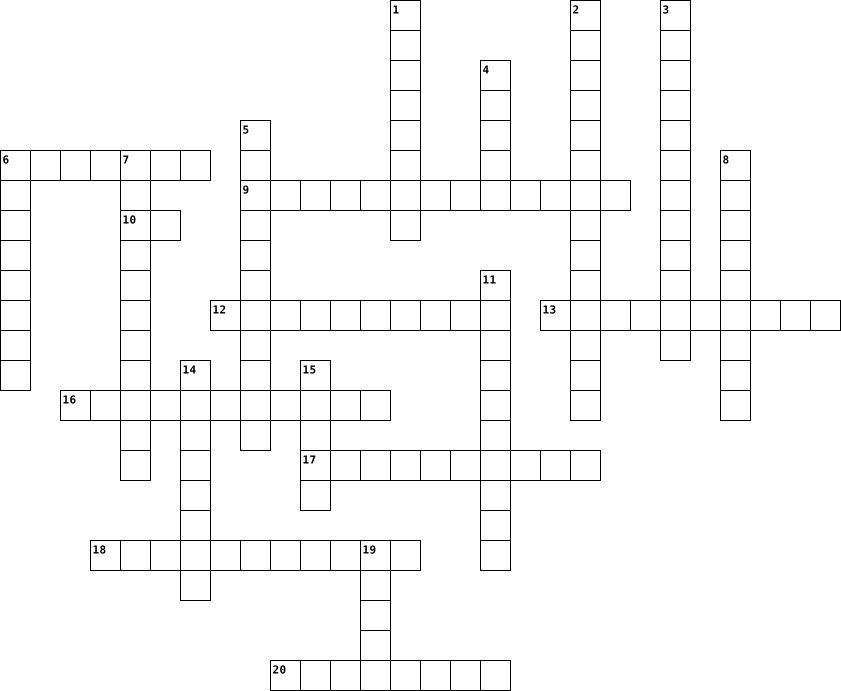
Across
- Nametag on the cell surface
- This blood clot happens when you mix the wrong blood types can lead to death
- Blood type that can receive all blood types
- White blood cells that start as a macromolecule
- The percent of blood to plasma
- Red blood cells
- Attacks parasites
- Platelets
- Inflammatory response/ blows up
Down
- Eats dead cells
- Hormone that stimulates red blood cell production
- A white blood cell without a grainy cytoplasm
- Blood type that can receive A and O
- This blood clot happens to forms scabs to prevent bleeding out
- Immunoprotein that circulates the body protecting you
- A white blood cell with a grainy cytoplasm
- White blood cells
- Types of white blood cells that is 60% of it and it neutralizes
- It determines in the blood is negative or positive
- Blood type that can receive B and O
- Blood type that can receive only O
21 Clues: Platelets • Eats dead cells • Red blood cells • White blood cells • Attacks parasites • Nametag on the cell surface • The percent of blood to plasma • Inflammatory response/ blows up • Blood type that can receive only O • Blood type that can receive A and O • Blood type that can receive B and O • A white blood cell with a grainy cytoplasm • Blood type that can receive all blood types • ...
System Software 2017-03-10

Across
- A utility program that allows organisations and people to take advantage of unused computer power over a network.
- First generation languages
- A program that allows you to compress files to a smaller size, so that it easier to send by email.
- Fourth generation languages
- Second generation languages
- Guards your computer system against viruses
- Set of programs controlling the computer hardware and acts as an interface with the application programs.
- Performs a specific task, that is related to managing a computer, its devices or its programs.
- Help the user in the creation, controlling development, usage and maintenance of databases of computer systems
- Fifth generation languages
Down
- Support the operations and management of computers.
- Interface that supplies drop-down menus from which you can access commands.
- Assigns multiples CPUs to execute different instructions from the same program simultaneously.
- Third generation languages
- Translates and executes one program source code statement at a time, as the program is running.
- A program that locates fragments of data files on the disk and restore them into fewer fragments.
- Converts a complete source code program into a machine language program that the computer can process in its entirety.
- Translates symbolic code written in assembler language into machine language.
- When you type keywords on the keyboard to enter data and instructions.
19 Clues: Third generation languages • First generation languages • Fifth generation languages • Fourth generation languages • Second generation languages • Guards your computer system against viruses • Support the operations and management of computers. • When you type keywords on the keyboard to enter data and instructions. • ...
test 2022-04-27

Across
- Audio
- all physical components of a computer
- Used for calculations
- the basic unit of information in computer storage and processing
- the conceptual model that defines the structure, behavior, and more views of a system
- is equal to 1,000 Terabytes
- instructions that tell a computer what to do
- can be stored in binary as bitmaps or vectors
- error or failure in a program
- the smallest unit of data in a computer
- Flash Memory devices
- a mechanism that enables a computer to retain data, either temporarily or permanently
- Need when there is not enough physical ram
- approximately 1,000 bytes
- RAM and ROM
Down
- it is a secondary storage is magnetic
- program to calculate
- 1,000,000 bytes or 1,048,576 bytes
- non-volatile
- the term used for computer matters that have an effect on the nature and culture of society
- a type of array that is one dimensional
- volatile
- it is a solid state storage type and it's secondary storage.
- the application of moral principles to the use of computers and the Internet
- one of a small set of data holding places that are part of the computer processor
- array of bits that specify the color of each pixel in a rectangular array of pixel.
- four binary digits or half of an eight-bit byte
- Location of short term data
- is additional data stored with the image to define the width, height, colour depth and colour palette
- it is a secondary storage and its optical
- Solid state, Optical and Magnetic
31 Clues: Audio • volatile • RAM and ROM • non-volatile • program to calculate • Flash Memory devices • Used for calculations • approximately 1,000 bytes • is equal to 1,000 Terabytes • Location of short term data • error or failure in a program • Solid state, Optical and Magnetic • 1,000,000 bytes or 1,048,576 bytes • it is a secondary storage is magnetic • all physical components of a computer • ...
test 2022-04-27

Across
- it is a secondary storage is magnetic
- one of a small set of data holding places that are part of the computer processor
- approximately 1,000 bytes
- Audio
- error or failure in a program
- the application of moral principles to the use of computers and the Internet
- it is a secondary storage and its optical
- RAM and ROM
- it is a solid state storage type and it's secondary storage.
- a type of array that is one dimensional
- Solid state, Optical and Magnetic
- can be stored in binary as bitmaps or vectors
- the smallest unit of data in a computer
- non-volatile
- Flash Memory devices
- 1,000,000 bytes or 1,048,576 bytes
- volatile
- a mechanism that enables a computer to retain data, either temporarily or permanently
Down
- the term used for computer matters that have an effect on the nature and culture of society
- Used for calculations
- the conceptual model that defines the structure, behavior, and more views of a system
- array of bits that specify the color of each pixel in a rectangular array of pixel.
- is equal to 1,000 Terabytes
- Location of short term data
- instructions that tell a computer what to do
- Need when there is not enough physical ram
- four binary digits or half of an eight-bit byte
- the basic unit of information in computer storage and processing
- program to calculate
- is additional data stored with the image to define the width, height, colour depth and colour palette
- all physical components of a computer
31 Clues: Audio • volatile • RAM and ROM • non-volatile • program to calculate • Flash Memory devices • Used for calculations • approximately 1,000 bytes • is equal to 1,000 Terabytes • Location of short term data • error or failure in a program • Solid state, Optical and Magnetic • 1,000,000 bytes or 1,048,576 bytes • it is a secondary storage is magnetic • all physical components of a computer • ...
Pengantar Teknologi Informasi 2022-10-07

Across
- the state or quality of being efficient.
- the main printed circuit board in general-purpose computers and other expandable systems
- a form of communication that uses a combination of different content forms such as text, audio, images, animations, or video into a single interactive presentation
- relating to or involving a program or routine of which a part requires the application of the whole
- a type of diagram that represents a workflow or process.
- logic programming language associated with artificial intelligence and computational linguistics
- the process of using computer technology to complete a given goal-oriented task.
- a plain language description of the steps in an algorithm or another system
Down
- best described as any physical component of a computer system
- a process or set of rules to be followed in calculations or other problem-solving operations, especially by a computer.
- a device that accepts text and graphic output from a computer and transfers the information to paper
- organized collection of structured information, or data, typically stored electronically in a computer system
- a set of things working together as parts of a mechanism or an interconnecting network
- collection of computers, servers, mainframes, network devices, peripherals, or other devices connected to allow data sharing
- What is a vast network that connects computers all over the world.
- raw fact
- found everywhere technology
- the ability to acquire and apply knowledge and skills.
- visual representation of something (type of data)
- the programs and other operating information used by a computer
20 Clues: raw fact • found everywhere technology • the state or quality of being efficient. • visual representation of something (type of data) • the ability to acquire and apply knowledge and skills. • a type of diagram that represents a workflow or process. • best described as any physical component of a computer system • ...
COMPILERS CSE(2353) TA-2(a) 2023-03-25

Across
- The lexical analyzer produces a list of ___ of output
- The state from where the automata starts is known as ____________
- Compiler can check ____ error.
- The initial phase of a compiler that analyzes the source code.
- The sequence of character in a source program matched with a pattern for a token is called
- Compiler should report the presence of _____ in the source program, in translation process.
- The process of converting high-level code to machine code.
- How many types of parser will be in compiler?
- How many parts of compiler are there?
- A program that converts assembly code to machine code.
Down
- Which data structure in a compiler is used for managing information about variables and their attributes?
- Which of the following is used for grouping of characters into tokens?
- In computer design _____ is used to obtain a rightmost derivation in reverse
- The lexical analyzer takes ____ as input.
- The phase of a compiler that generates machine code
- The action of parsing the source program into proper syntactic classes is called. Compiler can check ____ error.
16 Clues: Compiler can check ____ error. • How many parts of compiler are there? • The lexical analyzer takes ____ as input. • How many types of parser will be in compiler? • The phase of a compiler that generates machine code • The lexical analyzer produces a list of ___ of output • A program that converts assembly code to machine code. • ...
CRACKEN 2022-10-26

Across
- what is it called when people make fun of you online?
- Which company bought the popular video teleconferencing software “SKYPE”?
- A common boundary between two computer systems is known as
- range of divinatory practices
- eruption of lava from earth surface
- First page of website is termed as
- Which computer program converts assembly language to machine language
Down
- technology is used to record cryptocurrency transactions?
- Firewall in computer is used for ?
- 'JPG' extension refers usually to what kind of file?
- to connect internet from computer we need a
- ship of the desert
- ‘Do no evil’ is tag line of
- in computer world , trojan horse refers to
- time in history
15 Clues: time in history • ship of the desert • ‘Do no evil’ is tag line of • range of divinatory practices • Firewall in computer is used for ? • First page of website is termed as • eruption of lava from earth surface • in computer world , trojan horse refers to • to connect internet from computer we need a • 'JPG' extension refers usually to what kind of file? • ...
Internet Connections Terms 2022-03-23

Across
- Connecting to the Internet using light pulses over a fiber-optic cable network
- A desktop computer, mobile phone or tablet
- Connecting to the internet via satellite
- Is a computer program that indexes millions of sites on the Web so that users can easily find Web sites with the information they want
- Internet service provided by a cable company
- Software the communicates with a computer’s hardware (for example, Windows, Macintosh, Linux)
- Is a system of tools and services that enables us to access the information on the Internet
- Is a very large network of networks, it essentially hardware machines and data
- High-speed wireless connection for smartphones and other devices
Down
- Connecting to the Internet using a modem and a standard telephone line
- Protocol software used to communicate with the Internet and built into all major operating systems
- Directly connecting to an Internet Service Providers (ISP)
- A device used to connect other devices such as telephone to networks
- A number that uniquely identifies each computer
- A Web browser or other application used to access and display Web sites on a computer (for example, Chrome, Internet Explorer (Microsoft Edge)
- A technology that provides high-speed Internet connections using regular copper telephone lines
- End user’s computer
- A network that uses radio signals to provide Internet connections to wireless computer an devices
- Consists of servers
19 Clues: End user’s computer • Consists of servers • Connecting to the internet via satellite • A desktop computer, mobile phone or tablet • Internet service provided by a cable company • A number that uniquely identifies each computer • Directly connecting to an Internet Service Providers (ISP) • High-speed wireless connection for smartphones and other devices • ...
Favour Hardware Crossword Puzzle 2019-01-09

Across
- Internal storage areas in the computer.
- A silicon chip that contains a CPU.
- A phone that combines computing,telephone/fax, and networking features.
- Device Display screens, loudspeakers, and printers.
- Another term for display screen
- A magnetic disk on which you can store computer data.
- A device that controls the movement of the cursor or pointer on a display screen.
Down
- Printer A type of printer that utilizes a laser beam to produce an image on a drum.
- The set of typewriter-like keys that enables you to enter data into a computer.
- Read Only Memory; Memory that stores data and is a permanent part of the computer.
- The main circuit board of a microcomputer.
- to attach peripherals.
- Card An expansion board that enables a computer to manipulate and output sounds.
- Universal Service Bus; a type of port on the
- Devices A device that feeds data into a computer, such as a keyboard or mouse.
15 Clues: to attach peripherals. • Another term for display screen • A silicon chip that contains a CPU. • Internal storage areas in the computer. • The main circuit board of a microcomputer. • Universal Service Bus; a type of port on the • Device Display screens, loudspeakers, and printers. • A magnetic disk on which you can store computer data. • ...
Julia's Hardware Crossword 2019-01-10

Across
- Another term for display screen
- A device that can read text or illustrations printed on paper
- he set of typewriter-like keys that enables you to enter data into a computer.
- A magnetic disk on which you can store computer data.
- A device that controls the movement of the cursor or pointer on a display screen.
- The Central Processing Unit is the BRAIN of the computer
- A silicon chip that contains a CPU.
Down
- Internal storage areas in the computer.
- The physical components of the computer such as the monitor and system unit.
- High-speed memory used to store frequently used data so that is can be quickly retrieved by an application.
- Universal Service Bus; a type of port on the computer to attach peripherals.
- Display screens, loudspeakers, and printers.
- An expansion board that enables a computer to manipulate and output sounds.
- The main circuit board of a microcomputer.
- A phone that combines computing,telephone/fax, and networking features.
15 Clues: Another term for display screen • A silicon chip that contains a CPU. • Internal storage areas in the computer. • The main circuit board of a microcomputer. • Display screens, loudspeakers, and printers. • A magnetic disk on which you can store computer data. • The Central Processing Unit is the BRAIN of the computer • ...
CREATED BY Xiao SHI, TAKEN BY ____________. 2025-03-11

Across
- () is a short cable for connecting a computer to an RJ-45 jack or connecting a patch-panel port to a switch or hub.
- what runs from the work area's wall jack to the telecommunications closet and is usually terminated at a patch panel?
- A telecommunications closet that houses the cabling and devices for work area computers is referred to as an ()
- Cable() means putting RJ-45 plugs on a cable to make a patch cable or punching down cable wires into terminal blocks on a jack or patch panel.
- Another factor determining bandwidth is how bit signals are represented on the medium, a process called().
- () is what you plug an RJ-45 connector into when the computer is in a work area away from hubs and switches.
- what uses the 568B standard on one end and the 568A standard on the other end.
- the () houses servers, routers, switches, and other major network equipment and serves as a connection point for backbone cabling running between IDFs.
- Category 4 supports mainly 10BaseT Ethernet and 16Mbps token ring and is the first ANSI/TIA/EIA designation that labels cables as ().
- what provides connectivity to computer equipment in the nearby work area.
- () is the term for all the cables and connnectors tying a network together.
Down
- ()(or vertical cabling) interconnects IDFs and MDFs.
- what is where workstations and other user devices are located-in short, the place where people work.
- Another type of interference in copper wires is a form of EMI called().
- what comes in two types: unshielded and shielded (UTP and STP).
- An equipment room that's the connection point between IDFs is called()
- () specifies how cabling should be organized, regardless of the media type or network architecture.
- An RJ-45 connector often called an (), is most commonly used is patch cables, which are used to connect computers to switches and computers to RJ-45 wall jacks
- ()is a length of cable between two network devices, such as a NIC and a switch.
- Applies to traditional UTPphone cabling, which is designed to carry voice but not data. This cabling is there fore labeled as()。
20 Clues: ()(or vertical cabling) interconnects IDFs and MDFs. • what comes in two types: unshielded and shielded (UTP and STP). • An equipment room that's the connection point between IDFs is called() • Another type of interference in copper wires is a form of EMI called(). • what provides connectivity to computer equipment in the nearby work area. • ...
Anatomy of a computer 2021-02-08

Across
- Motherboards often have these integrated. If a motherboard does not have this or if you want better sound quality, you can buy it. Most of them attach to one of the mother board’s PCI slots.
- Many peripherals, such as MP3 players, modern printers, and PDAs require this. some devices are able to draw power from the computer in addition to data through it.
- you can use these to connect to different types of peripherals, including digital cameras and digital video cameras, they are also hot swappable.
- Though some newer mice and keyboards include USB cables, most require this. Manufacturers mostly color these purple and green.
- these slots let peripherals communicate quickly with the processor.
- older printers and scanners connect the device to it. USB and FireWire connections are quickly replacing these on most peripherals, including scanners and printers.
Down
- large pcb that that houses most of a computer's components and also directs data traffic to and from the appropriate devices.
- It acts as the brain of a computer. It is not visible when you open the case because it is covered by a heatsink which cool the processor.
- is also known as a com, and is much slower than new USB and FireWire ports.
- the motherboard manufacturer installs a basic OS in it. It activates when you turn on the computer and per-forms system check before starting the main OS, and also lets the processor communicate with the PC’s peripherals.
- It houses the graphic card which supplies the image to the monitor. These generally produce better quality images compared to generic integrated chips.
- it funnels power through each multicolored cable to each device.
- Is where the CPU stores temporary data relating open programs. When it reaches its capacity, it redirects the excess data to the hard drive. Usually, you can improve the performance of a computer by adding another
13 Clues: it funnels power through each multicolored cable to each device. • these slots let peripherals communicate quickly with the processor. • is also known as a com, and is much slower than new USB and FireWire ports. • large pcb that that houses most of a computer's components and also directs data traffic to and from the appropriate devices. • ...
Tissues 2025-09-17

Across
- ____ muscle is multinucleate and voluntary.
- ____ tissue has reticular, elastic, and collagen fibres. (Everything Bagel!)
- Simple ____ epithelium appears as small cubes in a single layer. Its function is secretion.
- adipose tissue is made up of ____.
- ____ muscle is involuntary and striated. It has intercalated discs.
- ____ are unspecialized and may differentiate to become other cells of the body. It is located in the stratum basale.
- ____ epithelium is ciliated and contains goblet cells. Its function is absorption.
- ____ is the study of tissues.
- This is one of the four types of tissues. It is excitable and can contract. There are three types of ____ tissue.
- ____ is a type of connective tissue with a hard matrix. Hint: “osteo”
Down
- ____ squamous epithelium appears as many layers. It can be keratinized or nonkeratinized.
- This tissue is known as a “bloody sponge”.
- This is one of the four types of tissues. It regenerates every 6 weeks.
- Simple ____ epithelium appear as a single layer of flat cells. It is found in the lungs and blood vessels.
- ____ epithelium is known as the respiratory epithelium. It has goblet cells.
- ____ muscle is non-striated and involuntary. It is located in the small intestine
- ____ epithelium is found in the urinary bladder. It can recoil and contract.
- ____ is a type of connective tissue in which the ECM is fluid.
- The conductive cell of ____ tissue is the neuron.
- This is one of the four tissue types. There is usually more matrix than cells in ____ tissue.
20 Clues: ____ is the study of tissues. • adipose tissue is made up of ____. • This tissue is known as a “bloody sponge”. • ____ muscle is multinucleate and voluntary. • The conductive cell of ____ tissue is the neuron. • ____ is a type of connective tissue in which the ECM is fluid. • ____ muscle is involuntary and striated. It has intercalated discs. • ...
tech term 3 2024-11-13

Across
- is a Unique identifier used to locate and recourse on the Internet a Vast network concept that connects laptops all over the world
- collection of websites found on this global network of computers
- Security system designed to prevent unauthorized access into or out of a computer network
- unique identifying numbeveryigned to every device connected to the internet
- read-only memory
- a computer code or program that is protected by law against copying, theft, or other use that the owner does not permit
- speaker and printer
- refers to any intrusive software developed by cybercriminals
- Most important part of a computer
- the gap between those who have access to technology, the internet, and digital literacy training and those who do not
- the process of protecting information or data by using mathematical models to scramble it so that only the parties with the key to unscramble it can access it.
- domain name system
- Family of wired computer networking technologies
- Input, Output and processing, and memory
- open-source software
- random access memory
- Data That is eight binary digits
- Installing into the device gets all of its information
- is a code
Down
- sore on your laptop of in the iCloud
- Copy is control C and paSTE IS CONTROL v
- Keyboard and mouse
- a computer-generated environment with scenes and objects that appear to be real, making the user feel they are immersed in their surroundings
- Smallest unit of data
- Software is the set instructions and hardware is the physical part of the computer
- Computer cookies are small files, often iidentifiersnique identifers, that web servers send to browsers
- Reset
- data storage device
- Google and Bing
- Google Chrome, Microsoft Edge
- Central Processing unit
- main circuit board in a computer system
- any data that could potentially identify a specific individual
- Portable document format
- is a unit of data capacity that is equal to 1,000,000 bytes in decimal notation or 1,048,576 bytes in binary notation
- a computer or system that provides resources, data, services, or programs to other computers, known as clients, over a network
- a frequently updated web page used for personal commentary or business content
- hypertext markup language
38 Clues: Reset • is a code • Google and Bing • read-only memory • Keyboard and mouse • domain name system • data storage device • speaker and printer • open-source software • random access memory • Smallest unit of data • Central Processing unit • Portable document format • hypertext markup language • Google Chrome, Microsoft Edge • Data That is eight binary digits • Most important part of a computer • ...
ccompute 2021-03-12

Across
- It was the component of first generation computers
- is an example of output
- is the collection of unorganized facts
- It was an example of a third generation computer
- THEY WERE components of the fourth generation computers
- have examples like; keyboard joystick, scanner
- replaced vacuum tubes
- is the biggest and most powerful computer
Down
- is the smallest computer
- is also called a notebook computer
- Replaced vacuum tubes
- turns data into information
- it is an example of a first generation computer
- acronym of the component for third generation computers
- it was one of the languages used for instruction in third generation computers
15 Clues: Replaced vacuum tubes • replaced vacuum tubes • is an example of output • is the smallest computer • turns data into information • is also called a notebook computer • is the collection of unorganized facts • is the biggest and most powerful computer • have examples like; keyboard joystick, scanner • it is an example of a first generation computer • ...
Cyber 2019-02-11

Across
- Cell phone, computer and other mobile device users—often teens and ‘tweens’—create and exchange provocative messages and nude, sexual images of themselves using their cell phone’s built-in digital camera and text messaging capabilities
- A method of sending short messages (also called SMS) between mobile phones and other computer-enabled devices
- Any unsolicited e-mail, or junk mail
- A wide variety of software installed on people’s computers, which collects information about you without your knowledge or consent and sends it back to whoever wrote the program
- A hostile, strongly worded message that may contain obscene language
- Any Internet-related illegal activity
- Methods individuals use to track, lure, or harass another person online
- In this crime, someone obtains the vital information (e.g., credit card, social security number, bank account numbers) of another person, usually to steal money
- A diary or personal journal kept on a website
- To send information from your computer to another computer
- Online communities, also known as social networks, where people share information about themselves, music files, photos, etc
- stands for malicious software or code, which includes any harmful code—trojans, worms, spyware, adware, etc.—that is designed to damage the computer or collect information
- A tracking feature of Internet browsers that shows all the recent websites visited
- A security system usually made up of hardware and software used to block hackers, viruses, and other malicious threats to your computer
- The name a user selects to be identified on a computer, on a network, or in an online gaming forum
Down
- To upload information to the Web
- A program, or set of instructions, that runs on a computer
- A type of online fraud, where someone tries to trick the victim into revealing sensitive details, such as a username, password, or credit card details by masquerading as a trustworthy entity in electronic communication
- To copy a file from one computer system to another via the Internet
- A location online that allows multiple users to communicate electronically with each other in real time
- A form of malicious code that displays unsolicited advertising on your computer
- “Live” time; the actual time during which something takes place
- computers maintain a record of all website visits and e-mail messages, leaving a trail of the user’s activity in cyberspace
- Willful and repeated harm inflicted through the medium of electronic text
- Refers to virtual sexual encounters between two or more persons
- Rules or manners for interacting courteously with others online
- A piece of information about your visit to a website that some websites record automatically on your computer
- Software that attempts to block malicious programs from harming your computer
- A secret word or number that must be used to gain access to an online service
- A self-replicating software program that typically arrives through e-mail attachments and which multiplies on the hard drive, quickly exhausting the computer’s memory
30 Clues: To upload information to the Web • Any unsolicited e-mail, or junk mail • Any Internet-related illegal activity • A diary or personal journal kept on a website • A program, or set of instructions, that runs on a computer • To send information from your computer to another computer • “Live” time; the actual time during which something takes place • ...
Masons Crossword puzzle 2022-11-22

Across
- Anything that has to be used for a computer to function such as Mize, Keyboards, Monitor, and Printers.
- the cloud is the internet.
- Basically, a very organized column of information or data that was electronically stored in a computer system.
- an output device that displays information in pictorial or a textual form. Monitors visually display support to electronics.
- internet is a global computer network, providing lots of information and ideas, anything you look up it could give millions of ideas and ideas around your question.
- The term “phishing” is often use to identify people who browse the internet trying to get people to unknowingly disclose personal information about themselves.
- A USB is a flash drive that you can use for communication and power supplies between devices, so computers and peripherals(keyboard and other accessories.
- When a person goes on a website, they might be asked to accept cookies. Cookies are files that are created by the website that you are on. Cookies make your online experience easier by saving your browsing information.
- WIFI is a wireless technology that is used to connect computer, tablets, smartphones and lots of other devices to the internet.
- web browser is a software for accessing the internet, creating a web page, the web page can be used as a search engine.
- A smartphone a cellular telephone with an integrated computer and other features not originally associated with telephone such as operating system.
- A Chromebook is a type of computer designed by google for a affordable option for a computer.
- RAM is a shooter term memory chip. This can store working data and some code. "this can be read and change in any order.
- A CPU takes instructions and performs calculations. It is takes its instructions from the RAM, decodes its task, then follows or calculates the instruction.
Down
- A part of a computer system or network intended to prevent unwanted access while allowing outbound communication.
- A search engines is a tool used mainly for locating specific websites on the World Wide Web that searches for and finds objects in a database that match to keywords or characters given by the person operating the computer.
- Operating system is a program that, after being installed on the computer manages all of the other application programs on a computer.
- Software it the set of instructions that the computer runs on. The software has the data saved. Software is the opposite of hardware.
- a catfish is a person online that pretends to be someone they are not.
- an electronic device that can store data combination device for modulation, for example it connects to computers, phones, and smart TVs.
- The term “Hard Drive” is typically the short form for “Hard Disk Drive.” This is where the data in a computer is located and stored. It reads and writes data, and stores information even when the power supply is turned off.
- stamp A time stamp is a record of the time or date.
- A panel of lettered, numbered, or symbolled keys in rows, a keyboard allows you to write and type words or search things on the internet.
- A desktop computer is a personal computer that is made to stay in one place and has a pc.
- computers, also known as notebooks, are portable computers that you can take with you and use different environments. They include a screen, keyboard and a trackpad or a trackball, which serves as the mouse. Because laptops are meant to be used on the go.
25 Clues: the cloud is the internet. • stamp A time stamp is a record of the time or date. • a catfish is a person online that pretends to be someone they are not. • A desktop computer is a personal computer that is made to stay in one place and has a pc. • A Chromebook is a type of computer designed by google for a affordable option for a computer. • ...
FI A 25 2023-04-20

Across
- a small knob that when pushed operates something
- the main printed circuit board within a computer
- a computer's short-term memory, where the data that the processor is currently using is stored
- a specialized processor originally designed to accelerate graphics rendering
- a device that accepts text and graphic output from a computer and transfers the information to paper
- an external audio output device
- component of a computer system that controls the interpretation and execution of instructions
Down
- an electronic visual computer display
- a panel of keys that operate a computer
- enclosure that contains most of the hardware of a personal computer
- movable device that lets you control a range of things on a computer
- an internal or external device that connects directly to a computer
- storage device
13 Clues: storage device • an external audio output device • an electronic visual computer display • a panel of keys that operate a computer • a small knob that when pushed operates something • the main printed circuit board within a computer • enclosure that contains most of the hardware of a personal computer • ...
Computer Systems 2012-09-13

Across
- Name a device which has an embedded system?
- What is the main circuit board in a computer?
- Name a non-printing character?
- What uses a LCD/TFT for a monitor?
- Name another computer system?
- What type of computer does a big business use?
- What is the clock speed of a palmtop measured in?
- does TFT stand for?
- Name a common output device?
- Name another backing storage device?
- Name the part of main memory that is deleted when the computer is turned off?
- What is one thousand & twenty four gigabytes?
Down
- What is another way to measure clock speed?
- Name the other part of main memory?
- What does pda stand for?
- What is one thousand & twenty four terabytes?
- Name a type of backing storage?
- Name a common input device?
- Name another output device?
- Name the part of the processor which has temporary storage locations?
20 Clues: does TFT stand for? • What does pda stand for? • Name a common input device? • Name another output device? • Name a common output device? • Name another computer system? • Name a non-printing character? • Name a type of backing storage? • What uses a LCD/TFT for a monitor? • Name the other part of main memory? • Name another backing storage device? • ...
Business Review 2014-06-09

Across
- An animation that determines how an object move around a slide
- A device that accepts input, processes data, produces output
- prewritten formulas
- Brain of computer
- The state of one object being near one another
- Combination of a column coordinate and a row coordinate
- Provides attractive backgrounds for your PowerPoint slides
- The main interface for Microsoft word; has 4 parts
- A type of orientation that has a longer width than length
- Processing Unit "the brains of the computer"
Down
- Disk Small, portable, round, device used for storing information
- Most powerful computers made
- Displays information on a screen
- To repeat or do again
- Electronic instructions that tells the computer what to do
- Converts a computer's digital data into analog waves
- Computer's main memory
- A tab that displays text contained in your presentation T
- Physical components of a computer
- Protects electronic components inside
20 Clues: Brain of computer • prewritten formulas • To repeat or do again • Computer's main memory • Most powerful computers made • Displays information on a screen • Physical components of a computer • Protects electronic components inside • Processing Unit "the brains of the computer" • The state of one object being near one another • The main interface for Microsoft word; has 4 parts • ...
ITT Newsletter 2016-06-08

Across
- An equipment to detect explosives underground; also the name of a class computer game on Windows.
- ___ is the National Hot Dog Month in USA
- A collective term for various types of activities used to enhance social relations and define roles within teams, often involving collaborative tasks.
- Safra Yishun is home to Singapore’s largest and best-equipped internationally-endorsed indoor ___ range.
Down
- Everything is ____!
- the organizers of this activity
- the world’s largest mammal
- is the venue of Safra Adventure Sports Centre
8 Clues: Everything is ____! • the world’s largest mammal • the organizers of this activity • ___ is the National Hot Dog Month in USA • is the venue of Safra Adventure Sports Centre • An equipment to detect explosives underground; also the name of a class computer game on Windows. • ...
Tech Concepts #4 2016-10-24

Across
- common connection point is a hardware device
- something that leads to identity theft and credit card fraud
- the practice of using a network of remote servers
- an advantage of a partitioned hard drive
- a person utilizing technology in order to engage society, politics, and government participation
- programs that are dedicated to managing the computer
- the activity of defrauding an online account holder of financial information
- device that connects devices together
- a hardware device
- two or more PC'S are connected and share resources without going through a separate server computer
- desktop or computer terminal
- the study or use of systems for storing, retrieving, and sending information
Down
- moving parts
- information threats
- device that forwards data packets
- one way to protect a network from hackers
- the IP address
- no moving parts
- a relentless replicate that infects your computer
- downloads ads when a user is online
20 Clues: moving parts • the IP address • no moving parts • a hardware device • information threats • desktop or computer terminal • device that forwards data packets • downloads ads when a user is online • device that connects devices together • an advantage of a partitioned hard drive • one way to protect a network from hackers • common connection point is a hardware device • ...
Lesson 24 Vocab Crossword 2016-04-19

Across
- Expert computer user who invades someone else's computer either for personal gain or simply for the satisfaction of being able to do it.
- A computer that uses the services of another program
- A junction where information arrives from connected computers or peripheral devices and is then forwarded in one or more directions to other computers and devices.
- security measures A type of security measures where it matches a biometric entry originally stored in the system to gain access to a secure area.
- The largest network used as a communication tool.
- area network (LAN) A series of connected personal computers, workstations, and other devices, such as printers or scanners, within a confined space, such as an office building.
- Line A type of fiber-optic telephone line that can transmit up to 1.544 megabits per second or can be used to transmit 24 digitized voice channel.
- A recent wireless technology that can deliver maximum speeds of up to 7 Mbps to your cell phone, home computer, or car. Stands for Worldwide Interoperability for Microwave Access.
- network Computer configuration in which one or more computers on the network acts as a server
- subscriber line (DSL) An Internet connection technology that provides for the transfer of information to a computer at a high-speed bandwidth over ordinary copper telephone lines.
- Operating System High-end programs designed to provide network control and include special functions for connecting computers and other devices into a network.
Down
- A device on the network.
- A combination of hardware and software that creates a buffer between an internal network and the Internet to prevent unauthorized access.
- A network designed for the exclusive use of computer users within an organization that cannot be accessed by users outside the organization.
- network Computer architecture in which all of the computers on a network are equal and there is no computer designated as the server.
- A device that directs traffic on a network by dividing data into smaller packets that travel by different routes and then are reassembled at their destination.
- Switched Telephone Network (PSTN) The world's collection of interconnected commercial and government-owned voice-oriented systems.
- channels Link from one computer to another through which data can be transmitted.
- A network configuration that allows selected outside organizations to access internal information systems.
- LAN (WLAN) A variation of a LAN that uses no physical wires.
- Communications hardware device that facilitates the transmission of data.
- area network (WAN) Computer network that covers a large geographical area. Most WANs are made up of several connected LANs.
- modem A device that uses coaxial cable to send and receive data.
- server A server that acts as an intermediary between a user and the Internet.
24 Clues: A device on the network. • The largest network used as a communication tool. • A computer that uses the services of another program • LAN (WLAN) A variation of a LAN that uses no physical wires. • modem A device that uses coaxial cable to send and receive data. • Communications hardware device that facilitates the transmission of data. • ...
Coding crossword 2016-02-09

Across
- identify and remove errors.
- a label to which a value can be assigned.
- the ordered steps in a program.
- a collection of numbers and facts before they are processed to become information.
- what data becomes after they are organised.
- a subset of a program that does a particular thing.
- a sequence of instructions written in a code that a computer can understand and put into action.
- having your computer complete a task.
- can be either the device a computer uses to give you information or the actual information itself
Down
- the ordered steps in a program.
- another name for a virus in your computer.
- an accurate representation of a real life activity.
- when you break a problem down into sections in order to be able to solve it more easily.
- when something happens only on condition something else happens first.
- a sequence of instructions for successfully carrying out a task.
- using blocks to solve a problem.
- tells the computer what to do with inputs values and variables.
- the number or word we give to a variable.
- can be either the device you use to interact with a computer or an instruction in a program to key in words or numbers using one of those devices.
- a process which repeats itself.
20 Clues: identify and remove errors. • the ordered steps in a program. • the ordered steps in a program. • a process which repeats itself. • using blocks to solve a problem. • having your computer complete a task. • a label to which a value can be assigned. • the number or word we give to a variable. • another name for a virus in your computer. • ...
Coding vocabulary 2016-02-08

Across
- a collection of numbers and facts before they are processed to become information.
- using blocks to solve a problem.
- a sequence of instructions written in a code that a computer can understand and put into action.
- can be either the device you use to interact with a computer or an instruction in a program to key in words or numbers using one of those devices.
- a label to which a value can be assigned.
- the number or word we give to a variable.
- a subset of a program that does a particular thing.
- when something happens only on condition something else happens first.
- an accurate representation of a real life activity.
- having your computer complete a task.
Down
- identify and remove errors.
- a process which repeats itself.
- tells the computer what to do with inputs values and variables.
- when you break a problem down into sections in order to be able to solve it more easily.
- the ordered steps in a program.
- what data becomes after they are organised.
- the ordered steps in a program.
- another name for a virus in your computer.
- a sequence of instructions for successfully carrying out a task.
- can be either the device a computer uses to give you information or the actual information itself.
20 Clues: identify and remove errors. • a process which repeats itself. • the ordered steps in a program. • the ordered steps in a program. • using blocks to solve a problem. • having your computer complete a task. • a label to which a value can be assigned. • the number or word we give to a variable. • another name for a virus in your computer. • ...
Macronutrients 2021-10-13
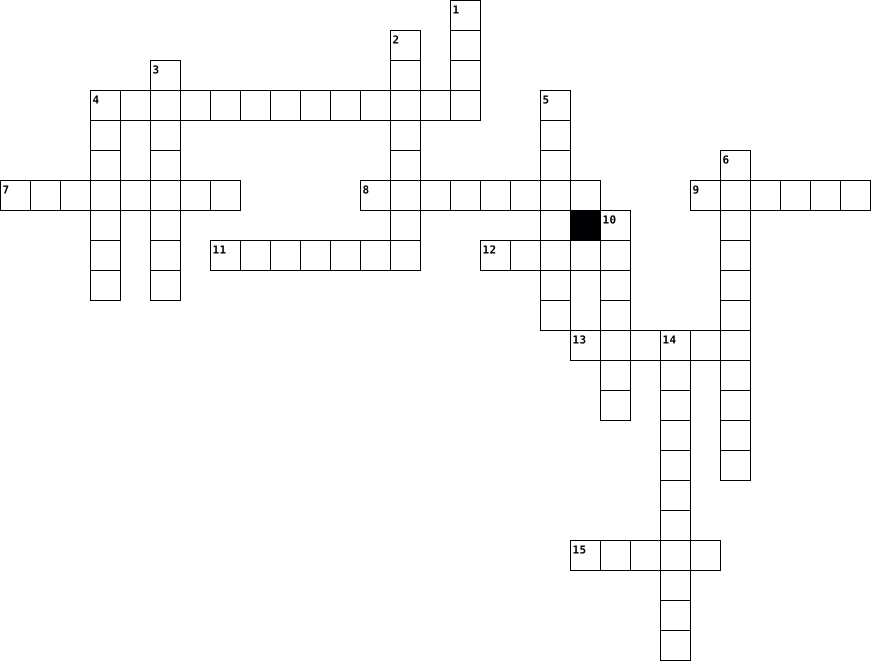
Across
- The two types are simple and complex
- Meat, fish, and poultry are sources of ____ proteins.
- Blurry vision and wounds won't heal
- Carbohydrates give you______.
- The small intestine _______ nutrients
- Heavy and painful chest are symptoms of _____ disease.
- Night sweats, blood in poo or pee
- A plant material your body cannot completely digest
Down
- The two types are saturated and unsaturated
- Chemical mixtures found in many types of foods
- Substances the body uses to buid new cells and repair injured ones
- ______ carbohydrates come from grains
- Substances necessary for the maintenance of life and good health
- Good fats
- Breaks down food using acid
- Fat like substances that helps the body carry out its many processes
16 Clues: Good fats • Breaks down food using acid • Carbohydrates give you______. • Night sweats, blood in poo or pee • Blurry vision and wounds won't heal • The two types are simple and complex • ______ carbohydrates come from grains • The small intestine _______ nutrients • The two types are saturated and unsaturated • Chemical mixtures found in many types of foods • ...
How GEEK are You? 2013-05-17

Across
- Micro-blogging social networking website.
- Online digital storytelling website.
- This piece of the computer keeps it from overheating.
- The screen on which the computer's images are displayed.
- The name for the pieces that make up the physical computer.
- Social media website you cannot legally join before age 13.
- The name for the programs that run on the computer, like Microsoft Word.
- The name of the TES Technology Club.
- Piece of the computer that you type on.
Down
- The world's most popular search engine.
- The resource you visit to come to Geek Squad.
- Without this network, we couldn't visit any websites or do work online.
- A word for when two or more people work together, like on Storybird.
- The people that automatically receive your updates on Twitter are called __________.
- According to our video, Mark Zuckerberg thinks that every student should learn how to write computer _____.
- Google, and other search websites, are commonly called 'search _________'.
- The day of the week that Geek Squad meets.
- Electronic mail that is delivered through the computer.
18 Clues: Online digital storytelling website. • The name of the TES Technology Club. • The world's most popular search engine. • Piece of the computer that you type on. • Micro-blogging social networking website. • The day of the week that Geek Squad meets. • The resource you visit to come to Geek Squad. • This piece of the computer keeps it from overheating. • ...
Computers 2025-03-11

Across
- A device that you use to control a game (not: mouse and keyboard).
- A bar with all programs that are opened on your computer.
- Full name of: an app.
- Headphones + a microphone.
- A security system that protects a computer or a network.
- A device that is used to show a game or a film on a wall or other surface.
- A piece of hardware that all other hardware is plugged into.
- Your works, finished projects that you can show to other people.
- A type of document mostly used for calculations.
Down
- Without cables.
- It is a problem, an error in a computer program.
- Devices that you plug into your computer, e.g. a monitor or a mouse.
- A device that you use for printing documents.
- A group of computers connected together.
- A computer game in which you use blocks to build things.
- Programs that you do not have to pay for.
- It is a program that you use to surf the Internet.
- A computer that opens like a book.
18 Clues: Without cables. • Full name of: an app. • Headphones + a microphone. • A computer that opens like a book. • A group of computers connected together. • Programs that you do not have to pay for. • A device that you use for printing documents. • It is a problem, an error in a computer program. • A type of document mostly used for calculations. • ...
Computer Crossword 2017-06-17

Across
- Where storage can be backed up
- All data on a computer
- person using the computer
- Used to record voices and sounds
- collection of instructions that performs a specific task
- telecommunications network which allows nodes to share resources
- Used to communicate with other computers
- The type of clocks with numbers instead of hands
- Similar to a photocopier
- where power or information enters a system
Down
- the physical surface on which visual information is presented. This surface is usually made of glass
- To organize files
- A panel of letters and numbers to type on a computer
- Putting text or picture onto paper
- A part that can be attached to the computer
- Used to move the cursor
- To make sounds louder
- short for modulator-demodulator
- A unit of memory space
- a place where power or information leaves a system
- Where the memory is stored
21 Clues: To organize files • To make sounds louder • All data on a computer • A unit of memory space • Used to move the cursor • Similar to a photocopier • person using the computer • Where the memory is stored • Where storage can be backed up • short for modulator-demodulator • Used to record voices and sounds • Putting text or picture onto paper • Used to communicate with other computers • ...
DIT assignment - Noah 2017-06-11

Across
- telecommunications network which allows nodes to share resources
- the physical surface on which visual information is presented. This surface is usually made of glass
- A unit of memory space
- A part that can be attached to the computer
- Used to move the cursor
- To make sounds louder
- Putting text or picture onto paper
- To organize files
- where power or information enters a system
- Where storage can be backed up
Down
- All data on a computer
- A panel of letters and numbers to type on a computer
- Where the memory is stored
- Used to record voices and sounds
- Used to communicate with other computers
- collection of instructions that performs a specific task
- person using the computer
- Similar to a photocopier
- The type of clocks with numbers instead of hands
- short for modulator-demodulator
- a place where power or information leaves a system
21 Clues: To organize files • To make sounds louder • All data on a computer • A unit of memory space • Used to move the cursor • Similar to a photocopier • person using the computer • Where the memory is stored • Where storage can be backed up • short for modulator-demodulator • Used to record voices and sounds • Putting text or picture onto paper • Used to communicate with other computers • ...
Computer Crossword 2017-06-12

Across
- Where storage can be backed up
- Putting text or picture onto paper
- telecommunications network which allows nodes to share resources
- To make sounds louder
- Where the memory is stored
- A part that can be attached to the computer
- a place where power or information leaves a system
- Similar to a photocopier
- All data on a computer
- Used to move the cursor
Down
- To organize files
- where power or information enters a system
- A panel of letters and numbers to type on a computer
- Used to communicate with other computers
- The type of clocks with numbers instead of hands
- Used to record voices and sounds
- collection of instructions that performs a specific task
- A unit of memory space
- the physical surface on which visual information is presented. This surface is usually made of glass
- short for modulator-demodulator
- person using the computer
21 Clues: To organize files • To make sounds louder • A unit of memory space • All data on a computer • Used to move the cursor • Similar to a photocopier • person using the computer • Where the memory is stored • Where storage can be backed up • short for modulator-demodulator • Used to record voices and sounds • Putting text or picture onto paper • Used to communicate with other computers • ...
Mahirs crossword puzzle 2022-10-17

Across
- runs on Apple computers
- Ctrl+Z
- Uses a phone line for a connection
- the refresh rate of a monitor (usually what gamers look for when buying a monitor)
- long term storage
- a monitor and speaker are the opposite of an input
- made up of 1’s and 0’s
- Keyboards and mice are the opposite of output
- used in a single location to access common filesor print
- connects via the modem
- for graphics and video output
- provides power to the components in your computer
- Ctrl+V
Down
- the hotspot on your phone
- American Standard Code for Information Interchange
- mask your IP address
- Ctrl+U
- all the components connect to it
- main piece of software that runs on a computer
- malicious software that takes over your computer
- It’s the main output of a computer
- Ctrl+C
- short term storage
23 Clues: Ctrl+U • Ctrl+Z • Ctrl+C • Ctrl+V • long term storage • short term storage • mask your IP address • made up of 1’s and 0’s • connects via the modem • runs on Apple computers • the hotspot on your phone • for graphics and video output • all the components connect to it • Uses a phone line for a connection • It’s the main output of a computer • Keyboards and mice are the opposite of output • ...