
types of computer Crossword Puzzles
Computer 2014-11-08

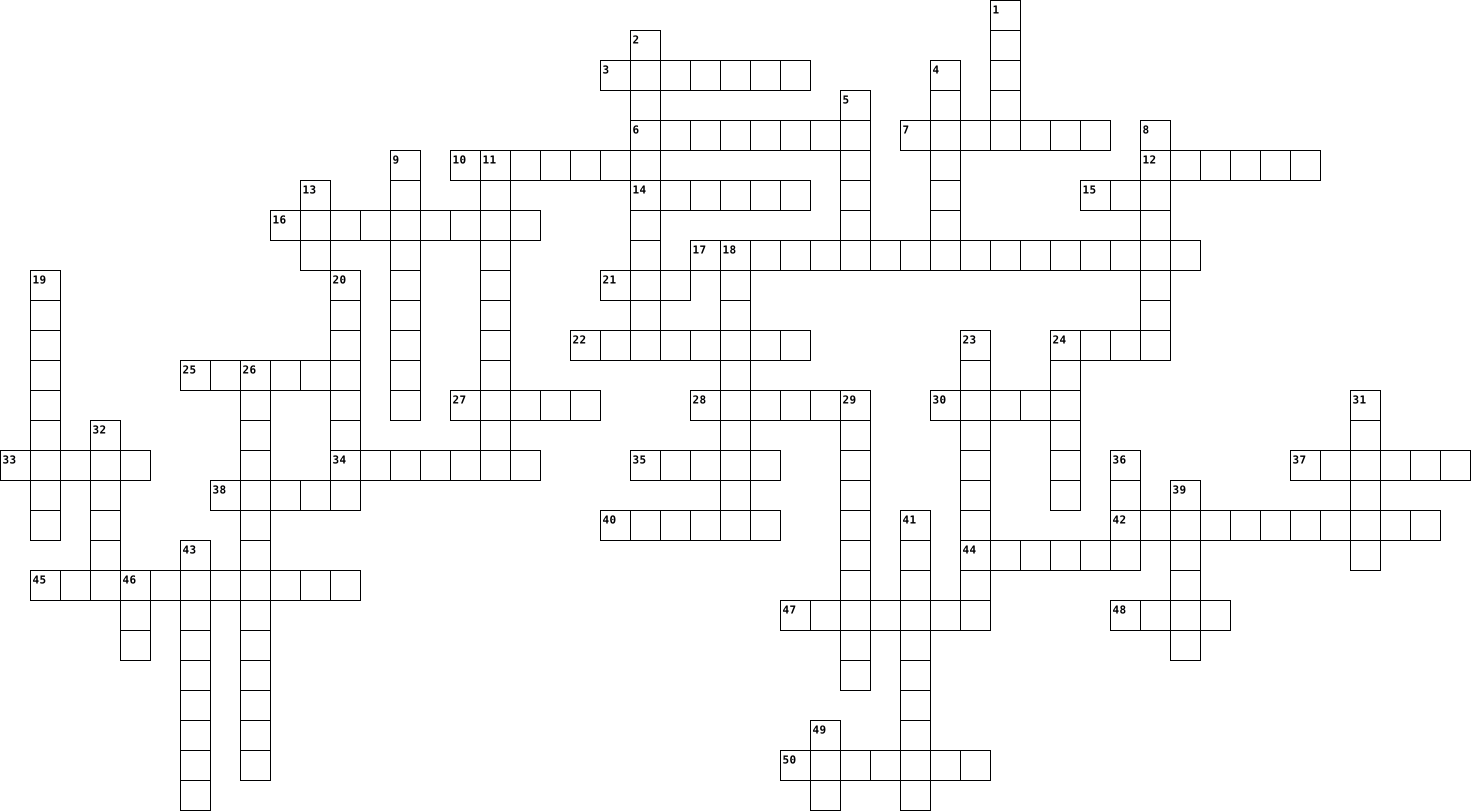
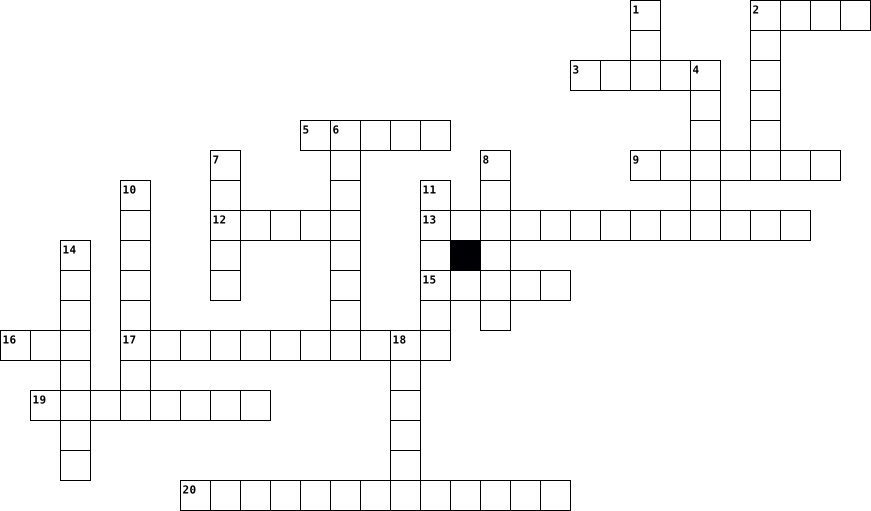
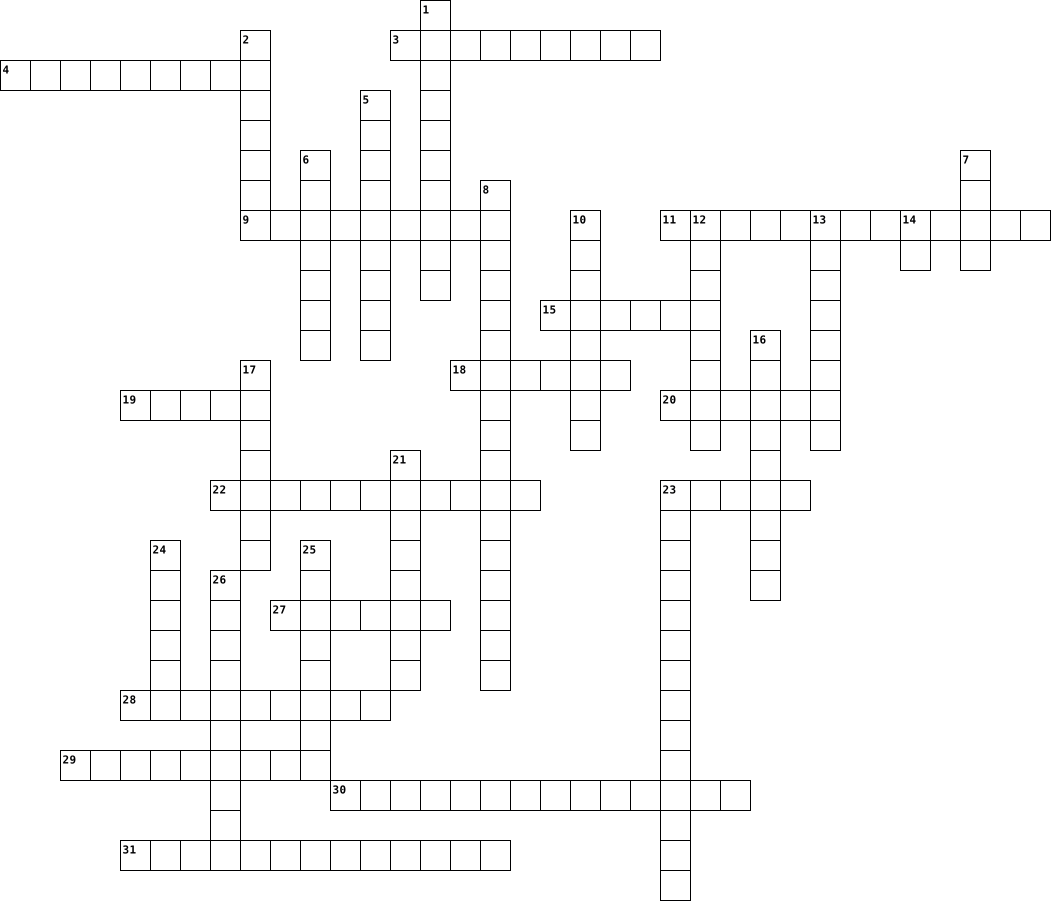
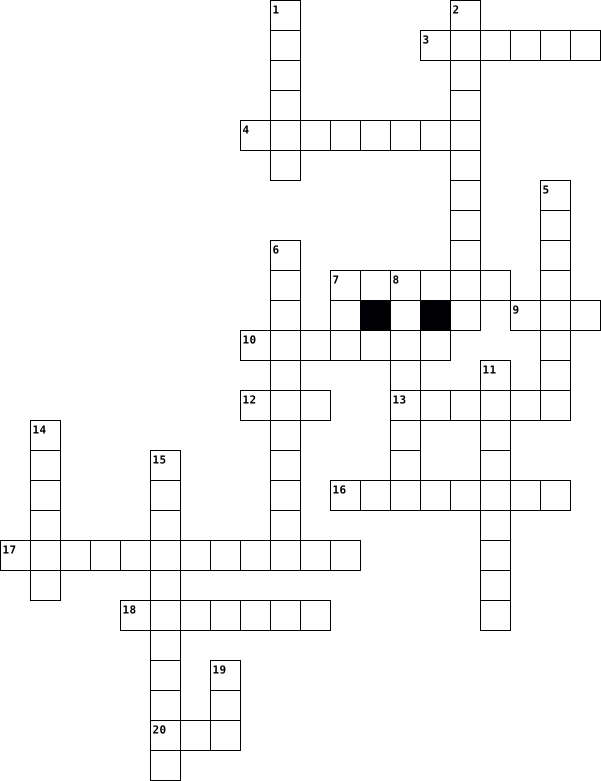
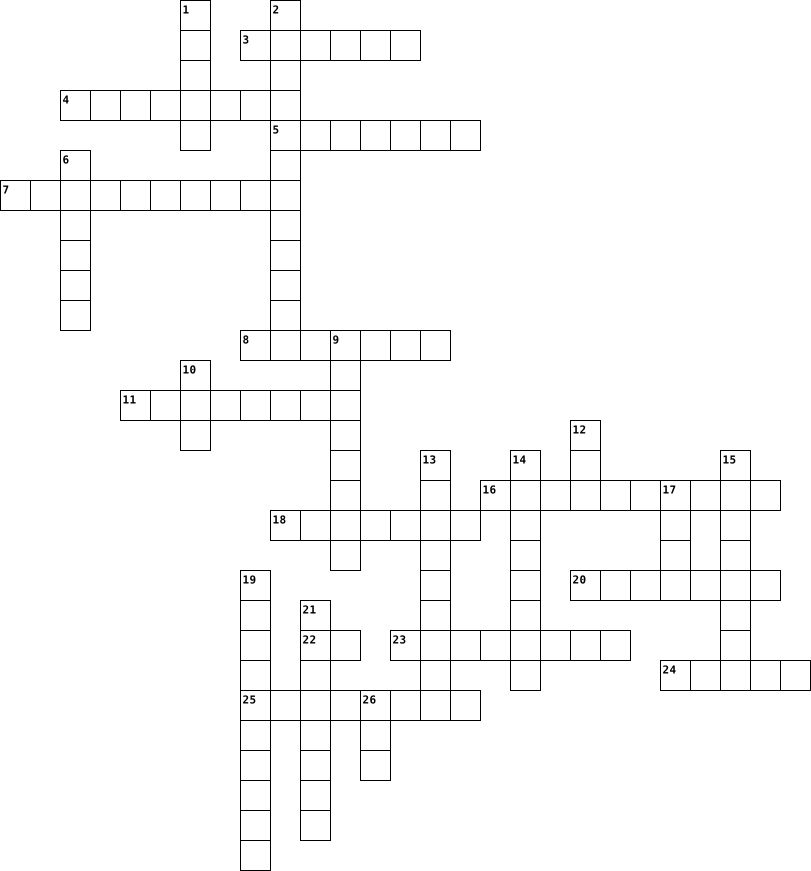
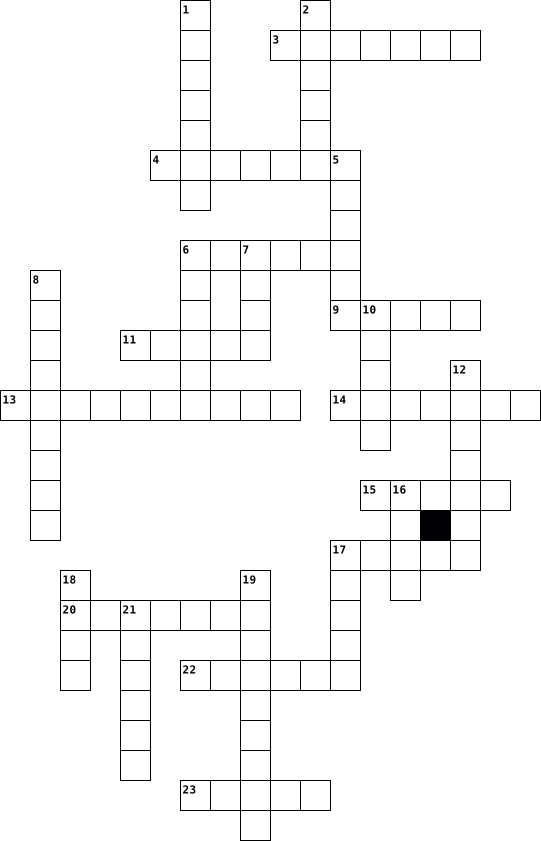
Across
- data values for every column stored in rows
- collection of elements and procedures
- refers to a single electronic document found in WWW
- main controlling program of PC
- performs fundamental services like security and identification
- list of information that isn’t necessarily related to any other list on database
- a C2C website that specialize in buying and selling of handmade and vintage items
- most common type of enterprise wide system
- when two or more network are mixed together
- coputer program built-in to PC’s hardware
- storehouse for collection of computerized data files
- standard set of specifications for internet application that run on handheld wireless device
- trusted third party organization or company that issues digital certificate
- smallest portable storage device
- relies on use of wireless device
- a type of printer that prints across papers, that leaves dots on papers
- one of the two major objectives of system analysis
- ongoing process, beginning when system is fully implemented and continuing until end of system file
- convenient way of sending electronic messages
- also known as desktop camera
- statement used to retrieve data from a table
- contains multiple webpage, first page usually serving as homepage
- ensures that only unique values can be assigned in each row for that field
Down
- component that supplies power to computer
- statement used for updating data in existing files
- one of the three broad classes of users
- statement used for deleting data in existing files
- program that enable people to perform everyday task accurately and proficiently
- focus on specifying what system will look like
- instructs the hardware of PC to do its work
- identifier for computer on device in a TCP/IP network
- basic requirement for internet access that includes an account with an ISP, computer, Internet application software, modem etc.
- used to secure sensitive data
- relationship between programs running on separate machines in computer network
- people who uses information system for strategic decisions
- large wide area network created by US department of defense in 1969
- main input device for computers
- integrate entire company or enterprise
- disk drive reads information from very thin disk called floppy disk
- small, high-speed memory are placed between processors and system memory
- normally made of characters or labels that is usually separated by dots.
- main output device of computer
- short for modulator demulator
- standard interactive programming language for getting information from and updating to a database
- program that searches document for particular keyword and returns list of documents
- brain of computer
- where B2B, B2C, C2C and e-commerce is used that includes couponing
- simplifies sharing of information
- translate movement of plastic stick into electronic info that the computer can process
- removable storage device that securely stores computer data magnetically
- single website that offers many products and services at one internet location
- customers can check balances of their savings, checking and loan accounts
52 Clues: brain of computer • also known as desktop camera • used to secure sensitive data • short for modulator demulator • main controlling program of PC • main output device of computer • main input device for computers • smallest portable storage device • relies on use of wireless device • simplifies sharing of information • collection of elements and procedures • ...
Computer 2014-11-11
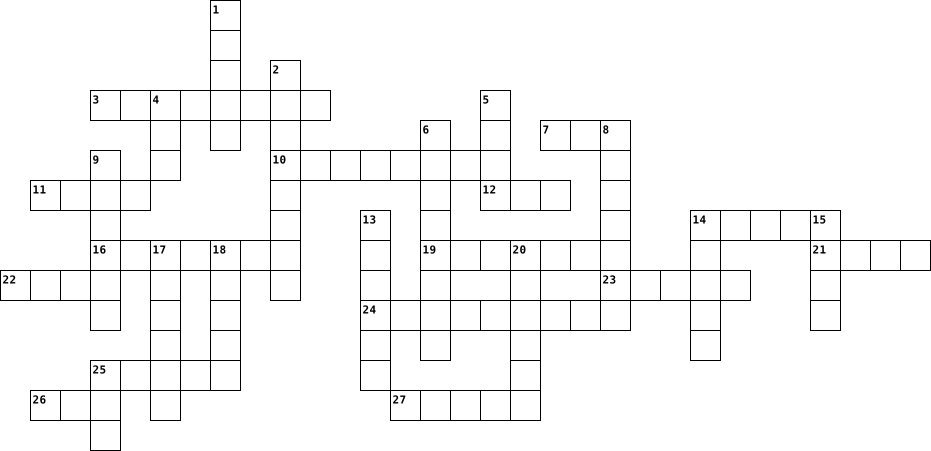
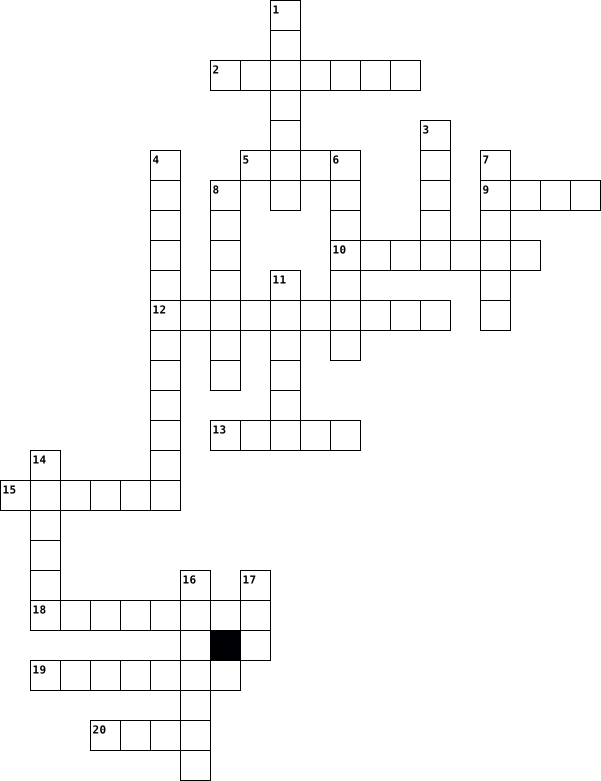
Across
- Visual display for computers
- A method of trading securities electronically
- A type of key designated to uniquely identify all table records
- A device that optically scans images
- A type of printer spraying ink at a sheet of paper.
- ____Buses
- Wireless Application Protocol
- An internal computer expansion card that facilitates economical input and output of audio signals
- to the use of the Internet and digital media capabilities to help sell your products or services
- Central Processing Unit
- Set of typewriter-like keys used to enter data into a computer
- A collection of records
- Used to take pictures
- A component that transparently stores data
- ______Sockets Layer
- A collection of related data held in a structured format within a database.
- A type of printer that utilizes a laser beam to produce an image
- Used to amplify sound
- Modulator-Demodulator
- A video camera that feeds or streams its image in real time to or through a computer to computer network
- Mickey
- Edit existing entries
- A form of marketing communication used to encourage, persuade, or manipulate an audience
- Create or add new entries
- The main circuit board inside a computer that connects the different parts of a computer together
- This type of exchange is not public
- Basic Input/Output System
- Connects a computer to a network, whether local or foreign.
Down
- Compact Disc, read-only-memory
- An electronic device that supplies electric energy to an electrical load
- A type of key that uniquely identifies a row of another table
- Deactivate existing entries
- A small, portable disk drive used primarily for backing up and archiving personal computer files
- The device in a computer that outputs visual information to the monitor
- Digital_______
- ___Matrix Printing
- Database_________
- A Web site that links to hundreds of online shopping sites
- Information organized in such a way that a computer program can quickly select pieces of data.
- Data storage device that includes flash memory
- A single piece of information
- A computer processor on a microchip
- The sale of goods and services through the Internet
- A type of exchange that is not private
- Read, retrieve, search, or view existing entries
- ____file
- Digital versatile disc-read only memory
- Database comprising multiple files of related information
- A pointing device consisting of a ball
- Hard disk drive
- Random-access memory
51 Clues: Mickey • ____file • ____Buses • Digital_______ • Hard disk drive • Database_________ • ___Matrix Printing • ______Sockets Layer • Random-access memory • Used to take pictures • Used to amplify sound • Modulator-Demodulator • Edit existing entries • Central Processing Unit • A collection of records • Create or add new entries • Basic Input/Output System • Deactivate existing entries • ...
Computer 2017-01-09
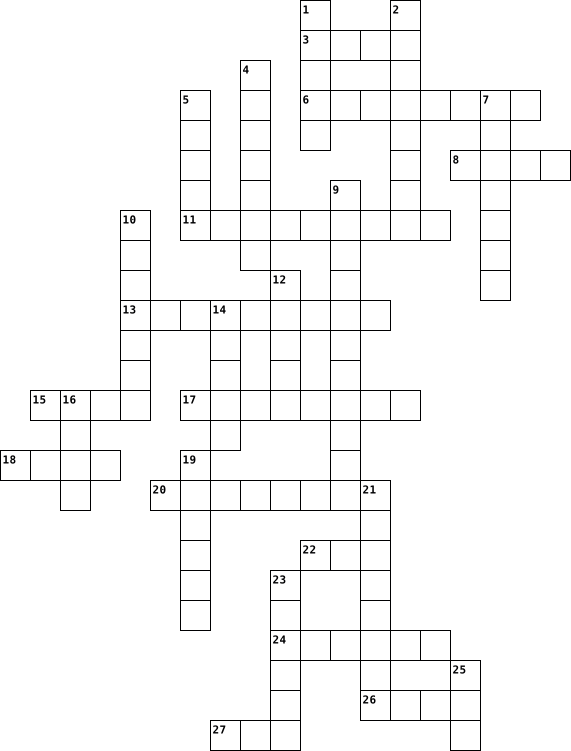
Across
- A general-purpose machine that processes data according to a set of instructions that are stored internally either temporarily or permanently.
- WWW stands for the World Wide
- To quit all applications and turn off the computer.
- In a graphical user interface (GUI), a small, pictorial, on screen representation of an object, such as a document, program, folder or disk drive.
- Abbreviation for Uniform Resource Locator, which is an address on the World Wide Web.
- This kind of Internet connection is much faster than dial up Internet access. You can also watch tv on it.
- An on-screen representation of a desktop such as used in the Macintosh and Windows operating systems.
- The most widely used operating system for personal computers from Microsoft.
- To move an object on screen in which its complete movement is visible from starting location to destination.
- Tell the computer to create a file on disk that has the information you've put into the document (usually typing).
- When you send a letter to someone
- Allows you to move around through your document.
- Your computer or application no longer works correctly and so you 'loose' all the work you've done since the last time you saved.
- Abbreviation for Internet Service Provider
- To close a window that has been opened for viewing and / or editing.
Down
- A file or program that can be uploaded to your computer from the Internet or disk. This file or program is uploaded without your knowledge and is intended to do damage to your computer.
- One of the major browsers, that is used on the Internet.
- This stands for MegaHertz.
- Displays a list of commands, some with images next to them.
- Instructions that tell the computer what to do.
- A program that you use to view pages on the Internet.
- Allows you to organize files and other folders.
- The name of the arrow (or other shape) that tracks across the screen as you move the mouse (or other pointing device) around.
- To select an object by pressing the mouse button when the cursor is pointing to the required menu option, icon or hypertext link.
- To make a change to existing data.
- Give the file a name and/or store the file in a certain place.
- Place where you put files and folders that you want to delete or get rid of.
- To remove an item of data from a file or to remove a file from the disk.
- the main chip on the computer that makes everything go.
29 Clues: This stands for MegaHertz. • WWW stands for the World Wide • When you send a letter to someone • To make a change to existing data. • Abbreviation for Internet Service Provider • Instructions that tell the computer what to do. • Allows you to organize files and other folders. • Allows you to move around through your document. • ...
computer 2016-06-13
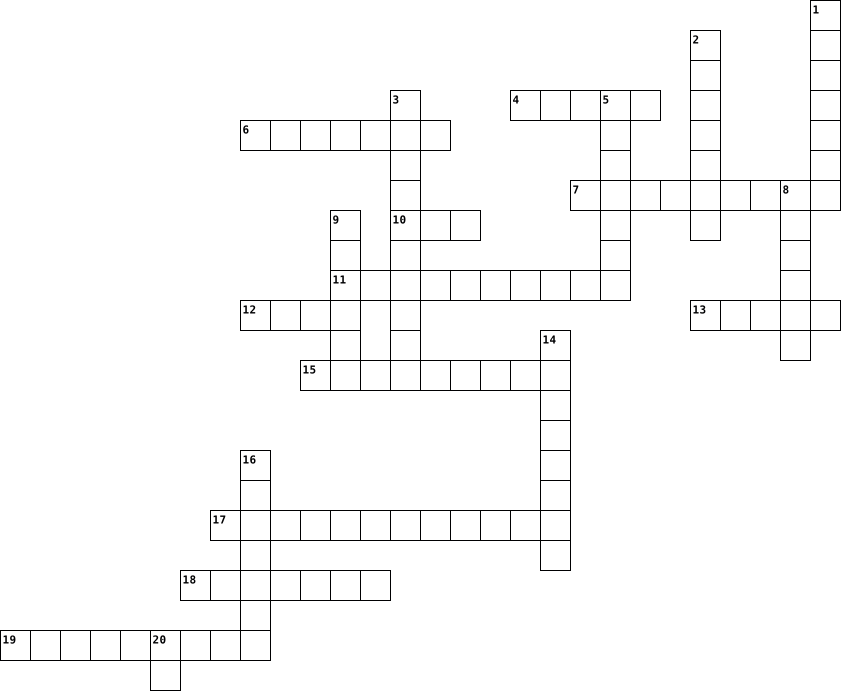
Across
- - This is a small symbol or picture that represents a program or other things.
- - This is the first page you see when you open your browser. You can make any page your homepage.
- bar - The bar beside the Start button that shows what programs are open.
- When you click on an icon, it is a shortcut to a file or program.
- - A picture or design on your desktop for decoration.
- - Anyone using a computer.
- - This is all the instructions for the computer or a program designed to do different things. Examples are: Microsoft Word, Internet Explorer, and Windows.
- and drop - To do this, you click on something and hold the button down. This will move the object you clicked on and will leave it where you let go of the button. So it drags it and drops it.
- - This is a secret code to protect your data and can keep others from accessing your computer.
- or World Wide Web - Group of internet servers linking computers around the world.
- - This is the data that a computer stores. Long term memory must be saved to the hard drive.
- - Any information stored by a computer. It can be files, E-mails, video games, songs, pictures, etc.
- - The address of documents and resources on the internet.
Down
- click - When you right click on the mouse, you are given a menu of options.
- - Many computers that are connected like a web so you can see what other computer operators show you and you can show them things as well.
- - This is the screen that appears if you are not browsing the Internet, reading a file, or playing a game. Your icons are on this screen.
- - Software that was written to do bad stuff to your computer.
- - This is a picture or an image.
- - This is a picture that pops up when you are not using your computer.
- - This is the program you use to browse files. A web browser will browse internet files, like Firefox or Internet Explorer.
- - This is that small blinking line that shows you where your next typed letter or number will go.
- - You have to do this to get access to a computer. You just type in a certain name or code.
- -This is an abbreviation for "sending particularly annoying messages"; it stands for unwanted e-mail.
- - This is an extra copy of a file or document.
- - This is the process where you copy something from another computer or the Internet, and save it on your computer.
- - This is simply a way to send a message from one computer to another.
- - This is an abbreviation for Frequently Asked Questions.
27 Clues: - Anyone using a computer. • - This is a picture or an image. • - This is an extra copy of a file or document. • - A picture or design on your desktop for decoration. • - This is an abbreviation for Frequently Asked Questions. • - The address of documents and resources on the internet. • - Software that was written to do bad stuff to your computer. • ...
Computer 2022-04-01
Across
- a hand-operated electronic device that controls the cursor on the screen
- a planner who draws up a personal scheme of action
- a computer hardware that transforms output into input
- a device which accesses short term memory on a computer
- an instrument for converting sound waves
- controller a device used with games or entertainment system
- a device that can be used to insert data into a computer
- a high-capacity, self-contained storage device containing a read-write mechanism plus one or more hard disks
- a laser printer is a common type of computer printer that rapidly produces high quality text and graphics on plain paper
- a device that displays signals on a computer screen
- an object used to project rays of light
Down
- a device that blasts out sound
- a machine for printing text or pictures onto a paper
- a small, flat flash drive used in digital cameras and cell phones
- a piece of computer on which information can be stored
- it transfers the data out of the computer
- a device for photographing visual images
- a panel of keys that operate a computer or typewriter
- a device for examining,reading and monitoring something
- a small plastic disc on which digital information is stored
20 Clues: a device that blasts out sound • an object used to project rays of light • a device for photographing visual images • an instrument for converting sound waves • it transfers the data out of the computer • a planner who draws up a personal scheme of action • a device that displays signals on a computer screen • a machine for printing text or pictures onto a paper • ...
Computer 2022-04-11
Across
- 8 bits - kilobyte (approx. 1,000 bytes), megabyte (1 million), gigabyte (1 billion)
- device that converts data to a form that can be transmitted by telephone etc
- a facility allowing computers, smartphones, or other devices to connect to the internet or communicate with one another wirelessly within a particular area.
- software that contains coded instructions to control a computer
- you click with?
- aggressive pressure or intimidation by the use of internet
- system of sending messages through the internet
- binary digit, the basic binary unit for storing data, either 0 or 1
- a program dedicated to a specific task
- the mechanical and electronic parts of a computer, not the software
- a job in computer science
Down
- the alternative of the mouse
- an area in memory used for temporary storage
- part of a computer for (temporary) storing of data
- a global computer network providing a variety of information and communication facilities, consisting of interconnected networks using standardized communication protocols.
- an activity that one engages in for amusement or fun.
- a video camera connected to a computer, allowing its images to be seen by internet users
- the object which is helping you writing
- the surface area of the visual display unit on which the image is formed
- the programs, routines etc for a computer, not the hardware
- data delivered by a computer (by printer, screen etc)
21 Clues: you click with? • a job in computer science • the alternative of the mouse • a program dedicated to a specific task • the object which is helping you writing • an area in memory used for temporary storage • system of sending messages through the internet • part of a computer for (temporary) storing of data • an activity that one engages in for amusement or fun. • ...
Computer 2022-04-27
Across
- terabyte
- appliance
- petabyte
- microprocessor
- device
- laptop
- slate
- device
- workstation
- micro
- tablet
- megabyte
- gigabyte
- multiprocessor
- supercomputer
Down
- zettabyte
- desktop
- kilobyte
- notepad
- byte
- personal computer
- notebook
- internet
- computer
- pc
- mainframe
- netbook
- handheld
- microprocessor
- mobile
- exabyte
- yottabyte
32 Clues: pc • byte • slate • micro • device • laptop • device • mobile • tablet • desktop • notepad • netbook • exabyte • terabyte • kilobyte • petabyte • notebook • internet • computer • handheld • megabyte • gigabyte • zettabyte • appliance • mainframe • yottabyte • workstation • supercomputer • microprocessor • microprocessor • multiprocessor • personal computer
Computer 2023-11-15
Across
- an anti-virus or anti-malware software product founded by Peter Norton
- is a specific class of computer software that provides the low-level control for a device's specific hardware.
- is a web browser developed by Apple Inc. and included in Mac OS X. It was first released as a public beta in January 2003.
- acronym that stands for random-access memory.
- a piece of equipment worn on the head that allows someone to hear sound when using a phone, music, or computer system.
- the hardware component that stores all of your digital content
- a trialware file archiver utility for Windows, developed by Eugene Roshal of win.rar GmbH.
- a piece of output gear that connects to a computer to produce sound
- Malwarebytes Anti-Malware, abbreviated as MBAM) is an anti-malware software for Microsoft Windows, macOS, ChromeOS, Android, and iOS that finds and removes malware.
- a text editor, i.e., an app specialized in editing plain text.
- the primary component of a computer that acts as its “control center.”
Down
- a software product used to archive, compress and encrypt files in a variety of archive formats for more efficient storage and distribution.
- an electronic circuit board in a computer which interconnects hardware devices attached to it — which is to say, all of the
- developed by Piriform Software, is a utility used to clean potentially unwanted files and invalid Windows Registry entries from a computer.
- is a computer application for computation, organization, analysis and storage of data in tabular form.
- a storage device containing nonvolatile flash memory, used in place of a hard disk because of its much greater speed.
- a type of proprietary software that is released without charge to the public.
- It projects images from a Blu-ray player or computer and presents ideas on the projection screen
- is a combination of "Web" and "video camera."
- is a powerful and free office suite, a successor to OpenOffice(.org), used by millions of people around the world.
- a specialized processor originally designed to accelerate graphics rendering.
21 Clues: acronym that stands for random-access memory. • is a combination of "Web" and "video camera." • the hardware component that stores all of your digital content • a text editor, i.e., an app specialized in editing plain text. • a piece of output gear that connects to a computer to produce sound • ...
Computer 2023-12-04
Across
- Video camera connected to a computer
- Electronic device for storing data
- Text files with small pieces of data
- Probably in your pocket
- Computer designed to be used on a desk
- Network security device that monitors incoming and outgoing traffic
- Application for accessing websites online
- Interconnected computing devices that can share data among one another
- Uses pixels to create an image
- Most important software that runs on a computer
- Proper format of listing sources used
- Takes signals from your ISP and turns it into an internet connection
- Global network of billions of computers online
Down
- Used to store information online
- Used to find websites on the World Wide Web
- Portable Computer
- 1024 Bytes
- Website/page address
- Allows connection between a device and host computer
- Self contained storage device
- 1024 Gigabytes
- Device that allows user to input text
- Wireless internet connection
- When one acts as if they aren't who they are to gain something out of a victim
- Opposite of hardware
- Comparable to ones short term memory
26 Clues: 1024 Bytes • 1024 Gigabytes • Portable Computer • Website/page address • Opposite of hardware • Probably in your pocket • Wireless internet connection • Self contained storage device • Uses pixels to create an image • Used to store information online • Electronic device for storing data • Video camera connected to a computer • Text files with small pieces of data • ...
Computer 2019-02-26
Across
- Write ... to people know what you think.
- You need to ... this letter or you will be unlucky!
- ... your profile information.
- You can use ... to say your feelings without words.
- You need to ... people who you don't know.
- ... the page to find my contact information. (2 words)
- Open ... to see websites that you have visited.
- ... your password.
- To ... a document, your device need to be connected to a printer.
- ... this app to use it.
- ... a new account.
- ... your username and password to log in.
Down
- ... icon to open that program. (2 words)
- Save your work in your ....
- ... the wrong information.
- ... video on youtube.
- ... is mobile data storage.
- ... my channel.
- Itunes is a website where you can download ....
- ... your mistakes.
- You can ... your profile, if something is wrong.
- Copy-....
- Follow that ... to get a gift.
- Use ... to make connection with other devices.
- You can use internet to ... information.
25 Clues: Copy-.... • ... my channel. • ... your mistakes. • ... your password. • ... a new account. • ... video on youtube. • ... this app to use it. • ... the wrong information. • Save your work in your .... • ... is mobile data storage. • ... your profile information. • Follow that ... to get a gift. • ... icon to open that program. (2 words) • Write ... to people know what you think. • ...
Computer 2025-01-24

Across
- System
- Ciphering
- Information
- Laptop
- Core
- Link
- Filter
- Program
- Digit
- Memory
Down
- Rule
- Octet
- Web
- Store
- Birate
- Interface
- Processor
- Virus
- Host
- Procedure
20 Clues: Web • Rule • Core • Link • Host • Octet • Store • Virus • Digit • System • Birate • Laptop • Filter • Memory • Program • Ciphering • Interface • Processor • Procedure • Information
computer 2025-05-29

Across
- – Stores and manages data for networks
- – Software update to fix issues
- – Error or flaw in software code
- – Copy of data for recovery purposes
- – Process of securing data
- – Smallest unit of a digital image
- – Displays visual output from the computer
- – Temporary storage for quick access
- – Touchscreen device for media and apps
- – Organized collection of data
- – Processes data and runs programs
Down
- – Directs internet traffic between devices
- – Mobile device with computing capabilities
- – Programming language for interactive web content
- – Step-by-step procedure for calculations
- – Input device for typing commands
- – Portable personal computer
- – Pointing device for navigating interfaces
- – Basic unit of information in computing
- – Improvement or fix to software
20 Clues: – Process of securing data • – Portable personal computer • – Organized collection of data • – Software update to fix issues • – Error or flaw in software code • – Improvement or fix to software • – Input device for typing commands • – Smallest unit of a digital image • – Processes data and runs programs • – Copy of data for recovery purposes • ...
computer 2021-04-12
Across
- Frage16
- Frage12
- Frage11
- Frage3
- Frage4
- Frage19
- Frage6
- Frage15
- Frage9
- Frage14
- Frage13
Down
- Frage10
- Frage5
- Frage20
- Frage1
- Frage2
- Frage7
- Frage8
- Frage18
- Frage17
20 Clues: Frage5 • Frage3 • Frage1 • Frage2 • Frage4 • Frage7 • Frage6 • Frage8 • Frage9 • Frage10 • Frage16 • Frage20 • Frage12 • Frage11 • Frage19 • Frage15 • Frage18 • Frage14 • Frage17 • Frage13
Computer 2026-03-09

Across
- What device is used to select things on the monitor?
- What type of device is a computer mouse?
- Which click selects items on the screen?
- What connects a wireless mouse to the computer?
- What shape is the pointer usually?
- Which device works as both input and output?
- What action means moving the mouse while holding the button?
- What is a collection of data called?
- What does the pointer point at on the screen?
- Which finger is placed on the right button?
- Which option starts a new drawing?
- What action stores your drawing on the computer?
- Which option opens a saved drawing?
- What contains tabs and groups in Paint?
- What action moves the page up or down?
Down
- Which tool draws smooth wavy lines?
- Which option closes the Paint program?
- What is the top part of the window called?
- What is used to keep files together?
- What action opens the shortcut menu?
- What is a shape with many sides called?
- What part processes the data?
- What storage device is also called Compact Disc?
- Name one shape in the Shapes group.
- What is another name for a microphone?
- Name a common input device.
- Which device plays sound from a computer?
- Which device records sound?
- What device shows results on the screen?
- What is the processing result called?
30 Clues: Name a common input device. • Which device records sound? • What part processes the data? • What shape is the pointer usually? • Which option starts a new drawing? • Which tool draws smooth wavy lines? • Name one shape in the Shapes group. • Which option opens a saved drawing? • What is used to keep files together? • What action opens the shortcut menu? • ...
COMPUTER 2025-01-05

Across
- A single screen or document in a software application or website.
- Instructions written in a programming language to be executed by a computer.
- A network of servers used to store, manage, and process data remotely over the internet.
- Information processed or stored by a computer.
- A computer or server that provides resources or services to other computers over a network.
- A storage device, such as a hard drive or SSD, used to save and retrieve data.
- When a program or system fails unexpectedly, causing it to stop working.
- A system of interlinked hypertext documents accessed via the internet using browsers.
- Data provided to a computer by the user or another system.
- Data produced by a computer after processing input.
- To examine or analyze a file or system for specific content or issues.
- A physical or virtual connection point used to transfer data between devices.
- A reference or connection to another resource, like a webpage or file
Down
- A list of options or commands presented to the user in a software application.
- To load data or a program into the computer's memory for execution
- A small, fast storage area used to store frequently accessed data for quick retrieval.
- A person who interacts with a computer or software system.
- File: A collection of data or information stored in a computer system
- A small integrated circuit that performs various tasks in a computer
- A software application designed to perform a specific function or task.
- A unit of digital information, typically 8 bits, used to store data.
- A small graphical representation used to symbolize an application or function
- The process of starting up a computer and loading its operating system.
- A specific operation or process that a computer is performing.
- A storage device, such as a hard drive or floppy disk, used to store data.
25 Clues: Information processed or stored by a computer. • Data produced by a computer after processing input. • A person who interacts with a computer or software system. • Data provided to a computer by the user or another system. • A specific operation or process that a computer is performing. • A single screen or document in a software application or website. • ...
COMPUTER 2025-09-08

Across
- Makes text darker/thicker.
- Searches for text.
- Removes content and stores it in Clipboard.
- Arranges text alphabetically/numerically
- Lines up objects
- Highlights objects or text.
- Adds or removes borders around text.
- Text at top of page.
- Text aligned to the middle.
- Separates grouped objects.
- Embeds files into Word.
- Small text below the line.
- Slants text to the right.
- Applies visual effects.
- Draws a line through text.
- Splits words with hyphens.
- Small text above the line.
- Switches between Portrait/Landscape.
- Inserts copied or cut content.
- Shades text background.
- Creates a table grid.
- Adds notes in the margin.
- Captures part of the screen.
Down
- Splits text into columns.
- Temporary storage for copied or cut items.
- Text at bottom of page.
- Adds numbers to lists.
- Creates bar, pie, line graphs.
- Selects paper size.
- Inserts images from computer.
- Adds semi-transparent background text.
- Aligns text evenly on both sides..
- Predefined design for document.
- Inserts graphics for processes/relationships.
- Adjusts blank space around page.
- Adds a line beneath text.
- Rotates or flips objects.
- Marks a place in the document..
- Design of characters.
- Inserts small graphic symbols.
- Adds special characters.
- Controls page/section breaks.
- Positions images/text boxes
- Checks spelling, grammar, style.
- Changes theme fonts.
- Duplicates selected content.
- Adds background color to text/paragraph.
- Searches and substitutes text.
- Converts speech to text.
- Joins objects together
- Inserts a math formula.
- Inserts symbols for lists.
- Size – Controls the height of characters.
- Adds lines, arrows, or designs.
- Adjusts theme color set.
55 Clues: Lines up objects • Searches for text. • Selects paper size. • Text at top of page. • Changes theme fonts. • Design of characters. • Creates a table grid. • Adds numbers to lists. • Joins objects together • Text at bottom of page. • Embeds files into Word. • Applies visual effects. • Inserts a math formula. • Shades text background. • Adds special characters. • Converts speech to text. • ...
computer 2025-11-07

Across
- จำนวนเต็ม
- คำสั่งตรวจสอบเงื่อนไขเพียงทางเดียว
- ภาษาโปรแกรม
- สื่อโซเชียลมีเดียสำหรับแชร์รูปภาพและวิดีโอสั้นๆ
- ลักษณะการทำงานแบบวนซ้ำ
- เครือข่ายบริเวณกว้าง
- เครือข่ายคอมพิวเตอร์ขนาดใหญ่
- เครือข่ายส่วนบุคคล
- อุปกรณ์รับข้อมูลและแสดงผลพร้อมกัน
- เครือข่ายเฉพาะพื้นที่
- อุปกรณ์กรอกข้อมูล
- หน่วยความจำระบบที่ไม่สามารถเขียนทับ
- ตัวลากพ๊อยเตอร์
- หน่วยรับเข้าข้อมูล
Down
- ปัญญาประดิษฐ์ที่ถูกพัฒนาโดย google
- หน่วยข้อมูลที่เล็กที่สุดในระบบดิจิทัลของคอมพิวเตอร์
- เปรียบเสมือนสมองของมนุษย์
- เทคโนโลยีการสื่อสารทุกสรรพสิ่ง
- อุปกรณ์เก็บข้อมูลถาวร
- search engine ชื่อดัง
- หน้าจอแสดงผล
- คำสั่งแสดงผลทางหน้าจอ
- รูปแบบตัวอักษรใช้สำหรับคลิ๊กเพื่อไปยังปลายทาง
- คอมพิวเตอร์พกพา
- ระบบปฏิบัติการ
- อุปกรณ์ประมวลผลภาพ
- จดหมายอิเล็กทรอนิกส์
- ข้อเสียคือข้อมูลหายเมื่อไม่มีไฟเลี้ยง
- บริการเก็บข้อมูลของ google
- หน่วยส่งออกข้อมูล
30 Clues: จำนวนเต็ม • ภาษาโปรแกรม • หน้าจอแสดงผล • ระบบปฏิบัติการ • คอมพิวเตอร์พกพา • ตัวลากพ๊อยเตอร์ • อุปกรณ์กรอกข้อมูล • หน่วยส่งออกข้อมูล • อุปกรณ์ประมวลผลภาพ • เครือข่ายส่วนบุคคล • หน่วยรับเข้าข้อมูล • เครือข่ายบริเวณกว้าง • จดหมายอิเล็กทรอนิกส์ • อุปกรณ์เก็บข้อมูลถาวร • search engine ชื่อดัง • คำสั่งแสดงผลทางหน้าจอ • เครือข่ายเฉพาะพื้นที่ • ลักษณะการทำงานแบบวนซ้ำ • เปรียบเสมือนสมองของมนุษย์ • ...
Anatomy of a Computer 2020-09-30

Across
- The brain that carries out the computer's instructions
- A large printed circuit board that houses most of the computer's components and directs data traffic to and from the appropriate devices
- Also known as a COM (communications) port
- Houses the graphic card, which supplies the image to the monitor
- Slots that let peripherals communicate quickly with the processor
- Can connect many different types of peripherals, including digital cameras and digital video cameras
- Some devices are able to draw power from the computer in addition to data through these ports
Down
- Funnels power through the multicoloured cables to each device
- Older printers and scanners connect to this port
- Can use this chip to get better sound quality
- Where the CPU stores temporary information
- Most mice and keyboards require these ports
- A chip that activates when you turn on the computer and performs system checks before starting your main operating system
13 Clues: Also known as a COM (communications) port • Where the CPU stores temporary information • Most mice and keyboards require these ports • Can use this chip to get better sound quality • Older printers and scanners connect to this port • The brain that carries out the computer's instructions • Funnels power through the multicoloured cables to each device • ...
Information Technology 2024-12-04

Across
- Memori that can be quickly accesed.
- Computer that connect many computers to hardware.
- A group of computers that are connected in order to share data or communicate.
- A electronic device that manipulates data.
- A picture that represents something on a computer.
- A file created on a word processing progam.
- The programming language that makes up a website.
- A set of buttons that is used to enter information into a computer.
- A enclosure that holds the computer's components.
- A worldwide network of Computers.
Down
- A computer that is small enough for you to carry around and use anywhere.
- The way that a web page looks.
- A device that can be connected to a computer.
- The act of changing data so that no one can read it until it is changed again.
- Numbers that can be entered into a computer.
- Holds and organizes files and documents on a computer.
- A device that allows more than one computer to connect to a network at the same time.
- A small device that is used to move the cursor and select items on a computer screen.
- Folder or icons is to move them around on a desktop.
- Moves cool air onto computer components inside the case.
20 Clues: The way that a web page looks. • A worldwide network of Computers. • Memori that can be quickly accesed. • A electronic device that manipulates data. • A file created on a word processing progam. • Numbers that can be entered into a computer. • A device that can be connected to a computer. • Computer that connect many computers to hardware. • ...
2021 Valentine's Day Crossword Puzzle 2021-02-09
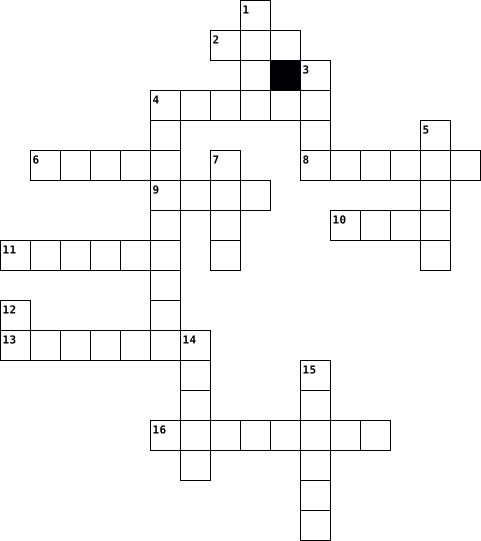
Across
- occasional prefix to hint 1
- my Christmas ruiner
- month I began living with you again in 2020
- our halloween son says this
- "___ has a name", chant
- *types on computer* "...and the sky was covered in a beautiful ____ tint." , joke
- occasional suffix to hint 1
- I earn myself a tickle if I accidentally call you this
- something you are, and never let me forget (hint: bird)
Down
- one year and ___ months today
- short for me, long for you in 2020
- our fav 2020 vacation spot
- what you say I am all the time (hint 1)
- my favorite addition to many words
- Stuart must steer clear of this delicacy, abbr.
- our craft material of choice as of late
- "___ of the year" what you were at Mardi Gras
17 Clues: my Christmas ruiner • "___ has a name", chant • our fav 2020 vacation spot • occasional prefix to hint 1 • our halloween son says this • occasional suffix to hint 1 • one year and ___ months today • short for me, long for you in 2020 • my favorite addition to many words • what you say I am all the time (hint 1) • our craft material of choice as of late • ...
Chapter 1: What is Computer Science? 2024-09-06

Across
- Computers are ________________, but they really aren't smart.
- ________________ is the study of computers and how computer technology can be used to solve problems.
- The tangible parts of a computer that you can see and touch are called ________________.
- We should ask how these ________________ affect the lives of others.
- Computers add ________________ visual and sound effects to movies and video games.
- Robots help ________________ perform surgeries with great precision.
- Computers are better than humans at solving ________________ calculations quickly.
- They ________________ computers to both complete tasks better and faster.
- Just because we can make new technologies ________________ mean we should,
- A list of steps or instructions written in human language that tells a person how to complete a task is called ________________.
- Raw, Unorganized Facts ________________
- The ________________ is the worldwide network that connects millions of computers.
- Computer ________________ use computers to help them develop new technologies that make our lives easier.
- Watching videos on the internet of cats riding ________________ is not computer science.
- The commands given to a computer are called ________________.
- Creating a ________________ that allows friends to share funny cat videos with each is computer science.
- The programs on a computer are called ________________.
Down
- Computer science is a type of ________________.
- Computer science is about ________________ new technology.
- Organizing, describing, and understanding data is ________________
- A ________________ is a device that stores and processes information.
- Computers helped navigate ________________ to the moon and mars.
- Networks share information and may also share resources like a ________________.
- Computers are great at ________________, sharing, and calculating huge amounts of data.
- A computer can perform complicated ________________ and organize and store huge amounts of information.
- ________________ are all the basic hardware and software that work together to make a computer run..
- Understanding the ________________ of computing involve studying how computers influence our lives, culture, safety, laws and behavior.
- Computer scientists use and create technology to solve ________________.
- A program is a set of ________________ that has been translated into commands a computer can understand.
- ________________ are a group of connected devices (like computers, laptops, and servers)
30 Clues: Raw, Unorganized Facts ________________ • Computer science is a type of ________________. • The programs on a computer are called ________________. • Computer science is about ________________ new technology. • Computers are ________________, but they really aren't smart. • The commands given to a computer are called ________________. • ...
Computer Basics 2023-01-10

Across
- Uses intuitive, visual elements to simplify the process of viewing files and executing programs.
- represents a connection to another page and is usually displayed on a Web page as underlined, colored text.
- The programs that execute on the computer, carrying out tasks such as word processing or accessing the Web.
- Collections of wires that carry information in the form of electrical signals.
- Well-defined rules that define how pages are formatted.
- Allow the user to communicate with the computer by entering commands and then viewing the results.
- A collection of software that spans the internet. It enables the interlinking of documents and resources.
- Portable secondary memory that connects to a computer using a standard USB interface.
- Memory packaged on separate chips and communicated with the CPU using lower-speed circuitry.
Down
- The physical components of the computer, such as the monitor, keyboard, and hard drive.
- Holds together many of the crucial components of a computer, including the CPU, memory, and connectors for input and output devices.
- The ‘brains’ of a computer. It carries out programmatic steps in order to process data.
- An Internet-enabled computer that executes software for providing access to certain Web documents.
- The unit of measurement for computer memory (8 bits).
- Accesses a Web page, interprets the HTML formatting information, and displays that formatted page accordingly.
- A device that receives, stores, and processes information.
- A collection of programs that controls how the CPU, memory, and input/output devices work together to execute programs.
- Manages the resources and behavior of the computer itself.
- A worldwide system of computer networks. The physical connection of computers.
- Uses high-speed circuitry and is usually built into the CPU.
20 Clues: The unit of measurement for computer memory (8 bits). • Well-defined rules that define how pages are formatted. • A device that receives, stores, and processes information. • Manages the resources and behavior of the computer itself. • Uses high-speed circuitry and is usually built into the CPU. • ...
PET Crossword 2026-03-19

Across
- a flat paper container used for sending letters
- the physical and electronic parts of a computer
- a collection of information stored together on a computer
- if a phone line is engaged, it is being used by someone else
- using electricity and extremely small electrical parts, such as microchips
- to put a computer program onto a computer so that it can be used
- a circular object used for storing computer information
- to design or create something which has never been made before
- a line of words printed in large letters as the title of a story in a newspaper
- the set of keys on a computer or typewriter that you press to make it work
- using a system of receiving and sending information as a series of the numbers one and zero
- a small computer that is easy to carry and can be used on your lap
Down
- someone whose job is to help people use a telephone system
- the first page of a website
- to move something on a computer screen using a mouse
- a piece of written or spoken information that one person gives to another
- the set of necessary tools or objects used for a particular activity
- connected to the internet
- to move information or programs from a computer system to a smaller computer
- to remove something that has been written or stored on a computer
- something that has been designed or created for the first time
- to press the buttons on a phone to make a call
- to end a phone conversation
23 Clues: connected to the internet • the first page of a website • to end a phone conversation • to press the buttons on a phone to make a call • a flat paper container used for sending letters • the physical and electronic parts of a computer • to move something on a computer screen using a mouse • a circular object used for storing computer information • ...
CS1 What is Coding 2024-10-23

Across
- Applications used by the user to accomplish tasks such as word processors, browsers and games
- A computer expansion card that generates a feed of graphics output to a display device such as a monitor.
- A human readable way to write instructions for a computer
- A set of instructions written by a programmer using a programming language
- The physical parts that make up a computer
- The single unit of information in a computer, typically represented as a 0 or 1
- Makes the computer usable. Displays graphical user interface, manages user applications and manages memory allocation
- Will store information weather the power is on or not
- Also called applications or programs. Contains instructions telling the computer what to do.
- A way of representing information using ten options
Down
- Connects the different parts of the computer together and where the processor and memory live.
- Executes the instructions it receives from the computer's software.
- A non-volatile storage device that stores data using magnetic disks and is used in computers and other devices
- Memory computers use to store data long term and memory users use to store data
- A way of representing information using only two options
- Programs that run on the computer that help the computer perform tasks such as a boot program or a device driver
- Only stores information when the power is on
- An electrical device that supplies electric power to a computer.
- A device which allows a computer to read from and write on to computer disks.
- Stores currently executing program instructions and stores information the computer needs to work
- 8 bits
21 Clues: 8 bits • The physical parts that make up a computer • Only stores information when the power is on • A way of representing information using ten options • Will store information weather the power is on or not • A way of representing information using only two options • A human readable way to write instructions for a computer • ...
Edwin Martinez 2015-05-01

Across
- Software program that is designed to damage files on a computer that receives it. Viruses replicate (reproduce) and can spread to other application and operating system software.
- A global network of thousands of other computer networks that offers e-mail and information retrieval services to millions of people.
- An unauthorized person who secretly gains access to computer file
- A system of connected computers that allows the sharing of files and equipment. There are two types of networks: local area network (LAN) and wide area network (WAN).
- a piece of writing that has been copied from someone else and is presented as being your own work
- Originally known as Web Log. Blogs are websites that contains dated text entries, generally listed in reverse chronological order (most recent first) about a particular topic.
Down
- A collaborative website which can be directly edited by anyone with access to it; www.Wikipedia.com
- ENGINE Software that searches and gathers and identifies information from a database based on keywords, titles and text. Example: www.google.com
- A part of a computer system or network that is designed to block unauthorized access while permitting outward communication
- Law granting a legal right to a copyright holder or author which requires their permission to make copies of the work.
- To renew or revitalize; To reload a webpage on the internet
- A bully who operates online, in cyberspace; To bully online
12 Clues: To renew or revitalize; To reload a webpage on the internet • A bully who operates online, in cyberspace; To bully online • An unauthorized person who secretly gains access to computer file • a piece of writing that has been copied from someone else and is presented as being your own work • ...
Computer Awareness 2020-02-21

Across
- manipulation of data
- create graphics
- hardware for connecting to the internet
- digital representation of data
- internet based storage
- opposite of analog
- software used to collect audio/visual data
- device for outputting sound from a computer
- device used to record images
- device for viewing data
- device for accurate plotting of graphics
- graphical user interface
- helps computer to remember
- data that is put in a computer
Down
- hardware for inputing data
- parts that add on to a computer
- container for files
- software used for manipulating data
- read only memory
- software method of interacting with a computer
- container for information or data
- random access memory
- person who uses a computer
- two or more computers connected
- smallest unit of data
- hardware for controlling cursor
- device for displaying a hard copy of data
- grouping of units of data
- data that is put out of a computer
29 Clues: create graphics • read only memory • opposite of analog • container for files • manipulation of data • random access memory • smallest unit of data • internet based storage • device for viewing data • graphical user interface • grouping of units of data • hardware for inputing data • person who uses a computer • helps computer to remember • device used to record images • ...
#4 2015-06-22

Across
- Need to wear these if your hands are cold
- A type of animal that lived a long, long time ago
- Plural of knife
- You eat soup or pasta out of it.
- The eleventh month
- you need to mow it
- Known as the Red planet and the name of a chocolate bar
- You drink coffee out of one
- snakes belong to this group
- Sound a lion makes
Down
- climb one to help you reach things high up
- Animal with a really long neck
- Number after eight
- Guitar, trumpet, drums are types of ......
- you see it sometimes after it rains
- A building where you can go to see interesting or old things
- PC stands for Personal C......
- Person who brings food to your table in a restaurant
- it rises in the east and sets in the west
19 Clues: Plural of knife • Number after eight • The eleventh month • you need to mow it • Sound a lion makes • You drink coffee out of one • snakes belong to this group • Animal with a really long neck • PC stands for Personal C...... • You eat soup or pasta out of it. • you see it sometimes after it rains • Need to wear these if your hands are cold • it rises in the east and sets in the west • ...
computer apps -summer 2022-04-05

Across
- a small picture used to present a file or program
- a type of design
- management that is designed to manage group files.
- system controls the hardware
- to make things bigger
- logos represent a given organization or company through a visual image that can be easily understood and recognized.
- provide a way to communicate in a business
- an onscreen bar
- to make things smaller
Down
- pressing and releasing the left mouse button.
- location to save a document.
- device hardware used to enter 4 types of data into a computer.
- a single piece of content published on a blog
- what u put at the top of the page.
- one of several small labeled areas at the top of a window.
- network that connects computers all over the world.
- a flat usually paper container
- a small handbill advertising an event or product
- a secret word or phrase used to ACESS information.
19 Clues: an onscreen bar • a type of design • to make things bigger • to make things smaller • location to save a document. • system controls the hardware • a flat usually paper container • what u put at the top of the page. • provide a way to communicate in a business • pressing and releasing the left mouse button. • a single piece of content published on a blog • ...
Evercise 8 2013-03-10

Across
- allows you to connect to a network or internet
- disk old way of storing information instead of using a CD
- allows you to copy documents onto the computer
- place where you store your data on the computer
- Anything that is connected to a computer
- most common system to be used on computers
- Is the meeting of the user and the computer language
- it is used to type information into the computer
- Improves the speed, sound and picture quality
- group of 8 bits
- sound comes out of
- 2 or more computers linked together
- moves the pointer on your screen so you can navigate
Down
- stores temporary memory to allow programs to work quicker
- old style printer
- saves temporary information to make the programs work quicker
- displays what’s on your computer
- something that you plug into a computer
- makes paper copies
- Is the use of pictures and colours like your icons on your desktop
- allows you to play games with
- work that you create or save on a computer is a file
- an application like Microsoft Office is called
- Is something you copy information to
- smallest part of the storage on a drive.
- computer sends information/data out to
- person that operates the computer
- Is more then one program running at the same time
- special memory that allows the computer to start up.
29 Clues: group of 8 bits • old style printer • makes paper copies • sound comes out of • allows you to play games with • displays what’s on your computer • person that operates the computer • 2 or more computers linked together • Is something you copy information to • computer sends information/data out to • something that you plug into a computer • Anything that is connected to a computer • ...
fUn oN coMPuters 2023-10-03
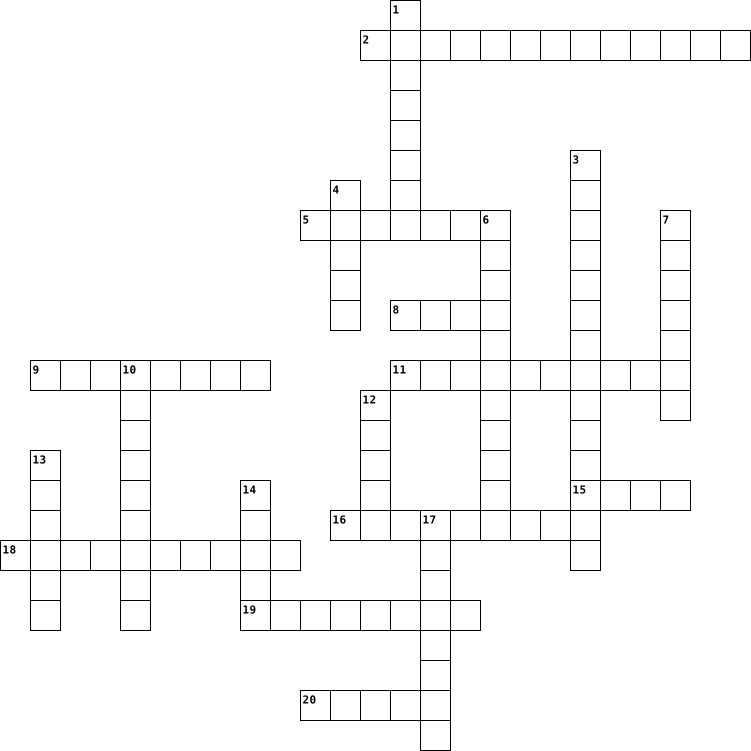
Across
- What are the laptops favourite Snacks?
- How did the Computer get out of the House?
- What did the computer do at lunch time?
- How does a computer learn something new?
- When did the Wi-Fi marry the computer?
- What are the common things in Doors, Pianos and in Computers?
- Why was the computer late?
- Where did the computer go ?
- What is an alien favorite key on a Keyboard?
- How do trees get on a computer?
Down
- Where do all the cool mice live?
- Who chases computer criminals?
- Where do computers go to dance?
- What do you get when you cross a computer and a life guard?
- What do computers do on a beach vacation?
- Why did the computer go to the dentist?
- What does a baby computer call his father?
- Why do programmers wear glasses?
- Why did the computer sneeze?
- Where do computers keep their money?
20 Clues: Why was the computer late? • Where did the computer go ? • Why did the computer sneeze? • Who chases computer criminals? • Where do computers go to dance? • How do trees get on a computer? • Where do all the cool mice live? • Why do programmers wear glasses? • Where do computers keep their money? • What are the laptops favourite Snacks? • When did the Wi-Fi marry the computer? • ...
Anatomy of a Computer 2021-04-21

Across
- USB and FireWire connections are quickly replacing what port
- what is much slower than new USB and FireWire ports.
- Although some newer mice and keyboards include USB cables most require what
- the brain that carries out your computer’s instructions
- chips. If your motherboard does not have a sound chip or if you want better sound quality you can buy a what
Down
- to connect many different types of peripherals, including digital cameras and digital video cameras
- houses your graphics card, which supplies the image to the monitor.
- houses most of the computers' data
- activates when you turn on the computer and performs system checks before starting your main OS
- lets peripherals communicate quickly with the processor
- It funnels power through the multicolored cables
- Some devices are able to draw power from the computer in addition to data through what port.
- the CPU stores temporary information such as data relating to open programs
13 Clues: houses most of the computers' data • It funnels power through the multicolored cables • what is much slower than new USB and FireWire ports. • lets peripherals communicate quickly with the processor • the brain that carries out your computer’s instructions • USB and FireWire connections are quickly replacing what port • ...
anatomy of a computer 2019-09-09

Across
- Activates when you turn on the computer and performs system checks.
- Some devices are able to draw power from the computer in addition to data through the ___ port.
- Newer mice and keyboards include USB cables, most require ___ ports.
- A large PCB that houses and directs data.
- Slots let the surrounding communicate quickly with the processor.
- port ____ are much slower than new USB and FireWire ports.
Down
- 1394 You can use ____ to connect many different types of peripherals, including digital cameras and digital video cameras.
- It funnels power through the multi coloured cables.
- When the ____ reaches its capacity, the processor redirects the excess data to your hard drive.
- port USB and FireWire connections are quickly replacing ______ on most peripherals, including scanners and printers.
- card Most ____ attach to one of the motherboards PCI slots.
- The brain that carries out your computers instructions.
- Houses your graphics card, which supplies the image to the monitor.
13 Clues: A large PCB that houses and directs data. • It funnels power through the multi coloured cables. • The brain that carries out your computers instructions. • port ____ are much slower than new USB and FireWire ports. • card Most ____ attach to one of the motherboards PCI slots. • Slots let the surrounding communicate quickly with the processor. • ...
CROSSWORD 2024-11-13

Across
- How will the way people use computer _____ over the next few decades ?
- Some parents try to ______ the amount of times their children use the internet
- People who are ____ can have health problems that fitter people don't have (active)
- There is a connection between being healthy and having a high level of _________ (happy)
- She doesn't belong drama club any more she no ______ belongs to the drama
- Researchers have found _____ that certain personality types have less trouble than others in getting used to living abroad.
- Price and number of applications are among the ______ that determine how popular a digital product becomes
- Researchers have found ______ that certain personality types have less trouble than other in getting used to living abroad
Down
- If food is grown produced ______, it comes from the are nearby
- I paid careful attention to the ______ of my report is because if had to be well organised
- One of my _____ is that my work is something
- Farming ______ are the ways framing is done
- Did people realize that computers would _____ the way live?
- Sometimes children don't want to healthy because of this _______ (appear)
- The _____ of people planning to emigrate rose last year
- I use internet news sites to keep ___ with world events
- People with sedentary _____ spend all day sitting down
- According for ______, the percentage of overweight people is growing
- English isn't his first language he isn't a _____ speaker of English
- _____ exercise is essential for everyone (day)
20 Clues: Farming ______ are the ways framing is done • One of my _____ is that my work is something • _____ exercise is essential for everyone (day) • People with sedentary _____ spend all day sitting down • The _____ of people planning to emigrate rose last year • I use internet news sites to keep ___ with world events • ...
Digital Literacy 2025-02-05

Across
- The process of identifying and solving computer problems.
- storage Online storage that allows access to files from anywhere with internet access.
- The result of processing, such as displayed text or printed documents.
- Memory that contains firmware or essential startup instructions.
- Only Memory (ROM) Permanent storage that retains data even when the computer is powered off.
- A type of volatile memory that clears when the computer turns off.
- The physical components of a computer system, like the monitor, keyboard, and motherboard.
- A set of instructions that tells a computer what to do.
- A stepbystep procedure or formula for solving a problem.
- system The software that manages hardware and software resources, like Windows or macOS.
- device A device that shows or produces information from a computer, like a monitor or speakers.
- hard A removable storage device used to back up files or transfer data.
- A place where digital data is saved for later use.
Down
- The part of a computer that stores data and instructions for processing.
- A programming statement that performs actions based on whether a condition is true or false.
- Another name for the computer's main processor.
- device An external device connected to a computer, such as a printer or a mouse.
- Processing Unit (CPU) The "brain" of the computer that carries out instructions from programs.
- A component that reads and writes data, like a hard disk or a USB stick.
- software The essential programs that help a computer function, like an operating system.
- A programming construct that repeats a block of code multiple times.
- software Programs designed for users to perform specific tasks, like word processors or games.
- device A device used to enter data into a computer, such as a keyboard or a microphone.
- The action of a computer interpreting and executing instructions.
- drive A device that stores large amounts of data permanently in a computer.
- drive A small, portable storage device that connects via USB.
- Access Memory (RAM) Temporary storage that helps a computer run programs quickly.
27 Clues: Another name for the computer's main processor. • A place where digital data is saved for later use. • A set of instructions that tells a computer what to do. • A stepbystep procedure or formula for solving a problem. • The process of identifying and solving computer problems. • drive A small, portable storage device that connects via USB. • ...
tech terms 2025-04-16

Across
- modulator demodulator
- set of instructions which enables a computer to do a specific task
- unit of data, 8 digits long
- 2 output device
- 1 thing a computer does
- device that connects two or more packet switched networks
- virus
- reload the operating system
- internal / external device that stores data
- 1 input device
- main printed circuit board, serves as the foundation of a computer
- software whose source code is freely available to anyone
- property artistic works or designs
- google chrome / apple safari
- transferring data from one device to another
- intrusive software developed by cybercriminals
- 3 thing a computer does
- 1 output device
- address of unique resources of the internet
- worldwide system of interconnected computer networks
- multiple of unit byte
- computers short term memory
- divide refers to the inequitable gap between those who have access to technology
- programming language, consists of binary and hexadecimal instructions
- 2 way to back up your information on a computer
- umeric label that is assigned to devices
Down
- systems program that oversees the processes on a computer
- shortcut for print, copy, and paste
- 2 input device
- start the operating system
- 2 thing a computer does
- feedback control system
- computer program that manages access to a centralized resource
- information system
- non volatile memory, stores data permanently
- physical and visible parts of a computer
- converting information into a code
- turns domain names into IP addresses
- 4 thing a computer does
- traditional technology for connecting devices
- small text files
- primary component, acts as "control center"
- format used when you need to save files
- regularly updated website or webpage
- network security
- reality computer generated simulation
- set of markup symbols or codes
- 1 way to back up your information on a computer
- .org / .com
49 Clues: virus • .org / .com • 2 input device • 1 input device • 2 output device • 1 output device • small text files • network security • information system • modulator demodulator • multiple of unit byte • 2 thing a computer does • 1 thing a computer does • feedback control system • 4 thing a computer does • 3 thing a computer does • start the operating system • unit of data, 8 digits long • ...
BCS Review 2015-11-11

Across
- the use of technology to hurt someone
- a software program used to create a presentation
- the equipment that makes up a computer
- the topic of the Email
- the correct etiquette to keep you safe on the internet
- the placement of your fingers when not typing
Down
- the way two computers communicate with each other
- an intersection between a row and a column
- the proper way to use a keyboard
- the type of design you text
- a set of instructions to perform a calculation
- an electronic document that organizes and manipulates data
- in Excel there are many different types to certain functions
- the use of putting documents in an Email
- the top of the Microsoft window that contains command buttons
15 Clues: the topic of the Email • the type of design you text • the proper way to use a keyboard • the use of technology to hurt someone • the equipment that makes up a computer • the use of putting documents in an Email • an intersection between a row and a column • the placement of your fingers when not typing • a set of instructions to perform a calculation • ...
Baroque Terms 2021-03-01

Across
- multiple instruments playing same part/melody
- piece that has one or more soloists
- the highest of the 4 voice types
- the words of an opera
- instrument that the musician buzzes into mouthpiece
- genre from Baroque which has soloist(s)
- extremely complicated, polyphonic work
- dialogue in an opera
- the 2nd highest of the 4 voice types
- instruments like violin, cello, and viola
- when everyone plays
Down
- refers to how loud or soft the music is
- the 2nd lowest of the 4 voice types
- based on harmonic function
- instruments that have reeds and pads
- chords with three notes in them
- the lowest of the 4 voice types
- a form of musical theater all dialogue sung
- musical idea that repeats over and over again
- instruments that are struck with a beater
- color of the sound
21 Clues: color of the sound • when everyone plays • dialogue in an opera • the words of an opera • based on harmonic function • chords with three notes in them • the lowest of the 4 voice types • the highest of the 4 voice types • the 2nd lowest of the 4 voice types • piece that has one or more soloists • instruments that have reeds and pads • the 2nd highest of the 4 voice types • ...
111 and 112 Intro to Java 2022-09-05

Across
- }
- define an object's behavior
- most basic data types in the Java language (boolean, byte, char, short, int, long, float, double)
- decimal numbers
- specific instance of a class with defined attributes
- puntuation mark at the end of a programming statment
- allows compiled Java program to communitcate with the computer
Down
- used in Java to surround bodies of loops, methods, and classes
- {
- data type representing a sequence of characters
- represents a true or false value
- specifies an action in a Java program (declaration, expression, control flow)
- formal implementation, or blueprint, of the attributes and behaviors of an object
- precise rules defining how the letters, words, and punctuation of a programming language are required to be used together
- integer
15 Clues: { • } • integer • decimal numbers • define an object's behavior • represents a true or false value • data type representing a sequence of characters • specific instance of a class with defined attributes • puntuation mark at the end of a programming statment • used in Java to surround bodies of loops, methods, and classes • ...
Spanish Crossword 2020-12-01

Across
- clock
- wastepaper basket
- flag
- underneath
- desk
- diskette
- door
- computer
- pencil sharpener
- next to
- backpack
Down
- in front of
- computer keyboard
- computer screen
- behind
- poster
- window
- table
- computer mouse
- here
20 Clues: flag • desk • door • here • clock • table • behind • poster • window • next to • diskette • computer • backpack • underneath • in front of • computer mouse • computer screen • pencil sharpener • computer keyboard • wastepaper basket
Computer terms puzzle 2021-12-10

Across
- Drive :Portable storage device capable of storing hundreds of floppy disk.
- :(binary digit) the representation of data as a 1 or 0
- Drive :A device that reads the information contained on a disk.
- :Can be located on your hard drive for file storage : Allow users to organize files.
- :The most frequently used input device; consists of three major parts: the main keyboard, the keypads, and the function keys.
- :A device that "takes a picture" of something and turns it into a computerized image.
- : The intangible components of a computer system, particularly the programs that the computer needs to perform a specific task.
- :The peripheral computer component that produces a hard copy of the text or graphics processed by the computer.
- :(central processing unit) a silicon chip located on the motherboard.
- Disk :A round, metal platter in the hard drive of the computer; it stores large amounts of information
Down
- character of storage space on disk or in RAM.
- :A display device that forms an image by converting electrical signals from the computer into points of colored light on the screen.
- :Digital versatile disk, recorded with optical technology that contains full-length (2-hour) motion pictures for viewing on a personal computer or on a TV screen.
- :A computer program that provides services to other computer programs (and their users) in the same computer or other computers.
- Device that does computations and makes logical comparisons according to the instructions it receives.
- :A pointing device that has a laser guide on its underside and two or more buttons for clicking commands; you control the movement of the pointer by moving the entire mouse around on your desk.
- : The physical components of a computer
- :A device that feeds data into a computer, such as a keyboard or mouse, is called an input device. (v.) The act of entering data into a computer.
- :A collection of data stored in one unit, identified by a filename. It can be a document, picture, audio or video stream, data library, application, or other collection of data.
- :(Random access memory) Chips on cards plugged into the motherboard that temporarily hold programs and data while the computer is turned on; volatile memory.
- :A hard plastic disk approximately 12 cm (4 in.) in diameter on which information such as music or computer data is digitally encoded in a format readable by laser beam.
21 Clues: : The physical components of a computer • character of storage space on disk or in RAM. • :(binary digit) the representation of data as a 1 or 0 • Drive :A device that reads the information contained on a disk. • :(central processing unit) a silicon chip located on the motherboard. • Drive :Portable storage device capable of storing hundreds of floppy disk. • ...
Crossword 21 2020-02-01

Across
- (Processor) A computer system or program for setting, editing, revising, correcting, storing, and printing text.
- The operating system, such as UNIX, Macintosh, Windows, on which a computer is based.
- A video display terminal.
- Any external device attached to a computer to enhance operation. Examples include external hard drive, scanner, printer, speakers, keyboard, mouse, trackball, stylus and tablet, and joystick.
- Software programs that combine text and graphics with sound, video, and animation. A multimedia PC contains the hardware to support these capabilities.
- A theoretical measure of a computer's speed and can be expressed as a thousand-trillion floating-point operations per second.
- It routes data between networks using IP address.
- The most important software that runs on the computer, which managers the computer memory anв processes.
- Programming ……. is a series of instructions written by a programmer according to a given set of rules or conventions (syntax).
- A small hand-held device, similar to a trackball, used to control the position of the cursor on the video display.
- A video camera/computer setup that takes live images and sends them to a Web browser.
- A virus
- An unauthorized piece of computer code attached to a computer program that can destroy information stored on the computer.
Down
- A device that connects two computers together over a telephone or cable line by converting the computer's data into an audio signal. It is a contraction for the process it performs : modulate-demodulate.
- A type of software that allows to perform specific tasks.
- Wireless Internet connection.
- Any type of software that is designed to damage your computer.
- Audio-visual software that allows movie-delivery via the Internet and e-mail. Its images are viewed on a monitor.
- A word meaning quality of the image.
- Data that come out of a computer device.
- A measure of memory or storage capacity and is approximately a thousand terabytes.
- A network of servers on the Internet that use hypertext-linked databases and files. It was developed in 1989 by Tim Berners-Lee, a British computer scientist, and is now the primary platform of the Internet.
- A precise series of instructions written in a computer language that tells the computer what to do and how to do it. They are also called software or applications.
- A system of interconnected computers.
- A hand-held computer.
25 Clues: A virus • A hand-held computer. • A video display terminal. • Wireless Internet connection. • A word meaning quality of the image. • A system of interconnected computers. • Data that come out of a computer device. • It routes data between networks using IP address. • A type of software that allows to perform specific tasks. • ...
internet vocab crossword 2013-03-26

Across
- :online communities where people meet, socialize, exchange digital files, etc.
- – A global network of thousands of other computer networks that offers e-mail and information retrieval services to millions of people.
- (HOST) – Domain names come with different extensions of the web address based on whether the domain belongs to a commercial enterprise (.com), an educational establishment (.edu), a government body (.gov), the military (.mil)
- - A part of a computer system or network that is designed to block unauthorized access while permitting outward communication
Down
- – Originally known as Web Log. Blogs are websites that contains dated text entries, generally listed in reverse chronological order (most recent first) about a particular topic.
- -- A bully who operates online, in cyberspace; To bully online
- – A collaborative website which can be directly edited by anyone with access to it; www.Wikipedia.com
- – A system of connected computers that allows the sharing of files and equipment. There are two types of networks: local area network (LAN) and wide area network (WAN).
- – Software program that is designed to damage files on a computer that receives it. Viruses replicate (reproduce) and can spread to other application and operating system software.
- – the unauthorized use, reproduction, distribution, or transmission of copyrighted material. (like pirates – its stealing)
- ENGINE – Software that searches and gathers and identifies information from a database based on keywords, titles and text. Example: www.google.com
- – An unauthorized person who secretly gains access to computer files
12 Clues: -- A bully who operates online, in cyberspace; To bully online • – An unauthorized person who secretly gains access to computer files • :online communities where people meet, socialize, exchange digital files, etc. • – A collaborative website which can be directly edited by anyone with access to it; www.Wikipedia.com • ...
Vocab- Computer Basics 2014-02-12

Across
- Read-Only Memory
- A coding system using the binary digits 0 and 1 to represent a letter, digit, or other character in a computer or other electronic device.
- +The mechanical, magnetic, electronic, and electrical components making up a computer system.
- A group of binary digits or bits operated on as a unit.
- A desktop computer or workstation that is capable of obtaining information and applications from a server.
- The practice of using a network of remote servers hosted on the Internet to store, manage, and process data, rather than a local server or a personal computer.
- Where all the information on your computer is stored.
- Universal Serial Bus
- Anything you connect to the computer to make it better not including monitor, mouse, or the keyboard.
- Central processing unit.
- A pre-selected option adopted by a computer program or other mechanism when no alternative is specified by the user or programmer.
- A computer or computer program that manages access to a centralized resource or service in a network.
Down
- The programs and other operating information used by a computer.
- Two or more computers connected, so they can talk to eachother
- A printed circuit board containing the principal components of a computer or other device.
- A large server.
- The software that supports a computer's basic functions, such as scheduling tasks, executing applications, and controlling peripherals.
- Random-Access Memory
- Internet Service Provider
- The main area you see when you log on to a computer.
- Uniform Resource Locator.
- A unique string of numbers separated by periods that identifies each computer using the Internet Protocol to communicate over a network.
22 Clues: A large server. • Read-Only Memory • Random-Access Memory • Universal Serial Bus • Central processing unit. • Internet Service Provider • Uniform Resource Locator. • The main area you see when you log on to a computer. • Where all the information on your computer is stored. • A group of binary digits or bits operated on as a unit. • ...
Desiree Delgado internet crossword puzzle 2013-03-26

Across
- Text or graphics that, when clicked, will connect the user to a new web page or another place on the same page.
- An unauthorized person who secretly gains access to computer files.
- a piece of writing that has been copied from someone else and is presented as being your own work
- A global network of thousands of other computer networks that offers e-mail and information retrieval services to millions of people.
- To renew or revitalize; To reload a webpage on the internet
Down
- – A system of connected computers that allows the sharing of files and equipment. There are two types of networks: local area network (LAN) and wide area network (WAN).
- A part of a computer system or network that is designed to block unauthorized access while permitting outward communication
- A bully who operates online, in cyberspace; To bully online
- – Law granting a legal right to a copyright holder or author which requires their permission to make copies of the work.
- a reference to a published or unpublished source (not always the original source).
- NETWORKS online communities where people meet, socialize, exchange digital files, etc. (facebook, twitter, instagram)
- software used to view various kinds of Internet resources found on the Web.
12 Clues: A bully who operates online, in cyberspace; To bully online • To renew or revitalize; To reload a webpage on the internet • An unauthorized person who secretly gains access to computer files. • software used to view various kinds of Internet resources found on the Web. • a reference to a published or unpublished source (not always the original source). • ...
Computer Vocab! 2014-02-24

Across
- A computer or computer program that manages access to a centralized resource or service in a network.
- Is a small piece of data sent from a website and stored in user’s web browser while the user is browsing the website.
- Same type stored in a hidden or inaccessible place.
- That contain the basic circuitry of a computer or of a computer component can be mounted.
- A group or system of interconnected people or things.
- A peripheral device
- The key component of a computer system,which contains the circuitry necessary to interpret and execute program instructions.
- A presented opinion adopted by a computer program or other mechanism when no alternative is specified by the user or programmer.
- Denoting software for which the original source code is made freely available and may be redistributed and modified.
- A computer network consisting of a worldwide network of computer networks that use the TC/IP.
- A desktop computer or workstation that is capable of obtaining information and applications from a server.
- A group of binary digits or bits operated on as a unit.
- Providers provides services such as internet access.
Down
- The mechanical equipment necessary for conducting an activity,usually distinguished from the theory and design that make the activity possible.
- In computing booting is the initial set of operations that a computer system performs after electrical power to the CPU is switched on or when the computer is reset.
- The Practice of using a network of remote servers hosted on the internet to store manage, and process data rather than a local server or personal computer
- A coding system using the binary digits 0 and 1 to represent a letter, digit, or other characters in a computer or other electronic devices.
- The programs and other operating information used by a computer.
- a disk drive contains a hard disk.
- A program with a graphical user interface for displaying HTML files, used to navigate the world wide web.
- system The software that supports a computer’s basic functions such as scheduling tasks, executing applications and controlling peripherals.
- The working surface of a desk
- address Unique string of numbers separated by periods that identifies each computer using the internet protocol to communicate over a network.
23 Clues: A peripheral device • The working surface of a desk • a disk drive contains a hard disk. • Same type stored in a hidden or inaccessible place. • Providers provides services such as internet access. • A group or system of interconnected people or things. • A group of binary digits or bits operated on as a unit. • ...
Computer technology 2020-12-01

Across
- a device for downloading and reading ebooks, developed by Amazon.com
- a panel of keys that operate a computer
- a piece of electrical equipment through which recorded or broadcast sound can be heard
- the address of a web page on the world wide web
- mobile device that combines cellular and mobile computing functions into one unit
- a small image or picture on a computer screen that is a symbol for folders, disks, peripherals, programs etc
- unwanted e-mail
- a small handheld device which is moved across a mat or flat surface to move the cursor on a computer screen
- the mechanical and electronic parts of a computer, not the software
- equipment for converting paper documents to electronic documents that can be used by a computer
- a machine for printing text or pictures
- a surface for placing and moving a computer mouse
- an operating system used by the majority of PCs
- Optical Character Recognition
Down
- an area that has an available wireless signal for Internet access (usually public)
- a sub-division of a computer's hard disk into which you put files
- a tablet computer created by Apple
- the number of dots or pixels per inch (sometimes per centimetre) used to create the screen image
- a small, unauthorized program that can damage a computer
- mouse arrow
- a set of headphones, typically with a microphone attached
- a tablet computer created by Apple
- central processing unit
- temporary storing of information while a computer is being used
- local area network
- a video camera connected to a computer, allowing its images to be seen by internet users
- a notebook computer; a laptop computer; a folding, portable computer
- red green blue
- a self-contained program or piece of software
- a small program that tells a PC how a peripheral works
30 Clues: mouse arrow • red green blue • unwanted e-mail • local area network • central processing unit • Optical Character Recognition • a tablet computer created by Apple • a tablet computer created by Apple • a panel of keys that operate a computer • a machine for printing text or pictures • a self-contained program or piece of software • the address of a web page on the world wide web • ...
hmwk1 2017-09-05

Across
- A description of computation written in an informal notation rather than a programming language
- An object responsible for releasing a resource
- A condition that must hold upon exit from a piece of code, such as a function or a loop
- A virtual function that must be overridden in a derived class
- The art of expressing solutions to problems as code
- A value used to identify a typed object in memory; A variable holding such a value
Down
- Defining a function in a derived class with the same name and argument types as a virtual function in the base class, thus making the function callable through the interface defined by the base class
- A condition that must hold upon entry from a piece of code, such as a function or a loop
- A language for expressing programs
- Defining two functions or operators with the same name but different argument types
- Producing a value that cannot be stored in its intended target
- Values produced by computation
- Code that is sufficiently complete to be executed by a computer
- The act of a function calling itself
14 Clues: Values produced by computation • A language for expressing programs • The act of a function calling itself • An object responsible for releasing a resource • The art of expressing solutions to problems as code • A virtual function that must be overridden in a derived class • Producing a value that cannot be stored in its intended target • ...
111 and 112 Intro to Java 2022-09-05

Across
- data type representing a sequence of characters
- used in Java to surround bodies of loops, methods, and classes
- decimal numbers
- most basic data types in the Java language (boolean, byte, char, short, int, long, float, double)
- represents a true or false value
- puntuation mark at the end of a programming statment
- specific instance of a class with defined attributes
- precise rules defining how the letters, words, and punctuation of a programming language are required to be used together
Down
- {
- formal implementation, or blueprint, of the attributes and behaviors of an object
- allows compiled Java program to communitcate with the computer
- }
- define an object's behavior
- integer
- specifies an action in a Java program (declaration, expression, control flow)
15 Clues: { • } • integer • decimal numbers • define an object's behavior • represents a true or false value • data type representing a sequence of characters • puntuation mark at the end of a programming statment • specific instance of a class with defined attributes • allows compiled Java program to communitcate with the computer • ...
Energy Types and Transformations 2023-12-14

Across
- A transformation of energy when an electric motor on a tesla runs (Three energy types with /.)
- A transformation of energy when you switch on a light bulb (Three energy types with /.)
- A transformation of energy when a battery that runs a moving toy (Three energy types with /.)
- The transformation of energy when a person picks up a chair (Two energy types with /.)
- Energy Can both be kinetic and potential energy.
- Energy Can be found between bonds in a molecule.
- Energy Solar panels use (blank energy) from the sun.
- A transformation of energy by rubbing your hands together (Two energy types with /.)
- A person strumming a guitar.
Down
- An energy that turns from radiant from the sun then into chemical energy.
- Can have a magnetic field around it and be used as a part of magnetic material.
- The energy transformations of when a church bell is rung by a person (Two energy types with /.)
- Energy When you rub your hands together.
- Energy A energy in motion and moving at a constant rate.
- Energy A Stored energy that is ready to be released or can be known as mass gravity, and height.
- Energy Can be used within wood in a campfire.
- Potential Energy A energy at rest that is stretched at and being ready to be released .
- Energy A hair dryer in an outlet.
- The energy transformation of a solar panel on the roof of a house (Two energy types with /.)
- Energy Can be heard rather than done.
20 Clues: A person strumming a guitar. • Energy A hair dryer in an outlet. • Energy Can be heard rather than done. • Energy When you rub your hands together. • Energy Can be used within wood in a campfire. • Energy Can both be kinetic and potential energy. • Energy Can be found between bonds in a molecule. • Energy Solar panels use (blank energy) from the sun. • ...
Eric's Crossword Puzzle 2020-10-14

Across
- computer case
- circut board with a ton of stuff on it
- helps you interact with the computer
- makes the computer or people hear you
- lets you listen to what the comp plays
- makes it into human form
- Random Access Memory
- controls the cursor on the screen
- retains data in the absence of a supply
- A computer that you put on a desk
- data stored in logical pools
- prints out papers
- connect multiple devices to Internet
- manage access to a centralized resource
Down
- handheld Computer
- The brain of a computer
- A computer you fold and has a battery
- software designed to help other sftware
- modulates signals sent through wires
- storage device on a hard circle disk
- takes input, provides output
- uses low power lasers to record data
- contains data from your computer
- lets you type on the computer
- Helps you see what is on the screen
25 Clues: computer case • handheld Computer • prints out papers • Random Access Memory • The brain of a computer • makes it into human form • takes input, provides output • data stored in logical pools • lets you type on the computer • contains data from your computer • controls the cursor on the screen • A computer that you put on a desk • Helps you see what is on the screen • ...
Lufthan'Sja Allen's Crossword puzzle! 2014-11-04

Across
- a planned series of future events, items, or performances.
- Device An output device is any piece of computer hardware equipment used to communicate the results of data processing carried out by an information processing system
- system the software that supports a omputer's basic functions.
- Device A devise such as a keyboard or device.
- a location connected to the Internet that maintains one or more pages on the World
- device device such as a computer mouse or keyboard, that connects to and works with the computer in some way.
- Media websites and applications that enable users to create and share content or to participate in social networking.
- the programs and other operating information used by a computer.
- the machines, wiring, and other physical components of a computer or other electronic system.
- A symbol of something
Down
- Terminologies
- an area of territory owned or controlled by a ruler or government.
- a person whose job or business is commercial printing.
- a printed circuit board containing the principal components of a computer or other device, with connectors into which other circuit boards can be slotted.
- The brain of the computer The central processing unit (CPU) of a computer is a piece of hardware that carries out the instructions of a computer program and input/output operations of a computer system.
- a hypertext document connected to the World Wide Web.
- a machine that processes something.
- a device for examining, reading, or monitoring something, in particular.
- The global communication network that allows almost all computers worldwide to connect and exchange information. Some of the early impetus for such a network came from the U.S. government network Arpanet, starting in the 1960s.
- an arrangement of intersecting horizontal and vertical
- drive drive self-contained storage device
21 Clues: Terminologies • A symbol of something • a machine that processes something. • Device A devise such as a keyboard or device. • drive drive self-contained storage device • a hypertext document connected to the World Wide Web. • a person whose job or business is commercial printing. • an arrangement of intersecting horizontal and vertical • ...
Lufthan'Sja Allen's Crossword puzzle! 2014-11-04

Across
- a person whose job or business is commercial printing.
- drive drive self-contained storage device
- a device for examining, reading, or monitoring something, in particular.
- The brain of the computer The central processing unit (CPU) of a computer is a piece of hardware that carries out the instructions of a computer program and input/output operations of a computer system.
- Device An output device is any piece of computer hardware equipment used to communicate the results of data processing carried out by an information processing system
- Terminologies
- The global communication network that allows almost all computers worldwide to connect and exchange information. Some of the early impetus for such a network came from the U.S. government network Arpanet, starting in the 1960s.
- a printed circuit board containing the principal components of a computer or other device, with connectors into which other circuit boards can be slotted.
- A symbol of something
Down
- an area of territory owned or controlled by a ruler or government.
- a planned series of future events, items, or performances.
- the machines, wiring, and other physical components of a computer or other electronic system.
- Device A devise such as a keyboard or device.
- the programs and other operating information used by a computer.
- a location connected to the Internet that maintains one or more pages on the World
- a machine that processes something.
- a hypertext document connected to the World Wide Web.
- device device such as a computer mouse or keyboard, that connects to and works with the computer in some way.
- Media websites and applications that enable users to create and share content or to participate in social networking.
- system the software that supports a omputer's basic functions.
- an arrangement of intersecting horizontal and vertical
21 Clues: Terminologies • A symbol of something • a machine that processes something. • Device A devise such as a keyboard or device. • drive drive self-contained storage device • a hypertext document connected to the World Wide Web. • a person whose job or business is commercial printing. • an arrangement of intersecting horizontal and vertical • ...
Computers 2012-10-23
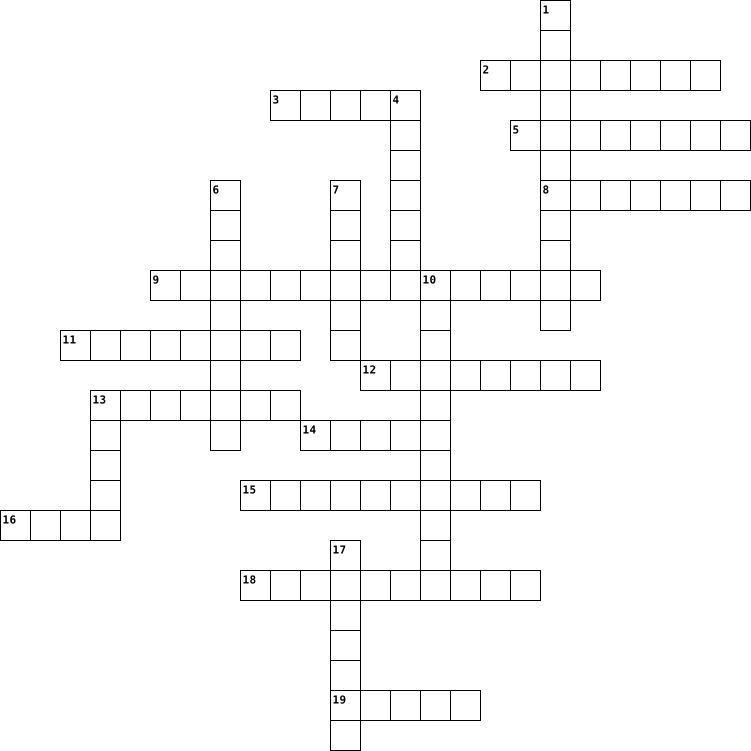
Across
- A computer program that protects your computer from malicious users by blocking incoming and outgoing unauthorized access.
- A small, unauthorized program that can damage a PC.
- It allows you to type information into your computer.
- Equipment for converting paper documents to electronic documents that can be used by a computer.
- This is the basic software that runs on a computer.
- Turn off the computer.
- A portable computer.
- Another word for computer screen.
- A disk for storing computer information. It can be read by a computer with an optical drive.
- This is a small device that you can store files on.
- Junk, unsolicited mail.
- A mobile phone that includes a palmtop computer or PDA and also gives access to Internet and email.
- A way of sending and receiving messages via the Internet.
Down
- An image that appears on your computer screen when you are not using it.
- Looking at web pages.
- A way of communicating wirelessly over short distances between electronic devices (for example computer and mobile telephone).
- A Microsoft programme package including e.g. Word, Excel, Powerpoint.
- An unwanted happening that forces you to restart your computer.
- Equipment connected to a computer for sending/receiving digital information by telephone line. You may need it to connect to the Internet, to send electronic mail and to fax.
- This is the program you use to surf the Internet.
20 Clues: A portable computer. • Looking at web pages. • Turn off the computer. • Junk, unsolicited mail. • Another word for computer screen. • This is the program you use to surf the Internet. • A small, unauthorized program that can damage a PC. • This is the basic software that runs on a computer. • This is a small device that you can store files on. • ...
Compute Vocabulary 2012-10-04

Across
- The display screen when you first turn the computer on
- The equipment used in a computer system
- Central Processing Unit
- Device that provides input to a computer
- The main circuit board of a computer
- Device that outputs information
- Uniform Resource Locater
- Program used to access the internet
- Code made of numbers separated by three dots
- Read-Only Memory
Down
- 2+ computers connected
- Any external device that provides input or output
- Computer that provides data to other computers
- Computer programs
- Allows programs to run
- Internet Service Provider
- The first setting before it is changed
- System of representing characters
- Unit of measurement used to measure data
- Random Access Memory
20 Clues: Read-Only Memory • Computer programs • Random Access Memory • 2+ computers connected • Allows programs to run • Central Processing Unit • Uniform Resource Locater • Internet Service Provider • Device that outputs information • System of representing characters • Program used to access the internet • The main circuit board of a computer • The first setting before it is changed • ...
Technology 2023-04-18
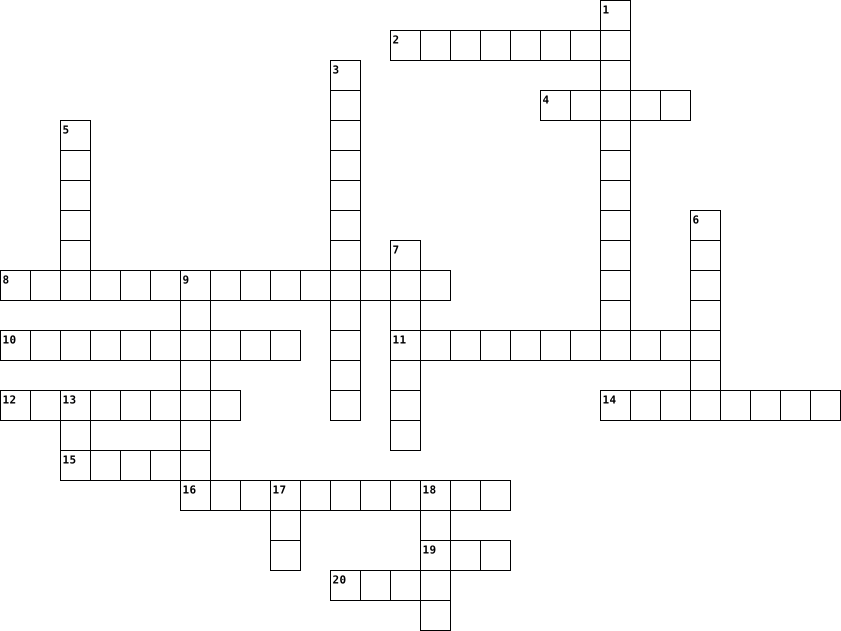
Across
- Programs and data that run on a computer
- Malicious software that can harm a computer system
- Software that manages computer hardware and software resources
- Process of converting data into a secret code to protect sensitive information
- Websites and applications used for social networking and communication
- Physical components of a computer system
- Security system that regulates network traffic and can block unauthorized access
- PAD Surface used to improve the performance of an optical or mechanical computer mouse
- Display that responds to touch, allowing interaction without a mouse or keyboard
- Program designed for use on a mobile device or computer
- High-Definition Multimedia Interface, a standard for transmitting uncompressed digital video and audio
Down
- Online tool for finding information on the internet
- Hardware that generates images for display on a computer monitor
- Two-dimensional barcode used for storing and transmitting information
- Physical and digital components used for storing data and information
- Collection of web pages accessible on the internet
- Global network of computers
- Random access memory, a type of computer memory used for temporary storage of data
- Central processing unit, the main component of a computer that performs most of the processing
- Electronic mail message sent and received using the internet
20 Clues: Global network of computers • Programs and data that run on a computer • Physical components of a computer system • Malicious software that can harm a computer system • Collection of web pages accessible on the internet • Online tool for finding information on the internet • Program designed for use on a mobile device or computer • ...
FITAVocab.HBM 2013-05-15

Across
- presentation software program similar to Keynote and Powerpoint, but more abstract
- a file created by a software application
- Example: Windows
- rules and behaviors made to keep individuals safe when online
- an opening in a computer that allows to have more plug-ins
- part of the computer that processes everything
- main circuit board of a computer
- protecting information on computer systems/networks
- Example: printer
- legal means of protecting an author's work
- file format made by WORD that has a smaller chance of getting a virus
- digital, online, accesible on the digital world
- selection of editing and drawing/art tools on your computer
- file format made by Microsoft that can't be viewed by all programs
Down
- a file that serves as a starting place for a new document
- a software that runs on your computer
- the short term memory of a computer
- to start up a computer
- collection of data stored in one unit
- code of positive conduct online
- a piece of equipment that provides input and output for the computer
- a web-based program that saves your photos, docs, and music
- data transmission
- Example: keyboard
- file format made by ADOBE that is viewable by all programs
25 Clues: Example: Windows • Example: printer • data transmission • Example: keyboard • to start up a computer • code of positive conduct online • main circuit board of a computer • the short term memory of a computer • a software that runs on your computer • collection of data stored in one unit • a file created by a software application • legal means of protecting an author's work • ...
Networking concept and cyber ethics 2025-05-19

Across
- The simplest way to prevent plagiarism is through proper
- When software is copied and distributed illegally.
- The computers that communicate with each other
- It is an illegal intrusion into a computer system or network.
- It is a device that connects two different types of network with each other
- It refers to criminal activities that involves use of computers and network
- Each node is connected to every other node in the network
- A computer network that is mainly created for an individual person
- A network maintained without using wires
- It is the unwanted bulk emails that comes from unknown sources.
- An act of harming, harrassing or targetting a person using the internet in a deliberate manner
Down
- All the nodes in the network are connected in a circular manner
- This topology uses a single communication line or one main cable to which all the nodes are directly connected.
- A digital footprint is also known as
- It is the process of transforming data into an unreadable code.
- It is a network device that is used to connect all the computers in a network with each other.
- It is a larger network then LAN and is spread across a city.
17 Clues: A digital footprint is also known as • A network maintained without using wires • The computers that communicate with each other • When software is copied and distributed illegally. • The simplest way to prevent plagiarism is through proper • Each node is connected to every other node in the network • It is a larger network then LAN and is spread across a city. • ...
Computer Grade 5 2024-10-27

Across
- Physical parts of a computer you can touch
- A list of options or commands in a program
- The brain of the computer that processes instructions
- A program for drawing and editing images on a computer
- The arrow or pointer on the screen moved by the mouse
- A device used to make digital copies of documents or images
- A device used to move the pointer on the screen
- A group of connected computers sharing resources
- Removing a file or text from a computer
- An input device used for typing letters and numbers
- An output device that displays images and text
- A simple word processing program on Windows
- A rectangular area on screen for viewing programs or files
- A secret word to protect your computer or accounts
Down
- A global network connecting computers worldwide
- An output device that creates a hard copy of documents
- Pressing a mouse button to select an item on screen
- Sending a file from your computer to the internet
- A small picture representing a file or program
- Programs and applications that run on a computer
- A document or item saved on a computer
- A place to organize and store files on a computer
- Storing your work to prevent data loss
- The temporary memory of a computer used while it’s on
- Memory that stores instructions permanently
- Saving a file from the internet to your computer
- A software to access websites on the internet
27 Clues: A document or item saved on a computer • Storing your work to prevent data loss • Removing a file or text from a computer • Physical parts of a computer you can touch • A list of options or commands in a program • Memory that stores instructions permanently • A simple word processing program on Windows • A software to access websites on the internet • ...
Understanding Computers By Erika 2022-10-18

Across
- clean the ____ inside and outside of a PC case
- redo last action
- the internet
- 4 digits, numbers, lower case, upper case, special characters
- the computer display
- volatile computer memory
- internet connections in space
- unplug computer at 100%, don’t __________
- free computer changes to fix software bugs
Down
- save storage space by deleting _____________
- internet connections in the ocean
- connects all parts of the computer.
- the better storage device
- extra protection
- creates monitor images
- operating system for art
- the brain of the computer.
- old way to connect to the internet
- operating system for gaming
- select all
- computers gathered together
21 Clues: select all • the internet • extra protection • redo last action • the computer display • creates monitor images • operating system for art • volatile computer memory • the better storage device • the brain of the computer. • operating system for gaming • computers gathered together • internet connections in space • internet connections in the ocean • old way to connect to the internet • ...
POB MIS Information System 2020-09-10

Across
- a piece of software programmed using artificial intelligence techniques
- The physical parts of a computer, suchs as the case, central processing unit, monitor, mouse, keyboard, computer data storage, graphics card, sound card, speakers and motherboard
- a type of computer program that, when executed, replicates itself by modifying other computer programs and inserting its own code
- a formal language comprising a set of instructions that produce various kinds of output
- the part of a computer in which operations are controlled and executed
- an interactive instructional technique whereby a computer is used to present the instructional material and monitor the learning that takes place
- the use of computers to aid in the creation, modification, analysis, or optimization of a design
- an interdisciplinary research area at the interface of computer science and engineering
- management information system (MIS) is a coordinated system of processing and reporting information in an organization
- system software that manages computer hardware, software resources, and provides common services for computer programs
Down
- the programs and other operating information used by a computer
- work from home, making use of the Internet, email, and the telephone
- wide-ranging branch of computer science concerned with building smart machines capable of performing tasks that typically require human intelligence
- a program or group of programs designed for end users
- A machine that can be instructed to carry out sequences of arithmetic or logical operations automatically via computer programming
- a collection of instructions that can be executed by a computer to perform a specific task
- illegally copying software that does not belong to you in a manner that violates the copyright
- commercial transactions conducted electronically on the Internet
- a group of computers that use a set of common communication protocols over digital interconnections for the purpose of sharing resources located on or provided by the network nodes
19 Clues: a program or group of programs designed for end users • the programs and other operating information used by a computer • commercial transactions conducted electronically on the Internet • work from home, making use of the Internet, email, and the telephone • the part of a computer in which operations are controlled and executed • ...
computer vocab 2012-10-04

Across
- Is connected to CPU but isn’t controlled
- Allows data to be sent to the computer
- code that connects computers
- Random Access memory
- displays the image or sounds on a computer
- the electronic components of a computer system
- Directs the computer
- Finds websites and documents
- Supplies data
Down
- A group of bits turned into data
- represents letters and numbers
- serves provider
- Software that controls the computer
- Display screen for files and links
- Central Processing unit
- A board that contains basic circuitry of a computer
- The original settings
- Website address
- Interconnected computers that exchange data
- Where software is stored
20 Clues: Supplies data • serves provider • Website address • Random Access memory • Directs the computer • The original settings • Central Processing unit • Where software is stored • code that connects computers • Finds websites and documents • represents letters and numbers • A group of bits turned into data • Display screen for files and links • Software that controls the computer • ...
Networking Concept 2025-05-18

Across
- it is spread across a city
- each node is connected to every other node in the network. this type of topology can handle large data traffic
- a device that connects two different types of networks with each other
- used to physically attach a computer to a network commnication
- this kind of network connects one or more computers,located at a distant place
Down
- this topology uses a single communication line or one main cable to which all nodes are directly connected
- can be defined as a group of comps & other devices
- the computers which are in a network are called_______
- a computer network that is mainly created for an individual person
9 Clues: it is spread across a city • can be defined as a group of comps & other devices • the computers which are in a network are called_______ • used to physically attach a computer to a network commnication • a computer network that is mainly created for an individual person • a device that connects two different types of networks with each other • ...
Basic Computer Terms 2021-01-22

Across
- Transferring data from another computer to your computer
- A small picture used to represent a file or program
- A video camera used to broadcast streaming or still video using the internet.
- Occurs when a user points the mouse at an icon or folder, presses the button and without releasing the button, moves the icon or folder to another place on the computer where the button is released
- Unwanted and unsolicited "junk" email
- a row of icons used to perform tasks in a program
- device that converts output from a computer into a printed image
- A wireless technology that enables communication between computer devices. It is primarily used for short range connections.
- Stands for "Personal Computer"
- A collection of computers that are connected
- A deliberately harmful computer program designed to create annoying glitches or destroy data
Down
- Stands for "Wireless Fidelity" and it refers to wireless networking technology that allows computers and other devices to communicate over a wireless signal.
- Used to organize a collection of computer files; as in the concept of a filing cabinet (computer's hard drive)
- Also known as notebook computers. They are portable computers that consist of a screen, keyboard and a mouse device
- Messages sent electronically over a computer network
- A device used to display information visually
- A portable computer that uses a touchscreen as the primary input device instead of a keyboard and/or mouse
- used to input data by pressing keys
- A programmable electronic device for storing and processing data.
- Occurs when a user presses a button on a mouse which in turn, generates a command to the computer
- A hand operated pointer device that, along with a keyboard, serves as a primary input device for a computer.
21 Clues: Stands for "Personal Computer" • used to input data by pressing keys • Unwanted and unsolicited "junk" email • A collection of computers that are connected • A device used to display information visually • a row of icons used to perform tasks in a program • A small picture used to represent a file or program • Messages sent electronically over a computer network • ...
Computer Parts 2019-10-12

Across
- Soft copy of document
- Manipulation of data
- Extension of hand inside the monitor
- The brain and the heart of a computer
- DEVICE Displays processed data
- Physical Component of a computer
- Pathway between several computer components
- Uses lasers to read and write data
- Hard copy
- INPUT DEVICE Voice or speech recognition systems
Down
- Non-volatile primary storage device
- Sprays ink on paper during printing
- Volatile primary storage device
- The main circuit board of a computer
- Permanent secondary storage
- General purpose, digital, electronic device
- Interface cards
- qwerty device
- Unorganized collection of raw facts or figures
- Set of instructions to process data
20 Clues: Hard copy • qwerty device • Interface cards • Manipulation of data • Soft copy of document • Permanent secondary storage • DEVICE Displays processed data • Volatile primary storage device • Physical Component of a computer • Uses lasers to read and write data • Non-volatile primary storage device • Sprays ink on paper during printing • Set of instructions to process data • ...
PC terms Crossword Puzzle 2023-09-06

Across
- link that points to a computer program
- act of pressing a computer mouse button twice quickly without moving the mouse
- computer program that can capture, display and manipulate data arranged in rows and columns
- software package used to display information in the form of a slide show
- separate viewing area on a computer display screen in a system
- to load an operating system (OS) into the computer's main memory or RAM
- storage space, or container, where many files can be placed into groups and organize the computer
- copy the document, record or image being worked on to a storage medium
Down
- computer file that contains an encoded sequence of instructions that the system can execute directly when the user clicks the file icon
- a bar at the edge of the display of a graphical user interface that allows quick access to current or favorite applications
- act of pressing a computer mouse button once without moving the mouse
- a resource for recording data on a computer storage device
- a movable indicator that is used to indicate the current position for any input on a computer interface
- file created by a software application
- a narrow bar along the bottom or side of a window that one clicks on with a mouse to see parts of the window that are hidden
- an output device that displays information in pictorial or textual form
- a set of options presented to the user of a computer application to help them find information
- computer keyboard that when pressed in combination with other keys enables special commands or symbols to be accessed
- a small graphical representation of a program
- action of selecting an object or section of text and moving it
20 Clues: file created by a software application • link that points to a computer program • a small graphical representation of a program • a resource for recording data on a computer storage device • separate viewing area on a computer display screen in a system • action of selecting an object or section of text and moving it • ...
Phish 2024-09-18

Across
- : “Too good to be true”
- : Familiar ___ are often faked by scammers
- Link : Imposter website
- for help : Sense danger?
- : Who should learn how to recognize and avoid (phishing)?
- Breach : Exposes business secrets and confidential data
Down
- Criminal : A stranger in a dark alley is much like a _____ in your inbox.
- : Where to find additional information on the different types of (phishing)
- : Malicious email attack
- : Compromises computer and files
- Credentials : Never send these via email
- : “Think Before You ___”
- Phish : Who do you report suspicious email to?
13 Clues: : “Too good to be true” • Link : Imposter website • : Malicious email attack • : “Think Before You ___” • for help : Sense danger? • : Compromises computer and files • Credentials : Never send these via email • : Familiar ___ are often faked by scammers • Phish : Who do you report suspicious email to? • Breach : Exposes business secrets and confidential data • ...
Computer Pioneers And Terms 2015-05-25

Across
- A base 2, 8-bit number system.
- A collection of devices connected to one another allowing data to be shared and used.
- Made of plastic or fiberglass and designed to hold electronic circuits, ICs, switches, and other components.
- Hungarian American mathematician, computer scientist, and educator.
- Developed the Z1, Z3, and Z4 the first programmable computer, making him the father of computer.
- American physicist, electrical engineer, and was known as the inventor of the transistor.
- A data storage device.
- Allows the computer to run and understand the program.
- Inventor of the first digital computer.
- American computer scientist for having planted seeds of computing in the digital age.
- A line of computers introduced by Steve Jobs of Apple Inc.
- A data equal to either seven or eight bits.
- Is used to create electronic documents.
- A hardware device that enables a computer to send and receive information over telephone lines.
- An Indian-American computer architect who developed several USB technologies.
- A component used to control the amount of current or voltage or used for amplification.
- The purpose of the group was to come together and share their knowledge of programming and computers.
- Conceived and built the first integrated circuit.
- Allows the use of icons or other visual indicators to interact with electronic devices.
- An instance of a computer program that accepts and responds to requests made by another program.
- Enable the users to have access to much faster computers or servers.
- An American engineer, entrepreneur and medical doctor who invented the first commercially, the Altair 8800.
Down
- Inventor and a computer engineer for leading the team that developed the ISA bus and the IBM design team.
- An English mathematician, logician, crypt analyst, and computer scientist.
- It has internal memory that saves instructions.
- An external bus standard that supports data.
- An optical disc which contains audio or software data whose memory is read only.
- American engineer and entrepreneur.
- A British professor of computer science, credited with creating the first graphical computer game.
- An electrical engineer and computer pioneer who helped invent the ENIAC and UNIVAC.
- A package containing many electronic components all working together to perform functions.
- A wide area network linking; internet.
- Pioneer computer engineer who designed the first American Electronic computer, the ENIAC.
- Responsible for handling all instructions it receives from hardware and software running on the computer.
- A standardized naming convention for addressing documents accessible over the internet.
- Co-author of Mosaic.
- The smallest portion of an image or display that a computer is capable of printing or displaying.
- Computer scientist and Co-developer of the J Programming Language.
- One of the inventors of the microprocessor.
- Father of video games.
- Austrian inventor who invented the printed circuit board.
- Credited for developing the World Wide Web.
- A two-dimensional barcode that has a larger storage capacity.
- An easy-to-understand programming language.
44 Clues: Co-author of Mosaic. • A data storage device. • Father of video games. • A base 2, 8-bit number system. • American engineer and entrepreneur. • A wide area network linking; internet. • Inventor of the first digital computer. • Is used to create electronic documents. • A data equal to either seven or eight bits. • One of the inventors of the microprocessor. • ...
Computer Vocab 2015-01-08

Across
- of the five parts of the KEYBOARD--Numeric Keypad, Alpha Pad, Arrow Keys, Function Keys, Control (Command) Keys
- system – master control program in a computer, maintains disk files, runs applications, and handles devices such as the mouse and printer
- physical parts of the computer, any part of the computer you can touch
- that can be attached (added on) to a computer
- from a computer that can be seen or heard, but not touched--(Ex: output from a speaker or monitor)
- from a computer that can be touched-- (Ex: output from a printer or plotter)
- Processing Unit--the main component that performs all of the processing, also known as a microprocessor
- computer software used to search for information on the World Wide Web
- processed by the computer
- from a printer (Ex: Laser, Dot Matrix, Ink Jet)
Down
- Storage--devices that can be used to permanently store your work (Ex: floppy disk, hard disk, optical disk)
- for megabyte, a unit of memory or storage capacity
- a chip that tells your computer to do these four functions:
- machine that preforms four functions: imput processing sorage and output
- instructions on a disk or drive that make the computer work (You can not see these)
- computer or software that manages the flow of information on a network
- Access Memory--a temporary memory to hold your data-- (storage place inside your computer where 1s and 0s are kept until power is cut off--also holds the program that you are working on)
- Drive--a device that reads data off a disk and/or writes data to a disk (hard or floppy)
- processing, storage, output
- TV-like screen--an output device
- three OUTPUT DEVICES--printer, monitor, speaker
- place on a computer where cable can be attached
22 Clues: processed by the computer • processing, storage, output • TV-like screen--an output device • that can be attached (added on) to a computer • from a printer (Ex: Laser, Dot Matrix, Ink Jet) • three OUTPUT DEVICES--printer, monitor, speaker • place on a computer where cable can be attached • for megabyte, a unit of memory or storage capacity • ...
Module 2: Program Coding 2016-05-17

Across
- A program that assembles objects generated by a compiler into a singled executable program.
- Misuse of resource.
- It transforms source code into computer language.
- Discrepancy on usage of variable.
- A temporary storage, with data types, and name.
- Consists of one or more operands and operators.
- It has range, size, and classification. It specifies that kind of data to store.
Down
- Its value never change during run time.
- An English like programming language, user friendly, and platform independent.
- A program that translates and executes each statement.
- Excessive use of variable.
- The minimal unit of structure in programming.
12 Clues: Misuse of resource. • Excessive use of variable. • Discrepancy on usage of variable. • Its value never change during run time. • The minimal unit of structure in programming. • A temporary storage, with data types, and name. • Consists of one or more operands and operators. • It transforms source code into computer language. • ...
Web Safety 2023-08-22

Across
- Exception to copyright infringement.
- A network controller which connects devices and allows effective communication between these devices.
- a piece of code that is capable of copying itself and typically has a detrimental effect, such as corrupting the system or destroying data.
- collection of computers controlled by users other than their own to perform automated tasks over the internet.
- is being aware of the nature of the possible threats that you could encounter whilst engaging in activity through the Internet.
- A device which monitors network activities for attacks and produces reports to a management station.
- is a security program designed to prevent, detect, search and remove viruses and other types of malware from computers, networks and other devices.
- Granted legal right which gives the creator of an original work exclusive rights to reproduce, publish, sell or distribute his or her production.
- Forwarding or distribution of a message which includes sexually explicit materials
- Unauthorized reproduction or distribution of copyright materials.
- Someone who is an expert at fixing and preparing computers, but they can also illegally gain access to other people's computers for their own profits.
- Computer device which forwards data packets from one network to another.
- Fraud which involves stealing personal information for financial gain through email.
- Use of other peoples words, thoughts or ideas without crediting the source.
- use of computers or other electronic device to purposely harm another person online.
- “crime which occurs when someone's personal and financial information is stolen in order to impersonate him or her for financial gain?”
- Security component which encrypts data and keeps it private within a public network.
Down
- Ownership of any creative work or invention.
- Method through which hackers can gain access to a computer.
- An internet user, who uses sites, chat rooms, or other cyberspace to hurt people for sexual or abusive purposes.
- is a form of social engineering and scam where attackers deceive people into revealing sensitive information or installing malware such as ransomware.
- Software designed to protect computers from viruses.
- an electronic device for storing and processing data, typically in binary form, according to instructions given to it in a variable program.
- messages distributed by electronic means from one computer user to one or more recipients via a network.
- software that enables a user to obtain covert information about another's computer activities by transmitting data covertly from their hard drive.
- a secret word or phrase that must be used to gain admission to something.
26 Clues: Exception to copyright infringement. • Ownership of any creative work or invention. • Software designed to protect computers from viruses. • Method through which hackers can gain access to a computer. • Unauthorized reproduction or distribution of copyright materials. • Computer device which forwards data packets from one network to another. • ...
DEPARTMENT OF COMPUTER APPLICATIONS IN ASSOCIATION WITH IT CLUB(TECHIE TRIBE) IT WEEK Crossword 2025-04-11

Across
- Type of loop that continues while a condition is true
- True or False value type
- Used to store multiple values of the same type in programming
- A set of instructions written to perform a task
- Data structure with First-In-First-Out principle
- A loop that never ends is called an ___ loop
Down
- Software that translates high-level code to machine code
- A programming language named after a coffee
- A method for finding bugs
- Web page language: HyperText ___ Language
- A group of 8 bits
- One of the main types of computer memory (abbr.)
12 Clues: A group of 8 bits • True or False value type • A method for finding bugs • Web page language: HyperText ___ Language • A programming language named after a coffee • A loop that never ends is called an ___ loop • A set of instructions written to perform a task • One of the main types of computer memory (abbr.) • Data structure with First-In-First-Out principle • ...
Computer Vocabulary 2015-10-28

Across
- An output device that produces a paper hard copy.
- A mobile phone with advanced functions beyond making phone calls.
- A programmable electronic device for storing and processing data.
- Primary user interface of a computer from which users can access programs, files and folders.
- A board made of keys which, along with a mouse, serves as a primary input device for a computer.
- Random Access Memory
- The suffix at the end of a filename that indicates what type of file it is.
- A portable computer that uses a touchscreen as the primary input device.
- Using a cursor and mouse to select and then move an object on the screen to a new location.
- The keys to which the four fingers of each hand should returnas a base when touch typing.
- A hand operated pointer device that, along with a keyboard, serves as a primary input device for a computer.
- An international computer network used for many kinds of electronic communications.
- Approximately 1,000,000 bytes.
- Portable computer that consists of a screen, keyboard and a mouse device. Also known as a notebook computer.
Down
- Small laptop or notebook style computer in the <$500 price range that is primarily designed for web surfing.
- Executable software that runs on a computer. Also known as an application.
- Portable hardware device designed to display data like ebooks, magazines and newspapers.
- A collection of webpages.
- Using the internet to create a virtual community by sharing messages, comments and other info using websites designed for that purpose
- Messages sent electronically over a computer network.
- Video camera used to broadcast streaming or still video.
- Lines of computer code written by programmers that tell the computer what to do. Also known as a program or application.
- The physical parts of a computer and all related devices.
- Approximately 1000 bytes.
- An internal or private network.
- The address of a specific website or file on the internet.
- Approximately 1,000,000,000 bytes.
- A popular compressed file format for digital music downloads.
- The horizontal strip that contains lists of available menus for a certain program.
- A series of 8 binary bits that digitally represent a single character to the computer.
30 Clues: Random Access Memory • A collection of webpages. • Approximately 1000 bytes. • Approximately 1,000,000 bytes. • An internal or private network. • Approximately 1,000,000,000 bytes. • An output device that produces a paper hard copy. • Messages sent electronically over a computer network. • Video camera used to broadcast streaming or still video. • ...
Computer 101 2023-03-06

Across
- _______ systems lets the hardware and software work together
- a program that allows you to access the internet
- the process of putting software on your computer
- to select something on your screen
- a file browser where you can find your documents, pictures and other files
- ______ click opens a menu of options
- This tells the hardware what to do and how to do it
- ______ click selects something
- coping a file from your computer to the cloud
- where your deleted files go until you permanently removed them from your computer
Down
- what lets you see your work
- parts of a computer you can physically touch
- the password you use to work on a computer or program
- a graphic symbol that represents a file or application
- the visual cue that shows where your mouse is on your screen
- the working area of a computer
- applications that allow you to perform specific tasks
- making a copy of an online file and storing it on your computer
- the location of your installed programs and files are located
- The "brains" of the computer
20 Clues: what lets you see your work • The "brains" of the computer • the working area of a computer • ______ click selects something • to select something on your screen • ______ click opens a menu of options • parts of a computer you can physically touch • coping a file from your computer to the cloud • a program that allows you to access the internet • ...
What is a computer? 2024-06-04

Across
- the process of keeping information, etc. on a computer; the way it is kept
- a location that can store and read information that is not easily removed
- the set of keys for operating a computer or the set of letters that you can touch to write on a smartphone or tablet
- to connect
- a device which copies pictures and documents so that they can be stored on a computer
- the act of putting information into a computer; the information that you put in
- pieces of equipment that is connected to a computer
- a small device that is moved by hand across a surface to control the movement of the cursor on a computer screen
- an electronic machine that can store, organize and find information, do processes with numbers and other data, and control other machines
Down
- a piece of equipment that has been designed to do a particular job
- he programs used by a computer for doing particular jobs
- the information, results, etc. produced by a computer
- distinct pieces of digital information
- (adj)using a system of receiving and sending information as a series of the numbers one and zero, showing that an electronic signal is there or is not there
- a connection point or interface between a computer and an external or internal device
- the machines and electronic parts in a computer or other electronic system
- a series of actions that a computer performs in order to achieve a result based on some data
- a set of instructions in code that control the operations or functions of a computer
18 Clues: to connect • distinct pieces of digital information • pieces of equipment that is connected to a computer • the information, results, etc. produced by a computer • he programs used by a computer for doing particular jobs • a piece of equipment that has been designed to do a particular job • a location that can store and read information that is not easily removed • ...
Basic Hardware 2025-11-04

Across
- This is the process of starting a computer
- This is software made for a specific task like writing or gaming
- This is the smallest piece of computer data
- This is the main circuit board that connects all parts
- This is a fast type of permanent storage (3)
- This is something that shows information from the computer
- This protects your computer from unwanted network access
- carries out logic and maths for cpu.
- This is very fast memory inside the CPU to speed up tasks
Down
- This is software that controls all the hardware and other software
- This is the programs and apps that tell the computer what to do
- This software helps stop your computer from viruses
- This is storing files on the internet instead of your computer (2)
- This is where your computer stores files permanently
- This is permanent memory that stores essential instructions
- This is something you use to give information to the computer
- This is temporary memory that helps your computer work faster
- This is the brain of the computer that processes instructions
18 Clues: carries out logic and maths for cpu. • This is the process of starting a computer • This is the smallest piece of computer data • This is a fast type of permanent storage (3) • This software helps stop your computer from viruses • This is where your computer stores files permanently • This is the main circuit board that connects all parts • ...
tech terms 2025-05-02

Across
- software designed to corrupt
- 8 bits put together
- restarting the computer
- a way to backup information on your computer
- globally connected system of networks
- central processing unit
- basic unit of information represented by 0 and 1
- personally identifiable information
- regularly updated websites about a certain topic
- curcuit board that connects components of the computer
- drive a way to store data
- an example of an input device
- read only memory
- property creations of the mind
- physical parts of a computer
- an example of a browser
- portable document format
- an example of an output device
Down
- a unit of multiple bytes
- computer software that provides resources
- open source software
- an example of a search engine
- using code to protect sensitive information
- hypertext markup link
- machine language
- part of a computer you cant touch
- uniform resource locater
- transfer of data from one place to another
- reality computer generated simulation
- a program to block unauthorized access to your computer
- random access memory
- domain name system
- internet protocol
- divide difference between regions who have access to modern tech and those who dont
34 Clues: machine language • read only memory • internet protocol • domain name system • 8 bits put together • open source software • random access memory • hypertext markup link • restarting the computer • central processing unit • an example of a browser • a unit of multiple bytes • uniform resource locater • portable document format • drive a way to store data • software designed to corrupt • ...
The world of networking and connections 2025-04-28

Across
- a unique address that identifies a device on the internet or a local network
- the maximum possible data transfer rate of a network or internet connection
- the delay before a transfer of data begins following an instruction for its transfer
- a system that turns domain names into IP addresses, which allow browsers to get to websites and other internet resources
- a communications standard that enables application programs and computing devices to exchange messages over a network
- a network configuration where devices are interconnected in a decentralized manner
Down
- a network security device that separates a trusted internal network from an external network deemed untrustworthy, such as the internet.
- a network structure that combines two or more different types of topologies, such as star, ring, bus, or mesh
- a computer network that connects computers within a metropolitan area
- a device that forwards data packets to the appropriate parts of a computer network
- Point a term used for a network device that bridges wired and wireless networks
- a wirelesms computer network that links two or more devices using wireless communication to form a local area network
- a device that links multiple computers and devices together
- is a network setup in which each device is connected to a central node called a hub
- a widely used system for identifying devices on a network with unique addresses made up of four numbers
15 Clues: a device that links multiple computers and devices together • a computer network that connects computers within a metropolitan area • the maximum possible data transfer rate of a network or internet connection • a unique address that identifies a device on the internet or a local network • ...
Software 2025-02-07

Across
- Storing digital data on a physical storage device.
- Recognizes a person's physical characteristics.
- Controls the overall function of the computer system.
- A portable personal computer with a touchscreen interface.
- This detects the position of pencil marks.
- Enables the computer to perform useful functions.
- This produce printed output.
- Can be rolled on a flat surface and sends signals to the computer.
- General term for a collection of instructions.
- Giving the computer instructions.
Down
- Storing digital data in an online space.
- The physical components of a computer system.
- Software companies offer groups of application.
- This is a less expensize software, that is not made from stratch.
- Also known as visual display unit.
- Controls the operations of the computer system itself.
- Controls the operation of hardware items.
- Also known as a point-of-sale scanner.
- This scans information that is encoded to check for authenticity.
- Computers produce sound signals by a speaker, headphone or earphone.
- This scans images of text into a machine encoded text.
21 Clues: This produce printed output. • Giving the computer instructions. • Also known as visual display unit. • Also known as a point-of-sale scanner. • Storing digital data in an online space. • Controls the operation of hardware items. • This detects the position of pencil marks. • The physical components of a computer system. • General term for a collection of instructions. • ...
Lesson 2 2015-01-28

Across
- A separate area of a menu or window
- A key or combination of keys that perform a command
- A strip that contains the Start button and other buttons that give you quick access to common tools and running programs; appears by default at the bottom of the desktop
- To press a mouse button and immediately release it
- To move from one location to another on a computer, such as from one file or folder to another
- A set of desktop backgrounds, window colors, sounds, and screen savers that allow you to personalize the desktop
- Software that a computer uses to complete tasks; also called an application
- A collection of related information; typical types of files include text documents, spreadsheets, digital pictures, and songs
- To click an object with the right mouse button
- To click the left mouse button twice in quick succession
- To use a pointing device to move the mouse pointer over objects on the desktop
- On-screen text that appears when you point to certain objects; tells you the purpose or function of the object to which you are pointing
- A rectangular work area on the screen that contains a program, text, graphics, or data
- A bar that contains buttons that let you perform common tasks; changes to provide buttons appropriate for your current task
- Your workspace on the screen for projects and the tools that you need to manipulate your projects
- The area at the top of a program window that provides access to a main set of commands, which are organized by task into tabs and groups
- To click an object and then press and hold down the mouse button while moving the mouse
Down
- To point to and then click an object in order to work with it
- A worldwide collection of computers connected to one another to enable communication
- A collection of commands that perform a variety of related tasks on a program’s Ribbon
- A list of commands that extend from and relate to a main menu command
- A low-power state in which Windows saves your work and then turns down the power to your monitor and computer
- A central place to view and organize files and folders stored anywhere that your computer can access, such as your hard disk, removable drives, and network
- Software that a computer uses to complete tasks; also called a program
- A group or list of commands
- A small picture that represents an object available on your computer
- A graphical or textual object used for manipulating a window and for using a program
- To work on more than one task at a time and to switch quickly between projects
- A small object, such as an arrow, that moves on the screen when you move your mouse
- A collection of controls for related actions on a Ribbon’s tab
- A container that helps to organize the contents of your computer
31 Clues: A group or list of commands • A separate area of a menu or window • To click an object with the right mouse button • To press a mouse button and immediately release it • A key or combination of keys that perform a command • To click the left mouse button twice in quick succession • To point to and then click an object in order to work with it • ...
CHM Puzzle 2023-09-19

Across
- music form most played on the computer
- a small port on your computer that you can attach drives to
- talking to other users by typing or using headphones
- the object on your screen that lets you point at things
- the program that checks your spelling
- a program that destroys your computer system
- a program that lets you draw on your computer
- internet mail
- any program on the computer
- one of the many different sizes in regards to computers storage
Down
- a mass storage device that is portable that connects through a USB port
- what is another word for computer screen
- a machine that lets you put paper documents onto your computer
- the most popular internet search engine
- the machine that lets you put documents and such on paper
- the brain of a computer
- the tool you use to type words onto the computer
- any physical part of a computer
- what you use to click things on the screen
19 Clues: internet mail • the brain of a computer • any program on the computer • any physical part of a computer • the program that checks your spelling • music form most played on the computer • the most popular internet search engine • what is another word for computer screen • what you use to click things on the screen • a program that destroys your computer system • ...
Computer Hardware and Software 2013-08-19

Across
- are made of metal and holds all the internal parts of a computer system.
- which cools the CPU to keep it functioning properly
- produces sound output that comes out of the speakers
- the most important software that runs on a computer and managers all software and hardware.
- is considered the brains of the computer
- a visual display device
- a hardware device used to record and transmit sound.
- a popular operating system
- known as the main circuit and provides a way for hardware in a computer to communicate with each other
- a device connected to a computer that allows a user to print items onto paper.
- a drive that is connected to a computer and on which a CD can be played.
Down
- a data storage device that is used to store information like software and files.
- a device used to input text into a computer or other device. Can be connected wirelessly or via USB.
- an output device used for listening that is held over the ears by a band worn on the head.
- produces the video output that comes out of the monitor
- stores temporary instructions and data
- an input device used to move a cursor around the screen
- a type of system software that is used to maintain the performance of a computer system.
- the most popular connection used to connect a computer to a device such as digital cameras, printers, scanners and external hard drives.
- a component that supplies power to the components of a computer.
- a cursor control device used in computer games.
- is an external device that produces sound.
- is a video capturing device that is connected to a computer.
23 Clues: a visual display device • a popular operating system • stores temporary instructions and data • is considered the brains of the computer • is an external device that produces sound. • a cursor control device used in computer games. • which cools the CPU to keep it functioning properly • produces sound output that comes out of the speakers • ...
Semester Test 2 2026-05-13

Across
- The circuit board that all other components connect to
- A common operating system created by Microsoft
- A new, improved, or fixed software that replaces older versions of the same software
- Computer programs also known as "apps"
- The operating system created by Google that runs on many smartphones and tablets
- A large, stationary computer that is highly customizable/upgradable, but requires peripheral devices (mouse, keyboard, etc) to function properly
- Putting new software on a device
- Giving a digital device or computer to-do tasks for you
- A handheld computer generally with a touchscreen that has cellular networking capability
- The most powerful computer. Very expensive. Mostly owned by the government
Down
- Tells you how many pixels your screen can display
- The operating system that runs on iPhones
- A portable, hinged and closable computer with an attached mouse/keyboard/screen
- The physical parts of a computer
- Removing software that you don't want from a device
- The smallest element in an electronic image
- The brain of the computer that processes information
- The digital parts of a computer
- A type of display screen that is sensitive to the touch of a finger or stylus (digital pencil)
- Random access memory
20 Clues: Random access memory • The digital parts of a computer • The physical parts of a computer • Putting new software on a device • Computer programs also known as "apps" • The operating system that runs on iPhones • The smallest element in an electronic image • A common operating system created by Microsoft • Tells you how many pixels your screen can display • ...
Computer Terms 2021-12-10

Across
- Random access memory
- exclusive rights given to someone who creates original work: the individual is protected for his/her lifetime and 50 years after his/her death
- The intangible components of a computer system, particularly the programs that the computer needs to perform a specific task.
- A device that "takes a picture" of something and turns it into a computerized image.
- a computer system that stores enormous amounts of data
- Device that does computations and makes logical comparisons according to the instructions it receives.
- Digital versatile disk, recorded with optical technology that contains full-length (2-hour) motion pictures for viewing on a personal computer or on a TV screen.
- Your computer or network has been broken into
- One character of storage space on disk or in RAM.
- A collection of data stored in one unit, identified by a filename
- The most frequently used input device; consists of three major parts: the main keyboard, the keypads, and the function keys.
- to copy or transfer (data or a program)
- Can be located on your hard drive for file storage. Allow users to organize files.
- A display device that forms an image by converting electrical signals from the computer into points of colored light on the screen.
- only memory
Down
- The peripheral computer component that produces a hard copy of the text or graphics processed by the computer.
- Binary digit
- The physical components of a computer.
- A pointing device that has a laser guide on its underside and two or more buttons for clicking commands; you control the movement of the pointer by moving the entire mouse around on your desk.
- a software designed to harm a computer
- central processing unit
- A round, metal platter in the hard drive of the computer; it stores large amounts of information
- harassment that takes place using electronic technology
- A quoting of an authoritative source for substantiation.
- A hard plastic disk
- a type of computer software that collects information about a user's browsing patterns in order to display relevant advertisements in his or her Web browser
- a packet of data sent by a internet server to a browser
- a website that is updated alot and acts like a journal
- A computer program that provides services to other computer programs
- A device that reads the information contained on a disk. The drive may be permanently installed inside the computer (hard disk drive)
30 Clues: only memory • Binary digit • A hard plastic disk • Random access memory • central processing unit • The physical components of a computer. • a software designed to harm a computer • to copy or transfer (data or a program) • Your computer or network has been broken into • One character of storage space on disk or in RAM. • a computer system that stores enormous amounts of data • ...
Computer crossword 2020-05-20

Across
- Also called electric circuit. the complete path of an electric current, including the generating apparatus, intervening resistors, or capacitors.
- Computers. a palm-sized, button-operated pointing device that can be used to move, select, activate, and change items on a computer screen.
- Computers. the programs used to direct the operation of a computer, as well as documentation giving instructions on how to use them.
- a set of symbols that can be interpreted by a computer or piece of software
- random-access memory; computer memory available to the user for creating, loading, or running programs and for the temporary storage and manipulation of data, in which time of access to each item is independent of the storage sequence. As a storage medium, RAM is volatile, so its contents are lost when the power fails or is turned off.
- information in a form suitable for transmission from internal to external units of a computer, or to an outside medium.
- Computers. of, relating to, or written in binary code; programmed or encoded using only the digits 0 and 1:
- Electronics. a tiny slice of semiconducting material, generally in the shape of a square a few millimetres long, cut from a larger wafer of the material, on which a transistor or an entire integrated circuit is formed.
- Computers. the mechanical, magnetic, electronic, and electrical devices comprising a computer system, as the CPU, disk drives, keyboard, or screen.
- a rigid, slotted board upon which other boards that contain the basic circuitry of a computer or of a computer component can be mounted
Down
- a controller, the key component of a computing device that contains the circuitry
- a programmable electronic device designed to accept data, perform prescribed mathematical and logical operations at high speed, and display the results of these operations.
- the collection of software that directs a computer's operations, controlling and scheduling the execution of other programs, and managing storage, input/output, and communication resources.
- the capacity of a computer to store information subject to recall.
- Also called binary digit. a single, basic unit of information, used in connection with computers and information theory.
- central processing unit: the key component of a computer system, which contains the circuitry necessary to interpret and execute program instructions
- the screen component of a computer, especially a free-standing screen.
- a set of keys usually arranged in tiers, for operating a typewriter, typesetting machine, computer terminal, or the like.
- data to be entered into a computer for processing.
- information computing the information operated on by a computer program
20 Clues: data to be entered into a computer for processing. • the capacity of a computer to store information subject to recall. • the screen component of a computer, especially a free-standing screen. • information computing the information operated on by a computer program • a set of symbols that can be interpreted by a computer or piece of software • ...
Computer terminology 2022-02-07

Across
- data that a computer sends.
- a collection of related data contained in one or more files or a database.
- an organizational element of a computer operating system used to group files together.
- person operating the computer or device.
- a group of 8, 16, 32, 64 bits. Memory on the computer is divided into this.
- an output hardware device that connects to a computer to generate sound.
- an unambiguous, ordered sequence of computational instructions necessary to achieve such a solution.
- electronic technology that generates, stores, and processes data in terms of two states
- data that a computer receives.
- the act of drawing on graphics software in a computer.
- the delivery of different services through the Internet, including data storage, servers, databases, networking, and software.
- short term memory where data is stored as the processor needs it.
Down
- an image or visual representation of an object
- used to store data or programs on a temporary or permanent basis
- a device used to enter characters and functions into the computer system by pressing buttons
- a small, movable device that lets you control a range of things on a computer
- Between the user and the computer operating language that we would prefer not to have to use, like having an interpreter in a foreign country where we don’t understand the language
- used to print graphical output on paper.
- two or more computers that are connected with one another for the purpose of communicating data electronically
- a class of electronic devices that convert digital data signals into modulated analog signals suitable for transmission over analog telecommunications circuits.
- the smaller unit. It is the building block of all pieces of data.
- the physical surface on which visual information is presented.
- receives data and permanently writes it on a chip, and it lasts even after you turn off your computer.
- the instance of a computer program that is being executed by one or many threads. It contains the program code and its activity.
- used to enter information and instructions into a computer for storage or processing
- uses a light beam to scan codes, text, or graphic images directly into a computer or system.
- the common storage unit in a computer
- accepts text files or images from a computer and transfers them to a medium such as paper or film.
- type of user interface through which users interact with electronic devices via visual indicator representations.
29 Clues: data that a computer sends. • data that a computer receives. • the common storage unit in a computer • used to print graphical output on paper. • person operating the computer or device. • an image or visual representation of an object • the act of drawing on graphics software in a computer. • the physical surface on which visual information is presented. • ...
Parts of a Computer 2022-10-19

Across
- A display screen to provide "output" to the user
- a video camera which is designed to record or stream to a computer or computer network
- Card, enables a computer to access the Internet by means of a cord
- Manages the functions of input, output, and storage devices.
- to enter information into the computer
- A device that allows pictures to be placed into a computer
- controls the motion of a pointer
- An output device that produces a hard copy on paper
Down
- Allows the user to record sounds as input to their computer
- Supply, converts mains AC to low-voltage regulated DC power for the internal components of a computer
- Drive, the hardware component that stores all of your digital content
- Card, enable internet connection through the wireless connection network under the coverage of a wireless local area network
- Fan, to blow cold air and drive hot air out of the computer
- Card, generates the video signal sent to a computer display
- Random Access Memory
- Card, Connects the speakers and microphone to the computer.
- Read Only Memory
- port, a common interface that enables communication between devices and a host controller such as a personal computer (PC) or smartphone
18 Clues: Read Only Memory • Random Access Memory • controls the motion of a pointer • to enter information into the computer • A display screen to provide "output" to the user • An output device that produces a hard copy on paper • A device that allows pictures to be placed into a computer • Allows the user to record sounds as input to their computer • ...
Computer Tech 2023-11-28

Across
- A small graphic symbol that represents an object or action on a computer screen
- A portable personal computer operated by a touchscreen
- A connection between two or more things, especially in a computer system
- A malicious program that attaches itself to another program and replicates when the host program is run
- A set of instructions for solving a problem or completing a task
- Picture or symbols that you can form on a computer
- Developing machines which are faster and more powerful
- A piece of software for a specific purpose.
- A group of connected computers that can share information and resources
- Temporary storage on a computer
- A collection of organized data that a computer can access and change
- To get hold of music or film from an internet store.
Down
- A unit of storage equal to 1,073,741,824 bytes
- A copy of computer data taken and stored elsewhere
- A program for accessing and navigating the World Wide Web
- To restore the last editing
- An operating system stops functioning properly and exits
- What you see on the screen of an electronic device
- In, Put information into a computer or give the computer a particular instruction
- A distinct area of responsibility or authority on the internet
20 Clues: To restore the last editing • Temporary storage on a computer • A piece of software for a specific purpose. • A unit of storage equal to 1,073,741,824 bytes • A copy of computer data taken and stored elsewhere • What you see on the screen of an electronic device • Picture or symbols that you can form on a computer • To get hold of music or film from an internet store. • ...
Technology 2023-04-20
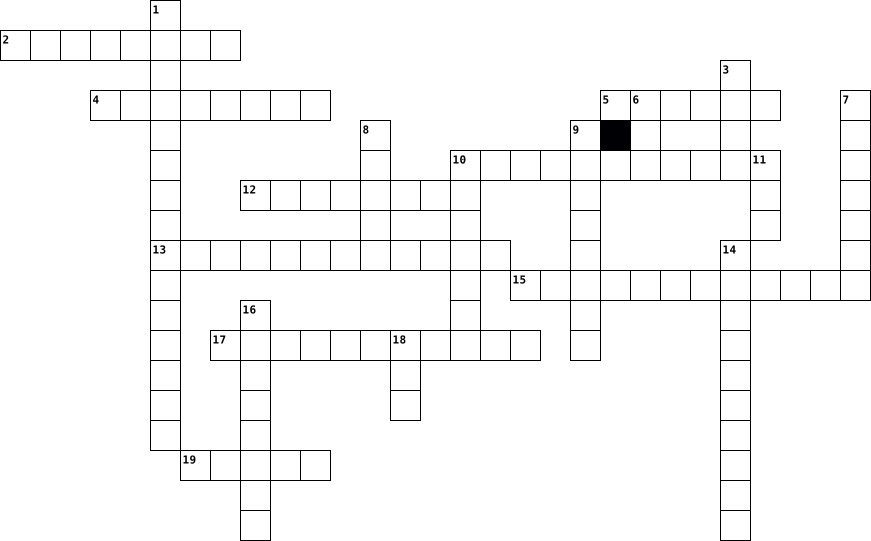
Across
- Surface used to improve the performance of an optical or mechanical computer mouse
- Security system that regulates network traffic and can block unauthorized access
- Two-dimensional barcode used for storing and transmitting information
- Websites and applications used for social networking and communication
- Global network of computers
- Hardware that generates images for display on a computer monitor
- Online tool for finding information on the internet
- Display that responds to touch, allowing interaction without a mouse or keyboard
- Electronic mail message sent and received using the internet
Down
- Software that manages computer hardware and software resources
- High-Definition Multimedia Interface, a standard for transmitting uncompressed digital video and audio
- Random access memory, a type of computer memory used for temporary storage of data
- Collection of web pages accessible on the internet
- Malicious software that can harm a computer system
- Physical components of a computer system
- Physical and digital components used for storing data and information
- Program designed for use on a mobile device or computer
- Process of converting data into a secret code to protect sensitive information
- Programs and data that run on a computer
- Central processing unit, the main component of a computer that performs most of the processing
20 Clues: Global network of computers • Physical components of a computer system • Programs and data that run on a computer • Collection of web pages accessible on the internet • Malicious software that can harm a computer system • Online tool for finding information on the internet • Program designed for use on a mobile device or computer • ...
Lesson 3 2015-01-30

Across
- The name given to a file when it is saved; identifies the file’s contents.
- A collection of data that has a name and is stored on a computer.
- To place a file in a new location that you specify without removing it from its current location.
- A dot followed by three or more characters in a filename that identifies the file’s type.
- image A small graphic that previews a file’s contents for certain file types.
- To create an uncompressed copy of a file in a folder you specify.
- A duplicate copy of a file.
- A button that takes you to the next location in your sequence of opened locations; appears next to the Address bar in a folder window.
- A button that takes you back to your previous location in your sequence of opened locations; appears next to the Address bar in a folder window.
- To remove a file from its current location and place it in a new location.
Down
- A folder contained within another folder.
- A temporary storage area for files and information that you have copied or moved from one place and plan to use somewhere else.
- A central place to view and organize files and folders stored anywhere that your computer can access, such as your hard disk, removable drives, and network.
- A notation that indicates a file’s location on your computer.
- A container for files.
15 Clues: A container for files. • A duplicate copy of a file. • A folder contained within another folder. • A notation that indicates a file’s location on your computer. • A collection of data that has a name and is stored on a computer. • To create an uncompressed copy of a file in a folder you specify. • ...
TechTonic - The Cross Word 1 2021-11-28

Across
- software that harms the computer
- Social network founded by Zukerburg
- Junk e-mail
- Network of Networks
- known as a main memory
- Common mobile app for chatting
- A famous Operating System
- device that moves the cursor
- a output device
Down
- Term for Single Binary Digit
- Electronic mail
- Quit all application and turn off the computer
- operating System used on most Mobiles
- 8-Bits
- Commonly used search engine
- used to secure a computer
- Physical components of an electronic device
- Name of Indian super computer
- Brain of Computer
- group of web pages on the internet
20 Clues: 8-Bits • Junk e-mail • Electronic mail • a output device • Brain of Computer • Network of Networks • known as a main memory • used to secure a computer • A famous Operating System • Commonly used search engine • Term for Single Binary Digit • device that moves the cursor • Name of Indian super computer • Common mobile app for chatting • software that harms the computer • ...
Chapter 1 2014-01-23

Across
- a collection of unorganized facts.
- data entered into a computer.
- when a person has mastered the ability to analyze and evaluate information. (2 words)
- data that has been processed.
- a personal computer that you can carry from place to place. (2 words)
- also called a mini-notebook, is a small, lightweight, and portable computer designed for wireless communication and access to the Internet.
- the process of exchanging information between the computer and a mobile device when you connect the mobile device to a personal computer to.
- series of instructions that tells hardware how to perform tasks. Also called computer program, or program.
- an electronic device that operates under the control of instructions stored in its memory, accepts data, processes the data according to specified rules, produces results, and stores the results for future use.
- personal computer introduced by Apple Computer Company in 1984.
Down
- a letter-sized notebook computer that you interact with by touching the screen with your finger. Also called tablet computer.
- knowing how to find, analyze, and use information; the ability to gather information from multiple sources, select relevant material, and organize it into a form that will allow the user to make decisions or take specific actions. (2 words)
- data that is organized, has meaning, and is useful.
- an Internet-enabled telephone that usually provides PDA capabilities.
- an area that a computer stores data for future use.
- the fastest, most powerful computer and the most expensive.
- manages the resources on a network and provides a centralized storage area for software programs and data.
- a flexible management system that provides institutions of higher learning with advanced and user-friendly Web based tools for developing, assessing, and measuring student learning.
- a global network of computers that contains information on a multitude of subjects.
- electronic and mechanical equipment that makes up a computer.
20 Clues: data entered into a computer. • data that has been processed. • a collection of unorganized facts. • data that is organized, has meaning, and is useful. • an area that a computer stores data for future use. • the fastest, most powerful computer and the most expensive. • electronic and mechanical equipment that makes up a computer. • ...
COMPUTER VOCABULARY 2026-01-13

Across
- An area that has an available wireless signal for Internet access (usually public)
- The basic software that manages a computer (for example, Windows 10, OS X, Unix, iOS).
- A board made of keys which, along with a mouse, serves as a primary input device for a computer
- A small image or picture on a computer screen that is a symbol for folders, disks, peripherals, programs etc
- A hand operated pointer device that, along with a keyboard, serves as a primary input device for a computer
- A specific computer record. It could contain data such as text (e.g. essay.doc), or a program such as paint.exe.
- A wireless technology that enables communication between computer devices. It is primarily used for short range connections
- A programmable electronic device for storing and processing data
- Equipment for converting paper documents to electronic documents that can be used by a computer
- A video camera used to broadcast streaming or still video using the internet
Down
- Approximately 1,000 bytes
- The collection of webpages on the internet that can be accessed by a program called a web browser (such as Internet Explorer,Chrome, Safari or Firefox)
- Stands for "Wireless Fidelity" and it refers to wireless networking technology that allows computers and other devices to communicate over a wireless signal
- the physical parts of a computer and all related devices
- device that converts data to a form that can be transmitted by telephone
- An international computer network used for many kinds of electronic communications
- Messages sent electronically over a computer network
- Lines of computer code written by programmers that tell the computer what to do. Also known as a program or application
- An output device that produces a paper hard copy from a computer.
- The image that you see on the screen is made of thousands of tiny dots, points
- Unwanted and unsolicited "junk" email or irrelevant postings to a newsgroup or blog
21 Clues: Approximately 1,000 bytes • Messages sent electronically over a computer network • the physical parts of a computer and all related devices • A programmable electronic device for storing and processing data • An output device that produces a paper hard copy from a computer. • device that converts data to a form that can be transmitted by telephone • ...
Computer Terms Crossword 2023-09-15

Across
- created and released and created in 1997
- Video camera
- "Having a computer in your pocket"
- efers to the scammer “Fishing” for personal information.
- an electronic device that manipulates information, or data
- A device that forwards data packets to the appropriate parts of a computer network.
- 🔥🧱
- The brain of the computer
- ⏰📥
- Transferring info into and out of the computer
- Not looking true to a picture
- New type of computer
- Answers to your questions
Down
- Type of security system
- Popular _____ is Google
- Global network that has lots of data
- small blocks of data
- a physical thing which is why it can be a phone, a laptop a USB, an XBOX and an Ipad.
- Invented by Christopher Sholes
- Data Storage
- Stores data
- More practical type of computer
- Tells the hardware what to do
- Links to devices around the area
- ☁ A type of storage
25 Clues: 🔥🧱 • ⏰📥 • Stores data • Video camera • Data Storage • ☁ A type of storage • small blocks of data • New type of computer • Type of security system • Popular _____ is Google • The brain of the computer • Answers to your questions • Tells the hardware what to do • Not looking true to a picture • Invented by Christopher Sholes • More practical type of computer • Links to devices around the area • ...
Computer Vocab 2020-02-24

Across
- The internet
- A secure code to protect data
- A way to message on computers
- the small symbol that represents a application
- Frequently Asked Questions
- how the computer stores data
- Picture that pops up when you are not using the computer
- small blinking line that shows you where your next typed letter or number will go.
- The address of a website
- quick way to file or program
- Picture or an image
- The bar at the bottom of the screen
- an extra copy of a file or document
- what you first see when you open a web browser
Down
- copying something from the internet to your computer
- a way to access the internet
- A computer program
- Information stored on a computer
- Connected to one another like a web
- The main computer screen
- Hold click on something to move it
- A picture for your desktop
- Unwanted emails
- A menu of options when clicked
- The person using a computer
- a software that harms computer
- Username and password to get access to a computer
27 Clues: The internet • Unwanted emails • A computer program • Picture or an image • The main computer screen • The address of a website • Frequently Asked Questions • A picture for your desktop • The person using a computer • a way to access the internet • how the computer stores data • quick way to file or program • A secure code to protect data • A way to message on computers • ...
Tech Crossword 2021-09-03

Across
- group of World Wide Web pages usually containing hyperlinks to each other and made available online by an individual, company, educational institution, government, or organization
- the wireless technology used to connect computers, tablets, smartphones and other devices to the internet
- a panel of keys that operate a computer
- a sandbox video game with construction, crafting, exploration, and combat mechanics, available on many game platforms
- a computer or computer program which manages access to a centralized resource or service in a network
- A Solid State Drive
- a way to communicate with a digital device
- the manipulation of electronic images by means of a computer in order to create moving images
- an object that is used to project rays of light, especially an apparatus with a system of lenses for projecting slides or film onto a screen
- a structured set of data held in a computer, especially one that is accessible in various ways
- machinery and equipment developed from the application of scientific knowledge
- an electronic device for storing and processing data
- Interface the means by which the user and a computer system interact, in particular the use of input devices and software
- Drive A high-capacity, self-contained storage device containing a read-write mechanism plus one or more hard disks, inside a sealed unit
Down
- the branch of science and technology concerned with the design, building, and use of engines, machines, and structures
- a machine for printing text or pictures onto paper, especially one linked to a computer
- the part of a computer in which operations are controlled and executed
- a computer graphic which may be moved on-screen and otherwise manipulated as a single entity
- the programs and other operating information used by a computer
- a part of a computer system or network which is designed to block unauthorized access while permitting outward communication
- the physical components that a computer system requires to function
- a high-level general-purpose programming language
- a screen which displays an image generated by a computer
- networked computing facilities providing remote data storage and processing services via the internet
- a small handheld device that is dragged across a flat surface to move the cursor on a computer screen, typically having buttons that are pressed to control functions
25 Clues: A Solid State Drive • a panel of keys that operate a computer • a way to communicate with a digital device • a high-level general-purpose programming language • an electronic device for storing and processing data • a screen which displays an image generated by a computer • the programs and other operating information used by a computer • ...
Computer Science Revision 2017-05-03

Across
- Stopping you losing your files
- More complex computer language
- A burning wall
- Multiple cores
- Memory inside the computer
- Brain of the computer
- disguised way of writing code
- A network which covers a wide area
- A list of characters
- a coloured foot
Down
- Giving information to the computer
- A network which covers a small area
- A type of food yet websites use these to gain information
- The only language computers understand
- a type of wave including noise
- Defines the root of a HTML document
- A deadly snake which is also used for coding
- Receiving information from the computer
- Stops the computer from gaining a virus
- A whole number
- A type of variable which includes letters and numbers
- Memory which you can read
22 Clues: A burning wall • Multiple cores • A whole number • a coloured foot • A list of characters • Brain of the computer • Memory which you can read • Memory inside the computer • disguised way of writing code • Stopping you losing your files • More complex computer language • a type of wave including noise • Giving information to the computer • A network which covers a wide area • ...
computer basics 2016-09-16

Across
- A deliberately harmful computer program designed to create annoying glitches or destroy data
- A collection of computers that are connected
- Bar A graphical representation of program activities; a row of icons used to perform tasks in a program
- A program that allows the user to create primarily text documents
- A part of a program that usually causes the computer to malfunction; often remedied in patches or updates to the program
- A program used to view World Wide Web pages, such as Netscape Navigator or Internet Explorer
- A network of computer networks encompassing the World Wide Web, FTP, telnet, and many other protocols
- A device used to display information visually
- the brain of the computer; controls the other elements of the computer
- A peripheral device used to connect one computer to another over a phone line
Down
- Complete, self-contained programs that perform a specific function (ie. spreadsheets, databases)
- Namable unit of data storage; an element of data storage; a single sequence of bytes
- Uniform resource locator; the address of a site on the World Wide Web; a standard way of locating objects on the Internet
- A peripheral device that converts output from a computer into a printed image
- A program arranged in rows and columns that manipulates numbers
- A screen in a software program that permits the user to view several programs at one time
- A peripheral used to input data by pressing keys
- Transferring data from another computer to your computer
- The process of loading or initializing an operating system on a computer; usually occurs as soon as a computer is turned on
- A peripheral device used to point to items on a monitor
20 Clues: A collection of computers that are connected • A device used to display information visually • A peripheral used to input data by pressing keys • A peripheral device used to point to items on a monitor • Transferring data from another computer to your computer • A program arranged in rows and columns that manipulates numbers • ...
computer science 2017-05-03

Across
- A deadly snake which is also used for coding
- Multiple cores
- Defines the root of a HTML document
- Stops the computer from gaining a virus
- disguised way of writing code
- a type of wave including noise
- A type of variable which includes letters and numbers
- The only language computers understand
- Memory inside the computer
- Brain of the computer
- a coloured foot
Down
- Stopping you losing your files
- Giving information to the computer
- Receiving information from the computer
- A network which covers a small area
- More complex computer language
- A list of characters
- A network which covers a wide area
- Memory which you can read
- A type of food yet websites use these to gain information
- A whole number
- A burning wall
22 Clues: Multiple cores • A whole number • A burning wall • a coloured foot • A list of characters • Brain of the computer • Memory which you can read • Memory inside the computer • disguised way of writing code • Stopping you losing your files • More complex computer language • a type of wave including noise • Giving information to the computer • A network which covers a wide area • ...
Anatomy of a computer (made by Mike) 2023-02-10

Across
- made of 1s and 0s
- 1 byte is equal to ____ bits
- an example of secondary storage
- Example of an Output device
- HTML is it's short form
- a major CPU manufacturer
- The thing that keeps the computer on
- Another input device
- example of an input device
- the computer stores temporary data such as data related in open programs in ...
Down
- device where ___ is stored
- information in the computer can only be represented in 1s and 0s
- one basic Hardware of a computer
- An example of primary storage
- A thousand Megabytes
- Printer that uses lasers, more expensive
- Cheaper printer using ink
- the entire reason the computer functions
- retrieves program instruction and passes it on to decode
- houses most of the computer components and directs data
20 Clues: made of 1s and 0s • A thousand Megabytes • Another input device • HTML is it's short form • a major CPU manufacturer • Cheaper printer using ink • device where ___ is stored • example of an input device • Example of an Output device • 1 byte is equal to ____ bits • An example of primary storage • an example of secondary storage • one basic Hardware of a computer • ...
VI 2014-08-18
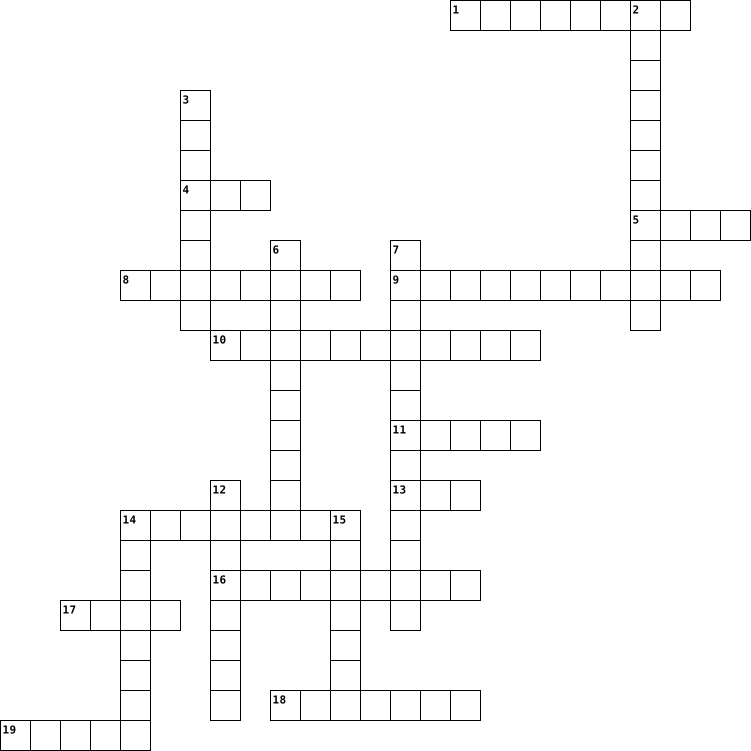
Across
- A pointing device which has a lever and is used to play games
- An example of a storage device
- A person who communicates with a computer
- It is the main , permanent storage area of the computer
- Meaningful and organized data
- Feature of a computer which enables it to perform repetitive jobs efficiently
- The most expensive printer which gives the best quality output
- An example of a touch screen input device
- An output device that produces music and other sounds
- The printer which uses an ink ribbon to print
- Collection of unorganized facts
- A set of lines of different thickness that represent a number, usually displayed on products available in shops
- An input device that fits under the palm of your hand
Down
- A component of CPU that controls all the functions
- Physical components of a computer which we can see and touch
- A voice input device used to give voice commands to the computer
- An input device used to capture and store photographs electronically in the computer
- Information printed on paper
- Logical components of the computer which can't be touched or seen
- An input device to send images and text directly into computer
20 Clues: Information printed on paper • Meaningful and organized data • An example of a storage device • Collection of unorganized facts • A person who communicates with a computer • An example of a touch screen input device • The printer which uses an ink ribbon to print • A component of CPU that controls all the functions • An output device that produces music and other sounds • ...