
types of computer Crossword Puzzles
Spelling Words 2022-02-07

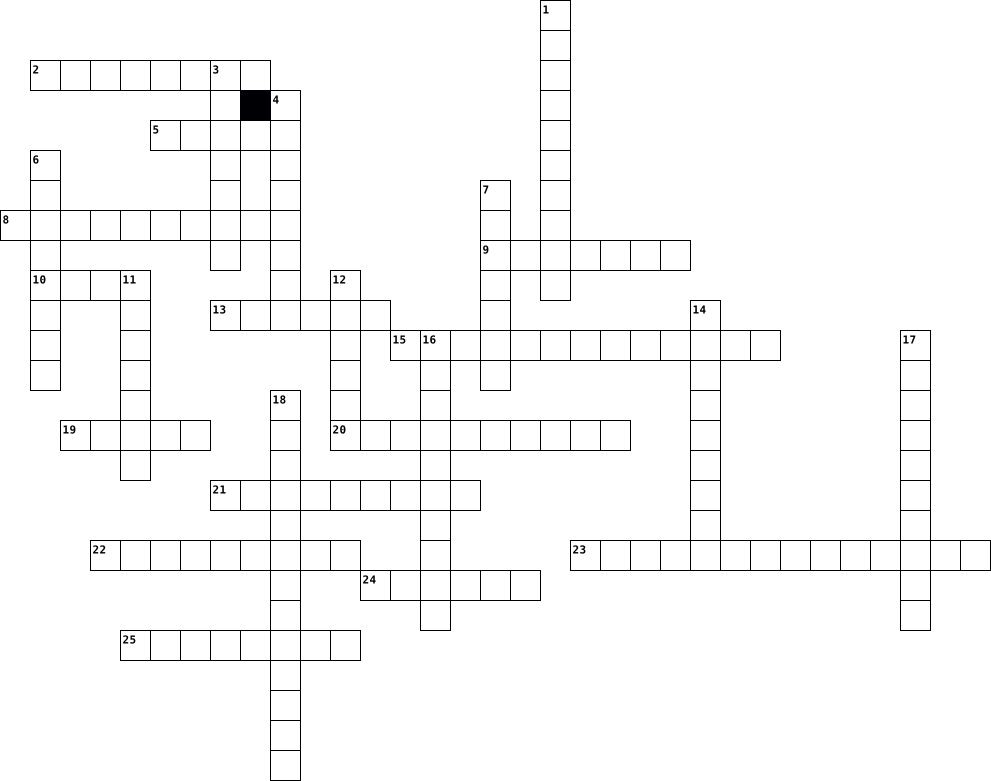
Across
- someone that writes or recites poems
- a person who vigorously supports their country and is prepared to defend it against enemies.
- a small body of matter from outer space that enters the earth's atmosphere
- you can listen to one in your car
- happened not long ago
- a set of circumstances in which one finds oneself
- a straight line passing from side to side through the center of a body or figure, especially a circle or sphere.
- a liquid
- mean or evil
- different types
- you can watch one on a computer, phone, or tv
Down
- real
- follow a winding course
- a formal examination of evidence before a judge, and typically before a jury, in order to decide guilt in a case of criminal or civil proceedings.
- subtraction
- to destroy something
- relaxed and unconcerned
- a violent disturbance of the peace by a crowd
- a musical instrument with keys
- the kinds of food that a person, animal, or community habitually eats.
- where you put your clothes
- where you write your feelings
- thoughts that you have
- gas is one form
- where there are horses and bulls being ridden for entertainment and sport
25 Clues: real • a liquid • subtraction • mean or evil • gas is one form • different types • to destroy something • happened not long ago • thoughts that you have • follow a winding course • relaxed and unconcerned • where you put your clothes • where you write your feelings • a musical instrument with keys • you can listen to one in your car • someone that writes or recites poems • ...
Vocab 2017-06-02

Across
- - a particular sort of lettering (on the screen or on paper). Arial is a font. Times New Roman is another.
- - Memory is for the temporary storing of information while a computer is being used. See RAM, ROM and cache.
- - an area that has an available wireless signal for Internet access (usually public)
- - a system for communicating without wires over a computer network
- -self-contained program or piece of software; an application, especially when downloadable to a mobile device
- software that operates a PC and does various things, such as writing text (word-processing program), keeping accounts (accounts program) and drawing pictures (graphics program)
- - International network of computers that you connect to by telephone line. Two popular services of the Internet are the World Wide Web and electronic mail.
- - equipment for converting paper documents to electronic documents that can be used by a computer
- device for a computer.
- - a (small) defect or fault in a program
Down
- boot up, boot disk - You boot (or boot up) your computer when you switch it on and wait while it prepares itself. Instructions for startup are given to the computer from the boot disk, which is usually the hard disk.
- - All hard disks and floppy disks have to be electronically prepared for use by a process called formatting. Hard disks are pre-formatted by the computer manufacturer. If you buy a floppy disk that is not pre-formatted, you format it yourself, using a program that comes with your PC.
- - a self-contained program or piece of software
- - A board made of keys which, along with a mouse, serves as a primary
- - A programmable electronic device for storing and processing data.
- - Usually means the information (text, pictures, audio etc) that you create or share on a computer, as opposed to the programs that manipulate the data.
- - a copy of files from a computer's hard disk, usually made on some external medium such as CD-ROM or flash drive. A backup is made in case the hard disk file(s) are erased or damaged.
- - a small, unauthorized program that can damage a computer
18 Clues: device for a computer. • - a (small) defect or fault in a program • - a self-contained program or piece of software • - a small, unauthorized program that can damage a computer • - a system for communicating without wires over a computer network • - A programmable electronic device for storing and processing data. • ...
Glossary Chapter 1 Word 2016-01-13

Across
- Series of related instructions organized for a common purpose
- Built-in connection to other documents, webpages, or websites
- card Removable flash memory
- Output device that visually conveys text, graphics, and video information
- message Short note sent from a smartphone or other mobile device
- Electronic document on the web
- flash drive Portable flash memory storage device that you plug into a USB port
- Thin, light weight computer that has a touch screen
- device Computing device small enough to hold in your hand
Down
- Light-sensing device that converts printed text into a form a computer can process
- engine Software that finds images and information related to a specific topic
- system Set of programs that coordinates all activities of a computer
- message Short video clip sent from a smartphone or other mobile device
- Output device that produces text and graphics on a physical medium
- Contains keys you press to enter data and instructions into a computer
- Small speakers that rest inside each ear canal
- Software that deliberately alters a computer's normal operation
- device Any hardware component that conveys information from a computer to a user
- Lightweight mobile computer with a screen in its lid and a keyboard in its base
- Collection of related webpages
20 Clues: card Removable flash memory • Electronic document on the web • Collection of related webpages • Small speakers that rest inside each ear canal • Thin, light weight computer that has a touch screen • device Computing device small enough to hold in your hand • Series of related instructions organized for a common purpose • ...
Computer Components 2023-03-10

Across
- Connects your home’s network to your ISP.
- Hardware component that allows the computer to send and receive data on a network.
- Computer peripheral that prints text or graphics.
- Non-tangible part of a computer that interacts with the hardware and is used to perform tasks.
- Input device that usually uses tactile sensor to move the pointer.
- Peripheral that outputs graphical data to a display device.
Down
- Allows for the input and output of digital or analog audio signals.
- Allows for the display of visual data.
- Form of data storage that uses rigid magnetic platters.
- Volatile form of computer memory that is cleared once the computer is turned off.
- Main processor in a computer. Performs arithmetic and executed commands.
- Main circuit board of the computer that contains components like the CPU, memory, and ports for peripherals.
- Converts audio signals into sounds.
- Memory that cannot be changed. It usually contains information that allows the computer to operate (like the BIOS).
14 Clues: Converts audio signals into sounds. • Allows for the display of visual data. • Connects your home’s network to your ISP. • Computer peripheral that prints text or graphics. • Form of data storage that uses rigid magnetic platters. • Peripheral that outputs graphical data to a display device. • Input device that usually uses tactile sensor to move the pointer. • ...
Kate's Crossword Puzzle 2021-10-25

Across
- A culture that owned Australia before Captain Cook came with his ship.
- A subject with numbers.
- You need to do it to make a game.
- Pieces that fi together to make a picture.
Down
- A place with sand and water.
- A gathering with friends were you have fun.
- Folding and Practise makes perfect.
- Some People used this device for Home Learning.
- Pages with words on them.
- There are different types, Haiku.
10 Clues: A subject with numbers. • Pages with words on them. • A place with sand and water. • You need to do it to make a game. • There are different types, Haiku. • Folding and Practise makes perfect. • Pieces that fi together to make a picture. • A gathering with friends were you have fun. • Some People used this device for Home Learning. • ...
Brady M. Common Terms 2026-03-12

Across
- Wireless Usb Port
- Your main area to acces all your commonly used apps made by microsoft.
- The screen on your computer
- Pictures that have small animations.
- How you connect to the internet to acces your computer
- Whatever your email is set up to.
- A picture that you can shrink and size up without taking the shape.
Down
- Your main screen when you turn on your computer
- A inserted link you can click on to get another page.
- Port on side of your computer with the blue tab in it, connects other devices
- Allowing a page to acces your information
- The physical parts of a computer
- What you click on to open a website
- Specific apps and downloads that are saved on your computer.
- The long random letters and numbers at the top of your screen
- If you were to take pictures from your phone and put them on you computer you would be doing this.
- File format that provides electronic image. It cant be edited by other people.
17 Clues: Wireless Usb Port • The screen on your computer • The physical parts of a computer • Whatever your email is set up to. • What you click on to open a website • Pictures that have small animations. • Allowing a page to acces your information • Your main screen when you turn on your computer • A inserted link you can click on to get another page. • ...
computing meanings 2020-12-15

Across
- used to store long-term data
- when the number systems only 1 and 0
- physical components of the computer
- to calculate
- data a computer sends
- computers use the same communication protocol
- standard number system around the word
- using language to program its behaviour
Down
- information stored by a computer
- smartphone, tablet what are they
- a chip in devices
- data computer receives
- electronic device
- term describing a computer term
- used to store short-term data
15 Clues: to calculate • a chip in devices • electronic device • data a computer sends • data computer receives • used to store long-term data • used to store short-term data • term describing a computer term • information stored by a computer • smartphone, tablet what are they • physical components of the computer • when the number systems only 1 and 0 • standard number system around the word • ...
logan hardware crossword puzzle 2019-01-10

Across
- temperory memory
- internal storage device
- a micro computer
- a type of port i the computer
- the physical componment of the pc
- high speed memory
- a screen or speakers (mining away in this...)
Down
- A phone that combines computing,telephone/fax, and networking features
- thousand mega hertz processor
- a special format of dvd
- a portable storage device
- you can move the curser
- computer made by apple
- personal computer
- brain of the device
15 Clues: temperory memory • a micro computer • personal computer • high speed memory • brain of the device • computer made by apple • a special format of dvd • internal storage device • you can move the curser • a portable storage device • thousand mega hertz processor • a type of port i the computer • the physical componment of the pc • a screen or speakers (mining away in this...) • ...
CS Theory Novice Level 2022-03-23

Across
- Traffic cops of the bus.
- Cools down electronics.
- Fastest type of memory.
- ______ Access Memory
- Zeros and ones.
- Invented the compiler.
- Central _____ Unit
- Can be considered as a mini computer.
Down
- a ____ is often described as the spine of the computer.
- A cycle every computer does.
- The bus is often described as the ____ of the computer.
- ____ Logic Unit.
- Cracked the Enigma encryption device.
- Malware used to track keyboard usage.
- Cheap, large, but slow storage.
15 Clues: Zeros and ones. • ____ Logic Unit. • Central _____ Unit • ______ Access Memory • Invented the compiler. • Cools down electronics. • Fastest type of memory. • Traffic cops of the bus. • A cycle every computer does. • Cheap, large, but slow storage. • Cracked the Enigma encryption device. • Malware used to track keyboard usage. • Can be considered as a mini computer. • ...
CIS178 Participation 3 Security Crossword -RC 2023-04-21

Across
- protect your information from hackers
- on-demand services
- Malware which changes, corrupts
- thief to catch a thief
- private encrypted network
- identifying a user’s identity
- An approach to security evaluation
- allow hackers to remotely access
- Faking origin Location
- wide variety of bad software
Down
- computers and associated peripherals
- attempts to gain unauthorized access
- applications that instruct a computer
- fool the victim into giving
- infected computer working together
- attack on a computer system
- virus detection technology
- Using multiple hosts and users
- innocent looking misleading computer program
- Malware that can reproduce itself
20 Clues: on-demand services • thief to catch a thief • Faking origin Location • private encrypted network • virus detection technology • fool the victim into giving • attack on a computer system • wide variety of bad software • identifying a user’s identity • Using multiple hosts and users • Malware which changes, corrupts • allow hackers to remotely access • Malware that can reproduce itself • ...
Cybersecurity Crossword 2020-09-13
Across
- Pretending to be somebody else online.
- A piece of software designed to update a computer program in order to fix a software vulnerability or improve the program
- A type of attack that uses trial and error over and over to guess a password until it is correct.
- Small files that are saved on your computer that store information that help websites track your visits
- A virus that can replicate without the user doing anything such as opening a program.
- Multiple computers on a network that are infected with a program that can be controlled remotely. The infected computers are usually used to cause damage that couldn’t be achieved with a single computer.
- Stealing another person's information to use for criminal activity.
- A computer program that can copy itself and cause harm in various ways, such as stealing private information or destroying data.
- A type of malware that holds victims’ computer files hostage by locking access to them or encrypting them. It then demands money if the victim wants his or her files back.
- The amount of data that can pass through a network or part of a network per second.
- Computer programs that can block, detect, and remove viruses and other malware.
- Creating a web address that purposely fools people into thinking it is another person or company's website.
- The process of making extra copies of computer files that can be used to restore files that are lost or damaged.
- Attempting to trick people into revealing sensitive information, such as passwords and credit card numbers, often by using emails or fake websites that look like they are from trusted organizations.
Down
- The process of using codes to make readable information unreadable. Encrypted information cannot be read until it is decrypted using a secret key.
- Two or more interconnected devices that can exchange data.
- A "good guy" hacker; one who hacks to help find vulnerabilities to make a system more secure.
- Software designed to block malware from entering protected networks.
- The use of something in a way different from what it was intended for in order to solve a problem.
- A general name for software that harms computers, networks, or people. Includes viruses, worms, ransomware, and other computer programs.
- A computer or computer program that provides specific services on a network, such as an email server that directs emails and a web server that serves up web pages.
- Malware that records every key struck on a keyboard and sends that information to an attacker.
- A way of shutting down or slowing down a website by overwhelming it with a flood of traffic from a team of computers.
- Someone who uses computers and computer networks to disrupt services or share secret information in an effort to draw attention to political or social issues.
- A flaw or weakness in a computer program that hackers or malware can exploit to gain access to a system or damage it.
25 Clues: Pretending to be somebody else online. • Two or more interconnected devices that can exchange data. • Stealing another person's information to use for criminal activity. • Software designed to block malware from entering protected networks. • Computer programs that can block, detect, and remove viruses and other malware. • ...
Parts of a Computer 2022-03-01

Across
- An output device that the computer puts its results/findings on.
- The middle connection for your peripherals that lets you plug it into your computer and for it to register it.
- It is a large sensor, commonly used in laptops that you can use your fingers to control the position of the cursor on the computer.
- A device that you can physically hold in your hand that detects two-dimensional motion relative to the surface that is then translated to the computer.
- A part of the computer that saves data digitally. An example of this would be a SSD.
- This is a way that we can input letters and functions into a computer.
- A computer's short-term memory, which it uses to handle all active tasks and apps.
Down
- It's like the heart of a computer. It provides all of the components with the adequate power, and let's data flow between the parts.
- A card that is used to output images onto a display device. It is a very key component for video editing and gaming.
- A device that creates an audio output out of it.
- Main part of a computer, generally called the brain of a computer.
- Non-volatile memory in computers, which means the information is permanently stored on the chip.
- An instruction set that tells your computer to work in contrast to your hardware.
- A physical card that provides input and outputs of audio signals to and from a computer.
14 Clues: A device that creates an audio output out of it. • An output device that the computer puts its results/findings on. • Main part of a computer, generally called the brain of a computer. • This is a way that we can input letters and functions into a computer. • An instruction set that tells your computer to work in contrast to your hardware. • ...
Technology and Argument 2022-05-02
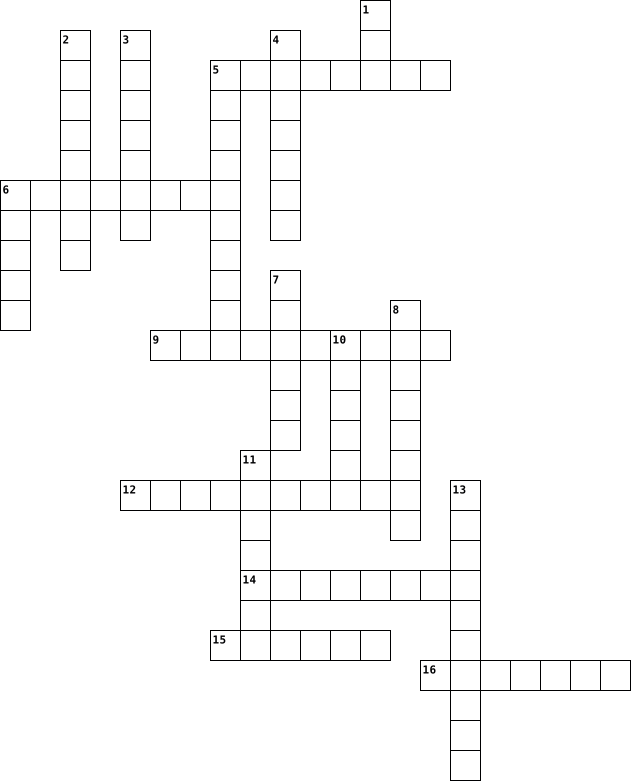
Across
- disadvantage
- persuade another
- having a good effect
- having enough of something
- related to the topic
- explaining why you believe something is true
- to make known or say aloud
Down
- by way of
- clues used to help prove something
- to know for sure or prove
- many different types
- extreme sorrow
- an argument
- hold up as true
- most
- select art for public presentation
- different
- different types of video, books or music
18 Clues: most • by way of • different • an argument • disadvantage • extreme sorrow • hold up as true • persuade another • many different types • having a good effect • related to the topic • to know for sure or prove • having enough of something • to make known or say aloud • clues used to help prove something • select art for public presentation • different types of video, books or music • ...
Computer parts 2023-12-12

Across
- _____ receive audio input from the computer's sound card and produce audio output in the form of sound waves.
- (Random Access Memory) is where data is stored that's being accessed by the CPU. More RAM usually means a faster computer.
- A _______ is an external input device used to type data into some sort of computer system whether it be a mobile device, a personal computer, or another type of electronic device.
- A _____ supply unit is a hardware component that supplies power to an electrical device.
- Computer _____ or case which holds all of the internal parts and has ports for attaching external parts.
- An ______ on your computer screen represents an object or a program on your hard drive.
- A computer______ is a device that uses motor-driven blades to circulate the air in a computer or other electronic system.
- A wireless _________ is a device that enables wireless network packet forwarding and routing, and serves as an access point in a local area network.
- A ______ drive is a portable and easy-to-use data storage devices
- display screen used to provide visual output from a computer, cable box, video camera, VCR, or other video generating device.
Down
- A __________ protector shields computer and other electronic devices from surges in electrical power, or transient voltage, that flow from the power supply.
- A ______ is a hand-operated input device used to manipulate objects on a computer screen. They can be wireless or attached with a USB cord.
- The _______ card is an expansion card that allows the computer to send graphical information to a video display device such as a monitor, TV, or projector.
- A _____ is linked to a computer, producing good-quality printed material.
- is a hardware device that allows a computer to send and receive data over a telephone line or a cable or satellite connection.
- A _____ drive is located inside a computer. Nearly all computers come with an internal hard drive, which serves as the computer's primary storage device.
16 Clues: A ______ drive is a portable and easy-to-use data storage devices • A _____ is linked to a computer, producing good-quality printed material. • An ______ on your computer screen represents an object or a program on your hard drive. • A _____ supply unit is a hardware component that supplies power to an electrical device. • ...
Chapter 11 Crossword Puzzle 2013-12-02

Across
- The use of advertising and other methods to inform customers that a new or improved product or service is available and to convince them to purchase it
- Business transactions conducted over computer networks, in particular the World Wide Web
- The role of the consumer as ruler of the market when determining the types of goods and services produced
- Routes by which goods are moved from producers to consumers
- Practice of setting prices close to those charged by other companies selling similar products
- Involves All of the activities needed to move goods and services from the producer to the consumer
Down
- Series of stages that a product goes through from first introduction to complete withdrawal from the market
- Type of promotion using a mailer that usually includes a letter describing the product or service
- The ability of any good or service to satisfy consumer wants
- Selling a new product at a low price to attract customers away from an established product
- A company gathers, records, and analyzes data about the types of goods and services that people want
- Businesses that purchase large quantities of goods from producers for resale to other businesses
- In which researchers gather information about who might be possible users of the product
- Offering a product for sale in a small area, perhaps several cities, for two months to two years to see how well it sells before offering it nationally
14 Clues: Routes by which goods are moved from producers to consumers • The ability of any good or service to satisfy consumer wants • Business transactions conducted over computer networks, in particular the World Wide Web • In which researchers gather information about who might be possible users of the product • ...
computer parts 2023-03-06

Across
- big screen
- used to identify certain things
- stores and receives digital data
- contains the data
- random-access memory
- numbers,letters,and symbols
- a mouse for computer used with fingers
- makes an audio louder
Down
- programs the computer
- a computer mouse
- printed circuit board holding other circuits
- read-only memory
- contains the graphics of the computer
- the brain of a computer
14 Clues: big screen • a computer mouse • read-only memory • contains the data • random-access memory • programs the computer • makes an audio louder • the brain of a computer • numbers,letters,and symbols • used to identify certain things • stores and receives digital data • contains the graphics of the computer • a mouse for computer used with fingers • ...
Computer Science Terms 2024-10-23

Across
- A two-dimensional image or animation used in games or interfaces.
- Devices that convert electrical signals into sound.
- A symbol or name that represents a value that can change.
- Data or signals entered into a computer system.
- A statement that only runs if a certain condition is true.
- Fan specifically designed to cool the CPU.
- The enclosure that houses all computer components.
- Hardware component that processes audio input and output.
- The process of finding and fixing bugs in code.
- A value that does not change during program execution.
- A small programmable device used for educational purposes.
- Significant or having importance in programming or design.
- Device that prints text and images on paper.
- A flexible object that returns to its original shape when compressed.
- Main circuit board that connects all computer components.
- Component that provides electrical power to the computer.
- An error or flaw in software or hardware.
Down
- Input device used to type text and commands.
- Device that reads DVDs and CDs.
- A way of describing an algorithm using informal, human-readable steps.
- A collection of elements stored at contiguous memory locations.
- A visual programming language where code is represented as blocks.
- A block of code designed to perform a specific task.
- A step-by-step procedure for solving a problem or performing a task.
- Storage device that saves data permanently.
- Device used to cool down internal components.
- An approach to problem-solving that emphasizes creativity and user needs.
- Data or signals generated by a computer system.
- The programs and applications that run on a computer.
- Input device that allows moving the cursor on the screen.
- Screen that visually displays information processed by the computer.
- The physical components of a computer system.
- A platform for creating programs using block-based code.
- Temporary memory used by the system for quick tasks.
- Specialized processor for handling graphics and visual processing.
- The brain of the computer, responsible for executing instructions.
- A data type with two possible values: true or false.
37 Clues: Device that reads DVDs and CDs. • An error or flaw in software or hardware. • Fan specifically designed to cool the CPU. • Storage device that saves data permanently. • Input device used to type text and commands. • Device that prints text and images on paper. • Device used to cool down internal components. • The physical components of a computer system. • ...
Digital Crossword 2025-08-18

Across
- a computer that you can carry withyou
- Sending messages, images, or videos in a way that is cruel or mean.
- the part o the computer you can physically touch
- A program on your computer that can be used to write documents or create spreadsheets.ICON picture on your computer screen that you click on to open a program or file.
- A website you use to find information on the internet.
Down
- A folder for documents, often used with a word processing program.
- a small piece of text stored on your computer by a website to track your activity
- the unique address for a website
- an unwanted email. usually an advertisement
- The most common type of computer for a desk.
- What you need to type in to get access to a secure account.
- A picture on your computer screen that you click on to open a program or file.
- A type of software designed to harm your computer.
- A fake online identity used to trick or deceive others.
- The main screen on a computer
15 Clues: The main screen on a computer • the unique address for a website • a computer that you can carry withyou • an unwanted email. usually an advertisement • The most common type of computer for a desk. • the part o the computer you can physically touch • A type of software designed to harm your computer. • A website you use to find information on the internet. • ...
Computer Architecture 2024-07-10

Across
- The phase where the actual operation specified by the instruction is performed.
- The software that allows a computer to perform specific tasks.
- A device that provides data to a computer.
- The primary processing unit of a computer.
- Temporary storage used by the CPU to hold data and instructions.
- Non-volatile storage used to hold data permanently.
Down
- The basic unit of data storage.
- The process of retrieving an instruction from memory.
- A component that sends data from a computer to another device.
- The component responsible for arithmetic and logic operations.
- The address of the next instruction to be executed by the CPU.
- A system that connects computers and allows them to communicate.
- The phase where the CPU interprets the fetched instruction.
- A type of software that manages computer hardware.
- The main memory of a computer.
- Memory that can be read from but not written to.
16 Clues: The main memory of a computer. • The basic unit of data storage. • A device that provides data to a computer. • The primary processing unit of a computer. • Memory that can be read from but not written to. • A type of software that manages computer hardware. • Non-volatile storage used to hold data permanently. • The process of retrieving an instruction from memory. • ...
Computer Architecture 2024-07-10

Across
- The phase where the actual operation specified by the instruction is performed.
- The software that allows a computer to perform specific tasks.
- A device that provides data to a computer.
- The primary processing unit of a computer.
- Temporary storage used by the CPU to hold data and instructions.
- Non-volatile storage used to hold data permanently.
Down
- The basic unit of data storage.
- The process of retrieving an instruction from memory.
- A component that sends data from a computer to another device.
- The component responsible for arithmetic and logic operations.
- The address of the next instruction to be executed by the CPU.
- A system that connects computers and allows them to communicate.
- The phase where the CPU interprets the fetched instruction.
- A type of software that manages computer hardware.
- The main memory of a computer.
- Memory that can be read from but not written to.
16 Clues: The main memory of a computer. • The basic unit of data storage. • A device that provides data to a computer. • The primary processing unit of a computer. • Memory that can be read from but not written to. • A type of software that manages computer hardware. • Non-volatile storage used to hold data permanently. • The process of retrieving an instruction from memory. • ...
Comp sci terms 2025-04-09

Across
- any software meant to harm a computer
- basic input output system
- a series of 1's and 0's
- international coding language
- illegally blocks access to computer system
- keeps track of all actions on a computer
- attempts to steal your money or identity
- 1000 gb
- sink keeps the CPU cool
Down
- the interface of a computer
- performs basic logical operation
- 1000 mb
- encoding standard using numbers
- creates graphics
- smallest unit of digital information
15 Clues: 1000 mb • 1000 gb • creates graphics • a series of 1's and 0's • sink keeps the CPU cool • basic input output system • the interface of a computer • international coding language • encoding standard using numbers • performs basic logical operation • smallest unit of digital information • any software meant to harm a computer • keeps track of all actions on a computer • ...
Greece🏺 vs, Rome⚱️ 2021-02-11
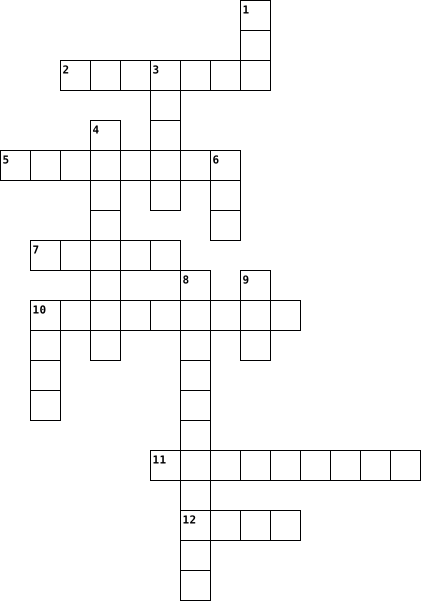
Across
- in rome?
- show did Greece make their wine?
- what types of clothes did the Greeks
- what types of food did Greece grow?
- from today's alphabet?
- what did the Greece kids learn?
Down
- were Greek houses made out of?
- letters how are the Greeks' alphabet
- like?
- what types of pets did the Greece
- what games did Greece kids play?
- a disater what was the early Roman
- what did Greeks use to make their art?
13 Clues: like? • in rome? • from today's alphabet? • were Greek houses made out of? • what did the Greece kids learn? • show did Greece make their wine? • what games did Greece kids play? • what types of pets did the Greece • a disater what was the early Roman • what types of food did Greece grow? • letters how are the Greeks' alphabet • what types of clothes did the Greeks • ...
Computer parts 2023-12-12

Across
- A _____ drive is located inside a computer. Nearly all computers come with an internal hard drive, which serves as the computer's primary storage device.
- A computer______ is a device that uses motor-driven blades to circulate the air in a computer or other electronic system.
- Computer _____ or case which holds all of the internal parts and has ports for attaching external parts.
- A wireless _________ is a device that enables wireless network packet forwarding and routing, and serves as an access point in a local area network.
- A _______ is an external input device used to type data into some sort of computer system whether it be a mobile device, a personal computer, or another type of electronic device.
- A _____ supply unit is a hardware component that supplies power to an electrical device.
- ______ on your computer screen represents an object or a program on your hard drive.
- display screen used to provide visual output from a computer, cable box, video camera, VCR, or other video generating device.
- The _______ card is an expansion card that allows the computer to send graphical information to a video display device such as a monitor, TV, or projector.
Down
- is linked to a computer, producing good-quality printed material.
- A __________ protector shields computer and other electronic devices from surges in electrical power, or transient voltage, that flow from the power supply.
- A ______ drive is a portable and easy-to-use data storage devices
- is a hand-operated input device used to manipulate objects on a computer screen. They can be wireless or attached with a USB cord.
- (Random Access Memory) is where data is stored that's being accessed by the CPU. More RAM usually means a faster computer.
- receive audio input from the computer's sound card and produce audio output in the form of sound waves.
- is a hardware device that allows a computer to send and receive data over a telephone line or a cable or satellite connection.
16 Clues: is linked to a computer, producing good-quality printed material. • A ______ drive is a portable and easy-to-use data storage devices • ______ on your computer screen represents an object or a program on your hard drive. • A _____ supply unit is a hardware component that supplies power to an electrical device. • ...
Components of CPU case 2013-12-17

Across
- Drive The data center of the computer
- drive Compact Disc Read Only Memory
- memory *****C***** is faster than magnetic media
- A user interface device that can enable different kinds of control than a keyboard
- card *********is responsible for what you see on the monitor
- Card It's often used in computers to communicate with wireless keyboards, mice, and printers
- flash drive Convenient way to bring your files with you and open them on a different computer
- Cards Also called as Peripheral Component Interconnect cards
- drive *********drives support the creation of CD-R and CD-RW discs
- The brain of the computer system
- A ******* makes marks on paper
- Card ***********can either connect with an Ethernet cable or through a wireless connection
Down
- Allows a computer to communicate over an analogue medium
- device Includes computer monitors and other display devices
- drive ********** hold about 4.7 gigabytes
- The computer's main circuit board
- drive This optical drive works on a similar principle to the CD-ROM,
- Output Includes internal or external speakers and headphones
- A ******* is a device for digitizing paper documents into images
- System's short-term memory
- Used to type instructions or information into the computer
- Supply Unit Sends power through the cables to the motherboard and other components
22 Clues: System's short-term memory • A ******* makes marks on paper • The brain of the computer system • The computer's main circuit board • drive Compact Disc Read Only Memory • Drive The data center of the computer • drive ********** hold about 4.7 gigabytes • memory *****C***** is faster than magnetic media • Allows a computer to communicate over an analogue medium • ...
HARDWARE TOOLS 2023-02-19

Across
- TIES, used to bundle cables neatly inside and outside of a computer.
- CUTTER, used to strip and cut wires.
- Likes to chase mice
- ADAPTER, used to test the functionality of computer ports.
- SCREWDRIVER, used to loosen or tighten screws that have a star-like depression on the top
- used to light up areas that you cannot see well.
- RETRIEVER, used to retrieve parts from location that are to small for your hand to fit.
- used to test the integrity of circuits and the quality of electricity in computer components.
- AIR, used to blow away dust and debris from different computer parts without touching the components.
- Flying mammal
- used to prevent ESD damage to computer equipment
- used to manipulate small parts.
Down
- Large marsupial
- HEAD SCREWDRIVER, used to loosen or tighten crosshead screws.
- NOSE PLIERS, used to hold small parts
- Man's best friend
- MAT used to stand on or place hardware on to prevent static electricity from building up
- FREE CLOTH, used to clean different computer components without scratching or leaving debris.
- DRIVER, sometimes called a nut driver
- Has a trunk
- SCREWDRIVER used to loosen or tighten slotted screws.
- ORGANIZER, used to hold screw, jumpers, fasteners and other small parts and prevents them from getting mixed together.
22 Clues: Has a trunk • Flying mammal • Large marsupial • Man's best friend • Likes to chase mice • used to manipulate small parts. • CUTTER, used to strip and cut wires. • NOSE PLIERS, used to hold small parts • DRIVER, sometimes called a nut driver • used to light up areas that you cannot see well. • used to prevent ESD damage to computer equipment • ...
Unit 2 - Super Hard Challenge ! June 2026 2026-06-23

Across
- to send messages or talk online
- the part of a device where you see pictures words and videos
- the programs and apps that make a computer useful
- a machine that turns digital work into paper copies
- a small device used to move the pointer and click
- using computer technology instead of paper or physical tools
- a small device used for calls messages apps and internet
- a portable computer with a screen and keyboard joined together
- to press a button icon or link on a screen
- to make a machine or device start working
- to get a file or app from the internet onto your device
Down
- the physical parts of a computer that you can touch
- a worldwide network used to find information and communicate
- a secret word or code used to protect an account
- a set of instructions that tells a computer what to do
- to put a new app or program onto a device so it can work
- a device with letters and numbers used for typing
- a machine such as a phone tablet laptop or computer
- to send a file or photo from your device to the internet
- to stop a machine or device from working
20 Clues: to send messages or talk online • to stop a machine or device from working • to make a machine or device start working • to press a button icon or link on a screen • a secret word or code used to protect an account • the programs and apps that make a computer useful • a small device used to move the pointer and click • a device with letters and numbers used for typing • ...
summative assesment 2021-10-20

Across
- stealing slaves
- wants power
- shows different ways in home
- favoritism for others
- speaks or Portuguese
- particular nation that others do
- different types of food in the culture
Down
- being used like items
- receive money to them
- world in the place
- who wont care for politics
- nations and the support of others
- paying other countries
- the most population of people
- made there own country
- between country's
- Prussia and Austria want that likes power
- Europe The 19 and 20 the Jews came in town
- different types of styles
- less population of people
20 Clues: wants power • stealing slaves • between country's • world in the place • speaks or Portuguese • being used like items • receive money to them • favoritism for others • paying other countries • made there own country • different types of styles • less population of people • who wont care for politics • shows different ways in home • the most population of people • ...
4. Computer Systems 2024-06-18

Across
- Measured in Hertz, the _____ is the frequency at which the internal _____ generates pulses. The higher the _____rate, the faster the computer may work. The “_____” is the electronic unit that synchronises related components by generating pulses at a constant rate.
- Simple another term used to refer to Random Access Memory (RAM) which is: Volatile (data lost when power is off) Read and write. Purpose: temporary store of currently executing instructions and their data. E.g. applications and the operating system in use.
- Non-volatile (data retained when power is off) Read only. Purpose: stores instructions for starting the computer called the bootstrap.
- Any program, routine or procedures (together with their associated documentation) that can be run on a computer system.
- logical operator used within a program. ___ works by returning FALSE if the input is TRUE, and returning TRUE if the input is FALSE.
- Memory in the processor providing fast access to frequently used instructions and data.
- Often known as a Central Processing Unit (CPU), it is the main part of the computer, consisting of the registers, ALU and control unit.
- Decodes instructions. Sends signals to control how data moves around the CPU.
- Remote servers that store data that can be accessed over the internet. Advantages: Access anytime, anywhere from any device. Automatic backup. Collaborate on files easily."
- Measured in Hertz, is the frequency at which the internal _____ generates pulses. The higher the _____ rate, the faster the computer may work. The “_____” is the electronic unit that synchronises related components by generating pulses at a constant rate.
- General term covering all computer programs.
- Hard disk drive. Use: operating system and applications. High capacity. Medium data access speed. Low portability (except for portable drives). Reliable but not durable. Medium cost.
- A systems program that performs some specific task in the operation of the computer, for example file backup, virus checking or a compression program.
- Volatile (data lost when power is off) Read and write. Purpose: temporary store of currently executing instructions and their data. E.g. applications and the operating system in use.
- Any hardware device that deals with accepting data from a computer.
- A computer which has been built to solve a very specific program and is not easily changed. For example the operating system placed inside a washing machine, microwave or set of traffic lights.
- A notation used in Boolean algebra for defining the output of a logic gate or logic circuit for all possible combinations of inputs.
- Specialised software that communicates with the hardware of a computer to allow other programs to run.
Down
- Performs calculations e.g. x = 2 + 3 and logical comparisons e.g. IF x > 3 in the CPU.
- A part of a multi-core processor. A multi-core processor is a single component with two or more independent actual CPUs, which are the units responsibly for the fetch-decode-execute cycle.
- All physical parts of a computer system and its related devices both internal or external .E.g. Motherboards, hard drives, RAM as well as monitors, keyboards, mice and printers.
- The main part of the computer, consisting of the registers, ALU and control unit.
- A logical operator used within a program. ___ works by returning FALSE if the input is TRUE, and returning TRUE if the input is FALSE.
- The complete process of retrieving an instruction from store, decoding it and carrying it out. Also known as the instruction cycle.
- a diagrammatic form using a set of standard symbols representing the various Logic Gates
- A logical operator used within a program. ___ works by only returning TRUE if both values being compared are TRUE.
- Memory cards & solid state hard drive (SSD). Use: digital cameras and smartphones. Medium capacity. High portability. Reliable and durable. No moving parts. Fast data access speed. High cost.
- Permanent storage of instructions and data not in use by the processor. Stores the operating system, applications and data not in use. Read/write and non-volatile.
- Traditional computer architecture that forms the basis of most digital computer systems. Instructions are fetched, decoded and executed one at a time.
- manages the computer. Usually supplied with the computer. Most common operating systems are Windows, Linux, Unix, MacOS, iOS.
- CD/R, CD/RW, DVD/R, DVD/RW Use: music, films and archive files. Low capacity. Slow access speed. High portability. Prone to scratches. Low cost.
- Simple another term used to refer to Random Access Memory (RAM) which is: Volatile (data lost when power is off) Read and write. Purpose: temporary store of currently executing instructions and their data. E.g. applications and the operating system in use.
- A communication system that transfers data between components inside a computer.
33 Clues: General term covering all computer programs. • Any hardware device that deals with accepting data from a computer. • Decodes instructions. Sends signals to control how data moves around the CPU. • A communication system that transfers data between components inside a computer. • The main part of the computer, consisting of the registers, ALU and control unit. • ...
hardware 2019-02-01

Across
- Phone A phone that combines computing,
- ink at a sheet of paper. Magnetized
- The set of typewriter-like keys that enables
- Disk A magnetic disk on which you can store
- data.
- an image on a drum.
- Devices A device that feeds data into a computer, such as a keyboard or mouse.
- The main circuit board of a microcomputer.
- A device that controls the movement of the
- A silicon chip that contains a CPU.
- in the desired shapes.
- any device that holds large amounts of
Down
- for backup.
- Internal storage areas in the computer.
- computer. Sometimes referred to simply as the processor or central processor, the CPU is where most calculations take place
- Another term for display screen
- Short for DVD+Recordable, a recordable DVD format similar to CD-R. A DVD+R can only record data once and then the data becomes permanent on the disc.
- Printer A type of printer that utilizes a laser beam to
- The Central Processing Unit is the BRAIN of
- or pointer on a display screen.
- and networking features.
- Storage Devices Grouping together tapes drives, cdr's, cdrw's,
- Printer A type of printer that works by spraying
- to enter data into a computer.
- Universal Service Bus; a type of port on the computer to attach peripherals.
- in the ink's path direct the ink onto the
26 Clues: data. • for backup. • an image on a drum. • in the desired shapes. • and networking features. • to enter data into a computer. • Another term for display screen • or pointer on a display screen. • ink at a sheet of paper. Magnetized • A silicon chip that contains a CPU. • Phone A phone that combines computing, • any device that holds large amounts of • ...
Data Communication 2021-03-20

Across
- ________ switching breaks messages into smaller units that travel to a destination along possibly different paths
- An interface that enables two dissimilar networks to communicate
- transmission of data as O and 1 bits
- A communications medium consisting of wire strands twisted in sets of two and bound into a cable
- A global "network of networks"
- A collection of procedures to establish, maintain, and terminate transmissions between devices.
- Data transmission in which each bit in a byte follows its own path simultaneously
- The computer to computer counterpart for the postal service
- Used by individuals to access news, weather, financial, travel, entertainment and shopping information
- The process of transferring a file from a remote computer to a local computer over a network.
Down
- A device that interleaves the messages of several low-speed devices and sends them along a single, high-speed path
- A local network without a host computer.
- Transmission of data as continuous-wave patterns
- used to convert signals between analog and digital enabling transmission over a phone line
- A type of transmission in which messages may travel in two directions simultaneously.
- Data transmission in which every bit in a byte must travel down the same path in succession
- An electromagnetic wave in the high frequency rage
- A network that spans a large geographic area
- A computer that manages shared devices such as printers and hard disks
- The difference between the highest and lowest frequencies that a transmission medium can accommodate
20 Clues: A global "network of networks" • transmission of data as O and 1 bits • A local network without a host computer. • A network that spans a large geographic area • Transmission of data as continuous-wave patterns • An electromagnetic wave in the high frequency rage • The computer to computer counterpart for the postal service • ...
Eve's ICT Crossword 2023-03-28

Across
- A set of software tools that enable an unauthorized user to gain control of a computer system without being detected.
- When a person is employed to work fewer hours than the normal working week.
- Unsolicited bulk emails
- An example of personal data
- When employees work the full normal hours in a week but work at times which suit them and the employer
- Any attempt to gain unauthorized access to data in a computer system
- A type of malicious software designed to block access to a computer system until a sum of money is paid.
- tricking/scamming people through emails
- when people change jobs by learning new skills needed for another job
Down
- Safety on the internet
- protective barrier between a computer and other computers that the computer is connected to
- software that is specifically designed to disrupt, damage, or gain unauthorized access to a computer system.
- Data that are used to identify people by a physical attribute that doesn't change
- A type of data relating to a living individual
- caused by spending too many hours staring at the screen
- a type of intellectual property that protects original works of authorship
- Scam/tricks through calls in an attempt to get personal information
- Software that automatically displays or downloads advertising material (often unwanted) when a user is online.
- Two or more employees doing the same job but working at different times
- Repeated use of a body part (shorten)
20 Clues: Safety on the internet • Unsolicited bulk emails • An example of personal data • Repeated use of a body part (shorten) • tricking/scamming people through emails • A type of data relating to a living individual • caused by spending too many hours staring at the screen • Scam/tricks through calls in an attempt to get personal information • ...
Python Programming 2024-01-11

Across
- listname.______(3) Remove an item from a list by its index
- listname.______("item") Add an item to a list
- A place in computer memory with an assigned name, used to store and retrieve data of different types
- A data type that stores whole numbers
- Allows the user to give information to the program
- Runs code if a condition is true.
- ____ _____: Repeat infinitely (2 words)
- random._____(min, max) creates a random number
- Python's way of saying "if the previous conditions were not true, then try this condition"
Down
- A data type that stores the values True or False
- A data type that stores decimal numbers
- Outputs the result to the screen
- A data type that stores text
- Changing a value from one data type to another.
- A data type that stores a collection of values
- ___ i in range(10): Repeat a certain number of times
- ____ lives > 0: Repeat until a condition is met
- Paired with an if statement and any number of elifs, runs if none of the conditions given were true.
- listname.______("item") Remove an item from a list by its value
- The location of an item in a list.
20 Clues: A data type that stores text • Outputs the result to the screen • Runs code if a condition is true. • The location of an item in a list. • A data type that stores whole numbers • A data type that stores decimal numbers • ____ _____: Repeat infinitely (2 words) • listname.______("item") Add an item to a list • A data type that stores a collection of values • ...
ACTIVIDAD EXAMEN 2021-09-12

Across
- Way to save data of the same type or class
- Person who interacts with the computer
- Recordable compact disc
- Error in the sistem
- A word/image that lets you click and navigate
- Amount of room available on a storage device
- Unit of memory
- Personal computer
- Programs exist for the Computer to provide service.
- Storing information on series of ones and zeros
Down
- Used when entering data on the computer
- Rewritable compact disc
- Electrical and mechanical devices that are used to process the data.
- Redundant array independet disks
- Help manipulate objects and select menu options
- Magnetic type data storage medium
- The standart format for encoding sound files
- Program that let you look at the internet pages
- Serial advanced technology attachment
- Change a file back to its original form
20 Clues: Unit of memory • Personal computer • Error in the sistem • Rewritable compact disc • Recordable compact disc • Redundant array independet disks • Magnetic type data storage medium • Serial advanced technology attachment • Person who interacts with the computer • Used when entering data on the computer • Change a file back to its original form • ...
Annalisa Hair Viruses 2019-11-05

Across
- a person who uses computers to gain unauthorized access to data
- a piece of code which is capable of copying itself and typically has a detrimental effect
- a gap in how advanced certain people are with technology
- a virus that was found may 5 2000 that spread through email
- programs and other operating information used by a computer
- a person who uses computers to gain unauthorized access to data
- Computer program that blocks viruses
- any program or file that is harmful to a computer user
Down
- short for Distributed Denial of Service
- a standalone malware computer program that replicates itself in order to spread to other computers
- messages distributed by electronic means
- a program designed to breach the security of a computer system while secretly doing damage
- an error, flaw or fault in a computer program or system that causes it to produce an incorrect or unexpected result
- copy (data) from one computer system to another
- Program that protects a computer from viruses
- messages distributed by electronic means
16 Clues: Computer program that blocks viruses • short for Distributed Denial of Service • messages distributed by electronic means • messages distributed by electronic means • Program that protects a computer from viruses • copy (data) from one computer system to another • any program or file that is harmful to a computer user • ...
Computers 2025-08-12

Across
- A visual way of interacting with a computer using windows, icons, and menus. (9,4,9)
- An organised collection of data that can be searched and managed.
- – The “brain” of the computer that carries out instructions. (7,10,4)
- The number of bits processed or transmitted per second.
- Temporary memory the computer uses to store data it’s currently working with. (6,6,6)
- Rules that define how data is sent and received over a network.
- Information that can be stored, processed, or transmitted by a computer.
- Software designed to harm or exploit a computer system.
- A small unit of data sent over a network.
- The process of finding and fixing errors in computer code.
- A type of malware that spreads by copying itself into other programs or files.
- A small, fast memory that stores frequently used data for quicker access.
- A tool that helps you find information on the internet, like Google or Bing. (6,6)
- Devices and media that retain data, such as hard drives, SSDs, and USB sticks.
- A connection between two or more computers to share data and resources.
- Information produced by a computer, such as displayed text, printed documents, or audio.
- The smallest element of an image displayed on a screen.
- A type of compression that reduces file size by removing some data, which may lower quality (e.g., JPEG, MP3).
- Data or commands entered into a computer, often via keyboard, mouse, or microphone.
- A lossy compression method often used for video and audio.
- An instruction given to a computer to perform an action.
- The main software that manages hardware and software resources, like Windows, macOS, or Linux. (9,6)
Down
- A virtual container used to organise files.
- The address of a webpage. (7,8,7)
- The smallest unit of data, represented as a 0 or 1 in binary.
- A type of compression that reduces file size without losing any original data (e.g., ZIP, PNG).
- The basic language of computers, using only 0s and 1s.
- A network covering a small area, like a home or office. (5,4,7)
- A computer that provides resources or services to other computers on a network.
- Programs and applications that tell the computer what to do.
- The process of reducing the size of a file or data set to save space or speed up transfer.
- When computers or machines perform tasks that usually require human intelligence, like learning, problem-solving, or understanding language. (10,12)
- The physical parts of a computer, such as the CPU, monitor, and keyboard.
- A collection of data stored as a single unit, such as a document or image.
- Unwanted or irrelevant messages, often sent in bulk.
- Address A unique number assigned to a device on a network.
- Converting data into a secure code to prevent unauthorised access.
- A step by step set of instructions to solve a problem or complete a task.
- A group of 8 bits, often used to measure file size.
- A temporary storage area for data you’ve copied or cut.
- Using remote servers on the internet to store, manage, and process data.
41 Clues: The address of a webpage. (7,8,7) • A small unit of data sent over a network. • A virtual container used to organise files. • A group of 8 bits, often used to measure file size. • Unwanted or irrelevant messages, often sent in bulk. • The basic language of computers, using only 0s and 1s. • The number of bits processed or transmitted per second. • ...
Data Communication 2021-03-20

Across
- The process of transferring a film from a remote computer to a local computer over a network.
- Data transmission in which every bit in a byte must travel down the same path in succession
- A collection of procedures to establish, maintain, and terminate transmissions between devices.
- A device that interleaves the messages of several low-speed devices and sends them along a single, high-speed path
- An interface that enables two dissimilar networks to communicate
- transmission of data as O and 1 bits
- used to convert signals between analog and digital enabling transmission over a phone line
- ________ switching breaks messages into smaller units that travel to a destination along possibly different paths
- Used by individuals to access news, weather, financial, travel, entertainment and shopping information
- The computer to computer counterpart for the postal service
Down
- PAIR, A communications medium consisting of wire strands twisted in sets of two and bound into a cable
- A network that spans a large geographic area
- An electromagnetic wave in the high frequency rage
- A local network without a host computer.
- A computer that manages shared devices such as printers and hard disks
- A global "network of networks"
- The difference between the highest and lowest frequencies that a transmission medium can accommodate
- Data transmission in which each bit in a byte follows its own path simultaneously
- Transmission of data as continuous-wave patterns
- A type of transmission in which messages may travel in two directions simultaneously.
20 Clues: A global "network of networks" • transmission of data as O and 1 bits • A local network without a host computer. • A network that spans a large geographic area • Transmission of data as continuous-wave patterns • An electromagnetic wave in the high frequency rage • The computer to computer counterpart for the postal service • ...
Internet Terms 2022-10-06

Across
- To send information from your computer's local files to another computer or server.
- The rate at which information travels through an internet connection, usually measured in megabytes per second.
- A program that is used to browse the web.
- A piece of information about your visit to a website that is stored on your computer. It is information about your preferences.
- A computer that contains information that is accessible to others.
- An IP Address stands for Internet Protocol Address. It is a string of numbers that is assigned to each computer that uses a network, such as the internet.
- The address of a website. Found in the search bar of your browser.
Down
- Software that is installed on a computer without approval from the user. It often contains viruses and other harmful programs, that can damage your computer or steal the user's information.
- To copy a file from a server to a computer via the internet.
- A piece of hardware that connects several computers to the same internet connection.
- Software that collects information about you without your knowledge. The information is sent to the person who wrote the program.
- A number of computers tat are connected to each other in order to share information.
- A piece of hardware that connects a computer to the internet with a cable.
- A security system on your computer that blocks hackers, viruses and other threats to your computer.
- Unwanted emails, texts, calls, etc.
15 Clues: Unwanted emails, texts, calls, etc. • A program that is used to browse the web. • To copy a file from a server to a computer via the internet. • A computer that contains information that is accessible to others. • The address of a website. Found in the search bar of your browser. • A piece of hardware that connects a computer to the internet with a cable. • ...
CYBERCRIME CROSSWORD- SANIDAD, RICA 2021-07-08

Across
- - legally institutionalized rights to own and control goods.
- - a person illegally obtains data from a computer system by leaking it out in small amounts.
- - the interactional space or environment created by linking computers together into a communication net5work.
- - online marketplaces enabling individuals and businesses to post a wide variety of items for sale.
- - a stage of socio-economic development in which the importance previously allocated to the production of material goods and resources is superseded by the centrality of knowledge and information in economic activity.
- - the practice of allowing others to make copies of files stored on a computer via downloading. The practice is generally associated with the sharing of music, movies, images and software via websites dedicated to such copying.
- stalking - stalking that takes place via online communication mechanism such as email, chat rooms, instant messaging, and discussion lists
- – any criminal activity that takes place within or by utilizing networks of electronic communication such as the Internet.
- Access Control System is generally implemented using firewalls, which provide a centralized point from which to permit or allow to access. Firewalls allow only authorized communications between the internal and external network.
- - one computer is used to reprogram another for illicit purposes.
- — The willful engagement, maintenance, control, or operation, directly or indirectly, of any lascivious exhibition of sexual organs or sexual activity, with the aid of a computer system, for favor or consideration.
- - the publicly accessible network of computers that emerged in the 1970s and came to span the globe by the late 1990s.
- terrorism - terrorist activity that targets computer networks and information systems for attack.
- - negative information is spread online about a stock, driving down its price and enabling people to buy it at an artificially low price before rebuttals by the company’s officers reinflate the price.
- - to videotape and photograph the scene.
- - rubber bands, tape, boxes, bubble wrap, and if he does not have access to anti-static wrap, paper bags should be used, because they have less static charge than plastic bags.
- – The interception made by technical means without right of any non-public transmission of computer data to, from, or within a computer system including electromagnetic emissions from a computer system carrying such computer data.
- - those property rights associated with original expressions, be they in visual, spoken, written, audio or other forms. The possession of copyright over an expression entitles the holder to control its copying and distribution.
- - the social, economic, political and cultural process in which local and national spatial limits on interaction are overcome, and thus come to span the globe.
- - the activity of altering the code organizing a website so as to alter the visible screen content.
- - is the system of hardware, software, facilities and service components that support the delivery of business systems and digital-enabled processes
- - the act of copying digital material posted online into the storage medium on one’s computer.
- - criminal acts that tend to go largely unobserved, unremarked, and unrecorded in official assessments and measures of criminal activity.
- - refers to a set of instructions executed by the computer to achieve intended results.
- - remember that often, latent prints can be taken from disks or other storage media or hardware.
- - refers to the modification or change, in form or substance, of an existing computer data or program.
- - refers to the instruction, communication with, storing data in, retrieving data from, or otherwise making use of any resources of a computer system or communication network.
Down
- - breaching laws on obscenity and decency
- - a generally derogatory term used to describe activities associated with hacking in its second sense, that of unauthorized access to computer systems.
- – The access to the whole or any part of a computer system without right.
- - these can be used to store copies of files from the computer for use in his investigation
- - malicious software programs which are infiltrated into computers disguised as benign applications or data.
- - refers to a computer or a computer network, the electronic medium in which online communication takes place.
- - visual or written representations of sexually explicit nature, whose primary aim or use is to stimulate sexual excitement
- - crossing boundaries into other people’s property and/or causing damage, e.g. hacking, defacement, viruses.
- - occurs when a person uses the Internet to steal someone’s identity and/or impersonate them to open a new credit card account or conduct some other financial transaction.
- - pieces of computer code that can infect computer system causing disruptions to their normal operation.
- - an unauthorized person uses the identity of an unauthorized computer user to access the computer system.
- - the systematic observation and monitoring of people and places as a tool for effecting greater control over behavior
- - Repeated harassing, or threatening behavior, in which an offender persistently contracts, follows, approaches, threatens or otherwise subjects a victim to unwelcome attentions.
- - doing psychological harm to, or inciting physical harm against others, thereby breaching laws relating to the protection of the person, e.g. hate speech, stalking.
- - the fraudulent practice of sending emails to individuals that purport to come from legitimate Internet retailer or financial service.
- political activism and social protest that uses hacking tools and techniques
- - property that takes the form of ideas, expressions, sign, symbols, designs, logos, and similar intangible forms
- - this crimes occurs when individuals make securities recommendations and fail to disclose that they are being paid to disseminate their favorable opinions.
- — The intentional or reckless alteration, damaging, deletion or deterioration of computer data, electronic document, or electronic data message, without right, including the introduction or transmission of viruses.
- - to label cables, where they plug in, disks, the various parts of the computer and to write or protect disks.
- - Techniques and tools associated with encoding or scrambling data in such a way as to render it incomprehensible to others not in possession of a key that is needed to decipher the data into its original legible form.
- - an offering that uses false or fraudulent claims to solicit investments or loans, or that provides for the purchase, use, or trade of forged or counterfeit securities.
- market economic activity undertaken via the internet or similar electronic communication networks.
50 Clues: - to videotape and photograph the scene. • - breaching laws on obscenity and decency • - legally institutionalized rights to own and control goods. • - one computer is used to reprogram another for illicit purposes. • – The access to the whole or any part of a computer system without right. • ...
THE COMPUTER 2023-09-28

Across
- Produces information or results.
- Accepts Data
- Electronic Device
- Keeps data and results
- A main reasons for the wide use of computers.
- Displays text and images
- Moves items on the Computer Screen
Down
- A challenge because of the wide use of computers
- Brain of the Computer System
- Also called the Systems Unit
- Manipulates data
- Enter data and instructions into a computer
- An household item that is computerized.
- Front of the Monitor
- It is sometimes called this
15 Clues: Accepts Data • Manipulates data • Electronic Device • Front of the Monitor • Keeps data and results • Displays text and images • It is sometimes called this • Brain of the Computer System • Also called the Systems Unit • Produces information or results. • Moves items on the Computer Screen • An household item that is computerized. • Enter data and instructions into a computer • ...
Kaden Wyble-Crossword-2 2016-10-24

Across
- The brain of the desktop
- A mouse is one of them
- Why was WWW made
- skills and behaviors of digital devices
- What is RAM for your computer
- Helped make WWW
- Ctrl+C is one
- EX:SD card
- What is the main circuit board
Down
- Global Network
- Outputs information
- Help make the internet
- What does RAM mean
- Made WWW
- What does WWW mean
- Main part of a desktop computer
- What does ROM mean
- Made the internet
- What the computer uses when it boots up
19 Clues: Made WWW • EX:SD card • Ctrl+C is one • Global Network • Helped make WWW • Why was WWW made • Made the internet • What does RAM mean • What does WWW mean • What does ROM mean • Outputs information • Help make the internet • A mouse is one of them • The brain of the desktop • What is RAM for your computer • What is the main circuit board • Main part of a desktop computer • ...
Lesson 1 Peer to Peer Quiz 2025-02-11

Across
- An add-on card that’s plugged into a motherboard expansion slot and provides a connection between the computer and the network
- The worldwide public internetwork that uses standard protocols to transfer and view information
- The term to describe chunks of data sent across the network
- A collection of users and computers whose accounts are managed by Windows servers
- The application you use to input commands on an operating system.
- A networked collection of LANs tied together by devices such as a router
- The name of a long-term storage unit inside a computer
- The command that sends a message from one computer to another?
Down
- What does Local Area Network stand for?
- Holds the value of 1 or 0
- The username and password for accessing a computer is called
- A private network in which the devices and servers are available only to users connect to the internal network
- The component that processes information inside a computer
- A type of server operating system
- A packet with the source and destination MAC addresses added to it
- Where are the components such as RAM, CPU, and SSD installed into, its also known as the "spine" or the nerve center
- The processor inside a CPU
- The name of the command that displays the IP address configuration of network interfaces
- What does TCP/IP use to look up a computer's IP address, given its name?
- The name of short-term storage inside a computer
20 Clues: Holds the value of 1 or 0 • The processor inside a CPU • A type of server operating system • What does Local Area Network stand for? • The name of short-term storage inside a computer • The name of a long-term storage unit inside a computer • The component that processes information inside a computer • The term to describe chunks of data sent across the network • ...
Unit 2: Computer Systems Review 2025-08-20

Across
- Connects computers close to each other
- File Manager used by Windows
- Software License that will allow a certain number of people to use the same login information
- File extension for a program on Windows
- Extra memory used for persistent storage
- Set of instructions given to a computer to tell it what to do
- User with the highest level of privileges and can install programs
- Connects to network using physical cables
- Software that is available for anyone to access and modify, like Android or Linux
- Physical components of a computer
- A copy or snapshot of the state of your computer that allows you to restore your computer to an earlier version
- Group of computers that can talk to each other
- Text at the end of a filename that tells what the file type is
- Type of software that helps companies keep track of products, clients, and money
- Type of device that allows you to give information to your computer
- Receives and analyses data from a computer then sends it where it's supposed to go
- Type of software that allows people to communicate and work together
- File program that allows you to view, open, move and rename files
- Software that is owned by an individual or company
- Electronic part of a computer that executes the instructions that are passed to it by the operating system
- Software that prevents, detects, and removes threats on your computer
- User with least amount of privileges, doesn’t need a password, and cannot change ANY settings
- Software license that allows the user to install the program on multiple computers at the same time
- Type of software that helps people complete tasks quickly and efficiently
- Connects to network using radio signal
- Collection of a certain type of data
- Common file extension for picture
- Text based interface where the user gives the computer commands line by line.
- Operating system used on iPhones
- how all of the essential parts of an application are connected to each other (how programs are installed and stored)
- Authorization given to user accounts that grants them certain privileges
Down
- Proving the identity of the user
- Software that runs hardware like mouse and printer
- Operating System created by Microsoft
- Open source operating system used on phones
- A special software that manages all of the hardware and application software on a computer
- Allows the user to interact with elements like windows, buttons, Icons
- Operating System updates that address and fix security vulnerabilities within a program or product.
- File Manager used by macOS
- Type of Backup that backs up only what has changed since the last backup
- Programs that run on a computer
- Software that can be used on any platform (OS)
- Operating system that is used by apple computers
- Type of storage called RAM
- Operating system that is open source
- Hides complex inner working of the computer to make it easier for users to interact with
- Specifying access rights and permissions for each user
- File extension for compressed files
- Software that can only be used on one platform (OS)
- Device that allows the computer to remember information
- Software license that only grants one user the right to use the software package
- Made up of several LANs
- File extension for a program on macOS
- A document that provides legally binding guidelines for the use and distribution of software
- Devices like a monitor or speaker
55 Clues: Made up of several LANs • Type of storage called RAM • File Manager used by macOS • File Manager used by Windows • Programs that run on a computer • Proving the identity of the user • Operating system used on iPhones • Physical components of a computer • Common file extension for picture • Devices like a monitor or speaker • File extension for compressed files • ...
Alain R. Common Terms ! 2026-03-12

Across
- Short-range, wireless service that allows you to connect devices to each other without the use of a cable or wire; things like connecting AirPods to your wireless headphones, or connecting your phone to a printer without a wire.
- Used to connect the computer with other devices through a cable. Can be used to transfer files to your phone through the computer or vice-versa, or uploading songs onto an Mp3 player.
- Place to display icons on a screen. This screen first appears when you first boot up your computer, and is visible when you have no applications open.
- To move, or copy data from a website to a device. Associated with receiving a file.
- Networking technology that uses radio waves to allow devices such as computers, smartphones, etc, to connect to the internet or communicate wirelessly within a certain radius.
- The physical parts of a computer; such as the keyboard, or the internal elements inside of the computer case.
- A part of a computer’s hardware that is used to display visual information on a computer.
- Text files with small data, such as your username or other entered information, stored within your web browser. These are used to identify your computer as you use a network. The information stored can and is used for session management, tracking, and personalization.
- Bringing data into a file or program.
- Area on a webpage that when clicked will redirect the user to a different web page.
- An image file format that supports animated images. These files also support static images but are usually used for the prior.
Down
- An address where a web page is located.
- An application to access the Internet; such as Chrome or FireFox.
- Software stored locally on a computer device. These are inaccessible from web browsers or through an internet connection.
- To transfer data from a computer, smartphone, or a different device, to another device or to the internet.
- Programs, data, and instructions that allow a computer to perform a task; web browsers such as Chrome or FireFox, OneNote, or Spotify.
- A file format that provides electronic images of text and/or graphics that look like a printed document; It cannot be edited or modified by anyone else.
- Computer file format used for the compression and storage of images. This form of image file is easier to send by email.
- A commonly used image file that has a fixed number of pixels, and they don’t lose any quality when compressed. These files also support changes in opacity, like full transparency.
19 Clues: Bringing data into a file or program. • An address where a web page is located. • An application to access the Internet; such as Chrome or FireFox. • To move, or copy data from a website to a device. Associated with receiving a file. • Area on a webpage that when clicked will redirect the user to a different web page. • ...
Technology Terms 1 2021-12-13

Across
- is a keyboard key that performs a special function not included with the traditional 104-key keyboard.
- is used to send the cursor to the next line or execute a command or operation.
- is sometimes necessary to recover from an error, or to re-initialize drivers or hardware devices.
- a display screen for video images and casing that holds it.
- is a portable storage device.
- is a keyboard key that deletes any character before the cursors current position.
- is the act of turning on a computer, computer peripheral, or other electrical device.
- is a term used to describe the process of a programmer developing a software program.
- is a key located on the top-left of a computer keyboard that allows a user to cancel or abort operations.
- contains billions of web pages created by people and companies from around the world, making it a limitless place to locate information and entertainment.
- is used to send the cursor to the next line or execute a command or operation.
- allows an individual to control a pointer in a graphical user interface (GUI) and manipulate on-screen objects such as icons, files, and folders.
Down
- is one of the primary input devices used with a computer that looks similar to those found on electric typewriters, but with some additional keys.
- consists of billions of pages linked to each other that contain text, graphics, multimedia files, and other interactive software.
- Term used to describe the row of keys on the computer keyboard your fingers rest on when not typing.
- A long horizontal key on the lower edge of a keyboard that is always the largest key on the keyboard.
- is an internal hardware component that supplies components in a computer with power.
- are electronic devices that accept data (input), process that data, produce output, and then store (storage) the results.
- is a set of credentials used to gain access to an area that requires proper authorization.
- is an external hardware device responsible for taking computer data and generating a hard copy of that data.
- is a list of commands or choices offered to the user.
21 Clues: is a portable storage device. • is a list of commands or choices offered to the user. • a display screen for video images and casing that holds it. • is used to send the cursor to the next line or execute a command or operation. • is used to send the cursor to the next line or execute a command or operation. • ...
First Computer 2023-10-24

Across
- - ENIAC's role in computing
- - Electronic components used
- - Size of the machine
- - Its place in technological
- - Data representation type
- - Input method
- - Historic computer
- - Location of its development
- - Power source
Down
- - Performed by the computer
- - Influential computer scientist
- - Its core technology
- - Its primary purpose
- - The computer's design
- - Size of ENIAC
- - Historical predecessor
16 Clues: - Input method • - Power source • - Size of ENIAC • - Historic computer • - Its core technology • - Size of the machine • - Its primary purpose • - The computer's design • - Historical predecessor • - Data representation type • - Performed by the computer • - ENIAC's role in computing • - Electronic components used • - Its place in technological • - Location of its development • ...
Chapter 1 Vocab 2020-01-23

Across
- - a computer with input and output devices and peripherals
- - converts computer information into a way to be transferred through a communications device
- - calls and texts on a network
- - has 4 functions
- - phones tablets
- - a powerful computer that accommodates several server
- - modifications to the system that you can download
- - many network computers
- - phones and tablets AI
- - paper or plastic
- - consists of raw unorganized facts and figures
- - 1) physically entering data into a computer
- - sound
- - intangible
- - watches
- - has many users
- - all the physical components
- - holds data information for long term storage
Down
- - 2) a computer’s electrical circuit processes the input
- - moving pictures and images
- - (Goliath) fast and powerful and expensive
- - a keyboard of mouse (can be connected)
- - programs that the computer runs on
- - images
- - onesie (one user)
- - a single user computer that is high working
- - RAM (random access memory) electronic chips for short memory
- - what the system already runs on
- - using a computer to convert data
- - lets people share data
- - letters, numbers, and special figures
- - data that is processed into something else
- - 3) the information that is processed
- - 4) a holding place for outputs
- - a big smartphone
35 Clues: - sound • - images • - watches • - intangible • - phones tablets • - has many users • - has 4 functions • - paper or plastic • - a big smartphone • - onesie (one user) • - phones and tablets AI • - lets people share data • - many network computers • - moving pictures and images • - all the physical components • - calls and texts on a network • - 4) a holding place for outputs • ...
Charlie's Crossword 2015-11-15

Across
- where transistors are located
- high speed memory
- where CPU goes in the motherboard
- how a CPU shows numbers
- contains startup instructions for the computer
- where the computer's main memory goes in
- unit used to express clock rate
Down
- calculator of the computer
- one chip that forms an interface between the CPU
- time when calculations are executed
- mother of the components
- manages some components of the computer
- brain of the computer
- cools down the CPU
- millions of these in a CPU
15 Clues: high speed memory • cools down the CPU • brain of the computer • how a CPU shows numbers • mother of the components • calculator of the computer • millions of these in a CPU • where transistors are located • unit used to express clock rate • where CPU goes in the motherboard • time when calculations are executed • manages some components of the computer • ...
Exam Prep 2023-05-01

Across
- Collection of network resources.
- Password hacking tool used to capture keystrokes of a keyboard.
- This Linux command is used to filter the output of a command.
- reputable organizations that are responsible for issuing public certificates to companies or organizations.
- Public Keys are generated for each new session or message sent.
- Network resource in the Active directory.
- An IPsec protocol used for negotiation.
- This certificate type allows the organization to have multiple host names covered in one certificate.
- A well-known hashing algorithm.
- Password relates to things that people know, such as a mother's maiden name or a pet's name.
- Adding random bits of data to a password before it is stored as a hash.
- This log type provides VOIP event information.
- Highest level of certificate validation offered by a CA.
- An online certification checking protocol.
- Used to encrypt individual files and folders on a Windows Computer.
- Obfuscating a secret inside a file such as an image.
- The most common protocol analyzer.
- This file consist of account passwords on Linux systems.
- IDS detection types that compare the behaviour of traffic to baseline profiles.
- Hashing attack that combines a collision attack and a brute-force attack.
- Linux command used to change permissions.
- Forensics techniques can you used to recover files based only on their structure.
- A security hardware or software that identifies and prevents intrusions.
- Packet filtering mechanism used by gateway routers and firewalls.
- A site redundancy with little or no configuration.
- command used to crack the password with the rainbow attack.
- Obtaining computer names, user accounts and open ports.
- CLI utility used to query a name server.
- Used to encrypt an entire volume.
- Transferring data from your system to another.
Down
- 802.1x is used on switching networks for this purpose.
- These types of malware reside solely in the system's memory making it more difficult to detect and remove.
- This VPN component uses to control access to provide network.
- A backup solution which will not clear the archive bit when the backup is created.
- protocol enables Virtual Private Network (VPN) traffic to pass through Network Address Translation (NAT) gateways or routers.
- SYN flood attack is a common example of this DDoS method.
- A vulnerability scanner that provides remediation.
- Type of cyber attack in which an attacker gathers information about a target organization.
- Used by Application control solutions to identify applications.
- This server provides authentication services.
- The science of gathering and analyzing digital data.
- A secured zone for publicly accessed servers.
- A list of steps needs to be taken by an administrator generated from SOAR.
- This system is used to organize and prioritize vulnerabilities.
- RSA and ECC are examples of these types of cryptographic algorithms.
- This ethical hacking team is responsible for managing other teams.
- A logging server.
- IPSec subprotocol provides data encryption.
- Linux and Unix command is used to query the name server.
- A forensic tool used for digital investigation and analysis.
- Cryptography algorithm used for comparison.
- The most volatile memory on a computer
- Provides fault tolerance for your storage devices.
- Logs related to OS like updates, errors, and failures.
- Used by Application Control Solution to slow down, delay or drop traffics.
- This SIEM component is responsible for gathering logs and events from network components.
- Decentralized and distributed ledger that records and verifies transactions between two parties.
- Set of tools, technologies, and processes that are designed to prevent the loss or unauthorized disclosure of sensitive information.
- A mobile solution to manage an organization's mobile devices.
- This email metadata can be used to check the authenticity of an email.
- Provides a framework for negotiating and selecting different authentication mechanisms supporting Kerberos and LDAP.
- connecting multiple servers to provide redundancy and load sharing.
- In this testing environment, the penetration tester has no information regarding the target or network.
- Environment in which public encryption keys can be created and managed throughout the key lifecycle.
- this cryptography hardware can generate asymmetric cryptographic public and private keys.
65 Clues: A logging server. • A well-known hashing algorithm. • Collection of network resources. • Used to encrypt an entire volume. • The most common protocol analyzer. • The most volatile memory on a computer • An IPsec protocol used for negotiation. • CLI utility used to query a name server. • Network resource in the Active directory. • Linux command used to change permissions. • ...
BOUCHARB_GENET_Crossword_Computer_Definition 2015-11-05

Across
- DRIVE It reads CDs
- It is an electronic garbage
- It prints an image from a computer or USB key.
- It indicates what is coutained on a website.
- to send or post pictures or documents on social media or websites.
- It identifies a person who wants to connect on a website.
- We can write with it
- We can scroll up and down with it on the page
- It is a word to reassure an account
- It is part of keyboard
Down
- It copies and sends an image to a computer.
- It is a person who we have in our directory.
- KEY It stores many documents and we can upload this document on a computer when we want.
- COMPUTER It is a computer which can be transported
- BOX It shows us the messages we have sent.
- It is when we leave a page, a website…
- It is used to classify documents
- It is when we restart a computer…
- It is the action to delete.
- IN MOTION It is when we open a computer
20 Clues: DRIVE It reads CDs • We can write with it • It is part of keyboard • It is an electronic garbage • It is the action to delete. • It is used to classify documents • It is when we restart a computer… • It is a word to reassure an account • It is when we leave a page, a website… • IN MOTION It is when we open a computer • It copies and sends an image to a computer. • ...
khdcyjhk 2021-11-21

Across
- memory (ROM) A type of memory that contains data that is retrievable but cannot be changed.
- A circuit board that contains all of the computer system's main components.
- Processing Unit (GPU) a specialized logic chip that is dedicated to quickly displaying and calculating visual data such as shadows, textures, and luminosity
- The machines, wiring, and other physical components of a computer or other electronic system
- screen an electronic visual display for computers
- Electronic device that receives data, processes data, stores data, and produces a result.
- A program or instructions that give directions to the computer.
- device allows the user to view or listen to the data a computer processes such as a monitor, printer, headphones, or speakers
- An output device that allows you to hear voice, music, and other sounds from your computer.
Down
- An input device that enters data with letters, numbers, symbols, and special function keys.
- a hand-operated electronic device that controls the coordinates of a cursor on your computer screen as you move it around on a pad
- device data entered into the computer through a variety of devices such as a keyboard, microphone, scanner, flash drive, or mouse
- Access Memory (RAM) Temporary memory a computer uses to store information while it is processing.
- Processing Unit (CPU) executes commands from a computer's hardware and software; the principal computer chip that contains several processing components, which determines the computer's operating speed; the "brain" of a computer
- Drive (HDD) This is a storage device for digital data where data can be retrieved easily.
15 Clues: screen an electronic visual display for computers • A program or instructions that give directions to the computer. • A circuit board that contains all of the computer system's main components. • Electronic device that receives data, processes data, stores data, and produces a result. • ...
Instructional Design - Introduction 2013-10-27

Across
- what you need to do to stay fit or an activityu to apply learning
- an activity carried out
- an advanced ID tool for Mac platforms
- the second phase of the ID methodology
- the process of executing what was planned
- assessing what has been done
- an advanced ID tool used for Linux platforms
- popular tool to create information to present
- a popular storage device
- the process of in-depth study and comprehension
- people who check to see if it is supposed to work in the defined way
- purpose of instructional design
- a person who knows a subject very well
Down
- define boundaries of work
- when you mix two or more types of anything, like a fruit cocktail or teaching methods
- structured phases carried out to complete a task
- thinking logically
- documents containing instructions
- audio and visuals created in the earlier years of instructional design
- when the user and computer talk to each other
- output containing more than one media
- using your mind to produce ideas
- a document that trainees read to understand theory
- an important action when gathering information from someone
- people who want to learn
25 Clues: thinking logically • an activity carried out • a popular storage device • people who want to learn • define boundaries of work • assessing what has been done • purpose of instructional design • using your mind to produce ideas • documents containing instructions • an advanced ID tool for Mac platforms • output containing more than one media • the second phase of the ID methodology • ...
Cloud Revision 2023-03-01

Across
- GPU stands for ____ processing unit
- In, Virtualization, the physical computer is called the host machine and virtual machines are ______ machines.
- Decentralization is not a feature of cloud computing. True? or False?
- Which technology is used to create virtual representations of servers, storage, networks, and other physical machines.
- PaaS stands for _____ as a Service
- Internal Cloud or Corporate Cloud is also known as ____ cloud
- IaaS stands for _____ as a Service
- 2 operations in a web service architecture are publish, find and ______
- SOAP stands for Simple _____ Access Protocol
Down
- The delivery of computing services over the internet is known as _____
- The performance of tasks by a computing service or device over a specific period.
- Hypervisor acts as a Virtual Machine ______ (VMM)
- Which technique is used for creating cloud computing?
- Service_____ initiates an interaction with services
- In cloud computing, the client is on which end? Frontend or Backend
- The combination of Public and Private cloud is known as ____ cloud
- SaaS stands for _____ as a Service
- QoS stands for ______ of Service.
- VMM is also known as______
- State whether true or false: Is google docs a type of cloud computing?.
- Total types of Hypervisors are________(Two/Three/four)
- Cloud Computing, here cloud refers _____
22 Clues: VMM is also known as______ • QoS stands for ______ of Service. • SaaS stands for _____ as a Service • PaaS stands for _____ as a Service • IaaS stands for _____ as a Service • GPU stands for ____ processing unit • Cloud Computing, here cloud refers _____ • SOAP stands for Simple _____ Access Protocol • Hypervisor acts as a Virtual Machine ______ (VMM) • ...
Heat Pumps 2018-09-14

Across
- 4 of 4 types of heat pumps
- 2 of 3 things all heat pumps are
- size keeps heat pump energy efficient
- pump the outside unit of a heat pump
- number of units in a heat pump
- you have to do this to makes sure everything is still good with the heat pumps
- efficient 1 of 3 things all heat pumps are
- C. Webber person credited for developing the first geothermal heat pump
- 2 of 2 things you don't have if there's a power cut
Down
- doesn't use this
- Cullen person who started the heat pumps scientific principle
- uses this instead
- 3 of 3 things all heat pumps are
- used to circulate refrigerant that absorbs and releases heat as it travels between the indoor and outdoor units
- 1 of 4 types of heat pumps
- handler the inside unit of a heat pump
- 2 of 4 types of heat pumps
- small 2 of 2 things that makes heat pumps less energy efficient
- Kelvin person normally held responsible for the scientific concept
- money one thing all heat pumps do for people
20 Clues: doesn't use this • uses this instead • 4 of 4 types of heat pumps • 1 of 4 types of heat pumps • 2 of 4 types of heat pumps • number of units in a heat pump • 2 of 3 things all heat pumps are • 3 of 3 things all heat pumps are • pump the outside unit of a heat pump • size keeps heat pump energy efficient • handler the inside unit of a heat pump • ...
e-safety 2023-10-18

Across
- working safely on the internet
- someone who posts inflammatory, or off-topic messages in an online community
- a method of sending digital messages
- a program that infects your computer
- stealing or tricking
- The actions undertaken by a paedophile to befriend someone younger
- to keep yourself safe
- Computer software that secretly records information about the way you use your computer.
- a way to seek help on the internet
- an attempt to exploit a computer system or a private network inside a computer.
Down
- sending , posting or sharing negative things
- a service for children when they are in need of help
- connecting to others using the internet
- the playing of a video game over the internet, usually with friends.
- connecting computers and other devices around the world
- Unwanted email sent in bulk
- a set of characters that only you know and to help you log into things
- devices that are connected to eachother
- Child Exploitation and Online Protection Centre
19 Clues: stealing or tricking • to keep yourself safe • Unwanted email sent in bulk • working safely on the internet • a way to seek help on the internet • a method of sending digital messages • a program that infects your computer • connecting to others using the internet • devices that are connected to eachother • sending , posting or sharing negative things • ...
Technology Ms Londono 2023-08-18

Across
- Reflect and improve. Correct errors
- Go back in the process as necessary to correct errors or improve parts of the technological process.
- Communicate results.
- Electronic device that manipulates data in binary system.
- Computer keeps the information.
- Tool used in technology to describe the logic steps for solve a problem.
- Plan and design.
- Brainstorm. List possible solutions.
Down
- Manipulation of digitized information by computer.
- Short for binary digit. Number can be 0 or 1.
- Test and analyze. Test the model or prototype.
- The user can visualize and manipulates the information processed for the computer through output devices.
- Understand the problem. EDP.
- Logic steps followed in technology and engineering to solve problems.
- Build and create. Make a model or prototype.
- Introduce information or data to the computer using input devices.
- Part of the technology that creates prototypes managed with software.
- Things created by humans that can make our lives easier or solve problems, applying scientific knowledge.
- 8 bits of information.
19 Clues: Plan and design. • Communicate results. • 8 bits of information. • Understand the problem. EDP. • Computer keeps the information. • Reflect and improve. Correct errors • Brainstorm. List possible solutions. • Short for binary digit. Number can be 0 or 1. • Build and create. Make a model or prototype. • Test and analyze. Test the model or prototype. • ...
Chapter 3 - Organizing 2023-11-27
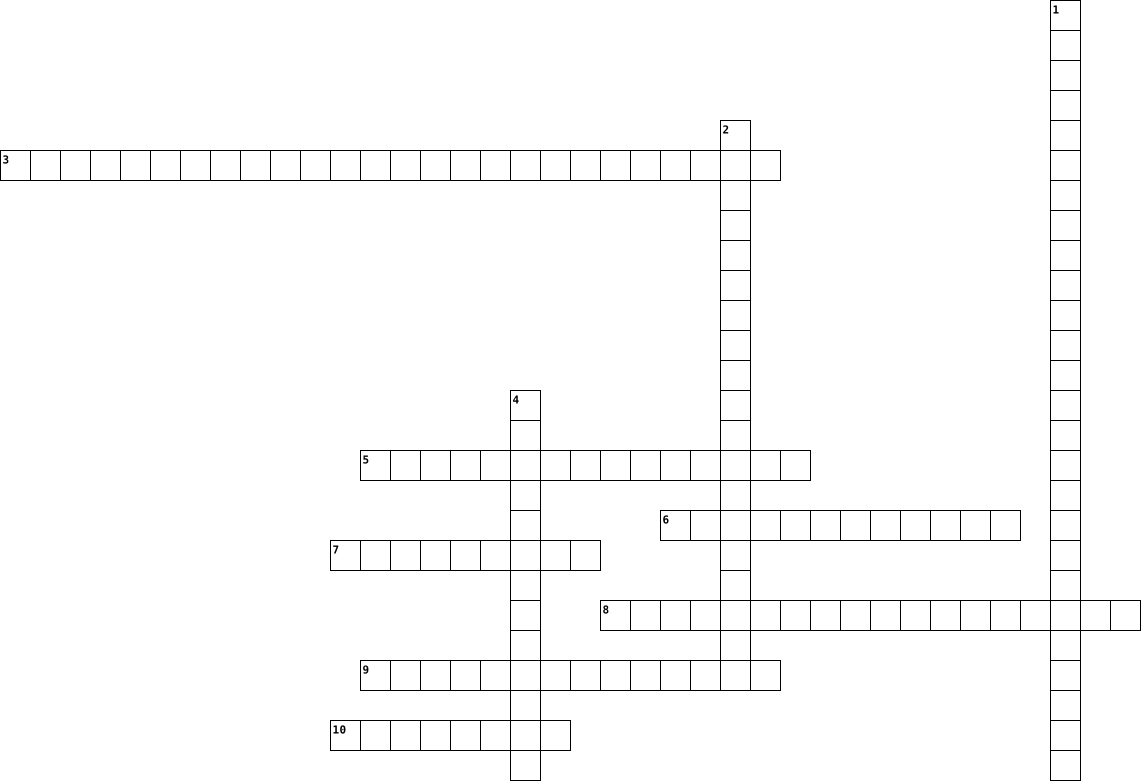
Across
- 6)What importance of organizing that related to employee?
- 3)What advantages from Functional Tyes?
- 4)Give a advantages of Boundaryless Structure.
- 5)Give types of Comtemporary Organizational Design that flexible design.
- 9)What is another name for matrix-project structure?
- 10)Give types authority that make employee report.
- 1)What types of structure that type of served?
Down
- 7)What organizing process is in the middle?
- 2)What element that have 5 types?
- 8)What types of power that have ability to punish?
10 Clues: 2)What element that have 5 types? • 3)What advantages from Functional Tyes? • 7)What organizing process is in the middle? • 4)Give a advantages of Boundaryless Structure. • 1)What types of structure that type of served? • 8)What types of power that have ability to punish? • 10)Give types authority that make employee report. • ...
rhiannas hard ware cross word puzzle 2019-01-10

Across
- Another term for display screen.
- A device that controls the movement of the cursor or pointer on a display screen.
- High-speed memory used to store frequently used data so that is can be quickly retrieved by an application.
- Read Only Memory; Memory that stores data and is a permanent part of the computer.
- A silicon chip that contains a CPU.
- The physical components of the computer such as the monitor and system unit.
Down
- Random Access Memory; Memory that temporarily stores data and instructions.
- The main circuit board of a microcomputer.
- Internal storage areas in the computer.
- A magnetic disk on which you can store computer data.
- The set of typewriter-like keys that enables you to enter data into a computer.
- Universal Service Bus; a type of port on the computer to attach peripherals.
- A phone that combines computing,telephone/fax, and networking features.
- A device that can read text or illustrations printed on paper and translate the information into a form the computer can use.
- The Central Processing Unit is the BRAIN of the computer. Sometimes referred to simply as the processor or central processor, the CPU is where most calculations take place.
15 Clues: Another term for display screen. • A silicon chip that contains a CPU. • Internal storage areas in the computer. • The main circuit board of a microcomputer. • A magnetic disk on which you can store computer data. • A phone that combines computing,telephone/fax, and networking features. • Random Access Memory; Memory that temporarily stores data and instructions. • ...
Chemical Reaction Vocabulary 2021-04-05

Across
- This is the ending substance that is made during a chemical reaction.
- All the stuff in the world is made up of this.
- Can be an object, diagram,or computer program that makes something easier/simpler.
- This is a process in which atoms rearrange to form new substances.
- To change up the order or position of.
Down
- Numbers and letters that show the types and number of atoms that repeat to make up a substance.
- A group of atoms joined in a particular way.
- This substance helps plants grow.
- Something that is made of all the same atoms or groups of atoms.
- The relative size of something.
- The temperature at which a substance changes from the liquid phase to the gas phase.
11 Clues: The relative size of something. • This substance helps plants grow. • To change up the order or position of. • A group of atoms joined in a particular way. • All the stuff in the world is made up of this. • Something that is made of all the same atoms or groups of atoms. • This is a process in which atoms rearrange to form new substances. • ...
Chemical Reaction Vocabulary 2021-04-05

Across
- This is the ending substance that is made during a chemical reaction.
- All the stuff in the world is made up of this.
- Can be an object, diagram,or computer program that makes something easier/simpler.
- This is a process in which atoms rearrange to form new substances.
- To change up the order or position of.
Down
- Numbers and letters that show the types and number of atoms that repeat to make up a substance.
- A group of atoms joined in a particular way.
- This substance helps plants grow.
- Something that is made of all the same atoms or groups of atoms.
- The relative size of something.
- The temperature at which a substance changes from the liquid phase to the gas phase.
11 Clues: The relative size of something. • This substance helps plants grow. • To change up the order or position of. • A group of atoms joined in a particular way. • All the stuff in the world is made up of this. • Something that is made of all the same atoms or groups of atoms. • This is a process in which atoms rearrange to form new substances. • ...
Period 1 Chapter 11 - Govea, E 2023-02-28

Across
- A user feels that there are too many fonts available on the computer and wants to remove some of them.
- Allows files and applications that require higher user privileges to be opened.
- You have forgotten your password for a network application.
- You want to change which text editor opens when a text file is double-clicked in File Explorer.
- Contains the files that are necessary for the operation of the Windows.
- These users can access files from other users.
- A user was exploring the configuration options available on a computer and complains that the date is now in a different format from what it was.
- A user complains about receiving frequent notifications about applications that are making changes to the computer.
- A specific monitor can be specified.
- The number of pixels displayed expressed as number of horizontal and vertical pixels.
- After accidently visiting a dangerous website, a user wants to verify that the Windows Defender Firewall is still active.
- Create for every account that has been configured on a computer.
- These users can only make configuration changes that affect their own profile.
- What year was the first version of Windows operating system released?
- When was Windows 10 released?
Down
- You want to check the status of the Ethernet adapter.
- Number of times that screen is redrawn per second.
- An elderly user complains that the text in the menus in applications is difficult to read.
- Landscape(horizontal) or portrait(vertical).
- An employee has recently been promoted to the job of computer technician and needs to be able make changes to the configuration of his computer but is not allowed to do so.
- A new printer has been connected to the computer and it requires configuration.
- A new employee will be sharing a computer with another user and requires an account.
- A user wants to work on network files while offline.
- Folders created for every user by default. Provide storage locations for common files and media.
- When was Windows 7 released?
- Provides access to the various storage devices available on the computer.
- the command that tests basic connectivity between devices by using ICMP echo request and reply messages
- An account for a newly hired employee needs to be created on a shared computer.
- What is the default theme for Windows 7 called?
- When was Windows 8 released?
- The bit depth that display is configured to show.
31 Clues: When was Windows 7 released? • When was Windows 8 released? • When was Windows 10 released? • A specific monitor can be specified. • Landscape(horizontal) or portrait(vertical). • These users can access files from other users. • What is the default theme for Windows 7 called? • The bit depth that display is configured to show. • ...
shivams computer terminology crossword 2022-10-18

Across
- This external hardware can show your face on apps if it has an option.
- You need this to access the web.
- This is a type of computer memory that can be used but not changed.
- This allows you to type and has to be connected to a computer for it to work.
- Random- access-memory.
- When the icon is clicked, something opens.
- We need these in a computer to keep it cool.
- This outputs images to a display device and is an adapter.
- holds all the internal hardware together.
- This takes the power from your home, powers your hardware and starts with Power-.
- you can see all the graphics with his external device
Down
- You can speak to someone when this is plugged in your computer.
- This computer part connects your whole computer together.
- This has to be loaded onto a computer to work, Starts with Operating-.
- displays color in multiple ways that could or could not be in your pc build.
- People throwing phones and technology away.
- drive This hardware will keep your computer storage maintained while turned off.
- This allows you to move the cursor on screen.
- this is a carry-on device that acts like a computer
19 Clues: Random- access-memory. • You need this to access the web. • holds all the internal hardware together. • When the icon is clicked, something opens. • People throwing phones and technology away. • We need these in a computer to keep it cool. • This allows you to move the cursor on screen. • this is a carry-on device that acts like a computer • ...
Heat Transfer 2024-02-29

Across
- a name for both liquids and gases
- materials that allow heat to flow easily through them
- the transfer of heat through currents in fluids
- cooks your food using radiation
- these types of colours absorb more heat energy
- as air is heated it will do this
- for conduction to occur objects must be
- these types of materials make the best conductors
Down
- the transfer of heat by waves
- this heats your home using convection
- the transfer of heat through solids that are touching
- these types of materials reflect radiant energy
- a lot of our weather is created by convection_____
- conduction can only occur in this state of matter
- when heat is added particles move
15 Clues: the transfer of heat by waves • cooks your food using radiation • as air is heated it will do this • a name for both liquids and gases • when heat is added particles move • this heats your home using convection • for conduction to occur objects must be • these types of colours absorb more heat energy • these types of materials reflect radiant energy • ...
Storage Devices 2021-09-12

Across
- Person who interacts with the computer
- Electrical and mechanical devices that are used to process the data.
- Recordable compact disc
- Program that let you look at the internet pages
- Redundant array independet disks
- Magnetic type data storage medium
- Serial advanced technology attachment
- Unit of memory
- Change a file back to its original form
- Personal computer
Down
- Programs exist for the Computer to provide service.
- Rewritable compact disc
- The standart format for encoding sound files
- Used when entering data on the computer
- Way to save data of the same type or class
- Storing information on series of ones and zeros
- Error in the sistem
- A word/image that lets you click and navigate
- Help manipulate objects and select menu options
- Amount of room available on a storage device
20 Clues: Unit of memory • Personal computer • Error in the sistem • Rewritable compact disc • Recordable compact disc • Redundant array independet disks • Magnetic type data storage medium • Serial advanced technology attachment • Person who interacts with the computer • Used when entering data on the computer • Change a file back to its original form • ...
rhiannas hard ware cross word puzzle 2019-01-10

Across
- A magnetic disk on which you can store computer data.
- The set of typewriter-like keys that enables you to enter data into a computer.
- A device that can read text or illustrations printed on paper and translate the information into a form the computer can use.
- The main circuit board of a microcomputer.
- Read Only Memory; Memory that stores data and is a permanent part of the computer.
- Random Access Memory; Memory that temporarily stores data and instructions.
- A phone that combines computing,telephone/fax, and networking features.
- High-speed memory used to store frequently used data so that is can be quickly retrieved by an application.
Down
- A silicon chip that contains a CPU.
- Another term for display screen.
- The physical components of the computer such as the monitor and system unit.
- Internal storage areas in the computer.
- Universal Service Bus; a type of port on the computer to attach peripherals.
- The Central Processing Unit is the BRAIN of the computer. Sometimes referred to simply as the processor or central processor, the CPU is where most calculations take place.
- A device that controls the movement of the cursor or pointer on a display screen.
15 Clues: Another term for display screen. • A silicon chip that contains a CPU. • Internal storage areas in the computer. • The main circuit board of a microcomputer. • A magnetic disk on which you can store computer data. • A phone that combines computing,telephone/fax, and networking features. • Random Access Memory; Memory that temporarily stores data and instructions. • ...
Computer Vocab Crossword. 2014-02-12

Across
- The number of bits used to encode a single character of text.
- A computer network consisting of worldwide networks of computer.
- a code system using The binary digits 0 and 1 to represent a letter.
- A device.
- Denoting software.
- A collection of items.
- A string of numbers separated by periods.
- The practice of using the network of remote servers.
- The program and other operating information.
- A system that responds to requests acrossed a computer network.
- A group of people or things.
- A website's own style.
Down
- A program with a graphical user interface.
- Rigid, Slotted board were parts connect.
- A small piece of data sent from a website.
- Domain Name System.
- Central Processing Unit.
- The software that supports a computers info.
- Internet Service provider.
- drive A disk drive containing a hard disk.
- Random Access memory.
- port Universal serial bus.
- To load the first piece of software that starts a computer.
- a set of computer instructions in firmware that control input and output operations.
- In a network.
- Small enough to fit on a desk.
- The host of a web page.
- Something inserted on to a rom chip can only be read, not removed.
28 Clues: A device. • In a network. • Denoting software. • Domain Name System. • Random Access memory. • A collection of items. • A website's own style. • The host of a web page. • Central Processing Unit. • Internet Service provider. • port Universal serial bus. • A group of people or things. • Small enough to fit on a desk. • Rigid, Slotted board were parts connect. • ...
Virus 2018-11-16

Across
- worm computers using Microsoft operating systems, discovered on January 17, 2007.
- a peice of code that can effect or destroy a computer
- a computer worm observed on the Internet on July 15, 2001. It attacked computers running Microsoft's IIS web server.
- the first computer virus
- computer worm targeting the Microsoft Windows operating system
- a virus that did not duplicate itself
Down
- multiple compromised systems, which are often infected with a Trojan, are used to target a single system causing a Denial of Service (DoS) attack.
- messages distributed by electronic means from one computer user to one or more recipients via a network.
- It is one of the very first viruses and is thought to have been written by a student in Wellington, New Zealand.
- a standalone malware computer program that replicates itself in order to spread to other computers.
- an experimental computer program written by Bob Thomas at BBN in 1971.
- the programs and other operating information used by a computer
- a malicious file infecting computer worm.
- sent a love letter
- practice of sending emails purporting to be from reputable companies in order to induce individuals to reveal personal information,
15 Clues: sent a love letter • the first computer virus • a virus that did not duplicate itself • a malicious file infecting computer worm. • a peice of code that can effect or destroy a computer • computer worm targeting the Microsoft Windows operating system • the programs and other operating information used by a computer • ...
Technology Vocabulary 2021-06-30

Across
- the symbolic arrangement of data in a computer program
- of or pertaining to a number system having 2 as its base
- an organized body of related information
- RAM memory that is set aside as a specialized buffer storage
- the organization of data according to preset specifications
- the exclusive right to sell a work
- a listing of the computer files stored in memory
- an online journal where people post about their experiences
Down
- transfer a file or program to a smaller computer
- a programmer who breaks into computer systems
- fix a computer program piecemeal until it works
- a set of related records kept together
- the activity of converting data or information into code
- locate and correct errors in a computer program code
14 Clues: the exclusive right to sell a work • a set of related records kept together • an organized body of related information • a programmer who breaks into computer systems • fix a computer program piecemeal until it works • transfer a file or program to a smaller computer • a listing of the computer files stored in memory • ...
2B Vocab List 2024-12-11

Across
- backpack
- door
- keyboard
- there
- pencil sharpener
- in front of
- underneath
- desk
- poster
- here
- window
- table
- chair
Down
- (computer) screen
- (computer) mouse
- next to
- flag
- clock
- where
- on top of
- behind
- trash can
22 Clues: door • flag • desk • here • there • clock • where • table • chair • behind • poster • window • next to • backpack • keyboard • on top of • trash can • underneath • in front of • (computer) mouse • pencil sharpener • (computer) screen
MIS Information System 2020-09-09

Across
- /executive software that runs on a computer.
- software/ commonly defines as any program or number of programs designed for end-users.
- design (CAD)/ an important industry withing the tech world. It involves utilizing computers to help with engineering and design for a wide range of projects.
- system/ a set of integrated devices that input, output, process, and store data and information.
- system software /the most important software that runs on a computer. It manages that computers memory and processes, as well as all of its software and hardware.
- language/ A language is the main medium of communicating between the Computer systems and the most common are the programming languages.
- /enables a computer to perform a specific task, as opposed to the physical components of the system.
- /The buying and selling of good or services using the internet, and the transfer of money and data to execute these transactions.
- system /A computer program that uses artificial-intelligence methods to solve problems within a specialized domain that ordinarily requires human expertise.
- processing unit (CPU)/ the unit which performs most of the processing inside a computer.
- Intelligence (AI)/ refers to the simulation of human intelligence in machines that are programmed to think like humans and mimic their actions.
Down
- network /a set of computers that are connected together so that they can share information.
- virus /a software program capable of reproducing itself and usually capable of causing great harm to flies or other programs on the same computer.
- instruction (CAI)/ a systematic approach to developing students' knowledge and/or skills that uses a computer as central feature to support instruction via activities including, but not limited to, presenting materials, assessing progress, and guiding activities.
- /tools, machinery, and other durable equipment.
- /design, construction, and use of machines to perform tasks done traditionally by human beings.
- information system (MIS)/ The study of people, technology, organizations, and the relationships among them.
- /The illegal copying and distribution of software.
- /to work at home by the use of an electronic linkup with a central office.
19 Clues: /executive software that runs on a computer. • /tools, machinery, and other durable equipment. • /The illegal copying and distribution of software. • /to work at home by the use of an electronic linkup with a central office. • software/ commonly defines as any program or number of programs designed for end-users. • ...
Topic 4 Vocabulary 2021-02-25

Across
- Coding from main program down to subprogram
- Operator that finds remainder of one integer divided by another
- Algorithm that takes log n time to find key
- Stores data element. Typically has a name and type.
- Computer system specific language that is 1 level of abstractin from machine code
- IB Standard Operation to start at beginning of collection
- Notation to express order of complexity of algorithm
- Essential feature of a computer language
- IB Standard Operation to retrieve next item in collection
- ________ programming facilitates working in teams and program testing
- Data structure that stores a fixed-size collection of elements
- Value that can not change
- Converts each statement in a HLL into a lower level language one by one
- Language made up of 1's and 0's
Down
- Computer-implementable instructions, typically to solve a class of problems
- IB Standard Operation to check if collection contains no items
- Handling complexity by hiding unneccesary details from user
- Diagram that depicts a process, system or computer algorithm
- An element of code that can be used again in different places
- Search that starts at beginning of list and compares until it finds key
- Sorting algorithm compares each item in a list, swapping if necessary. Repeats until no swaps are made.
- Used to manipulate operands
- Data element comprised of states and methods
- IB Standard Operation to add an item to collection
- Grace ______. Early pioneer in computer programmer. Wored on the Harvard Mark I.
- More abstract, understanderable computer language
- Data structure that stores an variable-size collection of elements
- Trans forms all high-level language code at once into a lower level language
- Sorting algorithm finds the amllest element in a list each pass, making one swap
- IB Standard Operation to check for another item in collection
- Measure of amount of time/space required for an algorithm
- Fundamental operation of a computer
32 Clues: Value that can not change • Used to manipulate operands • Language made up of 1's and 0's • Fundamental operation of a computer • Essential feature of a computer language • Coding from main program down to subprogram • Algorithm that takes log n time to find key • Data element comprised of states and methods • More abstract, understanderable computer language • ...
Parts of a Computer Crossword 2025-09-12

Across
- Is a dedicated slot to install a central processing unit.
- Is the Basic Input/Output system
- Is the most expensive computer part.
- Ports for connecting hard drives and solid-state drives.
- A device that stores data after you save your game or turn off your computer.
- card and sound card.
Down
- The locations for inserting Random access Memory module.
- The main printed circuit board of a computer that serves as a central hub.
- Is the brain of the computer.
- A set of integrated circuits that manage communication between the CPU, memory, and other devices.
- It houses your graphics card.
- slots for high-speed devices such as graphics cards,
- The world's most universal cable.
- You need this part to turn on the computer.
- Is the short-term memory of a computer.
- The rear panel connections for external devices and networking.
16 Clues: card and sound card. • Is the brain of the computer. • It houses your graphics card. • Is the Basic Input/Output system • The world's most universal cable. • Is the most expensive computer part. • Is the short-term memory of a computer. • You need this part to turn on the computer. • slots for high-speed devices such as graphics cards, • ...
Computer Vocabulary 2017-06-21

Across
- of a machine, system, or software) fail suddenly
- a folder or box for holding loose papers that are typically arranged in a particular order for easy reference.
- a panel of keys that operate a computer or typewriter.
- a program with graphical user interface for displaying HTML files used to navigate the World Wide Web.
- An electronic device for storing and processing data, typically in binary form, according to instructions given to it in a variable program
- a global computer network providing a variety of information and communication facilities, consisting of interconnected networks using standardized communication protocols
- Wide Web- an information system on the Internet that allows documents to be connected to other documents by hypertext links, enabling the user to search for information by moving from one document to another
- an instrument or device used for observing, checking, or keeping a continuous record of a process or quantity.
- a symbol or graphic representation on a screen of a program, option, or window, especially one of several for selection.
- a small handheld device that is dragged across a flat surface to move the cursor on a computer screen, typically having buttons that are pressed to control functions
- a computer or computer program that manages access to a centralized resource or service in a network
- drive- a high-capacity, self-contained storage device containing a read-write mechanism plus one or more hard disks, inside a sealed unit. Also called hard disk drive.
- Central processing unit the brains of a computer where most calculations take place
Down
- relating to the present or recent times as opposed to the remote past.
- tools, machinery, and other durable equipment.
- a folding cover or holder typically made of stiff paper or cardboard, for storing loose papers.
- a piece of code that is capable of copying itself and typically has a detrimental effect, such as corrupting the system or destroying data.
- system- the software that supports a computer's basic functions, such as scheduling tasks, executing applications, and controlling peripherals
- copy (data) from one computer system to another, typically over the Internet.
- the working surface of a desk.
- almost or nearly as described, but not completely or according to strict definition.
- a machine capable of carrying out a complex series of actions automatically, especially one programmable by a computer
- irrelevant or inappropriate messages sent on the Internet to a large number of recipients
- flash drive- an external flash drive, small enough to carry on a key ring, which can be used with any computer that has a USB port.
24 Clues: the working surface of a desk. • tools, machinery, and other durable equipment. • of a machine, system, or software) fail suddenly • a panel of keys that operate a computer or typewriter. • relating to the present or recent times as opposed to the remote past. • copy (data) from one computer system to another, typically over the Internet. • ...
ICT year 11 Revision 2024-05-03

Across
- a type of software used by the user to perform specific tasks
- piece of furniture designed for efficiency and comfort
- system designed for a specific function within a larger system
- a measure of the maximum amount of data per second that can be transmitted over a network
- a type of device that allows users to feed data into a computer system
- a hardware component, typically a circuit board or chip, installed on a computer so it can connect to a network
- scrambling data to make it unreadable. A key is needed to unscramble it.
- a type of computer with a high level of performance as compared to a general-purpose computer
- memory used to ttemporarily store instructions of programs currently in use so they can be quickly accessed by the CPU
- a hardware device that connects to a computer and used to transfer information into and out of a computer
- a network security system that monitors and controls incoming and outgoing network traffic based on predetermined security rules
- the time it takes for a data packet to travel from a sender to a reciever
- pain caused by repeating the same movement many times
- a networking device that forwards data packets to the correct network.
- a networking device that connects end devices to a network
- a type of software that are designed to manage system resources, hardware and other software
Down
- a type of secondary storage medium that uses laser beams to record and retrieve digital data
- software with source code that anyone can inspect, modify, and enhance
- an online place where people sharing the same interest can interact
- a type of wired connection
- a website that is developed by a number of users who can edit or add content collaboratively
- a type of key in a database that uniquely identifies each record
- a legal power that provides the creator of an original work the sole right to use and distribute it.
- a computer that shares its resources with connected devices (clients)
- memory used to store computer start-up instructions
- a unique address given to any computer by the manufacturer: You find it on the NIC
- a type of secondary storage medium that stores data electronically and has no moving parts
- Fetches, decodes and executes program instructions
- technology that uses a network of satellites and receiving devices used to determine the location of something on Earth
- a type of cable cables that carries digital audio and video signals over
30 Clues: a type of wired connection • Fetches, decodes and executes program instructions • memory used to store computer start-up instructions • pain caused by repeating the same movement many times • piece of furniture designed for efficiency and comfort • a networking device that connects end devices to a network • ...
Computer Hardware 2025-05-06

Across
- Connects external devices like flash drives
- Brain of the computer that processes instructions
- Displays visual output from the computer
- Stores data permanently, even when the computer is off
- Captures video input
- Input device used to type text
- Converts electricity to power the computer
- Handles graphics and video rendering
- Outputs sound from the computer
- Protective shell that houses components
Down
- Main circuit board that connects all components
- Captures audio input
- Built-in pointing device on laptops
- Prevents components from overheating
- Temporary memory that stores data while the computer is on
- Pointing device used to control the cursor
16 Clues: Captures audio input • Captures video input • Input device used to type text • Outputs sound from the computer • Built-in pointing device on laptops • Prevents components from overheating • Handles graphics and video rendering • Protective shell that houses components • Displays visual output from the computer • Converts electricity to power the computer • ...
Chapter 1 2016-04-07

Across
- information in a computer
- help to organize and locate files.
- performing calculations, saving, sorting a list
- physical parts of the computer. The part you see.
- a computer that provides services to computers
- It is the place information is saved and kept.
- information put into the computer
- a larger and even faster computer than a mainframe
Down
- a saved page/s of information
- large, fast, expensive computer
- instructions to perform a task, or process data
- provides rules to avoid injuries
- displayed on the screen, printed or transmitted results
- data that is stored
- is the place where information is held before processing
15 Clues: data that is stored • information in a computer • a saved page/s of information • large, fast, expensive computer • provides rules to avoid injuries • information put into the computer • help to organize and locate files. • a computer that provides services to computers • It is the place information is saved and kept. • instructions to perform a task, or process data • ...
IT_berkesarmand 2023-12-26

Across
- Source: What shares computer code with everyone?
- What computer language works on any system?
- What helps save different versions of work?
- What are the rules for computer talking?
- What keeps computers safe from bad access?
- Who designs machines or systems using science?
Down
- What are computer letters called?
- What's a program for one job?
- What tells a computer what to do?
- What in programming is like a thing with a job?
- Where do tech fans work together?
- What's a small computer for travel?
- What simple language is named after a funny group?
- What's many computers talking together?
- What's the usable part of software making?
15 Clues: What's a program for one job? • What are computer letters called? • What tells a computer what to do? • Where do tech fans work together? • What's a small computer for travel? • What's many computers talking together? • What are the rules for computer talking? • What keeps computers safe from bad access? • What's the usable part of software making? • ...
Cyber Law 2017-09-28

Across
- Any criminal activity associated with a computer.
- Transmitting computer viruses to people to destroy their computer system or files.
- The use of the computer to sabotage computer networks vital to the national welfare.
- The communication via computer or other electronic device of false data that damages a person's reputation.
- Intentionally disrupting, defacing, or even destroying a site.
Down
- An unwelcome intrusion into the private matters of an individual carried out or sustained by a computer.
- Area of the law which concerns computers and computer related crime.
- A crime that involves using a computer to steal computer data stored in a digital format.
- Any illegal activity already in the criminal code committed by using a computer.
- The use of information unlawfully obtained by computer to pressure a victim into granting a payoff to the blackmailer.
- A crime in which a cyber criminal falsely adopts the identity of anothor computer user in order to commit fraud.
- Involves the invasion, distortion, theft, falsification, misuse, destruction, or exploitation of information stored in or related to electronic devices.
12 Clues: Any criminal activity associated with a computer. • Intentionally disrupting, defacing, or even destroying a site. • Area of the law which concerns computers and computer related crime. • Any illegal activity already in the criminal code committed by using a computer. • Transmitting computer viruses to people to destroy their computer system or files. • ...
All about computers 2026-02-16

Across
- We use this when we want to type BIG letters
- This is the short name for Personal Computer
- You use these to listen to music
- When we turn off the computer we choose this
- You type using this part of the computer
- You use this to click on something
- Another name for this is the tower
- We use this to write stories and letters
- We use this to search for information
- We need to connect to this before using the computer
- You see information on this part of the computer
Down
- We click on this to get a copy of our work
- This is a type of computer that you carry around
- We click on this to keep our work forever
- We use this when we need a space between words
- When use this when looking up the menu in Baileys
16 Clues: You use these to listen to music • You use this to click on something • Another name for this is the tower • We use this to search for information • You type using this part of the computer • We use this to write stories and letters • We click on this to keep our work forever • We click on this to get a copy of our work • We use this when we want to type BIG letters • ...
Computer onderdelen 2014-03-18

Across
- schijf schijf met hoge opslagcapaciteit
- invoer apparaat om tekst in te geven
- op papier
- apparaat dat bestanden in je computer kan
- omgekeerde muis
- internetverbinding
Down
- enzovoort kunnen worden geprojecteerd op een
- apparaat dat afbeeldingen kan omzetten in
- of aangeklikt
- code
- onderdeel van een televisie of computer
- klein opslag medium
- een apparaat aan een computer waarmee dingen op het beeldscherm
- waarmee beelden van een computer,
- of groot scherm
15 Clues: code • op papier • of aangeklikt • omgekeerde muis • of groot scherm • internetverbinding • klein opslag medium • waarmee beelden van een computer, • invoer apparaat om tekst in te geven • schijf schijf met hoge opslagcapaciteit • onderdeel van een televisie of computer • apparaat dat afbeeldingen kan omzetten in • apparaat dat bestanden in je computer kan • ...
Computeronderdelen 2014-03-18

Across
- internetverbinding
- of aangeklikt
- omgekeerde muis
- schijf schijf met hoge opslagcapaciteit
- invoer apparaat om tekst in te geven
- enzovoort kunnen worden geprojecteerd op een
- apparaat dat afbeeldingen kan omzetten in
Down
- een apparaat aan een computer waarmee dingen op het beeldscherm
- code
- apparaat dat bestanden in je computer kan
- klein opslag medium
- onderdeel van een televisie of computer
- of groot scherm
- waarmee beelden van een computer,
- op papier
15 Clues: code • op papier • of aangeklikt • of groot scherm • omgekeerde muis • internetverbinding • klein opslag medium • waarmee beelden van een computer, • invoer apparaat om tekst in te geven • onderdeel van een televisie of computer • schijf schijf met hoge opslagcapaciteit • apparaat dat bestanden in je computer kan • apparaat dat afbeeldingen kan omzetten in • ...
Per. 2 Cyber Security Words and Terms Puzzle Maker 2022-09-12

Across
- Text that can be read by the human eye, like google results for how to make eggs.
- A simple form of code for software that can be written in word editors.
- A form of malicious software that disguises itself as a harmless computer program.
- The programs and other operating systems used by a computer.
- A test that distinguishes between robots and humans using a website.
- A language used to create and control the content on a website.
- The physical and tangible parts of a computer, such as the monitor, keyboard, speakers, etc.
- An effort to increase security by isolating processes and browser tabs from one another and the rest of the computer.
- official United States cryptologic organization under the Department of Justice. Responsible for global monitoring, collection, and processing of information and data for both foreign and domestic intelligence.
- Internet Protocol address, is the string of numbers used to identify each computer using the internet on a network.
- An error, flaw, failure, or fault in a computer program or system.
Down
- A secret word or phrase that is used to access a computer system or service.
- Software that can only be run for a limited amount of time before it expires.
- seemingly harmless impersonal data, like how many times a user clicked or refreshed the page when visiting a website.
- An alternative way to access software or hardware.
- An internet traffic filter meant to stop unauthorized incoming and outgoing traffic.
- Short for malicious software, is any kind of software designed to damage, or enable unauthorized access, to computer systems.
- A cyber attacker who uses software and social engineering methods to steal data and information.
- A segment of data sent by an Internet server to the browser that is returned to the browser every time it accesses the server.
- The method of obtaining user information through fraudulent communications targeted directly at people
- Program that automatically execute tasks as ordered by the creator of the program.
21 Clues: An alternative way to access software or hardware. • The programs and other operating systems used by a computer. • A language used to create and control the content on a website. • An error, flaw, failure, or fault in a computer program or system. • A test that distinguishes between robots and humans using a website. • ...
Tech terms 1 and 2 2022-11-22

Across
- hardware device that converts data
- to start or restart
- A basic building block format
- Output device
- Files created by websites you visit
- portable document format
- shortcut for copy
- Malicious hardware
- input device
- device that connects 2 networks
- A system that supports basic functions
- how to backup information
- A list of characters that identifies computer
- physical and visible components
- network security system
- what does a computer do
Down
- processing of data
- shortcut for print
- connecting computer systems to same network.
- 1 million bytes
- Google and Yahoo
- internal components
- central processing unit
- 0's and 1's
- chrome and Firefox
- data storage device
- unit of data 8 units long
- shortcut for paste
- computer processing language
- address to a webpage
30 Clues: 0's and 1's • input device • Output device • 1 million bytes • Google and Yahoo • shortcut for copy • processing of data • shortcut for print • Malicious hardware • chrome and Firefox • shortcut for paste • to start or restart • internal components • data storage device • address to a webpage • central processing unit • network security system • what does a computer do • portable document format • ...
Heat Transfer 2020-04-20

Across
- a name for both liquids and gases
- materials that allow heat to flow easily through them
- the transfer of heat through currents in fluids
- cooks your food using radiation
- these types of colours absorb more heat energy
- as air is heated it will do this
- for conduction to occur objects must be
- these types of materials make the best conductors
Down
- the transfer of heat by waves
- this heats your home using convection
- the transfer of heat through solids that are touching
- these types of materials reflect radiant energy
- a lot of our weather is created by convection_____
- conduction can only occur in this state of matter
- when heat is added particles move
15 Clues: the transfer of heat by waves • cooks your food using radiation • as air is heated it will do this • a name for both liquids and gases • when heat is added particles move • this heats your home using convection • for conduction to occur objects must be • these types of colours absorb more heat energy • these types of materials reflect radiant energy • ...
Computer terms puzzle 2021-12-10

Across
- Drive :Portable storage device capable of storing hundreds of floppy disk.
- : The physical components of a computer
- Device that does computations and makes logical comparisons according to the instructions it receives.
- :A display device that forms an image by converting electrical signals from the computer into points of colored light on the screen.
- : The intangible components of a computer system, particularly the programs that the computer needs to perform a specific task.
- :A hard plastic disk approximately 12 cm (4 in.) in diameter on which information such as music or computer data is digitally encoded in a format readable by laser beam.
- Drive :A device that reads the information contained on a disk.
Down
- :(central processing unit) a silicon chip located on the motherboard.
- :The peripheral computer component that produces a hard copy of the text or graphics processed by the computer.
- :The most frequently used input device; consists of three major parts: the main keyboard, the keypads, and the function keys.
- :A device that feeds data into a computer, such as a keyboard or mouse, is called an input device. (v.) The act of entering data into a computer.
- Disk :A round, metal platter in the hard drive of the computer; it stores large amounts of information
- :A pointing device that has a laser guide on its underside and two or more buttons for clicking commands; you control the movement of the pointer by moving the entire mouse around on your desk.
- :Digital versatile disk, recorded with optical technology that contains full-length (2-hour) motion pictures for viewing on a personal computer or on a TV screen.
14 Clues: : The physical components of a computer • Drive :A device that reads the information contained on a disk. • :(central processing unit) a silicon chip located on the motherboard. • Drive :Portable storage device capable of storing hundreds of floppy disk. • Disk :A round, metal platter in the hard drive of the computer; it stores large amounts of information • ...
CMU Academy Crossword Units 1-3 2022-01-27

Across
- s.radius += 10 _____ the radius of a star by 10
- The location of this shape is not defined by the (x,y) coordinates of its center.
- The code x.value *= 4 ______ the value of a label called x by 4.
- The ____ is often called the “brain” of the computer. It is responsible for executing instructions, such as the code in a program.
- Text becomes ________ when you set bold=True
- onMouseDrag is called when the mouse is pressed and ________.
- A high-level, class-based, object-oriented programming language that is designed to have as few implementation dependencies as possible.
- A ______ error is a character or string incorrectly placed in a command or instruction that causes a failure in execution
- _______ is a process or set of rules to be followed in calculations or other problem-solving operations, especially by a computer.
- A ______is a storage location paired with an associated symbolic name (an identifier), which contains some known or unknown quantity of information referred to as a value.
- _______ allow your computer to connect to other computers around the world
- ______ allow us to pass information or instructions into functions and procedures
Down
- ________ is a collection of data or computer instructions that tell the computer how to work
- Computer _______ is the study of information technology, processes, and their interactions with the world.
- Which tool can check if your solution is correct for an exercise in Academy?
- Is an interpreted, high-level and general-purpose programming language
- A naming convention in which the first letter of each word in a compound word is capitalized, except for the first word.
- When code is checked for errors.
- The physical components of a computer.
- onMouseMove is called when the mouse is _______ but not pressed
20 Clues: When code is checked for errors. • The physical components of a computer. • Text becomes ________ when you set bold=True • s.radius += 10 _____ the radius of a star by 10 • onMouseDrag is called when the mouse is pressed and ________. • onMouseMove is called when the mouse is _______ but not pressed • The code x.value *= 4 ______ the value of a label called x by 4. • ...
A FOR for School-Aged Children with Anxiety and Depression 2023-10-10

Across
- These types of assessments are used to gain an understanding of a child’s first-hand experience. These types of assessments might include the Child Occupational Self-assessment and the Brief Multidimensional Students’ Life Satisfaction Scale.
- These types of rating scales allow interprofessional collaboration in order to gain a better understanding of the child’s internalizing and externalizing behaviors. These types of rating scales may include the Student Risk Screening Scale for Internalizing and Externalizing Behaviors and the Strengths and Difficulties Questionnaire.
- Subjective well-being, happiness, optimism, hope, and future orientation act as __________ factors against development of mental illness.
- These strategies may be supportive in helping children rebound from real and perceived threats and deprivation,
- Evaluation of school-aged children with symptoms of anxiety and depression begins with this top-down evaluation approach.
- Children’s perception of their ability to perform in the student role and to keep up with peers, make progress, and accomplish goals related to academic work.
- These types of assessments can be used to gather information about a child in their typical environment. These types of assessments might include the Pediatric Volitional Questionnaire and the Social Profile.
- Engagement in school activities that involve other people, including peers, teachers, and other adults
Down
- There is an established connection between ________ life experiences and poor mental health outcomes.
- This type of well-being refers to a child’s perception of their psychological wellbeing
- The bond that occurs between infants and their primary caregivers.
- Acting autonomously and with a “full sense of choice”.
- A person’s ability to act in order to meet a targeted objective or overcome a challenge.
- Positive youth development is rooted in this type of psychology.
- A collection of dispositional traits that influence response systems and can be observed through a patterned set of behaviors.
- People's ability to respond and adapt to stress caused by a range of different circumstances.
16 Clues: Acting autonomously and with a “full sense of choice”. • Positive youth development is rooted in this type of psychology. • The bond that occurs between infants and their primary caregivers. • This type of well-being refers to a child’s perception of their psychological wellbeing • ...
Digital Stuff 2023-12-09

Across
- computer that doesn't need a mouse
- playing online
- computer information
- computer language
- amount of computer memory
- 2 digit number system
Down
- it can see you
- highspeed internet
- watching a movie online
- popular online movie channel
- it recharges your computer
- used to hear sound
- ink for a computer
13 Clues: it can see you • playing online • computer language • highspeed internet • used to hear sound • ink for a computer • computer information • 2 digit number system • watching a movie online • amount of computer memory • it recharges your computer • popular online movie channel • computer that doesn't need a mouse
Technology Terms 2013-03-11

Across
- a copy or duplicate version, especially of a file, program, or entire computer system, retained for use in the event that the original is in some way rendered unusable.
- drives or optical drives are CD players inside computers that can have speeds in the range from 1x and beyond.
- any physical device capable of storing information temporarily or permanently.
- A collection of computers, servers, mainframes, network devices, peripherals, or various other devices connected to one another allowing for data to be shared and used.
- CPU was first developed by Intel in 1974 and is short for Central Processing U
- is best described as a device that is physically connected to your computer or something that can be physically touched
- Known as The Elk Cloner this virus spread to other computers by monitoring the floppy drive and copying itself to any floppy diskette that was inserted into the computer.
- Alternatively referred to as the net or the web.
- text messages that may contain files, images, or other attachments sent through a network to a specified individual or group of individuals.
- Developed by Tim Berners-Lee in 1990, short for HyperText Markup Language and is a language used to create electronic documents, especially pages on the World Wide Web that contain connections called hyperlinks to other pages.
- a large quantity of information that can be searched, referenced, compared, changed or otherwise manipulated without a lot of work.
- disk the computer's main storage media device that permanently stores all data on the computer. The hard drive was first introduced on September 13, 1956 and consists of one or more hard drive platters inside of air sealed casing.
- Alternatively referred to as init.
- a function that records audio from a microphone or other source.
- responsible for handling all instructions it receives from hardware components and software programs running on the computer.
- equal to 1,024 bytes, however is also defined by the IEC as equal to 1,000 bytes.
- Also called Web browser. Digital Technology . a software program that allows the user to find and read encoded documents in a form suitable for display, especially such a program for use on the World Wide Web.
- consisting of, indicating, or involving two.
Down
- disk originally created in 1967 by IBM to help have an alternative to buying hard drives that were extremely expensive at the time and were not thought of as something to be used with a standard computer.
- Wide Web consists of billions of pages linked to each other that contain text, graphics, multimedia files, and other interactive software.
- a hardware input device that allows a user to take an image or text and convert it into a digital file, allowing the computer to read or display the scanned object.
- Alternatively referred to as a cord, connector or plug,one or more wires covered in a plastic covering that connects a computer to a power source or other device.
- a video display screen and the hard shell that holds it.
- used to describe the object used to point, click, drag, and drop items on a GUI operating system.
- adjacent bits, usually eight, processed by a computer as a unit.
- a data file made up of rows and columns that are used to sort data and allow a user to manipulate and arrange data easily, commonly numerical data
- given to humans who performed numerical calculations using mechanical calculators such as the abacus and slide rule.
- a common measurement used with computer storage media.
- drive capable of holding information or retrieving information.
- the intersection between a row and a column on a spreadsheet.
- the smallest portion of an image or display that a computer is capable of printing or displaying.
- a term used to describe the process of retrieving data from another computer, either over a network or modem.
- a text-based communication that is live or in real-time.
- a single item of data within a database or software program.
- a hardware device that allows a computer to perform an additional function, but is not something the computer needs in order to work.
- most standards is equal to 1,073,741,824 or 230.
- Short for MODulator/DEModulator, was first released by AT&T in 1960 when it introduced its dataphone.
- smallgraphic representation of a program or file that, when clicked on, will be run or opened.
- a package containing many circuits, pathways, transistors and other electronic components all working together to perform a particular function or a series of functions.
- a collection of instructions that enables a user to interact with the computer or have the computer perform specific tasks for them.
- Short for Uniform Resource Locator.
- Alternatively referred to as main memory, primary memory, or system memory, Random Access Memory is a computer storage location that allows information to be stored and accessed quickly from random locations within a memory module.
42 Clues: Alternatively referred to as init. • Short for Uniform Resource Locator. • consisting of, indicating, or involving two. • Alternatively referred to as the net or the web. • most standards is equal to 1,073,741,824 or 230. • a common measurement used with computer storage media. • a video display screen and the hard shell that holds it. • ...
Digital Tech 2020-10-07

Across
- Hollerith - an American businessman, inventor, and statistician who developed an electromechanical tabulating machine for punched cards to assist in summarizing information and, later, in accounting
- Census - is a principal agency of the U.S. Federal Statistical System, responsible for producing data about the American people and economy
- - a set of related measures or activities with a particular long-term aim
- - the amount of something produced by a person, machine, or industry
- Lovelace - an English mathematician and writer, chiefly known for her work on Charles Babbage's proposed mechanical general-purpose computer, the Analytical Engine
- browse - is a software application for accessing information on the World Wide Web. When a user requests a web page from a particular website, retrieves the necessary content from a web server and then displays the page on the user's device
- - is a calculating tool that was in use in the ancient Near East, Europe, China, and Russia, centuries before the adoption of the written Arabic numeral system. The exact origin of the abacus is still unknown
- - an instrument or device used for observing, checking, or keeping a continuous record of a process or quantity
- - hit (someone) hard
- Babbage - A mathematician, philosopher, inventor and mechanical engineer, Babbage originated the concept of a digital programmable computer
- system - the software that supports a computer's basic functions, such as scheduling tasks, executing applications, and controlling peripherals
- - a printed circuit board containing the principal components of a computer or other device, with connectors into which other circuit boards can be slotted
- memory - is a form of computer memory that can be read and changed in any order, typically used to store working data and machine code
Down
- - a global computer network providing a variety of information and communication facilities, consisting of interconnected networks using standardized communication protocols
- - main processor or just processor, is the electronic circuitry within a computer that executes instructions that make up a computer program
- - what is put in, taken in, or operated on by any process
- - a high-capacity, self-contained storage device containing a read-write mechanism plus one or more hard disks, inside a sealed unit
- - the programs and other operating information used by a computer
- - the use or operation of computers
- - is an American multinational technology company headquartered in Armonk, New York. It was founded in 1911 in Endicott, New York, as the Computing-Tabulating-Recording Company
- - is a networking device that forwards data packets between computer networks
- Wozniak - is an American electronics engineer, programmer, philanthropist, and technology entrepreneur
- Turing - an English mathematician, computer scientist, logician, cryptanalyst, philosopher, and theoretical biologist
- - an electronic device for storing and processing data, typically in binary form, according to instructions given to it in a variable program
- memory - a usually small computer memory that contains special-purpose information (such as a program) which cannot be altered — compare ram
- - A top-level Internet domain used by associations and non-profit organizations mostly in the U.S. and Canada
- - tools, machinery, and other durable equipment
- science - the study of the principles and use of computers
28 Clues: - hit (someone) hard • - the use or operation of computers • - tools, machinery, and other durable equipment • - what is put in, taken in, or operated on by any process • science - the study of the principles and use of computers • - the programs and other operating information used by a computer • - the amount of something produced by a person, machine, or industry • ...
Computer Science Vocabulary 2023-05-30

Across
- The signals or instructions sent to a computer or robot through the use of external sensors.
- Any set of instructions expressed in a programming language.
- The process of removing errors (bugs) is called debugging.
- Statements that only run under certain conditions or situations.
- A representation of (some part of) a problem or a system.
- The process of executing an instruction or instruction set.
- To link disparate systems and software in such a way that they become self-acting or self-regulating.
- A step-by-step process to complete a task.
- A detailed yet readable description of what a computer program or algorithm must do, expressed in a formally-styled natural language rather than in a programming language.
- A systematic approach to problem solving that is often used to find and resolve a problem, error, or fault within software or a computer system.
- Information. Often, quantities, characters, or symbols that are the inputs and outputs of computer programs.
Down
- Break a problem down into smaller pieces.
- An organizational structure in which items are ranked according to levels of importance.
- An error in a software program. It may cause a program to unexpectedly quit or behave in an unintended manner.
- A set of instructions that the computer executes in order to achieve a particular objective.
- An action that causes something to happen.
- Logic dealing with the basic operations of truth values: AND, OR, NOT and combinations thereof.
- Programs that run on a computer system, computer, or other computing device.
- A piece of code that you can easily call over and over again or a type of procedure or routine.
- A programming structure that repeats a sequence of instructions as long as a specific condition is true.
- A symbolic name that is used to keep track of a value that can change while a program is running. Variables are not just used for numbers. They can also hold text, including whole sentences (“strings”), or the logical values “true” or “false.”
- A type of application software designed to run on a mobile device, such as a smartphone or tablet computer (also known as a mobile application)
- Involving the repeating of a process with the aim of approaching a desired goal, target, or result.
- The physical components that make up a computing system, computer, or computing device.
- A collection of elements or components that work together for a common purpose.
25 Clues: Break a problem down into smaller pieces. • An action that causes something to happen. • A step-by-step process to complete a task. • A representation of (some part of) a problem or a system. • The process of removing errors (bugs) is called debugging. • The process of executing an instruction or instruction set. • ...
COMPONENTS OF A COMPUTER SYSTEM 2019-06-02

Across
- The brains of the computer
- Connects to every part of the computer and contains many different types of chips.
Down
- Provides a temporary storage place for data and instructions
- Point of attachment for external devices
4 Clues: The brains of the computer • Point of attachment for external devices • Provides a temporary storage place for data and instructions • Connects to every part of the computer and contains many different types of chips.
Period 1 Chapter 11 - Govea, E 2023-02-27

Across
- An elderly user complains that the text in the menus in applications is difficult to read.
- You want to check the status of the Ethernet adapter.
- The number of pixels displayed expressed as number of horizontal and vertical pixels.
- An account for a newly hired employee needs to be created on a shared computer.
- A user wants to work on network files while offline.
- Number of times that screen is redrawn per second.
- Create for every account that has been configured on a computer.
- Provides access to the various storage devices available on the computer.
- A user was exploring the configuration options available on a computer and complains that the date is now in a different format from what it was.
- A new printer has been connected to the computer and it requires configuration.
- What is the default theme for Windows 7 called?
- When was Windows 7 released?
- When was Windows 10 released?
- You want to change which text editor opens when a text file is double-clicked in File Explorer.
- An employee has recently been promoted to the job of computer technician and needs to be able make changes to the configuration of his computer but is not allowed to do so.
- Allows files and applications that require higher user privileges to be opened.
- A new employee will be sharing a computer with another user and requires an account.
Down
- Landscape(horizontal) or portrait(vertical).
- You have forgotten your password for a network application.
- After accidently visiting a dangerous website, a user wants to verify that the Windows Defender Firewall is still active.
- A user feels that there are too many fonts available on the computer and wants to remove some of them.
- Contains the files that are necessary for the operation of the Windows.
- The bit depth that display is configured to show.
- These users can only make configuration changes that affect their own profile.
- A specific monitor can be specified.
- These users can access files from other users.
- When was Windows 8 released?
- What year was the first version of Windows operating system released?
- Folders created for every user by default. Provide storage locations for common files and media.
- the command that tests basic connectivity between devices by using ICMP echo request and reply messages
- A user complains about receiving frequent notifications about applications that are making changes to the computer.
31 Clues: When was Windows 8 released? • When was Windows 7 released? • When was Windows 10 released? • A specific monitor can be specified. • Landscape(horizontal) or portrait(vertical). • These users can access files from other users. • What is the default theme for Windows 7 called? • The bit depth that display is configured to show. • ...
Computer Essentials 2021-01-03

Across
- to remove or take out something
- a copy of information held on a computer that is stored separately from the computer
- a set of similar things
- the fact of reaching, stretching, or continuing; the act of adding to something in order to make it bigger or longer
- information collected for use
- at the back of something
- to connect a piece of electronic equipment to a computer
- to carry out a computer operation by pressing a button on the mouse or keyboard
Down
- the instructions that control what a computer does; computer programs
- used to describe a piece of equipment, such as a printer, that can be connected to a computer
- the physical and electronic parts of a computer
- clear; easy to see or understand
- to arrange something or a collection of things so that it can be seen by the public
13 Clues: a set of similar things • at the back of something • information collected for use • to remove or take out something • clear; easy to see or understand • the physical and electronic parts of a computer • to connect a piece of electronic equipment to a computer • the instructions that control what a computer does; computer programs • ...
Computer Essentials 2021-01-03

Across
- the instructions that control what a computer does; computer programs
- to arrange something or a collection of things so that it can be seen by the public
- at the back of something
- a set of similar things
- a copy of information held on a computer that is stored separately from the computer
- to connect a piece of electronic equipment to a computer
- to remove or take out something
- to carry out a computer operation by pressing a button on the mouse or keyboard
Down
- the fact of reaching, stretching, or continuing; the act of adding to something in order to make it bigger or longer
- the physical and electronic parts of a computer
- clear; easy to see or understand
- used to describe a piece of equipment, such as a printer, that can be connected to a computer
- information collected for use
13 Clues: a set of similar things • at the back of something • information collected for use • to remove or take out something • clear; easy to see or understand • the physical and electronic parts of a computer • to connect a piece of electronic equipment to a computer • the instructions that control what a computer does; computer programs • ...
Computer terms puzzle 2021-12-10

Across
- Drive :Portable storage device capable of storing hundreds of floppy disk.
- : The physical components of a computer
- Device that does computations and makes logical comparisons according to the instructions it receives.
- :A display device that forms an image by converting electrical signals from the computer into points of colored light on the screen.
- : The intangible components of a computer system, particularly the programs that the computer needs to perform a specific task.
- :A hard plastic disk approximately 12 cm (4 in.) in diameter on which information such as music or computer data is digitally encoded in a format readable by laser beam.
- Drive :A device that reads the information contained on a disk.
Down
- :(central processing unit) a silicon chip located on the motherboard.
- :The peripheral computer component that produces a hard copy of the text or graphics processed by the computer.
- :The most frequently used input device; consists of three major parts: the main keyboard, the keypads, and the function keys.
- :A device that feeds data into a computer, such as a keyboard or mouse, is called an input device. (v.) The act of entering data into a computer.
- Disk :A round, metal platter in the hard drive of the computer; it stores large amounts of information
- :A pointing device that has a laser guide on its underside and two or more buttons for clicking commands; you control the movement of the pointer by moving the entire mouse around on your desk.
- :Digital versatile disk, recorded with optical technology that contains full-length (2-hour) motion pictures for viewing on a personal computer or on a TV screen.
14 Clues: : The physical components of a computer • Drive :A device that reads the information contained on a disk. • :(central processing unit) a silicon chip located on the motherboard. • Drive :Portable storage device capable of storing hundreds of floppy disk. • Disk :A round, metal platter in the hard drive of the computer; it stores large amounts of information • ...
Hailey 2019-11-05

Across
- A computer program or a piece of code that is loaded onto your computer without your knowledge and run against your consent.
- A virus that allows the attacker to control the infected users computer.
- Worm A Trojan horse that opens a backdoor in the computer which then allows it to be remotely controlled, while also installing a rootkit that hides the malicious program.
- Creates a backdoor on your computer that gives malicious users access to your system.
- Information stored on a computer that is exchanged between two users over telecommunications.
- A worm that could disrupt private and public services.
- An attack that occurs when multiple systems flood the bandwidth or resources of a targeted system.
- Cause harm to their host networks by consuming bandwidth and overloading web servers.
- A very damaging computer virus that affected Microsoft Windows-based computers.
Down
- The first virus to cause damage in the real world, designed to damage machinery.
- An attempt by a person or a group of people to obtain sensitive information.
- A collection of data or computer instructions that tell the computer how to work.
- A virus that is sent through email with the attachment labeled "I love you".
- A macro virus that is spread through email attachments.
- A Trojan malware which has the ability to modify the master Boot Record (MBR) of your computer.
15 Clues: A worm that could disrupt private and public services. • A macro virus that is spread through email attachments. • A virus that allows the attacker to control the infected users computer. • An attempt by a person or a group of people to obtain sensitive information. • A virus that is sent through email with the attachment labeled "I love you". • ...
Computer Hardware/Software crossword puzzle 2024-11-19

Across
- A specialized type of software that provides low-level control for a device's hardware, often embedded directly into the hardware.
- An application software used to access and view websites on the internet (e.g., Chrome, Firefox, Safari).
- Software designed to perform specific tasks for the user, such as word processing or web browsing.
- The main circuit board of a computer that holds the CPU, RAM, and other essential components.
- An output device that displays visual information, such as images, text, and videos, from a computer.
- A type of computer memory that is used to store data and machine code currently being used by a computer.
- A small, high-speed storage area used to store frequently accessed data, helping to speed up data retrieval for the CPU or other components.
- The central processing unit; it is the primary component of a computer that performs most of the processing inside a computer.
Down
- An input device used to enter text or commands into a computer by pressing keys.
- Software that manages hardware and provides basic functionality for running application software (e.g., operating systems).
- The creation of virtual versions of computer hardware, operating systems, storage devices, or network resources, allowing multiple virtual machines to run on a single physical machine.
- A type of system software that manages computer hardware, software resources, and provides a user interface (e.g., Windows, macOS, Linux).
- Drive A data storage device used for storing and retrieving digital information, typically the main storage device in a computer.
- A software component that allows the operating system to communicate with hardware devices, such as printers or graphics cards.
- Software designed to detect and remove malicious software (malware) from a computer.
15 Clues: An input device used to enter text or commands into a computer by pressing keys. • Software designed to detect and remove malicious software (malware) from a computer. • The main circuit board of a computer that holds the CPU, RAM, and other essential components. • ...
New Technologies 2023-11-14

Across
- prediction
- to save files in an additional place
- impossible to get away from
- science, technology, engineering and mathematics
- a large computer that stays in the office
- people living together
- people we know
- completed automatically
- part of your computer that stores your files
- a page on the internet
- connected
- collection of documents on a topic or person
- pessimistic
Down
- to teach someone how to do something
- a compact computer convenient for traveling
- information technology
- work
- to have a meeting from abroad with a video
- fear of missing out
- a program on a computer
- search for something on the internet
- website for communicating and connecting
- free time
- used for seeing digital images
- details, information
25 Clues: work • free time • connected • prediction • pessimistic • people we know • fear of missing out • details, information • information technology • people living together • a page on the internet • a program on a computer • completed automatically • impossible to get away from • used for seeing digital images • to teach someone how to do something • to save files in an additional place • ...
PC Parts 2025-03-19

Across
- Television like output device that displays information on a screen
- The smallest unit if information in a computer
- Board Non-conductive material where computer microprocessor and other electronic components
- A measure of storage that equals 1 million bytes
- Main board of a computer containing the primary components to process information.
- A way to simply connect your other devices and electronics to your computer.
Down
- Small,manual device that controls the movement of the cursor on a computer
- A portion of the screen that can contain its own documents or messages
- Equal to a character and is formed by 8 bits
- Compact disk that stores a large amount of data
- A device that allows one computer to connect another computer and transfer data over
- A measure of storage that equals 1 billion bytes.
- Drive Drive Where all the main information is stored in the computer, used for storing data
- Internal memory storage whose contents can be retrieved and altered by the user
14 Clues: Equal to a character and is formed by 8 bits • The smallest unit if information in a computer • Compact disk that stores a large amount of data • A measure of storage that equals 1 million bytes • A measure of storage that equals 1 billion bytes. • Television like output device that displays information on a screen • ...
Anatomy of a Computer 2019-02-11

Across
- It funnels power through the multicoloured cables.
- The slots let peripherals communicate quickly with the processor.
- This activates when you turn on the computer and performs system checks before starting your main OS.
- If your computer performs slowly when you have multiple programs open, you can usually increase the performance by adding this.
- These ports are much slower than new USB and FireWire ports. You can attach some older keyboards, mice, and modems to this port.
- If you have an older printer or scanner, you probably connect the device to this port.
Down
- A large PCB (printed circuit board) that houses most of your computer’s components and directs data.
- Many peripherals, such as MP3 players, modern printers, and PDAs (personal digital assistants) require this.
- The brain that carries out your computer’s instructions.
- You can use this to connect many different types of peripherals, including digital cameras and digital video cameras.
- If your motherboard does not have a sound chip or if you want better sound quality, you can buy a this card.
- Although some newer mice and keyboards include USB cables, most require these ports.
12 Clues: It funnels power through the multicoloured cables. • The brain that carries out your computer’s instructions. • The slots let peripherals communicate quickly with the processor. • Although some newer mice and keyboards include USB cables, most require these ports. • If you have an older printer or scanner, you probably connect the device to this port. • ...