
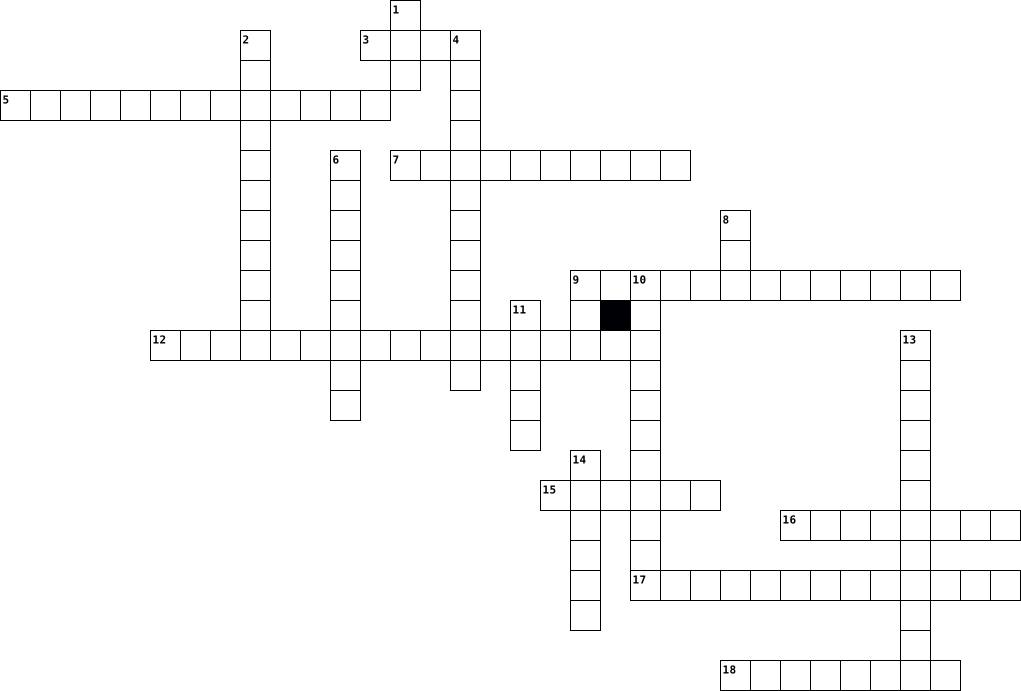
computer Crossword Puzzles
SISTEM KOMPUTER DAN JARINGAN KOMPUTER 2025-01-20

Across
- perangkat penyimpanan data yang kecil
- kata lain dari perangkat bagian keluaran
- alas sentuh pada laptop
- kumpulan data yang disimpan pada computer
- nama lain perangkat keras
- layer computer
- mesin yang dapat melakukan operasi matematika/logika dengan cepat dan otomatis
- tempat untuk menyimpan data
- alat yang mencetak gambar/text
- alat pengeras suara
Down
- sekumpulan informasi mentah yang berupa angka,kata,dan symbol
- alat untuk mengetik pada computer/laptop
- benda yang digunakan untuk menyimpan memori dengan padat/kompak dalam satu kepingan cakram
- variable yang menyimpan alamat suatu data
- komponen perangkat keras yang menyimpan semua konten digital
- singkatan dari random accsess memory
- perangkat kecil yang didorong oleh pengguna computer/laptop diatas permukaan meja
- nama lain perangkat lunak
- memori jangka pendek computer/laptop
- otaknya computer
20 Clues: layer computer • otaknya computer • alat pengeras suara • alas sentuh pada laptop • nama lain perangkat keras • nama lain perangkat lunak • tempat untuk menyimpan data • alat yang mencetak gambar/text • singkatan dari random accsess memory • memori jangka pendek computer/laptop • perangkat penyimpanan data yang kecil • alat untuk mengetik pada computer/laptop • ...
Vocab 1, 2 & 3 2023-10-16

Across
- The first step to submitting an assignment.
- A list of choices or options on a web page.
- Displays the program currently being used.
- used to move the window up,down,left,& right.
- Programs downloaded to you phone.
- Where things are organized on a computer.
- a small image that represents something.
- Mozilla Firefox
- sending a message to the computer, through the keyboard.
- Looks like 2 pieces of chain.
- A shortcut that is nested under the address bar.
Down
- Computer Storage
- Your finger on a computer screen.
- Where the keys live.
- A modem, Mouse, and monitor.
- Information processed by a computer.
- Web Address
- Moves your cursor across the screen.
- Displays everything for a desktop computer.
- A location for tools in google docs.
20 Clues: Web Address • Mozilla Firefox • Computer Storage • Where the keys live. • A modem, Mouse, and monitor. • Looks like 2 pieces of chain. • Your finger on a computer screen. • Programs downloaded to you phone. • Information processed by a computer. • Moves your cursor across the screen. • A location for tools in google docs. • a small image that represents something. • ...
Informatica 2014-03-17

Across
- Computersysteem= Hardware + ...
- afkorting pc
- scherpere beeldweergave bij een film
- voorbeeld van invoer
- Voorbeeld van hardware
- voorbeeld van uitvoer
- de snelheid van de processor
Down
- alle tastbare onderelen van een computer
- Extern geheugen voor een GSM
- Andere benaming voor werkgeheugen
- Soort computer (klein)
- Een soort randapparaat dat je aan de computer aanluit voor muziek.
- volledige naam van SSD
- volledige naam van MHz
- voorziet de computer van stroom
- afkorsting CD
- wat betekent dit symbool : ''
- Afkorting van Random Access Memory
- centrale computer in een netwerk
19 Clues: afkorting pc • afkorsting CD • voorbeeld van invoer • voorbeeld van uitvoer • Soort computer (klein) • volledige naam van SSD • volledige naam van MHz • Voorbeeld van hardware • Extern geheugen voor een GSM • de snelheid van de processor • wat betekent dit symbool : '' • Computersysteem= Hardware + ... • voorziet de computer van stroom • centrale computer in een netwerk • ...
Computer Science Revision 2017-05-03

Across
- Stopping you losing your files
- More complex computer language
- A burning wall
- Multiple cores
- Memory inside the computer
- Brain of the computer
- disguised way of writing code
- A network which covers a wide area
- A list of characters
- a coloured foot
Down
- Giving information to the computer
- A network which covers a small area
- A type of food yet websites use these to gain information
- The only language computers understand
- a type of wave including noise
- Defines the root of a HTML document
- A deadly snake which is also used for coding
- Receiving information from the computer
- Stops the computer from gaining a virus
- A whole number
- A type of variable which includes letters and numbers
- Memory which you can read
22 Clues: A burning wall • Multiple cores • A whole number • a coloured foot • A list of characters • Brain of the computer • Memory which you can read • Memory inside the computer • disguised way of writing code • Stopping you losing your files • More complex computer language • a type of wave including noise • Giving information to the computer • A network which covers a wide area • ...
Spadaro 2022-01-10

Across
- dati Sito per rintracciare informazioni personali
- App per appunti multimediali
- Tablet fabbricato dalla apple
- Siti dannosi per il computer
- Insieme di oggetti multimediali con algoritmi
- Dati personali che compongono un profilo
- Computer portatile
- Insieme di parti concrete di un computer
- Contenitore di cartelle e altri file
- Parte elettronica del computer
Down
- Per caricare la batteria del telefono o tablet o computer
- App per schemi e presentazioni multimediali
- App per scrivere privata
- Apparecchio collegato al computer per digitare e scrivere
- ram Memoria di massa lavorativa
- Nome dell’account
- Codice da scannerizzare per entrare in siti
- rimozione di tutti i dati spostati nella ram rom
- disk Memoria di massa
- Insieme di informazioni personali su un user
- Scanner di posizione di un dispositivo
21 Clues: Nome dell’account • Computer portatile • disk Memoria di massa • App per scrivere privata • App per appunti multimediali • Siti dannosi per il computer • Tablet fabbricato dalla apple • Parte elettronica del computer • ram Memoria di massa lavorativa • Contenitore di cartelle e altri file • Scanner di posizione di un dispositivo • Dati personali che compongono un profilo • ...
computer science 2017-05-03

Across
- A deadly snake which is also used for coding
- Multiple cores
- Defines the root of a HTML document
- Stops the computer from gaining a virus
- disguised way of writing code
- a type of wave including noise
- A type of variable which includes letters and numbers
- The only language computers understand
- Memory inside the computer
- Brain of the computer
- a coloured foot
Down
- Stopping you losing your files
- Giving information to the computer
- Receiving information from the computer
- A network which covers a small area
- More complex computer language
- A list of characters
- A network which covers a wide area
- Memory which you can read
- A type of food yet websites use these to gain information
- A whole number
- A burning wall
22 Clues: Multiple cores • A whole number • A burning wall • a coloured foot • A list of characters • Brain of the computer • Memory which you can read • Memory inside the computer • disguised way of writing code • Stopping you losing your files • More complex computer language • a type of wave including noise • Giving information to the computer • A network which covers a wide area • ...
Computers 2019-11-19

Across
- billions of transistor on an integrated circuit
- "collection, indexing, summarizing, and release of knowledge" for all
- rigged quiz show
- used to decipher codes in WW2
- inspiration for Difference Engine
- networks response to Vaste Wasteland speech
- radio telephony, largest of the three
- lighter and faster
- tabulating machine for the US Census
Down
- created first digital computer, did not get all credit due to patent disputes
- function of computer, reason why they buy it
- Vast Wasteland speech
- killer app for Apple's Macintosh
- killer app for Apple 2 computer
- predicted an intergalactic network accessible anywhere
- "this computer held you"
- first computer programmer
- computer power of the people, predicted many files servers by 2020
- predicted new forms of encyclopedias
- envisioned the modern day PC
20 Clues: rigged quiz show • lighter and faster • Vast Wasteland speech • "this computer held you" • first computer programmer • envisioned the modern day PC • used to decipher codes in WW2 • killer app for Apple 2 computer • killer app for Apple's Macintosh • inspiration for Difference Engine • predicted new forms of encyclopedias • tabulating machine for the US Census • ...
Anatomy of a computer (made by Mike) 2023-02-10

Across
- made of 1s and 0s
- 1 byte is equal to ____ bits
- an example of secondary storage
- Example of an Output device
- HTML is it's short form
- a major CPU manufacturer
- The thing that keeps the computer on
- Another input device
- example of an input device
- the computer stores temporary data such as data related in open programs in ...
Down
- device where ___ is stored
- information in the computer can only be represented in 1s and 0s
- one basic Hardware of a computer
- An example of primary storage
- A thousand Megabytes
- Printer that uses lasers, more expensive
- Cheaper printer using ink
- the entire reason the computer functions
- retrieves program instruction and passes it on to decode
- houses most of the computer components and directs data
20 Clues: made of 1s and 0s • A thousand Megabytes • Another input device • HTML is it's short form • a major CPU manufacturer • Cheaper printer using ink • device where ___ is stored • example of an input device • Example of an Output device • 1 byte is equal to ____ bits • An example of primary storage • an example of secondary storage • one basic Hardware of a computer • ...
alessandra 2025-05-13

Across
- Pointing device for a computer
- DISK Device used to store data in a computer
- action to access an online account
- Device that prints documents
- Chip card used for authentication or payments
- Device worn to listen to sound privately
- Tool used to record or transmit sound
- system that blocks unauthorized access
- Action of writing data onto a disc
Down
- to transfer a file to the internet
- MIXER Device for blending audio tracks
- Main circuit board in a computer
- computer expert who breaks into systems
- Portable computer
- Optical disc for storing data or music
- button to bypass a step or an ad
- Electronic message sent via the internet
- The screen of a computer
- Wireless internet connection
- clickable connection between web pages
20 Clues: Portable computer • The screen of a computer • Device that prints documents • Wireless internet connection • Pointing device for a computer • Main circuit board in a computer • button to bypass a step or an ad • to transfer a file to the internet • action to access an online account • Action of writing data onto a disc • Tool used to record or transmit sound • ...
TECHTERMS 2026-05-01

Across
- Interconnected computers that form a system
- Hypertext Markup Language
- free private browser
- start up a computer
- machine language
- application for viewing sites
- unique identifier for your computer
- 8 bits strung together
- World Wide Web
- Operating System
- keyboard shortcut for Paste
- input device
- Search engine
- output device
Down
- Cables that can connect computers at close range
- 1,000 Bytes
- Portable Document Format
- Malicious software
- Software that attempts to prevent viruses from coming in contact with your computer
- taking information from another computer and saving it on your own
- The brain of a computer
- the smallest piece of code
- files that sites place in your browser
- drive place on your computer that stores information long term
- Uniform Resource Locator
25 Clues: 1,000 Bytes • input device • Search engine • output device • World Wide Web • machine language • Operating System • Malicious software • start up a computer • free private browser • 8 bits strung together • The brain of a computer • Portable Document Format • Uniform Resource Locator • Hypertext Markup Language • the smallest piece of code • keyboard shortcut for Paste • ...
le reti 2026-05-18

Across
- indirizza i dati in maniera conveniente alla rete.
- local area network.
- è la tipologia o l'appartenenza geografica del sito.
- rete senza fili.
- è una parte di messaggio composto da 4 elementi.
- copertura area metropolitana.
- i dispositivi elettronici e gli apparati di connessione,
- dispositivo instradatore.
- è un insieme di dispositivi collegati per scambiarsi informazioni.
- wide area network.
- non prevede di un computer principale
Down
- il processo di invio dei dati.
- presenza di computer principale con risorse hardware e software
- computer che identifica un preciso settore
- è in codice numerico.
- protegge le reti di computer.
- riceve dati e li trasmette ai computer collegati.
- componente fisica di un computer.
- rappresenta il nome del sito web identificato dall'indirizzo.
- personal area network.
20 Clues: rete senza fili. • wide area network. • local area network. • è in codice numerico. • personal area network. • dispositivo instradatore. • protegge le reti di computer. • copertura area metropolitana. • il processo di invio dei dati. • componente fisica di un computer. • non prevede di un computer principale • computer che identifica un preciso settore • ...
Vocab Man 2B 2026-02-17

Across
- desk
- wastepaper basket
- bookbag
- table
- window
- flag
- pencil sharpener
- door
Down
- (computer) mouse
- (computer) screen
- poster
- computer
- chair
- clock
- here
- (computer) keyboard
16 Clues: desk • flag • here • door • table • chair • clock • poster • window • bookbag • computer • (computer) mouse • pencil sharpener • wastepaper basket • (computer) screen • (computer) keyboard
Lufthan'Sja Allen's Crossword puzzle! 2014-11-04

Across
- a planned series of future events, items, or performances.
- Device An output device is any piece of computer hardware equipment used to communicate the results of data processing carried out by an information processing system
- system the software that supports a omputer's basic functions.
- Device A devise such as a keyboard or device.
- a location connected to the Internet that maintains one or more pages on the World
- device device such as a computer mouse or keyboard, that connects to and works with the computer in some way.
- Media websites and applications that enable users to create and share content or to participate in social networking.
- the programs and other operating information used by a computer.
- the machines, wiring, and other physical components of a computer or other electronic system.
- A symbol of something
Down
- Terminologies
- an area of territory owned or controlled by a ruler or government.
- a person whose job or business is commercial printing.
- a printed circuit board containing the principal components of a computer or other device, with connectors into which other circuit boards can be slotted.
- The brain of the computer The central processing unit (CPU) of a computer is a piece of hardware that carries out the instructions of a computer program and input/output operations of a computer system.
- a hypertext document connected to the World Wide Web.
- a machine that processes something.
- a device for examining, reading, or monitoring something, in particular.
- The global communication network that allows almost all computers worldwide to connect and exchange information. Some of the early impetus for such a network came from the U.S. government network Arpanet, starting in the 1960s.
- an arrangement of intersecting horizontal and vertical
- drive drive self-contained storage device
21 Clues: Terminologies • A symbol of something • a machine that processes something. • Device A devise such as a keyboard or device. • drive drive self-contained storage device • a hypertext document connected to the World Wide Web. • a person whose job or business is commercial printing. • an arrangement of intersecting horizontal and vertical • ...
Computers 2017-06-07

Across
- Graphical user interface
- They project sounds from the computer
- Giving a clear and effective picture
- Relating to or doing business on the Internet
- A series of actions or steps
- A panel of keys that operates the computer
- An output device that produces a graphical representation by drawing on paper, as with one or more attached pens.
- Data entered into a computer for processing
- Communication or interaction
- Directory
- Permanent computer memory
- A system containing any combination of computers, computer terminals, printers, audio or visual display devices, or telephones
- The mental capacity of retaining and reviving facts
Down
- A collection of related data or program records
- Consists of 8 bits
- A device or unit that operates separately from the CPU but is connected to it, as a magnetic disk or tape unit or a printer.
- A device for recording sounds, images or data
- The process of transferring data from internal to external units
- What you look at when using the computer
- A computer-aided electronic system using photoelectric cells to separate copy, as colour illustrations, into its primary colours, correct colour copy, and produce a set of colour separations ready for proofing or printing.
- The smallest unit of data
- A machine that produces a paper copy
- Available in electronic form
- A written code
- Person who uses a computer
- An electrical device that transmits data to or from a computer
- Changeable computer memory
- A palm-sized, button-operated pointing device that can be used to move, select, activate, and change items on a computer screen.
- A graphics program used for creating illustrations
29 Clues: Directory • A written code • Consists of 8 bits • Graphical user interface • The smallest unit of data • Permanent computer memory • Person who uses a computer • Changeable computer memory • A series of actions or steps • Available in electronic form • Communication or interaction • Giving a clear and effective picture • A machine that produces a paper copy • ...
COMPUTER&INTERNET 2020-09-25

Across
- The tool which helps to type.
- To push one of the buttons on the mouse.
- Junk e-mail sent to many people at once, usually involving advertising or offering services.
- document.
- A permanent high-speed internet connection.
- A word, phrase, or image that you can click on to move to a new document or a new section within the
- A small picture on the screen that shows the type of file or programme.
- When your computer suddenly stops working.
- An online personal diary with thoughts and opinions as well as links to other websites.
- A computer expert who can break through security to damage computers with viruses or steal data.
- This thing on your screen can indicate two things: 1) where your mouse pointer is, or 2) where the next
- To move a file from your computer onto the internet.
- A flat panel or area on an electronic device such as a television, computer, or smartphone, on which images and data are displayed.
- A way of marking an internet website so that you can find it easily.
Down
- Pieces of equipment, such as the computer, keyboard, webcam etc.
- To replace something with a newer version.
- A computer that is portable and suitable for use while travelling.
- typed will be entered in a line of text.
- To move a file from the internet to your computer.
- To push one of the buttons on the mouse.
- A program which protects your computer from damage by other users.
- A piece of software that is on your computer without your permission and runs against your wishes.
- A program you use to view websites.
- A computer or computer program which manages access to a centralized resource or service in a network.
24 Clues: document. • The tool which helps to type. • A program you use to view websites. • To push one of the buttons on the mouse. • typed will be entered in a line of text. • To push one of the buttons on the mouse. • To replace something with a newer version. • When your computer suddenly stops working. • A permanent high-speed internet connection. • ...
Computer Tech Crossword 2024-08-29

Across
- A small, portable computer
- The physical parts of a computer system.
- A type of software that protects your computer from viruses and malware
- A type of software used to play games
- A device used to point and click on the screen
- A program that helps you communicate with others online
- The part of a computer that stores data temporarily
- A program that helps you find information on the internet
- A type of software used to listen to music and watch videos
- A network of computers connected together
- The smallest unit of data on a computer
- A device used to connect to the internet
- A device used to display images and text on a computer.
Down
- A device used to store data
- A program that helps you organize and manage your files
- A device used to input text and commands into a computer
- A device used to print documents
- A program that helps you create, edit, and format documents
- A device used to input data by hand
- The space between the lines of text on a document
- A type of software used to create spreadsheets
- A program that allows you to access the internet
- A type of software used to create websites
- The main circuit board of a computer.
- A type of software used to create presentations
- A type of software used to create and edit images
- A type of software used to create and edit videos
- The part of a computer that processes information
- A device used to connect devices to a computer
- A device used to input sound into a computer
30 Clues: A small, portable computer • A device used to store data • A device used to print documents • A device used to input data by hand • A type of software used to play games • The main circuit board of a computer. • The smallest unit of data on a computer • The physical parts of a computer system. • A device used to connect to the internet • ...
computer components (Kim chart) 2025-03-28

Across
- the primary component of a computer that acts as its “control center
- a device that prints documents and images onto paper or other materials
- an electronic circuit that can perform mathematical calculations at high speed. Computing tasks like graphics
- a device that connects two or more packet-switched networks or subnetworks
- a semiconductor-based storage device, which typically uses NAND flash memory to save persistent data
- a chip-based computer component that makes retrieving data from the computer's memory more efficient
- an input device used to enter characters and functions into the computer system by pressing buttons, or keys
- the main printed circuit board (PCB) in a computer.
- random-access memory. Sometimes it's called PC memory or just memory.
- a hand-held pointing device that detects two-dimensional motion relative to a surface
- modulator demodulator
- a piece of hardware attached to a computer system used to produce sound
Down
- an external device that connects to a computer to expand its capabilities
- allows devices to communicate with each other without cables or wires
- a physical data storage device that stores digital information
- a hardware device that converts AC electricity into DC electricity and then distributes it to the rest of the computer.
- an electronic non-volatile computer memory storage medium that can be electrically erased and reprogrammed.
- an electronic output device used to display information being entered and processed on a computer.
- a type of computer memory that can only be read from, not written to
- a device that allows you to digitize physical documents, images, or even objects, and convert them into a digital format that can be viewed, edited, and stored on a computer
20 Clues: modulator demodulator • the main printed circuit board (PCB) in a computer. • a physical data storage device that stores digital information • the primary component of a computer that acts as its “control center • a type of computer memory that can only be read from, not written to • allows devices to communicate with each other without cables or wires • ...
TECHNOLOGY 2026-02-27

Across
- – A recording of moving pictures.
- – A place on the internet where you can find information, pictures, or videos.
- – The part of a computer or device where you see pictures and information.
- – A program you download on a phone or tablet to play, learn, or do something.
- – A device you use to watch shows, movies, and news.
- – A small device you move with your hand to control a computer.
- – A set of keys you press to write on a computer.
- – A secret word or code you use to open a computer, app, or website.
- – A photo you take of yourself.
- – A device that makes sound from a computer, phone, or music player louder.
- – A small part you press to make something work.
- CAMERA – A device you use to take photos and save them on a memory card.
- – A mobile phone that can use the internet and run apps.
Down
- – A device you speak into to record or make your voice louder.
- – Machines or tools like phones, computers, and tablets.
- – Small speakers you put in your ears to listen to music or sounds.
- – A worldwide network that connects computers and lets people share information.
- – An electronic machine that helps you work, play, and find information.
- – Information you send to someone by phone or computer.
- – A small device used for reading digital books.
- – A machine that prints words or pictures from a computer onto paper.
- – A small camera connected to a computer for video calls.
- – A small computer you can carry and use anywhere.
- – A flat, portable computer you use by touching the screen.
- – A small picture on a screen that you click to open something.
25 Clues: – A photo you take of yourself. • – A recording of moving pictures. • – A small device used for reading digital books. • – A small part you press to make something work. • – A set of keys you press to write on a computer. • – A small computer you can carry and use anywhere. • – A device you use to watch shows, movies, and news. • ...
NTL Crossword 2026-07-22

Across
- Measures taken to protect a computer or computer system against unauthorized access or attack.
- A way to give someone else remote access to our computer screen.
- A combination of letters, numbers, and characters used to log in to online accounts and devices.
- A very popular search engine used to find websites and information on the internet.
- The first screen of information displayed when a smartphone or tablet is started.
- Copying data from one computer system to another, typically over the internet.
- n electronic device that manipulates information or data and has the ability to store, retrieve, and process data
- a mobile operating system (OS) developed by Google.
- A text or an image within a file on the computer that can give access to another document or image. which can be within the same document or in an entirely different document. Hyperlinks are commonly found on web pages, word documents and PDF files.
Down
- A small picture or symbol that represents a function to help users quickly identify its purpose.
- A cellular telephone with an integrated computer
- A cybercriminal that uses scams to take personal information and/or money.
- Uses radio waves to connect computers, smartphones, or other devices to connect to the internet wirelessly.
- Internet-based storage that can be accessed from any computer.
- A panel of keys that operate a computer or other device.
- A device used to display information visually (i.e. computer screen).
- A peripheral device used to point to items on a monitor.
- a mobile operating system developped by the company Apple
- A small, portable computer with a touchscreen
- the process of communicating, interacting and/or exchanging messages over the Internet.
20 Clues: A small, portable computer with a touchscreen • A cellular telephone with an integrated computer • a mobile operating system (OS) developed by Google. • A panel of keys that operate a computer or other device. • A peripheral device used to point to items on a monitor. • a mobile operating system developped by the company Apple • ...
Computer Type 2023-06-12

Across
- PC A small-sized computer that takes up less space.
- A high-performance computer used for professional tasks like graphic design or 3D modeling.
- A laptop that runs on Google's Chrome operating system.
- Pi A small, low-cost computer used for learning and tinkering with electronics.
- A mobile device that can be used for communication and various tasks.
- A large computer used for processing complex tasks and storing vast amounts of data.
- A portable computer that you can use anywhere.
- A touch-screen device that is smaller than a laptop.
- A computer that sits on a desk and has a separate monitor and keyboard.
Down
- A computer where the components are built into the monitor.
- A small computer that is often used to control electronic devices or robots.
- A highly powerful computer used for advanced scientific and research purposes.
- A powerful computer that stores and shares data and resources.
- A wearable device that can do more than just tell time.
- Console A specialized computer designed for playing video games.
- System A computer system integrated into other devices like appliances, cars, or toys.
16 Clues: A portable computer that you can use anywhere. • PC A small-sized computer that takes up less space. • A touch-screen device that is smaller than a laptop. • A laptop that runs on Google's Chrome operating system. • A wearable device that can do more than just tell time. • A computer where the components are built into the monitor. • ...
CLB Lesson 4--Operating System Customization 2017-09-10

Across
- Collection of hardware and system settings that manages how your computer uses and conserves power.
- Type of user account created when Windows is installed to provide full access to the computer.
- Series of letters, numbers, spaces, and symbols that you provide to access your files, apps, and computer resources.
- Power state that saves your work to your hard disk, reduces the power, and then turns off your computer.
- Online computing services for storing, managing, and processing data.
- Time the computer uses, which is displayed in the notification area of the taskbar.
- A set of coordinated colors.
- A desktop background and a coordinated set of colors, sounds, and other elements.
- Power state that saves your data on the hard disk before putting your computer to sleep.
- A username and a password.
- Condition that allows a user account to access a file, folder, or other object.
Down
- Set of conditions that determines how much power the computer is using.
- Type of user account that lets you access Microsoft cloud computing services/local computer resources.
- Type of account that lets your access only resources on your computer.
- Setting that affects how Windows works and what rights and permissions user accounts have.
- Animated design or image that appears after the computer has been idle for a specified amount of time.
- Task a user account is allowed to perform (i.e. full rights to install software).
- Free, online storage space for storing and sharing files on a Microsoft server.
- To use settings appropriate for a particular geographical or cultural location.
- Onscreen message from Windows or an application.
- Features that make a computer easier to see, hear, and use.
- Type of user account designed for everyday computing.
- Characteristic of an object such as a file.
23 Clues: A username and a password. • A set of coordinated colors. • Characteristic of an object such as a file. • Onscreen message from Windows or an application. • Type of user account designed for everyday computing. • Features that make a computer easier to see, hear, and use. • Online computing services for storing, managing, and processing data. • ...
Lufthan'Sja Allen's Crossword puzzle! 2014-11-04

Across
- a person whose job or business is commercial printing.
- drive drive self-contained storage device
- a device for examining, reading, or monitoring something, in particular.
- The brain of the computer The central processing unit (CPU) of a computer is a piece of hardware that carries out the instructions of a computer program and input/output operations of a computer system.
- Device An output device is any piece of computer hardware equipment used to communicate the results of data processing carried out by an information processing system
- Terminologies
- The global communication network that allows almost all computers worldwide to connect and exchange information. Some of the early impetus for such a network came from the U.S. government network Arpanet, starting in the 1960s.
- a printed circuit board containing the principal components of a computer or other device, with connectors into which other circuit boards can be slotted.
- A symbol of something
Down
- an area of territory owned or controlled by a ruler or government.
- a planned series of future events, items, or performances.
- the machines, wiring, and other physical components of a computer or other electronic system.
- Device A devise such as a keyboard or device.
- the programs and other operating information used by a computer.
- a location connected to the Internet that maintains one or more pages on the World
- a machine that processes something.
- a hypertext document connected to the World Wide Web.
- device device such as a computer mouse or keyboard, that connects to and works with the computer in some way.
- Media websites and applications that enable users to create and share content or to participate in social networking.
- system the software that supports a omputer's basic functions.
- an arrangement of intersecting horizontal and vertical
21 Clues: Terminologies • A symbol of something • a machine that processes something. • Device A devise such as a keyboard or device. • drive drive self-contained storage device • a hypertext document connected to the World Wide Web. • a person whose job or business is commercial printing. • an arrangement of intersecting horizontal and vertical • ...
The Bra Bra puzzle 2021-11-18

Across
- a global network
- what you use to search stuff up
- parts of a computer
- it has a keyboard i hope
- where commands are processed and sent
- pc storage
- PC
- this has prob happened to you before
- a laptop made from google that is cheap
- fishing on the internet
- manages computer hardware
- it's pretty much just a wifi router
- of a author from book or website or other stuff
- security for your computer or phone
- cable (mostly just the part of the cable that you plug into the computer)
- bunch of devices that are connected in 1 network
- use it for protection
- storage device
- is a mobile phone has has mostly the same tech as a pc
Down
- he is ty
- read on the internet
- me
- pretty much just a modem
- at home computer
- they are used to store data from a website they are also very yummy
- usb
- a screen for your computer pretty much
- to sit properly
- pretty much a mobile computer
- of a author from book or website or other stuff
- random access memory
- personalcomputer
- put info in and take info outta the pc
- can save companies money
- bitcoin, dogecoin, coincoin, coinycoinycoiny
- goes in the search bar
- tells the computer what to do
- when to computers are connected and powering data from each other
- google, google is one
- what connects your device to the internet
- it destroys your computer in most cases or a life if it's not a computer one
- pretty much just a boring news post
- has buttons to control the pc
- a record of what happened when happened
44 Clues: me • PC • usb • he is ty • pc storage • storage device • to sit properly • a global network • at home computer • personalcomputer • parts of a computer • read on the internet • random access memory • google, google is one • use it for protection • goes in the search bar • fishing on the internet • pretty much just a modem • it has a keyboard i hope • can save companies money • manages computer hardware • ...
Computer Terminology 2022-02-07

Across
- The most basic unit of information in computing.
- A computer input device that uses a light beam to scan codes, text, or graphic images directly into a computer.
- Data a computer sends.
- A set of instructions being processed through a computer's processor.
- A small movable device that lets you control a range of things on a computer.
- An abbreviation for Random Access Memory.
- An abbreviation for Graphical User Indicates.
- The virtual location for application, documents, data or other sub-folders.
- The unit of memory/group of 8 binary digits (bits).
- Any various devices used to enter information and instructions.
- Electronic tools, systems, devices and resources that generate, store or process data.
- A computer hardware device that converts data from a digital format to a format suitable for an analog.
- A detailed procedure for solving a problem with a computer.
- Used to print graphical output on paper.
Down
- Data that a computer receives.
- The delivery of different services through the internet.
- A shared boundary across which 2 or more separate components of a computer's system exchange information.
- A container in a computer system for storing information.
- Computer storage unit.
- Used to connect the computer to create sound.
- Two or more computers that are connected.
- An abbreviation for Read Only Memory.
- An input device which uses an arrangement of keys to act as mechanical levers.
- Visual presentations of data with help of a computer.
- The physical surface on which visual information is presented.
- Any device capable of recording a voice.
- Electronic device that accepts text, files or images from a compute.
27 Clues: Computer storage unit. • Data a computer sends. • Data that a computer receives. • An abbreviation for Read Only Memory. • Any device capable of recording a voice. • Used to print graphical output on paper. • Two or more computers that are connected. • An abbreviation for Random Access Memory. • Used to connect the computer to create sound. • ...
adrianlopez crossword 2019-11-12

Across
- you use this to move the click
- is small storage device shaped like a pen with built-in data storage that connects to a computer by a USB port.
- is system software that manages computer hardware
- It is a small digital camera connected to a computer which can capture images and transmit them over the Internet
- is an external hardware output device that takes the electronic data stored on a computer or other device and generates a hard copy of it.
- is much slower than RAM, however it has much more capacity.
- is a repository
- are used to draw cooler air into the case from the outside
- converts mains AC to low-voltage regulated DC power for the internal components of a computer.
- used to display the output of a computer to the user.
- Read Only Memory
- is an input device that allows a person to enter letters, numbers, and other symbols into a computer.
- is an output hardware device that connects to a computer to generate sound.
Down
- that sends the video signal to our monitor or TV.
- is one of the essential parts for a computer.
- It is the second fastest computer memory.
- read all these DVD, CD or BluRay discs.
- is a magnetic storage medium for computer systems
- is a metal chassis that holds all of the computer's components.
- 99% of the devices are connected there.
- it is a peripheral that is used to "copy", through the use of light
- is a device that captures audio by converting sound waves into an electrical signal.
- is a type of mouse
23 Clues: is a repository • Read Only Memory • is a type of mouse • you use this to move the click • read all these DVD, CD or BluRay discs. • 99% of the devices are connected there. • It is the second fastest computer memory. • is one of the essential parts for a computer. • that sends the video signal to our monitor or TV. • is a magnetic storage medium for computer systems • ...
Computer concepts 2020-10-14

Across
- Program It protects your computer
- Case contains most of the components of a personal computer.
- case mount and contain all the actual components of a computer
- A hardware component that supplies power to the device
- Devices used to store the data entered before processing
- port Devices with graphic cards
- Computer it houses all of the compartments that makes a computer run.
- o send things through to internet such as an email
- slots So expansion cards can be connected
- Spreads from host to host and has the ability to alter the way the computer is supposed to operate
- card An adapter card that allows you to add capabilities to your computer
- Device they are meant to be very portable and able to fit in a hand or a pocket.
- Storage To save your stuff so it won’t get lost, and so you can access it from other computers
Down
- it aims to track and sell your internet usage data, capture your credit card or bank account information, or steal your personal identity.
- A type of software that is designed to damage your computer
- pad To translate the motion and position of your finger
- The main printed circuit board
- pulls electrical signals sent through phone lines and other types of wiring.
- To type words on the computer
- To move your clicker on the screen
- a machine that processes something.
- it is used to print out paper with imaging or lettering on it
- A visual screen the displays output
- To enter motion into the computer
- Memory it retains data
25 Clues: Memory it retains data • To type words on the computer • The main printed circuit board • port Devices with graphic cards • Program It protects your computer • To enter motion into the computer • To move your clicker on the screen • a machine that processes something. • A visual screen the displays output • slots So expansion cards can be connected • ...
Computer components 2025-03-28

Across
- a chip that processes images, videos, and animations
- a piece of hardware that converts electricity from a wall outlet into a form that can be used by a computer's components.
- a device that connects two or more packet-switched networks or subnetworks
- a type of computer memory that can store and retrieve data electronically
- a computer's main processor that controls and performs most of its functions
- a hardware device that translates digital signals into analog signals so that computers can connect to the internet.
- a device that prints text and images from a computer onto paper or other materials.
- the main circuit board in a computer that connects all the internal components
- a type of computer memory that stores data that can only be read, not written to.
- a type of computer storage device that stores data electronically on silicon chips.
Down
- a device that turns physical documents, images, or objects into digital files
- a wireless technology that allows devices to communicate with each other over short distances
- a handheld device that controls the cursor on a computer screen
- a set of keys that you press to type letters, numbers, and symbols into a computer
- a physical device that stores data like programs, files, and operating systems.
- an output device that converts audio signals from a computer into sound
- a device that connects to a computer to input or output information
- a screen that displays information from a computer
- a temporary storage space in a computer that holds frequently used data and instructions.
- a computer's short-term memory that stores data for quick access by the processor
20 Clues: a screen that displays information from a computer • a chip that processes images, videos, and animations • a handheld device that controls the cursor on a computer screen • a device that connects to a computer to input or output information • an output device that converts audio signals from a computer into sound • ...
VOCABULARY-CHAPTER 2B-P#120 2025-03-20

Across
- FLAG
- BEHIND
- KEYBOARD
- IN FRONT OF
- BESIDE, NEXT
- COMPUTER
- DISKETTE
- WINDOW
- TABLE
- DE ON TOP OF
Down
- DOOR
- COMPUTER SCREEN
- CHAIR
- COMPUTER MOUSE
- BOOKBAG
- POSTER
- WASTEPAPAER BASKET
- PENCIL SHARPENER
- UNDERNEATH
- DESK
20 Clues: DOOR • FLAG • DESK • CHAIR • TABLE • BEHIND • POSTER • WINDOW • BOOKBAG • KEYBOARD • COMPUTER • DISKETTE • UNDERNEATH • IN FRONT OF • BESIDE, NEXT • DE ON TOP OF • COMPUTER MOUSE • COMPUTER SCREEN • PENCIL SHARPENER • WASTEPAPAER BASKET
COMPUTER CROSSWORD 2022-03-16

Across
- Which information storage is used to store short-term running programs and data in a computer?
- Computer Hard Disk was first introduced in 1956 by?
- Which input device is used to enter letters, numbers, and other characters into a computer?
- Which popular company designed the first CPU?
- Which output device is used to display information in visual pictorial form?
- What is the name of the system that manages and programs hardware resources for a computer?
- How many generations of computers have been invented?
- Which one is the first fully supported 64-bit operating system?
- Which command to clean up the CMD screen?
- Who is known as the father of computers?
- Which one is a ‘text editor’ for Microsoft Windows?
- Which one is the default ‘Word Processor’ for Microsoft Windows?
Down
- Which command displays the date?
- What was the name of the first computer programmer?
- A common boundary between two computer systems is known as?
- Which command to change the file location to another folder?
- What is the computer's main circuit board called?
- In computer world, Trojan refer to?
- The processing power of a CPU is measured in?
- What was the name of the first computer invented?
- Which command is used to delete the directory?
- Which part of the computer fetches, decodes, and executes the programming instructions?
- Which computer hardware device performs the functions like click, point, drag, or select?
- Which command is used to view the sub directory structure of a drive?
- The basic units of a excel spreedsheet where we enter data is called?
- A computer use which type of number system to calculate and to store data
26 Clues: Which command displays the date? • In computer world, Trojan refer to? • Who is known as the father of computers? • Which command to clean up the CMD screen? • The processing power of a CPU is measured in? • Which popular company designed the first CPU? • Which command is used to delete the directory? • What is the computer's main circuit board called? • ...
computer basics 2016-09-16

Across
- A deliberately harmful computer program designed to create annoying glitches or destroy data
- A collection of computers that are connected
- Bar A graphical representation of program activities; a row of icons used to perform tasks in a program
- A program that allows the user to create primarily text documents
- A part of a program that usually causes the computer to malfunction; often remedied in patches or updates to the program
- A program used to view World Wide Web pages, such as Netscape Navigator or Internet Explorer
- A network of computer networks encompassing the World Wide Web, FTP, telnet, and many other protocols
- A device used to display information visually
- the brain of the computer; controls the other elements of the computer
- A peripheral device used to connect one computer to another over a phone line
Down
- Complete, self-contained programs that perform a specific function (ie. spreadsheets, databases)
- Namable unit of data storage; an element of data storage; a single sequence of bytes
- Uniform resource locator; the address of a site on the World Wide Web; a standard way of locating objects on the Internet
- A peripheral device that converts output from a computer into a printed image
- A program arranged in rows and columns that manipulates numbers
- A screen in a software program that permits the user to view several programs at one time
- A peripheral used to input data by pressing keys
- Transferring data from another computer to your computer
- The process of loading or initializing an operating system on a computer; usually occurs as soon as a computer is turned on
- A peripheral device used to point to items on a monitor
20 Clues: A collection of computers that are connected • A device used to display information visually • A peripheral used to input data by pressing keys • A peripheral device used to point to items on a monitor • Transferring data from another computer to your computer • A program arranged in rows and columns that manipulates numbers • ...
Academic Decathlon Social Science 2023-11-25

Across
- The first wireless computer network; used radio waves to transmit
- First standalone GPS
- The first commercially produced computer
- Early version of a calculator
- Handheld touchscreen computer
- American programmer who popularized the concept of a programming language; helped design the UNIVAC
- Inventor of the EDSAC
- Founded by the CUNY school system; had access to IBM mainframes
- The first commercial computer company
- Computers performing actions that normally require human intelligence
- Documents that are hyperlinked to other documents
- Programmers create classes and design procedures to operate on those classes
- Software that runs between the hardware and applications; manages the computer's memory and resource allocation
- Software application that facilitates mathematical analysis
- PDA and later smartphone by Research in Motion
- An application that drives sales of the entire computer just to use the app
- Developer of BASIC
- code A computer program written in machine language
Down
- Multiple users share a single computer
- Inventor of the World Wide Web
- Used an Intel 8088 chip, Microsoft BASIC, and Microsoft OS
- Created by Steve Jobs; too expensive for the average computer
- Users operate a computer by selecting icons on a screen to perform actions
- An agreement on how data is formatted, encoded, and transmitted
- Computer memory made of a lattice of magnetic rings and wires
- First long-distance computer network
- Early web browser that shared files on a server
- computers transmit data through cables
- Computers intended for single use at a time; fits on a desk and includes a keyboard and display screen
- Founder of Microsoft
- Instructions to accomplish a certain task; programs express algorithms in code
31 Clues: Developer of BASIC • First standalone GPS • Founder of Microsoft • Inventor of the EDSAC • Early version of a calculator • Handheld touchscreen computer • Inventor of the World Wide Web • First long-distance computer network • The first commercial computer company • Multiple users share a single computer • computers transmit data through cables • ...
Andrew's Crossword 2022-11-22

Across
- a program that, after being installed on the computer manages all of the other application
- a very organized column of information or data that was electronically stored in a computer system
- a personal computer that stays in one spot
- a shooter memory chip that can store working data and some code
- a address given resources on the internet
- when someone pretends to be someone that they aren't
- takes instructions and performs calculations
- Ergonomics can roughly be defined as the study of people in their working environment
- are portable computers that you can take with you and use different environments
- a tool used mainly for locating specific websites on the World Wide Web
- a wireless technology that is used to connect computer
- a computer made by google that runs on its own OS
- a flash drive you can use for communications and power
- a electronic device that can store and process data
Down
- is an output device that displays information in pictorial or a textual form
- a software for accessing the internet, creating a web page
- a cellular telephone with an integrated computer
- A panel of lettered, numbered, or symbolled keys in rows
- global computer network, providing lots of information
- set of instructions that the computer runs on
- the computers storage
- When a person goes on a website, they might be asked to accept ______
- A part of a computer system or network intended to prevent unwanted access while allowing outbound communication
- the software and databases that run on servers that may be accessed through the Internet
- record of the time or date
- Anything that has to be used for a computer to function such
26 Clues: the computers storage • record of the time or date • a address given resources on the internet • a personal computer that stays in one spot • takes instructions and performs calculations • set of instructions that the computer runs on • a cellular telephone with an integrated computer • a computer made by google that runs on its own OS • ...
Computers and Technology 2022-05-30

Across
- A tiny wafer of semiconducting material used to make an integrated circuit.
- A website or database developed collaboratively by a community of users, allowing any user to add and edit content.
- An identification used by a person with access to a computer, network, or online service.
- A panel of keys that operate a computer or typewriter.
- A device for examining, reading, or monitoring something
- The machines, wiring, and other physical components of a computer or other electronic system.
- A term used to describe a global network of servers, each with a unique function. May be uses for data storage.
- A computer suitable for use at an ordinary desk
- An image or visual representation of an object
- A computer software package that performs a specific function directly for an end user
- A movable indicator on a computer screen identifying the point that will be affected by input from the user
Down
- The programs and other operating information used by a computer
- A structured set of data held in a computer, especially one that is accessible in various ways
- A small device that connects to a computer and allows you to store and copy information.
- A wireless, portable personal computer with a touchscreen interface.
- A piece of code which is capable of copying itself and typically has a detrimental effect, such as corrupting the system or destroying data.
- A computer that is portable and suitable for use while travelling.
- An electronic device for the visual presentation of data or images.
- A small graphical representation of a program or file.
- Two or more computers that are linked in order to share resources
20 Clues: An image or visual representation of an object • A computer suitable for use at an ordinary desk • A panel of keys that operate a computer or typewriter. • A device for examining, reading, or monitoring something • A small graphical representation of a program or file. • The programs and other operating information used by a computer • ...
Technology 2022-09-06
Across
- facts and statistics collected together for reference or analysis.
- a particularly powerful mainframe computer.
- the actions a processor performs when it receives information
- data that is entered into or received by a computer
- a semiconductor wafer on which thousands or millions of tiny resistors, capacitors, diodes and transistors are fabricated.
- the electronic holding place for the instructions and data a computer needs to reach quickly
- electro-mechanical data storage device that stores and retrieves digital data
- a piece of physical equipment that uses digital data, such as by sending, receiving, storing or processing it.
- an electronic device for storing and processing data, typically in binary form, according to instructions given to it in a variable program.
Down
- the hardware in a computing device where the operating system (OS), application programs and data in current use are kept so they can be quickly reached by the device's processor
- a piece of equipment used to provide data and control signals to an information processing system, such as a computer or information appliance.
- American multinational semiconductor company specializing in data conversion, signal processing and power management technology,
- generates the video signal sent to a computer display.
- the smallest unit of data that a computer can process and store
- principal part of any digital computer system, generally composed of the main memory, control unit, and arithmetic-logic unit.
- the circuit board that connects all of your hardware to your processor
- a computer device that stores and retrieves information, data, files, programs, etc., from a disk.
- any piece of computer hardware equipment which converts information into a human-perceptible form
- a computer program or device that provides a service to another computer program and its user, also known as the client.
19 Clues: a particularly powerful mainframe computer. • data that is entered into or received by a computer • generates the video signal sent to a computer display. • the actions a processor performs when it receives information • the smallest unit of data that a computer can process and store • facts and statistics collected together for reference or analysis. • ...
Vocabulario de las Unidades 5 y 6 2025-03-19

Across
- computer keyboard
- soft drink
- trashcan
- to be
- sausage
- to drink
- teacher desk
- breakfast
- bacon
- computer mouse
Down
- vegetables
- to eat
- to understand
- window
- to share
- lunch
- student desk
- backpack
- computer
- pencil sharpener
20 Clues: lunch • to be • bacon • to eat • window • sausage • to share • backpack • trashcan • to drink • computer • breakfast • vegetables • soft drink • student desk • teacher desk • to understand • computer mouse • pencil sharpener • computer keyboard
TTS DASAR PROGRAM KEAHLIAN KELAS X TKJ 2023-07-26

Across
- Tujuan pokok computer
- perangkat elektronik yang dapat memanipulasi data atau informasi
- Fungsi ALU (aritmatic Logical Unit)
- Yang termasuk perangkat lunak aplikasi
- Perangkat output
- Computer berasal dari bahasa latin yaitu
- Perangkat yang berfungsi untuk huruf , angkat atau symbol
- Yang termasuk system operasi
Down
- Yang bertindak sebagai teknisi computer atau jaringan
- Penemu computer pertama didunia
- Perangkat computer yang berbentuk fisik
- Yang termasuk elemen computer
- Perangkat computer yang dapat menampilkan teks atau gambar
- Computer pertama didunia
- Perangkat proses
15 Clues: Perangkat output • Perangkat proses • Tujuan pokok computer • Computer pertama didunia • Yang termasuk system operasi • Yang termasuk elemen computer • Penemu computer pertama didunia • Fungsi ALU (aritmatic Logical Unit) • Yang termasuk perangkat lunak aplikasi • Perangkat computer yang berbentuk fisik • Computer berasal dari bahasa latin yaitu • ...
Digital Literacy - Part 1 2015-11-05

Across
- Pointing device that fits under the palm of your hand comfortably.
- device Allows you to enter data and instructions into a computer or mobile device.
- Mobile computer with a screen in its lid and a keyboard in its base.
- Motion made on a touch screen with tip of fingers or hand.
- Input device that converts printed text into a form a computer can process.
- A duplicate of content on a storage medium.
- Personal computer designed to be in a stationary location.
- Thin, lighter weight mobile computer that has a touch screen.
- Media Player Mobile device on which you can store, organize, and play digital media.
- The electric, electronic, and mechanical components contained in computers.
- Input device that enables you to speak into a computer or mobile device.
- Device Computing device small enough to hold in your hand.
- Computer Can perform input, processing, output, and storage activities by itself.
- Computer dedicated to providing services to other computers on a network.
- Collection of unprocessed items
Down
- Pad Small, flat, rectangular pointing device that is sensitive to pressure/motion.
- Digital video camera that allows you to capture video and usually audio input for your computer or mobile device.
- Message Photo or other image sent to or from a smartphone or other mobile device.
- Message Short note sent to or from a smartphone or other mobile device.
- Storage Internet service that provides storage to computer users.
- Conveys meaning to users
- Internet-capable phone
- Device that can accept data, process data, produce info, and store info.
- Contains keys you press to enter data and instructions into a computer.
- Camera Allows you to take photos and store the photographed images digitally.
- Message Short video clip sent to or from a smartphone or other mobile device.
26 Clues: Internet-capable phone • Conveys meaning to users • Collection of unprocessed items • A duplicate of content on a storage medium. • Motion made on a touch screen with tip of fingers or hand. • Personal computer designed to be in a stationary location. • Device Computing device small enough to hold in your hand. • ...
MBA_FIRST_YEAR_FCIT 2017-09-20

Across
- Allows the user to control which portion of the document is visible in the window; available either horizontally or vertically or both
- Central processing unit; the brain of the computer controls the other elements of the computer
- Occurs when a user presses a button on the mouse twice in quick succession; this generates a command to the computer
- A device (usually within the computer case) that reads and writes information, including the operating system, program files, and data files
- Complete, self-contained programs that perform a specific function (ie. spreadsheets, databases)
- A device used to display information visually
- A program used to view World Wide Web pages, such as Netscape Navigator or Internet Explorer
- A program arranged in rows and columns that manipulates numbers
- A small picture used to represent a file or program in a GUI interface
- The process of loading or initializing an operating system on a computer; usually occurs as soon as a computer is turned on
Down
- Any of a number of hardware devices connected to a CPU
- Click Occurs when a user presses a button on a mouse which in turn, generates a command to the computer
- A program that allows the user to create primarily text documents
- A screen in a software program that permits the user to view several programs at one time
- A large structured set of data; a file that contains numerous records that contain numerous fields
- A peripheral device that converts output from a computer into a printed image
- Small unit of data storage; 8 bits; usually holds one character
- A deliberately harmful computer program designed to create annoying glitches or destroy data
- A network of computer networks encompassing the World Wide Web, FTP, telnet, and many other protocols
- Transferring data from another computer to your computer
20 Clues: A device used to display information visually • Any of a number of hardware devices connected to a CPU • Transferring data from another computer to your computer • Small unit of data storage; 8 bits; usually holds one character • A program arranged in rows and columns that manipulates numbers • A program that allows the user to create primarily text documents • ...
Computers 2017-11-22

Across
- the most basic networking device that connects multiple computers or other network devices together
- a collection of numbers represented as bytes
- a component that allocates power and allows communication to the CPU, RAM, and all other computer hardware components
- a special type of file on your computer's file system
- a tool designed to remove the protective covering (jacket) off of a cable to expose the inner wires
- a single button on the keyboard
- the hole into which a card is placed
- a software program to present and explore content on the World Wide Web.
- a software utility or hardware device that acts as a filter for data entering or leaving a network or computer
- a segment of data sent from one computer or device to another over a network
- a group of files that enable one or more hardware devices to communicate with the computer's operating system
- a hardware device designed to receive, analyze and move incoming packets to another network
- a term used to describe a computer chassis.
- any hardware capable of holding information either temporarily or permanently
Down
- a non-volatile memory hardware device that permanently stores and retrieves data on a computer
- the total maximum transfer rate of a network cable or device
- to transmit information to many receivers
- a component that handles all instructions it receives from hardware and software running on the computer
- the ability to operate a device without any wires
- an output device that displays video images and text
- a term used to describe all data communications on a computer or computer network at a given point
- an expansion card that enables a computer to connect to a network
- any physical component of a computer system that contains a circuit board, ICs, or other electronics.
- a computer case which arranges the internal components vertically
- a hole or connection found on the front or back of a computer
25 Clues: a single button on the keyboard • the hole into which a card is placed • to transmit information to many receivers • a term used to describe a computer chassis. • a collection of numbers represented as bytes • the ability to operate a device without any wires • an output device that displays video images and text • a special type of file on your computer's file system • ...
Computer Components KIM Chart 2025-03-27

Across
- a device that connects two more packet-switched networks or subnetworks
- the main part of a computer that processes data and instructions
- an input device that allows a person to enter letters, numbers, and other symbols (together, called characters) into a computer
- accelerate graphics rendering
- a type of computer memory that can only be read from, not written to
- provides high-speed, short-term memory for your computer's CPU
- a semiconductor-based storage device, which typically uses NAND flash memory to save persistent data
- hardware attached to a computer system that provides the system with extra functions but does not contribute to its primary function
- an electronic device with a screen used for display (as of television pictures or computer information)
- a physical computer component that stores data, including programs, pictures, documents and your operating system
- the main printed circuit board (PCB) in a computer
Down
- a hardware device that converts AC electricity into DC electricity and then distributes it to the rest of the computer
- a device that accepts text and graphic output from a computer and transfers the information to paper
- any of numerous small rodents (as of the genus Mus) with pointed snout, rather small ears, elongated body, and slender tail
- allows devices to communicate with each other without cables or wires
- a long-life and non-volatile storage chip that is widely used in embedded systems
- a combined device for modulation and demodulation, for example, between the digital data of a computer and the analog signal of a phone line.
- someone who delivers a speech or a device that makes sounds louder
- a device that captures images from photographic prints, posters, magazine pages and similar sources for computer editing and display
- supplementary memory system that temporarily stores frequently used instructions and data for quicker processing by the central processing unit (CPU) of a computer
20 Clues: accelerate graphics rendering • the main printed circuit board (PCB) in a computer • provides high-speed, short-term memory for your computer's CPU • the main part of a computer that processes data and instructions • someone who delivers a speech or a device that makes sounds louder • a type of computer memory that can only be read from, not written to • ...
My Computer Anatomy Crossword - Rayyan 2017-09-20

Across
- Physical parts of a computer system
- I am the brains of the computer
- I am a digital system that connects to the computers
- I only remember when the computer is on
- I am in charge of running the computer
- Symbols and codes that the computer understands
- I am a private network
- I insert information into the computer
Down
- Global computer network that provides information
- Allows you to perform specific tasks
- I am a public network
- I am a local network
- I protect your computer from viruses and people trying to get personal information
- Using information and communicating through technology
- I make the computer remember everything even if the computer has shut down
15 Clues: I am a local network • I am a public network • I am a private network • I am the brains of the computer • Physical parts of a computer system • Allows you to perform specific tasks • I am in charge of running the computer • I insert information into the computer • I only remember when the computer is on • Symbols and codes that the computer understands • ...
Repaso de Capítulo 2B 2013-02-20

Across
- wastepaper basket
- pencil sharpener
- desk
- flag
- bookbag, backpack
- (computer) mouse
Down
- computer
- chair
- poster
- (computer) screen
- door
- (computer) keyboard
- diskette
- window
- table
- clock
16 Clues: door • desk • flag • chair • table • clock • poster • window • computer • diskette • pencil sharpener • (computer) mouse • wastepaper basket • (computer) screen • bookbag, backpack • (computer) keyboard
Spanish 2B 2026-02-18

Across
- wasterpaper basket
- door
- computer
- desk
- of
- (computer)screen
- flag
- clock
- chair
Down
- pencil sharpener
- (computer)mouse
- bookbag, backpack
- window
- (computer)keyboard
- poster
- table
16 Clues: of • door • desk • flag • table • clock • chair • window • poster • computer • (computer)mouse • pencil sharpener • (computer)screen • bookbag, backpack • wasterpaper basket • (computer)keyboard
Information Processing Cycle Review 2024-02-12

Across
- The 4 steps that every computer executes.
- When a computer sends out data or information.
- The physical components of the computer.
- When a computer uses input data or information to obtain a result.
- Outputs hard copies of information.
- When a device stores data or information.
- Inputs sound into your computer.
- A type of software used to accomplish a specific task.
Down
- Permanent storage
- The brains of the computer.
- The instructions that tell a computer what to do.
- Software that manages the entire computer system.
- Outputs images/graphics
- Temporary storage
- When a computer takes in data or information.
15 Clues: Permanent storage • Temporary storage • Outputs images/graphics • The brains of the computer. • Inputs sound into your computer. • Outputs hard copies of information. • The physical components of the computer. • The 4 steps that every computer executes. • When a device stores data or information. • When a computer takes in data or information. • ...
Computers 2018-01-18

Across
- use multiple print hammers to print an entire line of text at a time.
- any fan inside or attached to a computer case that is used to cool the computer.
- a pointing device that detects motion on a surface.
- a fan that takes cool air into the computer
- A type of computer that has a micro processor.
- printer that squirt small drops of ink on the paper in order to produce text and images.
- a type of micro computer
- printers that use a laser beam to create output.
Down
- a fan that pushes the hot air out of the computer
- is the big case that holds all the hard drives, other board etc
- a panel of keys that allows the user to input data into the computer.
- a type of computer
- shift, enter, caps lock etc are called
- hardware that allows the user to put data into the computer
- an electronic device that accepts data, processes it and stores it for later use.
- printers that transfer data into paper by hitting the paper with some other part of the printer.
- hardware that allows the user to remove information from the computer
17 Clues: a type of computer • a type of micro computer • shift, enter, caps lock etc are called • a fan that takes cool air into the computer • A type of computer that has a micro processor. • printers that use a laser beam to create output. • a fan that pushes the hot air out of the computer • a pointing device that detects motion on a surface. • ...
Computer Systems Crossword Puzzle 2020-09-17

Across
- Consists of organized sets of instructions for controlling the computer.
- Memory that holds data and program instructions as the CPU works with them.
- The computer's main circuit board.
- RAM is ______________, meaning it holds data only when the power is on.
- __________________ devices return processed data back to the user or to another computer system.
- Another term for software.
- A type of software that exists primarily for the computer itself, to help the computer perform specific functions.
- The parts of a computer that you can see and touch.
- The procedure that transforms raw data into useful information.
- _________________ devices accept data and instructions from the user or from another computer system.
- The smallest usable unit of measurement for memory.
- ______________________ computers are designed specifically for use by people.
- _______________ devices that perform both input and output, allowing computers to share information.
Down
- __________________ devices hold data not currently being used by the CPU.
- Data consists of ____________________ facts, which the computer can manipulate and process into information.
- A unit of measure for memory that consists of approximately 1,000,000,000,000 bytes.
- A unit of measurement for memory that consists of approximately 1,000,000,000 bytes.
- A complete computer system includes how many distinct parts?
- An electronic device used to process data.
- A unit of measurement for memory that consists of approximately 1,000,000 bytes.
- Computer's operators.
- Any piece of hardware used by the computer.
- A computer can convert ___________________ into information that is useful.
- A type of software that tells the computer how to accomplish tasks the user requires, such as creating a document or editing a graphic image.
- Computers store and read all data as _________________.
- A unit of measurement for memory that consists of approximately 1,000 bytes.
- Another term for the processor.
- Consists of chips attached to the motherboard.
28 Clues: Computer's operators. • Another term for software. • Another term for the processor. • The computer's main circuit board. • An electronic device used to process data. • Any piece of hardware used by the computer. • Consists of chips attached to the motherboard. • The parts of a computer that you can see and touch. • The smallest usable unit of measurement for memory. • ...
Computer pioneers/terms crossword: 2015-06-03

Across
- basic unit of programmable color on computer.
- a network that became the basis of the internet.
- A unit of memory size.
- generic term for names/addresses on WWB
- Co-author of Mosaic, first WWB.
- Invented first successful computer Altair 8800
- Personal computers designed from Apple.
- co-inventor of the USB
- language designed to introduce students to programming.
- Electronic circuit formed on semiconducting material.
- Integrated circuit, contains functions of CPU.
- co-developing the basic programming language.
- Envisioned the world wide web.
- First integrated circuit.
- scheme with two values for each digit.
- Is used to connect devices to a computer.
- Electrically connects electronic components using conductive tracks.
- Is a human-computer interface.
- first general purpose electronic computer, called ENIAC.
- Invented the first programmable computer.
- Is one of the inventors of the microprocessor.
- Data model storage in logical pools.
- machine-readable code used for storing information.
- Combined device for modulation and demodulation.
- the computer keyboard and PC monitor.
Down
- The father of video games.
- programming language to create electronic documents online.
- Invented the printed circuit board.
- Created the first computer game OXO
- Computer program that accesses services in networks.
- inventor of Pong, father of electronic games.
- Hobbyist group, several high-profile hackers emerged
- Semiconductor device with three connections.
- Most calculations take place in here.
- Invented the first electronic digital computer.
- Part first general purpose computer, ENIAC.
- a high-capacity, self-contained storage.
- Computers and other digital devices.
- co-developed the BASIC programming language.
- Transforms code in programming into another language.
- Inventor of the world wide web.
- Invented the first transistor.
- Pre-pressed optical compact disc, contains data.
- Father of the field of computer science
44 Clues: A unit of memory size. • co-inventor of the USB • First integrated circuit. • The father of video games. • Envisioned the world wide web. • Is a human-computer interface. • Invented the first transistor. • Co-author of Mosaic, first WWB. • Inventor of the world wide web. • Invented the printed circuit board. • Created the first computer game OXO • ...
Parts of a Computer 2022-09-06

Across
- an electric tool that can retrieve, store, process, or send data.
- a category of computer that, at the time of its construction, is one of the fastest computers in the world.
- a multipurpose device that accepts input, processes data, stores data,and produces output, all according to a series of stored commands.
- a super-thin slice of semiconducting material packed with microscopic circuit elements, such as wires, transistors, capacitors, logic gates, and resistors.
- works with continuous data(Ex: A dimmer switch connected to a light; it has more than an on/off state).
- where most processing takes place; also described as computer's brain.
- refers to symbols that represent facts, objects, and ideas(what information is called in a computer).
- the main circuit board that houses all essential chips and provides connecting circuitry between them.
- this computer part is the main storage area for a personal computer.
- the manipulation of data by computers in a variety of ways(calculating, solving, decision making, etc.).
- a computer that "serves" data to computers connected to a network.
Down
- "Basic Input-Output System";holds the instructions on how your computer should start itself.
- whatever is typed, submitted, or transmitted to a computer system.
- the area where data can be left on a permanent basis when it is not immediately needed for processing.
- the results produced by the computer the can be displayed, transmitted, or printed on one of these.
- a device that can input data or help the user interact with the computer.
- this is the computer part that sends all the data to the monitor so you can see a picture or colors that are produced by a computer.
- a temporary holding area for data.
- Binary digit-(a 1 or 0).
- "Random Access Memory"; temporary holding area for data.
20 Clues: Binary digit-(a 1 or 0). • a temporary holding area for data. • "Random Access Memory"; temporary holding area for data. • an electric tool that can retrieve, store, process, or send data. • whatever is typed, submitted, or transmitted to a computer system. • a computer that "serves" data to computers connected to a network. • ...
Computers 2017-11-22

Across
- a software utility or hardware device that acts as a filter for data entering or leaving a network or computer
- a special type of file on your computer's file system
- the most basic networking device that connects multiple computers or other network devices together
- hardware capable of holding information either temporarily or permanently
- an output device that displays video images and text
- an expansion card that enables a computer to connect to a network
- a component that allocates power and allows communication to the CPU, RAM, and all other computer hardware components
- a tool designed to remove the protective covering (jacket) off of a cable to expose the inner wires
- the hole into which a card is placed
- a software program to present and explore content on the World Wide Web.
- a hole or connection found on the front or back of a computer
- a group of files that enable one or more hardware devices to communicate with the computer's operating system
Down
- a term used to describe all data communications on a computer or computer network at a given point
- the total maximum transfer rate of a network cable or device
- a segment of data sent from one computer or device to another over a network
- a single button on the keyboard
- to transmit information to many receivers
- drive a non-volatile memory hardware device that permanently stores and retrieves data on a computer
- the ability to operate a device without any wires
- a component that handles all instructions it receives from hardware and software running on the computer
- a computer case which arranges the internal components vertically
- any physical component of a computer system that contains a circuit board, ICs, or other electronics.
- a term used to describe a computer chassis.
- a hardware device designed to receive, analyze and move incoming packets to another network
- a collection of numbers represented as bytes
25 Clues: a single button on the keyboard • the hole into which a card is placed • to transmit information to many receivers • a term used to describe a computer chassis. • a collection of numbers represented as bytes • the ability to operate a device without any wires • an output device that displays video images and text • a special type of file on your computer's file system • ...
About computers 2017-11-22

Across
- a software utility or hardware device that acts as a filter for data entering or leaving a network or computer
- a segment of data sent from one computer or device to another over a network
- a component that handles all instructions it receives from hardware and software running on the computer
- a component that allocates power and allows communication to the CPU, RAM, and all other computer hardware components
- a hole or connection found on the front or back of a computer
- an expansion card that enables a computer to connect to a network
- any physical component of a computer system that contains a circuit board, ICs, or other electronics.
- a hardware device designed to receive, analyze and move incoming packets to another network
- a non-volatile memory hardware device that permanently stores and retrieves data on a computer
- a software program to present and explore content on the World Wide Web.
Down
- a term used to describe all data communications on a computer or computer network at a given point
- a tool designed to remove the protective covering (jacket) off of a cable to expose the inner wires
- the ability to operate a device without any wires
- a collection of numbers represented as bytes
- the hole into which a card is placed
- to transmit information to many receivers
- a special type of file on your computer's file system
- a single button on the keyboard
- the total maximum transfer rate of a network cable or device
- a group of files that enable one or more hardware devices to communicate with the computer's operating system
- an output device that displays video images and text
- hardware capable of holding information either temporarily or permanently
- the most basic networking device that connects multiple computers or other network devices together
- a term used to describe a computer chassis.
- a computer case which arranges the internal components vertically
25 Clues: a single button on the keyboard • the hole into which a card is placed • to transmit information to many receivers • a term used to describe a computer chassis. • a collection of numbers represented as bytes • the ability to operate a device without any wires • an output device that displays video images and text • a special type of file on your computer's file system • ...
Overview computers 2017-11-22

Across
- an expansion card that enables a computer to connect to a network
- a group of files that enable one or more hardware devices to communicate with the computer's operating system
- the hole into which a card is placed
- an output device that displays video images and text
- any hardware capable of holding information either temporarily or permanently
- a computer case which arranges the internal components vertically
- a software program to present and explore content on the World Wide Web.
- to transmit information to many receivers
- a software utility or hardware device that acts as a filter for data entering or leaving a network or computer
- the ability to operate a device without any wires
- a segment of data sent from one computer or device to another over a network
- a component that handles all instructions it receives from hardware and software running on the computer
- the total maximum transfer rate of a network cable or device
Down
- a term used to describe a computer chassis.
- a hardware device designed to receive, analyze and move incoming packets to another network
- a hole or connection found on the front or back of a computer
- a term used to describe all data communications on a computer or computer network at a given point
- a special type of file on your computer's file system
- a single button on the keyboard
- any physical component of a computer system that contains a circuit board, ICs, or other electronics.
- the most basic networking device that connects multiple computers or other network devices together
- a component that allocates power and allows communication to the CPU, RAM, and all other computer hardware components
- a tool designed to remove the protective covering (jacket) off of a cable to expose the inner wires
- a collection of numbers represented as bytes
- a non-volatile memory hardware device that permanently stores and retrieves data on a computer
25 Clues: a single button on the keyboard • the hole into which a card is placed • to transmit information to many receivers • a term used to describe a computer chassis. • a collection of numbers represented as bytes • the ability to operate a device without any wires • an output device that displays video images and text • a special type of file on your computer's file system • ...
computer vocabulary 2018-10-25

Across
- when you click on an icon, its a shortcut
- secret code to keep your computer locked
- to do this, you click on something and hold the button.this will move the object you clicked on and will leave it where you let go of the button.
- person who uses the computer
- is an image
- this is an abbreviation for frequently asked questions
- an extra file or document
- is simply a way to send messages from one computer to another
- is a picture that pops up when your not using the computer
- this is the program where you browse files
- keeps on typing in a chat
- computers that are connected to a web
- when you right click on the mouse,it pops up a menu of options
- address bar
- software that is bad for your computer
Down
- is the process where you copy something from another computer or internet and save it on your computer
- is a screen that pops up when your not using the internet,Reading a file or playing a game
- Google lives here, it is a one letter word
- have to do this to access a computer
- the bar near the start button
- is the first page that you see when you logon to a computer
- is the data that a computer stores
- any information stored by a computer. It can be files,games etc, etc,
- background that you can put on a phone,computer
- is that small blinking line that shows you where your next typed letter or number would go
- is the all the instructions on an app or program
- is a small symbol or picture
27 Clues: is an image • address bar • an extra file or document • keeps on typing in a chat • person who uses the computer • is a small symbol or picture • the bar near the start button • is the data that a computer stores • have to do this to access a computer • computers that are connected to a web • software that is bad for your computer • secret code to keep your computer locked • ...
Crossword Puzzle with Technological Terms 2024-10-19

Across
- A type of computer memory used to store working data
- Remote servers used to store and access data over the internet
- Files (named after a type of food) stored on a user's computer that hold data related to their web browsing
- Data and commands entered into a computer for processing
- An acronym for a website's unique identifier
- The main circuit board in a computer
- A global network connecting millions of different networks
- A group of computers connected together to share resources
- Instructions which instruct a computer on what to do
- An acronym for a commonly used file type which presents online images
- A string of numbers used to identify a device on a network
- The address used to access a resource on the internet
- The location of a specific website
- The primary user interface of a computer, where applications and files are displayed
- A device used to control a pointer on a computer screen
- An acronym for animated image files
Down
- A device with keys used to type text
- A programming language used to create interactive effects within web browsers
- A device that forwards data packets between computer networks
- A wireless technology used to connect devices to a local area network or the internet
- The central processing unit of a computer that is responsible for executing instructions
- An electronic device that processes data and performs tasks according to instructions
- The tiny dots which create an image on your computer screen
- The process of converting data into a secure format that cannot be easily accessed
- A wired networking technology used for local area networks
- A unit of digital information equal to roughly one billion bytes
- Software designed to damage or gain unauthorized access to a computer system
- The process of finding and fixing errors in code
- An unwanted or unsolicited email
- A security system that monitors incoming and outgoing network traffic
30 Clues: An unwanted or unsolicited email • The location of a specific website • An acronym for animated image files • A device with keys used to type text • The main circuit board in a computer • An acronym for a website's unique identifier • The process of finding and fixing errors in code • A type of computer memory used to store working data • ...
Technology 2025-09-28

Across
- All the programs and files that run on a computer (like games and apps).
- The screen that looks like a TV, where you see what the computer is doing.
- List of 50 Computer Words for Kids! 💻
- A secret word or phrase that keeps your account safe.
- The blinking line or arrow that shows where you are typing or clicking.
- is a very fair point! I provided a list of 20 words and definitions, which is far fewer than the requested 50 words.
- A small device you move with your hand to click and point on the screen.
- A small program you use on a tablet or phone. (Like a game or drawing tool.)
- A single piece of information, like a document or a saved picture.
- will now generate a much longer list to meet your request for 50 computer terms and definitions for kids at a third-grade level.
- To copy a file (like a game or picture) from the internet to your computer.
Down
- The set of keys you use to type letters, numbers, and symbols.
- Pieces of information, like numbers, words, or pictures.
- A place to store and organize your files on the computer.
- Word What It Means
- A giant network that connects millions of computers all over the world.
- To look for something specific online using a tool like Google.
- The main screen you see when a computer starts up, full of icons.
- The special language used to tell a computer what to do.
- A flat, touch-screen computer you can carry easily.
- A set of instructions that makes the computer do a task, like drawing.
- A way to send messages from one computer to another, like a digital letter.
- A small picture or symbol that you click to open a file or program.
23 Clues: Word What It Means • List of 50 Computer Words for Kids! 💻 • A flat, touch-screen computer you can carry easily. • A secret word or phrase that keeps your account safe. • Pieces of information, like numbers, words, or pictures. • The special language used to tell a computer what to do. • A place to store and organize your files on the computer. • ...
TTS DASAR PROGRAM KEAHLIAN KELAS X TKJ 2023-07-26

Across
- Perangkat computer yang dapat menampilkan teks atau gambar
- Tujuan pokok computer
- Yang termasuk perangkat lunak aplikasi
- Yang termasuk system operasi
- Perangkat computer yang berbentuk fisik
- Fungsi ALU (aritmatic Logical Unit)
- Yang termasuk elemen computer
- Perangkat output
Down
- Yang bertindak sebagai teknisi computer atau jaringan
- Computer pertama didunia
- Penemu computer pertama didunia
- Computer berasal dari bahasa latin yaitu
- Perangkat yang berfungsi untuk huruf , angkat atau symbol
- perangkat elektronik yang dapat memanipulasi data atau informasi
- Perangkat proses
15 Clues: Perangkat proses • Perangkat output • Tujuan pokok computer • Computer pertama didunia • Yang termasuk system operasi • Yang termasuk elemen computer • Penemu computer pertama didunia • Fungsi ALU (aritmatic Logical Unit) • Yang termasuk perangkat lunak aplikasi • Perangkat computer yang berbentuk fisik • Computer berasal dari bahasa latin yaitu • ...
Technology Terms 2012-12-19

Across
- A sign that represents an object by resembling it
- site A page on the internet with information on a certain subject
- an operating system produced by Microsoft for use on personal computers
- Controls the pointer on the computer screen and lets you navigate through your computer
- An electronic device that generates a digital representation of an image for computer data input into a computer
- Term for all of the distinguished parts of a computer, as distinguished from the data it contains
- Allows one computer to connect to another computer and transfer data
- mail Online mailing system
- software Used to prevent, find, and remove malware like viruses
- A set of rules that allows computers to communicate with each other
- An optical DVD player designed to supersede the standard DVD format
- the number of pixels horizontally and vertically across the monitor
- The identification of printed characters using photoelectric devices and computer software
- A tablet computer that had a touch screen, developed by Apple.
- port A connector for a computer that can send and receive data by using more than one wire; connects peripherals
- drive A data storage device to transfer and carry data
- Disk A rigid magnetic disk fixed permanently within a drive unit and used for storing computer data
- A personal computer mostly used for regular use and at a single location
- phone A mobile phone that offers more advanced computing ability
- Any type of hardware that stores data
- A disc that can store a large amount of digital data like text, music, videos, or images
- The unit that sound, light, and radio waves are measured by
- The way something is arranged to appear of function
- flash drive A memory card that you stick into a USB port
Down
- An area of anywhere form 120ft-300ft that has internet access by radio waves instead of wires
- A book you read on an electronic devise such as a kindle, iPod, or smart phone
- With is displayed on the screen is what will be printed out
- Any letter, number, space, punctuation mark, or symbol that can be typed on a computer
- up folder The logo at the bottom left corner of every PC
- A program that determines how a computer will communicate with an external hardware device
- Is equal to 1,000 kilobytes and precedes the gigabyte unit of measurement
- Any external device that provides input and output for the computer
- A hand held electronic device that lets you read books, play games, and on the internet.
- English keyboard consisting of Q-W-E-R-T-Y-U-I-O-P on the top row
- Contains files on your hard drive
- To copy files to a second media: disk, flash drive, ect.
- To save information on your computer or on a drive from the internet
- Acceptable Use Policy
- A very small picture element that makes up an image
- Messages exchanged by using computers to send texts, graphics, and sometimes sounds and animated images
- Connecting two or more computers in order to communicate and share data
- A lightweight consumer electronic device that looks like a handheld computer but instead performs a specific task
- Rom A Cd that can be read by a computer but not altered or deleted
- Instructions used to perform a specific task with a computer
- tray the tool bar on the bottom, right hand side of the screen that displays date, time, volume, ect.
- A computer that provides data to other computers
- up To restart a computer
- serial A pointing device that is used to move, select, and activate items on the computer screen by a click
- Any problem with operating systems of any technology
49 Clues: Acceptable Use Policy • up To restart a computer • mail Online mailing system • Contains files on your hard drive • Any type of hardware that stores data • A computer that provides data to other computers • A sign that represents an object by resembling it • A very small picture element that makes up an image • The way something is arranged to appear of function • ...
programming tony anderson 2014-11-05

Across
- fonder of mircosoft
- founder of Google
- development approach of software development
- commercial
- fonder of minecraft
- education
- architecture computer engineering
- software to write programs
- instructions for the computer
- Common Language Infrastructure
Down
- parts of a computer
- Integrated Development Environment
- step by step calculations
- applications for windows
- designed for CLI
- diagram representing algorithms
- 100011100
- operating principle of algorithm
- founder of Apple
- internet
20 Clues: internet • 100011100 • education • commercial • designed for CLI • founder of Apple • founder of Google • parts of a computer • fonder of mircosoft • fonder of minecraft • applications for windows • step by step calculations • software to write programs • instructions for the computer • Common Language Infrastructure • diagram representing algorithms • operating principle of algorithm • ...
1980s Tech Gadgets 2024-08-05

Across
- - Cube, puzzle craze
- - Machine, document transmission
- - Disc, digital format
- - Portable video camera
- - 64, personal computer
- - Game console
- - Video game
- - 2600, gaming console
- - Video format
Down
- - Apple computer
- - Processor, software
- - Nintendo Entertainment System
- - Video format
- - Optical storage
- - Portable cassette player
- - Computer, desktop tech
- - Arcade game
- - Gaming controller
- - Phone, mobile device
- - Tape, audio format
- - Portable stereo
- - Communication device
- - Gaming system
- - Macintosh computer
- - Video cassette format
25 Clues: - Video game • - Arcade game • - Video format • - Game console • - Video format • - Gaming system • - Apple computer • - Optical storage • - Portable stereo • - Gaming controller • - Cube, puzzle craze • - Tape, audio format • - Macintosh computer • - Processor, software • - Disc, digital format • - Phone, mobile device • - Communication device • - 2600, gaming console • - Portable video camera • ...
Notable People in CS 2024-08-30

Across
- Apple
- Invented Integrated Ciruit
- Modern Theory of Probabilities
- Father of modern machine processing
- Morse Code
- Co founder Intel
- Co Founded apple
- Electronic Mail
- First Programmer
- Formula Translator
Down
- First automatic digital computer
- Decimal Point
- Co founded Microsoft
- Microsoft Founder
- Creator of first computer animation
- Contribution to Nacy COBL
- Develop first modern Computers
- Mark l Calculator
- Digital Computer Circuits
- First digital computer
20 Clues: Apple • Morse Code • Decimal Point • Electronic Mail • Co founder Intel • Co Founded apple • First Programmer • Microsoft Founder • Mark l Calculator • Formula Translator • Co founded Microsoft • First digital computer • Contribution to Nacy COBL • Digital Computer Circuits • Invented Integrated Ciruit • Modern Theory of Probabilities • Develop first modern Computers • ...
Operating Systems & Networking 2020-11-27

Across
- variation of the Unix operating system
- physical and mechanical components of a computer such as the monitor, mouse, chips, keyboard, etc.
- serves as a security device between a computer and internet sites or between multiple computer networks
- network which provides connections between computers in multiple locations
- designed to be a small, flexible system for use by computer programmers
- worldwide, publicly accessed network
- extremely fast computer; can perform hundreds of millions of instructions every second
- powerful, single-user computer; more powerful microprocessor than PCs
- hardware device connected to multiple channels for different networks through an interface
Down
- programs which direct the operation of computers; instructions for a computer
- tags and instructions developed by the creator which tell the foundation of the system and how it was created
- program which acts as a boundary between a computer user and the computer itself
- chip which is the master control circuit of a computer
- local,privately owned networks
- machine which can be programmed to control symbols
- allows equipment such as fax machines, printers and files to be "served" to multiple computers
- system for communication between two or more computers
17 Clues: local,privately owned networks • worldwide, publicly accessed network • variation of the Unix operating system • machine which can be programmed to control symbols • chip which is the master control circuit of a computer • system for communication between two or more computers • powerful, single-user computer; more powerful microprocessor than PCs • ...
Computer Hardware Parts 2025-04-10

Across
- What helps you take pictures and videos?
- What shows you what's on the computer?
- What plays music and sounds on the computer?
- What do you use to connect devices to the computer?
- What makes playing games feel more exciting and interactive.
- What is used to transfer files and programs from one computer to another.
- What's the brain of the computer?
- helps the computer remember things?
- What do you use to type on the computer?
Down
- What is a part of a computer that stores lots of files and programs.
- What are the things you play on the computer or console that are fun activities.
- What button turns the computer on and off?
- What do you use to click and scroll on the computer?
- What helps keep the computer cool?
- What is used to show movies, presentations, and games on a big screen.
- What is used to control the movements of characters or objects in a game.
16 Clues: What's the brain of the computer? • What helps keep the computer cool? • helps the computer remember things? • What shows you what's on the computer? • What helps you take pictures and videos? • What do you use to type on the computer? • What button turns the computer on and off? • What plays music and sounds on the computer? • ...
I.T Crossword Puzzle 2025-10-02

Across
- The part of the computer we use to type
- This part contains the CPU and all the fragile parts of the computer
- After data is placed we then have to ___
- When Data is placed into the computer
- This is the part of the computer we use to control the cursor on the computer
- The physical parts of a computer
- Portable computer with a full keyboard
- Portable computer that can fit in your pocket
Down
- This part is used to listen to sound from the computer
- Used to translate data on the computer onto paper
- Holding data to process at a later time
- We use this part to see what the computer is doing
- Intangible instructions given to the computer to run correctly.
- Used to translate voices and music into the computers language
- When the processing of data is complete
15 Clues: The physical parts of a computer • When Data is placed into the computer • Portable computer with a full keyboard • The part of the computer we use to type • Holding data to process at a later time • When the processing of data is complete • After data is placed we then have to ___ • Portable computer that can fit in your pocket • ...
Chapter 1 vocab 2020-01-23

Across
- COMPUTER a computer system for hundreds of users
- fast powerful and expensive aka Goliath
- smart watches, headphones
- sound
- phone or computer
- the proccessing of information
- make and receive calls
- 4 functions
- a device for communication
- tablets, phones, etc
- letters and numbers
- programs/ instructions for computers (system/ application)
- sends info somewhere
- a computer and all of its bells and whistles
Down
- motion pictures
- where you store stuff
- accommodates lots of people
- single user computer with high performance
- pictures and graphs
- any device that is able to do complex task
- produces a physical item/ tangible
- holds data and stuff
- one person at a time
- data is entered, processed, and stored
- mouse, keyboard, etc.
- physical components of a computer
- lager smartphone with more compatibility
- processed data
- raw and unorganized
- powerful computer for different computers to work off of.
- electronic chips for temporary storage
- electrical components create information
- produces a non physical item/ non tangible
33 Clues: sound • 4 functions • processed data • motion pictures • phone or computer • pictures and graphs • raw and unorganized • letters and numbers • holds data and stuff • one person at a time • tablets, phones, etc • sends info somewhere • where you store stuff • mouse, keyboard, etc. • make and receive calls • smart watches, headphones • a device for communication • accommodates lots of people • ...
Computer Word Search 2021-12-10

Across
- computer not for desk
- google is this
- how to save it
- a chord
- hacker puts this on your computer
- what you put in computer
- means iconic
- disco without the second vowel
- old person instagram
- movies are on this disk
- an animal but on computer
- computer not for your lap
- social platforms
- you can buy stuff from here
- stealing identity
- another word for internet
- puts ink on paper
Down
- kinda like software
- .com means it is a...
- a type of bullying
- glass things on your car
- place with videos on the internet
- kinda like upload
- kinda like hardware
- someone who likes computers
- wifi without wifi
- a type of food with chocolate
- faces on a keyboard on your phone
- letters on computer
- art on computer, like a graph
- a fruit and Samsung is better than this company
- fancy text message
32 Clues: a chord • means iconic • google is this • how to save it • social platforms • kinda like upload • wifi without wifi • stealing identity • puts ink on paper • a type of bullying • fancy text message • kinda like software • kinda like hardware • letters on computer • old person instagram • computer not for desk • .com means it is a... • movies are on this disk • glass things on your car • ...
Web Ethics & Safety 2024-12-10

Across
- abusive purposes
- in order to impersonate him or her for financial gain
- tasks over the Internet
- which occurs when someone’s personal and financial information is
- through which hackers can gain access to a computer
- Engineering Vector
- Virus
- of computers, cell phones or other electronic devices to deliberately and
- Theft
- distribution or forwarding of a message which includes sexually
Down
- of computers controlled by users other than their owners to perform
- refers to someone who is an expert at computer programming and
- is able to solve computer problems, but also means someone who
- harm another person through the Internet
- Internet user who uses social networking sites, chat rooms or other
- Scam
- which involves stealing personal information for financial gain through
- materials through a computer, cell phone or other electronic device
- program which replicates and spreads itself from one computer to
- gains access to others’ computer for their own profits
- Predator
- to approach and eventually hurt other people, usually for sexual or
22 Clues: Scam • Virus • Theft • Predator • abusive purposes • Engineering Vector • tasks over the Internet • harm another person through the Internet • through which hackers can gain access to a computer • in order to impersonate him or her for financial gain • gains access to others’ computer for their own profits • refers to someone who is an expert at computer programming and • ...
Software 2025-02-07

Across
- Storing digital data on a physical storage device.
- Recognizes a person's physical characteristics.
- Controls the overall function of the computer system.
- A portable personal computer with a touchscreen interface.
- This detects the position of pencil marks.
- Enables the computer to perform useful functions.
- This produce printed output.
- Can be rolled on a flat surface and sends signals to the computer.
- General term for a collection of instructions.
- Giving the computer instructions.
Down
- Storing digital data in an online space.
- The physical components of a computer system.
- Software companies offer groups of application.
- This is a less expensize software, that is not made from stratch.
- Also known as visual display unit.
- Controls the operations of the computer system itself.
- Controls the operation of hardware items.
- Also known as a point-of-sale scanner.
- This scans information that is encoded to check for authenticity.
- Computers produce sound signals by a speaker, headphone or earphone.
- This scans images of text into a machine encoded text.
21 Clues: This produce printed output. • Giving the computer instructions. • Also known as visual display unit. • Also known as a point-of-sale scanner. • Storing digital data in an online space. • Controls the operation of hardware items. • This detects the position of pencil marks. • The physical components of a computer system. • General term for a collection of instructions. • ...
Hardware and software 2024-06-14

Across
- Logic gate does the opposite of the input
- Protects against malware
- Measurement of computer storage (Giga)
- Has a trunk
- Central processing unit
- Connects all computer components together
- Man's best friend
- Remembers data indefinitely
- Makes hardware useful
- Random Access memory
- Large marsupial
Down
- SoftwareA computer system that runs a computers hardware
- A non essential software that perform 1 or 2 specific actions
- Controls the hardware
- Flying mammal
- Likes to chase mice
- Building blocks of computer hardware
- Something that can be installed which makes the computer have a better functionality
- Creates a copy of a file
- Measurement computer storage (Mega)
- Something you can touch
- Makes a file smaller and puts several files into 1
- Logic gate any value has to be 1 to output
- Logic gate that All values need to be 1 so for 1 output
- The measurement of how fast a computer refreshes
- A true or false statement
26 Clues: Has a trunk • Flying mammal • Large marsupial • Man's best friend • Likes to chase mice • Controls the hardware • Something you can touch • Random Access memory • Protects against malware • Central processing unit • Makes hardware useful • Creates a copy of a file • Remembers data indefinitely • Measurement computer storage (Mega) • ...
ITE_11_Csapó_Máté 2024-01-04

Across
- an input device that records a video and can be used to video call with others
- an input device that is used to move the cursor on a computer to select or start things and drag icons it is operated with a ball and 2 buttons
- an input device that you can move the cursor with using it to select and start things or to move icons on the desktop. it is operated by moving it in a direction on a desk having 2 buttons on it and a scrollwheel.
- a piece of hardware that holds information temporarly. losing it once the computer is turned off.
- places on a computer that you can plug external devices into
- a device that transfers your real life actions to affect the virtual world inside your computer in some way
- a device used to store information permanently
- are physical units that are attached to the computer
- a device that transfers something from the computer to affect the real world or the user of the computer
Down
- an input device that records sounds(audio) and transfers it into the pc. you can record this audio or use it to talk to other people over the internet.
- screen an input device that lets the user select things with their hand
- a lightweight easy to carry computer with most of them having a built in built touchpad
- and input device that has different kind of keys that you can type on to operate your computer
- an output device that paints a selected image from your computer onto a paper sheet
- an output device that plays sound
- a input device that reads dvds and can play them if not damaged or corrupt
- hardware inside the computer that processes data and cordinates all other activities
- a piece of hardware that sotres data necesarry to start the computer
- the starting area of a computer. it has icons for apps and a start menu.
19 Clues: an output device that plays sound • a device used to store information permanently • are physical units that are attached to the computer • places on a computer that you can plug external devices into • a piece of hardware that sotres data necesarry to start the computer • screen an input device that lets the user select things with their hand • ...
Introduction to Computers 2020-08-18

Across
- memory is computer memory on which data
- programs software tells the computer to perform a specific task
- access memory a form of computer memory that can be read and change in any order
- is a unit of storage capable of holding a single character
- is the fastest type of computer
- is equal to 1,073, 741,824 bytes
- is equal to 1,048,576 bytes
Down
- an electronic device that can perform tasks and calculations based on the instructions it has been given
- computer which are portable
- computer. a computer that is small enough to fit on a desk
- fastest super computers can handle well over a billion instructions per seconds
- is equal to 1,024 bytes
- also call a server, is smaller than a mainframe and larger than a microcomputer
- computers are less powerful and less expensive than the supercomputer
- program a detailed set of computer instruction installed in the computer, tells the computer what to do
- software which controls the way computers parts work together
16 Clues: is equal to 1,024 bytes • is equal to 1,048,576 bytes • computer which are portable • is the fastest type of computer • is equal to 1,073, 741,824 bytes • memory is computer memory on which data • is a unit of storage capable of holding a single character • computer. a computer that is small enough to fit on a desk • ...
Spanish vocab 2B 2026-02-17

Across
- bookbag backpack
- table
- flag
- wastepaper basket
- pencil sharpener
- computer
- (computer) mouse
Down
- chair
- poster
- window
- clock
- door
- there
- (computer)keyboard
- desk
- (computer)screen
16 Clues: flag • door • desk • chair • table • clock • there • poster • window • computer • bookbag backpack • pencil sharpener • (computer)screen • (computer) mouse • wastepaper basket • (computer)keyboard
spanish 2026-02-17

Across
- bookbag backpack
- table
- flag
- wastepaper basket
- pencil sharpener
- computer
- (computer) mouse
Down
- chair
- poster
- window
- clock
- door
- there
- (computer)keyboard
- desk
- (computer)screen
16 Clues: flag • door • desk • chair • table • clock • there • poster • window • computer • bookbag backpack • pencil sharpener • (computer)screen • (computer) mouse • wastepaper basket • (computer)keyboard
Spanish1 2026-02-17

Across
- bookbag backpack
- table
- flag
- wastepaper basket
- pencil sharpener
- computer
- (computer) mouse
Down
- chair
- poster
- window
- clock
- door
- there
- (computer)keyboard
- desk
- (computer)screen
16 Clues: flag • door • desk • chair • table • clock • there • poster • window • computer • bookbag backpack • pencil sharpener • (computer)screen • (computer) mouse • wastepaper basket • (computer)keyboard
Digital Literacy Terms Puzzle 2018-02-28

Across
- brains of the computer
- holds information temporarily
- used each time you boot a computer up
- the act of transferring files from one computer to the next
- parts of a computer that are touchable
- bars made up of many icons
- what computers use to process information
- interprets/manipulates data you input
- accepts instructions from the user
Down
- device in computer that performs most of the tasks that the computer does
- Drive shows data while computer is turned off
- where the computer device stores data
- computer instructions or data programs
- disks removable storage devices
- shows results of processing
15 Clues: brains of the computer • shows results of processing • holds information temporarily • bars made up of many icons • disks removable storage devices • accepts instructions from the user • where the computer device stores data • used each time you boot a computer up • interprets/manipulates data you input • computer instructions or data programs • ...
Spanish Crossword 2023-12-07

Across
- diskette
- wastepaper basket
- bookbag, backpack
- (computer) screen
- flag
- window
- poster
- computer
Down
- table
- chair
- pencil sharpener
- clock
- (computer) mouse
- door
- (computer) keyboard
- desk
16 Clues: door • flag • desk • table • chair • clock • window • poster • diskette • computer • pencil sharpener • (computer) mouse • wastepaper basket • bookbag, backpack • (computer) screen • (computer) keyboard
Spanish vocab man 2026-02-25

Across
- bookbag backpack
- table
- flag
- wastepaper basket
- pencil sharpener
- computer
- (computer) mouse
Down
- chair
- poster
- window
- clock
- door
- there
- (computer)keyboard
- desk
- (computer)screen
16 Clues: flag • door • desk • chair • table • clock • there • poster • window • computer • bookbag backpack • pencil sharpener • (computer)screen • (computer) mouse • wastepaper basket • (computer)keyboard
The Computer and Technology Crossword 2021-07-11

Across
- a block of organized, reusable code that is used to perform a single, related action
- a group of two or more computer systems linked together
- an organized collection of data, generally stored and accessed electronically from a computer system
- a group of binary digits or bits (usually eight) operated on as a unit.
- a sequence of instructions that a computer can execute
- the combination of typeface and other qualities, such as size, pitch, and spacing
- a pictogram or ideogram displayed on a computer screen in order to help the user navigate a computer system
- a program that searches for and identifies items in a database that correspond to keywords or characters specified by the user, used especially for finding particular sites on the World Wide Web
- tools, machinery, and other durable equipment
Down
- any media content – live or recorded – delivered to computers and mobile devices via the internet and played back in real time
- early testing stage of a software or hardware product
- a software which acts as an interface between the end user and computer hardware
- a part of RAM used for temporary storage of data
- a device that is used to store information for immediate use in a computer or related computer hardware device
- a program (such as a word processor or a spreadsheet) that performs a particular task or set of tasks
- on-demand availability of computer system resources, especially data storage (cloud storage) and computing power, without direct active management by the user
- someone who explores methods for breaching defenses and exploiting weaknesses in a computer system or network
- 1 and 0. expressed in a system of numerical notation that has 2 rather than 10 as a base
- the working area of a computer screen regarded as a representation of a notional desktop and containing icons representing items such as files and a wastebasket
- a computer or computer program which manages access to a centralized resource or service in a network
20 Clues: tools, machinery, and other durable equipment • a part of RAM used for temporary storage of data • early testing stage of a software or hardware product • a sequence of instructions that a computer can execute • a group of two or more computer systems linked together • a group of binary digits or bits (usually eight) operated on as a unit. • ...
About PCs 2017-11-22

Across
- a collection of numbers represented as bytes
- a hardware device that keeps the overall computer or a computer device cool
- a software utility or hardware device that acts as a filter for data entering or leaving a network or computer
- a computer case which arranges the internal components vertically
- drive a non-volatile memory hardware device that permanently stores and retrieves data on a computer
- the hole into which a card is placed
- a component that allocates power and allows communication to the CPU, RAM, and all other computer hardware components
- a hole or connection found on the front or back of a computer
- a term used to describe a computer chassis
- a software program to present and explore content on the World Wide Web.
- a group of files that enable one or more hardware devices to communicate with the computer's operating system
- a tool designed to remove the protective covering (jacket) off of a cable to expose the inner wires
- a component that handles all instructions it receives from hardware and software running on the computer
- a mobile computing device designed to be held in one or two hands
Down
- any hardware capable of holding information either temporarily or permanently
- a term used to describe all data communications on a computer or computer network at a given point
- a special type of file on your computer's file system
- the total maximum transfer rate of a network cable or device
- to transmit it to many receivers
- an output device that displays video images and text
- a tool used to insert and remove a screw from a hole
- a single button on the keyboard
- a hardware device designed to receive, analyze and move incoming packets to another network
- any physical component of a computer system
- the ability to operate a device without any wires
- a segment of data sent from one computer or device to another over a network
- the most basic networking device that connects multiple computers or other network devices together
27 Clues: a single button on the keyboard • to transmit it to many receivers • the hole into which a card is placed • a term used to describe a computer chassis • any physical component of a computer system • a collection of numbers represented as bytes • the ability to operate a device without any wires • an output device that displays video images and text • ...
Unit 4 Crossword puzzle 2024-01-23

Across
- in To enter your username and password to use a computer.
- To study and learn about something.
- Having difficulty with certain tasks.
- Wireless internet connection.
- online To connect to the internet.
- Facts or details about something.
- on To start the power to a device.
- A portable computer you can carry.
- A device that stores energy for electronic devices.
- A set of clothes, usually formal.
- To create or make something better.
- the internet To look at different websites.
- A personal computer.
- Something that helps you learn.
- The ability to remember things.
- At no cost; you don't have to pay money.
- Something you like or enjoy.
- Written words on a phone or computer.
- To save information.
- A machine that can do tasks on its own.
- Keeping things safe and protected.
- cloud Online storage for files and information.
- A digital document or piece of information.
- A device to put energy into a battery.
- Programs and applications that run on a computer.
- Something that happens by mistake.
- The set of keys on a computer or typewriter.
Down
- A place on the internet with information or services.
- game A game played on a screen.
- Where something or someone is.
- The ability to think of things that aren't real.
- program Instructions that make a computer do tasks.
- To make something better.
- To get something from the internet onto your computer.
- A small program on a smartphone or computer.
- Not smart or clever.
- off To stop the power to a device.
- To make something change.
- address Where you get electronic mail (email).
- To gather things together.
- Something expensive and enjoyable.
- To put energy into a device, like a phone.
- A picture or short film to tell people about a product.
- Something known only by a few people.
- A phone that can also do many other things like a computer.
- A device to move the cursor on a computer screen.
- To gather things together.
- Making or thinking of new things.
- A small tool to open locks or start machines.
- down Turn off a computer or device.
50 Clues: Not smart or clever. • A personal computer. • To save information. • To make something better. • To make something change. • To gather things together. • To gather things together. • Something you like or enjoy. • Wireless internet connection. • Where something or someone is. • Something that helps you learn. • The ability to remember things. • game A game played on a screen. • ...
computer vocabulary 2018-10-25

Across
- have to do this to access a computer
- when you click on an icon, its a shortcut
- is a screen that pops up when your not using the internet,Reading a file or playing a game
- is a small symbol or picture
- address bar
- is an image
- person who uses the computer
- is a picture that pops up when your not using the computer
- keeps on typing in a chat
- to do this, you click on something and hold the button.this will move the object you clicked on and will leave it where you let go of the button.
- the bar near the start button
- is the process where you copy something from another computer or internet and save it on your computer
- this is the program where you browse files
- any information stored by a computer. It can be files,games etc, etc,
Down
- is the data that a computer stores
- software that is bad for your computer
- is that small blinking line that shows you where your next typed letter or number would go
- is the first page that you see when you logon to a computer
- an extra file or document
- background that you can put on a phone,computer
- is simply a way to send messages from one computer to another
- computers that are connected to a web
- when you right click on the mouse,it pops up a menu of options
- Google lives here, it is a one letter word
- is the all the instructions on an app or program
- this is an abbreviation for frequently asked questions
- secret code to keep your computer locked
27 Clues: address bar • is an image • an extra file or document • keeps on typing in a chat • is a small symbol or picture • person who uses the computer • the bar near the start button • is the data that a computer stores • have to do this to access a computer • computers that are connected to a web • software that is bad for your computer • secret code to keep your computer locked • ...
MODERN TECHNOLOGY 2024-04-10

Across
- (of a computer) to stop working
- drive the part of a computer where all the information is stored
- to start using a computer system
- have no more left
- a type of software for mobile devices
- to put software back onto a computer
- become connected
- computer screen
- carry out an action
- to change to a newer version or model
- the act of typing a mobile phone message
- interaction with other people to exchange information and develop contacts, especially to further one's career
- (of a computer) to become completely still and unable to move
- to create the plan or drawing for sth
- want, try to gain
- a series of actions carried out in a computer to deal with information
- break into pieces
- be shown on television, at the cinema etc
- to be absent
- a piece of electrical equipment that produces the sound from a computer, radio, etc
- the software on a computer that enables you to search the Internet
Down
- a device for creating and watching videos
- to install the operating system on a computer again
- (of a piece equipment) to put it somewhere and connect it
- A device that allows computers to communicate over telephone lines
- to move from one place to another
- to copy or transfer files from the Internet to a computer
- to turn an electrical appliance off
- any general arrangements of sth
- stop the supply of sth (water, electricity, telephone, etc); stop working
- to install
- to produce sth that looks like the original thing , to imitate
- to take sth away
- the sound which you hear when your mobile phone rings
- a board with buttons that are pressed to type information into a computer or machine
- to grow in amount or size
- reader A device for reading books in electronic format
- expect sth bad
- an antenna
- a removable device for storing information
40 Clues: to install • an antenna • to be absent • expect sth bad • computer screen • become connected • to take sth away • have no more left • want, try to gain • break into pieces • carry out an action • to grow in amount or size • (of a computer) to stop working • any general arrangements of sth • to start using a computer system • to move from one place to another • to turn an electrical appliance off • ...
My Computer Anatomy Crossword - Rayyan 2017-09-20

Across
- I am in charge of running the computer
- I am a local network
- Global computer network that provides information
- Physical parts of a computer system
- I am a digital system that connects to the computers
- I insert information into the computer
- Using information and communicating through technology
Down
- I only remember when the computer is on
- Allows you to perform specific tasks
- Symbols and codes that the computer understands
- I protect your computer from viruses and people trying to get personal information
- I make the computer remember everything even if the computer has shut down
- I am a private network
- I am the brains of the computer
- I am a public network
15 Clues: I am a local network • I am a public network • I am a private network • I am the brains of the computer • Physical parts of a computer system • Allows you to perform specific tasks • I am in charge of running the computer • I insert information into the computer • I only remember when the computer is on • Symbols and codes that the computer understands • ...
Overview computers 2017-11-22

Across
- a term used to describe a computer chassis.
- any hardware capable of holding information either temporarily or permanently
- a special type of file on your computer's file system
- a collection of numbers represented as bytes
- a term used to describe all data communications on a computer or computer network at a given point
- a single button on the keyboard
- a software utility or hardware device that acts as a filter for data entering or leaving a network or computer
- a computer case which arranges the internal components vertically
- a component that handles all instructions it receives from hardware and software running on the computer
- the total maximum transfer rate of a network cable or device
- a tool designed to remove the protective covering (jacket) off of a cable to expose the inner wires
- to transmit information to many receivers
- a group of files that enable one or more hardware devices to communicate with the computer's operating system
- a hardware device designed to receive, analyze and move incoming packets to another network
Down
- the hole into which a card is placed
- any physical component of a computer system that contains a circuit board, ICs, or other electronics.
- the ability to operate a device without any wires
- a segment of data sent from one computer or device to another over a network
- a software program to present and explore content on the World Wide Web.
- a component that allocates power and allows communication to the CPU, RAM, and all other computer hardware components
- the most basic networking device that connects multiple computers or other network devices together
- an expansion card that enables a computer to connect to a network
- a hole or connection found on the front or back of a computer
- an output device that displays video images and text
- a non-volatile memory hardware device that permanently stores and retrieves data on a computer
25 Clues: a single button on the keyboard • the hole into which a card is placed • to transmit information to many receivers • a term used to describe a computer chassis. • a collection of numbers represented as bytes • the ability to operate a device without any wires • an output device that displays video images and text • a special type of file on your computer's file system • ...
Cyber Words Crossword Puzzle 2022-11-17
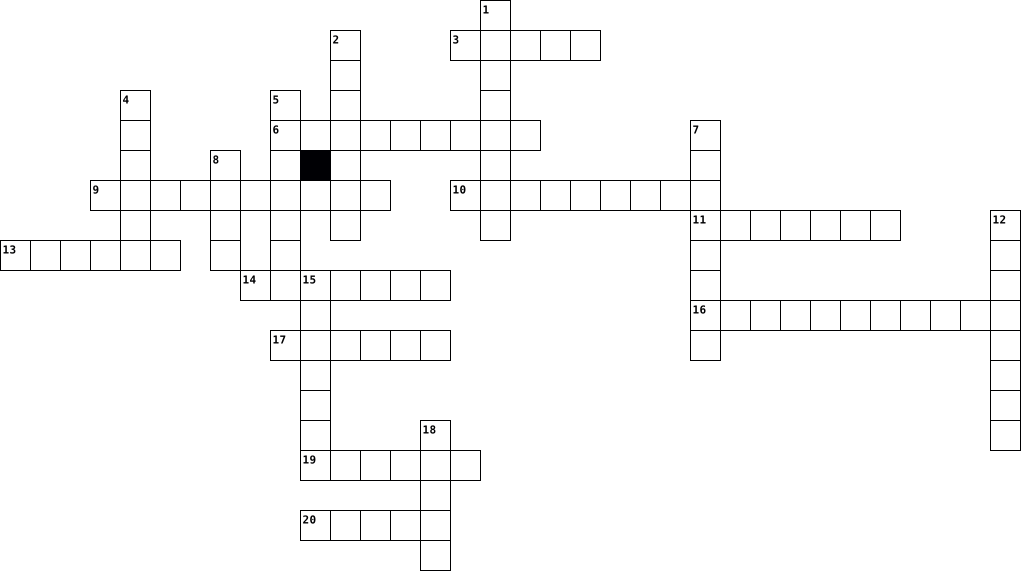
Across
- blocker A separate program or a feature incorporated within a browser that stops popup advertisements from appearing.
- Software that examines a computer for any infections as well as monitors computer activity and scans new documents that might contain a virus.
- Malware that prevents a user's device from properly operating until a fee is paid.
- Software of hardware device that captures and stores each key stroke that a user types on a keyboard.
- Software that spies on users by gathering information without consent.
- A logical computer network of zombies under the control of an attacker.
- pack Software that is a cumulative package of all patches and feature updates.
- Software that helps prevent computers from becoming infected by different types of spyware.
- An infected computer that is under the remote control of an attacker.
- horse An executable program that is advertised as performing one activity but which actually performs a malicious activity.
- bomb Computer code that lies dormant until it is triggered by a specific logical event.
Down
- virus Malicious computer code that reproduces itself on the same computer.
- update Enhancements to the software to provide new or expanded functionality, but do not address security vulnerability.
- A software program that delivers advertising content in a manner that is unexpected and unwanted by the user.
- Software that enters a computer system without the user's knowledge or consent and then performs an unwanted and usually harmful action.
- firewall Software that runs as a program on the local computer to block or filter traffic coming into and out of the computer.
- A malicious program designed to enter a computer via network to take advantage of a vulnerability in an application or an operating system.
- Hardware of software designed to limit the spread of malware.
- A set of software tools used by an attacker to hide the presence of other types of malicious software.
- A publicly released software security update intended to repair a vulnerability.
20 Clues: Hardware of software designed to limit the spread of malware. • An infected computer that is under the remote control of an attacker. • Software that spies on users by gathering information without consent. • A logical computer network of zombies under the control of an attacker. • virus Malicious computer code that reproduces itself on the same computer. • ...
Ryan Jones-Crossword-2nd Period 2016-10-24

Across
- the activity of defrauding an online account holder of financial information by posing as a legitimate company.
- send the same message indiscriminately to (large numbers of recipients) on the Internet.
- portable computer
- A threat, in the context of computer security, refers to anything that has the potential to cause serious harm to a computer system. A threat is something that may or may not happen, but has the potential to cause serious damage. Threats can lead to attacks on computer systems, networks and more.
- study/use of systems for storing, retrieving, and sending info.
- a cellular phone that performs many of the functions of a computer, typically having a touchscreen interface, Internet access, and an operating system capable of running downloaded applications.
- computer networking device that connects devices together on a computer network
- gives instructions the computer needs to operate
- software that automatically displays or downloads advertising material (often unwanted) when a user is online.
- lets the user to complete tasks such as create documents , Spreadsheets, databases, and publications
- common connection point for devices in a network
Down
- a summary
- Partitions are drives meaning it shows up as one drive on the windows
- networking device that forwards data packets between computer networks
- To open a list of keyboard shortcuts in Google Docs, press Ctrl + / (Windows, Chrome OS) or ⌘ + / (Mac). You can also use menu accesskeys.
- created when two or more PCs are connected and share resources without going through a separate server computer
- a piece of code that is capable of copying itself and typically has a detrimental effect, such as corrupting the system or destroying data.
- connects to local systems and controls the passing info.
- Point networking hardware allows Wi-Fi compliant device to connect to a wired network
- desktop computer terminal, more powerful than personal computer
20 Clues: a summary • portable computer • gives instructions the computer needs to operate • common connection point for devices in a network • connects to local systems and controls the passing info. • study/use of systems for storing, retrieving, and sending info. • desktop computer terminal, more powerful than personal computer • ...
Computer Terms 2023-09-07

Across
- a small graphical representation of a program, feature, or file
- a computer file containing information input by a computer user and usually created with an application
- a computer suitable for use at an ordinary desk
- speech meant to inform build or present a new idea/product
- a long thin box along one edge of a window, which you click on with the mouse to move the text up, down, or across the window
- to load an operating system (OS) into the computer's main memory or RAM
- the position indicator on a computer display screen where a user can enter text
- To copy the document, record or image being worked on to a storage medium
- press a computer mouse button twice in quick succession to select a file, program, or function
Down
- a link that points to a computer program
- an object on a computer that stores data, information, settings, or commands used with a computer program
- a separate viewing area on a computer display screen in a system that allows multiple viewing areas as part of a graphical user interface ( GUI )
- the virtual location for applications
- the narrow strip of icons that shows you which windows are currently open
- a piece of software that enhances or “extends” the capabilities of a programming language or other applications
- hold down the left mouse button while moving the mouse (and the object) to a new location on the screen then release the mouse button
- a key that alters the function of another key if both are pressed at the same time
- a computer program that can capture, display and manipulate data arranged in rows and columns
- a set of options presented to the user of a computer application to help them find information or execute a function
- the act of pressing a computer mouse button once without moving the mouse
20 Clues: the virtual location for applications • a link that points to a computer program • a computer suitable for use at an ordinary desk • speech meant to inform build or present a new idea/product • a small graphical representation of a program, feature, or file • to load an operating system (OS) into the computer's main memory or RAM • ...
Computers 2025-12-02

Across
- the most basic networking device that connects multiple computers or other network devices together
- a collection of numbers represented as bytes
- a component that allocates power and allows communication to the CPU, RAM, and all other computer hardware components
- a special type of file on your computer's file system
- a tool designed to remove the protective covering (jacket) off of a cable to expose the inner wires
- a single button on the keyboard
- the hole into which a card is placed
- a software program to present and explore content on the World Wide Web.
- a software utility or hardware device that acts as a filter for data entering or leaving a network or computer
- a segment of data sent from one computer or device to another over a network
- a group of files that enable one or more hardware devices to communicate with the computer's operating system
- a hardware device designed to receive, analyze and move incoming packets to another network
- a term used to describe a computer chassis.
- any hardware capable of holding information either temporarily or permanently
Down
- a non-volatile memory hardware device that permanently stores and retrieves data on a computer
- the total maximum transfer rate of a network cable or device
- to transmit information to many receivers
- a component that handles all instructions it receives from hardware and software running on the computer
- the ability to operate a device without any wires
- an output device that displays video images and text
- a term used to describe all data communications on a computer or computer network at a given point
- an expansion card that enables a computer to connect to a network
- any physical component of a computer system that contains a circuit board, ICs, or other electronics.
- a computer case which arranges the internal components vertically
- a hole or connection found on the front or back of a computer
25 Clues: a single button on the keyboard • the hole into which a card is placed • to transmit information to many receivers • a term used to describe a computer chassis. • a collection of numbers represented as bytes • the ability to operate a device without any wires • an output device that displays video images and text • a special type of file on your computer's file system • ...
Computer Vocabulary 2012-10-04

Across
- Failure
- An organization of conducting elements
- Internet Slang
- A code system using the binary digits representing 0 and 1 to represent a digit, letter or other character
- The collection of software that goes to a computers operation
- a processing unit
- A device that accepts data and gives it to the computer
- A computer program that manages Internet access to a service in network
- Various devices of for battering
Down
- computers, as a CPU, or keyboard
- Part of the computer that can be mounted
- Universal Resource Locator
- People who casually look through the computer
- Equipment connected to the computer
- Internet Service Provider
- Programs that allow you to interact with the computer
- Able to be used or fit on a desk
- A group of digits operated as a part
- address A unique number that's separated by two periods of computers attached to the internet: A computer network providing information
- Computers of pertaining to a peripheral
20 Clues: Failure • Internet Slang • a processing unit • Internet Service Provider • Universal Resource Locator • computers, as a CPU, or keyboard • Able to be used or fit on a desk • Various devices of for battering • Equipment connected to the computer • A group of digits operated as a part • An organization of conducting elements • Computers of pertaining to a peripheral • ...
Computer Vocabulary 2012-10-18

Across
- Failure
- A device that accepts data and gives it to the computer
- A group of digits operated as a part
- Various devices of for battering
- Computers of pertaining to a peripheral
- The collection of software that goes to a computers operation
- A code system using the binary digits representing 0 and 1 to represent a digit, letter or other character
- An organization of conducting elements
- address A unique number that's separated by two periods of computers attached to the internet: A computer network providing information
- A computer program that manages Internet access to a service in network
- Able to be used or fit on a desk
Down
- computers, as a CPU, or keyboard
- Universal Resource Locator
- Part of the computer that can be mounted
- Equipment connected to the computer
- programs that allow you to interact with the computer
- People who casually look through the computer
- a processing unit
- Internet Service Provider
- Internet Slang
20 Clues: Failure • Internet Slang • a processing unit • Internet Service Provider • Universal Resource Locator • computers, as a CPU, or keyboard • Various devices of for battering • Able to be used or fit on a desk • Equipment connected to the computer • A group of digits operated as a part • An organization of conducting elements • Computers of pertaining to a peripheral • ...
Computer Awareness 2020-02-21

Across
- manipulation of data
- create graphics
- hardware for connecting to the internet
- digital representation of data
- internet based storage
- opposite of analog
- software used to collect audio/visual data
- device for outputting sound from a computer
- device used to record images
- device for viewing data
- device for accurate plotting of graphics
- graphical user interface
- helps computer to remember
- data that is put in a computer
Down
- hardware for inputing data
- parts that add on to a computer
- container for files
- software used for manipulating data
- read only memory
- software method of interacting with a computer
- container for information or data
- random access memory
- person who uses a computer
- two or more computers connected
- smallest unit of data
- hardware for controlling cursor
- device for displaying a hard copy of data
- grouping of units of data
- data that is put out of a computer
29 Clues: create graphics • read only memory • opposite of analog • container for files • manipulation of data • random access memory • smallest unit of data • internet based storage • device for viewing data • graphical user interface • grouping of units of data • hardware for inputing data • person who uses a computer • helps computer to remember • device used to record images • ...
GRADE 9 COMPUTER LITERACY REVISION 2021-01-18

Across
- presenting data in the form of information
- used to enter audio into a computer
- used to print large images
- a group of eight bits
- used to mark multiple choice papers
- used to do graphic design
- used to check the details of an item in a supermarket
- stores no more than 1.44MB
- prints 50 pages in one minute
Down
- carries out all the instructions of the computer
- used to identify an induvial unique feature
- used to capture live images
- electronic device that accepts data, processes data, stores data then send it out in the form of information
- used to enter data using keys
- used to give out sound
- the main storage device on a computer system
- raw unorganized facts
- a large tower or case that houses all the electronic components of a computer
- the act of putting data into the computer
- data is lost from this once the computer is tuned off
20 Clues: a group of eight bits • raw unorganized facts • used to give out sound • used to do graphic design • used to print large images • stores no more than 1.44MB • used to capture live images • used to enter data using keys • prints 50 pages in one minute • used to enter audio into a computer • used to mark multiple choice papers • the act of putting data into the computer • ...
Computer Terms Crossword 2023-09-15

Across
- created and released and created in 1997
- Video camera
- "Having a computer in your pocket"
- efers to the scammer “Fishing” for personal information.
- an electronic device that manipulates information, or data
- A device that forwards data packets to the appropriate parts of a computer network.
- 🔥🧱
- The brain of the computer
- ⏰📥
- Transferring info into and out of the computer
- Not looking true to a picture
- New type of computer
- Answers to your questions
Down
- Type of security system
- Popular _____ is Google
- Global network that has lots of data
- small blocks of data
- a physical thing which is why it can be a phone, a laptop a USB, an XBOX and an Ipad.
- Invented by Christopher Sholes
- Data Storage
- Stores data
- More practical type of computer
- Tells the hardware what to do
- Links to devices around the area
- ☁ A type of storage
25 Clues: 🔥🧱 • ⏰📥 • Stores data • Video camera • Data Storage • ☁ A type of storage • small blocks of data • New type of computer • Type of security system • Popular _____ is Google • The brain of the computer • Answers to your questions • Tells the hardware what to do • Not looking true to a picture • Invented by Christopher Sholes • More practical type of computer • Links to devices around the area • ...
Web Ethics & Safety 2024-12-10

Across
- abusive purposes
- in order to impersonate him or her for financial gain
- tasks over the Internet
- which occurs when someone’s personal and financial information is
- through which hackers can gain access to a computer
- Engineering Vector
- Virus
- of computers, cell phones or other electronic devices to deliberately and
- Theft
- distribution or forwarding of a message which includes sexually
Down
- of computers controlled by users other than their owners to perform
- refers to someone who is an expert at computer programming and
- is able to solve computer problems, but also means someone who
- harm another person through the Internet
- Internet user who uses social networking sites, chat rooms or other
- Scam
- which involves stealing personal information for financial gain through
- materials through a computer, cell phone or other electronic device
- program which replicates and spreads itself from one computer to
- gains access to others’ computer for their own profits
- Predator
- to approach and eventually hurt other people, usually for sexual or
22 Clues: Scam • Virus • Theft • Predator • abusive purposes • Engineering Vector • tasks over the Internet • harm another person through the Internet • through which hackers can gain access to a computer • in order to impersonate him or her for financial gain • gains access to others’ computer for their own profits • refers to someone who is an expert at computer programming and • ...
Web Ethics & Safety 2024-12-13

Across
- refers to someone who is an expert at computer programming and
- through which hackers can gain access to a computer
- Virus
- in order to impersonate him or her for financial gain
- is able to solve computer problems, but also means someone who
- to approach and eventually hurt other people, usually for sexual or
- Scam
- gains access to others’ computer for their own profits
- of computers, cell phones or other electronic devices to deliberately and
- Internet user who uses social networking sites, chat rooms or other
- abusive purposes
Down
- distribution or forwarding of a message which includes sexually
- tasks over the Internet
- Predator
- program which replicates and spreads itself from one computer to
- harm another person through the Internet
- Engineering Vector
- which involves stealing personal information for financial gain through
- of computers controlled by users other than their owners to perform
- materials through a computer, cell phone or other electronic device
- Theft
- which occurs when someone’s personal and financial information is
22 Clues: Scam • Virus • Theft • Predator • abusive purposes • Engineering Vector • tasks over the Internet • harm another person through the Internet • through which hackers can gain access to a computer • in order to impersonate him or her for financial gain • gains access to others’ computer for their own profits • refers to someone who is an expert at computer programming and • ...
General terms 2026-08-21

Across
- store data in digital formal
- in which data is sent to your computer
- billions of messages are sent each year
- a thing that you download to play or watch movies
- is 2 to the 30th power
- copy of one or more files
- settings a pre-set value of configuration
- a general term that describes computer programs
- windows user will see this term a lot when looking for file
Down
- sending a file from your computer to another
- system its is known as OS
- a global network of remote server in a large data center
- form of text documents, images, and software
- to the physical parts of a computer
- turning the system off and back on again
- are images displayed on a computer
- a file like a photo, document, or PDF
- set of 8 bits that represent a single character
- when a program or whole computer stops working the right way
- a person who interacts with a computer system
20 Clues: is 2 to the 30th power • system its is known as OS • copy of one or more files • store data in digital formal • are images displayed on a computer • to the physical parts of a computer • a file like a photo, document, or PDF • in which data is sent to your computer • billions of messages are sent each year • turning the system off and back on again • ...
Computer parts 2024-03-12

Across
- The component of a computer system that controls the interpretation and execution of instructions
- computer expansion card that generates a feed of graphics output to a display device such as a monitor
- any fan inside, or attached to, a computer case used for active cooling
- small device that a computer user pushes across a desk surface in order to point to a place on a display screen
- a device that converts sound waves into an electrical signal
- an electronic device with a screen used for display (as of television pictures or computer information)
- non-volatile computer storage device containing magnetic disks or platters rotating at high speeds
- a device which can be slotted into a computer to allow the use of audio components for multimedia applications.
- a video camera that is connected to a computer or integrated in a device and allows its images to be seen online.
- a machine for printing text or pictures onto paper, especially one linked to a computer.
- a panel of keys that operate a computer
- a hardware component that enables a device, such as a computer or a smartphone, to connect to a wireless network
Down
- a mechanism used to connect peripheral devices to computers
- a device for examining, reading, or monitoring something.
- a printed circuit board containing the principal components of a computer or other device, with connectors into which other circuit boards can be slotted.
- an electrical device that supplies electric power to an electrical load.
- network adapters designed to support wired Ethernet connections
- Random access memory (RAM) is the hardware in a computing device that provides temporary storage for the operating system
- (read-only memory) is a non-volatile memory type. This means it receives data and permanently writes it on a chip, and it lasts even after you turn off your computer
19 Clues: a panel of keys that operate a computer • a device for examining, reading, or monitoring something. • a mechanism used to connect peripheral devices to computers • a device that converts sound waves into an electrical signal • network adapters designed to support wired Ethernet connections • any fan inside, or attached to, a computer case used for active cooling • ...
programming tony anderson 2014-11-05

Across
- 100011100
- step by step calculations
- commercial
- parts of a computer
- internet
- operating principle of algorithm
- founder of Apple
- applications for windows
- Integrated Development Environment
- designed for CLI
Down
- Common Language Infrastructure
- founder of Google
- fonder of mircosoft
- instructions for the computer
- fonder of minecraft
- education
- architecture computer engineering
- development approach of software development
- software to write programs
- diagram representing algorithms
20 Clues: internet • 100011100 • education • commercial • founder of Apple • designed for CLI • founder of Google • fonder of mircosoft • fonder of minecraft • parts of a computer • applications for windows • step by step calculations • software to write programs • instructions for the computer • Common Language Infrastructure • diagram representing algorithms • operating principle of algorithm • ...
Unit 10-15 2020-05-18

Across
- A part of a recording device that senses data on a carrier medium such as a disk or tape.
- A part of a computer that reads information on a hard disk, or a separate device that can be connected to a computer in order to do this.
- Refers to storage media that can be re-recorded many times.
- A synonym to DVD burner.
- A system software that manages computer hardware, software resources, and provides common services for computer programs.
- A term that used to describe memory content that is lost when the power is interrupted or switched off.
- A scooped-out place in which data is stored.
- A type of computer memory that can retrieve stored information even after having been power cycled.
- The time that is needed to get information that is stored in a computer.
- Transferred to another device.
- A small storage device that uses nonvolatile semiconductor.
- A rough path or road, typically one beaten by use rather than constructed.
- A long, narrow area at the top of a computer screen that contains lists of instructions to the computer.
- A rigid rotating disk on which data is stored in a disk drive; a hard disk (considered as a physical object).
- A piece of computer equipment that you use for copying data from a computer onto a DVD.
- A place on a computer where files or programs can be stored.
- A separate area on a computer screen that shows information and can be moved around.
- A piece of text, such as a page number or a title, that appears at the top of every page in a document.
- A feature of some software programs that allows you to see what a document on the computer screen will look like when it is printed out.
- A type of mass storage device similar to a hard disk drive, but it does not have any moving parts.
- A computer disc that is read by a laser (= a narrow beam of light). It can store sound, video, or computer data and programs.
- A piece of text, such as a page number or a title, that appears at the bottom of every page of a document or book.
- To put a number of things in an order or to separate them into groups.
- An area on a spreadsheet where data can be entered.
- Function that allows you to extract information according to criteria.
- A line of written or printed text after leaving extra space, compared with the place where other lines begin.
- A large system consisting of many similar parts that are connected together to allow movement or communication between or along the parts.
- A small plastic disk with a shiny surface on which information, especially high-quality sound, is recorded.
- To remove the good or bad effects of an action or several actions.
- The way in which information is arranged and stored on a computer.
- A computer system or hard drive consisting of a combination of analog and digital computer systems or some types of hard drive.
- The way in which information is made available to the user on the screen of a computer, mobile phone, etc.
Down
- A small piece of equipment that you connect to a computer or other piece of electronic equipment to copy and store information.
- The rate at which circuits or other devices operate when handling digital information.
- A list of choices on a computer screen that is hidden until you choose to look at it.
- A copy of information held on a computer that is stored separately from the computer.
- A peripheral device that reads and writes a memory card made of flash memory chips.
- A large amount of information stored in a computer system in such a way that it can be easily looked at or changed.
- A connection that allows you to move easily between two computer documents or two pages on the internet.
- A small soft piece of plastic that is protected by a hard cover and is used to store computer information.
- The reproduction of an already recorded sound or image.
- A file system cataloging structure which contains references to other computer files, and possibly other directories.
- A program used for preparing documents and letters, or a computer for doing this.
- A long, thin strip at the side of a computer window, used for moving its contents up, down, or across.
- A row of icons on a computer screen.
- A drive technology that reports its own degradation, enabling the operating system to warn the user of potential failure.
- A computer program, used especially in business, that allows you to do financial calculations and plans.
- Strong in colour or shape, and very noticeable to the eye.
- An optical disc format designed to display high definition video and store large amounts of data.
- A collection of information stored on a computer in alphabetical order.
- A view on a computer screen that contains icons representing files, programs, and other features of the computer.
- An optical disc recorder that uses optical disc recording technologies to digitally record analog or digital signals onto blank writable DVD media.
- A type of databases that allows the user to find and organize data in many different ways.
- A powerful, narrow beam of light that can be used for sroring data on disks.
- A small picture or symbol on a computer screen that you point to and click on with a mouse to give the computer an instruction.
- A set of icons at the bottom of the screen that gives you access to the things you use most.
- A symbol, often a small, black circle, used in text to show separate things in a list.
- A division of a database that contains a particular type of information, such as names or numbers.
- A document or a part of document showing work that needs to be done or that has been done.
- A disc used for storing and playing music, films, or information.
- To keep information for the future, by writing it down or storing it on a computer.
61 Clues: A synonym to DVD burner. • Transferred to another device. • A row of icons on a computer screen. • A scooped-out place in which data is stored. • An area on a spreadsheet where data can be entered. • The reproduction of an already recorded sound or image. • Strong in colour or shape, and very noticeable to the eye. • ...
chapter 1 2016-04-07

Across
- physical parts of the computer. The part you see.
- – display on the screen, print or transmit the results somewhere
- - provides rules to avoid injuries
- a larger and even faster computer than a mainframe
- help to organize and locate files.
- a saved page/s of information
- - information put into the computer
- System - the master program on your computer.
- -data to the storage area
Down
- -is the place where information is held before it is processed.
- performing calculations, save, math, sort list, graphics
- information in a computer
- instructions to perform a task, or process data
- system – combination of hardware, software, data
- -a computer that provides services to computers
- -large, fast, expensive, dollars.
- extension- a file identifier that identifies what type of file it is.
- - It is the place information is saved and kept.
- flash drive – is a storage device
19 Clues: information in a computer • -data to the storage area • a saved page/s of information • -large, fast, expensive, dollars. • flash drive – is a storage device • - provides rules to avoid injuries • help to organize and locate files. • - information put into the computer • System - the master program on your computer. • instructions to perform a task, or process data • ...
Computer Hardware 2026-02-12

Across
- An item that moves across the table and moves the cursor
- A computer that is very portable
- ____ devices are items that contain computers
- Computers speak this language
- Speakers and headphones would be an example of a _______ device
- A type of memory like a pen drive or compact flash drive
- A large storage device that has no moving parts
- The set of instructions a computer follows
- Items that attach to a computer are called
Down
- What eight bits make up
- A type of computer case that has lots of space in it
- The short term memory of the computer
- An output device that sends visual information
- How we get information into the computer
- A device that is a visual output and an in
- An item that can fail in laptops and tablet computers
- Equal to 1,000 bytes
- Example of an optical storage device
- The brain of the computer
19 Clues: Equal to 1,000 bytes • What eight bits make up • The brain of the computer • Computers speak this language • A computer that is very portable • Example of an optical storage device • The short term memory of the computer • How we get information into the computer • A device that is a visual output and an in • The set of instructions a computer follows • ...
programming tony anderson 2014-11-05

Across
- fonder of mircosoft
- founder of Google
- development approach of software development
- commercial
- fonder of minecraft
- education
- architecture computer engineering
- software to write programs
- instructions for the computer
- Common Language Infrastructure
Down
- parts of a computer
- Integrated Development Environment
- step by step calculations
- applications for windows
- designed for CLI
- diagram representing algorithms
- 100011100
- operating principle of algorithm
- founder of Apple
- internet
20 Clues: internet • 100011100 • education • commercial • designed for CLI • founder of Apple • founder of Google • parts of a computer • fonder of mircosoft • fonder of minecraft • applications for windows • step by step calculations • software to write programs • instructions for the computer • Common Language Infrastructure • diagram representing algorithms • operating principle of algorithm • ...