
computer Crossword Puzzles
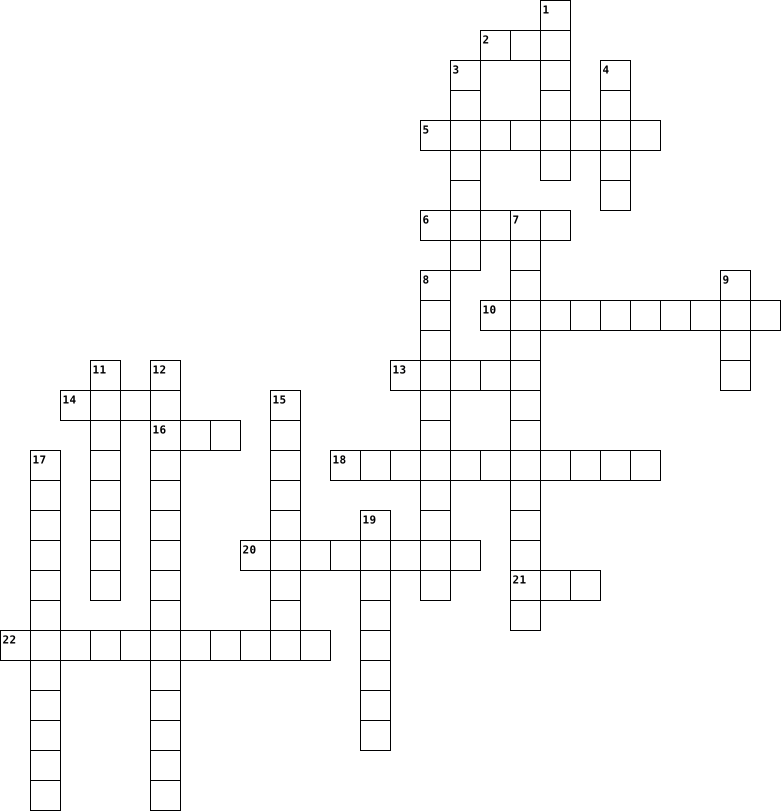
Computer Basics Crossword 2023-09-19

Across
- Hardware components that allow a computer to remember data and instructions either temporarily or permanently
- A type of storage device that can read and write CDs, DVDs, and Blu-ray disks
- The latest version of USB ports that can transfer data and charge devices at a faster rate
- A hardware device that allows computers to send and receive information to and from other computers; it is essential for internet access
- The unit of measurement for CPU speed; gigahertz
- Hardware components that allow a computer user to enter data, commands, and responses
- The most common type of USB port that is rectangular shaped
- The key component of a computer system, which contains the circuitry necessary to interpret and execute program instructions
- The place in a computer where the operating system, applications, and data in current use are kept so that they can be quickly reached by the CPU
- A programmable machine that receives input, stores and changes data, and provides output in a useful format
- An opening in a computer for connecting a communication cable; it is the most common type of wired connection between a personal computer and a network of computers (including the internet)
- Hardware components that allow the user to view, hear, or touch the information resulting from the computer's processes
Down
- The physical parts and components of a computer
- A printed circuit board on which the CPU, RAM, and other electronic circuits of a computer are frequently located
- The most common type of wireless connection between a personal computer and a network of computers (including the internet)
- An electronic device - with no moving parts - that reads, writes, and stores data and programs for a computer; permanent storage
- A printed circuit board on which the CPU, RAM, and other electronic circuits of a computer are frequently located
- A type of screen technology that can produce darker black colors and uses less energy
- The most common analog interface for sending graphic signals from a computer and a monitor
- An expansion card that connects to a computer motherboard to process and send graphics information to a monitor, screen, or other display device
- A programmable machine that receives input, stores and changes data, and provides output in a useful format
- A spinning mechanism that reads, writes, and stores data and programs for a computer; permanent storage
- A short-range wireless technology that allows communication between computers and other devices, such as input and output devices
- The most common digital interface for connecting peripheral devices to a computer; it can also be used to supply electricity for powering or charging equipment
24 Clues: The physical parts and components of a computer • The unit of measurement for CPU speed; gigahertz • The most common type of USB port that is rectangular shaped • A type of storage device that can read and write CDs, DVDs, and Blu-ray disks • A type of screen technology that can produce darker black colors and uses less energy • ...
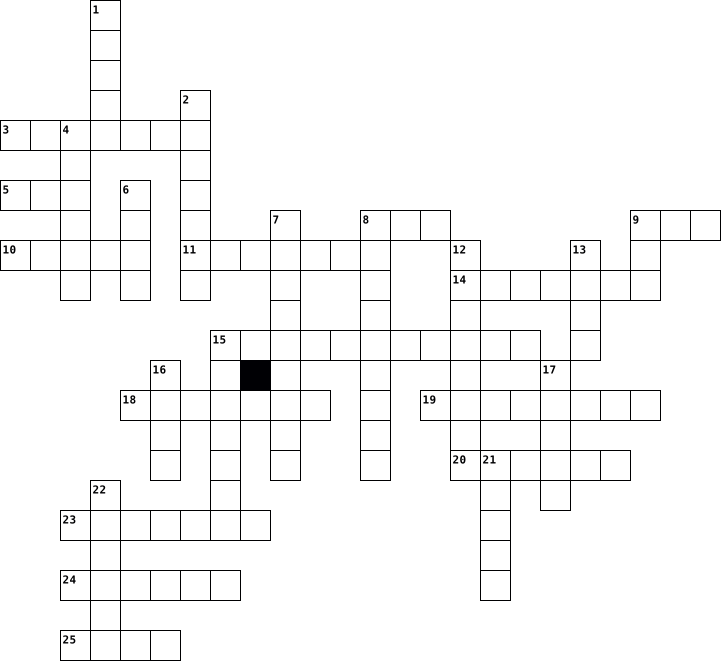
BCS reveiw by JahQuon Pettiford 2015-11-11

Across
- - Executable software that runs on a computer. Also known as an
- - A hand operated pointer device that, along with a keyboard, serves as a
- touch typing.
- - A collection of webpages.
- - Messages sent electronically over a computer network.
- - A board made of keys which, along with a mouse, serves as a primary
- - An international computer network used for many kinds of electronic
- input device for a computer.
Down
- row - The keys to which the four fingers of each hand should return as a base
- - the physical parts of a computer and all related devices.
- - Lines of computer code written by programmers that tell the computer
- bar - The horizontal strip that contains lists of available menus for a certain
- to do. Also known as a program or application.
- - A programmable electronic device for storing and processing data.
- device for a computer.
- - A popular compressed file format for digital music downloads.
16 Clues: touch typing. • device for a computer. • - A collection of webpages. • input device for a computer. • to do. Also known as a program or application. • - Messages sent electronically over a computer network. • - the physical parts of a computer and all related devices. • - A popular compressed file format for digital music downloads. • ...
Crossword 16 2020-02-01

Across
- The process used by search engines to inspect new information.
- A file from a web server that gets stored on the hard drive of a computer and then tells the web server about the user, their computer and their activities on their computer is called a ……..
- It allows user to interact with computer generated images as if they were in a real-life environment.
- That is how much data a network connection can send along.
- A device that is used to scan images, text, photos, or, other graphics on the computer.
- Transferring of information from a computer to a website.
- Video camera or computer set app that can take real time images and upload them to a Web browser.
- Software that makes it possible to find and retrieve information on the Internet.
- Software used to open and surf the Internet is called a browser.
- To ….. something is slang for finding and correcting defects in the equipment and malfunctions in the programs.
- A computer that shares its original information with other computers in the network.
- When referring to computers viruses, a piece of computer code that copies itself from one computer to another, destroying information as it goes, is referred as a worm.
Down
- Software that allows the Internet to deliver audio-visual content to be delivered by email and be viewed on the monitor.
- Taking information, both sound and visual, from the Internet and storing it temporarily on files for continuous play.
- A common programming Language.
- A program that allows its user to edit, revise, correct and print texts.
- Another word for the internet, typically considered slang, is ……, which can be defined as an interconnected computer network that holds information.
- Devices that store large amounts of information are referred to as ……...
- is a loss of information due to software or hardware malfunctions.
- A piece of computer code that can be transferred between computers, and destroy saved information or even computer operability is commonly referred to as a virus.
- To reassess data, a computer needs a small memory storage space to place resent information, such as web pages, so that the user can access this information without reconnecting to the web. This space is called the ……. .
- A tiny wafer of silicon with the ability to store millions of bits of information within its miniature electric currents.
- A person who can break in to a computer with no authorization.
- The popular operating system from Microsoft.
- The directory of user interface. The icons on the …… display links to the hard drive, network, and recycling bin of delegating materials.
- When a malfunction occurs in a program, or a piece of equipment becomes defective.
26 Clues: A common programming Language. • The popular operating system from Microsoft. • Transferring of information from a computer to a website. • That is how much data a network connection can send along. • The process used by search engines to inspect new information. • A person who can break in to a computer with no authorization. • ...
Harpers computer vocabulary 2014-02-11

Across
- a group of binary digits or bits operated on as one unit.
- the CPU works with the information on the computer.
- small files that websites put on your computer hard disk drive when you first visit.
- a set of computer instructions in firmware that control input and output operations.
- code a coding system using the binary digits 0 and 1 to represent a letter, digit, or other character in a computer or other electronic device.
- system the software that supports a computer's basic functions, such as scheduling tasks, exciting applications, and controlling peripherals.
- a peripheral device.
- a preselected option adopted by a computer program or other mechanism when no alternative is specified by the programmer or user.
- computing the practice of using a network of remote services hosted on the internet to store, manage, and process data.
- the parts of a computer you can touch.
- a computer network consisting of a worldwide network.
- is a device in the computer that is working even if the computer is turned off.
- donating a piece of equipment such as a computer that is suitable for use at an ordinary desk.
- memory found in computers.
Down
- a program with a graphical user interface for displaying HTML files, used to navigate the world wide web.
- a desktop computer or workstation that is capable of obtaining information and applications from a server.
- defines the cables, connectors, and communication protocols used in a bus for connection, communication and power supply between computers and electronic devices.
- a printed circuit board containing the principal components of a computer or other device, with connectors into which other circuit boards can be slotted.
- source denoting software for which the original source code is made freely available and may be redistributed and modified.
- a unique string of numbers separated by periods that indicates each computer using the internet protocol to communicate over a network.
- a high capacity, self-connected storage device a read-write mechanism plus one or more hard disks inside a sealed unit.
- Software gives instructions to the hardware and tells it what to do and how to do it.
- is the fundamental network identification for any resource connected to the web.
- The collection of information used to connect your application to a particular ODCB database.
- a memory for high-speed retrieval is possible.
- a group or system of interconnected people or things.
- is an internet service provider.
- a computer or a computer program that manages access to a centralized resource or service in a network.
28 Clues: a peripheral device. • memory found in computers. • is an internet service provider. • the parts of a computer you can touch. • a memory for high-speed retrieval is possible. • the CPU works with the information on the computer. • a group or system of interconnected people or things. • a computer network consisting of a worldwide network. • ...
HardWare_mirtas 2025-11-04

Across
- Memoria permanente che contiene istruzioni fisse, non modificabili.
- Supporto ottico con capacità fino a 700 MB.
- Esempio di Periferica di input
- Piccole memorie interne alla CPU per dati temporanei.
- Supporto ottico capace di memorizzare video o dati digitali (fino a 4,7 GB o più).
- Computer compatto e trasportabile, con batteria integrata
- Unità centrale di elaborazione
- Unità di controllo della CPU, coordina le operazioni.
- Parte meccanica di un disco rigido che legge/scrive i dati.
- Insieme di 8 bit
- Tipologia di tastiera.
- Parte della CPU che esegue calcoli e operazioni logiche.
- Canale che trasporta gli indirizzi di memoria.
- Periferica di output che produce copie su carta.
- Uso combinato di suoni, immagini, video e testi digitali.
- Chip che contiene la CPU di un computer.
- Telefono cellulare con funzioni avanzate da computer portatile.
- Memoria velocissima che conserva dati temporanei per accelerare la CPU.
- Canale per il trasferimento dei dati tra componenti del computer.
- Dispositivi che ricevono dati dal computer
- TAB Tasto che sposta il cursore a destra di una certa distanza.
- Dispositivo di memoria di massa che conserva dati in modo permanente.
- Canale che trasporta segnali di controllo tra CPU e periferiche.
- caratteristica della RAM.
Down
- Superficie sensibile al tocco, usata come mouse nei portatili.
- Dispositivi che inviano dati al computer
- Frequenza di lavoro della CPU, misurata in Hertz (Hz).
- Insieme dei programmi che fanno funzionare l’hardware.
- Dispositivo di input per muovere il cursore e selezionare oggetti.
- Tempo necessario per accedere a un dato in memoria.
- ne fanno parte RAM + ROM.
- è pari a circa un milione di byte.
- Memorie permanenti veloci, usate in chiavette USB e smartphone.
- Videocamera digitale collegata al computer.
- Cerchi concentrici sui dischi magnetici dove sono registrati i dati.
- Dispositivo per collegare il computer a Internet.
- Information and Communication Technology
- DISC Supporto ottico ad alta capacità (fino a 50 GB).
- Parte fisica del computer
- Informazione o comando inviato al computer.
- Scheda piatta del computer che collega tutti i componenti.
- Dispositivo di output che mostra testi e immagini.
- Primo grande computer elettronico della storia.
- Risultato prodotto dal computer.
- Tasti speciali con comandi rapidi predefiniti.
- Memoria temporanea e veloce dove si conservano dati e programmi in uso.
- DISK Vecchio supporto magnetico rimovibile per memorizzare dati.
- può valere 0 o 1
- Dispositivo che digitalizza immagini o testi cartacei.
- Stampante per disegni tecnici e grafici di grande formato.
- Macchina elettronica che elabora dati secondo istruzioni date da programmi.
- Scienza che studia l’elaborazione automatica delle informazioni tramite i computer.
52 Clues: Insieme di 8 bit • può valere 0 o 1 • Tipologia di tastiera. • ne fanno parte RAM + ROM. • Parte fisica del computer • caratteristica della RAM. • Esempio di Periferica di input • Unità centrale di elaborazione • Risultato prodotto dal computer. • è pari a circa un milione di byte. • Dispositivi che inviano dati al computer • Information and Communication Technology • ...
Inside the computer 2018-11-27

Across
- Something, that we enter, working with computer.
- Numeric or alpha-numeric password used in the process of authenticating a user accessing a system.
- Device that can be instructed to carry out sequences of arithmetic or logical operations.
- A set of instructions inside the computer.
- Form of computer data storage that stores data and machine code currently being used.
- Device, wich is connected to computer.
- Device, that helps us to prints letters.
- Bad programm that hurts Pc system.
Down
- Output device, which show us result of our actions on paper.
- Output device, which translate our actions online.
- Part of the computer, that conect other its pearts.
- Something, that we see, working with computer.
- Making something bigger/wider.
- Device, that we hold in our hand to control cursor.
- ANy mechanic or electronic part inside the computer, which you can see or touch.
- Communication system that transfers data between components inside a computer
16 Clues: Making something bigger/wider. • Bad programm that hurts Pc system. • Device, wich is connected to computer. • Device, that helps us to prints letters. • A set of instructions inside the computer. • Something, that we see, working with computer. • Something, that we enter, working with computer. • Output device, which translate our actions online. • ...
Inside the computer 2018-11-27

Across
- Output device, which translate our actions online.
- Bad programm that hurts Pc system.
- Numeric or alpha-numeric password used in the process of authenticating a user accessing a system.
- Something, that we see, working with computer.
- Part of the computer, that conect other its pearts.
- Something, that we enter, working with computer.
- A set of instructions inside the computer.
- Form of computer data storage that stores data and machine code currently being used.
Down
- Device, wich is connected to computer.
- Making something bigger/wider.
- Device, that helps us to prints letters.
- Device, that we hold in our hand to control cursor.
- Output device, which show us result of our actions on paper.
- Device that can be instructed to carry out sequences of arithmetic or logical operations.
- Communication system that transfers data between components inside a computer
- Any mechanic or electronic part inside the computer, which you can see or touch.
16 Clues: Making something bigger/wider. • Bad programm that hurts Pc system. • Device, wich is connected to computer. • Device, that helps us to prints letters. • A set of instructions inside the computer. • Something, that we see, working with computer. • Something, that we enter, working with computer. • Output device, which translate our actions online. • ...
A+ Guide to IT Technical Support - Chapter 1 2021-12-07

Across
- A port used to connect dial-up phone lines to computers
- The latest evolution of PCI which is not backward compatible with earlier PCI slots and cards.
- A circuit board inserted into a slot on the motherboard to enhance the capability of the computer
- Software that is permanently stored in a chip.
- A setting within a mobile device that disables the cellular, Wi-Fi, and Bluetooth antennas so the device cannot transmit signals
- A port that can be used by a microphone, audio in, audio out, and stereo audio out. Also called a sound port.
- Firmware that can control much of a computer’s input/output functions, such as communication with the keyboard and the monitor.
- A device that receives a laptop computer and provides additional secondary storage and easy connection to peripheral devices
- A device used to test a port in a computer or other devices to make sure the port is working
- A smaller version of the ATX form factor
Down
- A group of wires running from the front or top of the computer case to the motherboard.
- The common name for standards for a local wireless network as defined by IEEE 802.11
- Round plastic or metal pegs that separate the motherboard from the case so that components on the back of the motherboard do not touch the case.
- The largest type of personal computer case.
- A computer that has the monitor and computer case built together and uses components that are common to both a laptop and a desktop computer
- A short-range wireless technology used to connect two devices in a small personal network
- A miniature circuit board installed on a motherboard to hold memory
- A computer case for any type of computer
- A computer that lies flat and sometimes serves double-duty as a monitor stand
- A type of memory module used in laptop computers that uses DIMM technology.
20 Clues: A computer case for any type of computer • A smaller version of the ATX form factor • The largest type of personal computer case. • Software that is permanently stored in a chip. • A port used to connect dial-up phone lines to computers • A miniature circuit board installed on a motherboard to hold memory • ...
m1.1 assignment 2023-03-22

Across
- A Person identity file
- Connect to high speed expansion cards, can come in different sizes
- Build in touch functionality allow user to interact with computer screen
- Allow communication between applications
- A storage rack for Servers
- A converter that converts electrical current to power to an electronic load.
- The heart of the computer which process information
- A series of collections of software
- A two number secret code talk
- A big computer to hold lots of data
- Stores data
- A functions to recognize physiological behavior or characteristics on most devices
- brain of the computer
- A small flash memory card design for multiple electronic devices
Down
- An input of an audio/video to transmit high definition audio and video data to another device.
- Measure the pressure or force of a electrical current
- A one way road for electrical currents
- An external devices that sends data and provide input/output interface for a computer
- A process which computer system decode a series of functions
- Small sin pin port for keyboard and mouse
- A camera recording u doing everything and saying everything
- A local computer bus that attaches PCI expansion hardware into a computer, which the PCI is specifically designed for the computer
- A home for a expansion card
- A port that can connect peripherals or transfer data between 2 devices
- Brother to HDMI but better and more functions
- The highway of computer for the flow of electrical flow
- Talks about the dimensions and physical characteristics of the board
- Can read barcode and convert them to data
- RAM as also known) is the storage for Memories
- A input/output hole for physical connections with other computers and devices
- A camera to record u
- A computer charger
- A measuring tool for electrical current
- An electrical current
34 Clues: Stores data • A computer charger • A camera to record u • An electrical current • brain of the computer • A Person identity file • A storage rack for Servers • A home for a expansion card • A two number secret code talk • A series of collections of software • A big computer to hold lots of data • A one way road for electrical currents • A measuring tool for electrical current • ...
Computer Basics Vocabulary 2023-01-10

Across
- Well-defined rules that define how pages are formatted.
- Allows the user to communicate with the computer by entering commands and then viewing the results.
- The ‘brains’ of a computer. It carries out programmatic steps in order to process data.
- Portable secondary memory that connects to a computer using a standard USB interface.
- Represents a connection to another page and is usually displayed on a Web page as underlined, colored text.
- Memory packaged on separate chips and communicated with the CPU using lower-speed circuitry.
- A collection of programs that controls how the CPU, memory, and input/output devices work together to execute programs.
- The programs that execute on the computer, carrying out tasks such as word processing or accessing the Web.
- Uses intuitive, visual elements to simplify the process of viewing files and executing programs.
- Accesses a Web page, interprets the HTML formatting information, and displays that formatted page accordingly.
Down
- A collection of software that spans the internet. It enables the interlinking of documents and resources.
- Represent separate work spaces that can be active at the same time, displaying files or executing programs.
- Holds together and allows communication between many of the crucial components of a computer, including the CPU, memory, and connectors for input and output devices.
- The unit of measurement for computer memory (8 bits).
- Manages the resources and behavior of the computer itself.
- A worldwide system of computer networks, otherwise known as the physical connection of computers.
- A device that receives, stores, and processes information.
- Uses high-speed circuitry and is usually built into the CPU.
- The physical components of the computer, such as the monitor, keyboard, and hard drive.
- An Internet-enabled computer that executes software for providing access to certain Web documents.
- Collections of wires that carry information in the form of electrical signals.
21 Clues: The unit of measurement for computer memory (8 bits). • Well-defined rules that define how pages are formatted. • Manages the resources and behavior of the computer itself. • A device that receives, stores, and processes information. • Uses high-speed circuitry and is usually built into the CPU. • ...
Computer organisation 2025-06-30

Across
- A connector to attach devices or cables
- A standard connector for plugging in peripherals
- The main processing unit of a computer
- Eight bits grouped together
- A device that produces a hard copy of digital documents
- A flat input surface for controlling pointer with finger
- A camera used to capture video for computers
- An input device for typing data into a computer
- A wire used to connect computer parts
- An optical disc with large storage capacity for HD media
- A pair of speakers worn on the ears
- Memory that stores permanent instructions
- A connection point for devices on a computer
- A display that responds to finger or stylus input
- A container for organizing files on a computer
- Memory used for temporary data storage
Down
- A connector on the motherboard for expansion cards
- A pointing device used to control cursor on screen
- The screen that displays computer output
- The outer box that holds computer components
- An input device for recording audio
- An output device for sound
- The smallest unit of data in computing
- A type of ROM that can be electrically erased and reprogrammed
- A signal that synchronizes computer operations
- A storage device for saving data
- A storage device using spinning platters for data
- A collection of data stored as one unit
- A type of ROM that can be erased with ultraviolet light
- Small fast memory storing frequently used data
- A device that converts physical documents into digital form
- A component that cools computer parts
- The main circuit board connecting computer components
- supply A component that converts electrical power for the computer
- A fast storage device with no moving parts
- A device used for controlling games or simulations
36 Clues: An output device for sound • Eight bits grouped together • A storage device for saving data • An input device for recording audio • A pair of speakers worn on the ears • A wire used to connect computer parts • A component that cools computer parts • The main processing unit of a computer • The smallest unit of data in computing • Memory used for temporary data storage • ...
Computer Terms You Should Know 2014-02-14

Across
- an extra copy of a file or document
- a small computer that can be held in the lap
- a television-like screen
- any symbol that can be entered into a computer
- the name of your school device
- transfer a file to your computer
- combination of letter and other symbols needed to login to a computer
- a device that can show on paper what you see on the monitor
- a board containing keys for typing
- a rectangular area on a display screen that can be made any size
- what happens when a program quits running
- a key that makes characters disappear
- input device operated with the hand
Down
- a list of choices
- web log
- computer software that performs a task
- a set of instructions that tells a computer what to do
- program you use to explore the Internet
- electronic mail
- a device that runs programs
- a marker you can place on a web page so you can find it easily
- small picture that acts as a link when clicked on
- a blinking symbol that shows where the next character you type will be entered
- anything that transfers between computers
- having access to a network
- to start a computer
- unwanted email
27 Clues: web log • unwanted email • electronic mail • a list of choices • to start a computer • a television-like screen • having access to a network • a device that runs programs • the name of your school device • transfer a file to your computer • a board containing keys for typing • an extra copy of a file or document • input device operated with the hand • ...
Clark Technology Vocab 2018-10-25

Across
- someone using the computer
- Program used to browse files and look things up
- Decorative background
- A picture that saves your tab
- Holding in something and putting it somewhere else
- You click it and it gives you options
- Extra file or document
- What you see when you're not on the internet or anything
- You do this so you can get in the computer
- You can look things up on here (not web)
- you put this in so that you can access the computer
- An easy way to send a message to another computer
- Shows you where your next typed letter should go
- Receiving unnecessary and fake messages
Down
- A bad thing that messes up your computer
- Taking an easier way to get to things
- Name of the bar you type the address into
- The information on the computer
- Google lives here, three letters
- An image or Picture
- the first thing you see when you open your browser
- Programs designed to do different things
- Data on a computer
- Saving something onto the computer
- A symbol that represents a program
- an abbreviation for Frequently asked questions
- Bar Helps you see what tabs are open
27 Clues: Data on a computer • An image or Picture • Decorative background • Extra file or document • someone using the computer • A picture that saves your tab • The information on the computer • Google lives here, three letters • Saving something onto the computer • A symbol that represents a program • Bar Helps you see what tabs are open • Taking an easier way to get to things • ...
Introduction to Computers 2020-10-06
Across
- The unit which performs all arithmetic and logical manipulations
- An electronic device used for information processing
- A language used in Third generation of computers
- Data is stored temporally while program is running
- Any data or instructions entered into the computer
- hours to complete (A characteristic of the computer)
- Brain of the Computer
- capacity to perform completely different type of work.
- The layout of the keys are similar to that of a traditional typewriter
- Also called as Internal Memory
- The main component used in the first generation of computers
Down
- Result produced by the computer
- A set of instructions that drives computer to do stipulated tasks
- It takes only few seconds for calculations that we
- print the characters by striking them on the ribbon, which is then pressed on the paper
- Main component used in Second Generation of Computers
- A read-only memory that can be modified only once by a user
- Refers to the physical parts of a computer
- A memory used to store the data and instructions permanently
- Free from tiredness,lack of concentration, fatigue etc.,
- A user can do different types of tasks on the computer at the same time
- An input device having a spherical ball at both the lower and upper ends
22 Clues: Brain of the Computer • Also called as Internal Memory • Result produced by the computer • Refers to the physical parts of a computer • A language used in Third generation of computers • It takes only few seconds for calculations that we • Data is stored temporally while program is running • Any data or instructions entered into the computer • ...
Digital Literacy Vocabulary 2024-07-29

Across
- a software program used to navigate the world wide web
- an icon, photo, graphic or text that links to another page or file
- a malware designed to steal information, modify or damage data, or send or display false messages
- malicious software designed to make unwanted changes to settings or software
- handheld device that is used to control the cursor
- the screen of your computer
- a form of memory that can be read and changed in any order
- the instructions, program or operating information that tells a computer what to do
- a web browser developed by Google
- a hardware device that connects a computer or router to a network
Down
- a pointer that shows your position on a computer screen
- one of the primary input devices used to interact with a computer
- global network that provides information and communication
- the machines, wiring, and other physical components of a computer
- the electronic components used by computers to store data
- an electronic device for storing and processing data
- software that is designed to detect and destroy computer viruses
- a port that allows communication with other devices
- the process of copying data from one source to another
- an address of a webpage or file on the internet
20 Clues: the screen of your computer • a web browser developed by Google • an address of a webpage or file on the internet • handheld device that is used to control the cursor • a port that allows communication with other devices • an electronic device for storing and processing data • a software program used to navigate the world wide web • ...
Digital Age 2026-06-01

Across
- A computer that is used on the go and is portable.
- The name given to the images displayed on a PC monitor
- A program designed to damage or disrupt a computer system.
- A secret word used to access an account or device.
- A software application used to access and view website
- Software used to search for information online.
- A control device for a computer
- A flat, portable touchscreen computer.
- Device used to communicate on the go and access the internet
- A worldwide collection of web pages accessed through the internet.
- A message sent electronically from one person to another
- Information stored electronically on a computer.
Down
- To send files or data from a device to the internet.
- To transfer data from the internet to a computer or device.
- The physical parts of a computer system.
- A global network that connects computers around the world
- Watching or listening to media directly from the internet without downloading.
- The protection of computer systems and networks from attacks.
- A nefarious individual or firm that tries to gain unauthorised access to a digital device or to your company's personal data.
- A wireless technology that allows internet access without cables.
- Software used to protect a digital device
21 Clues: A control device for a computer • A flat, portable touchscreen computer. • The physical parts of a computer system. • Software used to protect a digital device • Software used to search for information online. • Information stored electronically on a computer. • A computer that is used on the go and is portable. • A secret word used to access an account or device. • ...
Computer Vocabulary 2014-02-10

Across
- 8 bits in every byte.
- the starting up of a computer
- Is an identifier for a computer or device on a TCP/IP network.
- Use this to remember things. Stands for Random Access Memory. Is a temporary storage.
- A piece of computer hardware that accesses a service made by an available server.
- Is the main printed circuit board found in computers. It holds many of the electronic components of the system.
- A pre selected option adapted by a computer program.
- a program with a source code available to the general public for use.
- Stands for Uniform Resource Locator. It is the global address of documents and other resources on the World Wide Web.
- Electronic equipment connected by a cable to the CPU.
- system:All the virtual files and folders that lets you interact with the computer.
- Tells other parts of the computer what to do. Stands for Central Processing Unit. Measured by how many million times a second it can process instructions.
- code A coding system using the binary digits 0 to 1 to represent a letter,digit,or other characters in a computer or other electronic device.
- A system that responds to requests across a computer network to provide a network service
- stands for internet service provider. A company that provides access to the internet to subscriber-based customers.
Down
- a program with a graphical user interface for displaying HTML files, used to navigate the World Wide Web.
- where all the information is stored in the form of bits. Where your computer keeps your software and all the programs you run.
- a high speed storage mechanism.
- a computer network consisting of a worldwide network of computer networks that use the TCP/IP network protocols to facilitate data transmission and exchange.
- The practice of using a network of remote servers hosted on the internet to store,manage,and process data rather than local server or a personal computer.
- The background image of a display screen on which windows icons and graphical items appear.
- Written programs or procedures to the operation of a computer system.
- Stands for Universal Serial Bus is a standard type of connection for many different kind of devices. Are cables and cords.
- The mechanical,magnetic,electronic, and electrical components making up a computer system.
- a message given to a web browser by a web server.
- Connect as or operate. A group of two or more computers
- short for Domain Name System. A internet server that translates domain names into IP addresses.
- Short for Basic Input Output System. A built in software that determines what a computer can do without accessing programs from a disk.
- Use this to remember things.Stands for read only memory, holds information the computer needs permanently.
29 Clues: 8 bits in every byte. • the starting up of a computer • a high speed storage mechanism. • a message given to a web browser by a web server. • A pre selected option adapted by a computer program. • Electronic equipment connected by a cable to the CPU. • Connect as or operate. A group of two or more computers • ...
1102 COMPUTER CROSS PUZZLE 2023-11-14

Across
- Software facilitating communication between the operating system and hardware devices.
- The mobile operating system developed by Apple Inc. for iPhones, iPads, and iPod Touch devices.
- Basic Input/Output System, firmware for booting the computer.
- Input device for entering text and commands into a computer.
- Refers to the World Wide Web or websites accessible over the internet.
- Data or results produced by a computer.
- Data or commands entered into a computer.
- Organized collection of data, often with a system for retrieval and management.
- Software designed for specific tasks or functions, enhancing user productivity.
- Pertaining to visual elements and images on a computer.
- External devices connected to a computer, such as printers, scanners, and external drives.
- Software tools that assist in system maintenance, management, and performance.
- Code Human-readable instructions written by a programmer, which are converted into machine code by a compiler.
- Devices used to convert physical documents or images into digital format.
- To set up or arrange a system or software to function in a particular way.
- Sequences of instructions that a computer can execute to perform specific tasks.
- Information processed or stored by a computer.
- A computer or system that provides services or resources to other computers, known as clients.
- Pointing device for interacting with a computer's graphical user interface.
- Hardware components connected to a computer, such as printers, keyboards, and monitors.
Down
- The origin of something, often referring to source code in software development.
- Software embedded in hardware devices, providing low-level control.
- Storage medium for data, often referring to hard drives or other storage devices.
- Activities performed to keep a system or equipment in proper working condition.
- Programs and data that instruct the computer on how to perform specific tasks.
- The process of making copies of data to prevent loss in case of system failure or other disasters.
- The operating system developed by Apple Inc. for their Macintosh computers.
- A physical medium for transmitting data, often used to connect devices in a network.
- Output device that produces a physical copy of documents or images.
- Software that acts as a bridge between different software applications.
- An operating system developed by Microsoft, widely used for personal computers.
- The overarching software that manages computer hardware and enables the execution of applications.
- An open-source operating system kernel that serves as the foundation for various Linux distributions.
- Display device for visualizing computer output.
- Malicious software designed to infect and damage computer systems or data.
- A collection of data stored under a specific name and directory on a computer.
- A mobile operating system developed by Google, widely used in smartphones and tablets.
- Portable Document Format, a file format for capturing and presenting electronic documents.
- The point of interaction between the user and the computer or between different software/hardware components.
- The retention of data in a digital format for future use.
40 Clues: Data or results produced by a computer. • Data or commands entered into a computer. • Information processed or stored by a computer. • Display device for visualizing computer output. • Pertaining to visual elements and images on a computer. • The retention of data in a digital format for future use. • Input device for entering text and commands into a computer. • ...
Computer and internet terms 2024-05-21

Across
- The physical components that make up a computer system.
- device: A hardware component that is used to provide data or instructions to a computer or information processing system.
- memory: Hardware components used to store data, programs, and information for later use. Examples include hard drives, solid-state drives, floppy disks, etc.
- system: The core software that controls the computer's basic functions and allows other software to run.
- engine: A web-based tool that allows users to find information on the internet by searching for specific keywords, phrases, or topics.
- A software program designed to perform a specific task or function, such as a web browser, word processor, or spreadsheet.
- A computer is a device that accepts information (in the form of digitized data) and manipulates it for some result based on a program, software, or sequence of instructions on how the data is to be processed.
- a battery- or AC-powered personal computer (PC) smaller than a briefcase.
- the top surface of a desk. also : an area or window on a computer screen in which icons are arranged in a manner analogous to objects on top of a desk. 2. : a desktop computer.
- A physical interface on a computer or other device where a cable can be connected to allow communication and the flow of data.
Down
- menu: A feature in software programs that provides information, instructions, and troubleshooting assistance to the user.
- The main memory in a computer where programs and data are stored temporarily while the computer is running.
- drive: A portable, rewritable, and compact data storage device that connects to a computer's USB port.
- A global network of interconnected computer networks that enables the exchange of data and communication between devices worldwide.
- page: The main web page of a website that serves as the entry point for users to access the website's content and navigate to other pages.
- safety rules: Guidelines and best practices to ensure online safety and security, such as using strong passwords, being cautious of suspicious links/emails, and protecting personal information.
- A software application used to access and navigate the World Wide Web, displaying web pages and allowing users to interact with online content.
- box: The input field within a search engine where users can enter their search queries.
- the large cabinet or 'main frame' that held the central processing unit (CPU) of early computer systems.
- The programs and applications that run on a computer and provide functionality.
- The electronic circuitry that executes instructions comprising a computer program, performing basic arithmetic, logic, controlling, and input/output operations.
- An output device, usually a display screen, that shows the visual output from a computer.
- device: A hardware component that is used to display, print, or present information from a computer.
- A set of wires bundled together to transmit data, power, or signals between electronic devices.
- An optical data storage medium that can be used to store files, software, music, and other digital content
25 Clues: The physical components that make up a computer system. • a battery- or AC-powered personal computer (PC) smaller than a briefcase. • The programs and applications that run on a computer and provide functionality. • box: The input field within a search engine where users can enter their search queries. • ...
Hardware and Software 2021-05-14

Across
- Microsoft's Word Processor
- move & click this to put info into a computer
- gets information out of a computer
- tap this to enter info into a computer
- google button to create a new email
- Apple's Word Processor
- answering the writers of an email
- the physical parts of a computer
- Apple's Browser
- drag & tap this to enter info into a computer
- tool to search for websites/information
- a screen that shows info coming out of a computer
- provides information into the computer
- an extra file(S) sent along with an email
- highlighted characters you click to go to a site
- the sender's name at the end of an email
- sending an email to another person
Down
- Google's Word Processor
- creates documents for print
- Google's Browser
- Microsoft's email client
- the apps or programs inside the computer
- a scam to try & steal your password/money
- people who are going to get the email
- Microsoft's Browser
- the greeting at the beginning of an email
- address of a website
- allows for searching the World Wide Web
- paper comes out of this output device
- Google's email client
- allows users to send mail online
31 Clues: Apple's Browser • Google's Browser • Microsoft's Browser • address of a website • Google's email client • Apple's Word Processor • Google's Word Processor • Microsoft's email client • Microsoft's Word Processor • creates documents for print • the physical parts of a computer • allows users to send mail online • answering the writers of an email • gets information out of a computer • ...
Computers 2019-11-24

Across
- an output device that prints data onto paper
- a virus that collects information about the computer user
- displays data as an image
- an input device that allows the user to move a cursor on a screen
- an electronic circuit board that connects hardware devices
- organises stored file fragments for easier retrieval
- a harmful file that is made to cause harm to a computer
- reducing the size of a file through algorithms
- an example of an operating system
- a storage device that uses magnetism for future data retrieval
- a harmful file that replicates itself on a computer
- to prevent, detect and remove malware
Down
- allows the user to input data into a computer
- an operating system with special features and abilities, sharing information across many devices
- an operating system for something that isn't a computer
- memory or storage for quick access
- a type of virus that disguises itself as a safe file
- a program that controls what happens with a computer
- an operating system that runs on a computer or mobile device
- a program on a computer for a specific purpose
- operating system decides which tasks take priority
- the component that carries out the instructions of a program
22 Clues: displays data as an image • an example of an operating system • memory or storage for quick access • to prevent, detect and remove malware • an output device that prints data onto paper • allows the user to input data into a computer • a program on a computer for a specific purpose • reducing the size of a file through algorithms • ...
General computer terms 2026-08-21

Across
- Setting Values that are given to a device by its maker
- Information stored by computer.
- The physical parts of a computer and other devices
- The unexpected failure of a computer
- Sending a file from one computer to another
- A copy of files created in case the original copy is ruined or deleted.
- A term used a lot when looking for files on the internet
- A unit of measurement that can be estimated to one billion bytes
- most of the time it refers to RAM, but it can also refer to any medium of data storage.
Down
- A word that describes any computer program
- 8 bits that represent one thing in a computer’s memory
- A global network of remote servers used instead of a computer’s hard drive
- A process where data is sent to your computer
- A kind of software program that is made to do a specific job or set off tasks on a device
- An image on a computer screen
- One of the standard messaging systems and one of the most useful feathers on the internet.
- System Software that communicates with computer hardware on the most basic level
- To shut down and restart a device
- An extra part added to something
- A person who uses a product or device
20 Clues: An image on a computer screen • Information stored by computer. • An extra part added to something • To shut down and restart a device • The unexpected failure of a computer • A person who uses a product or device • A word that describes any computer program • Sending a file from one computer to another • A process where data is sent to your computer • ...
FIRST GENERATION OF COMPUTERS 2020-09-29

Across
- a person who writes computer programs.
- was Australia 's first digital computer, and the fifth stored program computer in the world.
- was a set of computers developed by British codebreakers in the years 1943–1945 to help in the cryptanalysis of the Lorenz cipher .
- it was an advanced bit-serial binary computer with two independent CPUs, each with its own 512- word acoustic mercury delay line memory.
- is a base-2 number system invented by Gottfried Leibniz that is made up of only two numbers: 0 and 1.
- was the first general-purpose electronic digital computer design for business application produced in the United States.
- was one of the earliest stored-program computers, developed at the Victoria University of Manchester from the Manchester Baby.
- one advantage of First gen computers
- tube an electron tube, valve or tube, is a device that controls electric current flow in a high vacuum between electrodes to which an electric potential difference has been applied.
- speed one disadvatange of First gen computers
- was an American physicist and inventor, best known for being credited with inventing the first electronic digital computer.
- a semiconductor device with two terminals, typically allowing the flow of current in one direction only.
- also called the Small-Scale Experimental Machine (SSEM), was the first electronic stored-program computer, was built at the University of Manchester.
- was an early British computer. Inspired by John von Neumann's seminal First Draft of a Report on the EDVAC.
Down
- is a collection of instructions that can be executed by a computer to perform a specific task.
- is a system of electrical conductors and components forming a complete and closed path.
- an electronic device for storing and processing data, typically in binary form, according to instructions given to it in a variable program.
- an unfavorable circumstance or condition that reduces the chances of success or effectiveness.
- is the electronic circuitry within a computer that executes instructions that make up a computer program.
- a condition or circumstance that puts one in a favorable or superior position.
- the year where computers of first generation used vacuum tubes as the basic components for memory and circuitry for CPU.
- he was an english electrical engineer and physicist who invented the first thermionic valve or vacuum tube.
- capacity for storing information on a computer.
- it is one of the first electronic computers that utilized the binary system that first began performing basic tasks in 1951.
- was an English engineer. During World War II, He designed and built Colossus, the world's first programmable electronic computer, to help solve encrypted German messages.
- it was the first electronic general-purpose digital computer. It was Turing-complete, and able to solve "a large class of numerical problems" through reprogramming.
- was an American electrical engineer and computer pioneer. With John Mauchly, he designed the first general-purpose electronic digital computer (ENIAC)
- was an American physicist who, along with J. Presper Eckert, designed ENIAC
- is not programmable but it could solve a system of linear equations.
29 Clues: one advantage of First gen computers • a person who writes computer programs. • speed one disadvatange of First gen computers • capacity for storing information on a computer. • is not programmable but it could solve a system of linear equations. • was an American physicist who, along with J. Presper Eckert, designed ENIAC • ...
Computers Jude Johnson 2020-10-01

Across
- drive Storage device added to the computer by using a USB port.
- The logic circuitry that responds to and processes the basic instructions that drive a computer. Has generally replaced the term central processing unit (CPU).
- The dissipation of large amounts of heat, which is created while a computer system is running. Heat is generated inside the computer tower by various hardware such as CPU, video card or even the hard drive.
- data that a computer sends
- what is put in, taken in, or operated on by any process or system.
- One of the most essential parts of a computer system. It holds together many of the crucial components of a computer, including the central processing unit (CPU), memory and connectors for input and output devices.
- tools, machinery, and other durable equipment.
- Fans They cool the surrounding area by circulating fresh air through the case by drawing out hot air, drawing in cooler air, or both.
- code Groupings of 1's and 0's that makes information that a computer can understand.
- Drive The primary computer storage device, which spins, reads and writes one or more fixed disk platters. It permanently stores and retrieves information.
- Supply A hardware component that supplies power to an electrical device. It receives power from an electrical outlet and converts the current from AC (alternating current) to DC (direct current), which is what the computer requires.
- This is the same RAM. It is volatile memory that stores information on an integrated circuit used by the operating system, software, and hardware. When power is turned off it will erase the contents it has gathered. You can add it in the PCI slots on the motherboard.\
- Card Connects to the motherboard of a computer system and generates output images to display. Also referred to as graphics cards. They include a processing unit, memory, a cooling mechanism and connections to a display device.
- Copy of printed information from the computer.
Down
- software capable of accepting requests
- Used to provide visual output from a computer. They use CRT and LCD technology.
- Cooling Keeps your computer from overheating
- the programs and other operating information used by a computer.
- fans Used in conjunction with heat sinks to prevent overheating of the components in central processing units.
- Drive A type of computer disk drive that reads and writes data from disks through laser beaming technology. This type of drive allows a user to retrieve, edit and delete the content from disks such as CDs, DVDs and Blu-ray disks.
- translates source code into machine code one line at a time
- browser A program that allows a user to view and interact with web page
- Card An expansion card that attaches to your PCI slot on the motherboard that enables the computer to input, process, and deliver sound that can be heard through speakers or headphones. It converts digital data to analog sound waves you can hear.
- and Mouse External input devices connected to a computer.
- Drive Fans Often used in systems with heat-production challenges from a lot of hard drive usage.
- Records sound
26 Clues: Records sound • data that a computer sends • software capable of accepting requests • Cooling Keeps your computer from overheating • tools, machinery, and other durable equipment. • Copy of printed information from the computer. • and Mouse External input devices connected to a computer. • translates source code into machine code one line at a time • ...
Computers Jude Johnson 2020-10-01

Across
- Records sound
- The dissipation of large amounts of heat, which is created while a computer system is running. Heat is generated inside the computer tower by various hardware such as CPU, video card or even the hard drive.
- Fans They cool the surrounding area by circulating fresh air through the case by drawing out hot air, drawing in cooler air, or both.
- drive Storage device added to the computer by using a USB port.
- fans Used in conjunction with heat sinks to prevent overheating of the components in central processing units.
- One of the most essential parts of a computer system. It holds together many of the crucial components of a computer, including the central processing unit (CPU), memory and connectors for input and output devices.
- tools, machinery, and other durable equipment.
- code Groupings of 1's and 0's that makes information that a computer can understand.
- software capable of accepting requests
- what is put in, taken in, or operated on by any process or system.
- Copy of printed information from the computer.
- and Mouse External input devices connected to a computer.
- Card An expansion card that attaches to your PCI slot on the motherboard that enables the computer to input, process, and deliver sound that can be heard through speakers or headphones. It converts digital data to analog sound waves you can hear.
- data that a computer sends
- browser A program that allows a user to view and interact with web page
- Drive The primary computer storage device, which spins, reads and writes one or more fixed disk platters. It permanently stores and retrieves information.
Down
- A set of step-by-step instructions to a computer.
- Cooling
- Supply A hardware component that supplies power to an electrical device. It receives power from an electrical outlet and converts the current from AC (alternating current) to DC (direct current), which is what the computer requires.
- Card Connects to the motherboard of a computer system and generates output images to display. Also referred to as graphics cards. They include a processing unit, memory, a cooling mechanism and connections to a display device.
- Drive Fans Often used in systems with heat-production challenges from a lot of hard drive usage.
- translates source code into machine code one line at a time
- The logic circuitry that responds to and processes the basic instructions that drive a computer. Has generally replaced the term central processing unit (CPU).
- This is the same RAM. It is volatile memory that stores information on an integrated circuit used by the operating system, software, and hardware. When power is turned off it will erase the contents it has gathered. You can add it in the PCI slots on the motherboard.\
- Drive A type of computer disk drive that reads and writes data from disks through laser beaming technology. This type of drive allows a user to retrieve, edit and delete the content from disks such as CDs, DVDs and Blu-ray disks.
- box temporary window an application created to retrieve user input
- Used to provide visual output from a computer. They use CRT and LCD technology.
- the programs and other operating information used by a computer.
28 Clues: Cooling • Records sound • data that a computer sends • software capable of accepting requests • tools, machinery, and other durable equipment. • Copy of printed information from the computer. • A set of step-by-step instructions to a computer. • and Mouse External input devices connected to a computer. • translates source code into machine code one line at a time • ...
IT (1) 2021-12-14

Across
- a small computer that can be carried and used in many locations
- the difference in level between black and white on a computer screen
- when mouse is ..... it transmits information to a computer without using a cord or wire
- a measure or description of how fast a computer can complete instrucyions
- a panel of keys for entering data into a computer
- is the ratio of its long side to its short side
- ... keyboard uses the standard layout for English-language keyboards
- the part of a mouse that is pushed to select items on the computer screen
- ...key gives another key an alternative function when both keys are pressed at the same time
- ... mouse uses laser light to track hand movements
- .... computer is a computer for use in a single location such as at home or at an office
- ... mouse uses light emitting diodes to track hand movements
- the sharpness or definition of a display, measured in pixels
- ... keyboard is a small keypad, located on the right-hand side of a standard keyboard, that features digits -9
- an image on a monitor screen
Down
- a machine that prints digital images and text on paper
- ...key gives another key an alternative function when both keys are pressed at the same time
- an electronic instrument for storing and operating on data
- a mechanical mouse, uses a rubber ball to track hand movement
- a device on a mouse that allows the user to scroll
- device used to track hand movements and make selestions on a computer screen
- the time it takes for a pixel to go from white to black and back again
- ... key is a key which is given a particular function by a piece of software
- an electronic device that is used to display computer signals
- key on a keyboard that is used for typing all capital letters when is pressed
- ...mark is a symbol that added to a letter to denote a special pronunciation
- the surface part of a monitor that displays a computer's output
- if a computer is ..., a person can carry or move it
- Liquid Crystal Display
29 Clues: Liquid Crystal Display • an image on a monitor screen • is the ratio of its long side to its short side • a panel of keys for entering data into a computer • a device on a mouse that allows the user to scroll • ... mouse uses laser light to track hand movements • if a computer is ..., a person can carry or move it • ...
Lesson 24 Vocab 2016-04-19

Across
- high end programs designed to provide network control and include special functions for connecting computers and other devises into a network
- computer that uses the service of another program
- internet connection technology that provides for the transfer of info to a computer
- an ISP that provides connection speed more than 30 times faster than dial-up connections
- a type of fiber-optic telephone line that can transmit up to 1.544 MG per second
- someone who invades someone else's computer without permission
- recent wireless technology that can deliver maximum speed of up to 7 Mbps to your cell phone, home computer or car
- server that acts as a n intermediary between a user and the internet
- variation of a LAN that uses no physical wires
- combination of hardware and software that creates a buffer between an internal network and the internet to prevent unauthorized access
- computer that handles requests for data, e-mail, file transfers and other network services from other computers
- computer architecture in which all of the computers on a network are equal and there is no computer designated as the server
- uses coaxial cable to send and receive data
Down
- the worlds collection of interconnected commercial and government owned voice oriented systems
- limk from one computer to another where data is transmitted
- computer configuration in which one or more computers on the network acts as a server
- device that directs traffic on a network by dividing data into smaller packets that travel by different routes
- junction where information arrives from connected computers or peripheral devices and is forwarded n more than one direction
- examine a fingerprint, voice pattern, or iris of the eye
- computer networks that covers a large geographic area
- largest network and used as a communication tool
- device on a network
- series of computers, workstations, and other devices
- allows selected outside organizations to access the internet
- network for computer users within an organization that cant be accessed by users outside the organization
- communications hardware device on a computer, which includes the screen and housing fro its electrical components
26 Clues: device on a network • uses coaxial cable to send and receive data • variation of a LAN that uses no physical wires • largest network and used as a communication tool • computer that uses the service of another program • series of computers, workstations, and other devices • computer networks that covers a large geographic area • ...
Computer Basics 2021-09-20

Across
- Most important software that runs on a computer. Manages the computer's memory, processes, software and hardware.
- Any set of instructions that tells the hardware what to do and how to do it.
- An electronic device that manipulates information, or data. It has the ability to store, retrieve, and process data.
- Each website has a unique address, called a __________.
- Small openings on a computer that allow you to connect things to your computer, like a printer, keyboard, or mouse.
- Science of equipment design. How specific equipment usage & placement reduce user's discomfort & increase productivity.
- Located inside the computer case on the motherboard. Sometimes called the brain of the computer. Carry out commands.
- Software designed to damage your computer/gain unauthorized access to personal information.(Viruses, worms, spyware)
- One of the main ways to communicate with a computer. QWERTY is the standard English-language layout.
Down
- Works with a video card to display images and text on the screen.
- Allows you to access the Internet.(Internet Explorer, Mozilla Firefox, Google Chrome, and Safari.)
- A specialized website that's designed to help you find other websites by typing keywords or phrases. (Google, Bing)
- Any part of your computer that has a physical structure, (keyboard or mouse); includes computer's internal parts.
- Where software, documents, & other files are stored. Long-term storage, data saved even if you turn computer off.
- Output device that sends information from the Computer to the user—in this case, they allow you to hear sound and music.
- Prevents you from accidentally deleting files. When you delete a file, it is moved here and you can move the file back.
- Commonly known as a pointing device, the ________ lets you point to objects on the screen, click on them, and move them
- Computer's main circuit board that holds the CPU, memory, & connects the hard drive, optical drives, & expansion cards.
- Application that allows you to write letters, design flyers, & create many other documents.(Microsoft Word, Google Docs)
- System's short-term memory. Temporarily stores the data here until needed. Disappears when the computer is turned off.
20 Clues: Each website has a unique address, called a __________. • Works with a video card to display images and text on the screen. • Any set of instructions that tells the hardware what to do and how to do it. • Allows you to access the Internet.(Internet Explorer, Mozilla Firefox, Google Chrome, and Safari.) • ...
Tech Terms 2022-05-10

Across
- A device that connects two or more packet-switched networks or subnetworks.
- personal identifiable information
- Ip address
- connects all of the parts of the computer together.
- A family of wired computer networking technologies used in local area networks.
- Central Processing Unit
- Software that prevents malicious malware.
- A way of scrambling data so that only authorized parties can understand the information.
- restart
- domain name system
- portable document format
- computer programming language consisting of binary instructions which a computer can respond directly to.
- Online journal where an individual, group, or corporation presents a record of activities, thoughts, or beliefs
- takes the signals that come from your ISP and translates them into an Internet connection for your Wi-Fi router to broadcast.
- An example of a search engine
- Computer-generated environment with scenes and objects that appear to be real.
- HyperText Markup Language
- Computers that run services to serve the needs of other computers.
- one thing that a computer does
- When the computer receives data from the internet.
- keyboard shortcut for print
- a way to back up your information on a computer
Down
- start
- keyboard shortcut for copy
- an example of an input device
- A network that connects computers from all over the world
- an example of an output device
- part of the computer that you can touch
- random access memory
- what is in the computer that you are not able to touch
- An example of a browser
- Uniform Resource Locator
- Creations of the mind such as inventions
- what is in your computer that stores all of your data/information.
- open source software
- The most important software that runs on a computer
- keyboard shortcut for paste
- 1 million bytes
- Pieces of code that come in when you get on a website.
- malicious software
- a binary digit
- a group of bits
- read only memory
- World Wide Web
44 Clues: start • restart • Ip address • a binary digit • World Wide Web • 1 million bytes • a group of bits • read only memory • domain name system • malicious software • random access memory • open source software • An example of a browser • Central Processing Unit • Uniform Resource Locator • portable document format • HyperText Markup Language • keyboard shortcut for copy • keyboard shortcut for paste • ...
Computer Acronyms RJ 2025-09-09

Across
- – Malicious software that spreads and damages files or systems.
- - A storage system that uses only flash memory to save data.
- – A file system that stores and protects your files on Windows computers.
- – A cable that sends both video and sound from one device to another (like from a computer to a TV).
- – Handles images, video, and graphics; helps the CPU with visual tasks.
- – The brain of the computer that runs programs and does the thinking.
- – A connector used to link storage devices (like hard drives or SSDs) to your computer.
- – A flat screen that shows images using liquid crystals and a backlight.
- – A small computer designed for one person to use.
- – Memory that can only be read, not changed; stores important startup instructions.
- – An older type of connector for sending video from a computer to a monitor.
- – A cable that sends video from a computer to a screen.
Down
- – A way to connect computers using cables in a local or wide area network.
- – The first software that runs when you turn on your computer; it helps start the system.
- – The part of the CPU that tells other parts of the computer what to do.
- – A fast type of storage with no moving parts, used instead of hard drives.
- – A device that connects your computer to a network.
- -A part of the CPU that handles math and logic (like +, -, AND, OR).
- – A standard way to connect hard drives and CD drives to a computer.
- – A storage device with spinning parts used to store data.
- – A common plug for connecting devices like keyboards, mice, or flash drives.
- – Lets users talk or type naturally to interact with computers.
- – A Windows tool for managing your system's hardware, software, and network.
- – A way to combine multiple hard drives to act as one for speed or backup.
- – The temporary memory your computer uses to run programs.
- – A small, low-power computer good for basic tasks like browsing or watching videos.
26 Clues: – A small computer designed for one person to use. • – A device that connects your computer to a network. • – A cable that sends video from a computer to a screen. • – A storage device with spinning parts used to store data. • – The temporary memory your computer uses to run programs. • - A storage system that uses only flash memory to save data. • ...
James' Crossword 2019-08-01
Across
- / Used for printing vector graphics.
- / A bit of data.
- / Graphical user interface.
- / Read Only memory.
- / Part of the computer to help you move the cursor faster.
- / A digital technology that scans.
- / When you accesses technology to do things.
- / Is a device used to put information and get rid of information.
- /is a device.
- / Helps you type faster when you are using a computer and has keys on it.
- / A layer of glass covering the computer.
- / A technology network to access your computer on the internet.
- / Made of lots of documents
- / A unit of bits.
Down
- / Put's information in the computer.
- / When your digital technology accepts the information.
- / Put's information out of your computer.
- / A person that uses or operates something.
- / When two computer or more are put together
- / How good your animation or images are on your digital technology.
- / Random Access Memory
- / When you speak the speakers will pronounce your voice louder or softer.
- / Produces a picture an digital technology.
- / Prints from digital technology to handwriting.
- / Lots of documents in a stored place.
- / A combined device and the combined device is getting combined by technology.
- / Is a serves that gives you data.
- / Stored information put in the computer
28 Clues: /is a device. • / A bit of data. • / A unit of bits. • / Read Only memory. • / Random Access Memory • / Made of lots of documents • / Graphical user interface. • / A digital technology that scans. • / Used for printing vector graphics. • / Is a serves that gives you data. • / Put's information in the computer. • ...
Computer Terminology 2026-08-24

Across
- Random Access Memory
- An application
- An input device that allows you to click on things
- A program that is running
- Something that stores data
- A device that provides output or input for a computer
- The internal storage are in a computer
- The building block of all pieces of Data
- An input device that you use for typing
- An input device that is used for some types of gaming
- A group of computers that are connected
- An output device that shows what your doing
- A device for printing paper documents
- Data generated by the computer
- Memory containing hard-wired instructions
Down
- The person who uses the computer
- The use of pictures
- Something that records sound
- An object that stores information
- Anything that you save on the computer
- The meeting point between the user and the computer language
- An output device that produces sound
- The most popular computer type
- Information stored in 1's and 0's
- A device that can connect computers together
- A group of 8 bits
- An output device that transforms physical documents into digital documents
- To Produce a drawing
- A piece of equipment that marks out points on a chart
- Something that you put in a computer
30 Clues: An application • A group of 8 bits • The use of pictures • Random Access Memory • To Produce a drawing • A program that is running • Something that stores data • Something that records sound • The most popular computer type • Data generated by the computer • The person who uses the computer • An object that stores information • Information stored in 1's and 0's • ...
Basic Computer Terminology 2020-04-07

Across
- Name for the small pictures found on a desktop
- A collection of physical parts of computer system
- Camera used to view another person on internet
- A blinking line on a computer screen
- A portable personal computer
- Also known as processing device
- Help to send a picture from piece of paper to computer
Down
- First screen of computer
- Programs in a computer
- To look up something
- Device used to connect computer to internet
- Term for restarting the computer
- Used to display data to large audience
- Pointing device of computer
14 Clues: To look up something • Programs in a computer • First screen of computer • Pointing device of computer • A portable personal computer • Also known as processing device • Term for restarting the computer • A blinking line on a computer screen • Used to display data to large audience • Device used to connect computer to internet • Camera used to view another person on internet • ...
Jannah's Computer Programming Crossword 2019-03-05

Across
- a sequence of instruction s that is continually repeated until a certain condition is reached.
- any of a number of distinct but interrelated units from which a program may be built up or into which a complex activity may be analyzed.
- the mechanical, magnetic, electronic, and electrical devices comprising a computer system
- a computer program
- software that is available free of charge and often distributed informally for evaluation, after which a fee may be requested for continued use.
- a program that can analyze and execute a program line by line.
- The float variable is often used to include currency values in a computer
- operates equipment or a machine
- a data structure consisting of a collection of elements
- software that is available free of charge.
- A ________ is a punctuation mark used to enclose information
- a function that allows the computer to do either or
- a sequence of program instructions that performs a specific task
- a named section of a program that performs a specific task.
- It adds a group of numbers together generally from a worksheet area you specify (called a range).
- the basic unit of information in computer storage
- retains its contents even when the computer is turned off.
- a software program, or the computer on which that program runs
- a function that adds another function
- a register in a computer processor that contains the address (location) of the instruction being executed at the current time
- a computer program that transforms computer code written in one programming language into another programming language
Down
- a binary variable, having two possible values called “true” and “false.”.
- push, which adds an element to the collection, and.
- the output of the function is often affected by the values that are passed into the function.
- removes the most recently added element that was not yet removed.
- the action of linking things together in a series.
- a collection in which the entities in the collection are kept in order and the principal
- n element, feature, or factor that is liable to vary or change.
- a thing complete in itself.
- a programming language that developers use to create applications on your computer.
- a process or set of rules to be followed in calculations or other problem-solving operations, especially by a computer.
- an algorithm that puts elements of a list in a certain order
- an abstract data type that serves as a collection of elements, with two principal operations
- a method of solving a problem where the solution depends on solutions to smaller instances of the same problem
- cause a discrete increase in (a numerical quantity).
- the process of identifying and removing errors from computer hardware or software.
- used as a function word to indicate purpose
- an informal high-level description of the operating principle of a computer program or other algorithm
- else statement is used in Python for decision
- an instruction in a computer program that can cause a computer to begin executing a different instruction sequence
- Each time the _______() function is called, it returns an unexpected
- a set of rules for or an analysis of the syntax of a language
- the smallest unit of data in a computer
- random access memory, a type of computer memory that can be accessed randomly
44 Clues: a computer program • a thing complete in itself. • operates equipment or a machine • a function that adds another function • the smallest unit of data in a computer • software that is available free of charge. • used as a function word to indicate purpose • else statement is used in Python for decision • the basic unit of information in computer storage • ...
Computer Crossword Puzzle Liz 2014-02-10

Across
- source term used to describe a program that can be freely modified by anyone, allowing users to make the program perform the way they need it to operate or perform
- is a computer that retrieves info from or uses resources provided by a server or main computer.
- is an internet or other network server that helps to point domain names or the hostname to their associated IP address
- is the computer’s main storage media device that permanently stores all data on the computer
- is an external bus standard that supports data transfer rates of 12Mbps and is capable of supporting up to 127 peripheral devices
- is a collection of instructions that enable a user to interact with the computer or have the computer perform specific tasks for them.
- is what computer,operating system,or program has set for the user based off what it believes is the best option,If the user wants a different setting, the default can be changed to a user setting
- is a software program that enables the computer hardware to communicate and operate with the computer software.
- 8 bits
- a collection of computers, servers, mainframes, network devices, peripherals, or various other devices connected to one another allowing for data to be shared and used.
- is a base 2 8- bit number system represented by the numerical values of 0 or 1, also known as OFF or ON
- is a type of “ built-in” memory that is capable of holding of holding data and having that data read from the chip, but not written to.
- is a computer storage location that allows info to be stored and accessed quickly from random locations within DRAM on a memory module
Down
- is a high speed access area that can be either a reserved section of main memory or a storage device
- is the process of powering on a computer and getting into the operating system
- is an address of a computer or other network device on a network
- is best described as a device that is physically connected to the computer.
- is a hardware device that allows a computer to perform an additional function,but is not something a computer needs in order to work.
- a term used to describe services over a network by a collection of servers
- or called a desktop computer, is a system of organization of icons on a screen.
- (or is known as the computer’s brain) is responsible for handling all instructions it receives hardware and software running on the computer.
- is a printed circuit board that is the foundation of a computer and allows the CPU,RAM and all other hardware components to function and communicate with each other
- short for Uniform Resource locator and is a standardized naming convention for addressing documents accessible over the internet
- short for internet service provider, is a company that provides internet access to users or subscribers of its service
- Is a chip located on all motherboards that contain instructions and setup for how your system should boot and how it operates
- biggest network in the world
- a computer connected to a network that other computers may or may not access
- a software program that allows a person to explore the internet
- a message given to a web browser by a web server
29 Clues: 8 bits • biggest network in the world • a message given to a web browser by a web server • a software program that allows a person to explore the internet • is an address of a computer or other network device on a network • a term used to describe services over a network by a collection of servers • ...
Computer terms 2015-06-04

Across
- coding language used to make web sites.
- He was an American electrical engineer who took part in the realization of the first integrated circuit while working at texas instruments in 1958.
- a computer by apple, took over the market
- The homebrew Computer club was an early computer hobbyist group in silicon valley which met from march 5, 1975 to December 1986, and was depicted in films pirates of silicon valley 199 and jobs 2013.
- He is an English computer scientist best known as the inventor of the world wide web.
- a second name for chip
- He was a civil engineer, inventor and computer pioneer. His best achievement was the world's first programmable computer.
- He is an indian-american architect who created the USB, PCI Express, platform power, Architecture and various chipset improvments.
- He was a member of the engineering team that designed the first American Electronic computer.
- its a chip that has cpu.
- hold a single character also equal 8 bits.
- He is an American engineer and entrepreneur who founded both Atarci, inc. And the chuck cheese pizza time theatre.
- manages a network resource.
- He is an American Psychologist and computer scientist considered one of the most important figures in computer science and general computing history.
- able to use icon to open programs .
- number system that uses 1&0
- specifies IP address or the domaine name.
- He is an American entrepreneur, investor, and software engineer.
- He was a video game inventor, and engineer and was known as the “The Father Of Video Games”
- computers linked together,device allocate resources.
- He was an American physicist and Electrical engineer , the only person to have won the Nobel prize in Physics twice.
Down
- Amplifies a signal.
- He was an austrian inventor born in vienna his best invention was the printed circuit board.
- its a programing language.
- He's a retired Dartmouth professor of mathematicians and computer scientist.
- a point in a graphic image.
- He was an American electrical engineer and computer pioneer. With john Mauchly he invented the first general purpose electronic digital computer.
- created the first ever graphical game called OXO.
- He was an American physicist and inventor, best known for inventing the first Electronic digital computer. Atanasoff invented the first Electronic digital computer in the 1930s at iowa state college.
- enables a computer to transmit data
- send data to output device,receives information.
- cables, connectors and communications protocols.
- He was a mathematician, computer science, and educator best known for co developing BASIC programing language.
- carries information in both vertical, horizontal direction .
- changes source code to object code
- was a computer scientists, mathematicians, logician, and cryptanalyst.
- He is an American inventor and computer engineer. He was part of the team that developed the ISA bus.
- optical disk to store data
- He is one of the inventors of the microprocessor.
- thin board which holds electronic components.
- He was an american activist, He was the first student with severe disabilities to attend the University of california, Berkely.
- store large amounts of digital information.
- Large wide area network by the USA.
43 Clues: Amplifies a signal. • a second name for chip • its a chip that has cpu. • its a programing language. • optical disk to store data • a point in a graphic image. • manages a network resource. • number system that uses 1&0 • changes source code to object code • enables a computer to transmit data • able to use icon to open programs . • Large wide area network by the USA. • ...
Parts of a Computer 2023-03-16

Across
- Receives data and permanently writes it on a chip, and it lasts even after you turn off your computer
- A device that accepts text and graphic output from a computer and transfers the information to paper
- A small device that a computer user pushes across a desk surface in order to point to a place on a display screen and to select one or more actions to take from that position
- An electrical device that offers electric power to an electrical load
- The main printed circuit board within a computer; A computer's central communications backbone connectivity point, through which all components and external peripherals connect
- An electro-mechanical data storage device that stores and retrieves digital data
- The component of a computer system that controls the interpretation and execution of instructions
- A device that translates sound vibrations in the air into electronic signals and scribes them to a recording medium or over a loudspeaker
- A peripheral device that attaches to the ISA or PCI slot on a motherboard to enable the computer to input, process, and deliver sound
- Computer or laptop's short-term memory
Down
- An output that displays information in pictorial or textual form
- A wireless terminal device used to enable internet connection through the wireless connection network under the coverage of a wireless local area network
- A computer expansion card that generates a feed of graphics output to a display device such as a monitor
- Used to put information including letters, words and numbers into your computer
- Used to draw cooler air into the case from the outside, expel warm air from inside and move air across a heat sink to cool a particular component
- A common interface that enables communication between devices and a host controller such as a personal computer (PC) or smartphone
- Enables a computer to access the Internet by means of an Ethernet cable
- A digital video device commonly built into a computer. Its main function is to transmit pictures over the Internet
- A device that captures images from photographic prints, posters, magazine pages and similar sources for computer editing and display
19 Clues: Computer or laptop's short-term memory • An output that displays information in pictorial or textual form • An electrical device that offers electric power to an electrical load • Enables a computer to access the Internet by means of an Ethernet cable • Used to put information including letters, words and numbers into your computer • ...
History of Computing - People 2023-10-31

Across
- Considered one of the fathers of modern computing because of his theories about computers and breaking ENIGMA with his bombes
- An inventors of the ENIAC, the first general-purpose electronic computer
- Created early computers in pre- and post-war Germany, isolated from other ideas
- Judge who placed the invention of the computer into the public domain instead of only under Sperry Rand's patent for UNIVAC
- Creator of the computer mouse
- Famous mathematician who joined the ENIAC team as a consultant and wrote the "First Draft" among other reports about computer design. Heavily influenced the EDVAC and inspired modern computer design
- Founder of Digital Equipment Corporation, which made minicomputers
- Created CLU programming language
- A developer of Unix OS
- Director of the Xerox PARC research team
- Created FORTRAN at IBM
- Created LISP programming language and promoted timesharing
- Created the Differential Analyzer, an early analog computer
- Developer of CTSS at MIT
- Popularized high-level programming; worked on programming the Mark 1 computer at Harvard; created compilers such as the A-0 and B-0; created the English-like syntax of COBOL
- Leader of Project Whirlwind, the first interactive computer
Down
- Widely regarded as the first computer programmer after writing notes on Babbage's Analytical Engine
- An army officer who helped secure funding for the ENIAC
- Designed the Harvard Mark 1, an early electromechanical computer for IBM
- Created a law that said "adding manpower to a late software project makes it later"
- A developer of Unix OS
- Physicist at Cambridge University who created the EDSAC
- A creator of the Atanasoff-Berry Computer, an electromechanical computer
- Designed a new type of memory storage, a cathode-ray tube named after him. Built the Manchester Baby with Max Newman.
- A developer of BASIC programming language
- Creator of Smalltalk programming language and object-oriented programming
- Designed the Difference Engine and Analytical Engine, neither of which were completely built in his lifetime
- Inventor of the Ethernet
- Creator of ALOHAnet, the first wireless computer network
- Inventors of the integrated circuit with Jack Kilby; later went to co-found Intel Corporation with Gordon Moore
- Invented the tabulating machine for the 1890 census; his company would later become IBM
- A creator of the TCP/IP
32 Clues: A developer of Unix OS • A developer of Unix OS • Created FORTRAN at IBM • A creator of the TCP/IP • Inventor of the Ethernet • Developer of CTSS at MIT • Creator of the computer mouse • Created CLU programming language • Director of the Xerox PARC research team • A developer of BASIC programming language • An army officer who helped secure funding for the ENIAC • ...
Computer Terminology 2024-02-23

Across
- a collection of instructions enabling users to interact with a computer, hardware, or perform tasks
- A printed circuit board containing the principal components of a computer or other device, with connectors for other circuit boards to be slotted into
- A port used to connect devices (such as a computer and a peripheral) for transmitting information in parallel
- The most common type of port found on modern computers. It is used to connect various peripherals, such as keyboards, mice, game controllers, printers, scanners, and external storage devices
- Any connected device (internal or external) that provides a computer with additional functionality
- A type of hardware interface found on personal computers from the late 1980s to the early 2000s
Down
- Any information processed by and sent from a computer or electronic device is considered output
- the program a computer's microprocessor uses to start the computer system after it is powered on
- A semiconductor device with three connections, capable of amplification in addition to rectification
- Any hardware device that sends data to a computer, allowing you to interact with and control it
- An integrated circuit that contains all the functions of a central processing unit of a computer
- the computer memory that can permanently store data and applications within it
- A computer component responsible for generating and recording audio
- A standard connection type for many electronic devices such as digital video cameras, printers and scanners, external hard drives, and other peripherals
- best described as any physical component of a computer system containing a circuit board, ICs, or other electronics
- the main memory in a computer
- Digital camera and digital camcorder
- frequently used to describe devices that connect to a computer -- either directly or over a network -- and that support the transfer of data through input/output ( I/O) operation
18 Clues: the main memory in a computer • Digital camera and digital camcorder • A computer component responsible for generating and recording audio • the computer memory that can permanently store data and applications within it • Any information processed by and sent from a computer or electronic device is considered output • ...
Computer Science vocab 2020-10-23

Across
- used to move a cursor on laptops
- is a device that controls electric current flow in a high vacuum between electrodes to which an electric potential difference has been applied.
- a device to let sound come out of a compter
- uses ink to make a copy of something on a computer
- uses dots to create a copy of something from a computer
- group of files that enable one or more hardware devices to communicate with the computer's operating system
- an output device to let the user see what they are doing on a computer
- ancillary device used to put information into and get information out of the computer.
- a disk that a computer can interpret
- a device to get info out of a computer
Down
- proprietary audio/video interface for transmitting uncompressed video data and compressed or uncompressed digital audio data
- a input device to type
- controls the cursor
- semiconductor device used to amplify or switch electronic signals and electrical power.
- prints a virtual object into the world in 3d
- set of electronic circuits on one small flat piece of semiconductor material
- shows what the user is interacting with
- a camera on a computer
- a device to put info in a computer
- establishes specifications for cables and connectors and protocols for connection, communication and power supply between computers
- a output device to make a copy of something on a computer
21 Clues: controls the cursor • a input device to type • a camera on a computer • used to move a cursor on laptops • a device to put info in a computer • a disk that a computer can interpret • a device to get info out of a computer • shows what the user is interacting with • a device to let sound come out of a compter • prints a virtual object into the world in 3d • ...
ICT Crossword Puzzle 2022-10-14

Across
- An output device that is like a tv
- Puts information including letters, words and numbers into your computer
- plays DVDs produced under both the DVD-Video and DVD-Audio technical standards
- To point to a place on a display screen
- An output hardware device that connects to a computer to generate sound
- a computer software package that performs a specific function directly for an end user or, in some cases, for another application
- Copies to the clipboard
- a personal computing device designed to fit on top of a typical office desk
- The backbone of the computer
- receives data and permanently writes it on a chip
- To keep the inner mechanics cooled off
- Pastes from the clipboard
Down
- A silvery-gray substance that you apply to a processor before installing a cooling solution
- to render graphics
- a worldwide system of computer networks
- a removable magnetic storage medium that allows recording of data
- a unit that measures display device performance in video captures and playback and video games
- The eyes of a computer
- Where all your permanent computer data is stored
- a personal computer generally smaller than a briefcase that can easily be transported
- Provides components with electric power
- The heart of the computer
- to click, scroll, zoom in and out, switch between tabs, and more on your laptop
- faster than regular hard drives
- Stores short term memory in the processor
25 Clues: to render graphics • The eyes of a computer • Copies to the clipboard • The heart of the computer • Pastes from the clipboard • The backbone of the computer • faster than regular hard drives • An output device that is like a tv • To keep the inner mechanics cooled off • a worldwide system of computer networks • To point to a place on a display screen • ...
Unit 1 Review 2022-09-30

Across
- Regarded as the first computer programmer.
- group of 8 bits
- The first automated calculation machine developed by Charles Babbage
- Developed the first electronic digital computer.
- 1 GB = 1,000 _____
- The first computer aid used to help with computation.
- Encoding system used to represent each typed character by a number.
- This port is also known as an RJ-45 jack.
- Used in fields such as weather forecasting because of the capability of computing quadrillions of calculations in just nanoseconds.
- The basic component of generation 4 computers.
Down
- Developed the punch card tabulating machine.
- The first computer aid, developed by Blaise Pascal, that was made public.
- Devices that allow a user to interact with the computer.
- The basic component of generation 2 computers.
- Combines hardware and software into important chips.
- The system utilized by computers where all information that travels through a computer is based on 2 commands: zeros and ones.
- The basic component of generation 1 computers.
- Data storage size comes after a gigabyte.
- Computer component that transfers the heat generated by the CPU to a fluid medium where it is dissipated away allowing regulation of the CPU's temperature.
- Computer component that enables a computer to connect to the Internet.
- Port typing that has holes in the connector into which cable pins are inserted.
- What the UNIVAC is known to have helped the government tabulate.
- Utilized mostly by larger organizations such as banks.
23 Clues: group of 8 bits • 1 GB = 1,000 _____ • Data storage size comes after a gigabyte. • This port is also known as an RJ-45 jack. • Regarded as the first computer programmer. • Developed the punch card tabulating machine. • The basic component of generation 2 computers. • The basic component of generation 1 computers. • The basic component of generation 4 computers. • ...
Some of the people that created CS History (Last Names) 2025-09-05

Across
- Invented the email system.
- Created the "Jacquard’s Loom" that used interchangeable punch cards controlling the weave to making any pattern automatically.
- Created the first complier translating human code into machine code.
- Pioneered game theory and was one of the conceptual inventors of the stored-program digital computer.
- Invented the "Z3" the first programable computer.
- Helped to create the "Harvard Mark I", making the precursor to the modern electronic digital computer.
- Considered the Godfather of Computer Science, and is credited with developing Binary Code.
- Created the modern symbolic logic for computer systems, now called "Boolean Algebra".
- Created a Tabulating Machine, becoming the precursor to the electronic computer.
- Created the electric telegraph, and co-created Morse code.
Down
- Created the slide rule as well as the multiplication symbol "x"
- Helped make the code-breaking machine "The Bombe" in World War 2.
- Created the random-access magnetic core memory, the information-storage device employed in most digital computers.
- Created one of the first mechanical calculators "The Pascaline".
- Co-founded Microsoft with Bill Gates.
- Helped create the integrated circuit, a system of interconnected transistors on a single microchip.
- Created the first automatic digital computer the "Analytical Engine".
- Considered the First Computer Programmer, wrote the code for the "Analytical Engine".
- Co-created the first general-use electronic computer, leading it to become the prototype for most computers in use today.
- Co-Founded Apple with Steve Jobs, and created the "Apple II".
20 Clues: Invented the email system. • Co-founded Microsoft with Bill Gates. • Invented the "Z3" the first programable computer. • Created the electric telegraph, and co-created Morse code. • Co-Founded Apple with Steve Jobs, and created the "Apple II". • Created the slide rule as well as the multiplication symbol "x" • ...
IT Vocabulary 2026-09-21

Across
- Online storage or services accessed through the internet
- Permission to enter or use a computer, account, or system
- A secret word or phrase used to enter an account or system
- A storage space that keeps frequently used data for quick access
- A group of connected computers or devices that share information or resources
- To move data from your device to the internet
- The amount of data that can move through a network at one time
- A security system that blocks unwanted or unauthorized access
- Information that is stored or processed by a computer
- Instructions written in a computer programming language
- An organized collection of electronic information
- A computer that provides information or services to other computers
- To install a newer version of software
Down
- Programs and operating systems used on a computer
- A worldwide network that connects computers and devices
- When a computer or program suddenly stops working
- To restart a computer or device
- An extra copy of data saved in case the original is lost
- Unwanted or junk email messages
- Harmful software designed to damage or interfere with a computer
- A problem or error in software or hardware
- To move data from the internet onto your device
- To enter a username and password to access a system
- The physical parts of a computer or device
- A way of protecting data by changing it into a secret code
25 Clues: To restart a computer or device • Unwanted or junk email messages • To install a newer version of software • A problem or error in software or hardware • The physical parts of a computer or device • To move data from your device to the internet • To move data from the internet onto your device • Programs and operating systems used on a computer • ...
IT Vocabulary 2026-09-21

Across
- Online storage or services accessed through the internet
- Permission to enter or use a computer, account, or system
- A secret word or phrase used to enter an account or system
- A storage space that keeps frequently used data for quick access
- A group of connected computers or devices that share information or resources
- To move data from your device to the internet
- The amount of data that can move through a network at one time
- A security system that blocks unwanted or unauthorized access
- Information that is stored or processed by a computer
- Instructions written in a computer programming language
- An organized collection of electronic information
- A computer that provides information or services to other computers
- To install a newer version of software
Down
- Programs and operating systems used on a computer
- A worldwide network that connects computers and devices
- When a computer or program suddenly stops working
- To restart a computer or device
- An extra copy of data saved in case the original is lost
- Unwanted or junk email messages
- Harmful software designed to damage or interfere with a computer
- A problem or error in software or hardware
- To move data from the internet onto your device
- To enter a username and password to access a system
- The physical parts of a computer or device
- A way of protecting data by changing it into a secret code
25 Clues: To restart a computer or device • Unwanted or junk email messages • To install a newer version of software • A problem or error in software or hardware • The physical parts of a computer or device • To move data from your device to the internet • To move data from the internet onto your device • Programs and operating systems used on a computer • ...
Computer Science Crossword 2021-01-10

Across
- It represents a connection to another page
- Often built into the CPU that uses high speed circuitry to provide fast access to data and stores memory temporarily
- A collection of 8 bits
- An international network of computers connected by cables
- Programs that allow people to create and manage applications
- Converts AC power to DC power in order to power the computer
- A separate memory chip
- These let the computer receive data instructions from internal sources
- A unit of data that corresponds to one of two values
- Programs that run on a computer and carry out tasks
- Stores data as electrical charges in a series of memory cells
- Carry out tasks in specific areas like word processing or graphic design
Down
- A devices that receives, stores, and processes information
- Metal disk that stores data
- The brains which controls the innerworkings of a computer and processes data
- Interprets HTML formatting in order to display the page
- A collection of programs which control the way CPU, memory, and input/output devices work
- A circuit board with the main components of the computer such as the CPU along with connectors to attach to other circuit boards
- Allows the computer to display and broadcast results
- Collection of files organized together and divided into folders
- It makes computer interactions easier for the user
- A collection of software that allows the interlinking of documents and resources
- A web address
- The physical components of a computer
24 Clues: A web address • A collection of 8 bits • A separate memory chip • Metal disk that stores data • The physical components of a computer • It represents a connection to another page • It makes computer interactions easier for the user • Programs that run on a computer and carry out tasks • Allows the computer to display and broadcast results • ...
ICT Crossword Puzzle 2022-10-14

Across
- An output device that is like a tv
- Puts information including letters, words and numbers into your computer
- plays DVDs produced under both the DVD-Video and DVD-Audio
- To point to a place on a display screen
- An output hardware device that connects to a computer to generate sound
- a computer software package that performs a specific function directly for an end user or, in some cases, for another application
- Copies to the clipboard
- a personal computing device designed to fit on top of a typical office desk
- The backbone of the computer
- receives data and permanently writes it on a chip
- To keep the inner mechanics cooled off
- Pastes from the clipboard
Down
- A silvery-gray substance that you apply to a processor before installing a cooling solution
- to render graphics
- a worldwide system of computer networks
- a removable magnetic storage medium that allows recording of data
- a unit that measures display device performance in video captures and playback and video games
- generates the video signal sent to a computer display
- Where all your permanent computer data is stored
- a personal computer generally smaller than a briefcase that can easily be transported
- Provides components with electric power
- The heart of the computer
- to click, scroll, zoom in and out, switch between tab on your laptop
- faster than regular hard drives
- Stores short term memory in the processor
25 Clues: to render graphics • Copies to the clipboard • The heart of the computer • Pastes from the clipboard • The backbone of the computer • faster than regular hard drives • An output device that is like a tv • To keep the inner mechanics cooled off • a worldwide system of computer networks • To point to a place on a display screen • Provides components with electric power • ...
6M Voc 2019-09-16

Across
- suddenly stop working
- safe,protected
- a safe way of using a computer or the internet
- small letters like those in the middle of words or sentences
- put personal details about yourself on a social media website
- send a written message to someone over the internet
- make a computer keep information about your favorite websites
- pictures or shapes used to represent something on a computer program
- a piece of writing that is published on a blog
- move information to your computer from another computer system or the internet
Down
- the ability to be connected to the internet without other people watching you or knowing what you are doing
- the name used by someone for using a computer program
- a written remark giving an opinion
- send a piece of information by email or text
- knowledge or facts about yourself
- a piece of equipment that does a particular thing
- large letters like those at the beginning of a sntence or name
- send items, like photos or videos, from your computer to another computer system using the internet
- a list of all the information and websites that someone has looked for on the internet
- the numbers or letters that you have to put into a computer to be able to use the system
- put your name and other information on a website for the first time
- a website where one or more people can write about opinions, interests, and experiences
22 Clues: safe,protected • suddenly stop working • knowledge or facts about yourself • a written remark giving an opinion • send a piece of information by email or text • a safe way of using a computer or the internet • a piece of writing that is published on a blog • a piece of equipment that does a particular thing • send a written message to someone over the internet • ...
The Computer Review for pioneers and vocab terms 2015-06-02

Across
- took part in the realization of the first integrated circuit
- system that uses 0 and 1
- amplifies a server
- best known for inventing the first electronic digital computer
- makes data transit over
- Is the basis of the internet
- a point in a graphic image
- game OXO
- a chip that contains all the cpu of the computer
- Addresses that refer to objects on WWW
- is a computer interface that uses windows and icons using the mouse
- a disk used to write and read to and from the hard disk
- the BASIC programming language
- Was a part of the team that invented the microproccessor chip
- best known for
- Used for storing URL's or other info for reading by the camera on a smartphone
- invented the transistor
- a disk used as a computer memory device for computer systems
- had the revolutionary concept of making computers as freely available to college students as library books were
- Storage a model for data storage
- he helped define and develop several widely used technologies, including USB and AGP
- He designed the programming of the world's first commercial computer
- Invented the printed circuit board
Down
- a standardized system for tagging files certain effects like font, color, graphic and hyperlink on
- a rigid board that contains electric circuit
- one of the inventors of the microprocessor
- a group of binary digits
- computers linked together
- he was the first person to imagine computers being able to share information across a network
- websites
- computer program that transforms source code into programming language
- he was a core member of the engineering team that designed the first American electronic computer, the ENIAC
- programming language
- the inventor of the World Wide Web
- came together to share knowledge of computers and programming
- he invented the first general purpose electronic digital
- invented the game Pong.
- the "brain of the computer" where calculation takes place
- cofounder of Ning, a company that provides a platform for
- credited with creating the first graphical
- an electronic circuit formed on a small piece of semiconducting material
- series of personal computers made by Steve Jobs
- computer program that manages a network resource
- invented the first commercially successful personal computer in
- was a video game inventor
- His greatest achievement was the world's first programmable computer
- takes data from one computer to another
47 Clues: websites • game OXO • best known for • amplifies a server • programming language • makes data transit over • invented the game Pong. • system that uses 0 and 1 • a group of binary digits • invented the transistor • computers linked together • was a video game inventor • a point in a graphic image • Is the basis of the internet • the BASIC programming language • ...
Computer Studies 2022-04-27

Across
- A computer program that can copy itself and infect a computer without permission or knowledge of the user
- anything a user may interact with to use a digital product or service
- data that a computer sends
- a numbering scheme in which there are only two possible values for each digit: 0 and 1
- principal part of any digital computer system, generally composed of the main memory, control unit, and arithmetic-logic unit
- an electronic device
- holds data, programs and instructions that are currently in use
- the smallest unit of data in a computer
- a person who uses computer programming or technical skills to overcome a challenge or problem
- the main printed circuit board (PCB) in a computer
- is a small computer that forms part of a larger system, device or machine
- non-volatile and is used to store data and programs for later retrieval
- 8 bits
- a specific procedure for solving a well-defined computational problem
Down
- moral principles that govern a person's behaviour or the conducting of an activity
- a unit of information equal to one million or, strictly, 1,048,576 bytes
- a unit of memory or data equal to 1,024 bytes
- detailed plan or procedure for solving a problem with a computer
- data that is entered into or received by a computer
- a coding error in a computer program
- a global network of computers that use protocols and data packets to exchange information
- a unit of information equal to one thousand million million (1015) or, strictly, 250 bytes
- information
- a very small, portable storage device that plugs into a computer and facilitates moving data between machines
- a set of electronic circuits on a small flat piece of silicon
- a file or code, typically delivered over a network, that infects, explores, steals or conducts virtually any behavior an attacker wants
- a specific unit of data that's equal to about 1 billion bytes of data
- four binary digits or half of an eight-bit byte
- a non-volatile memory type
- a panel of keys that operate a computer or typewriter
- a unit of information equal to one million million (1012) or, strictly, 240 bytes
- the set of instructions, or a system of rules, written in a particular programming language
- short term memory where data is stored as the processor needs it
33 Clues: 8 bits • information • an electronic device • data that a computer sends • a non-volatile memory type • a coding error in a computer program • the smallest unit of data in a computer • a unit of memory or data equal to 1,024 bytes • four binary digits or half of an eight-bit byte • the main printed circuit board (PCB) in a computer • ...
puzzle01 2024-07-23

Across
- Ctrl+O
- Worldwide network of computers
- which memory is the fastest system memory
- Used to listen to music
- A computer operating system by Microsoft.
- I protect your computer from harmful programs
- Malicious software that can harm your computer
- Main circuit board containing key components
- to connect to internet wirelessly
- Language that computers understand
- Smallest unit of data in computing
- Stores your games and photos
- The word processing program in Microsoft Office
- CTRL+Z
- address of a web page
- I store information for the computer to access quickly
- Two or more computers connected together
- F1
- Stores all your data
- Process of transferring files from your computer to the internet.
- Brain of the computer
Down
- Place where deleted items are found
- A portable personal computer
- Allows you to type letters and numbers
- Copy of data for recovery
- Software used to access websites
- The intersection of a row and a column in MS Excel
- used to print pictures on paper
- Physical components of computer
- a fake website trick to get your information
- Software used to protect systems from virus
- I display information on the computer
- used to send messages online
- I connect computers and devices
- Temporary memory used by a computer
- I have buttons you click
- Online storage accessible from anywhere
- An operating system primarily used in mobile devices
- A file that you save in Word
- The process of saving data from the internet to your device
40 Clues: F1 • Ctrl+O • CTRL+Z • Stores all your data • address of a web page • Brain of the computer • Used to listen to music • I have buttons you click • Copy of data for recovery • A portable personal computer • used to send messages online • Stores your games and photos • A file that you save in Word • Worldwide network of computers • used to print pictures on paper • ...
Digital Technology 2025-04-01

Across
- set of short instructions that are wrapped together to avoid repeating but able to be called
- text and manual that summarizes how a website or a program should work
- set of rules that allows other apps in your phone to communicate with each other
- information that you put in a computer
- vague description of a code that is easily readable to humans but not written in any particular coding language
- collection of resources, functions that help in a particular task, in python those are called modules
- physical pieces that make a computer device
- any part of the computer that can be stored electronically, such as programs or data
- series of 2 digits which allows computer to store and pass information fast
- the grammar rules and correct punctuation in a programming language
Down
- instructions written in human language to describe steps a computer should do
- element of code that allows the computer to take different decision based if something happened
- information and instruction that go from you to the computer
- translator of human code and to machine language
- set of steps a computer takes to complete a task
- container of data from numbers to text
- data, argument or variable that would be passed to a function
- a way to write code that repeats multiple times
- information and displays that goes from the computer to the human user
- finding why your code is not working and fixing it
20 Clues: information that you put in a computer • container of data from numbers to text • physical pieces that make a computer device • a way to write code that repeats multiple times • translator of human code and to machine language • set of steps a computer takes to complete a task • finding why your code is not working and fixing it • ...
Computer Terminology 2013-03-18

Across
- A permanant memory that is used to store very important programs that make the computer work
- It is the smallest unit a computer can work with
- You look at it to see what your doing on a device
- A device or program that enables a computer to transmit data over
- An input device which you is used for scanning
- To work
- A rectangular area on a display screen
- An object that can contain multiple documents
- A device that turns electrical signals into sounds loud enough to be heard at a distance
- An organized list of instructions
- It indicates the use of pictures and colours
- The meeting point between the user and the computer language
- The set of typewriter-like keys that enables you to enter data into a computer
- A temporary area of memory
- A lever that moves in all directions and controls the movement of a pointer or some other display symbol
- disk A soft magnetic disk
Down
- A device that controls the movement of the pointer on a display screen
- It is a group of 8 bits
- An individual who uses a computer
- Producing a picture
- A group of computers connected together so that files can be passed from one computer to another
- A device that prints text or illustrations on paper
- The storage of data the computer remembers
- A network camera that records
- Anything that comes out of a computer
- Input and out put devices
- A device that draws pictures on paper
- Describes electronic technology that generates stores and processes data
- Whatever goes into the computer
- A block of information for storing
30 Clues: To work • Producing a picture • It is a group of 8 bits • Input and out put devices • disk A soft magnetic disk • A temporary area of memory • A network camera that records • Whatever goes into the computer • An individual who uses a computer • An organized list of instructions • A block of information for storing • Anything that comes out of a computer • ...
Computer Crossword 1 2014-03-24

Across
- - The data that is entered into a computer. The act of entering data into a computer.
- - The main processing unit of a computer or information processing device
- - A complete circuit on a chip built by a chip fabrication process.
- - Sits on desk with separate monitor.
- - A computer that serves one user at a time.
- - Permanently stores data. (Floppy disk, hard drive)
- - A computer input device that uses a set of keys to put data into the computer.
- - The physical parts of the computer system that you can touch and feel such as the CPU (central processing unit), keyboard, monitor, and computer case.
- - Examples - keyboard, mouse, joy stick, track ball, and scanner.
- - An electronic organizer.
- - Example: CPU, main memory, electronic components, drive bays for storage.
Down
- - Capturing, storing, updating and retrieving data information.
- - An upright case with more room.
- - A connector designed to allow the addition of printed circuit boards--daughterboards--to the motherboard, for adding special control units such as soundboards
- - An integrated circuit. A thin piece of silicon that contains all the components of an electronic circuit.
- - The main circuit board of a computer
- - A mechanism that holds, spins, reads, and writes either magnetic or optical disks.
- - A chip designed with a specific set of usable instructions. The user cannot change the instructions an embedded processor can understand.
- - A type of optical disc that uses the same diameter as a CD and looks like a CD, but has a significantly higher storage capacity, sometimes more than 25 times the digital storage of a compact disc.
- - An electronic device used for processing data.
20 Clues: - An electronic organizer. • - An upright case with more room. • - Sits on desk with separate monitor. • - The main circuit board of a computer • - A computer that serves one user at a time. • - An electronic device used for processing data. • - Permanently stores data. (Floppy disk, hard drive) • - Capturing, storing, updating and retrieving data information. • ...
FITE 2013-05-16

Across
- stores info. on internet servers
- central processing unit/speed of computer
- 1000 gigabytes
- cyber security
- two things that can be used together
- a document having a present format, used as a starting point
- the close up or preview of a template
- 1000 terabytes
- input
- output
- something you attach to your computer
- smallest unit of data
- internet connection
- printed circuit that is the foundation of a computer
- domain
- a port formed by IBM connecting a mouse or keyboard to a PC
- protection of anyones work
- computer screen
- search internet for specific info.
- programs given to a computer to do a direct operation
- internet and online world
Down
- arrangement of graphic matters
- slogan
- quoting a reference to an athourity
- specific, easier
- processing of powering up your computer
- cyber safety
- connects to the internet
- internet service/Comcast
- program that lets you interact with your computer
- random access memory
- search engine that checks all search engines
- a socket in a microcomputer that will accept a plug-in circuit board
- wired internet
- programs designed for a special need or purpose
- hardware connection
- provides data to other computers
- the way you behave online
- logo
- main storage media device that permanently stores all data on computer
- provides a variety of channels of data over a single communication medium
- series of instructions given to a computer to do a certain task
- 1000 petabytes
- a brief account of ones profession
- the wiring making up a computer system
- SSID
- 1000 kilobytes
47 Clues: logo • SSID • input • slogan • output • domain • cyber safety • 1000 gigabytes • cyber security • 1000 terabytes • wired internet • 1000 petabytes • 1000 kilobytes • computer screen • specific, easier • hardware connection • internet connection • random access memory • smallest unit of data • connects to the internet • internet service/Comcast • the way you behave online • internet and online world • ...
D.I.T Assesment 2017-06-05

Across
- The person that is using the computer.
- The wireless 'cloud' of information, data and other programs.
- The computers equivalent of long term memory.
- The device wifi runs through.
- A device that scans the invironment or a specific thing.
- A group or system of interconnected people or things.
- A place in computer operating systems where users can access programs, documents and other stored items.
- A device or program enabling a user to communicate with a computer.
- Not in the centre of your vision or senses, but the edges.
- What the computer gives the user after performing an operation.
- Graphical user interface.
- The smallest amount of data storage.
- Things that computers run or use to achieve a goal.
- The main computer input for typing letters, numbers and characters.
- What a computer goes through to achieve a goal.
Down
- The main input that controls the cursor.
- The opposite of analog.
- The device that the user uses to see the output of the computer.
- The computers equivalent of short term memory, compared to long term.
- A type of compartment found in desks.
- Similar to a file.
- The way that a device puts ink on paper.
- The device computers use to audily interact with users.
- Relating to visual art or computer graphics.
- The information the computer takes from the user.
- A piece of equipment that marks out points on a chart.
- The second smallest amount of data storage.
- A _______ is used to survery and take footage of events.
- The amount of data able to be stored by a computer.
29 Clues: Similar to a file. • The opposite of analog. • Graphical user interface. • The device wifi runs through. • The smallest amount of data storage. • A type of compartment found in desks. • The person that is using the computer. • The main input that controls the cursor. • The way that a device puts ink on paper. • The second smallest amount of data storage. • ...
vocabulary crossword puzzle 2017-06-21

Across
- a packet of data sent by an Internet server to a browser
- flash drive an external flash drive, small enough to carry on a key ring
- irrelevant or inappropriate messages sent on the Internet to a large number of recipients.
- system-the software that supports a computer's basic functions
- an instrument or device used for observing, checking, or keeping a continuous record of a process or quantity.
- a program with a graphical user interface for displaying HTML files, used to navigate the World Wide Web.
- copy (data) from one computer system to another, typically over the Internet.
- is the brains of the computer where most calculations take place
- an act or instance of booting a computer system again.
- relating to mobile phones, handheld computers, and similar technology.device spread sheet
- tools, machinery, and other durable equipment
- an information system on the Internet that allows documents to be connected to other documents by hypertext links
- is a system designed to prevent unauthorized access to or from a private network.
Down
- a combined device for modulation and demodulation
- an electronic device for storing and processing data
- a panel of keys that operate a computer or typewriter.
- an instrument or device used for observing, checking, or keeping a continuous record of a process or quantity.
- a global computer network providing a variety of information and communication facilities
- (of a machine, system, or software) fail suddenly.
- is popular among computer scientists and is used in a wide variety of situations.
- a computer and storage device dedicated to storing files.
- is an input device that is most often used with a personal computer.
- is an image that represents an application
- is an object on a computer that stores data, information, settingsFolder
- wide wed an information system on the Internet that allows documents to be connected to other documents by hypertext links
25 Clues: is an image that represents an application • tools, machinery, and other durable equipment • a combined device for modulation and demodulation • (of a machine, system, or software) fail suddenly. • an electronic device for storing and processing data • a panel of keys that operate a computer or typewriter. • an act or instance of booting a computer system again. • ...
CRUCINFORMATIC 2020-11-14

Across
- disco mobile di solo lettura
- operazioni che trasformano il dato in informazione
- modello di computer tascabile
- unità di memoria di massa
- profilo di un utente
- computer da scrivania
- unità centrale di elaborazione
- schermo video
- canale di trasmissione che collega i vari componenti
- unità base di rappresentazione nei sistemi binari
- sistema elettronico per l'elaborazione automatica dei dati
- sistema operativo
- codice segreto
- dispositivi di output
- sistema numerico basato sull'uso di due cifre
- software per la progettazione
- la scatola dove ci sono dispositivi e unità del PC
- rappresentazione originale di un oggetto o un evento
- unità di memoria di massa fissa
- memoria a disposizione per i programmi
- computer che controlla una rete
- architettura logica degli elaboratori
- valore numerico di una grandezza
- parte del sistema centrale, controlla il funzionamento del computer e fa eseguire i programmi
- utente
- parte fisica del computer
Down
- parte centrale del computer
- programma utilizzato dal sistema operativo
- unità di output per riprodurre su carta
- programma per fare operazioni di calcolo
- periferica per la memorizzazione dei dati
- raggruppamento di otto bit
- parte intangibile del computer
- insieme di programmi
- la rete delle reti
- nuovo sistema operativo
- operazione di copia di un archivio o un programma
- unità di input per immettere caratteri
- computer per un singolo utente
- rappresentazione numerica di un carattere
- scienza che studia i computer
- unità periferiche per la registrazione di dati
- dispositivo di input
- dispositivo di input
- programma in grado di riconoscere un virus
- input e output
- unità di input che legge documenti formato immagine
47 Clues: utente • schermo video • codice segreto • input e output • sistema operativo • la rete delle reti • profilo di un utente • insieme di programmi • dispositivo di input • dispositivo di input • computer da scrivania • dispositivi di output • nuovo sistema operativo • unità di memoria di massa • parte fisica del computer • raggruppamento di otto bit • parte centrale del computer • ...
CAD Tech Terms 2023-11-27

Across
- is the invisible things in the computer
- iOS, Windows
- random access memory
- Online diary
- the gulf between those who have ready access to computers and the internet, and those who do not
- direct connection from the modern to your computer
- made to harm your computer
- eight bits - one character
- computer clouds, thumbdrives
- keyboard and mouse
- paste
- Google Chrome, Safari
- hyper text markup language
- the website address
- a thing that is in your head
- random open memory
- Bing, Google
Down
- connects your computer to router so they can access the internet
- computer-generated simulation of a three-dimensional image or environment that can be interacted with in a seemingly real or physical way by a person using special electronic equipment
- saving information to the hard drive
- monitor or speakers
- operating system support
- is the physical components
- protects your computer
- portable document format
- small text or files
- creates wifi so that devices can connect to it
- Address a chain of numbers and letters to keep you safer
- copy
- 220 bytes
- brains of the computer, Central processing unit
- binary
- start
- personal identifiable information
- 0 or 1
- domain name system
- a place where devices can connect to the internet
- restart a device
- scrabling up your data so that someone else can’t intercept it and decode it
- where the information is stored
- a printed circuit board containing the principal components of a computer or other device, with connectors into which other circuit boards can be slotted
- takes input, stores information, processes, gives output
43 Clues: copy • start • paste • print • binary • 0 or 1 • 220 bytes • iOS, Windows • Online diary • Bing, Google • restart a device • keyboard and mouse • domain name system • random open memory • monitor or speakers • small text or files • the website address • random access memory • Google Chrome, Safari • protects your computer • operating system support • portable document format • is the physical components • ...
Tech Terms 2024-03-22

Across
- A place on the internet that gives you information
- The arrow or blinking line that tells you where on the screen you are working
- You enter this to unlock your computer
- The style of letter you choose to type with
- The term used for the weapons that 'bad guys' use on your computer, such as viruses and spyware
- The world-wide web
- The old name for the social network, "X"
- Businesses often use this to protect their property
- This is how your cell phone connects to your car to make it "hands-free"
- What all the junk emails are called
- Google, Yahoo, Bing, etc.
- If you want to save a website to come back to latter, you save it as this
- This powers your laptop
Down
- Software used to protect your computer from 'bad guys'
- The sound a mouse makes when you select something on the screen
- Set of keys used to type information into a computer
- Microsoft Edge, Google Chrome, Mozilla Firefox, Safari, etc.
- A machine you can use to connect to the internet, play games, and write
- The part of the computer that makes sound
- The cord used to connect a computer to another device or to the internet
- How to describe an internet connection that doesn't need a cord
- A letter sent on the internet
- The device used in your home to connect you to the internet
- A computer you can carry around with you
- Something that is added to an email (PDF, JPG, etc.)
- A small tool you use to control your pointer on the computer (also a small rodent)
- How much data your computer can hold
- How to describe a video or post that becomes extremely popular overnight
28 Clues: The world-wide web • This powers your laptop • Google, Yahoo, Bing, etc. • A letter sent on the internet • What all the junk emails are called • How much data your computer can hold • You enter this to unlock your computer • A computer you can carry around with you • The old name for the social network, "X" • The part of the computer that makes sound • ...
AES Unit 1: Computers, Information Processing and Storage Review Puzzle (Russell) 2023-01-05

Across
- are everywhere and come in all shapes and sizes
- is a set of instructions or programs that tells the computer what to do
- is when a computer uses input data or information to obtain a meaningful result. This takes place in its central processing unit or CPU.
- in RAM is not saved when the computer is turned off
- is when a computer sends out data or information through an output device.
- Programs that are designed to help users complete a specific activity or task. For example, if you wanted to search the Internet, you would open an application called a web browser.
- is also called “working memory”
- can be added to and deleted from long-term storage
- uses the Internet to upload and save your data to an online space
- Once logged in, data can be accessed by any computer, anywhere in the world
Down
- The _________ tells the computer where to store files and other information
- Typically with cloud storage, you designate a folder on your computer to be automatically synced to the cloud
- refers to the physical components of a computer that can be seen and touched
- Putting files in the cloud helps ensure you have a duplicate copy of files
- is an electronic device that can store and process data to help users complete tasks.
- Information used by the _____ is stored in RAM
- Easily share files and documents. Makes collaboration easier
- is any invention, including tools, machines, techniques, and sources of power
- is when a computer takes in data or information through an input device.
- programs that control and analyze the computer’s hardware, for example, an operating system or backup software
20 Clues: is also called “working memory” • Information used by the _____ is stored in RAM • are everywhere and come in all shapes and sizes • can be added to and deleted from long-term storage • in RAM is not saved when the computer is turned off • Easily share files and documents. Makes collaboration easier • uses the Internet to upload and save your data to an online space • ...
Module 00 Introduction to Information Technology 2026-09-06

Across
- A code made up of only zeros and ones
- The computer function used to temporarily or permanently hold data
- Hardware used to keep data for later or permanent use
- Information or results returned by a computer after processing
- Data that has been processed or organized so it has meaning
- Programs and instructions that tell computer hardware what to do
- Fast temporary memory used while programs are running
- A network covering a broad geographic area such as a city state or region
- A numerical label used to identify a device or network interface
- An IP address that is accessible from the Internet
- The computer function that interprets input and executes instructions
- A group of connected devices that can communicate and share resources
- The physical parts of a computer system
Down
- A global network of interconnected computers and devices
- Software that manages computer hardware and provides services for programs
- The main circuit board that connects computer components so they can communicate
- A process that translates between private and public network addresses
- A device that connects a private local network to other networks or the Internet
- An IP address used inside a local area network
- Raw facts figures symbols or values
- A network covering a relatively small area such as a home school or office
- The use of hardware software services and infrastructure to manage and deliver information
- The brain of the computer that executes instructions and processes information
- An electronic device that receives processes stores and outputs data
- Data or commands supplied to a computer through devices such as a keyboard or mouse
25 Clues: Raw facts figures symbols or values • A code made up of only zeros and ones • The physical parts of a computer system • An IP address used inside a local area network • An IP address that is accessible from the Internet • Hardware used to keep data for later or permanent use • Fast temporary memory used while programs are running • ...
On the outside of a desktop computer 2018-10-10

Across
- Where is connected one input / output device on the rear panel?
- The power cord is connected to the power ......
- The button to turn on a computer
- Use less desk space than a mouse
- Conteins the main components of the computer
- Where the microphone is plugged in
- To view anything on your computer
- The old input ports for keyboards and mouse
- The port to go on the Internet
Down
- The most common type of computer case
- Where the sound get out from a computer
- The type of drive which reads and writes CD or DVD
- The slots which allow you to upgrade your computer
- Universal Serial Bus
- Card that displays images and texts on the screen
- The computer which combines the monitor and case into a single unit
- Displays which don't use much desk space
- The port to connect the older printers
- Used to control the pointer on the screen
19 Clues: Universal Serial Bus • The port to go on the Internet • The button to turn on a computer • Use less desk space than a mouse • To view anything on your computer • Where the microphone is plugged in • The most common type of computer case • The port to connect the older printers • Where the sound get out from a computer • Displays which don't use much desk space • ...
On the outside of a desktop computer 2018-10-10

Across
- Card that displays images and texts on the screen
- Where is connected one input / output device on the rear panel?
- Displays which don't use much desk space
- Use less desk space than a mouse
- Used to control the pointer on the screen
- Where the microphone is plugged in
- The port to go on the Internet
- The button to turn on a computer
Down
- Where the sound get out from a computer
- The type of drive which reads and writes CD or DVD
- The power cord is connected to the power ......
- The slots which allow you to upgrade your computer
- The computer which combines the monitor and case into a single unit
- Conteins the main components of the computer
- To view anything on your computer
- The port to connect the older printers
- Universal Serial Bus
- The most common type of computer case
- The old input ports for keyboards and mouse
19 Clues: Universal Serial Bus • The port to go on the Internet • Use less desk space than a mouse • The button to turn on a computer • To view anything on your computer • Where the microphone is plugged in • The most common type of computer case • The port to connect the older printers • Where the sound get out from a computer • Displays which don't use much desk space • ...
Using a computer 2024-04-23

Across
- A small device used to control the cursor on the computer screen.
- A secret word or combination of characters used to gain access to a computer or account.
- A cable used to connect devices to a computer.
- A device that converts physical documents or images into digital files on a computer.
- A combination of headphones and a microphone, often used for communication or online gaming.
- A device that plays sound from a computer or other electronic devices.
- A small camera used to capture video
- A device that captures sound, allowing you to record or communicate with others.
Down
- Devices worn over the ears to listen to sound from a computer or other devices without disturbing others.
- A piece of material on which you move the mouse of a computer.
- A small portable touchscreen device used for reading,watching videos,etc.
- A small, portable device used to store and transfer files between computers
- The part of a computer where all your files, programs, and information are stored. It’s like a big memory box for your computer.
- The device with keys used to type letters, numbers, and symbols into a computer.
- The surface where computer images and videos are shown.
- A machine that prints documents and images from a computer onto paper.
16 Clues: A small camera used to capture video • A cable used to connect devices to a computer. • The surface where computer images and videos are shown. • A piece of material on which you move the mouse of a computer. • A small device used to control the cursor on the computer screen. • A device that plays sound from a computer or other electronic devices. • ...
1102 COMPUTER CROSS PUZZLE 2023-11-14

Across
- Software that acts as a bridge between different software applications.
- An operating system developed by Microsoft, widely used for personal computers.
- Software embedded in hardware devices, providing low-level control.
- Output device that produces a physical copy of documents or images.
- Basic Input/Output System, firmware for booting the computer.
- Storage medium for data, often referring to hard drives or other storage devices.
- Organized collection of data, often with a system for retrieval and management.
- The retention of data in a digital format for future use.
- A physical medium for transmitting data, often used to connect devices in a network.
- Display device for visualizing computer output.
- The overarching software that manages computer hardware and enables the execution of applications.
- External devices connected to a computer, such as printers, scanners, and external drives.
- Malicious software designed to infect and damage computer systems or data.
- Input device for entering text and commands into a computer.
- To set up or arrange a system or software to function in a particular way.
- Software tools that assist in system maintenance, management, and performance.
- A mobile operating system developed by Google, widely used in smartphones and tablets.
- Pointing device for interacting with a computer's graphical user interface.
- Programs and data that instruct the computer on how to perform specific tasks.
- An open-source operating system kernel that serves as the foundation for various Linux distributions.
Down
- Hardware components connected to a computer, such as printers, keyboards, and monitors.
- The operating system developed by Apple Inc. for their Macintosh computers.
- Activities performed to keep a system or equipment in proper working condition.
- The origin of something, often referring to source code in software development.
- The point of interaction between the user and the computer or between different software/hardware components.
- The mobile operating system developed by Apple Inc. for iPhones, iPads, and iPod Touch devices.
- Connects two different networks or systems, allowing communication between them.
- Sequences of instructions that a computer can execute to perform specific tasks.
- Devices used to convert physical documents or images into digital format.
- Code Human-readable instructions written by a programmer, which are converted into machine code by a compiler.
- Software designed for specific tasks or functions, enhancing user productivity.
- A computer or system that provides services or resources to other computers, known as clients.
- The process of making copies of data to prevent loss in case of system failure or other disasters.
- Sequences of instructions that a computer can execute to perform specific tasks.
- Portable Document Format, a file format for capturing and presenting electronic documents.
- Pertaining to visual elements and images on a computer.
- Data or results produced by a computer.
- Information processed or stored by a computer.
- Software facilitating communication between the operating system and hardware devices.
- Data or commands entered into a computer.
- A collection of data stored under a specific name and directory on a computer.
- Refers to the World Wide Web or websites accessible over the internet.
42 Clues: Data or results produced by a computer. • Data or commands entered into a computer. • Information processed or stored by a computer. • Display device for visualizing computer output. • Pertaining to visual elements and images on a computer. • The retention of data in a digital format for future use. • Input device for entering text and commands into a computer. • ...
Computer and internet terms 2024-05-21

Across
- A set of wires bundled together to transmit data, power, or signals between electronic devices.
- drive: A portable, rewritable, and compact data storage device that connects to a computer's USB port.
- A software program designed to perform a specific task or function, such as a web browser, word processor, or spreadsheet.
- system: The core software that controls the computer's basic functions and allows other software to run.
- safety rules: Guidelines and best practices to ensure online safety and security, such as using strong passwords, being cautious of suspicious links/emails, and protecting personal information.
- box: The input field within a search engine where users can enter their search queries.
- page: The main web page of a website that serves as the entry point for users to access the website's content and navigate to other pages.
- the large cabinet or 'main frame' that held the central processing unit (CPU) of early computer systems.
- The programs and applications that run on a computer and provide functionality.
- A physical interface on a computer or other device where a cable can be connected to allow communication and the flow of data.
- A computer is a device that accepts information (in the form of digitized data) and manipulates it for some result based on a program, software, or sequence of instructions on how the data is to be processed.
- A software application used to access and navigate the World Wide Web, displaying web pages and allowing users to interact with online content.
- The main memory in a computer where programs and data are stored temporarily while the computer is running.
Down
- the top surface of a desk. also : an area or window on a computer screen in which icons are arranged in a manner analogous to objects on top of a desk. 2. : a desktop computer.
- An optical data storage medium that can be used to store files, software, music, and other digital content
- The physical components that make up a computer system.
- The electronic circuitry that executes instructions comprising a computer program, performing basic arithmetic, logic, controlling, and input/output operations.
- a battery- or AC-powered personal computer (PC) smaller than a briefcase.
- An output device, usually a display screen, that shows the visual output from a computer.
- device: A hardware component that is used to display, print, or present information from a computer.
- memory: Hardware components used to store data, programs, and information for later use. Examples include hard drives, solid-state drives, floppy disks, etc.
- menu: A feature in software programs that provides information, instructions, and troubleshooting assistance to the user.
- device: A hardware component that is used to provide data or instructions to a computer or information processing system.
- engine: A web-based tool that allows users to find information on the internet by searching for specific keywords, phrases, or topics.
- A global network of interconnected computer networks that enables the exchange of data and communication between devices worldwide.
25 Clues: The physical components that make up a computer system. • a battery- or AC-powered personal computer (PC) smaller than a briefcase. • The programs and applications that run on a computer and provide functionality. • box: The input field within a search engine where users can enter their search queries. • ...
Krystal's Crossword 2013-09-25

Across
- the brains of the computer
- to share content with touching devices together
- piece of code loaded without you knowing
- a computer on a network that manages network resoures
- global address of documents
- acronym for basic input/output system
- type of search to combined keywords with operators
- a computer designed to fit on a table
- written computer instructions
- distinct pieces of information
- refers to a website or service that offers a broad array of resoures and services
- the main circuit
- an extra feature
- a unit of storage capable of holding a single character
- a lossy compression technique for color images
- whatever plugs into a computer
- a system to protect a network
- short for internet protocol
- programs that searches for documents
- a collection of organized information
- a range within a band of frequencies or wavelengths
- graphic user interface
Down
- a small picture that represents an object or program
- anything that comes out of a coputer
- refers to the sharpness and clarity of an image
- a small portable computer
- to mark a file or disk
- an expansion board used to connect a computer and network
- performs basic tasks
- a single point in a graphic image
- a list of commands or opitions from which you choose
- graphic file format used by the world wide web
- a very large computer capable of supporting hundreds of users simultaneously
- wide-area network
- same as an expansion board
- configured to simulate a disk
- a group of two or more systems linked together
- a device or program that enables a computer to transmit data
- to load the first piece of software that starts a computer
39 Clues: the main circuit • an extra feature • wide-area network • performs basic tasks • to mark a file or disk • graphic user interface • a small portable computer • the brains of the computer • same as an expansion board • global address of documents • short for internet protocol • written computer instructions • a system to protect a network • configured to simulate a disk • ...
Computer Crossword 1 2014-03-24

Across
- - The data that is entered into a computer. The act of entering data into a computer.
- - The main processing unit of a computer or information processing device
- - A complete circuit on a chip built by a chip fabrication process.
- - Sits on desk with separate monitor.
- - A computer that serves one user at a time.
- - Permanently stores data. (Floppy disk, hard drive)
- - A computer input device that uses a set of keys to put data into the computer.
- - The physical parts of the computer system that you can touch and feel such as the CPU (central processing unit), keyboard, monitor, and computer case.
- - Examples - keyboard, mouse, joy stick, track ball, and scanner.
- - An electronic organizer.
- - Example: CPU, main memory, electronic components, drive bays for storage.
Down
- - Capturing, storing, updating and retrieving data information.
- - An upright case with more room.
- - A connector designed to allow the addition of printed circuit boards--daughterboards--to the motherboard, for adding special control units such as soundboards
- - An integrated circuit. A thin piece of silicon that contains all the components of an electronic circuit.
- - The main circuit board of a computer
- - A mechanism that holds, spins, reads, and writes either magnetic or optical disks.
- - A chip designed with a specific set of usable instructions. The user cannot change the instructions an embedded processor can understand.
- - A type of optical disc that uses the same diameter as a CD and looks like a CD, but has a significantly higher storage capacity, sometimes more than 25 times the digital storage of a compact disc.
- - An electronic device used for processing data.
20 Clues: - An electronic organizer. • - An upright case with more room. • - Sits on desk with separate monitor. • - The main circuit board of a computer • - A computer that serves one user at a time. • - An electronic device used for processing data. • - Permanently stores data. (Floppy disk, hard drive) • - Capturing, storing, updating and retrieving data information. • ...
Mohammed's cross word 2015-06-04

Across
- brain of the computer
- inventor of the transistor
- enables the device to send and receive messages
- used to control the amount of voltage
- Co- invented the handheld calculator
- disc that contains video or audio.
- invented www and created the first website
- portion of an image
- internet addres
- invented the first digital computer.
- Developed the first programmable modern computer
- Created the idea of universal network.
- easy to understand programming language
- co-founder of netscape communications corporation.
- Created the first graphical Computer game.
- Credited as the founder of computer science.
- is the same as the internet
- used for data transfer
- designed the first American electronic computer
- 8 bit number system
Down
- is equal to seven or eight bits
- programming language
- developed the basic programming language
- quick response code
- use to access programs from anywhere by internet
- helped early development of the computer keyboard
- used to create electronic documents.
- Developed the USB.
- also known as cpu
- developed the basic programming language with john kemeny
- one of the inventors of the microprocessor.
- On of the father of the personal computer.
- father of video games.
- is a wide area network
- was a forum for sharing ideas about computers
- Designed the first commercial computer the UNIVAC.
- is data storage device
- package containing many circuits
- invented the printed circuit board
- is a line of computers introduced by steve jobs
- founded atari and chuck e cheese
- computer program that accepts and responds to another program
- allows icons to interact
43 Clues: internet addres • also known as cpu • Developed the USB. • quick response code • portion of an image • 8 bit number system • programming language • brain of the computer • father of video games. • is a wide area network • is data storage device • used for data transfer • allows icons to interact • inventor of the transistor • is the same as the internet • is equal to seven or eight bits • ...
Computer Components Crossword Puzzle 2025-03-27

Across
- a device that connects two or more packet-switched networks or subnetworks
- the primary component of a computer that acts as its “control center
- an input device that allows you to type letters, numbers, and symbols into your computer or other electronic device
- an electronic circuit that can perform mathematical calculations at high speed
- a type of computer memory that can only be read from, not written to
- random-access memory
- a semiconductor-based storage device, which typically uses NAND flash memory to save persistent data
- an external device that connects to a computer to expand its capabilities
- an electronic device with a screen used for display (as of television pictures or computer information
- a physical data storage device that stores digital information
- the main printed circuit board (PCB) in a computer
Down
- an internal IT hardware component
- a machine for printing text or pictures onto paper, especially one linked to a computer.
- used to select items on the screen and to give instructions to your computer to perform tasks
- a wireless technology that uses a radio frequency to share data over a short distance, eliminating the need for wires
- a long-life and non-volatile storage chip that is widely used in embedded systems
- a device that changes signals from one form to a form which can be used by another kind of equipment.
- a piece of output gear that connects to a computer to produce sound
- an electronic device that generates a digital representation of an image for data input to a computer
- a type of data storage used to store frequently accessed information for faster response time
20 Clues: random-access memory • an internal IT hardware component • the main printed circuit board (PCB) in a computer • a physical data storage device that stores digital information • a piece of output gear that connects to a computer to produce sound • the primary component of a computer that acts as its “control center • ...
Information Technology 2025-10-29

Across
- smallest possible piece of digital data
- Changing its looks
- Backbone of the computer
- Creating a model or imitation of a real-world process or system.
- One of the first electronic general-purpose computers, used for calculating ballistics tables during World War II.
- Stores computer programs
- connection of tiny electrical components
- Read Only Memory;remembers the steps of instructions
- Machine language.
- Data is presented in multiple forms
- convert data into a form that the computer can understand.
- Drive Small storage unit that can be plugged into a USB port without having to restart the computer
- (UPC)stripped or bar code you see printed on most products.
- A small electronic device used in computers and other equipment to control the flow of electricity.
Down
- Feeds information to the computer.
- measurement and analysis of personal data of a physical or behavioral nature
- An expansion cardConnected to the speaker
- Decodes information
- An early mechanical computer designed to automatically calculate mathematical tables.
- different combinations of paths of electricity
- path over which electric current or pulses flow
- series of 1’s and 0’s
- Random Access Memory;Remembers to tell you what the computer can do
- Brains of the computer
- Convert
- The process of creating instructions for a computer to follow.
- tiny silicon chips containing thousands of interconnected circuits
- An expansion card Connected to the monitor
- An ancient counting tool consisting of beads that can be moved up and down on a frame.
- Cards Circuit boards attached to the motherboard
- Regulates the power to the computer
31 Clues: Convert • Machine language. • Changing its looks • Decodes information • series of 1’s and 0’s • Brains of the computer • Backbone of the computer • Stores computer programs • Feeds information to the computer. • Data is presented in multiple forms • Regulates the power to the computer • smallest possible piece of digital data • connection of tiny electrical components • ...
On the outside of a desktop computer 2018-10-10
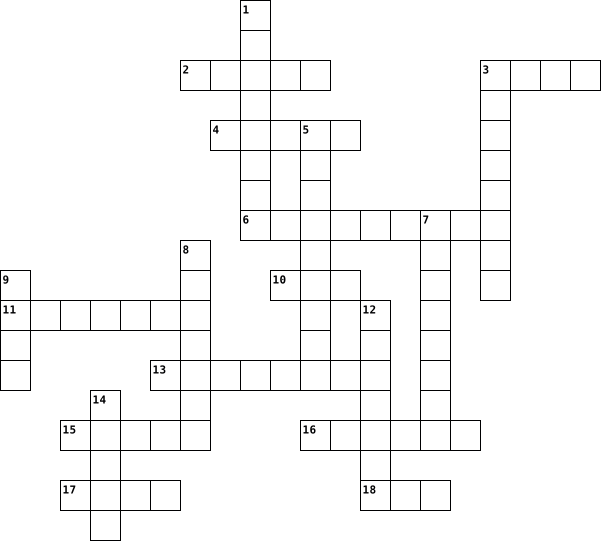
Across
- Card that displays images and texts on the screen
- Where is connected one input / output device on the rear panel?
- The button to turn on a computer
- Use less desk space than a mouse
- Universal Serial Bus
- Where the microphone is plugged in
- The port to go on the Internet
- The most common type of computer case
- The power cord is connected to the power ......
- The old input ports for keyboards and mouse
- Displays which don't use much desk space
Down
- Where the sound get out from a computer
- The port to connect the older printers
- The slots which allow you to upgrade your computer
- The computer which combines the monitor and case into a single unit
- To view anything on your computer
- Conteins the main components of the computer
- The type of drive which reads and writes CD or DVD
- Used to control the pointer on the screen
19 Clues: Universal Serial Bus • The port to go on the Internet • The button to turn on a computer • Use less desk space than a mouse • To view anything on your computer • Where the microphone is plugged in • The most common type of computer case • The port to connect the older printers • Where the sound get out from a computer • Displays which don't use much desk space • ...
On the outside of a desktop computer 2018-10-10

Across
- Universal Serial Bus
- Where is connected one input / output device on the rear panel?
- The slots which allow you to upgrade your computer
- Where the microphone is plugged in
- The most common type of computer case
- The computer which combines the monitor and case into a single unit
- The port to connect the older printers
- The button to turn on a computer
- Displays which don't use much desk space
Down
- Where the sound get out from a computer
- Used to control the pointer on the screen
- Use less desk space than a mouse
- Conteins the main components of the computer
- To view anything on your computer
- The port to go on the Internet
- Card that displays images and texts on the screen
- The power cord is connected to the power ......
- The type of drive which reads and writes CD or DVD
- The old input ports for keyboards and mouse
19 Clues: Universal Serial Bus • The port to go on the Internet • Use less desk space than a mouse • The button to turn on a computer • To view anything on your computer • Where the microphone is plugged in • The most common type of computer case • The port to connect the older printers • Where the sound get out from a computer • Displays which don't use much desk space • ...
Technology 2023-03-19
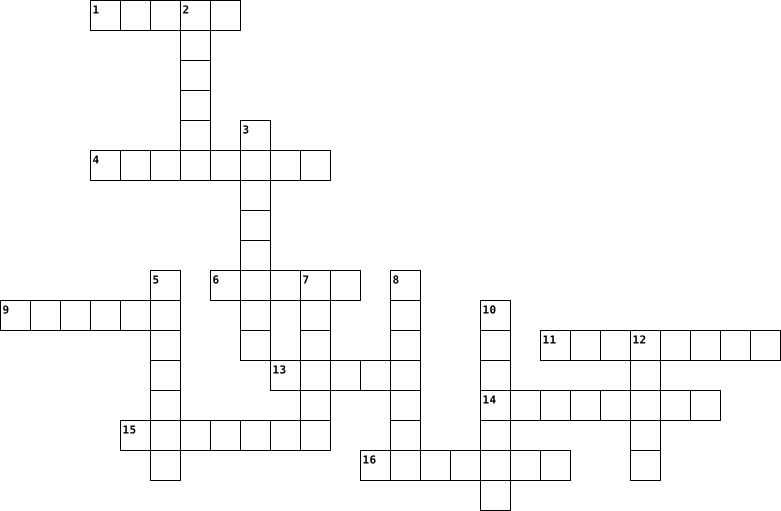
Across
- An animal or with computer.
- Take a file from internet and put on your computer (games, music)
- Hidden programe that can breake your computer
- Eg. a pendrive or cable, a file to an email
- Secret word or numbers to use computer or computer programe.
- Type login and password
- The programe you use to operate a computer.
- You type on it.
- Print documents.
Down
- You look on it. All computers, TVs or phones have it.
- Surf the Internet
- You use it to recharge your battery.
- Put a file from your computer on the Internet
- Scan documents.
- Online page containing information.
- Send to your friends
16 Clues: Scan documents. • You type on it. • Print documents. • Surf the Internet • Send to your friends • Type login and password • An animal or with computer. • Online page containing information. • You use it to recharge your battery. • Eg. a pendrive or cable, a file to an email • The programe you use to operate a computer. • Hidden programe that can breake your computer • ...
Technology 2023-03-19
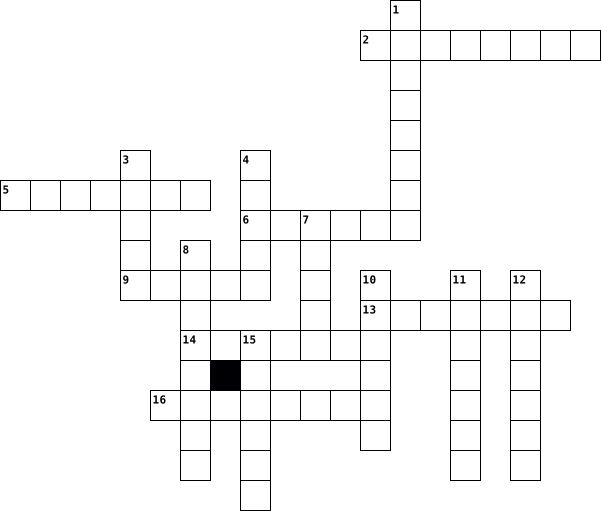
Across
- Surf the Internet
- Online page containing information.
- Put a file from your computer on the Internet
- Send to your friends
- You use it to recharge your battery.
- Scan documents.
- The programe you use to operate a computer.
Down
- Take a file from internet and put on your computer (games, music)
- Hidden programe that can breake your computer
- An animal or with computer.
- Type login and password
- Secret word or numbers to use computer or computer programe.
- You look on it. All computers, TVs or phones have it.
- Print documents.
- You type on it.
- Eg. a pendrive or cable, a file to an email
16 Clues: You type on it. • Scan documents. • Print documents. • Surf the Internet • Send to your friends • Type login and password • An animal or with computer. • Online page containing information. • You use it to recharge your battery. • Eg. a pendrive or cable, a file to an email • The programe you use to operate a computer. • Hidden programe that can breake your computer • ...
Peltier_Gourdin_Crossword_Computer_Definition 2017-03-30

Across
- A combined device for modulation and demodulation.
- A term used to describe the action of pressing a mouse button.
- In a computer display , the screen is the physical surface on which visual information is presented.
- Produce by a mechanical process involving the transfer of text or designs to paper.
- A panel of keys that operate a computer or typewriter.
- A diagram showing the relation between variable quantities.
- SERIAL BUS A standardized technology for attaching peripheral devices to a computer.
- Speakers are one of the most common output devices used with computer systems.
- A computer that is portable and suitable for use while travelling.
Down
- MENU It's a graphical control element formerly common to most file-handling computer programs.
- A drive that reads a compact disc and that is connected to an audio system.
- A small handheld device which is moved across a mat or flat surface to move the cursor on a computer screen.
- A device used for observing, checking, or keeping a continuous record of something.
- An electronic device which is capable of receiving information.
- In computing, data is information that has been translated into a form that is more convenient to move or process.
- A rigid non-removable magnetic disk with a large data storage capacity.
- When you delete a file or folder on a computer, it is stored in.
- It's the first Web page that is displayed after starting a Web.
- It's a software program created as a simplified means to present and explore content on the World Wide Web.
- It's a term that describes the process of digitizing an image, allowing it to be stored on or modified by a computer.
20 Clues: A combined device for modulation and demodulation. • A panel of keys that operate a computer or typewriter. • A diagram showing the relation between variable quantities. • A term used to describe the action of pressing a mouse button. • An electronic device which is capable of receiving information. • ...
Peltier_Gourdin_Crossword_Computer_Definition 2017-03-30

Across
- Produce by a mechanical process involving the transfer of text or designs to paper.
- A diagram showing the relation between variable quantities.
- A device used for observing, checking, or keeping a continuous record of something.
- Speakers are one of the most common output devices used with computer systems.
- An electronic device which is capable of receiving information.
- A small handheld device which is moved across a mat or flat surface to move the cursor on a computer screen.
- A drive that reads a compact disc and that is connected to an audio system.
- In a computer display , the screen is the physical surface on which visual information is presented.
- A rigid non-removable magnetic disk with a large data storage capacity.
- menu It's a graphical control element formerly common to most file-handling computer programs.
Down
- In computing, data is information that has been translated into a form that is more convenient to move or process.
- When you delete a file or folder on a computer, it is stored in.
- A computer that is portable and suitable for use while travelling.
- It's the first Web page that is displayed after starting a Web.
- A panel of keys that operate a computer or typewriter.
- It's a software program created as a simplified means to present and explore content on the World Wide Web.
- SERIAL BUS A standardized technology for attaching peripheral devices to a computer.
- A combined device for modulation and demodulation.
- It's a term that describes the process of digitizing an image, allowing it to be stored on or modified by a computer.
- A term used to describe the action of pressing a mouse button.
20 Clues: A combined device for modulation and demodulation. • A panel of keys that operate a computer or typewriter. • A diagram showing the relation between variable quantities. • A term used to describe the action of pressing a mouse button. • It's the first Web page that is displayed after starting a Web. • ...
GRADE 10 D TEST 1 2022-06-09

Across
- A................is an instruction that causes the computer to perform a particular action.
- A............ produces a hardcopy-physical copy-of text and graphics.
- printing enables you to print on both sides of a page thus saving on paper costs.
- A...............is an input device that contains keys (buttons) that the user presses to enter data and instructions into a computer
- A.................is the smallest unit of a digital image.
- A................ printer many functions
- The most commonly used operating system on a computer is any version of Microsoft...............
- ........................captures human-marked data from printed forms, such as surveys, test forms or questionnaires.
- A................. is a pointing device that fits under the palm of your hand.
- The process of starting or restarting a computer is called...............................
- A.............ink character recognition (MICR) reader reads the magnetic ink characters that are printed at the bottom of each cheque.
- You interact with the computer using a series of windows and clicking on.........., menus buttons (WIMP).
Down
- A well-designed user.............is essential for an operating system to be popular.
- A.............is a device that displays text, graphics and video, and is a visual window for the user.
- Hardware refers to the................components of a computer that you can see and touch.
- The operating system is responsible for managing......................
- A user............ is an instruction given by the user to a particular question displayed by the program.
- The.................Logic Unit performs arithmetic operations such as addition and subtraction.
- The....................system is the main software that controls all the operations that take place in a computer and manages the computer hardware.
- The BIOS performs the................to ensure that the computer hardware connected to the computer is correctly installed and is fully functional.
20 Clues: A................ printer many functions • A.................is the smallest unit of a digital image. • A............ produces a hardcopy-physical copy-of text and graphics. • The operating system is responsible for managing...................... • A................. is a pointing device that fits under the palm of your hand. • ...
GRADE 10 D QUIZ 1 2022-06-09

Across
- The process of starting or restarting a computer is called...............................
- A............ produces a hardcopy-physical copy-of text and graphics.
- A................. is a pointing device that fits under the palm of your hand.
- A................ printer many functions
- Hardware refers to the................components of a computer that you can see and touch.
- A user............ is an instruction given by the user to a particular question displayed by the program.
- A...............is an input device that contains keys (buttons) that the user presses to enter data and instructions into a computer
- The.................Logic Unit performs arithmetic operations such as addition and subtraction.
Down
- A.............ink character recognition (MICR) reader reads the magnetic ink characters that are printed at the bottom of each cheque.
- The most commonly used operating system on a computer is any version of Microsoft...............
- ........................captures human-marked data from printed forms, such as surveys, test forms or questionnaires.
- The....................system is the main software that controls all the operations that take place in a computer and manages the computer hardware.
- The BIOS performs the................to ensure that the computer hardware connected to the computer is correctly installed and is fully functional.
- A.............is a device that displays text, graphics and video, and is a visual window for the user.
- .......................printing enables you to print on both sides of a page thus saving on paper costs.
- You interact with the computer using a series of windows and clicking on.........., menus buttons (WIMP).
- A.................is the smallest unit of a digital image.
- A well-designed user.............is essential for an operating system to be popular.
- The operating system is responsible for managing......................
- A................is an instruction that causes the computer to perform a particular action.
20 Clues: A................ printer many functions • A.................is the smallest unit of a digital image. • A............ produces a hardcopy-physical copy-of text and graphics. • The operating system is responsible for managing...................... • A................. is a pointing device that fits under the palm of your hand. • ...
The Digital Age 2026-02-10

Across
- - A nefarious individual or firm that tries to gain unauthorised access to a digital device or to your's or a companies personal data
- - A control device for a computer
- - A piece of hardware that can store data
- - A computer that is used on the go and is portable.
- - This piece of computer hardware stores data that can be accessed quickly in applications like games.
- - Software from which all other applications are run from
- - Physical equipment used in a digital device
- - The brains of the computer
- Device used to communicate on the go and access the internet
- - a Microsoft programme that helps produce mathematical spreadsheets.
- - The name given to the sides, bottom and top of a given document.
- - The name given to the images displayed on a PC monitor
- - Microsoft Word supports this type of file
Down
- - An input device for a computer
- - Applications often used on mobile phones that are used to communicate with others
- - An example of a web browser
- - A way to store methods of payment online
- - Click on me
- - A display
- - Software used to protect a digital device
- - The piece of hardware in an equipment in a computer where the computer draws power from.
- - Computer programmes used in a digital device
- - The device that all other internal hardware in a computer have a connection to
- - A way to highlight text to make the text look thicker than normal
- - A computer that usually stays in one place inside a building
- - The act of entering data into a digital device with your fingers
- - A programme that helps create presentations.
27 Clues: - A display • - Click on me • - The brains of the computer • - An example of a web browser • - An input device for a computer • - A control device for a computer • - A piece of hardware that can store data • - A way to store methods of payment online • - Software used to protect a digital device • - Microsoft Word supports this type of file • ...
Computer Vocab-Liz 2014-02-10

Across
- a term used to describe services over a network by a collection of servers
- a software program that allows a person to explore the internet
- biggest network in the world
- is an internet or other network server that helps to point domain names or the hostname to their associated IP address
- is a hardware device that allows a computer to perform an additional function,but is not something a computer needs in order to work.
- is the process of powering on a computer and getting into the operating system
- is best described as a device that is physically connected to the computer.
- is a printed circuit board that is the foundation of a computer and allows the CPU,RAM and all other hardware components to function and communicate with each other
- is a type of “ built-in” memory that is capable of holding of holding data and having that data read from the chip, but not written to.
- Is a chip located on all motherboards that contain instructions and setup for how your system should boot and how it operates
- is a computer storage location that allows info to be stored and accessed quickly from random locations within DRAM on a memory module
- is a collection of instructions that enable a user to interact with the computer or have the computer perform specific tasks for them.
- is a high speed access area that can be either a reserved section of main memory or a storage device
- term used to describe a program that can be freely modified by anyone, allowing users to make the program perform the way they need it to operate or perform
- short for internet service provider, is a company that provides internet access to users or subscribers of its service
Down
- is a computer that retrieves info from or uses resources provided by a server or main computer.
- is a software program that enables the computer hardware to communicate and operate with the computer software.
- is what computer,operating system,or program has set for the user based off what it believes is the best option,If the user wants a different setting, the default can be changed to a user setting
- is an external bus standard that supports data transfer rates of 12Mbps and is capable of supporting up to 127 peripheral devices
- a computer connected to a network that other computers may or may not access
- is the computer’s main storage media device that permanently stores all data on the computer
- 8 bits
- is a base 2 8- bit number system represented by the numerical values of 0 or 1, also known as OFF or ON
- a collection of computers, servers, mainframes, network devices, peripherals, or various other devices connected to one another allowing for data to be shared and used.
- is an address of a computer or other network device on a network
- or called a desktop computer, is a system of organization of icons on a screen.
- a message given to a web browser by a web server
- short for Uniform Resource locator and is a standardized naming convention for addressing documents accessible over the internet
- (or is known as the computer’s brain) is responsible for handling all instructions it receives hardware and software running on the computer.
29 Clues: 8 bits • biggest network in the world • a message given to a web browser by a web server • a software program that allows a person to explore the internet • is an address of a computer or other network device on a network • a term used to describe services over a network by a collection of servers • ...
FITEVocab.cg 2013-05-16

Across
- you search for information on it, google is a _____
- provider of internet
- the display for the computer, a moniter
- things like safari, ical, and garageband
- where you plug in earbuds/headphones
- a printer, keyboard
- the processing unit in your computer
- a small booklet promoting a business
- short term memory
- plug this in and you have more ports
- a port in which you can plug in a wired internet
- an uneditable file
- mac OSX is an _______, plural
- what a document or webpage looks like
- the display on your computer
- how compatible something is with your computer
- online storage center; google docs stores info in the ____
- the main storage center in your computer
- a phone, ipad, ipod touch etc
- a part of the computer, without it, you don't have a working computer
- also known as a tower
Down
- where you plug in your flashdrive
- how secure you are online, like installing antivirus
- a green or purple plug on the back of a computer
- we used this early in the year instead of powerpoint
- internet that is not wired, the first part of wifi
- an alliance dedicated to protecting people online
- the smallest storage unit
- an application for a job
- wireless internet
- blank document
- your "pointer" for the computer
- differs from regular search engine by searching multiple search engine, dogpile is a ____
- a drive for cd's or disks
- what the president take to be sworn in as president
- what you ask yourself when someone contacts you online
- how you act and behave on anything online
- allows the user to interact with the computer, not hardware but____
- how safe you are online
- promoting a business through billboards, tv commercials etc
- means online
- what is downstairs to control our computers
- acronym MB
- one bigger than bit
- the process of the computer starting up
45 Clues: acronym MB • means online • blank document • wireless internet • short term memory • an uneditable file • a printer, keyboard • one bigger than bit • provider of internet • also known as a tower • how safe you are online • an application for a job • the smallest storage unit • a drive for cd's or disks • the display on your computer • mac OSX is an _______, plural • a phone, ipad, ipod touch etc • ...
IC3 - Unit 1 - Hardware 2017-02-10

Across
- Memory that can be changed.
- Memory that cannot be changed.
- Speed rating of a CPU.
- Transformation of input data and acting on those data.
- Processing device designed to meet the needs of an individual user, whether in the home, a business, or a school.
- Where data are kept by the computer so the information can be viewed, played, or otherwise used.
- Type your name in this location to prove you completed the puzzle
- Data provided to the user.
- Measurement of the speed of mainframes.
- the use of a small program to get the computer running and the OS loaded.
- Connects all of the hardware in the computer.
- Industry standard for communication between devices and the computer.
- Physical components of the computer.
- Temporarily holds data that are being processed and handles all arithmetic operations such as addition and subtraction.
Down
- Device that fetches coded instructions, decodes them, and then runs or executes them.
- Has processing power that can handle complex jobs beyond the scope of other computer systems.
- Part of the computer that stores information for immediate processing.
- Attached device that is not critical to computer operation.
- Computer with its attached devices.
- Measurement of the speed of supercomputers.
- Software that manages all of the devices, as well as locates and provides instructions to the CPU.
- Function that translates data from the human world into computer data.
- Provides centralized storage, processing, and overall management of large amounts of data.
- Point of interface between the motherboard and external device.
- Device that makes it possible for the user to provide communication to the computer.
- Fetches each instruction from the list directed by the program being run.
- Stores data and responds when requested by other computers in the network.
- Circuitry and software that hold instructions for initializing the hardware and loading the main OS.
28 Clues: Speed rating of a CPU. • Data provided to the user. • Memory that can be changed. • Memory that cannot be changed. • Computer with its attached devices. • Physical components of the computer. • Measurement of the speed of mainframes. • Measurement of the speed of supercomputers. • Connects all of the hardware in the computer. • ...
Computers 2018-11-30

Across
- To communicate with instant messages
- To reproduce an object on paper
- The highest level or value of something
- Powerful computer for processing difficult task
- Portable computer with flat touch screen
- Device that is used to track hand movements and make selections on a computer screen
- Central circuit board of a computer
- Mistake when typing
- Computer part that allows programs to be interpreted and run
- Measures the density of pixels contained in an image
- Pigmented liquid that is used in inkjet printers
- Mobile computer for use in many places
- To write data from a computer onto a disk
- Measure of the density of dots used to print a digital image or text
- The image on a mnitor screen
- Go above a predetermined limit
- Program for accessing and creating email using the web
- An icon on a comuter screen that can be used to access related files
- To connect devices with in order to transfer info from one to the other
Down
- The outer protective enclosure that contains computer parts
- Press the mouse button
- Electronic instrument for storing and operating data
- To include a downloadable document or file in an email
- Process of reducing the size of digital photos
- The sharpness or definition of a display, measured in pixels
- Unwanted email
- Send an email in response to an email you have received
- Outlet on a computer that allows it to commununicate with other devices by means of a plug or cable
- The ability to make and receive phone calls
- Powdered ink that is used in laser printers
- Measure of how fast a printer is
- Device that holds ink or toner
- Service or company that provides a chat program
- Location where emails are received
- Part of a computer used for storage of data or program instructions
- To encode a document, image or object and reproduce it digitally
36 Clues: Unwanted email • Mistake when typing • Press the mouse button • The image on a mnitor screen • Device that holds ink or toner • Go above a predetermined limit • To reproduce an object on paper • Measure of how fast a printer is • Location where emails are received • Central circuit board of a computer • To communicate with instant messages • Mobile computer for use in many places • ...
vocab 4 2023-11-01

Across
- a set of computer visuals (slides) that you design and produce to deliver a message to an audience.
- a piece of software that enhances or “extends” the capabilities of a programming language or other applications
- an act of saving data to a storage location, usually the hard drive.
- the virtual location for applications, documents, data or other sub-folders
- a long thin section at the edge of a computer display by which material can be scrolled using a mouse.
- a computer file containing information input by a computer user and usually created with an application
- a movable indicator on a computer screen identifying the point that will be affected by input from the user, for example showing where typed text will be inserted.
- windows that display rows of controls with which users can select options, execute commands, or obtain program information.
- a separate viewing area on a computer display screen in a system that allows multiple viewing areas as part of a graphical user interface ( GUI ).
- an element of an operating system located at the bottom of the screen
Down
- a computer suitable for use at an ordinary desk.
- a keyboard command that activates some function
- a set of options presented to the user of a computer application to help them find information or execute a function
- a collection of data stored in one unit
- computer program that represents information in a two-dimensional grid of data, along with formulas that relate the data
- the act of selecting something on a computer screen by quickly pressing a button on a mouse or some other device two times
- a small graphical representation of a program or file
- the act of pressing a computer mouse button once without moving the mouse
- start up
- moving the selected item across the screen
20 Clues: start up • a collection of data stored in one unit • moving the selected item across the screen • a keyboard command that activates some function • a computer suitable for use at an ordinary desk. • a small graphical representation of a program or file • an act of saving data to a storage location, usually the hard drive. • ...
hjj 2023-01-11

Across
- Well-defined rules that define how pages are formatted.
- Allows the user to communicate with the computer by entering commands and then viewing the results.
- The ‘brains’ of a computer. It carries out programmatic steps in order to process data.
- Portable secondary memory that connects to a computer using a standard USB interface.
- Represents a connection to another page and is usually displayed on a Web page as underlined, colored text.
- Memory packaged on separate chips and communicated with the CPU using lower-speed circuitry.
- A collection of programs that controls how the CPU, memory, and input/output devices work together to execute programs.
- The programs that execute on the computer, carrying out tasks such as word processing or accessing the Web.
- Uses intuitive, visual elements to simplify the process of viewing files and executing programs.
- Accesses a Web page, interprets the HTML formatting information, and displays that formatted page accordingly.
Down
- A collection of software that spans the internet. It enables the interlinking of documents and resources.
- Represent separate work spaces that can be active at the same time, displaying files or executing programs.
- Holds together and allows communication between many of the crucial components of a computer, including the CPU, memory, and connectors for input and output devices.
- The unit of measurement for computer memory (8 bits).
- Manages the resources and behavior of the computer itself.
- A worldwide system of computer networks, otherwise known as the physical connection of computers.
- A device that receives, stores, and processes information.
- Uses high-speed circuitry and is usually built into the CPU.
- The physical components of the computer, such as the monitor, keyboard, and hard drive.
- An Internet-enabled computer that executes software for providing access to certain Web documents.
- Collections of wires that carry information in the form of electrical signals.
21 Clues: The unit of measurement for computer memory (8 bits). • Well-defined rules that define how pages are formatted. • Manages the resources and behavior of the computer itself. • A device that receives, stores, and processes information. • Uses high-speed circuitry and is usually built into the CPU. • ...
Abraar Ahmed- Crossword- 3rd period 2016-10-24

Across
- A system for connecting a number of computer systems to form a local area network.
- is the attempt to obtain sensitive information such as usernames, passwords, and card details.
- A place where work gets done. It refers to a computer that has been configured to perform a certain set of tasks
- Appropriate, responsible behavior when using technology
- A set of computer programs designed to permit the user to perform a group of coordinated functions, tasks, or activities. Examples include Microsoft Office, Excel, and Outlook.
- networking hardware device that allows a Wi-Fi compliant device to connect to a wired network.
- storing and accessing data and programs over the Internet instead of your computer's hard drive.
- A type of computer program that is designed to run a computer’s hardware and application programs.
- Common connection point for devices in a network.
Down
- A type of free software supported by advertisements that show up in pop-up windows or on a toolbar on your computer or browser.
- A network of computers configured to allow certain files and folders to be shared with everyone or with selected users.
- A piece of code that is capable of copying itself and typically has a harmful effect, such as destroying data.
- A computer that is portable and suitable for use while traveling.
- anything that has the potential to cause serious harm to a computer system.
- The study or use or systems for storing, retrieving, and sending information.
- a message that can be used to convince an end-user to reveal sensitive information about themselves or internal computer systems.
- A network switch is a computer that connects devices together on a computer network.
- A very small preview of a video or anything else.
- Device that forwards data packets between computer networks.
- A cellular phone that performs many of a computer’s tasks.
20 Clues: A very small preview of a video or anything else. • Common connection point for devices in a network. • Appropriate, responsible behavior when using technology • A cellular phone that performs many of a computer’s tasks. • Device that forwards data packets between computer networks. • A computer that is portable and suitable for use while traveling. • ...
Unit 2 Computer 2012-10-02

Across
- Computer Designed for 1 task (ie a digital camera or a gaming console; ipod)
- A hard drive is considered to be this typer of storage
- Storage Memory that deals with the workings of a computer such as video RAM
- The ability to digitize any body (ANY ONE) to make them do something (Lots of questions arise over this)
- Boot Restart but still has electricity; computer is still on
- Items stored on a digital electronic devices including numbers (values), letters, sounds, music or graphics
- Boot Restart but computer is turned off
- Maintaing data within the system on a temporary or permanent basis
- Helps start your computer but is dependent on its battery
- converting or changing data into useful outputs
- to start your computer
- A group of integrated circuits that work together to perform the processing in a computer system
Down
- Pathway that electronically joins chips together for data to travel on
- Electronic instructions that govern the way the computer works
- The format in which data is stored
- Refers to the tangible components of a computer system or digital device
- Can be used for multiple things (Smartphone; itouch; laptop; desktop)
- The primary circuit board of a computing device
- A small computer built on a chip that is built into something else
- Converting non-digital information such as things you experience with your senses- written work, smells, music, speech, artwork- into 1's and 0's
- When the bites and bytes are processed to format that is useful to people- statistics, web searches, music, photos on a display
- Capturing and gathering raw data
- Chip that has instructions that start your pc which cannot be changed
- Type of Memory that is temporary
- Producing the results of the procession in a manner that is discernible to human senses or used as input into another source
- A digital electronic device that supports four activities
- Comprises the electronic instructions that govern the system's functioning
27 Clues: to start your computer • Capturing and gathering raw data • Type of Memory that is temporary • The format in which data is stored • Boot Restart but computer is turned off • The primary circuit board of a computing device • converting or changing data into useful outputs • A hard drive is considered to be this typer of storage • ...
Bens Computer items 2022-04-27

Across
- is a type of display adapter or video card installed within most computing devices to display graphical data with high clarity, color, definition and overall appearance.
- a type of malicious software, or malware, that spreads between computers and causes damage to data and software
- the legal right of the owner of intellectual property.
- The center piece of a computer
- a series of interconnected nodes that can transmit, receive and exchange data, voice and video traffic.
- short term memory where data is stored as the processor needs it
- one of a small set of data holding places that are part of the computer processor.
- the protection of computer systems and information from harm, theft, and unauthorized use.
- an image that shows the contents of a computer display.
- a device that accepts text and graphic output from a computer and transfers the information to paper.
- information that has been translated into a form that is efficient for movement or processing.
- a small, movable device that lets you control a range of things on a computer.
Down
- program that manages a computer's resources, especially the allocation of those resources among other programs.
- what a CPU is measured in
- is the hardware component that stores all of your digital content.
- is the backbone that ties the computer's components together at one spot and allows them to talk to each other
- an output hardware device that connects to a computer to generate sound.
- a vocabulary and set of grammatical rules for instructing a computer.
- a common technique used in a computer's operating system.
- A display screen that provides visual output from a computer, cable box, camera or other video-generating device.
- the entire set of programs, procedures, and routines associated with the operation of a computer system.
- the physical components that a computer system requires to function.
22 Clues: what a CPU is measured in • The center piece of a computer • the legal right of the owner of intellectual property. • an image that shows the contents of a computer display. • a common technique used in a computer's operating system. • short term memory where data is stored as the processor needs it • ...
Vakentina 2022-10-18

Across
- cache is any cache memory that is not built into a CPU chip.
- Controls the movement of a cursor, or pointer on a display screen
- They are devices that allow the computer to transmit data by converting digital signals to analog signals etc. They can also be connected internally.
- Are devices connected to computers that can take pictures at defined time intervals
- pulls power from your wall outlet and distribute it throughout your PC.
- can be added.
- displays information in pictorial or text form.
- Is a device that prints text and graphics on paper.
- contains chips that add new features to a computer. Ex, a graphics card or sound card gives the computer the ability to input and output video and audio signals.
- are a set of files that instructs a piece of hardware how to function by communicating with a computer’s operating system they are to interface and interact with specific devices
- slot provides additional features to a computer such as video, sound, advanced graphics, Ethernet, or memory. The more expansion slots a computer has the more expansion
Down
- Consists of letters, numbers, special characters, functions, and control keys that enable users to enter data into a computer.
- allows a computer to start up or regenerate each time it is turned on.
- It's the circuit board that connects all of your hardware to your processor
- These are devices that allow output sound from a computer.
- Can be used to input sound to a computer for voice recordings and for having conversations over the internet.
- These are devices that look and work much like photocopiers.
- provides the instructions and processing power the computer needs to do its work.
- drive It is where all your permanent computer data is stored
- to store the short-term data that a PC requires to operate properly.
- cache. lets you access some information more quickly than if you access it from your computer's main hard drive.
21 Clues: can be added. • displays information in pictorial or text form. • Is a device that prints text and graphics on paper. • These are devices that allow output sound from a computer. • cache is any cache memory that is not built into a CPU chip. • These are devices that look and work much like photocopiers. • drive It is where all your permanent computer data is stored • ...
easy crosssword. 2023-09-07
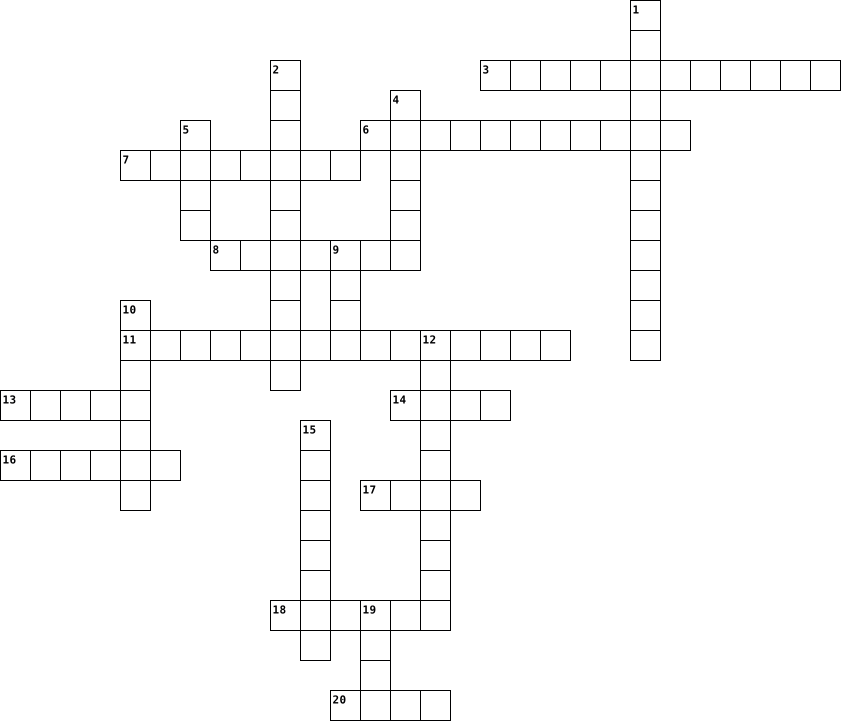
Across
- .quickly pressing a mouse button twice while keeping it still .
- .a key on a computer keyboard that when pressed in combination with other keys enables special commands or symbols to be accessed .
- .a computer file containing information input by a computer user and usually created with an application .
- .the access point for programs displayed on the desktop, even if the program is minimized .
- .short for “executable.” .
- .the act of pressing a computer mouse button once without moving the mouse .
- .to point to an object on the screen .
- .a collection of programs known as an operating system (OS) that controls a PC (personal computer) .
- .a container in a computer system for storing information .
- .a visible and moving pointer that the user controls with a mouse, touchpad or similar input device such as get on things and click on things .
- .a set of options presented to the user of a computer application to help them find information or execute a function .
Down
- .a software package used to display information in the form of a slide show .
- .a computer program that can capture, display and manipulate data arranged in rows and columns .
- .an area on the computer containing other folders and files and helps keep the computer organized .
- .a small graphical representation of a program or file .
- .to load an operating system (OS) into the computer's main memory or RAM .
- .a computer display area that represents the kinds of objects found on top of a physical desk .
- .a long thin box along one edge of a window, which you click on with the mouse to move the text up, down, or across the window .
- .an abbreviated form of a keyboard shortcut .
- .writing data to a storage medium, such as a floppy disk, CD-R, USB flash drive, or hard drive .
20 Clues: .short for “executable.” . • .to point to an object on the screen . • .an abbreviated form of a keyboard shortcut . • .a small graphical representation of a program or file . • .a container in a computer system for storing information . • .quickly pressing a mouse button twice while keeping it still . • ...
Tech terms 2023-11-30

Across
- operational support system
- central processing unit
- Portable document format
- 1,0
- a unit of information equal to 220
- crome and Firefox
- A SECURITY THAT MONITORS INCOMING AND OUTGOING NETWORK
- A _______ is where the computer stores everything
- Something you take from somewhere else and put on your own device.
- the process of converting information or data into a code
- You can feel this
- A file or code
- a printed circuit board containing the principal components of a computer or other device
- Hyper text markup language
- Personal Identifiable Information
- Data that a website stores for later
- an interface between a computer user and computer hardware.
- the gulf between those who have ready access to computers and the internet
- the traditional technology for connecting devices in a wired local area network or wide area network
- Domain Name System
- What are the four things a computer does? store it, process it, output, and...
- a unique string of characters that identifies each computer using the Internet Protocol to communicate over a network.
- a person or thing that provides a service or commodity.blog a regularly updated website or web page
Down
- Speaker or printer
- 11100110
- a work or invention that is the result of creativity
- A device the connects two or more packet switched networks
- google and bing
- a network device that both modulates and demodulates analog carrier signals
- keyboards or mouse
- Read-only memory
- What are two ways to back up your computer? store files or...
- the computer-generated simulation of a three-dimensional image or environment that can be interacted with in a seemingly real or physical way by a person using special electronic equipment
- To reload a computer
- Language a computer uses
- An address to a resource on a computer.
- random-access memory
37 Clues: 1,0 • 11100110 • A file or code • google and bing • Read-only memory • crome and Firefox • You can feel this • Speaker or printer • keyboards or mouse • Domain Name System • To reload a computer • random-access memory • central processing unit • Portable document format • Language a computer uses • operational support system • Hyper text markup language • Personal Identifiable Information • ...
Digi Tech 2019-03-07

Across
- A computer system resources especially storage and computer available on demand without direct active management by the user
- Users interface that allows users to interact with electronic devices through graphical icons
- the part of a computer in which data or program instructions can be stored for retrieval
- A computer device that can help show several sites
- To produce lines and marks on a piece of paper or on an electronic device
- A boundary across which two independent systems meet and communicate with each other
- A device for examining, reading or monitoring something
- Any external device that provides input and output for the computer
- hardware device that allows information be stored and retrieved on a computer
- They receive audio input from computers sound card and produce audio output in the form of sound waves
- A hardware device much like a printer used for printing graphics
- a series of coded software instructions to control the operation of a computer or other machines
Down
- A self contained piece of information available information available to the operating system
- A combined device for modulation and demodulation
- A person who utilizes a computer or network service
- A flat panel or an area on an electronic device
- A group of interconnected websites
- A place where power or information leaves a system ‘
- A visual art or computer graphics
- A device that can read and store information
- to accomplish a workflow or function
- a primary input device used with a computer
- Involving or relating to the use of computer technology
- A place where energy information enters a system
- To record a sound
- A machine for printing texts or pictures
- A way to organise files
- Is a group of either 8,16,32 or 64 bits
- it is the building bock of all pieces of data
29 Clues: To record a sound • A way to organise files • A visual art or computer graphics • A group of interconnected websites • to accomplish a workflow or function • Is a group of either 8,16,32 or 64 bits • A machine for printing texts or pictures • a primary input device used with a computer • A device that can read and store information • ...
CROSSWORD 2023-07-24

Across
- WordPad, Which is the default word processor for Microsoft Windows?
- Which is known as a ‘point-and-draw’ device.
- Pop3, Which protocol is used to receive email?
- Doom, The world’s fastest spreading computer virus.
- Microsystems, The company that developed the Java programming language.
- Con, A folder in a Windows computer can’t be made with a name_______.
- _________ supercomputer is the world’s fastest computer.
- Which was the first computer virus ever developed?
- piracy, What is the term used for copying a computer program without taking permission from its writer?
- 32, An IP address is a _____ bit number.
- Malware, In the computer world, Trojan refers to _______.
- Windows, The most common operating system.
- The term used for unwanted emails.
- If you need to copy the contents of MS Word, which command will you give?
Down
- Program Design Language (PDL) is also known as _________.
- What is the name of Elon Musk's aerospace company?
- Which project was launched to improve rural connectivity in backward areas?
- The Primary file name (and file extension) is separated by a _____________.
- Resource Locator, The acronym “URL” stands for?
- Cell, The basic unit of Excel spreadsheet where data is entered is________.
- identify this logo.
- IBM, Computer hard disk was first introduced by?
- Lovelace, The first lady computer programmer.
- Nadella, The current CEO of Microsoft.
- Binary, A computer uses which type of number system to calculate and store data?
- Assembler, Which computer program converts assembly language to machine language?
- Identify this logo.
- Google originated from the mathematics phrase “________”, which denotes “one followed by 100 zeros”.
- Second generation computer was ____________based.
- The _______ keyboard is the most widely used modern keyboard_________ layout.
30 Clues: identify this logo. • Identify this logo. • The term used for unwanted emails. • Nadella, The current CEO of Microsoft. • 32, An IP address is a _____ bit number. • Windows, The most common operating system. • Which is known as a ‘point-and-draw’ device. • Lovelace, The first lady computer programmer. • Pop3, Which protocol is used to receive email? • ...
TYPES OF COMPUTER 2022-12-12

Across
- A lightweight mobile computer that has a touch screen.
- A mobile computing device designed for single-player or multiplayer video games.
- A mobile device that allows users to take photos and store the photographed images digitally.
- An example of product that has a special-purpose computer that functions as a component.
- A computer that can perform all of its input, processing, output, and storage activities by itself and is intended to be used by one person at a time.
- A computer dedicated to providing one or more services to other computers or devices on a network.
- A type of server.
- A ____ is an Internet-capable phone that usually also includes a calendar, an appointment book, an address book, a calculator, a notepad, games, browser, and numerous other apps.
- An environment of servers that house and provide access to resources users access through the Internet known as ____.
- A personal computer designed to be in a stationary location, where all of its components fit on or under a desk or table.
- Used primarily for reading e-books and other digital publications.
Down
- A freestanding terminal that usually has a touch screen for user interaction.
- Sometimes called a personal media player, is a mobile device on which you can store, organize, and play or view digital media.
- A computer which is small enough to fit in one hand.
- A terminal that looks like a desktop but has limited capabilities and components.
- An example of game controller.
- A self-service banking terminal that connects to a host computer through a network
- A computer, usually with limited processing power, that enables users to send data to and/or receive information from a server, or host computer.
- Also known as notebook computer
- The fastest, most powerful computer and the most expensive.
20 Clues: A type of server. • An example of game controller. • Also known as notebook computer • A computer which is small enough to fit in one hand. • A lightweight mobile computer that has a touch screen. • The fastest, most powerful computer and the most expensive. • Used primarily for reading e-books and other digital publications. • ...
different terms and keywords on: software types, drivers and devices, the different applications 2023-11-14

Across
- Software designed to run on mobile devices.
- Software that provides a platform for other software to run on.
- Storage devices connected externally to a computer.
- a piece of computer software or hardware that restricts the data that is allowed to flow through.
- enables communication between the operating system and network hardware
- embedded in hardware devices, providing low-level control.
- application that is use for creating, editing, and viewing Portable Document Format files
- drivers that are simple applications that both Windows and Linux may utilize.
- Applications for creating, managing, and analyzing data in tabular form.
- set of files that tells a piece of hardware how to function
- Software whose source code is freely available to the public.
- Software that is part of a larger system and is dedicated to a specific function.
- drivers that provide unstructured access to the hardware.
- designed to help analyze, configure, optimize, or maintain a computer.
Down
- These are utilities for optimizing and maintaining system performance
- software that secretly monitors computer activity
- devices connected to a computer to provide additional functionality
- drivers that provide structured access to the hardware.
- Software that acts as a bridge between different software applications.
- facilitates communication between the operating system and audio hardware.
- A small text file sent to your computer by a web site you have visited
- a more permanent store that holds files even when the computer is switched off.
- System that manages and provides services for computer programs.
- Programs designed for end-users to perform specific tasks.
- detect, prevent, and remove malicious software.
- driver that enables communication between the operating system and graphics hardware.
- connects two or more packet-switched networks or subnetworks
- a computer hardware device that converts data from a digital format into a format suitable for an analog transmission
- Devices that display or present data processed by a computer.
- the most fundamental driver on a computer.
30 Clues: the most fundamental driver on a computer. • Software designed to run on mobile devices. • detect, prevent, and remove malicious software. • software that secretly monitors computer activity • Storage devices connected externally to a computer. • drivers that provide structured access to the hardware. • drivers that provide unstructured access to the hardware. • ...
Computer Basics 2024-08-25

Across
- Any part of your computer that has a physical structure
- A desktop computer that comes with the internal components built into the monitor, which eliminates the need for a separate case.
- An important tool for communicating with computers. Known as a pointing device, it lets you point to objects on the screen, click on them, and move them.
- Specialized computer, that are designed to be worn throughout the day.
- Any set of instructions that tells the hardware what to do and how to do it.
- A computer that serves up information to other computers on a network.
Down
- An electronic device that manipulates information, or data. It has the ability to store, retrieve, and process data.
- A specialized type of computer that is used for playing video games on your TV.
- Designed to be placed on a desk, and they're typically made up of a few different parts, including the computer case, monitor, keyboard, and mouse.
- The metal and plastic box that contains the main components of the computer, including the motherboard, central processing unit (CPU), and power supply.
- Handheld computers that are even more portable than laptops with a touch-sensitive screen for typing and navigation.
- A computer case that is tall and sits next to the monitor or on the floor.
- A screen that works with a video card, located inside to display images and text on the screen.
- One of the main ways to communicate with a computer using keys and allows us to accomplish some basic tasks.
- Battery-powered computers that are more portable than desktops, allowing you to use them almost anywhere.
- A computer case that lies flat on a desk and the monitor usually sits on top of it.
- A specialized computer that includes applications that let us access various types of online content.
- Specialized computer that can do a lot of things with data, includes browsing internet, playing games, sending emails and making video calls.
18 Clues: Any part of your computer that has a physical structure • Specialized computer, that are designed to be worn throughout the day. • A computer that serves up information to other computers on a network. • A computer case that is tall and sits next to the monitor or on the floor. • Any set of instructions that tells the hardware what to do and how to do it. • ...
Lesson 24 Vocab 2016-04-20

Across
- a computer that used the services of another program
- a variation of a LAN that uses no physical wires
- Link from one computer to another through which data can be transmitted
- provides for the transfer of information to a computer at high speed
- a server that acts as an intermediary between a user and the internet
- the worlds collection of interconnected commercial and gov owned voice oriented sys
- high-ended programs designed to provide network control
- a type of fiber optic telephone that can transmit up to 1.544 megabits per second
- Communications hardware device that facilitates the transmission of data
- computer configuration in which one or more computers on the network acts as a server
- a network designed for the exclusive use of computer users within an organization that cannot be accessed by other users outside the organization
- expert computer user who invades someone else's computer either for personal gain or simply for the satisfaction of being able to do it
Down
- a device that uses coaxial cable to send and receive data
- ISP that provides connection speeds more than 30 times faster than dial up connections
- a device on the network
- a computer that handles requests for data
- networks are all equal and no computer designated as the server
- computer network that covers a large geographical area, made up of several connected LANs
- A junction where info arrives from connected computer for peripheral devices
- a network configuration that allows selected outside organizations to access internal info sys.
- a series of connected personal computers
- a combination of hardware and software that creates a buffer between an internal network and the internet to prevent unauthorized access
- the largest network used as a communication tool
- wireless technology that can deliver maximum speeds of up to 7 Mbps to your cell phone
24 Clues: a device on the network • a series of connected personal computers • a computer that handles requests for data • a variation of a LAN that uses no physical wires • the largest network used as a communication tool • a computer that used the services of another program • high-ended programs designed to provide network control • ...
Valentina 2022-10-18

Across
- provides additional features to a computer such as video, sound, advanced graphics, Ethernet, or memory. The more expansion slots a computer has the more expansion
- displays information in pictorial or text form.
- is to store the short-term data that a PC requires to operate properly.
- is where all your permanent computer data is stored
- provides the instructions and processing power the computer needs to do its work.
- These are devices that allow output sound from a computer.
- allows a computer to start up or regenerate each time it is turned on.
- can be added.
- Is a device that prints text and graphics on paper.
- is any cache memory that is not built into a CPU chip.
Down
- Consists of letters, numbers, special characters, functions, and control keys that enable users to enter data into a computer.
- contains chips that add new features to a computer. Ex, a graphics card or sound card gives the computer the ability to input and output video and audio signals.
- Are devices connected to computers that can take pictures at defined time intervals
- pulls power from your wall outlet and distribute it throughout your PC.
- It's the circuit board that connects all of your hardware to your processor
- They are devices that allow the computer to transmit data by converting digital signals to analog signals etc. They can also be connected internally.
- Controls the movement of a cursor, or pointer on a display screen
- are a set of files that instructs a piece of hardware how to function by communicating with a computer’s operating system they are to interface and interact with specific devices
- lets you access some information more quickly than if you access it from your computer's main hard drive.
- Can be used to input sound to a computer for voice recordings and for having conversations over the internet.
- These are devices that look and work much like photocopiers.
21 Clues: can be added. • displays information in pictorial or text form. • is where all your permanent computer data is stored • Is a device that prints text and graphics on paper. • is any cache memory that is not built into a CPU chip. • These are devices that allow output sound from a computer. • These are devices that look and work much like photocopiers. • ...