
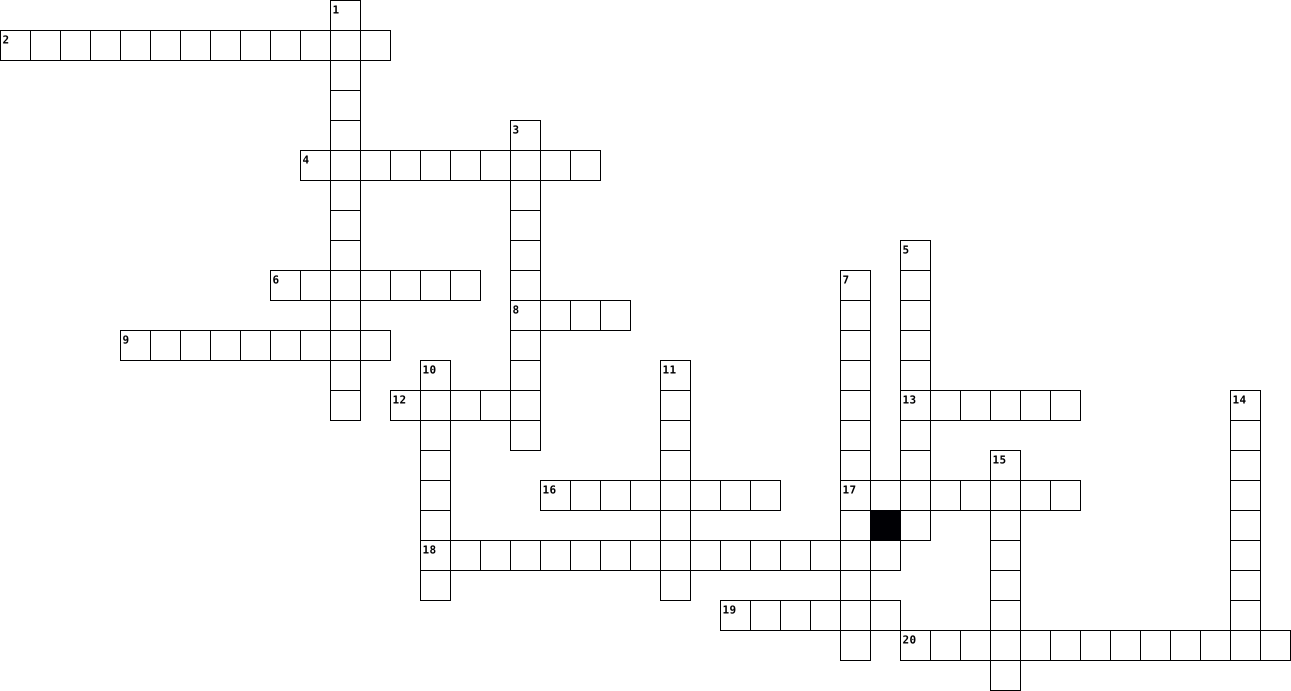
computer Crossword Puzzles
computer applications 2023-09-06

Across
- begin to run
- click this to go up & down
- tool for keeping data
- executible
- click and hold
- a personalized photo
- holds data
- hold this to access shortcuts
- component that gives a visual
- place to hold applications
- data in the form of text
- little arrow for clicking
Down
- the old one-two
- a sheet to spread data
- holds files
- a tap on the mouse
- has places to click
- easy way to run commands
- a showcase
- space to see
20 Clues: executible • holds data • a showcase • holds files • begin to run • space to see • click and hold • the old one-two • a tap on the mouse • has places to click • a personalized photo • tool for keeping data • a sheet to spread data • easy way to run commands • data in the form of text • little arrow for clicking • click this to go up & down • place to hold applications • hold this to access shortcuts • ...
Computer Crosswords 2023-09-06

Across
- a thing to show to a group
- a quicker way to get to something
- an add-on to something else
- usually where you see all the options in a video game
- an element of an operating system located at the bottom of the screen
- rhymes with chick
- to capture, display, and manipulate data arranged in rows
- near the bottom-left corner of your keyboard
- a folder that holds information
- something you wear when it rains
- rhymes with rag
Down
- the icon that shows up on the screen when you move your mouse on a computer
- it is a series of operating system and GUI which is product of Microsoft
- information in the form of a presentastion
- a picture
- a computer you cannot take with you places
- clicking twice
- something thing to hold other things, usually paper.
- to remember one's progress in something
- how to scroll up and down a document
20 Clues: a picture • clicking twice • rhymes with rag • rhymes with chick • a thing to show to a group • an add-on to something else • a folder that holds information • something you wear when it rains • a quicker way to get to something • how to scroll up and down a document • to remember one's progress in something • information in the form of a presentastion • ...
Computer Crossword 2022-10-19

Across
- Physical parts of a computer
- Set of instructions, data or programs
- Most widely used operating system
- Responses by touching areas of the screen
- Combination of keys providing quick access
- Text/graphic output in the form of paper
- Digital video device
- Also referred to as hardware devices
- Electronic data communication
Down
- Converts sound into an electrical signal
- Software performing tasks on user commands
- Panel of keys operating a computer
- Known as the "brain of a computer"
- A connection board for important components
- Process of keeping computers clean
- Device with a screen used for display
- Current to match your components
- The theme of this puzzle
- Connect to a computer to generate sound
- Hotspot over a wireless local area network
20 Clues: Digital video device • The theme of this puzzle • Physical parts of a computer • Electronic data communication • Current to match your components • Most widely used operating system • Panel of keys operating a computer • Known as the "brain of a computer" • Process of keeping computers clean • Also referred to as hardware devices • Set of instructions, data or programs • ...
Computer Science 2023-05-05

Across
- another word for virus
- A software that can do problem solving and learn on it's own
- Bill Gate's corporation
- Way to stop seeing ads
- Software to access the internet
- Owner of Tesla
- Lots of computers joined together through signals sending data
- The code that the nazis communicated through
- A software that infects your computer secretly
- A collection of code
- Code made out of 0s and 1s
Down
- The person who created the Universal Turing Machine
- A visual display which shows the code on a computer
- Small device that is pushed across a small area to do different actions
- A software addon
- Stops viruses from infecting your pc
- What you're using
- What you use to type
- What a computer uses to operate
- Another software that is very HOT
- Owner of apple
21 Clues: Owner of Tesla • Owner of apple • A software addon • What you're using • What you use to type • A collection of code • another word for virus • Way to stop seeing ads • Bill Gate's corporation • Code made out of 0s and 1s • Software to access the internet • What a computer uses to operate • Another software that is very HOT • Stops viruses from infecting your pc • ...
computer science 2023-05-05

Across
- identify and remove errors from (computer hardware or software).
- to select something
- a series of actions or steps taken in order to achieve a particular end.
- someone who bully's online
- a futuristic car
- a computer screen
- what is put in, taken in, or operated on by any process or system
- robot
- made Tesla
- to trick someone into giving u money
- software that helps remember stuff
Down
- a particular order in which related things follow each other
- search engine starting with g
- the action of repeating something that has already been said or written.
- personal computer
- a process or set of rules to be followed in calculations or other problem-solving operations,especially by a computer
- a set of related measures or activities with a particular long-term aim.
- not dangerous
- the amount of something produced by a person, machine, or industry.
- what is this? :010101010101010101
20 Clues: robot • made Tesla • not dangerous • a futuristic car • personal computer • a computer screen • to select something • someone who bully's online • search engine starting with g • what is this? :010101010101010101 • software that helps remember stuff • to trick someone into giving u money • a particular order in which related things follow each other • ...
computer crossword 2023-10-11
Across
- it is a creation and storage device for pictures and videos
- input device for voice
- it is easy way to import physical documents to files with that device
- it changes the function of other keys
- it is the old timer touchpad
- click end sroll with it
- you can start a new paragraph with that keyboard button
- one hand controller
- it works like a typewriter
- it represent letters and number
- let others see your face
- use for read to scanning prices
Down
- artists draw pictures on this device
- a screen you can touch
- point in direction in a text
- it contains numbers and editing keys, you can use it when you turn on the Num Lock key
- it is a mouse on your laptop
- it is a tool to draw pictures on your computer screen
- it deletes a character to left
- it is key that CAPITALIZE letters
20 Clues: one hand controller • a screen you can touch • input device for voice • click end sroll with it • let others see your face • it works like a typewriter • point in direction in a text • it is the old timer touchpad • it is a mouse on your laptop • it deletes a character to left • it represent letters and number • use for read to scanning prices • it is key that CAPITALIZE letters • ...
Computer basics 2024-09-18

Across
- seade
- välisseadmed
- sisaldama, kaasa arvama
- püsimälu
- lubama, võimaldama
- salvesti, mäluseade
- draiv, ajam
- tarkvara
- keskprotsessor
Down
- puutuma, puudutama
- käsk, instruktsioon
- töötlema
- riistvara
- püsivalt, alaliselt, jäävalt
- andmed
- sisend
- pistma
- talletama, salvestama
- muutmälu
- elektrooniline
- väljund
21 Clues: seade • andmed • sisend • pistma • väljund • töötlema • püsimälu • muutmälu • tarkvara • riistvara • draiv, ajam • välisseadmed • elektrooniline • keskprotsessor • puutuma, puudutama • lubama, võimaldama • käsk, instruktsioon • salvesti, mäluseade • talletama, salvestama • sisaldama, kaasa arvama • püsivalt, alaliselt, jäävalt
Computer Science 2025-03-27

Across
- A technique used to map data to fixed-size values for quick retrieval, often used in hash tables.
- A set of rules governing how data is transmitted between devices in a network.
- A signal that temporarily halts the CPU to allow immediate processing of a high-priority task.
- The ability of different classes to use the same method name but with different implementations.
- A system that translates domain names (like google.com) into IP addresses.
- A small, high-speed memory area that stores frequently accessed data for faster processing.
- A problem-solving algorithm that tries partial solutions and undoes them when necessary.
- A four-layer model used to structure network communications.
- A number system using only 0s and 1s, fundamental to computer operations.
- The practice of hiding implementation details and showing only essential features.
- The object-oriented programming principle that hides data inside a class and only allows controlled access.
- The process of repeatedly executing a set of instructions using loops.
- A base-16 number system used to simplify binary representation.
- A data structure that follows the Last In, First Out (LIFO) principle.
- A CPU design technique where multiple instructions are processed simultaneously at different stages.
- A data structure that follows the First In, First Out (FIFO) principle.
- The part of a machine instruction that specifies the operation to be performed.
- The fundamental protocol suite that enables communication over the internet.
- A technique where a computer uses secondary storage (e.g., a hard drive) to extend RAM.
- The latest version of the Internet Protocol, designed to provide more IP addresses.
- A device that directs data packets between different networks.
- A logical subdivision of a network that improves security and efficiency.
Down
- A method for representing real numbers in a way that supports fractions and large values.
- A computer architecture that separates memory for data and instructions, allowing simultaneous access.
- A method of data transmission where messages are broken into smaller units and reassembled at their destination.
- A field in one database table that links to the primary key of another table.
- The process of organising a database to reduce redundancy and improve integrity.
- A computer architecture where programs and data share the same memory.
- A notation used to describe the efficiency of an algorithm in terms of time or space complexity.
- A small, fast memory location within the CPU that stores temporary data and instructions.
- A computing technique that divides tasks into smaller parts and processes them simultaneously.
- The maximum data transfer rate of a network connection, usually measured in bits per second (bps).
- A divide-and-conquer sorting algorithm that splits an array into smaller parts and then merges them in order.
- A character encoding standard that supports multiple languages and symbols.
- The structured query language used to manage and manipulate relational databases.
- A data structure made up of nodes, where each node contains data and a reference to the next node.
- A unique identifier for a record in a database table.
- A security system that monitors and controls incoming and outgoing network traffic.
- A function that calls itself within its definition.
39 Clues: A function that calls itself within its definition. • A unique identifier for a record in a database table. • A four-layer model used to structure network communications. • A device that directs data packets between different networks. • A base-16 number system used to simplify binary representation. • ...
Computer Output 2024-10-23

Across
- the smaller unit on the screen that makes up the image
- a type of flat panel display screen
- a type of printer that produces output y spraying ink from nozzles through holes onto paper
- output that is permanent and is usually printed
- output that is temporary and disappears when the computer is switched off
- used in restaurants, on tablets and smartphones
- a type of printer that is used in cash registers & label makers
- the main type of soft copy output
- the clarity or sharpness of an image when displayed
Down
- an input/output device that is used in gaming
- ______ graphics cards is installed on the circuit board of a computer
- used by architects to print large plans
- used to display a screen on a larger surface
- a printer that produces output when hammers strike an inked ribbon
- a 3D __________ creates a physical object from a digital model
- soft copy output that gives sound
- Apple's version of a voice response system
- an electronic output device used to help individuals with severe speech impairments
- the type of printer used for photocopying
- devices that we use to get information or responses from the computer
20 Clues: soft copy output that gives sound • the main type of soft copy output • a type of flat panel display screen • used by architects to print large plans • the type of printer used for photocopying • Apple's version of a voice response system • used to display a screen on a larger surface • an input/output device that is used in gaming • ...
troubleshooting computer 2025-02-06

Across
- Masalah Pada RAM.
- Terjadi masalah pada Motherboard
- Blank monitor VGA
- Kerusakan pada Memory
- Parity Error in first 64KB block
- VGA rusak atau tak terpasang dengan benar
- Masalah yang terdapat pada BIOS/BIOS rusak.
- Conventional/Extended
- Kerusakan pada RAM/tak terpasang dengan benar
- PC dalam keadaan normal
- Terjadi kerusakan pada RAM atau memory/tak terpasang dengan benar
Down
- Kerusakan RAM, atau RAM
- Terjadi kerusakan pada Power Supply,pada Card Monitor,ataupun pada RAM.
- Kerusakan pada VGA/tak terpasang dengan benar
- terpasang dengan benar
- Kerusakan pada Keyboard
- Kerusakan pada Keyboard atau tak terpasang dengan benar.
- Kerusakan pada Motherboard
- Kerusakan pada BIOS
- sirkui
- Masalah pada Processor
- Masalah pada Motherboard
- Kerusakan pada Motherboard
23 Clues: sirkui • Masalah Pada RAM. • Blank monitor VGA • Kerusakan pada BIOS • Kerusakan pada Memory • Conventional/Extended • terpasang dengan benar • Masalah pada Processor • Kerusakan RAM, atau RAM • Kerusakan pada Keyboard • PC dalam keadaan normal • Masalah pada Motherboard • Kerusakan pada Motherboard • Kerusakan pada Motherboard • Terjadi masalah pada Motherboard • ...
Troubleshooting Computer 2025-02-06

Across
- Kerusakan pada Keyboard atau tak terpasang dengan benar.
- Kegagalan pada tampilan gambar.
- Masalah pada Motherboard (CMOS shutdown Read/Write error). Dianjurkan untuk mengganti Motherboard
- Masalah pada Motherboard
- Masalah pada Processor (Processor Exception Interrupt Error), perlu diganti
- RAM Kegagalan pada xxxx bit data byte tinggi dari bus memori
- Checksum-Error.
- Masalah pada Processor
- Kerusakan pada BIOS
- Kerusakan pada baterai CSOM.Biasanya saat rusak,daya yang dibutuhkan CSOM menjadi boros.Dianjurkan untuk mengganti baterai CSOM.
Down
- Masalah pada BIOS atau Motherboard (ROM checksum Error ). Dianjurkan untuk mengganti Motherboard ataupun chipset BIOS.
- Kerusakan pada Motherboard
- Terjadi kerusakan pada RAM atau memory/tak terpasang dengan benar
- VGA rusak atau tak terpasang dengan benar
- Kerusakan pada RAM/tak terpasang dengan benar
- Keyboard kontroler uji
- Masalah Pada RAM(Memory Read/Write Error in first 64KB block)
- Masalah Pada RAM.(Memory Parity Error in first 64KB block)
- Conventional/Extended
- ROM Pemberitahuan hak cipta
20 Clues: Checksum-Error. • Kerusakan pada BIOS • Conventional/Extended • Keyboard kontroler uji • Masalah pada Processor • Masalah pada Motherboard • Kerusakan pada Motherboard • ROM Pemberitahuan hak cipta • Kegagalan pada tampilan gambar. • VGA rusak atau tak terpasang dengan benar • Kerusakan pada RAM/tak terpasang dengan benar • Kerusakan pada Keyboard atau tak terpasang dengan benar. • ...
Computer Fundamentals 2024-09-25

Across
- The smallest unit of data in computing, a 1 or 0.
- The end of a filename that indicates its format.
- Devoted to processing data for rendering images and video.
- A small electronic component used to switch signals (1 or 0) in a computer.
- A device that absorbs and dissipates heat from electronic components.
- A storage device with no moving parts.
- A device that manages data between computer networks.
- The "beat" of a CPU that determines how fast it processes instructions.
- The language computers use, consisting of 1s and 0s.
- Volatile memory used by a computer to store data temporarily.
- A unit of frequency, equal to one cycle per second.
Down
- A 3 Gigahertz CPU has 3 _____ clock cycles per second.
- A wireless technology for exchanging data over short distances.
- Data or commands entered into a computer.
- A type of memory that retains data even without power.
- A group of 8 bits, used to store a single character.
- Our computer lab is an example of this type of network.
- A computer that provides data to other computers in a network.
- A measurement meaning one-billionth, often used in technology.
- The main circuit board of a computer that holds essential components.
- The material used in transistors that allows them to switch between on and off states.
- A component that stores and releases electrical energy.
- A format for storing high quality audio on PCs.
23 Clues: A storage device with no moving parts. • Data or commands entered into a computer. • A format for storing high quality audio on PCs. • The end of a filename that indicates its format. • The smallest unit of data in computing, a 1 or 0. • A unit of frequency, equal to one cycle per second. • A group of 8 bits, used to store a single character. • ...
computer crimes 2024-11-08

Across
- Malicious software that attches itself to other software.
- refers to any crime that involves a computer/ mobile and a network
- STALKING A kind of online harrassment wherein the victims im is subjected to a barrage of online messages and emails.
- malicious program that appears to be friendly, they are not technically viruses.
- type of hacker that can be seen as the “good guys”
- Theft of software through the illegal copying of genuine products.
- Means an illegal intrusion into a computer system and/or network
- Damaging or destroying data rather than stealing
- a program whose purpose is to duplicate itself.
- these viruses take up residence in the computer’s memory, making then hard to detect
Down
- The least common cybercrime
- VIRUS DESIGNED TO INFECT SPECIFIC TYPE OF DOCUMENT
- type of virus hides on the user’s disk and waits for a specific event to occur before running.
- Act by the criminal who floods the bandwidth of the victim’s network.
- type of hacker that are considered as bad guys
- Type of virus make changes to a disk’s file system
- This category of cybercrime involves one individual distributing malicious or illegal information online.
- Similar to a real life instance of a criminal illegally possessing an individuals bank or credit card details.
- Defined as an act of terrorism committed through the use of cyberspace
- type of hackers between the good and the bad guys
20 Clues: The least common cybercrime • type of hacker that are considered as bad guys • a program whose purpose is to duplicate itself. • Damaging or destroying data rather than stealing • type of hackers between the good and the bad guys • VIRUS DESIGNED TO INFECT SPECIFIC TYPE OF DOCUMENT • Type of virus make changes to a disk’s file system • ...
Hardware Computer 2025-08-11

Across
- Port standar untuk sambungan perangkat eksternal seperti mouse, keyboard, flashdisk
- Alat output suara dari komputer
- Alat input untuk mengetik, seperti piano dengan tuts huruf dan angka
- Port untuk sambungan perangkat eksternal seperti flashdisk
- Tempat colokan kabel jaringan di komputer atau router
- Kartu pengolah suara untuk input dan output audio komputer
- Tampilan hasil kerja komputer, seperti jendela untuk melihat pemandangan
- Otak komputer yang memproses data dan perintah
- Komponen yang mengatur komunikasi antar perangkat di motherboard
- Program dasar yang mengontrol hardware saat booting komputer
- Pendingin processor, seperti kipas angin supaya tidak panas
- Permukaan sentuh pengganti mouse di laptop
- Kabel jaringan untuk koneksi internet, seperti jalan raya data
- Kartu jaringan untuk menghubungkan komputer ke jaringan LAN
Down
- Papan utama yang menghubungkan semua komponen komputer, seperti jalan raya di kota
- Perangkat penghubung beberapa port USB ke satu komputer
- Kartu grafis khusus yang meningkatkan kualitas tampilan gambar
- Sumber listrik utama komputer, seperti PLN di rumah
- Kartu pengolah gambar yang menghubungkan komputer ke monitor
- Media penyimpanan data yang berputar, seperti lemari arsip lama
- Baterai kecil untuk menyimpan daya pada motherboard agar jam tetap berjalan
- Tempat penyimpanan data permanen, seperti lemari arsip
- Tempat colokan kabel audio untuk speaker atau mikrofon
- Memori kecil dan cepat yang menyimpan data sering dipakai prosesor
- Port untuk menghubungkan komputer ke layar dengan kualitas video dan audio tinggi
- Alat untuk mengarahkan kursor di layar, seperti tangan kecil yang menunjuk
- Drive perangkat untuk membaca CD/DVD (misalnya DVD-ROM)
- Tutup tombol pada keyboard
- Casing atau kotak yang melindungi komponen komputer di dalamnya
- Kipas tambahan untuk menjaga suhu komputer tetap dingin, seperti AC ruangan
- Perangkat untuk menghubungkan komputer ke internet melalui jalur telepon
- Kabel koneksi untuk hard disk dan SSD di dalam komputer
- Port lama untuk keyboard dan mouse
- Memori sementara yang berfungsi seperti catatan tempel yang cepat diakses
34 Clues: Tutup tombol pada keyboard • Alat output suara dari komputer • Port lama untuk keyboard dan mouse • Permukaan sentuh pengganti mouse di laptop • Otak komputer yang memproses data dan perintah • Sumber listrik utama komputer, seperti PLN di rumah • Tempat colokan kabel jaringan di komputer atau router • Tempat penyimpanan data permanen, seperti lemari arsip • ...
Computer parts 2024-12-09

Across
- Man's best friend
- Has a trunk
- Likes to chase mice
- famous processor manufacturer
- longest keyboard key
- short for Random Access memory
- input device (letters)
- a heart of computer
- name of river in this city
- former popular pc manufacturer
- Large marsupial
Down
- like to eat cheese, cat eat them
- input PC device for gaming
- Flying mammal
- key for breaking operation
- key you must press to confirm input
- popular fruit (New York)
- malicious computer program, makes computer damage
- display of computer
- short name of processor
- capitol city of Bosnia and Herzegovina
- short for Unites States of America
22 Clues: Has a trunk • Flying mammal • Large marsupial • Man's best friend • Likes to chase mice • display of computer • a heart of computer • longest keyboard key • input device (letters) • short name of processor • popular fruit (New York) • input PC device for gaming • key for breaking operation • name of river in this city • famous processor manufacturer • short for Random Access memory • ...
Computer Acronyms_Yunze_Zhou 2025-09-04

Across
- Character User Interface
- is a fundamental digital circuit within a computer's Central Processing Unit
- a computer's short-term memory
- connecting devices within a Local Area Network
- high-quality audio and video signals over a single cable
- a video connector
- Microsoft Management Console?
- uses flash-based memory to store data
- is a standard interface for connecting storage devices to a computer's motherboard
- brain of the computer.
- A program that will be destructive / extort your computer.
- performs the initial hardware setup and testing
Down
- accelerates graphics and parallel processing tasks
- Control Unit
- is an All-Flash Array in computing
- Liquid Crystal Display
- Redundant Array of Independent Disks
- the default file system for modern Windows operating systems
- Read-Only Memory
- data storage device
- Video Graphics Array
- a tiny chip containing the central processing unit
- Serial Advanced Technology Attachment
- Network Interface Card
- is an industry-standard communication and power interface
25 Clues: Control Unit • Read-Only Memory • a video connector • data storage device • Video Graphics Array • Liquid Crystal Display • Network Interface Card • brain of the computer. • Character User Interface • Microsoft Management Console? • a computer's short-term memory • is an All-Flash Array in computing • Redundant Array of Independent Disks • uses flash-based memory to store data • ...
Computer Acronyms_Y_C 2025-09-04

Across
- Vital Information Resources Under Siege
- All-Flash Array
- New Technology File System
- High Definition Multimedia Interface
- Graphics Processing Unit
- Central processing unit
- Serial Advanced Technology Attachment
- Liquid Crystal Display
- small
- Read-Only Memory
- Video Graphics Array
- Digital Visual Interface
Down
- (Enet)
- Basic Input/Output system
- Control unit
- Solid State Drive
- Network Interface Card
- Arithmetic Logic unit
- Advanced Technology Attachment
- Hard Disk Drive
- Universal Serial Bus
- Controlled Unclassified Information
- MultiMediaCard
- Redundant Array of Independent Disks
- Random Access Memory
- Mobile Internet Navigation Interface
26 Clues: small • (Enet) • Control unit • MultiMediaCard • All-Flash Array • Hard Disk Drive • Read-Only Memory • Solid State Drive • Universal Serial Bus • Random Access Memory • Video Graphics Array • Arithmetic Logic unit • Network Interface Card • Liquid Crystal Display • Central processing unit • Graphics Processing Unit • Digital Visual Interface • Basic Input/Output system • New Technology File System • ...
Computer science 2025-09-02

Across
- Linked pieces of large programs together.
- This generation was characterized by Large-scale Intergration.
- An early form of a calendar or astrological calculator
- Detailed examination of the elements or structure of something.
- The process of using arithmetic to express and perform mathematical equations.
- A binary digit
- When computer hardware has become more powerful in a smaller package at a lower cost.
- Specifies the number of digits used in the system.
- Base 16
- A digit in the binary number system; a 0 or a 1
- A unit of an abstract mathematical system subject to the laws of arithmetic
- A system of expressing numbers in which the digits are arranged in succession.
- A group of one or more bytes
- A technique for isolating program pieces by eliminating the ability for one piece to access the information in another.
- A precise step by step set of instructions for a computer to solve a problem
- The collection of programs that provide the instructions that a computer carries out.
- An electrical charge representing the binary digit 0
- Required large specially built rooms, were built using things such as vacuum tubes, a magnetic drum, magnetic tape drives
- The number 0 and any number obtained by repeatedly adding 1 to it
- An integer or the quotient of two integers.
- A collection of raw facts and figures that can be manipulated to be understood by a computer
- Used to store information for commercial computers in the first generation
- sequential storage devices
Down
- The first programmer
- Transforming data between different numerical processes
- Eight binary digits
- Tiny donut shaped devices each capable of storing one bit of information
- A value less than 0, with a sign opposite to its positive counterpart
- The basis of how computers communicate on a hardware level.
- Calculates the product of two numbers by performing repeated addition.
- The creation of the transistor started the wave of the gen of computers
- A natural number, a negative of a natural number or zero.
- A mental model, a way to think about something
- This generation was characterized by ICs
- A low level computer language
- The branch of mathematics dealing with properties and manipulation of numbers
- The mathematical operation of splitting A quantity into equal parts
- A mechanical adding machine, used to take the census every ten years in the U.S
- Computer recourses under the control of a computer
- computer Also known as A pc.
- System representation uses 7 lights to represent 10 decimal digits.
- Pieces of information in short term memory or at one time.
- Also known as ICs, these were solid pieces of silicon that contained transistors.
- The collection of physical elements that make up the machine
- A dynamic entity used to solve problems and interact with its environment
- The number of circuits that could be placed on a single integrated circuit was an observation
- A method of representing quantities using symbols
- A system of writing to express numbers
- Base 8
- The base-2
50 Clues: Base 8 • Base 16 • The base-2 • A binary digit • Eight binary digits • The first programmer • sequential storage devices • computer Also known as A pc. • A group of one or more bytes • A low level computer language • A system of writing to express numbers • This generation was characterized by ICs • Linked pieces of large programs together. • An integer or the quotient of two integers. • ...
Computer science 2025-09-02

Across
- A collection of raw facts and figures that can be manipulated to be understood by a computer
- Detailed examination of the elements or structure of something.
- Computer recourses under the control of a computer
- A system of expressing numbers in which the digits are arranged in succession.
- System representation uses 7 lights to represent 10 decimal digits.
- A digit in the binary number system; a 0 or a 1
- A low level computer language
- A precise step by step set of instructions for a computer to solve a problem
- The number of circuits that could be placed on a single integrated circuit was an observation
- A technique for isolating program pieces by eliminating the ability for one piece to access the information in another.
- When computer hardware has become more powerful in a smaller package at a lower cost.
- The branch of mathematics dealing with properties and manipulation of numbers
- Calculates the product of two numbers by performing repeated addition.
- A mechanical adding machine, used to take the census every ten years in the U.S
- A unit of an abstract mathematical system subject to the laws of arithmetic
- The collection of physical elements that make up the machine
- Also known as ICs, these were solid pieces of silicon that contained transistors.
- generation This generation was characterized by Large-scale Intergration.
- Specifies the number of digits used in the system.
- A value less than 0, with a sign opposite to its positive counterpart
- Base 8
- Eight binary digits
- The process of using arithmetic to express and perform mathematical equations.
- The basis of how computers communicate on a hardware level.
- The base-2
- Pieces of information in short term memory or at one time.
- computer Also known as A pc.
Down
- Tiny donut shaped devices each capable of storing one bit of information
- The number 0 and any number obtained by repeatedly adding 1 to it
- The first programmer
- Linked pieces of large programs together.
- The creation of the transistor started the wave of the gen of computers
- A dynamic entity used to solve problems and interact with its environment
- An electrical charge representing the binary digit 0
- An integer or the quotient of two integers.
- A system of writing to express numbers
- Transforming data between different numerical processes
- sequential storage devices
- The collection of programs that provide the instructions that a computer carries out.
- A binary digit
- Used to store information for commercial computers in the first generation
- A group of one or more bytes
- The mathematical operation of splitting A quantity into equal parts
- This generation was characterized by ICs
- A method of representing quantities using symbols
- An early form of a calendar or astrological calculator
- Required large specially built rooms, were built using things such as vacuum tubes, a magnetic drum, magnetic tape drives
- Base 16
- A mental model, a way to think about something
- A natural number, a negative of a natural number or zero.
50 Clues: Base 8 • Base 16 • The base-2 • A binary digit • Eight binary digits • The first programmer • sequential storage devices • A group of one or more bytes • computer Also known as A pc. • A low level computer language • A system of writing to express numbers • This generation was characterized by ICs • Linked pieces of large programs together. • An integer or the quotient of two integers. • ...
Computer Viruses 2025-08-23

Across
- Criminal who breaks into systems (HACKER)
- Fake messages to trick users into revealing data (PHISHING)
- Program that locks files and demands money (RANSOMWARE)
- General term for harmful software (MALWARE)
- Malware that hides its presence from users/OS (ROOTKIT)
- Self-replicating program that spreads over networks (WORM)
- Malicious part of a virus that causes damage (PAYLOAD)
- Secret code method to secure data (ENCRYPTION)
- Malicious software that opens a hidden way into a system (BACKDOOR)
Down
- False warning about non-existent malware (HOAX)
- Malware hidden inside useful software (TROJAN)
- Program that records keystrokes (KEYLOGGER)
- A network of infected computers controlled remotely (BOTNET)
- A harmful program that disrupts a computer system (VIRUS)
- Security system that blocks unauthorized access (FIREWALL)
- A malicious code triggered by specific events (LOGICBOMB)
- Unwanted or junk email messages (SPAM)
- Software that removes or blocks harmful programs (ANTIVIRUS)
- Software that secretly collects user information (SPYWARE)
- Software that displays unwanted advertisements (ADWARE)
20 Clues: Unwanted or junk email messages (SPAM) • Criminal who breaks into systems (HACKER) • Program that records keystrokes (KEYLOGGER) • General term for harmful software (MALWARE) • Malware hidden inside useful software (TROJAN) • Secret code method to secure data (ENCRYPTION) • False warning about non-existent malware (HOAX) • ...
IL COMPUTER 2025-09-16

Across
- Disk Unità di memoria che conserva i dati in modo permanente.
- Copia di sicurezza dei dati per evitarne la perdita.
- Procedura per accedere a un sistema informatico inserendo credenziali.
- Schermo utilizzato per visualizzare le informazioni del computer.
- Software che gestisce le risorse del computer e l’interazione con l’utente.
- Indirizzo web che identifica una risorsa su Internet.
- Insieme di 8 bit, unità usata per misurare la memoria o lo spazio.
- Software che permette al sistema operativo di comunicare con l’hardware.
- Servizio che permette di salvare e accedere ai dati via Internet.
- Periferica usata per trasferire su carta i documenti digitali.
- Area principale dello schermo da cui si accede ai file e programmi.
Down
- Programma che consente di navigare su Internet.
- Il "cervello" del computer che esegue le istruzioni dei programmi.
- Sequenza di istruzioni logiche usata per risolvere un problema o eseguire un compito.
- Componente principale che collega tra loro tutti i componenti hardware.
- Azione di scaricare dati o programmi da Internet al proprio dispositivo.
- Programma che rileva e rimuove software dannosi.
- Contenitore virtuale usato per organizzare file all'interno di un sistema.
- Insieme dei programmi e sistemi operativi che fanno funzionare il computer.
- Dispositivo di puntamento usato per interagire con l'interfaccia grafica.
- Insieme di dati salvati su un supporto digitale, come documenti o immagini.
- Insieme di computer collegati tra loro per condividere informazioni.
- Unità base dell'informazione in informatica, rappresenta uno 0 o un 1.
- Unità minima di un'immagine digitale visualizzata su uno schermo.
- Dispositivo di input con tasti per scrivere testi e comandi.
- Memoria temporanea che il computer usa per eseguire i programmi.
- Programma sviluppato per svolgere compiti specifici, spesso su dispositivi mobili.
- Unità di memoria a stato solido, più veloce degli hard disk tradizionali.
28 Clues: Programma che consente di navigare su Internet. • Programma che rileva e rimuove software dannosi. • Copia di sicurezza dei dati per evitarne la perdita. • Indirizzo web che identifica una risorsa su Internet. • Dispositivo di input con tasti per scrivere testi e comandi. • Disk Unità di memoria che conserva i dati in modo permanente. • ...
Computer Software 2025-09-30

Across
- with source code that anyone can inspect, modify, and enhance.
- The physical components of a computer system (e.g., CPU, monitor, keyboard).
- The process of finding and fixing errors (bugs) in software code.
- User-Interface: The visual part of an application or operating system that allows a user to interact with the software.
- Graphical-User-Interface: A type of user interface that allows users to interact with electronic devices through icons, menus, and other visual indicators instead of text commands.
- A version of software that is released to a limited audience to test its functionality and identify bugs before the final release.
- The process of copying files and preparing software for use on a computer.
- The most critical type of system software; it manages computer memory, processes, and all of its software and hardware.
- A legal instrument governing the use and redistribution of software.
- A program that controls a particular type of device that is attached to your computer (e.g., a printer, graphics card, or keyboard).
- that is owned by an individual or company, and its source code is kept secret.
Down
- Short for "malicious software"; any software designed to cause damage or gain unauthorized access to a computer system.
- Tools that translate source code into machine code (binary code) that the computer's CPU can directly execute.
- A formal language used to communicate instructions to a machine (e.g., Python, Java, C++).
- Software designed to operate and control the computer hardware and provide a platform for running application software.
- An error, flaw, or fault in a computer program that causes it to produce an incorrect or unexpected result, or to behave in unintended ways.
- Programs designed to perform specific tasks for the user (e.g., word processing, gaming, web browsing).
- The non-physical instructions and data that direct a computer's hardware to perform tasks.
- A step-by-step procedure or formula for solving a problem or completing a task.
- The fundamental instructions, written in a programming language, that are readable by humans and define what the software does.
20 Clues: with source code that anyone can inspect, modify, and enhance. • The process of finding and fixing errors (bugs) in software code. • A legal instrument governing the use and redistribution of software. • The process of copying files and preparing software for use on a computer. • The physical components of a computer system (e.g., CPU, monitor, keyboard). • ...
computer words 2025-11-25

Across
- This animal cannot stick out its tongue
- This animal can jump 200 times its boy size
- These animals hold hand while they sleep
- This animal Needs 15 hours of sleep
- This is the fastest land animal
- This animal can recognize faces
- This animal does not have a brain
- This animal taste with its feet
- This animal's eyes turn blue in the winter
- This animal has 4 noses
Down
- This animal has 3 hearts
- This animal can sleep for 22h
- This animal cannot cough
- This animal proposes with pebbles
- This animal uses facial expressions to communicate
- This animal's tongue is longer than its body
- This animal cannot hop backwards
- this animals' life span is only 24h
- This animal can nap for 3h
- This animal cannot burp
- This is the only bird that can fly backwards
21 Clues: This animal cannot burp • This animal has 4 noses • This animal has 3 hearts • This animal cannot cough • This animal can nap for 3h • This animal can sleep for 22h • This is the fastest land animal • This animal can recognize faces • This animal taste with its feet • This animal cannot hop backwards • This animal proposes with pebbles • This animal does not have a brain • ...
Computer Fundamentals 2025-12-10

Across
- The flow of an electrical current that operates in one direction.
- The flow of electrical current that operates in two directions at any given time.
- An open-source OS that is completely free for any users who want to install it. This OS is mostly used on servers.
- An external device that is used to send data and to provide an input/output interface for a computer.
- An authentication device that can identify a person using their unique facial characteristics, fingerprints, signatures, etc. to identify a physiological behavior or characteristic.
- Also known as the mainboard, system board, main circuit board, or logic board. The motherboard is a printed circuit board that is designed to communicate with all of the computer’s internal components.
- The essential foundation of a computer's operating system that provides basic services for all other parts of the OS. The kernel helps with tasks such as process and memory management, file systems, device control and networking.
- An interface similar to HDMI but offers much higher performance and supports some new features not found on the HDMI interface.
- The processor is essentially the heart of a computer and is responsible for processing information through input and output functions.
- The physical components that a computer system requires to function.
Down
- A display that has built-in touch functionality, allowing the user to interact with the computer through the screen itself.
- An audio/video interface that is used to transmit high- definition audio and video data from one device to another over a single cable.
- A base-2 number system composed of both ones and zeros. Each binary digit (1 or 0) is one bit long. An example of a binary number is 1101, which is four bits in length.
- The specification for a motherboard identifies the board’s dimensions and physical characteristics.
- Commonly found as a standalone desktop camera and built into most laptops, webcams provide a real-time video feed that is transmitted through the computer to the network.
- A computer program or device that provides a service to another computer program and its user.
- A data transfer device that is often used to connect peripherals or transfer data.
- Software that supports a computer’s basic functions.
- Programming Interface (API): Allows communication between applications or software by receiving requests and sending responses.
- The physical connection on a computer that is designed to plug into input/output devices.
- Acronym for a device that converts electric current and supplies power to an electrical load.
- A device used to store frequently accessed data and have it readily available to increase the performance of the computer.
22 Clues: Software that supports a computer’s basic functions. • The flow of an electrical current that operates in one direction. • The physical components that a computer system requires to function. • The flow of electrical current that operates in two directions at any given time. • A data transfer device that is often used to connect peripherals or transfer data. • ...
Computer Acronyms_RA 2026-02-03

Across
- Connects storage devices to the motherboard
- Storage device with spinning disks
- Permanent memory that stores startup instructions
- Windows file system for organizing data
- Flat panel display technology
- Smaller version of a connector
- Processes graphics and images
- Text based user interface
- Malicious software that harms computers
- Storage device connection standard
- Removable flash memory card
Down
- Wired network connection
- Fast storage device with no moving parts
- Digital video display connection
- Connects devices and transfers data
- Performs math and logic operations
- Sends high quality audio and video
- Starts the computer and loads the operating system
- Allows a computer to connect to a network
- Older analog video connection
- Temporary memory used to run programs
- Combines multiple drives for speed or backup
- Directs instructions inside the CPU
23 Clues: Wired network connection • Text based user interface • Removable flash memory card • Flat panel display technology • Processes graphics and images • Older analog video connection • Smaller version of a connector • Digital video display connection • Storage device with spinning disks • Performs math and logic operations • Sends high quality audio and video • ...
Computer Hardware 2026-02-11

Across
- Firmware that initializes hardware before the OS loads
- Handles graphics processing and parallel computation
- CPU performs the instruction during this step
- Universal connector for peripherals and storage devices
- Enclosure that protects and organizes PC hardware
- Moves air to cool internal components
- Performs arithmetic and logic operations inside the CPU
- The smallest unit of digital information (0 or 1)
- Temporary memory used by the CPU to store active data
- Displays visual output from the computer
- Metal component that absorbs and dissipates heat
- Mechanical storage device used for long-term data
- CPU interprets the instruction during this step
- Fast storage device with no moving parts
Down
- The main circuit board that connects all components
- Converts wall power into usable DC power for components
- Very fast memory that stores frequently used CPU data
- PASTE Material that helps transfer heat from CPU to cooler
- Number system using only 0s and 1s
- Primary input device for typing commands
- The brain of the computer that executes instructions
- First step of the CPU cycle: retrieving an instruction
- STRAP Safety device worn to prevent electrostatic discharge
23 Clues: Number system using only 0s and 1s • Moves air to cool internal components • Primary input device for typing commands • Displays visual output from the computer • Fast storage device with no moving parts • CPU performs the instruction during this step • CPU interprets the instruction during this step • Metal component that absorbs and dissipates heat • ...
Computer network 2026-04-05

Across
- Local Area Network covering a small geographic area
- Wired networking technology for LANs
- Connects devices within a local network
- Protocol that sends data without error checking
- Link Layer: Responsible for node-to-node transfer
- A computer that requests services from a server
- Security system that monitors network traffic
- Arrangement of elements in a network
- Model: Conceptual framework with seven layers
- A group of connected computers that share resources
- Maximum data transfer rate of a network
- Delay in data transmission
- Rules for communication between devices
- Device that connects different networks
Down
- Layer: Transmits raw bit stream
- Dividing a network into smaller parts
- Automatically assigns IP addresses
- A device that forwards data packets between networks
- Translates domain names into IP addresses
- Address: Hardware identifier of a network device
- Small unit of data transmitted over a network
- Layer: Ensures complete data transfer
- Address: Unique identifier assigned to a device on a network
- Secure connection over the internet
- Layer: Handles routing of data packets
- Layer: Top layer where user interaction occurs
- Wide Area Network covering large distances
- A computer that provides resources to other computers
- Transmission Control Protocol ensures reliable data transfer
- Translates private IP addresses to public ones
30 Clues: Delay in data transmission • Layer: Transmits raw bit stream • Automatically assigns IP addresses • Secure connection over the internet • Wired networking technology for LANs • Arrangement of elements in a network • Dividing a network into smaller parts • Layer: Ensures complete data transfer • Layer: Handles routing of data packets • Connects devices within a local network • ...
Computer Parts 2026-04-10

Across
- A dedicated component used to process and output images to the monitor
- Firmware used to perform hardware initialization during the booting process
- Rotates to circulate air and prevent internal parts from overheating
- Converts electricity from the wall outlet into the type the computer needs
- Any external device that provides input or output for the computer
- An internal part that stores and releases electrical energy to stabilize voltage
- A sticky substance applied between the processor and heatsink for cooling
- An internal expansion card that handles the input and output of audio
- A type of storage that uses flash memory with no moving parts
- The main circuit board that connects all internal components together
- Internal hardware used for reading or writing CDs DVDs or Blurays
- A type of cable used for a physical high speed network connection
- A tiny switch that acts as the building block of computer chips
- A metal component that draws heat away from the processor to keep it cool
- The primary output device used to display visual information
Down
- A place on the motherboard where you can plug in extra hardware cards
- An input device that converts physical documents into digital images
- A communication system that transfers data between internal components
- The electrical pressure that pushes electrons through a circuit
- The brain of the computer that executes instructions
- The battery backed chip that stores the system date and time
- A set of electronic components that manages data flow on the motherboard
- Short term memory used to store data the computer is currently using
- An internal card or chip that allows a computer to connect to a network
- Long term storage for files and the operating system
- An output device that beams an image onto a wall or large screen
- An external hub used to connect a laptop to multiple monitors and devices
27 Clues: The brain of the computer that executes instructions • Long term storage for files and the operating system • The battery backed chip that stores the system date and time • The primary output device used to display visual information • A type of storage that uses flash memory with no moving parts • The electrical pressure that pushes electrons through a circuit • ...
Computer Science 2026-05-18

Across
- An alternative block of code executed if the if condition is false.
- A loop typically used when the number of iterations is known ahead of time.
- The logical operator (&&) used to combine conditions.
- A conditional statement used to execute a block of code only if a condition is true.
- A data type used to store fractional or decimal numbers.
- A loop inside another loop.
- A small, specific portion of a larger string.
- Converting a value of one data type into another (e.g., double to int).
- The data type used to store whole numbers (integers).
- A fixed-size collection of elements of the same data type.
Down
- The first index of any array or string in Java.
- A named block of code that performs a specific task and can be called.
- The arithmetic operator (%) that returns the remainder of a division.
- A loop that runs as long as a specified condition remains true.
- A variable type that stores true or false values.
- A sequence of characters, enclosed in double quotes.
- An error in the code's logic or syntax that prevents it from running correctly.
- A location in memory that holds data and has a name and a type.
- The numeric position of an element in an array or a character in a string.
- A keyword used to output text to the console: System.out._______().
20 Clues: A loop inside another loop. • A small, specific portion of a larger string. • The first index of any array or string in Java. • A variable type that stores true or false values. • A sequence of characters, enclosed in double quotes. • The logical operator (&&) used to combine conditions. • The data type used to store whole numbers (integers). • ...
Computer Science 2026-06-22

Across
- Small unit of transmitted data
- Sends data to the internet
- Searches for information
- Organized collection of data
- Displays information from data
- Collection of web pages
- Horizontal entry in a table
- Physical connection between devices
- Used to access websites
- Used to enter data
- Global network of computers
- Connects a home network to the internet
- Links tables together
- Copy of data for recovery
- Provides services to devices
- Identifies records in a table
- Receives data from the internet
Down
- One row of information
- Changes existing data
- Unique address of a device
- Connects networks
- Removes unwanted data
- Finds specific information
- Speeds up data searches
- Stores related data
- Arranges data in order
- Vertical category in a table
- Connects devices in a LAN
- One piece of data
- Unique identifier for a record
- Shows only selected data
- Adds new data
- Protects a network from threats
- Requests information from a server
- Wireless internet connection
35 Clues: Adds new data • Connects networks • One piece of data • Used to enter data • Stores related data • Changes existing data • Removes unwanted data • Links tables together • One row of information • Arranges data in order • Collection of web pages • Speeds up data searches • Used to access websites • Searches for information • Shows only selected data • Connects devices in a LAN • ...
COMPUTER STORAGE 2026-07-20

Across
- What basic unit represents a single binary digit?
- What does the letter "S" stand for in SRAM?
- Scientists explore physics at what atomic level for futuristic storage?
- Solid-state drives trap or remove what type of charge to store data?
- What component acts as the computer's central brain?
- What shape is the spinning component in magnetic hard drives?
- What term describes the time it takes to access data in memory?
- What process is periodically required for DRAM to retain data?
- What number system uses digits 0 and 1 to represent data?
- What light-sensitive chemical layer degrades over time in optical media?
- What type of fast RAM is cache memory made from?
- Besides a transistor, what component stores electrical charge in DRAM?
- How many distinct states can a standard memory cell switch between?
- What happens to magnetic hard drives over time when exposed to heat?
- What environmental factor accelerates hardware degradation?
- What instrument reads the encoded spots on optical discs?
Down
- What goal remains out of reach for both humans and computers alike?
- Repeatedly doing what to floating-gate transistors eventually corrodes them?
- What mechanical motion must a magnetic disc perform in order to locate data to read?
- Which type of long-term storage media is overall the cheapest?
- What fundamental physical property allows floating-gate transistors in solid-state drives to trap electrical charges?
- Flash memory relies on what specific type of transistor?
- Most current storage media have a maximum life expectancy under how many years?
- What disc format alongside DVDs uses optical light encoding?
- What fast storage drive contains no moving mechanical parts?
- What small, high-speed memory resides closest to the CPU?
- What unit of time measurement equals 100 billionths of a second in relation to DRAM latency?
- What does the letter "D" stand for in DRAM?
- What short-term memory component allocates space when you run a program?
- What must be supplied for RAM and cache to maintain data?
- Besides zero, what other numerical value can a memory cell store?
- What type of memory handles immediate tasks?
- How many interlocked transistors typically make up an SRAM cell?
33 Clues: What does the letter "S" stand for in SRAM? • What does the letter "D" stand for in DRAM? • What type of memory handles immediate tasks? • What type of fast RAM is cache memory made from? • What basic unit represents a single binary digit? • What component acts as the computer's central brain? • Flash memory relies on what specific type of transistor? • ...
Computer Acronyms_MT 2026-09-09

Across
- Small memory card used for data storage
- A module that holds RAM
- Processor designed mainly for graphics
- Interface standard used to connect storage devices
- Technology used to connect computers to a network
- Combines multiple drives for speed or data protection
- Malicious software that can harm or disrupt a computer
- Cable and connector used for digital audio and video
- High-speed storage interface for SSDs
- Hardware that connects a computer to a network
- A type of computer architecture or technology abbreviation
- Flat-panel display technology
- Common port used to connect and transfer data with devices
- Stores hardware configuration settings
- The main processor or "brain" of a computer
- Graphics processor built into the CPU
- Measure of the heat a processor is designed to handle
- File system commonly used by Windows
Down
- A text-based way to interact with a computer
- Memory that stores data that normally does not change
- Video connector commonly used for analog displays
- Means smaller than the standard size
- Modern firmware that starts a computer
- Small motherboard form-factor family
- Video connector used to send digital video
- Memory used by a graphics processor
- Interface commonly used to connect storage drives
- Temporary memory used by the computer
- Means very small; used in names of small computer components
- Processor designed for artificial intelligence tasks
- Performs arithmetic and logical operations
- Storage device that uses spinning magnetic disks
- Firmware that starts the computer and checks hardware
- Controls and directs the operations of the CPU
- Fast storage device with no moving parts
- Common motherboard form factor
36 Clues: A module that holds RAM • Flat-panel display technology • Common motherboard form factor • Memory used by a graphics processor • Means smaller than the standard size • Small motherboard form-factor family • File system commonly used by Windows • Temporary memory used by the computer • High-speed storage interface for SSDs • Graphics processor built into the CPU • ...
Computer Terms 2012-05-07

Across
- that receives or displays output from a computer
- stores all information that we save onto the computer
- a plug-in or connection commonly found on the back of a computer
- a location where information is stored that is currently being utilized
- a hardware device capable of storing information
- a hardware device that keeps the overall computer or a computer device cool
- a slot located inside a computer on the motherboard that allows additional boards to be connected to it
- regulates the timing and speed of all computer functions
Down
- interprets all instructions
- a medium that is capable of storing and reading information
- any hardware device that sends data to the computer
- connects all parts together
- an internal hardware component used to supply the components in a computer with power
- a pointing device used to move the cruser
- communicates letters, numbers and symbols to the computer
15 Clues: interprets all instructions • connects all parts together • a pointing device used to move the cruser • that receives or displays output from a computer • a hardware device capable of storing information • any hardware device that sends data to the computer • stores all information that we save onto the computer • ...
Six weeks crossword puzzle 2025-09-11

Across
- Connects the different parts of a computer together
- Programs that run on the computer that help the computer perform task
- allows you to move a pointer (cursor) on a computer screen and select items or perform actions by moving your hand and clicking its buttons
- A single binary digit
- Human readable way to write computer instructions
- The physical parts that make up your computer
- Contains instruction to tell the computer exactly what to do
- Makes your computer usable
Down
- A series of coded software instructions to control the operation of a computer or other machine.
- Stores currently executing program instructions
- Responsible for actually carrying out the instructions of a program
- Programs that run on the computer that help users perform task
- Memory computers use to store data long-term
- A number system with only 1's and 0's
- A unit of digital data
15 Clues: A single binary digit • A unit of digital data • Makes your computer usable • A number system with only 1's and 0's • Memory computers use to store data long-term • The physical parts that make up your computer • Stores currently executing program instructions • Human readable way to write computer instructions • Connects the different parts of a computer together • ...
Dean's Tech Crossword Puzzle 2022-01-18

Across
- a device for storing information on a computer's hard disk
- high definition multimedia interface
- way of connecting to a computer network using radio waves instead of wires.
- converts mains AC to low-voltage regulated DC power for the internal components of a computer
- an electronic device that connects a computer to a computer network
- a hardware device that keeps the overall computer or a computer device cool by circulating air
- circuit that generates an audio signal and sends it to a computer's speakers
- a device for connecting two parts
Down
- the part of a computer that moves data to and from a disk
- allows a person to connect an electronic device to a computer
- used to control the mouse pointer with your hands
- an electronic device that shows pictures for computers
- the main circuit board in a complex electronic system, like a computer
- an object that cools another part that is too hot
- a device that allows a person to enter letters, numbers, and other symbols
- an output hardware device that connects to a computer to generate sound
16 Clues: a device for connecting two parts • high definition multimedia interface • used to control the mouse pointer with your hands • an object that cools another part that is too hot • an electronic device that shows pictures for computers • the part of a computer that moves data to and from a disk • a device for storing information on a computer's hard disk • ...
Unit 1. Vocabulary 2021-09-21

Across
- It is usually located at the bottom of Microsoft Windows operating systems.
- The starting screen of the computer.
- Gives you options or choices of what to do.
- Where you put files that you want to delete.
- When you get a file from another computer and put it on your computer.
- Pictures or graphics that represent files, programs, or folders.
- Disks inside your computer where all the data is stored.
- The blinking line that lets you know where to type.
Down
- The slot where you insert a disk into the computer.
- Programs that allow you to do things on a computer like play games, word processing...
- A device used to save files on so they can be used on another computer.
- The way the computer screen looks and interacts with the user.
- This opens when you click on an icon.
- A place to store your computer work or files.
- A piece of computer work.
15 Clues: A piece of computer work. • The starting screen of the computer. • This opens when you click on an icon. • Gives you options or choices of what to do. • Where you put files that you want to delete. • A place to store your computer work or files. • The slot where you insert a disk into the computer. • The blinking line that lets you know where to type. • ...
The Computer And Its Function 2022-01-13

Across
- the screen of the computer
- sucks in the heat so the device doesn’t get overheated (fan)
- internal parts of a computer that helps it work
- without wires/ cords
- holds information of the computer
- is responsible for everything we see on the computer
- where your storage, files, and other things are stored.
Down
- a panel of keys on a surface that operates a computer
- a mouse that is mostly on a laptop, allowing you to move the cursor
- the brain of the computer; connects all the parts; helps the computer function
- a box that allows the sound of the computer to play
- lets you access the internet
- blows cool air out so the other parts of the computer don’t melt (works with heatsink)
- instructions that tell a computer what to do
- something that allows you to connect to the internet
15 Clues: without wires/ cords • the screen of the computer • lets you access the internet • holds information of the computer • instructions that tell a computer what to do • internal parts of a computer that helps it work • a box that allows the sound of the computer to play • is responsible for everything we see on the computer • ...
The Components of the Computer 2023-10-25

Across
- Used to temporarily store data and program instructions that the CPU is actively working on.
- The main circuit board of a computer
- A hardware device that converts physical documents into digital format
- The physical components of a computer
- A ___ ____is a hardware component that displays information generated by a computer.
- A device that connects your computer to the internet
- A device that allows you to input data into a computer
Down
- A hardware device that produces a physical copy of digital content.
- A ____ ____ is a device that stores data on a small stick
- A device that protects your computer from viruses and other malware
- A device that allows you to output data from a computer
- A device that allows you to see images on a computer screen
- The brain of the computer
- A personal computer or microcomputer type.
- A ____ ____ is a hardware component that allows users to provide data or commands to a computer.
- A device that stores data on optical discs
16 Clues: The brain of the computer • The main circuit board of a computer • The physical components of a computer • A personal computer or microcomputer type. • A device that stores data on optical discs • A device that connects your computer to the internet • A device that allows you to input data into a computer • A device that allows you to output data from a computer • ...
Technology Crossword 2026-02-25

Across
- Small USB storage device
- Main storage inside the computer
- Play sound out loud
- You look at this to see the computer
- You wear them to listen to sound
- Round disc for storing data
- Holds the main parts of the computer
- Prints your homework on paper
- Gives electricity to all computer parts
Down
- You move it to click on the screen
- Copies pictures into the computer
- You speak into it
- You type letters on it
- Small camera for video calls
- Wires that connect computer parts
- Writes data onto discs
16 Clues: You speak into it • Play sound out loud • You type letters on it • Writes data onto discs • Small USB storage device • Round disc for storing data • Small camera for video calls • Prints your homework on paper • Main storage inside the computer • You wear them to listen to sound • Copies pictures into the computer • Wires that connect computer parts • ...
Input Devices 2023-09-20

Across
- Used in computer games and vehicles to control movement.
- Used to input light readings into a computer.
- Used to enter text into a computer.
- Used to input freehand drawings using a connected pen.
- Allow hard copies of images or text to be transferred to a computer.
- Used to input temperature readings into a computer.
- Used to draw or control elements directly onto a computer display.
- Attached to PCs, laptops, and mobile phones to capture images.
- An alternative to a mouse, useful for children or people with limited movement in their hands.
Down
- Held in hand and used to control TVs.
- Used to input sounds and voices.
- Used in desktop computers and game consoles to control a virtual vehicle.
- Removes the need for a keyboard, common in smart-held devices.
- An alternative to a mouse, built into most laptops.
- Used to control the position of the pointer on the screen of the computer.
- Used to take high-quality photographs or video.
- Used where only numerical information needs to be entered.
- Used to input presser readings to a computer.
18 Clues: Used to input sounds and voices. • Used to enter text into a computer. • Held in hand and used to control TVs. • Used to input light readings into a computer. • Used to input presser readings to a computer. • Used to take high-quality photographs or video. • An alternative to a mouse, built into most laptops. • Used to input temperature readings into a computer. • ...
Ch. 6 Crossword 2022-11-28

Across
- useds to play, create, and modify audio and video files.
- hold the data that the computer needs for processing at any given point in time.
- stores data permanently
- external and internal devices that connect to the computer directly and help you access its facilities
- a single-user/single-tasking operating system designed by Microsoft.
- helps you input data into the computer
- helps you create and display worksheets containing data.
- enables you to store data and processed information even when the computer is powered off.
- function involves basic computer tasks to manage peripheral devices.
Down
- offers various tools to help you analyze and maintain the performance of a computer
- refers to the process of starting a computer
- the command center "brains" of the computer
- a single-user/multitasking operating system with a GUI for user commands.
- mechanical parts for input, output, storage and data processiong
- performs operations specific to the application
- the master program that controls the system hardware
- acts as a platform for application software to execute specific tasks.
- houses the components that process data
18 Clues: stores data permanently • helps you input data into the computer • houses the components that process data • the command center "brains" of the computer • refers to the process of starting a computer • performs operations specific to the application • the master program that controls the system hardware • useds to play, create, and modify audio and video files. • ...
virus terms 2017-11-27

Across
- distributed denial of service
- claims to get rid of viruses but actually puts one in your computer
- a self replicating virus
- a part of a computer system or network that is designed to block unauthorized access while permitting outward communication.
- infects your computer and is found on the hardrive
- an electronic device for storing and processing data
- a specific computer record
- a person who uses a computer to gain unauthorized access
- electronic mail
Down
- any information on your computer
- a program with a graphical user interface for displaying HTML files
- a software designed to detect and destroy computer viruses
- a porgram used by a computer
- software intended to damage your computer
14 Clues: electronic mail • a self replicating virus • a specific computer record • a porgram used by a computer • distributed denial of service • any information on your computer • software intended to damage your computer • infects your computer and is found on the hardrive • an electronic device for storing and processing data • ...
Midterm Vocabulary Review Crossword Puzzle 2026-04-22

Across
- someone who tries to gain unauthorized access to someone else's computer
- unwanted email or bulk sent messages
- the brain of the computer
- uses parallel processing
- spreadable virus
- using the computer to learn
- browser helps users view web pages
- contains instructions that tells the computer what to do
Down
- using a computer to work outside the traditional workplace
- reality AR
- computer-aided-design
- information bits stored on a user's local device
- devices a computer mouse, keyboard, and microphone are all types of
- generally accepted accounting principles
- application specific integrated circuit
15 Clues: reality AR • spreadable virus • computer-aided-design • uses parallel processing • the brain of the computer • using the computer to learn • browser helps users view web pages • unwanted email or bulk sent messages • application specific integrated circuit • generally accepted accounting principles • information bits stored on a user's local device • ...
CTCT 6200 Module 3 Vocabulary: ncd0014 2022-09-02

Across
- The shape and size of a computer.
- The smallest unit of time a process can measure.
- In Computer Concepts, devices that begin functioning properly as soon as you connect them to your computer.
- An input device you use when playing a video game.
- The software, or operating system, a device uses.
- Output device that consists of a pair of small listening devices that fit into a band placed over your ears.
- A device that prevents power fluctuations from damaging electronic components.
- Memory that loses its contents when power is removed.
- A slot on the computer or device where you can attach a peripheral device.
- A portable computer that is smaller than the average briefcase and light enough to carry comfortably; often called a notebook.
- Stores frequently used data next to the processor so that it can easily and quickly be retrieved.
- Game controller that is a flat, electronic device divided into panels that users press with their feet in response to instructions from the video game.
- A number system that has two digits, 0 and 1.
- Returning an operating system or files to their default settings, or migrating back to the operating system’s previous version.
- A small device, shaped like a pen, that you can use to draw, tap icons, or tap keys on an on-screen keyboard, similar to a stylus, but is more capable because it has programmable buttons.
- In Computer Concepts, an 8-bit coding scheme, which means that 8 bits are used to represent uppercase and lowercase letters, mathematical operators, and logical operations.
- Voice output that converts text to speech.
- In Computer Concepts, a camera built-in to a computer, which is primarily used for videoconferencing, chatting, or online gaming.
- Speakers that are small enough to place in your ears.
- Responsible for performing arithmetic operations in the CPU.
- A device that converts a paper image into an electronic file that you can open and work with on your computer.
- A pen-shaped digital tool for making selections and entering information on a touchscreen.
- A circuit board that processes image signals.
- (Short for binary digit), the smallest unit of data a computer can process.
- An external device that contains many USB ports.
- A display that lets you touch areas of the screen to interact with software.
- A device such as a keyboard, mouse, printer, or speakers that can connected to and extend the capability of a computer.
- Storing electronic files on the Internet, not on a local computer; often called storing data “in the cloud.”
- Includes one or more headphones for output, and a microphone for input.
- Processor with multiple cores.
- Memory that does not lose its contents when power is removed.
Down
- A type of game controller that mirrors the functionality of a steering wheel in a vehicle.
- Manages the flow of instructions within the processor.
- A small, flat computer with a touch-sensitive screen that accepts input from a digital pen, stylus, or your fingertip
- Displays visual output from a computer on a large surface such as a wall or screen.
- Computer that typically consists of the system unit, monitor, keyboard, and mouse.
- Similar to a desktop computer, but the monitor and system unit are housed together.
- Input devices that support adding pictures or videos to a computer.
- A field size for Number fields that allows entries only from 0 to 255.
- Determines the speed at which data in a computer travels, also referred to as word size.
- A program that controls a device attached to your computer, such as a printer, monitor, or video card.
- Game controller that allows users to guide on-screen elements with air gestures.
- Permanently installed memory on your computer attached to the motherboard. The ROM chip contains the BIOS, which tells your computer how to start.
- Game controller held in both hands that controls the movement and actions of players or objects.
- Creates hard copy output on paper, film, and other media.
- The storage location that is part of every computer and that temporarily stores open apps and document data while a computer is on.
- The instructions on the ROM chip.
- Output devices used to convey audio output, such as music, voice, sound effects, or other sounds.
- At startup, a sequence that tests all computer components for proper operation.
- CDs, DVDs, and Blu-ray discs (BDs), use laser technology for storage and playback.
- The most common type of pointing device used with computers.
- Conveys information from the computer to the user. Common output devices include displays, speakers, headphones, projectors, and printers.
- In Computer Concepts, a device used to point to and select specific objects on the computer screen. Examples of point devices include a mouse, touchpad, and trackball.
- The most common storage medium on a computer; can be magnetic or solid state.
- A hard drive without moving parts, and is faster and more durable than magnetic drives.
- A file on a hard disk that Windows uses to hold parts of programs and data files that do not fit in RAM.
- A portable or handheld computing device, such as a smartphone or a tablet, with a screen size of 10.1 inches or smaller.
- Used to enter voice or sound data into a computer.
- A stationary pointing device with a ball anchored inside a casing, as well as two or more buttons.
- Storage drive housed in a separate case, and typically connected to your computer using a USB cable.
- A flat surface that is touch-sensitive, and you move your finger around the touchpad to move the pointer on the screen.
- A test run by a laboratory or other organization to determine processor speed and other performance factors.
- A circuit board inside a computer that contains the microprocessor, the computer memory, and other internal devices.
- Game controller with a handheld vertical lever, mounted on a base, that you move in different directions to control the actions of the simulated vehicle or player.
- A device that maintains power to computer equipment in case of an interruption in the primary electrical source.
- A display that can respond to multiple fingers touching the screen simultaneously.
- Determines the speed at which data in a computer travels, also referred to as bus width.
- In Computer Concepts, the capability of an operating system to temporarily store data on a storage medium until it can be “swapped” into RAM.
- A coding systems that represent text and symbols in computers, communications equipment, and other devices that use text.
- In Computer Concepts, the speed at which a processor can execute instructions. Clock speed either can be measured in megahertz (MHz) or gigahertz (GHz).
- Communicates instructions and commands to a computer. Common input devices are keyboard, mouse, stylus, scanner, microphone, and game controller.
- Input device that contains not only characters such as letters, numbers, and punctuation, but also keys that can issue commands.
- A complex integrated circuit that consists of millions of electronic parts and is primarily responsible for converting input (data) into meaningful output (information).
- Data that cannot fit in RAM and uses an area of the hard disk called virtual memory. Also called a paging file.
74 Clues: Processor with multiple cores. • The shape and size of a computer. • The instructions on the ROM chip. • Voice output that converts text to speech. • A number system that has two digits, 0 and 1. • A circuit board that processes image signals. • The smallest unit of time a process can measure. • An external device that contains many USB ports. • ...
FIT D Technology Crossword 2013-05-14

Across
- something you insert in a computer
- something that stores docs
- something that you can type on
- central processing unit
- main storage
- cell phone
- short term memory
- A computer or computer program that manages access to a centralized resource or service in a network
- something that the computer gives
- a catch phrase
Down
- where you put in cds
- wired wifi
- liquid crystal display
- brain of computer
- light emitting diode
- the clicker
- your picture that defines you
17 Clues: wired wifi • cell phone • the clicker • main storage • a catch phrase • brain of computer • short term memory • where you put in cds • light emitting diode • liquid crystal display • central processing unit • something that stores docs • your picture that defines you • something that you can type on • something that the computer gives • something you insert in a computer • ...
Computer hardware and software 2019-03-09

Across
- the brains of a computer
- played using a computer
- allows a computer or other device to retain data
- the physical parts of a computer
- the compatibility of computer hardware and software
- the quantities, characters, or symbols upon which operations are performed by a computer
Down
- the set of instructions forming a computer program
- hypertext documents connected to the world wide web
- enables a computer to perform a specific task
- made up of only 0 and 1
- a collection of instructions that performs a specific task when executed by a computer
- a path of communication between points in a computer
- software that allows a user to run applications on a computing device
- the storage space in a computer where data is processed and instructions are stored
14 Clues: played using a computer • made up of only 0 and 1 • the brains of a computer • the physical parts of a computer • enables a computer to perform a specific task • allows a computer or other device to retain data • the set of instructions forming a computer program • hypertext documents connected to the world wide web • the compatibility of computer hardware and software • ...
Computer Terms 2017-04-06

Across
- command located in a program’s File menu that allows the user to move data from one program
- unsolicited junk email sent to large numbers of email addresses
- basic input output system
- text-based faces and objects that are often seen in emails
- removing errors that are found in a program
- A group of two or more computer systems linked together
- a word, phrase, or image that you can click on to jump to a new section of a document
- software program that has been intentionally designed to change a user’s settings
- any physical device
- term used to describe the unwritten rules of Internet courtesy
- map of dots, or bits, that look like a picture
- technique of hiding something or giving a false appearance
- process of taking data from one program or computer to another
- hardware input device that allows an individual to control a pointer in a graphical user interface
Down
- a program that runs on a system against the user’s wishes and knowledgeworm destructive software program containing code capable of gaining access to computers
- software program that is installed on the computer by a user to spy on what other users of the same computer are doing
- on-screen representation of an object such as a document, program, folder or disk drive
- a sequence of instructions written to perform specific tasks with a computer
- when a malicious individual scams users through email designed to look legitimate to encourage users to enter personal information
- taking one or more files and shrinking the overall size
- errors made by computer programmers when developing a program
- computer programs that provide the instructions to interact with the computer or have the computer perform specific tasks
- connection computers use in a local area network
- describes network speed
- function used with Twitter that assigns a post a keyword by using a number symbol
- software program that allows a you to explore the Internet
- software that limits outside network access to a computer by blocking or restricting ports
- enable devices to communicate with the computer’s operating system
- data measurement
- hardware device that enables a computer to send and receive information over telephone lines
- central processing unit; also known as processor
- hardware port resembles a plug-in or connection commonly found on the back of a computer
32 Clues: data measurement • any physical device • describes network speed • basic input output system • removing errors that are found in a program • map of dots, or bits, that look like a picture • connection computers use in a local area network • central processing unit; also known as processor • taking one or more files and shrinking the overall size • ...
computer puzzle 2019-03-05

Across
- error, flaw, failure or fault in a computer program
- salad consists of a visual editor and a behavior-based logic system.
- A French word meaning category
- allows Web developers to incorporate animations and interactive content into their websites
- language which focuses on what, instead of where, when or how.
- units of distance divided by time
- Unauthorized copying of some purchased software
- ground breaking HTML 5 game creator
- unauthorized access to or make unauthorized use of an asset
- device which uses an arrangement of buttons or keys to act as mechanical levers or electronic switches.
- used at key checkpoints in the overall process to determine whether objectives are being met.
- legal means of protecting an author's work
- bug in a program that causes it to operate incorrectly
- graphical control element consisting of a window containing an image
- resistance to motion of one object moving relative to another
- use of computer hardware specially made to perform some functions
- computer graphics that uses a large number of very small sprites, 3D models, or other graphic objects to simulate certain kinds of "fuzzy" phenomena
- combining text and graphic images for a better presentation.
- players interact with a certain video or computer game.
- one account is a debit to another.
- horizontal and vertical lines between columns or at the top and bottom of a page in order to enhance the appearance of the page.
Down
- can move the on-screen cursor to different items on the screen.
- special-purpose program that uses deep learning algorithms to query data.
- someone who takes what they are doing seriously.
- exchange messages online in real time
- visual used to represent non-visual concepts or ideas
- degree to which a software can be used by specified consumers
- link between two parts of a computer or a controller
- images displayed in sequence for the purpose of pre-visualizing a motion picture
- bitmap graphic that is designed to be part of a larger scene.
- event of two or more records being assigned the same identifier
- software that is available free of charge
- combination of variables, functions, and data structures.
- a fee may be requested for continued use.
- how computers affect society.
- code of good behavior on the Internet
- list of journal entries posted on a Web page
- sequence of instruction s that is continually repeated until a certain condition is reached.
- used to group together these academic disciplines.
- drag and drop environment to create computer animations
- modifying other computer programs and inserting its own code.
41 Clues: how computers affect society. • A French word meaning category • units of distance divided by time • one account is a debit to another. • ground breaking HTML 5 game creator • exchange messages online in real time • code of good behavior on the Internet • software that is available free of charge • a fee may be requested for continued use. • ...
Computer Terms 2020-09-02

Across
- Identify devices on a network
- Another operating system, this one is free
- A network for extra devices, used on phones
- How to get out of your net
- Computers connected together
- Another web browser
- Electronic letters sent via the internet
- A microchip that computes data
- A tool for organizing and searching data
- How to find stuff
- Browser
Down
- The operating system used by most computers
- Secures information
- Tells your computer how to
- A network
- Bad stuff
- A programming language
- A protection
- A method of tracking info
- Where the computer access programs
20 Clues: Browser • A network • Bad stuff • A protection • How to find stuff • Secures information • Another web browser • A programming language • A method of tracking info • Tells your computer how to • How to get out of your net • Computers connected together • Identify devices on a network • A microchip that computes data • Where the computer access programs • ...
Computer Architecture 2021-11-22

Across
- Processor Performance
- Highest Priority in LRU Policy
- Number of prefetch requests to issue at a given time
- Prefetcher with degree = 1 and distance = 1
- Misses that would occur even under optimal replacement policy
- Measure of cache Performance
- Volatile random access memory
- Byte ordering within a word
- Four states of a cache block
- Reuse of specific data/resources within a relatively small time duration
- Cache for evicted data
Down
- Stored program concept
- Write only into the cache block on hit
- One virtual page maps to two physical pages
- Whole set of data an executing application references within a time interval
- Executing multiple instructions in parallel
- CISC with RISC misteries
- Released first commercial Dram
- Speedup
- First reference misses
- ISA with small semantic gap
21 Clues: Speedup • Processor Performance • Stored program concept • First reference misses • Cache for evicted data • CISC with RISC misteries • Byte ordering within a word • ISA with small semantic gap • Measure of cache Performance • Four states of a cache block • Volatile random access memory • Highest Priority in LRU Policy • Released first commercial Dram • ...
Computer Terminology 2022-02-08

Across
- Data that the computer sends out
- Task or program in a computer
- A detailed procedure to solve a problem
- Smallest computer increment of data
- You look at the computers _____
- The common storage unit is a ____
- Used to enter information into the computers
- Device to store programs or data
- Data that the computer receives
- Uses a light beam to scan codes, text etc.
- Random Access Memory
- Delivery of different services in internet
- Set of input keys on computer
- Graphics software, with stylus or finger
Down
- Made of eight bits
- Converts digital to analog
- Used to print graphical output
- Visuals on the screen
- The computer's sound comes out of the ___
- Two or more connected computers are a ___
- Interface that uses icons, menus and a mouse
- To move the cursor you use the____
- A device in which you print things
- The way users experience the computer
- Signals or data represented in 1s or 0s
- To record your voice you use a ______
- If you are using a computer, you are the ___
- You group files up in a ____
- Read Only Memory
29 Clues: Read Only Memory • Made of eight bits • Random Access Memory • Visuals on the screen • Converts digital to analog • You group files up in a ____ • Task or program in a computer • Set of input keys on computer • Used to print graphical output • You look at the computers _____ • Data that the computer receives • Data that the computer sends out • Device to store programs or data • ...
Computer Terminology 2022-02-07

Across
- Something used to store papers in
- Used on nails
- Understanding for a computer
- A world that is not physical
- Read Only Memory
- Graphical User Interface
- YOU
- What a programmer creates
- A Sheep with Horne's
- The opposite of input
- Sounds like potter
- Consists of 2 or more computers that are linked
- A musical instrument similar to the flute
- What makes the rain come down
Down
- Towards your face
- A musical instrument much like a piano
- 8 bits
- connects to a device and generates sound
- A value only from 0 to 1
- what you use to read a bar-code
- remembrance
- A small mammal that squeaks
- The messenger of a computer
- The opposite of output
- Arts
- Computer Graphics
- WiFi
- Adds ink to paper
- What you see on your device
29 Clues: YOU • Arts • WiFi • 8 bits • remembrance • Used on nails • Read Only Memory • Towards your face • Computer Graphics • Adds ink to paper • Sounds like potter • A Sheep with Horne's • The opposite of input • The opposite of output • A value only from 0 to 1 • Graphical User Interface • What a programmer creates • A small mammal that squeaks • The messenger of a computer • What you see on your device • ...
COMPUTER EDUCATION 2013-09-15

Across
- a type of CD that can only be read
- a device that provides a permanent printed record of information on a sheet of paper
- contains menu items and its sub-menus
- is widely used for video-conferencing
- the letters and numbers of the columns and rows displayed in gray button across the top left side of the worksheet
- largest, fastest and most expensive computers in commercial use today for a multi-user environment
- produce the sound generated by your computer
- can be used to control the PC, designed purposely for disabled persons
- company started-up by Mitch Kapor
- displays the contents of the active cell
- stores data and programs temporarily during the processing
- smallest computer designed for multi-user environment
- are predefined images
- open an existing file
- refers to the book of pages that is standard Excel document
- is a grid of columns and rows
- enable to specify certain printing instructions
- displays what kindof window you currently use
- is a text or an object or a combination of both that can be made to appear at the bottom of every page of a document
- underlines text
- simply saves the work you’ve done
- the first computer spreadsheet program
- a very useful way of presenting data
- is an object which allows you to create fancy text banners
- is a text or an object or a combination of both that can be made to appear on top of every page of a document
- used as visual guides for placing text
Down
- a device that transfers printed text and image to a computer
- a storage device that cannot be altered by the programmer
- asks you for information and automatically create the document for you
- the combination of column letter and row number
- where formula always begins
- inserted to document by using picture command
- is composed of elements that collectively work towards a common purpose
- is always entered into the active cell
- is where the processor, add-in cards and memory chips are located
- closes the currently active file
- is a preformatted document where you can just change the information
- refers to the physical electronic and mechanical devices that are integrated into a computer
- computer users
- displays the image on a wall-sized screen
- protects the internal parts of the system
- use to enter and retrieve data from mainframe computers
- lights in front of the system
- intersection of a column and a row
- slots or holes where you can plug the cables
- renders the text in italics
- gives life to the computer hardware
- printer-like device that prints big posters, architectural drawing and billboards
- enables you to store files on them once and you cannot erase them
49 Clues: computer users • underlines text • are predefined images • open an existing file • where formula always begins • renders the text in italics • is a grid of columns and rows • lights in front of the system • closes the currently active file • company started-up by Mitch Kapor • simply saves the work you’ve done • a type of CD that can only be read • intersection of a column and a row • ...
Computer Review 2013-07-28

Across
- World Wide Web may also be referred to as the ________
- Computer _______ is the practice of keeping computers in a good state of repair
- Thousands of tiny circuits and transistors compressed into a single chip
- Means by which processed data can be obtained
- The physical parts of a computer
- These are made by combining several transistors onto a semiconductor (2 words)
- Error, flaw or mistake in a program
- Value of giga
- Area where computers are used to surgical procedures
- Mechanical counter invented around 500 BC
- The knowledge and ability to use computers and related technology efficiently is known as computer ________
- Abbreviation for random access memory
- Generation of computers known for vacuum tubes
Down
- Last name of the inventor of a calculator that could do all operations
- Instructions or programs that provide interface between hardware and user
- Processed, organized, meaningful data
- The rate of operation of a computer
- Era when Hollerith’s tabulator was developed
- The grandfather of modern computers (2 words)
- Person operating the computer
- After pressing the power button, a computer system initiates a complex set of tasks known as __________ process
- Early computers used these for data input and output (2 words)
- Area where computers are used for inventory management
- Second generation of computers was know for this
- Raw unprocessed facts, figures, and symbols
- Means by which data is entered into the system
- Abbreviation for common business oriented language
- Having a computer laboratory monitored by a manager is part of _______ security
- The first microcomputers were introduced during this generation
- Message sent via computer that goes to an inbox
30 Clues: Value of giga • Person operating the computer • The physical parts of a computer • The rate of operation of a computer • Error, flaw or mistake in a program • Processed, organized, meaningful data • Abbreviation for random access memory • Mechanical counter invented around 500 BC • Raw unprocessed facts, figures, and symbols • Era when Hollerith’s tabulator was developed • ...
Computer Terminology 2013-06-25

Across
- puts digital images into documents
- is what lets out all the sound
- another name for a file
- indicates the use of pictures and colours
- (e.g printer)
- another name for a folder
- used to make power points, word documents, games and many other things
- is a group of 8 bits
- another word for input or output
- represented by 1 or 0
- can be used for internet
- the person controlling the computer
- tapes the sound of your voice, music or sounds
- a group of computers
Down
- (e.g keyboard, mouse and USB)
- a number of steps
- is when the dots are connected
- the monitor
- is used to click things on the screen
- a gaming stick
- square black piece of plastic
- a machine that put text or pictures on paper
- is the meeting point between the user and the computer language
- is used to type on
- read only memory
- stores information
- random access memory
- relating to, using, or storing data or information in the form of a signal
- a type of software used every day (e.g word)
- to create a piece of art
30 Clues: the monitor • (e.g printer) • a gaming stick • read only memory • a number of steps • is used to type on • stores information • is a group of 8 bits • random access memory • a group of computers • represented by 1 or 0 • another name for a file • can be used for internet • to create a piece of art • another name for a folder • (e.g keyboard, mouse and USB) • square black piece of plastic • ...
computer software 2013-09-17

Across
- retry
- device flash drive
- dot on computer screen
- device printer
- word processor
- ebd
- computer program
- building block for all information that flows through a computer
- many word processors
Down
- device mouse
- directory provided by the operating system
- apps
- WANS
- folders
- smallest unit of computerized data
- dual
- dataflow
- system controls other software
- permanent memory
- temporary memory
20 Clues: ebd • apps • WANS • dual • retry • folders • dataflow • device mouse • device printer • word processor • permanent memory • computer program • temporary memory • device flash drive • many word processors • dot on computer screen • system controls other software • smallest unit of computerized data • directory provided by the operating system • ...
Computer Repair 2013-11-21

Across
- keyboard to type a text
- sound adpater to control the sound system
- temporary storage data
- flash Drive
- to listen to and hear stuff
- a cable to give Network to computer
- more than two accounts
- ds is a small card reader that goes on phones.
- computer case
- the computer
- board connector to the power and send a lead to computer case
Down
- is when power goes out and ac is off
- to naviagte the computer
- XP Home - Used on home computers and has limited security
- suppresor is a chargeable battery if the power goes out
- to control it on a board while ur not close enough in the computer
- Vista Home Basic - Used on home computers for basic computing
- port connector
- type - The heat sink or fan type must match the socket type of the motherboard.
- the adapter to control the network
20 Clues: flash Drive • the computer • computer case • port connector • temporary storage data • more than two accounts • keyboard to type a text • to naviagte the computer • to listen to and hear stuff • the adapter to control the network • a cable to give Network to computer • is when power goes out and ac is off • sound adpater to control the sound system • ...
Computer Vocabulary 2013-11-21

Across
- Drive that reads and writes CDs.
- Enclosure that contains most of the components of a computer.
- A type of user interface that allows users to interact with electronic devices through visual representations.
- Internal data storage device used for storing and retrieving digital information.
- A company whose CEO was Steve Jobs.
- Internal computer expansion card that facilitates the input and output of audio signals.
- Software that controls almost all functions on a computer.
- Cable connector that connects a computer to a network or the internet.
Down
- A panel of keys that help the user operate a computer.
- The brain of a computer.
- The temporary storage for data and programs that are being accessed by the CPU.
- Can that blows a high powered jet of air, used for cleaning.
- Power strip that helps protect against damage from electrical surges and spikes.
- An update to an already existing piece of software.
- A company founded by Paul Allens and Bill Gates.
- A machine for printing text or pictures onto paper.
- Drive that reads and writes DVDs.
- Main printed circuit board and contains the buses, or electrical pathways, found in a computer.
- A 32-bit architecture that processes multiple instructions using a 32-bit address space.
- Cable connector that carries high-quality digital video and audio signals, and supports high resolutions.
20 Clues: The brain of a computer. • Drive that reads and writes CDs. • Drive that reads and writes DVDs. • A company whose CEO was Steve Jobs. • A company founded by Paul Allens and Bill Gates. • An update to an already existing piece of software. • A machine for printing text or pictures onto paper. • A panel of keys that help the user operate a computer. • ...
Computer Basics 2013-09-06

Across
- A worldwide collectin of public networks that are linked to each other for information exchange.
- ISP, a company that provides internet connectivity.
- A group of computers that are connected to share resources and exchange information.
- A computer connected to a network.
- A path or link that connects computers or peripheral devices.
- A sequence of instructions that can be executed by a computer.
- The smallest unit of information that a computer handles.
- A sequence of instructions that a computer can execute.
- The process by which a computer system validates a user's logon information.
- The unit of data measurement equal to 1,024 MB.
Down
- The unit of data measurement that is equal to 1,024 GB.
- A network that connects devices within a limited area, sucah a home or small group of offices.
- An on-screen work area that uses a combination of menus and icons.
- The unite of data measurement that is equal to 1,024 bytes.
- WAN, a network that connects devices geographically separated areas.
- A guide that takes the user through each step of a particular task, such as installing hardware and software.
- The primary hardware device that interprets and runs the commands you give to the computer.
- an item of information
- A rectangular area on the monitor that displays a program.
- The unite of data measurement that is equal to 1,024 KB.
- The main computer on a network that provides services to other computers on the network.
- The process by which a user can associate specific permissions to each username.
- A combination of eight bits arranged in sequence.
23 Clues: an item of information • A computer connected to a network. • The unit of data measurement equal to 1,024 MB. • A combination of eight bits arranged in sequence. • ISP, a company that provides internet connectivity. • The unit of data measurement that is equal to 1,024 GB. • The unite of data measurement that is equal to 1,024 KB. • ...
computer terminology 2013-10-27

Across
- new to old times and our time.
- Stands for "Read-Only Memory.
- a planned series of future events or performances.
- someone or something who is using something.
- a place in your mind that stores and remembers information.
- a GUI operating system for personal computers.
- a series of actions or steps taken in order to finish.
- a __________ device.
- the control column of an aircraft.
- a point where two systems meet and interact.
- for storing loose papers.
- a panel of keys that operate a computer or typewriter.
- put in, taken in.
Down
- a piece of equipment that marks out points on a chart.
- an unconsecrated male sheep.
- relating to or in the form of a graph.
- scans and prints things you have drawn or made.
- show a film or video or broadcast a television programme.
- a device that prints things out for you.
- a group or system of interconnected people or things.
- to produce a picture or diagram.
- a small rodent lives in holes of a house eats cheese.
- a flexible removable magnetic disk for storing data.
- signals or data.
- something to connect to computer so you can hear it.
- records what you say at a click of a button.
- digits or bits.
- a small amount small piece.
- the amount of something produced by a person.
- a folder or box for holding loose papers.
30 Clues: digits or bits. • signals or data. • put in, taken in. • a __________ device. • for storing loose papers. • a small amount small piece. • an unconsecrated male sheep. • Stands for "Read-Only Memory. • new to old times and our time. • to produce a picture or diagram. • the control column of an aircraft. • relating to or in the form of a graph. • ...
mac computer 2013-05-23

Across
- a quick easy way to drop something to someone else in the class
- mac program that you can create your own song
- you open this mac program to make up an essay
- the effect you choose to change a scene in i movie smoothly
- place where all the assignments are given
- the thing you put onto your desktop to remind you of things like passwords
- the name of my essay
- the name of the thing you use to slide your curser
Down
- the name of the child who made this
- place in iphoto where pictures can be organized into folders
- place to go to change your background picture
- the easiest place to save an a document
- the topic of mine and landans PRS
- a little device that can hold a bunch of info
- place to buy apps
- mac program where you can edit videos
- the program you use to find something thats not in your dock
- the website where you can create your own website
- this is one way of how to properly eject a jump drive
- place to go where you want to see your latest pictures in iPhoto
20 Clues: place to buy apps • the name of my essay • the topic of mine and landans PRS • the name of the child who made this • mac program where you can edit videos • the easiest place to save an a document • place where all the assignments are given • mac program that you can create your own song • place to go to change your background picture • ...
Computer Parts 2014-04-06

Across
- b
- l
- j
- h
- u
- a
- t
- c
- k
- r
- f
Down
- d
- q
- e
- s
- v
- m
- p
- g
- o
- i
- n
22 Clues: b • d • q • l • e • s • v • j • h • u • m • a • t • p • g • c • o • k • i • r • n • f
Computer test 2014-06-11

Across
- What is Data?
- What we use to write?
- What is the third most popular search enginee?
- something that produce sound?
- What we always use to practice our typing?
- Where is the screen?
- Microsoft office ______ is the one that we use the most?
- What is the most popular search enginee?
- What side of the mouse you need to click for copy?
- If you want to press something, with what side should you press?
- Where we can find the table in Microsoft office word?
Down
- if you want to keep capital letters where you should press?
- If you want to write with capital letters temporarily what button should you press?
- What PPT means?
- If you want to do a presentation to what Microsoft office should you go?
- What is the name of the disk with a large data storage capacity?
- What Microsoft office you need to go to do a chart?
- What is the second most popular search enginee?
- With what you move your icon?
- Where you have to go to put log off?
20 Clues: What is Data? • What PPT means? • Where is the screen? • What we use to write? • something that produce sound? • With what you move your icon? • Where you have to go to put log off? • What is the most popular search enginee? • What we always use to practice our typing? • What is the third most popular search enginee? • What is the second most popular search enginee? • ...
Computer Systems 2014-03-02

Across
- Connecting devices on a LAN
- Getting it ready for using
- Lets check it out every month
- Information while you wait
- From one network to another
- Let's hide while you sleep
- Evil and not nice to have
- Hot protection
- What if I drop it
- Catch a cold
- Check the system and Tidy
Down
- Hard Copy
- Tidy while you wait
- Flash the system
- Without turning it off
- Attach the front
- Shocking if you get it wrong
- Safe and Secure
- No power and it's gone
- Numbers and Digits
- Lets play games
- Most widely used OS
- A way of holding information
- Not Windows
24 Clues: Hard Copy • Not Windows • Catch a cold • Hot protection • Safe and Secure • Lets play games • Flash the system • Attach the front • What if I drop it • Numbers and Digits • Tidy while you wait • Most widely used OS • Without turning it off • No power and it's gone • Evil and not nice to have • Check the system and Tidy • Getting it ready for using • Information while you wait • ...
Computer 2 2014-03-24

Across
- - a program that stores documents to be printed on the hard drive, thereby freeing the memory up and allowing other functions to be performed while printing goes on in the background.
- - to insert text, or other material, from the clipboard or copy buffer.
- - a switch on the Mac that restarts the computer in the event of a crash or freeze.
- - the main hard drive window.
- - acronym for personal computer, commonly used to refer to an IBM or IBM clone computer which uses DOS.
- - a family of Macs built around the PowerPC chip.
- - the small square at the lower right corner of a window which, when dragged, resizes the window.
- - an add-on component to your computer.
- - acronym for Reduced Instruction Set Computing; the smaller set of commands used by the PowerPC and Power Mac.
- - the Apple system extension that gives one the ability to compress, edit and play animation, movies and sound on the Mac.
Down
- - the system software that controls the computer.
- - acronym for Random-Access Memory.
- - a high-capacity storage medium that is read by a laser light.
- - acronym for Read Only Memory; memory that can only be read from and not written to.
- - a small floating window that contains tools used in a given application.
- - a processing chip designed by Apple, IBM and Motorola (RISC based).
- - a subdivision of a hard drives surface that is defined and used as a separate drive.
- - a connection socket, or jack on the Mac.
- - any menu that does not appear at the top of the screen in the menu bar. (may pop up or down)
- - (1/72") 12 points = one pica in printing.
- - acronym for Peripheral Component Interchange - the newer, faster bus achitecture.
21 Clues: - the main hard drive window. • - acronym for Random-Access Memory. • - an add-on component to your computer. • - a connection socket, or jack on the Mac. • - (1/72") 12 points = one pica in printing. • - the system software that controls the computer. • - a family of Macs built around the PowerPC chip. • - a high-capacity storage medium that is read by a laser light. • ...
Computer terms 2012-12-02

Across
- Input device that scans documents such as photographs and pages of text.
- Abbreviation of computer processor.
- Abbreviation of display that are used in laptop computers screens and flat panel monitors.
- card It's a component inside the computer that provides audio input and output capabilities.
- A type of expansion slot designed specifically for graphics cards.
- The ..... connects the computer's processor to the system memory (RAM) and other components on the motherboard.
- A software program that enables a specific hardware device to work with a computer's operating system.
- A ...... is a high-capacity optical disc that looks like a CD, but can store much more information.
- What is one of the primary input devices used with a computer, who has keys?
- Every time you open a program, it gets loaded from the hard drive into the ...... (abbreviation of that).
- Communications device that allows one computer to connect another computer and transfer data over telephone lines.
- The ....... card transmits to a wireless router, which is also based on the Wi-Fi standard.
- This device is used to network multiple computers together.
- What is the main circuit board of your computer and also known as the mainboard or logic board?
- ...... is an electronic device that emits light when an electrical current is passed through it.
- Abbreviation of basic input/output system.
Down
- A small camera that either attach to a user's monitor or sit on a desk.
- Computer that provides data to other computers.
- Transducers that convert electromagnetic waves into sound waves.
- ... is the most common type of computer port used in today's computers.
- This is a small metal connector that acts as an on/off switch and is used to alter hardware configurations.
- reader It's the generic term for an input device that reads flash memory cards.
- Abbreviation of personal computer.
- In computer, a fast processor can be made even faster by ......... it.
- What input device is commonly used to control video games?
- One of the primary input devices used with today's computers.
- The ........ displays the computer's user interface and open programs, allowing the user to interact with the computer, typically using the keyboard and mouse.
- A ........... is a small chip that resides in computers and other electronic devices.
- Abbreviation of digital interface for transmitting audio and video data in a single cable.
- disk When you save data or install programs on your computer, the information is typically written to your .......... .
30 Clues: Abbreviation of personal computer. • Abbreviation of computer processor. • Abbreviation of basic input/output system. • Computer that provides data to other computers. • What input device is commonly used to control video games? • This device is used to network multiple computers together. • One of the primary input devices used with today's computers. • ...
Computer Terms 2013-01-03

Across
- another name for a laptop-also a program that can be opened in the start menu
- a new high-tech optical disc format that allows recording, rewriting, and playback
- places where Wi-Fi is attainable
- stores, collects, and organizes all types of data
- it temporarily remembers all the stuff on a website
- a software program that can reproduce itself and damage the computer
- another name for the internet-a huge database with lots of imformation that can be searched
- a computer device about the size of a credit card that confirms to the PCMCIA standard-was designed for laptops-aren't used much anymore
- the way a set of data is set up
- a standard operating system that was used but didn't support multitasking
- an older smartphone
- the core of a computer's functionality-the main part of a computer that processes the mathematical calculations-CPU
- any type of file, such as a picture, a word document, a movie, ect, that needs another program to open it
- something that automatically starts up programs when you turn on the computer
- something that helps the monitor display the image on the computer screen
- a format that is agreed upon between two devices
- the address of a world wide web page-url
- allows an electronic device to exchange data wirelessly
- something that holds and remembers imformation-also a kids favorite treat
- any problem with a computer
- a box that contains the most important part of the computer
- information that a computer processes
- it is used for a thin screen to function-acronym is TFT
- a graphical representation of text
- a compact disc that contains data only attainable to a computer
- the main thing people use to get to a computer's programs, folders, and settings
Down
- a storage device that give resources to many devices
- a device that is connected to a host computer
- a software that can find and block viruses
- a small picture or object that represents a program, file, web page, or command
- a flat computer with no cover
- a device that scans the typed words off of a paper and puts them onto a computer-acronym is OCR
- a peice of hardware that moves the cursor on the screen
- a document that is mostly used for financial data
- a software that supports a computer's basic functions
- Port a connector that can be used to send data to a computer
- the hardware in a computer system that carries out the instructions
- Dots per inch-how many pixels that can be displayed per inch
- a program where you can edit a paper or product while it is up-allows you to print exactly what is on your screen
- a program used to view HTML documents
- like a mini laptop that fits in your palm except with less functions of a laptop
- the physical elements that make a computer system-the stuff you can touch
- a rigid disk that is used to store data for computers and is permanently attached in its disk drive
- one point in a graphic image
- imformation can be stored
- the programs and other operating information used by a computer-the stuff you cannot touch
- Universal Seriel Bus-a port used for connection, communication, and power supply between computers & electronic devices
- represents one million cycles per second-Megahertz
- a policy that tells a subscriber what they can and cannot do if they dont want to be terminated
- another name for a floppy disk
- Read Only Memory-computer memory of data that cannot be removed and can only be read
- the clearness of a picture depends on how many pixels can be displayed on the monitor
- one million bytes
- searching the web
- something that links a home network to the internet-a way for computers to communicate
- an older verision of flash drives-stores and transports information on a magnetic disk
- Random Access Memory-used to complete tasks when your computer is running
- the button you click on to open up the start menu so that you may begin almost any task on your computer
- the thing that holds icons like volume control and battery power-is at the bottom right of most computers
59 Clues: one million bytes • searching the web • an older smartphone • imformation can be stored • any problem with a computer • one point in a graphic image • a flat computer with no cover • another name for a floppy disk • the way a set of data is set up • places where Wi-Fi is attainable • a graphical representation of text • a program used to view HTML documents • ...
Computer Componits 2013-01-08

Across
- Replacement mouse for laptops
- Helps cool down computers
- Uses crystal molecules to create light and colour
- Brain of the computer
- Expands capabilities of computers
- Generates digital images
- Portable speakers
- Mouse that uses reflected light to move the cursor
- Burns cds
- Burns dvds
- Portlable storage device
- Visual display of a computer
Down
- Takes pictures and saves them digitaly
- Converts power for the computer
- Records data onto a reusable disk
- The inclosure of a computer
- Printer that drops small amounts of ink on a page to make pictures
- Read only memory
- Video camara that creates low resalution digital video
- Converts digital signal into audio
- Built in storage device
- Rod mounted on a base used for movement of the cursor
- Mouse that uses a ball to move the cursor
- Keys to type with
24 Clues: Burns cds • Burns dvds • Read only memory • Portable speakers • Keys to type with • Brain of the computer • Built in storage device • Generates digital images • Portlable storage device • Helps cool down computers • The inclosure of a computer • Visual display of a computer • Replacement mouse for laptops • Converts power for the computer • Records data onto a reusable disk • ...
Computer Concepts 2012-08-26

Across
- I allow you to input instructions by simply clicking on the graphical icons instead of typing text to input commands.
- The latest windows operating system designed and developed by microsof for personal computers.
- These are the playback equipment such as CD-ROM and DVD.
- I was a complete operating system but I was just an "operating environment" extension of the MS-DOS.
- It is a hardware that allows to see the program and application on scree.
- Indicates the requirement to listen for sound and alerts of the operating system.
- My version marks the introduction of virtual memory and better multi-tasking of application programs.
- I am one of the versions of windows XP; Iam for business and power users.
- Every___________ needs some basic hardware parts the form the computer system to have essential functionality.
- It is a video hardware requirement to view the program and usually included in CPU mother board.
Down
- These are usually included in current mother bods and in many applications
- Iam the most popular operating system uused in over 92% of the personal computers world wide.
- This editions contains the same features as windows 7 enterprise but is available for individual license.
- I enhance window 98 with multi media and internet features.
- I am the longest running window so far from 2001 to 2007.
- It is needed to load operating system to function properly
- It is the minimum hardware needed to use the operating systems which are usually the mouse and the keyboard.
- The recommende components would give a decent_________ for the operating system to function.
- during my development I was called window 4 and was code name Chicago.
- It is memor space required to store the operating system program.
20 Clues: These are the playback equipment such as CD-ROM and DVD. • I am the longest running window so far from 2001 to 2007. • It is needed to load operating system to function properly • I enhance window 98 with multi media and internet features. • It is memor space required to store the operating system program. • ...
computer terms 2012-12-20

Across
- organizes documents,pictures and videos
- temporary storage for a web page
- measured in bytes
- agrred upon format of between two devices
- program you can open in the start menu
- graphic image
- copying from one file
- related web pages
- locate and launch programs
- mini laptop
- huge database with tons of information that you can search from your computer
- port plug into a flash drive
- small universal device
- software program
- card helps the monitor display the image
- main center
- computer system or smart phone
- information
- disk magnetic material
- wireless technology
- allows you to be able to edit a paper or product
- input device
- large data base
- operating program
- optical disk format
Down
- links a home network to the internet
- graphical representation
- represents one million cycles per second
- complete tasks while your computer is running
- hold information
- create one excel
- disk magnetic disk
- name of a new optical disk format
- anywhere where wifi is accessible
- signals on a screen
- computer power switch
- html documents
- amazon
- collects,organizes,and stores any and all information
- phone mobile phone
- text messaging
- supports a computers basic functions
- letter or number
- stands for disk operating system
- volume control and battery power
- known as terms of service
- caused by software or hardware
- internet or satelite
- software identifys and blocks viruses
- transferring information
- engines finds sites and information that link to a key search word
- helps you perform coomands,open programs or document quickly
- tablet
53 Clues: amazon • tablet • mini laptop • main center • information • input device • graphic image • html documents • text messaging • large data base • hold information • create one excel • letter or number • software program • measured in bytes • related web pages • operating program • disk magnetic disk • phone mobile phone • signals on a screen • wireless technology • optical disk format • internet or satelite • ...
computer Terms 2012-12-19

Across
- optical disk format
- a program is an organized list of instrucions that
- Folder They startup folder automatically
- Much like text messaging
- A software program that can reproduce
- Collection of computers and other hardwara
- The hardware within a computer system
- universal serial bus usb
- System The software the supports
- A mini laptop they are very small
- The programs and other operating information
- a flat computer with no cover
- Button
- pixel is short for picture Elment a pixel is one ponint
- An icon is a small picture
Down
- A set of related web pages containing content
- A document that is usualy used to present
- it's small piece of sftware that tells the operating system
- Another name for a laptop it is also a program
- Tooth is proprietary open wireless thechnology
- a graphical representation of text that may include a
- a large database fo information
- is line of tablet computers
- Bug any problem with a computer
- Blu-ray is the name of a new optical
- Phone
- Used to complete task wile
- A piece of computer equipment
- Drive Floppy drive is short for floppy disk drive fdd
- Bar
- 31
31 Clues: 31 • Bar • Phone • Button • optical disk format • Much like text messaging • universal serial bus usb • Used to complete task wile • An icon is a small picture • is line of tablet computers • A piece of computer equipment • a flat computer with no cover • a large database fo information • Bug any problem with a computer • System The software the supports • A mini laptop they are very small • ...
Computer taal 2013-05-05

Across
- opstarten van een computer
- de gratis tegenhanger van Windows.
- Met de juiste gebruikersnaam en wachtwoord het aanmeldingsproces doorlopen.
- Bestanden op het internet plaatsen.
- Optimaliseren van de ordening van gegevens op een harde schijf.
- geheugen van een computer
- internet verbinding
- snelheid van de processor
- nieuwe soort harde schijf
- Benaming van software die schade tot de pc brengt.
- processor
- wordt gebruikt om "dynamische" websites te maken.
- Tijdens het opstarten is dit enigste software die beschikbaar is voor het besturingssysteem beschikbaar is.
Down
- scherm
- Bestanden van het internet halen.
- Engelse benaming voor processor.
- scherm
- Alles van de harde schijf wissen.
- De tegenhanger van Microsoft.
- bill gates
- ... paard een virus dat in een programma verborgen zit.
- De taal waarin veel websites geprogrammeerd worden.
- harddisk
- voorganger van de cd
- draadloos internet
25 Clues: scherm • scherm • harddisk • processor • bill gates • draadloos internet • internet verbinding • voorganger van de cd • geheugen van een computer • snelheid van de processor • nieuwe soort harde schijf • opstarten van een computer • De tegenhanger van Microsoft. • Engelse benaming voor processor. • Bestanden van het internet halen. • Alles van de harde schijf wissen. • ...
Computer Vocabulary 2013-03-11

Across
- is a specific location within a spreadsheet and is defined by the intersection of a row and column.
- A cathode-ray tube and associated electronics connected to a computer's video output.
- is the program people use to access the World Wide Web.
- Any part of a computer other than the CPU or working memory, i.e. disks, keyboards, monitors, mice, printers, scanners, tape drives, microphones, speakers, cameras, to list just the less exotic ones.
- is used for connecting to the Internet and is much faster than a typical dial-up modem.
- can refer to any medium of data storage, it usually refers to RAM, or random access memory.
- Drive is what stores all your data. It houses the hard disk, where all your files and folders are physically located.
- a person or thing that processes.
- refers to the physical parts of a computer and related devices.
- Uniform Resource Locator
- to clear (internal memory, a disk, etc.) of previous data in preparation for use.
- A megabyte is 106 or 1,000,000 bytes.
- A gigabyte is 109 or 1,000,000,000 bytes.
- comes from the phrase "Binary DigIT," which is different than that thing you put around a horse's mouth.
- to participate with others, through the Internet, in a real-time conversation in a chat room by typing one's contributions to the topics under discussion on one's computer and reading others' typed contributions on one's screen.
- the programs used to direct the operation of a computer, as well as documentation giving instructions on how to use them. Compare hardware
- Drive A disk drive is a device that reads and/or writes data to a disk.
- Stands for "Central Processing Unit."
- A kilobyte is 103 or 1,000 bytes.
- a group of related fields that store data about a subject (master record) or activity
- Disk a thin, flexible plastic disk coated with magnetic material, on which data and programs can be stored for later retrieval: used mainly with microcomputers.
- the smallest element of an image that can be individually processed in a video display system.
Down
- A system of computers that are joined together so that they can communicate by exchanging information and sharing resources. ( See Internet and lan.)
- is a programmable machine.
- is the World-Wide Web. "A web" is part of it on some specific website.
- A type of application program which manipulates numerical and string data in rows and columns of cells.
- An input device that takes in an optical image and digitises it into an electronic image represented as binary data.
- is most often an arrow that you can use to point to different objects on your screen.
- is a data structure that stores organized information.
- A program or piece of code, a type of malware, written by a cracker, that "infects" one or more other programs by embedding a copy of itself in them, so that they become Trojan horses.
- This is the process in which data is sent to your computer.
- an electronic device that makes possible the transmission of data to or from a computer via telephone or other communication lines.
- is a unit of measurement used to measure data. One byte contains eight binary bits, or a series of eight zeros and ones.
- a vast computer network linking smaller computer networks worldwide (usually preceded by the ). The Internet includes commercial, educational, governmental, and other networks, all of which use the same set of communications protocols.
- a copy of computer data (as a file or the contents of a hard drive)
- is part of the standard TCP/IP set of protocols.
- ROM Stands for "Compact Disc Read-Only Memory."
- is a two-digit (Base-2) numerical system, which computers use to store data and compute functions.
- Stands for "Hyper-Text Markup Language."
- is a piece of silicon with an electonic circuit embedded in it.
- Random Access Memory
- In a database record, a category that holds one type of information.
- An icon on your computer screen represents an object or a program on your hard drive.
43 Clues: Random Access Memory • Uniform Resource Locator • is a programmable machine. • a person or thing that processes. • A kilobyte is 103 or 1,000 bytes. • A megabyte is 106 or 1,000,000 bytes. • Stands for "Central Processing Unit." • Stands for "Hyper-Text Markup Language." • A gigabyte is 109 or 1,000,000,000 bytes. • ROM Stands for "Compact Disc Read-Only Memory." • ...
Computer Definitions 2013-03-07

Across
- The acronym for Pages Per Minute
- ________ is printed on paper or other permanent media
- In computing, a device that stores information
- The acronym for Tera Byte
- The most used storage device in a computer
- Programs are also known as ___________
- the acronym for Liquid Crystal Display
- The acronym for Random Access Memory
- The components of the computer that you cannot touch
- Determines how clear or detailed the image is
- The manipulation of information by the microPROCCESSER
- The computer generated information that is outputed to the user
- The acronym for Lines Per Minute
- The data that is entered into the computer
- the acronym for Super Video Graphics Adapter
Down
- The processor is also known as the _______
- The most commonlly used input device
- Aucillary input is used for data and __________
- The bubbles that you would fill in for a scantron test
- The black strip on the back of all credit cards
- The acronym for Radio Frequency Identification
- The physical components of the computer
- The acronym for Garbage in garbage out
- the acronym for Letter Quality
- Used internally or for a test print
- Auxillary output is saving the ________ of processing
- The acronym for Characters Per Minute
- ________ is displayed on screen or by other non-permanent means
- It is a catagory of output and it has charts, graphs, and pictures
- the acronym for Near Letter Quality
30 Clues: The acronym for Tera Byte • the acronym for Letter Quality • The acronym for Pages Per Minute • The acronym for Lines Per Minute • Used internally or for a test print • the acronym for Near Letter Quality • The most commonlly used input device • The acronym for Random Access Memory • The acronym for Characters Per Minute • The acronym for Garbage in garbage out • ...
About Computer 2014-08-15

Across
- Short for Basic Input/Output System
- is caused when a signal is sent through the output and received back to its input.
- was first introduced September 23, 2002.
- Distinctive sound to help attract attention to the computer or hardware device.
- Alternatively referred to as high-speed Internet
- was one of the first programming languages.
- that enables a user to communicate almost anywhere in the world.
- a superuser on a computer or network and has complete control.
- is the available numbers in a numbering system.
- is an electronic component consisting of a complete path
- Computer keyboard togglekey that enables or disables all the letters from being typed in uppercase.
- a term used to describe the process of making something operational.
- is a graphical representation of text that may include a different typeface, point size, weight, color, or design.
- is a software utility or hardware device that limits outside network access to a computer.
- Alternatively referred to as AutoRun
- Term used to describe the ability to transfer one file or a segment of data from one format to another format
- Derived from the name of the mathematician Muhammed ibn-Musa Al-Khowarizmi
- is a term used to describe the action of initiating in a virtual sexual experience with another person over chat.
- is also an MS-DOS command that prepares a blank diskette or hard drives to hold data.
- Hardware device used to take photographs, consisting of a lightproof box with photosensitive film or plate within the box.
- cannot be changed or deleted by an end-user without the aid of special programs and remains on that device regardless if it's on or off.
- is a basic computer or monitor and keyboard that is connected to another computer.
- A rule that prohibits or denies access to a resource.
- is an address used as an entry point into another network.
Down
- When referring to memory,
- is a graphical representation
- is a type of storage media that is most commonly used in digital cameras.
- can be used in various ways.
- To reduce the size of an image
- Term used to describe an alternate path.
- A membership with a multiple-user network, online service, computer
- a software program designed to protect your computer
- The order in how information is sorted or arranged
- a term used to describe how text is aligned.
- is the process of taking one or more files and making them smaller
- is an object on a computer that stores data, information, settings, or commands that are used with a computer program.
- is the intersection between a row and a column on a spreadsheet.
- Any device added to a computer that performs an additional feature, but is not required
- is an arrangement of information in rows and columns that makes comparing and contrasting information easier
- is a measurement of bits each second that audio distributes.
- client a user can connect to the service and browse through the online Freenet community.
41 Clues: When referring to memory, • can be used in various ways. • is a graphical representation • To reduce the size of an image • Short for Basic Input/Output System • Alternatively referred to as AutoRun • was first introduced September 23, 2002. • Term used to describe an alternate path. • was one of the first programming languages. • a term used to describe how text is aligned. • ...
Computer Vocabulary 2014-08-21

Across
- arrangement of data for computer input or output.
- skillful or efficient way of doing or achieving something
- having two blank lines after each typed line
- a computer program that checks the spelling of words in files of text.
- arrangement in a straight line or in a correct or appropriate relation position
- a collection of data or information that has a name.
- ASDF JKL;
- electronic device for storing and processing data, typically in binary form, according to instructions given to it in a variable program.
- a letter from one company to another
- spacing/blank line between paragraphs
- general description or plan giving the essential features of something but not in detail
- programs and other operating information used by a computer
- vertical distance between lines of text.
- set of type characters of a particular typeface design and size.
Down
- placement of element s on a page that are set through a page setup
- a page beginning of a book giving its title and other information.
- a computer document containing some basic information that you use as a model for writing other docs.
- a size of a typeface, measured from line to line when no additional interline space is added.
- a program or part of a program that corrects grammatical errors.
- read and mark any errors on written material
- a page wider than it is high
- movable indicator on computers that identifies the point that is affected
- book that lists words in groups of synonyms and related concepts.
- Wrap/a feature that automatically moves a word that is too long to fit on a line to the beginning of the next line.
- a type or format with a full space between lines
- set of keys usually arranged in tiers for operating typewriters, computer terminals, ect.
- a location in a document where a visible digital signature can be inserted
- prepare material for publication by correcting, condensing, or otherwise modifying it.
- symbol appearing on a display screen in a GUI that lets the user select a command by clicking with a pointing device
- group or system of interconnected people or things
30 Clues: ASDF JKL; • a page wider than it is high • a letter from one company to another • spacing/blank line between paragraphs • vertical distance between lines of text. • having two blank lines after each typed line • read and mark any errors on written material • a type or format with a full space between lines • arrangement of data for computer input or output. • ...
Computer Puzzle 2014-11-17

Across
- This tab _____, contains the following commands: Info, New, Open, Save, Save as, and others
- A picture or graphic that represents a command on a document.
- The _____key will move the cursor to the left on a document and removes characters keyed
- Both the F and the J key have a _____ on the key to help you locate the homerow without looking at the keyboard
- The acronym _____ stands for gross words per minute
- EDU typing program, Excel, Word, PowerPoint, and Study Island are called _____
- J, K, L, :, F, D, S, A, are called _____ keys
- You strike the period on the keyboard with your right _____ finger
- Strike the comma on the keyboard with your right _____ finger
- You will find font style, font size, Bold, Italics and underline in word document in the _____ ribbon
- The _____key will move the cursor to the right on a document to remove characters that were keyed
- You space _____ time after a comma
- You use the thumb of the hand you _____ with to strike the space bar
- The _____ key indents the beginning of a line in a word document
Down
- Your right _____ strikes the semicolon and the return and the return enter key
- The bar at the bottom of your desktop with icons on it is, _____
- Copy, paste, and cut are all icons found on the _____ ribbon
- You must turn your _____ Lock key on and off to capitalize words
- To use the number pad you must strike the _____ lock to use the pad
- The keyboard, the monitor, the mouse and CPU or any other devices are called_____
- The screen you see when you first log into your computer is called _____
- To get a colon you must hold down the _____ shift key and press the semicolon key
- The top row of the keyboard is often referred to as the ______ keyboard
- You space _____ times after a period at the end of a sentence
- You strike the N with your _____ index finger
25 Clues: You space _____ time after a comma • J, K, L, :, F, D, S, A, are called _____ keys • You strike the N with your _____ index finger • The acronym _____ stands for gross words per minute • Copy, paste, and cut are all icons found on the _____ ribbon • A picture or graphic that represents a command on a document. • ...
Computer Terms 2014-11-02

Across
- single web site that offers many products and services at one internet location
- uses a compact disk, a shiny, circular disk similar to the ones that hold music
- commonly used for computer games
- relies on the use of wireless devices
- prints across the paper by using a set of vertical print-wires that leave dots on paper
- conducting business activities electronically over computer networks
- backbone of office automation
- electrical channels through which various parts of the computer communicate
- main output device of the computer
- enable shoppers to compare prices and products on web
- help managers organize and analyze the information when making decisions
- reads information from a very thin disk that is inside a flat, square plastic case
- workforce of the motherboard
- purchases often approach 40 percent of a manufacturing company's total revenues
- convenient way to send electronic messages between two people who both have access to the internet
- a small, high-speed memory area that is placed between the processor and system memory
- output device that allows computer users to hear sounds
- created a .mobi domain to help attract mobile users to the web
- main controlling program of the PC
- brain of the computer
- prints by spraying liquid ink on the paper
- system that lets you have domain name to IP address mappings or convertions
- a standard interactive programming language for getting information from and updating to a database
- main input device to most computers
- input device that allows users to move the cursor on the screen
- storehouse for a collection of computerized data files
Down
- computer's main long term memory and the fastest form of long term storage that the computer uses
- allows computer users to store information on a recordable compact disk
- identification of specific markets to target them with advertising messages
- collection of details stored in a database
- are combinations of hardware, software, and other resources used to facilitate communications and enhance productivity
- programmable electronic device that can store, retrieve and process large amounts of data
- offers the best resolution and speed to handle both text and graphics printing
- refers to all the physical components of a PC
- output device that produces hard copy of what is displayed on screen
- camera that stores images digitally
- a collection of people, hardware, software, data, and procedures that interact to generate information to support the users of an organization
- a collection of elements and procedures that interact to accomplish a goal
- only unique values can be assigned in each row for a certain field
- refers to the varied computer machinery and software used to digitally create, collect, store, manipulate and relay office information needed for accomplishing basic tasks
- single electronic document found in the world wide web
- contains multiple webpages with the first page usually serving as a homepage
- use of information and communication technology to improve the relationship between citizen and government
- direct sale from business to consumer through electronic storefronts
- main circuit board in the computer where everything comes together
- shoppers can subscribe to mobile coupon aggregators
- device that can read text or illustrations printed on paper and translate the information into a form the computer can use
- a device that enables computers to communicate with each other over a telephone line or cable line
- used to publish documents that may contain text, images, sound and video
- the first program that runs on the computer
50 Clues: brain of the computer • workforce of the motherboard • backbone of office automation • commonly used for computer games • main output device of the computer • main controlling program of the PC • camera that stores images digitally • main input device to most computers • relies on the use of wireless devices • collection of details stored in a database • ...
COMPUTER TERMS 2014-11-10

Across
- Are external devices that extends the functionality of the PC
- Helps the computer do useful things
- integrate the entire company, or enterprise
- Covers the collection of details stored in database.
- The electrical channels through which various parts of the computer communicate
- are combinations of hardware, software, and other resources used to facilitate communications and enhance productivity
- Ensures that only unique values can be assigned in each row for that field(s)
- A type of transaction Processing Systems
- a type of Transaction Processing Systems
- Improve the relationship among citizen and government
- The main input device for most computers
- phase in which hardware, software and other components are acquired
- Device requests time from the processor using the interrupt request
- gather information about how work is done in the applications area and to ascertain what information users need
- Collection of elements and procedures that interact to accomplish a goal
- includes the use of computers to help manage manufacturing operations and to control machinery used in manufacturing processes
- systems development effort in which the user is primarily responsible for the development of the system
- It is sometimes called the Cathode Ray Tube
- A collection of people, hardware, software, data, and procedures that interact to generate information to support the users of an organization.
- Identification of specific markets to target them with advertising messages
- Structured Query Language
- uses information system (on-the-job decisions)
- Single Website that offers many products and services at one internet location
- The rows of such a table can be thought of as representing the records
- Data values for every column are stored in row
- Is the term used for all the physical components on a PC
Down
- A programmable electronic device that can store , retrieve, and process large amounts of data
- Has revolutionized the world of investment and finance
- make use of diagrams, tables and checklists
- is the theory and development of computer systems able to perform tasks that normally require human intelligence
- The brain of the computer
- They often approve broad plans for systems development within an organization
- Sends information over the line one bit at a time
- plan, build, and implement systems that make use of computers that a company has or will acquire
- allows designers to dramatically reduce the time they spend at the drafting board
- a type of Transaction Processing Systems
- Picture Elements
- An input device that allows you to move the cursor around the screen
- Electronic Retailing
- uses information system (decisions about short-term objectives)
- uses Information system (strategic decisions)
- Connection that allows you to attach everything from mice to printers
- uses Information system (tactical decisions)
- A small, high-speed memory area that is placed between the processor and the system memory
- Identifies the rows to be updated, selected and is composed of column names, expressions, constraints, sub-queries, and comparison operators
- the focus is on developing a small model, or prototype, of the overall system
- The main circuit board in the computer where everything comes together
- Enterprise resource planning
- Is a list of information that is not necessarily related to any other lists or tables
- Random Access Memory
50 Clues: Picture Elements • Electronic Retailing • Random Access Memory • The brain of the computer • Structured Query Language • Enterprise resource planning • Helps the computer do useful things • a type of Transaction Processing Systems • A type of transaction Processing Systems • a type of Transaction Processing Systems • The main input device for most computers • ...
Computer Acronyms 2015-10-03

Across
- API
- The first hard drive on IBM compatible computers.
- ASCII
- WOW64
- Alt
- WOW32
- BIOS
- AC
- URL
Down
- Standard Windows bit-mapped graphic image format file
- ANSI
- CD-ROM
- RAM
- CMOS
- BNC
- Ctrl
- CPU
- DVD
- 5GL
- Used to denote the C drive.
20 Clues: AC • API • RAM • BNC • CPU • DVD • 5GL • Alt • URL • ANSI • CMOS • Ctrl • BIOS • ASCII • WOW64 • WOW32 • CD-ROM • Used to denote the C drive. • The first hard drive on IBM compatible computers. • Standard Windows bit-mapped graphic image format file
computer history 2015-06-03

Across
- co-developing the BASIC programming language
- line of computers introduced by steve jobs
- created the first one-gigahertz computer processor
- handling all instructions it receives from hardware
- designed the first American Electronic ENICA
- code 2D barcode that has large capacity
- devices connected together for data to be shared
- form of sharing ideas
- American engineer and entrepreneur
- breaking the german enigma code
- founded software company Opsware
- Developed a microchip
- a safe way to store data online
- easy programing language in the seventies
- father of the World Wide Web
- used to view pages over the internet
- program that accepts info from another program
- wide area network the beginning of the internet
- used to develop electronic web pages
Down
- number system using zero or one
- smallest display that could be printed
- the inventor of the transistor
- Inventor of the first digital computer
- father of the computer
- brain of the computer
- invented the first computer game XO
- The co-developer of BASIC computer.
- came up with the idea of using a universal processor
- help invent the ENIAC and UNIVAC
- the building blocks of computer hardware
- it supports data transfer from devices
- created the idea of the internet
- responsible for instructions given from the hardeware
- invented the printed circuit board.
- drivedata storage device
- enables computers to get info from telephone
- invented the first commercially sucssesful personal computer
- co inventor of the USB
- understand the program without the programming software
- contains audio or software data
- primary building block of all microchips
- board holds electronic circuits, ICs and switches
- smallest measurement in the operating system
- Father of video games.
44 Clues: brain of the computer • form of sharing ideas • Developed a microchip • father of the computer • co inventor of the USB • Father of video games. • drivedata storage device • father of the World Wide Web • the inventor of the transistor • number system using zero or one • breaking the german enigma code • contains audio or software data • a safe way to store data online • ...
Computer Knowledge 2015-08-26

Across
- located at the bottom of a window
- in the top margin area of a page
- highlighting a text so you can edit it
- contains buttons organized in groups
- the page is taller than it is wide
- the writing, editing, and formatting of documents
- is temporarily displayed
- ends when you press the enter key
- used to provide visual identifiers
- a way of moving objects
- an item that can be inserted into a document
Down
- provides information about a button
- displays the content of a document
- in the document's left margin that can be moved when clicked
- blank space outside printing area
- a representation on the screen of the mouse
- the process of breaking lines
- the width is greater than the height
- horizontal or vertical
- organizes commands into logical groups
20 Clues: horizontal or vertical • a way of moving objects • is temporarily displayed • the process of breaking lines • in the top margin area of a page • located at the bottom of a window • blank space outside printing area • ends when you press the enter key • displays the content of a document • the page is taller than it is wide • used to provide visual identifiers • ...
Computer terms 2015-06-01

Across
- Metal top holding the chip of data
- Data storage device
- Advanced Research Project Agency Network
- Hardware device or software progress recently released
- Optical disk that holds data; 1GB max
- Collection of computers connected for the same data
- Program - translates source code to object code
- A number system that uses two digits
- Programming language used to help the consumers
- A series of circuits enabled to process functions
- Brain of computer; central process ‘Calculation
- Language used to create electronic documents
- Collection: servers used to transfer ‘save data
- 2D barcode used to save data - scanned
Down
- Seven Eighths Bits
- Silicon chip that contains the CPU
- Line of computers made by Apple ‘Steve Jobs - 1984
- Smallest portion of display - makes up images
- Management of network usage - broad connection
- Component used to control the current ‘voltage
- Printed board; olds switches and other components
- Full address of a page or link - exact
- Interaction: between visual indicators and electronic devices
23 Clues: Seven Eighths Bits • Data storage device • Metal top holding the chip of data • Silicon chip that contains the CPU • A number system that uses two digits • Optical disk that holds data; 1GB max • Full address of a page or link - exact • 2D barcode used to save data - scanned • Advanced Research Project Agency Network • Language used to create electronic documents • ...
Computer Pioneers 2015-06-01

Across
- designed the first American electronic computer
- invented the thermal printer
- created the first widely used browser
- Used for internet.
- It is a family of general-purpose, high level programming languages whose design philosophy emphasizes ease of use
- one of the founding fathers of the video game industry.
- invented the first personal computer
- invented the first general-purpose electronic digital computer
- It allows users to interact with electronic devices through graphical icons.
- It is a special program that processes statements written in a particular programming language and turns it into code that a computer processor uses
- invented the world’s first programmable computer
- A running instance of an application capable of accepting requests from the person and giving responses accordingly
- The generic term for all types of of names and addresses that refer to objects on the World Wide Web
- Storage It is a model of data storage where the digital data is stored in logical pools
- It is a device used to used to amplify and switch electronic signals and electrical power
- code A machine readable code consisting of an array of black and white squares, sometimes used for sorting URLs
- It is designed to store computer data in the form of text and graphics
- Created the first graphical computer game
- invented video games
- co inventor of the USB
- He invented the World Wide Web
- was part of the team that developed the ISA bus
- board It electrically connects electronic components using conductive tracks
- Connecting to the internet.
- one of the inventors of the Microprocessor
Down
- Invented turning machine
- A minute area of illumination on a display screen.
- Macintosh A computer that is run by activating pictures on the screen with a mouse
- Relating to something.
- A computer club
- He invented the printed circuit board
- invented of the transistor
- made computers freely available to college students
- It is a device that allows you to save things like documents and pictures.
- It is a multipurpose device that accepts digital data as input, processes it according to instructions stored in its memory, and provides the results as an output
- The cpu is the brains of the computer.
- drive Data storage device
- Circuit It is a chip.
- invented the first electronic digital computer
- terms
- Allows you to change the font of the text.
- inspired the ARPANET
- It is a unit of digital information.
- co-developed the BASIC programming language
- It modulates outgoing digital signals from a computer to analog for a conventional copper twisted pair telephone line and extract the incoming analog signal and then converts it into a digital signal for the device
45 Clues: terms • A computer club • Used for internet. • invented video games • inspired the ARPANET • Circuit It is a chip. • Relating to something. • co inventor of the USB • Invented turning machine • invented of the transistor • drive Data storage device • Connecting to the internet. • invented the thermal printer • He invented the World Wide Web • invented the first personal computer • ...
Computer Literacy 2015-08-14

Across
- DRIVER / Programs that enable communication between a device and the OS
- BAR / List of menu options shown at the top of a folder window
- TOP ICON / Area at the bottom of the desktop that contains the Start button, system tray, and icons for all open programs
- / Background image on the desktop
- / Sharp increase in electrical voltage that can cause damage to computer components
- / Loading the OS is a part of the ________ process
- / Virtual file container used by the OS to help organize files on a hard drive
- / Malicious program installed without the user's knowledge while surfing the Internet that tracks the casers activities and gathers other information
- / Very dangerous type of drug abuse using compressed air
- / One cycle per second
- / Image compression format that reduces file size with loss of color and other image data
- / Eight bits of data
Down
- DRIVE / Mass storage device used to store data and the operating system
- / An uncompressed audio file
- MENU / List of options that appears when you right-click
- / Pieces of text that are stored on the computer as you surf the Internet that help Web sites track your activities
- / Handheld cellular telephone that is also a tiny computer; enables a user to stay organized and access the Internet
- / Instructions given to an operating system indicating actions to be taken by the CPU
- / Status of a window expanded to take up the full screen
- OUTAGE / Complete loss of electricity that causes a computer to shut down
- / Specialized PC system used to store and share data on a network
- / Smallest binary unit
22 Clues: / Eight bits of data • / One cycle per second • / Smallest binary unit • / An uncompressed audio file • / Background image on the desktop • / Loading the OS is a part of the ________ process • MENU / List of options that appears when you right-click • / Status of a window expanded to take up the full screen • / Very dangerous type of drug abuse using compressed air • ...
Computer Vocabulary 2014-08-22

Across
- where is the computer monitor
- address someone send something to you
- processing computer software application
- like a dictionary
- changes which are inserted into a system and which activate or modify a process
- size of letters
- checker words in a document that may not be spelled correctly
- to correct words
- where your name goes
- purpose device that can be programmed to carry out a set of arithmetic
- folder
- publishing creation of documents using page
- unit a component of a computer's central processing unit
- printer type of computer printing that creates a digital image
Down
- pre-pressed optical compact disc
- checker program to check your words
- everyone has one
- What You See Is What You Get
- greeting used in a letter
- page title
- process of selecting and preparing written
- Spacing distance between lines
- is smaller than the normal line of type
- where the letters are at
- copy reproduction or a copy
- a set of one or more fonts
- where someone uses to put a letter
- hardware that has all the information
28 Clues: folder • page title • size of letters • everyone has one • to correct words • like a dictionary • where your name goes • where the letters are at • greeting used in a letter • a set of one or more fonts • copy reproduction or a copy • What You See Is What You Get • where is the computer monitor • Spacing distance between lines • pre-pressed optical compact disc • ...
COMPUTER TERMS 2014-08-22

Across
- printed circuit board containing the principal components of a computer
- a printer, linked to a computer, producing good-quality printed material by using a laser
- q, w, e, r, t, and y as the first keys
- printer in which the characters are formed by minute jets of ink
- computer designed for use by one person at a time
- study of people's efficiency
- small computer that contains a microprocessor as its central processor
- The sequence of events in processing information
- denoting the representation of text on screen
- stationery stating a person's or organization's name and address
- where you would manually press the enter key 4 times
- unit directs the flow of data of the CPU
Down
- identifies point that'll be affected by input
- keys to which four fingers of each hand return as a base
- read and mark any errors
- written or printed above the line
- combination of typeface, such as size, pitch, and spacing
- used to mark up manuscripts and proofs
- without leaving a blank line between the lines
- intials of the person that typed the letter
- enter data by means of a keyboard
- note or record made for future use
- a key or command that toggles between two modes
- checks for and highlights incomplete sentences
- a particular design of type
- general description giving the essential features of something
- indicates an item is included with the letter
- used to address the person being written to
- full space between lines
- checks the spelling of words in files of text
30 Clues: read and mark any errors • full space between lines • a particular design of type • study of people's efficiency • written or printed above the line • enter data by means of a keyboard • note or record made for future use • used to mark up manuscripts and proofs • q, w, e, r, t, and y as the first keys • unit directs the flow of data of the CPU • ...
computer crossword 2014-08-22

Across
- a receptacle in a church for the water used in baptism, typically a freestanding stone structure.
- Peterson
- programs and other operating information used by a computer.
- ROM does not require power to maintain its contents, and is often used to save instructions that enable the computer's operating system to communicate with other hardware. ROM definition.
- Page-a page at the beginning of a book giving its title, the names of the author and publisher, and other publication information.
- social o
- Marks- Standard symbols and abbreviations used to mark up manuscripts and proofs. Also called correction marks.
- retention of retrievable data on a computer or other electronic system; memory.
- short rod of wood or plastic sewn to one side of a coat or other garment, pushed through a hole or loops on the other side and twisted so as to act as a fastener.
- perform a series of mechanical or chemical operations on (something) in order to change or preserve it
- in a straight line, or in correct or appropriate relative positions.
- Spacing- type or format with a full space between lines.
- Checker-a computer program that checks the spelling of words in files of text, typically by comparison with a stored list of words.
- electronic device for storing and processing data, typically in binary form, according to instructions given to it in a variable program.
- Top Computer- a portable computer, usually battery-powered, small enough to rest on the user's lap and having a screen that closes over the keyboard like a lid.
Down
- a storage medium to receive data
- body's relative mass or the quantity of matter contained by it, giving rise to a downward force; the heaviness of a person or thing.
- machine that examines the body through the use of radiation, ultrasound, or magnetic resonance imaging, as a diagnostic aid.
- shaped piece of metal, wood, card, plastic, or other material used as a pattern for processes such as painting, cutting out, shaping, or drilling.
- folder or box for holding loose papers that are typically arranged in a particular order for easy reference
- Head-a printed heading on stationery stating a person's or organization's name and address.
- Spacing- determines the amount of vertical space between lines of text in a paragraph.
- Disk/Drive- The bulk of the memory of a personal computer is magnetically stored on hard disks that constitute the hard drive.
- romantic appointment or engagement
- Protection Software- Anti-virus software is a program or set of programs that are designed to prevent, search for, detect, and remove software viruses,
- Unit-It directs the flow of data between the Central Processing Unit (CPU) and the other devices.
- Processing-"the sciences concerned with gathering, manipulating, storing, retrieving, and classifying recorded information
- the physical structure of a person or an animal, including the bones, flesh, and organs.
- band of frequencies used in radio and television transmission, especially as used by a particular station.
- place where, or a device through which, energy or information enters a system. Cursor-a movable indicator on a computer screen identifying the point that will be affected by input from the user, for example showing where typed text will be inserted
- Unit-It directs the flow of data between the Central Processing Unit (CPU) and the other devices.
- Peterson
32 Clues: Peterson • social o • Peterson • a storage medium to receive data • romantic appointment or engagement • Spacing- type or format with a full space between lines. • programs and other operating information used by a computer. • in a straight line, or in correct or appropriate relative positions. • ...
computer crossword 2014-10-07

Across
- data is organized into lans or pits
- electro static discharge
- when you turn on your computer from a full power down
- clears out the file table
- tracks the location on each file on the drive
- takes control of computer after the bios
- first operating system
- logical drives
- reads the bits on a HDD
Down
- direct access to memory
- controls a particular device connected to the computer
- power on self test
- when the computer is booted from a reset
- most common motherboard
- interrupt request
- universal serial bus
- a type of file system that used the MF to store files
- begins to generate pulses after computer is powered on
- controls how data is stored in the harddrive
- memory that can not me modified
20 Clues: logical drives • interrupt request • power on self test • universal serial bus • first operating system • direct access to memory • most common motherboard • reads the bits on a HDD • electro static discharge • clears out the file table • memory that can not me modified • data is organized into lans or pits • when the computer is booted from a reset • ...
Computer Apps 2014-08-24

Across
- different type of size of letters
- a device for examining, reading, or monitoring something, in particular.
- a key or command that toggles between two modes, such as the caps lock key.
- a group of systems of interconnected people or things
- to read in order to detect any errors you didn't see
- a printed circuit board containing the principal components of a computer or other device, with connectors into which other circuit boards can be slotted.
- disk non removable magnetic disk with large data storage
- a line or set of lines enclosing or indicating the shape of an object in a sketch or diagram.
- a gesture or utterance made as a greeting or acknowledgment of another's arrival or departure.
- the amount of something produced by a person, machine, or industry.
- spacing vertical distance between the lines of text
- flat paper container with a seal able flat, used to enclose a document
- space available for storing something
- an electronic device for storing and processing data, typically in binary form, according to instructions given to it in a variable program.
Down
- facts and statistics collected together
- the programs and the operating information used by a computer
- a painting, drawing, photograph, or engraving of a person, especially one depicting only the face or head and shoulders.
- place (a document) in a cabinet, box, or folder in a particular order for preservation and easy reference.
- typing on a keyboard
- a printed heading on stationery stating a person's or organization's name and address.
- wrap a feature that automatically moves a word that is too long to fit on a line to the beginning of the next line.
- the physical structure and material substance
- a line at the head of the dispatch or special article in the newspaper showing the date and place of writing
- prepare for publication by correcting, condensing, or otherwise modifying it.
- what is put in, taken in, or operated on by any process or system.
- a position of a person's body when standing or sitting.
- the official procedure or system of rules governing affairs of state or diplomatic occasions.
- computer it is a portable computer
- a movable indicator on a computer screen identifying the point that will be affected by input of the users
29 Clues: typing on a keyboard • different type of size of letters • computer it is a portable computer • space available for storing something • facts and statistics collected together • the physical structure and material substance • to read in order to detect any errors you didn't see • spacing vertical distance between the lines of text • ...
computer vocab. 2014-08-24

Across
- a moving indicator on a screen
- a panel of keys
- mass
- arrange or put into a format
- word that indicates the first or last item on the page
- size of a typeface
- a description or plan not detailed
- personal computer intended for regular use at a singlle table/desk
- facts or statistics
- make corrections/mark any errors
- a small computer
- program that checks the spelling of words
- a program used by a computer
- a device for examining
- a painting or drawing
- it moves a word that is too long to fit on a line
Down
- tools/machinery
- a long piece of metal that indicates
- letter dealing with business
- the action or method of storing something for future use
- a way of carrying a particular task
- to type without leaving space in between the lines
- a printed heading
- program that corrects grammar
- visible features of an area of countryside or land
- a set of type of one particular face and size
- a printed circuit board containing the principle
- a book that lists synonyms/antonyms
- used to enclose a letter or document
- a system of interconnected people
30 Clues: mass • tools/machinery • a panel of keys • a small computer • a printed heading • size of a typeface • facts or statistics • a painting or drawing • a device for examining • letter dealing with business • arrange or put into a format • a program used by a computer • program that corrects grammar • a moving indicator on a screen • make corrections/mark any errors • ...
Computer Vocabulary 2014-08-25

Across
- An electronic device for storing and processing data
- A moveable indicator on a computer, identifying the point that will be affected by the input from the user
- A group of related hardware units
- type or format with a full space between lines
- A computer program that checks the spelling of word in texts.
- to type, text or copy so as to have two blank lines after each typed line.
- To carry out operations on data or programs
- The machines, wiring, and other physical components of a computer
- A set of keys, usually arranged in tiers.
- The production, storage and manipulation of text
- The retention of retrievable data
- Computer software, designed to operate and control the computer’s hardware
- Read only memory. Is a class of medium storage
Down
- A group of two or more computer systems linked together
- a science that deals with designing and arranging things so that people can use them easily and safely
- A section of rural scenery that can be seen from a single viewpoint.
- A line or set of lines enclosing or indicating the shape of an object in a sketch or diagram.
- A set of type of one particular face and size
- Read and mark errors
- A collection of data stored in a computer’s memory or on a storage device under a single name
- Facts and statistics collected together for reference
- A program that attempts to verify written text grammatical correctness
- an introduction, as to guide one in adjusting to new surroundings
- The Central Processing Unit. It is the brain of the computer. It processes all orders that are typed by the user
- Random access memory
- To prepare to be published or used, make changes, and correcting mistakes.
- a line at the head of a dispatch or special article in a newspaper showing the date and place of writing.
- A book that lists words in groups of synonyms.
- To produce deliver or supply data
- A command that toggles between two modes
30 Clues: Read and mark errors • Random access memory • A group of related hardware units • The retention of retrievable data • To produce deliver or supply data • A command that toggles between two modes • A set of keys, usually arranged in tiers. • To carry out operations on data or programs • A set of type of one particular face and size • ...
computer vocabulary 2014-08-26

Across
- michanical magnetic electronic
- syndrom not completely understood but can be considered compression
- suitable for transmission from internal to external units
- a word printed at the top of the page
- align all elements
- two times the space
- designed to operate and control the computer
- base font used in text
- the study of peoples efficiency in their work area
- the name given to the transperant side
- the delivery address
- used to enter text on paper
- set of one or more programs
- is a set of one or more fonts
- container with a sealable flap
Down
- personal portable computer
- storage by mail
- notation is found at the end of the letter
- is a general purpose device
- is a reference
- non tangible componets
- is typeing without using the sense of sight
- is a personal computer stayes at home
- refers to a special notation at the conclusion
- journalism the date and location of a story
- is anelectronic digital printing procss
- heading at the top
- close is the prior to your signiture
- three times the space
- each character appears in black
30 Clues: is a reference • storage by mail • align all elements • heading at the top • two times the space • the delivery address • three times the space • non tangible componets • base font used in text • personal portable computer • is a general purpose device • used to enter text on paper • set of one or more programs • is a set of one or more fonts • michanical magnetic electronic • ...
computer vocabulary 2014-08-26

Across
- row keys- a typewriter or computer keyboard that contains the keys home keys to which four fingers of each hand return as a base
- the study of people's efficiency in their working environment.
- a written message, especially in business or diplomacy
- a printed heading on stationery stating a people or organization's name and address.
- enter data by means of a keyboard.
- line at the head of a dispatch or special article in a newspaper showing the date and place of writing.
- style-A business letter is usually used when writing from one company to another, or for correspondence between such organizations and their customers, clients and other external parties.
- size- The size of a typeface, measured from line to line, when no additional interline space is added. Digital typefaces may not have an inherent size, as did metal typefaces.
- the aesthetic appearance of (a piece of land) by changing its contours, adding ornamental features, or planting trees and shrubs.
- words- help you find the explanation you are looking for when a word has more than one main meaning.
- programs and other operating information used by a computer.
- a flat paper container with a sealable flap, used to enclose a letter or document.
- (someone) by using a glass in which a partial vacuum is formed by heating.
- address- The address block under the date in a business letter.
- notation- A keying style for a letter or memo in which all the text is aligned at the left margin.
Down
- word used to describe an action, state, or occurrence, and forming the main part of the predicate of a sentence, such as hear, become, happen.
- In Hypertext Markup Language HTML body is used to describe the body main content of an HTML document
- tunnel syndrome- which is also known as RSI or Repetitive Strain Injury, is the swelling of small blood vessels, pressure increases on the nerve and disrupts its functioning causing numbness, pain, and a loss of manual dexterity.
- space- type or format with a full space between lines.
- bound report- multi-page reports that are bound or stapled on the left side of the pages; the left margin is set wider to allow space for binding
- close- the part of a letter that immediately precedes the writer's signature, consisting of words such as Sincerely, Cordially, Very truly yours, etc.
- hardware that stores programs or data that cannot be added to, modified, or deleted
- disease- Fibrosis of the sheath of a tendon of the thumb.
- is the calculation of keyboarding speed by taking the total words keyed and dividing by the time allowed.
- letter- A business letter is usually a letter from one company to another, or between such organizations and their customers, clients and other external parties
- for examining, reading, or monitoring something, in particular.
- force (something) into place.
- the transparent slide engraved with a hairline that is part of a slide rule and is used for marking a point on the rule while bringing a point on the central sliding portion up to it.
- notation- a special notation at the end of a letter that indicates copies of the letter were sent to the person(s) listed, usually noted by typing
- spacing- determines the amount of vertical space between lines of text in a paragraph.
30 Clues: force (something) into place. • enter data by means of a keyboard. • space- type or format with a full space between lines. • a written message, especially in business or diplomacy • disease- Fibrosis of the sheath of a tendon of the thumb. • programs and other operating information used by a computer. • the study of people's efficiency in their working environment. • ...
Computer Number 2017-02-16
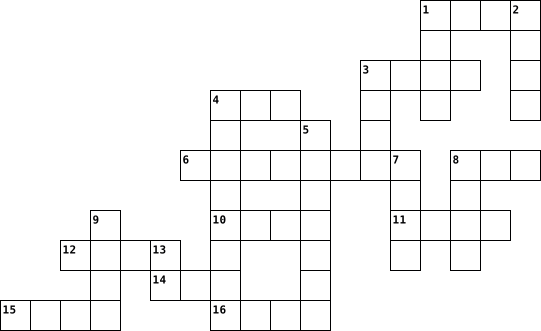
Across
- The year of the first mechanical computer created by Charles Babbage
- The data size in 3.5 inch HD floppy disk
- The first 3 digit number of Localhost IP Address
- Binary code for letter 'A' in ASCII
- Total character in ASCII
- The year of the electric computer keyboard was invented
- The year of the first tweet in Twitter
- The year internet invented
- The first floppy disk physical size (in millimeter)
- The year Microsoft was founded by Bill Gates
- The year of the first computer mouse was publicly unveiled
Down
- The year ENIAC completely built
- The year Youtube founded
- The year of the first WWW
- Binary of 173 in decimal
- Total KB in 1 GB
- Total Byte in 1 KB
- The year Facebook launched
- The year of the founder of apple born
- ASCII code for 'Space' (in decimal)
20 Clues: Total KB in 1 GB • Total Byte in 1 KB • The year Youtube founded • Binary of 173 in decimal • Total character in ASCII • The year of the first WWW • The year Facebook launched • The year internet invented • The year ENIAC completely built • Binary code for letter 'A' in ASCII • ASCII code for 'Space' (in decimal) • The year of the founder of apple born • ...
computer vocabulary 2023-03-06

Across
- an external serial bus interface and standard for connecting peripheral devices to a computer
- being or serving as an element (in something larger); composing; constituent:
- Security consists of the policies, processes and practices adopted to prevent, detect and monitor unauthorized access, misuse, modification, or denial of a computer network and network-accessible resources.
- use reasonable and limited use of copyrighted material so as not to infringe upon copyright:
- a label or name given to a function
- Drive a very small, portable, solid state hard drive that can be inserted into a USB port for storage and retrieval of data
- you are finished make a crossword puzzle with all your vocab
- an integrated collection of security measures designed to prevent unauthorized electronic access to a networked computer system
- relating the granting of an official license
- a piece of writing or other work reflecting such unauthorized use or imitation
- a word or other string of characters, sometimes kept secret or confidential, that must be supplied by a user in order to gain full or partial access to a computer, computer system, or electronic device.
Down
- a website designed to make it easy for users to create entries in chronological order
- the exclusive right to make copies, license, and otherwise exploit a literary, musical, or artistic work, whether printed, audio, video, etc.: works granted such right by law on or after January 1, 1978, are protected for the lifetime of an author or creator and for a period of 70 years after their death.
- or unit that operates separately from the CPU but is connected to it, as a mouse, printer, speakers, etc.
- the rules of etiquette that apply when communicating over computer networks, especially the internet.
- wide area network
- a web-based collaborative platform that enables users to store, create and modify content in an organized manner
- local area network
- disruptive online messages, especially commercial messages posted on a computer network or sent as email
- replacement of a single course of stonework by two or more lower courses.
- acceptable use policy
21 Clues: wide area network • local area network • acceptable use policy • a label or name given to a function • relating the granting of an official license • you are finished make a crossword puzzle with all your vocab • replacement of a single course of stonework by two or more lower courses. • being or serving as an element (in something larger); composing; constituent: • ...
A computer 2023-02-10

Across
- uses a lazer beam and ink to print
- cpu
- the smallest unit of information
- retrieves program instructions and passes it on to decode
- detects light and sendssignals thorugh he optic lense to the visual and the CPU
- rom
- input device
- performing tasks and following information.
- printer usually used for buisnesses
Down
- ram
- the switches inside a microprocessor are called?
- Floppy disk and hard disk are an example of?
- SB
- RAM and ROM are an example of?
- 1TB
- computers can only code in
- majour cpu manufactor
- gives computer a definite shape
- receive sound waves and sends into computer for processing
- an output device
20 Clues: SB • ram • cpu • 1TB • rom • input device • an output device • majour cpu manufactor • computers can only code in • RAM and ROM are an example of? • gives computer a definite shape • the smallest unit of information • uses a lazer beam and ink to print • printer usually used for buisnesses • performing tasks and following information. • Floppy disk and hard disk are an example of? • ...
Computer Anatomy 2023-02-10

Across
- A type of primary storage
- A type of secondary storage
- How is data stored in ROM
- How is data stored in RAM
- What is a CPU
- USB stands for
- The dot on the score board
- What does ROM stand for
- Switches in a microprocessor
- What does PCI stand for
Down
- What does RAM stand for
- Passes instructions
- Basic hardware of a computer
- A type of output device
- One of the major CPU manufacturers
- The results of the calculation
- Uses calculators to do math
- A type of input device
- Retrieves program instructions
- One of the main factors that determines the speed of CPU
20 Clues: What is a CPU • USB stands for • Passes instructions • A type of input device • What does RAM stand for • A type of output device • What does ROM stand for • What does PCI stand for • A type of primary storage • How is data stored in ROM • How is data stored in RAM • The dot on the score board • A type of secondary storage • Uses calculators to do math • Basic hardware of a computer • ...
Computer Anatomy 2023-02-10

Across
- basic hardware of a computer
- pass instructions
- what is a CPU
- uses calculators to do math
- A type of output device
- volatile how data is stored in ROM
- Parts of your computer to receive power and communicate with one another
- a type of input device
- retireves program instructions
Down
- one of the main factors of the CPU
- A type of secondary storage
- a output device
- switches in a microphone
- what does ROM stand for
- the dot on the score board
- how data is stored in RAM
- what you receive out of a system
- what you put into a system to function
- one of the major CPU manufactures
- to display to your monitor
- a type of primary storage
21 Clues: what is a CPU • a output device • pass instructions • a type of input device • what does ROM stand for • A type of output device • switches in a microphone • how data is stored in RAM • a type of primary storage • the dot on the score board • to display to your monitor • A type of secondary storage • uses calculators to do math • basic hardware of a computer • ...
Computer Vocabulary 2017-06-21

Across
- of a machine, system, or software) fail suddenly
- a folder or box for holding loose papers that are typically arranged in a particular order for easy reference.
- a panel of keys that operate a computer or typewriter.
- a program with graphical user interface for displaying HTML files used to navigate the World Wide Web.
- An electronic device for storing and processing data, typically in binary form, according to instructions given to it in a variable program
- a global computer network providing a variety of information and communication facilities, consisting of interconnected networks using standardized communication protocols
- Wide Web- an information system on the Internet that allows documents to be connected to other documents by hypertext links, enabling the user to search for information by moving from one document to another
- an instrument or device used for observing, checking, or keeping a continuous record of a process or quantity.
- a symbol or graphic representation on a screen of a program, option, or window, especially one of several for selection.
- a small handheld device that is dragged across a flat surface to move the cursor on a computer screen, typically having buttons that are pressed to control functions
- a computer or computer program that manages access to a centralized resource or service in a network
- drive- a high-capacity, self-contained storage device containing a read-write mechanism plus one or more hard disks, inside a sealed unit. Also called hard disk drive.
- Central processing unit the brains of a computer where most calculations take place
Down
- relating to the present or recent times as opposed to the remote past.
- tools, machinery, and other durable equipment.
- a folding cover or holder typically made of stiff paper or cardboard, for storing loose papers.
- a piece of code that is capable of copying itself and typically has a detrimental effect, such as corrupting the system or destroying data.
- system- the software that supports a computer's basic functions, such as scheduling tasks, executing applications, and controlling peripherals
- copy (data) from one computer system to another, typically over the Internet.
- the working surface of a desk.
- almost or nearly as described, but not completely or according to strict definition.
- a machine capable of carrying out a complex series of actions automatically, especially one programmable by a computer
- irrelevant or inappropriate messages sent on the Internet to a large number of recipients
- flash drive- an external flash drive, small enough to carry on a key ring, which can be used with any computer that has a USB port.
24 Clues: the working surface of a desk. • tools, machinery, and other durable equipment. • of a machine, system, or software) fail suddenly • a panel of keys that operate a computer or typewriter. • relating to the present or recent times as opposed to the remote past. • copy (data) from one computer system to another, typically over the Internet. • ...