
computer Crossword Puzzles
computer vocab 2017-06-21

Across
- known as unsolicited bulk email (UBE), junk mail, or unsolicited commercial email (UCE), is the practice of sending unwanted email messages, frequently with commercial content, in large quantities to an indiscriminate set of recipients.
- drive: The primary computer storage device, which spins, reads and writes one or more fixed disk platters.
- small text file (up to 4KB) created by a website that is stored in the user's computer either temporarily for that session only or permanently on the hard disk
- 1. an instrument or device used for observing, checking, or keeping a continuous record of a process or quantity.
- system designed to prevent unauthorized access to or from a private network.
- a way to organize computer files.
- is a typewriter-style device which uses an arrangement of buttons or keys to act as a mechanical lever or electronic switch.
- student with disciplinary or other special duties during school hours.
- The Internet is the global system of interconnected computer networks that use the Internet protocol suite (TCP/IP) to link devices worldwide.
- is an input device that is most often used with a personal computer.
- To restart a computer
- object on a computer that stores data, information, settings, or commands used with a computer program
Down
- the abbreviation for central processing unit. Sometimes referred to simply as the central processor, the CPU is the brains of the computer where most calculations take place.
- File server: a computer and storage device dedicated to storing files. Any user on the network can store files on the server. Print server: a computer that manages one or more printers, and a network server is a computer that manages network traffic.
- software program that runs against a Web server or other Internet server and enables a user to navigate the World Wide Web (WWW) to access and display data.
- television receiver used in a studio to select or verify the picture being broadcast from a particular camera.
- the working surface of a desk
- is an image that represents an application, a capability, or some other concept or specific entity with meaning for the user
- :electronic device for storing and processing data, typically in binary form, according to instructions given to it in a variable program.
- The primary computer storage device, which spins, reads and writes one or more fixed disk platters.
- systems: software that supports a computer's basic functions, such as scheduling tasks, executing applications, and controlling peripherals.
- to download is to receive data from a remote system, typically a server such as a web server, an FTP server, an email server, or other similar systems.
- operating system (OS) or application environment that is installed on software, which imitates dedicated
- is a type of malicious software program ("malware") that, when executed, replicates itself by modifying other computer programs and inserting its own code.
- flash drive: An external hard disk drive or optical disc drive that plugs into the USB port. See portable hard drive
- is a device or program that enables a computer to transmit data over, for example, telephone or cable lines.
- Wide web
27 Clues: Wide web • To restart a computer • the working surface of a desk • a way to organize computer files. • is an input device that is most often used with a personal computer. • student with disciplinary or other special duties during school hours. • system designed to prevent unauthorized access to or from a private network. • ...
DIT Computer 2017-06-11

Across
- - available in electronic form; readable and manipulable by computer
- - the act of turning out; production
- - a systematic series of actions directed to some end
- - pertaining to the use of diagrams, graphs, mathematical curves, or the like; diagrammatic.
- - chip, it cannot be removed and can only be read.
- - a person or thing that scans.
- - pertaining to, situated in, or constituting the periphery
- - a folder, cabinet, or other container in which papers, letters, etc., are arranged in convenient order for storage or reference.
- - the row or set of keys on a piano, organ, or the like.
- - a movable or fixed device, usually consisting of a covered frame, that provides shelter, serves as a partition, etc.
- - a system containing any combination of computers, computer terminals, printers, audio or visual display devices, or telephones interconnected by telecommunication equipment or cables
- - an electronic device that makes possible the transmission of data to or from a computer via telephone or other communication lines.
- - adjacent bits, usually eight, processed by a computer as a unit.
Down
- - a person or thing that prints, especially a person whose occupation is printing.
- - an output device that produces a graphical representation by drawing on paper, as with one or more attached pens.
- - something that is put in.
- - a person who uses a computer.
- - a precise sequence of instructions enabling a computer to perform a task; a piece of software.
- - a person who records, especially as an official duty.
- - a surface regarded as the common boundary of two bodies, spaces, or phases.
- - any of numerous small Old World rodents of the family Muridae, especially of the genus Mus, introduced widely in other parts of the world.
- - to cause to move in a particular direction by or as if by a pulling force; pull; drag (often followed by along, away, in, out, or off).
- - a person who speaks.
- - stands for graphical user interface.
- - a person or thing that folds.
- - the mental capacity or faculty of retaining and reviving facts, events, impressions, etc., or of recalling or recognizing previous experiences.
- - any of several, often proprietary, parts of the Internet that allow online processing and storage of documents and data
- - a male sheep.
- - the mouthpiece of a bridle, having fittings at each end to which the reins are fastened.
29 Clues: - a male sheep. • - a person who speaks. • - something that is put in. • - a person or thing that scans. • - a person or thing that folds. • - a person who uses a computer. • - the act of turning out; production • - stands for graphical user interface. • - chip, it cannot be removed and can only be read. • - a systematic series of actions directed to some end • ...
computer vocab 2020-02-24

Across
- This is the screen that appears if you are not browsing the Internet, reading a file, or play on this screen.
- This is a secret code to protect your data and can keep others from accessing your computer.
- When you click on an icon, it is a shortcut to a file or program.
- This is an abbreviation for "sending particularly annoying messages"; it stands for unwanted e-mail.
- A picture or design on your desktop for decoration.
- and drop To do this, you click on something and hold the button down. This will move the object you clicked on and will leave it where you let go of the button. So it drags it and drops it.
- This is simply a way to send a message from one computer to another
- This is the first page you see when you open your browser. You can make any page your homepage
- This is that small blinking line that shows you where your next typed letter or number will go.
- This is the process where you copy something from another computer or the Internet, and save it on your computer.
- bar The bar beside the Start button that shows what programs are open.
- Anyone using a computer.
- This is a picture or an image
- This is the program you use to browse files. A web browser will browse internet files, like Firefox or Internet Explorer.
- You have to do this to get access to a computer. You just type in a certain name or code.
Down
- Software that was written to do bad stuff to your computer.
- Many computers that are connected like a web so you can see what other computer operators show you and you can show them things as well.
- This is an abbreviation for Frequently Asked Questions.
- This is all the instructions for the computer or a program designed to do different things. Examples are: Microsoft Word, Internet Explorer, and Windows.
- This is a picture that pops up when you are not using your computer.
- click When you right click on the mouse, you are given a menu of options.
- The address of documents and resources on the internet.
- Any information stored by a computer. It can be files, E-mails, video games, songs, pictures, etc.
- This is an extra copy of a file or document.
- or World Wide Web Group of internet servers linking computers around the world.
- This is the data that a computer stores. Long term memory must be saved to the hard drive.
- This is a small symbol or picture that represents a program or other things
27 Clues: Anyone using a computer. • This is a picture or an image • This is an extra copy of a file or document. • A picture or design on your desktop for decoration. • This is an abbreviation for Frequently Asked Questions. • The address of documents and resources on the internet. • Software that was written to do bad stuff to your computer. • ...
Computer Vocabulary 2020-02-24

Across
- This is the screen that appears if you are not browsing the Internet, reading a file, or playing a game. Your icons are on this screen.
- This is a secret code to protect your data and can keep others from accessing your computer.
- When you click on an icon, it is a shortcut to a file or program.
- This is an abbreviation for "sending particularly annoying messages"; it stands for unwanted e-mail.
- A picture or design on your desktop for decoration.
- and drop To do this, you click on something and hold the button down. This will move the object you clicked on and will leave it where you let go of the button. So it drags it and drops it.
- This is simply a way to send a message from one computer to another.
- This is the first page you see when you open your browser. You can make any page your homepage.
- This is that small blinking line that shows you where your next typed letter or number will go.
- This is the process where you copy something from another computer or the Internet, and save it on your computer.
- bar a space The bar beside the Start button that shows what programs are open.
- Anyone using a computer.
- This is a picture or an image.
- This is the program you use to browse files. A web browser will browse internet files, like Firefox or Internet Explorer.
- You have to do this to get access to a computer. You just type in a certain name or code.
Down
- Software that was written to do bad stuff to your computer.
- Many computers that are connected like a web so you can see what other computer operators show you and you can show them things as well.
- This is an abbreviation for Frequently Asked Questions.
- This is all the instructions for the computer or a program designed to do different things. Examples are: Microsoft Word, Internet Explorer, and Windows.
- This is a picture that pops up when you are not using your computer.
- click When you right click on the mouse, you are given a menu of options.
- The address of documents and resources on the internet.
- Any information stored by a computer. It can be files, E-mails, video games, songs, pictures, etc.
- This is an extra copy of a file or document.
- or World Wide Web Group of internet servers linking computers around the world.
- This is the data that a computer stores. Long term memory must be saved to the hard drive.
- This is a small symbol or picture that represents a program or other things.
27 Clues: Anyone using a computer. • This is a picture or an image. • This is an extra copy of a file or document. • A picture or design on your desktop for decoration. • This is an abbreviation for Frequently Asked Questions. • The address of documents and resources on the internet. • Software that was written to do bad stuff to your computer. • ...
Computer Hardware 2021-01-28

Across
- A hardware device at the center of a computers function, that processes inputs and performs calculations.
- A hardware storage device that allows you to store information temporarily for quick access.
- The version of a computer that is more compact and allows for mobile computing.
- A hardware input device that allows you to enter data (characters, numbers) into a computer.
- An output device that exists in different versions, two of which are Cathode Ray Tube and Liquid Crystal Display.
- A processing device that is designed to deal with the visual/graphical outputs of a computer to a display.
- A hardware device that produces a hard copy of information from the computer.
- An input peripheral that can provide visual input for the computer.
- A network of computers around the world that allows the sharing and access of information through websites.
- A hardware device that can hold information for long term storage and without power.
- A cable that allows transfer of both audio and visual information through metal and glass components.
- The type of hard drive that uses magnetism to store data on a spinning disc.
Down
- In the shortened WiFi name, the Fi stands for _________?
- An output peripheral that allows for the amplification of audio signals.
- The computer component equivalent to our bodies nervous system.
- A chip, that is now obsolete, that was used in the processing of audio inputs and outputs.
- Pieces of metal attached to various components inside of the computer that allow for the transfer of energy to surrounding air.
- Programs that computers use for a variety of functions, for example, Microsoft Word has replaced typewriters.
- A battery takes alternating current from the outlet and converts it into _____ current that the computer can use for power.
- The name of the man who hypothesized that the number of transistors on an integrated circuit would double every year. This idea is known as ______'s Law.
- A device that is designed to be used with the optical drive that stores audiovisual information.
21 Clues: In the shortened WiFi name, the Fi stands for _________? • The computer component equivalent to our bodies nervous system. • An input peripheral that can provide visual input for the computer. • An output peripheral that allows for the amplification of audio signals. • The type of hard drive that uses magnetism to store data on a spinning disc. • ...
Computer Tech 2020-10-14

Across
- It ties the components of the computer all together all in one spot allowing it to talk to each other
- it captures the sound and puts into the device.
- Anything that provides input into a computer for example a keyboard.
- It's used to surf the internet through wireless connection.
- A set of keys that sends data to your computer
- Provides information in different forms like a printer for example
- is a program or a network
- It displays information into a pictornary form
- A piece of the computer equipment that stores information
- a printed circuit board controlling output to a display screen.
- a computer designed to stay in its place
- A router is a networking device that forwards data packets between computer networks
- a rigid non removable magnetic disk with a large data storage capacity.
Down
- primary devices that perform operations and produce results for complex calculations.
- Chemical energy converted into electricity
- It enters motion into a computer
- a movable computer
- Its malware is attached to another program, it can spread to all over.
- It's designed to disrupt, damage, or gain unauthorized access to computers.
- Allows other programs to run.
- a movable device
- A device you drag on a flat surface to move the mouse or click on things.
- It projects sound out of the device.
- It translates the motion of users' fingers.
- A device that prints, it can print pictures
25 Clues: a movable device • a movable computer • is a program or a network • Allows other programs to run. • It enters motion into a computer • It projects sound out of the device. • a computer designed to stay in its place • Chemical energy converted into electricity • It translates the motion of users' fingers. • A device that prints, it can print pictures • ...
computer science 2020-12-09

Across
- The code that you add to a program to indicate that the program should run inside a function at a certain time
- add code inside a function so that the program knows what it is supposed to do when the function is called
- Someone who acts safely, responsibly, and respectfully online
- Statements that only run under certain conditions or situations
- An action that causes something to happen.
- A visual programming language that lets users program by connecting digital blocks, rather than by typing code
- An instruction for the computer
- Using the power of computers to solve problems
- add code inside a function so that the program knows what it is supposed to do when the function is called
- Getting help from a large group of people to finish something faster
- A way of representing information using only two options
- To add code inside a function so that the program knows what it is supposed to do when the function is called
- A visual programming language that lets users program by connecting digital blocks, rather than by typing code
Down
- Pulling out specific differences to make one solution work for multiple problems
- One or more commands or algorithms designed to be carried out by a computer
- The information about someone on the Internet
- Information like quantities, characters, or symbols that are the inputs and outputs of computer programs
- A list of steps used to finish a task
- A process that generalizes a solution to open ended problems
- The service that translates URLs to IP addresses
- Finding and fixing errors in programs
- Breaking a problem down into smaller pieces
- A method of sending information using telephone or television cables.
23 Clues: An instruction for the computer • A list of steps used to finish a task • Finding and fixing errors in programs • An action that causes something to happen. • Breaking a problem down into smaller pieces • The information about someone on the Internet • Using the power of computers to solve problems • The service that translates URLs to IP addresses • ...
computer vocab 2020-12-10

Across
- basic unit of information in computing and digital communications.
- Read only memory
- 1024 (or 1000) megabytes
- a device that is used to store information for immediate use in a computer
- random access memory
- a flexible removable magnetic disk for storing data; a floppy disk.
- a collection of data, programs, etc., stored in a computer's memory or on a storage device under a single identifying name.
- copy (data) from one computer system to another, typically over the internet.
Down
- (or 1000) bytes
- 1024 (or 1000) kilobytes
- 1024 (or 1000) gigabytes
- a group of binary digits or bits (usually eight) operated on as a unit
- an error in the computer system
- 1024 (or 1000) terabytes
- drives a small electronic device containing flash memory that is used for storing data or transferring it to or from a computer, digital camera, etc.
- Rom compact disc read-only memory
- Drive portable storage devices typically used to store data
- Storage Web-based service that provides storage space on a remote server
- facts and statistics collected together for reference or analysis.
- a four-bit aggregation
20 Clues: (or 1000) bytes • Read only memory • random access memory • a four-bit aggregation • 1024 (or 1000) kilobytes • 1024 (or 1000) gigabytes • 1024 (or 1000) megabytes • 1024 (or 1000) terabytes • an error in the computer system • Rom compact disc read-only memory • Drive portable storage devices typically used to store data • ...
Computer Components 2021-09-17

Across
- Newer parts that label where mice and keyboards go
- used to transfer data from point a to point b in a single unit
- Memory to start computer
- connecting an old printer to it
- 1000000000 bytes
- the input output system
- The part the allows sound
- where the storage of the device is kept
- 1000000000000 bytes
Down
- Runs through multicolored cables
- attaching older keyboards and mice to it
- Short term memory
- 1000000 bytes
- the part of the computer that helps it run
- Device to create text in the device
- Device that has input and output
- Device that can detect voices
- used for graphics
- the main processing unit
- 1000 bytes
20 Clues: 1000 bytes • 1000000 bytes • 1000000000 bytes • Short term memory • used for graphics • 1000000000000 bytes • the input output system • Memory to start computer • the main processing unit • The part the allows sound • Device that can detect voices • connecting an old printer to it • Runs through multicolored cables • Device that has input and output • Device to create text in the device • ...
Computer terms 2021-05-23

Across
- measured in GHz
- kindle
- turn on
- Microsoft operating system
- 1 or a 0
- restart
- drive
- 1,000,000
Down
- Apple cloud storage
- keyboard
- Microsoft cloud storage
- Teams is an example of this
- Processor kind
- temporary
- 1,000
- 1,000,000,000,000
- 8 bits
- Mac operating system
- memory
- 1,000,000,000
20 Clues: 1,000 • drive • kindle • 8 bits • memory • turn on • restart • keyboard • 1 or a 0 • temporary • 1,000,000 • 1,000,000,000 • Processor kind • measured in GHz • 1,000,000,000,000 • Apple cloud storage • Mac operating system • Microsoft cloud storage • Microsoft operating system • Teams is an example of this
Computer fundamentals 2021-10-10

Across
- Output that is temporary and disappears when the computer is switched off
- Output that is permanent and is usually printed
- Used mainly in the banking industry to read data on cheques
- A small computer that has little processing power
- internal hardware devices that make up a computer
- Sometimes referred to as the ‘brain’ of the computer
- Hardware devices that are not essential to a computer’s function
- The part that holds data and instructions
- Used for assessing multiple-choice examinations
- printer that produces output by spraying ink
- printer that has metal hammers strikes an inked ribbon
- parts of a computer system that you can see and touch
- laser beams to translate drawings to a photo
- output device designed to print houseplans
Down
- A type of online storage
- Documents on which data is first recorded
- A portable version of a personal computer
- Very large powerful computers
- Holds data that is waiting to be output
- identifies a person based on an body characteristics
- Device that stores data to be used later
- A chip that is non-volatile (3)
- Made up of columns and Printed on items
- Sometimes referred to as the ‘brain’ of the computer
- The smallest unit of storage
- Memory that consists of RAM and ROM (7)
- media used to keep data or later
- The smallest unit on the screen
- A printer that is used to print receipts
- the raw facts and figures
- instructions that a computer needs to carry out its tasks
31 Clues: A type of online storage • the raw facts and figures • The smallest unit of storage • Very large powerful computers • A chip that is non-volatile (3) • The smallest unit on the screen • media used to keep data or later • Made up of columns and Printed on items • Memory that consists of RAM and ROM (7) • Holds data that is waiting to be output • ...
Computer Studies 2022-04-27

Across
- The amount of data that can be sent and received successfully in a given time
- None of the data is lost, it is encoded differently
- Store the mathematics to draw coloured shapes
- a data container that saves the data values during Java program execution.
- Medium storage capacity with very quick access to data
- Wired connection have a higher bandwidth than wireless connections
- stores text, such as "Hello". String values are surrounded by double quotes
- Some of the data is lost and can’t be recovered.
- The delay from transmitting data to receiving it.
- A block of memory for storing data which is likely used again
- Random access memory
- stores integers (whole numbers), without decimals, such as 123 or -123
- read-only memory
- Too many users or devices on the same network can cause the network to slow down if there is insufficient bandwidth for data
- Used to maintain the computer system
- Pictures constructed from coloured squares called pixels.
- are ignored by java (will not be executed)
- Text Based
- A general term covering all computer programs. Most software falls into broad categories such as application, system, and utility software
- Low capacity storage with slow access to data
- Computers designed for a specific task, ex, heart monitors
Down
- All physical parts of a computer system and its related devices, both internal or external. Ex: motherboard, hard drives, RAM, monitors, keyboards,etc
- A server controls accessed security to one shared file store.
- Piece of application software
- Provides a platform on which users can run programs
- Is needed when there is not enough physical RAM to store the open programs
- Responds to questions in a spoken language
- stores single characters, such as 'a' or 'B'. Char values are surrounded by single quotes
- Stored in 24 bit colour depth (2^24 = over 16 million colours)
- Windows Icon, menus, pointers (WIMP)
- Is needed because ROM is read only and RAM is volatile.
- Less reliable connections increase the number of errors that occur when data is transferred
- Reducing the number of bits in a file
- The component of the computer that holds data and programs that are currently in use.
- Additional data stored with the image to define width, height, colour depth and colour palette
- stores floating-point numbers, with decimals, such as 19.99 or -19.99
- The concerns are those where the manufacturing and use of computers has had a negative impact on the environment
- A computer on a network, and is equal to all others
- High storage capacity with quick access to data
- stores values with two states: true or false
40 Clues: Text Based • read-only memory • Random access memory • Piece of application software • Windows Icon, menus, pointers (WIMP) • Used to maintain the computer system • Reducing the number of bits in a file • Responds to questions in a spoken language • are ignored by java (will not be executed) • stores values with two states: true or false • ...
Computer History 2022-08-25

Across
- Version 1.0 of the programming language was introduced in 1995. Hint: it's required to play some versions of Minecraft.
- The __________ Z80 processor was also released in 1976
- One of the largest Linux vendors; Company was purchased by "Big Blue"
- This computer was famously advertised during the 1984 Super Bowl
- This company introduced the Video Toaster for the Amiga computer. The Video Toaster was famously used by many cable companies and public access channels throughout the 1990s
- In 1979, __________ introduced the 68000 processor which would power the first Macintosh in 1984, as well as the Amiga and Atari ST in 1985.
- Apple introduced this computer in 1983 which was considered the first commercial computer with a graphical interface
- A clone of the altair. Featured in the Matthew Broderick movie Wargames.
- This famous painting/drawing application was released in 1990, the same year as Windows 3.0
- An OS Kernel that forms the core of OS products from Red Had, Canonical, Oracle and more
- Chuck ___________, formerly of Motorola led a small team to create the MOS 6502 processor which later powered the Atari 800 and Apple II.
- Richard _______ develops GNU (Gnu's Not Unix) in 1983
- This range of colorful Macintosh computers was first released in 1998 and did wonders to turn around Apple's financial woes of the 1990s.
- This term was coined by William Gibson in the 1984 book Neuromancer
- The computer famous for making Desktop Video possible in the 1980's and early 1990's
Down
- Steve _______ completes the Apple I computer in 1976.
- In 1978, during the ______ administration, the first computer was installed in the White House.
- Released in Japan as the Famicom, 1985 saw the release of a console known as the NES by this company.
- A Xerox facility where the first laser printer and the Graphical Interface were invented
- This computer was introduced in the UK in 1986. It is famous for being the first to feature the Acorn Risk Machine (ARM) processor which as evolved to power modern cell phones, tablets and Mac computers.
- Originally founded as a typewriter company in Canada, it was one of the "big 3" companies to launch a computer in 1977.
- An early computer game that once had dedicated consoles was invented in 1972
- 1976
- Computer company known as Big Blue
- This company released the 8080 processor
- This time-tested internet based application was first invented in 1971
- The 3.5" floppy disk was invented by ____ in 1981
- This was the first graphical web browser supported by a major institution
- Gary _____ develops the first commercially available operating system for microcomputers called CP/M in 1976.
- Company that produces multiple iDevices
- Creator of computers such as the TRS-80 and Color Computer series.
- An early home computer from the 1970's. Famously used by Bill Gates
- _____ Torvalds introduced the Linux kernel in 1991
- The company behind Windows
34 Clues: 1976 • The company behind Windows • Computer company known as Big Blue • Company that produces multiple iDevices • This company released the 8080 processor • The 3.5" floppy disk was invented by ____ in 1981 • _____ Torvalds introduced the Linux kernel in 1991 • Steve _______ completes the Apple I computer in 1976. • Richard _______ develops GNU (Gnu's Not Unix) in 1983 • ...
Computer Vocabulary 2017-02-10

Across
- Keys: Moves the cursor to the left, right, up, and down
- Used to delete text to the left of the cursor
- – An assortment of characters in a certain type and size
- : Used with other keys to execute a command and to perform functions
- Movement: Moves the cursor in the direction of the arrow
- Page Break: A manual page break
- lock: Locks the alphabet keys into uppercase
- – A letter, number, symbol, or space typed on a keyboard
- Deletes (erases) text to the right of the cursor
- A spare or extra copy
- and Drop: Moving the mouse to copy or move selected text to a new location
- Used to move the cursor down a line
Down
- A temporary storage area for text that is to be cut or copied and then paste to another location
- Keys: Letters on the keyboard
- Line Indent – Only the first line of the paragraph is indented
- – Gross Words per Minute – the number of keystrokes a typist can make in a timed period. This is the equivalent of our wpm for other countries.
- Used with other keys to access functions that are built into the software
- The science concerned with designing safe and comfortable machines for humans
- – The size, style, font, page size, margins, and printing requirements of a document
- The flashing mark on the screen that shows where your next keystroke will appear
- – text and/or graphics appearing at the top of each page in a document
- A setting used unless another option is chosen (normally the setting given in the factory)
- Exit unwanted menus and dialog boxes
- Key: Moves the cursor to the end of the line
- To revise text
25 Clues: To revise text • A spare or extra copy • Keys: Letters on the keyboard • Page Break: A manual page break • Used to move the cursor down a line • Exit unwanted menus and dialog boxes • lock: Locks the alphabet keys into uppercase • Key: Moves the cursor to the end of the line • Used to delete text to the left of the cursor • Deletes (erases) text to the right of the cursor • ...
Computer Vocab. 2017-02-09

Across
- and Drop – Moving the mouse to copy or move selected text to a new location
- – Exit unwanted menus and dialog boxes
- – When positioned on the text, the mouse pointer becomes an I shape pointer
- – Text and/ or graphics appearing at the top of each page in a document
- – In this orientation, the document prints with a long edge of the page at the top. 11 x 8.5
- - An extra or spare copy of a file, folder or data
- Line Indent – Only the first line of the paragraph is indented
- - Used with other keys to access functions that are built into the software
- – Where a computer stores data
- – A letter, number, symbol, or space typed on a keyboard
- - The flashing mark on the screen that shows where your next keystroke will appear
- – The alignment of horizontal lines. There are four of these: left aligned, center alignment, right alignment, and full justification.
- - Used to delete text to the left of the cursor
- Page Break – A manual page break
- – The size, style, font, page size, margins, and printing requirements of a document
- – An assortment of characters in a certain type and size
Down
- – Gross Words per Minute – The number of keystrokes a typist can make in a timed period. This is the same as out wpm but used by other countries
- – Deletes (erases) text to the right of the cursor
- – A setting used unless another option is chosen
- Lock - Locks the alphabet keys into uppercase
- Key – Moves the cursor to the beginning of the line
- - A temporary storage area for text that is to be cut or copied and then pasted to another location
- – To revise text
- – The science concerned with designing safe and comfortable machines for humans
- Keys - Letter keys on the keyboard
- – Used to move the cursor down a line
- - Used with other keys to execute a command and to preform functions
- Movement – Moves the cursor in the direction of the arrow
- Key – Moves the cursor to the end of the line
- Keys - Moves the cursor to the left, right, up and down
30 Clues: – To revise text • – Where a computer stores data • Page Break – A manual page break • Keys - Letter keys on the keyboard • – Used to move the cursor down a line • – Exit unwanted menus and dialog boxes • Lock - Locks the alphabet keys into uppercase • Key – Moves the cursor to the end of the line • - Used to delete text to the left of the cursor • ...
computer vocabulary 2016-09-13

Across
- position the pointer on top of the selected text, and then drag the selected text to the new location
- feature used to magnify and reduce your document on the screen
- text, it is removed from the document and placed on the clipboard
- change the appearance of a paragraph
- use the save button on the toolbar to save a document for the first time
- shows how a document will look when it is printed
- clipboard: special clipboard on which you can collect up to 24 selections. It is available only to Microsoft office programs
- displays headings and text in outline form so you can see the structure of your document and reorganize easily
- temporary storage place in the computers memory
- documents appear wider than they are long
- placing whatever is stored on the clipboard into the document
- displays only the text of a document without showing the arrangement of the text; if your document includes any pictures, they would not appear.
- the text remains in its original location and a copy of it is placed on the clipboard
Down
- switching between two options by clicking the same button
- simulates the way a document will look when it is viewed as a web page; text and graphics appear the way they would in a web browser
- contains commands for working with the document, organized by tabs
- displays information about the current document and process
- to select text with the mouse, position the I-beam pointer to the left of the first character of the text you want to select. Hold down the left button on the mouse, drag the pointer to the end of the text you want to select, and release
- view that removes the ribbon and the status bar from the screen. It leaves only the document and, in place of the ribbon, a small bar called a toolbar that contains buttons for preforming commands.
- documents appear longer than they are wide
- highlight a block of text
- text appears in a document at this point.
- used to switch between views, located at the bottom right of the document window
- the use of computer software to enter and edit text
- a small bar that appears in full screen reading view that contains buttons for performing commands
- if the text you are typing extends beyond the right margin, it automatically moves to the next line
26 Clues: highlight a block of text • change the appearance of a paragraph • text appears in a document at this point. • documents appear wider than they are long • documents appear longer than they are wide • temporary storage place in the computers memory • shows how a document will look when it is printed • the use of computer software to enter and edit text • ...
Computer Apps 2018-01-05

Across
- shortcut to opening a new document
- holds together the connectors, memory, and the CPU
- stores information, but can only store small amounts of data
- shortcut to bold something on the computer
- taking someone else's work and claiming it as your own
- shortcut to copy on the computer
- memory that can be accessed randomly allowing you to use multiple programs at once without suffering lag or loading times
- a small device used to point to and select items on your computer screen
- supply in charge of bringing electrical power to the computer
- small piece of equipment used to store and transfer
- draws cool air inside a computer to cool it down
- rigid platter or stack of platters with a magnetic surface that stores information. Because they can hold massive amounts of information, they usually serve as a computer's primarily means of storage, holding almost all programs and files
Down
- a vertical division in a table
- what is a panel of keys that operates a computer
- shortcut to select all items
- piece of computer hardware that produces the image you can see on a monitor
- plastic disk on which music or other digital information is stored, and fro which the information can be read using reflected laser light
- shortcut to underline on the computer
- displays information visually using text and graphics
- online store or business
- shortcut to undo the last thing you did
- shortcut to paste on the computer
- the use of electronics to bully or harass a person
- a horizontal line in a table
- online presentation that uses topics and subtopics
25 Clues: online store or business • shortcut to select all items • a horizontal line in a table • a vertical division in a table • shortcut to copy on the computer • shortcut to paste on the computer • shortcut to opening a new document • shortcut to underline on the computer • shortcut to undo the last thing you did • shortcut to bold something on the computer • ...
Computer Terms 2018-05-05

Across
- top level domain for a website for a for profit agency (commercial)
- a brief account of one's education, qualifications and previous experience
- irrelevant messages sent to many people
- standardized system for tagging text files for the world wide web
- top level domain for a website for a government agency
- a program capable of displaying HTML files.
- a connection to another web page or document by clicking words or pictures
- taking some else's work and passing them off as one's own
- a single instruction that runs many tasks one after the other
- private network for a business or entity
- computer capable of obtaining information from a server
- a structured set of data held on a computer
- top level domain for a website for a four year college
- file format for Microsoft PowerPoint files
- file format for Microsoft Excel files
- allows computers to connect wirelessly
Down
- top level domain for a website for a not-for-profit agencies
- computer that manages across a centralized resource
- a high-level general purpose programming language
- the legal right to print or publish on's own work
- a record of an address of a website or file for quick access in the future
- adding names and addresses to letters and envelopes
- top level domain reserved for United Stated Department of Defense
- regularly updated website written in an informal style
- private network, can partially be accessed by authorized outside users
- computer programming language designed to run programs on any computer system.
- an open-sourced operating system modelled on UNIX
- file format for Microsoft Word files
- what you see on the screen is exactly what will print
- file format for Adobe Acrobat reader files
- graphical user interface
31 Clues: graphical user interface • file format for Microsoft Word files • file format for Microsoft Excel files • allows computers to connect wirelessly • irrelevant messages sent to many people • private network for a business or entity • file format for Microsoft PowerPoint files • file format for Adobe Acrobat reader files • a program capable of displaying HTML files. • ...
Computer Science 2019-10-03

Across
- program send to task bar allowing the page to stay open
- one of the original creators of microsoft that has passed away
- a bar that shows shortcuts and open tabs
- a typing program created by winows
- first computer
- image that represents an action
- brain of the computer
- creator of apple
- work area
Down
- input unit that allows users to move a curser and click
- unit that allows the user to hear noise
- one of the original creators of microsoft
- dot on a computer screen
- input unit that allows a user to type
- covering on a desktop
- allows the user to speak words into the computer using this
- graphical user interface
- made in 2001
- laptop made by apple
- windows that created the start button
- 2 or more computers working together
21 Clues: work area • made in 2001 • first computer • creator of apple • laptop made by apple • covering on a desktop • brain of the computer • dot on a computer screen • graphical user interface • image that represents an action • a typing program created by winows • 2 or more computers working together • input unit that allows a user to type • windows that created the start button • ...
Computer Science 2019-10-02

Across
- Graphical user interface
- The LARGEST Software Company
- Xerix operating system
- An image that represents an action
- Creator of Apple
- Processor
- Creator of Microsoft
- Created 1983
- The covering on a desktop
- Too different, not successful
- 2 or more computers sharing resources
Down
- Menu system
- a program which make changes to your image after a period of activity, prevented screen from burn-in
- “Sends” program to the task bar, it keeps running
- Bar at the bottom of desktop, shows shortcuts & open windows (minus sign on top right)
- A dot of color on computer screen
- Start button
- Created 1985
- Work area
- Double square, makes your window smaller
20 Clues: Processor • Work area • Menu system • Created 1983 • Start button • Created 1985 • Creator of Apple • Creator of Microsoft • Xerix operating system • Graphical user interface • The covering on a desktop • The LARGEST Software Company • Too different, not successful • A dot of color on computer screen • An image that represents an action • 2 or more computers sharing resources • ...
Computer science 2023-05-24

Across
- To find and fix errors in a program.
- A temporary storage of data in a program (RAM) which can change. Used to store values while the program is running.
- true
- Integrated Development Learning Environment.
- To join strings together.
- A classification of data which tells a computer how to process the data.
- The choice of which route to take through a computer program , depending on the question.
- stepping through an algorithm one step at a time and looking at inputs , values and outputs.
- iterating one or more instructions for a set number of times.
- To break down complex problems into smaller , easier to solve parts.
- Set of step by step instructions to describe a task or process.
- Changing the data type.
- Using repetition of a process to create a more efficient solution.
Down
- Formal and structured way of writing algorithms.
- A visual method for describing algorithms.
- 6.085
- And , or , not are…
- 5
- A set of instructions that must be followed one after another in a specific order.
- Sequence , selection and iteration are…
- (“3:5”)
- Comments in a program that explain what the code does.
22 Clues: 5 • true • 6.085 • (“3:5”) • And , or , not are… • Changing the data type. • To join strings together. • To find and fix errors in a program. • Sequence , selection and iteration are… • A visual method for describing algorithms. • Integrated Development Learning Environment. • Formal and structured way of writing algorithms. • Comments in a program that explain what the code does. • ...
COMPUTER SCIENCE 2023-06-30

Across
- The ease with which a user interface can be used by its intended audience to achieve defined goals
- A SEQUENCE OF UNAMBIGUOUS INSTRUCTIONS FOR SOLVING A PROBLEM
- An object is defined based on a class
- A problem which can be solved, but for which no polynomial time solution (or better) has been found
- A last-in-first-out (LIFO) abstract data type
- A collection of elements with an inherent order
- A device used to connect networks using different protocols so that information can be successfully passed from one system to another
- A computer that provides shared resources to network users
- A problem that has a reasonable (polynomial) time solution as the size of the input increases
- A set of attribute values in a database
- The result of a calculation is too large to be represented using the available number of bits
- _______ protocol: The sending and receiving devices exchange signals to establish that they are each ready to initiate data transfer
- A program that hides in or masquerades as desirable software, such as utility or a game, but attacks computers it infects
- A small program that exploits a network security weakness (security hole) to replicate itself through computer networks
Down
- A global wide area network that is formed from the interconnection of many other networks and that uses the TCP/IP protocol
- Fixing bugs, changing parameters and responding to changing requirements
- A diagram consisting of vertices joined by edges.
- The result of a calculation is too small to be represented using the available number of bits
- When someone tries to get you to give them your personal information
- A STRUCTURED COLLECTION OF DATA
- Combining a record with the procedures and functions that manipulate it to form a new data type; a class in OOP.
- A small program attached to another program or data file. It replicates itself by attaching itself to other programs
- THE SCIENCE OF DESIGNING CIPHER SYSTEMS
- An early or trial working version of the proposed system developed to test possible solutions
- FOR A TRANSMISSION MEDIUM, THE RANGE OF SIGNAL FREQUENCIES IT MAY TRANSMIT
- A multiple data channel system in which the bandwidth of the transmission medium carries several data streams at the same time.
26 Clues: A STRUCTURED COLLECTION OF DATA • An object is defined based on a class • THE SCIENCE OF DESIGNING CIPHER SYSTEMS • A set of attribute values in a database • A last-in-first-out (LIFO) abstract data type • A collection of elements with an inherent order • A diagram consisting of vertices joined by edges. • A computer that provides shared resources to network users • ...
Computer science 2023-10-05

Across
- The process of converting data so that it cannot be easily read or understood without first being decrypted
- 8 bits
- read only memory
- random access memory
- The process of breaking a problem down into smaller parts to make it easier to solve.
- a base 10 number system
- The process of removing irrelevant or unnecessary information from the problem in order to better understand the basic parts of it.
- A computer or other device which accesses data from a central server
- a picture element
- Two or more computers connected together for the purposes of sharing data or resources.
- A whole number without a decimal point or fraction
- This happens when not enough space has been allocated to store the results of a calculation
- A device which connects two or more different networks together allowing them to communicate with one another.
- A secret word or phrase, usually provided alongside a username
Down
- 1024 x 1024 bytes
- 1024 gibibytes
- a base two number system
- A register. Stores the result of the last operation.
- Software which reorders files stored on a hard disk so that they run in a sensible order to improve performance and efficiency
- A small area of memory within the CPU
- 1024 bytes
- The amount of data which can be transferred via a network in any given time. More bandwidth allows more data to travel across the network at the same time resulting in faster transfer speeds.
- A term for any software which is designed with malicious intent
- The smallest unit of storage, containing a binary 1 or 0.
- Attempting to trick someone in to revealing information such as their password, financial, or other private information by pretending to be someone else
- 4 bits (half a byte)
- 1024 x 1024 x 1024 bytes
- A way of reducing the size of a file. It is often used with photos, music and video files
- A device which provides computers and other devices with a wired connection to a network.
29 Clues: 8 bits • 1024 bytes • 1024 gibibytes • read only memory • 1024 x 1024 bytes • a picture element • random access memory • 4 bits (half a byte) • a base 10 number system • a base two number system • 1024 x 1024 x 1024 bytes • A small area of memory within the CPU • A whole number without a decimal point or fraction • A register. Stores the result of the last operation. • ...
Computer Apps! 2023-12-08

Across
- modulator-demodulator
- Firefox, Chrome, Edge
- Random access memory
- A personal or business website that's regularly updated
- A gateway that passes data between one or more local area networks
- Physical parts of a computer
- To receive data or a file from the Internet on your computer
- Portable document format
- To turn off after restarting
- Hypertext markup language
- Intrusive and malicious software
- Microsoft Bing, Google, Yahoo
- Binary digit
- Divide between those with internet and those without it
- Category of property
- Personal identifiable information
- Domain name system
- Text files with small amounts of data
- A unit of information equal to 220
- A family of wired computer networking technologies
Down
- The numeric codes for the operations that a particular computer can execute directly
- Main printed circuit board
- Provides internet
- Read only memory
- Address of a webpage
- Windows, Linux, Android
- Keyboard, Mouse, Microphone
- Scrambling data
- Operating system and data of a computer
- Monitor, projector, printer
- Network protection, filters and scans data
- Stores data
- Open source software
- A unique series of numbers for every device connected to the internet
- Central processing unit
- Simulated experience
- A group of binary digits
37 Clues: Stores data • Binary digit • Scrambling data • Read only memory • Provides internet • Domain name system • Address of a webpage • Random access memory • Open source software • Simulated experience • Category of property • modulator-demodulator • Firefox, Chrome, Edge • Windows, Linux, Android • Central processing unit • Portable document format • A group of binary digits • Hypertext markup language • ...
Computer Principles 2023-11-30

Across
- Unwanted or unsolicited emails
- Where you can do things with your file like, share,print,etc.
- Folder where suspected spam emails are moved
- A blind carbon copy- sent to addressee that is not visible
- To move an email to an archive folder
- Folder where unsend emails go
- Fraud attempt to obtain information
- Folder for storing uncompleted emails
- Applying a flag message or contact in microsoft outlook.
- When a meeting or appt happens on the same day or time over a period of time
- To respond to email
- Decorate text that you can add to a document.
Down
- Horizontal space at the top of the window that organizs commands
- File or document that is sent with email.
- A copy of a note sent to an addressee other than main address.
- Primary folder where incoming mail goes
- To personalize email messages with backgrounds and patterns.
- A type of file that can be opened for free on any device
- organizes emails by folders, much like GroupWise did. Any labels that you created in Google Apps
- Personalized area to leave your signature.
- Send an email to a different person
- Email services accessed through browser
22 Clues: To respond to email • Folder where unsend emails go • Unwanted or unsolicited emails • Fraud attempt to obtain information • Send an email to a different person • To move an email to an archive folder • Folder for storing uncompleted emails • Primary folder where incoming mail goes • Email services accessed through browser • File or document that is sent with email. • ...
COMPUTER MAGIC 2023-11-23

Across
- a coding language
- computer camera
- doing in computer
- permanent storage
- the brain of the computer
- a device used to navigate
- sound output
- a main part inside a CPU
- temporary storage
- a software made to interact with the computer
- display
- your information
- giving out
Down
- a main company
- unwanted email
- router
- a software made to hack
- to organize files
- a person who hacks
- giving in
- related to ppt
- a device with many key
- a search engine
- to steal someone's information without their knowledge
- connecting
25 Clues: router • display • giving in • connecting • giving out • sound output • a main company • unwanted email • related to ppt • computer camera • a search engine • your information • a coding language • to organize files • doing in computer • permanent storage • temporary storage • a person who hacks • a device with many key • a software made to hack • a main part inside a CPU • the brain of the computer • ...
computer terms 2023-09-06

Across
- a type of computer display
- opens up a window showing your apps, settings, files, and can sign out and turn off your pc
- the triangle that represents your mouse
- to find specific apps, turn off computer, etc
- not the glass pane
- the noise it makes when you tap your mouse twice to open apps
- keep progress in check and not lose your mind when you didn't
- holds the shortcuts to apps
Down
- the POWER ON of the computer
- "this will be explained in a slideshow ___________"
- words and numbers used in microsoft excel or google excel
- a way to instantly open apps
- to keep files in a storage
- words words words contained in files like pdf's
- the noise it makes when you tap your mouse to select something
- an "executable" file
- when the page is too long then use the ______
- picture, app, literally anything that takes up space on the desktop
- moving things around with the mouse
- a kind of design that app makers use for their apps
20 Clues: not the glass pane • an "executable" file • a type of computer display • to keep files in a storage • holds the shortcuts to apps • the POWER ON of the computer • a way to instantly open apps • moving things around with the mouse • the triangle that represents your mouse • when the page is too long then use the ______ • to find specific apps, turn off computer, etc • ...
Computer terms 2023-09-06

Across
- A set of options presented to the user of a app to help them find information
- A long section on the edge of a PC display that allows material to be scrolled
- A computer file containing information
- A small graphical representation of a program, feature or file.
- A bar at the edge of a computer display
- To press the mouse twice in quick succession
- The action of pressing your computer mouse
- A movable indicator on your screen that identifies the next input that will be affected by the user
- A filename denoting an executable file.
- A computer program that represents information on a two dimensional grid.
- To load an operating system into the Computers main memory
Down
- A software package used to display information
- To point to an object on the screen and move it to a new location
- A modifier key which, when pressed in conjunction with another key,performs a special operation
- A icon representation of a file,document or folder
- Container in a computer system for storing information
- A separate viewing area on a computer that allows the user to see multiple viewing areas
- A storage space or container where many files can be placed
- The computer display area that represents different documents and icons
- To copy a document, record or image being worked onto a storage medium
20 Clues: A computer file containing information • A bar at the edge of a computer display • A filename denoting an executable file. • The action of pressing your computer mouse • To press the mouse twice in quick succession • A software package used to display information • A icon representation of a file,document or folder • ...
computer terms 2023-09-06

Across
- pressing a button on a mouse 2 times
- containing files and keeps computer organized
- a bar at the edge of the display
- a computer file that contains an encoded sequence of instructions
- computer file containing information
- holding of left mouse button
- a separate view area on the screen
- the action of pressing a mouse button
- papers collected in order
- display information in the form of a slide show.
- movable, blinking marker that you can move
- a set of options to help find information
Down
- a small graphical representation of a program, feature, or file.
- program that can capture, display and manipulate data
- to load an operating system
- a computer display area
- made for getting data easier and files
- long, thin box along the edge of a window
- key a key that alters the function of another key
- keep and store up
20 Clues: keep and store up • a computer display area • papers collected in order • to load an operating system • holding of left mouse button • a bar at the edge of the display • a separate view area on the screen • pressing a button on a mouse 2 times • computer file containing information • the action of pressing a mouse button • made for getting data easier and files • ...
Computer Terms 2023-09-06

Across
- to store data
- to quickly press a mouse button twice
- a narrow strip of icons
- a computer program designed to hold numerical date
- to load an operating system into the computer's main memory
- the action of pressing a mouse button
- a set of options to execute a function
- computer storage device
- an area on a computer to keep information and files organized
- a computer file containing information
Down
- a computer display that represents items found on a desk
- information displayed in the form of a slide show
- a moveable indicator used to point
- to move an icon or item across the screen
- bar thin vertical bar on the right of a screen
- a file that contains an encoded sequence of instructions
- a separate viewing area
- an operator key to perform special operations
- a link to an item
- an image that represents a feature
20 Clues: to store data • a link to an item • a narrow strip of icons • a separate viewing area • computer storage device • a moveable indicator used to point • an image that represents a feature • to quickly press a mouse button twice • the action of pressing a mouse button • a set of options to execute a function • a computer file containing information • ...
computer crossword 2023-09-07

Across
- folder
- click tap tap
- faster way to do something
- what moves around on the screen
- other word for computer
- pull away
- keep forever
- app cover
- key that controls
Down
- sheet smart person oranigation paper
- file
- turn on
- speaking while showing somthing
- bar what you do on tiktok
- where the tasks are
- what you see out of
- important paper
- tap
- what you look at at dinner
- extention
20 Clues: tap • file • folder • turn on • pull away • app cover • extention • keep forever • click tap tap • important paper • key that controls • where the tasks are • what you see out of • other word for computer • bar what you do on tiktok • faster way to do something • what you look at at dinner • speaking while showing somthing • what moves around on the screen • sheet smart person oranigation paper
Computer Puzzle 2023-12-22

Across
- Compact model of desktop
- This key is used to insert balnk spaces between to characters
- Small pictures on the desktop
- This is a brain of computer
- This device is required for the internet connection
- this is a software program used to view Web pages.
- Pressing mouse button
- The most popular search engine
- It is a network of networks
- operating system has graphical user interface
- HTML stand for Hyper …….. Markup language
- popular programming language
- A Computer works on a _______ number system
- First Calculating Aid
Down
- popular programming language
- one of the popular social media
- the main screen of the computer
- It is an electronic machine
- name of antivirus program
- super computer made by mr vijay bhatkar team
- Short form of Electonic Mail
- .doc extension is used for word ………...
- the first mouse was built using …......
- Received email are stored in this box
- it is a small, single-site network
- physical devices of a computer
- this key is used to go to next line
- It capture a live picture
- this key is used to insert 5 balank spaces
- it gives continuous power supply to computer
30 Clues: First Calculating Aid • Pressing mouse button • Compact model of desktop • name of antivirus program • It capture a live picture • It is an electronic machine • This is a brain of computer • It is a network of networks • popular programming language • Short form of Electonic Mail • popular programming language • Small pictures on the desktop • The most popular search engine • ...
Computer basics 2024-01-24

Across
- The responsible and ethical use of technology and the internet.
- Unsolicited or unwanted electronic messages, often sent in bulk.
- A security system that protects a computer network from unauthorized access.
- When something, such as a video or a post, becomes extremely popular and spreads rapidly on the internet.
- A machine that can store, process, and retrieve data, and can be used for various tasks like writing documents, playing games, and browsing the internet.
- A person who deliberately provokes or harasses others online to generate conflict and disruption.
- A security system that protects a computer network from unauthorized access.
- A device that converts physical documents or images into digital formats that can be stored or manipulated on a computer.
- The physical components of a computer system, such as the keyboard, monitor, and hard drive.
- An abbreviation for Universal Serial Bus, a common interface used to connect devices to a computer.
- The process of transferring data or files from a local device to a remote computer.
- A way of sending and receiving messages electronically over the internet.
- A device with buttons or keys that allow users to input characters and commands into a computer.
- A service that allows users to store and access their data remotely over the internet.
- A technology that allows devices to connect to the internet wirelessly.
- The screen or display unit that shows the visual output from a computer.
- Small digital images or icons used to express emotions or ideas in electronic communication.
- A device that produces a hard copy of digital documents or images.
- A person who gains unauthorized access to computer systems or networks with malicious intent.
- A digital audio or video file that can be downloaded or streamed, often discussing specific topics or featuring interviews.
- Small digital images or icons used to express emotions or ideas in electronic communication.
- The act of buying products or services over the internet.
- Adding geographical information, such as location coordinates, to digital media like photos or posts.
- Measures and practices taken to protect computer systems and data from unauthorized access or attacks.
- A collection of webpages that are accessed through the internet and can contain information, images, videos, and other content.
Down
- A global network of computers that allows people to connect and share information.
- Online platforms that enable users to create, share, and interact with content and connect with other people.
- A fraudulent practice where individuals are tricked into revealing sensitive information, such as passwords or credit card numbers, through deceptive emails or websites.
- The use of electronic communication to harass, intimidate, or threaten someone.
- A tool that helps users find information on the internet by entering keywords or phrases.
- The use of internet-based platforms and resources to facilitate learning and education
- A technology that overlays digital information, such as images or text, onto the real world.
- A collection of data or information stored on a computer under a specific name and location.
- The process of transferring data or files from a remote computer to a local device.
- A small piece of data stored on a user's computer by a website, used to remember information and enhance the browsing experience.
- An abbreviation for Uniform Resource Locator, it is the address used to access a website on the internet.
- A word or phrase preceded by the "#" symbol used to categorize and group content on social media.
- A secret combination of letters, numbers, or symbols used to protect personal information and restrict access to accounts.
- An online platform where users can create a profile, connect with others, and share content.
- A handheld input device used to move the cursor on a computer screen and make selections.
- The protection of personal information and the control over what is shared and accessed on the internet.
- The software that manages computer hardware and software resources and provides common services for computer programs.
- The trail of data and information left behind by a person's online activities.
- The process of transmitting and playing audio or video content in real time over the internet.
- Programs and applications that run on a computer, allowing users to perform specific tasks.
- A software application used to access and view websites on the internet.
- A person who has a large following on social media and can influence the opinions and behaviors of their audience.
- Playing video games over the internet, often with other players from around the world.
- Software designed to harm or disrupt computers or computer networks.
- A website or online platform where individuals or groups share their thoughts, opinions, and experiences.
50 Clues: The act of buying products or services over the internet. • The responsible and ethical use of technology and the internet. • Unsolicited or unwanted electronic messages, often sent in bulk. • A device that produces a hard copy of digital documents or images. • Software designed to harm or disrupt computers or computer networks. • ...
Computer Hardware 2024-02-21

Across
- arbetsminne
- kringutrustning
- tillämpning
- del
- bearbeta
- komplementär metalloxidhalvledare
- förkortning
- beräkna
- kylfläns
- apparat
Down
- lager, lagra
- grafikport
- starta, slå på
- utbyggnadskort
- fläkt
- stickkontakt, kontakt
- grafikkort
- kund
- fodral, chassi
- samla, sammanställa
- sysslolös, vilande
- sammansättning, konfiguration
- definiera, bestämma
23 Clues: del • kund • fläkt • beräkna • apparat • bearbeta • kylfläns • grafikport • grafikkort • arbetsminne • tillämpning • förkortning • lager, lagra • starta, slå på • utbyggnadskort • fodral, chassi • kringutrustning • sysslolös, vilande • samla, sammanställa • definiera, bestämma • stickkontakt, kontakt • sammansättning, konfiguration • komplementär metalloxidhalvledare
Computer Systems 2023-10-18

Across
- instructions for the electromechanical
- two truths to tell a truth
- one or two truths to tell a truth
- are completed by application software
- more ticks, more steps
- 1s and 0s represented by the _____ ___ pits to lands
- Tells the computer how to operate & the processor how to communicate with other devices
- ALU specializes in this
- one truth only!
- flips the input
Down
- the more resilient cousin
- power off, data lost
- are turned to 1s and 0s to represent data
- data is fetched from here
- together at last with Mr Von Neumann
- You had 1 job!
- expensive, but so so fast!
- expensive, fast, portable
- does their own cycling
- electromechanical!
- instructions are decoded here
21 Clues: You had 1 job! • one truth only! • flips the input • electromechanical! • power off, data lost • more ticks, more steps • does their own cycling • ALU specializes in this • the more resilient cousin • data is fetched from here • expensive, fast, portable • two truths to tell a truth • expensive, but so so fast! • instructions are decoded here • one or two truths to tell a truth • ...
computer science 2022-03-21
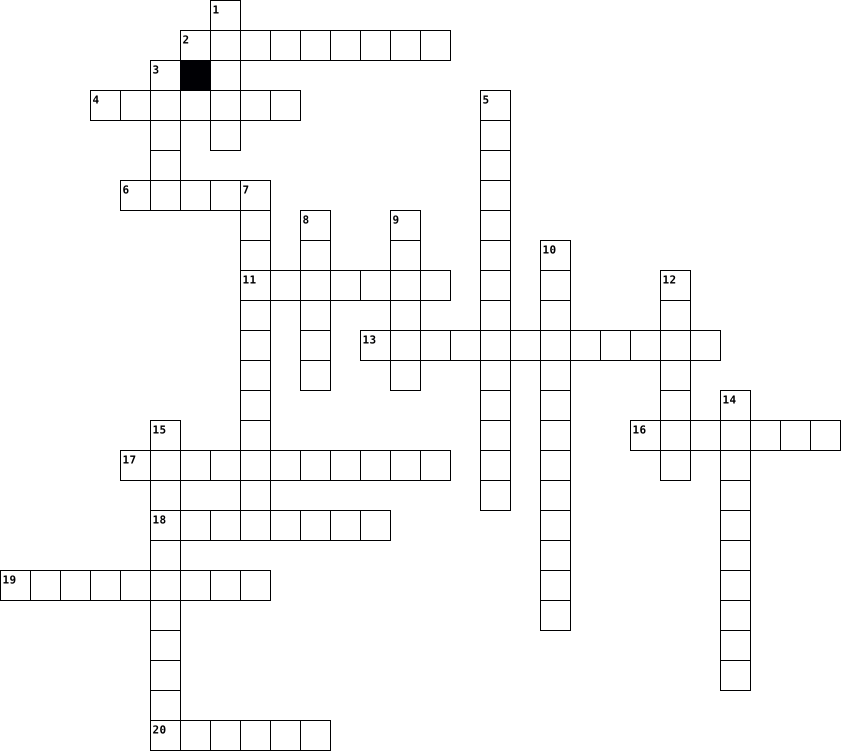
Across
- Step 3 is the engineering design process is to generate multiple ____
- example of medical technology is to use laser to perform ____
- Creator of this puzzle
- The effect or impression of one thing on another
- The building of large structures such as buildings, roads, and bridges amongst other structures to serve a purpose in technological society
- The use of technology for diagnostic and treatment practices.
- The use of technologies that has the ability to record, store, manipulate, analyze and transmit data over long distances.
- step 6 is to test or __ the prototype
- Step 5 in the engineering design process is to develop the ____
- The capacity to do work. The process and controlling of energy and its resources for the development of tech.
Down
- The rate at which work is done.
- example of medical technology is the use of new ___ to treat people
- The use of transportation over, sea, air, and space to transport people, resources, and products.
- The use of technology to develop tools and practices to improve productivity so that people are needed to feed all of society.
- If there were no computers, we would use pencil and paper.
- Step 4 in the engineering design process is to choose the best ___
- The production of physical foods from material resources.
- Step one in the engineering design process is to identify the ___
- Involves using living organisms or parts thereof to make or modify products to improve humans, plants, and animals or to develop microorganisms for a specific use.
- Step 2 in the engineering design process is research and ___
20 Clues: Creator of this puzzle • The rate at which work is done. • step 6 is to test or __ the prototype • The effect or impression of one thing on another • The production of physical foods from material resources. • If there were no computers, we would use pencil and paper. • Step 2 in the engineering design process is research and ___ • ...
Computer Definitions 2024-06-24

Across
- files embedded within online communication channels such as emails, instant messages, or social networks
- the transmission of high-quality data of wide bandwidth.
- a type of malware that downloads onto a computer disguised as a legitimate program
- a commonly used method of lossy compression for digital images, particularly for those images produced by digital photography
- the program that, after being initially loaded into the computer by a boot program, manages all of the other application programs in a computer.
- used to refer to computer files or memory that can be read or used, but not changed or added to in any way
- a computer which uses continuously changeable entities like mechanical, electrical, hydraulic, etc.
- the amount of data that can reside within the disk drive or storage medium to a maximum limit.
- allows devices to communicate with each other without cables or wires.
- the practice of protecting systems, networks, and programs from digital attacks
- a data measurement unit applied to digital computer or media storage
- a multi-platform, object-oriented, and network-centric language that can be used as a platform in itself.
- a network security device that monitors and filters incoming and outgoing network traffic based on an organization's previously established security policies
- a file format that can contain multiple files combined and compressed into one file.
- the use or operation of computers.
- A computer program that can copy itself and infect a computer without permission or knowledge of the user
- the capacity at which a network can transmit data.
- the process of protecting information or data by using mathematical models to scramble it in such a way that only the parties who have the key to unscramble it can access it.
- malicious software that enters a user's computer, gathers data from the device and user, and sends it to third parties without their consent.
- the logic circuitry that responds to and processes the basic instructions that drive a computer
Down
- the ability of software and hardware from different sources to work together without having to be altered to do so
- any intrusive software developed by cybercriminals (often called hackers) to steal data and damage or destroy computers and computer systems.
- a software program used to locate and display information on the Internet or an intranet.
- a unit of data that is eight binary digits long
- Any stored data.
- a set of rules for formatting and processing data.
- device that is used to store data or programs (sequences of instructions) on a temporary or permanent basis for use in an electronic digital computer.
- a storage location used to temporarily store data used by servers, apps, and browsers to speed load times.
- the number of pixels that are displayed per inch for an image
- computer systems that are connected to a network and are accessible to users from anywhere at any time
- any unsolicited communication sent in bulk.
- a type of malware that can automatically propagate or self-replicate without human interaction, enabling its spread to other computers across a network.
- small files of information that a web server generates and sends to a web browser
- to reload the operating system of a computer:
- the smallest unit of data that a computer can process and store.
- the clock speed of a central processing unit (CPU), which determines how many instructions a processor can execute per second.
- any criminal activity that involves a computer, network or networked device.
- a tiny wafer of semiconducting material with an embedded electronic circuit.
- a computer on a network that provides the interface between two applications or networks that use different protocols
- an image, video, piece of information, etc. that is circulated rapidly and widely on the internet.
40 Clues: Any stored data. • the use or operation of computers. • any unsolicited communication sent in bulk. • to reload the operating system of a computer: • a unit of data that is eight binary digits long • a set of rules for formatting and processing data. • the capacity at which a network can transmit data. • the transmission of high-quality data of wide bandwidth. • ...
computer class 2024-05-30

Across
- alternation or vibration of space
- number of waves that passed
- it the most used type of battery now days
- it is a collection of computers and servers
- it is used to connect a device to a network
- its a type of battery that is toxic
- a device that protects a circuit against brownouts,blackouts,spikes and noice
- its the standar unit of electrical resistance
- device used to permanently store and retrive information
Down
- is the main card where all the components of the computer are connect
- change of direction of a wave front so it returns
- brief overvoltage spikes or disturbances on a power waveform that can damage, degrade, or destroy electronic equipment
- digitalizes images
- it is a short term storage memory
- it is a short or long term loss of the electric power of an area
- they are portable devices used to extinguish small fire
- wiressly connect devices
- it is when a battery is charged before it discharges completely
- sudent flow of electricity between 2 electricity charges
- non volatile storage device that stores persistent data
20 Clues: digitalizes images • wiressly connect devices • number of waves that passed • alternation or vibration of space • it is a short term storage memory • its a type of battery that is toxic • it the most used type of battery now days • it is a collection of computers and servers • it is used to connect a device to a network • its the standar unit of electrical resistance • ...
Computer Systems 2024-06-07

Across
- Graphics processing unit
- Software permanently programmed into a device
- Central unit that performs computations
- Set of rules for solving problems
- Basic unit of information
- Main circuit board of a computer
- Internet-based computing
- Wired network technology
- Start up a computer system
- Drive Device for long-term storage of data
Down
- Device that forwards data packets
- Physical components of a computer
- Programs and operating information
- Pointing device
- Screen for displaying output
- Storage for temporary data
- Interconnected system of computers
- Group of 8 bits
- Input device with keys
- High-speed storage mechanism
20 Clues: Pointing device • Group of 8 bits • Input device with keys • Graphics processing unit • Internet-based computing • Wired network technology • Basic unit of information • Storage for temporary data • Start up a computer system • Screen for displaying output • High-speed storage mechanism • Main circuit board of a computer • Device that forwards data packets • ...
computer systens 2024-06-12

Across
- Gates Powers things
- Not touchable
- apps
- physical
- Were all the hardware links to
- Protects the computer
- Helps run the computer
- Makes files smaller
Down
- Apps and other appliances
- It is the theme
- Have spares copy's
- Stops any vires
- Stores hertz
- What you downloads are stored on
- 1 in 1 out
- Storing files
- 2 in 1 out
- What you downloads are stored on
- 2 in 1 out only need one on
- What the ram uses
- Centre processing unit
21 Clues: apps • physical • 1 in 1 out • 2 in 1 out • Stores hertz • Not touchable • Storing files • It is the theme • Stops any vires • What the ram uses • Have spares copy's • Gates Powers things • Makes files smaller • Protects the computer • Helps run the computer • Centre processing unit • Apps and other appliances • 2 in 1 out only need one on • Were all the hardware links to • ...
Computer Science 2024-09-08

Across
- vector mixed with a linked list
- “code that _____ for the first time scares me”
- a dangerous worm
- use these to implement a mutex
- sort algorithm that preserves original ordering
- balanced binary tree
- stacks are
- algorithm for packing together discontinuous elements
- producer-________ model
- reads and writes
- pointers on sixteen bit systems
- Static analysis tool
- source control
- pure programming language
- imperative version of SQL
- best thing in Haskell
- contiguous block of memory
- has all zeroes in the mantissa
- continuous factorial function
- app framework
- I refuse to use a mutex!
- clandestine package manager
- the least worst buildsystem
Down
- we couldn’t code without this
- a programmer’s best friend
- region where you allocate and free all memory
- original name for argument-dependent lookup
- classic database design
- awful formatting library
- asynchronous work
- mutex alternative
- declarative programming language
- compile-time programming
- how you find a website’s IP address
- flexible array
- secret decryption password
- queues are
- units of memory
- the slowest of all the memories
- index for language popularity
- your friend when debugging
- sleeping while another thread does work
- after you compile you ___
- collection of nodes with n edges
- linked list hashing
- fold over an inductive type
- “my ___-fu isn’t good today”
- don’t miss this!
48 Clues: queues are • stacks are • app framework • flexible array • source control • units of memory • a dangerous worm • reads and writes • don’t miss this! • asynchronous work • mutex alternative • linked list hashing • balanced binary tree • Static analysis tool • best thing in Haskell • classic database design • producer-________ model • awful formatting library • compile-time programming • ...
computer networking 2024-08-20

Across
- unit of data grouped together
- network address translation
- a computer that sits between different networks or applications
- security system that prevents unauthorised access
- modulator demodulator
- domain name system
- traditional technology for connecting devices
- wireless networking technology
- service set identifier
- a gateway that passes data between on or more local networks
- digital connection
- the delay in network communication
Down
- media access control
- the capacity at which a network can transmit data
- transmission control protocol/internet protocol
- connects with devices and network
- a network inside a network
- dynamic host configuration protocol
- set of rules
- string of numbers
20 Clues: set of rules • string of numbers • domain name system • digital connection • media access control • modulator demodulator • service set identifier • a network inside a network • network address translation • unit of data grouped together • wireless networking technology • connects with devices and network • the delay in network communication • dynamic host configuration protocol • ...
Computer Acronyms 2024-09-06

Across
- - Character User Interface
- - Digital Visual Interface
- - Universal Serial Bus
- (Abbreviations) - Derived from "ether" (standard for network communication)
- - Random Access Memory
- - Asynchronous Flight Activity
- - MultiMediaCard
- - New Technology File System
- - High-Definition Multimedia Interface
- - Liquid Crystal Display
- - Central Processing Unit
- - Graphics Processing Unit
- - Read-Only Memory
Down
- - Vital Information Resources Under Siege
- - Solid-State Drive
- Serial Advanced Technology Attachment
- - Video Graphics Array
- - Advanced Technology Attachment
- - Basic Input/Output System
- - Network Interface Card
- - Redundant Array of Independent Disks
- - Minicomputer
- - Hard Disk Drive
- - Microcomputer
- - Arithmetic Logic Unit
- - Control Unit
26 Clues: - Minicomputer • - Control Unit • - Microcomputer • - MultiMediaCard • - Hard Disk Drive • - Read-Only Memory • - Solid-State Drive • - Video Graphics Array • - Universal Serial Bus • - Random Access Memory • - Arithmetic Logic Unit • - Network Interface Card • - Liquid Crystal Display • - Central Processing Unit • - Character User Interface • - Digital Visual Interface • ...
Computer Acronyms 2024-09-06

Across
- malicious software that is loaded onto a users software
- external storage array
- file system used for storing and retrieving files
- a standard for transmitting high-quality video
- electronic circuit that performs mathematical calculations
- primary component of a computer, “control center”
- connect storage devices like hard drives
- flat panel display which uses liquid crystals in its primary form of operation
- a cable that connects computers
- computer memory that can only be read from
- standard display interface used to connect video output devices to computers
- these cables transmit video data
Down
- allows you to connect devices
- program that a computer’s microprocessor uses to power on
- component of computer’s CPU, directs operations
- new generation of storage devices used in computers
- hardware component installed in computer to connect to network
- performs arithmetic and logical operations
- computer interface and communication protocol
- type of data storage device
- mechanism used to connect peripheral devices to computers
- where the user interacts with a computer using keyboard
- create, save, and open administrative tools: consoles
- organizes I/O operations across multiple drives
- computer’s short term memory
- a cable that connects to cell phones
26 Clues: external storage array • type of data storage device • computer’s short term memory • allows you to connect devices • a cable that connects computers • these cables transmit video data • a cable that connects to cell phones • connect storage devices like hard drives • performs arithmetic and logical operations • computer memory that can only be read from • ...
Computer Acronyms 2024-09-06

Across
- - Performs arithmetic operations.
- - It is in the CPU, named CU
- - It is the program a computer's microprocessor uses to start the computer system after it is powered on?
- - A wire that is a micro.
- - It’s acronym is GPU
- - Is an external storage array that supports only flash media for persistent storage.
- - To create, save and open administrative tools, called consoles, which manage the hardware, software, and network components of your Microsoft Windows operating system.
- - It’s known as a network adaptor or network interface card, is a circuit board that is installed on a computer to connect to the network.
- - It’s a type of data storage device that is used in laptops and desktop computers.
- - A type of malicious software, or malware, that spreads between computers and causes damage to data and software.
- - Are the most common storage drives today.
- - It's used in transfer video.
- - It’s a standard display interface used to connect video output devices to computers and projectors to displays to monitors and TVs.
- - It’s the file system that the Windows NT operating system (OS) uses for storing and retrieving files.
- - ATA
Down
- - A small computer that is intermediate between a microcomputer and a mainframe in size, speed, and capacity.
- - Short term memory.
- - CUI, Uses text-based input.
- - it's a standard for transmitting high-quality audio and video signals.
- - It’s a way of storing the same data in different places on multiple hard disks or solid-state drives (SSDs) to protect data in the case of a drive failure.
- - a mechanism used to connect peripheral devices to computers.
- - A command and transport protocol that defines how data is transferred between a computer's motherboard and mass storage devices,
- - The traditional technology for connecting devices in a wired local area network or wide network.
- - It’s a type of computer storage containing non-volatile, permanent data that, normally, can only be read, not written to.
- - Is the control unit.
- - It’s a type of flat panel display which uses liquid crystals in its primary form of operation.
26 Clues: - ATA • - Short term memory. • - It’s acronym is GPU • - Is the control unit. • - A wire that is a micro. • - CUI, Uses text-based input. • - It is in the CPU, named CU • - It's used in transfer video. • - Performs arithmetic operations. • - Are the most common storage drives today. • - a mechanism used to connect peripheral devices to computers. • ...
Computer Acronyms 2024-09-06

Across
- A standard interface designed for IBM PC-compatible computers.
- An electron-mechanical data storage device that stores and retrieves digital data using magnetic storage with one or more rigid rapidly rotating platters coated with magnetic material.
- A type of non-volatile memory used in computers and other electronic devices.
- A type of malware that, when executed, replicates itself by modifying other computer programs and inserting its own code into those programs.
- A computer bus interface that connects host bus adapters to mass storage devices such as hard disk drives, optical drives, and solid-state drives.
- A proprietary journaling file system developed by Microsoft in the 1990s.
- An electronic non-volatile computer memory storage medium that can be electrically erased and reprogrammed.
- A small economy car made by the British Motor Corporation.
- Used to interact with computer programs with text-based commands.
- The most important processor in a given computer.
- A proprietary audio/video interface for transmitting uncompressed video data and compressed or uncompressed digital audio data from an HDMI-compliant source device, such as a display controller, to a compatible computer monitor, video projector, digital television, or digital audio device.
- Firmware used to provide runtime services for operating systems and programs and to perform hardware initialization during the booting process
- A component of Microsoft Windows that provides system administrators and advanced users an interface for configuring and monitoring the system.
Down
- A family of wired computer networking technologies commonly used in local area networks, metropolitan area networks and wide area networks.
- A flat-panel display or other electronically modulated optical device that uses the light-modulating properties of liquid crystals combined with polarizers.
- A video display interface developed by the Digital Display Working Group.
- A specialized electronic circuit initially designed for digital image processing and to accelerate computer graphics.
- A video display controller and accompanying de facto graphics standard.
- A form of electronic computer memory that can be read and changed in any order, typically used to store working data and machine code.
- A solid-state storage device.
- A combination digital circuit that performs arithmetic and bitwise operations on integer binary numbers.
- A data storage virtualization technology that combines multiple physical disk drive components into one or more logical units for the purposes of data redundancy, performance improvement, or both.
- A computer hardware component that connects a computer to a computer network.
- An industry standard that allows data exchange and delivery of power between many types of electronics.
- A small, relatively inexpensive computer having a central processing unit made out of a microprocessor.
25 Clues: A solid-state storage device. • The most important processor in a given computer. • A small economy car made by the British Motor Corporation. • A standard interface designed for IBM PC-compatible computers. • Used to interact with computer programs with text-based commands. • A video display controller and accompanying de facto graphics standard. • ...
Computer software 2026-02-13

Across
- – Software owned and licensed by a company.
- – Update to fix bugs or security issues.
- – Tools for maintenance (e.g., antivirus, disk cleanup).
- – Software with publicly available source code.
- – Malicious software designed to harm systems.
- – Error or flaw in software.
- – Software that allows hardware devices to communicate with the OS.
- Programs designed for specific tasks (e.g., Word, Excel).
- – The way users interact with software.
- – Software embedded in hardware devices.
- – Legal agreement on how software can be used.
Down
- – Process of removing software from the system.
- – Applications hosted online instead of locally.
- – Programs that run on a computer.
- – Tools used to write code (e.g., compilers, IDEs).
- System software that manages hardware and applications.
- – Software that supports the computer’s basic functions.
- – Specific release of a software product.
- – The program that sets up software on your computer.
- – The physical parts of a computer.
20 Clues: – Error or flaw in software. • – Programs that run on a computer. • – The physical parts of a computer. • – The way users interact with software. • – Update to fix bugs or security issues. • – Software embedded in hardware devices. • – Specific release of a software product. • – Software owned and licensed by a company. • – Malicious software designed to harm systems. • ...
Computer Hardware 2026-03-06

Across
- Power Connector 15-pin connector for SATA drives.
- 20/24-pin main power cable for the motherboard.
- Fast, non-volatile storage with no moving parts.
- High-speed memory (L1, L2, L3) located on or near the CPU.
- (Field Replaceable Unit): Parts that can be replaced by a technician, such as RAM, hard drives, or power supplies.
- Converts AC power from the wall to DC power for components.
- Digital interfaces for connecting monitors.
- Smaller RAM modules used in laptops.
- Volatile memory used as a temporary workspace for the processor.
- The connector on the motherboard that houses the CPU (e.g., LGA, PGA).
- Common interface for connecting hard drives and optical drives.
- (Power-On Self-Test): Diagnostic test run by BIOS/UEFI at startup.
- Modern replacement for BIOS with better security and faster boot times.
- Driver: Software that allows the operating system to communicate with hardware.
- A traditional magnetic storage device with spinning platters.
Down
- High-speed interface (often using USB-C connector) for external peripherals.
- & Tools
- A battery backup device that protects against power outages.
- Technology for combining multiple drives for performance or redundancy (RAID 0, 1, 5, 10).
- Factor Correction Circuitry in a PSU that improves efficiency.
- Hardware allowing a computer to connect to a network.
- The "brain" of the computer, performing calculations and executing instructions.
- Connector 4-pin connector used for older peripherals and fans.
- A module containing RAM chips, used in desktops.
- Northbridge (manages high-speed components like RAM/video) and Southbridge (manages slower I/O).
- Reversible connector supporting data, power, and video.
- Firmware on a ROM chip that initializes hardware during booting.
- Codes: Audible signals from the motherboard indicating hardware failures during POST.
- (Electrostatic Discharge): The release of static electricity that can damage components; managed with straps or mats.
- Interface designed specifically for high-speed SSDs (often M.2 form factor).
- Standard connector for Ethernet networking cables.
31 Clues: & Tools • Smaller RAM modules used in laptops. • Digital interfaces for connecting monitors. • 20/24-pin main power cable for the motherboard. • Fast, non-volatile storage with no moving parts. • A module containing RAM chips, used in desktops. • Power Connector 15-pin connector for SATA drives. • Standard connector for Ethernet networking cables. • ...
Computer Terms 2025-10-29

Across
- The "home screen" on your computer--what you see when you first log on.
- An application/program used to access and view websites.
- Headphones are an example of an _____________ device.
- A tool for finding information on the Internet. Like Google.
- Located inside your computer; location where you store data including the operating system.
- The instructions that tell the computer what to do; the programs of the computer system.
- A software tool used to complete a specific task such as create a letter, browse the Internet, and calculate a math problem.
- In a program, such as an Internet browser, a tab is one of several small, labeled, clickable, areas at the top of a ____________.
- A network of computer networks.
- The hardware that allows computer to connect to the internet.
- The primary component of a computer that processes instructions. It runs the operating system and applications, constantly receiving input from the user or active software programs.
Down
- A collection of computers that are connected.
- A computer’s central communications backbone connectivity point, through which all components and external peripherals connect.
- Random _________ Memory is a type of data storage used in computers that is generally located on the motherboard.
- The physical equipment of the computer system that you can see and touch.
- A device that plugs into a cable or phone line and broadcasts the digital signal wirelessly. This device is what make WiFi possible.
- WiFi is technology that allows computers and other devices to communicate over a ________________ signal.
- Changing the way that text, graphics, tables and other elements looks on the page.
- Where we store and access data and programs over the Internet instead of your computer's hard drive.
- RAM is _________ memory which means it isn't stored forever.
- Directory that includes all Files and Folders.
- Most important software on the computer; controls the hardware and makes it possible to run other types of software.
22 Clues: A network of computer networks. • A collection of computers that are connected. • Directory that includes all Files and Folders. • Headphones are an example of an _____________ device. • An application/program used to access and view websites. • A tool for finding information on the Internet. Like Google. • ...
Computer crossword 2024-12-04

Across
- Is the velocity that a printer has
- It's a software installed on the printer
- When the light bounces from the origin point
- Type of software that is installed in the commputer
- When the light changes the direction because fo the medium
- Type of printer that marks the paper with heat
- Light can´t pass trought it
- Color that is represented by a k
- It´s produce using a substractive mixing
Down
- A printer has more quality if it has more...
- Color that is represented by a y
- Type of printer that has the higher quality
- Light can pass trough it but not comepletely
- Type of printer that injects ink into the paper
- The ports that allows you connect the printer to a computer
- Type of printer that injects ink in a special paper
- Material in which light crosses
- Color that is represented by a c
- Color that is represented by a m
- Light can pass trough it
20 Clues: Light can pass trough it • Light can´t pass trought it • Material in which light crosses • Color that is represented by a y • Color that is represented by a c • Color that is represented by a m • Color that is represented by a k • Is the velocity that a printer has • It's a software installed on the printer • It´s produce using a substractive mixing • ...
Computer Crimes 2024-11-09

Across
- Redirecting users to fake websites to steal information.
- Deception for personal or financial gain.
- Malware that replicates itself to spread to other devices.
- Breaking into software or systems without permission.
- Network of compromised computers under external control.
- Software that records keystrokes to capture sensitive data.
- Unauthorized use or reproduction of copyrighted material.
- Malware that spreads without user action.
- Malware that demands payment to restore access.
- Harassment or intimidation using technology.
Down
- Deceptive attempts to acquire sensitive information.
- Faking an identity, often for fraudulent purposes.
- Attack flooding a system with traffic to disrupt services.
- Software that hides malware presence on a system.
- Unauthorized access to computer systems.
- Software that displays unwanted advertisements.
- Malware disguised as legitimate software.
- Software designed to damage or disrupt systems.
- Software that secretly monitors user activity.
- Theft of personal information for fraudulent use.
20 Clues: Unauthorized access to computer systems. • Deception for personal or financial gain. • Malware disguised as legitimate software. • Malware that spreads without user action. • Harassment or intimidation using technology. • Software that secretly monitors user activity. • Software that displays unwanted advertisements. • Software designed to damage or disrupt systems. • ...
COMPUTER CRIMES 2024-11-10

Across
- (Harassment online)
- Injection (Cyberattack targeting databases)
- (Software that monitors user activity)
- (Distributed Denial of Service attack)
- (Malware that encrypts data)
- (Unauthorized access to computer systems)
- (Fraudulent emails to trick users)
- Horse (Malicious software disguised as legitimate)
- (Malicious software)
- (Extortion using sexually explicit material)
Down
- (Denial of Service attack)
- (Illegal copying of copyrighted material)
- (Tricking users into clicking malicious links)
- (Illegal activities committed online)
- Theft (Stealing personal information)
- (Self-replicating malware)
- (Intentional damage to computer systems)
- (Redirecting users to fake websites)
- (Unsolicited email)
- (Network of infected computers)
20 Clues: (Harassment online) • (Unsolicited email) • (Malicious software) • (Denial of Service attack) • (Self-replicating malware) • (Malware that encrypts data) • (Network of infected computers) • (Fraudulent emails to trick users) • (Redirecting users to fake websites) • (Illegal activities committed online) • Theft (Stealing personal information) • ...
computer crimes 2024-11-08

Across
- Type of virus make changes to a disk’s file system
- Damaging or destroying data rather than stealing
- can be seen as the “good guys”
- The least common cybercrime
- Type of cyber crime wherein criminals solicit minors via chat rooms
- Malicious software that attches itself to other software.
- type of virus hides on the user’s disk and waits for a specific event to occur before running.
- Theft of software through the illegal copying of genuine products.
- Defined as an act of terrorism committed through the use of cyberspace
Down
- hackers between the good and the bad guys
- This category of cybercrime involves one individual distributing malicious or illegal information online.
- A kind of online harrassment wherein the victim is subjected to a barrage of online messages and emails.
- refers to any crime that involves a computer/ mobile and a network
- Means an illegal intrusion into a computer system and/or network
- malicious program that appears to be friendly, they are not technically viruses.
- Act by the criminal who floods the bandwidth of the victim’s network.
- these viruses take up residence in the computer’s memory, making then hard to detect
- Internet based software or programs that are used to disrupt a network
- VIRUS DESIGNED TO INFECT SPECIFIC TYPE OF DOCUMENT
- a program whose purpose is to duplicate itself.
20 Clues: The least common cybercrime • can be seen as the “good guys” • hackers between the good and the bad guys • a program whose purpose is to duplicate itself. • Damaging or destroying data rather than stealing • Type of virus make changes to a disk’s file system • VIRUS DESIGNED TO INFECT SPECIFIC TYPE OF DOCUMENT • Malicious software that attches itself to other software. • ...
Computer science 2025-03-18

Across
- данных – Хранилище информации, организованное в таблицы.
- Последовательность шагов для решения задачи.
- Программа, переводящая код в машинный язык.
- Программа, написанная на интерпретируемом языке.
- Набор инструментов для разработки ПО.
- Набор правил для обмена данными в сети.
- Один шаг выполнения цикла.
- 8 бит в одной единице данных.
- Результат преобразования данных в фиксированную строку.
- Блок кода, выполняющий определённую задачу.
Down
- Экземпляр класса в ООП.
- Структура данных типа LIFO.
- Программа, управляющая ресурсами компьютера.
- Набор инструкций для компьютера.
- Независимая последовательность выполнения программы.
- Компьютер, который обрабатывает запросы клиентов.
- Конструкция в программировании для повторения действий.
- Объект, хранящий данные в программе.
- Минимальная единица информации.
- Структура данных, хранящая элементы одного типа.
20 Clues: Экземпляр класса в ООП. • Один шаг выполнения цикла. • Структура данных типа LIFO. • 8 бит в одной единице данных. • Минимальная единица информации. • Набор инструкций для компьютера. • Объект, хранящий данные в программе. • Набор инструментов для разработки ПО. • Набор правил для обмена данными в сети. • Программа, переводящая код в машинный язык. • ...
Computer Science 2025-02-27

Across
- Data that provides knowledge or details about something.
- The process of finding and fixing errors in a program.
- A program that translates source code into machine code.
- Regular upkeep to ensure software and hardware function properly.
- Process of identifying the presence of malware or errors in software.
- A malicious program that spreads by creating copies of itself and damages files or systems.
- To obtain or originate something from another source.
- Something new and original, often in technology.
- A virtual container used to store multiple files.
Down
- A single digital document stored on a computer.
- The process of setting up software or an operating system on a device.
- A reusable block of code designed to perform a specific task.
- A type of malicious program named after an ancient war trick.
- file A file that can be directly run by the operating system.
- To put something into practice or action.
- A numerical system using only 0s and 1s.
- A virtual representation of a process for testing or analysis.
- A named storage location in programming that holds data.
- A group of components that work together to perform tasks.
- A method used to transform readable data into a secret format.
- The action of transferring a file from a local system to a server.
21 Clues: A numerical system using only 0s and 1s. • To put something into practice or action. • A single digital document stored on a computer. • Something new and original, often in technology. • A virtual container used to store multiple files. • To obtain or originate something from another source. • The process of finding and fixing errors in a program. • ...
Computer & Technology 2025-02-18

Across
- a handheld tablet, smartphone, personal digital assistant
- A basic understanding of how a computer works and the applications used in your field of profession
- Internet offers and approach to education
- high energy particles to decrease the size of tumors and treat cancer
- Programs that contain instructions to alter the operation of the computer programs
- the process of sending messages from one computer to another
- Computers can be linked together
- Rapid dispensing of medication
- Applied science used to promote an individuals’ safety and well-being by adapting to the environment and using techniques to prevent injuries
- A computerized interpretation system that produces visual pictures on a computer monitor and a printout of the electrical activity of a patient’s heart
- secure online websites are established by a physician, health care facility, or health care provider
- Use of high frequency sound waves, is a therapeutic device in addition to a method of imaging
- three dimensional imaging models, individuals who make prosthetics, or artificial parts
- Links millions of computers throughout the world
- Collection of relation information
- light beams that can be focused precisely
- allows all health care agencies to readily transfer patient electronic health records between agencies in a national network
- surgical procedure in which a surgeon uses preoperative and intraoperative images to guide or direct the surgery
- Used for patients who cannot exercise, medication that simulates the effect of exercise is given to increase blood flow and heart rate
Down
- provided many enhancements for individuals who have hearing impairments
- special software to perform high speed math calculations
- Slightly radioactive substance is injected into the patient and detected by the PET scanner
- an ECG run while the patient is exercising
- a group of health related information
- Educational computer programming designed for individualized use
- computerized version of a patient's medical information that may include statistical data
- Protective programs that limit the ability of other computers to access a computer
- Noninvasive scanning method that uses high frequency sound waves that bounce back as an echo when they hit different tissues and organs inside the body
- laptop, that can fit on a desktop
- Computerized, body scanning method uses nuclear magnetic resonance instead of X Ray radiation
- can control the launch of a rocket to space
- Computer assisted surgery
- Uses technology to direct ultrahigh frequency sound waves through the chest wall and into the heart
- computerized X ray permits physicians to see clear, cross sectional views of both bone and body tissues
- Small amount of a radioactive substance such as thallium is given intravenously, special camera is used to identify the rays emitted
- the use of video, audio, and computer systems to provide medical or health care services
- an organized collection of information
37 Clues: Computer assisted surgery • Rapid dispensing of medication • Computers can be linked together • laptop, that can fit on a desktop • Collection of relation information • a group of health related information • an organized collection of information • Internet offers and approach to education • light beams that can be focused precisely • ...
Computer Security 2025-03-14

Across
- Anything that has the potential to cause serious harm to a computer system. A threat is something that may or may not happen but has the potential to cause serious damage.
- Use of modern electronic means to manipulate an event or influence public perception toward a certain point of view.
- Misuse This refers to entering a computer system without permission (hacking).
- An attempt to make a machine or network resource unavailable to its intended users, such as temporarily or indefinitely interrupting or suspending services of a host connected to the internet.
- Software that installs itself onto devices and then steals personal information about the user, like passwords, email addresses and other important information.
- An action or method that is applied to prevent, avert or reduce potential threats to computers, servers, networks, operating systems (OS) or information systems (IS).
- Is the use of technology to harass, threaten, embarrass, or target another person.
- Pretends it will be a useful and safe program.
- When someone accesses information without permission.
- Theft Is the act of stealing computer-based information from an unknowing victim with the intent of compromising privacy or obtaining confidential information.
- A security barrier designed to keep unwanted intruders outside a computer system or network while allowing safe communication between systems and users on the inside.
- Copying and distributing of recordings of a piece of music for which the rights owners (composer, recording artist, or copyright-holding record company) did not give consent.
- Sending the same message indiscriminately to a large number of internet users.
Down
- The act of intercepting communications between two points.
- A flaw or weakness in a system or network that could leave it open to attacks or allow an attacker to manipulate the system in some way.
- The protection of computing systems and the data that they store or access.
- An information security threat that involves an attempt to obtain, alter, destroy, remove, implant or reveal information without authorized access or permission.
- The practice of sending emails that appear to be from reputable companies in order to induce individuals to reveal personal information online.
- A malicious program or code that attaches itself to another program or file and can replicate itself, thereby infecting other systems.
- Can spread from device to device, but unlike a virus they don’t need to attach themselves to other programs.
- Gaining unauthorized access to data in a system or computer.
- A network of private computers infected with malicious software and controlled as a group without the owner's knowledge, often used to send spam.
- The act of illegally using, copying or distributing software without ownership or legal rights.
- Any illegal activity that uses a computer as its primary means of commission.
- Covert activities, such as the theft of trade secrets by the removal, copying or recording of confidential or valuable information in a company for use by a competitor.
- The practice of using another person's name and personal information to obtain credit, loans, etc.
26 Clues: Pretends it will be a useful and safe program. • When someone accesses information without permission. • The act of intercepting communications between two points. • Gaining unauthorized access to data in a system or computer. • The protection of computing systems and the data that they store or access. • ...
Computer Network 2025-04-20

Across
- : This type of network has no central server
- : The full form of URL
- : The OSI layer responsible for logical addressing
- : Device that connects different networks together
- : Cyberattack that overwhelms a server with traffic
- : Wi-Fi security protocol (e.g., WPA2)
- : The full form of LAN
- : Software that controls access to or from a network
- : Network that spans across cities or countries
Down
- : Medium used in wired networks for data transmission
- : Unique address used to identify a device on a network
- : Protocol for sending emails
- : The process of converting data into a secure format
- : A unique physical address assigned to each network interface
- : This protocol ensures reliable communication at the Transport layer
- : Protocol used to transfer files over the Internet
- : Network type within a small area, like a school or home
- : Smallest unit of data in a network
- : OSI layer that ensures data is formatted and encrypted
- : A device used to amplify or regenerate signals
20 Clues: : The full form of URL • : The full form of LAN • : Protocol for sending emails • : Smallest unit of data in a network • : Wi-Fi security protocol (e.g., WPA2) • : This type of network has no central server • : Network that spans across cities or countries • : A device used to amplify or regenerate signals • : The OSI layer responsible for logical addressing • ...
Computer Components 2025-04-02

Across
- The brain of the computer that processes instructions.
- Access Memory Temporary memory that helps run programs quickly.
- Cache A small, fast memory that helps the CPU work faster.
- Processing Unit Helps create images and videos on a screen.
- A device that brings the internet into a home or building.
- A wireless technology for connecting devices.
- A machine that prints documents and pictures.
- A screen that displays images and videos.
- A small device that moves the pointer on a screen.
- Devices Extra devices like keyboards and printers that connect to a computer.
- A device with keys used to type.
Down
- A device that copies images or text into a computer.
- Memory A small, portable way to store and transfer files.
- A device that connects computers to the internet.
- Memory Memory that stores important startup information and cannot be changed.
- Drive A storage device that holds files and programs.
- The main circuit board that connects all computer parts.
- A device that plays sound from a computer.
- Supply Unit Converts electricity to power the computer.
- Drive A faster type of storage with no moving parts.
20 Clues: A device with keys used to type. • A screen that displays images and videos. • A device that plays sound from a computer. • A wireless technology for connecting devices. • A machine that prints documents and pictures. • A device that connects computers to the internet. • A small device that moves the pointer on a screen. • ...
Computer Components 2025-03-28

Across
- a piece of hardware attached to a computer system used to produce sound
- an input device that allows a person to enter letters, numbers, and other symbols (together, called characters) into a computer.
- a printed circuit board containing the principal components of a computer or other device, with connectors into which other circuit boards can be slotted.
- a long-life and non-volatile storage chat is widely used in embedded systems
- allows your computers, smartphones, tablets, and other devices to connect to the internet.
- a semiconductor-based storage device, which typically uses NAND flash memory to save persistent data
- a hardware device that converts AC electricity into DC electricity and then distributes it to the rest of the computer
- a device that connects two or more packet-switched networks or subnetworks
- a device that prints documents and images onto paper or other materials.
Down
- physical computer component that stores data, including programs, pictures, documents and your operating system
- a device that allows you to digitize physical documents, images, or even objects, and convert them into a digital format that can be viewed, edited, and stored on a computer.
- hardware attached to a computer system that provides the system with extra functions but does not contribute to its primary function
- a hand-held pointing device that detects two-dimensional motion relative to a surface.
- a type of computer memory that can only be read from, not written to
- provides high-speed, short-term memory for your computer's CPU.
- supplementary memory system that temporarily stores frequently used instructions and data for quicker processing by the central processing unit (CPU) of a computer.
- an electronic device with a screen used for display (as of television pictures or computer information)
- allows devices to communicate with each other without cables or wires.
- Computing tasks like graphics rendering, machine learning (ML), and video editing require the application of similar mathematical operations on a large dataset.
- a computer's main hardware component that controls and processes information.
20 Clues: provides high-speed, short-term memory for your computer's CPU. • a type of computer memory that can only be read from, not written to • allows devices to communicate with each other without cables or wires. • a piece of hardware attached to a computer system used to produce sound • a device that prints documents and images onto paper or other materials. • ...
Computer Languages 2025-06-14

Across
- Splitting a number into parts
- An unknown value we solve for
- Shows both sides are the same
- A number in front of a variable
- Common symbol used for a variable
- Right-hand side of the equation
- A rule written using symbols and letters
- Removing one number from another
- The answer to an equation
- A value that does not change
- A picture that shows how variables relate
Down
- A type of equation forming a straight line
- Combining two or more values
- To make an equation easier to solve
- A part of an equation
- The process to solve an equation
- A group of numbers, variables, and operators
- A math sentence with an equal sign
- A way to check if an answer is correct
- Left-hand side of the equation
- A math operation that increases a number
- A straight one-dimensional figure
22 Clues: A part of an equation • The answer to an equation • Combining two or more values • A value that does not change • Splitting a number into parts • An unknown value we solve for • Shows both sides are the same • Left-hand side of the equation • A number in front of a variable • Right-hand side of the equation • The process to solve an equation • Removing one number from another • ...
computer networking 2024-08-20

Across
- unit of data grouped together
- network address translation
- a computer that sits between different networks or applications
- security system that prevents unauthorised access
- modulator demodulator
- domain name system
- traditional technology for connecting devices
- wireless networking technology
- service set identifier
- a gateway that passes data between on or more local networks
- digital connection
- the delay in network communication
Down
- media access control
- the capacity at which a network can transmit data
- transmission control protocol/internet protocol
- connects with devices and network
- a network inside a network
- dynamic host configuration protocol
- set of rules
- string of numbers
20 Clues: set of rules • string of numbers • domain name system • digital connection • media access control • modulator demodulator • service set identifier • a network inside a network • network address translation • unit of data grouped together • wireless networking technology • connects with devices and network • the delay in network communication • dynamic host configuration protocol • ...
Computer Vocabulary 2025-08-19

Across
- The process of converting information into a secret code.
- A named storage in programming that can hold different values.
- A reusable set of tools or libraries that provide a foundation for software development.
- Temporary storage for quick access to frequently used data.
- A set of rules that define how data is transmitted over a network.
- Software whose source code is available for anyone to use, modify, or distribute.
- The part of a website or app that users interact with directly.
- A block of code that performs a specific task
- Internet-based servers used to store, manage, and process data.
- A set of step-by-step instructions for solving a problem
- The maximum rate of data transfer across a network.
- A unique identifier for a device on a network [2 words: 2, 9]
Down
- A sequence of instructions that repeats until a condition is met.
- A point where two systems or components meet and interact.
- A system that tracks changes to code (e.g., Git). [2 words: 7, 7]
- A reusable block of code that performs a specific task.
- A security system that controls incoming and outgoing network traffic.
- To translate source code into machine code
- A structured collection of data
- An error or flaw in a program
- The server-side part of an application, handling logic, database, and processing.
21 Clues: An error or flaw in a program • A structured collection of data • To translate source code into machine code • A block of code that performs a specific task • The maximum rate of data transfer across a network. • A reusable block of code that performs a specific task. • A set of step-by-step instructions for solving a problem • ...
Computer Networks 2025-09-18

Across
- A cable consisting of one or more thin flexible glass fibres
- A unique string of characters that identifies a computer on the internet
- The massive global network of computers.
- A physical cable that transmits data more reliably than WiFi
- Software designed to detect and destroy computer viruses
- A software application used to access and view websites
- A hardware device that connects multiple networks together.
- The standard language for creating webpages
Down
- Data that has been processed or organised
- A program that searches for items in a database corresponding to keywords
- A large group of computer servers used for storage or data processing
- The name given to a small chunks of data sent over a network
- A wireless network technology that uses radio waves
- Software technology that generates a secure, encrypted connection over a public network
- Malicious software designed to harm a computer
- A security system that acts as a barrier to control and filter traffic entering a network
- A base two number system that uses only two digits 1 and 0
- A hardware device that connects multiple devices within a LAN
- The unique web address for a specific resource on the internet
- A computer network spread over a small geographical area
20 Clues: The massive global network of computers. • Data that has been processed or organised • The standard language for creating webpages • Malicious software designed to harm a computer • A wireless network technology that uses radio waves • A software application used to access and view websites • Software designed to detect and destroy computer viruses • ...
Computer Apps 2025-10-21

Across
- 8 bits
- central processing unit
- Monitors or a printer
- World Wide Web
- Control c
- blocks access to outward communication
- Software designed to harm computer networks
- performs the task
- Portable document format
- the only language a computer understands
- block of data that stores info
- Control p
- Stores and retrieves digital info
- system software
- keyboard or a mouse
Down
- Wired computer networking
- flash drives or external drives
- Global network of linked devices
- Restarting a computer system
- Transferring a file to your device
- Control v
- Provides logic and instructions
- Google Search or Bing
- internet protocol
- Chrome or Google
- A web address
- one million bytes
- a 1 or a 0
- Hypertext Markup Language
29 Clues: 8 bits • Control v • Control c • Control p • a 1 or a 0 • A web address • World Wide Web • system software • Chrome or Google • internet protocol • performs the task • one million bytes • keyboard or a mouse • Monitors or a printer • Google Search or Bing • central processing unit • Portable document format • Wired computer networking • Hypertext Markup Language • Restarting a computer system • ...
computer vision 2025-11-17

Across
- The field that enables computers to interpret images and videos.
- Following the movement of an object in video frames.
- Distance information estimated from stereo images.
- The task of identifying objects in an image.
- Mathematical representation of how a camera forms images.
- 3D reconstruction technique using multiple images.
- Searching images based on visual features instead of keywords.
- Study of relationships among multiple camera views.
- Two-camera imaging system used to estimate depth.
- Recovering shape from brightness variations.
Down
- The process of determining internal and external camera parameters.
- Technology that overlays digital objects onto real-world scenes.
- Technique that transforms raw images using filtering and enhancement.
- Interactive computer-generated environments.
- Shape recovery using lighting from multiple directions.
- Automatic identification using face, iris, fingerprint, etc.
- Extracting information from scanned or printed documents.
- Focus-related technique used to estimate scene depth.
- Systems that handle audio, text, image, and video data.
- Recovering 3D layout of a scene from multiple images.
20 Clues: Interactive computer-generated environments. • The task of identifying objects in an image. • Recovering shape from brightness variations. • Two-camera imaging system used to estimate depth. • Distance information estimated from stereo images. • 3D reconstruction technique using multiple images. • Study of relationships among multiple camera views. • ...
Computer Acronyms_MT 2026-09-10

Across
- Video connector commonly used for analog displays
- Modern video and audio connection
- Combines multiple drives for speed or data protection
- Small memory card used for data storage
- High-speed storage interface for SSDs
- Cable and connector used for digital audio and video
- A text-based way to interact with a computer
- Processor designed mainly for graphics
- Processor designed for artificial intelligence tasks
- Measure of the heat a processor is designed to handle
- (Abbreviations) Technology used to connect computers to a network
- Hardware that connects a computer to a network
- The math brain of a CPU
- Common port used to connect and transfer data with devices
- Small motherboard form-factor family
- Means very small; used in names of small computer components
- Interface commonly used to connect storage drives
- storage device with no moving parts
Down
- Flat-panel display technology
- an external data storage system that uses only flash memory
- Memory that stores data that normally does not change
- Memory used by a graphics processor
- Temporary memory used by the computer
- A module that holds RAM
- Malicious software that can harm or disrupt a computer
- Graphics processor built into the CPU
- Means smaller than the standard size
- Modern firmware that starts a computer
- file system commonly used by Windows
- The main processor or "brain" of a computer
- Controls and directs the operations of the CPU
- ATX Standard PC motherboard size
- Firmware that starts the computer and checks hardware
- CMOS Motherboard memory saver
- Old hard drive interface
- Storage device that uses spinning magnetic disks
36 Clues: A module that holds RAM • The math brain of a CPU • Old hard drive interface • Flat-panel display technology • CMOS Motherboard memory saver • Modern video and audio connection • Memory used by a graphics processor • ATX Standard PC motherboard size • storage device with no moving parts • Means smaller than the standard size • file system commonly used by Windows • ...
Computer field 2026-05-27

Across
- Pages or systems accessed through the internet.
- The use of technology to perform tasks automatically.
- Professionals who create software and applications.
- Integrated hardware and software used to perform tasks.
- The ability to produce results efficiently.
- Science The field of analyzing and interpreting data.
- The ability to reason in a structured and rational way.
- The ability to create new ideas and solutions.
- The application of scientific knowledge for practical purposes.
- MarketThe environment where employers and workers interact for jobs.
Down
- The creation and maintenance of websites.
- A system of communication used for coding and software development.
- The use of computers and technology to manage information.
- Working together with other people to achieve goals.
- Technology that allows machines to simulate human intelligence.
- Fundamental ideas and principles used in programming.
- A popular programming language used in automation and data science.
- Applications Software designed for smartphones and tablets.
- The process of creating computer instructions using code.
- A programming language mainly used for web development.
- The exchange of information and ideas between people.
- Information and understanding gained through learning.
22 Clues: The creation and maintenance of websites. • The ability to produce results efficiently. • The ability to create new ideas and solutions. • Pages or systems accessed through the internet. • Professionals who create software and applications. • Working together with other people to achieve goals. • The use of technology to perform tasks automatically. • ...
Computer Network 2026-07-06

Across
- standards governing the sending and receiving of data
- close range signal
- used within a single building or floor
- spans more than 50 miles
- connecting the internet to the internal network switches
- manages the entire work
- integrates two or more different topologies
- considered "Reliable" topology
- connected to a single central cable
- connects every station directly to every other station
- two or more computers linked together
- local area network
Down
- no centralized computer
- physical or logical layout of network
- request resources from network
- distribute information thousands of miles
- connect via internet
- same protocol layer
- type of cable use in Ring topology
- Powerful Computer
- topology that combines
- circle shape topology
- central hub breaks down in this topology
- how many directions in Ring topology
- central controller that every device connects
25 Clues: Powerful Computer • close range signal • local area network • same protocol layer • connect via internet • circle shape topology • topology that combines • no centralized computer • manages the entire work • spans more than 50 miles • request resources from network • considered "Reliable" topology • type of cable use in Ring topology • connected to a single central cable • ...
COMPUTER TERMS 2026-08-21

Across
- A DEVICE THAT MOVES THE COURSER
- RECEIVE AUDIO INPUT FROM THE COMPUTER'S SOUNDCARD
- INPUT DEVICE THAT SCANS IMAGES
- STORES DATA
- PROVIDES AUDIO
- BOARD OF KEYS
- MAIN CIRCUIT BOARD
- COMMON COMMUNICATION IN THE AREA
- MAKES CONNECTIONS WITH NETWORK
Down
- SERVES INFORMATION INTO THE COMPUTERS
- COMPUTER PORT
- BRAIN OF COMPUTER
- OUTPUT DEVICE THAT PRINTS IMAGES
- DISPLACES THE COMPUTER'S INTERFACE
- INPUT DEVICE FOR VIDEO GAMES
- COMUNICATION DEVICE
- A DEVICE THAT CAPTURES SOUND
- EXTERNAL DEVICE THAT PROVIDES INPUT AND OUTPUT
- CAN READ DATA
- BROADCASTS VIDEOS
20 Clues: STORES DATA • COMPUTER PORT • CAN READ DATA • BOARD OF KEYS • PROVIDES AUDIO • BRAIN OF COMPUTER • BROADCASTS VIDEOS • MAIN CIRCUIT BOARD • COMUNICATION DEVICE • INPUT DEVICE FOR VIDEO GAMES • A DEVICE THAT CAPTURES SOUND • INPUT DEVICE THAT SCANS IMAGES • MAKES CONNECTIONS WITH NETWORK • A DEVICE THAT MOVES THE COURSER • OUTPUT DEVICE THAT PRINTS IMAGES • COMMON COMMUNICATION IN THE AREA • ...
Computer Worms & Viruses 2021-03-04

Across
- A virus in which if anyone attempted to view an infected sector, the virus would replace it with the clean, original version of the sector
- A malicious program disguised inside another program which seems beneficial or harmless
- The act of a computer virus attaching itself to another computer program
- An independent program which multiplies itself by copying a segment of itself onto another computer
- A computer worm which copies different segments of itself to computers linked together in a network
- A large, frequently run program the virus is attached to
- The malicious activity a computer virus or worm is designed to perform
Down
- program allows users to see exactly what is starting up when the computer boots
- A virus which copies itself onto a computer off of a disk when the computer is booted up; when someone else inserts a disk into the computer, the virus is downloaded
- the first computer virus created Rich Skrenta in 1982
- A malicious computer program created by a user with objectives to harm or steal another’s property
- A fairly common virus which affects small Word® automatic functions
- A computer worm which copies itself to another computer in a network and then deletes itself completely from the previous computer it was contained on
- the first computer worm to be distributed over a network without other users being aware of its presence (in 1988)
- this virus was created by a child in 1993, devastating many computers
15 Clues: the first computer virus created Rich Skrenta in 1982 • A large, frequently run program the virus is attached to • A fairly common virus which affects small Word® automatic functions • this virus was created by a child in 1993, devastating many computers • The malicious activity a computer virus or worm is designed to perform • ...
Inside the System 2018-12-09

Across
- A computer memory whose contents can be accessed and read but cannot be changed.
- An electronic device that converts information in memory to video output.
- Finding and fixing problems in computing sciences.
- A duplicate copy.
- A large digital computer serving 100-400 users and occupying a special air-conditioned room.
- A computer memory which can be used by programs to perform necessary tasks while the computer is on.
- Written programs or procedures pertaining to the operation of a computer system.
- The part of a computer that does most of the data processing.
- A program a personal computer's microprocessor uses to get the computer system started after you turn it on.
Down
- The main circuit board for a computer.
- A device consisting of a set of keys on typewriter.
- The mechanical, magnetic, electronic, and electrical components making up a computer system.
- The main source of power.
- A navigational system involving satellites and computers that can determine the latitude and longitude of a receiver on Earth.
- A portable computer small enough to use in your lap.
- A pointed tool for writing or drawing or engraving.
16 Clues: A duplicate copy. • The main source of power. • The main circuit board for a computer. • Finding and fixing problems in computing sciences. • A device consisting of a set of keys on typewriter. • A pointed tool for writing or drawing or engraving. • A portable computer small enough to use in your lap. • The part of a computer that does most of the data processing. • ...
hardware 2019-02-07

Across
- internal storage areas in the computer
- the main circuit board
- feeds data into a computer
- a silicon chip
- a device that can read text
- display screens, loudspeakers and printers
- another term for display screen
- universal service bus
- a magnetic disk that can store things
- high speed memory
Down
- a set of type writer keys
- type of printer that sprays
- record data once then it becomes permanent on the disk
- printer that utilises lasers
- the central processing unit is the brain of the computer
- combines computing, telephone/fax and networking features
- a computer device such as a CD-ROM
- an expansion board
- controls the movement
- the physical components of the computer
20 Clues: a silicon chip • high speed memory • an expansion board • controls the movement • universal service bus • the main circuit board • a set of type writer keys • feeds data into a computer • type of printer that sprays • a device that can read text • printer that utilises lasers • another term for display screen • a computer device such as a CD-ROM • a magnetic disk that can store things • ...
hardware 2019-02-07

Across
- internal storage areas in the computer
- type of printer that sprays
- a magnetic disk that can store things
- feeds data into a computer
- a computer device such as a CD-ROM
- combines computing, telephone/fax and networking features
- an expansion board
- controls the movement
- record data once then it becomes permanent on the disk
- a device that can read text
Down
- display screens, loudspeakers and printers
- a silicon chip
- a set of type writer keys
- printer that utilises lasers
- universal service bus
- the main circuit board
- the central processing unit is the brain of the computer
- another term for display screen
- the physical components of the computer
- high speed memory
20 Clues: a silicon chip • high speed memory • an expansion board • universal service bus • controls the movement • the main circuit board • a set of type writer keys • feeds data into a computer • type of printer that sprays • a device that can read text • printer that utilises lasers • another term for display screen • a computer device such as a CD-ROM • a magnetic disk that can store things • ...
Prova 1BO 2020-11-20

Across
- si conserva nel tempo
- dove è appoggiato il processore
- numeri che ci sono nel codice binario
- come sono detti i dispositivi che consentono di interagire con il computer
- in che memoria si trova ciò che vedo sul computer
- unità logico aritmetica
- da cosa è determinato il valore del numero
- memoria temporanea
- programma che consente l'uso del computer
- compreso da tutto il mondo
- di cosa fanno parte display, auricolari,cuffie
Down
- funziona da quando accendo a quando spengo il computer
- gruppo di 8 bit
- quante memorie esistono
- servono a ricordare le cose
- parte che elabora
- parte interna computer
- unità di controllo
- cosa accresce la conoscenza
- da cosa sono rappresentati dati e informazioni
20 Clues: gruppo di 8 bit • parte che elabora • unità di controllo • memoria temporanea • si conserva nel tempo • parte interna computer • quante memorie esistono • unità logico aritmetica • compreso da tutto il mondo • servono a ricordare le cose • cosa accresce la conoscenza • dove è appoggiato il processore • numeri che ci sono nel codice binario • programma che consente l'uso del computer • ...
MKCL Products : Refere www.mkcl.org/klic 2021-05-12

Across
- group of computers that use a set of common communication protocols
- basic level of computer programming
- Tool primarily used to design marketing collaterals
- Tool which combines audio and video
- computer-aided design and drafting software application
- general-purpose, procedural computer programming language
- teacher Use of various technology and tools for teaching such teachers are called
- for what purpose do we use keyboard
- Job Oriented Courses
- Speak Fluently
Down
- Shortform of Banking Finance Services and Insurance
- long-form of IoT
- online front page with product information
- management of stores
- World-class Comprehensive Computer Course
- Computer parts
- photo-editing or color the black & white photo
- workbased degree program by ignou
- accounting software
- Microsoft tool used to manage Data
20 Clues: Computer parts • Speak Fluently • long-form of IoT • accounting software • management of stores • Job Oriented Courses • workbased degree program by ignou • Microsoft tool used to manage Data • basic level of computer programming • Tool which combines audio and video • for what purpose do we use keyboard • World-class Comprehensive Computer Course • ...
Tech Talk 2024-03-23

Across
- Machine mimicking human intelligence
- Machines that work like humans
- Global network of computers
- A place you can visit without leaving your chair
- Math behind problem-solving
- Can be plug in many devices
- The brain of a computer
- Protects your computer from attacks
Down
- A field that protect computer systems,networks from digital attacks.
- Graphics processor unit
- Physical parts of a computer
- Getting a file from the internet
- A collection of data
- Malicious software
- The programs of computer
- Needs a mouse and keyboard
16 Clues: Malicious software • A collection of data • Graphics processor unit • The brain of a computer • The programs of computer • Needs a mouse and keyboard • Global network of computers • Math behind problem-solving • Can be plug in many devices • Physical parts of a computer • Machines that work like humans • Getting a file from the internet • Protects your computer from attacks • ...
crossword 2022-04-27

Across
- program that microprocessor uses
- data that can not be changed
- put into a computer to input data
- sends multiple bits of data at once
- physical aspects of a computer
- used for attaching hardware in a computer
Down
- temporary storage
- switch for electronic signals
- allows PC to transmit or receive data
- connects hardware to a processer
- the main processer
- data transfer used to connect computers
- program used to operate a computer
- inputs and outputs audio
- supplies power to computer
- attaches a video card to a computer
16 Clues: temporary storage • the main processer • inputs and outputs audio • supplies power to computer • data that can not be changed • switch for electronic signals • physical aspects of a computer • program that microprocessor uses • connects hardware to a processer • put into a computer to input data • program used to operate a computer • sends multiple bits of data at once • ...
crossword 2022-04-27

Across
- program that microprocessor uses
- data that can not be changed
- put into a computer to input data
- sends multiple bits of data at once
- physical aspects of a computer
- used for attaching hardware in a computer
Down
- temporary storage
- switch for electronic signals
- allows PC to transmit or receive data
- connects hardware to a processer
- the main processer
- data transfer used to connect computers
- program used to operate a computer
- inputs and outputs audio
- supplies power to computer
- attaches a video card to a computer
16 Clues: temporary storage • the main processer • inputs and outputs audio • supplies power to computer • data that can not be changed • switch for electronic signals • physical aspects of a computer • program that microprocessor uses • connects hardware to a processer • put into a computer to input data • program used to operate a computer • sends multiple bits of data at once • ...
crossword 2022-04-27

Across
- program that microprocessor uses
- data that can not be changed
- put into a computer to input data
- sends multiple bits of data at once
- physical aspects of a computer
- used for attaching hardware in a computer
Down
- temporary storage
- switch for electronic signals
- allows PC to transmit or receive data
- connects hardware to a processer
- the main processer
- data transfer used to connect computers
- program used to operate a computer
- inputs and outputs audio
- supplies power to computer
- attaches a video card to a computer
16 Clues: temporary storage • the main processer • inputs and outputs audio • supplies power to computer • data that can not be changed • switch for electronic signals • physical aspects of a computer • program that microprocessor uses • connects hardware to a processer • put into a computer to input data • program used to operate a computer • sends multiple bits of data at once • ...
2 words are typed like 1 word -Example:ThisIsCrossword 2016-03-15

Across
- a large group of data organized in a computer system. It allows you to search and find information easily
- refers to the physical parts of a computer
- a location to which electronic messages can be delivered
- files, folders or icons is to move them around on a desktop
- a business that operates in a physical location
- everything that a user sees on a computer screen
- device that can be connected to a computer
- a feature of some videoconferencing systems. It allows everyone
- moves cool air onto computer components inside the case
- an enclosure that holds the computer’s components
- out the instructions of computer programs
- short keystroke that performs a predetermined action
- the act of using and finding things on a website
- a device on a network means to turn it off and then turn it on again or to unplug it from its power source
- a network is the group of settings that control how information is set and received on a network
- includes all the necessary components of videoconferencing together as a set
- any mathematical calculation that you perform in a spreadsheet
- it is connected to the Internet
- Operating system that uses icons to represent programs and files and allow users to access to them
- the programming language that makes up a website
- Videoconference among people in three or more different locations
- a special digital screen that can be read like paper
- of an Internet address that allows a computer to connect to the site
- a piece of videoconferencing equipment. It codes signals that go out and reads signals that come in
- that allows computer users to receive email form a server
- a computer that is small enough to use at a desk but too big to carry around
- a set of words and letters that identify a company or address on the internet
- the act of changing data so that no one can read it until it is changed again
- a unit of spreadsheet that holds a piece of information
- the act of entering, using or manipulating data with computers
- a file created on a word processing program
- creates, offers and verifies reliable digital certificates
- Common form of printing
- transfers heat away from nearby components of a computer
- window is to make it leave the screen without closing the window
- the design of the word on a document
- of numbers that identify a computer on a network
- that displays text, video or images
- a nearly complete version of publication
- a telephone that you can take with you to make cells anywhere
- symbol in a formula that performs a particular calculation, such as a plug sing(+)
- the amount of difference between the dark areas and light areas of an image
- Computer that is smaller, slower and less powerful than a laptop and used to browse the Internet and check email
- group of computers that are connected in order to share data or communicate
- set of letters and/or numbers that allow someone to use or access something on a computer
- the material on a web page, including text and graphics
- that connects a small group of computers
Down
- small computer that is used to organize a person's schedules and information
- images on a computer, in a book or magazine, etc.
- reads information from a magnetic spinning disc
- the standard cables that connect computers to networks
- powerful computer that can process large amounts of data
- device that is used to record sound
- Request form a computer to load a page of a web site. They can be counted to analyze the number of people viewing a wbsite
- the style of the typed characters on a document
- ability of different elements of a website to work together
- numbers that can be entered into a computer
- a firm slotted board onto which computer circuitry is attached
- data electronically
- the way that a web page looks
- the length of time film is open to light when taking a picture
- Software that controls a computer
- Computer program that lets you change different aspects of an image
- the ability of one program or file to work with a different program
- file that is sent with an e-mail
- a word or image on a web page that you can click on to go to a different web page
- or process of keeping information safe and preventing others from seeing it.
- the purchase or sale of items on the internet
- language that is used to construct web sites on the Internet
- a program that receives, sends and stores email on a computer
- mathematical instruction that performs a specific calculation in a spreadsheet
- that is used by a computer to transfer ink onto paper
- type of display that is created by liquid crystals and that is used in thin monitors
- a set of questions and answers that were provided on a website to provide users with information that users commonly want to know
- The study of sending and receiving visual messages
- a rectangular graphic on a website that advertises a business.
- printing a method that uses the forces of electricity to print
- a process that reduces the amount of echo heard by participants of a videoconference
- of computer file used it to store pictures on a computer
- an electronic device that manipulates data
- a set of words and signs that give instructions to a computer
- a computer program that is used to make page layouts
- process of arranging text and graphics on a page
- that is used in the codes of a web page to provide information about the site to search engines
- a simple language that decides how a web page looks
- a measurement of the mount of information that computer network can send or receive. High bandwidth allows images and websites to load quickly on the internet
- set of buttons that is used to enter information int a computer
- a computerized version of a piece of paper
- small device that is used to move the cursor and select items on a computer screen
- an electronic document that proves an online business or person is who that business or person claims to be
- window is to make it fill an entire computer screen or desktop
- a person or business that directs Internet traffic to a business's website in exchange for a percentage of sales instead of online.
- supply delivers electricity to all parts of a computer
- that represents something on a computer
- worldwide network of computers
- a system of computer networks to receive IP addresses and other configuration information
- file's type. Different files might not work in different programs
- holds and organizes files and documents on a computer
- electronic artwork that can be used in publications
- computer that is small enough for you to carry around and use anywhere
- company that gives its customers access to the Internet, email addresses and data storage
101 Clues: data electronically • Common form of printing • the way that a web page looks • worldwide network of computers • it is connected to the Internet • file that is sent with an e-mail • Software that controls a computer • device that is used to record sound • that displays text, video or images • the design of the word on a document • that represents something on a computer • ...
Christopher Perez-crossword-1 2016-10-24

Across
- A computer network that links smaller computer networks everywhere
- ctrl+u
- controls info you see on the computer
- feeds the electrical power(techchore)
- a piece of computer equipment where information can be stored
- primary memory
- device used to send data
- considered the brain
- ctrl+c
Down
- primary archival storage
- ctrl+v
- ctrl+x
- The ability to use information and communicate information
- Read only memory
- acts as a control
- world wide web
- ctrl+z
- The enclosure for the main
- random aces memory
- main circuit board
20 Clues: ctrl+v • ctrl+x • ctrl+u • ctrl+z • ctrl+c • world wide web • primary memory • Read only memory • acts as a control • random aces memory • main circuit board • considered the brain • primary archival storage • device used to send data • The enclosure for the main • controls info you see on the computer • feeds the electrical power(techchore) • ...
Hardware (-=space) 2020-03-10

Across
- 1 million bytes
- A device that absorbs excessive heat
- A small device that plugs into a computer
- 1 million hertz
- A socket on the motherboard to expand features
- For producing sound on a computer
- What carries out the instructions of a computer program
- Wireless Fidelity
- Random Access Memory
- Storage device
- Read Only Memory
Down
- An electronic device that links a computer to a computer network
- 1 billion hertz
- A cable that physically connects with a network
- An electrical device that supplies power
- The main circuit board
- Something that allows you to receive bluetooth signals
- Peripheral Component Interconnect
- 1 billion bytes
- Generates output images to display
20 Clues: Storage device • 1 billion hertz • 1 million bytes • 1 million hertz • 1 billion bytes • Read Only Memory • Wireless Fidelity • Random Access Memory • The main circuit board • Peripheral Component Interconnect • For producing sound on a computer • Generates output images to display • A device that absorbs excessive heat • An electrical device that supplies power • ...
CD-ROM 2016-10-25

Across
- called when graphics, video, and sound are combined together in a project
- hard disk drive.
- and
- They created the standard for WiFi technology which all wireless
- generally defined as any auxiliary device
- networked computing devices
- read-only optical memory device for a computer system.
- including connecting to the Internet
- peripheral devices
Down
- help a computer user
- Collection is the first stage of the cycle
- seeing things
- acronym for modulator/demodulator
- and demodulation between the digital data of a computer
- how do you connect to the internet.
- series of instructions that tells the computer what to do
- floppy drive
- second floppy drive
- wireless thing
- where you might see/use a GUI
20 Clues: and • floppy drive • seeing things • wireless thing • hard disk drive. • peripheral devices • second floppy drive • help a computer user • networked computing devices • where you might see/use a GUI • acronym for modulator/demodulator • how do you connect to the internet. • including connecting to the Internet • generally defined as any auxiliary device • ...
Tech Crossword 2 2025-07-18

Across
- : Someone who manages online discussions
- : Language used to create web pages
- : Short for application
- : A portable personal computer
- : Temporary storage to speed up processes
- : Security system that monitors and controls network traffic
- : Malicious software that can harm a computer
- : Global network of computers
- : Device that connects networks and provides Wi-Fi
Down
- : Programs and operating systems used by a computer
- : Copy of data saved in case of loss
- : Unwanted or junk email
- : Smallest element of a digital image
- : A secret word or phrase for authentication
- : Physical components of a computer
- : Software used to access the web
- : Name used to identify websites
- : Smallest unit of digital data
- : Access a system by entering credentials
- : Common computer port type
20 Clues: : Short for application • : Unwanted or junk email • : Common computer port type • : Global network of computers • : A portable personal computer • : Smallest unit of digital data • : Name used to identify websites • : Software used to access the web • : Language used to create web pages • : Physical components of a computer • : Copy of data saved in case of loss • ...
IT crossword 2014-03-31

Across
- A computer company
- To protect form criminals
- A computer system
- An oldish game
- The web browser
- Information technology
- Online book website
- A computer criminal
Down
- To run games
- A search engine
- A computer program
- A game character
- A computer screen
- What you type with
- To send an electronic mail
15 Clues: To run games • An oldish game • A search engine • The web browser • A game character • A computer screen • A computer system • A computer company • A computer program • What you type with • Online book website • A computer criminal • Information technology • To protect form criminals • To send an electronic mail
Comp. vocabulary 2012-10-04

Across
- componets from a computer
- The address to a web page or server
- The mesure of memory
- unirform resource
- memory chips memory
- system-directs computers operations and schedule
- main computer circuit
- pertaining
- device-puts programs in the computer
- The thing to search up on the internet
Down
- direct operations of the computers
- the text or prosesser of the computer
- Memory storage
- failure to act
- a user that holds files and stores them
- trasmitting stations
- a network that is able to any one and is used for many games to play multiplayer
- a board that holds all the circuitry
- device-to a thing that takes programs out of the computer
- internet service provider locator
20 Clues: pertaining • Memory storage • failure to act • unirform resource • memory chips memory • The mesure of memory • trasmitting stations • main computer circuit • componets from a computer • internet service provider locator • direct operations of the computers • The address to a web page or server • a board that holds all the circuitry • device-puts programs in the computer • ...
Personal Tech Dictionary 2022-09-22

Across
- Physical components of a system
- Device that connects things to your computer
- Box of data
- Has keys
- Device which shows information in picture form
- Another layer of security
- You're on one
- Linked devices that exchange data
- Blocks unauthorized access
Down
- Files send websites severs to the browser
- To store storage
- Connection of device in physical location
- A computer to fit on a desk
- The technology inside a computer
- An address to a web page
- Its a truck and a computer part
- Connects all technology in the world
- Supports the basic functions
- Part where oparations are controlled
- Where everything online is stored
- A facility that lets devices connect to the internet
- Being someone you're not
22 Clues: Has keys • Box of data • You're on one • To store storage • An address to a web page • Being someone you're not • Another layer of security • Blocks unauthorized access • A computer to fit on a desk • Supports the basic functions • Physical components of a system • Its a truck and a computer part • The technology inside a computer • Linked devices that exchange data • ...
Prova 1BO 2020-11-20

Across
- dove è appoggiato il processore
- parte che elabora
- funziona da quando accendo a quando spengo il computer
- in che memoria si trova ciò che vedo sul computer
- compreso da tutto il mondo
- da cosa è determinato il valore del numero
- unità logico aritmetica
Down
- si conserva nel tempo
- quante memorie esistono
- parte interna computer
- cosa accresce la conoscenza
- gruppo di 8 bit
- numeri che ci sono nel codice binario
- di cosa fanno parte display, auricolari,cuffie
- unità di controllo
- come sono detti i dispositivi che consentono di interagire con il computer
- memoria temporanea
- servono a ricordare le cose
- da cosa sono rappresentati dati e informazioni
- programma che consente l'uso del computer
20 Clues: gruppo di 8 bit • parte che elabora • unità di controllo • memoria temporanea • si conserva nel tempo • parte interna computer • quante memorie esistono • unità logico aritmetica • compreso da tutto il mondo • cosa accresce la conoscenza • servono a ricordare le cose • dove è appoggiato il processore • numeri che ci sono nel codice binario • programma che consente l'uso del computer • ...
Matilda Cervellati 1BO 2020-11-20

Across
- si conserva nel tempo
- dove è appoggiato il processore
- numeri che ci sono nel codice binario
- come sono detti i dispositivi che consentono di interagire con il computer
- in che memoria si trova ciò che vedo sul computer
- unità logico aritmetica
- da cosa è determinato il valore del numero
- memoria temporanea
- programma che consente l'uso del computer
- compreso da tutto il mondo
- di cosa fanno parte display, auricolari,cuffie
Down
- funziona da quando accendo a quando spengo il computer
- gruppo di 8 bit
- quante memorie esistono
- servono a ricordare le cose
- parte che elabora
- parte interna computer
- unità di controllo
- cosa accresce la conoscenza
- da cosa sono rappresentati dati e informazioni
20 Clues: gruppo di 8 bit • parte che elabora • unità di controllo • memoria temporanea • si conserva nel tempo • parte interna computer • quante memorie esistono • unità logico aritmetica • compreso da tutto il mondo • servono a ricordare le cose • cosa accresce la conoscenza • dove è appoggiato il processore • numeri che ci sono nel codice binario • programma che consente l'uso del computer • ...
BTN definition 2023-02-10

Across
- manufacturers generally color
- Transfer data as fast as 400mbps
- Motherboard often have integrated sound chips
- sends information to the computer
- text and graphic output from a computer
- the motherboard manufacturer installs a basic
- type of disk storage
- a device for examining, reading, and more
Down
- a type of output
- video camera that is connected to a computer
- 30+ navigation satellites circling the earth
- allows the user to interact with the computer by hand
- keys that operate the computer
- devise used for observing
- a type of input
- a large PCB
- control column of an aircraft
- Book or other written or p[rinted work
- CPU stores temporary information
- the brain that carries out ur computer's instruction
20 Clues: a large PCB • a type of input • a type of output • type of disk storage • devise used for observing • manufacturers generally color • control column of an aircraft • keys that operate the computer • Transfer data as fast as 400mbps • CPU stores temporary information • sends information to the computer • Book or other written or p[rinted work • text and graphic output from a computer • ...
Unit 4 2023-05-25

Across
- Input device for typing on a computer)
- Device for listening to music and news)
- Navigation device for finding locations)
- Wire free
- Popular device for watching shows and movies)
- Portable touch-screen computer)
- Small device that performs many functions like computer
- Personal computer used for various tasks)
- Energy-efficient type of light)
- Output device for a computer to generate sound
Down
- Wireless network connection)
- Disc format for movies and data storage)
- Worn on the ear to receive sounds
- Device that performs many functions like compute
- Device for recharging batteries)
- Device for capturing photos and videos)
- Machine for printing text or pictures
- Universal serial bus used for connecting devices)
- Portable digital music player)
- Pointing device for controlling a computer)
- Electronic display
21 Clues: Wire free • Electronic display • Wireless network connection) • Portable digital music player) • Portable touch-screen computer) • Energy-efficient type of light) • Device for recharging batteries) • Worn on the ear to receive sounds • Machine for printing text or pictures • Input device for typing on a computer) • Device for listening to music and news) • ...
Prova 1BO 2020-11-20

Across
- parte interna computer
- come sono detti i dispositivi che consentono di interagire con il computer
- servono a ricordare le cose
- si conserva nel tempo
- da cosa è determinato il valore del numero
- unità di controllo
- compreso da tutto il mondo
- numeri che ci sono nel codice binario
- di cosa fanno parte display, auricolari,cuffie
- gruppo di 8 bit
Down
- programma che consente l'uso del computer
- memoria temporanea
- in che memoria si trova ciò che vedo sul computer
- cosa accresce la conoscenza
- dove è appoggiato il processore
- funziona da quando accendo a quando spengo il computer
- quante memorie esistono
- parte che elabora
- da cosa sono rappresentati dati e informazioni
- unità logico aritmetica
20 Clues: gruppo di 8 bit • parte che elabora • memoria temporanea • unità di controllo • si conserva nel tempo • parte interna computer • quante memorie esistono • unità logico aritmetica • compreso da tutto il mondo • servono a ricordare le cose • cosa accresce la conoscenza • dove è appoggiato il processore • numeri che ci sono nel codice binario • programma che consente l'uso del computer • ...
Unit 1 vocabulary 2021-10-19

Across
- Information that a computer gives to a user
- Think about how to improve your idea
- Get ready to try and solve a problem
- Uses different numbers
- Saving information
- Hears what the user is saying
- finds a match between multiple things
- Shows location of something
- Similarities and differences
- The way to solve any problem
Down
- A machine that uses IOSP
- Network giving information
- Uses variables
- Keeping information for later
- How input is turned to output
- The 4 things that make a computer a computer
- Perform an action
- Identify a problem
- The information that is given to a computer
- Users finger controls computer
- Takes picture of what it's pointed at
- Input not given by the user
22 Clues: Uses variables • Perform an action • Identify a problem • Saving information • Uses different numbers • A machine that uses IOSP • Network giving information • Input not given by the user • Shows location of something • Similarities and differences • The way to solve any problem • Keeping information for later • How input is turned to output • Hears what the user is saying • ...
Digital Literacy 2021-11-16

Across
- A web browser
- This can 'infect' a computer
- An icon used on a smartphone
- A computer file sent along with an email message
- Acronym for Universal Serial Bus
- The title of an email
- Quiz-based learning
- What happens when you press Ctrl+Alt+Del
- Typing device
- A particular size, colour and style of a typed letters
- Global system of interconnected computer networks
Down
- Hand held device used to click on screen
- An internet search engine
- A website used to watch videos
- Portable computer
- Netflix, Binge, Kayo and Stan are all ________ services
- After typing your username, you need to type your ___________ to log on
- An email software
- The screen of a computer
- When you press Ctrl + S
20 Clues: A web browser • Typing device • Portable computer • An email software • Quiz-based learning • The title of an email • When you press Ctrl + S • The screen of a computer • An internet search engine • This can 'infect' a computer • An icon used on a smartphone • A website used to watch videos • Acronym for Universal Serial Bus • Hand held device used to click on screen • ...
Tech Crossword 2 2025-07-18

Across
- : Someone who manages online discussions
- : Language used to create web pages
- : Short for application
- : A portable personal computer
- : Temporary storage to speed up processes
- : Security system that monitors and controls network traffic
- : Malicious software that can harm a computer
- : Global network of computers
- : Device that connects networks and provides Wi-Fi
Down
- : Programs and operating systems used by a computer
- : Copy of data saved in case of loss
- : Unwanted or junk email
- : Smallest element of a digital image
- : A secret word or phrase for authentication
- : Physical components of a computer
- : Software used to access the web
- : Name used to identify websites
- : Smallest unit of digital data
- : Access a system by entering credentials
- : Common computer port type
20 Clues: : Short for application • : Unwanted or junk email • : Common computer port type • : Global network of computers • : A portable personal computer • : Smallest unit of digital data • : Name used to identify websites • : Software used to access the web • : Language used to create web pages • : Physical components of a computer • : Copy of data saved in case of loss • ...
crossword puzle 2022-11-20

Across
- the brain of the computer
- socket into which an extermal device may be connected
- result produced by a computer
- at this devices hold programs and data
- programs which can be used in particular computer system
- a small device which can move the cursor on a computer screen.
- a panel of keys that operate a computer or typewriter.
- unit of memory which consist of 8 bits
- a video camera connected to a computer
- a device, usually electronic, that processes data according to a set of instructions
Down
- the information which is presented to he computer
- is a visual output device that presents information
- a machine for printing text or pictures
- devices attached to the cpu
- physical parts that make up a computer system
- unit of memory which consist of 1024 gb bits
16 Clues: the brain of the computer • devices attached to the cpu • result produced by a computer • at this devices hold programs and data • unit of memory which consist of 8 bits • a video camera connected to a computer • a machine for printing text or pictures • unit of memory which consist of 1024 gb bits • physical parts that make up a computer system • ...
MEDIENWELT 2021-02-04

Across
- was spielt musik ?
- darauf kann man Daten speichern
- was kann an Computer installieren
- Probleme....
- Was kann in Chemieclass machen ?
- den text ... in Computer programm
- Wo arbeiten Wessenschaftler ?
- Damit mann kann klicken
Down
- was kann an Computer machen ?
- was kann mit Daten machen ?
- e-mails verschicken
- was kann im internet machen ?
- einlegen in den Computer
- Wo stecken Steck ?
- was infizieren Computer ?
- Es hat Tasten
16 Clues: Probleme.... • Es hat Tasten • was spielt musik ? • Wo stecken Steck ? • e-mails verschicken • Damit mann kann klicken • einlegen in den Computer • was infizieren Computer ? • was kann mit Daten machen ? • was kann an Computer machen ? • was kann im internet machen ? • Wo arbeiten Wessenschaftler ? • darauf kann man Daten speichern • Was kann in Chemieclass machen ? • ...
coding crossword 2016-02-10

Across
- sequence of instructions
- describes any operation
- provide a computer
- An action or event, leads to the next ordered action in a predetermined order.
- site where you learn about coding
- both
- site where you practice coding
- facts collected
- abstraction of parallel computer
- incorporate
- allows computer to solve a problem
Down
- feeds data
- microphone to monitor a conversation
- dictionary in a computer
- miniature device to record conversations
- set of commands
- identify errors
- Sequence of instruction s that is continually repeated
- breaking complex problem
- one
20 Clues: one • both • feeds data • incorporate • set of commands • identify errors • facts collected • provide a computer • describes any operation • sequence of instructions • dictionary in a computer • breaking complex problem • site where you practice coding • abstraction of parallel computer • site where you learn about coding • allows computer to solve a problem • ...
coding crossword 2016-02-10

Across
- both
- site where you learn about coding
- breaking complex problem
- An action or event, leads to the next ordered action in a predetermined order.
- Sequence of instruction s that is continually repeated
- describes any operation
- one
- microphone to monitor a conversation
- miniature device to record conversations
- sequence of instructions
- incorporate
Down
- provide a computer
- set of commands
- dictionary in a computer
- abstraction of parallel computer
- feeds data
- identify errors
- allows computer to solve a problem
- site where you practice coding
- facts collected
20 Clues: one • both • feeds data • incorporate • set of commands • identify errors • facts collected • provide a computer • describes any operation • breaking complex problem • dictionary in a computer • sequence of instructions • site where you practice coding • abstraction of parallel computer • site where you learn about coding • allows computer to solve a problem • ...